
DNS Database Computer Center CS NCTU 2 The
DNS Database
Computer Center, CS, NCTU 2 The DNS Database q A set of text files such that • Maintained and stored on the domain’s master name server • Two types of entries Ø Resource Records (RR) – Used to store the information of – The real part of DNS database Ø Parser commands – Used to modify or manage other RR data
Computer Center, CS, NCTU The DNS Database – Parser Commands q Commands must start in first column and be on a line by themselves q $ORIGIN domain-name • Used to append to un-fully-qualified name q $INCLUDE file-name • Separate logical pieces of a zone file • Keep cryptographic keys with restricted permissions q $TTL default-ttl • Default value for time-to-live filed of records q $GENERATE start-stop/[step] lhs type rhs • Used to generate a series of similar records • Can be used in only CNAME, PTR, NS record types 3
Computer Center, CS, NCTU The DNS Database – Resource Record (1) q Basic format • [name] [ttl] [class] type data Ø name: the entity that the RR describes – Can be relative or absolute Ø ttl: time in second of this RR’s validity in cache Ø class: network type – IN for Internet – CH for Chaos. Net – HS for Hesiod • Special characters Ø; Ø@ Ø () Ø* 4 (comment) (The current domain name) (allow data to spam lines (wild card character, name filed only)
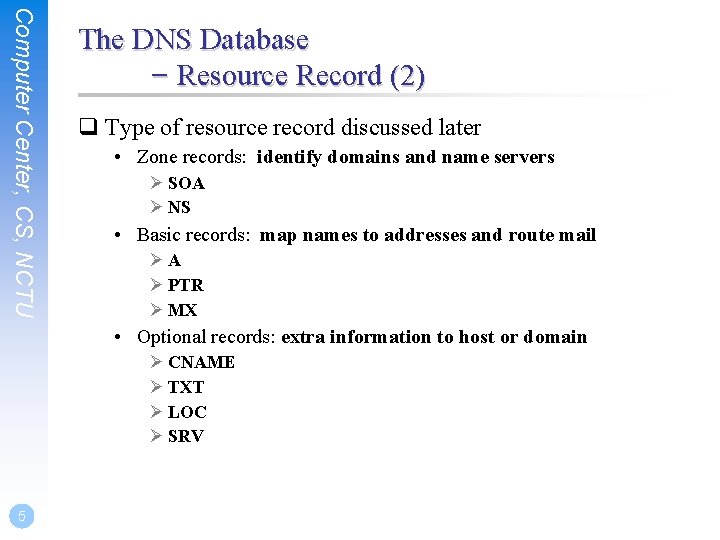
Computer Center, CS, NCTU The DNS Database – Resource Record (2) q Type of resource record discussed later • Zone records: identify domains and name servers Ø SOA Ø NS • Basic records: map names to addresses and route mail ØA Ø PTR Ø MX • Optional records: extra information to host or domain Ø CNAME Ø TXT Ø LOC Ø SRV 5
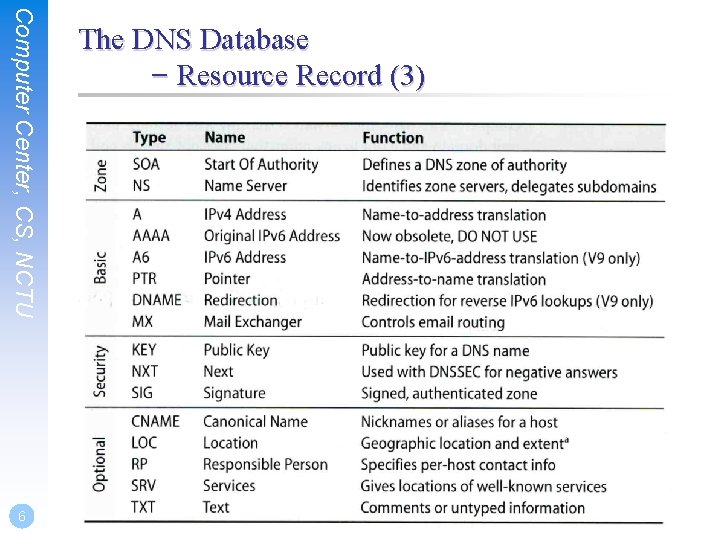
Computer Center, CS, NCTU 6 The DNS Database – Resource Record (3)
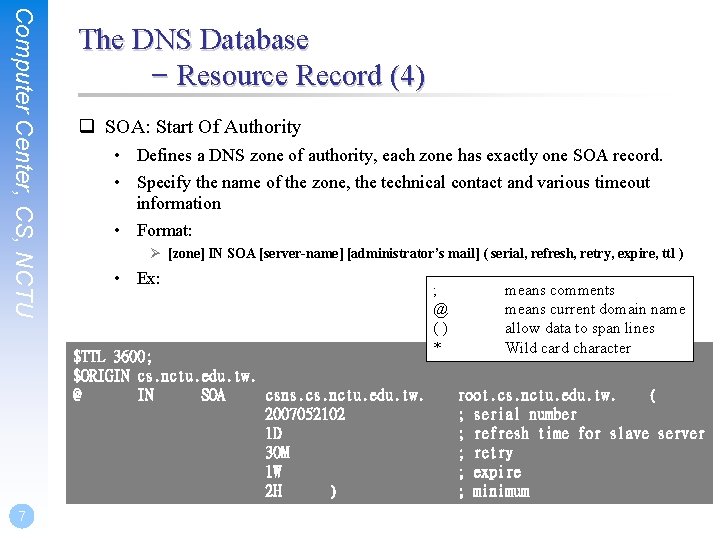
Computer Center, CS, NCTU The DNS Database – Resource Record (4) q SOA: Start Of Authority • Defines a DNS zone of authority, each zone has exactly one SOA record. • Specify the name of the zone, the technical contact and various timeout information • Format: Ø [zone] IN SOA [server-name] [administrator’s mail] ( serial, refresh, retry, expire, ttl ) • Ex: $TTL 3600; $ORIGIN cs. nctu. edu. tw. @ IN SOA csns. cs. nctu. edu. tw. 2007052102 1 D 30 M 1 W 2 H ) 7 ; @ () * means comments means current domain name allow data to span lines Wild card character root. cs. nctu. edu. tw. ( ; serial number ; refresh time for slave server ; retry ; expire ; minimum
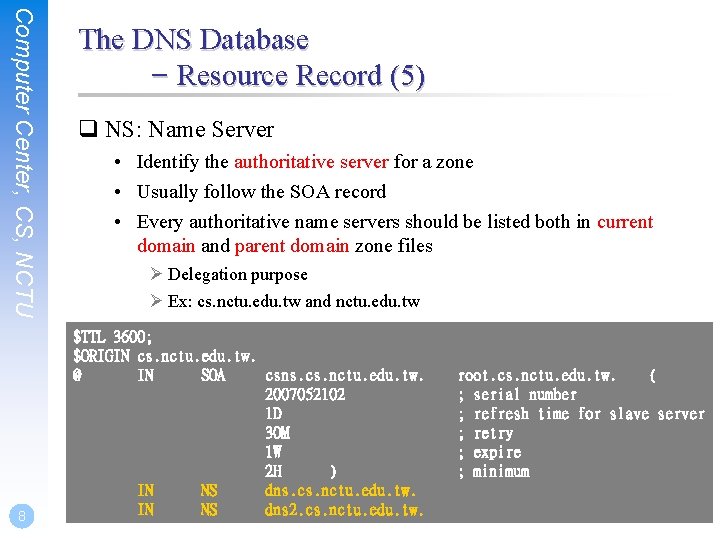
Computer Center, CS, NCTU 8 The DNS Database – Resource Record (5) q NS: Name Server • Identify the authoritative server for a zone • Usually follow the SOA record • Every authoritative name servers should be listed both in current domain and parent domain zone files Ø Delegation purpose Ø Ex: cs. nctu. edu. tw and nctu. edu. tw $TTL 3600; $ORIGIN cs. nctu. edu. tw. @ IN SOA csns. cs. nctu. edu. tw. 2007052102 1 D 30 M 1 W 2 H ) IN NS dns. cs. nctu. edu. tw. IN NS dns 2. cs. nctu. edu. tw. root. cs. nctu. edu. tw. ( ; serial number ; refresh time for slave server ; retry ; expire ; minimum
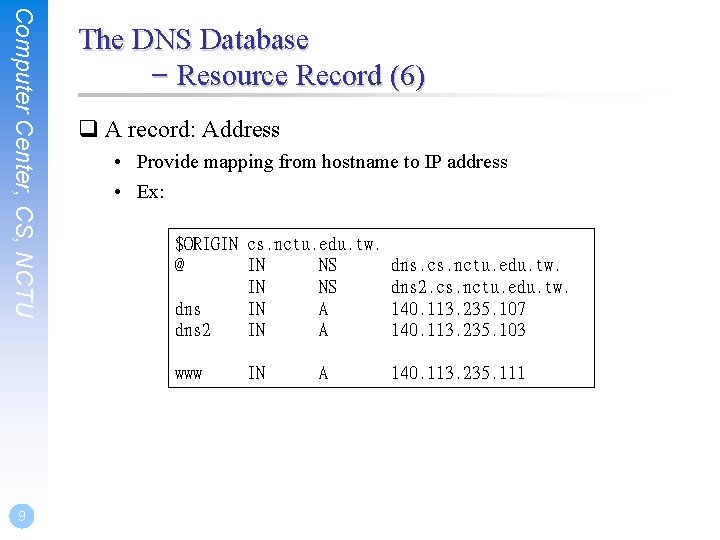
Computer Center, CS, NCTU The DNS Database – Resource Record (6) q A record: Address • Provide mapping from hostname to IP address • Ex: $ORIGIN cs. nctu. edu. tw. @ IN NS dns. cs. nctu. edu. tw. IN NS dns 2. cs. nctu. edu. tw. dns IN A 140. 113. 235. 107 dns 2 IN A 140. 113. 235. 103 www 9 IN A 140. 113. 235. 111
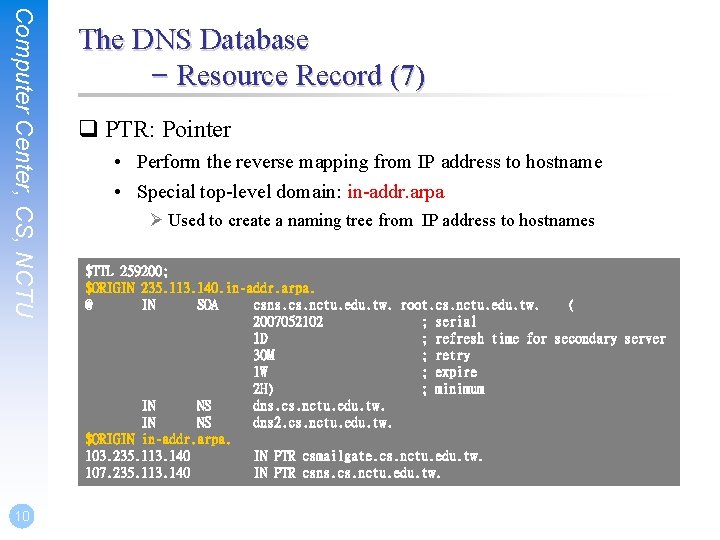
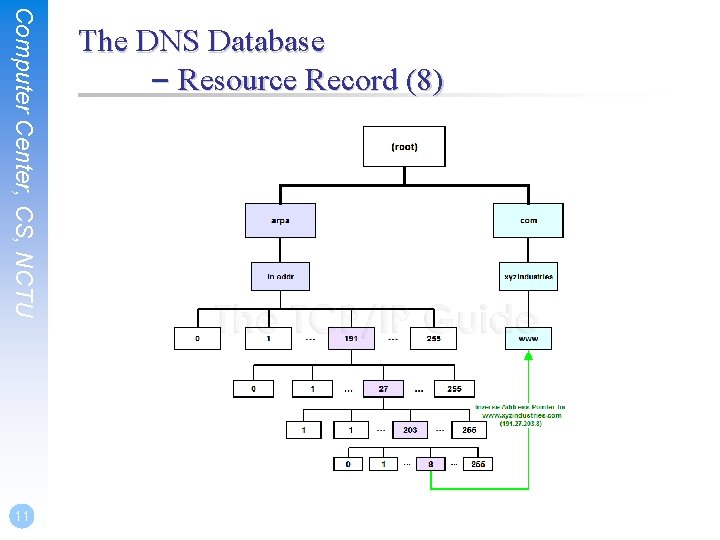
Computer Center, CS, NCTU 10 The DNS Database – Resource Record (7) q PTR: Pointer • Perform the reverse mapping from IP address to hostname • Special top-level domain: in-addr. arpa Ø Used to create a naming tree from IP address to hostnames $TTL 259200; $ORIGIN 235. 113. 140. in-addr. arpa. @ IN SOA csns. cs. nctu. edu. tw. root. cs. nctu. edu. tw. ( 2007052102 ; serial 1 D ; refresh time for secondary server 30 M ; retry 1 W ; expire 2 H) ; minimum IN NS dns. cs. nctu. edu. tw. IN NS dns 2. cs. nctu. edu. tw. $ORIGIN in-addr. arpa. 103. 235. 113. 140 IN PTR csmailgate. cs. nctu. edu. tw. 107. 235. 113. 140 IN PTR csns. cs. nctu. edu. tw.
Computer Center, CS, NCTU 11 The DNS Database – Resource Record (8)
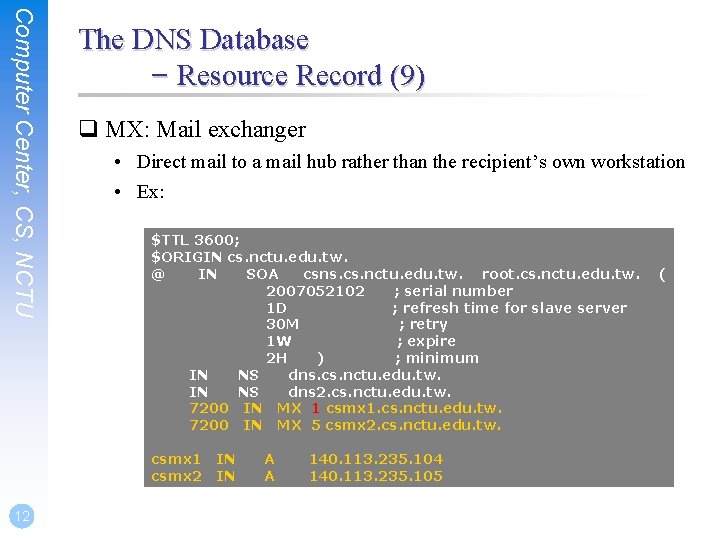
Computer Center, CS, NCTU The DNS Database – Resource Record (9) q MX: Mail exchanger • Direct mail to a mail hub rather than the recipient’s own workstation • Ex: $TTL 3600; $ORIGIN cs. nctu. edu. tw. @ IN SOA csns. cs. nctu. edu. tw. root. cs. nctu. edu. tw. 2007052102 ; serial number 1 D ; refresh time for slave server 30 M ; retry 1 W ; expire 2 H ) ; minimum IN NS dns. cs. nctu. edu. tw. IN NS dns 2. cs. nctu. edu. tw. 7200 IN MX 1 csmx 1. cs. nctu. edu. tw. 7200 IN MX 5 csmx 2. cs. nctu. edu. tw. csmx 1 csmx 2 12 IN IN A A 140. 113. 235. 104 140. 113. 235. 105 (
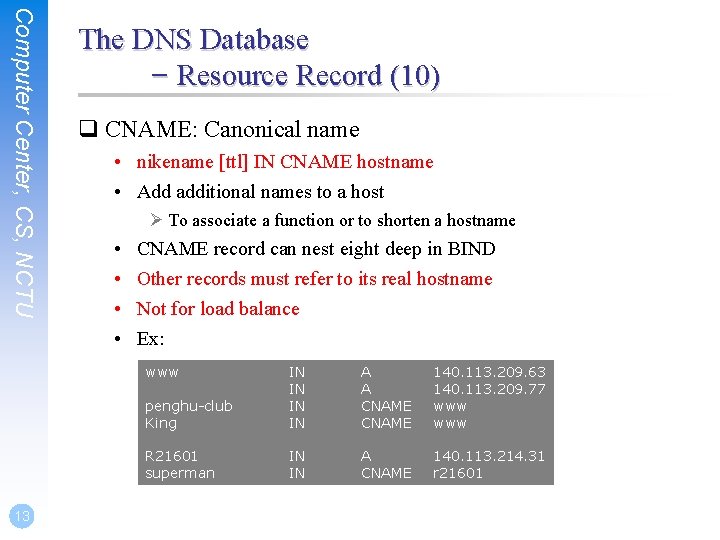
Computer Center, CS, NCTU The DNS Database – Resource Record (10) q CNAME: Canonical name • nikename [ttl] IN CNAME hostname • Add additional names to a host Ø To associate a function or to shorten a hostname • • CNAME record can nest eight deep in BIND Other records must refer to its real hostname Not for load balance Ex: www 13 penghu-club King IN IN A A CNAME 140. 113. 209. 63 140. 113. 209. 77 www R 21601 superman IN IN A CNAME 140. 113. 214. 31 r 21601
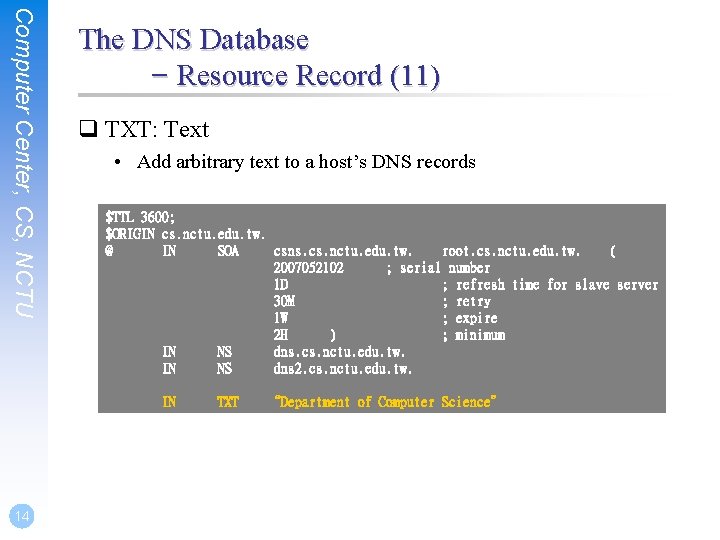
Computer Center, CS, NCTU The DNS Database – Resource Record (11) q TXT: Text • Add arbitrary text to a host’s DNS records $TTL 3600; $ORIGIN cs. nctu. edu. tw. @ IN SOA csns. cs. nctu. edu. tw. root. cs. nctu. edu. tw. ( 2007052102 ; serial number 1 D ; refresh time for slave server 30 M ; retry 1 W ; expire 2 H ) ; minimum IN NS dns. cs. nctu. edu. tw. IN NS dns 2. cs. nctu. edu. tw. IN 14 TXT “Department of Computer Science”
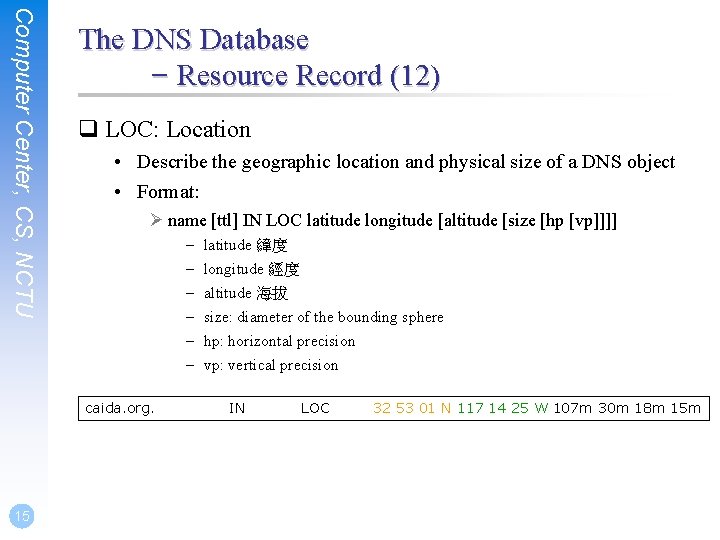
Computer Center, CS, NCTU The DNS Database – Resource Record (12) q LOC: Location • Describe the geographic location and physical size of a DNS object • Format: Ø name [ttl] IN LOC latitude longitude [altitude [size [hp [vp]]]] – – – caida. org. 15 latitude 緯度 longitude 經度 altitude 海拔 size: diameter of the bounding sphere hp: horizontal precision vp: vertical precision IN LOC 32 53 01 N 117 14 25 W 107 m 30 m 18 m 15 m
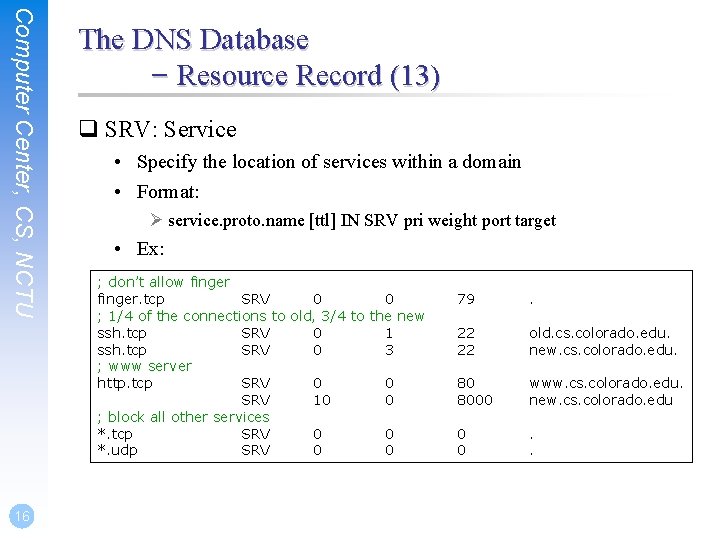
Computer Center, CS, NCTU 16 The DNS Database – Resource Record (13) q SRV: Service • Specify the location of services within a domain • Format: Ø service. proto. name [ttl] IN SRV pri weight port target • Ex: ; don’t allow finger. tcp SRV 0 0 ; 1/4 of the connections to old, 3/4 to the new ssh. tcp SRV 0 1 ssh. tcp SRV 0 3 ; www server http. tcp SRV 0 0 SRV 10 0 ; block all other services *. tcp SRV 0 0 *. udp SRV 0 0 79 . 22 22 old. cs. colorado. edu. new. cs. colorado. edu. 80 8000 www. cs. colorado. edu. new. cs. colorado. edu. 0 0 . .
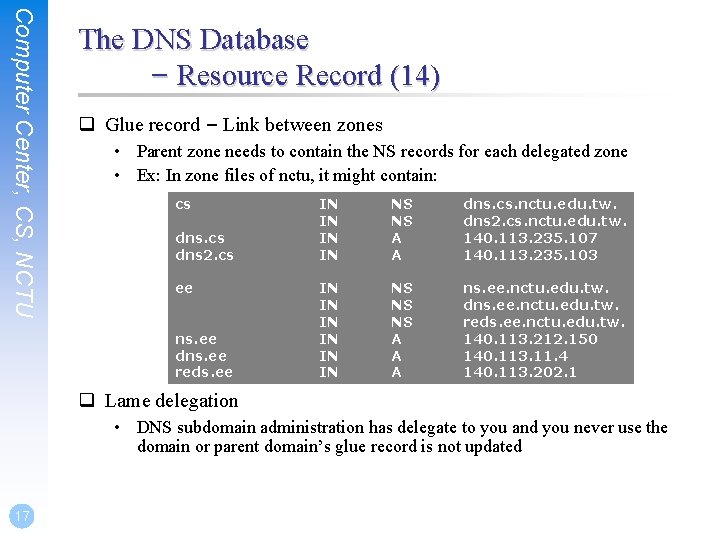
Computer Center, CS, NCTU The DNS Database – Resource Record (14) q Glue record – Link between zones • Parent zone needs to contain the NS records for each delegated zone • Ex: In zone files of nctu, it might contain: cs dns 2. cs ee ns. ee dns. ee reds. ee IN IN NS NS A A dns. cs. nctu. edu. tw. dns 2. cs. nctu. edu. tw. 140. 113. 235. 107 140. 113. 235. 103 IN IN IN NS NS NS A A A ns. ee. nctu. edu. tw. dns. ee. nctu. edu. tw. reds. ee. nctu. edu. tw. 140. 113. 212. 150 140. 113. 11. 4 140. 113. 202. 1 q Lame delegation • DNS subdomain administration has delegate to you and you never use the domain or parent domain’s glue record is not updated 17
BIND configuration
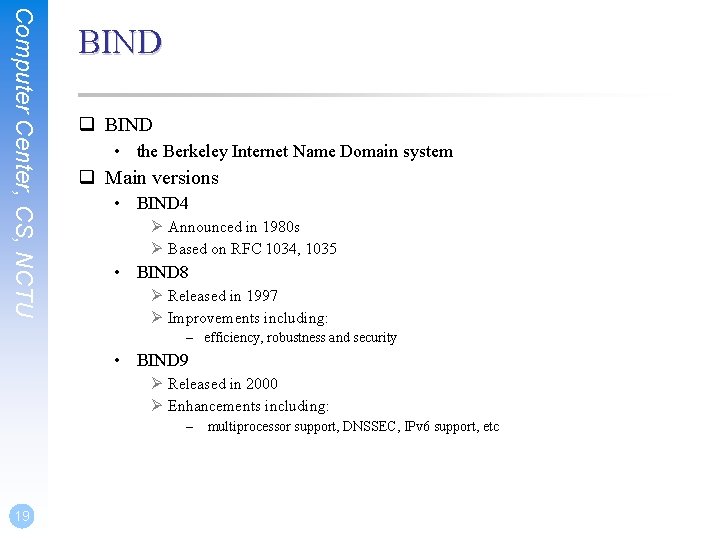
Computer Center, CS, NCTU BIND q BIND • the Berkeley Internet Name Domain system q Main versions • BIND 4 Ø Announced in 1980 s Ø Based on RFC 1034, 1035 • BIND 8 Ø Released in 1997 Ø Improvements including: – efficiency, robustness and security • BIND 9 Ø Released in 2000 Ø Enhancements including: – multiprocessor support, DNSSEC, IPv 6 support, etc 19
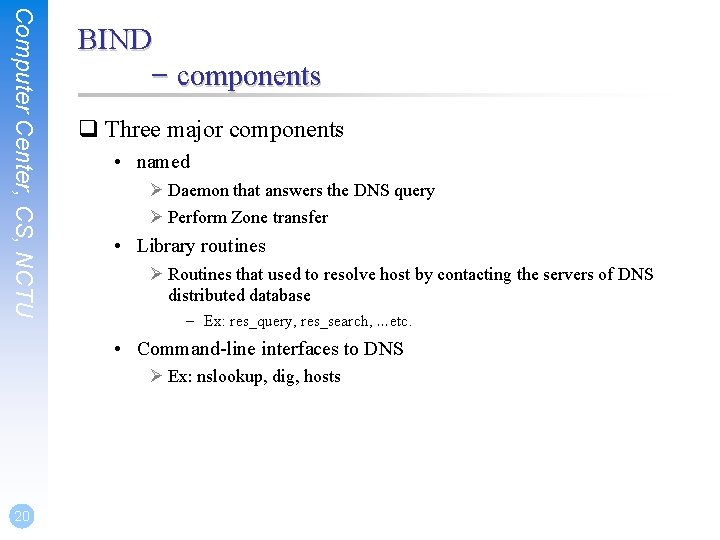
Computer Center, CS, NCTU BIND – components q Three major components • named Ø Daemon that answers the DNS query Ø Perform Zone transfer • Library routines Ø Routines that used to resolve host by contacting the servers of DNS distributed database – Ex: res_query, res_search, …etc. • Command-line interfaces to DNS Ø Ex: nslookup, dig, hosts 20
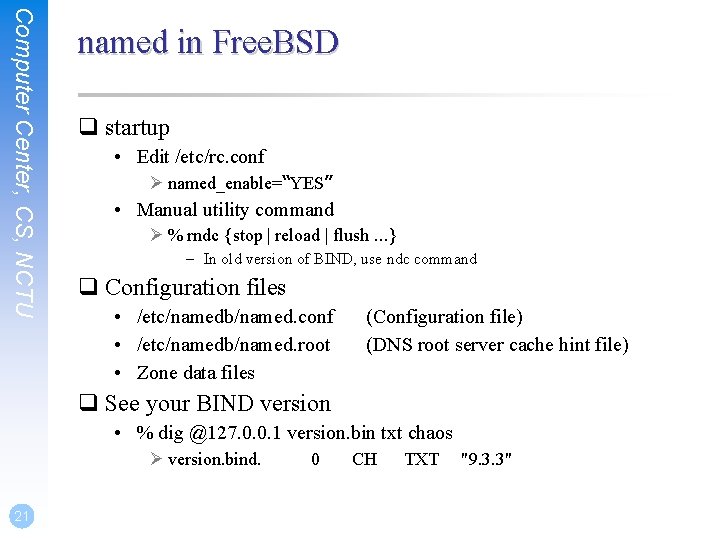
Computer Center, CS, NCTU named in Free. BSD q startup • Edit /etc/rc. conf Ø named_enable=“YES” • Manual utility command Ø % rndc {stop | reload | flush …} – In old version of BIND, use ndc command q Configuration files • /etc/namedb/named. conf • /etc/namedb/named. root • Zone data files (Configuration file) (DNS root server cache hint file) q See your BIND version • % dig @127. 0. 0. 1 version. bin txt chaos Ø version. bind. 21 0 CH TXT "9. 3. 3"
Computer Center, CS, NCTU BIND Configuration – named. conf q /etc/namedb/named. conf • Roles of this name server Ø Master, slave, or stub • Global options • Zone specific options q named. conf is composed of following statements: • include, options, server, key, acl, zone, view, controls, logging, trusted-keys 22
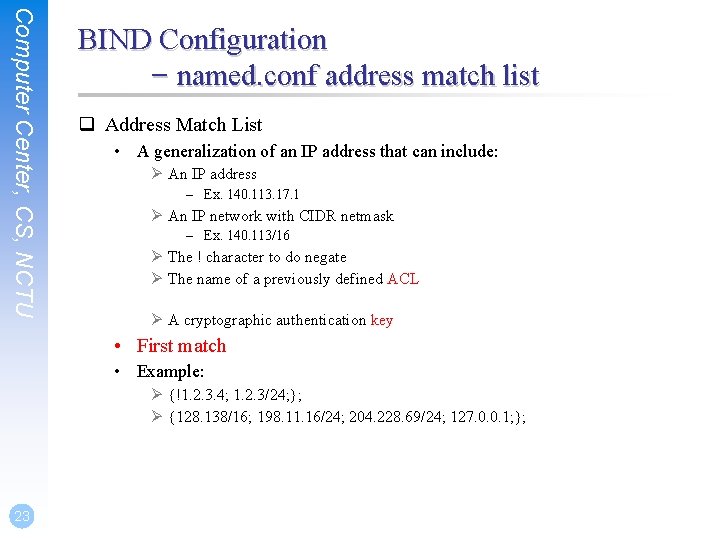
Computer Center, CS, NCTU BIND Configuration – named. conf address match list q Address Match List • A generalization of an IP address that can include: Ø An IP address – Ex. 140. 113. 17. 1 Ø An IP network with CIDR netmask – Ex. 140. 113/16 Ø The ! character to do negate Ø The name of a previously defined ACL Ø A cryptographic authentication key • First match • Example: Ø {!1. 2. 3. 4; 1. 2. 3/24; }; Ø {128. 138/16; 198. 11. 16/24; 204. 228. 69/24; 127. 0. 0. 1; }; 23
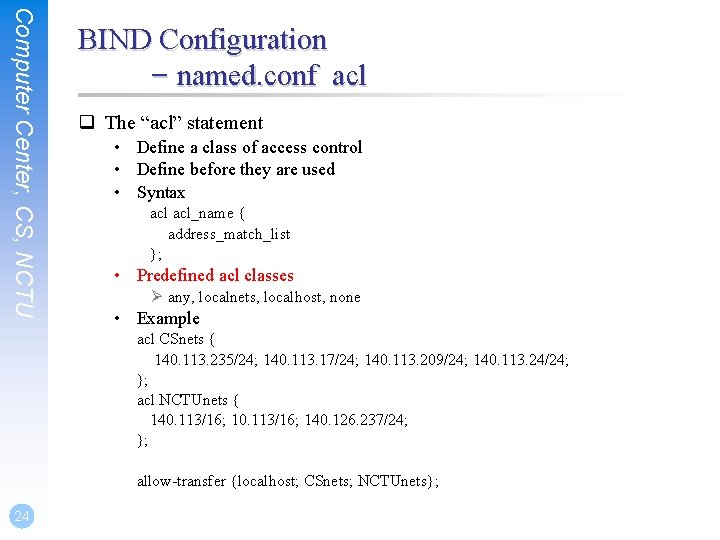
Computer Center, CS, NCTU BIND Configuration – named. conf acl q The “acl” statement • Define a class of access control • Define before they are used • Syntax acl_name { address_match_list }; • Predefined acl classes Ø any, localnets, localhost, none • Example acl CSnets { 140. 113. 235/24; 140. 113. 17/24; 140. 113. 209/24; 140. 113. 24/24; }; acl NCTUnets { 140. 113/16; 140. 126. 237/24; }; allow-transfer {localhost; CSnets; NCTUnets}; 24
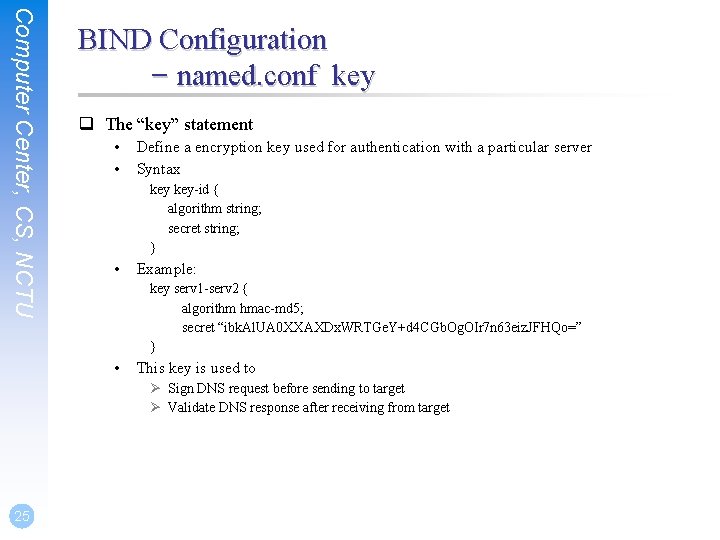
Computer Center, CS, NCTU BIND Configuration – named. conf key q The “key” statement • • Define a encryption key used for authentication with a particular server Syntax key-id { algorithm string; secret string; } • Example: key serv 1 -serv 2 { algorithm hmac-md 5; secret “ibk. Al. UA 0 XXAXDx. WRTGe. Y+d 4 CGb. Og. OIr 7 n 63 eiz. JFHQo=” } • This key is used to Ø Sign DNS request before sending to target Ø Validate DNS response after receiving from target 25
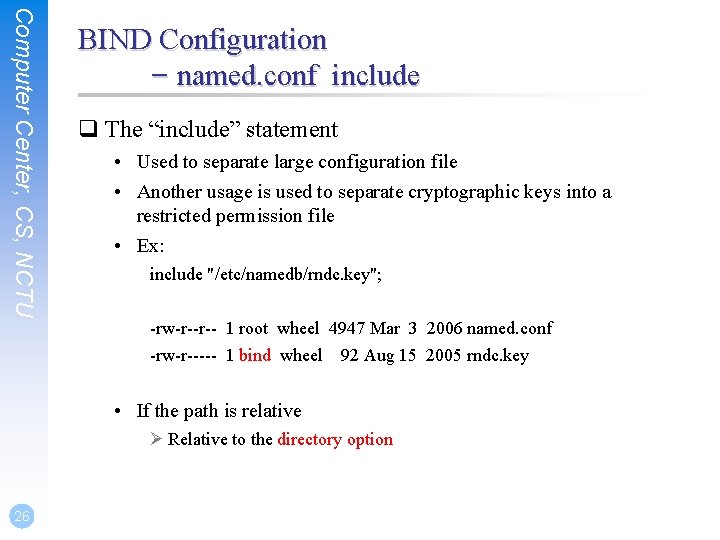
Computer Center, CS, NCTU BIND Configuration – named. conf include q The “include” statement • Used to separate large configuration file • Another usage is used to separate cryptographic keys into a restricted permission file • Ex: include "/etc/namedb/rndc. key"; -rw-r--r-- 1 root wheel 4947 Mar 3 2006 named. conf -rw-r----- 1 bind wheel 92 Aug 15 2005 rndc. key • If the path is relative Ø Relative to the directory option 26
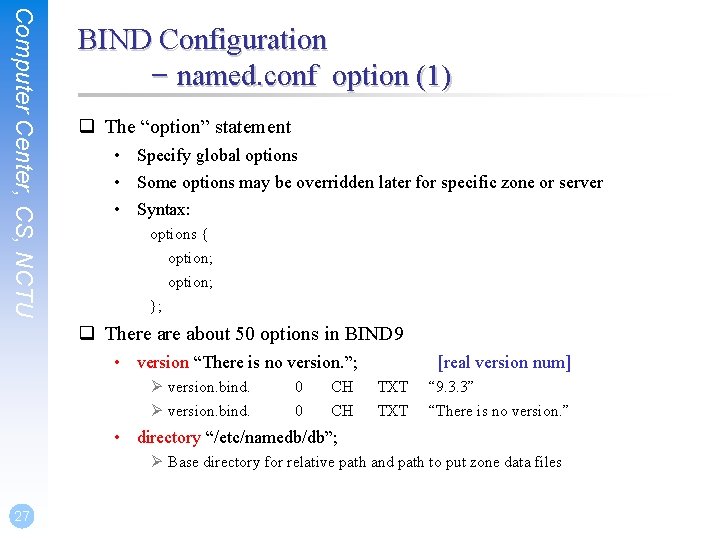
Computer Center, CS, NCTU BIND Configuration – named. conf option (1) q The “option” statement • Specify global options • Some options may be overridden later for specific zone or server • Syntax: options { option; }; q There about 50 options in BIND 9 • version “There is no version. ”; Ø version. bind. 0 0 CH CH [real version num] TXT “ 9. 3. 3” “There is no version. ” • directory “/etc/namedb/db”; Ø Base directory for relative path and path to put zone data files 27
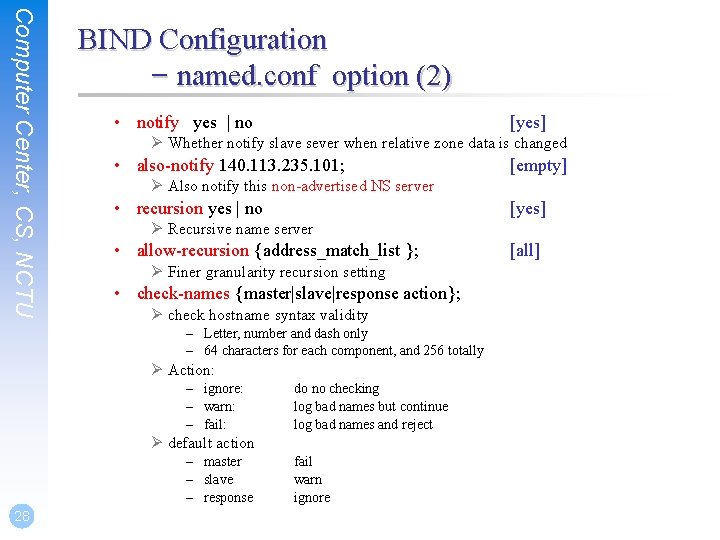
Computer Center, CS, NCTU BIND Configuration – named. conf option (2) • notify yes | no [yes] Ø Whether notify slave sever when relative zone data is changed • also-notify 140. 113. 235. 101; Ø Also notify this non-advertised NS server • recursion yes | no [yes] Ø Recursive name server • allow-recursion {address_match_list }; Ø Finer granularity recursion setting • check-names {master|slave|response action}; Ø check hostname syntax validity – Letter, number and dash only – 64 characters for each component, and 256 totally Ø Action: – ignore: – warn: – fail: do no checking log bad names but continue log bad names and reject Ø default action – master – slave – response 28 [empty] fail warn ignore [all]
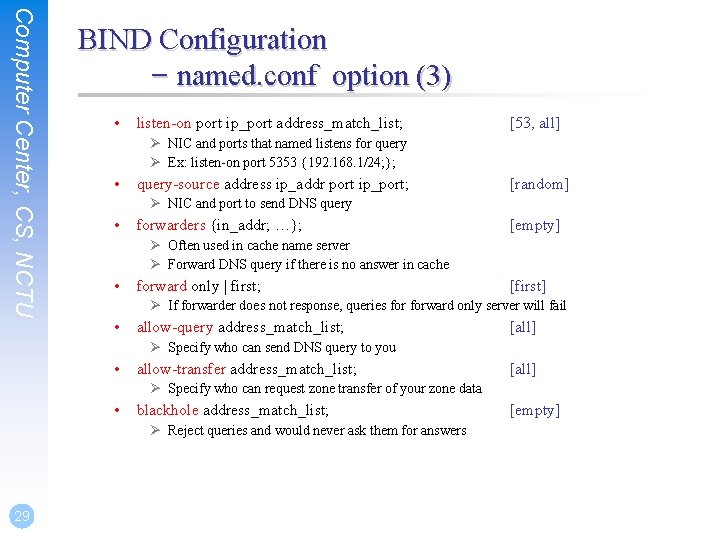
Computer Center, CS, NCTU BIND Configuration – named. conf option (3) • listen-on port ip_port address_match_list; [53, all] Ø NIC and ports that named listens for query Ø Ex: listen-on port 5353 {192. 168. 1/24; }; • query-source address ip_addr port ip_port; [random] Ø NIC and port to send DNS query • forwarders {in_addr; …}; [empty] Ø Often used in cache name server Ø Forward DNS query if there is no answer in cache • forward only | first; [first] Ø If forwarder does not response, queries forward only server will fail • allow-query address_match_list; [all] Ø Specify who can send DNS query to you • allow-transfer address_match_list; [all] Ø Specify who can request zone transfer of your zone data • blackhole address_match_list; Ø Reject queries and would never ask them for answers 29 [empty]
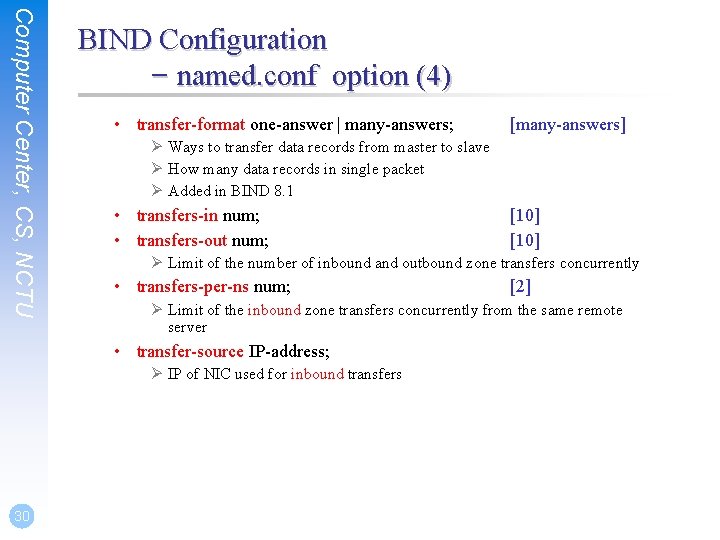
Computer Center, CS, NCTU BIND Configuration – named. conf option (4) • transfer-format one-answer | many-answers; Ø Ways to transfer data records from master to slave Ø How many data records in single packet Ø Added in BIND 8. 1 • transfers-in num; • transfers-out num; [10] Ø Limit of the number of inbound and outbound zone transfers concurrently • transfers-per-ns num; [2] Ø Limit of the inbound zone transfers concurrently from the same remote server • transfer-source IP-address; Ø IP of NIC used for inbound transfers 30 [many-answers]
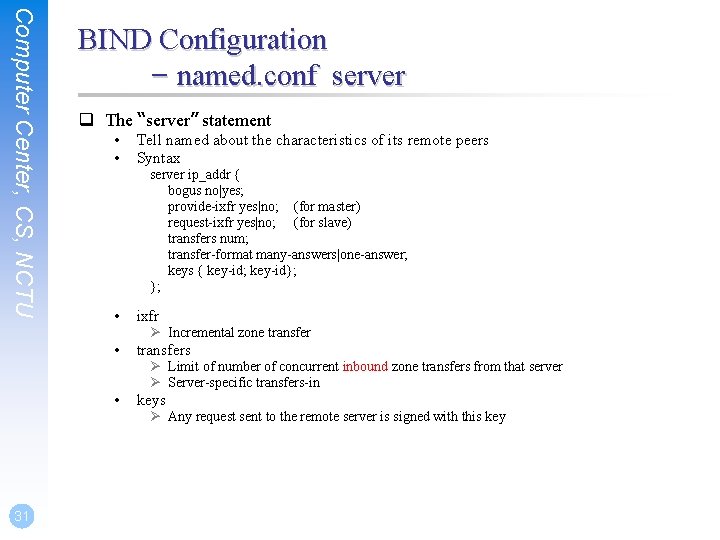
Computer Center, CS, NCTU 31 BIND Configuration – named. conf server q The “server” statement • • Tell named about the characteristics of its remote peers Syntax server ip_addr { bogus no|yes; provide-ixfr yes|no; (for master) request-ixfr yes|no; (for slave) transfers num; transfer-format many-answers|one-answer; keys { key-id; key-id}; }; • ixfr • transfers • keys Ø Incremental zone transfer Ø Limit of number of concurrent inbound zone transfers from that server Ø Server-specific transfers-in Ø Any request sent to the remote server is signed with this key
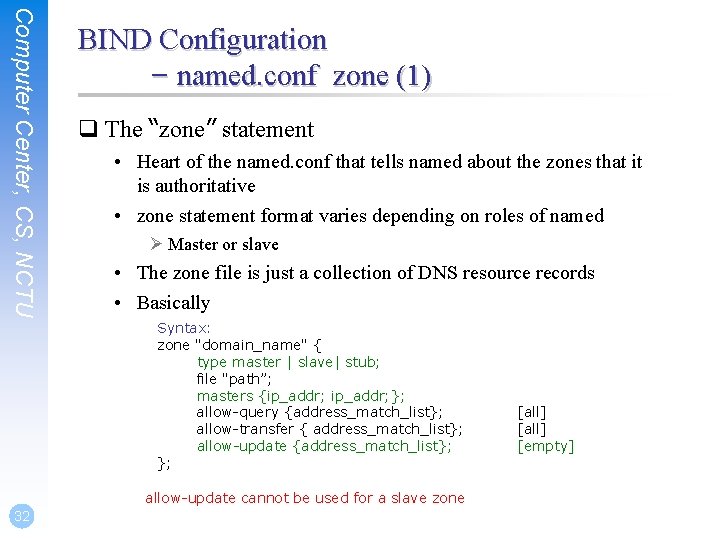
Computer Center, CS, NCTU BIND Configuration – named. conf zone (1) q The “zone” statement • Heart of the named. conf that tells named about the zones that it is authoritative • zone statement format varies depending on roles of named Ø Master or slave • The zone file is just a collection of DNS resource records • Basically Syntax: zone "domain_name" { type master | slave| stub; file "path”; masters {ip_addr; }; allow-query {address_match_list}; allow-transfer { address_match_list}; allow-update {address_match_list}; }; allow-update cannot be used for a slave zone 32 [all] [empty]
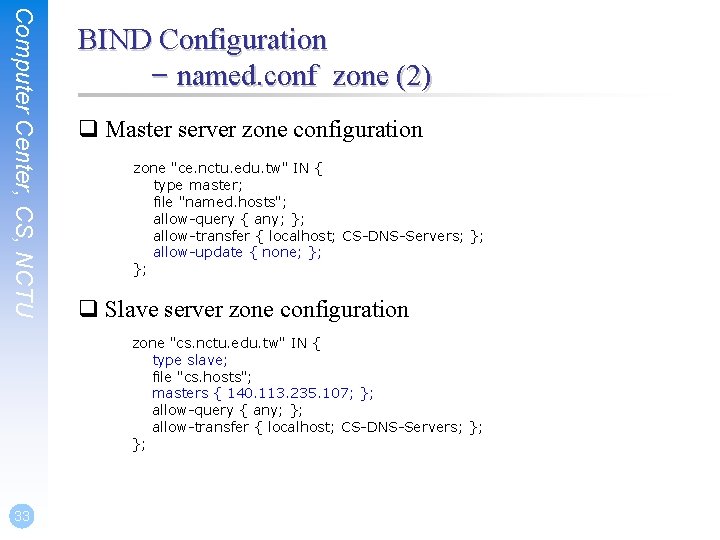
Computer Center, CS, NCTU BIND Configuration – named. conf zone (2) q Master server zone configuration zone "ce. nctu. edu. tw" IN { type master; file "named. hosts"; allow-query { any; }; allow-transfer { localhost; CS-DNS-Servers; }; allow-update { none; }; }; q Slave server zone configuration zone "cs. nctu. edu. tw" IN { type slave; file "cs. hosts"; masters { 140. 113. 235. 107; }; allow-query { any; }; allow-transfer { localhost; CS-DNS-Servers; }; }; 33
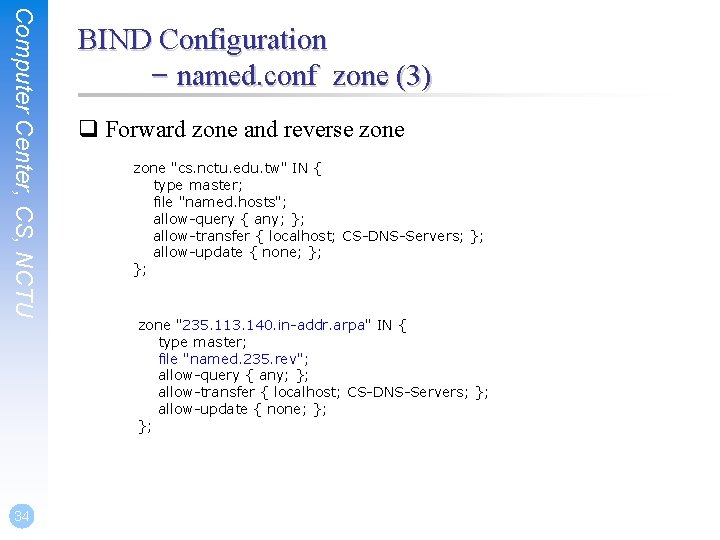
Computer Center, CS, NCTU 34 BIND Configuration – named. conf zone (3) q Forward zone and reverse zone "cs. nctu. edu. tw" IN { type master; file "named. hosts"; allow-query { any; }; allow-transfer { localhost; CS-DNS-Servers; }; allow-update { none; }; }; zone "235. 113. 140. in-addr. arpa" IN { type master; file "named. 235. rev"; allow-query { any; }; allow-transfer { localhost; CS-DNS-Servers; }; allow-update { none; }; };
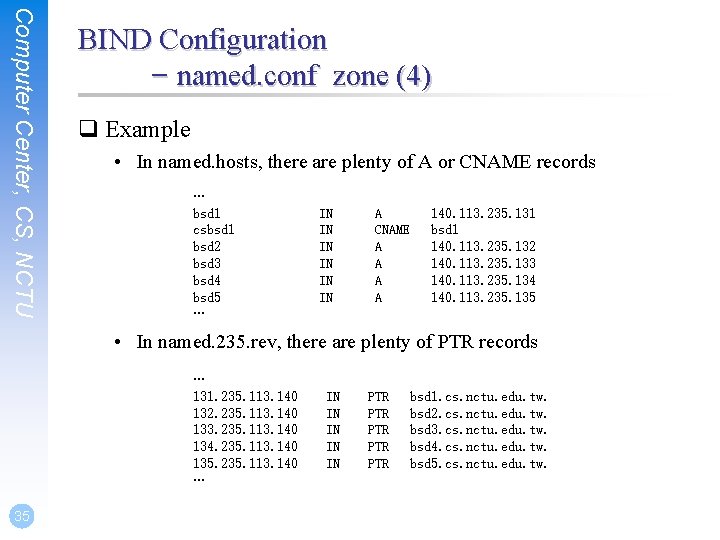
Computer Center, CS, NCTU BIND Configuration – named. conf zone (4) q Example • In named. hosts, there are plenty of A or CNAME records … bsd 1 csbsd 1 bsd 2 bsd 3 bsd 4 bsd 5 … IN IN IN A CNAME A A 140. 113. 235. 131 bsd 1 140. 113. 235. 132 140. 113. 235. 133 140. 113. 235. 134 140. 113. 235. 135 • In named. 235. rev, there are plenty of PTR records … 131. 235. 113. 140 132. 235. 113. 140 133. 235. 113. 140 134. 235. 113. 140 135. 235. 113. 140 … 35 IN IN IN PTR PTR PTR bsd 1. cs. nctu. edu. tw. bsd 2. cs. nctu. edu. tw. bsd 3. cs. nctu. edu. tw. bsd 4. cs. nctu. edu. tw. bsd 5. cs. nctu. edu. tw.
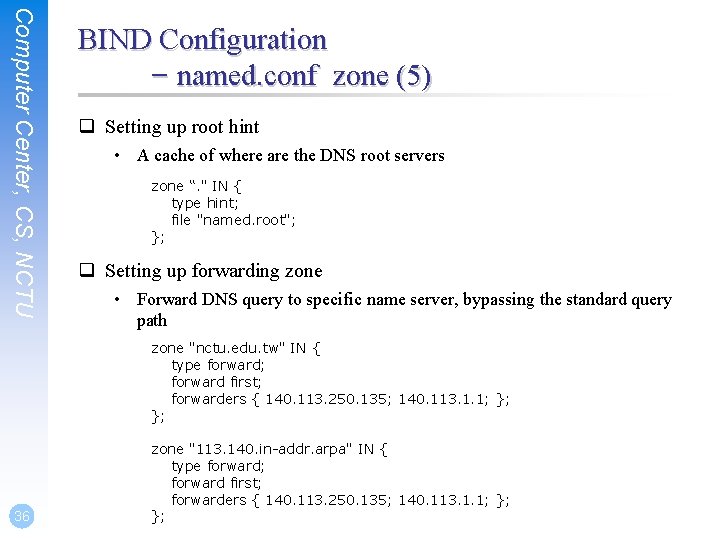
Computer Center, CS, NCTU BIND Configuration – named. conf zone (5) q Setting up root hint • A cache of where are the DNS root servers zone “. " IN { type hint; file "named. root"; }; q Setting up forwarding zone • Forward DNS query to specific name server, bypassing the standard query path zone "nctu. edu. tw" IN { type forward; forward first; forwarders { 140. 113. 250. 135; 140. 113. 1. 1; }; }; 36 zone "113. 140. in-addr. arpa" IN { type forward; forward first; forwarders { 140. 113. 250. 135; 140. 113. 1. 1; }; };
Computer Center, CS, NCTU BIND Configuration – named. conf view (1) q The “view” statement • Create a different view of DNS naming hierarchy for internal machines Ø Restrict the external view to few well-known servers Ø Supply additional records to internal users • Also called “split DNS” • In-order processing Ø Put the most restrictive view first • All-or-nothing Ø All zone statements in your named. conf file must appear in the content of view 37
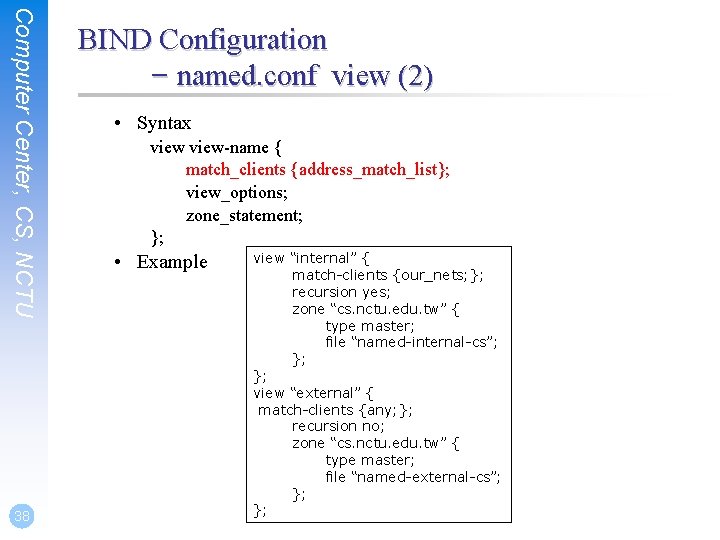
Computer Center, CS, NCTU 38 BIND Configuration – named. conf view (2) • Syntax view-name { match_clients {address_match_list}; view_options; zone_statement; }; • Example view “internal” { match-clients {our_nets; }; recursion yes; zone “cs. nctu. edu. tw” { type master; file “named-internal-cs”; }; }; view “external” { match-clients {any; }; recursion no; zone “cs. nctu. edu. tw” { type master; file “named-external-cs”; }; };
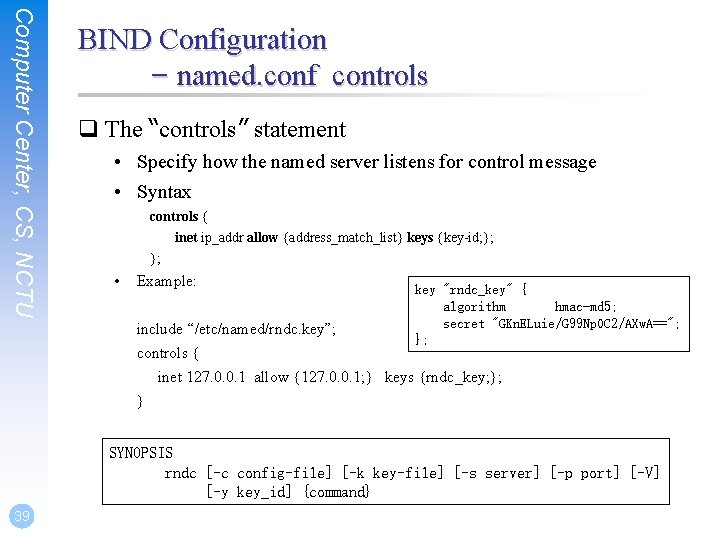
Computer Center, CS, NCTU BIND Configuration – named. conf controls q The “controls” statement • Specify how the named server listens for control message • Syntax controls { inet ip_addr allow {address_match_list} keys {key-id; }; }; • Example: key "rndc_key" { algorithm hmac-md 5; secret "GKn. ELuie/G 99 Np. OC 2/AXw. A=="; }; include “/etc/named/rndc. key”; controls { inet 127. 0. 0. 1 allow {127. 0. 0. 1; } keys {rndc_key; }; } SYNOPSIS rndc [-c config-file] [-k key-file] [-s server] [-p port] [-V] [-y key_id] {command} 39
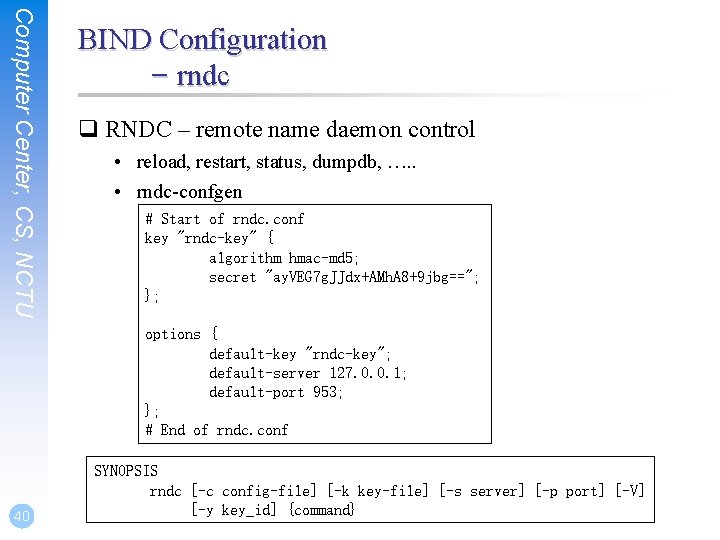
Computer Center, CS, NCTU BIND Configuration – rndc q RNDC – remote name daemon control • reload, restart, status, dumpdb, …. . • rndc-confgen # Start of rndc. conf key "rndc-key" { algorithm hmac-md 5; secret "ay. VEG 7 g. JJdx+AMh. A 8+9 jbg=="; }; options { default-key "rndc-key"; default-server 127. 0. 0. 1; default-port 953; }; # End of rndc. conf 40 SYNOPSIS rndc [-c config-file] [-k key-file] [-s server] [-p port] [-V] [-y key_id] {command}
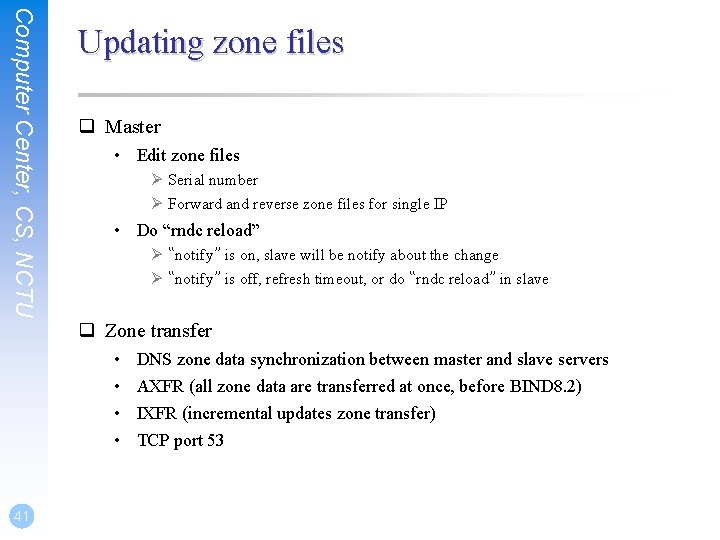
Computer Center, CS, NCTU Updating zone files q Master • Edit zone files Ø Serial number Ø Forward and reverse zone files for single IP • Do “rndc reload” Ø “notify” is on, slave will be notify about the change Ø “notify” is off, refresh timeout, or do “rndc reload” in slave q Zone transfer • • 41 DNS zone data synchronization between master and slave servers AXFR (all zone data are transferred at once, before BIND 8. 2) IXFR (incremental updates zone transfer) TCP port 53
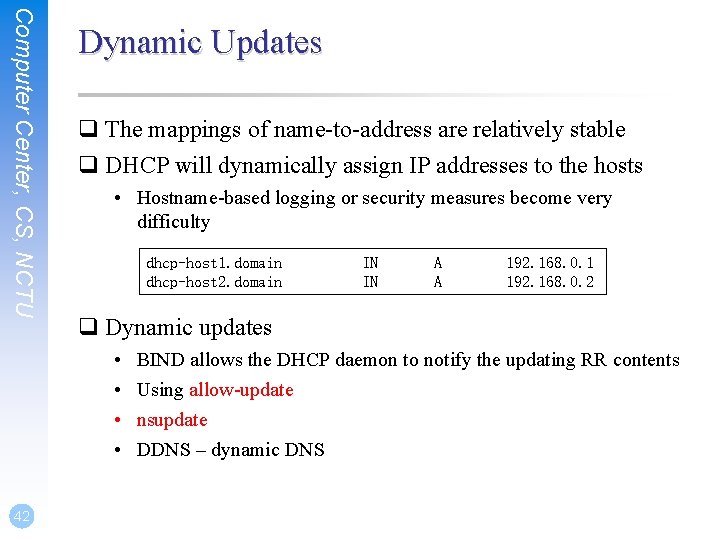
Computer Center, CS, NCTU Dynamic Updates q The mappings of name-to-address are relatively stable q DHCP will dynamically assign IP addresses to the hosts • Hostname-based logging or security measures become very difficulty dhcp-host 1. domain dhcp-host 2. domain A A 192. 168. 0. 1 192. 168. 0. 2 q Dynamic updates • • 42 IN IN BIND allows the DHCP daemon to notify the updating RR contents Using allow-update nsupdate DDNS – dynamic DNS
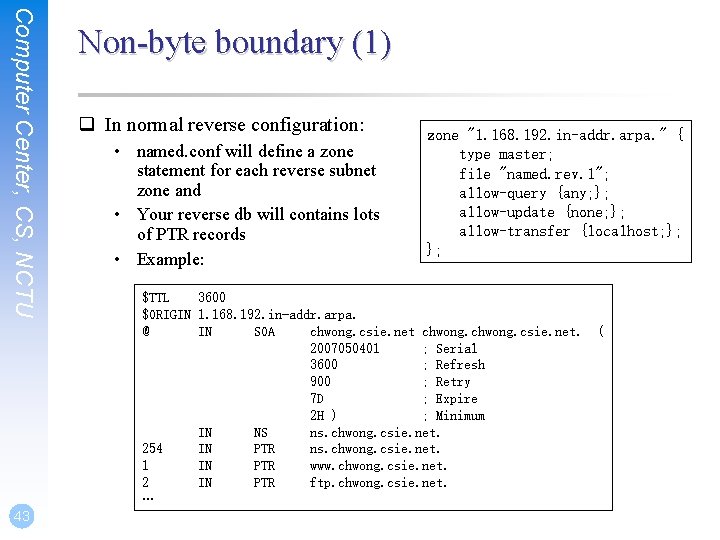
Computer Center, CS, NCTU 43 Non-byte boundary (1) q In normal reverse configuration: • named. conf will define a zone statement for each reverse subnet zone and • Your reverse db will contains lots of PTR records • Example: zone "1. 168. 192. in-addr. arpa. " { type master; file "named. rev. 1"; allow-query {any; }; allow-update {none; }; allow-transfer {localhost; }; }; $TTL 3600 $ORIGIN 1. 168. 192. in-addr. arpa. @ IN SOA chwong. csie. net. 2007050401 ; Serial 3600 ; Refresh 900 ; Retry 7 D ; Expire 2 H ) ; Minimum IN NS ns. chwong. csie. net. 254 IN PTR ns. chwong. csie. net. 1 IN PTR www. chwong. csie. net. 2 IN PTR ftp. chwong. csie. net. … (
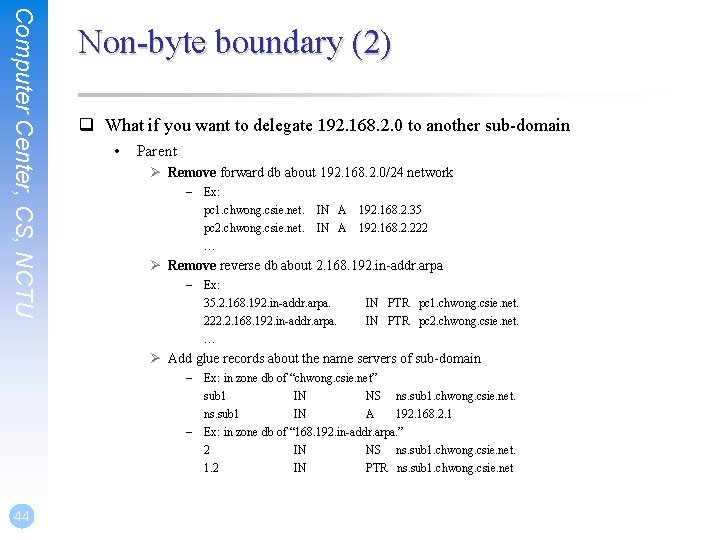
Computer Center, CS, NCTU Non-byte boundary (2) q What if you want to delegate 192. 168. 2. 0 to another sub-domain • Parent Ø Remove forward db about 192. 168. 2. 0/24 network – Ex: pc 1. chwong. csie. net. IN A 192. 168. 2. 35 pc 2. chwong. csie. net. IN A 192. 168. 2. 222 … Ø Remove reverse db about 2. 168. 192. in-addr. arpa – Ex: 35. 2. 168. 192. in-addr. arpa. 222. 2. 168. 192. in-addr. arpa. … IN PTR pc 1. chwong. csie. net. IN PTR pc 2. chwong. csie. net. Ø Add glue records about the name servers of sub-domain – Ex: in zone db of “chwong. csie. net” sub 1 IN NS ns. sub 1. chwong. csie. net. ns. sub 1 IN A 192. 168. 2. 1 – Ex: in zone db of “ 168. 192. in-addr. arpa. ” 2 IN NS ns. sub 1. chwong. csie. net. 1. 2 IN PTR ns. sub 1. chwong. csie. net 44

Computer Center, CS, NCTU Non-byte boundary (3) q What if you want to delegate 192. 168. 3. 0 to four sub-domains (a /26 network) • 192. 168. 3. 0 ~ 192. 168. 3. 63 Ø ns. sub 1. chwong. csie. net. • 192. 168. 3. 64 ~ 192. 168. 3. 127 Ø ns. sub 2. chwong. csie. net. • 192. 168. 3. 128 ~ 192. 168. 3. 191 Ø ns. sub 3. chwong. csie. net. • 192. 168. 3. 192 ~ 192. 168. 3. 255 Ø ns. sub 4. chwong. csie. net. q It is easy forward setting • In zone db of chwong. csie. net Ø Ø Ø 45 sub 1 ns. sub 1 sub 2 ns. sub 2 … IN IN NS ns. sub 1. chwong. csie. net. A 1921. 68. 3. 1 NS ns. sub 2. chwong. csie. net. A 192. 168. 3. 65
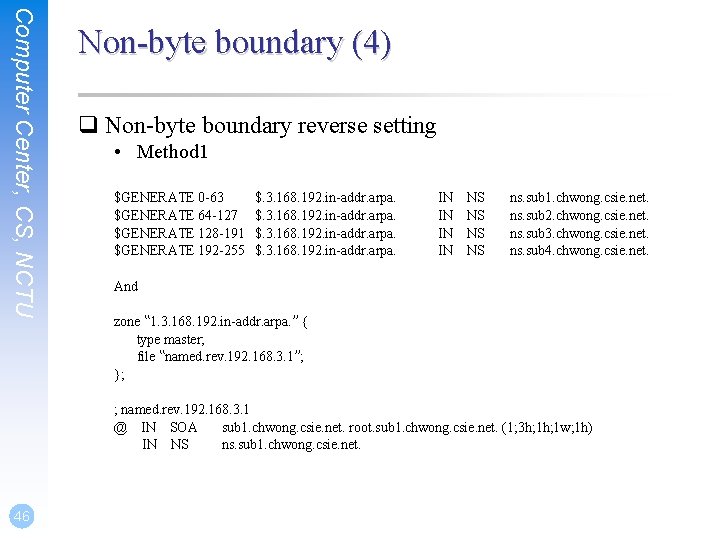
Computer Center, CS, NCTU Non-byte boundary (4) q Non-byte boundary reverse setting • Method 1 $GENERATE 0 -63 $GENERATE 64 -127 $GENERATE 128 -191 $GENERATE 192 -255 $. 3. 168. 192. in-addr. arpa. IN IN NS NS ns. sub 1. chwong. csie. net. ns. sub 2. chwong. csie. net. ns. sub 3. chwong. csie. net. ns. sub 4. chwong. csie. net. And zone “ 1. 3. 168. 192. in-addr. arpa. ” { type master; file “named. rev. 192. 168. 3. 1”; }; ; named. rev. 192. 168. 3. 1 @ IN SOA sub 1. chwong. csie. net. root. sub 1. chwong. csie. net. (1; 3 h; 1 w; 1 h) IN NS ns. sub 1. chwong. csie. net. 46
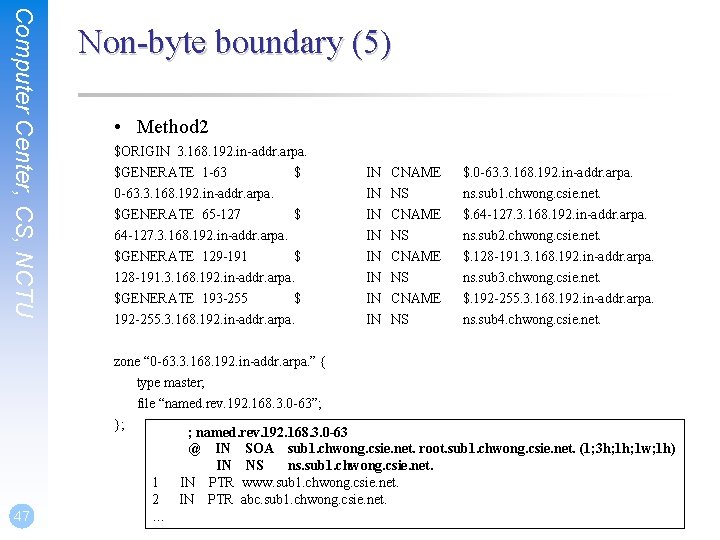
Computer Center, CS, NCTU Non-byte boundary (5) • Method 2 $ORIGIN 3. 168. 192. in-addr. arpa. $GENERATE 1 -63 $ 0 -63. 3. 168. 192. in-addr. arpa. $GENERATE 65 -127 $ 64 -127. 3. 168. 192. in-addr. arpa. $GENERATE 129 -191 $ 128 -191. 3. 168. 192. in-addr. arpa. $GENERATE 193 -255 $ 192 -255. 3. 168. 192. in-addr. arpa. IN IN CNAME NS $. 0 -63. 3. 168. 192. in-addr. arpa. ns. sub 1. chwong. csie. net. $. 64 -127. 3. 168. 192. in-addr. arpa. ns. sub 2. chwong. csie. net. $. 128 -191. 3. 168. 192. in-addr. arpa. ns. sub 3. chwong. csie. net. $. 192 -255. 3. 168. 192. in-addr. arpa. ns. sub 4. chwong. csie. net. zone “ 0 -63. 3. 168. 192. in-addr. arpa. ” { type master; file “named. rev. 192. 168. 3. 0 -63”; }; 47 1 2 … ; named. rev. 192. 168. 3. 0 -63 @ IN SOA sub 1. chwong. csie. net. root. sub 1. chwong. csie. net. (1; 3 h; 1 w; 1 h) IN NS ns. sub 1. chwong. csie. net. IN PTR www. sub 1. chwong. csie. net. IN PTR abc. sub 1. chwong. csie. net.
BIND Security
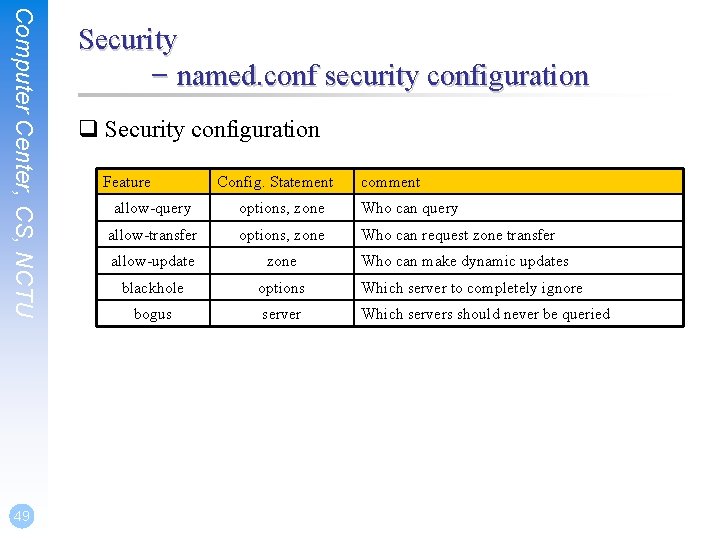
Computer Center, CS, NCTU 49 Security – named. conf security configuration q Security configuration Feature Config. Statement comment allow-query options, zone Who can query allow-transfer options, zone Who can request zone transfer allow-update zone blackhole options Which server to completely ignore bogus server Which servers should never be queried Who can make dynamic updates
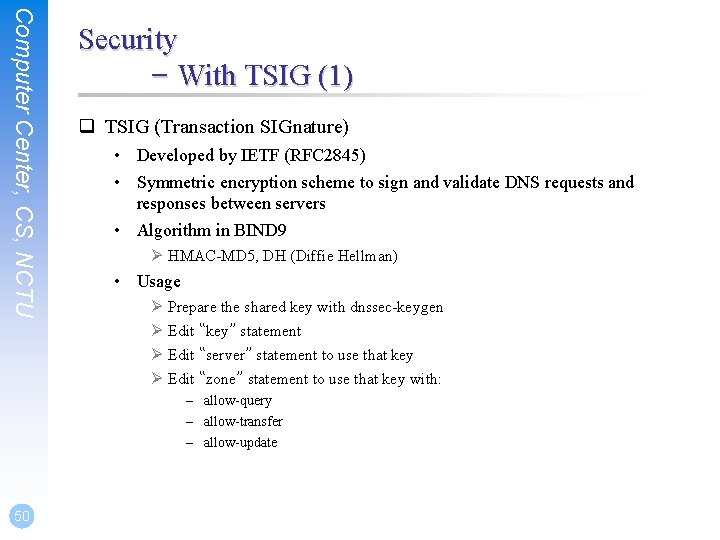
Computer Center, CS, NCTU Security – With TSIG (1) q TSIG (Transaction SIGnature) • Developed by IETF (RFC 2845) • Symmetric encryption scheme to sign and validate DNS requests and responses between servers • Algorithm in BIND 9 Ø HMAC-MD 5, DH (Diffie Hellman) • Usage Ø Prepare the shared key with dnssec-keygen Ø Edit “key” statement Ø Edit “server” statement to use that key Ø Edit “zone” statement to use that key with: – allow-query – allow-transfer – allow-update 50
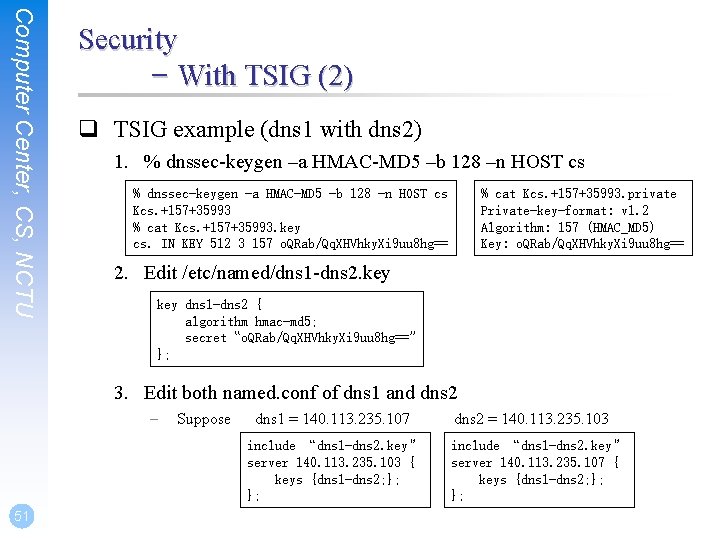
Computer Center, CS, NCTU Security – With TSIG (2) q TSIG example (dns 1 with dns 2) 1. % dnssec-keygen –a HMAC-MD 5 –b 128 –n HOST cs % dnssec-keygen -a HMAC-MD 5 -b 128 -n HOST cs Kcs. +157+35993 % cat Kcs. +157+35993. key cs. IN KEY 512 3 157 o. QRab/Qq. XHVhky. Xi 9 uu 8 hg== % cat Kcs. +157+35993. private Private-key-format: v 1. 2 Algorithm: 157 (HMAC_MD 5) Key: o. QRab/Qq. XHVhky. Xi 9 uu 8 hg== 2. Edit /etc/named/dns 1 -dns 2. key dns 1 -dns 2 { algorithm hmac-md 5; secret “o. QRab/Qq. XHVhky. Xi 9 uu 8 hg==” }; 3. Edit both named. conf of dns 1 and dns 2 – Suppose dns 1 = 140. 113. 235. 107 include “dns 1 -dns 2. key” server 140. 113. 235. 103 { keys {dns 1 -dns 2; }; }; 51 dns 2 = 140. 113. 235. 103 include “dns 1 -dns 2. key” server 140. 113. 235. 107 { keys {dns 1 -dns 2; }; };
BIND Debugging and Logging
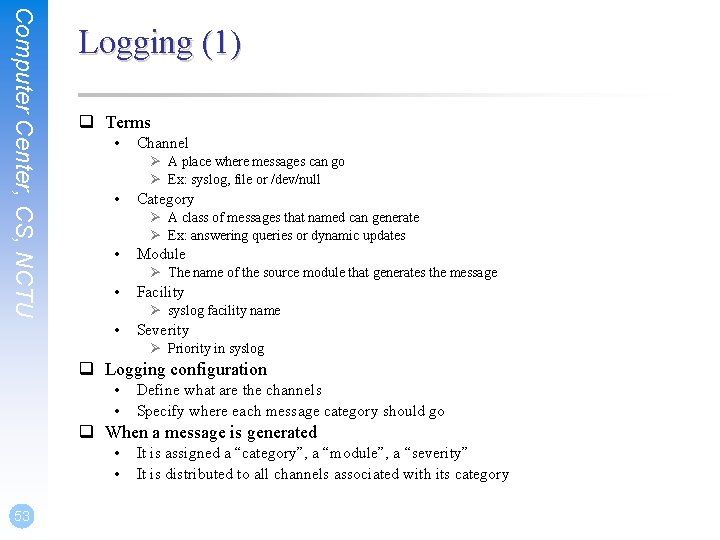
Computer Center, CS, NCTU Logging (1) q Terms • Channel Ø A place where messages can go Ø Ex: syslog, file or /dev/null • Category Ø A class of messages that named can generate Ø Ex: answering queries or dynamic updates • Module Ø The name of the source module that generates the message • Facility Ø syslog facility name • Severity Ø Priority in syslog q Logging configuration • • Define what are the channels Specify where each message category should go q When a message is generated • • 53 It is assigned a “category”, a “module”, a “severity” It is distributed to all channels associated with its category
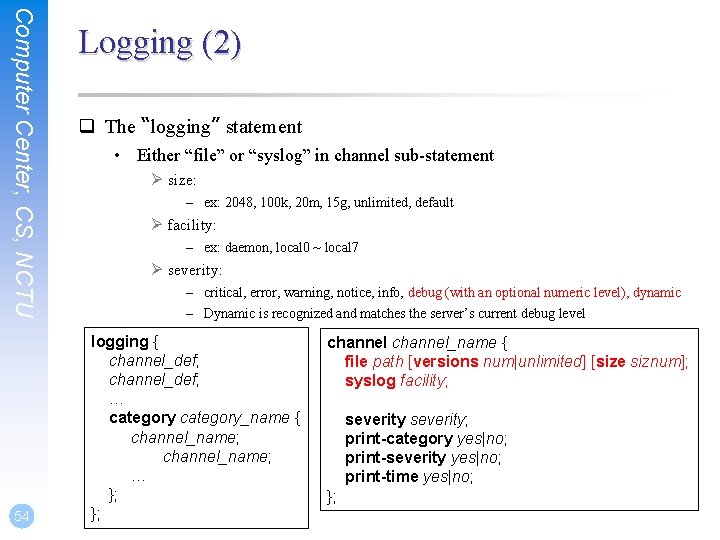
Computer Center, CS, NCTU 54 Logging (2) q The “logging” statement • Either “file” or “syslog” in channel sub-statement Ø size: – ex: 2048, 100 k, 20 m, 15 g, unlimited, default Ø facility: – ex: daemon, local 0 ~ local 7 Ø severity: – critical, error, warning, notice, info, debug (with an optional numeric level), dynamic – Dynamic is recognized and matches the server’s current debug level logging { channel_def; … category_name { channel_name; … }; }; channel_name { file path [versions num|unlimited] [size siznum]; syslog facility; severity; print-category yes|no; print-severity yes|no; print-time yes|no; };
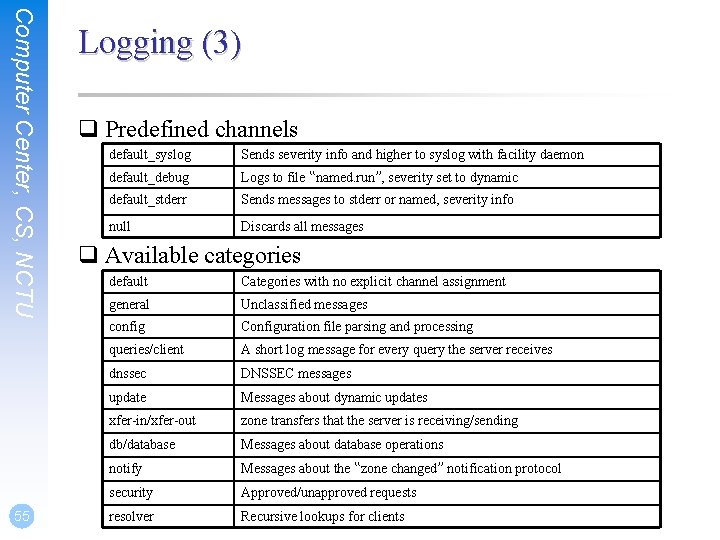
Computer Center, CS, NCTU 55 Logging (3) q Predefined channels default_syslog Sends severity info and higher to syslog with facility daemon default_debug Logs to file “named. run”, severity set to dynamic default_stderr Sends messages to stderr or named, severity info null Discards all messages q Available categories default Categories with no explicit channel assignment general Unclassified messages config Configuration file parsing and processing queries/client A short log message for every query the server receives dnssec DNSSEC messages update Messages about dynamic updates xfer-in/xfer-out zone transfers that the server is receiving/sending db/database Messages about database operations notify Messages about the “zone changed” notification protocol security Approved/unapproved requests resolver Recursive lookups for clients
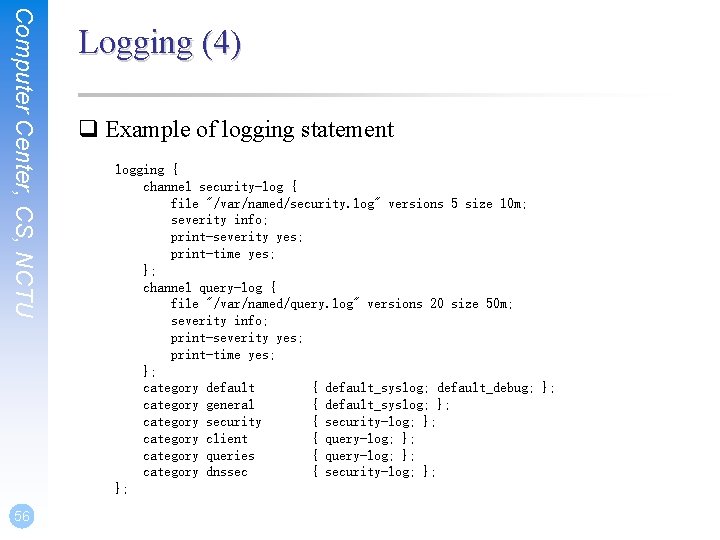
Computer Center, CS, NCTU 56 Logging (4) q Example of logging statement logging { channel security-log { file "/var/named/security. log" versions 5 size 10 m; severity info; print-severity yes; print-time yes; }; channel query-log { file "/var/named/query. log" versions 20 size 50 m; severity info; print-severity yes; print-time yes; }; category default { default_syslog; default_debug; }; category general { default_syslog; }; category security { security-log; }; category client { query-log; }; category queries { query-log; }; category dnssec { security-log; }; };
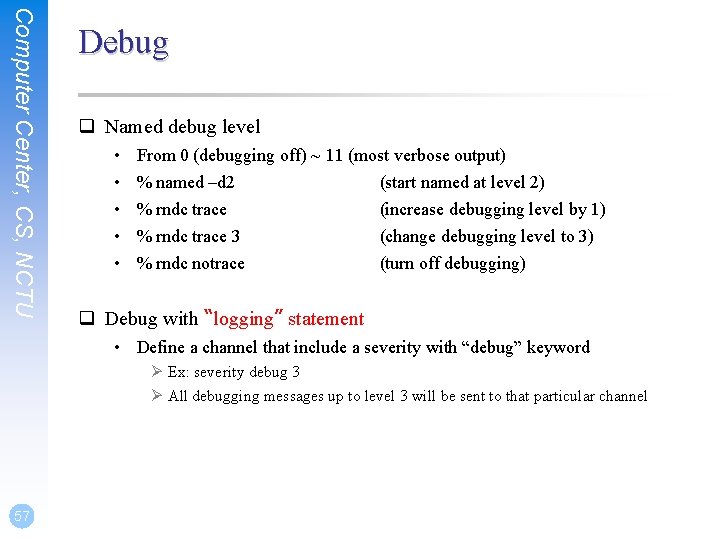
Computer Center, CS, NCTU Debug q Named debug level • • • From 0 (debugging off) ~ 11 (most verbose output) % named –d 2 (start named at level 2) % rndc trace (increase debugging level by 1) % rndc trace 3 (change debugging level to 3) % rndc notrace (turn off debugging) q Debug with “logging” statement • Define a channel that include a severity with “debug” keyword Ø Ex: severity debug 3 Ø All debugging messages up to level 3 will be sent to that particular channel 57

Tools
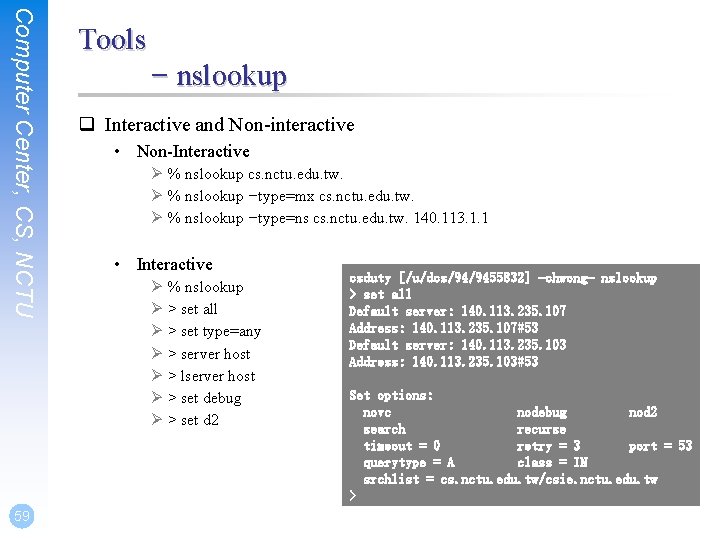
Computer Center, CS, NCTU 59 Tools – nslookup q Interactive and Non-interactive • Non-Interactive Ø % nslookup cs. nctu. edu. tw. Ø % nslookup –type=mx cs. nctu. edu. tw. Ø % nslookup –type=ns cs. nctu. edu. tw. 140. 113. 1. 1 • Interactive Ø % nslookup Ø > set all Ø > set type=any Ø > server host Ø > lserver host Ø > set debug Ø > set d 2 csduty [/u/dcs/94/9455832] -chwong- nslookup > set all Default server: 140. 113. 235. 107 Address: 140. 113. 235. 107#53 Default server: 140. 113. 235. 103 Address: 140. 113. 235. 103#53 Set options: novc nodebug nod 2 search recurse timeout = 0 retry = 3 port = 53 querytype = A class = IN srchlist = cs. nctu. edu. tw/csie. nctu. edu. tw >
Computer Center, CS, NCTU Tools – dig q Usage • • % dig cs. nctu. edu. tw mx % dig @ns. nctu. edu. tw cs. nctu. edu. tw mx % dig -x 140. 113. 209. 3 Ø Reverse query q Find out the root servers • % dig @a. root-servers. net. ns 60
Computer Center, CS, NCTU 61 Tools – host q host command • • % host cs. nctu. edu. tw. % host –t mx cs. nctu. edu. tw. % host 140. 113. 1. 1 % host –v 140. 113. 1. 1
- Slides: 61