
Div Conq Frameworks MUMPS API dc DB Stored
Div. Conq Framework’s MUMPS API dc. DB Stored Procedures: An Overview
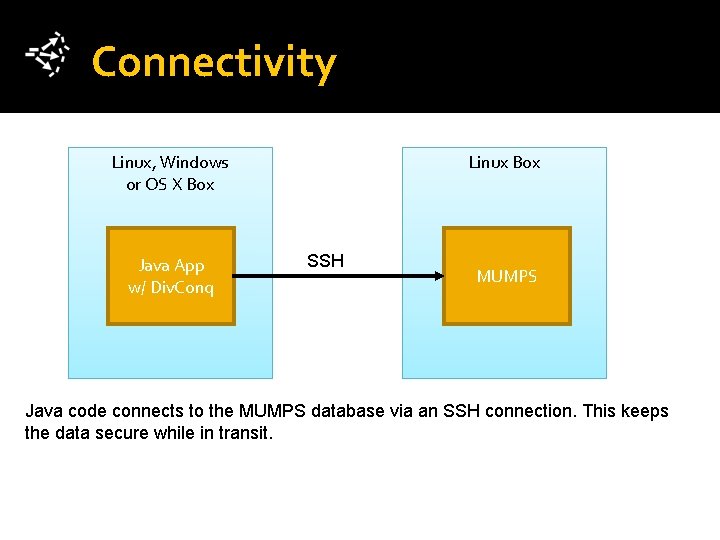
Connectivity Linux, Windows or OS X Box Java App w/ Div. Conq Linux Box SSH MUMPS Java code connects to the MUMPS database via an SSH connection. This keeps the data secure while in transit.
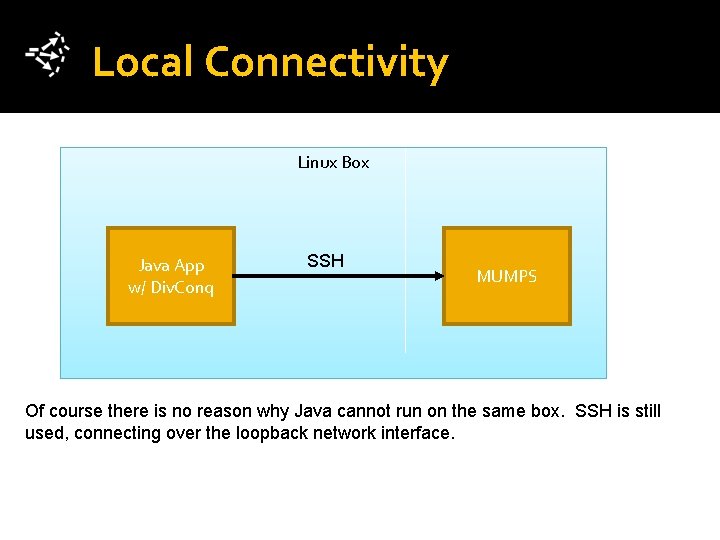
Local Connectivity Linux Box Java App w/ Div. Conq SSH MUMPS Of course there is no reason why Java cannot run on the same box. SSH is still used, connecting over the loopback network interface.
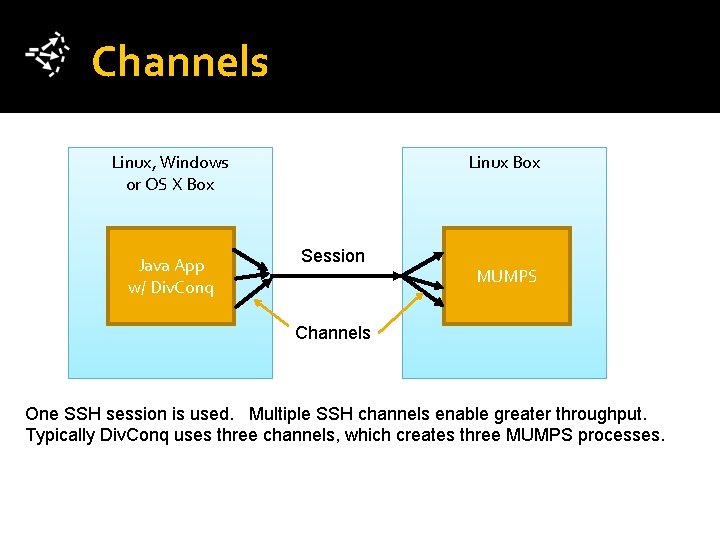
Channels Linux, Windows or OS X Box Java App w/ Div. Conq Linux Box Session MUMPS Channels One SSH session is used. Multiple SSH channels enable greater throughput. Typically Div. Conq uses three channels, which creates three MUMPS processes.
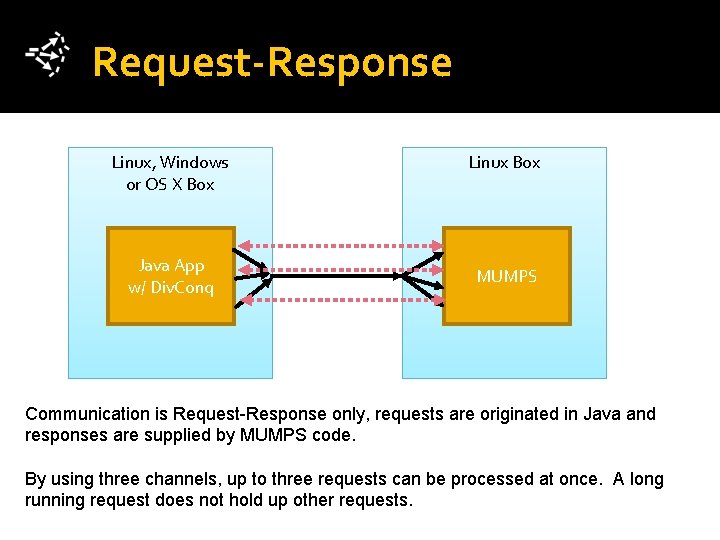
Request-Response Linux, Windows or OS X Box Java App w/ Div. Conq Linux Box MUMPS Communication is Request-Response only, requests are originated in Java and responses are supplied by MUMPS code. By using three channels, up to three requests can be processed at once. A long running request does not hold up other requests.
![Request Structure Name: Kind: Params: [Stored Procedure Name] “Update” or “Query” [any JSON-like data](http://slidetodoc.com/presentation_image_h/a8fb77ec41350ccb62b044d0d093a7ca/image-6.jpg "Request Structure Name: Kind: Params: [Stored Procedure Name] “Update” or “Query” [any JSON-like data")
Request Structure Name: Kind: Params: [Stored Procedure Name] “Update” or “Query” [any JSON-like data structure] Example Name: Kind: Params: “dct. List. People” “Query” { “Min. Age”: 30, “Max. Age”: 48 } Your code builds a request and submits it to Div. Conq’s database interface. A request must have a name and a kind, parameters are optional. Name = name of the stored procedure. Kind will be Update only if it changes data within the database (Insert, Update, Delete), otherwise use Query.
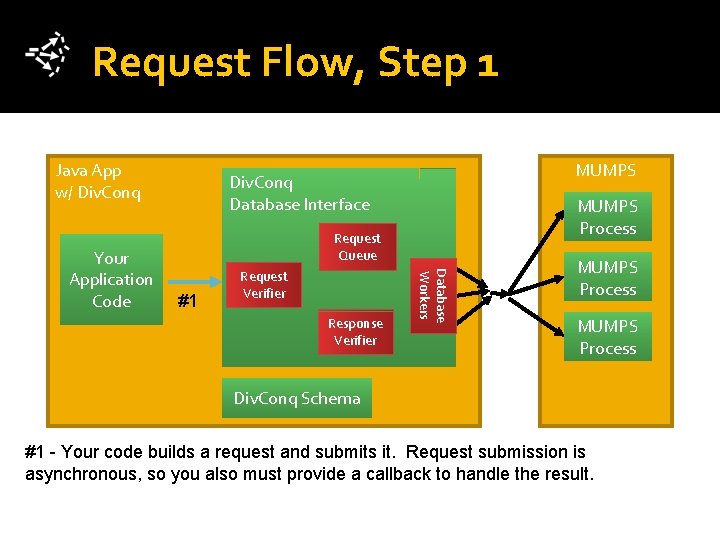
Request Flow, Step 1 Java App w/ Div. Conq MUMPS Process Request Queue #1 Request Verifier Response Verifier Database Workers Your Application Code MUMPS Div. Conq Database Interface MUMPS Process Div. Conq Schema #1 - Your code builds a request and submits it. Request submission is asynchronous, so you also must provide a callback to handle the result.
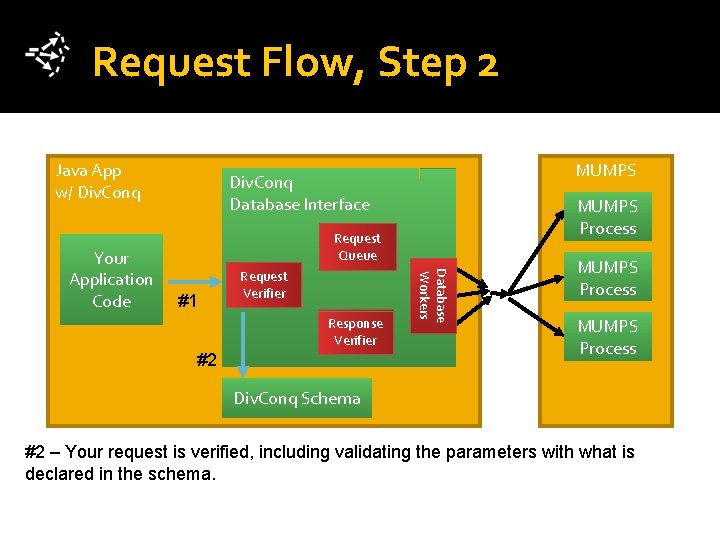
Request Flow, Step 2 Java App w/ Div. Conq MUMPS Process Request Queue #1 Request Verifier Response Verifier #2 Database Workers Your Application Code MUMPS Div. Conq Database Interface MUMPS Process Div. Conq Schema #2 – Your request is verified, including validating the parameters with what is declared in the schema.
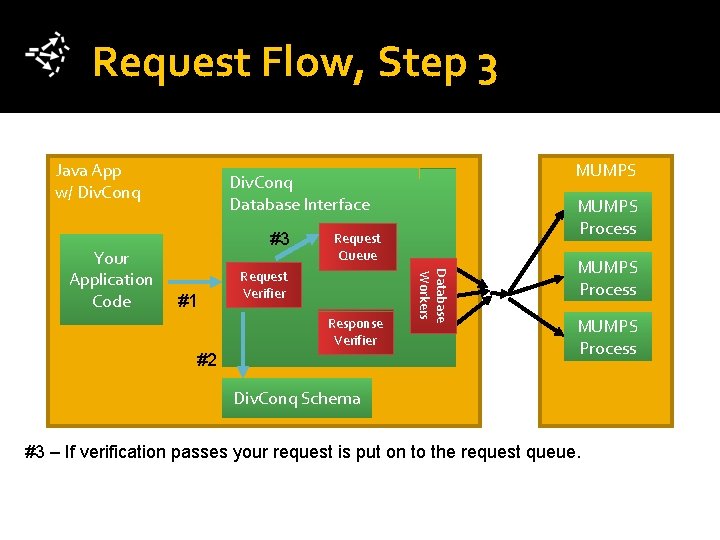
Request Flow, Step 3 Java App w/ Div. Conq #3 #1 MUMPS Process Request Queue Request Verifier Response Verifier #2 Database Workers Your Application Code MUMPS Div. Conq Database Interface MUMPS Process Div. Conq Schema #3 – If verification passes your request is put on to the request queue.
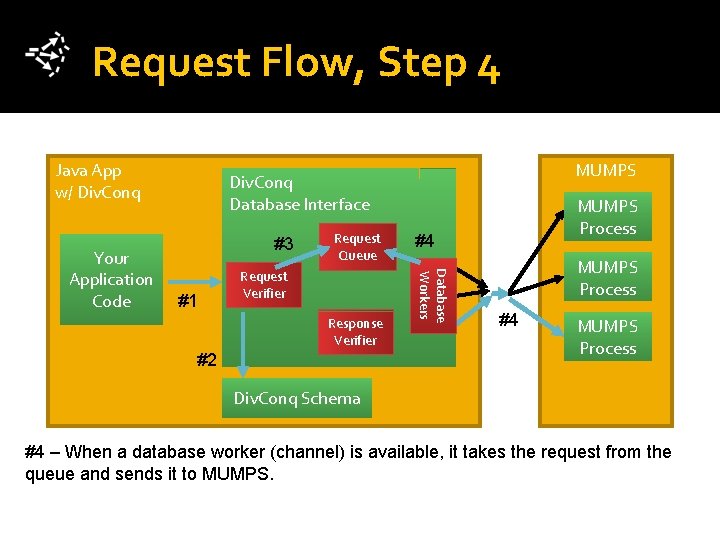
Request Flow, Step 4 Java App w/ Div. Conq #3 #1 Request Queue Request Verifier Response Verifier #2 MUMPS Process #4 Database Workers Your Application Code MUMPS Div. Conq Database Interface MUMPS Process #4 MUMPS Process Div. Conq Schema #4 – When a database worker (channel) is available, it takes the request from the queue and sends it to MUMPS.
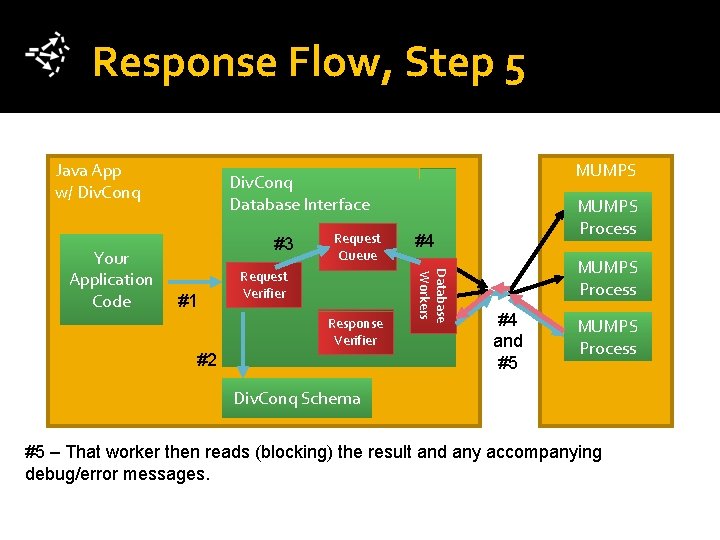
Response Flow, Step 5 Java App w/ Div. Conq #3 #1 Request Queue Request Verifier Response Verifier #2 MUMPS Process #4 Database Workers Your Application Code MUMPS Div. Conq Database Interface MUMPS Process #4 and #5 MUMPS Process Div. Conq Schema #5 – That worker then reads (blocking) the result and any accompanying debug/error messages.

Response Flow, Step 6 Java App w/ Div. Conq #3 #1 Request Queue Request Verifier Response Verifier #2 Div. Conq Schema MUMPS Process #4 Database Workers Your Application Code MUMPS Div. Conq Database Interface #6 MUMPS Process #4 and #5 MUMPS Process #6 – The response is verified by validating the (JSON-like) result with what is declared in the schema. If response does not validate, error messages are added to messages collected from MUMPS.
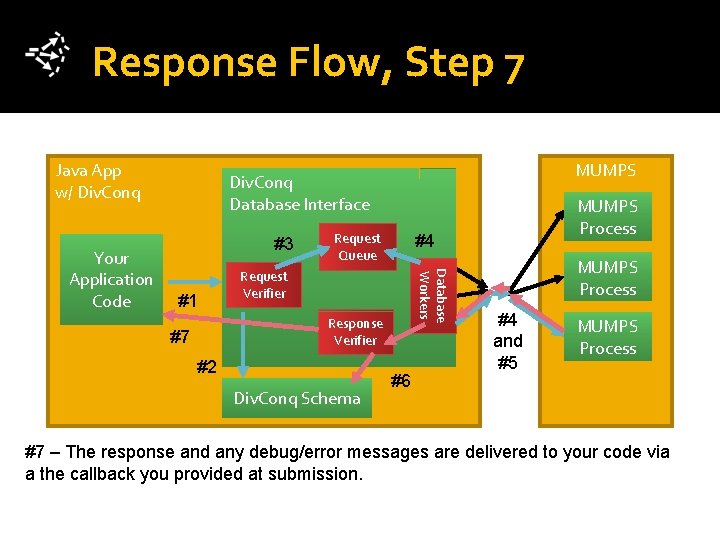
Response Flow, Step 7 Java App w/ Div. Conq #3 #1 Request Queue Request Verifier Response Verifier #7 #2 Div. Conq Schema MUMPS Process #4 Database Workers Your Application Code MUMPS Div. Conq Database Interface #6 MUMPS Process #4 and #5 MUMPS Process #7 – The response and any debug/error messages are delivered to your code via a the callback you provided at submission.
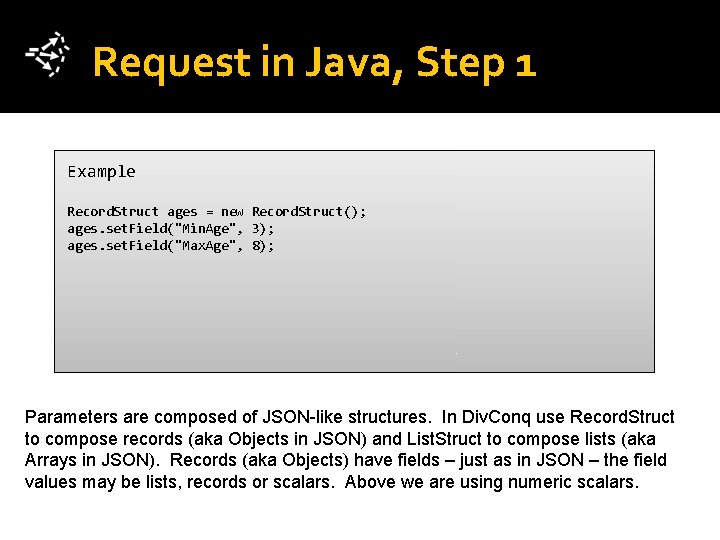
Request in Java, Step 1 Example Record. Struct ages = new Record. Struct(); ages. set. Field("Min. Age", 3); ages. set. Field("Max. Age", 8); Parameters are composed of JSON-like structures. In Div. Conq use Record. Struct to compose records (aka Objects in JSON) and List. Struct to compose lists (aka Arrays in JSON). Records (aka Objects) have fields – just as in JSON – the field values may be lists, records or scalars. Above we are using numeric scalars.
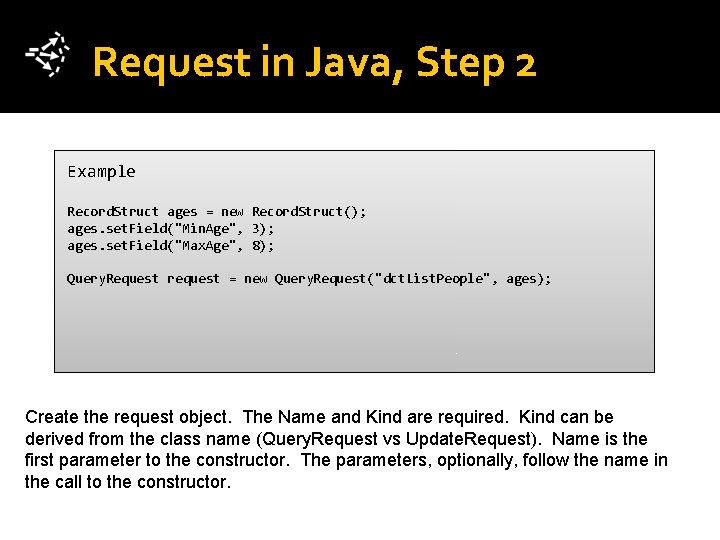
Request in Java, Step 2 Example Record. Struct ages = new Record. Struct(); ages. set. Field("Min. Age", 3); ages. set. Field("Max. Age", 8); Query. Request request = new Query. Request("dct. List. People", ages); Create the request object. The Name and Kind are required. Kind can be derived from the class name (Query. Request vs Update. Request). Name is the first parameter to the constructor. The parameters, optionally, follow the name in the call to the constructor.
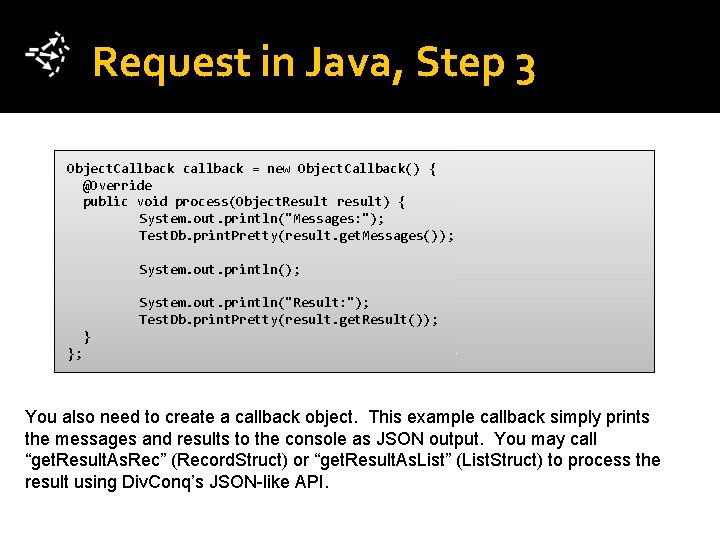
Request in Java, Step 3 Object. Callback callback = new Object. Callback() { @Override public void process(Object. Result result) { System. out. println("Messages: "); Test. Db. print. Pretty(result. get. Messages()); System. out. println("Result: "); Test. Db. print. Pretty(result. get. Result()); } }; You also need to create a callback object. This example callback simply prints the messages and results to the console as JSON output. You may call “get. Result. As. Rec” (Record. Struct) or “get. Result. As. List” (List. Struct) to process the result using Div. Conq’s JSON-like API.
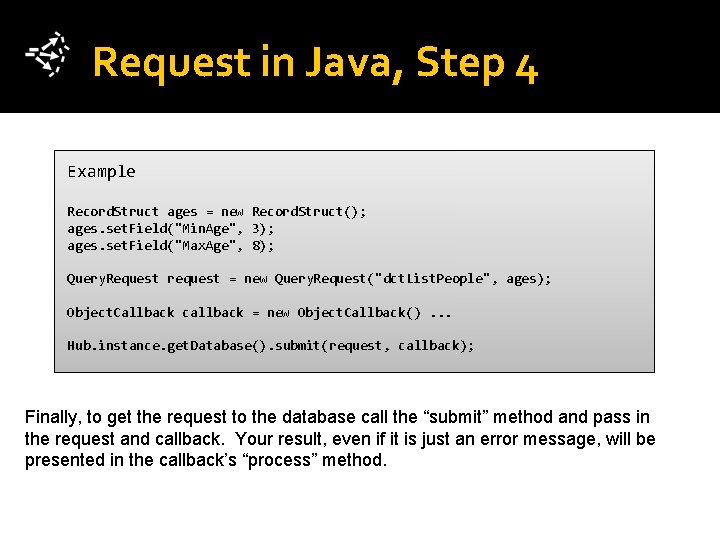
Request in Java, Step 4 Example Record. Struct ages = new Record. Struct(); ages. set. Field("Min. Age", 3); ages. set. Field("Max. Age", 8); Query. Request request = new Query. Request("dct. List. People", ages); Object. Callback callback = new Object. Callback(). . . Hub. instance. get. Database(). submit(request, callback); Finally, to get the request to the database call the “submit” method and pass in the request and callback. Your result, even if it is just an error message, will be presented in the callback’s “process” method.
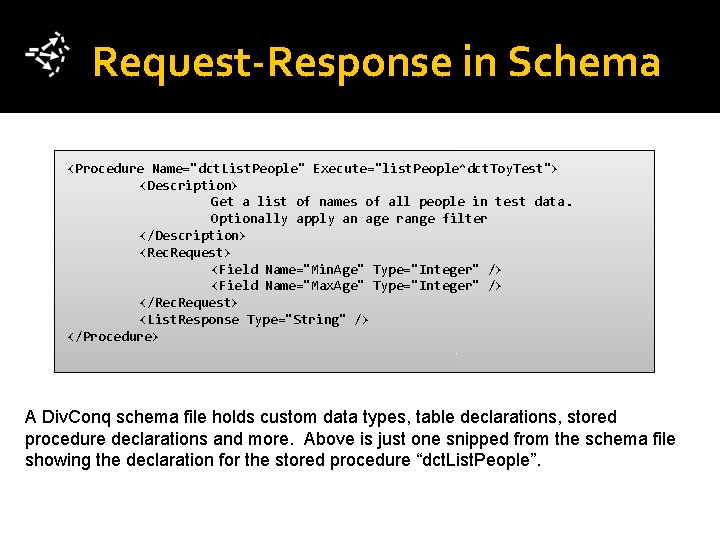
Request-Response in Schema <Procedure Name="dct. List. People" Execute="list. People^dct. Toy. Test"> <Description> Get a list of names of all people in test data. Optionally apply an age range filter </Description> <Rec. Request> <Field Name="Min. Age" Type="Integer" /> <Field Name="Max. Age" Type="Integer" /> </Rec. Request> <List. Response Type="String" /> </Procedure> A Div. Conq schema file holds custom data types, table declarations, stored procedure declarations and more. Above is just one snipped from the schema file showing the declaration for the stored procedure “dct. List. People”.
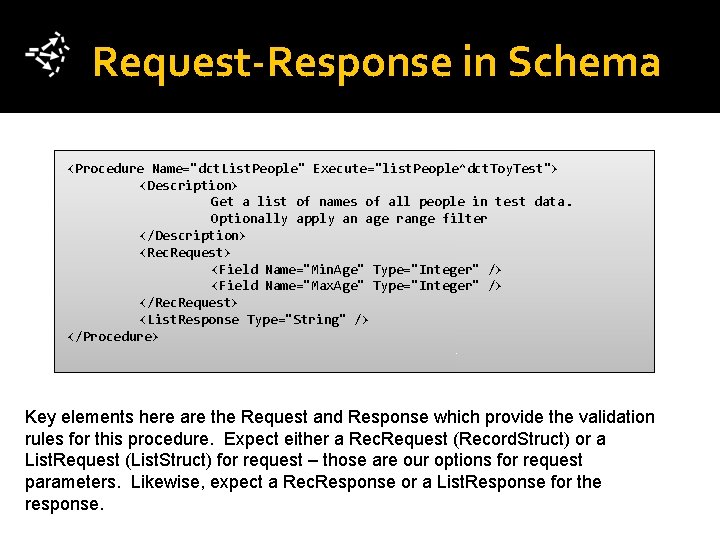
Request-Response in Schema <Procedure Name="dct. List. People" Execute="list. People^dct. Toy. Test"> <Description> Get a list of names of all people in test data. Optionally apply an age range filter </Description> <Rec. Request> <Field Name="Min. Age" Type="Integer" /> <Field Name="Max. Age" Type="Integer" /> </Rec. Request> <List. Response Type="String" /> </Procedure> Key elements here are the Request and Response which provide the validation rules for this procedure. Expect either a Rec. Request (Record. Struct) or a List. Request (List. Struct) for request – those are our options for request parameters. Likewise, expect a Rec. Response or a List. Response for the response.

Request-Response Example Request (Params) Examples a: { “Min. Age”: 30, “Max. Age”: 48 } b: { “Max. Age”: 48 } c: null Response Examples a: [ “Jim”, “Beth”, “Sandy” ] b: [ ] Note that the params are not marked as required (in the schema), so any of the three examples for request are valid. The response is a list of strings. No minimum is given, so a list of zero is valid.
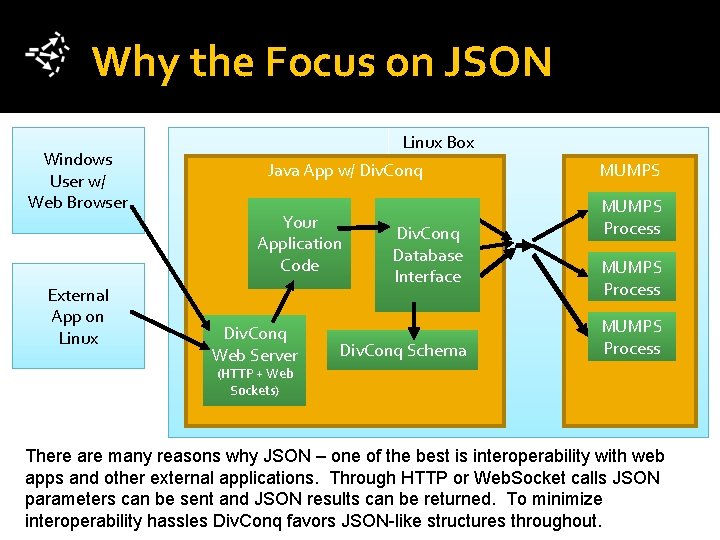
Why the Focus on JSON Windows User w/ Web Browser External App on Linux Box Java App w/ Div. Conq Your Application Code Div. Conq Web Server Div. Conq Database Interface Div. Conq Schema MUMPS Process (HTTP + Web Sockets) There are many reasons why JSON – one of the best is interoperability with web apps and other external applications. Through HTTP or Web. Socket calls JSON parameters can be sent and JSON results can be returned. To minimize interoperability hassles Div. Conq favors JSON-like structures throughout.
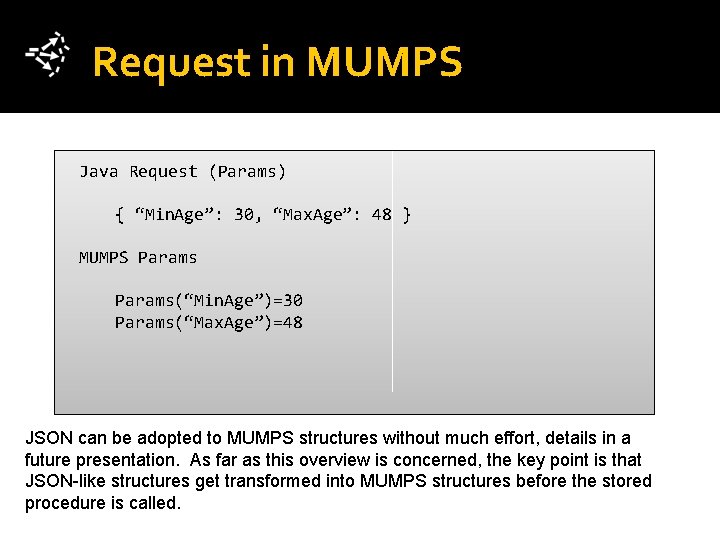
Request in MUMPS Java Request (Params) { “Min. Age”: 30, “Max. Age”: 48 } MUMPS Params(“Min. Age”)=30 Params(“Max. Age”)=48 JSON can be adopted to MUMPS structures without much effort, details in a future presentation. As far as this overview is concerned, the key point is that JSON-like structures get transformed into MUMPS structures before the stored procedure is called.
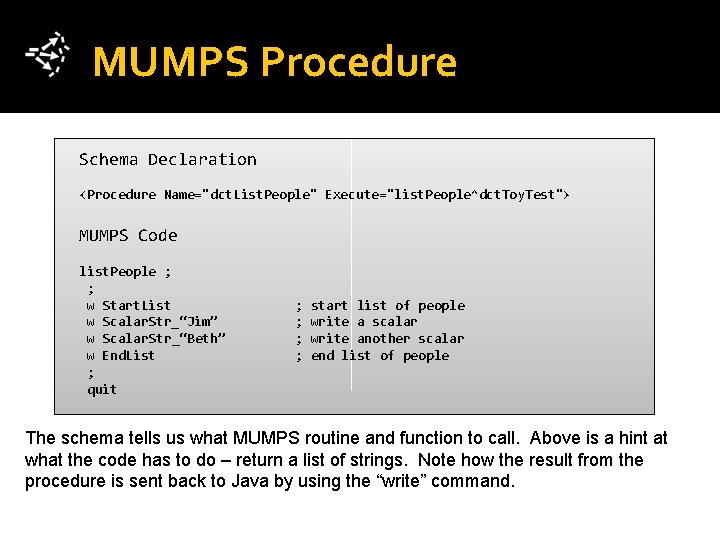
MUMPS Procedure Schema Declaration <Procedure Name="dct. List. People" Execute="list. People^dct. Toy. Test"> MUMPS Code list. People ; ; w Start. List w Scalar. Str_“Jim” w Scalar. Str_“Beth” w End. List ; quit ; start list of people ; write a scalar ; write another scalar ; end list of people The schema tells us what MUMPS routine and function to call. Above is a hint at what the code has to do – return a list of strings. Note how the result from the procedure is sent back to Java by using the “write” command.
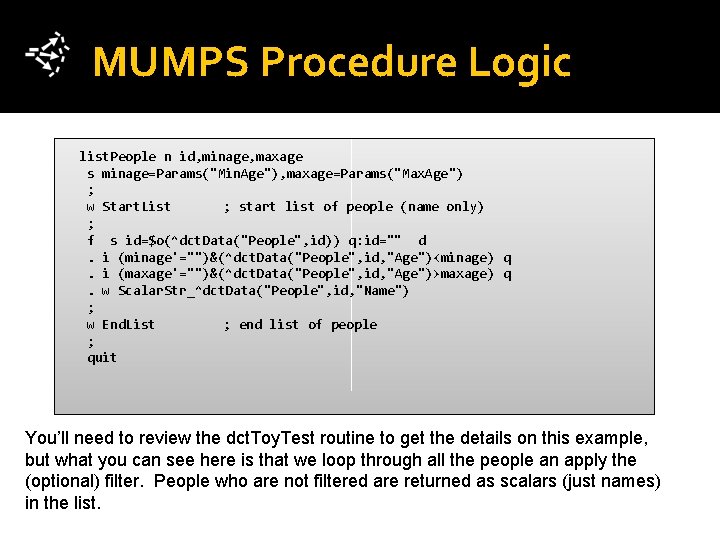
MUMPS Procedure Logic list. People n id, minage, maxage s minage=Params("Min. Age"), maxage=Params("Max. Age") ; w Start. List ; start list of people (name only) ; f s id=$o(^dct. Data("People", id)) q: id="" d . i (minage'="")&(^dct. Data("People", id, "Age")<minage) q . i (maxage'="")&(^dct. Data("People", id, "Age")>maxage) q . w Scalar. Str_^dct. Data("People", id, "Name") ; w End. List ; end list of people ; quit You’ll need to review the dct. Toy. Test routine to get the details on this example, but what you can see here is that we loop through all the people an apply the (optional) filter. People who are not filtered are returned as scalars (just names) in the list.
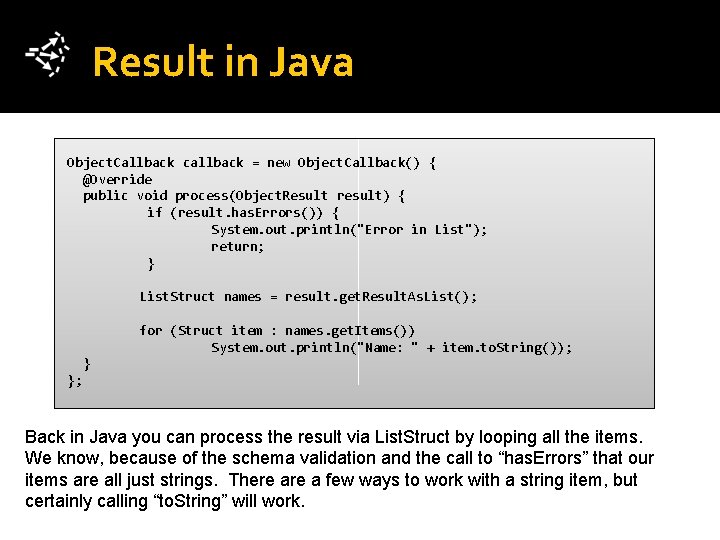
Result in Java Object. Callback callback = new Object. Callback() { @Override public void process(Object. Result result) { if (result. has. Errors()) { System. out. println("Error in List"); return; } List. Struct names = result. get. Result. As. List(); for (Struct item : names. get. Items()) System. out. println("Name: " + item. to. String()); } }; Back in Java you can process the result via List. Struct by looping all the items. We know, because of the schema validation and the call to “has. Errors” that our items are all just strings. There a few ways to work with a string item, but certainly calling “to. String” will work.
Conclusion There is a lot more to learn about stored procedures, but now you have an overview of how it works as well as some of the design philosophy.
- Slides: 26