
DITA TOPIC BASICS Session overview DITA Key Concepts
DITA TOPIC BASICS
Session overview • DITA Key Concepts • Topic Overview • Topic Types • Common DITA Concept Elements • Concept Guidelines • Common DITA Task Elements • Common DITA Task Guidelines • Common DITA Reference Elements • Common DITA Reference Guidelines
DITA topic information Reference for all sessions: DITA Best Practices A Roadmap for Writing, Editing, and Architecting in DITA Laura Bellamy, Michelle Carey, and Jenifer Schlotfeldt Copyright 2012
Topic types Topics • Author content in topics • Generic Topic • Three additional topic types based on the Generic Topic – Concept, Task, and Reference • Each topic consists of tags DITA maps (think table of contents) • • DITA map Book map
Topics = Building blocks § Make sense on their own § Can be assembled different ways § In writing content, avoid transitions at beginning or end (“As you’ve just seen, ” etc. ) Do We Really Need All that Glue? Jo. Ann Hackos on transitional text in topics http: //dita. xml. org/node/1410
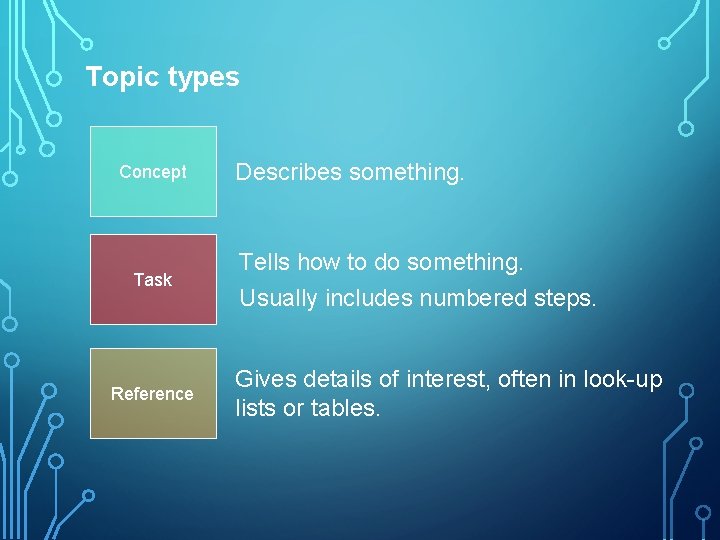
Topic types Concept Task Reference Describes something. Tells how to do something. Usually includes numbered steps. Gives details of interest, often in look-up lists or tables.
Pop quiz Let’s test this topic thing out. Scenario: You’re tasked with writing content for a new software user guide and a corresponding training course. Directions: 1. 2. 3. Take the scenario. You decide what type of topic you need to create. Then you will see the answer.
Pop quiz scenarios 1. You are going to write the customer service information and put it in the guide. 2. 3. You have a system architecture graphic to describe 4. 5. 6. 7. 8. You want to tell customers how to log on to the software You have a complex form and you want to provide all the field names and definitions You need to add the copyright information You want to tell customers the way to configure their system options You want to provide details around a specific feature of the software You have a process that you want customers to understand
Pop quiz answers 1. Concept - You are going to write the customer service information and put it in the guide. 2. 3. Concept - You have a system architecture graphic to describe 4. 5. 6. Task- You want to tell customers how to log on to the software 7. Concept - You want to provide details around a specific feature of the software 8. Task - You have a process that you want customers to understand Reference - You have a complex form and you want to provide all the field names and definitions Concept - You need to add the copyright information Task - You want to tell customers the way to configure their system options
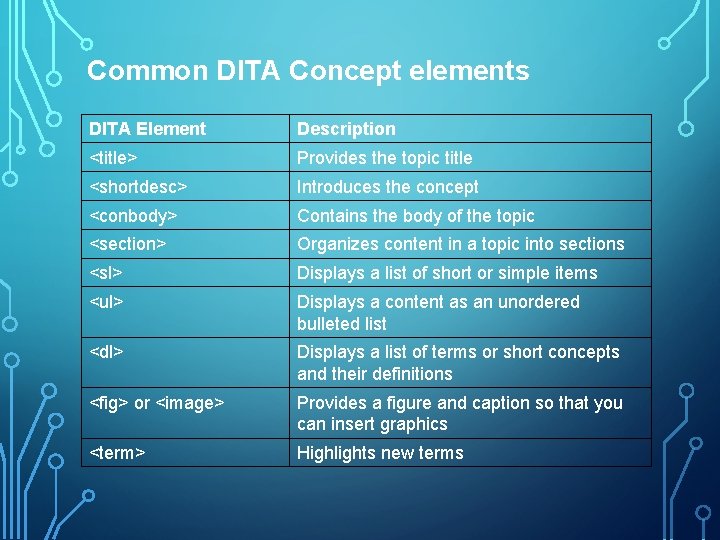
Common DITA Concept elements DITA Element Description <title> Provides the topic title <shortdesc> Introduces the concept <conbody> Contains the body of the topic <section> Organizes content in a topic into sections <sl> Displays a list of short or simple items <ul> Displays a content as an unordered bulleted list <dl> Displays a list of terms or short concepts and their definitions <fig> or <image> Provides a figure and caption so that you can insert graphics <term> Highlights new terms
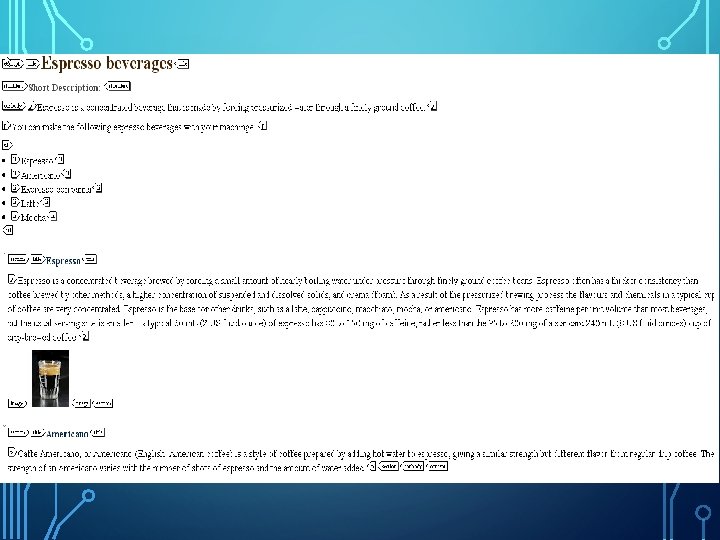
Common DITA Elements – In Context
Concepts guidelines • Describe one concept per topic • Use concept topics appropriately • Use noun-based phrases for titles • Create effective concept topic short descriptions • Organize the concept and break up dense text • Add images to describe the concept • Use <term> element correctly (used for terms the first time you describe them)
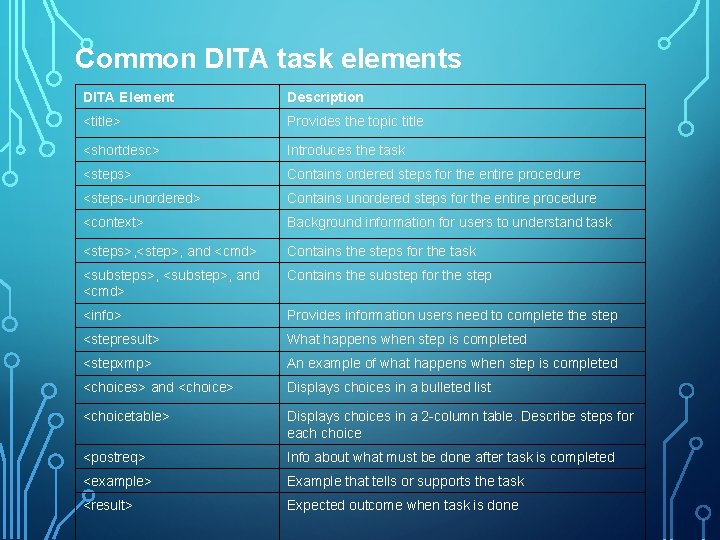
Common DITA task elements DITA Element Description <title> Provides the topic title <shortdesc> Introduces the task <steps> Contains ordered steps for the entire procedure <steps-unordered> Contains unordered steps for the entire procedure <context> Background information for users to understand task <steps>, <step>, and <cmd> Contains the steps for the task <substeps>, <substep>, and <cmd> Contains the substep for the step <info> Provides information users need to complete the step <stepresult> What happens when step is completed <stepxmp> An example of what happens when step is completed <choices> and <choice> Displays choices in a bulleted list <choicetable> Displays choices in a 2 -column table. Describe steps for each choice <postreq> Info about what must be done after task is completed <example> Example that tells or supports the task <result> Expected outcome when task is done
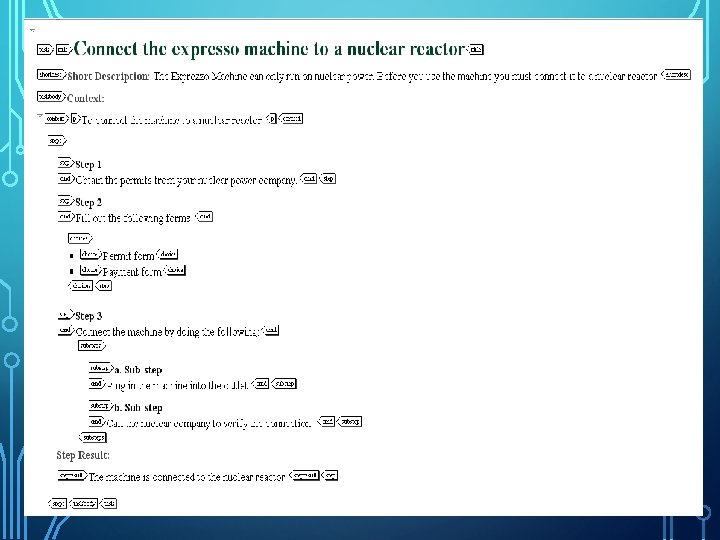
Common Task Elements – In Context
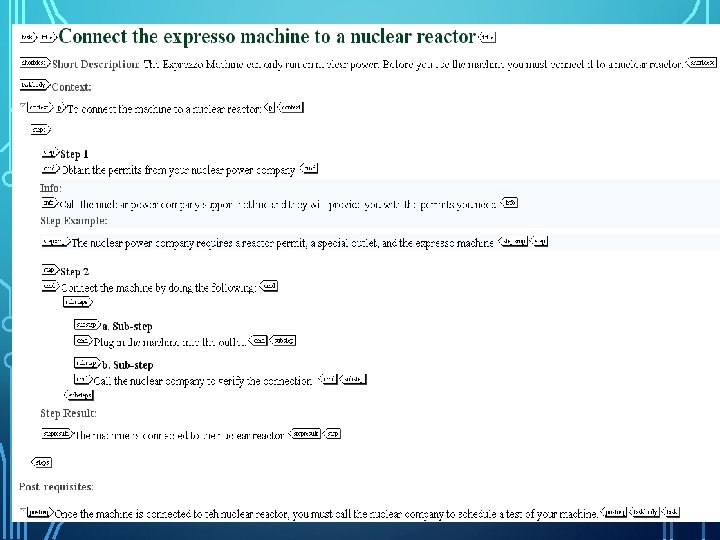
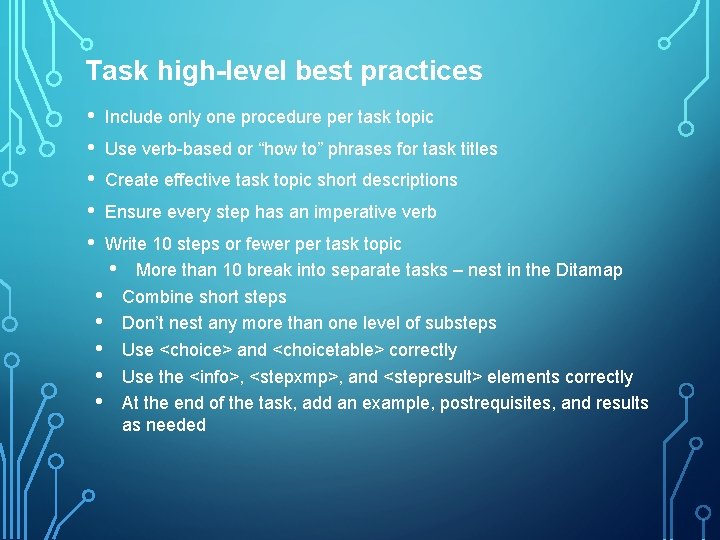
Task high-level best practices • • • Include only one procedure per task topic Use verb-based or “how to” phrases for task titles Create effective task topic short descriptions Ensure every step has an imperative verb Write 10 steps or fewer per task topic • More than 10 break into separate tasks – nest in the Ditamap • Combine short steps • Don’t nest any more than one level of substeps • Use <choice> and <choicetable> correctly • Use the <info>, <stepxmp>, and <stepresult> elements correctly • At the end of the task, add an example, postrequisites, and results as needed
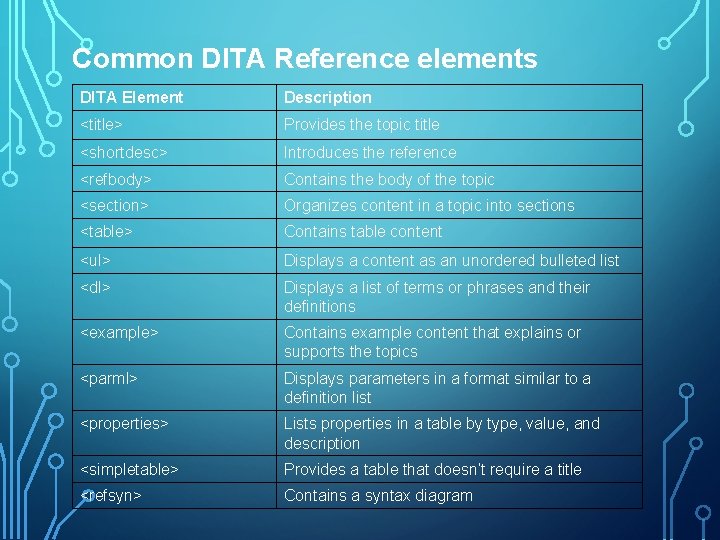
Common DITA Reference elements DITA Element Description <title> Provides the topic title <shortdesc> Introduces the reference <refbody> Contains the body of the topic <section> Organizes content in a topic into sections <table> Contains table content <ul> Displays a content as an unordered bulleted list <dl> Displays a list of terms or phrases and their definitions <example> Contains example content that explains or supports the topics <parml> Displays parameters in a format similar to a definition list <properties> Lists properties in a table by type, value, and description <simpletable> Provides a table that doesn’t require a title <refsyn> Contains a syntax diagram
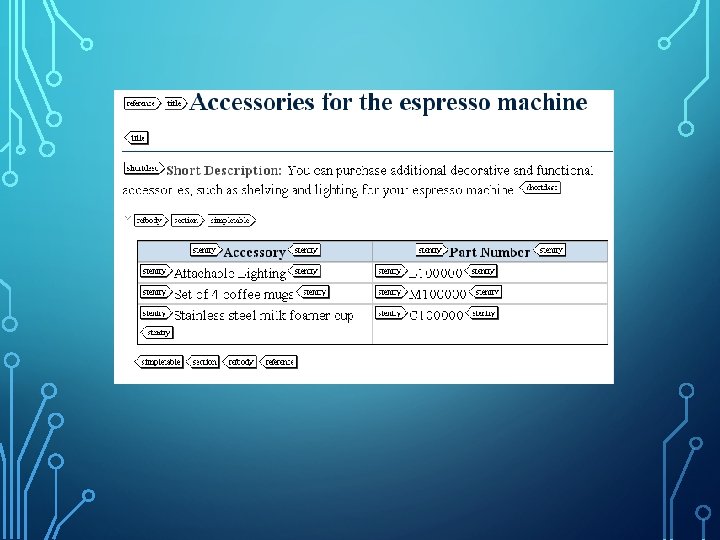
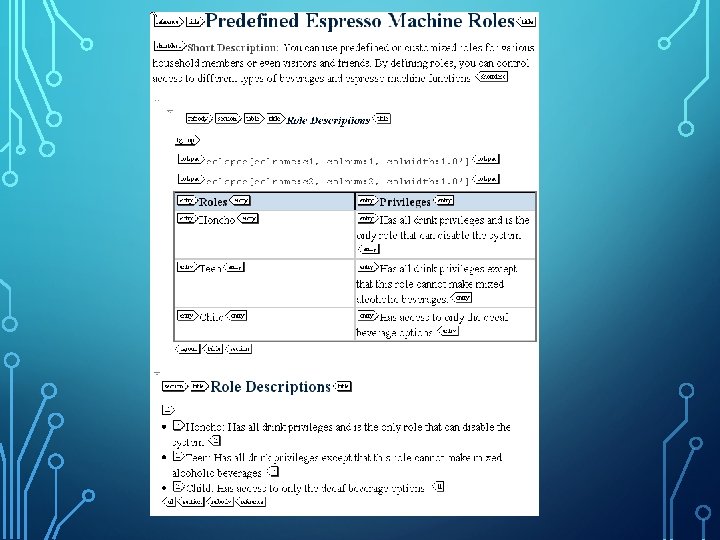
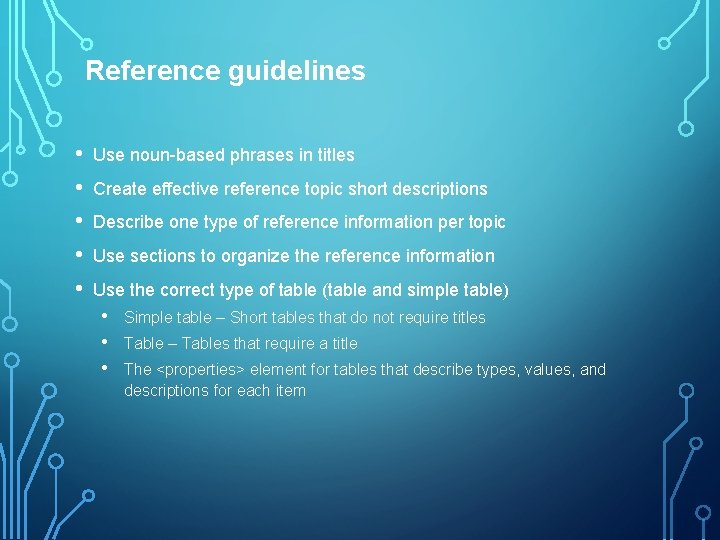
Reference guidelines • • • Use noun-based phrases in titles Create effective reference topic short descriptions Describe one type of reference information per topic Use sections to organize the reference information Use the correct type of table (table and simple table) • • • Simple table – Short tables that do not require titles Table – Tables that require a title The <properties> element for tables that describe types, values, and descriptions for each item
Session Results • DITA Key Concepts • Topic Overview • Topic Types • Common DITA Concept Elements • Concept Guidelines • Common DITA Task Elements • Common DITA Task Guidelines • Common DITA Reference Elements • Common DITA Reference Guidelines
- Slides: 21