
Distributions Dashboard IBM Security Guardium Prototype Example reports
Distributions Dashboard IBM Security Guardium Prototype – Example reports explanation April 2017 1 IBM Security
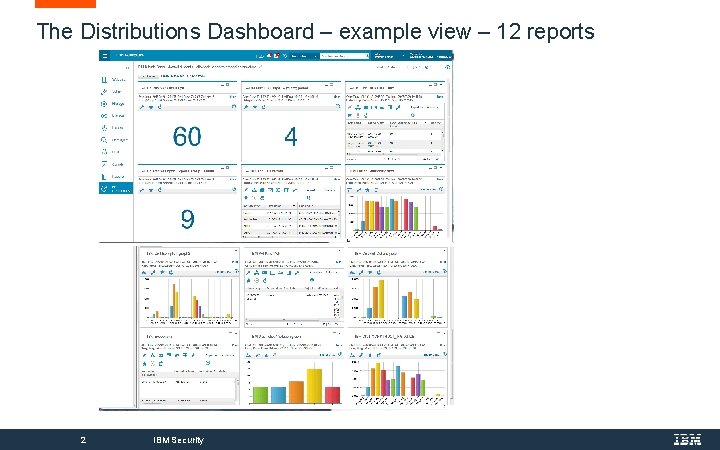
The Distributions Dashboard – example view – 12 reports 2 IBM Security
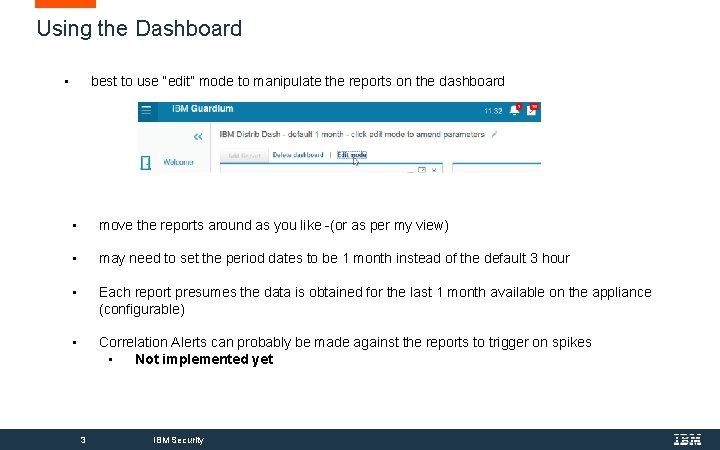
Using the Dashboard • best to use “edit” mode to manipulate the reports on the dashboard • move the reports around as you like -(or as per my view) • may need to set the period dates to be 1 month instead of the default 3 hour • Each report presumes the data is obtained for the last 1 month available on the appliance (configurable) • Correlation Alerts can probably be made against the reports to trigger on spikes • Not implemented yet 3 IBM Security
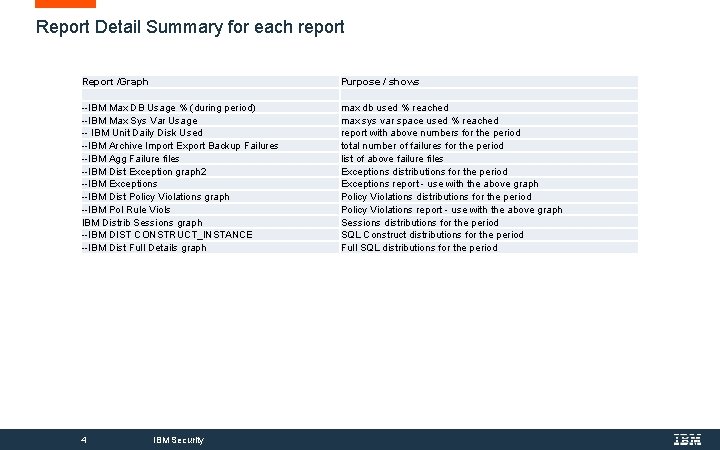
Report Detail Summary for each report Report /Graph --IBM Max DB Usage % (during period) --IBM Max Sys Var Usage -- IBM Unit Daily Disk Used --IBM Archive Import Export Backup Failures --IBM Agg Failure files --IBM Dist Exception graph 2 --IBM Exceptions --IBM Dist Policy Violations graph --IBM Pol Rule Viols IBM Distrib Sessions graph --IBM DIST CONSTRUCT_INSTANCE --IBM Dist Full Details graph 4 IBM Security Purpose / shows max db used % reached max sys var space used % reached report with above numbers for the period total number of failures for the period list of above failure files Exceptions distributions for the period Exceptions report - use with the above graph Policy Violations distributions for the period Policy Violations report - use with the above graph Sessions distributions for the period SQL Construct distributions for the period Full SQL distributions for the period
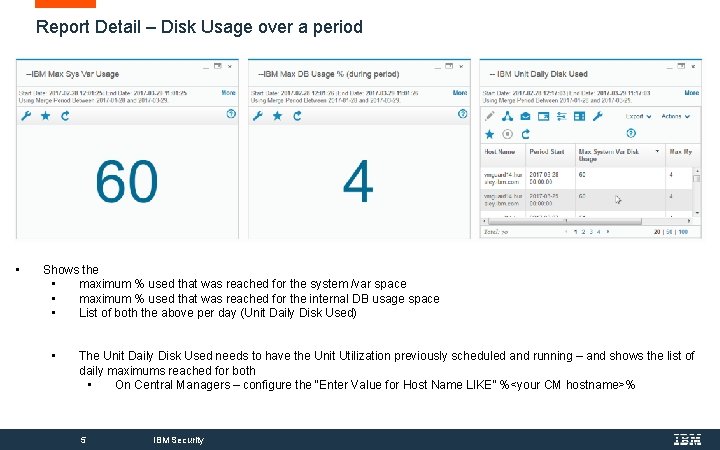
Report Detail – Disk Usage over a period • Shows the • maximum % used that was reached for the system /var space • maximum % used that was reached for the internal DB usage space • List of both the above per day (Unit Daily Disk Used) • The Unit Daily Disk Used needs to have the Unit Utilization previously scheduled and running – and shows the list of daily maximums reached for both • On Central Managers – configure the “Enter Value for Host Name LIKE” %<your CM hostname>% 5 IBM Security
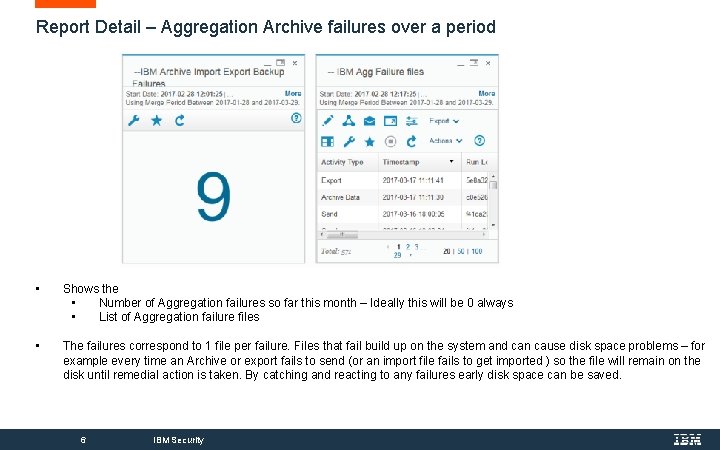
Report Detail – Aggregation Archive failures over a period • Shows the • Number of Aggregation failures so far this month – Ideally this will be 0 always • List of Aggregation failure files • The failures correspond to 1 file per failure. Files that fail build up on the system and can cause disk space problems – for example every time an Archive or export fails to send (or an import file fails to get imported ) so the file will remain on the disk until remedial action is taken. By catching and reacting to any failures early disk space can be saved. 6 IBM Security
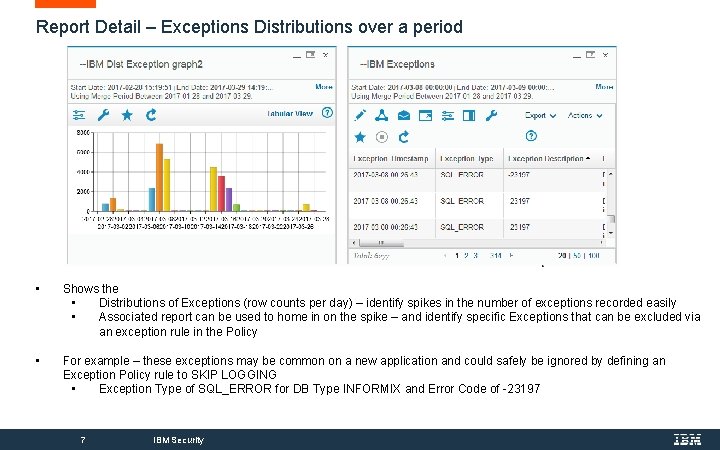
Report Detail – Exceptions Distributions over a period • Shows the • Distributions of Exceptions (row counts per day) – identify spikes in the number of exceptions recorded easily • Associated report can be used to home in on the spike – and identify specific Exceptions that can be excluded via an exception rule in the Policy • For example – these exceptions may be common on a new application and could safely be ignored by defining an Exception Policy rule to SKIP LOGGING • Exception Type of SQL_ERROR for DB Type INFORMIX and Error Code of -23197 7 IBM Security
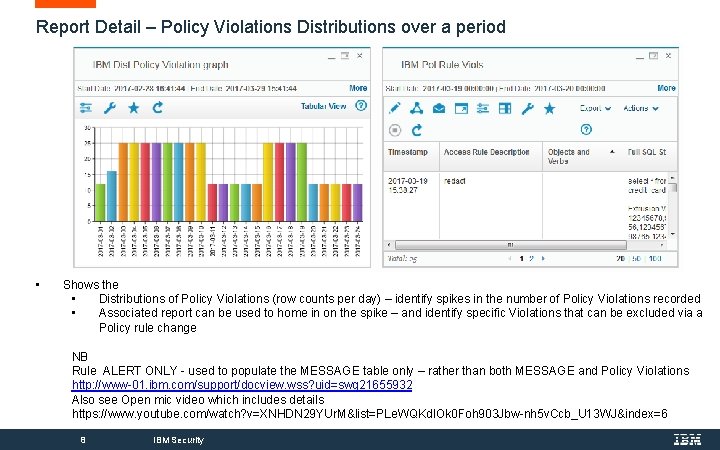
Report Detail – Policy Violations Distributions over a period • Shows the • Distributions of Policy Violations (row counts per day) – identify spikes in the number of Policy Violations recorded • Associated report can be used to home in on the spike – and identify specific Violations that can be excluded via a Policy rule change NB Rule ALERT ONLY - used to populate the MESSAGE table only – rather than both MESSAGE and Policy Violations http: //www-01. ibm. com/support/docview. wss? uid=swg 21655932 Also see Open mic video which includes details https: //www. youtube. com/watch? v=XNHDN 29 YUr. M&list=PLe. WQKdl. Ok 0 Foh 903 Jbw-nh 5 v. Ccb_U 13 WJ&index=6 8 IBM Security
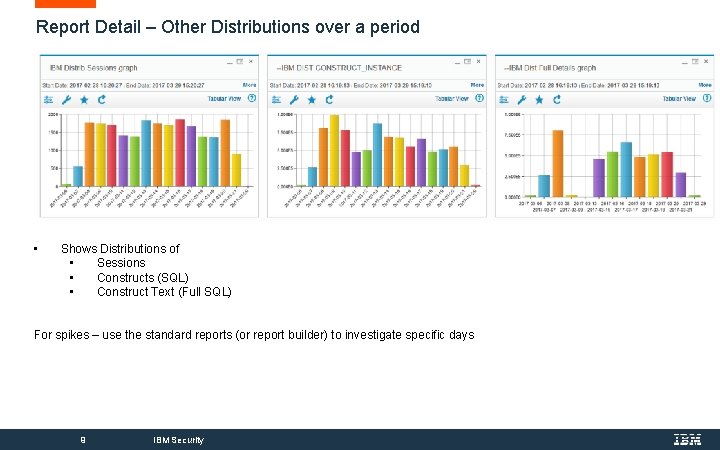
Report Detail – Other Distributions over a period • Shows Distributions of • Sessions • Constructs (SQL) • Construct Text (Full SQL) For spikes – use the standard reports (or report builder) to investigate specific days 9 IBM Security
- Slides: 9