
Distribution Deep Dive Presented By Ian Richardson BA

Distribution Deep Dive Presented By: Ian Richardson BA CPA CGA Colin Pich CPA CGA
Agenda § Link a Sales Order to a Purchase Order § Allocation § Effects of allocation on a stock count § Stock count with serialized items § Barcoding § VBA Stock Count Tool § Using Smartlist § PO Creator Distribution Deep Dive
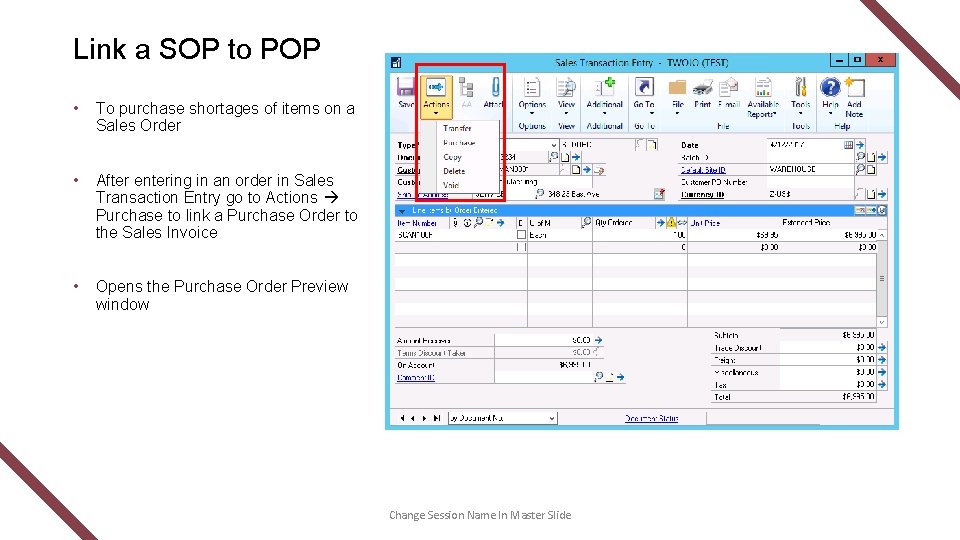
Link a SOP to POP • To purchase shortages of items on a Sales Order • After entering in an order in Sales Transaction Entry go to Actions Purchase to link a Purchase Order to the Sales Invoice • Opens the Purchase Order Preview window Change Session Name In Master Slide

Purchase Order Preview Window Tabs: • Vendor – shows vendor information • PO – choose vendor, PO Date and Shipping Method • Item – change cost, required date or add a comment • Sales – shows the Sales Order that was created Distribution Deep Dive
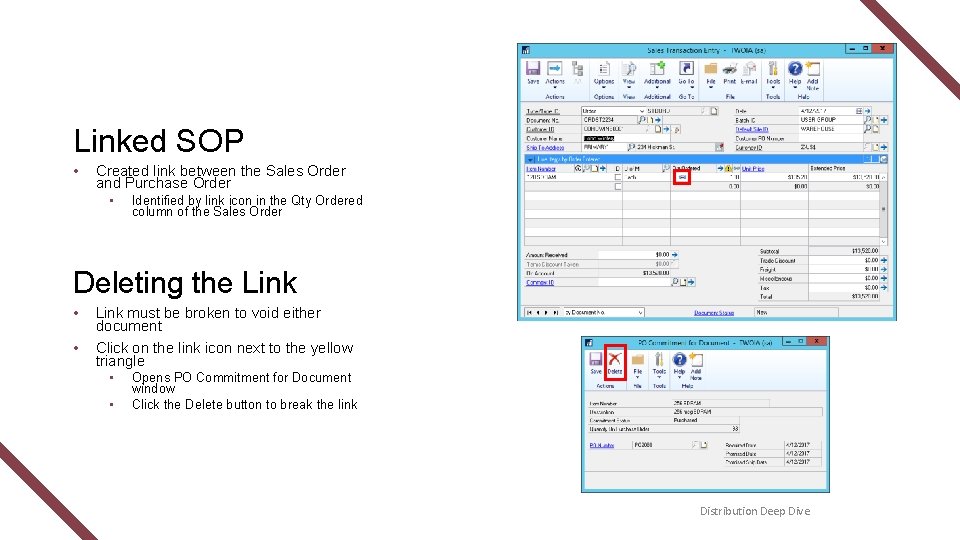
Linked SOP • Created link between the Sales Order and Purchase Order • Identified by link icon in the Qty Ordered column of the Sales Order Deleting the Link • Link must be broken to void either document • Click on the link icon next to the yellow triangle • • Opens PO Commitment for Document window Click the Delete button to break the link Distribution Deep Dive

Link PO to SOP Demo t Financial Reporting Tools

Allocation • An amount of portion of a resource assigned to a particular recipient • Allocating an inventory item means that the item is no longer available Distribution Deep Dive
Allocation • When the quantity allocated is different from the detail records it is time to reconcile the inventory item • As with any maintenance task you should have a current back up prior to running reconcile • Reconcile in this order • Sales Order Processing • Purchase Order Processing • Inventory Distribution Deep Dive

Allocation Reconcile • When quantities are reconciled, the quantities recorded for the item will be reset to match purchase receipt and serial number or lot number quantities. Purchase receipts won’t be removed during the reconcile procedures. • Item quantities for unposted transactions are included in the reconciliation. Distribution Deep Dive
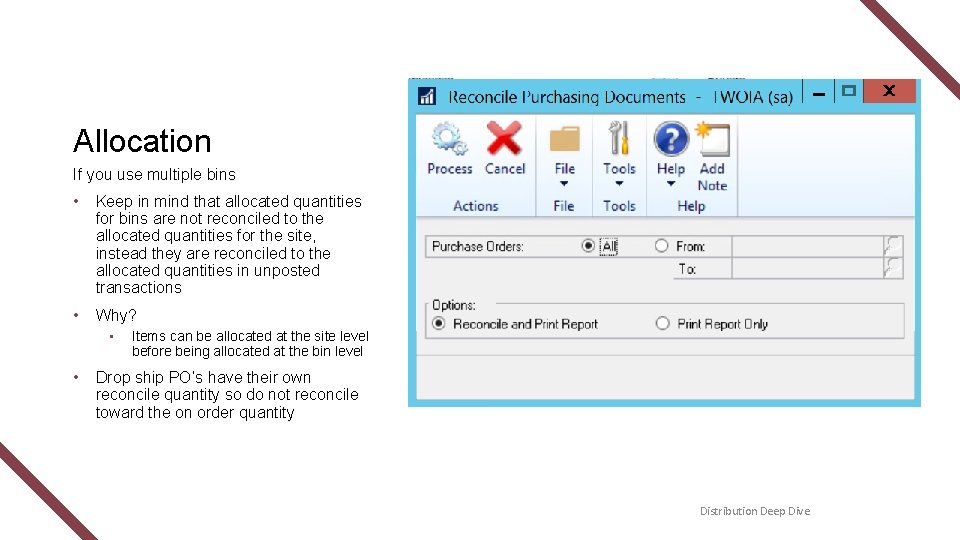
Allocation If you use multiple bins • Keep in mind that allocated quantities for bins are not reconciled to the allocated quantities for the site, instead they are reconciled to the allocated quantities in unposted transactions • Why? • • Items can be allocated at the site level before being allocated at the bin level Drop ship PO’s have their own reconcile quantity so do not reconcile toward the on order quantity Distribution Deep Dive
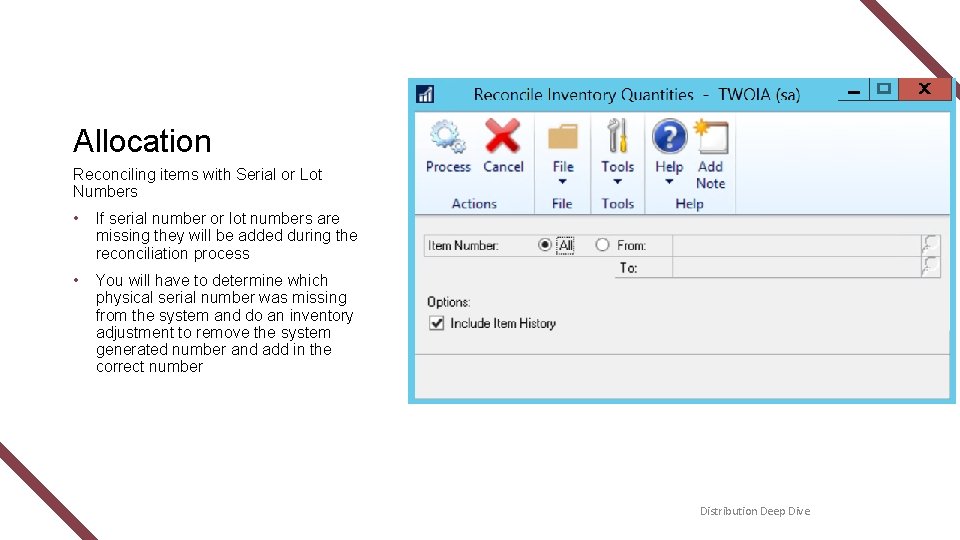
Allocation Reconciling items with Serial or Lot Numbers • If serial number or lot numbers are missing they will be added during the reconciliation process • You will have to determine which physical serial number was missing from the system and do an inventory adjustment to remove the system generated number and add in the correct number Distribution Deep Dive
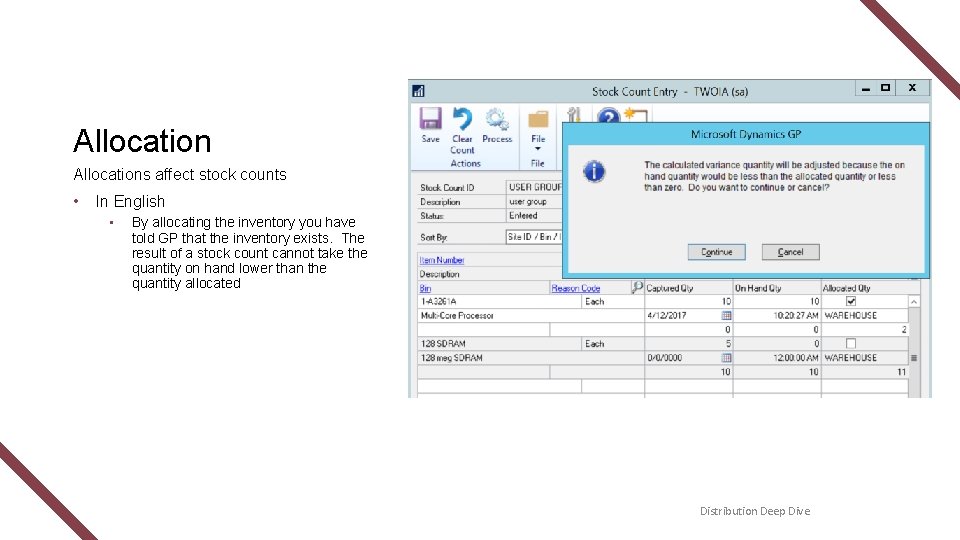
Allocations affect stock counts • In English • By allocating the inventory you have told GP that the inventory exists. The result of a stock count cannot take the quantity on hand lower than the quantity allocated Distribution Deep Dive

Allocation Demo t Financial Reporting Tools
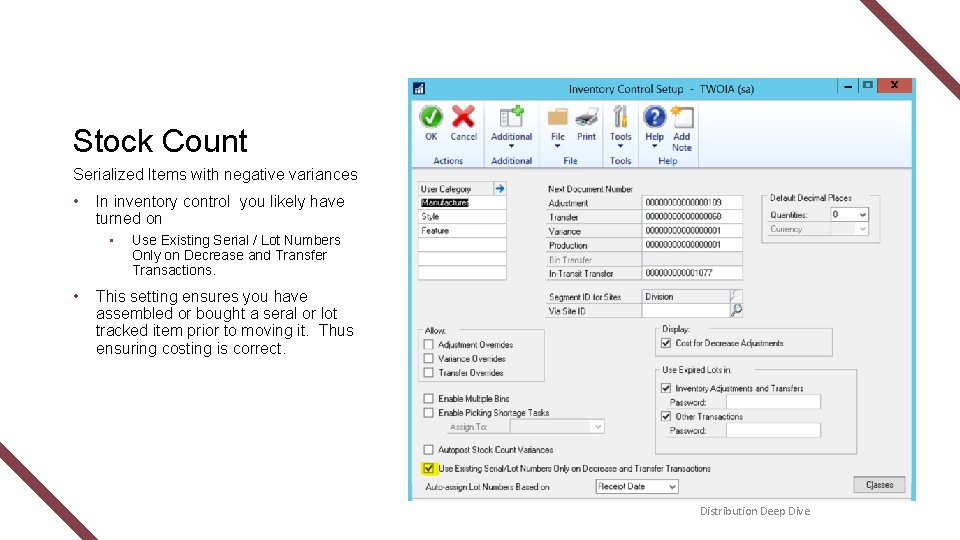
Stock Count Serialized Items with negative variances • In inventory control you likely have turned on • • Use Existing Serial / Lot Numbers Only on Decrease and Transfer Transactions. This setting ensures you have assembled or bought a seral or lot tracked item prior to moving it. Thus ensuring costing is correct. Distribution Deep Dive
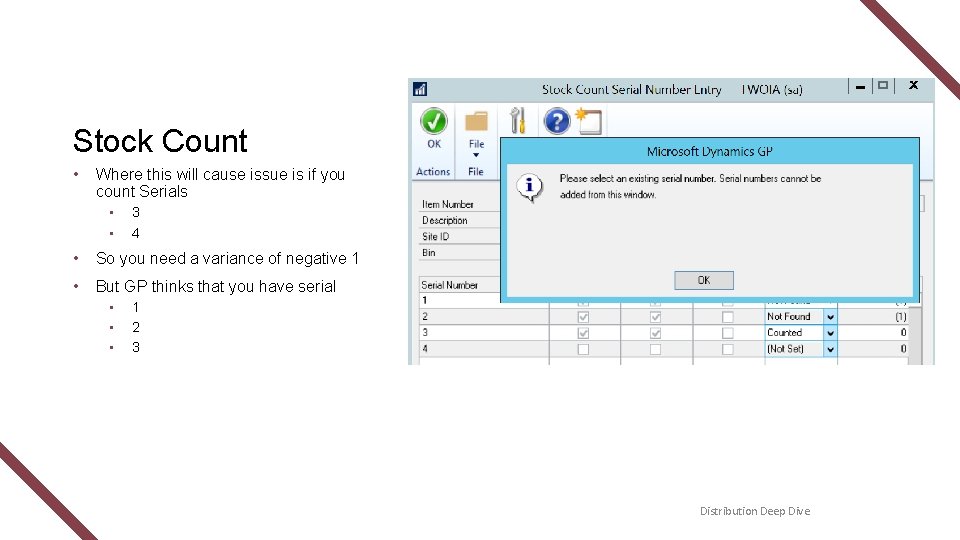
Stock Count • Where this will cause issue is if you count Serials • • 3 4 • So you need a variance of negative 1 • But GP thinks that you have serial • • • 1 2 3 Distribution Deep Dive

Stock Count Demo t Financial Reporting Tools
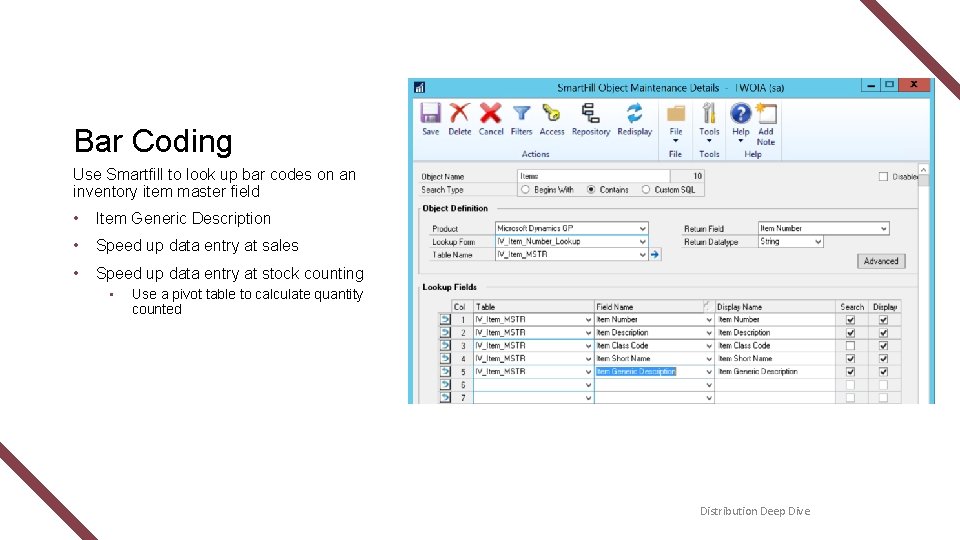
Bar Coding Use Smartfill to look up bar codes on an inventory item master field • Item Generic Description • Speed up data entry at sales • Speed up data entry at stock counting • Use a pivot table to calculate quantity counted Distribution Deep Dive

Bar Code Demo t Financial Reporting Tools
VBA with Excel Hey Colin – do you have a tool that will speed up data entry? Distribution Deep Dive
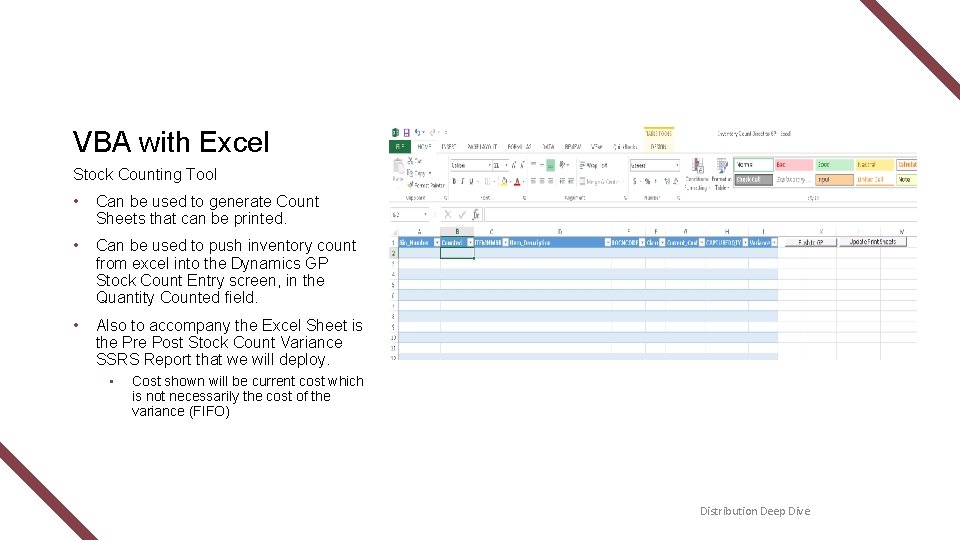
VBA with Excel Stock Counting Tool • Can be used to generate Count Sheets that can be printed. • Can be used to push inventory count from excel into the Dynamics GP Stock Count Entry screen, in the Quantity Counted field. • Also to accompany the Excel Sheet is the Pre Post Stock Count Variance SSRS Report that we will deploy. • Cost shown will be current cost which is not necessarily the cost of the variance (FIFO) Distribution Deep Dive

Excel Demo t Financial Reporting Tools
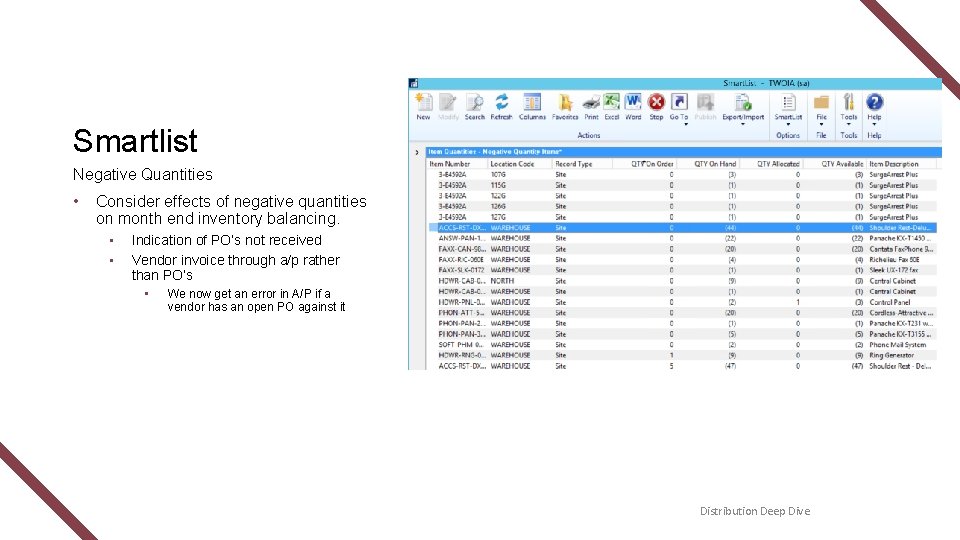
Smartlist Negative Quantities • Consider effects of negative quantities on month end inventory balancing. • • Indication of PO’s not received Vendor invoice through a/p rather than PO’s • We now get an error in A/P if a vendor has an open PO against it Distribution Deep Dive
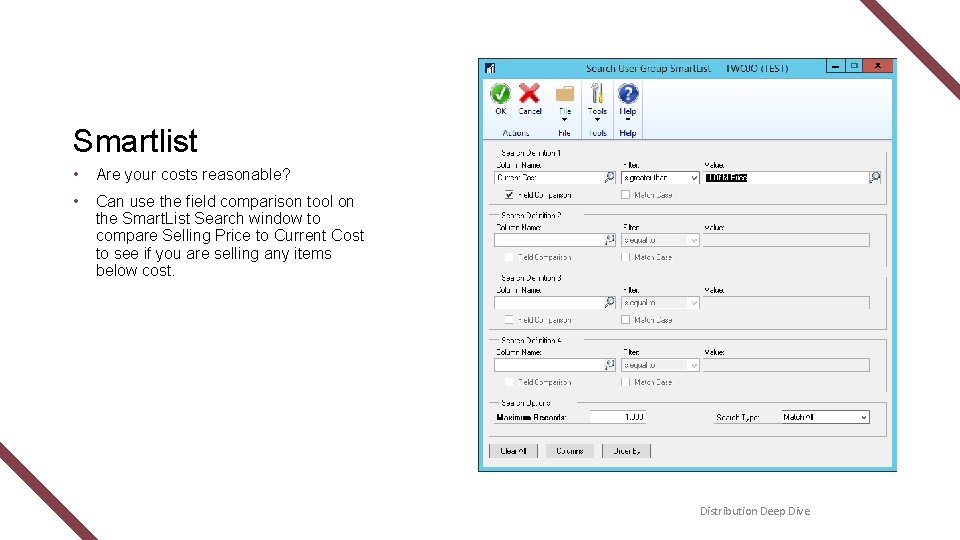
Smartlist • Are your costs reasonable? • Can use the field comparison tool on the Smart. List Search window to compare Selling Price to Current Cost to see if you are selling any items below cost. Distribution Deep Dive

Smartlist Demo t Financial Reporting Tools
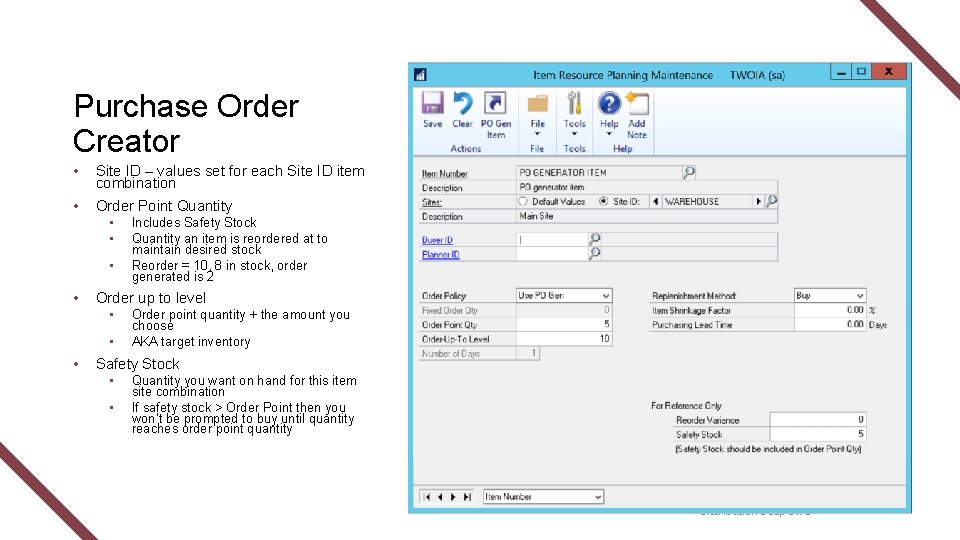
Purchase Order Creator • Site ID – values set for each Site ID item combination • Order Point Quantity • • Order up to level • • • Includes Safety Stock Quantity an item is reordered at to maintain desired stock Reorder = 10, 8 in stock, order generated is 2 Order point quantity + the amount you choose AKA target inventory Safety Stock • • Quantity you want on hand for this item site combination If safety stock > Order Point then you won’t be prompted to buy until quantity reaches order point quantity Distribution Deep Dive
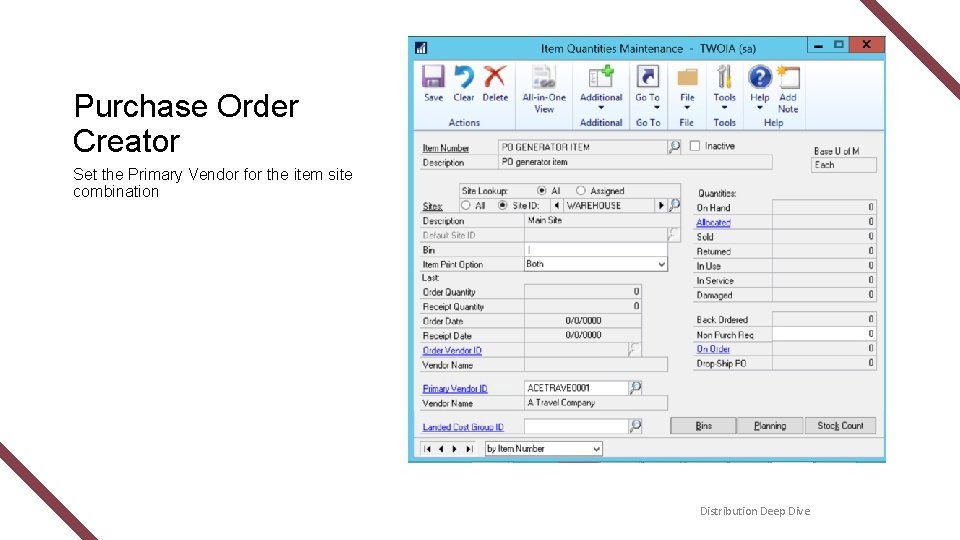
Purchase Order Creator Set the Primary Vendor for the item site combination Distribution Deep Dive
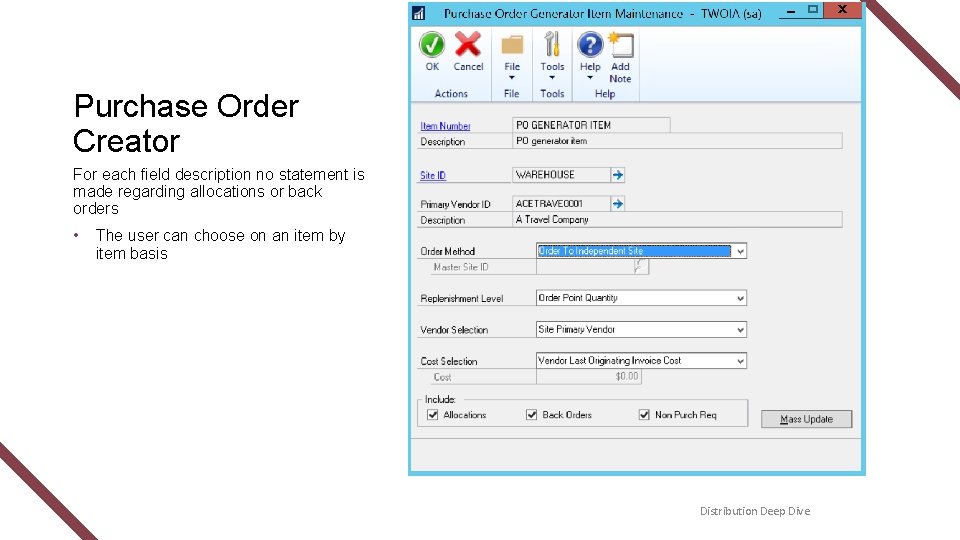
Purchase Order Creator For each field description no statement is made regarding allocations or back orders • The user can choose on an item by item basis Distribution Deep Dive

PO Generator t Financial Reporting Tools

Questions? Distribution Deep Dive

Thanks for Coming! Download all presentations at www. prophet. ca/UG-Presentations. Contact the presenter at Ian. R@prophet. ca Colin. P@prophet. ca Feel free to use, share or distribute this content.
- Slides: 30