
Distributed File Systems Objectives to understand Unix network
Distributed File Systems • Objectives – to understand Unix network file sharing • Contents – – – – Installing NFS How To Get NFS Started The /etc/exports File Activating Modifications The Exports File NFS And DNS Configuring The NFS Client Other NFS Considerations • Practical – to share and mount NFS file systems • Summary
NFS/DFS: An Overview • Unix distributed filesystems are used to – centralise administration of disks – provide transparent file sharing across a network • Three main systems: – NFS: Network File Systems developed by Sun Microsystems 1984 – AFS: Andrew Filesystem developed by Carnegie-Mellon University • Unix NFS packages usually include client and server components – A DFS server shares local files on the network – A DFS client mounts shared files locally – a Unix system can be a client, server or both depending on which commands are executed • Can be fast in comparasion to many other DFS – Very little overhead – Simple and stable protocols – Based on RPC (The R family and S family)
General Overview of NFS • Developed by Sun Microsystems 1984 • Independent of operating system, network, and transport protocols. • Available on many platforms including: – Linux, Windows, OS/2, MVS, VMS, AIX, HP-UX…. • Restrictions of NFS – stateless open architecture – Unix filesystem semantics not guaranteed – No access to remote special files (devices, etc. ) • Restricted locking – file locking is implemented through a separate lock daemon • Industry standard is currently nfs. V 3 as default in – Red. Hat, Su. SE, Open. BSD, Free. BSD, Slackware, Solaris, HP-UX, Gentoo • Kernel NFS or User. Space NFS
Three versions of NFS available • Version 2: – Supports files up to 4 GB long (most common 2 GByte) – Requires an NFS server to successfully write data to its disks before the write request is considered successful – Has a limit of 8 KB per read or write request. (1 TCP Window) • Version 3 is the industry standard: – Supports extremely large file sizes of up to 264 - 1 bytes – Supports files up to 8 Exabyte – Supports the NFS server data updates as being successful when the data is written to the server's cache – Negotiates the data limit per read or write request between the client and server to a mutually decided optimal value. • Version 4 is coming: – File locking and mounting are integrated in the NFS daemon and operate on a single, well known TCP port, making network security easier – Support for the bundling of requests from each client provides more efficient processing by the NFS server. – File locking is mandatory, whereas before it was optional

Important NFS Daemons • Portmap The primary daemon upon which all the RPC rely – – Manages connections for applications that use the RPC specification Listens to TCP port 111 for initial connection negotiate a range of TCP ports, usually above port 1024, for further comms. You need to run portmap on both the NFS server and client. • Nfs (rpc. nfsd) – Starts the RPC processes needed to serve shared NFS file systems – Listens to TCP or UDP port 2049 (port can vary) – The nfs daemon needs to be run on the NFS server only. • Nfslock (rpc. mountd) – Used to allow NFS clients to lock files on the server via RPC processes. – Neogated port UDP/TCP port – The nfslock daemon needs to be run on both the NFS server and client • netfs – Allows RPC processes run on NFS clients to mount NFS filesystems on the server. – The nfslock daemon needs to be run on the NFS client only.
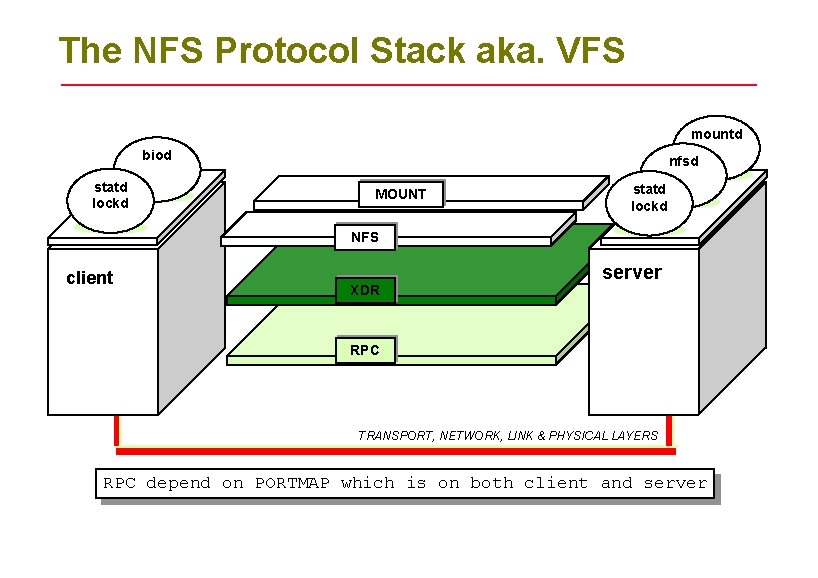
The NFS Protocol Stack aka. VFS mountd biod statd lockd nfsd MOUNT statd lockd NFS client XDR server RPC TRANSPORT, NETWORK, LINK & PHYSICAL LAYERS RPC depend on PORTMAP which is on both client and server
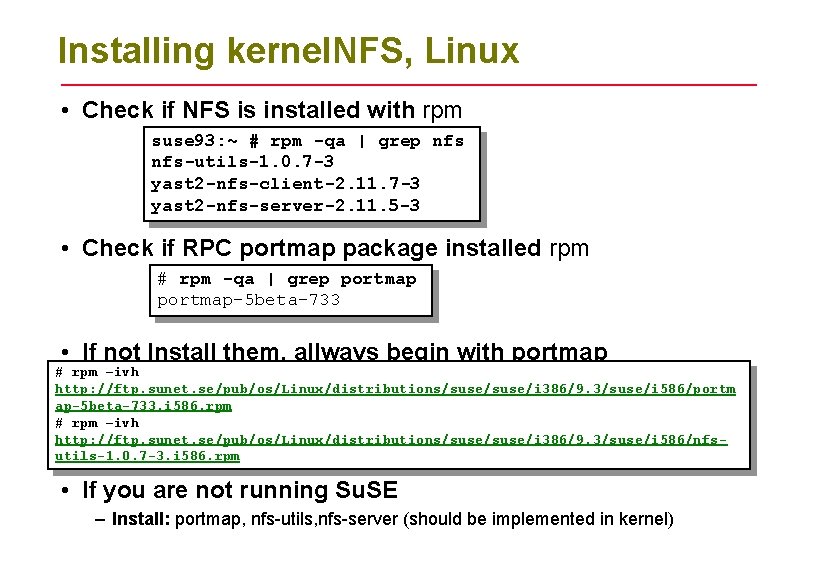
Installing kernel. NFS, Linux • Check if NFS is installed with rpm suse 93: ~ # rpm -qa | grep nfs-utils-1. 0. 7 -3 yast 2 -nfs-client-2. 11. 7 -3 yast 2 -nfs-server-2. 11. 5 -3 • Check if RPC portmap package installed rpm # rpm -qa | grep portmap-5 beta-733 • If not Install them, allways begin with portmap # rpm –ivh http: //ftp. sunet. se/pub/os/Linux/distributions/suse/i 386/9. 3/suse/i 586/portm ap-5 beta-733. i 586. rpm # rpm –ivh http: //ftp. sunet. se/pub/os/Linux/distributions/suse/i 386/9. 3/suse/i 586/nfsutils-1. 0. 7 -3. i 586. rpm • If you are not running Su. SE – Install: portmap, nfs-utils, nfs-server (should be implemented in kernel)
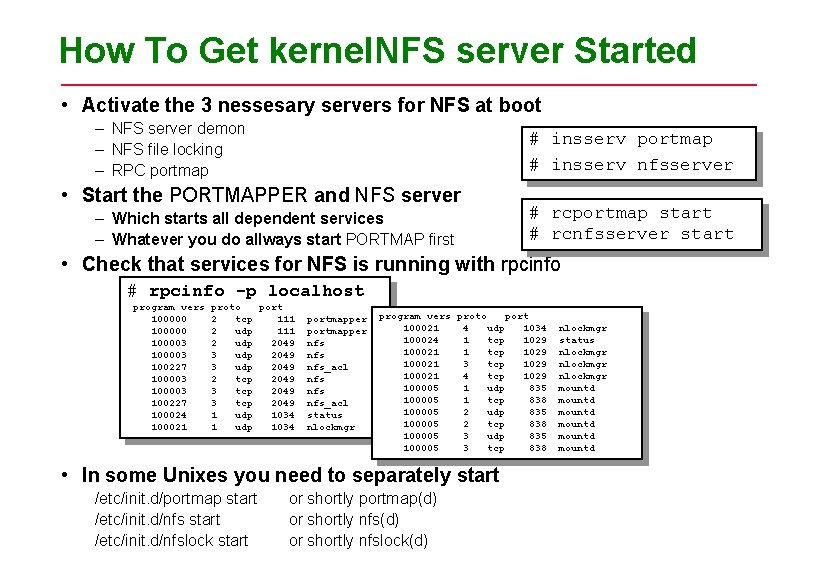
How To Get kernel. NFS server Started • Activate the 3 nessesary servers for NFS at boot – NFS server demon – NFS file locking – RPC portmap # insserv nfsserver • Start the PORTMAPPER and NFS server – Which starts all dependent services – Whatever you do allways start PORTMAP first # rcportmap start # rcnfsserver start • Check that services for NFS is running with rpcinfo # rpcinfo -p localhost program vers proto port 100000 2 tcp 111 portmapper 100000 2 udp 111 portmapper 100003 2 udp 2049 nfs 100003 3 udp 2049 nfs 100227 3 udp 2049 nfs_acl 100003 2 tcp 2049 nfs 100003 3 tcp 2049 nfs 100227 3 tcp 2049 nfs_acl 100024 1 udp 1034 status 100021 1 udp 1034 nlockmgr program vers proto port 100021 4 udp 1034 nlockmgr 100024 1 tcp 1029 status 100021 1 tcp 1029 nlockmgr 100021 3 tcp 1029 nlockmgr 100021 4 tcp 1029 nlockmgr 100005 1 udp 835 mountd 100005 1 tcp 838 mountd 100005 2 udp 835 mountd 100005 2 tcp 838 mountd 100005 3 udp 835 mountd 100005 3 tcp 838 mountd • In some Unixes you need to separately start /etc/init. d/portmap start /etc/init. d/nfslock start or shortly portmap(d) or shortly nfslock(d)
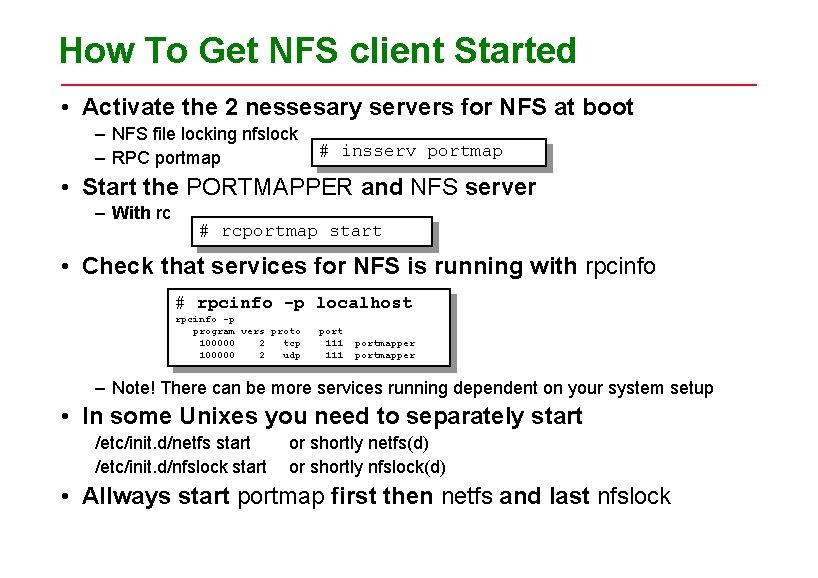
How To Get NFS client Started • Activate the 2 nessesary servers for NFS at boot – NFS file locking nfslock – RPC portmap # insserv portmap • Start the PORTMAPPER and NFS server – With rc # rcportmap start • Check that services for NFS is running with rpcinfo # rpcinfo -p localhost rpcinfo -p program vers proto port 100000 2 tcp 111 portmapper 100000 2 udp 111 portmapper – Note! There can be more services running dependent on your system setup • In some Unixes you need to separately start /etc/init. d/netfs start /etc/init. d/nfslock start or shortly netfs(d) or shortly nfslock(d) • Allways start portmap first then netfs and last nfslock
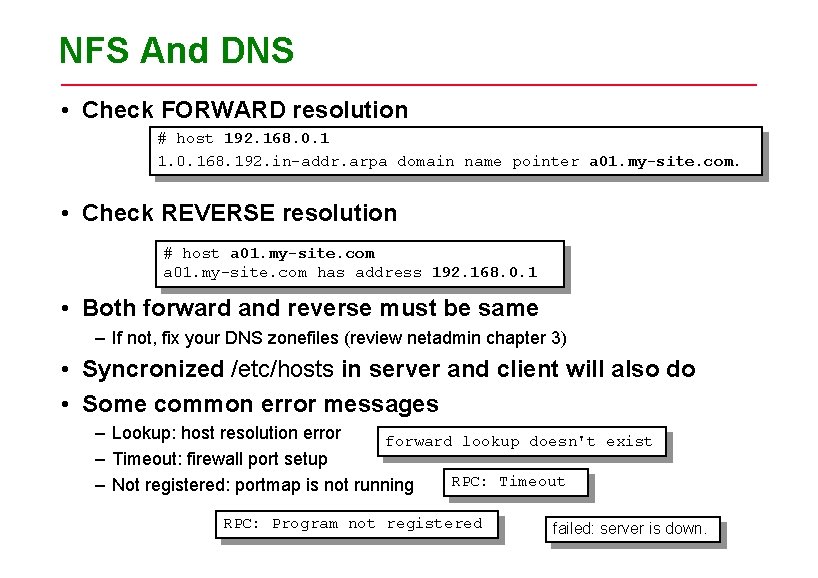
NFS And DNS • Check FORWARD resolution # host 192. 168. 0. 1 1. 0. 168. 192. in-addr. arpa domain name pointer a 01. my-site. com. • Check REVERSE resolution # host a 01. my-site. com has address 192. 168. 0. 1 • Both forward and reverse must be same – If not, fix your DNS zonefiles (review netadmin chapter 3) • Syncronized /etc/hosts in server and client will also do • Some common error messages – Lookup: host resolution error forward lookup doesn't exist – Timeout: firewall port setup RPC: Timeout – Not registered: portmap is not running RPC: Program not registered failed: server is down.
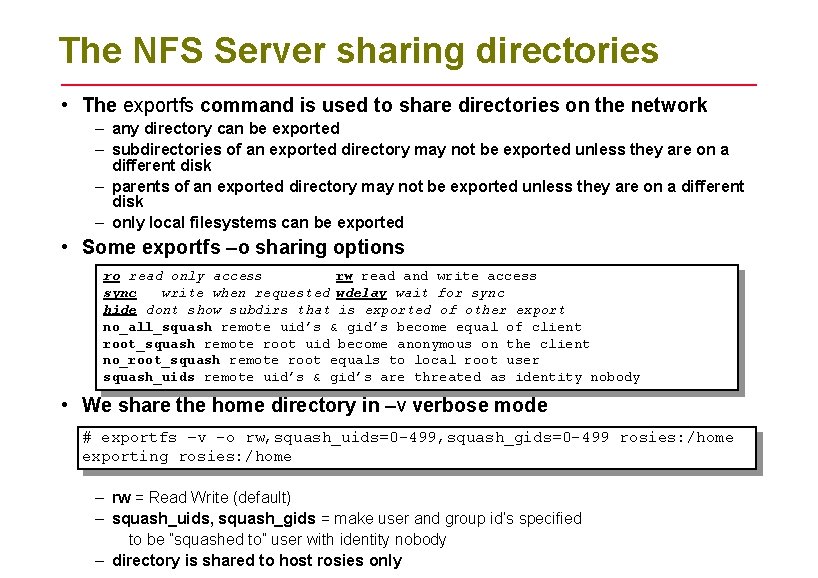
The NFS Server sharing directories • The exportfs command is used to share directories on the network – any directory can be exported – subdirectories of an exported directory may not be exported unless they are on a different disk – parents of an exported directory may not be exported unless they are on a different disk – only local filesystems can be exported • Some exportfs –o sharing options ro read only access rw read and write access sync write when requested wdelay wait for sync hide dont show subdirs that is exported of other export no_all_squash remote uid’s & gid’s become equal of client root_squash remote root uid become anonymous on the client no_root_squash remote root equals to local root user squash_uids remote uid’s & gid’s are threated as identity nobody • We share the home directory in –v verbose mode # exportfs –v -o rw, squash_uids=0 -499, squash_gids=0 -499 rosies: /home exporting rosies: /home – rw = Read Write (default) – squash_uids, squash_gids = make user and group id’s specified to be ”squashed to” user with identity nobody – directory is shared to host rosies only
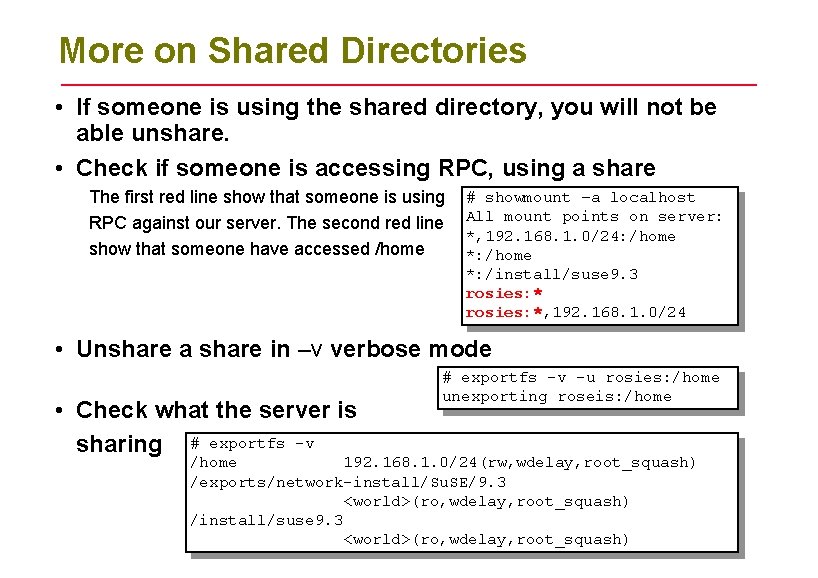
More on Shared Directories • If someone is using the shared directory, you will not be able unshare. • Check if someone is accessing RPC, using a share The first red line show that someone is using RPC against our server. The second red line show that someone have accessed /home # showmount –a localhost All mount points on server: *, 192. 168. 1. 0/24: /home *: /install/suse 9. 3 rosies: *, 192. 168. 1. 0/24 • Unshare a share in –v verbose mode • Check what the server is sharing # exportfs -v -u rosies: /home unexporting roseis: /home 192. 168. 1. 0/24(rw, wdelay, root_squash) /exports/network-install/Su. SE/9. 3 <world>(ro, wdelay, root_squash) /install/suse 9. 3 <world>(ro, wdelay, root_squash)
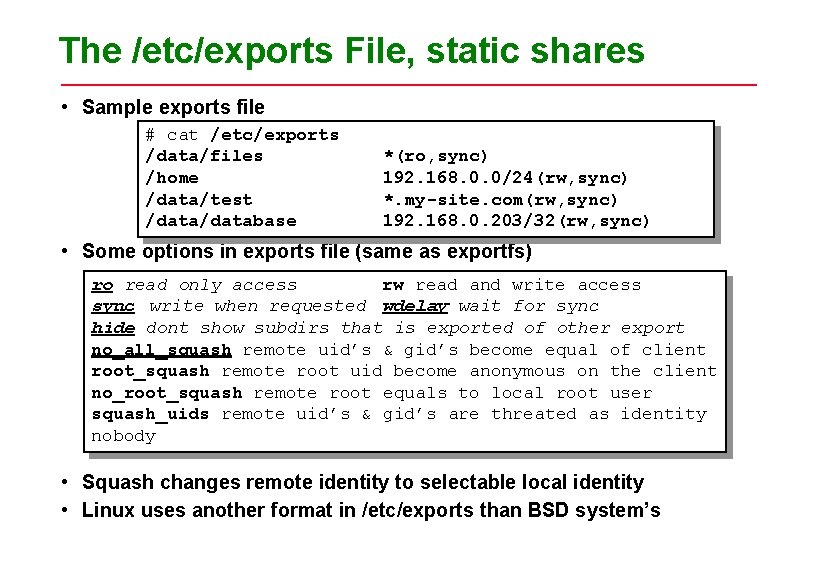
The /etc/exports File, static shares • Sample exports file # cat /etc/exports /data/files *(ro, sync) /home 192. 168. 0. 0/24(rw, sync) /data/test *. my-site. com(rw, sync) /database 192. 168. 0. 203/32(rw, sync) • Some options in exports file (same as exportfs) ro read only access rw read and write access sync write when requested wdelay wait for sync hide dont show subdirs that is exported of other export no_all_squash remote uid’s & gid’s become equal of client root_squash remote root uid become anonymous on the client no_root_squash remote root equals to local root user squash_uids remote uid’s & gid’s are threated as identity nobody • Squash changes remote identity to selectable local identity • Linux uses another format in /etc/exports than BSD system’s
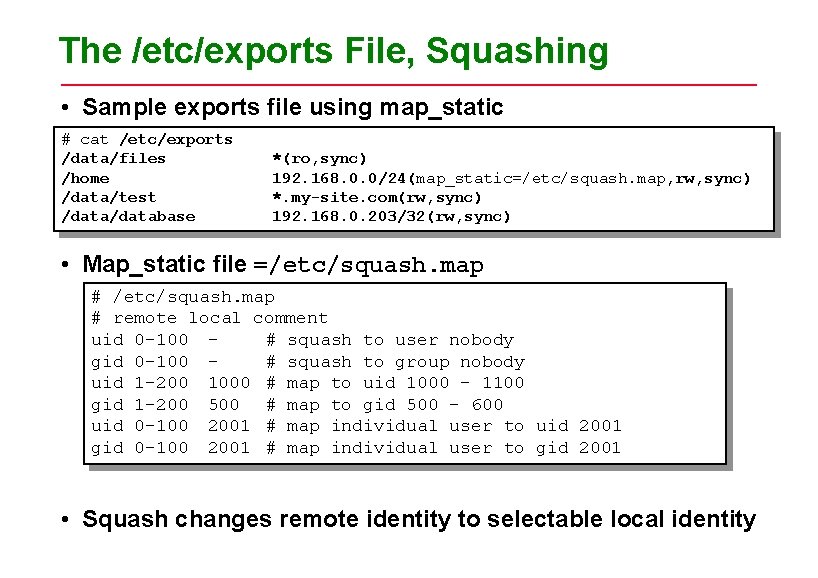
The /etc/exports File, Squashing • Sample exports file using map_static # cat /etc/exports /data/files *(ro, sync) /home 192. 168. 0. 0/24(map_static=/etc/squash. map, rw, sync) /data/test *. my-site. com(rw, sync) /database 192. 168. 0. 203/32(rw, sync) • Map_static file =/etc/squash. map # remote local comment uid 0 -100 # squash to user nobody gid 0 -100 # squash to group nobody uid 1 -200 1000 # map to uid 1000 - 1100 gid 1 -200 500 # map to gid 500 - 600 uid 0 -100 2001 # map individual user to uid 2001 gid 0 -100 2001 # map individual user to gid 2001 • Squash changes remote identity to selectable local identity
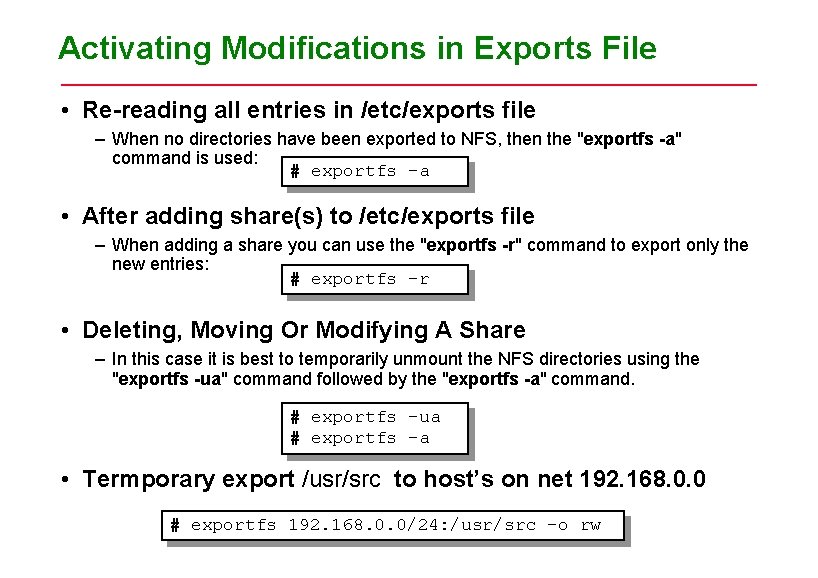
Activating Modifications in Exports File • Re-reading all entries in /etc/exports file – When no directories have been exported to NFS, then the "exportfs -a" command is used: # exportfs -a • After adding share(s) to /etc/exports file – When adding a share you can use the "exportfs -r" command to export only the new entries: # exportfs -r • Deleting, Moving Or Modifying A Share – In this case it is best to temporarily unmount the NFS directories using the "exportfs -ua" command followed by the "exportfs -a" command. # exportfs -ua # exportfs -a • Termporary export /usr/src to host’s on net 192. 168. 0. 0 # exportfs 192. 168. 0. 0/24: /usr/src –o rw
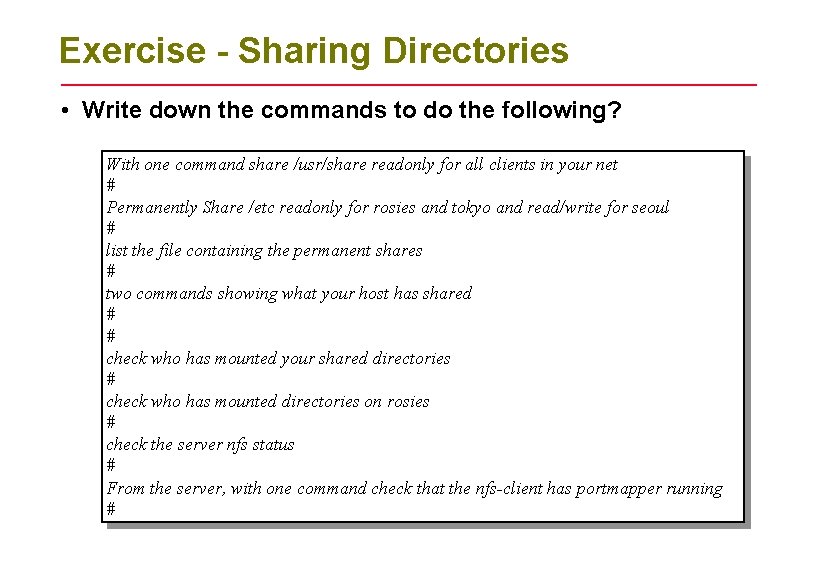
Exercise - Sharing Directories • Write down the commands to do the following? With one command share /usr/share readonly for all clients in your net # Permanently Share /etc readonly for rosies and tokyo and read/write for seoul # list the file containing the permanent shares # two commands showing what your host has shared # # check who has mounted your shared directories # check who has mounted directories on rosies # check the server nfs status # From the server, with one command check that the nfs-client has portmapper running #
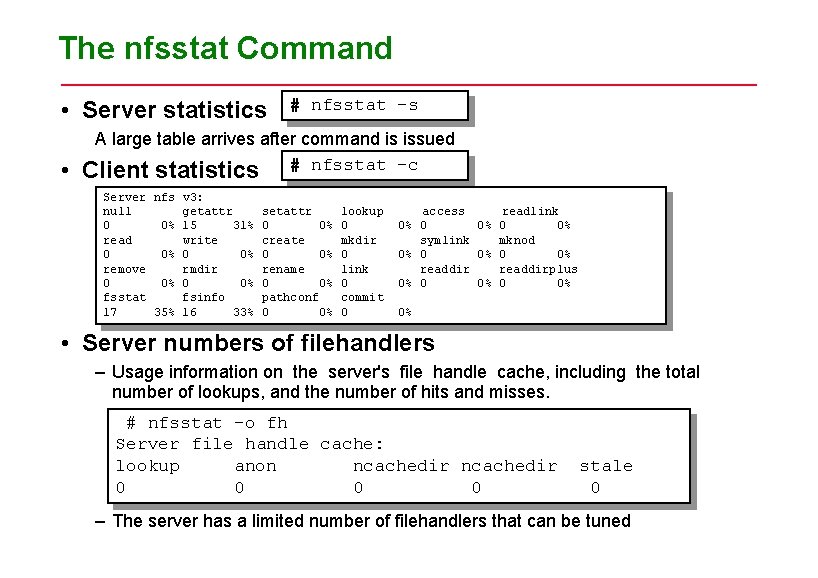
The nfsstat Command • Server statistics • # nfsstat -s A large table arrives after command is issued Client statistics # nfsstat -c Server nfs v 3: null getattr setattr 0 0% 15 31% 0 0% read write create 0 0% remove rmdir rename 0 0% fsstat fsinfo pathconf 17 35% 16 33% 0 0% lookup 0 mkdir 0 link 0 commit 0 access readlink 0% 0 0% symlink mknod 0% 0 0% readdirplus 0% 0% • Server numbers of filehandlers – Usage information on the server's file handle cache, including the total number of lookups, and the number of hits and misses. # nfsstat -o fh Server file handle cache: lookup anon ncachedir 0 0 stale 0 – The server has a limited number of filehandlers that can be tuned
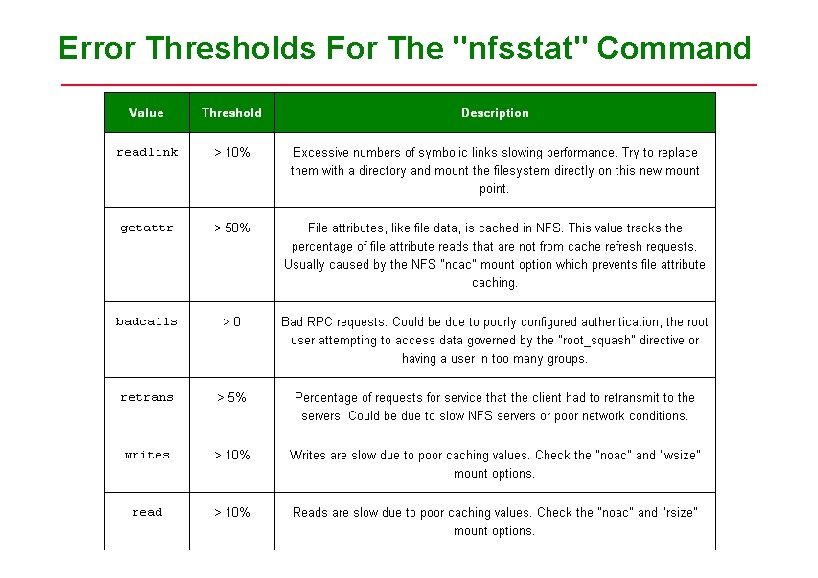
Error Thresholds For The "nfsstat" Command
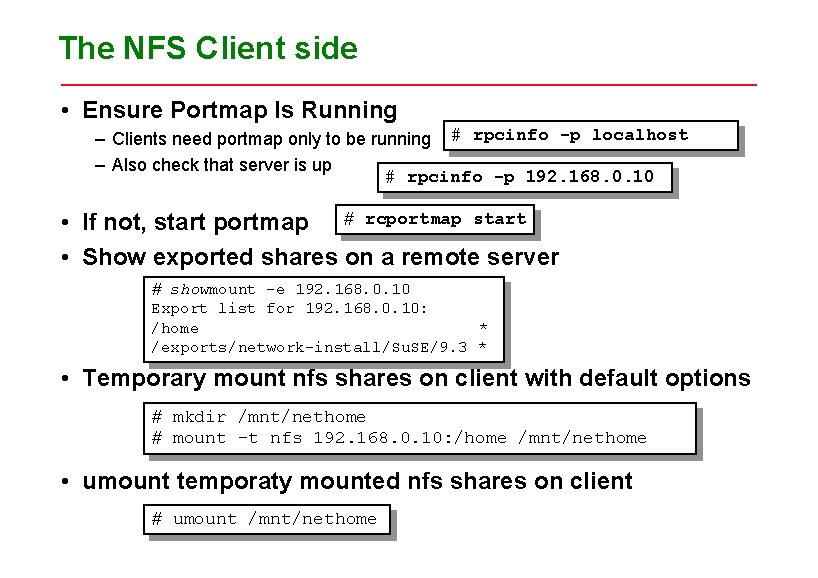
The NFS Client side • Ensure Portmap Is Running – Clients need portmap only to be running # rpcinfo -p localhost – Also check that server is up # rpcinfo -p 192. 168. 0. 10 • If not, start portmap # rcportmap start • Show exported shares on a remote server # showmount -e 192. 168. 0. 10 Export list for 192. 168. 0. 10: /home * /exports/network-install/Su. SE/9. 3 * • Temporary mount nfs shares on client with default options # mkdir /mnt/nethome # mount –t nfs 192. 168. 0. 10: /home /mnt/nethome • umount temporaty mounted nfs shares on client # umount /mnt/nethome
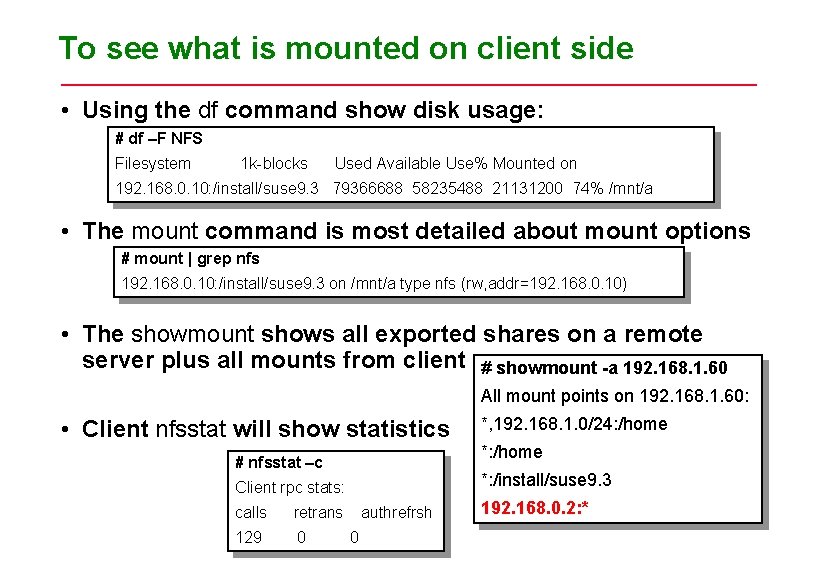
To see what is mounted on client side • Using the df command show disk usage: # df –F NFS Filesystem 1 k-blocks Used Available Use% Mounted on 192. 168. 0. 10: /install/suse 9. 3 79366688 58235488 21131200 74% /mnt/a • The mount command is most detailed about mount options # mount | grep nfs 192. 168. 0. 10: /install/suse 9. 3 on /mnt/a type nfs (rw, addr=192. 168. 0. 10) • The showmount shows all exported shares on a remote server plus all mounts from client # showmount -a 192. 168. 1. 60 All mount points on 192. 168. 1. 60: • Client nfsstat will show statistics # nfsstat –c retrans 129 0 *: /home *: /install/suse 9. 3 Client rpc stats: calls *, 192. 168. 1. 0/24: /home authrefrsh 0 192. 168. 0. 2: *
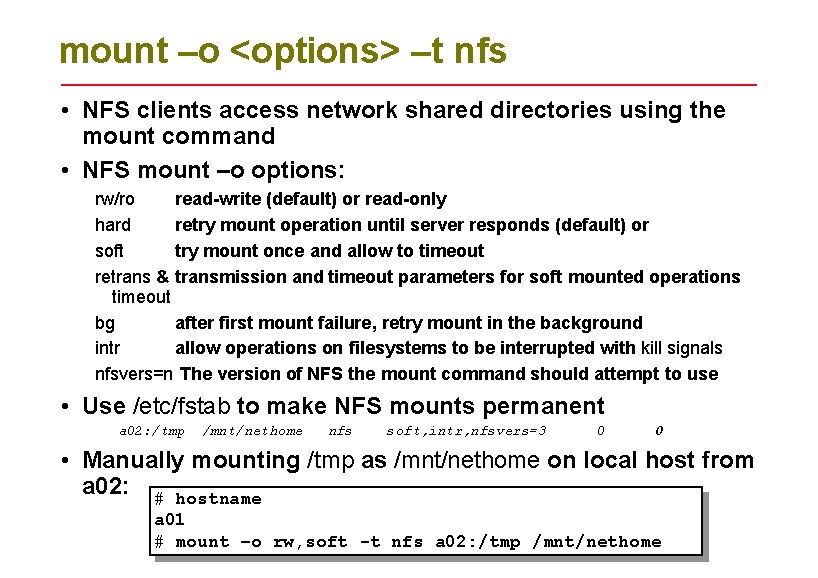
mount –o <options> –t nfs • NFS clients access network shared directories using the mount command • NFS mount –o options: rw/ro read-write (default) or read-only hard retry mount operation until server responds (default) or soft try mount once and allow to timeout retrans & transmission and timeout parameters for soft mounted operations timeout bg after first mount failure, retry mount in the background intr allow operations on filesystems to be interrupted with kill signals nfsvers=n The version of NFS the mount command should attempt to use • Use /etc/fstab to make NFS mounts permanent a 02: /tmp /mnt/nethome nfs soft, intr, nfsvers=3 0 0 • Manually mounting /tmp as /mnt/nethome on local host from a 02: # hostname a 01 # mount –o rw, soft -t nfs a 02: /tmp /mnt/nethome
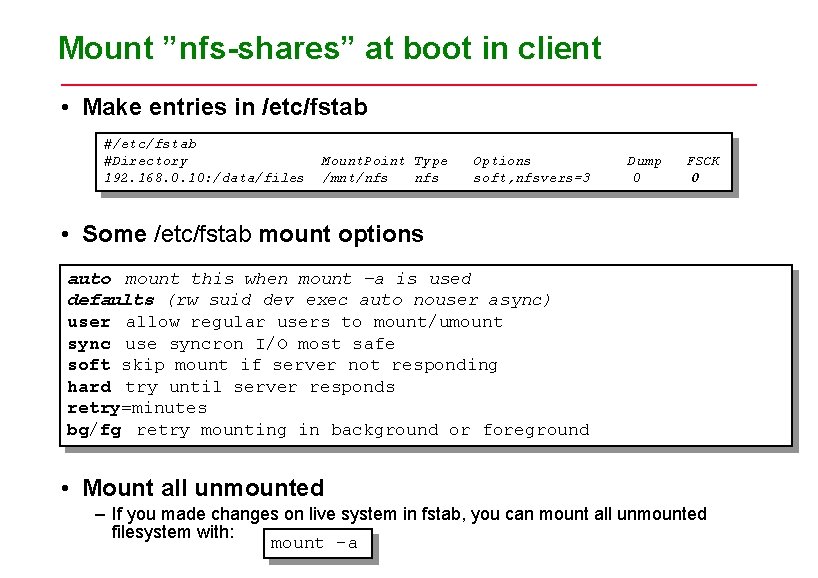
Mount ”nfs-shares” at boot in client • Make entries in /etc/fstab #Directory Mount. Point Type Options Dump FSCK 192. 168. 0. 10: /data/files /mnt/nfs soft, nfsvers=3 0 0 • Some /etc/fstab mount options auto mount this when mount –a is used defaults (rw suid dev exec auto nouser async) user allow regular users to mount/umount sync use syncron I/O most safe soft skip mount if server not responding hard try until server responds retry=minutes bg/fg retry mounting in background or foreground • Mount all unmounted – If you made changes on live system in fstab, you can mount all unmounted filesystem with: mount –a
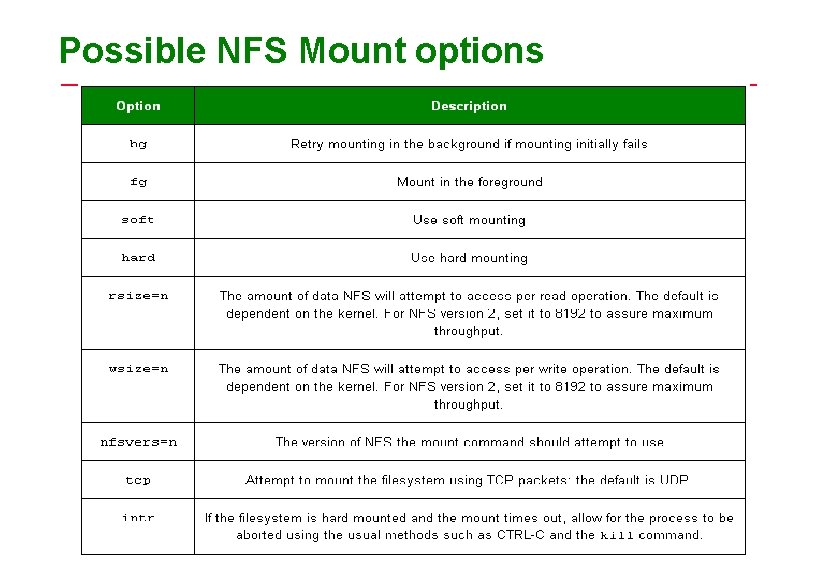
Possible NFS Mount options
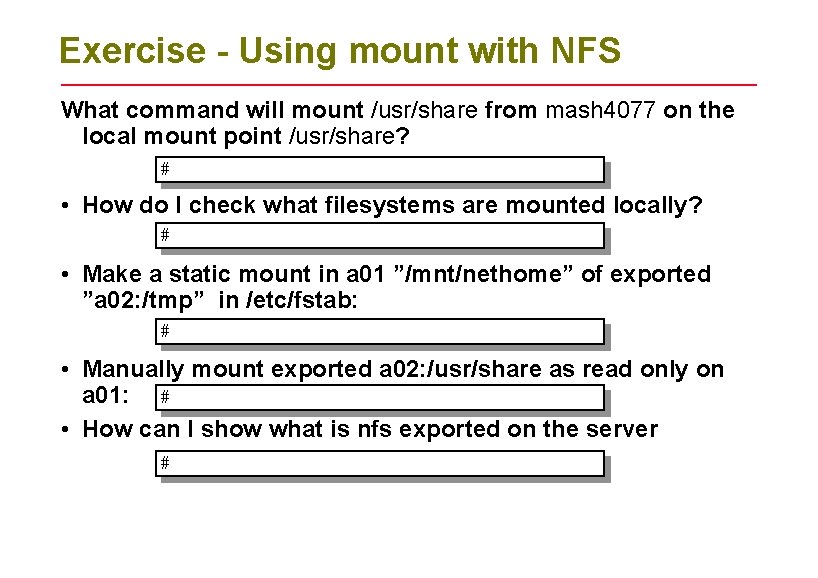
Exercise - Using mount with NFS What command will mount /usr/share from mash 4077 on the local mount point /usr/share? # • How do I check what filesystems are mounted locally? # • Make a static mount in a 01 ”/mnt/nethome” of exported ”a 02: /tmp” in /etc/fstab: # • Manually mount exported a 02: /usr/share as read only on a 01: # • How can I show what is nfs exported on the server #
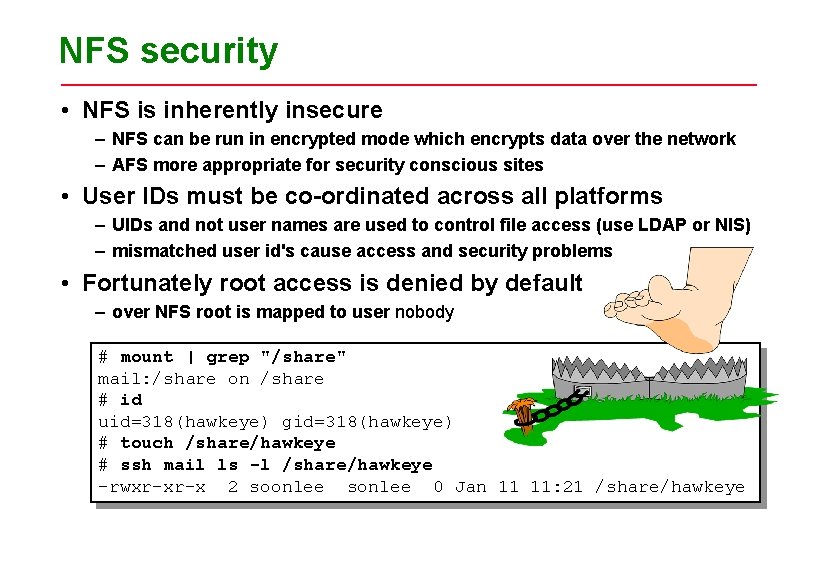
NFS security • NFS is inherently insecure – NFS can be run in encrypted mode which encrypts data over the network – AFS more appropriate for security conscious sites • User IDs must be co-ordinated across all platforms – UIDs and not user names are used to control file access (use LDAP or NIS) – mismatched user id's cause access and security problems • Fortunately root access is denied by default – over NFS root is mapped to user nobody # mount | grep "/share" mail: /share on /share # id uid=318(hawkeye) gid=318(hawkeye) # touch /share/hawkeye # ssh mail ls -l /share/hawkeye -rwxr-xr-x 2 soonlee sonlee 0 Jan 11 11: 21 /share/hawkeye
NFS Hanging • Run NFS on a reliable network • Avoid having NFS servers that NFS mount each other's filesystems or directories • Always use the sync option whenever possible • Mission critical computers shouldn't rely on an NFS server to operate • Dont have NFS shares in search path
NFS Hanging continued • File Locking – Known issues exist, test your applications carefullý • Nesting Exports – NFS doesn't allow you to export directories that are subdirectories of directories that have already been exported unless they are on different partitions. • Limiting "root" Access – no_root_squash • Restricting Access to the NFS server – You can add user named "nfsuser" on the NFS client to let this user squash access for all other users on that client • Use nfs. V 3 if possible
NFS Firewall considerations • NFS uses many ports – – – RPC uses TCP port 111 NFS server itself uses port 2049 MOUNTD listens on neogated UDP/TCP port’s NLOCKMGR listens on neogated UDP / TCP port’s Expect almost any TCP/UDP port over 1023 can be allocated for NFS • NFS need a STATEFUL firewall – A stateful firewall will be able dealing with traffic that originates from inside a network and block traffic from outside • SPI can demolish NFS – Stateful packet inspection on cheaper routers/firewalls can missinteprete NFS traffic as DOS attacks and start drop packages • NFSSHELL – This is a hacker tool, it can hack some NFS – Invented by Leendert van Doom • Use VPN and IPSEC tunnels – With complex services like NFS IPSEC or some kind of VPN should be considered if used in untrusted networks.
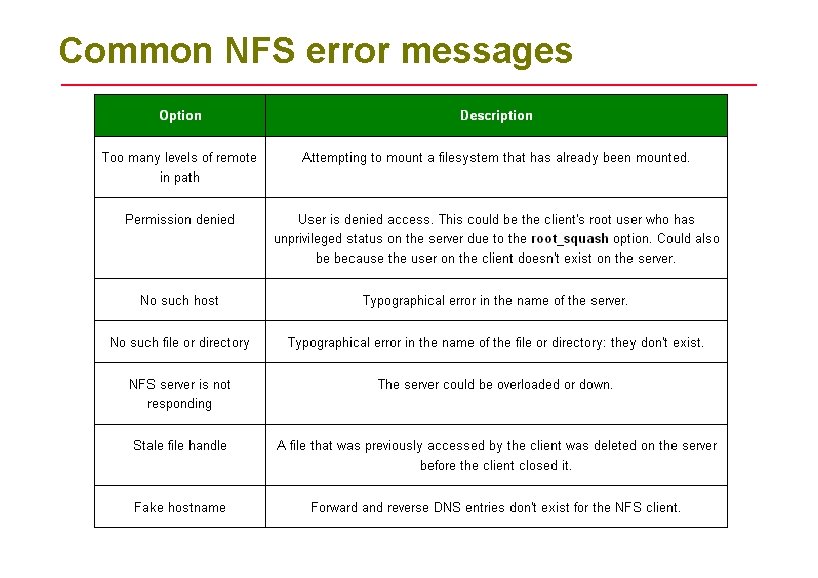
Common NFS error messages
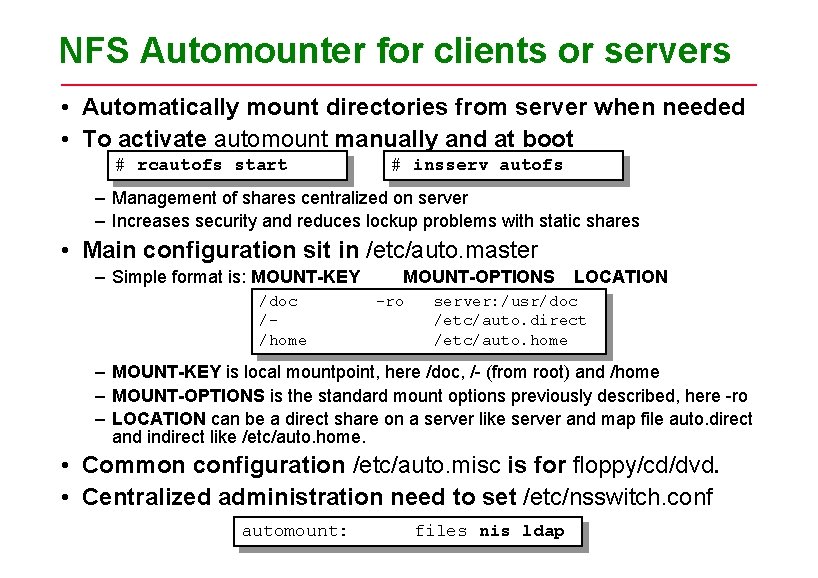
NFS Automounter for clients or servers • Automatically mount directories from server when needed • To activate automount manually and at boot # rcautofs start # insserv autofs – Management of shares centralized on server – Increases security and reduces lockup problems with static shares • Main configuration sit in /etc/auto. master – Simple format is: MOUNT-KEY /doc //home MOUNT-OPTIONS -ro LOCATION server: /usr/doc /etc/auto. direct /etc/auto. home – MOUNT-KEY is local mountpoint, here /doc, /- (from root) and /home – MOUNT-OPTIONS is the standard mount options previously described, here -ro – LOCATION can be a direct share on a server like server and map file auto. direct and indirect like /etc/auto. home. • Common configuration /etc/auto. misc is for floppy/cd/dvd. • Centralized administration need to set /etc/nsswitch. conf automount: files nis ldap
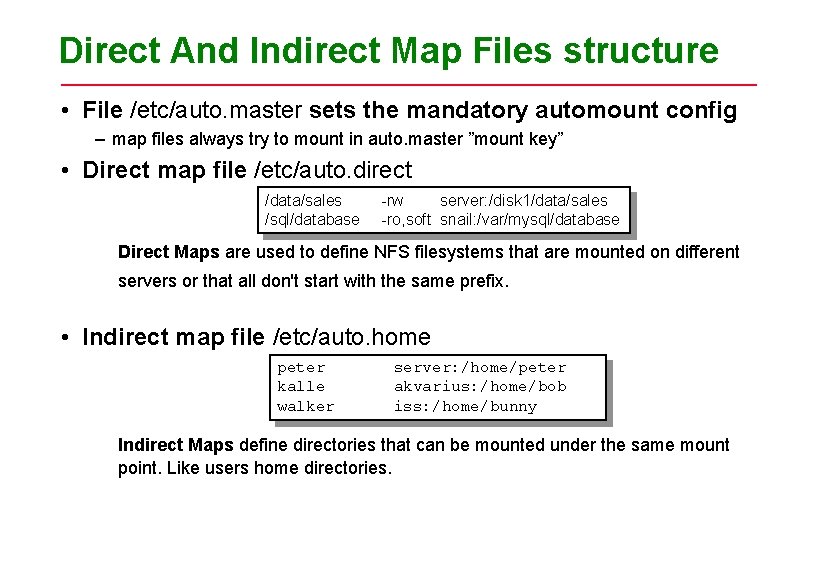
Direct And Indirect Map Files structure • File /etc/auto. master sets the mandatory automount config – map files always try to mount in auto. master ”mount key” • Direct map file /etc/auto. direct /data/sales /sql/database -rw server: /disk 1/data/sales -ro, soft snail: /var/mysql/database Direct Maps are used to define NFS filesystems that are mounted on different servers or that all don't start with the same prefix. • Indirect map file /etc/auto. home peter kalle walker server: /home/peter akvarius: /home/bob iss: /home/bunny Indirect Maps define directories that can be mounted under the same mount point. Like users home directories.
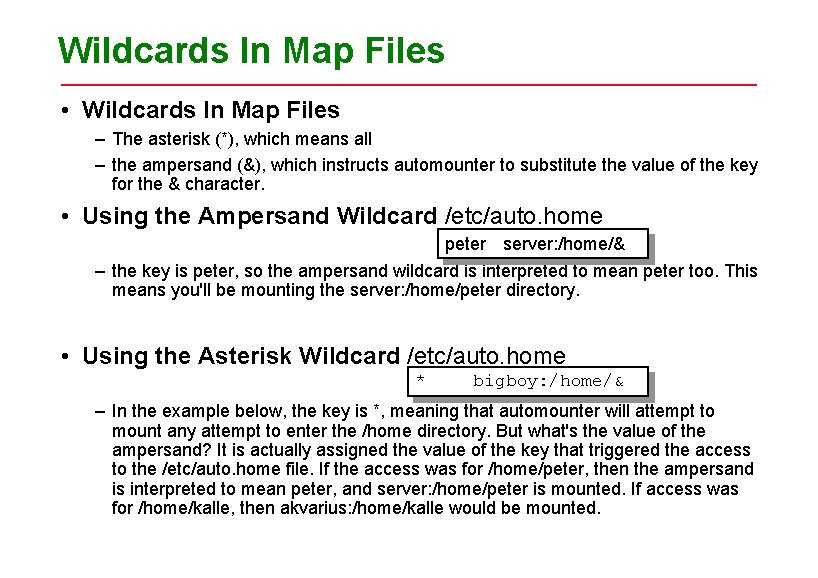
Wildcards In Map Files • Wildcards In Map Files – The asterisk (*), which means all – the ampersand (&), which instructs automounter to substitute the value of the key for the & character. • Using the Ampersand Wildcard /etc/auto. home peter server: /home/& – the key is peter, so the ampersand wildcard is interpreted to mean peter too. This means you'll be mounting the server: /home/peter directory. • Using the Asterisk Wildcard /etc/auto. home * bigboy: /home/& – In the example below, the key is *, meaning that automounter will attempt to mount any attempt to enter the /home directory. But what's the value of the ampersand? It is actually assigned the value of the key that triggered the access to the /etc/auto. home file. If the access was for /home/peter, then the ampersand is interpreted to mean peter, and server: /home/peter is mounted. If access was for /home/kalle, then akvarius: /home/kalle would be mounted.
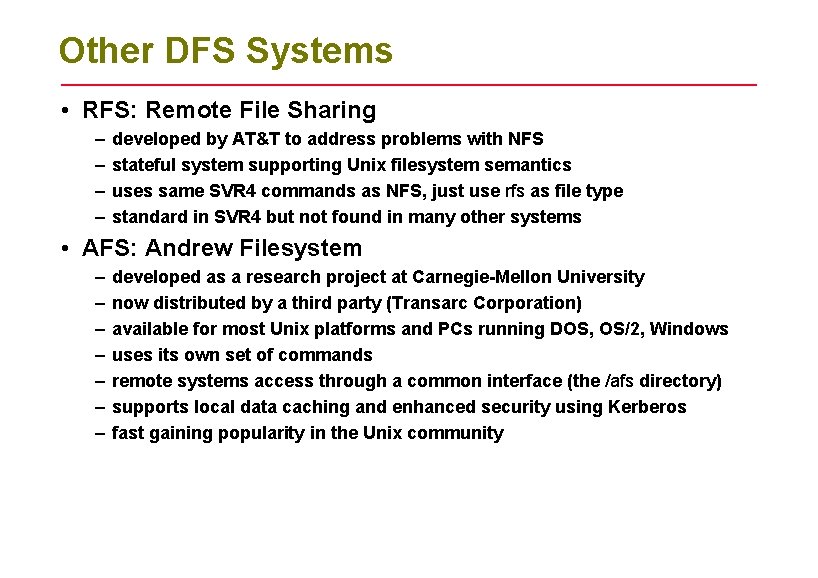
Other DFS Systems • RFS: Remote File Sharing – – developed by AT&T to address problems with NFS stateful system supporting Unix filesystem semantics uses same SVR 4 commands as NFS, just use rfs as file type standard in SVR 4 but not found in many other systems • AFS: Andrew Filesystem – – – – developed as a research project at Carnegie-Mellon University now distributed by a third party (Transarc Corporation) available for most Unix platforms and PCs running DOS, OS/2, Windows uses its own set of commands remote systems access through a common interface (the /afs directory) supports local data caching and enhanced security using Kerberos fast gaining popularity in the Unix community
Summary • Unix supports file sharing across a network • NFS is the most popular system and allows Unix to share files with other O/S • Servers share directories across the network using the share command • Permanent shared drives can be configured into /etc/fstab • Clients use mount to access shared drives • Use mount and exportfs to look at distributed files/catalogs
- Slides: 34