
Display of MSG satellite Data Processing and Application

- Slides: 27
Display of MSG satellite Data, Processing and Application Joseph Kagenyi Kenya Meteorological Department
objective n n To obtain skills in display of Spectral data To gain skills in Features identification To gain skills in identifying what spectral channels best identifies your features To gain skills in RGB Interpretation and applications
Basics of displaying MSG/SEVIRI images Four processing and rendering methods: 1. Images of individual channels, using a simple grey wedge or LUTs for pseudo colours (typical for MFG channels); 2. Differences/ratios of 2 channels, using a simple grey wedge or LUTs for pseudo colours (e. g. fog, ice/snow or vegetation); 3. Quantitative image products using multi-spectral algorithms (e. g. SAFNWC/MSG software package) and discrete LUTs; 4. RGB composites by attributing 2 to 3 channels or channel combinations to individual colour (RGB) beams classification by addition of. RGB colour intensities
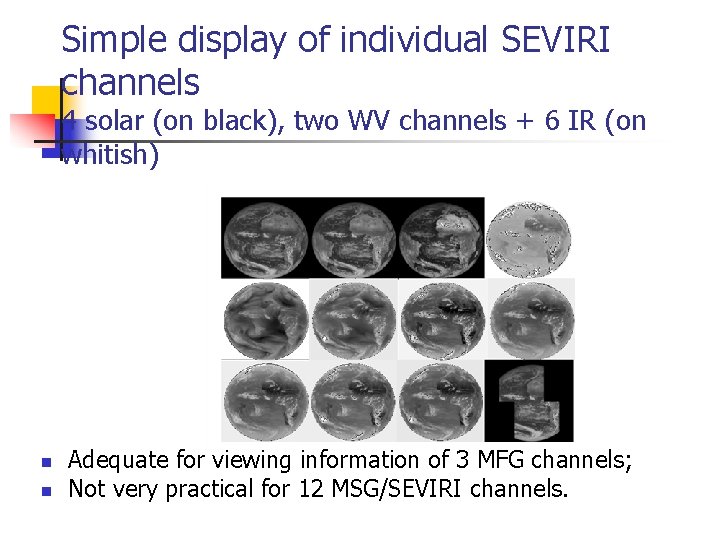
Simple display of individual SEVIRI channels 4 solar (on black), two WV channels + 6 IR (on whitish) n n Adequate for viewing information of 3 MFG channels; Not very practical for 12 MSG/SEVIRI channels.
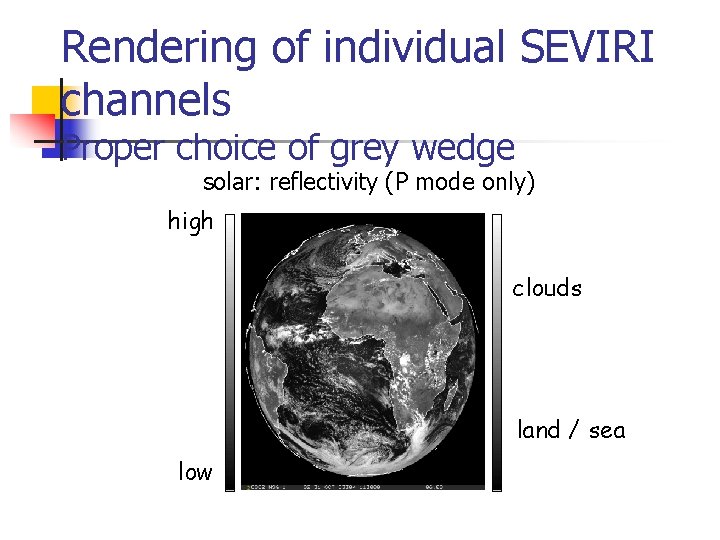
Rendering of individual SEVIRI channels Proper choice of grey wedge Solar channels rendered similar to black & white photography (channel 03 with particular response from ice/snow) physical rendering using lighter shades for higher reflectivity and darker shades for lower reflectivity.
Rendering of individual SEVIRI channels Proper choice of grey wedge solar: reflectivity (P mode only) high clouds land / sea low
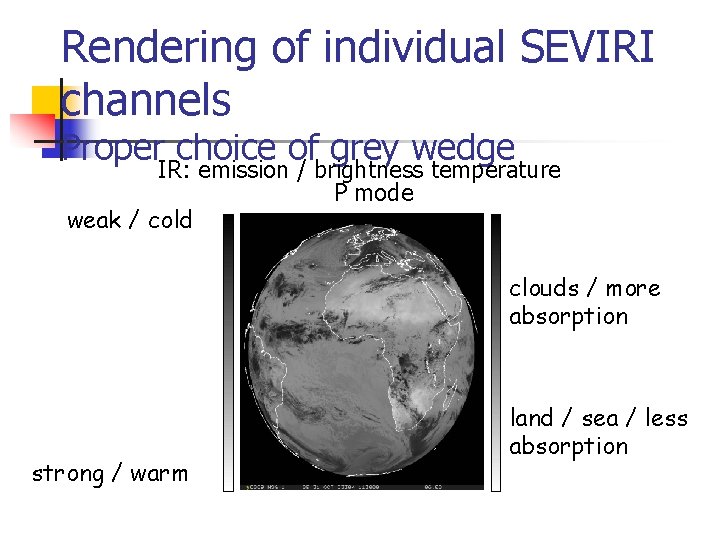
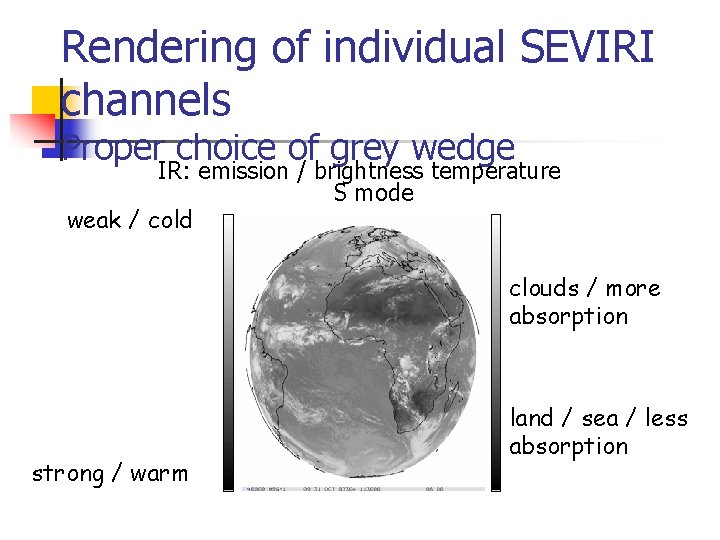
Rendering of individual SEVIRI channels Proper choice of grey wedge IR channels rendered either in P or S mode: n P mode: grey shades follow intensity of IR emission: physical rendering with lighter shades for stronger IR emission and darker shades for weaker IR emission; n S mode: P mode inverted: traditional “solar-like” rendering, allowing for easy comparison to images from solar channels.
Rendering of individual SEVIRI channels Proper choice of grey wedge IR: emission / brightness temperature P mode weak / cold clouds / more absorption strong / warm land / sea / less absorption
Rendering of individual SEVIRI channels Proper choice of grey wedge IR: emission / brightness temperature S mode weak / cold clouds / more absorption strong / warm land / sea / less absorption
Differences/ratios of 2 channels n n n Simply displaying a larger set of single channels for comparison is neither efficient in mining useful information nor particularly focussed on phenomena of interest; Displaying specific channel differences or ratios, a simple operation though, improves the situation awareness by enhancing particular phenomenon of interest (e. g. fog or ice clouds) in a particular situation; Grey-scale rendering (small values in dark or light shades – large values in light or dark shades) is not standardised; mode may be inherited from similar products based on data of other imagers (e. g. AVHRR or MODIS).
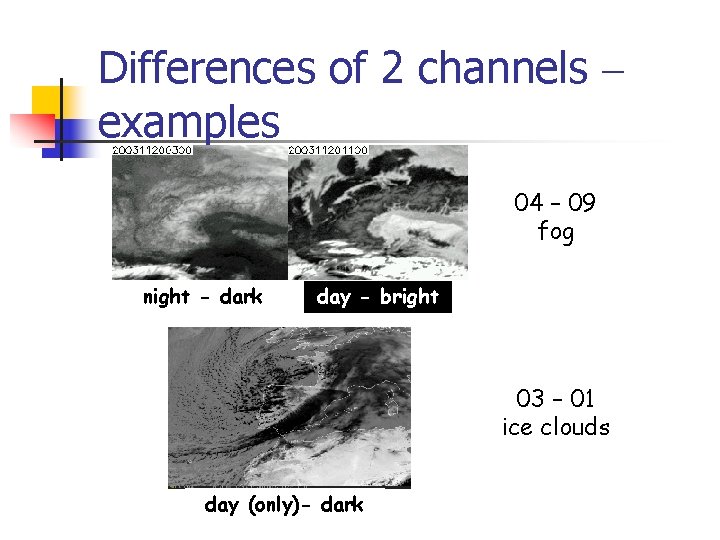
Differences of 2 channels – examples 04 – 09 fog night - dark day - bright 03 – 01 ice clouds day (only)- dark
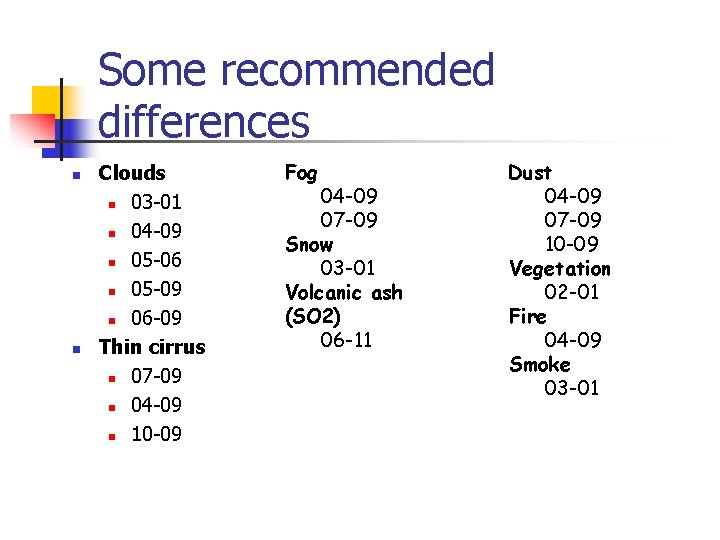
Some recommended differences n n Clouds n 03 -01 n 04 -09 n 05 -06 n 05 -09 n 06 -09 Thin cirrus n 07 -09 n 04 -09 n 10 -09 Fog 04 -09 07 -09 Snow 03 -01 Volcanic ash (SO 2) 06 -11 Dust 04 -09 07 -09 10 -09 Vegetation 02 -01 Fire 04 -09 Smoke 03 -01
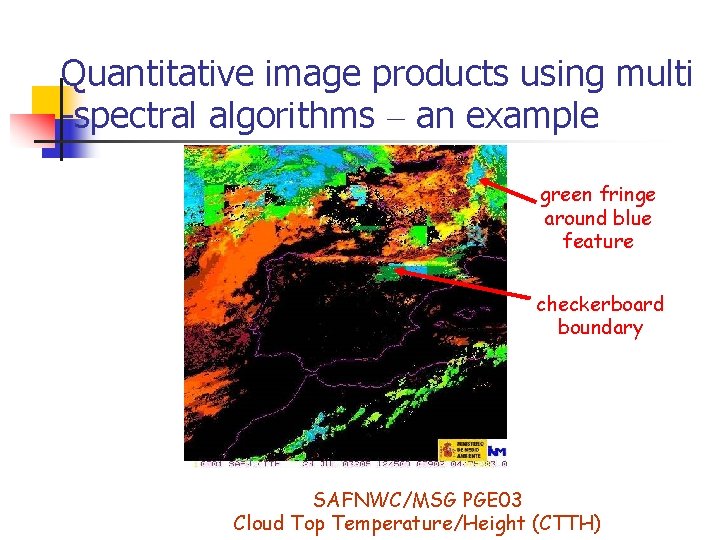
Quantitative image products using multi-spectral algorithms n n Quantitative algorithms (thresholding or pattern recognition techniques) extract specific features from multi-spectral images and code them into a single-channel image quantitative image products; Using discrete LUTs quantitative images are easy to read due to relation between identified features and colour values, but may have some drawbacks: n n Feature boundaries appear very artificial (e. g. checker board due to use of ancillary data of different spatial scale); Extracted features show unclassified or misclassified fringes; Natural texture of features is lost (“flat” appearance); Depending on robustness of feature extraction, time evolution of images is not necessarily very stable animated sequences somewhat confusing (e. g. erratically jumping classification boundaries).
Quantitative image products using multi -spectral algorithms – an example green fringe around blue feature checkerboard boundary SAFNWC/MSG PGE 03 Cloud Top Temperature/Height (CTTH)
RGB image composites – additive colour scheme Attribution of images of 2 or 3 channels (or channel differences/ratios) to the individual colour (RGB) beams of the display device; n RGB display devices produce colours by adding the intensities of their colour beams optical feature extraction through result of colour addition. FAST BUT QUITE EFFICIENT ALternative FOR QUANTITATIVE FEATURE EXTRACTION
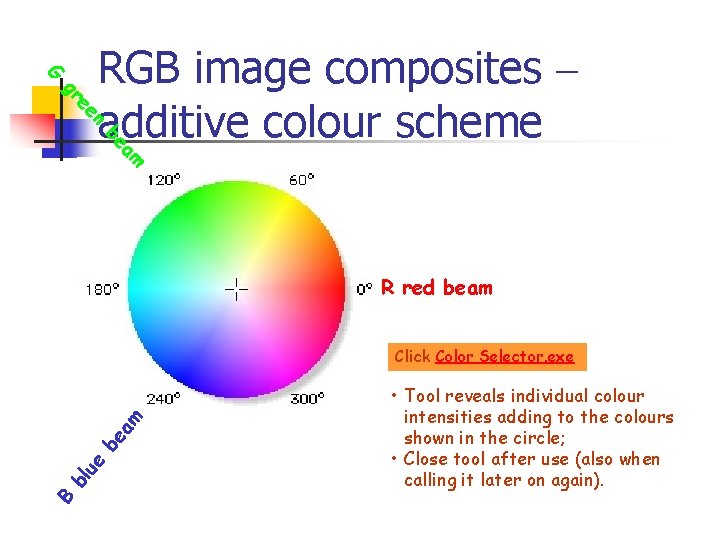
G n ee gr RGB image composites – additive colour scheme am be R red beam B bl ue be am Click Color Selector. exe • Tool reveals individual colour intensities adding to the colours shown in the circle; • Close tool after use (also when calling it later on again).
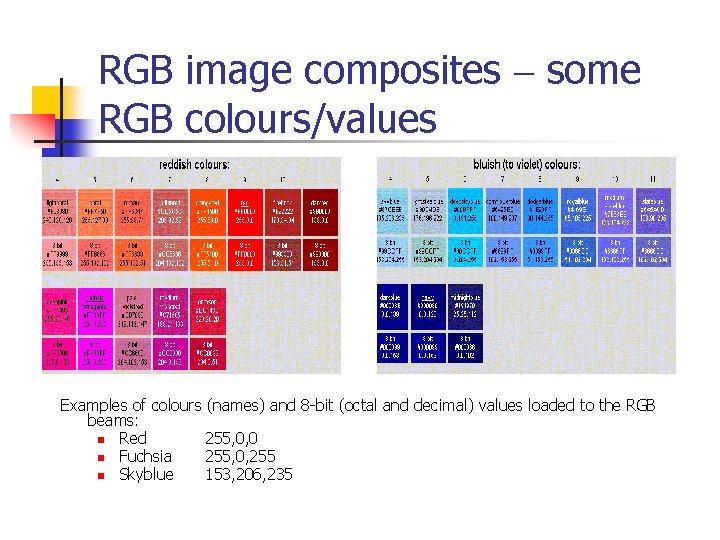
RGB image composites – some RGB colours/values Examples of colours (names) and 8 -bit (octal and decimal) values loaded to the RGB beams: n Red 255, 0, 0 n Fuchsia 255, 0, 255 n Skyblue 153, 206, 235
RGB image composites – pros and cons n Drawback: n n Much more subtle colour scheme compared to discrete LUTs used for quantitative image products interpretation more difficult; Advantages: n n n Processes “on the fly”; Preserves “natural look” of images by retaining original textures (in particular for clouds); Preserves spatial and temporal continuity allowing for smooth animation RGB image sequences.
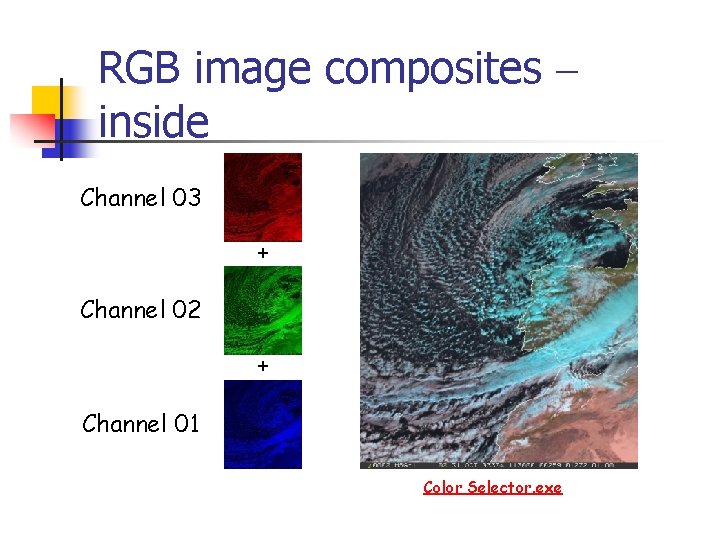
RGB image composites – inside Channel 03 + Channel 02 + Channel 01 Color Selector. exe
RGB image composites – inside Optimum (and stable) colouring of RGB image composites depends on some manipulations: n Proper enhancement of individual colour channels requires: n n n Some stretching of the intensity ranges; Selection of either P or S mode for IR channels; Attribution of images to individual colour beams depends on: n n Reproduction of RGB schemes inherited from other imagers; Permutation among colour beams and individual images more or less pleasant / high-contrast appearance of RGB image composite.
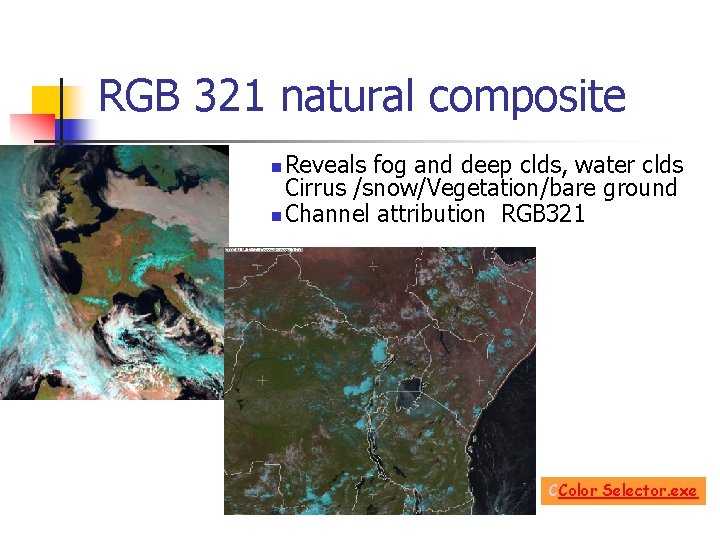
RGB 321 natural composite Reveals fog and deep clds, water clds Cirrus /snow/Vegetation/bare ground n Channel attribution RGB 321 n CColor Selector. exe
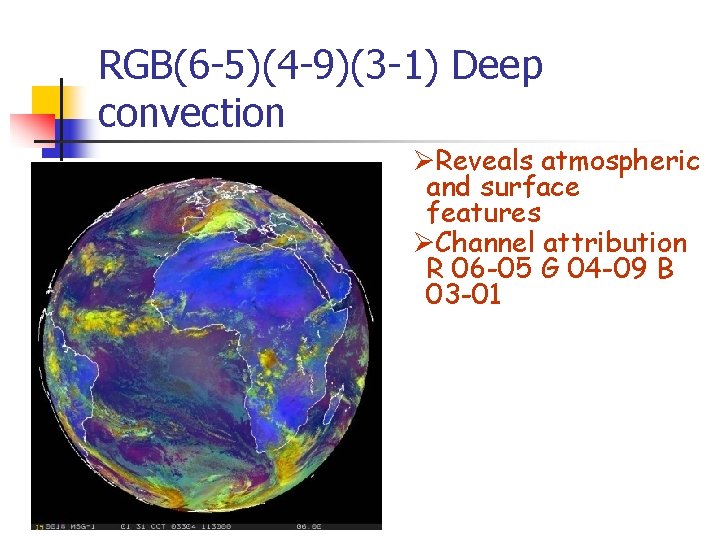
RGB(6 -5)(4 -9)(3 -1) Deep convection ØReveals atmospheric and surface features ØChannel attribution R 06 -05 G 04 -09 B 03 -01
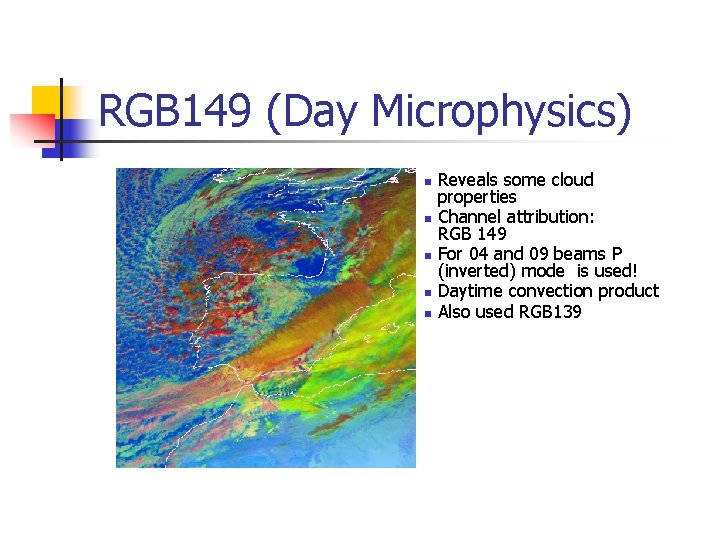
RGB 149 (Day Microphysics) n n n Reveals some cloud properties Channel attribution: RGB 149 For 04 and 09 beams P (inverted) mode is used! Daytime convection product Also used RGB 139
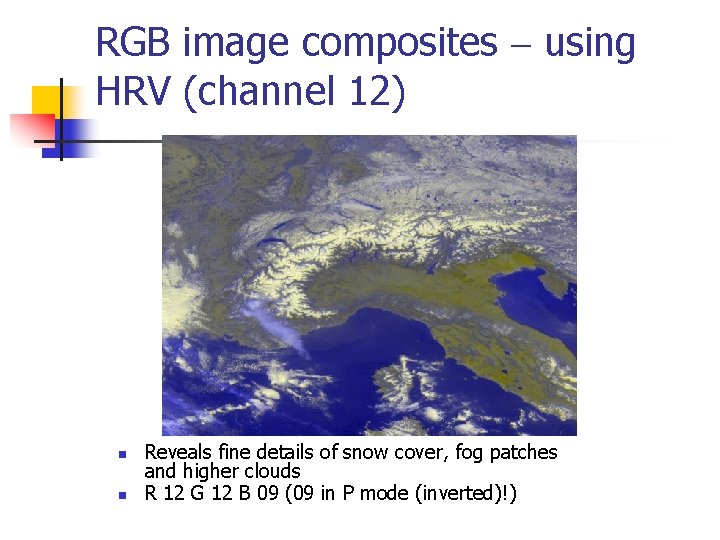
RGB image composites – using HRV (channel 12) n n n In order to preserve high resolution of HRV channel assign it to 2 colour beams (using only one colour beam blurs the image too much); Attributing it to beams R and G is preferred rendering close to natural colours for surface features; Beam B is then free for any other SEVIRI channel properly downscaled (factor of 3) to HRV. Assigning an IR window channel in P mode to beam B (as a temperature profile surrogate) adds height information to a detailed cloud view eg RGB 12, 9 or RGB 229
RGB image composites – using HRV (channel 12) n n Reveals fine details of snow cover, fog patches and higher clouds R 12 G 12 B 09 (09 in P mode (inverted)!)
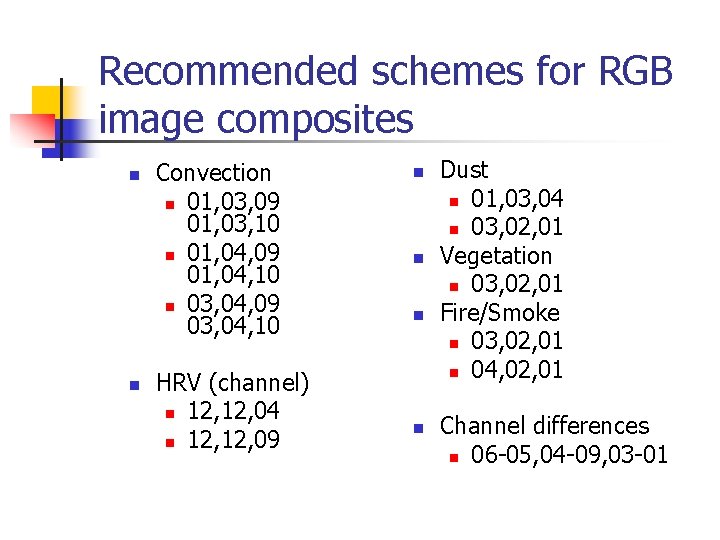
Recommended schemes for RGB image composites n n Convection n 01, 03, 09 01, 03, 10 n 01, 04, 09 01, 04, 10 n 03, 04, 09 03, 04, 10 HRV (channel) n 12, 04 n 12, 09 n n Dust n 01, 03, 04 n 03, 02, 01 Vegetation n 03, 02, 01 Fire/Smoke n 03, 02, 01 n 04, 02, 01 Channel differences n 06 -05, 04 -09, 03 -01
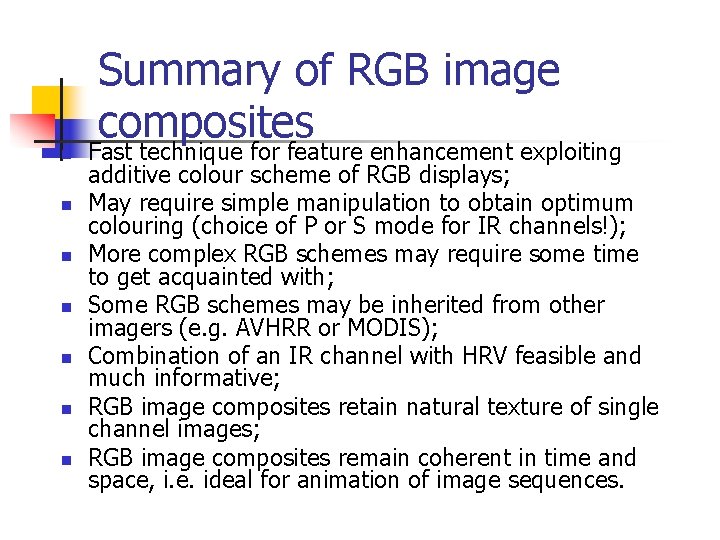
Summary of RGB image composites n n n n Fast technique for feature enhancement exploiting additive colour scheme of RGB displays; May require simple manipulation to obtain optimum colouring (choice of P or S mode for IR channels!); More complex RGB schemes may require some time to get acquainted with; Some RGB schemes may be inherited from other imagers (e. g. AVHRR or MODIS); Combination of an IR channel with HRV feasible and much informative; RGB image composites retain natural texture of single channel images; RGB image composites remain coherent in time and space, i. e. ideal for animation of image sequences.