
Disk scheduling Overview of Mass Storage Structure Magnetic
- Slides: 16
Disk scheduling
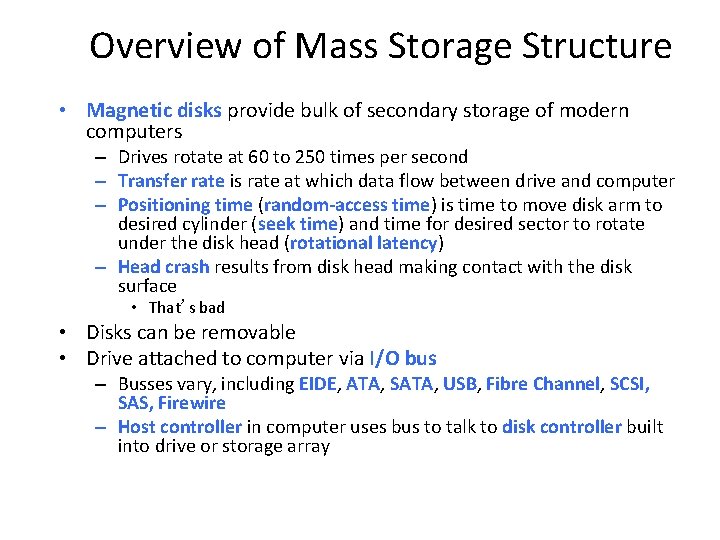
Overview of Mass Storage Structure • Magnetic disks provide bulk of secondary storage of modern computers – Drives rotate at 60 to 250 times per second – Transfer rate is rate at which data flow between drive and computer – Positioning time (random-access time) is time to move disk arm to desired cylinder (seek time) and time for desired sector to rotate under the disk head (rotational latency) – Head crash results from disk head making contact with the disk surface • That’s bad • Disks can be removable • Drive attached to computer via I/O bus – Busses vary, including EIDE, ATA, SATA, USB, Fibre Channel, SCSI, SAS, Firewire – Host controller in computer uses bus to talk to disk controller built into drive or storage array
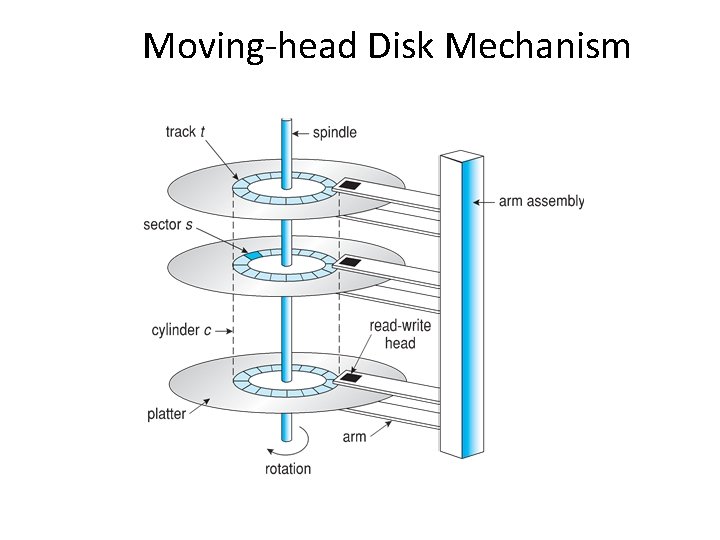
Moving-head Disk Mechanism
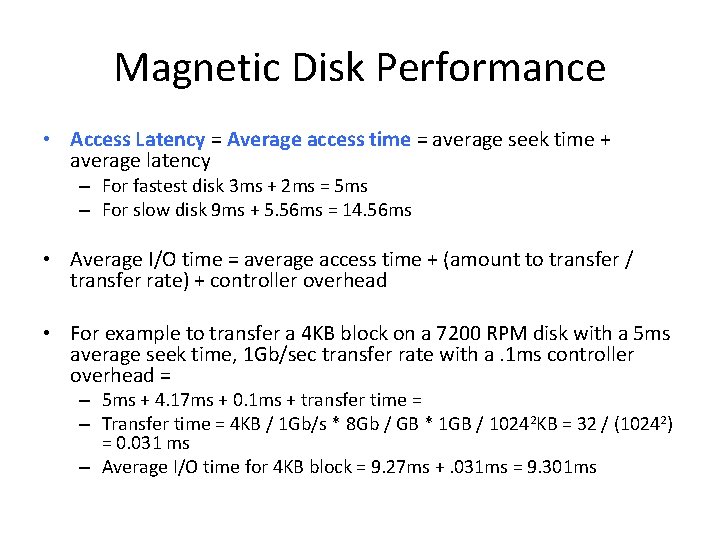
Magnetic Disk Performance • Access Latency = Average access time = average seek time + average latency – For fastest disk 3 ms + 2 ms = 5 ms – For slow disk 9 ms + 5. 56 ms = 14. 56 ms • Average I/O time = average access time + (amount to transfer / transfer rate) + controller overhead • For example to transfer a 4 KB block on a 7200 RPM disk with a 5 ms average seek time, 1 Gb/sec transfer rate with a. 1 ms controller overhead = – 5 ms + 4. 17 ms + 0. 1 ms + transfer time = – Transfer time = 4 KB / 1 Gb/s * 8 Gb / GB * 1 GB / 10242 KB = 32 / (10242) = 0. 031 ms – Average I/O time for 4 KB block = 9. 27 ms +. 031 ms = 9. 301 ms
Disk Scheduling • The operating system is responsible for using hardware efficiently — for the disk drives, this means having a fast access time and disk bandwidth • Minimize seek time • Seek time seek distance • Disk bandwidth is the total number of bytes transferred, divided by the total time between the first request for service and the completion of the last transfer
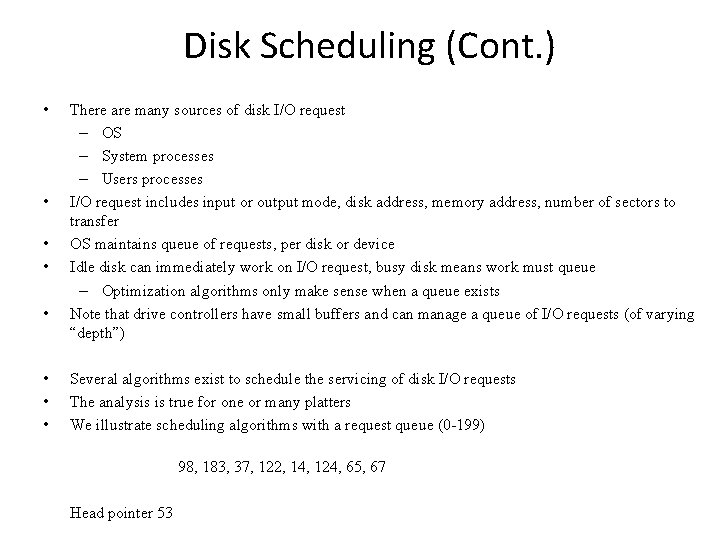
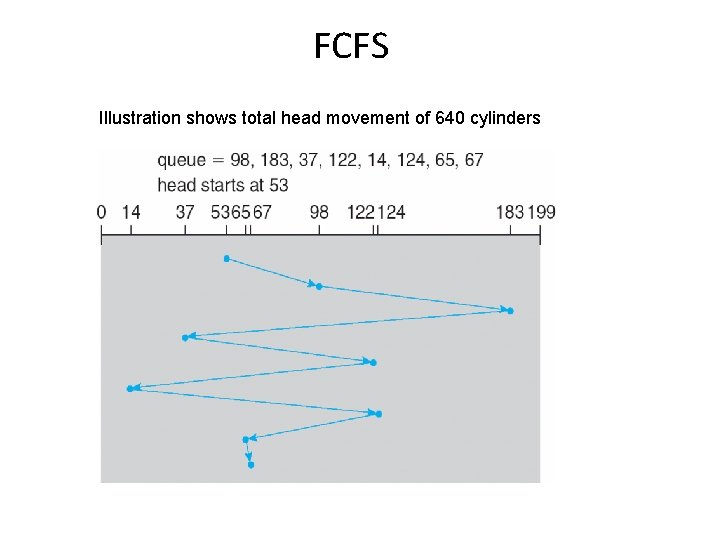
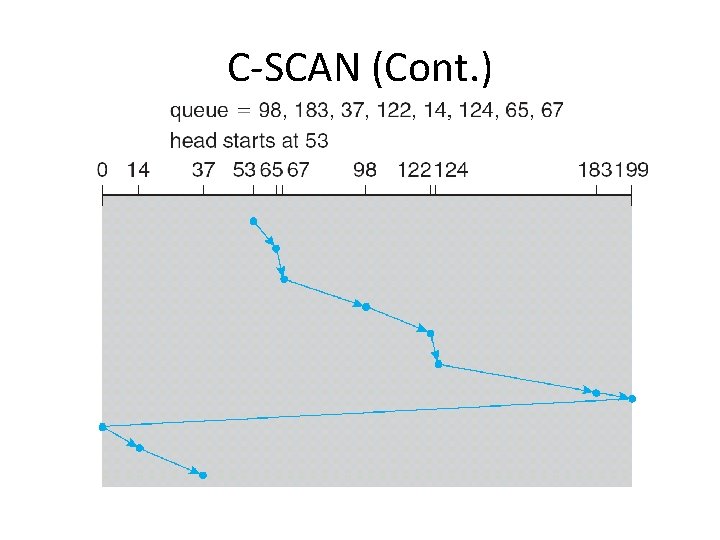
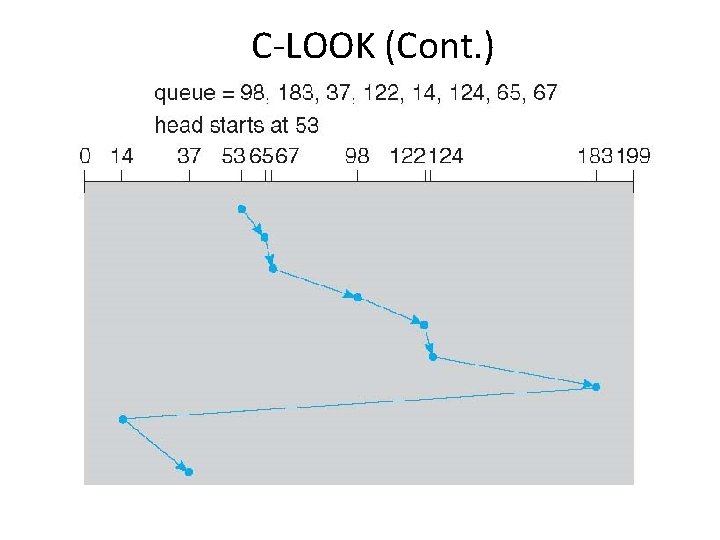
Disk Scheduling (Cont. ) • • There are many sources of disk I/O request – OS – System processes – Users processes I/O request includes input or output mode, disk address, memory address, number of sectors to transfer OS maintains queue of requests, per disk or device Idle disk can immediately work on I/O request, busy disk means work must queue – Optimization algorithms only make sense when a queue exists Note that drive controllers have small buffers and can manage a queue of I/O requests (of varying “depth”) Several algorithms exist to schedule the servicing of disk I/O requests The analysis is true for one or many platters We illustrate scheduling algorithms with a request queue (0 -199) 98, 183, 37, 122, 14, 124, 65, 67 Head pointer 53
FCFS Illustration shows total head movement of 640 cylinders
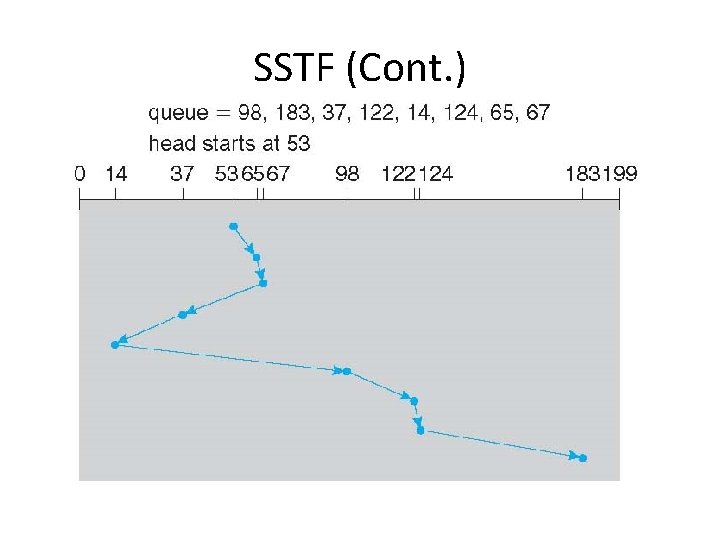
SSTF • Shortest Seek Time First selects the request with the minimum seek time from the current head position • SSTF scheduling is a form of SJF scheduling; may cause starvation of some requests • Illustration shows total head movement of 236 cylinders
SSTF (Cont. )
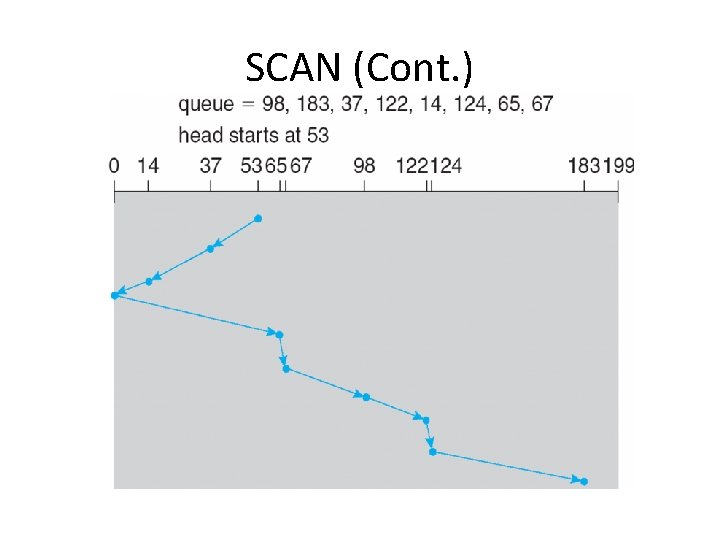
SCAN • The disk arm starts at one end of the disk, and moves toward the other end, servicing requests until it gets to the other end of the disk, where the head movement is reversed and servicing continues. • SCAN algorithm Sometimes called the elevator algorithm • Illustration shows total head movement of 208 cylinders • But note that if requests are uniformly dense, largest density at other end of disk and those wait the longest
SCAN (Cont. )
C-SCAN • Provides a more uniform wait time than SCAN • The head moves from one end of the disk to the other, servicing requests as it goes – When it reaches the other end, however, it immediately returns to the beginning of the disk, without servicing any requests on the return trip • Treats the cylinders as a circular list that wraps around from the last cylinder to the first one • Total number of cylinders?
C-SCAN (Cont. )
C-LOOK • LOOK a version of SCAN, C-LOOK a version of C-SCAN • Arm only goes as far as the last request in each direction, then reverses direction immediately, without first going all the way to the end of the disk • Total number of cylinders?
C-LOOK (Cont. )
Selecting a Disk-Scheduling Algorithm • • SSTF is common and has a natural appeal SCAN and C-SCAN perform better for systems that place a heavy load on the disk – Less starvation • • Performance depends on the number and types of requests Requests for disk service can be influenced by the file-allocation method – And metadata layout • The disk-scheduling algorithm should be written as a separate module of the operating system, allowing it to be replaced with a different algorithm if necessary Either SSTF or LOOK is a reasonable choice for the default algorithm • What about rotational latency? • – Difficult for OS to calculate • How does disk-based queueing effect OS queue ordering efforts?