
Discovery Jennifer Rexford COS 461 Computer Networks Lectures

- Slides: 46
Discovery Jennifer Rexford COS 461: Computer Networks Lectures: MW 10 -10: 50 am in Architecture N 101 http: //www. cs. princeton. edu/courses/archive/spr 12/cos 461/
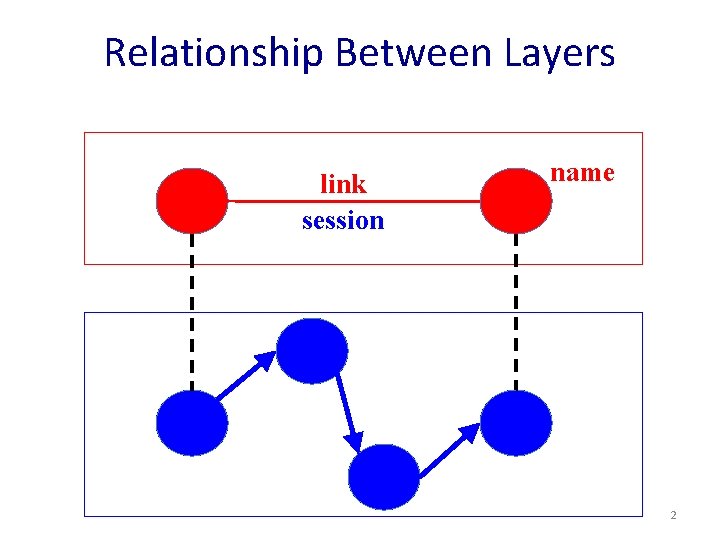
Relationship Between Layers link session name 2
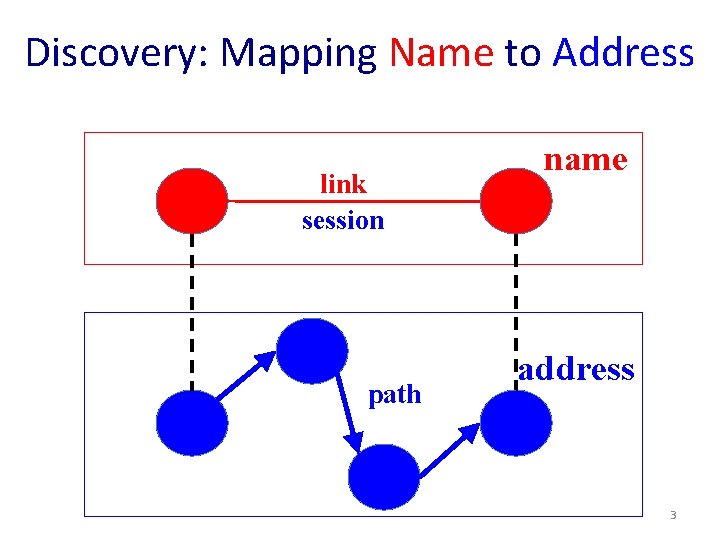
Discovery: Mapping Name to Address link session path name address 3
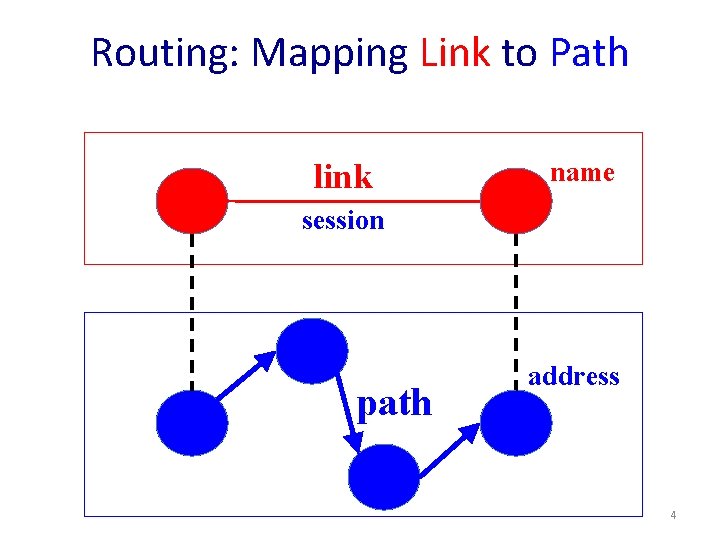
Routing: Mapping Link to Path link name session path address 4
Naming 5
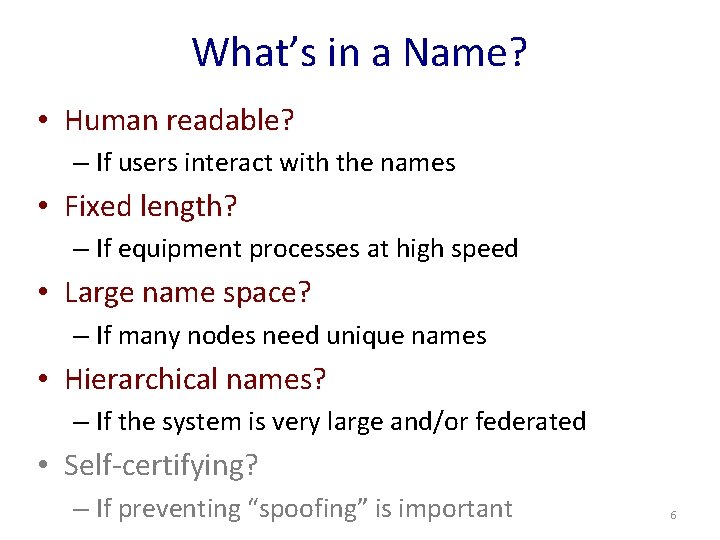
What’s in a Name? • Human readable? – If users interact with the names • Fixed length? – If equipment processes at high speed • Large name space? – If many nodes need unique names • Hierarchical names? – If the system is very large and/or federated • Self-certifying? – If preventing “spoofing” is important 6
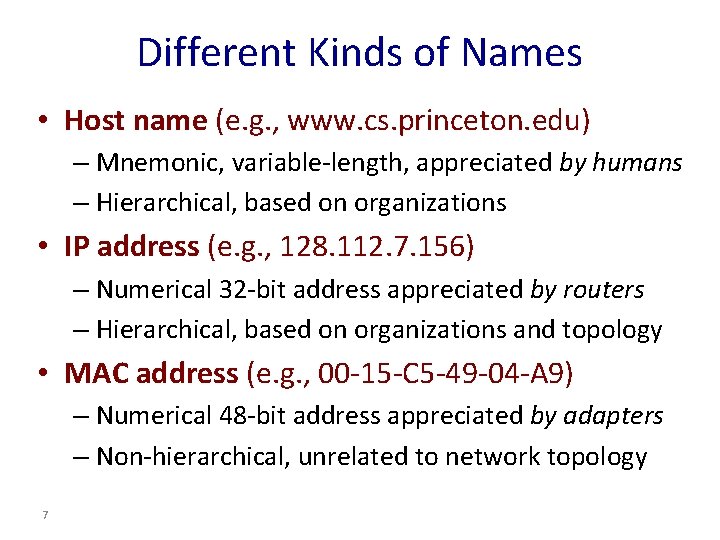
Different Kinds of Names • Host name (e. g. , www. cs. princeton. edu) – Mnemonic, variable-length, appreciated by humans – Hierarchical, based on organizations • IP address (e. g. , 128. 112. 7. 156) – Numerical 32 -bit address appreciated by routers – Hierarchical, based on organizations and topology • MAC address (e. g. , 00 -15 -C 5 -49 -04 -A 9) – Numerical 48 -bit address appreciated by adapters – Non-hierarchical, unrelated to network topology 7
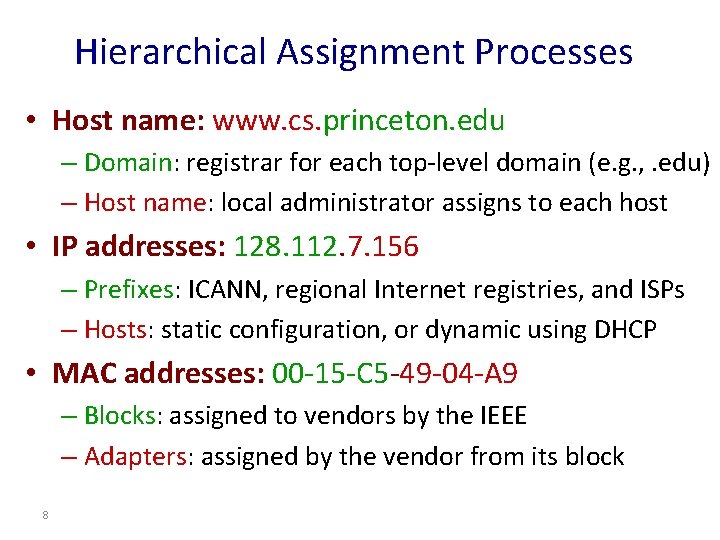
Hierarchical Assignment Processes • Host name: www. cs. princeton. edu – Domain: registrar for each top-level domain (e. g. , . edu) – Host name: local administrator assigns to each host • IP addresses: 128. 112. 7. 156 – Prefixes: ICANN, regional Internet registries, and ISPs – Hosts: static configuration, or dynamic using DHCP • MAC addresses: 00 -15 -C 5 -49 -04 -A 9 – Blocks: assigned to vendors by the IEEE – Adapters: assigned by the vendor from its block 8
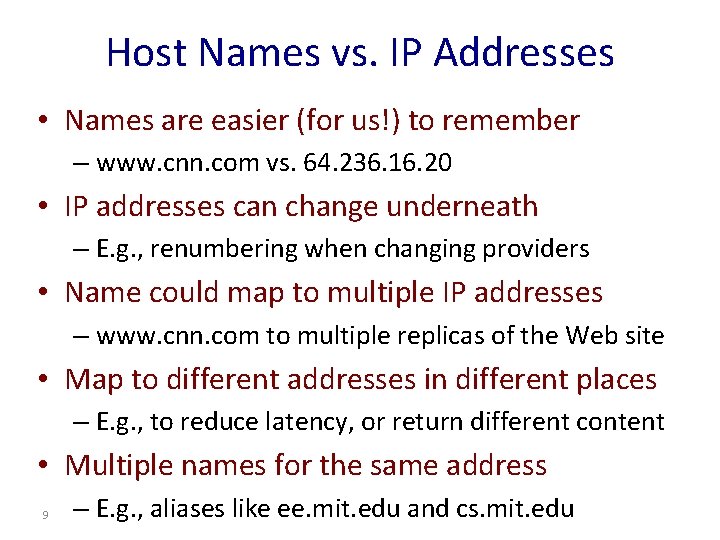
Host Names vs. IP Addresses • Names are easier (for us!) to remember – www. cnn. com vs. 64. 236. 16. 20 • IP addresses can change underneath – E. g. , renumbering when changing providers • Name could map to multiple IP addresses – www. cnn. com to multiple replicas of the Web site • Map to different addresses in different places – E. g. , to reduce latency, or return different content • Multiple names for the same address 9 – E. g. , aliases like ee. mit. edu and cs. mit. edu
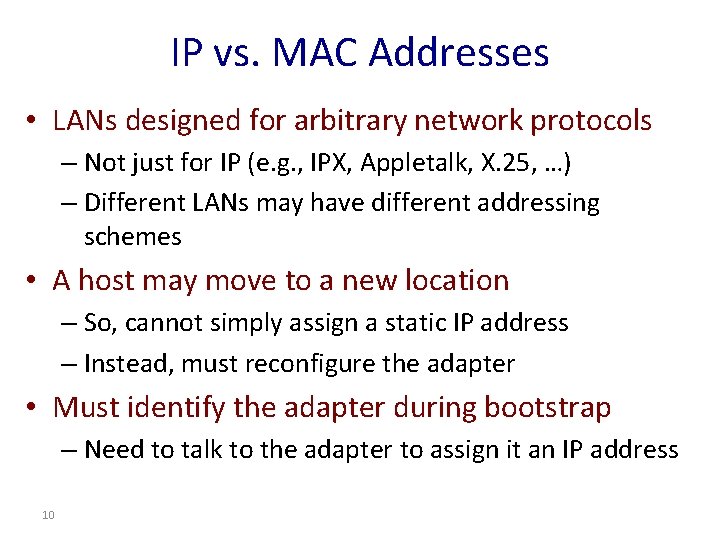
IP vs. MAC Addresses • LANs designed for arbitrary network protocols – Not just for IP (e. g. , IPX, Appletalk, X. 25, …) – Different LANs may have different addressing schemes • A host may move to a new location – So, cannot simply assign a static IP address – Instead, must reconfigure the adapter • Must identify the adapter during bootstrap – Need to talk to the adapter to assign it an IP address 10
Discovery 11
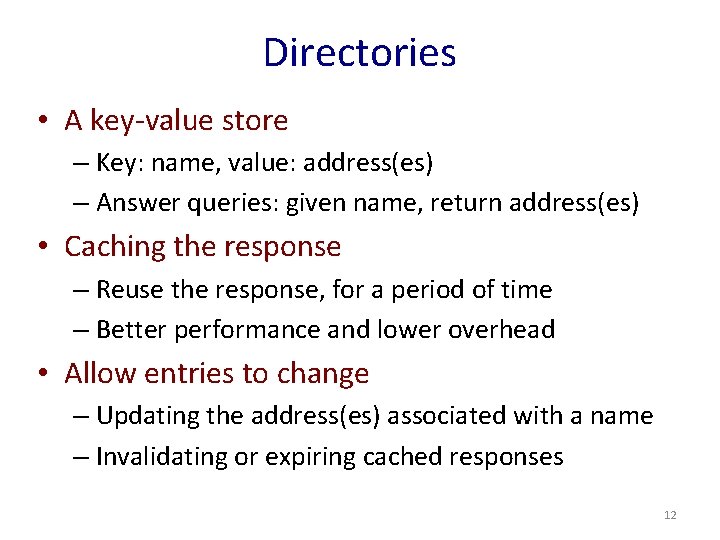
Directories • A key-value store – Key: name, value: address(es) – Answer queries: given name, return address(es) • Caching the response – Reuse the response, for a period of time – Better performance and lower overhead • Allow entries to change – Updating the address(es) associated with a name – Invalidating or expiring cached responses 12
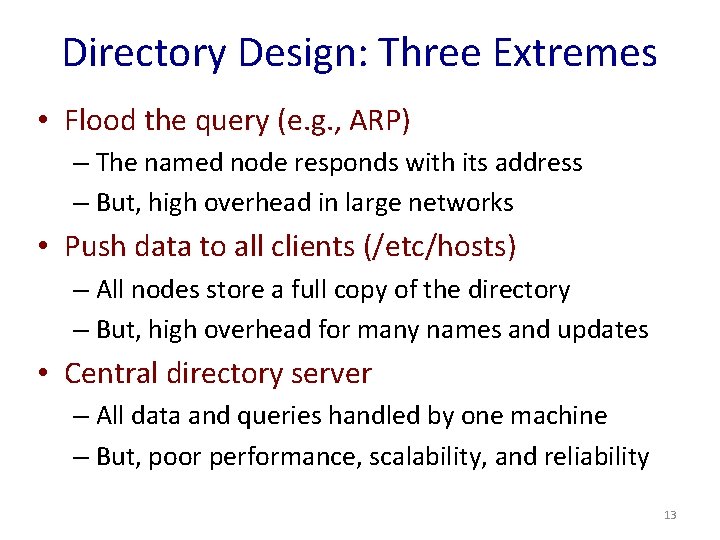
Directory Design: Three Extremes • Flood the query (e. g. , ARP) – The named node responds with its address – But, high overhead in large networks • Push data to all clients (/etc/hosts) – All nodes store a full copy of the directory – But, high overhead for many names and updates • Central directory server – All data and queries handled by one machine – But, poor performance, scalability, and reliability 13
Directory Design: Distributed Solutions • Hierarchical directory (e. g. , DNS) – Follow the hierarchy in the name space – Distribute the directory, distribute the queries – Enable decentralized updates to the directory • Distributed Hash Table (e. g. P 2 P applications) – Directory as a hash table with flat names – Each directory node handles range of hash outputs – Use hash to direct query to the directory node 14
Domain Name System (DNS) Hierarchy 15
Domain Name System (DNS) • Properties of DNS – Hierarchical name space divided into zones – Distributed over a collection of DNS servers • Hierarchy of DNS servers – Root servers – Top-level domain (TLD) servers – Authoritative DNS servers • Performing the translations – Local DNS servers and client resolvers 16
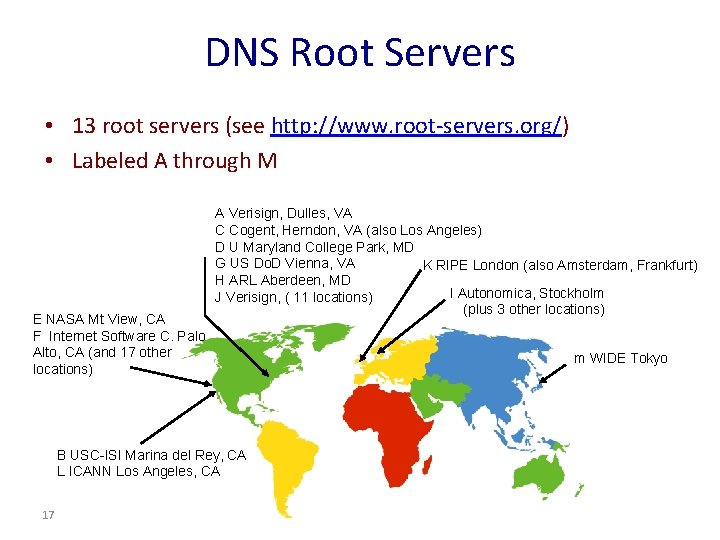
DNS Root Servers • 13 root servers (see http: //www. root-servers. org/) • Labeled A through M E NASA Mt View, CA F Internet Software C. Palo Alto, CA (and 17 other locations) A Verisign, Dulles, VA C Cogent, Herndon, VA (also Los Angeles) D U Maryland College Park, MD G US Do. D Vienna, VA K RIPE London (also Amsterdam, Frankfurt) H ARL Aberdeen, MD I Autonomica, Stockholm J Verisign, ( 11 locations) (plus 3 other locations) B USC-ISI Marina del Rey, CA L ICANN Los Angeles, CA 17 m WIDE Tokyo
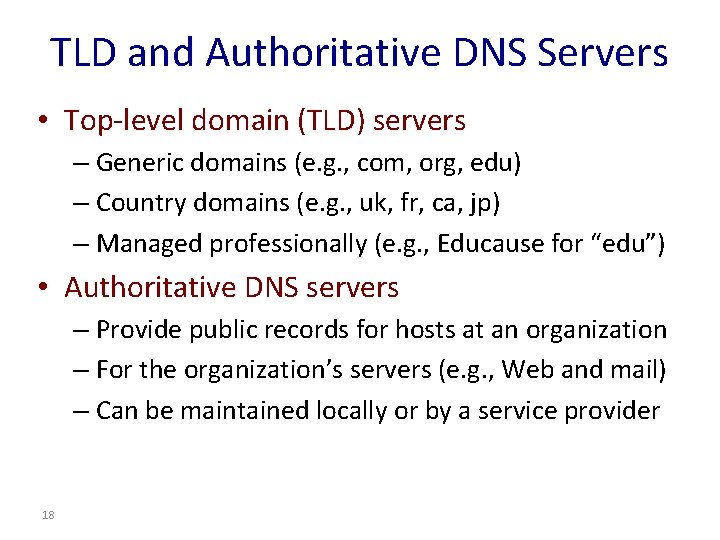
TLD and Authoritative DNS Servers • Top-level domain (TLD) servers – Generic domains (e. g. , com, org, edu) – Country domains (e. g. , uk, fr, ca, jp) – Managed professionally (e. g. , Educause for “edu”) • Authoritative DNS servers – Provide public records for hosts at an organization – For the organization’s servers (e. g. , Web and mail) – Can be maintained locally or by a service provider 18
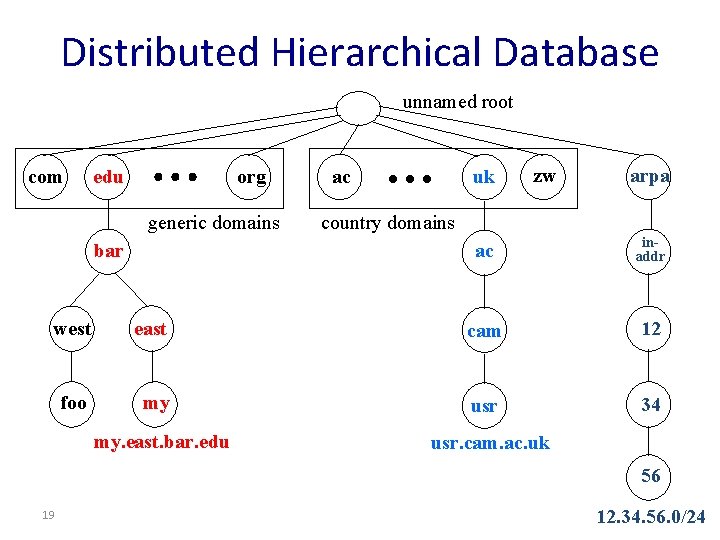
Distributed Hierarchical Database unnamed root com edu org generic domains bar uk ac zw arpa country domains ac inaddr west east cam 12 foo my usr 34 my. east. bar. edu usr. cam. ac. uk 56 19 12. 34. 56. 0/24
DNS Queries 20
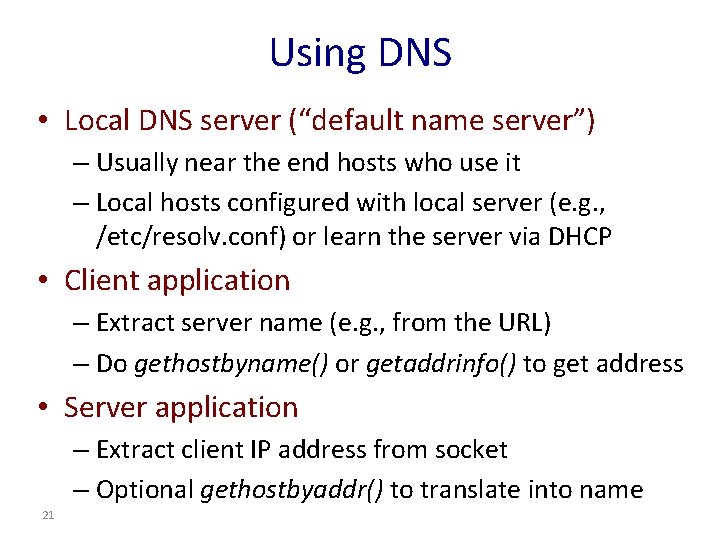
Using DNS • Local DNS server (“default name server”) – Usually near the end hosts who use it – Local hosts configured with local server (e. g. , /etc/resolv. conf) or learn the server via DHCP • Client application – Extract server name (e. g. , from the URL) – Do gethostbyname() or getaddrinfo() to get address • Server application – Extract client IP address from socket – Optional gethostbyaddr() to translate into name 21
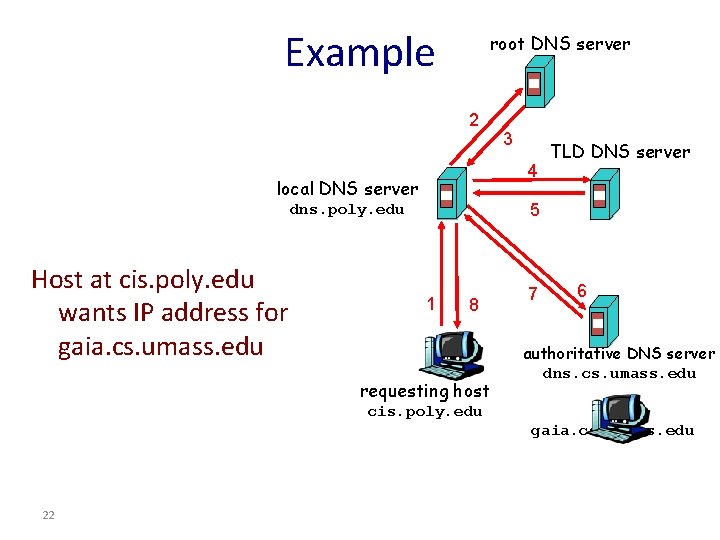
Example root DNS server 2 4 local DNS server TLD DNS server 5 dns. poly. edu Host at cis. poly. edu wants IP address for gaia. cs. umass. edu 3 1 8 requesting host 7 6 authoritative DNS server dns. cs. umass. edu cis. poly. edu gaia. cs. umass. edu 22
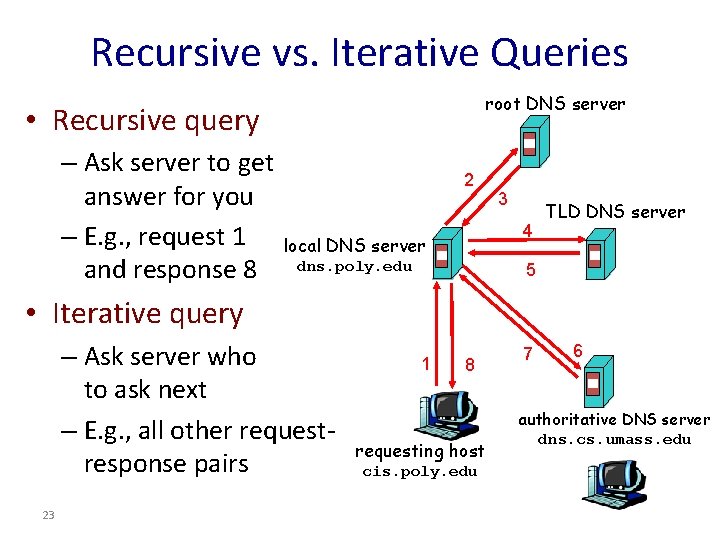
Recursive vs. Iterative Queries root DNS server • Recursive query – Ask server to get answer for you – E. g. , request 1 and response 8 2 3 4 local DNS server dns. poly. edu TLD DNS server 5 • Iterative query – Ask server who to ask next – E. g. , all other requestresponse pairs 23 1 8 requesting host cis. poly. edu 7 6 authoritative DNS server dns. cs. umass. edu
DNS Caching 24
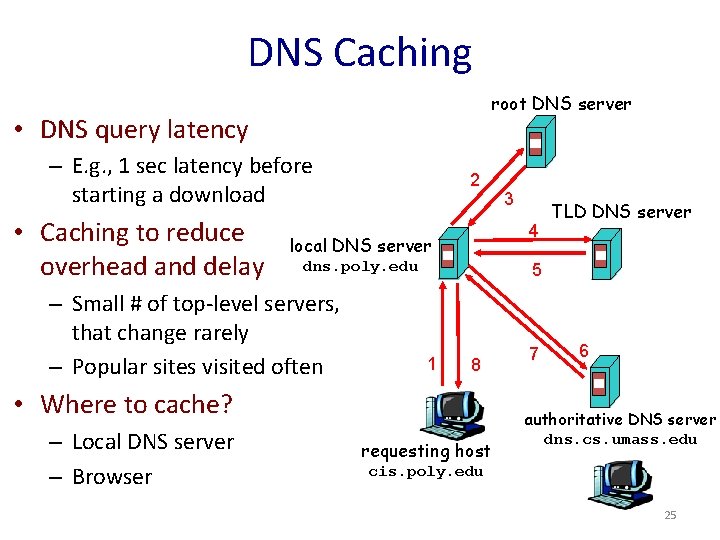
DNS Caching root DNS server • DNS query latency – E. g. , 1 sec latency before starting a download • Caching to reduce overhead and delay 2 4 local DNS server dns. poly. edu – Small # of top-level servers, that change rarely – Popular sites visited often TLD DNS server 5 1 8 • Where to cache? – Local DNS server – Browser 3 requesting host 7 6 authoritative DNS server dns. cs. umass. edu cis. poly. edu 25
DNS Cache Consistency • Cache consistency – Ensuring cached data is up to date • DNS design considerations – Cached data is “read only” – Explicit invalidation would be expensive • Avoiding stale information – Responses include a “time to live” (TTL) field – Delete the cached entry after TTL expires 26
Setting the Time To Live (TTL) • TTL trade-offs – Small TTL: fast response to change – Large TTL: higher cache hit rate • Following the hierarchy – Top of the hierarchy: days or weeks – Bottom of the hierarchy: seconds to hours • Tension in practice – CDNs set low TTLs for load balancing and failover – Browsers cache for 15 -60 seconds 27
Negative Caching • Broken domain names are slow to resolve – Misspellings like www. cnn. comm and www. cnnn. com – These can take a long time to fail the first time • Remember things that don’t work – Good to remember that they don’t work – … so the failure takes less time in the future • But don’t remember for too long – Use a time-to-live to expire 28
DNS Protocol 29
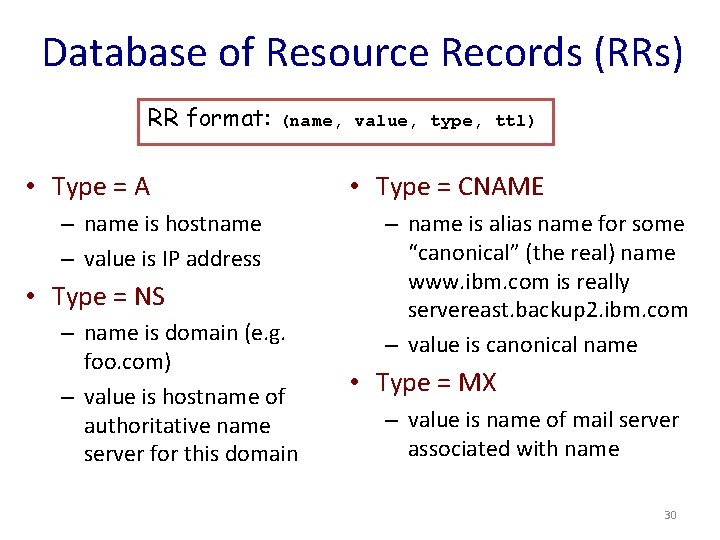
Database of Resource Records (RRs) RR format: (name, value, type, ttl) • Type = A – name is hostname – value is IP address • Type = NS – name is domain (e. g. foo. com) – value is hostname of authoritative name server for this domain • Type = CNAME – name is alias name for some “canonical” (the real) name www. ibm. com is really servereast. backup 2. ibm. com – value is canonical name • Type = MX – value is name of mail server associated with name 30
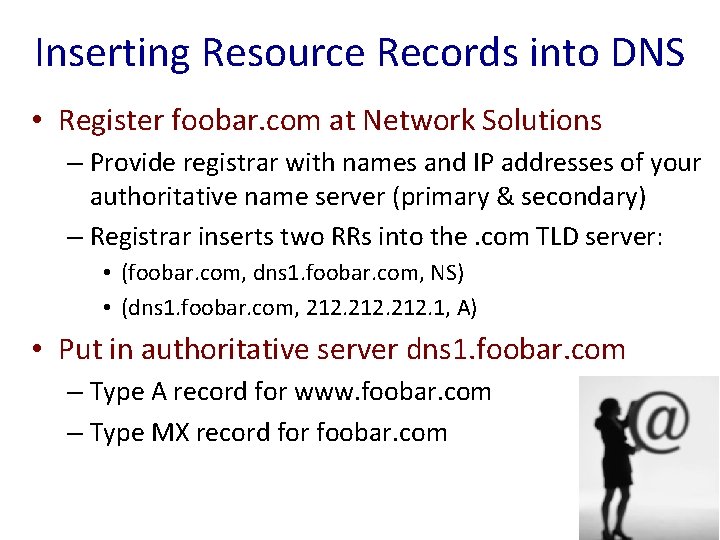
Inserting Resource Records into DNS • Register foobar. com at Network Solutions – Provide registrar with names and IP addresses of your authoritative name server (primary & secondary) – Registrar inserts two RRs into the. com TLD server: • (foobar. com, dns 1. foobar. com, NS) • (dns 1. foobar. com, 212. 1, A) • Put in authoritative server dns 1. foobar. com – Type A record for www. foobar. com – Type MX record for foobar. com 31
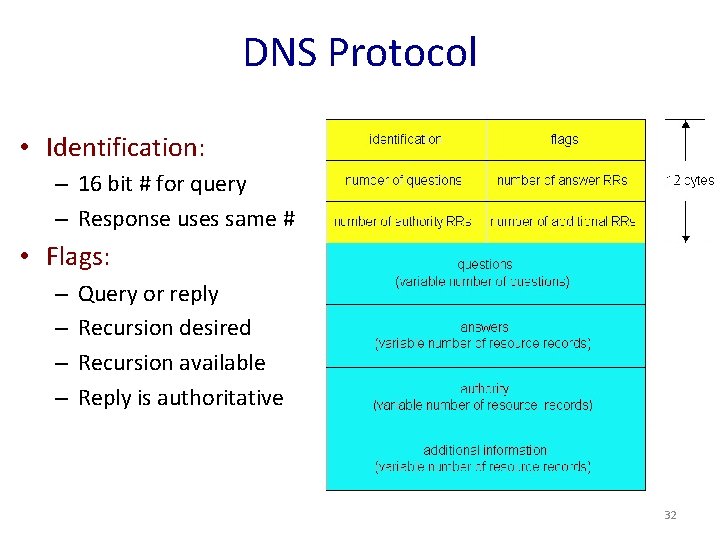
DNS Protocol • Identification: – 16 bit # for query – Response uses same # • Flags: – – Query or reply Recursion desired Recursion available Reply is authoritative 32
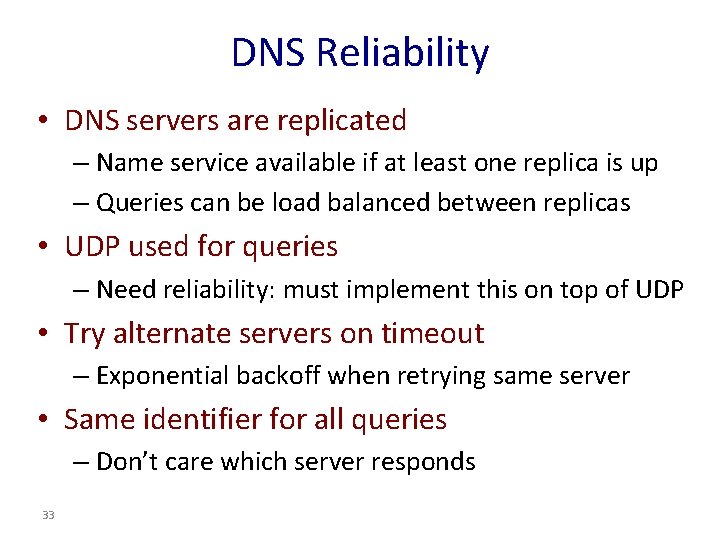
DNS Reliability • DNS servers are replicated – Name service available if at least one replica is up – Queries can be load balanced between replicas • UDP used for queries – Need reliability: must implement this on top of UDP • Try alternate servers on timeout – Exponential backoff when retrying same server • Same identifier for all queries – Don’t care which server responds 33
Learning Your Local DNS Server 34
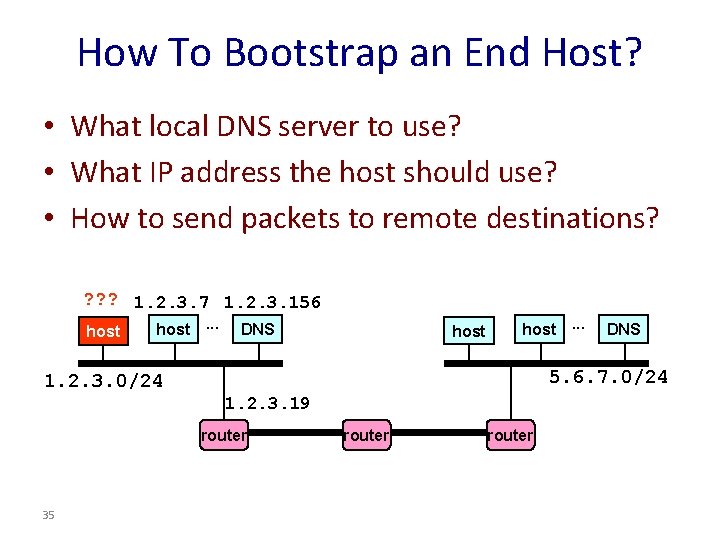
How To Bootstrap an End Host? • What local DNS server to use? • What IP address the host should use? • How to send packets to remote destinations? ? 1. 2. 3. 7 1. 2. 3. 156 host. . . DNS host. . . 5. 6. 7. 0/24 1. 2. 3. 19 router 35 DNS router
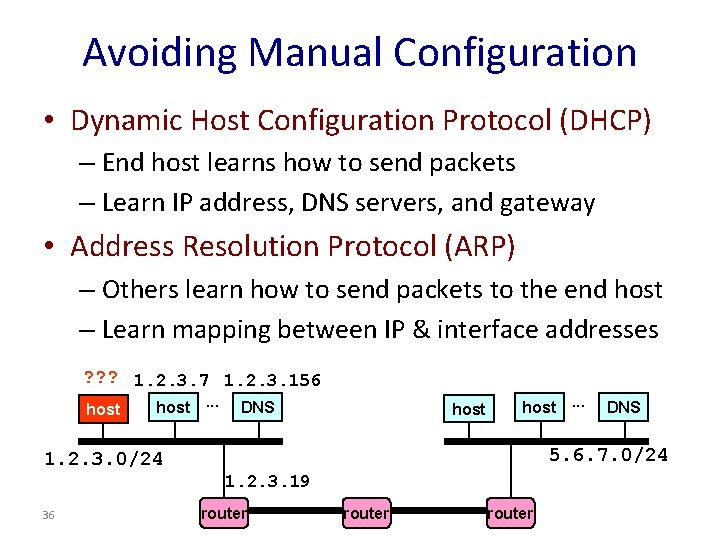
Avoiding Manual Configuration • Dynamic Host Configuration Protocol (DHCP) – End host learns how to send packets – Learn IP address, DNS servers, and gateway • Address Resolution Protocol (ARP) – Others learn how to send packets to the end host – Learn mapping between IP & interface addresses ? ? ? 1. 2. 3. 7 1. 2. 3. 156 host. . . DNS host. . . 5. 6. 7. 0/24 1. 2. 3. 19 36 DNS router
Key Ideas in Both Protocols • Broadcasting: when in doubt, shout! – Broadcast query to all hosts in local-area-network • Caching: remember the past for a while – Store the information you learn to reduce overhead – Remember your address & other host’s addresses • Soft state: … but eventually forget the past – Associate a time-to-live field with the information – … and either refresh or discard the information 37
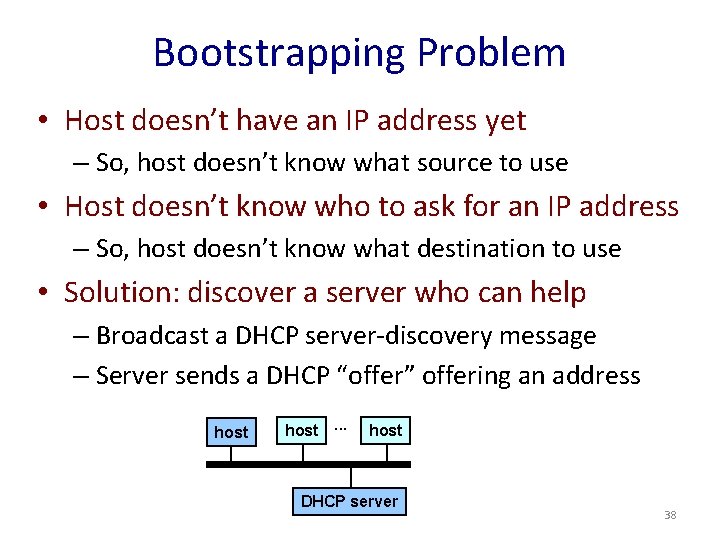
Bootstrapping Problem • Host doesn’t have an IP address yet – So, host doesn’t know what source to use • Host doesn’t know who to ask for an IP address – So, host doesn’t know what destination to use • Solution: discover a server who can help – Broadcast a DHCP server-discovery message – Server sends a DHCP “offer” offering an address host. . . host DHCP server 38
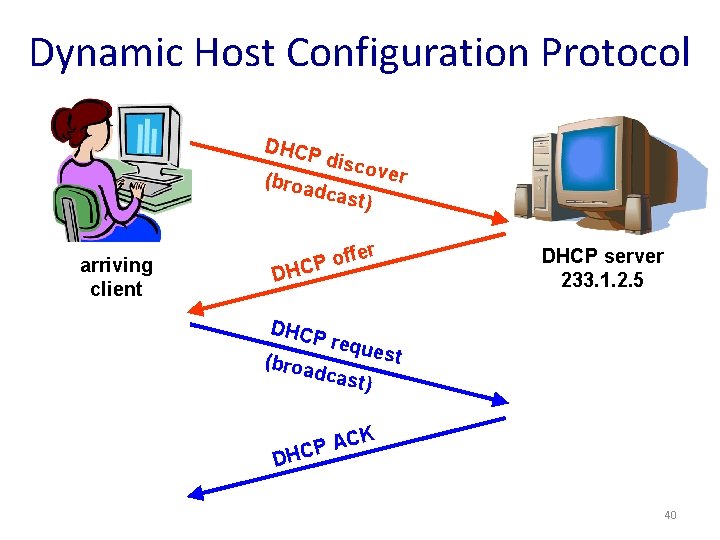
Response from the DHCP Server • DHCP “offer message” from the server – Configuration parameters (proposed IP address, mask, gateway router, DNS server, . . . ) – Lease time (the time the information remains valid) • Multiple servers may respond with an offer – The client decides which offer to accept • Client sends a DHCP request echoing the parameters – The DHCP server responds with an ACK to confirm • And the other servers see they were not chosen 39
Dynamic Host Configuration Protocol DHCP (broa disco ver dcas arriving client t) er off P C H DHCP server 233. 1. 2. 5 D DHCP (broa reque st dcas t) K D AC P C H 40
Deciding What IP Address to Offer • Static allocation – All parameters are statically configured in the server – E. g. , a dedicated IP address for each MAC address – Makes it easy to track a host over time • Dynamic allocation – Server maintains a pool of available addresses – … and assigns them to hosts on demand – Enables more efficient use of the pool of addresses 41
Soft State: Refresh or Forget • Why is a lease time necessary? – Client can release the IP address (DHCP RELEASE) • E. g. , “ipconfig /release” at the command line • E. g. , clean shutdown of the computer – But, the host might not release the address • E. g. , the host crashes (blue screen of death!), buggy client – Don’t want the address to be allocated forever • Performance trade-offs – Short lease: returns inactive addresses quickly – Long lease: avoids overhead of frequent renewals 42
So, Now the Host Knows Things • • IP address Mask Gateway router DNS server • And can send packets to other IP addresses – How to learn the MAC address of the destination? 43
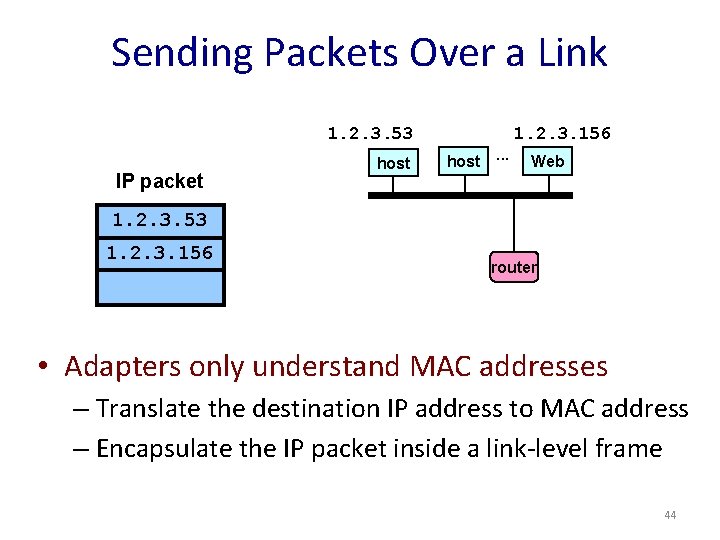
Sending Packets Over a Link 1. 2. 3. 53 IP packet host 1. 2. 3. 156 host. . . Web 1. 2. 3. 53 1. 2. 3. 156 router • Adapters only understand MAC addresses – Translate the destination IP address to MAC address – Encapsulate the IP packet inside a link-level frame 44
Address Resolution Protocol Table • Every node maintains an ARP table – (IP address, MAC address) pair • Consult the table when sending a packet – Map destination IP to destination MAC address – Encapsulate and transmit the data packet • But, what if the IP address is not in the table? – Sender broadcasts: “Who has IP address 1. 2. 3. 156? ” – Receiver responds: “MAC address 58 -23 -D 7 -FA-20 -B 0” – Sender caches the result in its ARP table 45
Conclusion • Discovery – Mapping a name at the upper layer – … to an address at the lower layer • Domain Name System (DNS) – Hierarchical names, hierarchical directory – Query-response protocol with caching – Time-To-Live to expire stale cached responses • Next time: routing 46