
Disclaimer This presentation for use by the TAC
Disclaimer This presentation, for use by the TAC Partner Sales Channel, is designed to mirror very closely Bob Schultz’s DVD whiteboard discussion (Introduction to TAC Open Systems Solutions - 2003) regarding open systems, and the LON world. This presentation should be used with the following points in mind. 1. !!!This IS NOT a sales tool!!! While certain sections of this presentation are suitable for a sales setting, there are specific pieces of information included that should NOT be presented to a potential client. 2. This presentation should be given only after watching the Bob Schultz DVD, and reading the notes associated with each slide. The slides themselves contain as little information as possible in an effort to create credibility for the presenter, and develop a relationship with the audience.

Open Systems Terms, System Architecture & Basic Concepts
Chapter 1 LON Architecture The Enterprise Level The Hardware Level Channels & Segments Speed & Interoperability
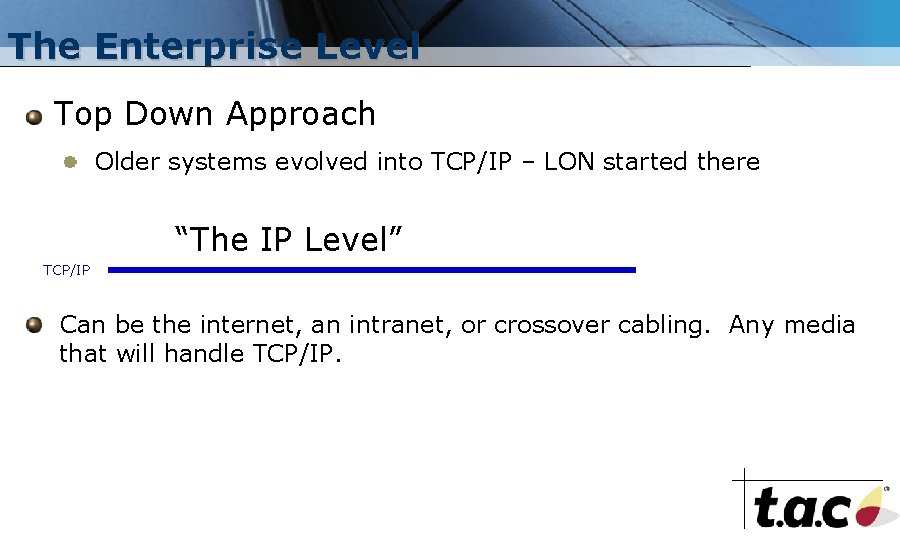
The Enterprise Level Top Down Approach Older systems evolved into TCP/IP – LON started there “The IP Level” TCP/IP Can be the internet, an intranet, or crossover cabling. Any media that will handle TCP/IP.
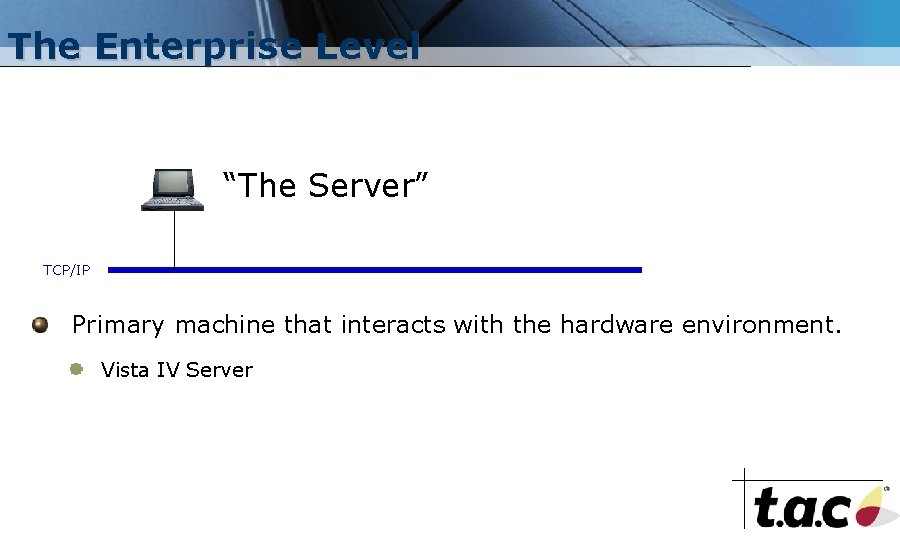
The Enterprise Level “The Server” TCP/IP Primary machine that interacts with the hardware environment. Vista IV Server

The Enterprise Level Server “The Client” TCP/IP Communicates with hardware through the server. Server/Client architecture implies vendor specific software. Multiple Clients possible • Vista IV Workstation
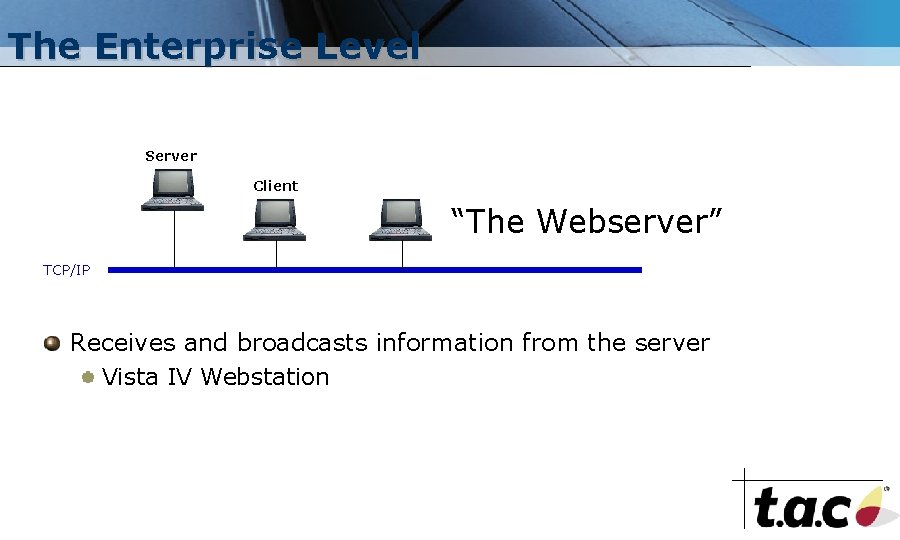
The Enterprise Level Server Client “The Webserver” TCP/IP Receives and broadcasts information from the server Vista IV Webstation
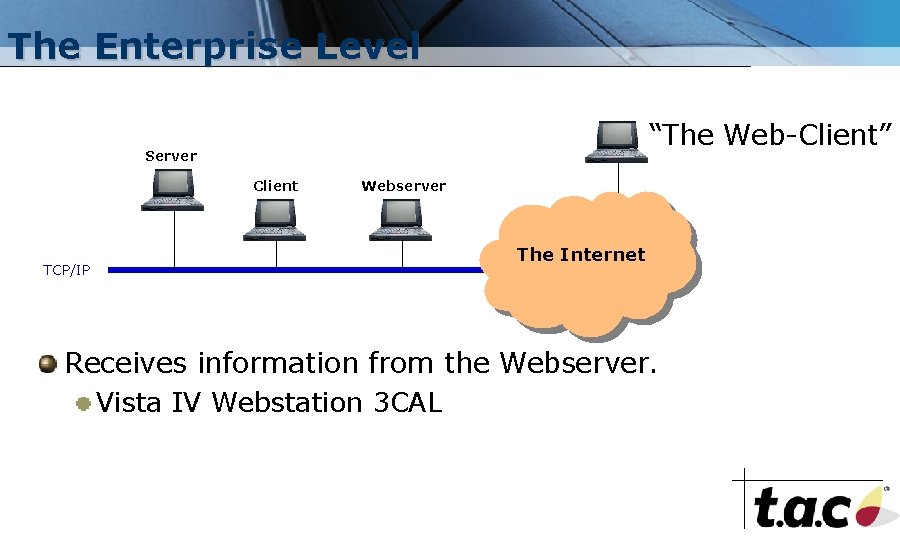
The Enterprise Level “The Web-Client” Server Client TCP/IP Webserver The Internet Receives information from the Webserver. Vista IV Webstation 3 CAL
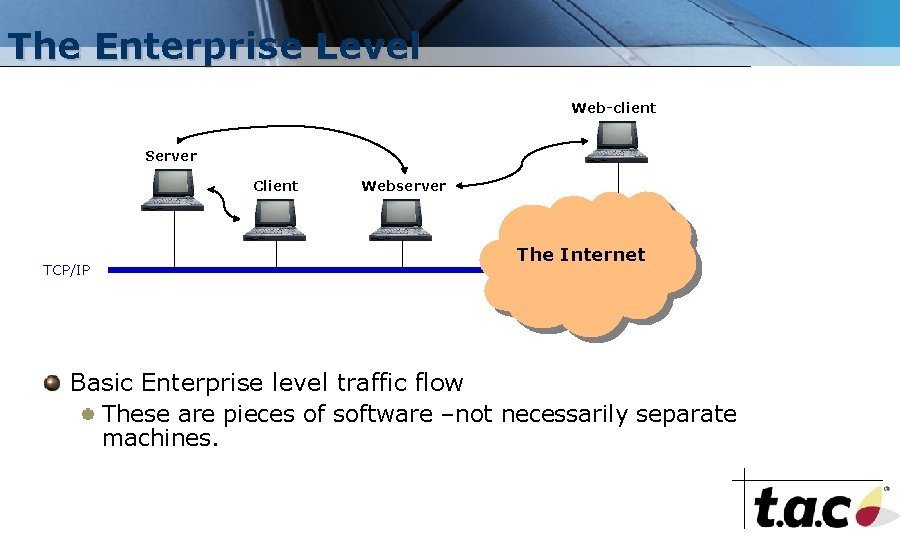
The Enterprise Level Web-client Server Client TCP/IP Webserver The Internet Basic Enterprise level traffic flow These are pieces of software –not necessarily separate machines.
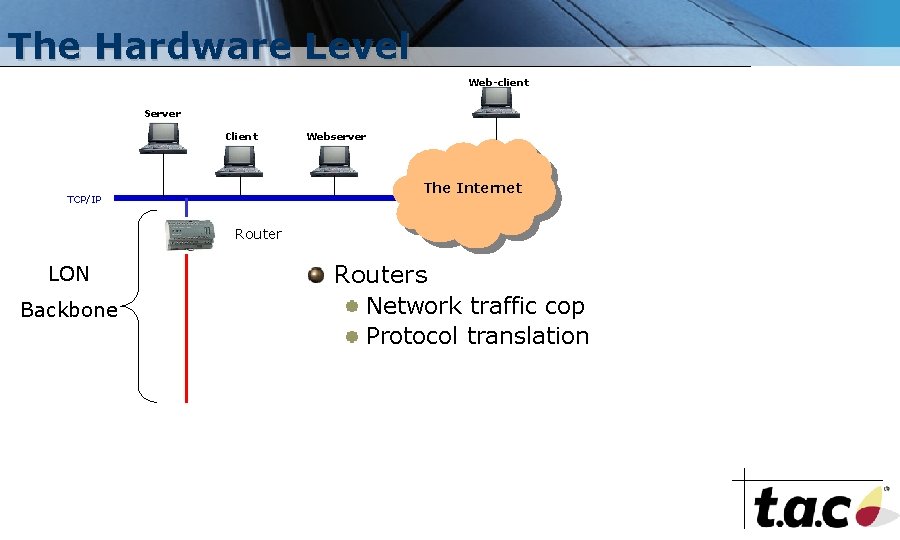
The Hardware Level Web-client Server Client Webserver The Internet TCP/IP Router LON Backbone Routers Network traffic cop Protocol translation
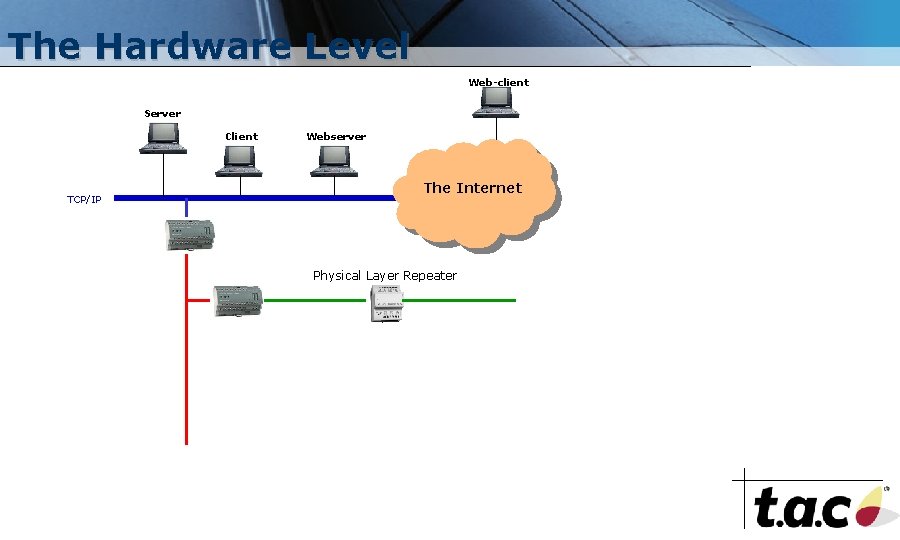
The Hardware Level Web-client Server Client TCP/IP Webserver The Internet Physical Layer Repeater
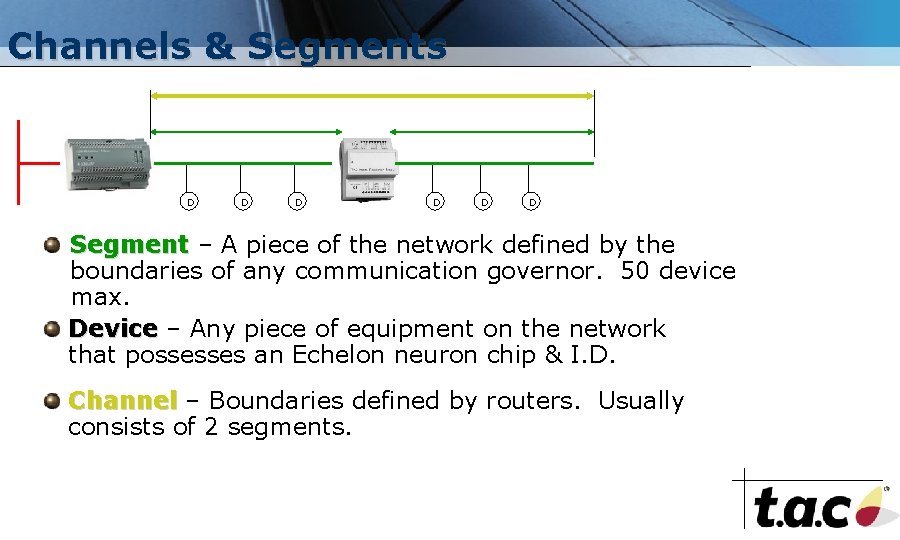
Channels & Segments D D D Segment – A piece of the network defined by the boundaries of any communication governor. 50 device max. Device – Any piece of equipment on the network that possesses an Echelon neuron chip & I. D. Channel – Boundaries defined by routers. Usually consists of 2 segments.
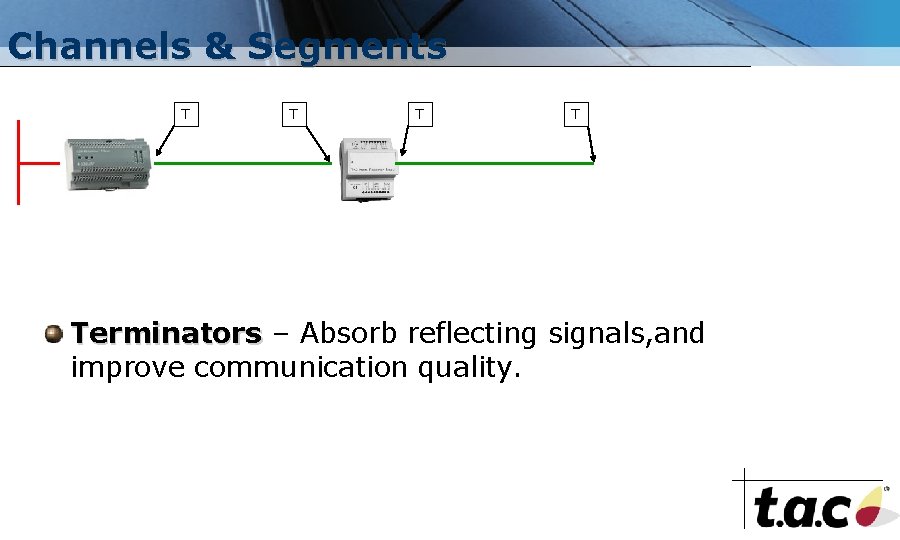
Channels & Segments T T Terminators – Absorb reflecting signals, and improve communication quality.
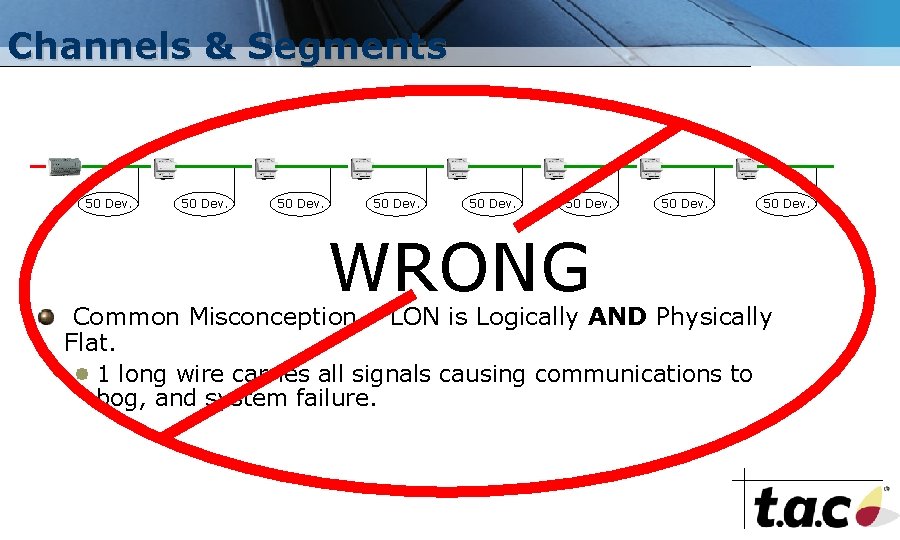
Channels & Segments 50 Dev. WRONG 50 Dev. Common Misconception – LON is Logically AND Physically Flat. 1 long wire carries all signals causing communications to bog, and system failure.
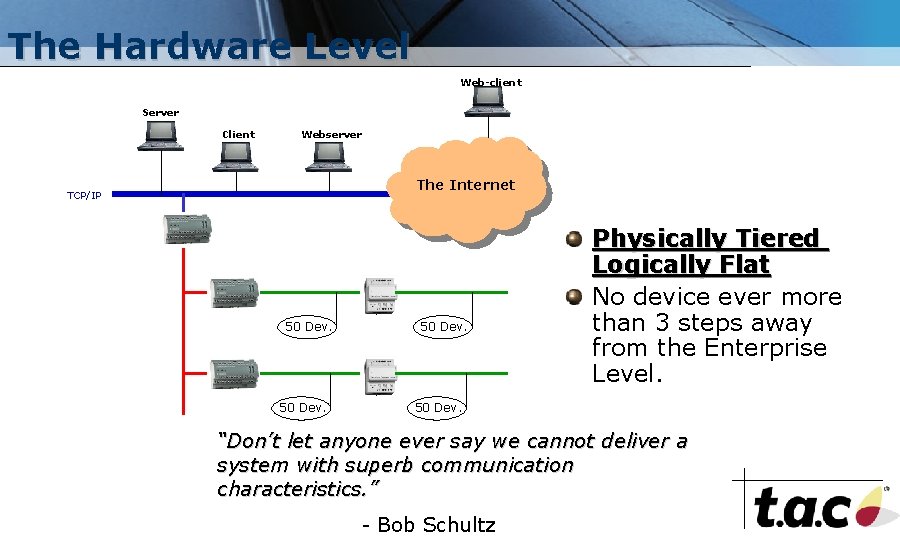
The Hardware Level Web-client Server Client Webserver The Internet TCP/IP 50 Dev. Physically Tiered Logically Flat No device ever more than 3 steps away from the Enterprise Level. 50 Dev. “Don’t let anyone ever say we cannot deliver a system with superb communication characteristics. ” - Bob Schultz
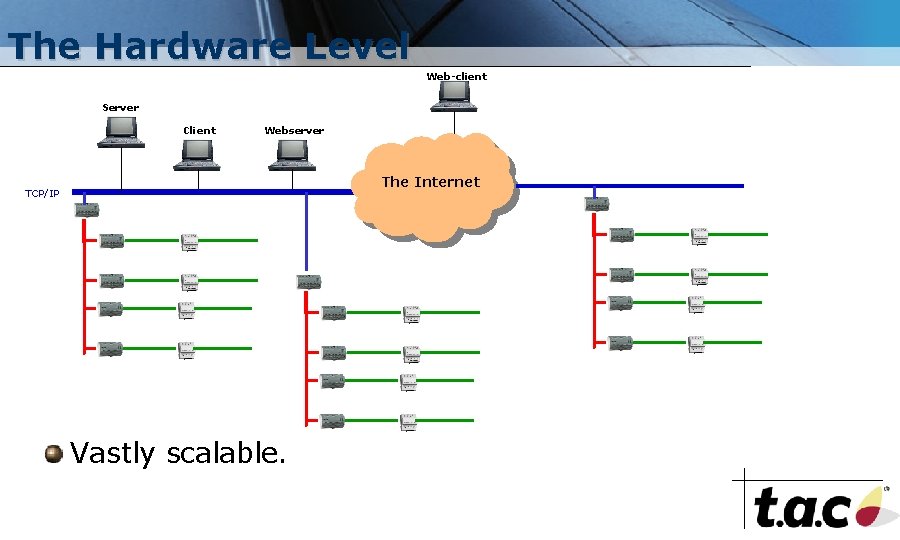
The Hardware Level Web-client Server Client Webserver The Internet TCP/IP Vastly scalable.
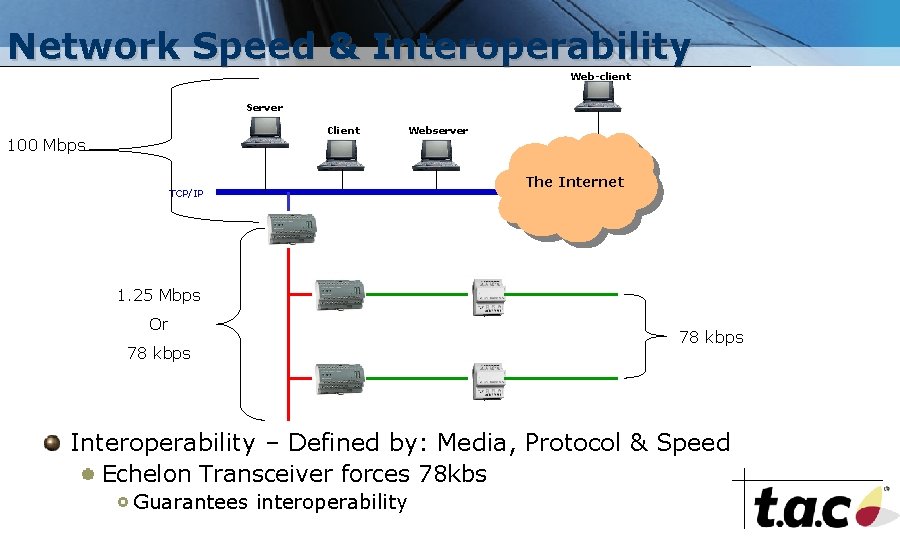
Network Speed & Interoperability Web-client Server Client 100 Mbps TCP/IP Webserver The Internet 1. 25 Mbps Or 78 kbps Interoperability – Defined by: Media, Protocol & Speed Echelon Transceiver forces 78 kbs Guarantees interoperability
Chapter 2 Data Network Bindings Formatting Echelon Conventions Data Transmission
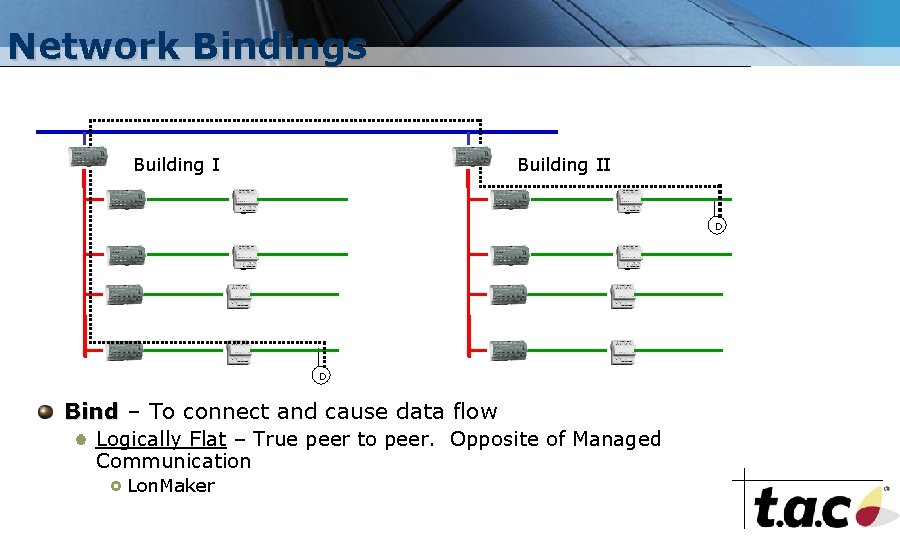
Network Bindings Building II D D Bind – To connect and cause data flow Logically Flat – True peer to peer. Opposite of Managed Communication Lon. Maker
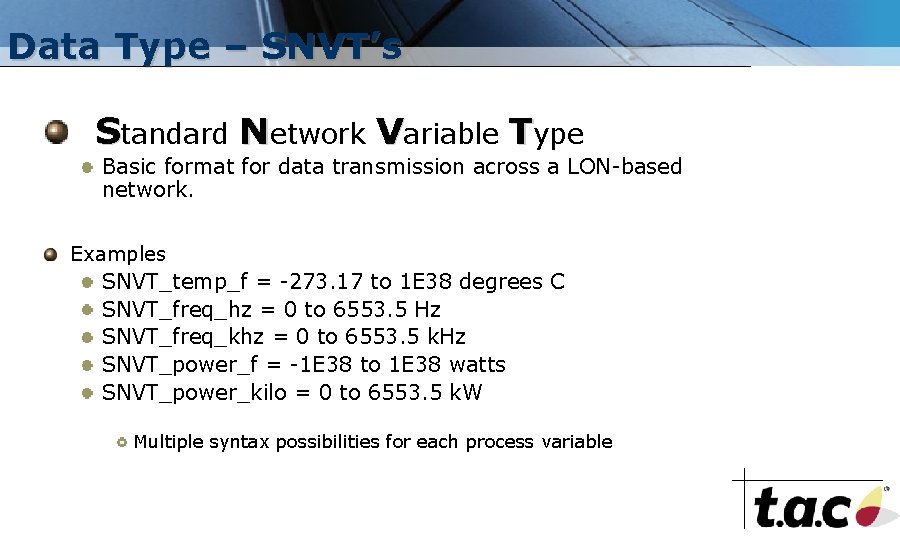
Data Type – SNVT’s Standard Network Variable Type Basic format for data transmission across a LON-based network. Examples SNVT_temp_f = -273. 17 to 1 E 38 degrees C SNVT_freq_hz = 0 to 6553. 5 Hz SNVT_freq_khz = 0 to 6553. 5 k. Hz SNVT_power_f = -1 E 38 to 1 E 38 watts SNVT_power_kilo = 0 to 6553. 5 k. W Multiple syntax possibilities for each process variable
Echelon Conventions Lon. Works – The entirety of the LON protocol. Lon. Mark – A 3 rd party guarantee of interoperability through the creation of Lon. Mark “profiles”. Customer Freedom Depends on a Lack of Choice for Manufacturers Lon. Works provides a choice. Lon. Mark takes it away.
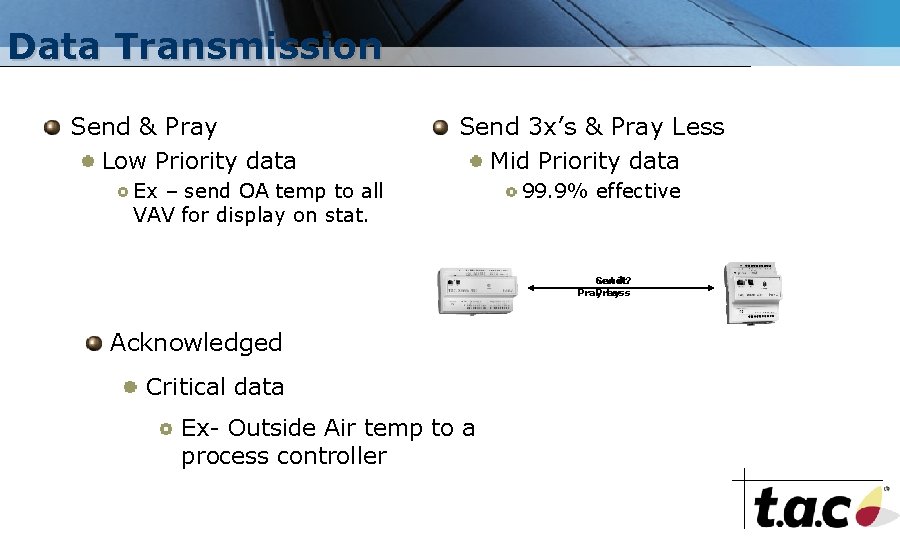
Data Transmission Send & Pray Low Priority data Send 3 x’s & Pray Less Mid Priority data Ex – send OA temp to all VAV for display on stat. 99. 9% effective Got it. Send Get it? Pray Less Acknowledged Critical data Ex- Outside Air temp to a process controller
Chapter 3 Devices & Intra-level Communications Application Specific Devices Programmable Devices Server/Device Communication Software
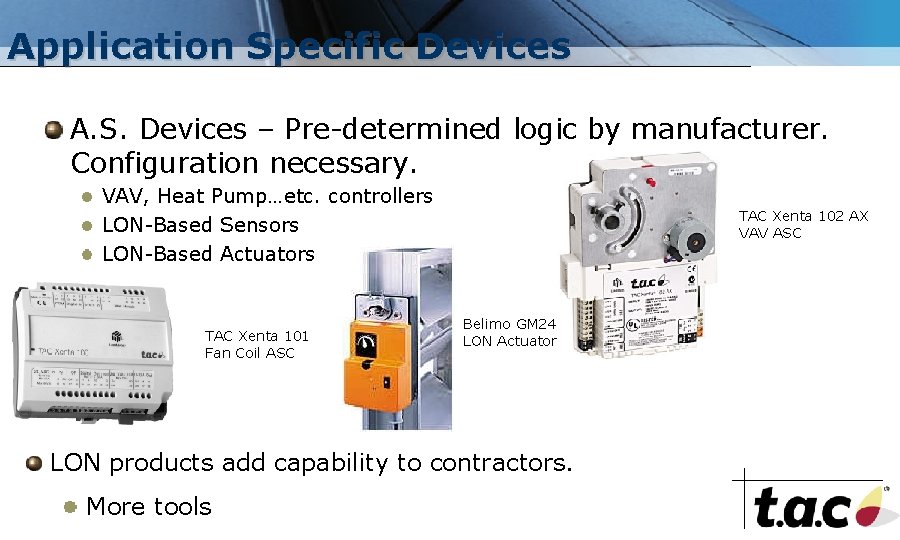
Application Specific Devices A. S. Devices – Pre-determined logic by manufacturer. Configuration necessary. VAV, Heat Pump…etc. controllers LON-Based Sensors LON-Based Actuators TAC Xenta 101 Fan Coil ASC TAC Xenta 102 AX VAV ASC Belimo GM 24 LON Actuator LON products add capability to contractors. More tools
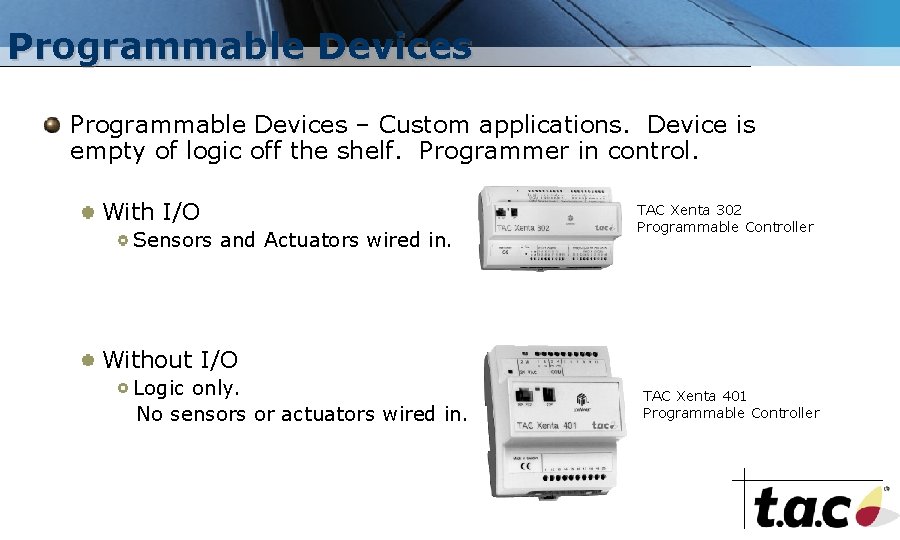
Programmable Devices – Custom applications. Device is empty of logic off the shelf. Programmer in control. With I/O Sensors and Actuators wired in. TAC Xenta 302 Programmable Controller Without I/O Logic only. No sensors or actuators wired in. TAC Xenta 401 Programmable Controller
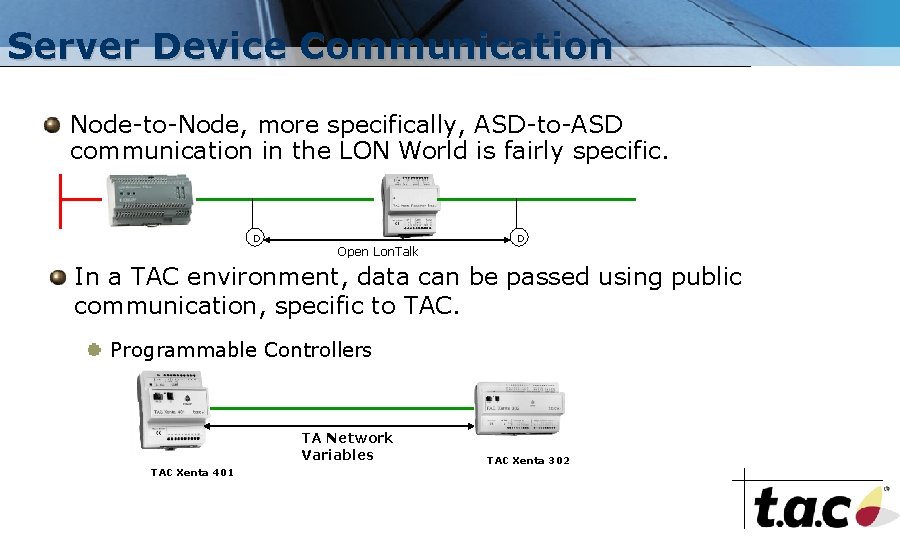
Server Device Communication Node-to-Node, more specifically, ASD-to-ASD communication in the LON World is fairly specific. D Open Lon. Talk D In a TAC environment, data can be passed using public communication, specific to TAC. Programmable Controllers TA Network Variables TAC Xenta 401 TAC Xenta 302
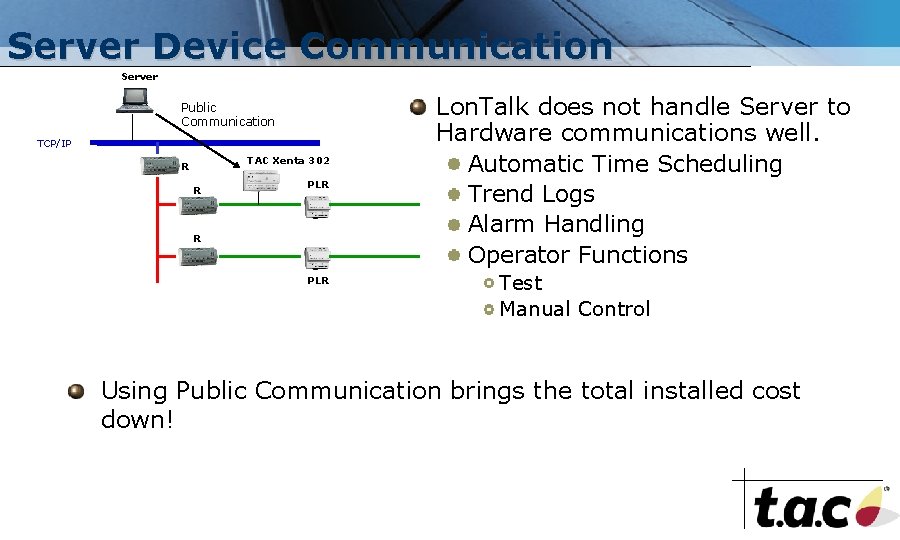
Server Device Communication Server Public Communication TCP/IP TAC Xenta 302 R R PLR Lon. Talk does not handle Server to Hardware communications well. Automatic Time Scheduling Trend Logs Alarm Handling Operator Functions Test Manual Control Using Public Communication brings the total installed cost down!
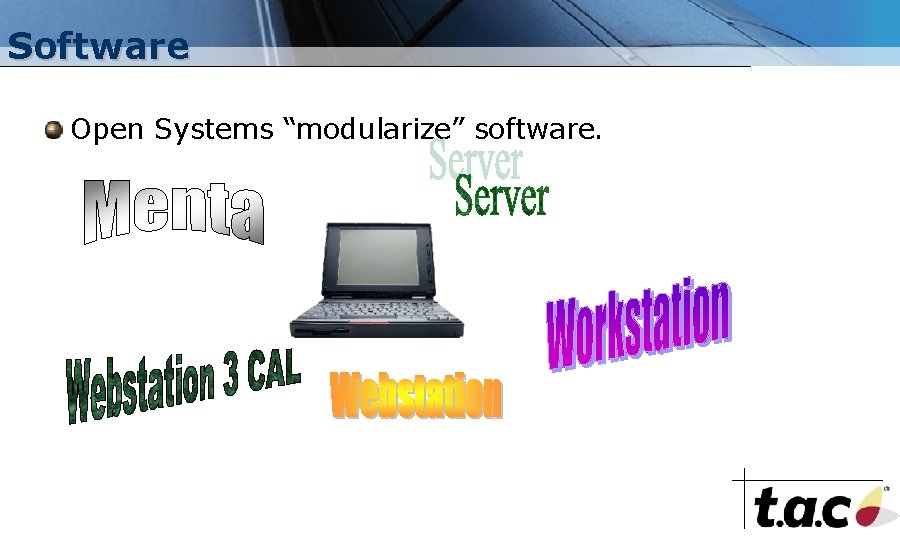
Software Open Systems “modularize” software.
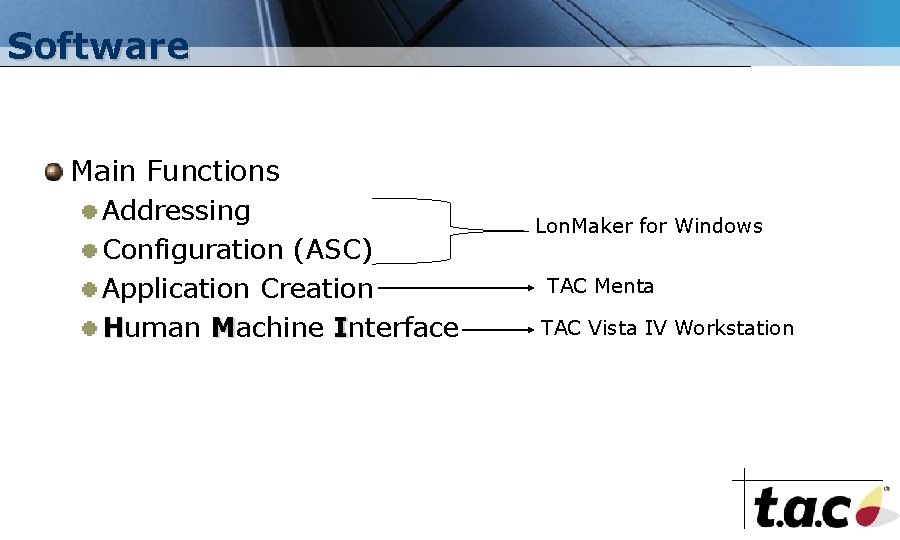
Software Main Functions Addressing Configuration (ASC) Application Creation Human Machine Interface Lon. Maker for Windows TAC Menta TAC Vista IV Workstation
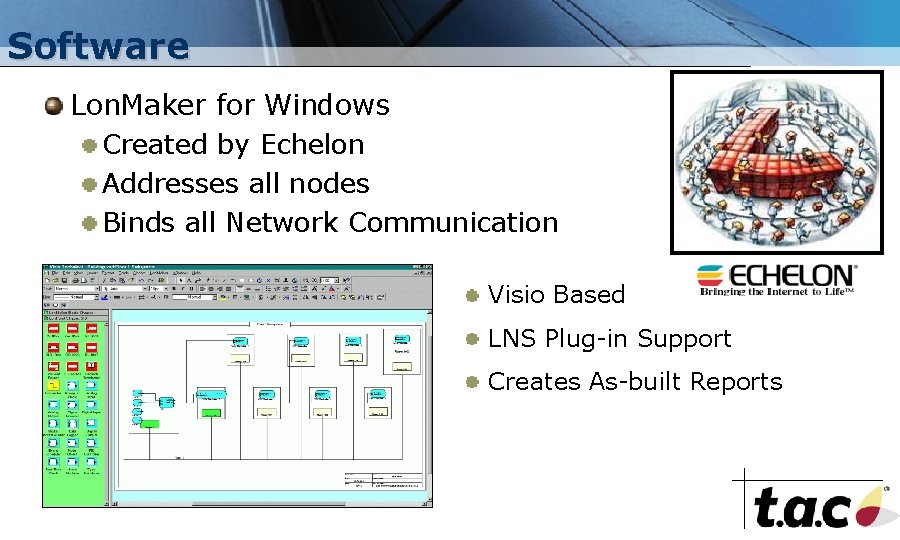
Software Lon. Maker for Windows Created by Echelon Addresses all nodes Binds all Network Communication Visio Based LNS Plug-in Support Creates As-built Reports
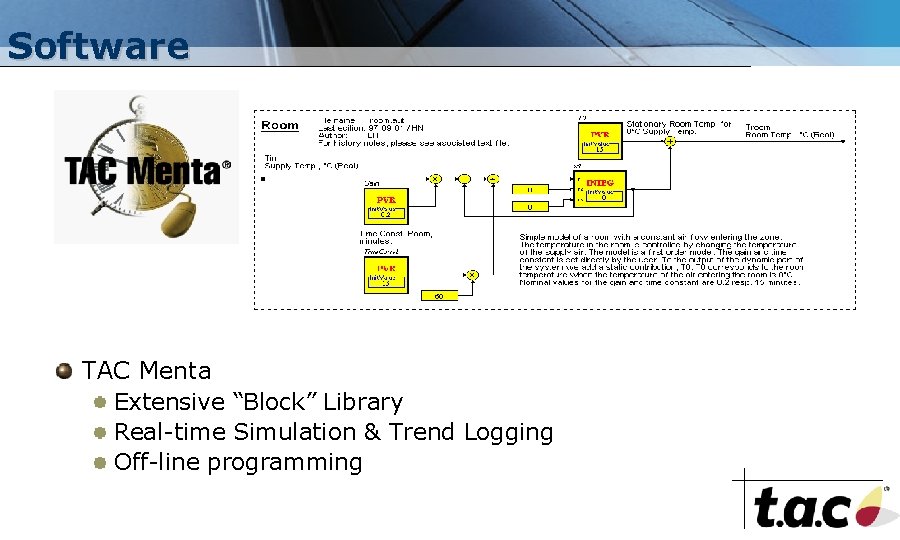
Software TAC Menta Extensive “Block” Library Real-time Simulation & Trend Logging Off-line programming
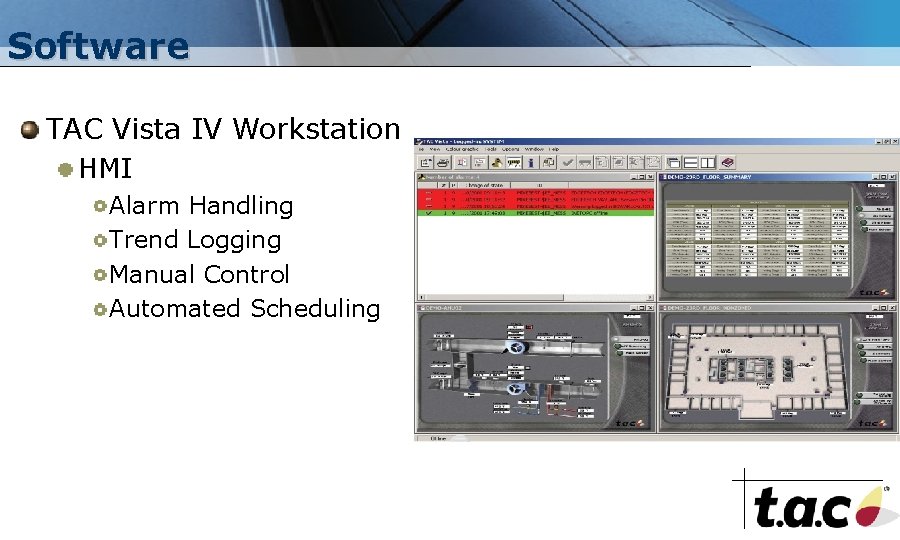
Software TAC Vista IV Workstation HMI Alarm Handling Trend Logging Manual Control Automated Scheduling
Chapter 4 Single & Multi-Vendor Solutions Single Vendor/Single Building Multi-Vendor/Multi-Building – LON Multi-Vendor/Multi-Building BACnet
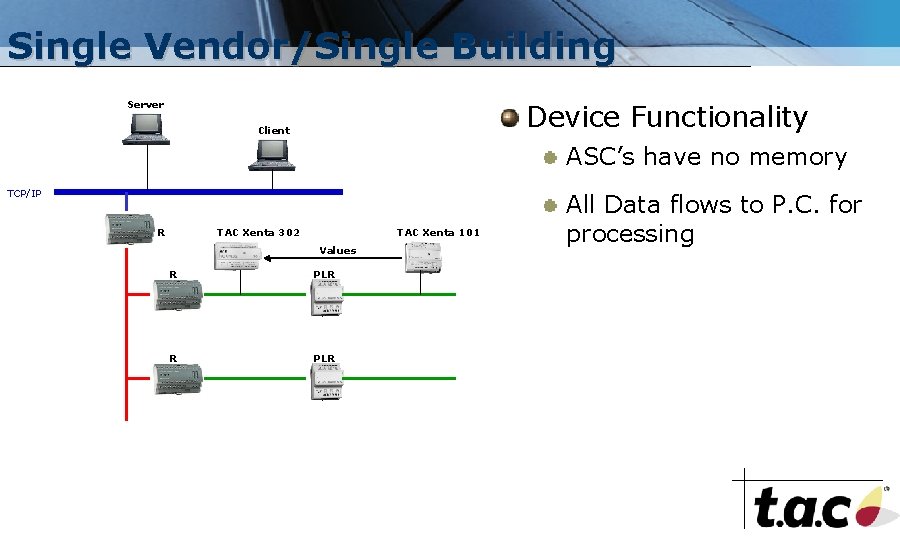
Single Vendor/Single Building Server Device Functionality Client ASC’s have no memory TCP/IP R TAC Xenta 302 TAC Xenta 101 Values R PLR All Data flows to P. C. for processing
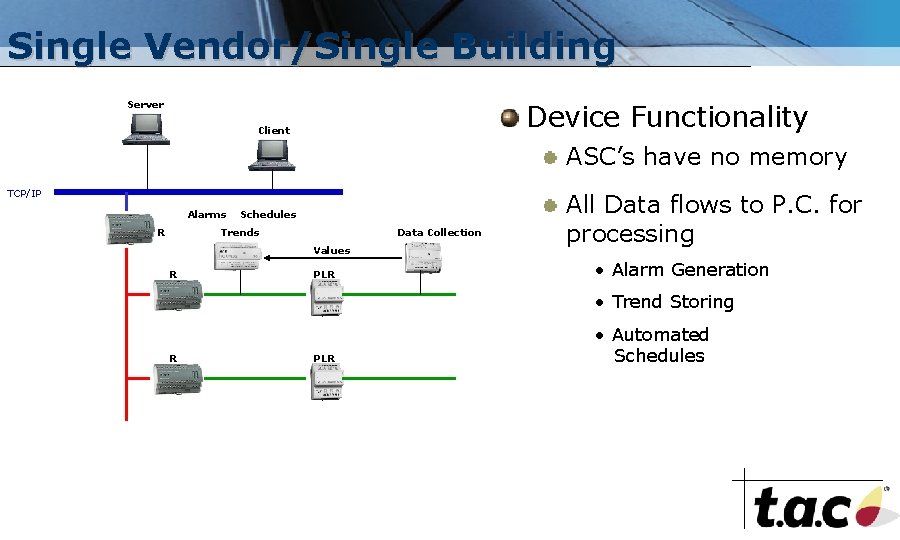
Single Vendor/Single Building Server Device Functionality Client ASC’s have no memory TCP/IP Alarms R Schedules Trends Data Collection Values R PLR All Data flows to P. C. for processing • Alarm Generation • Trend Storing R PLR • Automated Schedules
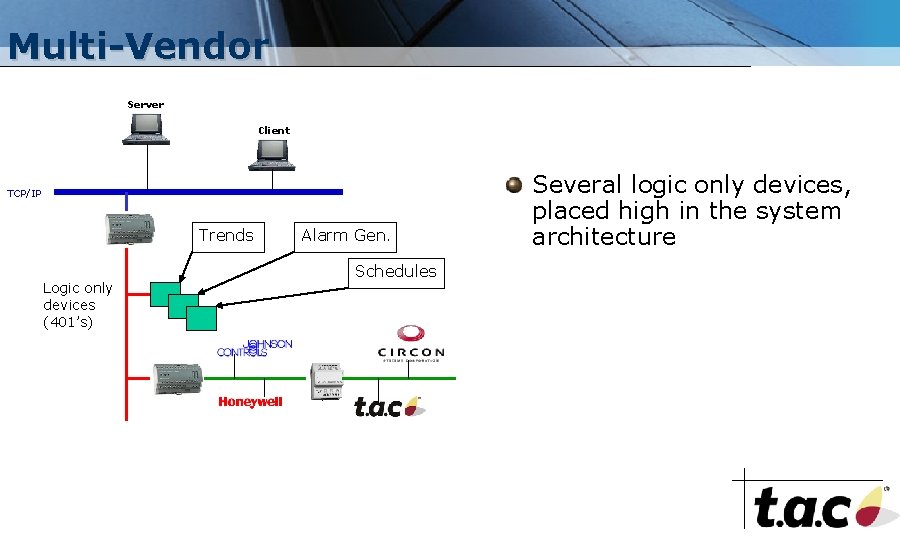
Multi-Vendor Server Client TCP/IP Trends Logic only devices (401’s) Alarm Gen. Schedules Several logic only devices, placed high in the system architecture
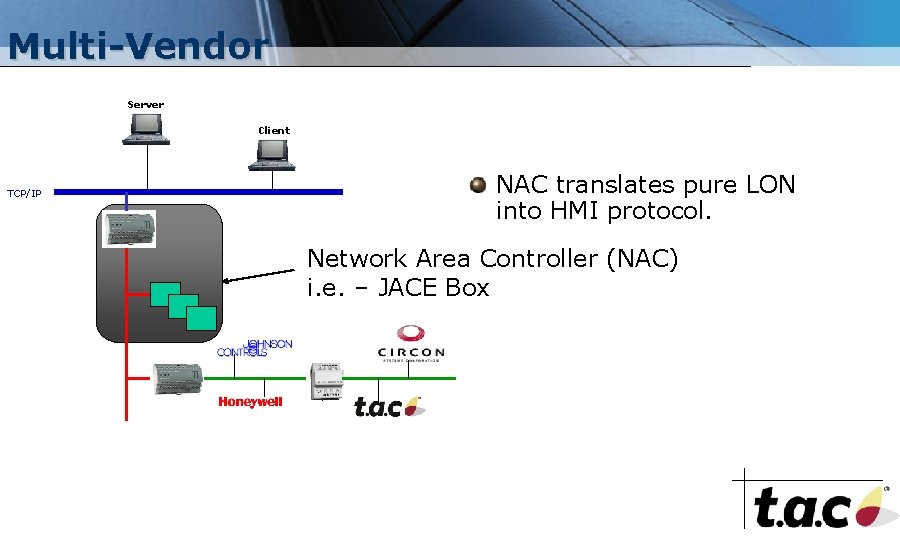
Multi-Vendor Server Client TCP/IP NAC translates pure LON into HMI protocol. Network Area Controller (NAC) i. e. – JACE Box
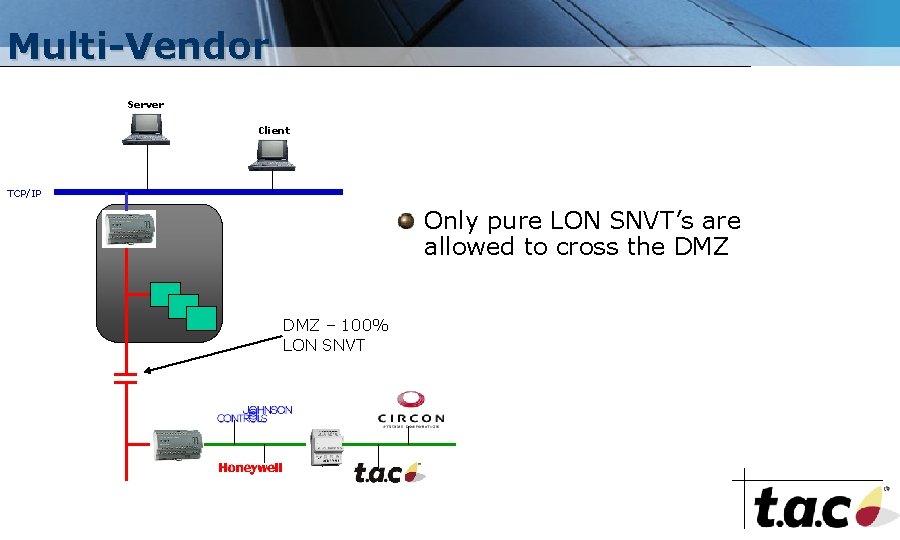
Multi-Vendor Server Client TCP/IP Only pure LON SNVT’s are allowed to cross the DMZ = DMZ – 100% LON SNVT
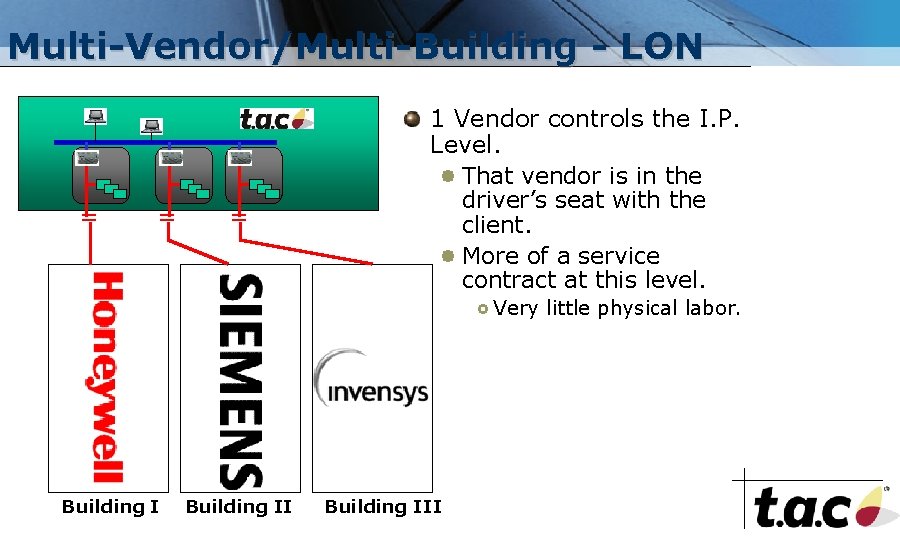
Multi-Vendor/Multi-Building - LON = = = 1 Vendor controls the I. P. Level. That vendor is in the driver’s seat with the client. More of a service contract at this level. Very little physical labor. Building III
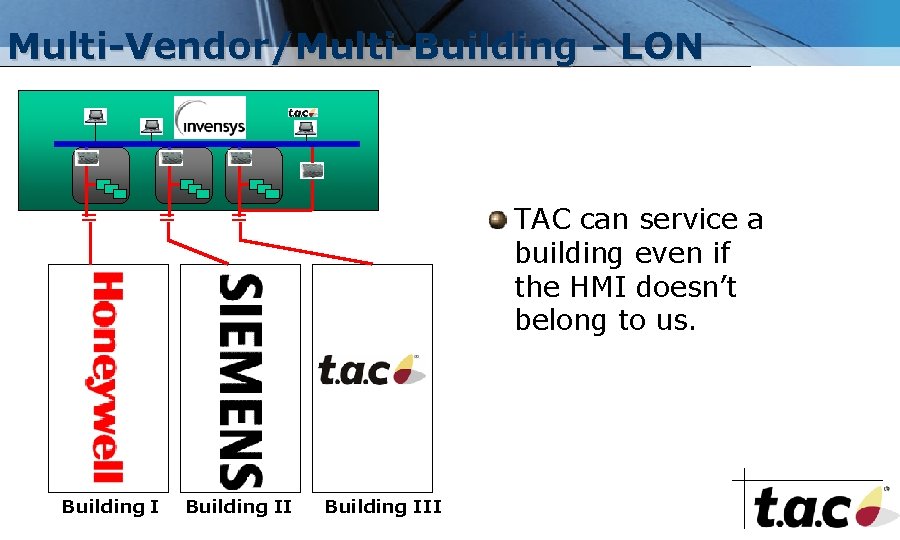
Multi-Vendor/Multi-Building - LON = = Building I TAC can service a building even if the HMI doesn’t belong to us. = Building III
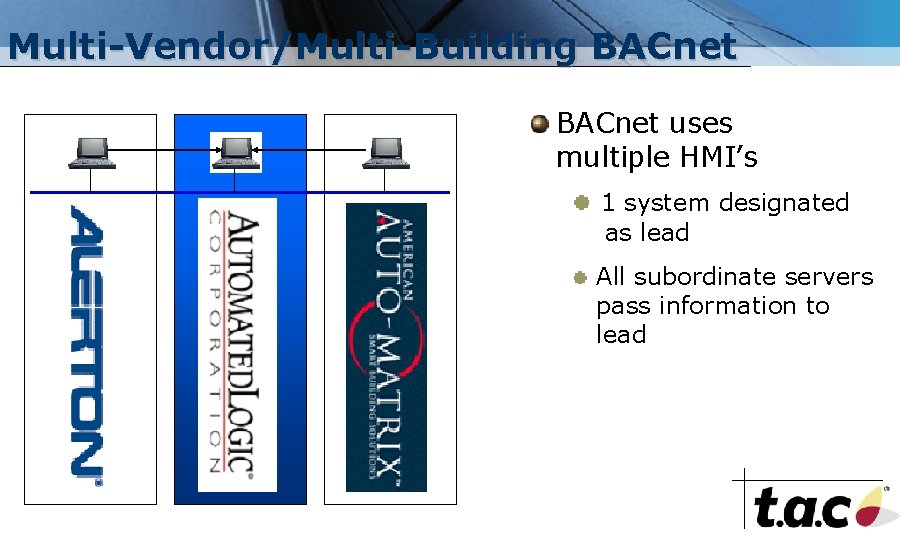
Multi-Vendor/Multi-Building BACnet uses multiple HMI’s 1 system designated as lead All subordinate servers pass information to lead
Summing It Up Physically Tiered – Logically Flat Ladder/Rung Architecture Interoperability Speed, Media, Protocol Lon. Mark Association Modular Software Single/Multi Vendor Systems Campus & Multi-Building Systems

Keep in Mind Build a vocabulary & a Dictionary Be SPECIFIC Plan Ahead
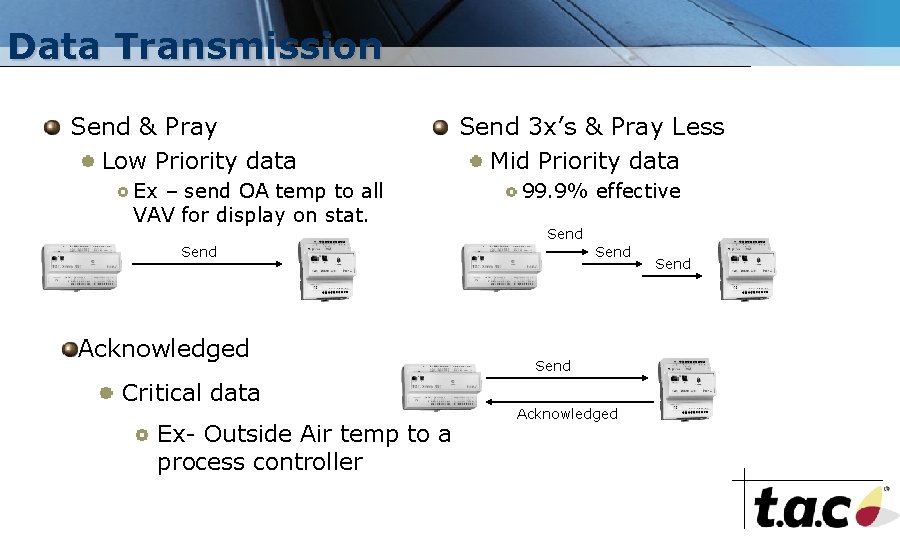
Data Transmission Send & Pray Low Priority data Ex – send OA temp to all VAV for display on stat. Send 3 x’s & Pray Less Mid Priority data 99. 9% effective Send Acknowledged Critical data Ex- Outside Air temp to a process controller Send Acknowledged Send
- Slides: 44