
Direct Memory Access step 1 First the CPU
- Slides: 16
Direct Memory Access
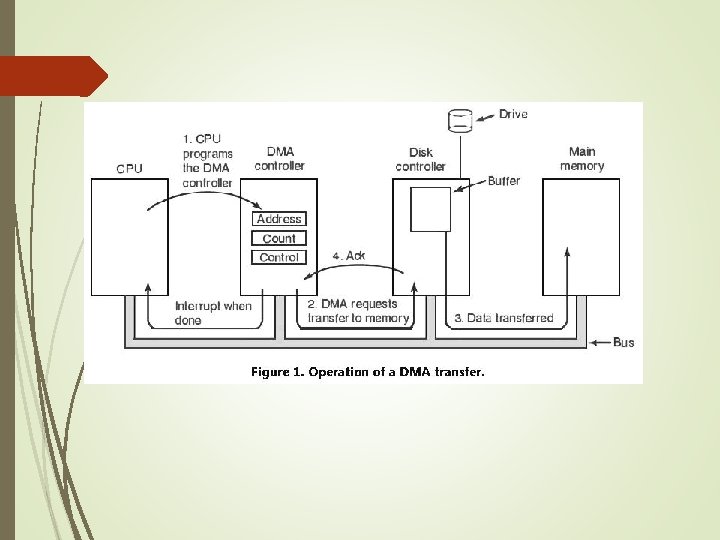
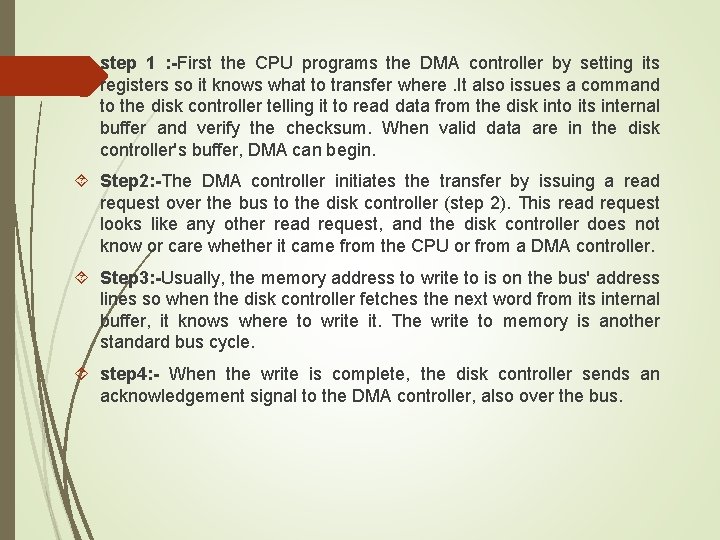
step 1 : -First the CPU programs the DMA controller by setting its registers so it knows what to transfer where. It also issues a command to the disk controller telling it to read data from the disk into its internal buffer and verify the checksum. When valid data are in the disk controller's buffer, DMA can begin. Step 2: -The DMA controller initiates the transfer by issuing a read request over the bus to the disk controller (step 2). This read request looks like any other read request, and the disk controller does not know or care whether it came from the CPU or from a DMA controller. Step 3: -Usually, the memory address to write to is on the bus' address lines so when the disk controller fetches the next word from its internal buffer, it knows where to write it. The write to memory is another standard bus cycle. step 4: - When the write is complete, the disk controller sends an acknowledgement signal to the DMA controller, also over the bus.
Introduction An important aspect governing the Computer System performance is the transfer of data between memory and I/O devices. The operation involves loading programs or data files from disk into memory, saving file on disk, and accessing virtual memory pages on any secondary storage medium.
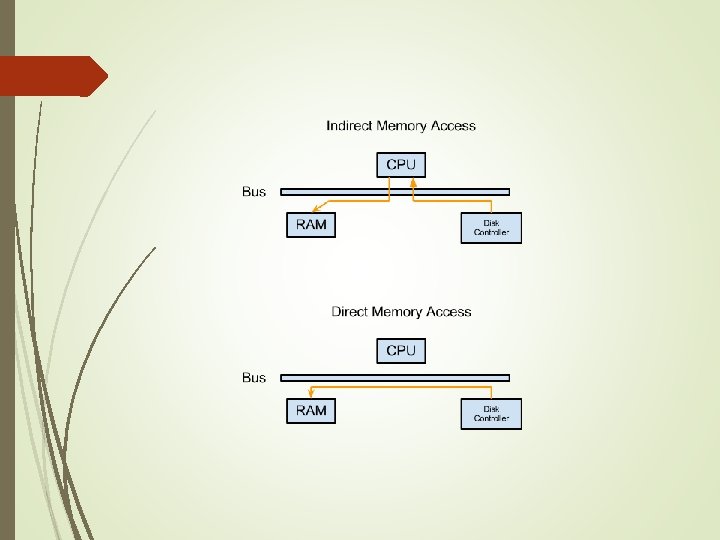
What is Direct Memory Access (DMA) ? When large volumes of data are to be moved, a more efficient technique is required: Direct Memory Access (DMA) Blocks of data are transferred between an external device and the main memory, without continuous intervention by the processor.
Implementing DMA in a Computer System A DMA controller implements direct memory access in a computer system. It connects directly to the I/O device at one end and to the system buses at the other end. It also interacts with the CPU, both via the system buses and two new direct connections. It is sometimes referred to as a channel. In an alternate configuration, the DMA controller may be incorporated directly into the I/O device.
DMA Controller DMA controller is part of the I/O interface. Performs the functions that would normally be carried out by the processor when access main memory. For each word transferred, it provides the memory address and all the bus signals that control data transfer.
DMA Controller Although DMAC can transfer data without intervention by the processor, it’s operation must be under the control of a program executed by the processor. To initiate the transfer of a block of data, the processor sends the starting address, the number of words in the block, and direction of the transfer. Once information is received, the DMAC proceeds to perform the requested operation. When the entire block has been transferred, the controller informs the processor by raising an interrupt signal.
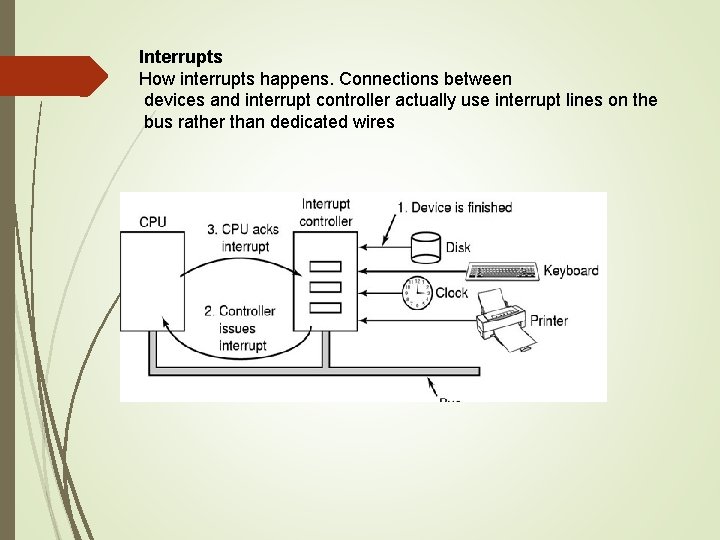
Interrupts How interrupts happens. Connections between devices and interrupt controller actually use interrupt lines on the bus rather than dedicated wires
How is OS involved I/O operations are always performed by the OS in response to a request from an application program. OS is also responsible for suspending the execution of one program and starting another. OS puts the program that requested the transfer in the Blocked state, initiates the DMA operation, starts execution of another program. When the transfer is complete, the DMA controller informs the processor by sending an interrupt request. OS puts suspended program in the Runnable state so that it can be selected by the scheduler to continue execution.
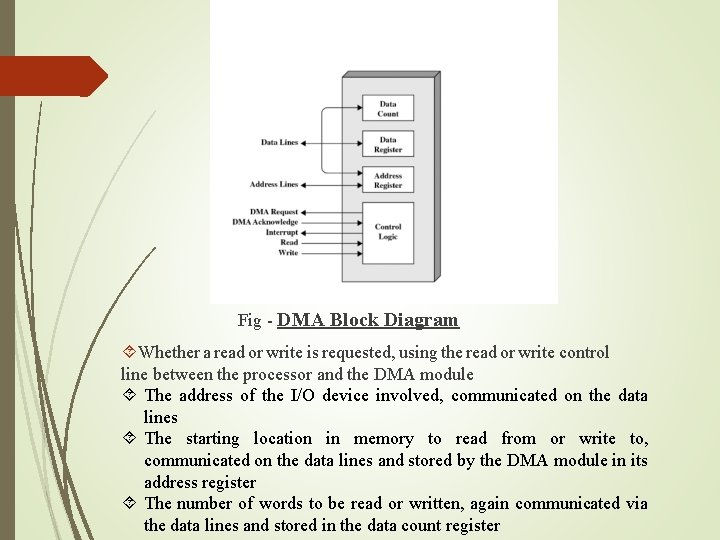
Fig - DMA Block Diagram Whether a read or write is requested, using the read or write control line between the processor and the DMA module The address of the I/O device involved, communicated on the data lines The starting location in memory to read from or write to, communicated on the data lines and stored by the DMA module in its address register The number of words to be read or written, again communicated via the data lines and stored in the data count register
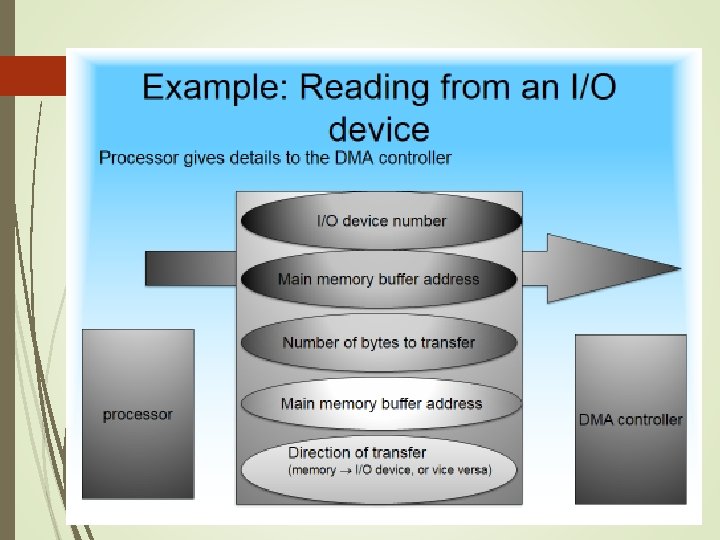
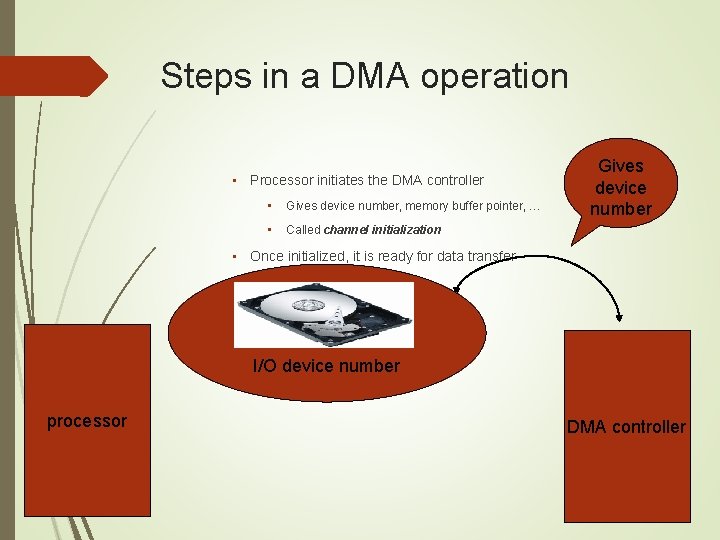
Steps in a DMA operation • Processor initiates the DMA controller • Gives device number, memory buffer pointer, … • Called channel initialization Gives device number • Once initialized, it is ready for data transfer I/O device number processor DMA controller
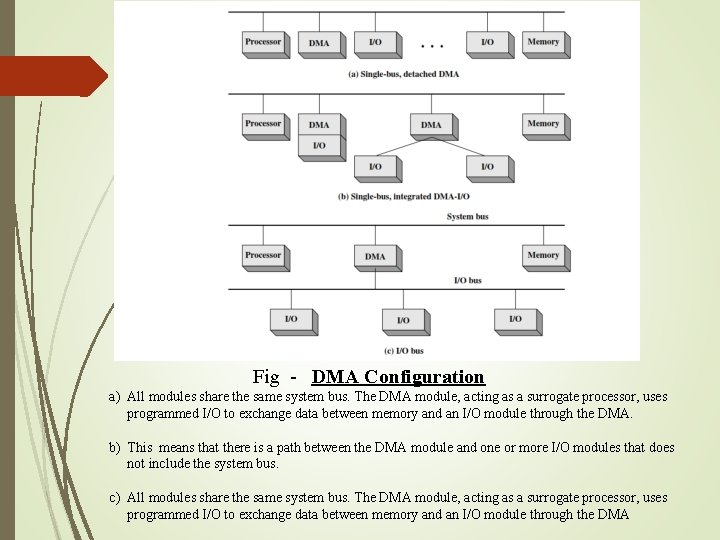
Fig - DMA Configuration a) All modules share the same system bus. The DMA module, acting as a surrogate processor, uses programmed I/O to exchange data between memory and an I/O module through the DMA. b) This means that there is a path between the DMA module and one or more I/O modules that does not include the system bus. c) All modules share the same system bus. The DMA module, acting as a surrogate processor, uses programmed I/O to exchange data between memory and an I/O module through the DMA
Summary Advantages of DMA Computer system performance is improved by direct transfer of data between memory and I/O devices, bypassing the CPU is free to perform operations that do not use system buses. Disadvantages of DMA In case of Burst Mode data transfer, the CPU is rendered inactive for relatively long periods of time.