
Direct Claims Self Service DCSS 2017 Express Scripts
- Slides: 13
Direct Claims Self Service (DCSS) © 2017 Express Scripts Holding Company. All Rights Reserved. 1
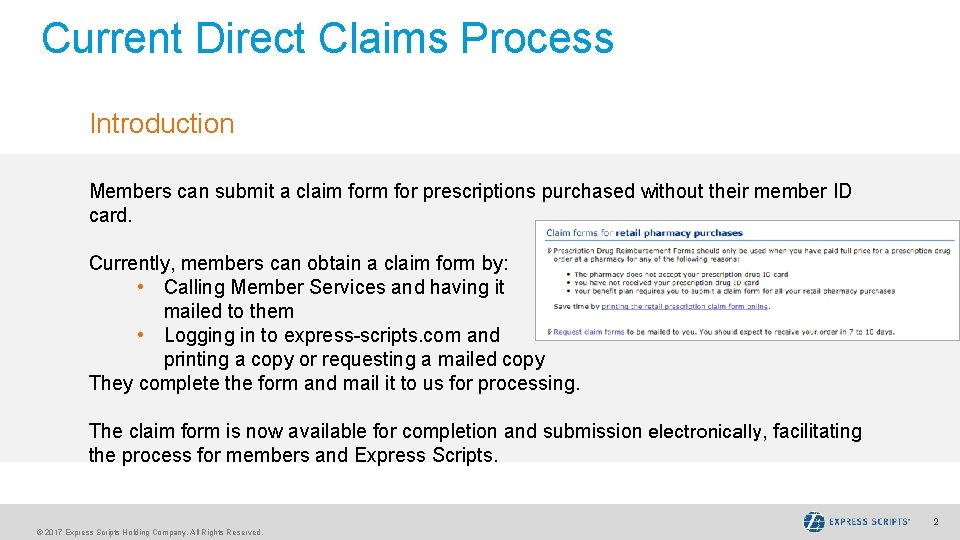
Current Direct Claims Process Introduction Members can submit a claim for prescriptions purchased without their member ID card. Currently, members can obtain a claim form by: • Calling Member Services and having it mailed to them • Logging in to express-scripts. com and printing a copy or requesting a mailed copy They complete the form and mail it to us for processing. The claim form is now available for completion and submission electronically, facilitating the process for members and Express Scripts. © 2017 Express Scripts Holding Company. All Rights Reserved. 2
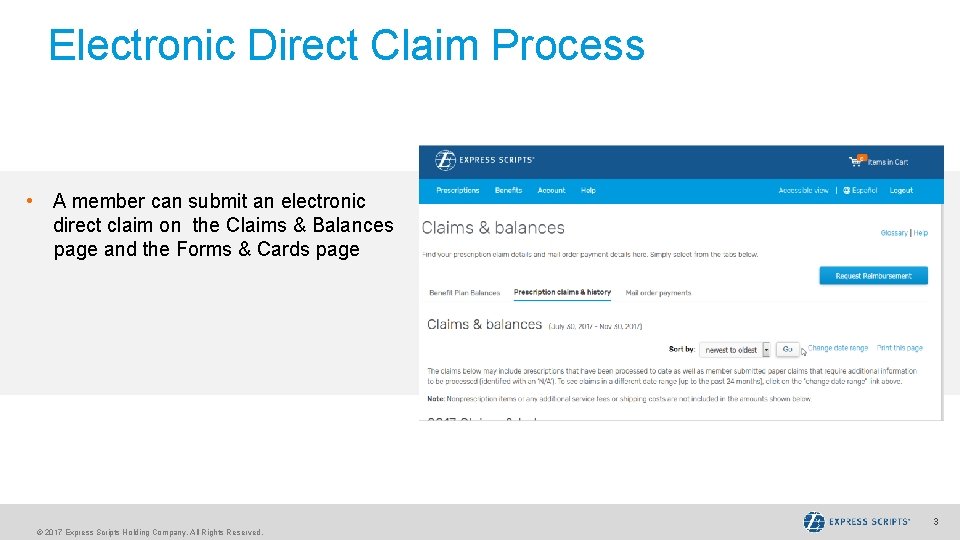
Electronic Direct Claim Process • A member can submit an electronic direct claim on the Claims & Balances page and the Forms & Cards page © 2017 Express Scripts Holding Company. All Rights Reserved. 3
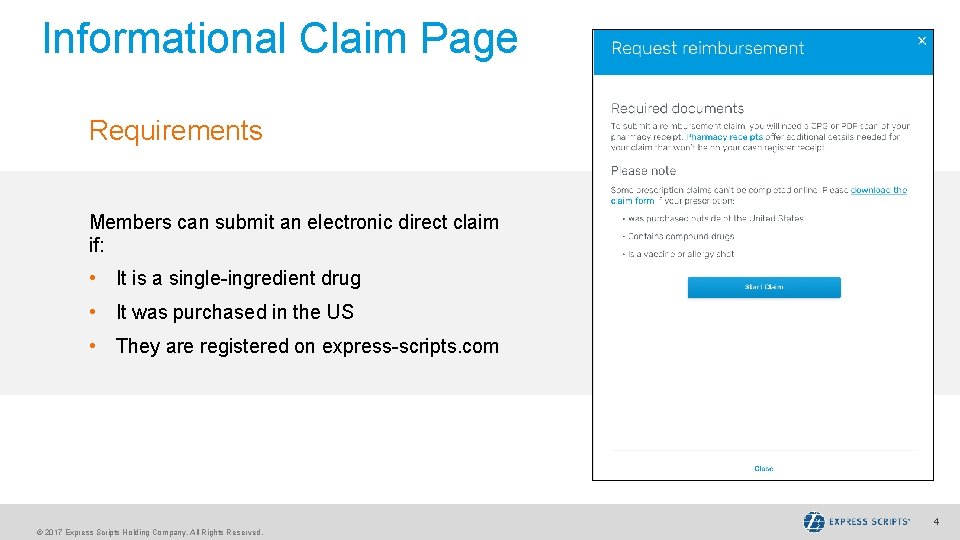
Informational Claim Page Requirements Members can submit an electronic direct claim if: • It is a single-ingredient drug • It was purchased in the US • They are registered on express-scripts. com © 2017 Express Scripts Holding Company. All Rights Reserved. 4
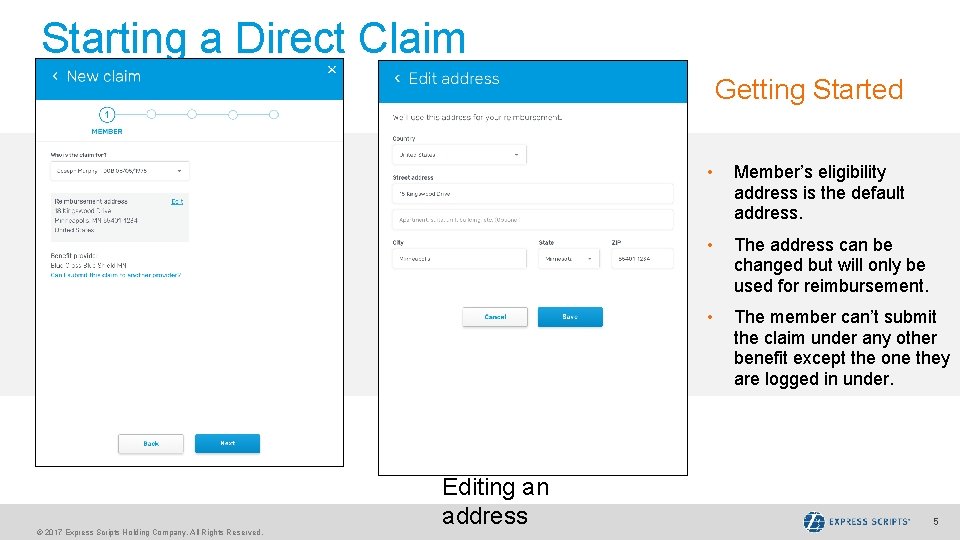
Starting a Direct Claim Getting Started © 2017 Express Scripts Holding Company. All Rights Reserved. Editing an address • Member’s eligibility address is the default address. • The address can be changed but will only be used for reimbursement. • The member can’t submit the claim under any other benefit except the one they are logged in under. 5
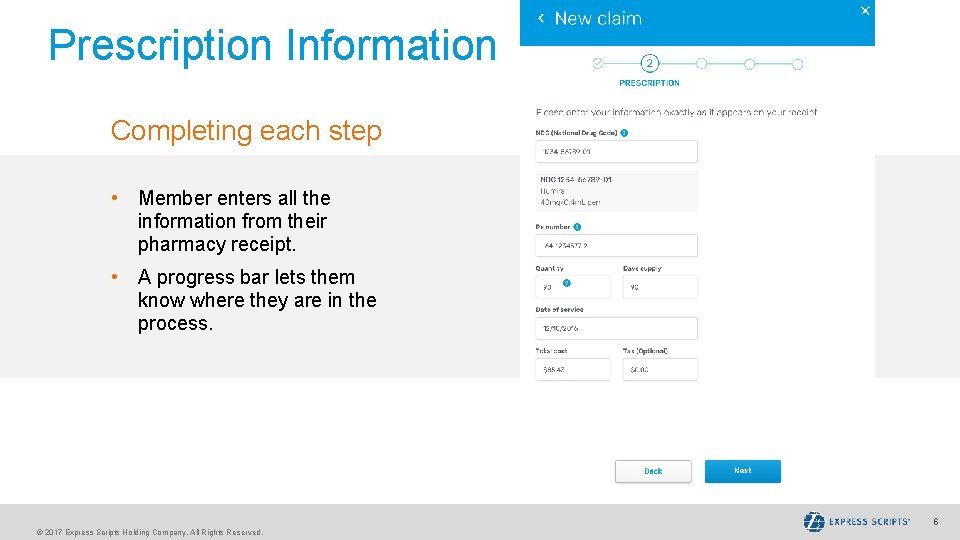
Prescription Information Completing each step • Member enters all the information from their pharmacy receipt. • A progress bar lets them know where they are in the process. © 2017 Express Scripts Holding Company. All Rights Reserved. 6
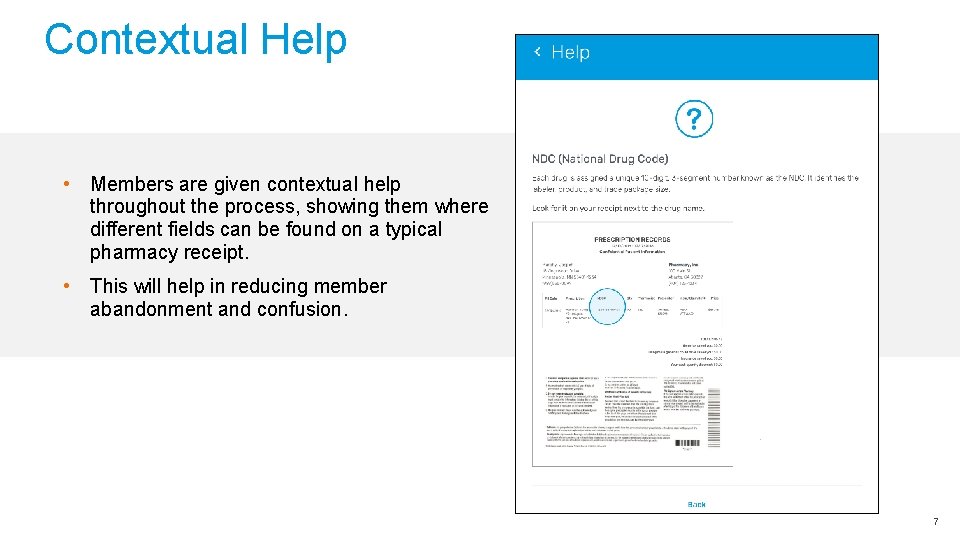
Contextual Help • Members are given contextual help throughout the process, showing them where different fields can be found on a typical pharmacy receipt. • This will help in reducing member abandonment and confusion. © 2017 Express Scripts Holding Company. All Rights Reserved. 7
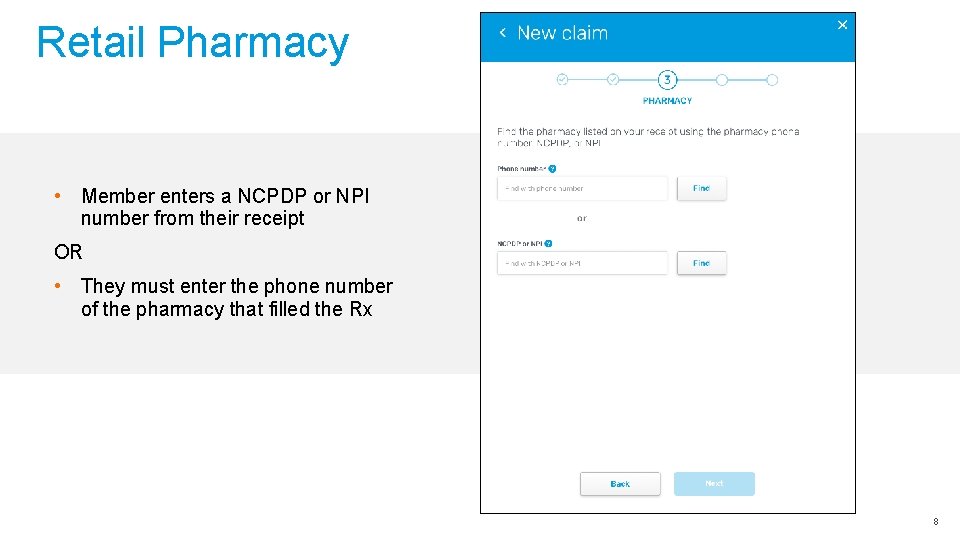
Retail Pharmacy • Member enters a NCPDP or NPI number from their receipt OR • They must enter the phone number of the pharmacy that filled the Rx © 2017 Express Scripts Holding Company. All Rights Reserved. 8
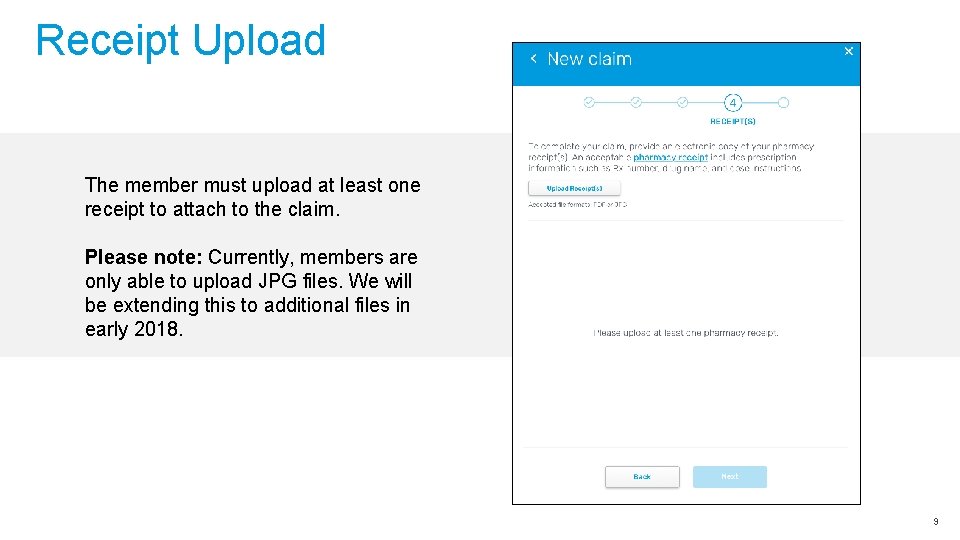
Receipt Upload The member must upload at least one receipt to attach to the claim. Please note: Currently, members are only able to upload JPG files. We will be extending this to additional files in early 2018. © 2017 Express Scripts Holding Company. All Rights Reserved. 9
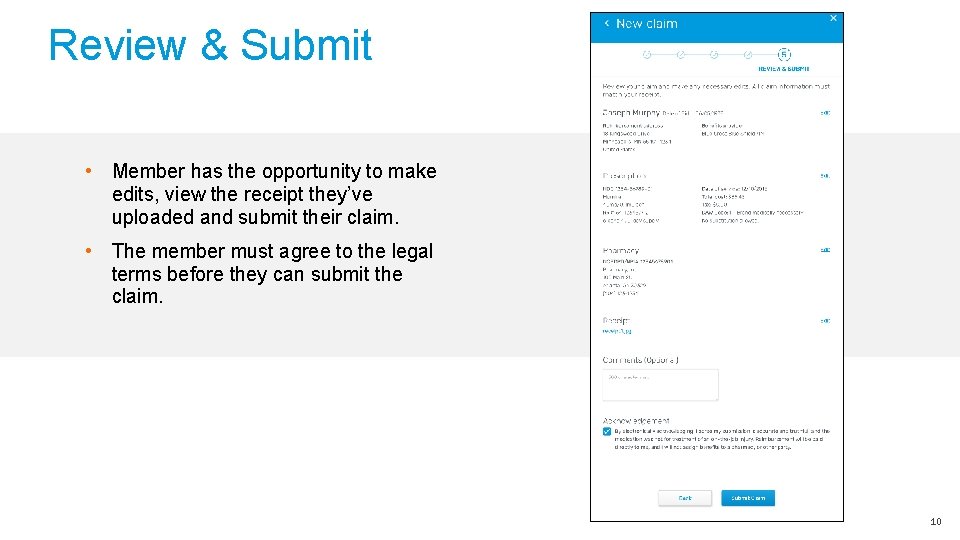
Review & Submit • Member has the opportunity to make edits, view the receipt they’ve uploaded and submit their claim. • The member must agree to the legal terms before they can submit the claim. © 2017 Express Scripts Holding Company. All Rights Reserved. 10
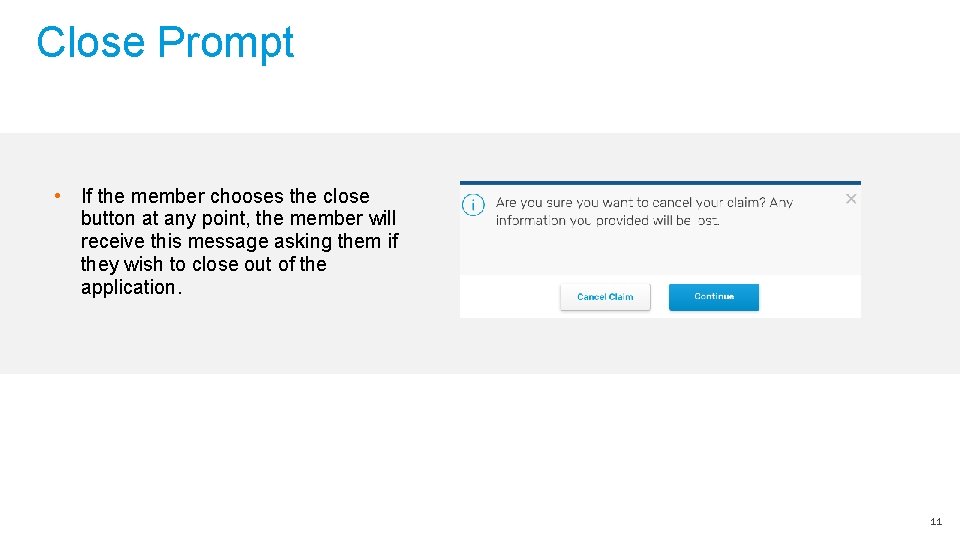
Close Prompt • If the member chooses the close button at any point, the member will receive this message asking them if they wish to close out of the application. © 2017 Express Scripts Holding Company. All Rights Reserved. 11
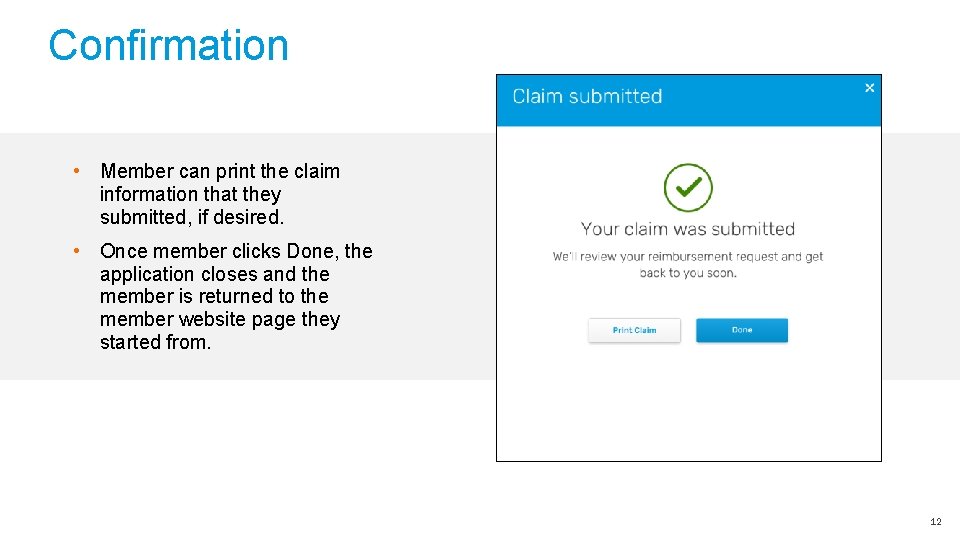
Confirmation • Member can print the claim information that they submitted, if desired. • Once member clicks Done, the application closes and the member is returned to the member website page they started from. © 2017 Express Scripts Holding Company. All Rights Reserved. 12
© 2017 Express Scripts Holding Company. All Rights Reserved. 13