
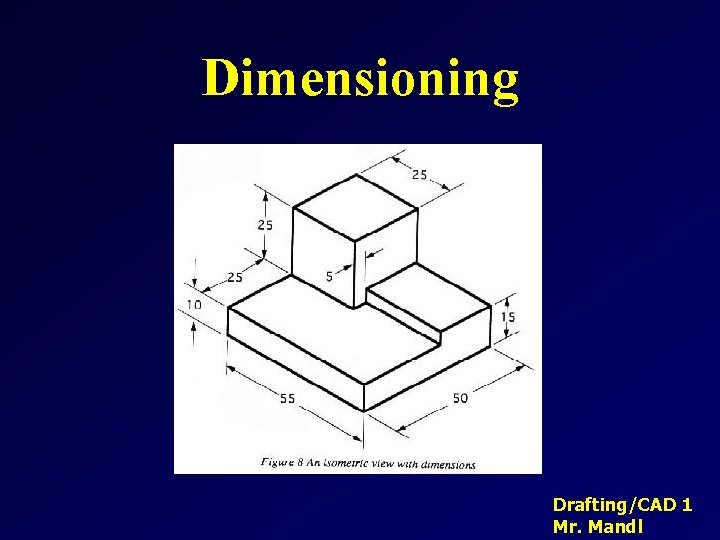
Dimensioning DraftingCAD 1 Mr Mandl Dimensioning Why do
- Slides: 24
Dimensioning Drafting/CAD 1 Mr. Mandl
Dimensioning Why do we dimension drawings? • In order to provide accurate size description of a part for manufacturing. • To describe the relationships between features in your drawing. Drafting/CAD 1 Mr. Mandl
Dimensioning There Are 2 Basic Types of Dimensions • Size Dimensions • Location Dimensions Drafting/CAD 1 Mr. Mandl
Dimensioning 5 Basic Rules to Remember 1. Start Small, Go Big 2. Do Not Dimension to Hidden Lines or Hidden Features 3. Avoid Placing Dimensions on Part 4. Place Dimensions Between Views 5. Do Not Dimension to Edge of Arcs Drafting/CAD 1 Mr. Mandl
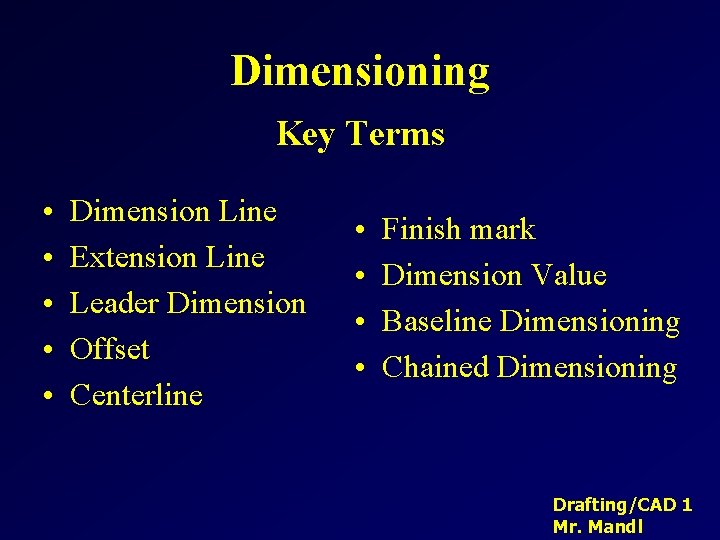
Dimensioning Key Terms • • • Dimension Line Extension Line Leader Dimension Offset Centerline • • Finish mark Dimension Value Baseline Dimensioning Chained Dimensioning Drafting/CAD 1 Mr. Mandl
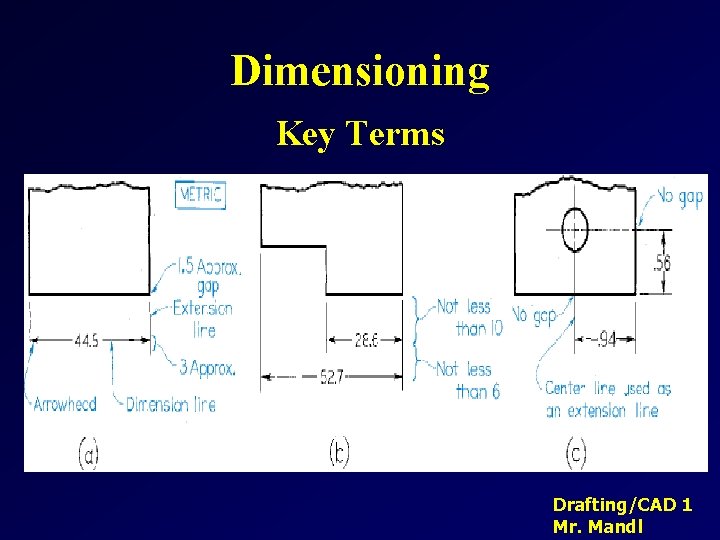
Dimensioning Key Terms Drafting/CAD 1 Mr. Mandl
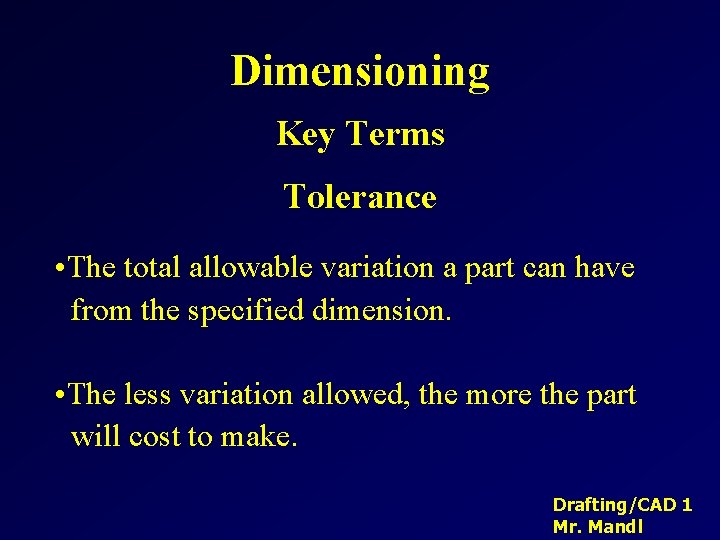
Dimensioning Key Terms Tolerance • The total allowable variation a part can have from the specified dimension. • The less variation allowed, the more the part will cost to make. Drafting/CAD 1 Mr. Mandl
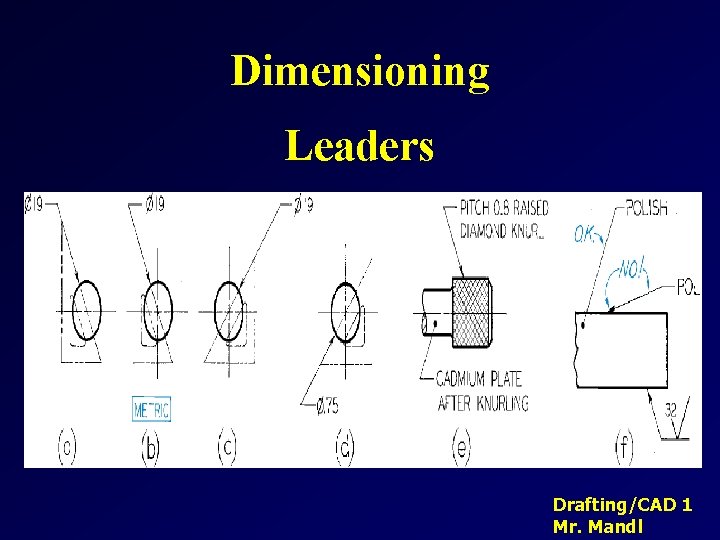
Dimensioning Leaders Drafting/CAD 1 Mr. Mandl
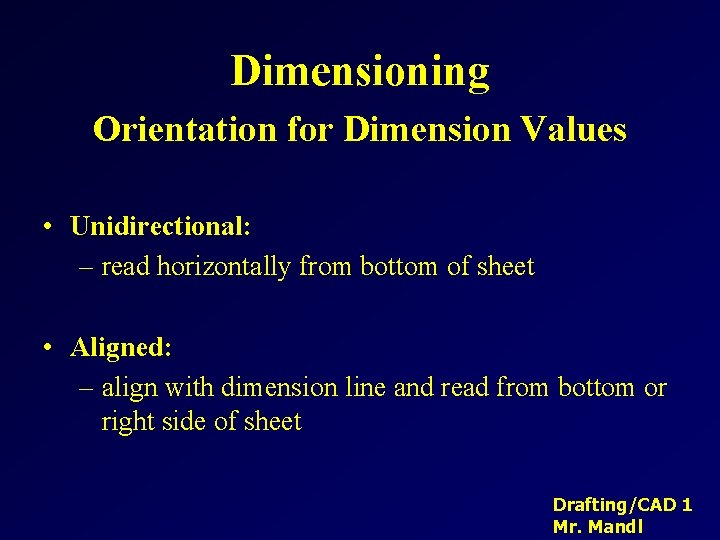
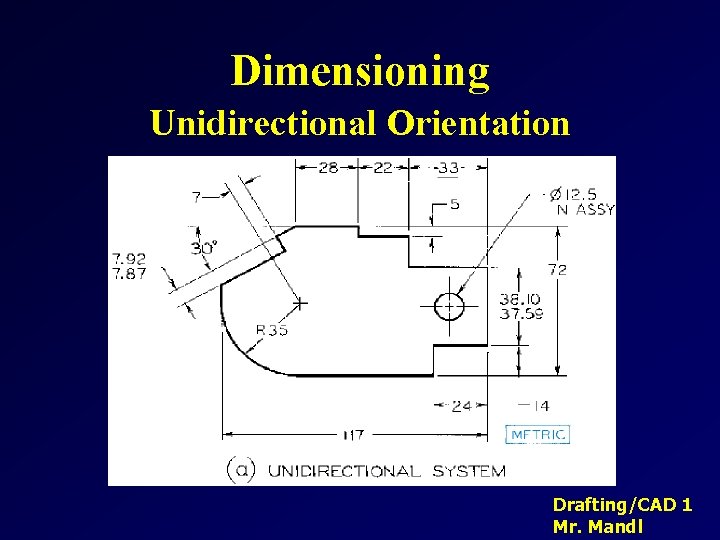
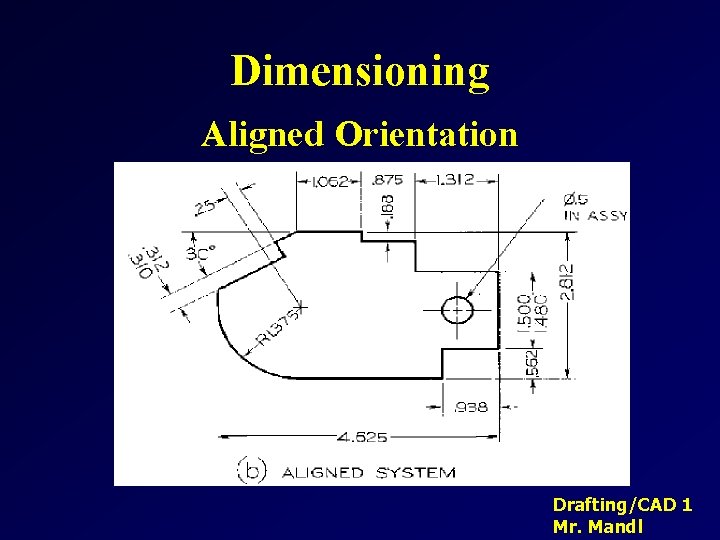
Dimensioning Orientation for Dimension Values • Unidirectional: – read horizontally from bottom of sheet • Aligned: – align with dimension line and read from bottom or right side of sheet Drafting/CAD 1 Mr. Mandl
Dimensioning Unidirectional Orientation Drafting/CAD 1 Mr. Mandl
Dimensioning Aligned Orientation Drafting/CAD 1 Mr. Mandl
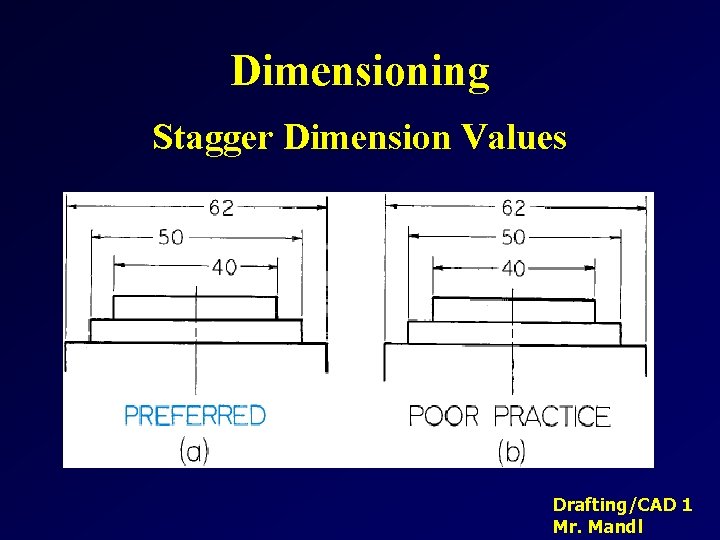
Dimensioning Stagger Dimension Values Drafting/CAD 1 Mr. Mandl
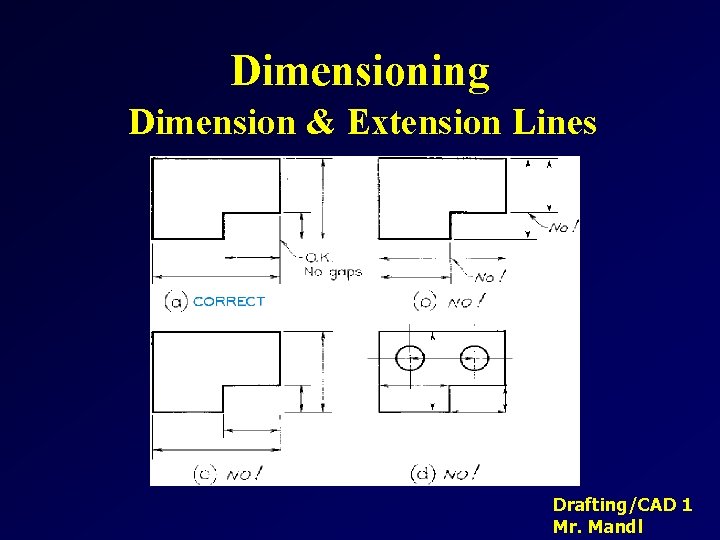
Dimensioning Dimension & Extension Lines Drafting/CAD 1 Mr. Mandl
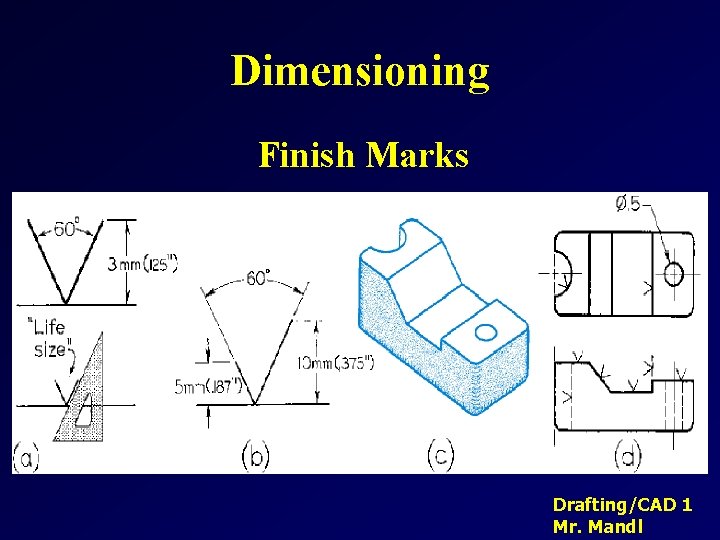
Dimensioning Finish Marks Drafting/CAD 1 Mr. Mandl
Dimensioning Choice of Dimensions • The dimensions you specify determine the way the part is manufactured and the way the tolerance is applied • Fully dimension each part • Do not over dimension, – Each dimensions should appear only once Drafting/CAD 1 Mr. Mandl
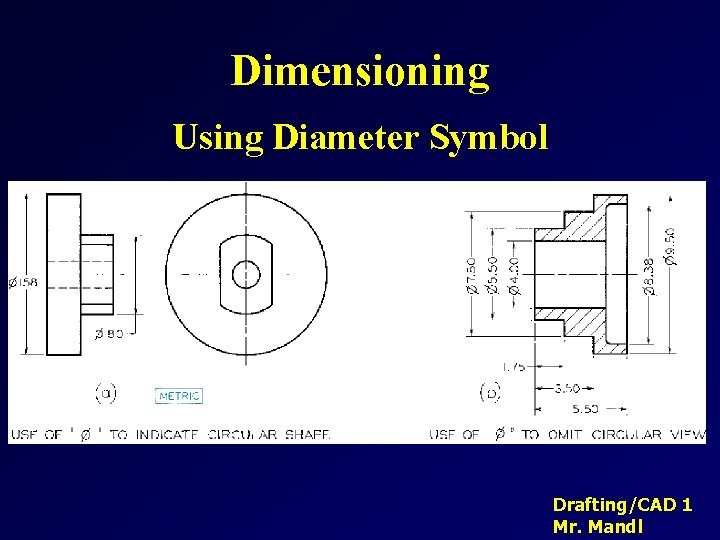
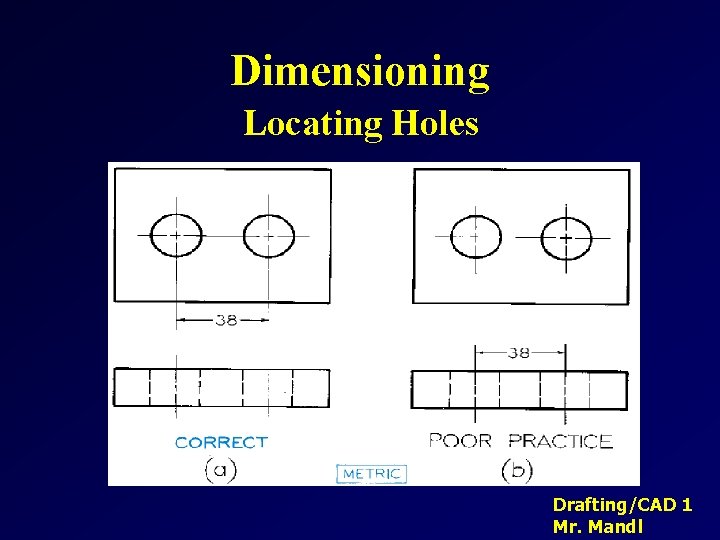
Dimensioning Choosing Which Dimensions to Show • Don’t over dimension! • Give the diameter of circular shapes. • Give the radius of arcs. • No redundant dimensions • Give size dimensions for features. • Give location dimensions to show features relate to one another. Drafting/CAD 1 Mr. Mandl
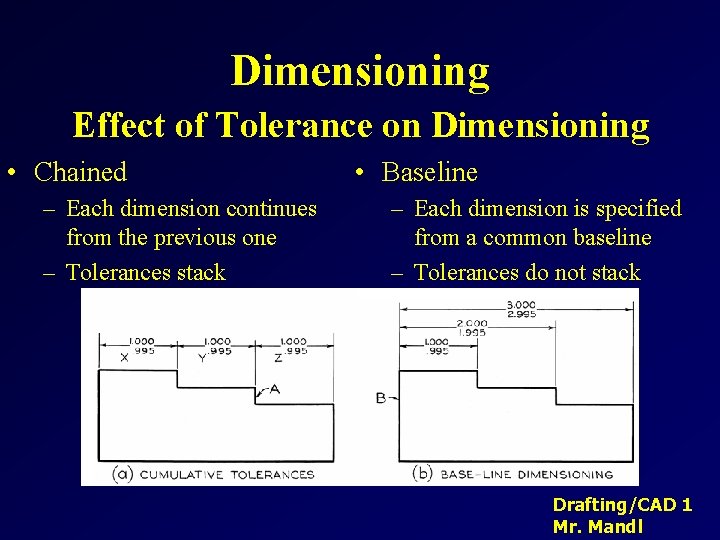
Dimensioning Effect of Tolerance on Dimensioning • Chained – Each dimension continues from the previous one – Tolerances stack • Baseline – Each dimension is specified from a common baseline – Tolerances do not stack Drafting/CAD 1 Mr. Mandl
Dimensioning Units • Metric values are typically given in whole millimeters or to one decimal place. – 3. 5 Drafting/CAD 1 Mr. Mandl
Dimensioning Placement of Dimensions • The rules for dimension placement help ensure that others will be able to interpret your drawing • Where placement practices conflict, remember that your goal is to clearly communicate the purpose of the drawing. Use the practice you feel will make the drawing easy to understand. Drafting/CAD 1 Mr. Mandl
Dimensioning Placement Practices • Avoid dimensioning on object (face of part). • Avoid dimensioning to hidden lines. • Place dimensions between views when possible. • Group dimensions around a central view. • Place dimensions where feature shows shape. • Dimension from or between machined surfaces • Give overall dimensions where possible. Drafting/CAD 1 Mr. Mandl
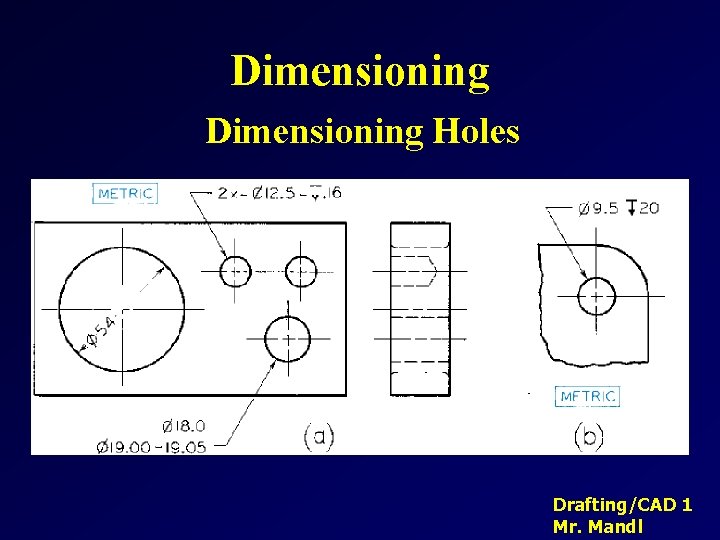
Dimensioning Holes Drafting/CAD 1 Mr. Mandl
Dimensioning Using Diameter Symbol Drafting/CAD 1 Mr. Mandl
Dimensioning Locating Holes Drafting/CAD 1 Mr. Mandl
Dimensioning Summary • Dimensioning drawings correctly can be as important or more important than drawing the shapes correctly. • Good dimensioning requires practice and thought! Drafting/CAD 1 Mr. Mandl