
Digital Wireless Transmissions A digital cellular telephone network



- Slides: 56
Digital Wireless Transmissions � � � A digital cellular telephone network can transmit both voice and data simultaneously using multiplex transmission. There are three multiplex transmission methods used on a digital cellular telephone network: Code Division Multiple Access (CDMA), Time Division Multiple Access (TDMA), and a third-generation wireless standard called 3 G. CDMA uses spread-spectrum transmission to use multiple communications channels. TDMA uses one communications channel shared among transmissions by using time slots. Transmission time is divided into time slots, and then each packet is assigned to a time slot. The 3 G multiplexing technique uses either CDMA or TDMA to increase throughput to 56 kilobits per second.
Cell Phones and Text Input � � � Traditional cellular telephones have a keypad that contains numbers and letters. (European traditional cellular telephones have only numbers. ) Letters were designed to identify telephone exchanges—local switching stations that serviced a group of customers. Each switching station was referred to by a name that implied the location of the switching station. For example, there was a switching station called Murray Hill that covered the Murray Hill section of New York City. The first two letters of the name of the switching station were used to replace the first two digits of a seven-digit phone number. Let’s say a customer was assigned Murray Hill 5 1000 as a telephone number. A caller dials MU 5 1000.
� Another solution is to use T 9 technology uses special glasses that track eye movement, enabling a person to type by moving her eyes in one of eight directions. � Multiple letters are assigned to each direction. An algorithm was developed that predicted which one of the multiple letters a person wanted to type based on the previous letters that she selected. Let’s say you entered 546. The number 5 could represent the letters JKL.
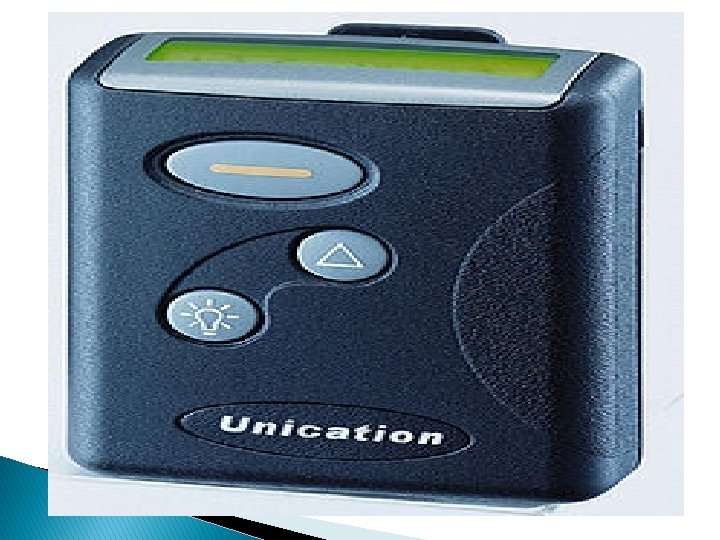
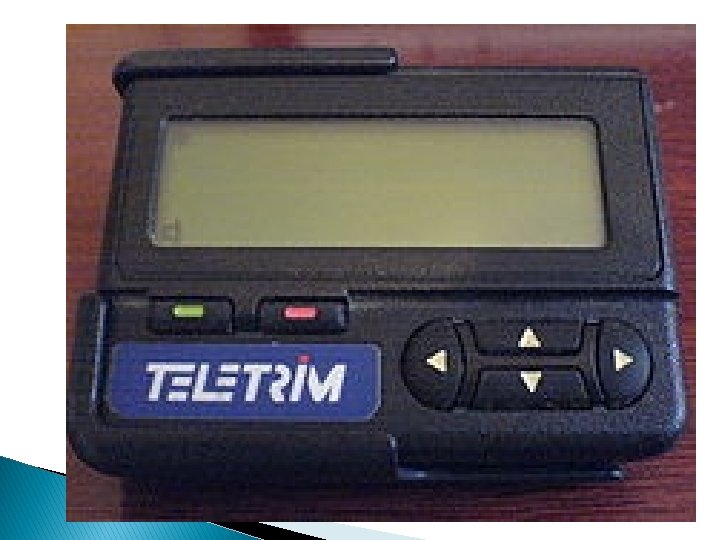
Messaging � � � One of the first popular wireless mobile communications devices was a pager. A pager displays any series of numbers that were sent by a caller. Technically, the series of numbers represented the caller’s telephone number and implied that the call be returned. Practically, the series of numbers could represent anything to which the caller and the receiver agreed on. For example, it was common for systems administrators to have their system send a 911 call to a pager whenever there was a systems problem. Today’s wireless mobile communications devices offer text messaging services that enable short textual messages to be sent to the device from any device that has access to the service. Cellular telephone companies offer three types of messaging services: Short Message Service (SMS), Cell Broadcast Service (CBS), and Unstructured Supplementary Services Data (USSD).
� SMS type of messaging is capable of sending a maximum of 160 characters on the control channel of a cellular telephone network. � The CBS type of messaging broadcasts a maximum of 15 pages of 93 characters per page to every device on the network. � Everyone on the network receives the same message, which is why CBS messaging has had limited success in the market. � The USSD type of messaging transmits a maximum of 182 characters along the control channel, similar to SMS messaging. � However, USSD messaging does not use store forwarding technology. � Instead, USSD messaging sends the message directly to the receiver, which enables the receiver to respond instantaneously.
� � � Personal Digital Assistants A personal digital assistant (PDA) is probably the most commonly used small mobile computing device next to a cellular telephone. PDAs are lightweight and small enough to fit in a pocket, and they run essential applications. PDA is a generic name that applies to a simple digital telephone directory and to more elaborate mobile computing devices that run a spreadsheet, word processor, email, and a variety of customized programs. All PDAs are small computing devices that contain an operating system, processor, memory, and a port to connect the PDA to peripherals and external computing devices. There are three commonly used operating systems on a PDA: EPOC, Palm OS, and Windows CE. EPOC is used in the Psion product line, Palm OS in the Palm PDAs, and Windows CE on various pocket PC devices.
�Memory is precious in a PDA. �A PDA does not have permanent storage, therefore all the applications and data running in a PDA must reside in memory. �PDAs use ROM and RAM. ROM is used to store bundled applications from the factory. �These include a word processor, spreadsheet, diary, telephone directory, and other kinds of programs that you expect to find in a PDA. �Applications that are not bundled with the PDA, and data for all applications including those that reside in ROM, are stored in RAM.
� PDAs use one of three types of RAM: Dynamic RAM (DRAM), Enhanced Data Output (EDO), and Synchronous Dynamic RAM (SDRAM). DRAM is the least expensive RAM. � EDO is found in some PDAs, and SDRAM is very rarely used. Generally the more RAM installed in a computer, the better the computer’s performance, but this is not necessarily true with PDAs. � The amount of RAM that affects performance depends on the PDA’s operating system. Windows CE requires more memory (32 MB) to perform basic functions than a Palm (4 MB).
J 2 ME ARCHITECTURE INTRODUCTION � Using J 2 ME you can develop practically any application that you can imagine for a small computing device. The only limitations are those posed by available resources on the small computing device and your skills as a J 2 ME programmer. A small computing device is constrained by its resources, as you learned previously in this book. � Writing a J 2 ME application is not unlike writing any Java application. You use the same basic programming constructs as used in a J 2 SE application
J 2 ME Architecture � The modular design of the J 2 ME architecture enables an application to be scaled based on constraints of a small computing device. � J 2 ME architecture doesn’t replace the operating system of a small computing device. � Instead, J 2 ME architecture consists of layers located above the native operating system, collectively referred to as the Connected Limited Device Configuration (CLDC). The CLDC, which is installed on top of the operating system, forms the run-time environment for small computing devices.
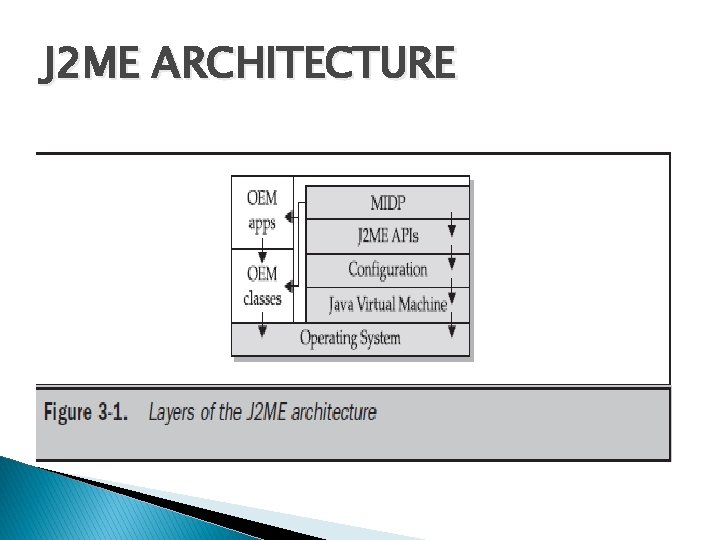
The J 2 ME architecture comprises three software layers (Figure 3 -1). � The first layer is the configuration layer that includes the Java Virtual Machine (JVM), which directly interacts with the native operating system. The configuration layer also handles interactions between the profile and the JVM. � The second layer is the profile layer, which consists of the minimum set of application programming interfaces (APIs) for the small computing device. The third layer is the Mobile Information Device Profile (MIDP). � The MIDP layer contains Java APIs for user network connections, persistence storage, and the user interface. It also has access to CLDC libraries and MIDP libraries. �
J 2 ME ARCHITECTURE
�A small computing device has two components supplied by the original equipment manufacturer (OEM). These are classes and applications. � OEM classes are used by the MIDP to access device-specific features such as sending and receiving messages and accessing devicespecific persistent data. � OEM applications are programs provided by the OEM, such as an address book. OEM applications can be accessed by the MIDP.
Small Computing Device Requirements � There are minimum resource requirements for a small computing device to run a J 2 ME application. � First the device must have a minimum of 96 × 54 pixel display that can handle bitmapped graphics and have a way for users to input information, such as a keypad, keyboard, or touch screen. � At least 128 kilobytes (KB) of nonvolatile memory is necessary to run Mobile Information Device (MID), and 8 KB of nonvolatile memory is needed for storage of persistent application data. � To run JVM, 32 KB of volatile memory must be available. The device must also provide two-way network connectivity.
MIDP Mobile Information Device Profile for Mobile Information Device Profile. MIDP is a set of J 2 ME APIs that define how software applications interface with cellular phones and two-way pagers. � Applications conforming to this standard are called MIDlets. � Companies that have worked on the MIDP include Ericsson, NEC, Nokia, NTT Do. Co. Mo, Palm Computing, Research In Motion (RIM), Do. Co. Mo, LG Tele. Com, Samsung and Motorola. � Short
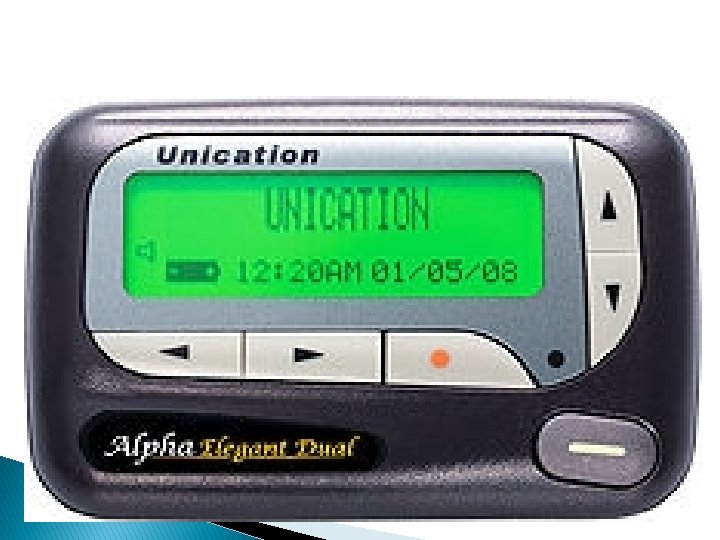
Pager � A pager (often called a beeper) is a simple personal telecommunications device for short messages. A one-way numeric pager can only receive a message consisting of a few digits, typically a phone number that the user is then requested to call. Alphanumeric pagers are available, as well as two-way pagers that have the ability to send and receive email, numeric pages, and SMS messages
� The first practical pager was introduced in 1950 by physicians in the New York City area. The first pager system had a range of approximately 40 km (25 mi) and the physicians paid US$12 per month for the service. The actual pager device was developed and manufactured by Reevesound Company of New York and weighed approximately 200 grams
Run-Time Environment � A run-time system (also called runtime system or just runtime) is a software component designed to support the execution of computer programs written in some computer language. � The run-time system contains implementations of basic low-level commands and may also implement higher-level commands and may support type checking, debugging, and even code generation and optimization. � Some services of the run-time system are accessible to the programmer through an application programming interface, but other services (such as task scheduling and resource management) may be inaccessible.
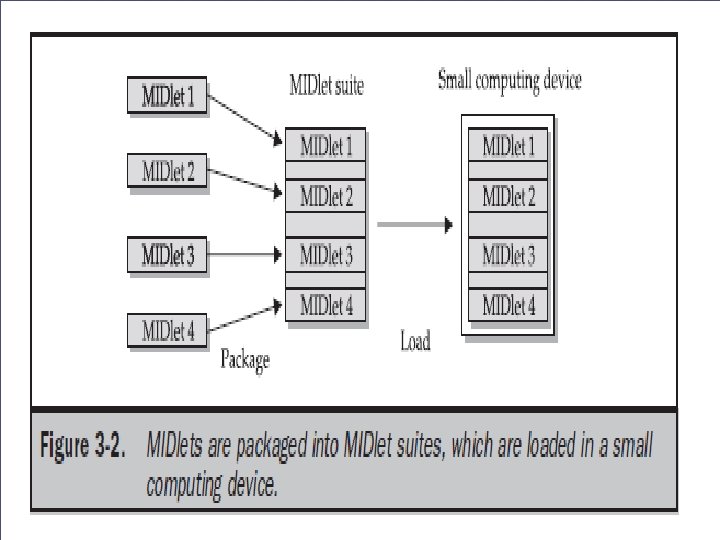
Run-Time Environment �A MIDlet is a J 2 ME application designed to operate on an MIDP small computing device. � A MIDlet is defined with at least a single class that is derived from the javax. microedition. midlet. MIDlet abstract class. � Members of a MIDlet suite share resources of the host environment and share the same instances of Java classes and run within the same JVM.
Ø Sharing data among MIDlets exposes each MIDlet to data errors caused by concurrent read/write access to data. Ø This risk is reduced by synchronization primitives on the MIDlet suite level that restrict access to volatile data and persistent data. ØHowever, if a MIDlet uses multi-threading, the MIDlet is responsible for coordinated access to the record store. ØOnce a MIDlet suite is installed, each member of the MIDlet suite is given access to classes of the JVM and CLDC by the application manager. Ø Likewise, a MIDlet can access classes defined in the MIDP to interact with the user interface, network, and persistent storage. ØThe application manager also makes the Java archive (JAR)
Inside the Java Archive File � In software, JAR (Java ARchive) is a archive file format typically used to aggregate many Java class files and associated metadata and resources (text, images and so on) into one file to distribute application software or libraries on the Java platform. [1] � JAR files are built on the ZIP file format and have the. jar file extension. Computer users can create or extract JAR files using the jar command that comes with a JDK. They can also use zip tools to do so; however, the order of entries in the zip file headers is important when compressing, as the manifest often needs to be first.
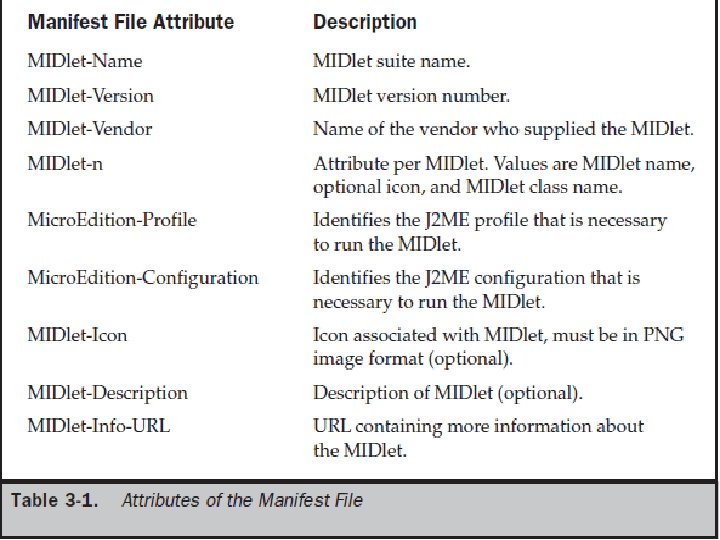
Inside the Java Archive File � All the files necessary to implement a MIDlet suite must be contained within a production package called a Java archive (JAR) file. � These files include MIDlet classes, graphic images (if required by a MIDlet), and the manifest file. � The manifest file contains a list of attributes and related definitions that are used by the application � manager to install the files contained in the JAR file onto the small computing device. � Nine attributes are defined in the manifest file; all but six of these attributes are optional.
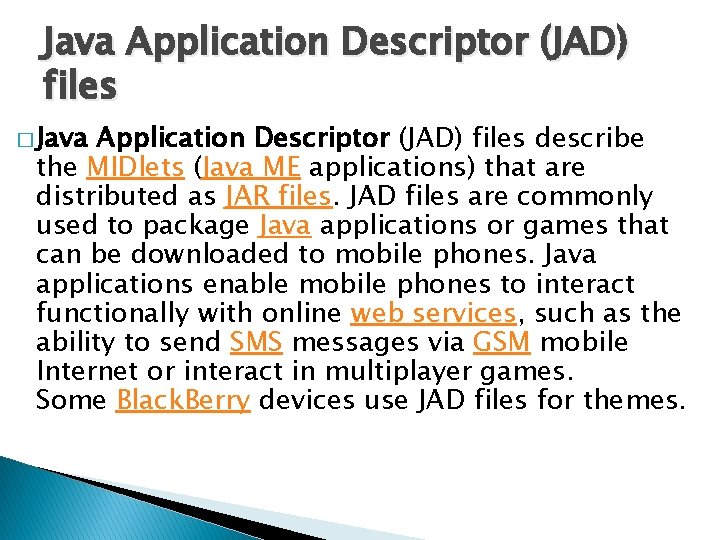
Java Application Descriptor (JAD) files � Java Application Descriptor (JAD) files describe the MIDlets (Java ME applications) that are distributed as JAR files. JAD files are commonly used to package Java applications or games that can be downloaded to mobile phones. Java applications enable mobile phones to interact functionally with online web services, such as the ability to send SMS messages via GSM mobile Internet or interact in multiplayer games. Some Black. Berry devices use JAD files for themes.
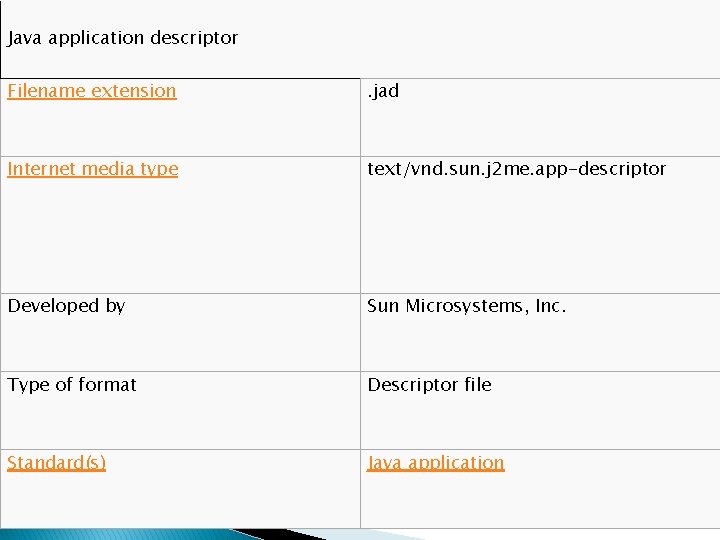
Java application descriptor Filename extension . jad Internet media type text/vnd. sun. j 2 me. app-descriptor Developed by Sun Microsystems, Inc. Type of format Descriptor file Standard(s) Java application
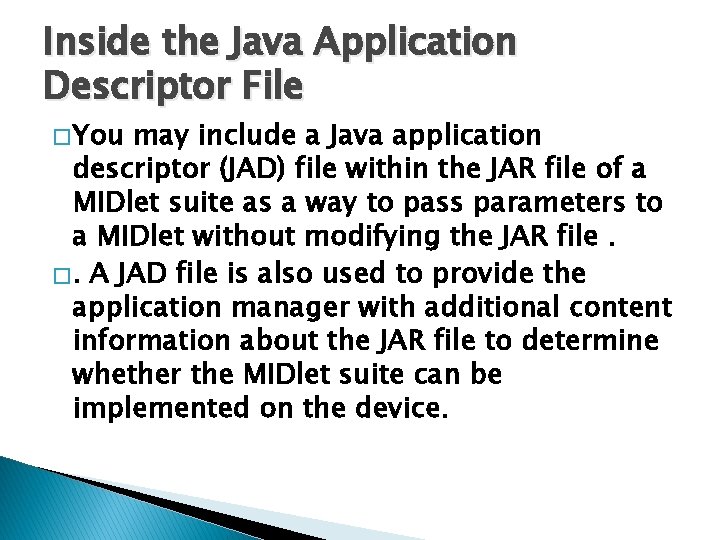
Inside the Java Application Descriptor File � You may include a Java application descriptor (JAD) file within the JAR file of a MIDlet suite as a way to pass parameters to a MIDlet without modifying the JAR file. �. A JAD file is also used to provide the application manager with additional content information about the JAR file to determine whether the MIDlet suite can be implemented on the device.
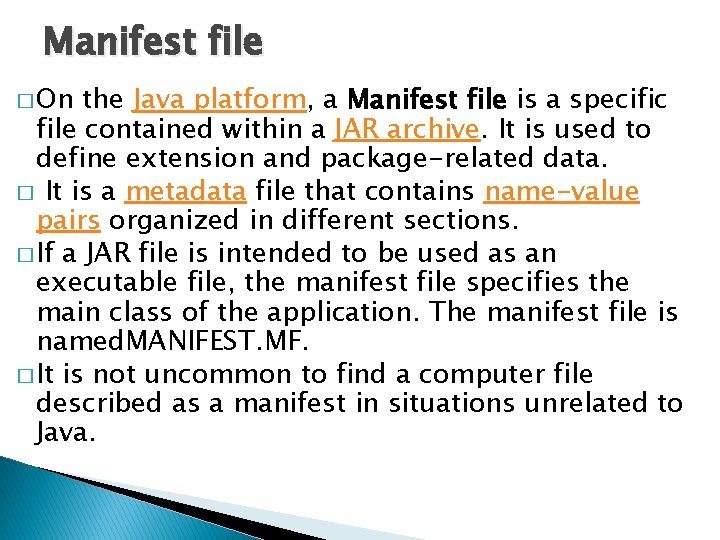
Manifest file � On the Java platform, a Manifest file is a specific file contained within a JAR archive. It is used to define extension and package-related data. � It is a metadata file that contains name-value pairs organized in different sections. � If a JAR file is intended to be used as an executable file, the manifest file specifies the main class of the application. The manifest file is named. MANIFEST. MF. � It is not uncommon to find a computer file described as a manifest in situations unrelated to Java.
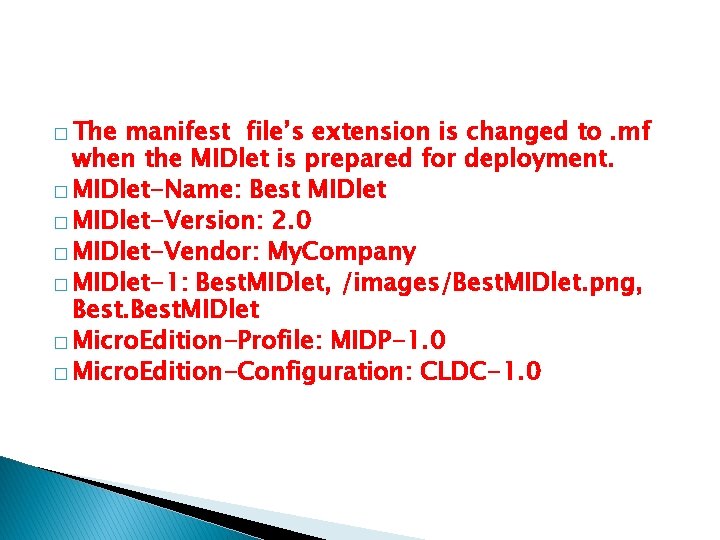
� The manifest file’s extension is changed to. mf when the MIDlet is prepared for deployment. � MIDlet-Name: Best MIDlet � MIDlet-Version: 2. 0 � MIDlet-Vendor: My. Company � MIDlet-1: Best. MIDlet, /images/Best. MIDlet. png, Best. MIDlet � Micro. Edition-Profile: MIDP-1. 0 � Micro. Edition-Configuration: CLDC-1. 0
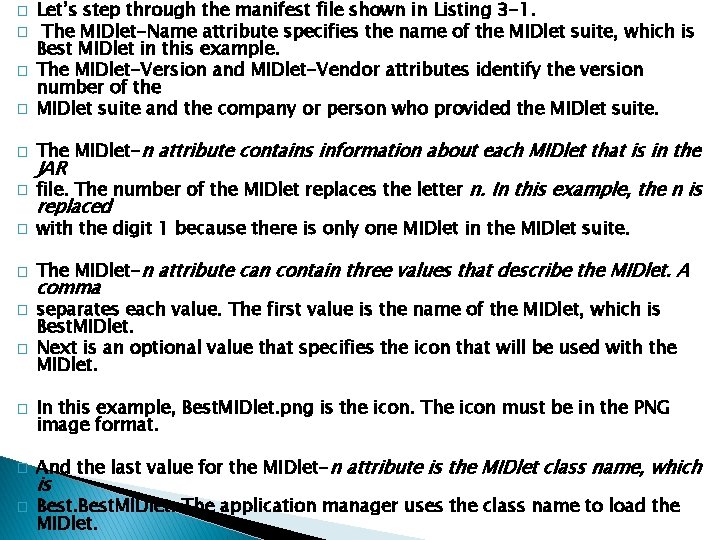
� � Let’s step through the manifest file shown in Listing 3 -1. The MIDlet-Name attribute specifies the name of the MIDlet suite, which is Best MIDlet in this example. The MIDlet-Version and MIDlet-Vendor attributes identify the version number of the MIDlet suite and the company or person who provided the MIDlet suite. � The MIDlet-n attribute contains information about each MIDlet that is in the � file. The number of the MIDlet replaces the letter n. In this example, the n is � with the digit 1 because there is only one MIDlet in the MIDlet suite. � The MIDlet-n attribute can contain three values that describe the MIDlet. A � � � JAR replaced comma separates each value. The first value is the name of the MIDlet, which is Best. MIDlet. Next is an optional value that specifies the icon that will be used with the MIDlet. In this example, Best. MIDlet. png is the icon. The icon must be in the PNG image format. And the last value for the MIDlet-n attribute is the MIDlet class name, which is Best. MIDlet. The application manager uses the class name to load the MIDlet.
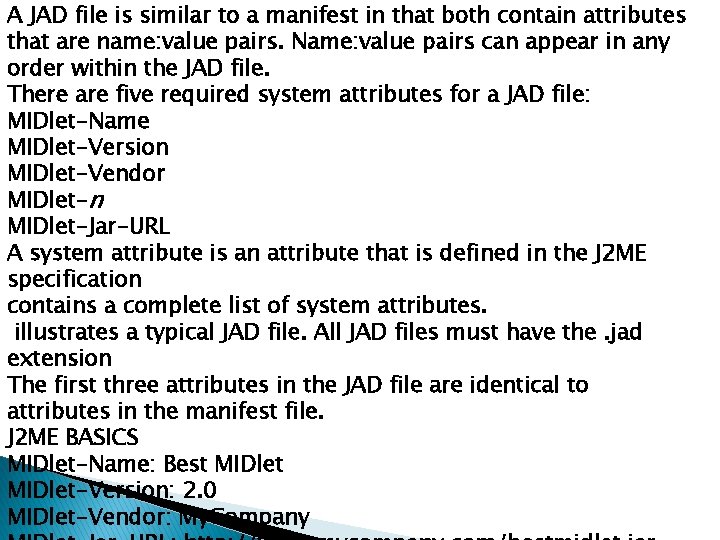
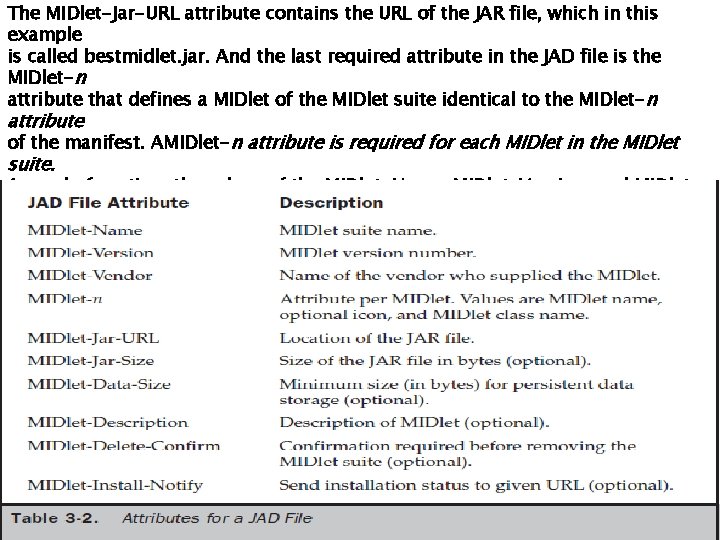
A JAD file is similar to a manifest in that both contain attributes that are name: value pairs. Name: value pairs can appear in any order within the JAD file. There are five required system attributes for a JAD file: MIDlet-Name MIDlet-Version MIDlet-Vendor MIDlet-n MIDlet-Jar-URL A system attribute is an attribute that is defined in the J 2 ME specification contains a complete list of system attributes. illustrates a typical JAD file. All JAD files must have the. jad extension The first three attributes in the JAD file are identical to attributes in the manifest file. J 2 ME BASICS MIDlet-Name: Best MIDlet-Version: 2. 0 MIDlet-Vendor: My. Company
The MIDlet-Jar-URL attribute contains the URL of the JAR file, which in this example is called bestmidlet. jar. And the last required attribute in the JAD file is the MIDlet-n attribute that defines a MIDlet of the MIDlet suite identical to the MIDlet-n attribute of the manifest. AMIDlet-n attribute is required for each MIDlet in the MIDlet suite. A word of caution: the values of the MIDlet-Name, MIDlet-Version, and MIDlet. Vendor attributes in the JAD file must match the same attributes in the manifest. If the values are different, the JAR file is not installed. Other attributes that are not the same are overridden by attributes in the descriptor
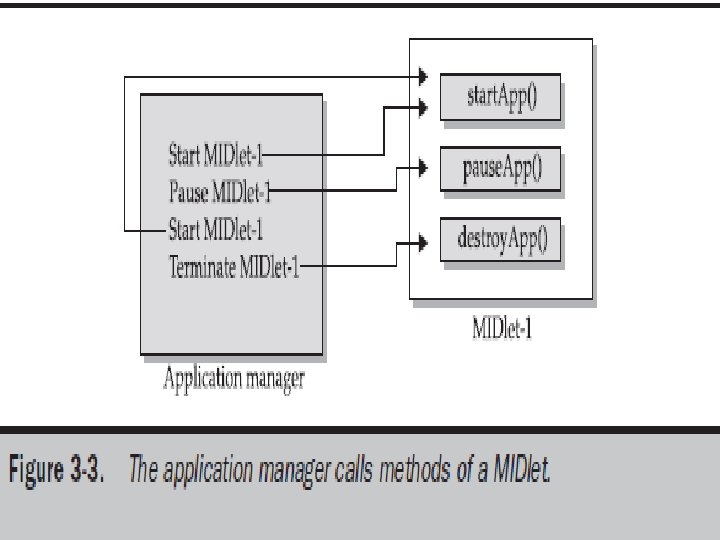
MIDlet Programming �Programming a MIDlet is similar to creating a J 2 SE application in that you define a class and related methods. �A MIDlet is a class that extends the MIDlet class and is the interface between application statements and the run-time environment, which is controlled by the application manager. � A MIDlet class must contain three abstract methods that are called by the application manager to manage the life cycle of the MIDlet. These abstract methods are start. App(), pause. App(), and destroy. App().
� The start. App() method is called by the application manager when the MIDlet is started and contains statements that are executed each time the application begins execution. � The pause. App() method is called before the application manager temporarily stops the MIDlet. � The application manager restarts the MIDlet by recalling the start. App() method. � The destroy. App() method is called prior to the termination of the MIDlet by the application manager.
Both the start. App() and pause. App() methods are public and have no return value nor parameter list. The destroy. App() method is also a public method without a return value. However, the destroy. App() method has a boolean parameter that is set to true if the termination of the MIDlet is unconditional, and false if the MIDlet can throw a MIDlet. State. Change. Exception telling the application manager that the MIDlet does not want to be destroyed just yet. At the center of every MIDlet are the MIDP API classes used by the MIDlet to interact with the user and handle data management.
User interactions are managed by user interface MIDP API classes. These APIs enable a developer to display screens of data and prompt the user to respond with an appropriate command. The command causes the MIDlet to execute one of three routines: perform a computation, make a network request, or display another screen. The data-handling MIDP API classes enable the developer to perform four kinds of data routines: write and read persistent data, store data in data types, receive data from and send data to a network, and interact with the small computing device’s input/output features.
Event Handling �A MIDlet is an event-based application. � All routines executed in the MIDlet are invoked in response to an event reported to the MIDlet by the application manager. � The initial event that occurs is when the MIDlet is started and the application manager invokes the � start. App() method. � The start. App() method in a typical MIDlet contains a statement that displays a screen of data and prompts the user to enter a selection from among one or more options. The nature and number of options is MIDlet and screen dependent.
User Interfaces �The design of a user interface for a MIDlet depends on the restrictions of a small computing device. �A rich user interface contains the following elements, and a device with a minimal user interface has some subset of these elements as determined by the profile used for the device. �A Form is the most commonly invoked user interface element found in a MIDlet and is used to contain other user interface elements. Text is placed on a form as a
A String. Item contains text that appears on a form that cannot be changed by the user. A List is an itemized options list from which the user can choose an option. A Choice. Group is a related itemized options list. And a Ticker is text that is scrollable A user enters information into a form by using the Choice element, Text. Box, Text. Field, or Date. Field elements.
� The Choice element returns an option that the user selected. � Text. Box and Text. Field elements collect textual information from a user and enable the user to edit information that appears in these user interface elements. � The Date. Field is similar to a Text. Box and Text. Field except its contents are a date and time. � An Alert is a special Form that is used to alert the user that an error has occurred.
Device Data � Small computing devices don’t have the resources necessary to run an onboard database management system (DBMS). � In fact some of these devices lack a file system. � Therefore, a MIDlet must read and write persistent data without the advantage of a DBMS or file system. � A MIDlet can use an MIDP class—Record. Store— and two MIDP interfaces—Record. Comparator and Record. Filter—to write and read persistent data.
�A Record. Store class contains methods used to write and read persistent data in the form of a record. � Persistent data is read from a Record. Store by using either the Record. Comparator interface or the Record. Filter interface.
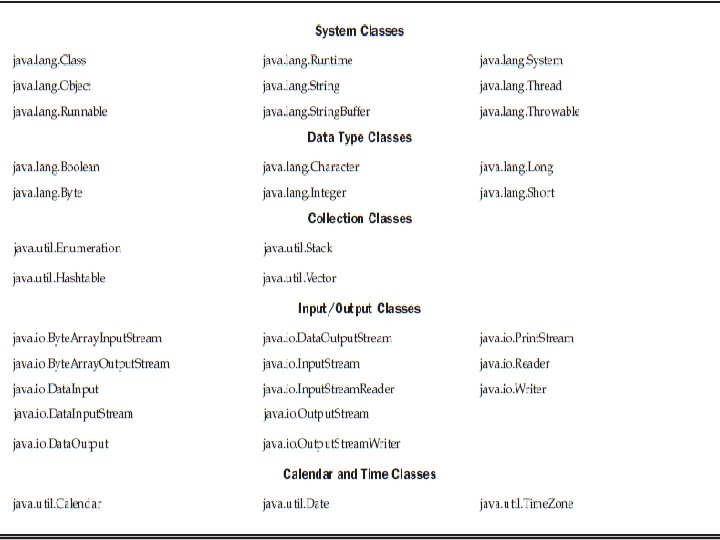
Java Language for J 2 ME � CDC implements the full J 2 SE available, but CLDC implements a stripped-down J 2 SE because of the limited resources in small computing devices. � In this section you’ll learn about three prominent features of J 2 SE that you cannot implement in J 2 ME. � Floating-point math is probably the most notable missing feature of J 2 ME.
� Floatingpoint math requires special processing hardware to perform floating-point calculations. � However, most small computing devices lack such hardware and therefore are unable to process floating-point calculations. This means that your MIDlet cannot use any floating-point data types or calculations.
The second most notable difference between the Java language used in J 2 SE and J 2 ME is the absence of support for the finalize() method. The finalize() method in J 2 SE is automatically called before an instance of a class terminates and typically contains statements that free previously allocated resources. However, resources in a small computing device are too scarce to process the finalize() method.
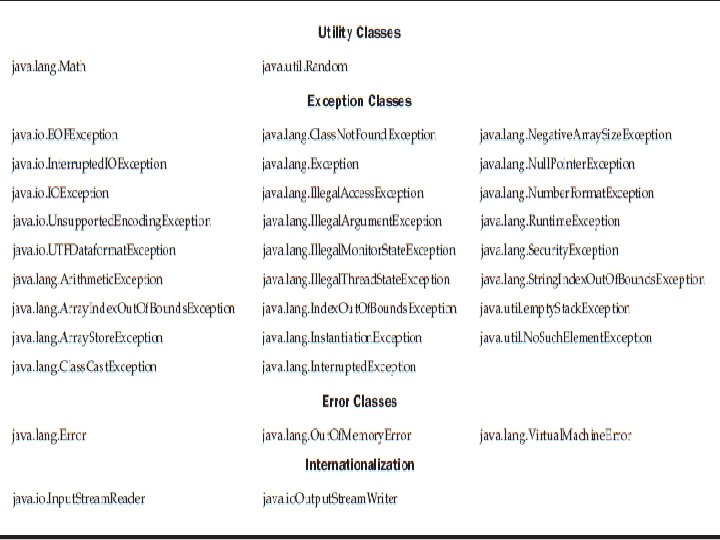
� Another dramatic difference is the reduced number of error-handling exceptions that are supported in J 2 ME. Table 3 -3 lists error-handling exceptions available in J 2 ME. � Exception handling drains system resources, which are precious in a small computing device and therefore the primary reason for trimming the number of error-handling exceptions. � Typically, run-time errors are automatically responded to by the native operating system by restarting the small computing device.
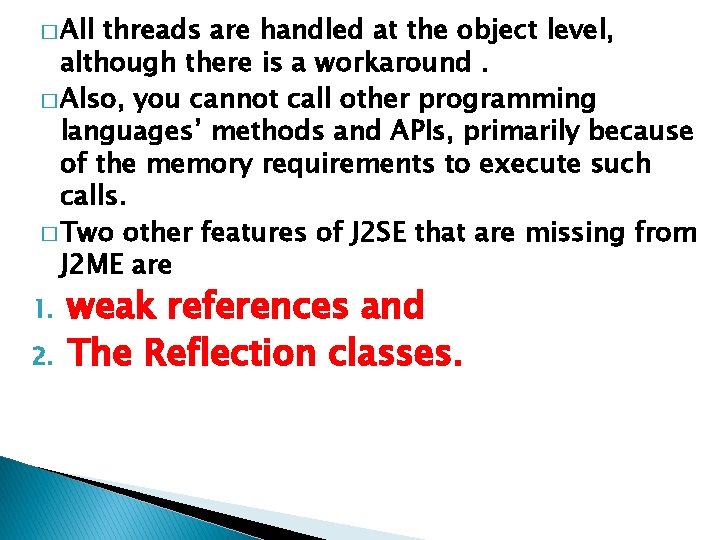
Changes were also made in the Java Virtual Machine that runs on a small computing device because of resource constraints. One such change occurs with the class loader. JVM for small computing devices requires a custom class loader that is supplied by the device manufacturer and cannot be replaced or modified. Another feature lacking in the JVM is the Thread. Group class. You cannot group
� All threads are handled at the object level, although there is a workaround. � Also, you cannot call other programming languages’ methods and APIs, primarily because of the memory requirements to execute such calls. � Two other features of J 2 SE that are missing from J 2 ME are 1. 2. weak references and The Reflection classes.
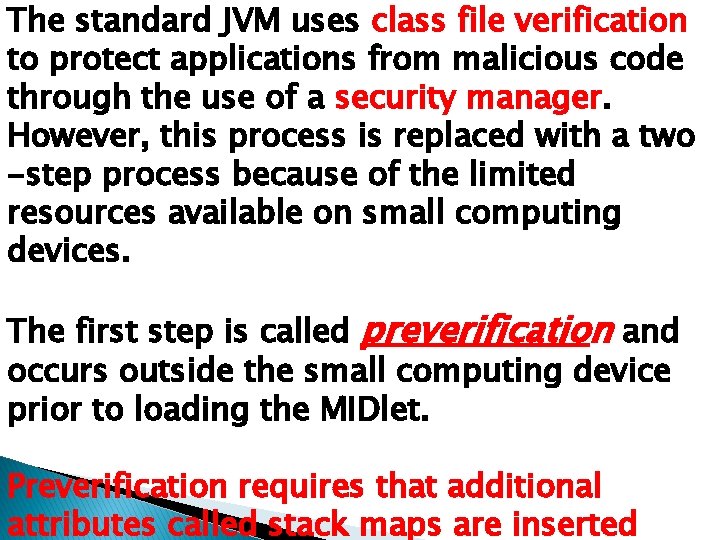
The standard JVM uses class file verification to protect applications from malicious code through the use of a security manager. However, this process is replaced with a two -step process because of the limited resources available on small computing devices. The first step is called preverification and occurs outside the small computing device prior to loading the MIDlet. Preverification requires that additional attributes called stack maps are inserted
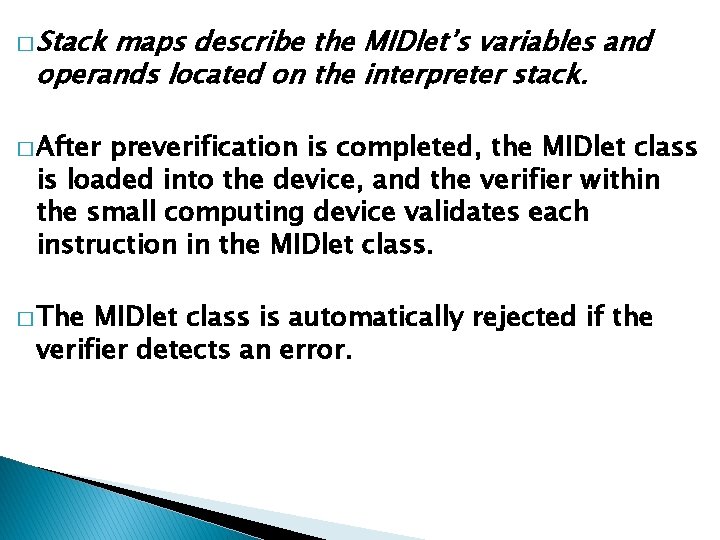
� Stack maps describe the MIDlet’s variables and operands located on the interpreter stack. � After preverification is completed, the MIDlet class is loaded into the device, and the verifier within the small computing device validates each instruction in the MIDlet class. � The MIDlet class is automatically rejected if the verifier detects an error.