
DIGITAL SIGNAL PROCESSING Lecture 1 Introduction Email yangzyzju
- Slides: 43
数字信号处理 DIGITAL SIGNAL PROCESSING Lecture 1: Introduction 杨再跃 Email: yangzy@zju. edu. cn 玉泉校区 控新楼 101
3 Sunday, June 13, 2021 参考书目 1. 姚天任, “数字信号处理”,清华大学出版社, 2011. 2. (美)维纳·K·英格尔,约翰·G·普罗克斯,刘 树棠译,“数字信号处理(MATLAB版)”,西 安交大出版社,2008 3. Vinay K. Ingle, John G. Proakis, “Digital Signal Processing Using MATLAB (Third Edition)”, 科 学出版社,2012. 4. Alan V. Oppenheim, Alan S. Willsky, S. Hamid Nawab, “Signals and Systems (Second Edition)”, 电子 业出版社,2009.
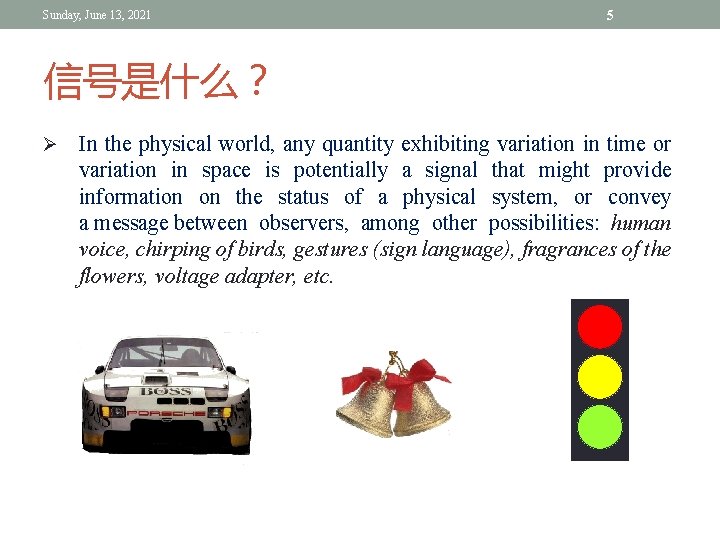
Sunday, June 13, 2021 5 信号是什么? Ø In the physical world, any quantity exhibiting variation in time or variation in space is potentially a signal that might provide information on the status of a physical system, or convey a message between observers, among other possibilities: human voice, chirping of birds, gestures (sign language), fragrances of the flowers, voltage adapter, etc.
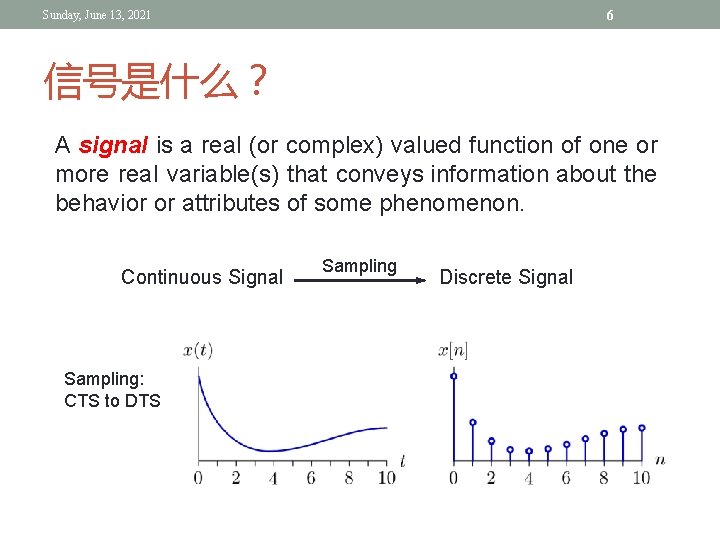
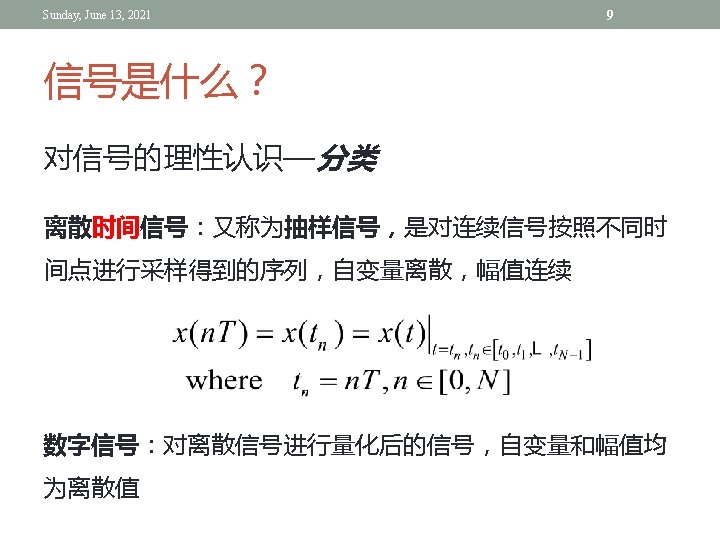
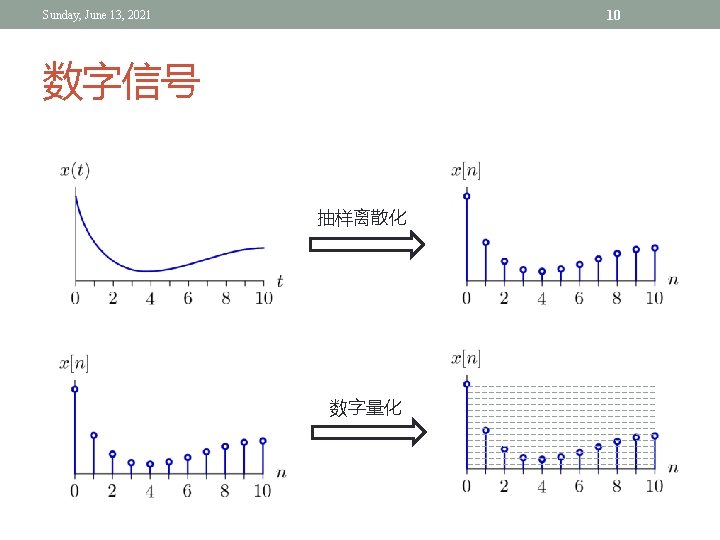
6 Sunday, June 13, 2021 信号是什么? A signal is a real (or complex) valued function of one or more real variable(s) that conveys information about the behavior or attributes of some phenomenon. Continuous Signal Sampling: CTS to DTS Sampling Discrete Signal
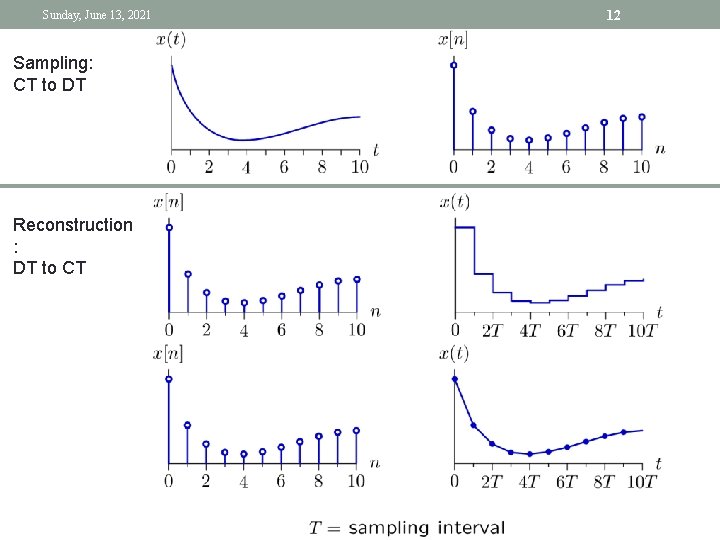
Sunday, June 13, 2021 Sampling: CT to DT Reconstruction : DT to CT 12
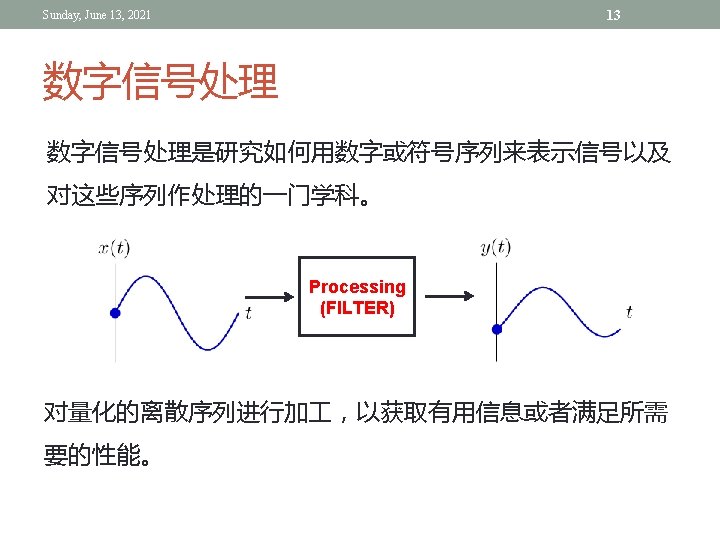
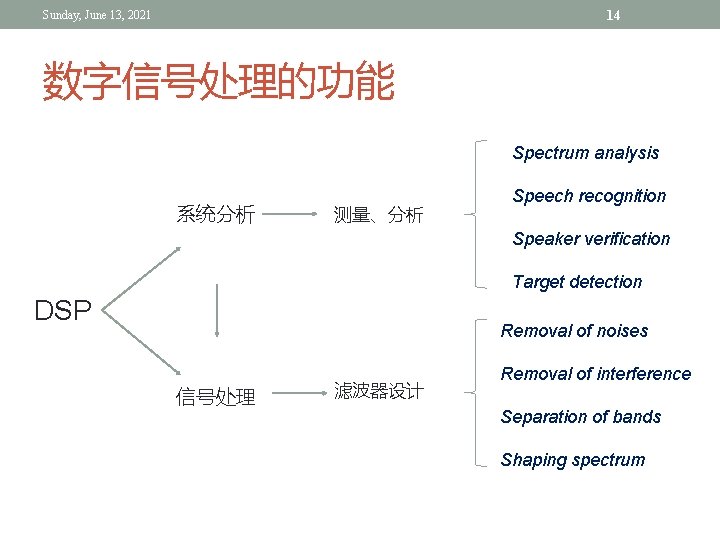
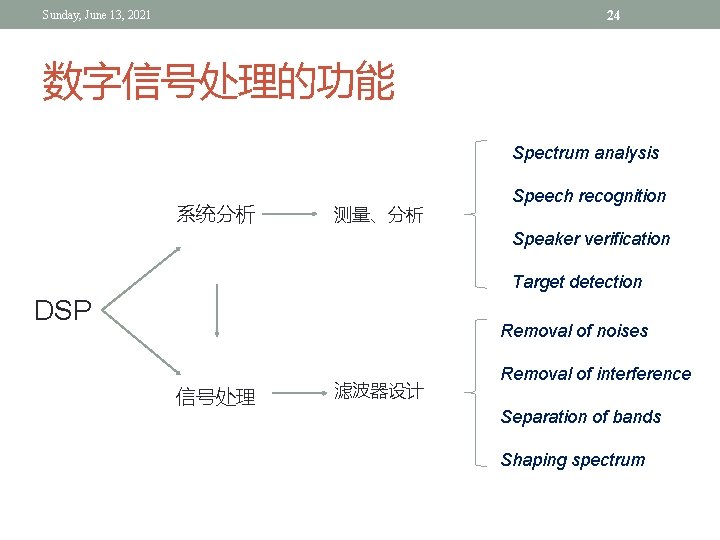
14 Sunday, June 13, 2021 数字信号处理的功能 Spectrum analysis 系统分析 测量、分析 Speech recognition Speaker verification Target detection DSP Removal of noises 信号处理 滤波器设计 Removal of interference Separation of bands Shaping spectrum
15 Sunday, June 13, 2021 WHY & WHAT’S FOR? We will start from very simple and fundamental concepts That's one small step for men, one giant leap for mankind - Neil Alden Armstrong, 1969 -7 -21 That's one small step for a man, one giant leap for mankind - Neil Alden Armstrong, 1969 -7 -21
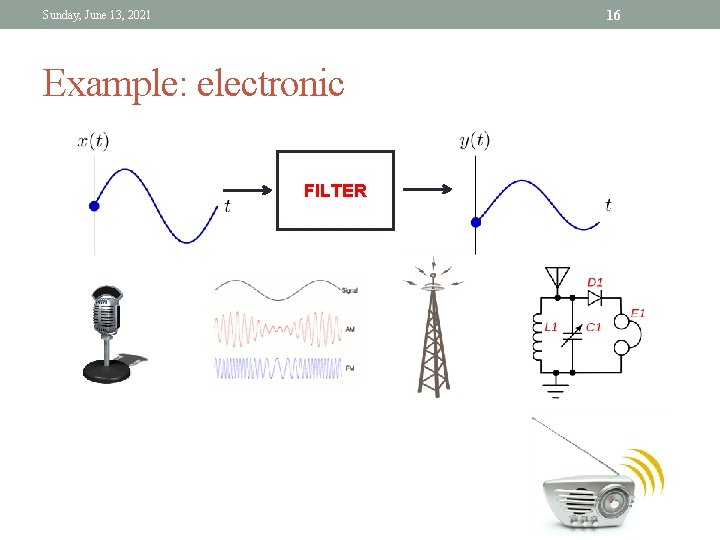
16 Sunday, June 13, 2021 Example: electronic FILTER
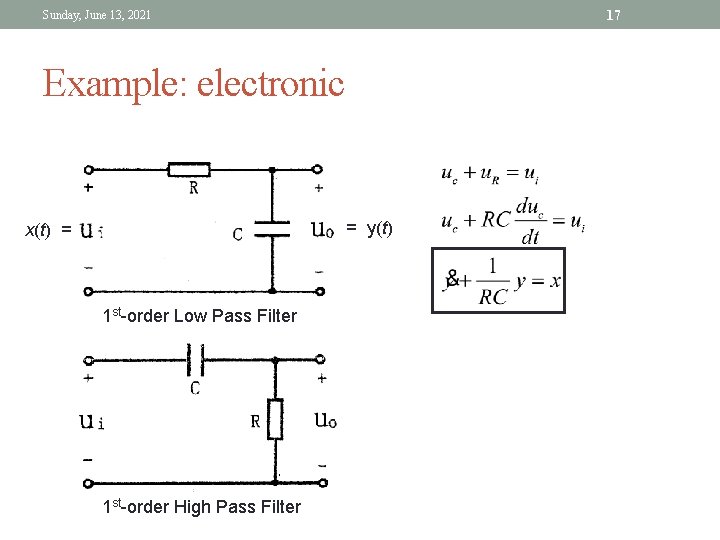
17 Sunday, June 13, 2021 Example: electronic = y(t) x(t) = 1 st-order Low Pass Filter 1 st-order High Pass Filter
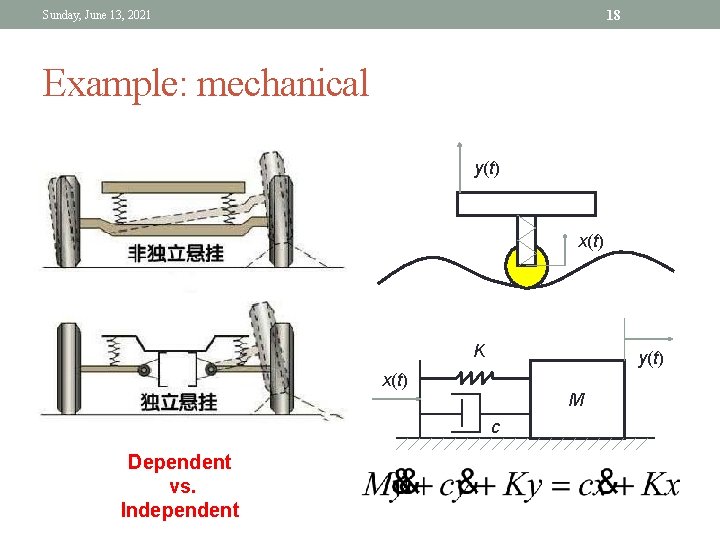
18 Sunday, June 13, 2021 Example: mechanical y(t) x(t) K y(t) x(t) M c Dependent vs. Independent
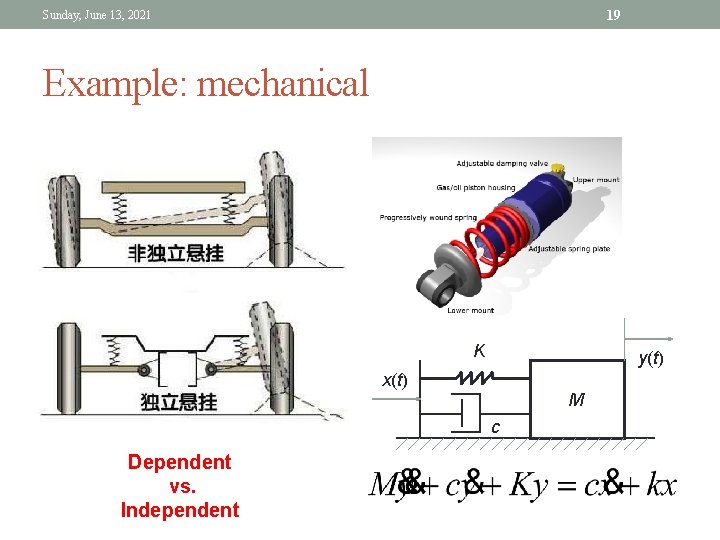
19 Sunday, June 13, 2021 Example: mechanical K y(t) x(t) M c Dependent vs. Independent
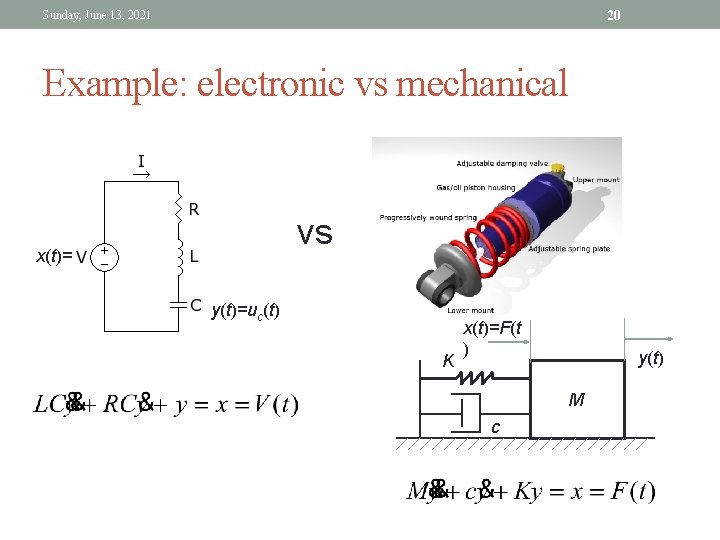
20 Sunday, June 13, 2021 Example: electronic vs mechanical vs x(t)= y(t)=uc(t) K x(t)=F(t ) y(t) M c
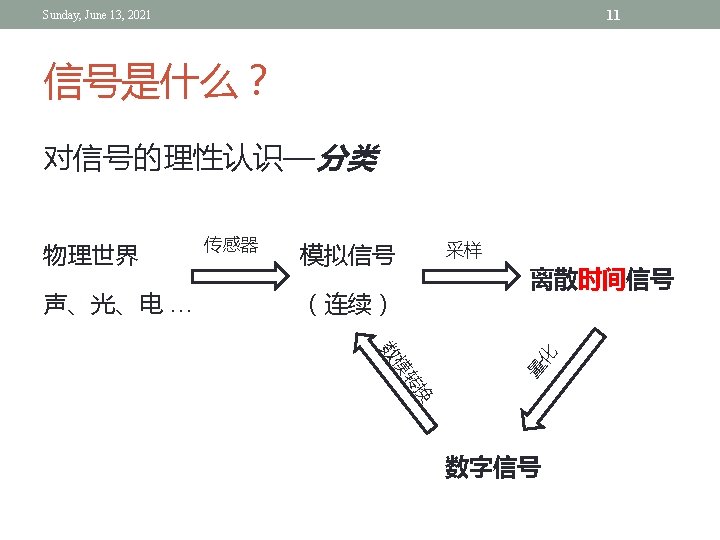
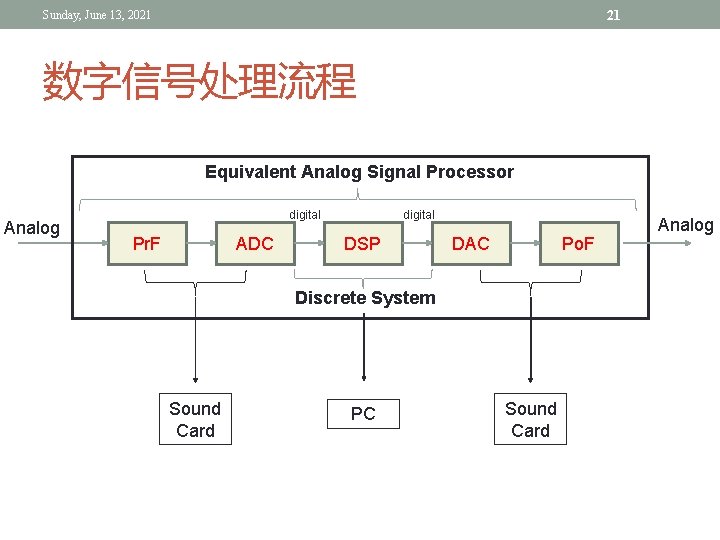
21 Sunday, June 13, 2021 数字信号处理流程 Equivalent Analog Signal Processor Analog digital Pr. F ADC digital DSP DAC Po. F Discrete System Sound Card PC Sound Card Analog
24 Sunday, June 13, 2021 数字信号处理的功能 Spectrum analysis 系统分析 测量、分析 Speech recognition Speaker verification Target detection DSP Removal of noises 信号处理 滤波器设计 Removal of interference Separation of bands Shaping spectrum
DIGITAL SIGNAL PROCESSING Introduction to Matlab
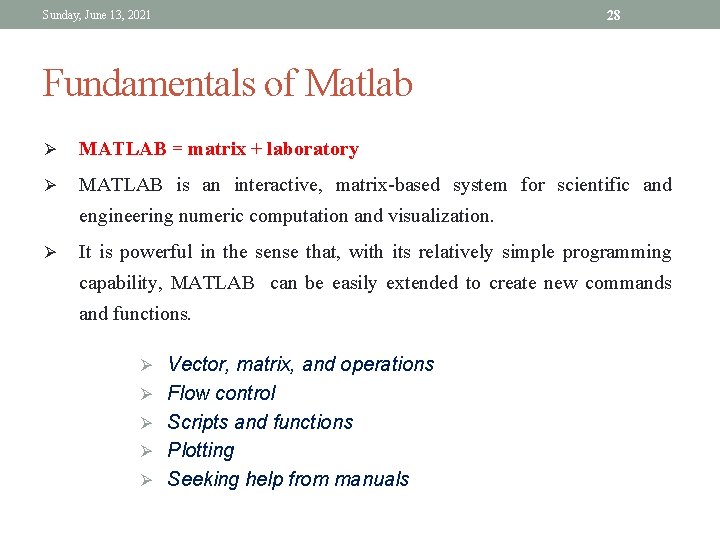
Sunday, June 13, 2021 28 Fundamentals of Matlab Ø MATLAB = matrix + laboratory Ø MATLAB is an interactive, matrix-based system for scientific and engineering numeric computation and visualization. Ø It is powerful in the sense that, with its relatively simple programming capability, MATLAB can be easily extended to create new commands and functions. Ø Vector, matrix, and operations Ø Flow control Ø Scripts and functions Ø Plotting Ø Seeking help from manuals
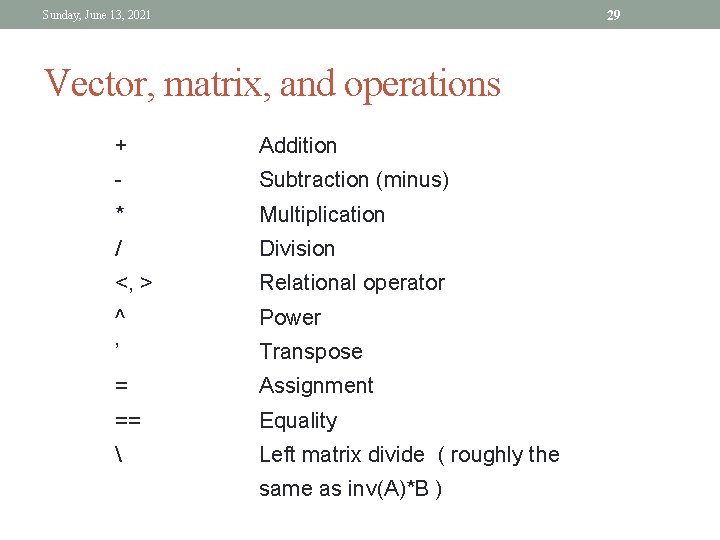
29 Sunday, June 13, 2021 Vector, matrix, and operations + Addition - Subtraction (minus) * Multiplication / Division <, > Relational operator ^ Power ’ Transpose = Assignment == Equality Left matrix divide ( roughly the same as inv(A)*B )
Sunday, June 13, 2021 Vector, matrix, and operations 30
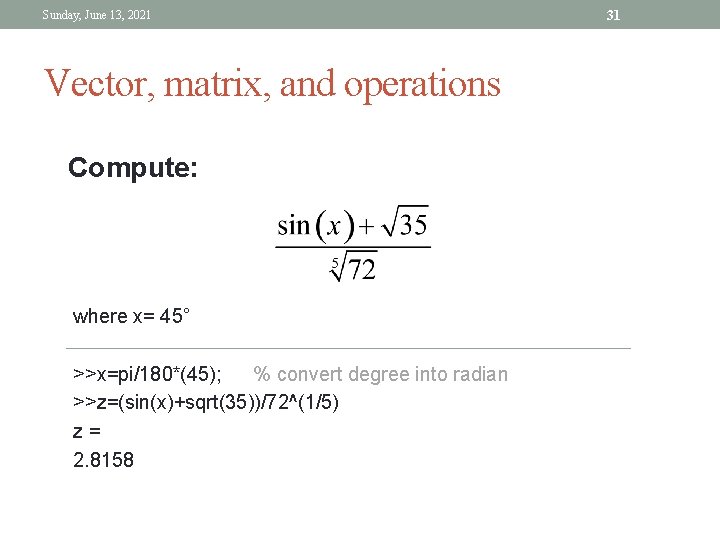
Sunday, June 13, 2021 Vector, matrix, and operations Compute: where x= 45° >>x=pi/180*(45); % convert degree into radian >>z=(sin(x)+sqrt(35))/72^(1/5) z= 2. 8158 31
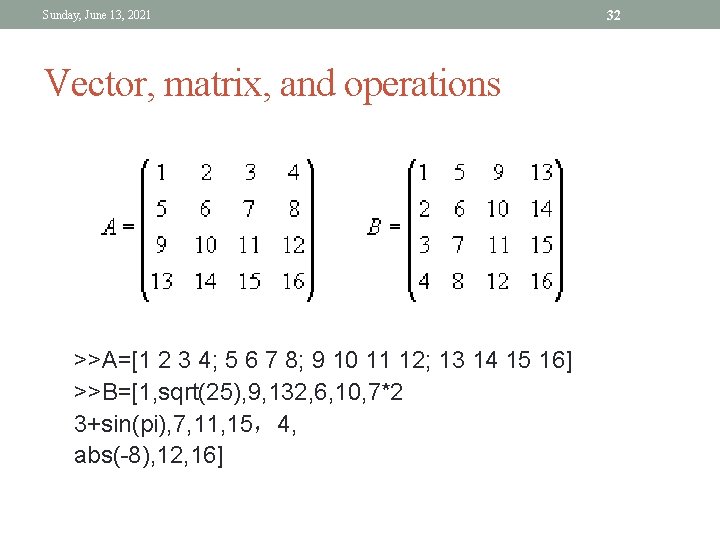
Sunday, June 13, 2021 Vector, matrix, and operations >>A=[1 2 3 4; 5 6 7 8; 9 10 11 12; 13 14 15 16] >>B=[1, sqrt(25), 9, 132, 6, 10, 7*2 3+sin(pi), 7, 11, 15,4, abs(-8), 12, 16] 32
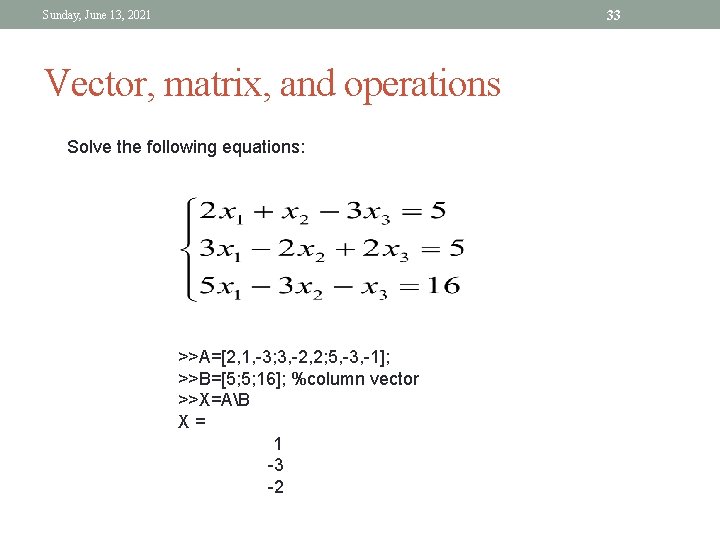
33 Sunday, June 13, 2021 Vector, matrix, and operations Solve the following equations: >>A=[2, 1, -3; 3, -2, 2; 5, -3, -1]; >>B=[5; 5; 16]; %column vector >>X=AB X= 1 -3 -2
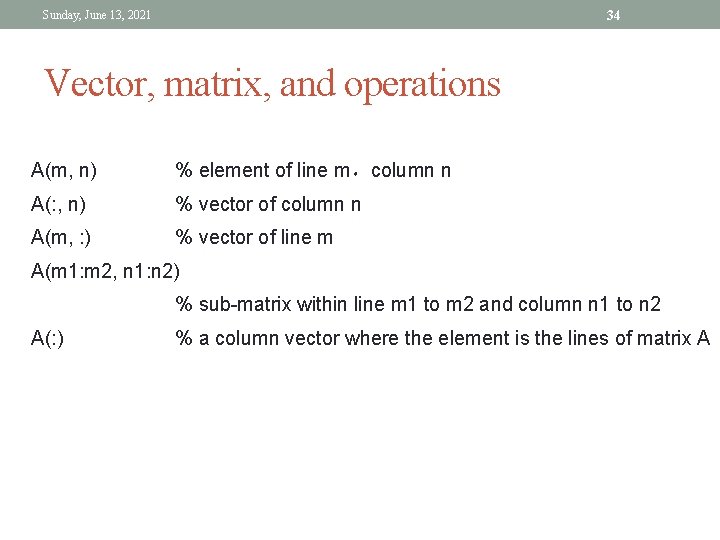
34 Sunday, June 13, 2021 Vector, matrix, and operations A(m, n) % element of line m,column n A(: , n) % vector of column n A(m, : ) % vector of line m A(m 1: m 2, n 1: n 2) % sub-matrix within line m 1 to m 2 and column n 1 to n 2 A(: ) % a column vector where the element is the lines of matrix A
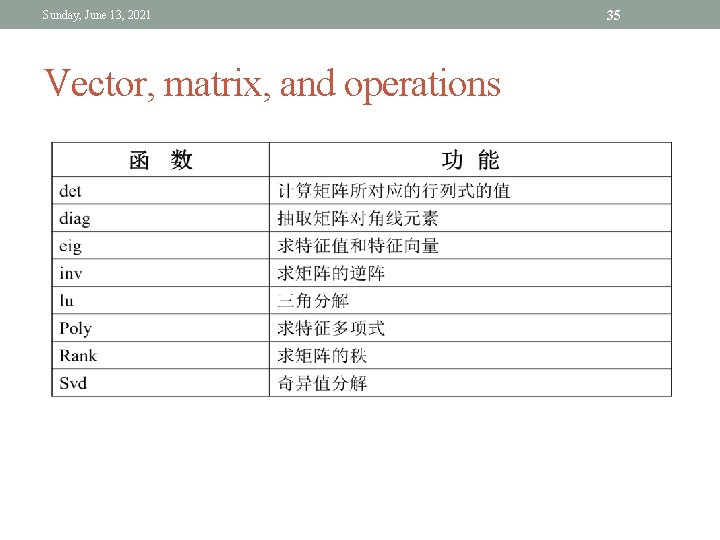
Sunday, June 13, 2021 Vector, matrix, and operations 35
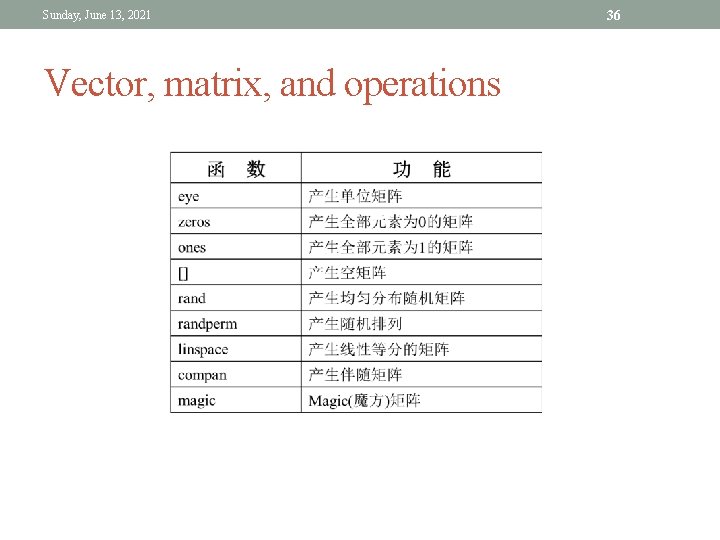
Sunday, June 13, 2021 Vector, matrix, and operations 36
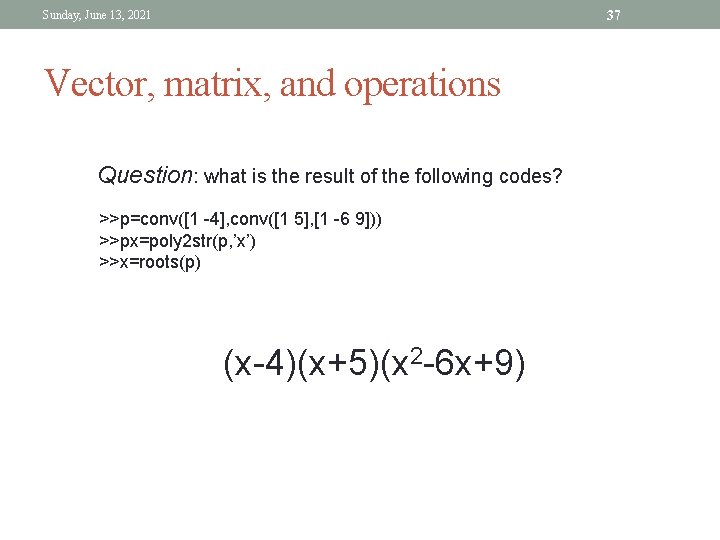
37 Sunday, June 13, 2021 Vector, matrix, and operations Question: what is the result of the following codes? >>p=conv([1 -4], conv([1 5], [1 -6 9])) >>px=poly 2 str(p, ’x’) >>x=roots(p) (x-4)(x+5)(x 2 -6 x+9)
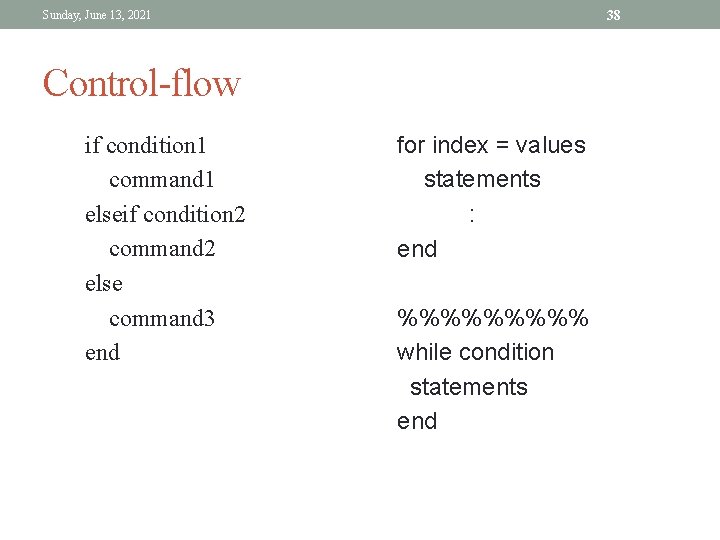
38 Sunday, June 13, 2021 Control-flow if condition 1 command 1 elseif condition 2 command 2 else command 3 end for index = values statements : end %%%%% while condition statements end
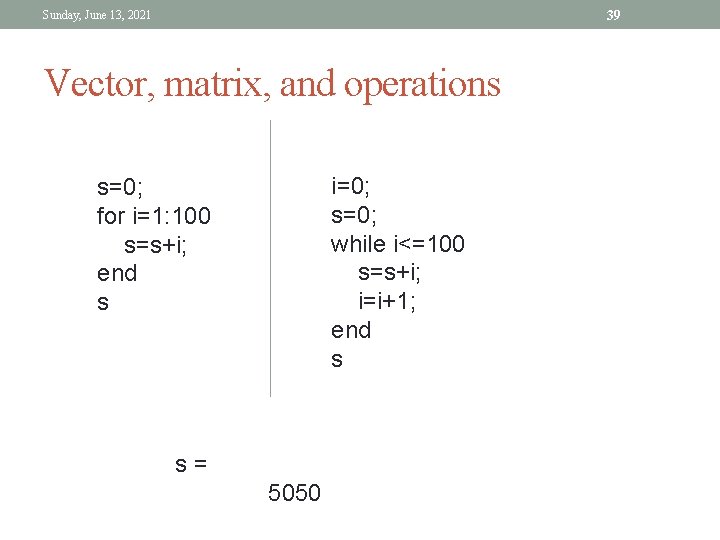
39 Sunday, June 13, 2021 Vector, matrix, and operations i=0; s=0; while i<=100 s=s+i; i=i+1; end s s=0; for i=1: 100 s=s+i; end s s= 5050
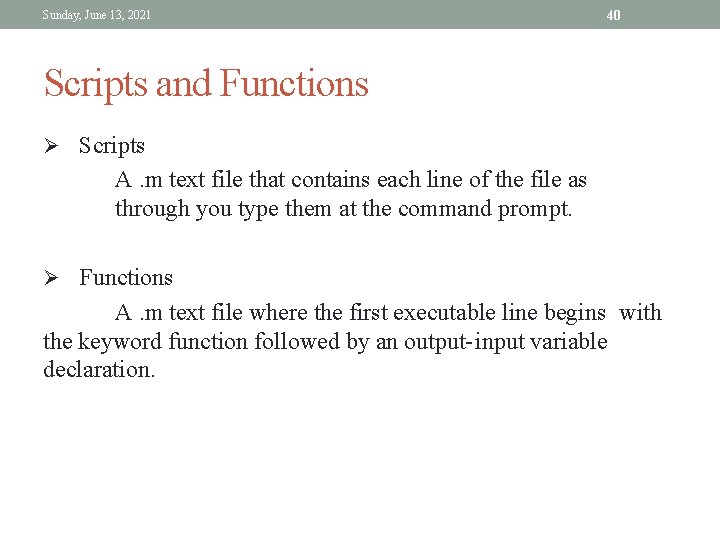
Sunday, June 13, 2021 40 Scripts and Functions Ø Scripts A. m text file that contains each line of the file as through you type them at the command prompt. Ø Functions A. m text file where the first executable line begins with the keyword function followed by an output-input variable declaration.
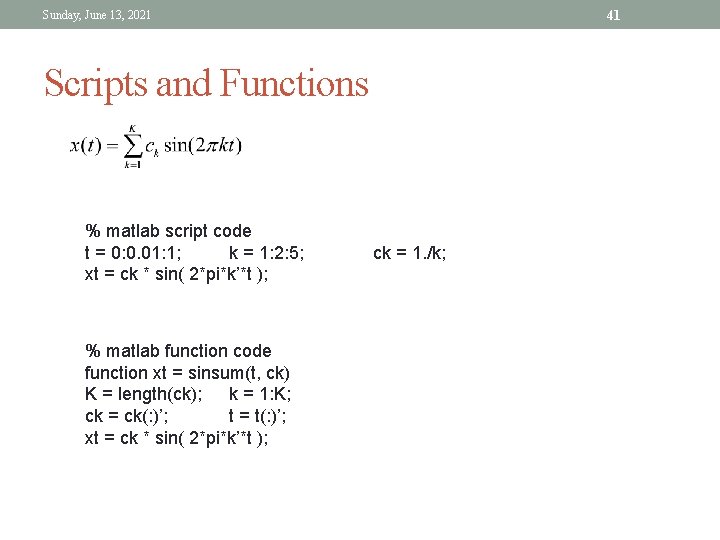
41 Sunday, June 13, 2021 Scripts and Functions % matlab script code t = 0: 0. 01: 1; k = 1: 2: 5; xt = ck * sin( 2*pi*k’*t ); % matlab function code function xt = sinsum(t, ck) K = length(ck); k = 1: K; ck = ck(: )’; t = t(: )’; xt = ck * sin( 2*pi*k’*t ); ck = 1. /k;
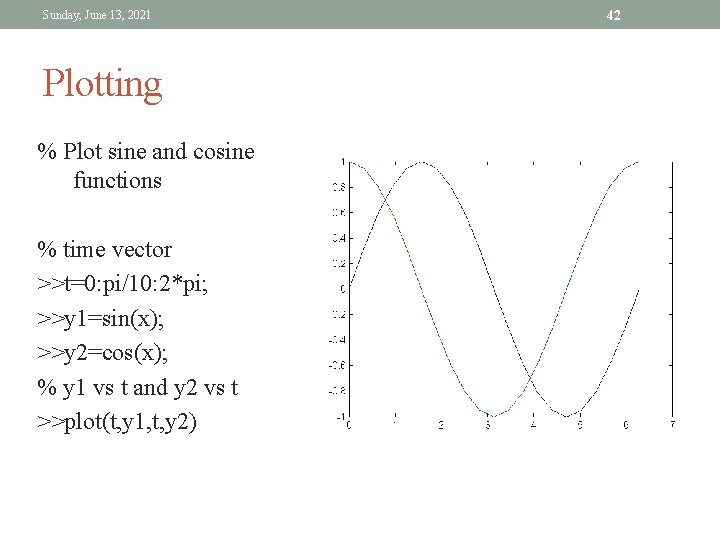
Sunday, June 13, 2021 Plotting % Plot sine and cosine functions % time vector >>t=0: pi/10: 2*pi; >>y 1=sin(x); >>y 2=cos(x); % y 1 vs t and y 2 vs t >>plot(t, y 1, t, y 2) 42
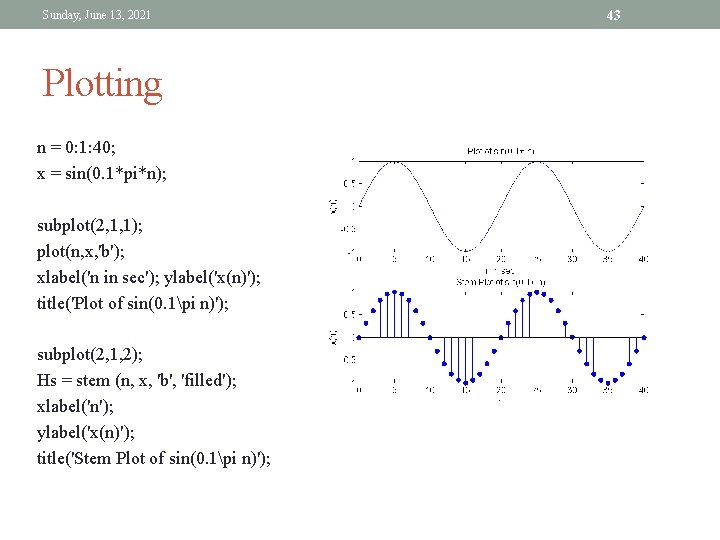
Sunday, June 13, 2021 Plotting n = 0: 1: 40; x = sin(0. 1*pi*n); subplot(2, 1, 1); plot(n, x, 'b'); xlabel('n in sec'); ylabel('x(n)'); title('Plot of sin(0. 1pi n)'); subplot(2, 1, 2); Hs = stem (n, x, 'b', 'filled'); xlabel('n'); ylabel('x(n)'); title('Stem Plot of sin(0. 1pi n)'); 43