
Digital Media Primer YueLing Wong Copyright c2013 by
"Digital Media Primer" Yue-Ling Wong, Copyright (c)2013 by Pearson Education, Inc. All rights reserved. 1
Chapter 2 Fundamentals of Digital Imaging Part 3 File Size and File Compression 2
In this lecture, you will find answers to these questions • How do pixel dimensions affect the image file size? • How does the bit-depth affect the image file size? • Why should JPEG files NOT be used as working files for further editing? 3
Why Compression? • higher resolution or higher bit depth larger file size • Without compression, image files would take up an unreasonable amount of disk space. • Larger files take longer time to transfer over the network. 4
How many bits? Let’s look at the size of a typical high resolution image file without compression. 5
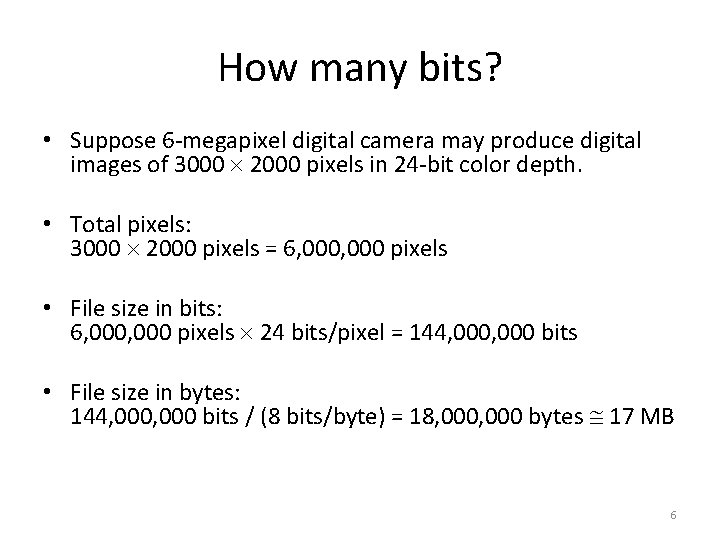
How many bits? • Suppose 6 -megapixel digital camera may produce digital images of 3000 2000 pixels in 24 -bit color depth. • Total pixels: 3000 2000 pixels = 6, 000 pixels • File size in bits: 6, 000 pixels 24 bits/pixel = 144, 000 bits • File size in bytes: 144, 000 bits / (8 bits/byte) = 18, 000 bytes 17 MB 6
Strategies To Reduce File Sizes • Reducing the pixel dimensions • Lowering the bit depth (color depth) • Compress the file 7
Reducing Pixel Dimensions • Capture the image at a lower resolution in the first place • Resample (resize) the existing image to a lower pixel dimensions 8
Reducing Pixel Dimensions • Returning to our calculation of the file size of an image of 3000 2000 pixels in 24 -bit color depth. • Let's calculate the file size of an image of 1500 1000 pixels in 24 -bit color depth. 9
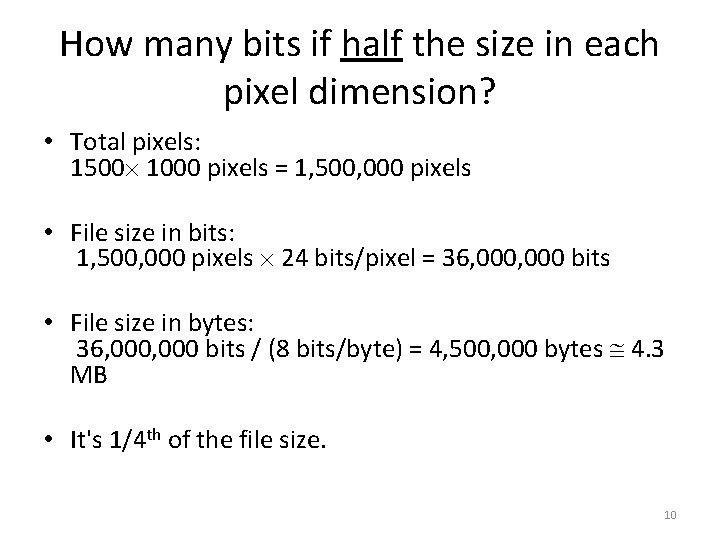
How many bits if half the size in each pixel dimension? • Total pixels: 1500 1000 pixels = 1, 500, 000 pixels • File size in bits: 1, 500, 000 pixels 24 bits/pixel = 36, 000 bits • File size in bytes: 36, 000 bits / (8 bits/byte) = 4, 500, 000 bytes 4. 3 MB • It's 1/4 th of the file size. 10
Lowering the Bit Depth • Returning to our calculation of the file size of an image of 3000 2000 pixels in 24 -bit color depth. • Let's calculate the file size of an image if we reduce the bit depth to 8 -bit. 11
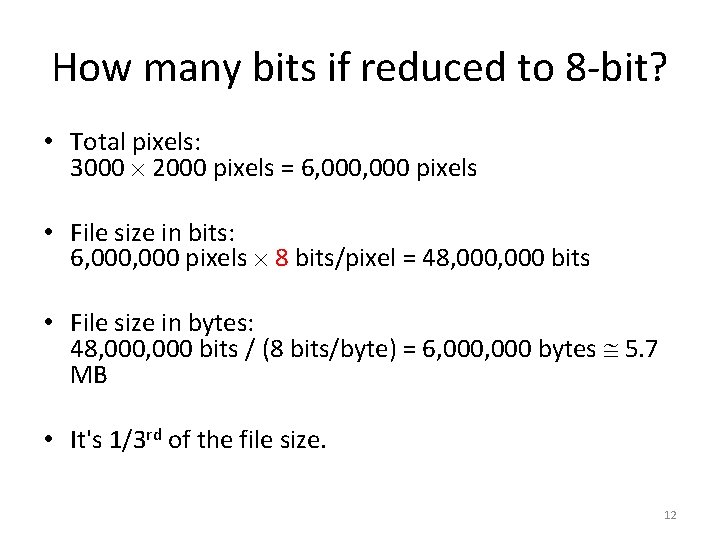
How many bits if reduced to 8 -bit? • Total pixels: 3000 2000 pixels = 6, 000 pixels • File size in bits: 6, 000 pixels 8 bits/pixel = 48, 000 bits • File size in bytes: 48, 000 bits / (8 bits/byte) = 6, 000 bytes 5. 7 MB • It's 1/3 rd of the file size. 12
24 -bit vs. 8 -bit • 24 -bit: 224 (about 16 million) colors • 8 -bit: 28 (about 256) colors 13
Weighing Bit Depth Against File Size • 24 -bit 8 -bit: – You lose about 16 million colors! – May cause image quality degradation. • But 8 -bit will work well if your image does not need more than 256 colors. 14
24 -bit 8 -bit Without Noticeable Image Quality Degradation • Grayscale images: e. g. – scanned images of black-and-white photos – hand-written notes (may be even lowered to 4 -bit, 2 -bit, or 1 -bit) • Illustration graphics: e. g. poster or logo – contains only a few colors as large areas of solid colors 15
File Compression Methods • File compression: To reduce the size of a file by squeezing the same information into fewer bits. • Lossless compression method: – e. g. , TIFF, PNG, PSD – No information is lost – GIF files also use lossless compression but it limits the number of colors to 256 • Lossy compression method: – e. g. , JPEG – Some information is lost in the process. – For digital media files, the information to be left out is chosen such that it is not the human sensory system most sensitive to. 16
Working with Lossy Compression • JPEG files: – JPEG compression, which is lossy (i. e. , the lost information cannot be recovered) – Do not use JPEG files as working files for further editing – Repeated saving a JPEG file will degrade the image quality further – Save as JPEG only in the very last step of your editing process. For example, when you have finished editing the image and are ready to post it on the Web. – Avoid using JPEG for images intended for high quality prints 17
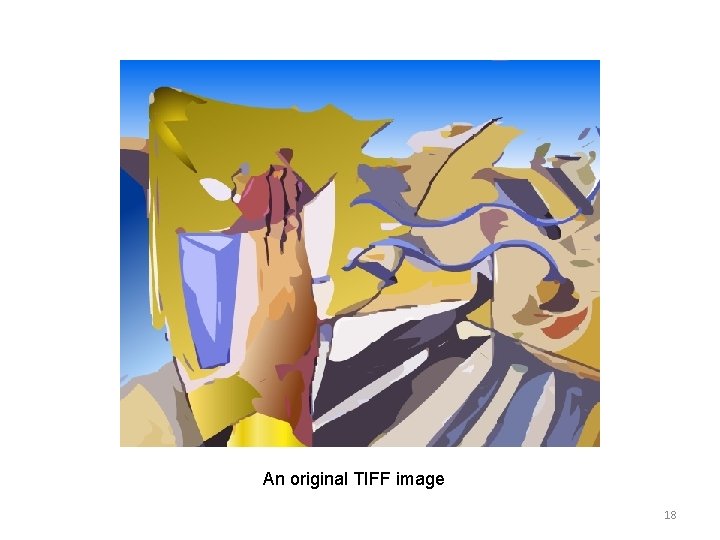
An original TIFF image 18
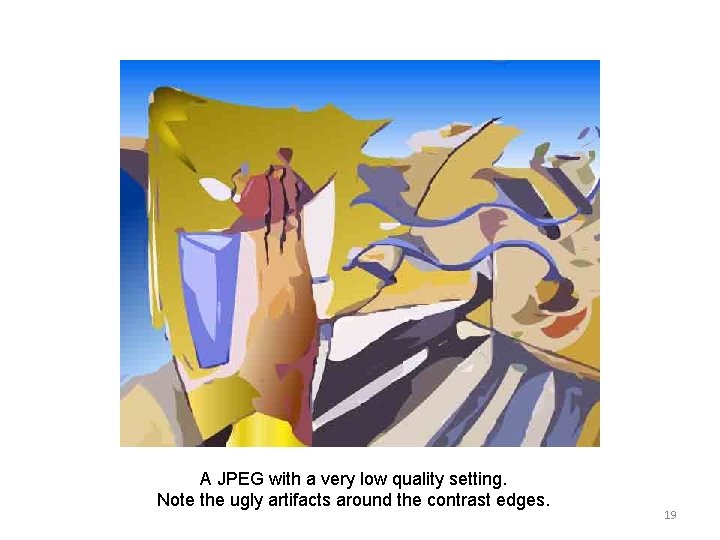
A JPEG with a very low quality setting. Note the ugly artifacts around the contrast edges. 19
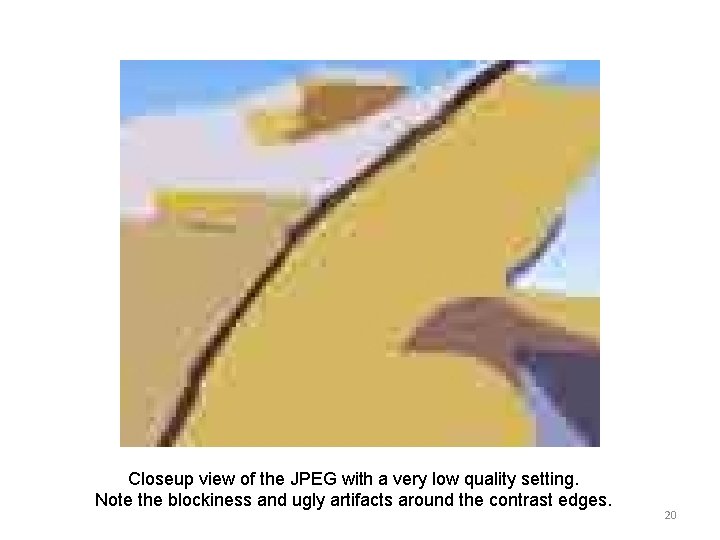
Closeup view of the JPEG with a very low quality setting. Note the blockiness and ugly artifacts around the contrast edges. 20
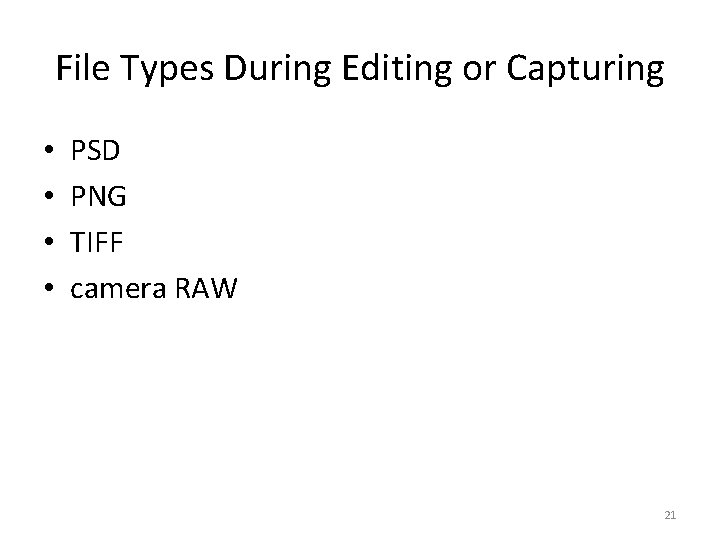
File Types During Editing or Capturing • • PSD PNG TIFF camera RAW 21
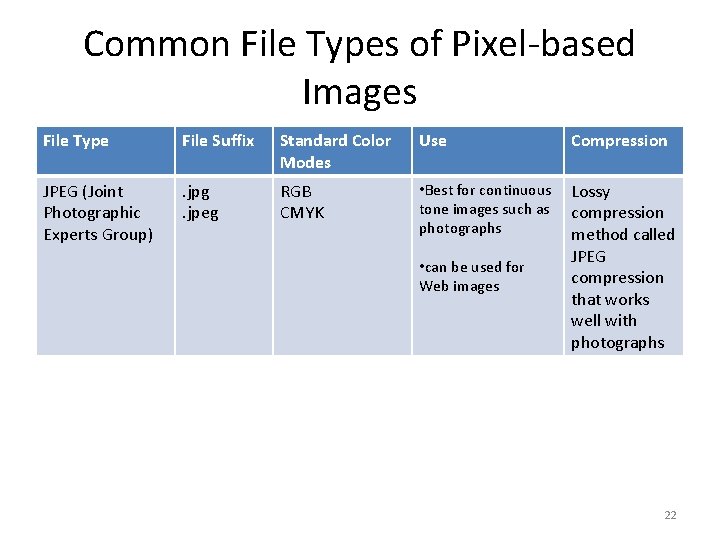
Common File Types of Pixel-based Images File Type File Suffix Standard Color Modes Use Compression JPEG (Joint Photographic Experts Group) . jpg. jpeg RGB CMYK • Best for continuous tone images such as photographs Lossy compression method called JPEG compression that works well with photographs • can be used for Web images 22
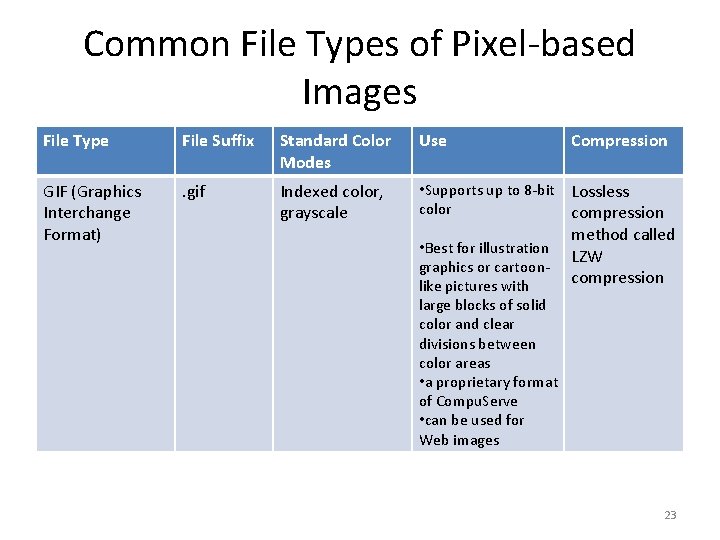
Common File Types of Pixel-based Images File Type File Suffix Standard Color Modes Use Compression GIF (Graphics Interchange Format) . gif Indexed color, grayscale • Supports up to 8 -bit color Lossless compression method called LZW compression • Best for illustration graphics or cartoonlike pictures with large blocks of solid color and clear divisions between color areas • a proprietary format of Compu. Serve • can be used for Web images 23
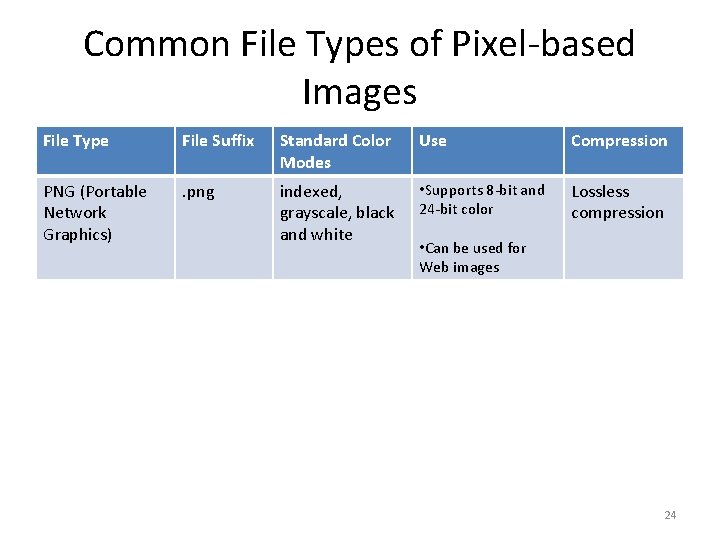
Common File Types of Pixel-based Images File Type File Suffix Standard Color Modes Use Compression PNG (Portable Network Graphics) . png indexed, grayscale, black and white • Supports 8 -bit and 24 -bit color Lossless compression • Can be used for Web images 24
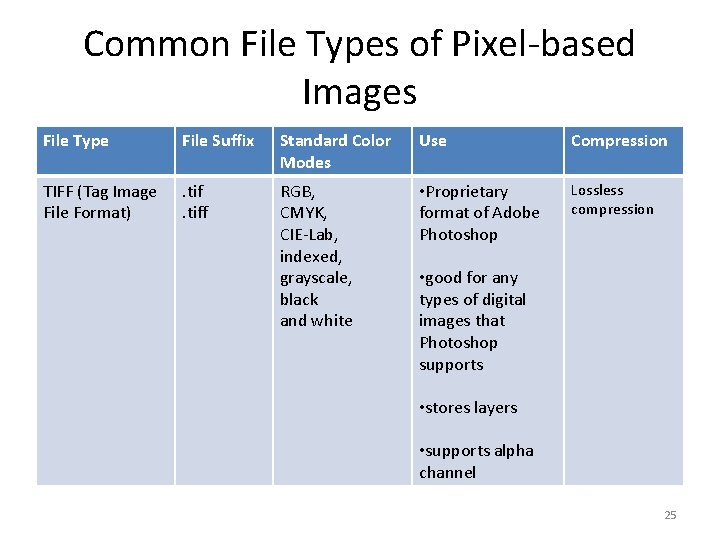
Common File Types of Pixel-based Images File Type File Suffix Standard Color Modes Use Compression TIFF (Tag Image File Format) . tiff RGB, CMYK, CIE-Lab, indexed, grayscale, black and white • Proprietary format of Adobe Photoshop Lossless compression • good for any types of digital images that Photoshop supports • stores layers • supports alpha channel 25
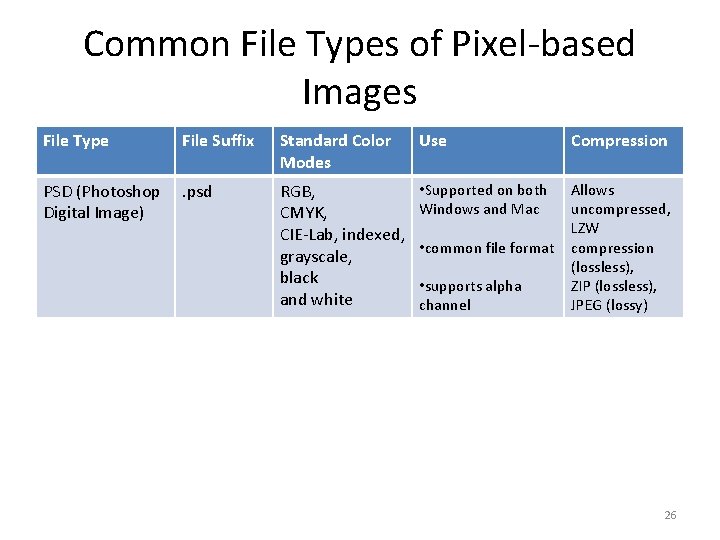
Common File Types of Pixel-based Images File Type File Suffix Standard Color Modes Use Compression PSD (Photoshop Digital Image) . psd RGB, CMYK, CIE-Lab, indexed, grayscale, black and white • Supported on both Windows and Mac Allows uncompressed, LZW compression (lossless), ZIP (lossless), JPEG (lossy) • common file format • supports alpha channel 26
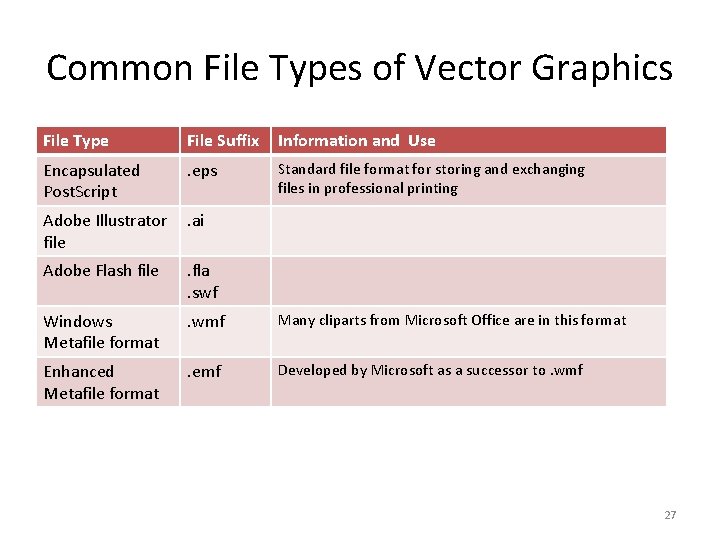
Common File Types of Vector Graphics File Type File Suffix Information and Use Encapsulated Post. Script . eps Standard file format for storing and exchanging files in professional printing Adobe Illustrator file . ai Adobe Flash file . fla. swf Windows Metafile format . wmf Many cliparts from Microsoft Office are in this format Enhanced Metafile format . emf Developed by Microsoft as a successor to. wmf 27

Review Questions Note to instructor: Depending on your preference, you may want to go over the review questions at the end of this lecture as an instant review or at the beginning of next lecture to refresh students' memory of this lecture. 28
Review Question Generally speaking, how does the file size change if the total number of pixels of an image is doubled? 29
Review Question Generally speaking, how does the file size change if the number of pixels of both the width and height of an image are doubled? 30
Review Question Generally speaking, how does the file size change if the bit depth of an image is increased from 8 -bit to 16 -bit? 31
Review Question Generally speaking, how does the file size change if the bit depth of an image is increased from 8 -bit to 24 -bit? 32
Review Question Give one example of the image file type that supports lossy compression and one that supports lossless compression. 33
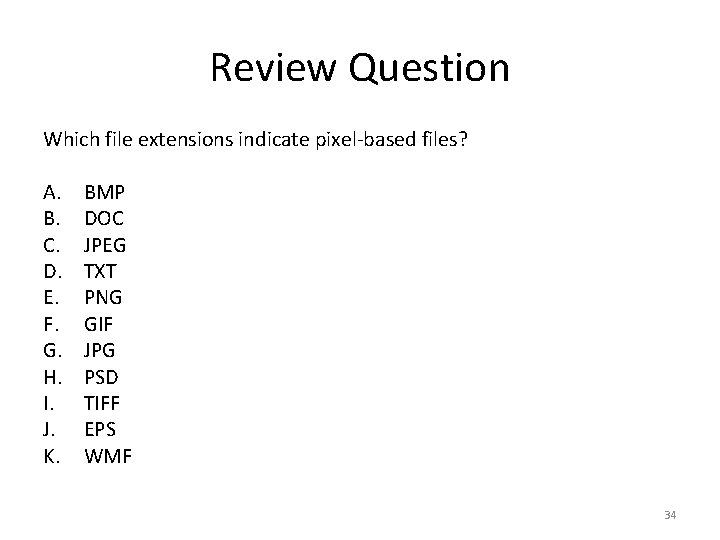
Review Question Which file extensions indicate pixel-based files? A. B. C. D. E. F. G. H. I. J. K. BMP DOC JPEG TXT PNG GIF JPG PSD TIFF EPS WMF 34
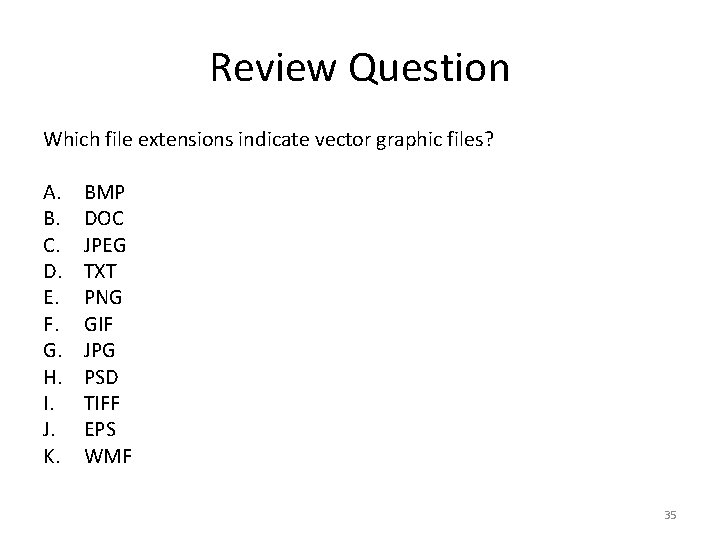
Review Question Which file extensions indicate vector graphic files? A. B. C. D. E. F. G. H. I. J. K. BMP DOC JPEG TXT PNG GIF JPG PSD TIFF EPS WMF 35
- Slides: 35