
Digital Media Primer YueLing Wong Copyright c2013 by
"Digital Media Primer" Yue-Ling Wong, Copyright (c)2013 by Pearson Education, Inc. All rights reserved. 1
Chapter 6 Fundamentals of Digital Video Part 4 Digital Video File Types 2
In this lecture, you will learn: • Common file types of video • General strategies for reducing video file size • Effect of data rate vs. file size on video playback smoothness 3
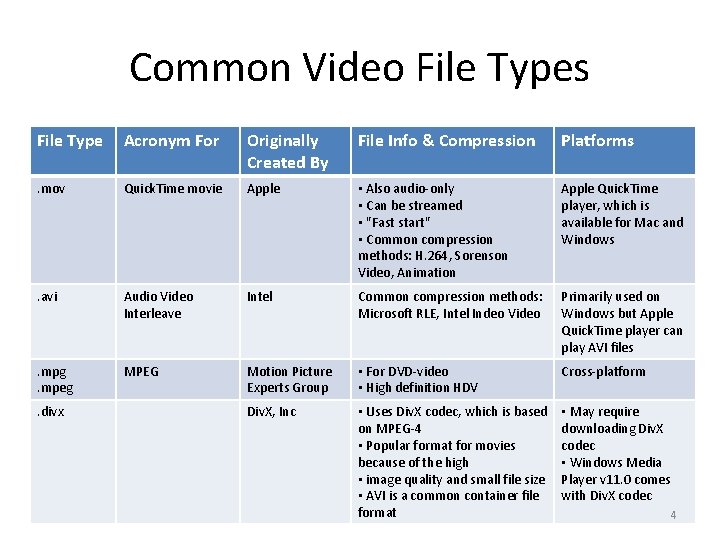
Common Video File Types File Type Acronym For Originally Created By File Info & Compression Platforms . mov Quick. Time movie Apple • Also audio-only • Can be streamed • "Fast start" • Common compression methods: H. 264, Sorenson Video, Animation Apple Quick. Time player, which is available for Mac and Windows . avi Audio Video Interleave Intel Common compression methods: Microsoft RLE, Intel Indeo Video Primarily used on Windows but Apple Quick. Time player can play AVI files . mpg. mpeg MPEG Motion Picture Experts Group • For DVD-video • High definition HDV Cross-platform Div. X, Inc • Uses Div. X codec, which is based on MPEG-4 • Popular format for movies because of the high • image quality and small file size • AVI is a common container file format • May require downloading Div. X codec • Windows Media Player v 11. 0 comes with Div. X codec . divx 4
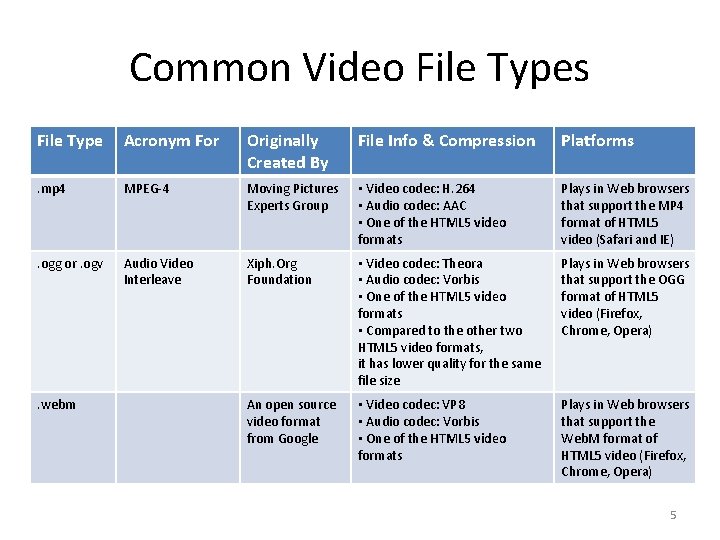
Common Video File Types File Type Acronym For Originally Created By File Info & Compression Platforms . mp 4 MPEG-4 Moving Pictures Experts Group • Video codec: H. 264 • Audio codec: AAC • One of the HTML 5 video formats Plays in Web browsers that support the MP 4 format of HTML 5 video (Safari and IE) . ogg or. ogv Audio Video Interleave Xiph. Org Foundation • Video codec: Theora • Audio codec: Vorbis • One of the HTML 5 video formats • Compared to the other two HTML 5 video formats, it has lower quality for the same file size Plays in Web browsers that support the OGG format of HTML 5 video (Firefox, Chrome, Opera) An open source video format from Google • Video codec: VP 8 • Audio codec: Vorbis • One of the HTML 5 video formats Plays in Web browsers that support the Web. M format of HTML 5 video (Firefox, Chrome, Opera) . webm 5
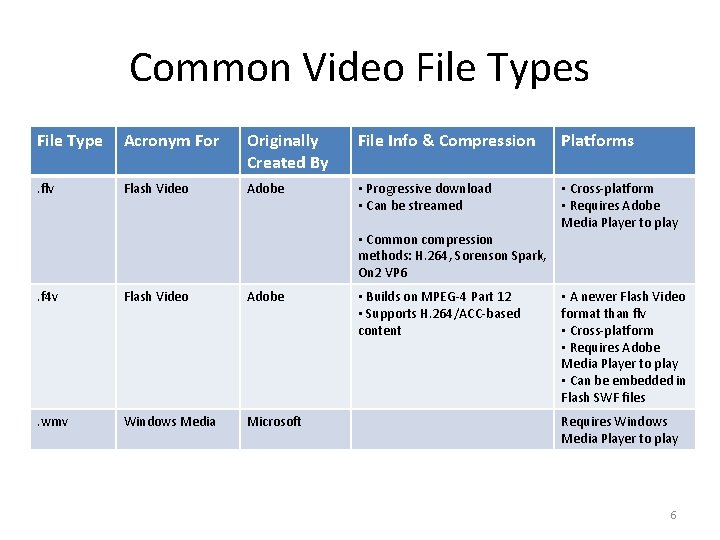
Common Video File Types File Type Acronym For Originally Created By File Info & Compression Platforms . flv Flash Video Adobe • Progressive download • Can be streamed • Cross-platform • Requires Adobe Media Player to play • Common compression methods: H. 264, Sorenson Spark, On 2 VP 6. f 4 v Flash Video Adobe . wmv Windows Media Microsoft • Builds on MPEG-4 Part 12 • Supports H. 264/ACC-based content • A newer Flash Video format than flv • Cross-platform • Requires Adobe Media Player to play • Can be embedded in Flash SWF files Requires Windows Media Player to play 6
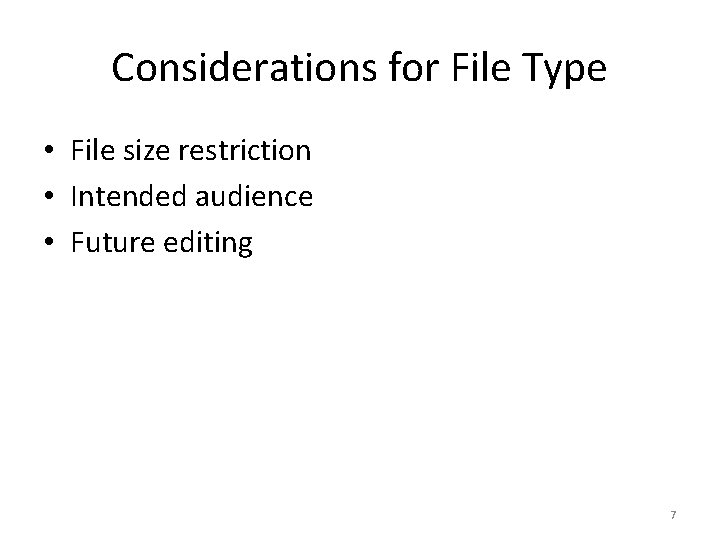
Considerations for File Type • File size restriction • Intended audience • Future editing 7
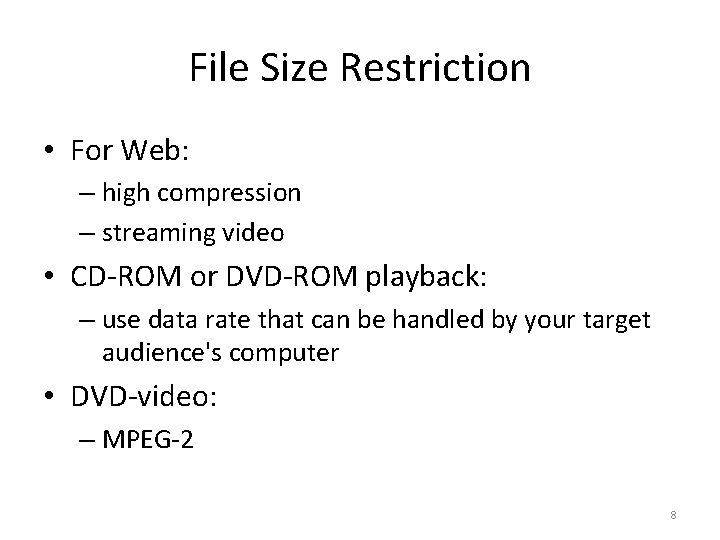
File Size Restriction • For Web: – high compression – streaming video • CD-ROM or DVD-ROM playback: – use data rate that can be handled by your target audience's computer • DVD-video: – MPEG-2 8
Intended audience • Multiple platforms – cross-platformats: Apple Quick. Time, MPEG, Flash video, Real Video • How your target audience is going to watch your video? 9
Future Editing • If the video will be used as a source for future editing: – Lower compression level – Choose uncompressed, if • the frame size is small • the video duration is extremely short • you have enough disk space 10
Digital Video File Size Optimization • Video tends to have very large file size compared to other media. • Why should we care file size optimization? – A large file requires more disk space. – A large file takes longer to transfer. – Data transfer can be expensive (because data plans are not unlimited) – High data rate may cause choppy playback of the video. (Data rate will be explained later in this lecture. ) 11
To get a feel of the file size of uncompressed video, let's compute the file size of an uncompressed 1 second video with the same resolution and frame rate as HDV 1080 i/p video. 12
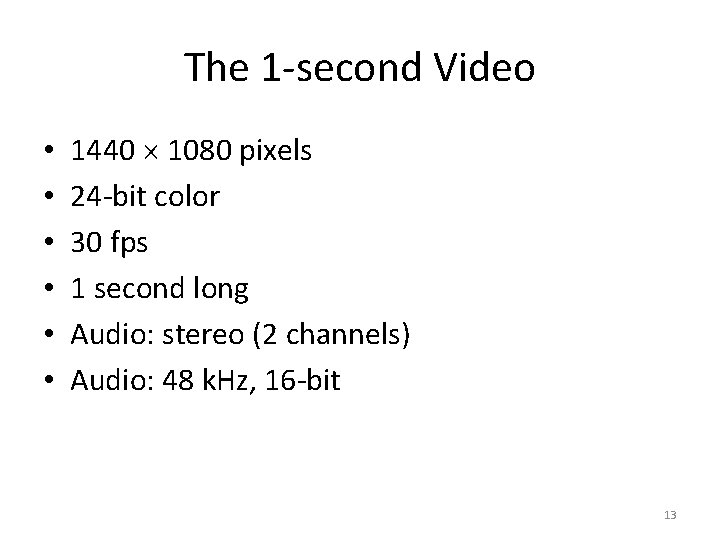
The 1 -second Video • • • 1440 1080 pixels 24 -bit color 30 fps 1 second long Audio: stereo (2 channels) Audio: 48 k. Hz, 16 -bit 13
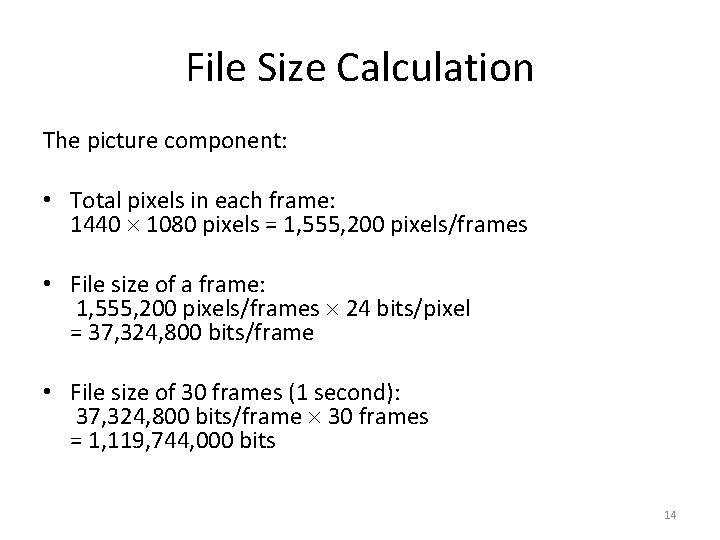
File Size Calculation The picture component: • Total pixels in each frame: 1440 1080 pixels = 1, 555, 200 pixels/frames • File size of a frame: 1, 555, 200 pixels/frames 24 bits/pixel = 37, 324, 800 bits/frame • File size of 30 frames (1 second): 37, 324, 800 bits/frame 30 frames = 1, 119, 744, 000 bits 14
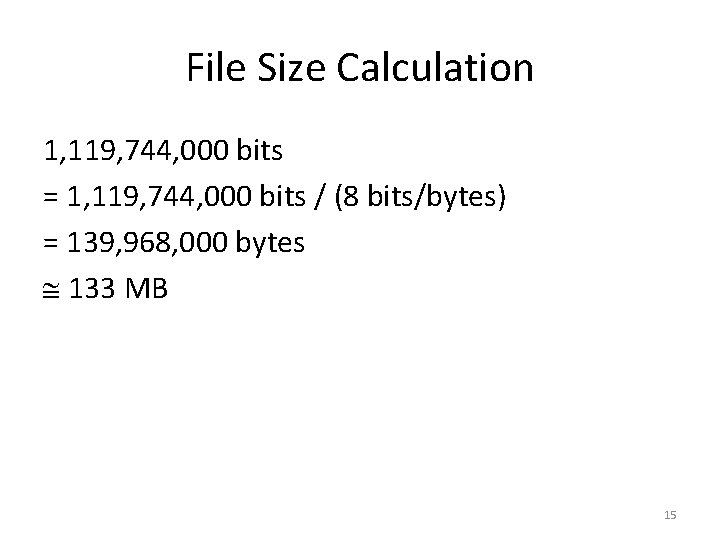
File Size Calculation 1, 119, 744, 000 bits = 1, 119, 744, 000 bits / (8 bits/bytes) = 139, 968, 000 bytes 133 MB 15
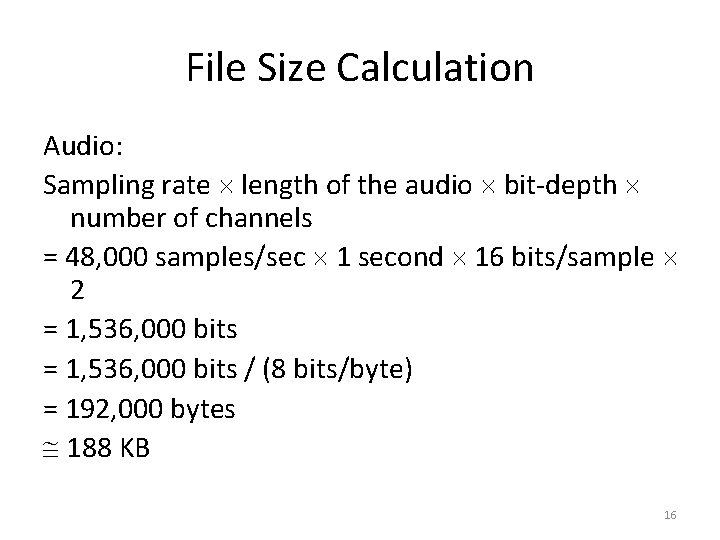
File Size Calculation Audio: Sampling rate length of the audio bit-depth number of channels = 48, 000 samples/sec 1 second 16 bits/sample 2 = 1, 536, 000 bits / (8 bits/byte) = 192, 000 bytes 188 KB 16
File Size Calculation Total file size of this 1 -second uncompressed video = size of the picture component + audio size 133 MB + 188 KB = 133 MB 10 seconds would be 1. 33 GB! 17
File Size Calculation Total file size of this 1 -second uncompressed video = video size + audio size Note that the audio size is 133 MB + 188 KB insignificant compared to = 133 MB the picture component of the video. 10 seconds would be 1. 33 GB! 18
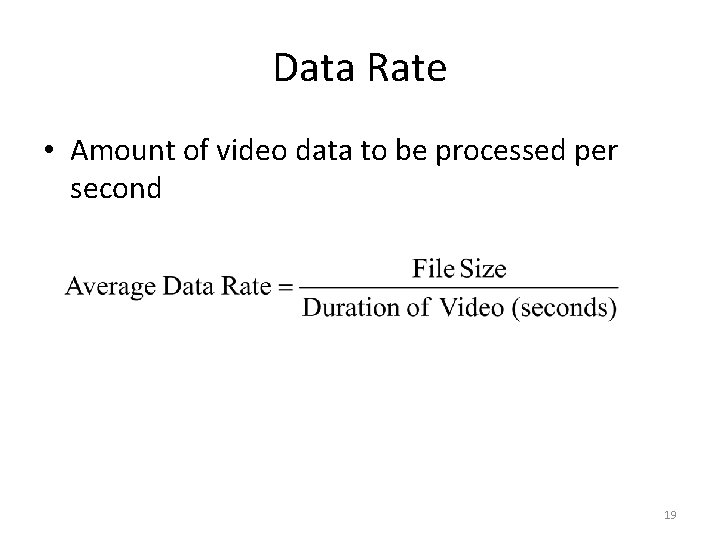
Data Rate • Amount of video data to be processed per second 19
Effect of File Size vs. Data Rate on Video Playback • Data rate: – If high: choppy playback – Amount of data to be processed per second • Larger file size can have a low data rate if it is a long video • Smaller file size can have a high data rate if it is a short video • File size: – If high: • Requires larger storage space • Not unnecessary choppy playback – The impact of file size on smoothness of playback also depends on the video duration. 20
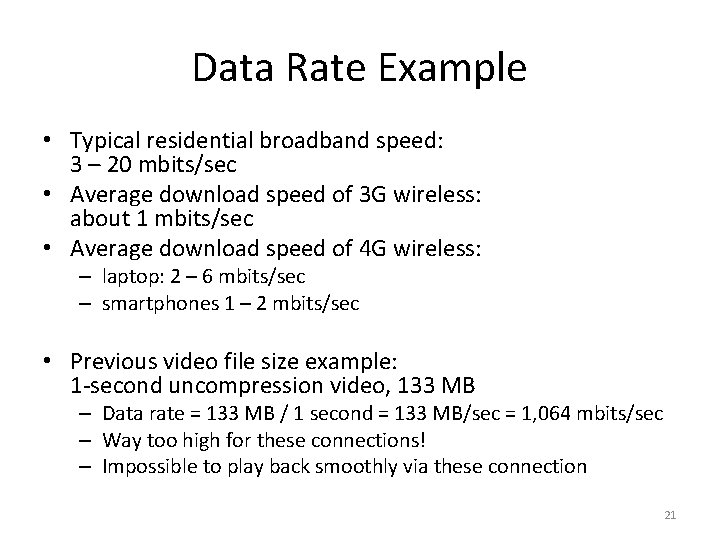
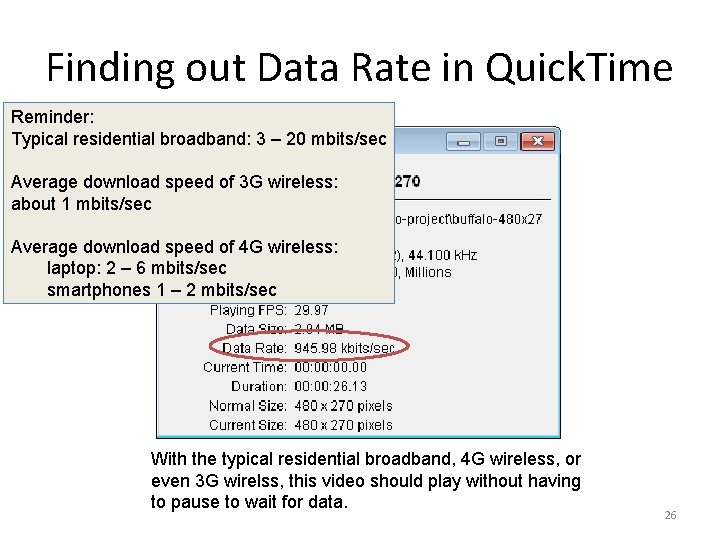
Data Rate Example • Typical residential broadband speed: 3 – 20 mbits/sec • Average download speed of 3 G wireless: about 1 mbits/sec • Average download speed of 4 G wireless: – laptop: 2 – 6 mbits/sec – smartphones 1 – 2 mbits/sec • Previous video file size example: 1 -second uncompression video, 133 MB – Data rate = 133 MB / 1 second = 133 MB/sec = 1, 064 mbits/sec – Way too high for these connections! – Impossible to play back smoothly via these connection 21
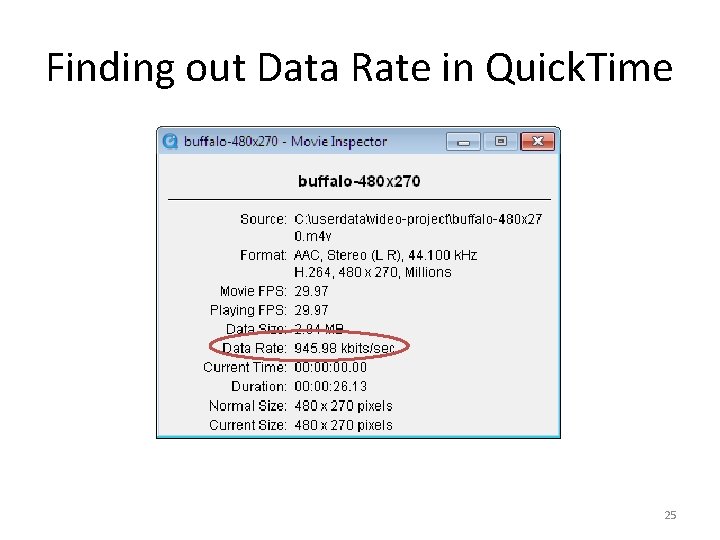
Finding out Data Rate in Quick. Time • Window > Show Movie Info 22
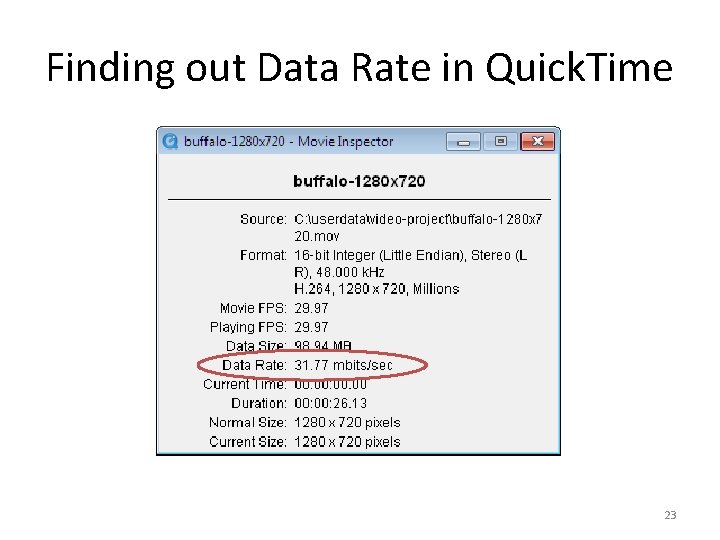
Finding out Data Rate in Quick. Time 23
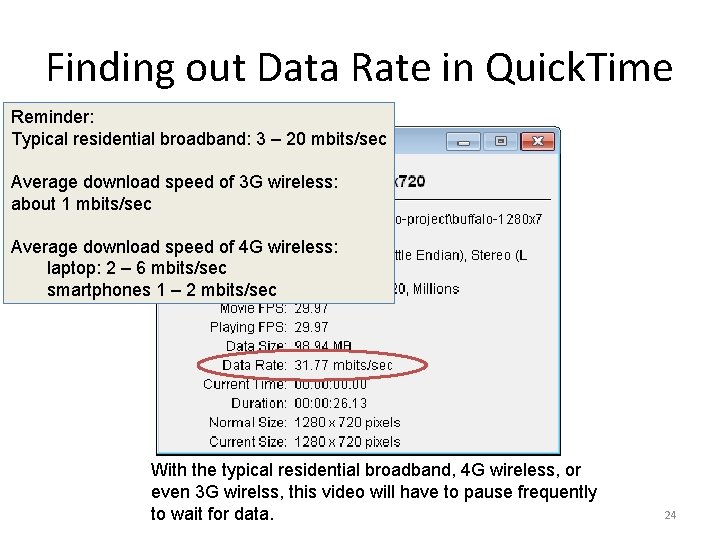
Finding out Data Rate in Quick. Time Reminder: Typical residential broadband: 3 – 20 mbits/sec Average download speed of 3 G wireless: about 1 mbits/sec Average download speed of 4 G wireless: laptop: 2 – 6 mbits/sec smartphones 1 – 2 mbits/sec With the typical residential broadband, 4 G wireless, or even 3 G wirelss, this video will have to pause frequently to wait for data. 24
Finding out Data Rate in Quick. Time 25
Finding out Data Rate in Quick. Time Reminder: Typical residential broadband: 3 – 20 mbits/sec Average download speed of 3 G wireless: about 1 mbits/sec Average download speed of 4 G wireless: laptop: 2 – 6 mbits/sec smartphones 1 – 2 mbits/sec With the typical residential broadband, 4 G wireless, or even 3 G wirelss, this video should play without having to pause to wait for data. 26
General Strategies for Reducing Video Data Rate Basic ideas: A video is a sequence of images + audio Apply strategies for reducing digital image and audio file size. 27
General Strategies for Reducing Video File Size • General Strategies for reducing digital image file size – – reduce frame size reduce frame rate choose a video compressor that allows higher compression choose the lower picture quality option • Reduce duration of the video so you have less frames – not always possible – will not impact data rate 28
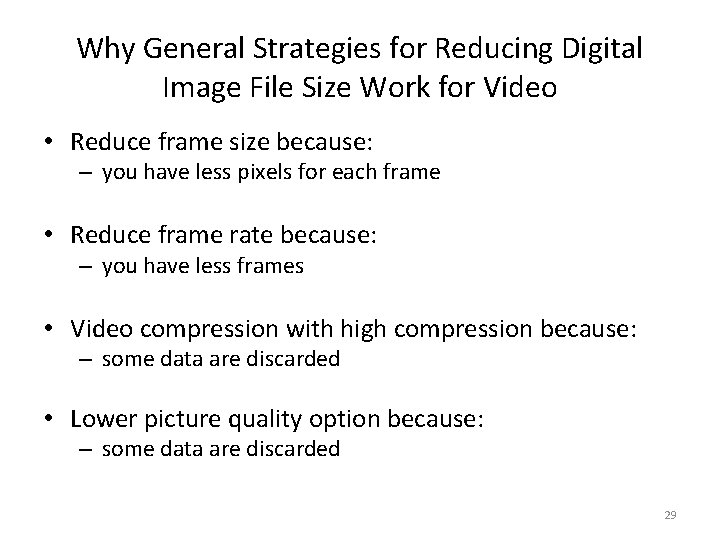
Why General Strategies for Reducing Digital Image File Size Work for Video • Reduce frame size because: – you have less pixels for each frame • Reduce frame rate because: – you have less frames • Video compression with high compression because: – some data are discarded • Lower picture quality option because: – some data are discarded 29
Most Common Choices of Compressor • H. 264 • Sorenson Video 3 30
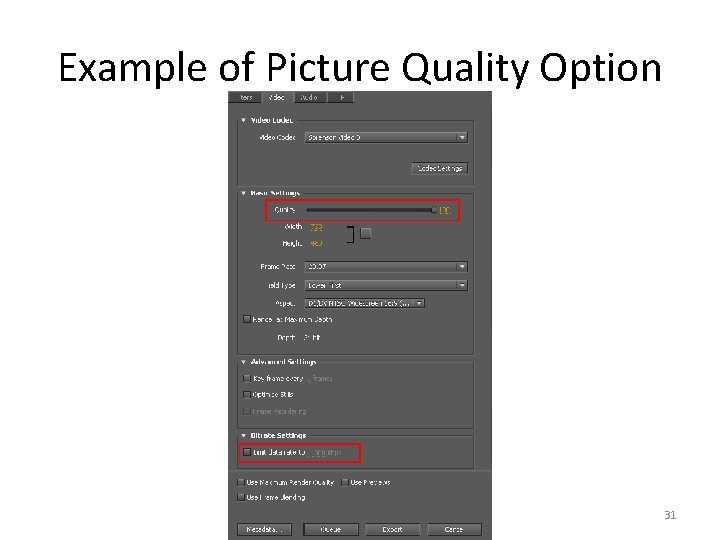
Example of Picture Quality Option 31
Strategies Least Used for Reducing Video Data Rate • Reduce bit depth – Not all video formats support lower bit depth – Live videos need 24 -bit to look natural – Some compressors do not support lower bit depth • Reduce sampling rate, bit depth, and channel numbers of the audio – size of the audio is insignificant compared to that of the picture component in a video 32

Review Questions Note to instructor: Depending on your preference, you may want to go over the review questions at the end of this lecture as an instant review or at the beginning of next lecture to refresh students' memory of this lecture. 33
Review Question True/False: A long video, even with low data rate, can have a large file size. 34
Review Question For a one-minute Quick. Time video file with a file size of 100 MB, its playback on a 48 x CD-ROM drive very likely will be ___. (Hint: The data rate for a 48 x CD-ROM drive is about 7 MB/s. ). A. smooth B. choppy 35
Review Question For a five-second Quick. Time video file with a file size of 100 MB, its playback on a 48 x CD-ROM drive very likely will be ___. (Hint: The data rate for a 48 x CD-ROM drive is about 7 MB/s. ). A. smooth B. choppy 36
Review Question Which of the following factors has the most direct impact on the smoothness of video playback? In other words, if the value of that property is too high for the playback device to handle, the playback of the video will be choppy. A. B. C. D. E. F. file size frame rate frame aspect ratio pixel aspect ratio data rate 37
Review Question Name several strategies to reduce the file size of a video. 38
- Slides: 38