
Digital Logic Circuits EG 1003 Introduction to Engineering
- Slides: 28
Digital Logic Circuits EG 1003: Introduction to Engineering and Design
Overview Ø Objectives Ø Background Ø Materials Ø Procedure Ø Report / Presentation Ø Closing
Objectives Ø Understand logic gates and digital logic circuits Ø Design combinational logic circuit ØActivate under specific conditions ØTest with Lab. VIEW ØTest using NI-ELVIS prototyping board
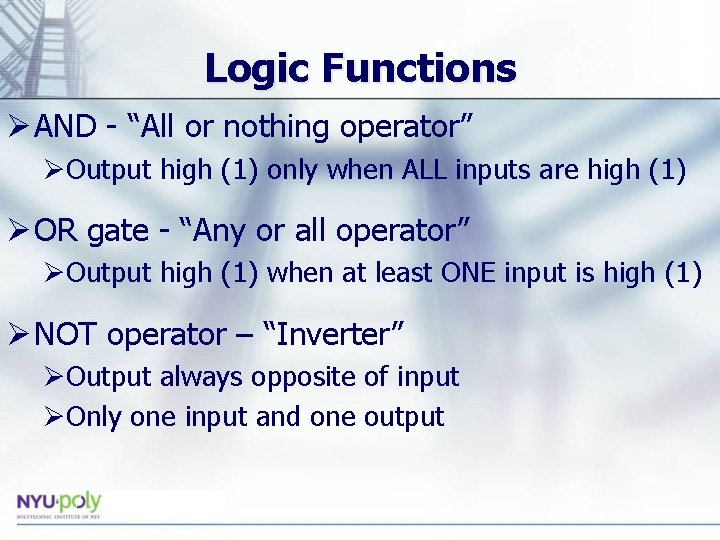
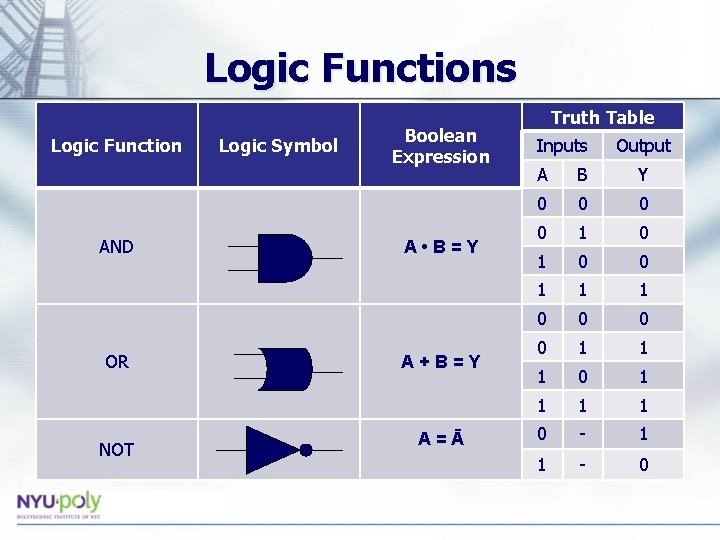
Logic Functions Ø AND - “All or nothing operator” ØOutput high (1) only when ALL inputs are high (1) Ø OR gate - “Any or all operator” ØOutput high (1) when at least ONE input is high (1) Ø NOT operator – “Inverter” ØOutput always opposite of input ØOnly one input and one output
Logic Functions Logic Function AND OR NOT Logic Symbol Boolean Expression A • B=Y A+B=Y A=Ā Truth Table Inputs Output A B Y 0 0 1 1 1 0 0 1 1 1 0 - 1 1 - 0
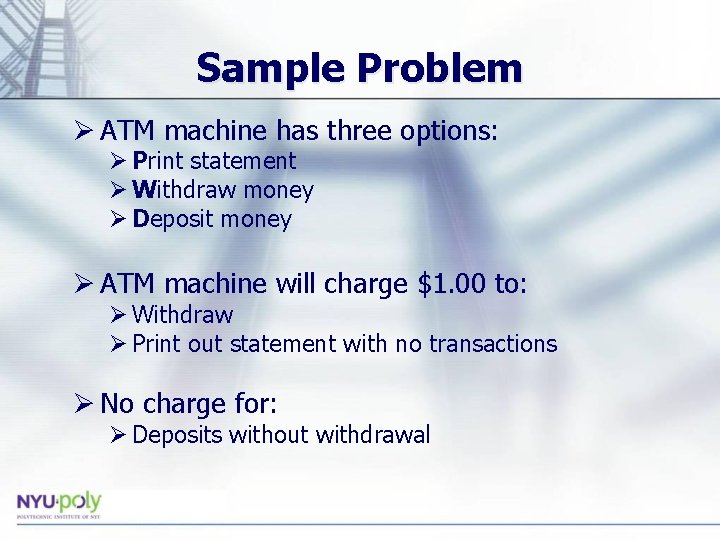
Sample Problem Ø ATM machine has three options: Ø Print statement Ø Withdraw money Ø Deposit money Ø ATM machine will charge $1. 00 to: Ø Withdraw Ø Print out statement with no transactions Ø No charge for: Ø Deposits without withdrawal
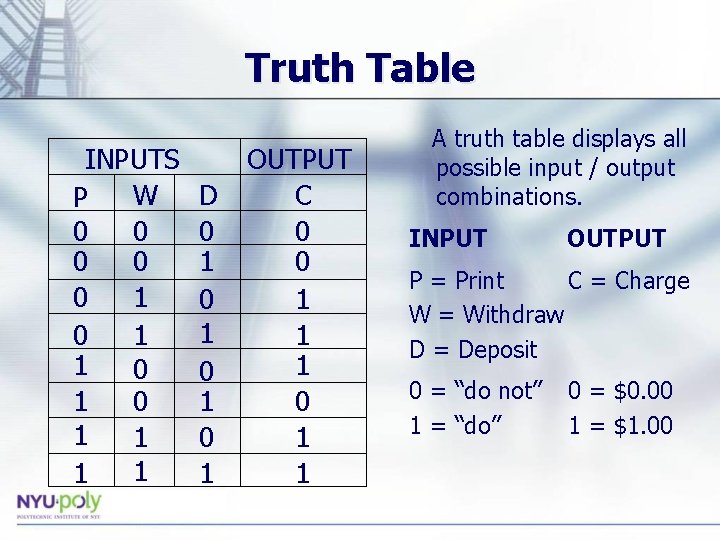
Truth Table INPUTS W P 0 0 0 1 0 1 1 1 1 D 0 1 0 1 OUTPUT C 0 0 1 1 1 0 1 1 A truth table displays all possible input / output combinations. INPUT OUTPUT P = Print C = Charge W = Withdraw D = Deposit 0 = “do not” 1 = “do” 0 = $0. 00 1 = $1. 00
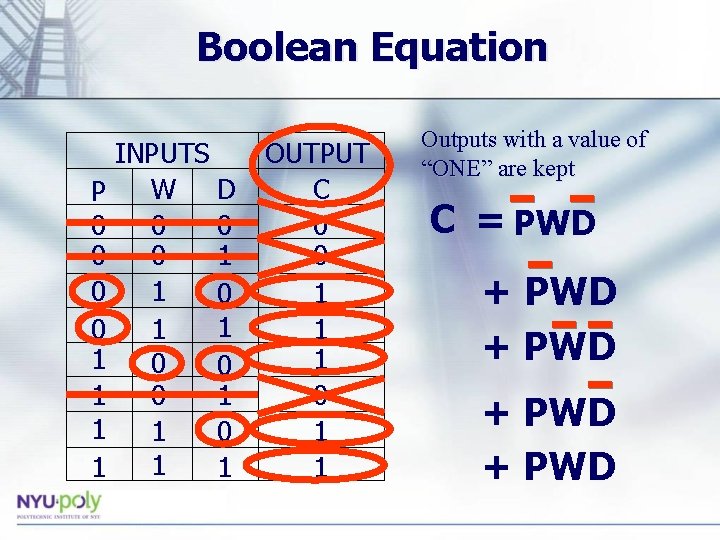
Boolean Equation P 0 0 1 1 INPUTS W D 0 0 0 1 1 OUTPUT C 0 0 1 1 1 0 1 1 Outputs with a value of “ONE” are kept C = PWD + PWD
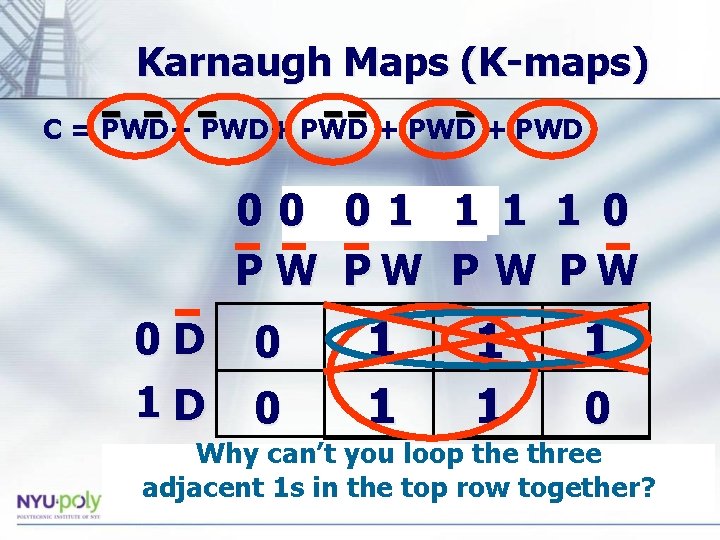
Karnaugh Maps (K-maps) C = PWD+ PWD 0 0 PWD 01 1 0 P W PW 0 D 1 D 0 0 1 1 1 0 _ Why can’t you loop the three Why can’t you switch PW and PW? adjacent 1 s in the top row together?
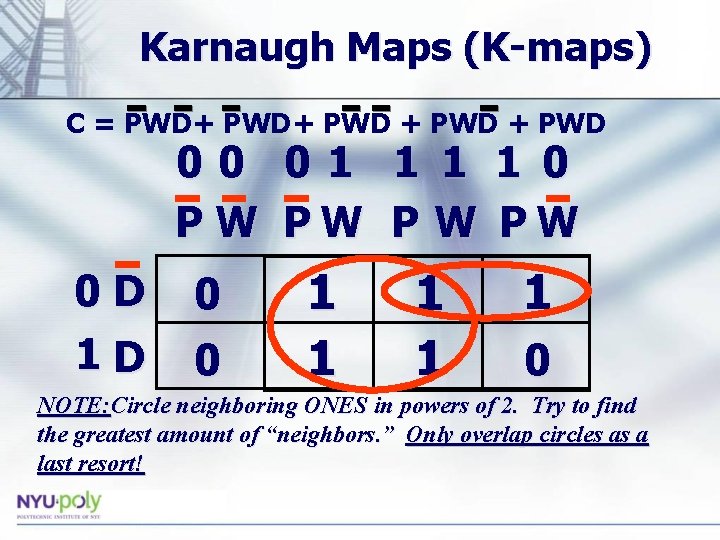
Karnaugh Maps (K-maps) C = PWD+ PWD 00 01 1 0 P W PW 0 D 1 D 0 0 1 1 1 0 NOTE: Circle neighboring ONES in powers of 2. Try to find the greatest amount of “neighbors. ” Only overlap circles as a last resort!
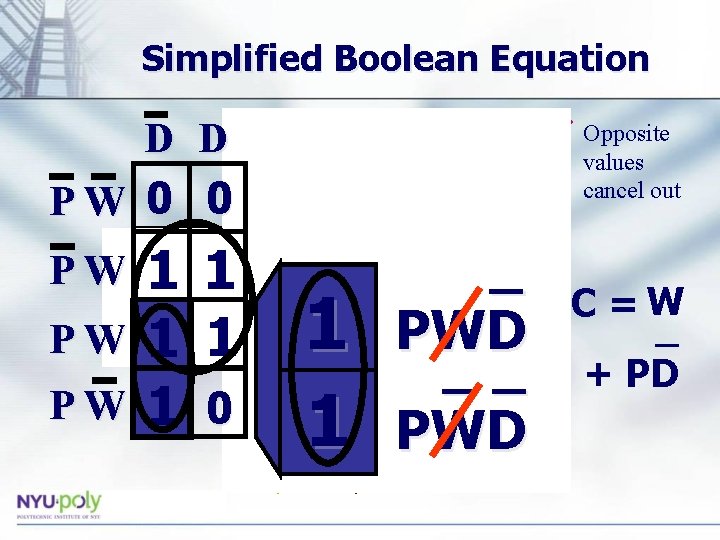
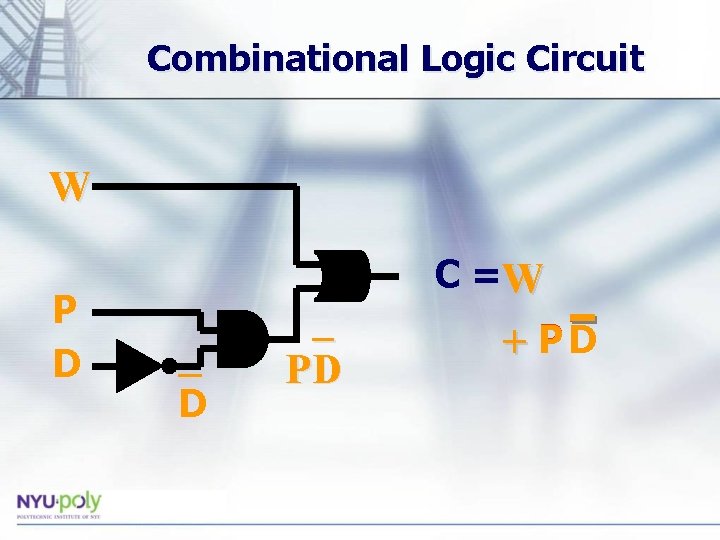
Simplified Boolean Equation D D PW 0 0 PW PW PW 1 1 1 0 _ _ _ Opposite PWD values cancel out 1 1_ 1 1 PWD 1 __ _ 1 PWD PWD C =W _ + PD
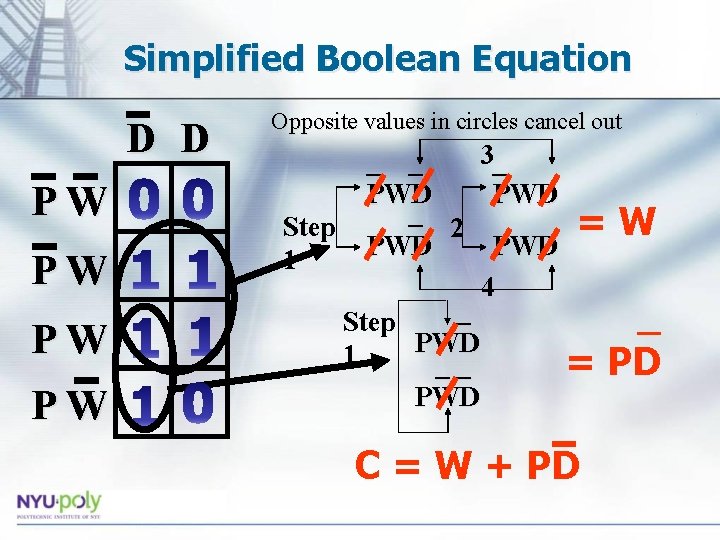
Simplified Boolean Equation D D PW PW Opposite values in circles cancel out 3_ _ _ PWD _ =W Step 2 PWD 1 4 _ _ Step PWD 1 __ = PD PWD C = W + PD
Combinational Logic Circuit W P D _ PD C =W + PD
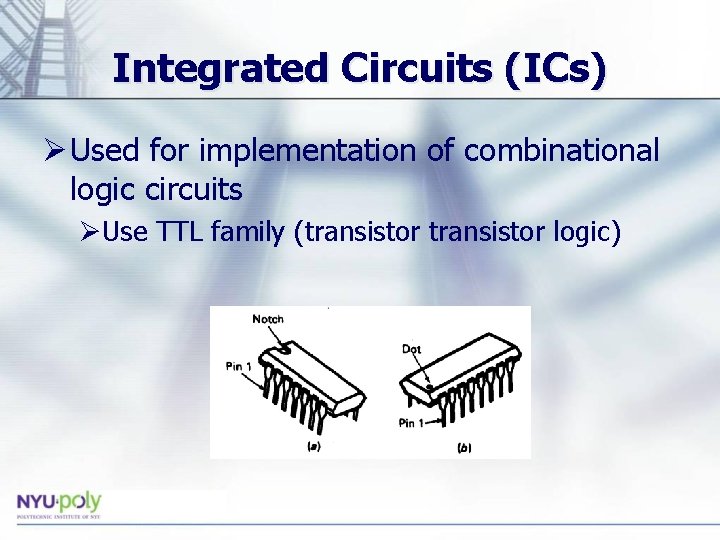
Integrated Circuits (ICs) Ø Used for implementation of combinational logic circuits ØUse TTL family (transistor logic)
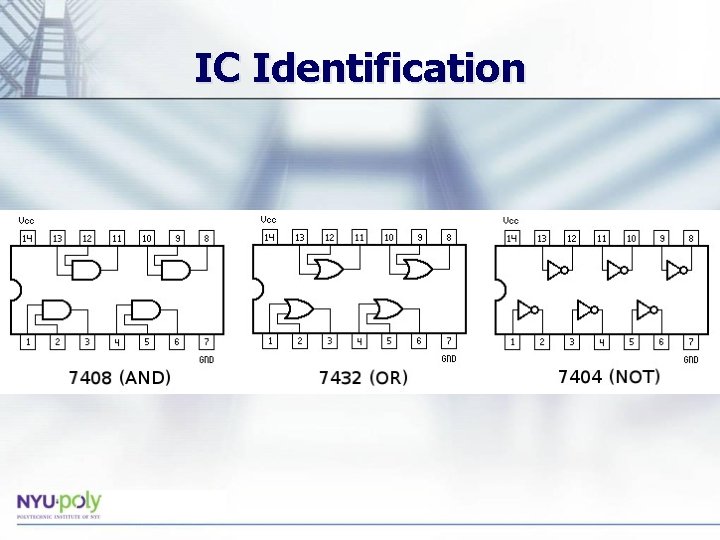
IC Identification
Materials for Lab • Computer equipped with Lab. VIEW • NI-ELVIS II+ Prototyping Board • DIP Switch • Hook-up Wire
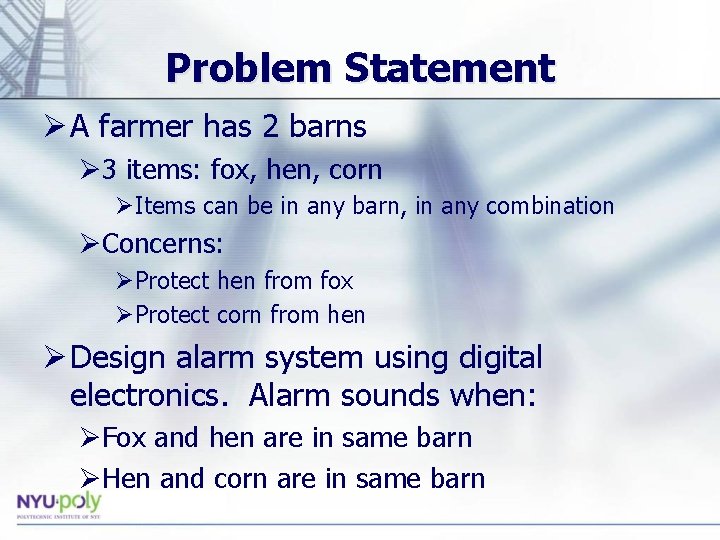
Problem Statement Ø A farmer has 2 barns Ø 3 items: fox, hen, corn ØItems can be in any barn, in any combination ØConcerns: ØProtect hen from fox ØProtect corn from hen Ø Design alarm system using digital electronics. Alarm sounds when: ØFox and hen are in same barn ØHen and corn are in same barn
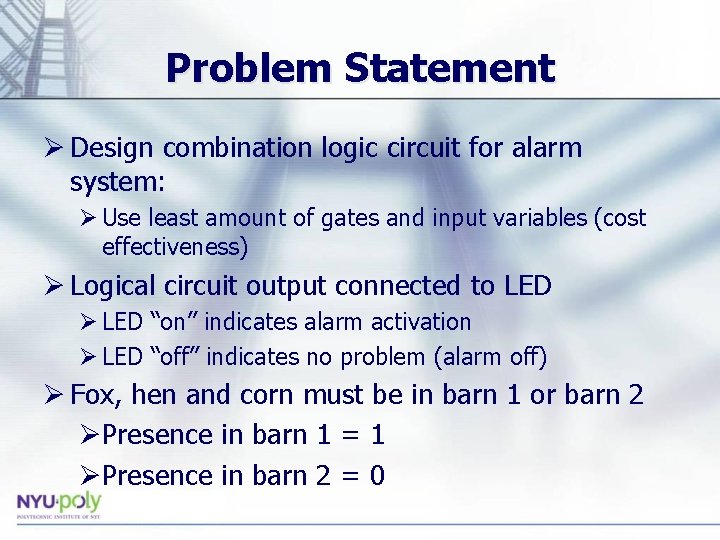
Problem Statement Ø Design combination logic circuit for alarm system: Ø Use least amount of gates and input variables (cost effectiveness) Ø Logical circuit output connected to LED Ø LED “on” indicates alarm activation Ø LED “off” indicates no problem (alarm off) Ø Fox, hen and corn must be in barn 1 or barn 2 ØPresence in barn 1 = 1 ØPresence in barn 2 = 0
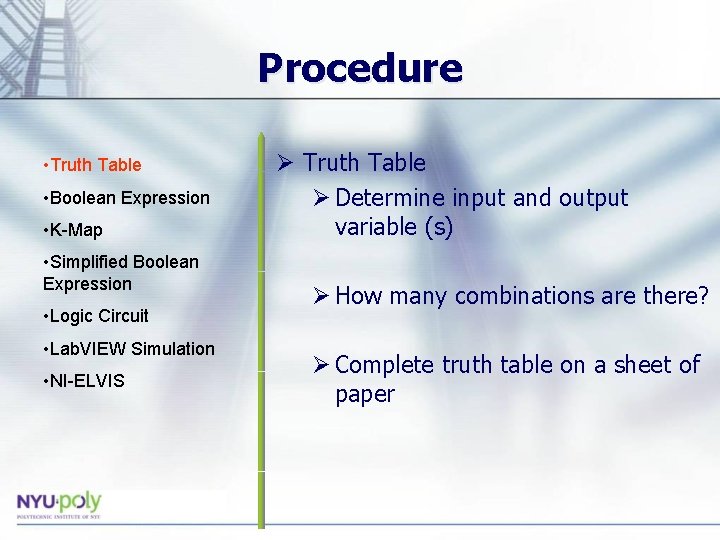
Procedure • Truth Table • Boolean Expression • K-Map • Simplified Boolean Expression • Logic Circuit • Lab. VIEW Simulation • NI-ELVIS Ø Truth Table Ø Determine input and output variable (s) Ø How many combinations are there? Ø Complete truth table on a sheet of paper
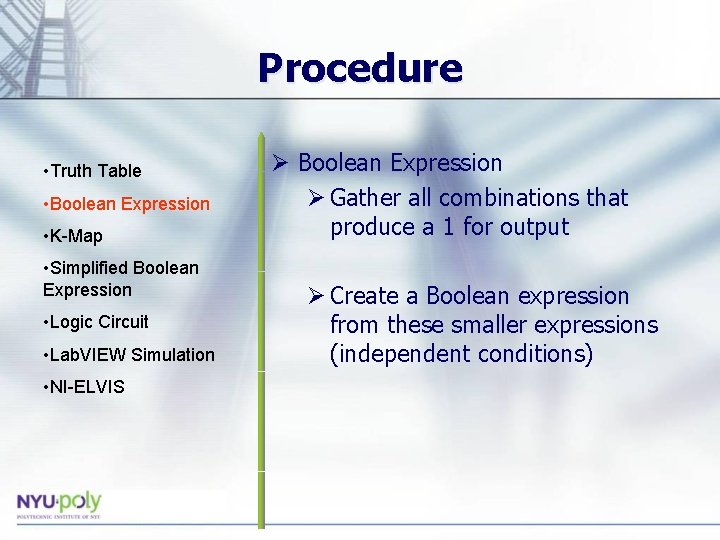
Procedure • Truth Table • Boolean Expression • K-Map • Simplified Boolean Expression • Logic Circuit • Lab. VIEW Simulation • NI-ELVIS Ø Boolean Expression Ø Gather all combinations that produce a 1 for output Ø Create a Boolean expression from these smaller expressions (independent conditions)
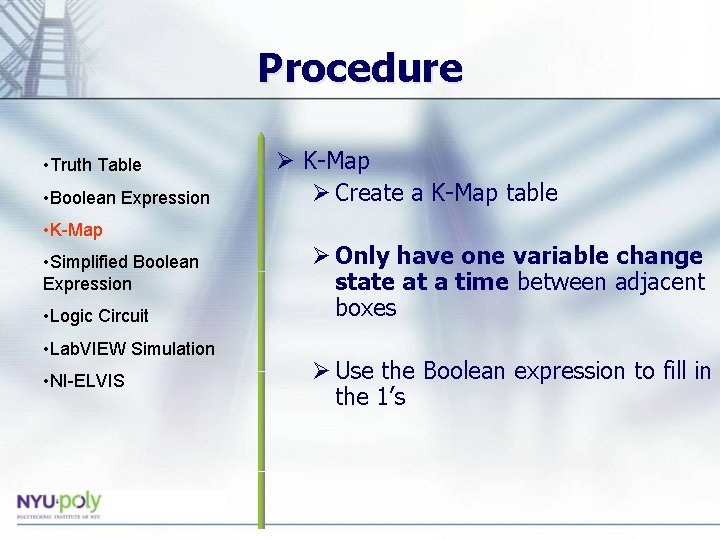
Procedure • Truth Table • Boolean Expression Ø K-Map Ø Create a K-Map table • K-Map • Simplified Boolean Expression • Logic Circuit • Lab. VIEW Simulation • NI-ELVIS Ø Only have one variable change state at a time between adjacent boxes Ø Use the Boolean expression to fill in the 1’s
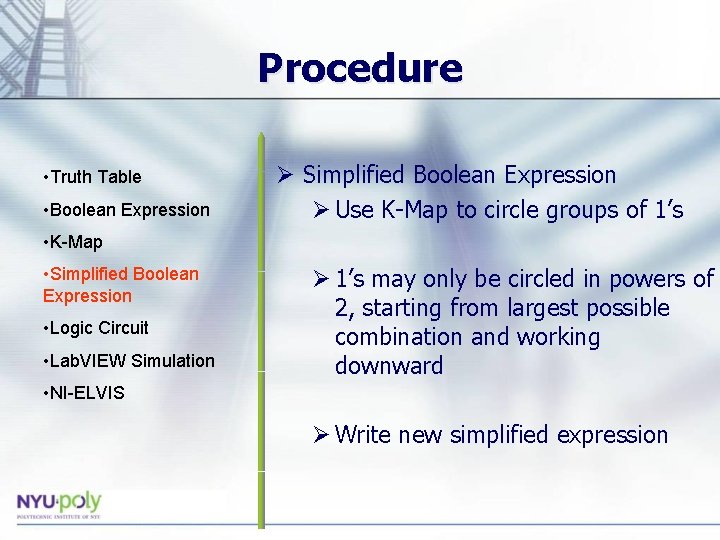
Procedure • Truth Table • Boolean Expression Ø Simplified Boolean Expression Ø Use K-Map to circle groups of 1’s • K-Map • Simplified Boolean Expression • Logic Circuit • Lab. VIEW Simulation Ø 1’s may only be circled in powers of 2, starting from largest possible combination and working downward • NI-ELVIS Ø Write new simplified expression
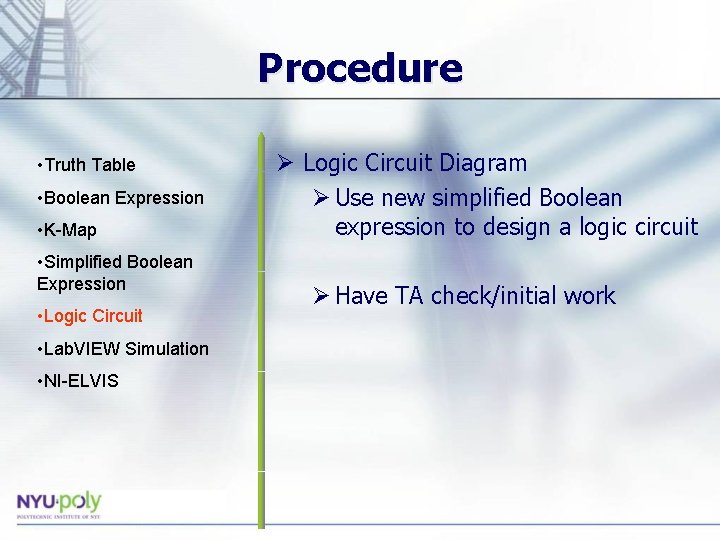
Procedure • Truth Table • Boolean Expression • K-Map • Simplified Boolean Expression • Logic Circuit • Lab. VIEW Simulation • NI-ELVIS Ø Logic Circuit Diagram Ø Use new simplified Boolean expression to design a logic circuit Ø Have TA check/initial work
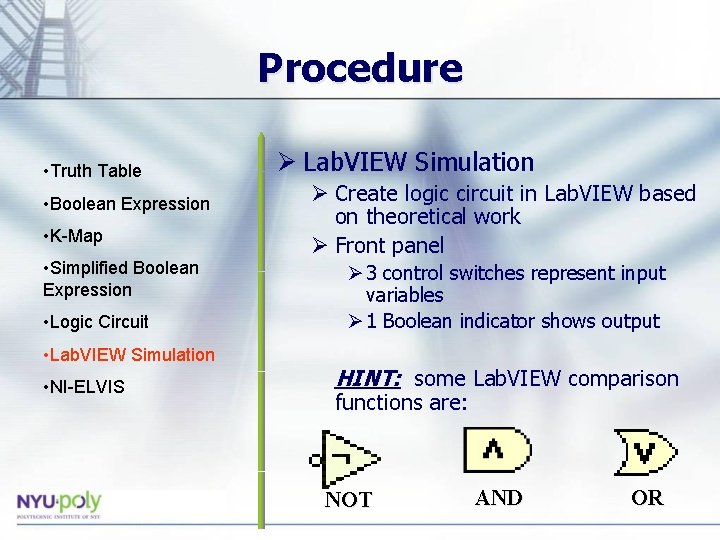
Procedure • Truth Table • Boolean Expression • K-Map • Simplified Boolean Expression • Logic Circuit • Lab. VIEW Simulation • NI-ELVIS Ø Lab. VIEW Simulation Ø Create logic circuit in Lab. VIEW based on theoretical work Ø Front panel Ø 3 control switches represent input variables Ø 1 Boolean indicator shows output HINT: some Lab. VIEW comparison functions are: NOT AND OR
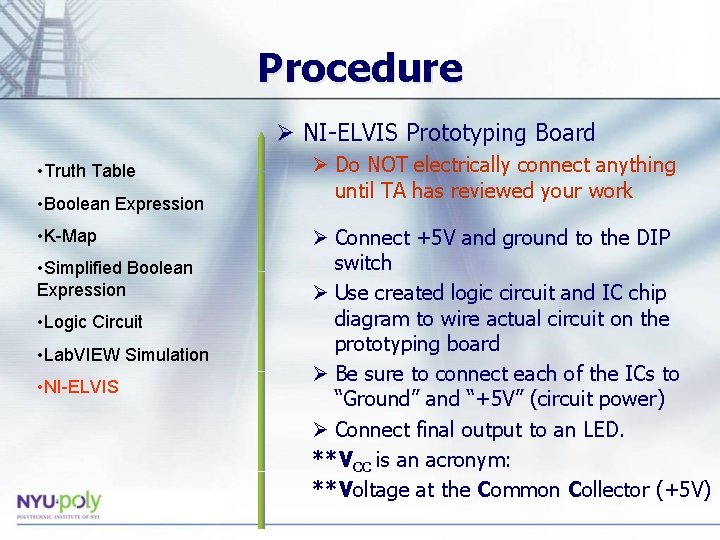
Procedure Ø NI-ELVIS Prototyping Board • Truth Table • Boolean Expression • K-Map • Simplified Boolean Expression • Logic Circuit • Lab. VIEW Simulation • NI-ELVIS Ø Do NOT electrically connect anything until TA has reviewed your work Ø Connect +5 V and ground to the DIP switch Ø Use created logic circuit and IC chip diagram to wire actual circuit on the prototyping board Ø Be sure to connect each of the ICs to “Ground” and “+5 V” (circuit power) Ø Connect final output to an LED. **VCC is an acronym: **Voltage at the Common Collector (+5 V)
Assignment: Report Ø Individual Report Ø Title page Ø Discussion topics in the manual Ø Include original data with instructor’s initials Ø Scan in data and lab notes Ø (ask TA for assistance) Ø Original tables and work should be legible Ø Include screenshots of Lab. VIEW front and back panels
Assignment: Presentation Ø Team presentation Ø Professional-looking tables Ø Include screen shots of your programs Ø Photo of functioning LED assembly Ø Explain steps taken to complete lab Ø Be prepared to provide walk-through Ø Include lab data Ø Refer to “Creating Power. Point Presentations” found in Online Manual
Closing Ø Have all original data signed by TA Ø Each team member should have turn using software Ø Submit all work electronically Ø Return all unused materials to TA