
Digital Image Processing introduction 1 About Digital Images
Digital Image Processing introduction 1
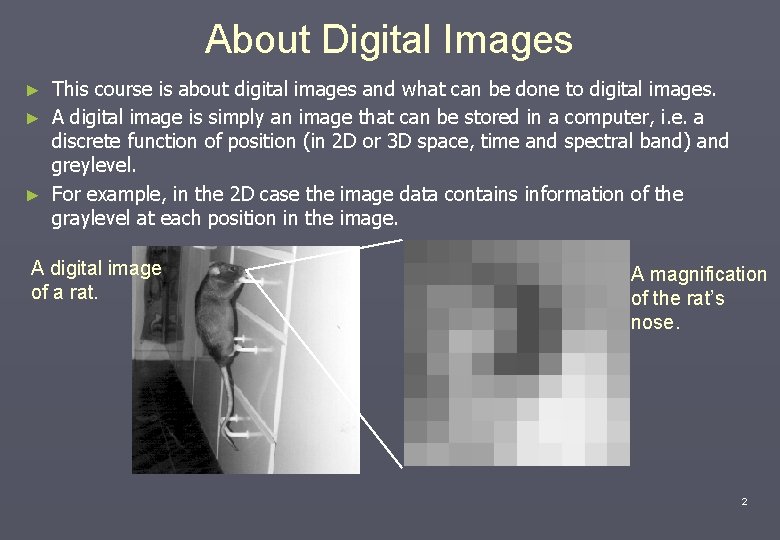
About Digital Images This course is about digital images and what can be done to digital images. ► A digital image is simply an image that can be stored in a computer, i. e. a discrete function of position (in 2 D or 3 D space, time and spectral band) and greylevel. ► For example, in the 2 D case the image data contains information of the graylevel at each position in the image. ► A digital image of a rat. A magnification of the rat’s nose. 2
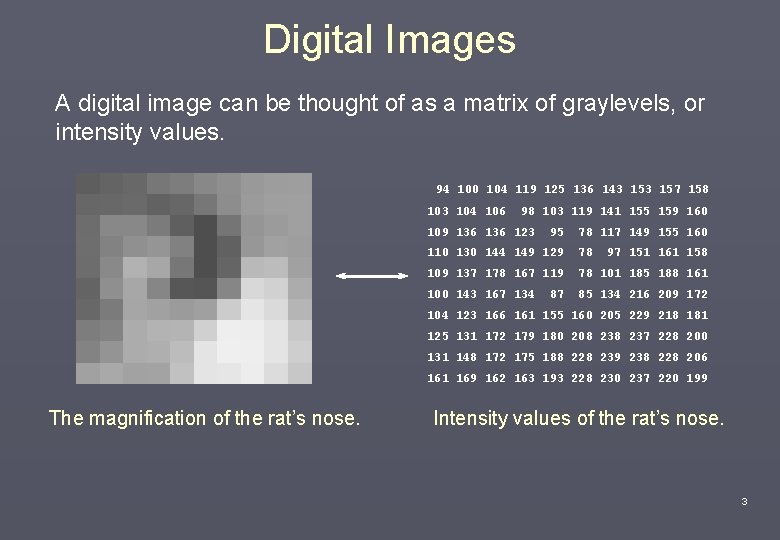
Digital Images A digital image can be thought of as a matrix of graylevels, or intensity values. 94 100 104 119 125 136 143 157 158 103 104 106 98 103 119 141 155 159 160 109 136 123 95 78 117 149 155 160 110 130 144 149 129 78 109 137 178 167 119 78 101 185 188 161 100 143 167 134 85 134 216 209 172 87 97 151 161 158 104 123 166 161 155 160 205 229 218 181 125 131 172 179 180 208 237 228 200 131 148 172 175 188 228 239 238 228 206 161 169 162 163 193 228 230 237 220 199 The magnification of the rat’s nose. Intensity values of the rat’s nose. 3
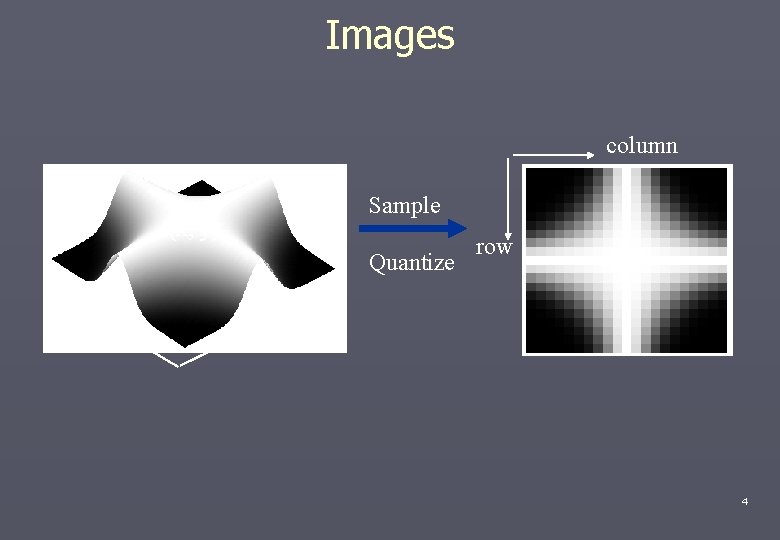
Images column Sample f(x, y) Quantize y row x 4
Why put the image into a computer ? What are computers good at compared to people? Human + identify objects + describe relationships + interpret images using experience - difficulties with normalizing intensity - subjective Computer + measure absolute values + perform complicated calculations + does not get tired / cheaper + fast + objective 5
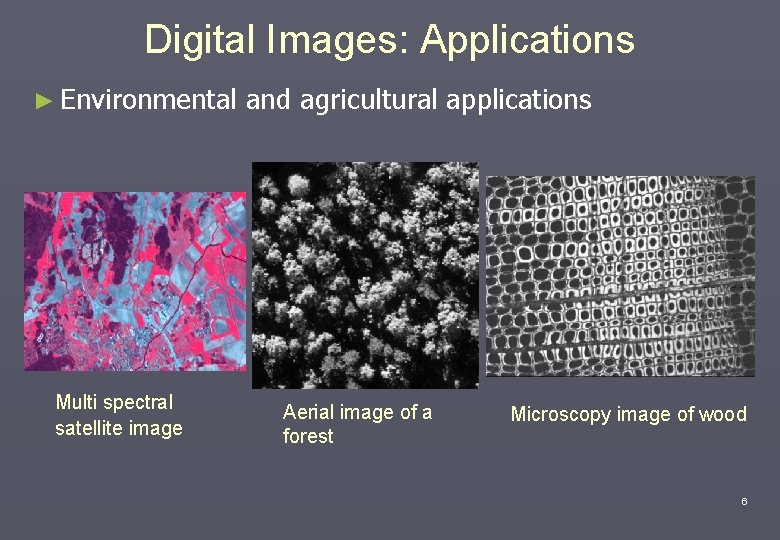
Digital Images: Applications ► Environmental Multi spectral satellite image and agricultural applications Aerial image of a forest Microscopy image of wood 6
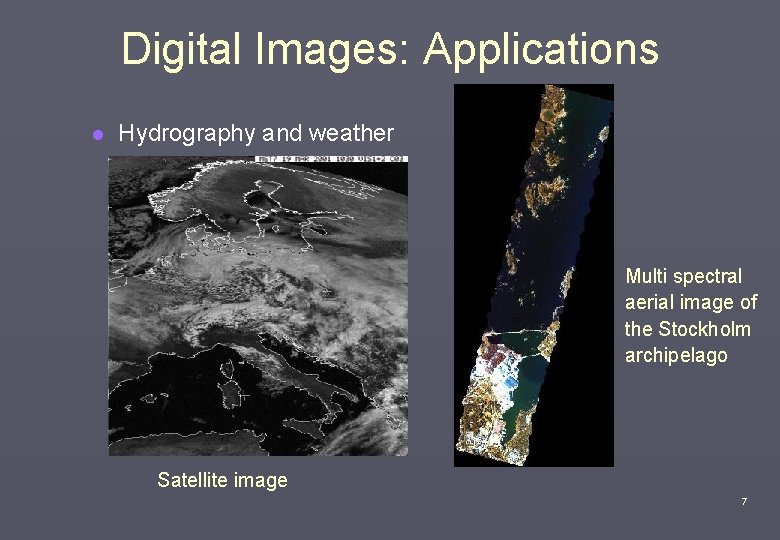
Digital Images: Applications l Hydrography and weather Multi spectral aerial image of the Stockholm archipelago Satellite image 7
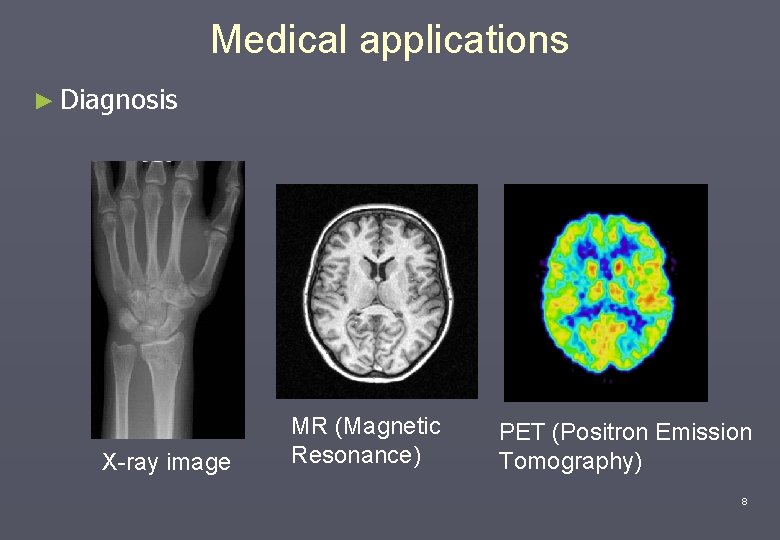
Medical applications ► Diagnosis X-ray image MR (Magnetic Resonance) PET (Positron Emission Tomography) 8
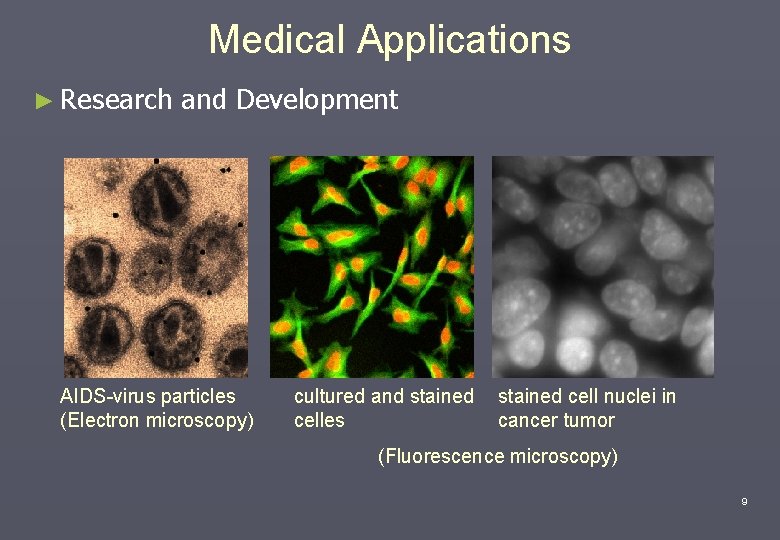
Medical Applications ► Research and Development AIDS-virus particles (Electron microscopy) cultured and stained celles stained cell nuclei in cancer tumor (Fluorescence microscopy) 9
{ Other applications § Quality control § Biometry (face recognition, fingerprint…) § Handwriting recognition § Automatic surveillance { § Forensics § Astronomy 10
Course Contents ► Some of the topics dicussed during the course Ø Filtering in the spatial domain Ø The Fourier transform and its use in image analysis Ø Image restoration Ø Color Ø Segmentation Ø Binary image operations, morphology and feature extraction Ø Classification and decision Ø etc 11

DIP: Course Logistics http: //faculty. petra. ac. id/resmana 12

The Fundamental Steps in Digital Image Processing Problem Solution Image acquisition Recognition and interpretation Preprocessing Segmentation Representation and description 13
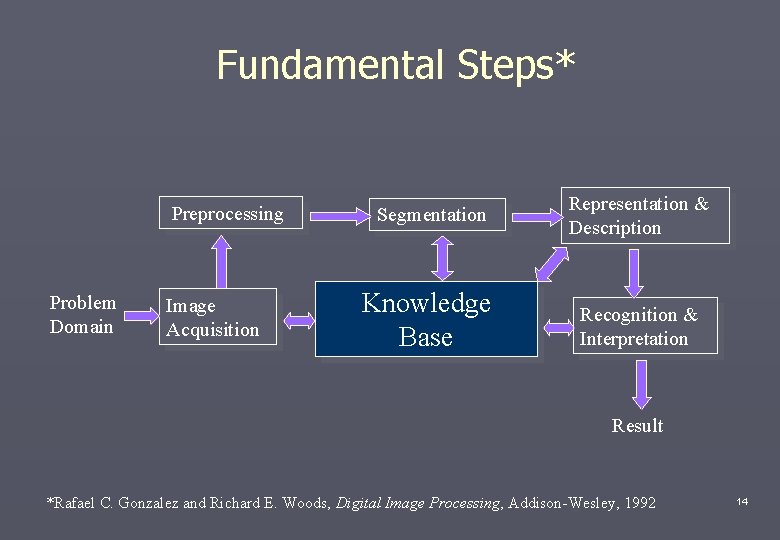
Fundamental Steps* Preprocessing Problem Domain Image Acquisition Segmentation Representation & Description Knowledge Base Recognition & Interpretation Result *Rafael C. Gonzalez and Richard E. Woods, Digital Image Processing, Addison-Wesley, 1992 14

DIP: Details 15
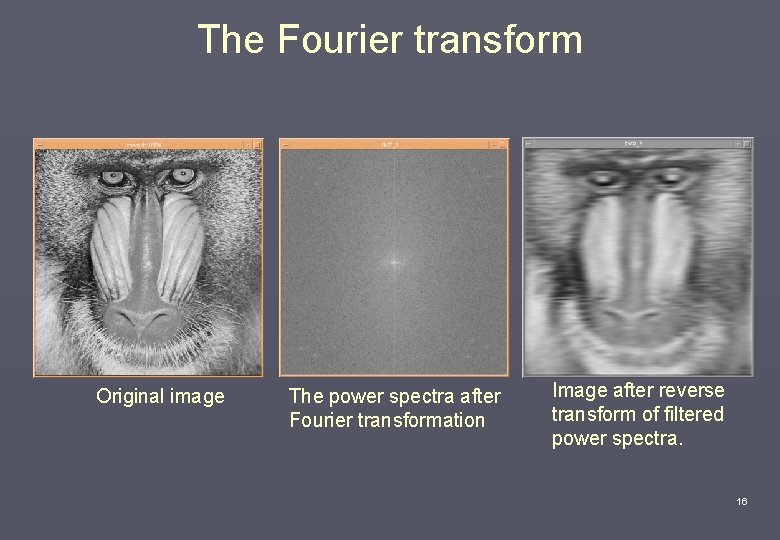
The Fourier transform Original image The power spectra after Fourier transformation Image after reverse transform of filtered power spectra. 16
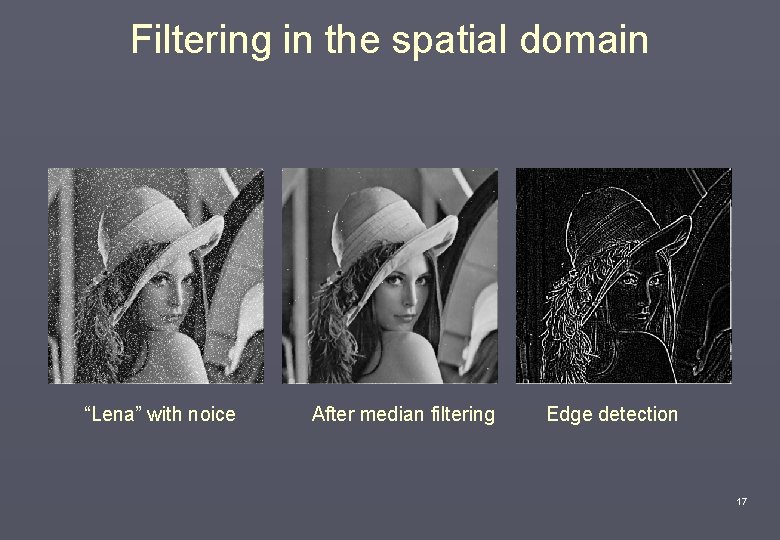
Filtering in the spatial domain “Lena” with noice After median filtering Edge detection 17
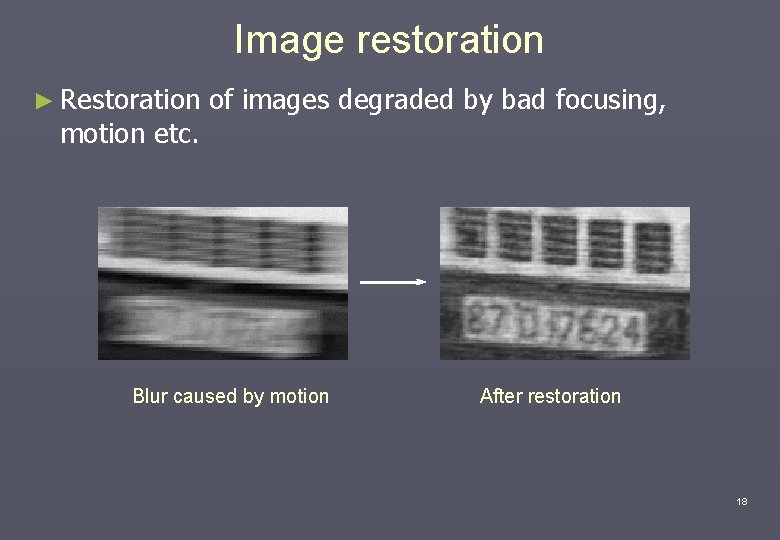
Image restoration ► Restoration motion etc. of images degraded by bad focusing, Blur caused by motion After restoration 18
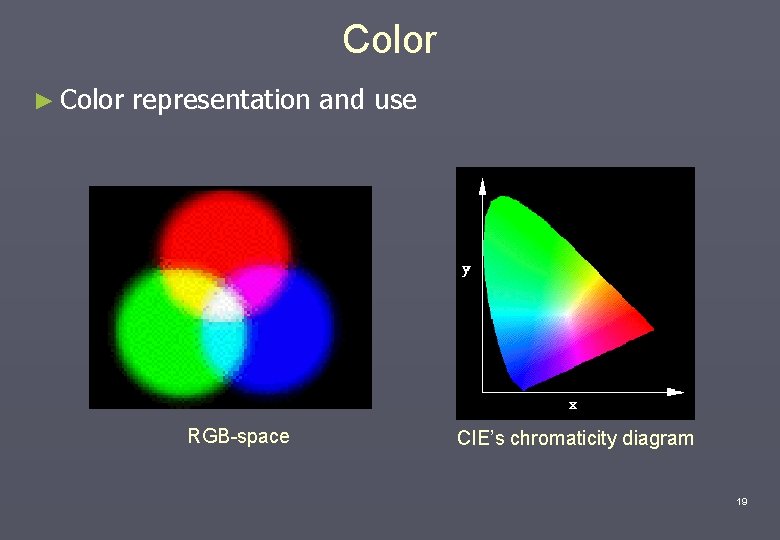
Color ► Color representation and use RGB-space CIE’s chromaticity diagram 19
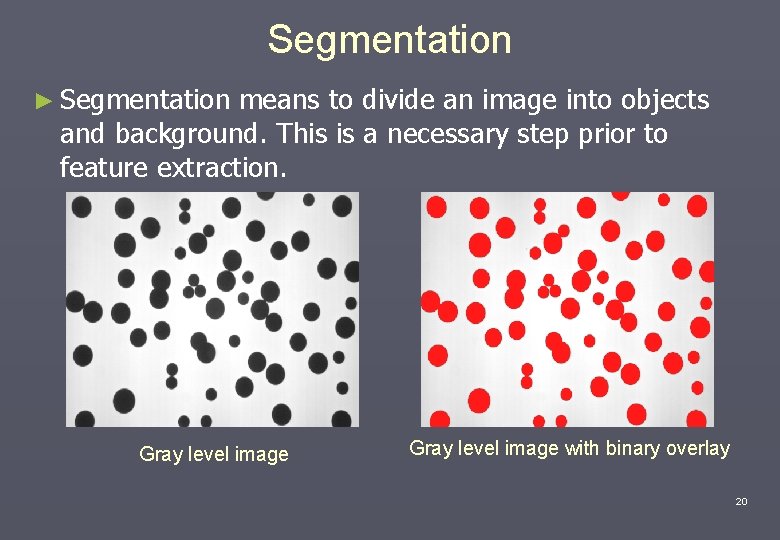
Segmentation ► Segmentation means to divide an image into objects and background. This is a necessary step prior to feature extraction. Gray level image with binary overlay 20
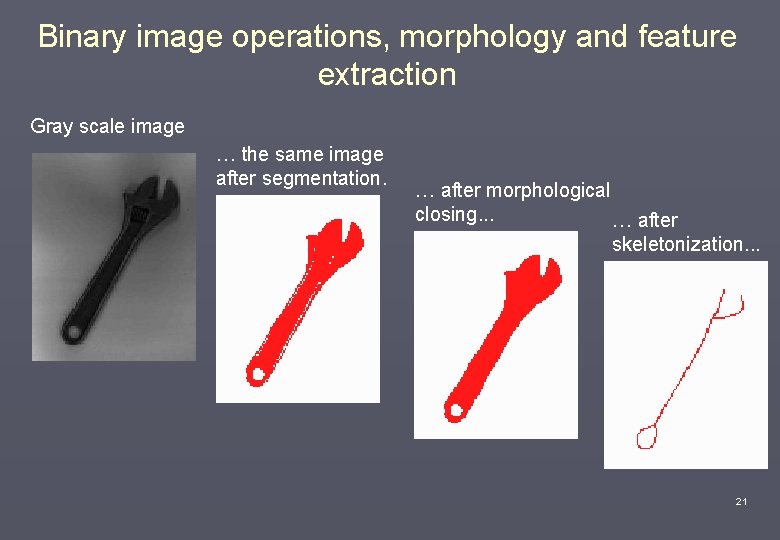
Binary image operations, morphology and feature extraction Gray scale image … the same image after segmentation. … after morphological closing. . . … after skeletonization. . . 21
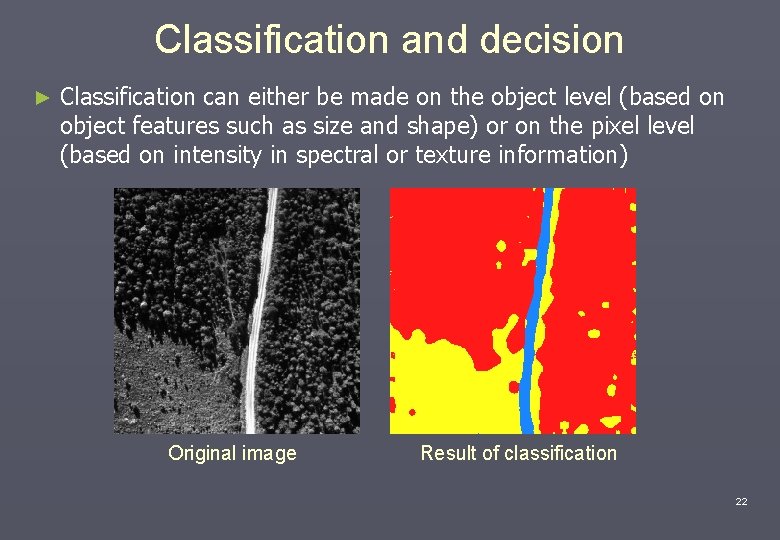
Classification and decision ► Classification can either be made on the object level (based on object features such as size and shape) or on the pixel level (based on intensity in spectral or texture information) Original image Result of classification 22
What do you need to do Image Processing? ► Mathematics ► Physics ► Statistics ► Computer Science ► Artificial intelligence ► “area” knowledge ►… 23
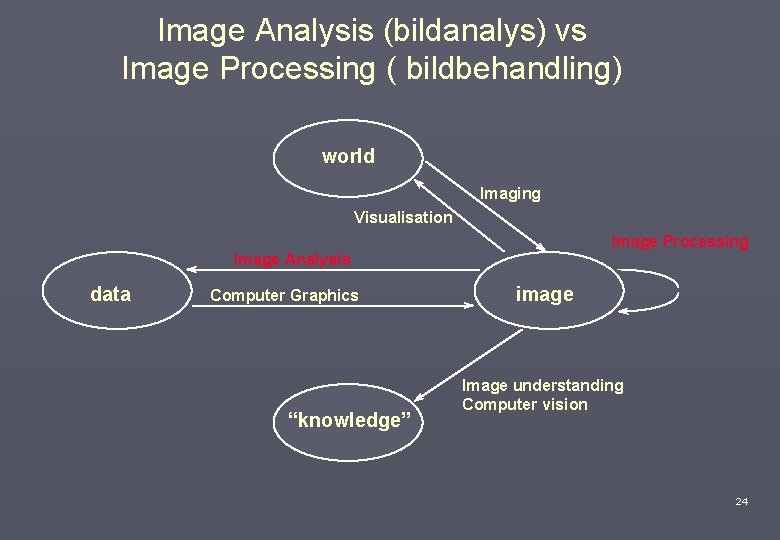
Image Analysis (bildanalys) vs Image Processing ( bildbehandling) world Imaging Visualisation Image Processing Image Analysis data Computer Graphics “knowledge” image Image understanding Computer vision 24
Course goals After the course you will know a bunch of algorithms as well as. . . • how a digital image works. • when image analysis is a possible solution. • when image analysis is not a possible solution. • what the requirements on the equipment are. • what the requirements on the image are. • how to do some image processing and analysis yourself. • what is true and false about imaging and analysis systems. • that some images tell lies…. . 25
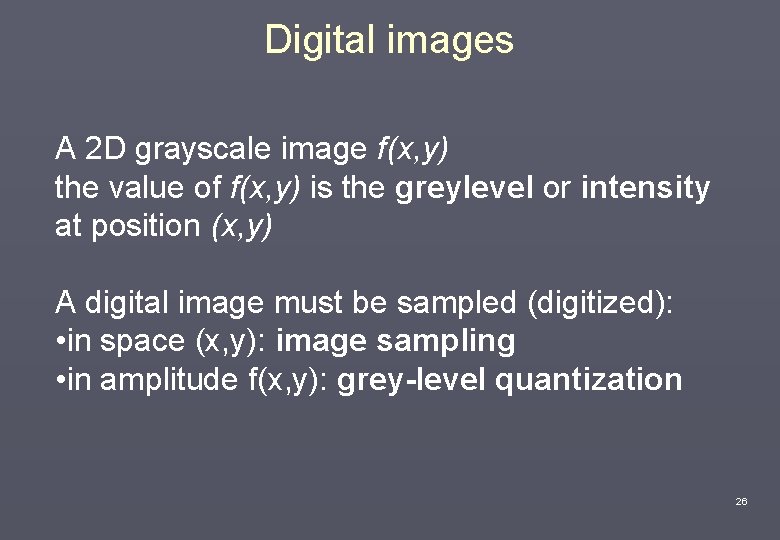
Digital images A 2 D grayscale image f(x, y) the value of f(x, y) is the greylevel or intensity at position (x, y) A digital image must be sampled (digitized): • in space (x, y): image sampling • in amplitude f(x, y): grey-level quantization 26
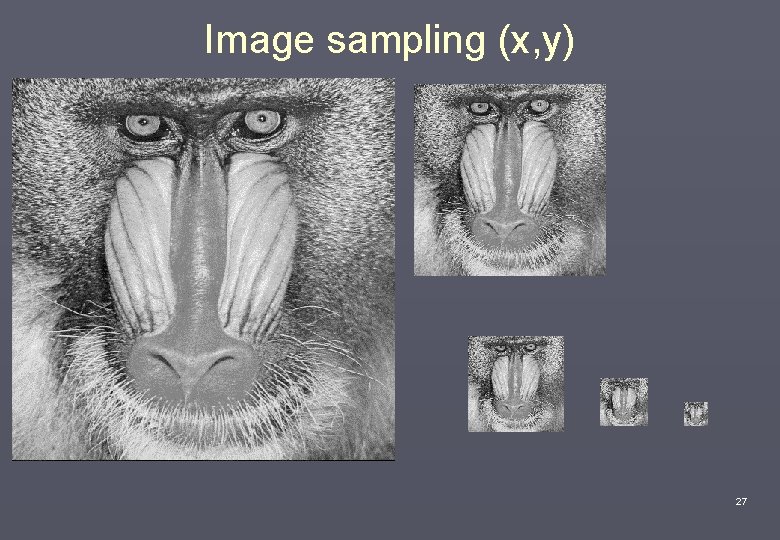
Image sampling (x, y) 27
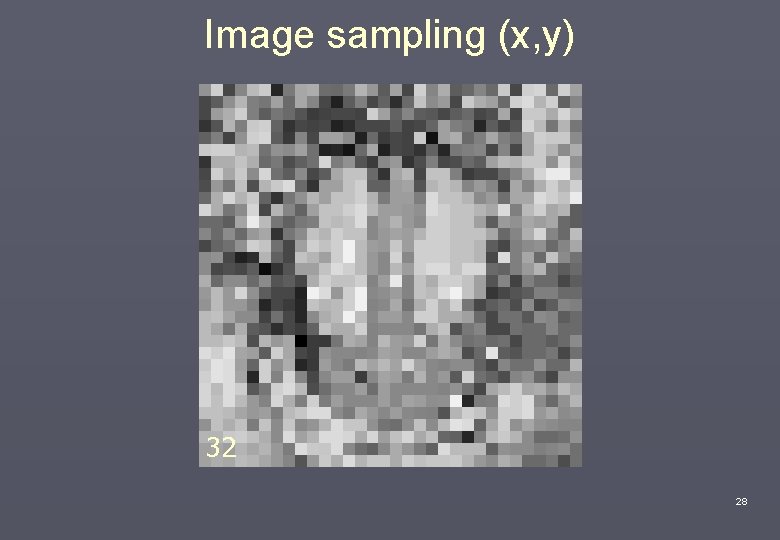
Image sampling (x, y) 128 32 64 256 512 28
Methods for image sampling (in space) • Uniform - same sampling frequency everywhere • Adaptive - higher sampling frequency in areas with greater detail (not very common) • The discrete sample is called a pixel (from picture element) in 2 D and voxel (from volume element) in 3 D and is usually square (cubic), but can also have other shapes. 29
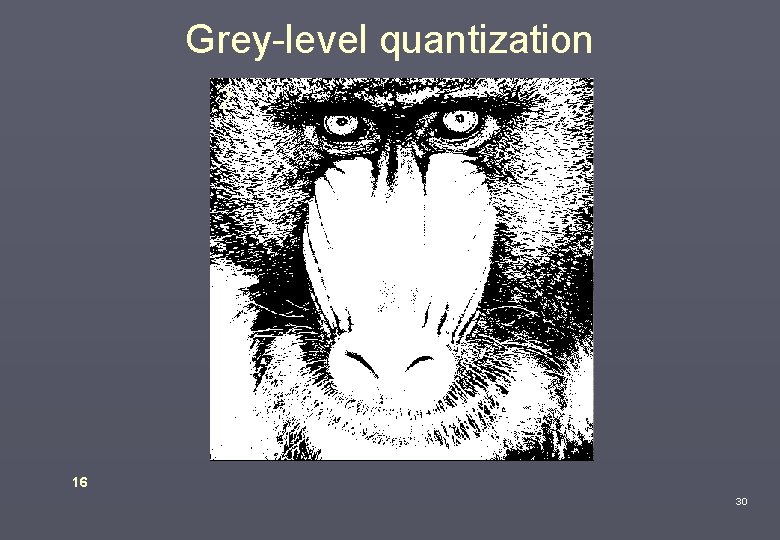
Grey-level quantization 256 32 8 2 16 30
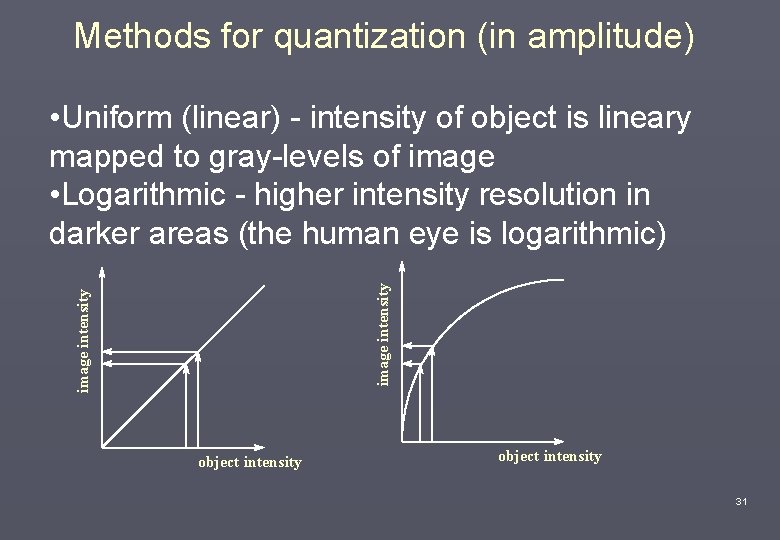
Methods for quantization (in amplitude) image intensity • Uniform (linear) - intensity of object is lineary mapped to gray-levels of image • Logarithmic - higher intensity resolution in darker areas (the human eye is logarithmic) object intensity 31
![Common quantization levels f(x, y) is given integer values [0 -max], max=2 n-1 n=5](http://slidetodoc.com/presentation_image_h2/61a764d3a70da8cf5ff70ad86aaed6e4/image-32.jpg "Common quantization levels f(x, y) is given integer values [0 -max], max=2 n-1 n=5")
Common quantization levels f(x, y) is given integer values [0 -max], max=2 n-1 n=5 [0 1] [0 31] n=8 n=16 n=24 [0 255] [0 65535] [0 16. 2*106] ”binary image” maximum the human eye can resolve (locally) 1 byte, very common in research common in color images (i. e. 3*8 for RGB) 32
Choice of sampling • What will the image be used for? • What are the limitations in memory and speed? • Will we only use the image for visual interpretation or do we want to do any image analysis? • What information is relevant for the analysis (i. e. color, spatial and/or graylevel resolution)? 33
- Slides: 33