
Digital Camera Why Use a Digital Camera Students
- Slides: 10
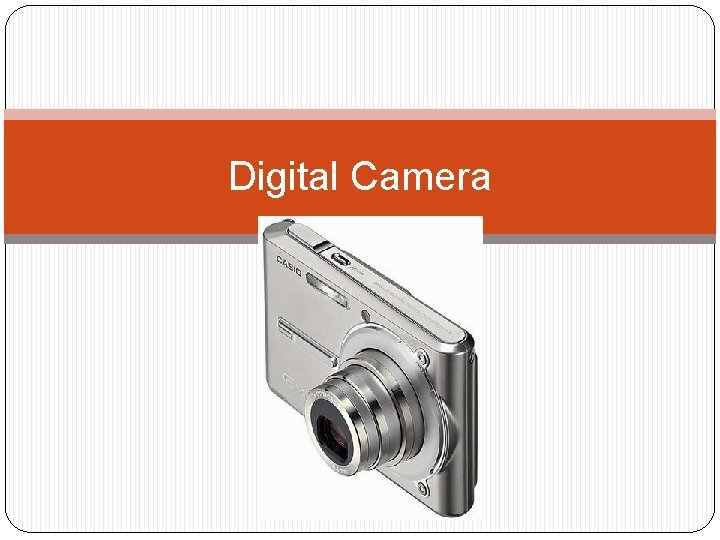
Digital Camera
Why Use a Digital Camera? �Students love taking pictures as much as they love being in them. �They benefit from using digital cameras because they learn firsthand the ease and immediacy of using them. �Using digital photography helps the student become more involved with the subject. �Guide the younger ones in “deciding” what they will photograph and the purpose behind the project. �Older students can decide for themselves what the project will be, and after approval, they complete it. The process becomes a cognitive one as the students reason and plan what pictures to take and why those pictures are needed. �It's also very easy to simply print out pictures onto paper
Digital Camera Cont’d. Is There Anything I Should Be Concerned About? �Students MUST be taught proper handling and safety rules when using the camera. �Do training with students to ensure that they understand how to handle the camera. �Ensuring that students take appropriate photographs. �Keep in mind is privacy when publishing photographs. Some students do not have permission to be photographed. �When printing pictures, teach students to be choosy and not to print every single picture they take.
Digital Camera Cont’d. Some ways to use the digital camera in the classroom � Give students a portion of a digital picture and have them guess what the picture is of. A great site with examples of this is: http: //takeacloserlook. homestead. com/ � Give students a list of items to look for in the classroom or in the school. They must take pictures and compile a presentation (slide show, web page, etc. ) of the things they found during their scavenger hunt to prove they found them all. � Take pictures during plays, sporting events, or other special events. � Take pictures of various staff members and teachers. Create a slide show or digital handbook to give new students � students make junk sculptures, then write about it and put the picture and writing together for a class book � take pictures of projects or events to put on the web site � take pictures of the various life stages of butterflies grown in the classroom � take pictures of different places in the community to make a community ABC book � use the pictures of the community to make postcards to be sent to relatives, pen pals, etc.
Digital Camera Cont’d. • Take pictures of your classroom to make a virtual tour. • Take pictures to document other growth, such as plants, butterflies, frogs, etc. Use these pictures to illustrate life cycles or stages of growth. • Have students photograph things for other student’s communication devices. • Let students take pictures of themselves and make trading cards. They love exchanging these cards with each other. A trading card can easily be made in Word or other word processing program by making a table with 2 columns. Students should include information about themselves (name, birthday, favorite class, favorite cartoon, etc. ) • Take pictures of students throughout the year to illustrate how they grow. This is best done outside in full light, with students lined up against a wall and with another object in the photo or a mark made on the wall so that difference in sizes through the year can be easily seen. • Take lots of pictures on field trips. Then display the pictures by either printing them or displaying them on a computer screen or television. Have students write about these experiences.
Digital Camera Cont’d � make locker magnets � make thank you notes � use with pen pal letters � make stickers with student name and picture � make a monthly bulletin board highlighting special activities � make a memory book for the students for the year � publish student books, they draw pictures and I take pictures of their illustrations with the digital camera and print them on the same page as the text. � have students interview each other, take pictures of each other, and print off the interview and pictures make a weekly newsletter � white out the background of the student and have them draw a picture around a photo of themselves -make bookmarks with their picture on it �
Digital Camera cont. Some ways Digital Camera was used at CVS http: //www. onetruemedia. com/otm_site/auth_preview? work_id=7620283 One true media source with digital camera images uploaded to presentation. All you need to do is pick the music, theme, and have fun! Also use photo album in power point to automatically make a powerpoint of photos! F: Documents and SettingsSamDesktopphoto album example. pptx
Resources �http: //pegasus. cc. ucf. edu/~ucfcasio/qvuses. htm �http: //www. brunswick. k 12. me. us/lonlinks/digicam/tea cher/home. html �http: //www. hardin. k 12. ky. us/res_techn/TEC/digitalcamer a/primary. htm �http: //terpconnect. umd. edu/~toh/image/Digital. Camera. U ses. htm �http: //www. brunswick. k 12. me. us/lonlinks/digicam/as sess/home. html
Resources �http: //www. kodak. com/eknec/Page. Querier. jhtml? pq- path=10800&pq-locale=en_US&_requestid=7289 �http: //www. zardec. net. au/keith/digcam. htm �http: //kathyschrock. net/creativeclassroom/cameras. htm �http: //teachers. net/gazette/APR 02/camera. html �http: //www. brunswick. k 12. me. us/lonlinks/digicam/tec hlink/home. html �http: //k 12. pisd. edu/multimedia/peripherals/camera. htm �http: //www. teachertube. com/
References �Wacona Elementary. Using digital cameras in the classroom. http: //www. wacona. com/digicam. html#Why%20 Us e (Retrieved March, 2009). �ETTC - Kennesaw State University. Digital Cameras. http: //webtech. kennesaw. edu/jcheek 3/digitalcameras. htm (Retrieved March, 2009).