
Digital Audio Multimedia Systems Module 1 Lesson 1
- Slides: 14
Digital Audio Multimedia Systems (Module 1 Lesson 1) Sources: Summary: r My research notes r Basic concepts underlying sound r Dr. Ze-Nian Li’s course material at: r Facts about human http: //www. cs. sfu. ca/Course. Central/365/li/ perception of sound r Computer representation of sound (Audio) r A brief introduction to MIDI 1
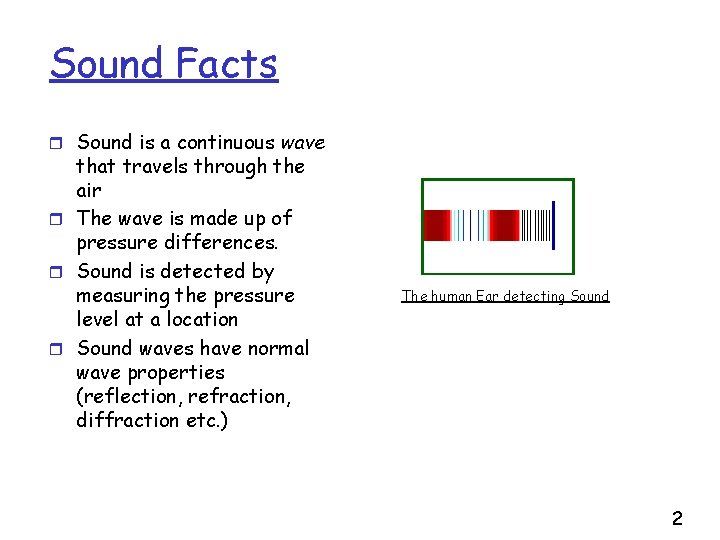
Sound Facts r Sound is a continuous wave that travels through the air r The wave is made up of pressure differences. r Sound is detected by measuring the pressure level at a location r Sound waves have normal wave properties (reflection, refraction, diffraction etc. ) The human Ear detecting Sound 2
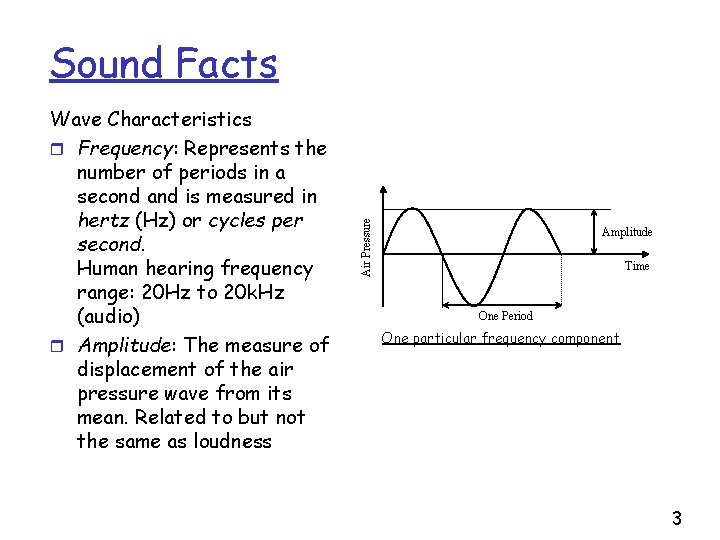
Wave Characteristics r Frequency: Represents the number of periods in a second and is measured in hertz (Hz) or cycles per second. Human hearing frequency range: 20 Hz to 20 k. Hz (audio) r Amplitude: The measure of displacement of the air pressure wave from its mean. Related to but not the same as loudness Air Pressure Sound Facts Amplitude Time One Period One particular frequency component 3
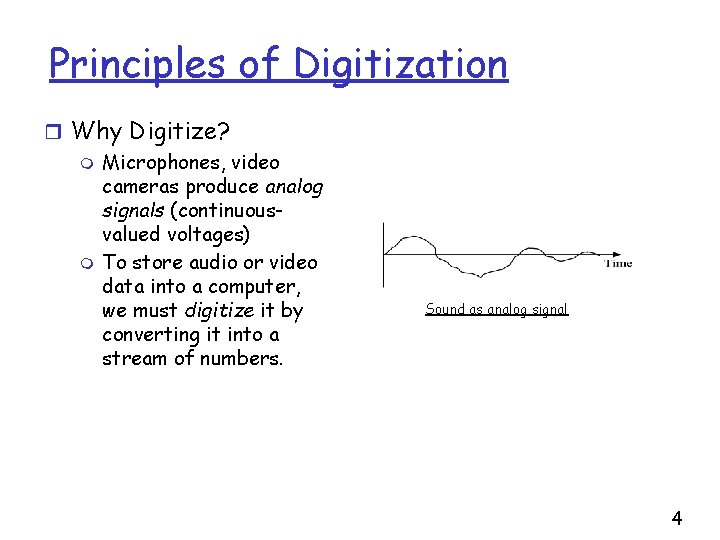
Principles of Digitization r Why Digitize? m Microphones, video cameras produce analog signals (continuousvalued voltages) m To store audio or video data into a computer, we must digitize it by converting it into a stream of numbers. Sound as analog signal 4
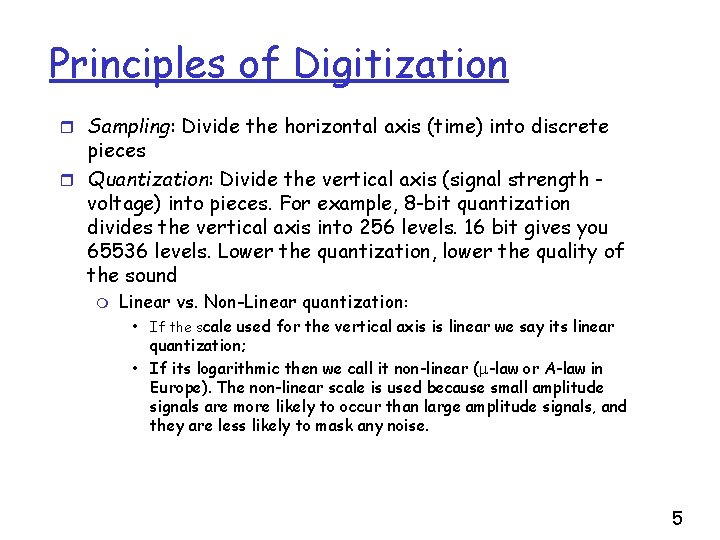
Principles of Digitization r Sampling: Divide the horizontal axis (time) into discrete pieces r Quantization: Divide the vertical axis (signal strength voltage) into pieces. For example, 8 -bit quantization divides the vertical axis into 256 levels. 16 bit gives you 65536 levels. Lower the quantization, lower the quality of the sound m Linear vs. Non-Linear quantization: • If the scale used for the vertical axis is linear we say its linear quantization; • If its logarithmic then we call it non-linear ( -law or A-law in Europe). The non-linear scale is used because small amplitude signals are more likely to occur than large amplitude signals, and they are less likely to mask any noise. 5
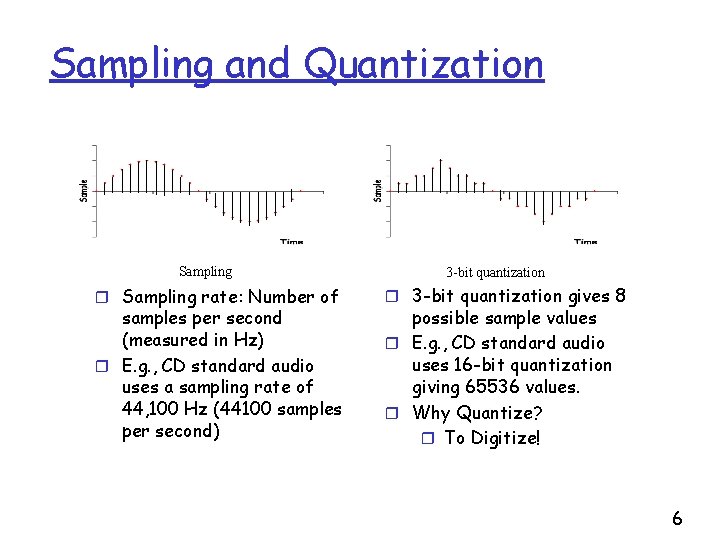
Sampling and Quantization Sampling rate: Number of samples per second (measured in Hz) r E. g. , CD standard audio uses a sampling rate of 44, 100 Hz (44100 samples per second) 3 -bit quantization r 3 -bit quantization gives 8 possible sample values r E. g. , CD standard audio uses 16 -bit quantization giving 65536 values. r Why Quantize? r To Digitize! 6
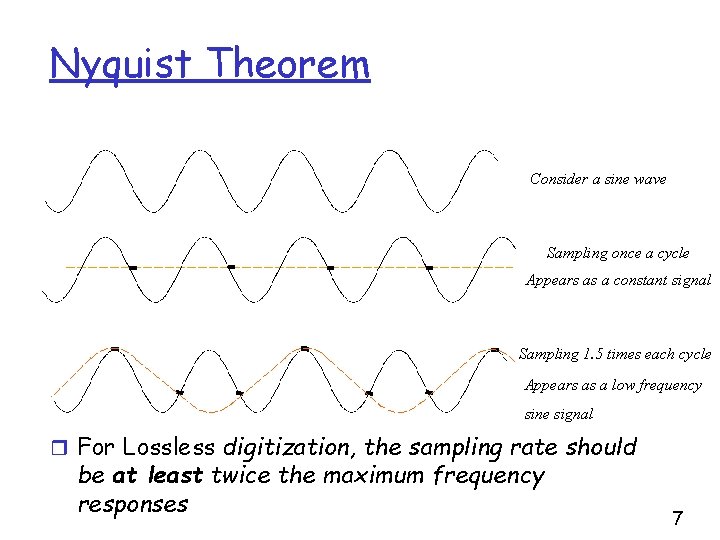
Nyquist Theorem Consider a sine wave Sampling once a cycle Appears as a constant signal Sampling 1. 5 times each cycle Appears as a low frequency sine signal r For Lossless digitization, the sampling rate should be at least twice the maximum frequency responses 7
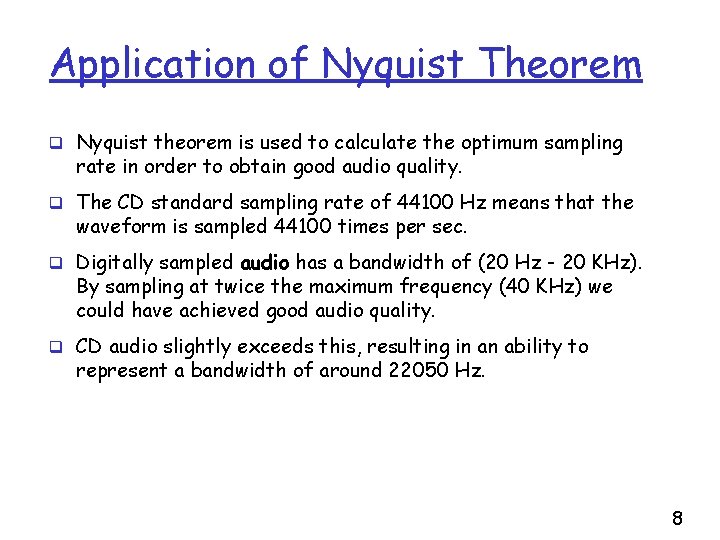
Application of Nyquist Theorem q Nyquist theorem is used to calculate the optimum sampling rate in order to obtain good audio quality. q The CD standard sampling rate of 44100 Hz means that the waveform is sampled 44100 times per sec. q Digitally sampled audio has a bandwidth of (20 Hz - 20 KHz). By sampling at twice the maximum frequency (40 KHz) we could have achieved good audio quality. q CD audio slightly exceeds this, resulting in an ability to represent a bandwidth of around 22050 Hz. 8
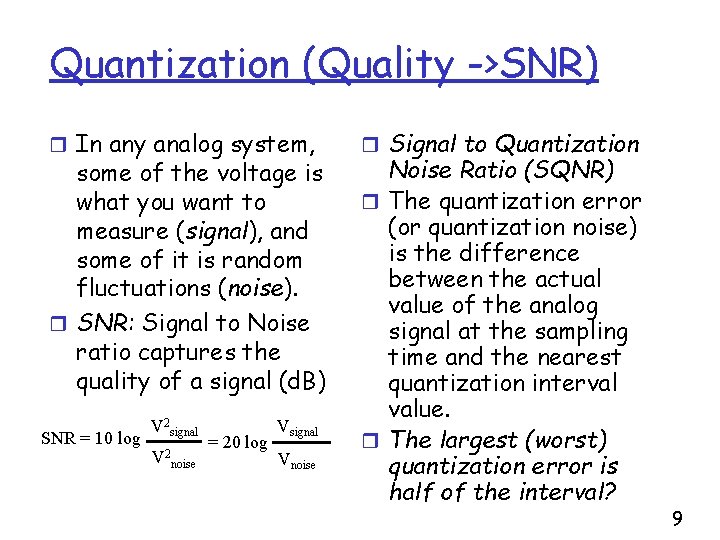
Quantization (Quality ->SNR) r In any analog system, some of the voltage is what you want to measure (signal), and some of it is random fluctuations (noise). r SNR: Signal to Noise ratio captures the quality of a signal (d. B) SNR = 10 log V 2 signal V 2 noise = 20 log Vsignal Vnoise r Signal to Quantization Noise Ratio (SQNR) r The quantization error (or quantization noise) is the difference between the actual value of the analog signal at the sampling time and the nearest quantization interval value. r The largest (worst) quantization error is half of the interval? 9
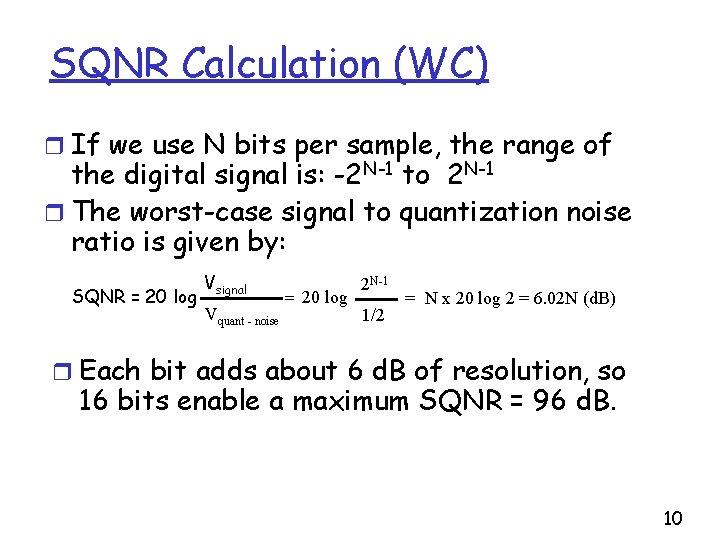
SQNR Calculation (WC) r If we use N bits per sample, the range of the digital signal is: -2 N-1 to 2 N-1 r The worst-case signal to quantization noise ratio is given by: SQNR = 20 log Vsignal Vquant - noise = 20 log 2 N-1 1/2 = N x 20 log 2 = 6. 02 N (d. B) r Each bit adds about 6 d. B of resolution, so 16 bits enable a maximum SQNR = 96 d. B. 10
Miscellaneous Audio Facts Typical Audio Formats r Popular audio file formats include. au (Unix), . aiff (MAC, SGI), . wav (PC, DEC) r A simple and widely used audio compression method is Adaptive Delta Pulse Code Modulation (ADPCM). Based on past samples, it predicts the next sample and encodes the difference between the actual value and the predicted value. 11
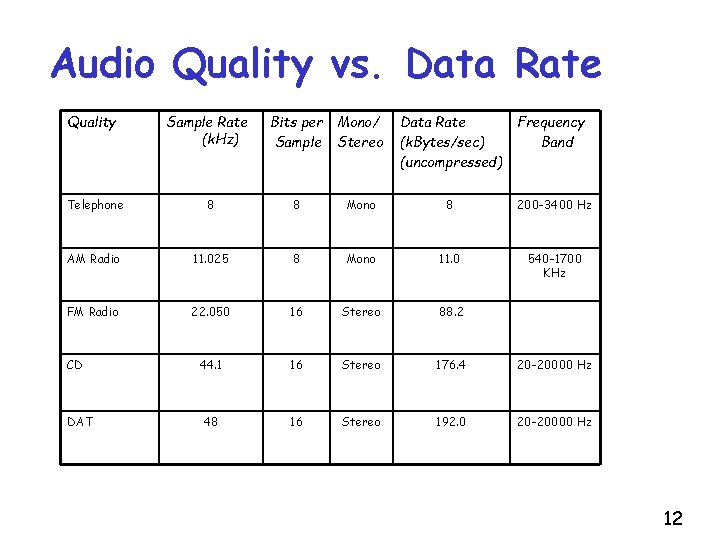
Audio Quality vs. Data Rate Quality Sample Rate (k. Hz) Bits per Sample Mono/ Stereo Data Rate (k. Bytes/sec) (uncompressed) Frequency Band Telephone 8 8 Mono 8 200 -3400 Hz AM Radio 11. 025 8 Mono 11. 0 540 -1700 KHz FM Radio 22. 050 16 Stereo 88. 2 44. 1 16 Stereo 176. 4 20 -20000 Hz 48 16 Stereo 192. 0 20 -20000 Hz CD DAT 12
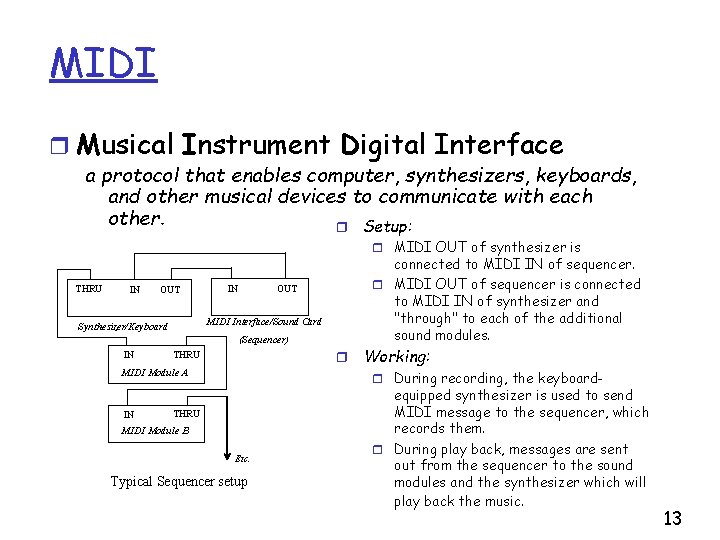
MIDI r Musical Instrument Digital Interface a protocol that enables computer, synthesizers, keyboards, and other musical devices to communicate with each other. r Setup: r MIDI OUT of synthesizer is THRU IN OUT connected to MIDI IN of sequencer. r MIDI OUT of sequencer is connected to MIDI IN of synthesizer and "through" to each of the additional sound modules. OUT IN MIDI Interface/Sound Card Synthesizer/Keyboard (Sequencer) IN THRU r MIDI Module A IN Working: r During recording, the keyboard- THRU MIDI Module B Etc. Typical Sequencer setup equipped synthesizer is used to send MIDI message to the sequencer, which records them. r During play back, messages are sent out from the sequencer to the sound modules and the synthesizer which will play back the music. 13
MIDI: Data Format r Information traveling through the hardware is encoded in r r r MIDI data format. The encoding includes note information like beginning of note, frequency and sound volume; upto 128 notes The MIDI data format is digital The data are grouped into MIDI messages Each MIDI message communicates one musical event between machines. An event might be pressing keys, moving slider controls, setting switches and adjusting foot pedals. 10 mins of music encoded in MIDI data format is about 200 Kbytes of data. (compare against CD-audio!) 14