
Dialogue Design Documenting the User Interface Agenda Documenting
- Slides: 14
Dialogue Design - Documenting the User Interface Agenda: • Documenting the Dialogue Design • Menu Hierarchy • Dialog and Story Board
Documenting Dialog Designs • Overall system structure from standpoint of user is reflected in menu structures • Can use simple numeric lists or clickable switchboard • Dialog designs are done simultaneously with other analysis activities • Include options such as backup and recovery
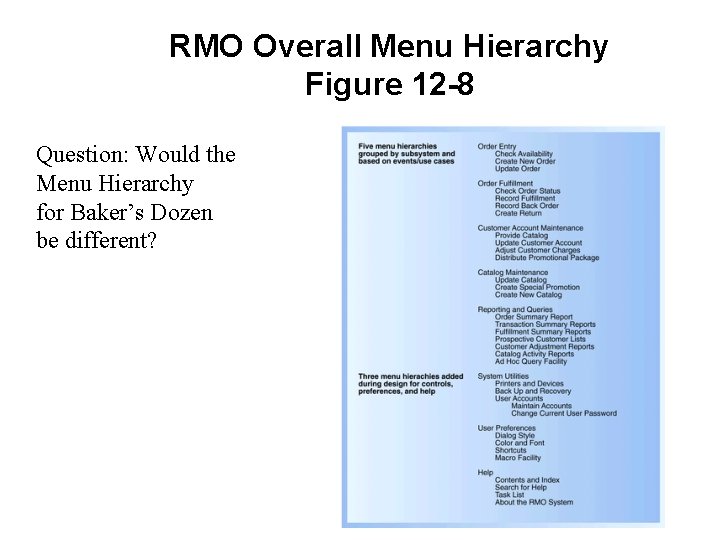
RMO Overall Menu Hierarchy Figure 12 -8 Question: Would the Menu Hierarchy for Baker’s Dozen be different?
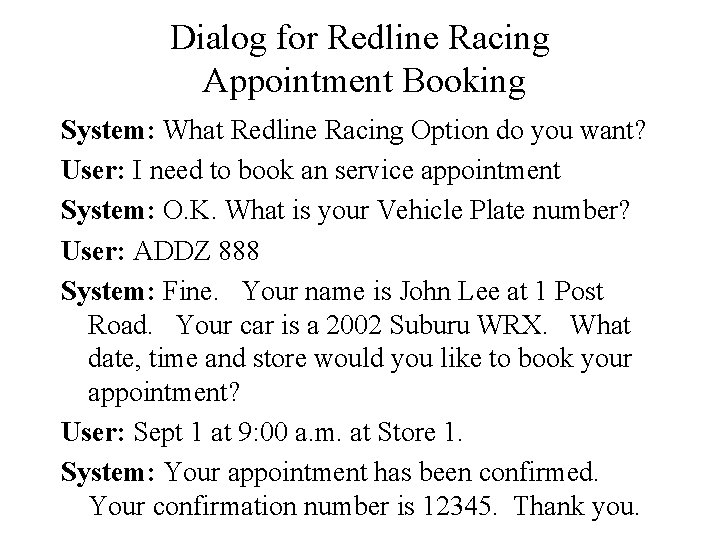
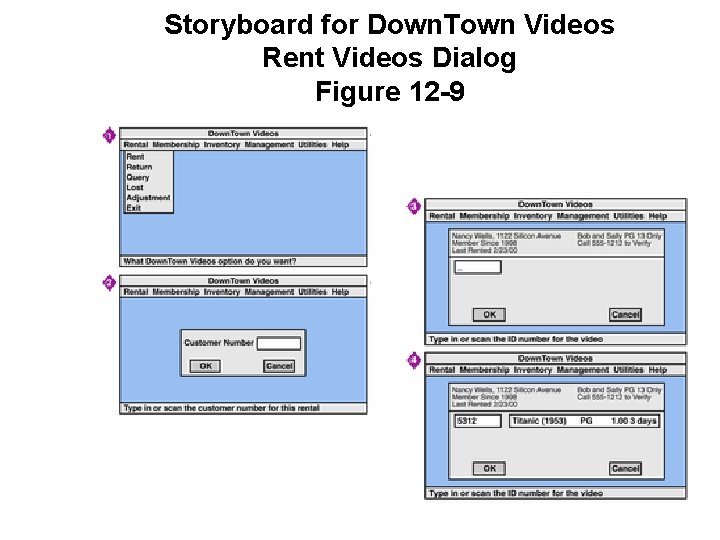
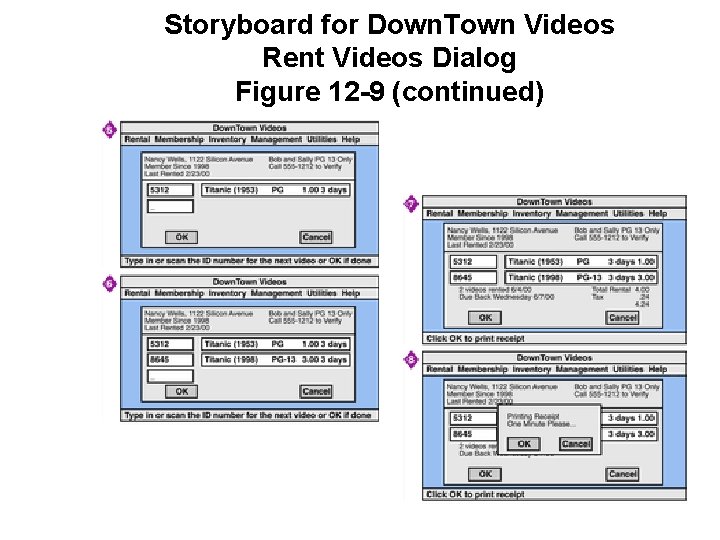
Dialogs and Storyboards • Methods for documenting User Interface • Dialog – Written descriptions of flow of events • Storyboard – Sketches of screens simulating flow of event
Dialog for Redline Racing Appointment Booking System: What Redline Racing Option do you want? User: I need to book an service appointment System: O. K. What is your Vehicle Plate number? User: ADDZ 888 System: Fine. Your name is John Lee at 1 Post Road. Your car is a 2002 Suburu WRX. What date, time and store would you like to book your appointment? User: Sept 1 at 9: 00 a. m. at Store 1. System: Your appointment has been confirmed. Your confirmation number is 12345. Thank you.
Storyboard for Down. Town Videos Rent Videos Dialog Figure 12 -9
Storyboard for Down. Town Videos Rent Videos Dialog Figure 12 -9 (continued)
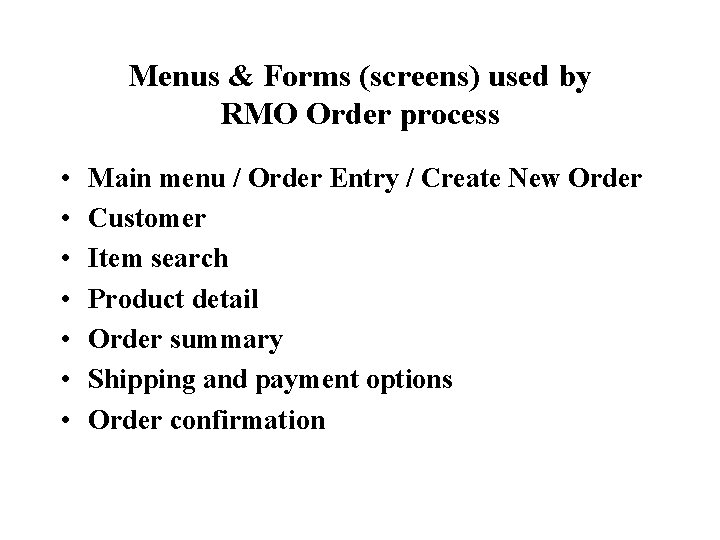
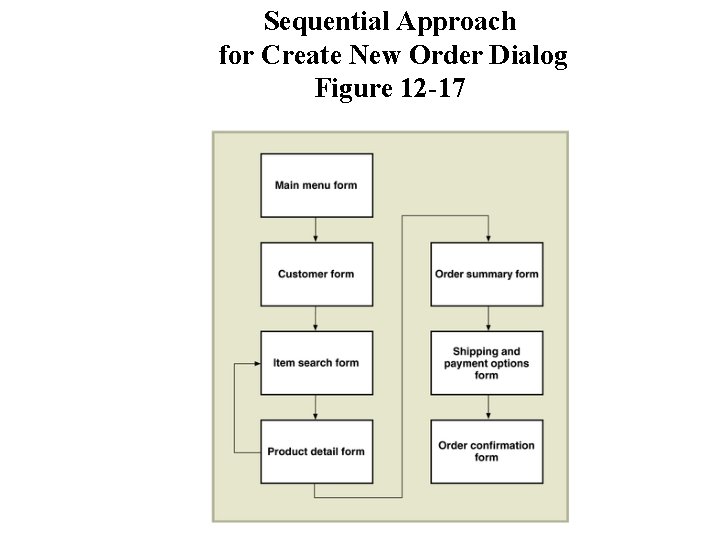
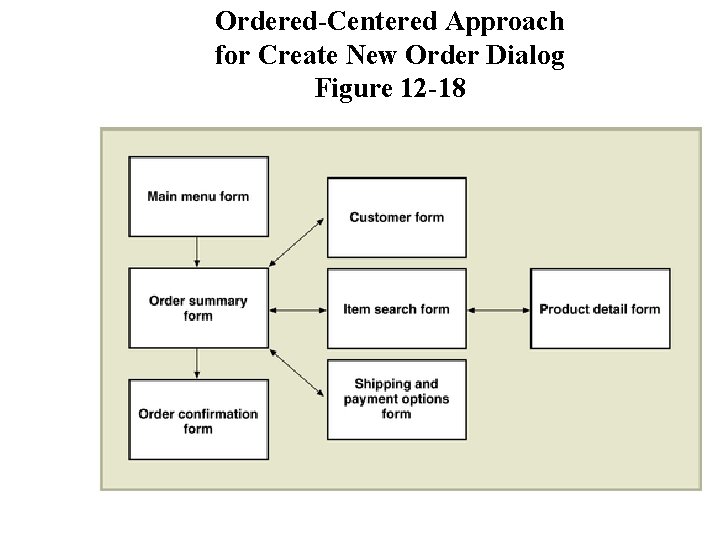
Menus & Forms (screens) used by RMO Order process • • Main menu / Order Entry / Create New Order Customer Item search Product detail Order summary Shipping and payment options Order confirmation
Sequential Approach for Create New Order Dialog Figure 12 -17
Ordered-Centered Approach for Create New Order Dialog Figure 12 -18
Summary- Dialog Design • Dialog Design determines how the user interface will be created • To the user, the System Structure consists of the Menus • A Dialog can be expressed as the conversation between the user and the computer • A Story Board is used to document dialog design by showing a sequence of sketches of a display screen (the preferred approach)
Prototyping • Develops the storyboard actively • Done after the basic paper based storyboards are approved
Prototyping • An early, rapidly constructed “working” version of the proposed system • Used to verify user requirements • Nonprocedural software tools – 4 th GL (for problem definition) • Screen, Report, Program Generators • MS-Access, VB, HTML & PHP • Procedural software tools (detailed steps) – Only if painfully necessary – C, COBOL, RPG, CGI scripts
Prototyping • User Centered Design • May be upgraded or “evolved” into the final system (can be dangerous) • Combine with e. Xtreme Programming (XP) development techniques