
Diagram generator CJML Customer Journey Modelling Language Version

- Slides: 35
Diagram generator CJML - Customer Journey Modelling Language Version 1. 1 SINTEF Digital | Software and service innovation March 2021 Copyright © 2021 SINTEF
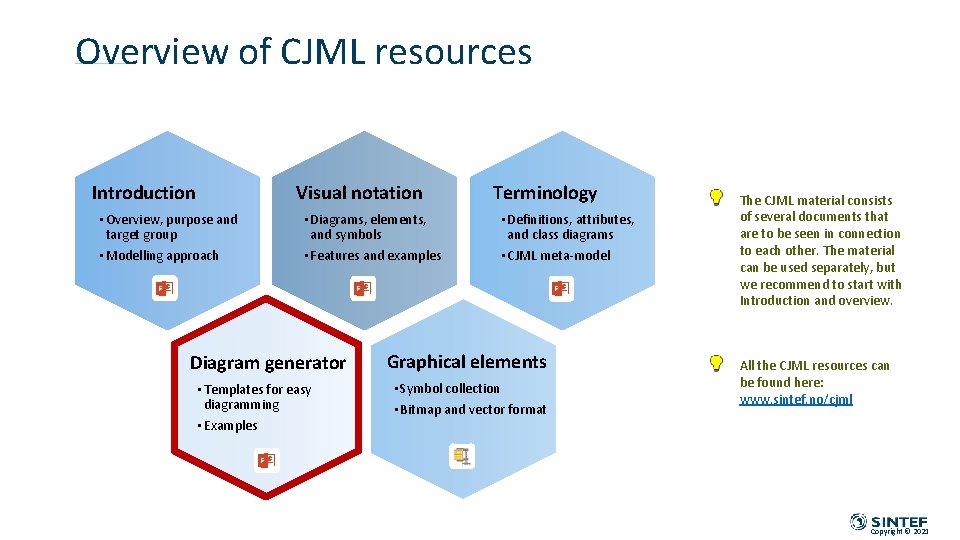
Overview of CJML resources Introduction Visual notation • Overview, purpose and target group • Modelling approach • Diagrams, elements, and symbols • Features and examples Diagram generator • Templates for easy diagramming • Examples Terminology • Definitions, attributes, and class diagrams • CJML meta-model Graphical elements • Symbol collection • Bitmap and vector format The CJML material consists of several documents that are to be seen in connection to each other. The material can be used separately, but we recommend to start with Introduction and overview. All the CJML resources can be found here: www. sintef. no/cjml Copyright © 2021
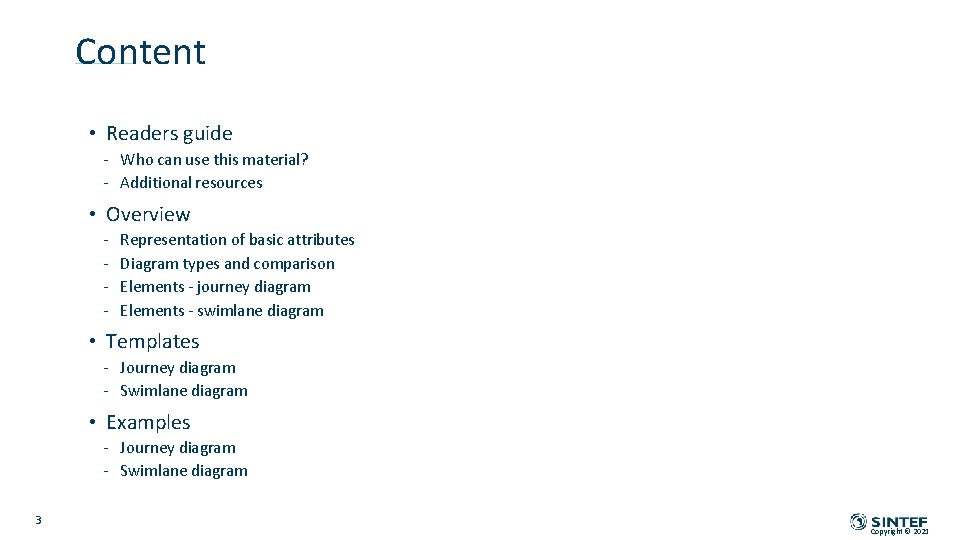
Content • Readers guide - Who can use this material? - Additional resources • Overview - Representation of basic attributes Diagram types and comparison Elements - journey diagram Elements - swimlane diagram • Templates - Journey diagram - Swimlane diagram • Examples - Journey diagram - Swimlane diagram 3 Copyright © 2021
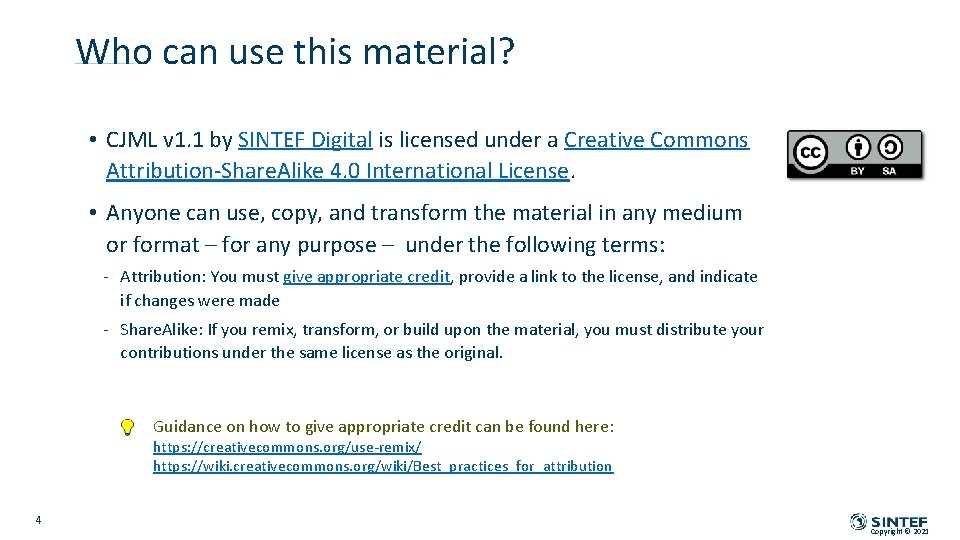
Who can use this material? • CJML v 1. 1 by SINTEF Digital is licensed under a Creative Commons Attribution-Share. Alike 4. 0 International License. • Anyone can use, copy, and transform the material in any medium or format – for any purpose – under the following terms: - Attribution: You must give appropriate credit, provide a link to the license, and indicate if changes were made - Share. Alike: If you remix, transform, or build upon the material, you must distribute your contributions under the same license as the original. Guidance on how to give appropriate credit can be found here: https: //creativecommons. org/use-remix/ https: //wiki. creativecommons. org/wiki/Best_practices_for_attribution 4 Copyright © 2021
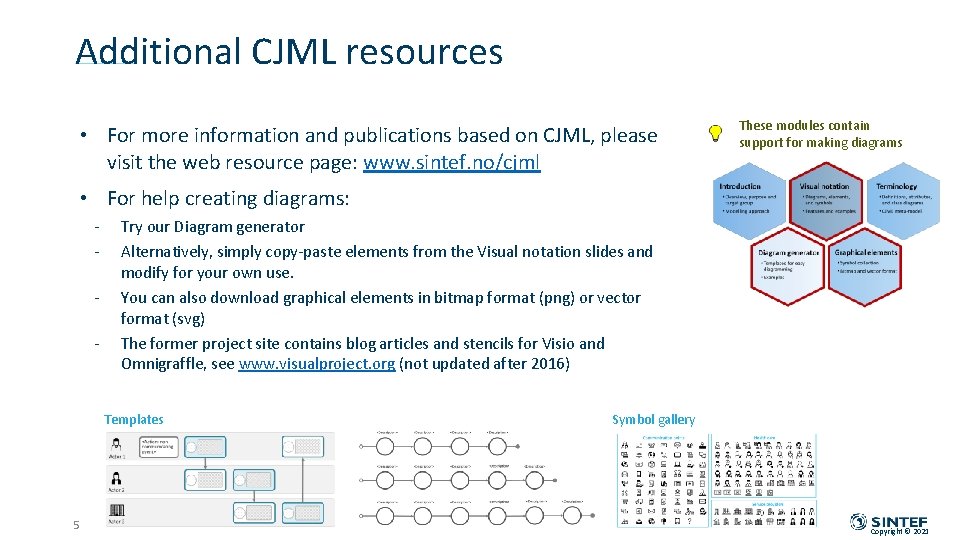
Additional CJML resources • For more information and publications based on CJML, please visit the web resource page: www. sintef. no/cjml These modules contain support for making diagrams • For help creating diagrams: - Try our Diagram generator Alternatively, simply copy-paste elements from the Visual notation slides and modify for your own use. You can also download graphical elements in bitmap format (png) or vector format (svg) The former project site contains blog articles and stencils for Visio and Omnigraffle, see www. visualproject. org (not updated after 2016) Templates 5 Symbol gallery Copyright © 2021
OVERVIEW Representation of basic attributes Diagram types and comparison Elements - journey diagram Elements - swimlane diagram Copyright © 2021
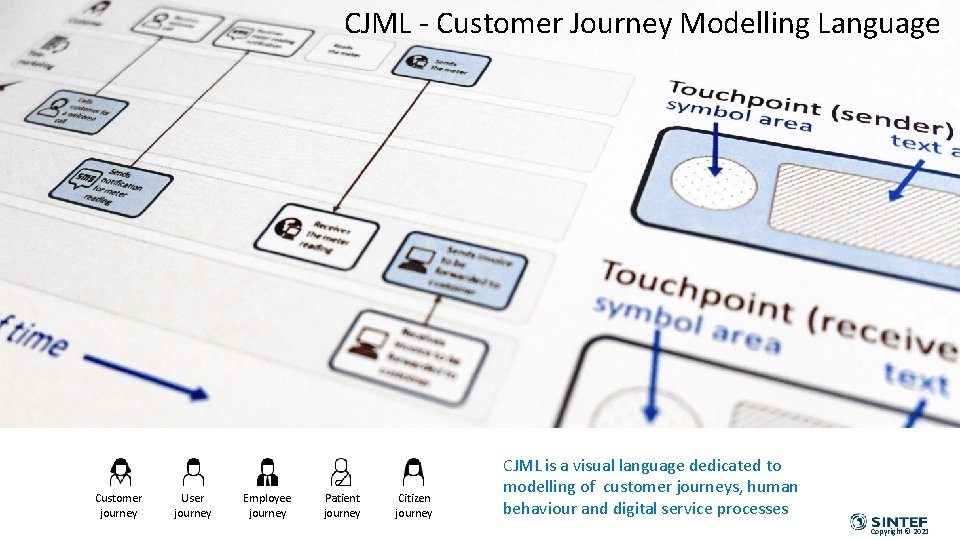
CJML - Customer Journey Modelling Language Customer journey User journey Employee journey Patient journey Citizen journey CJML is a visual language dedicated to modelling of customer journeys, human behaviour and digital service processes Copyright © 2021
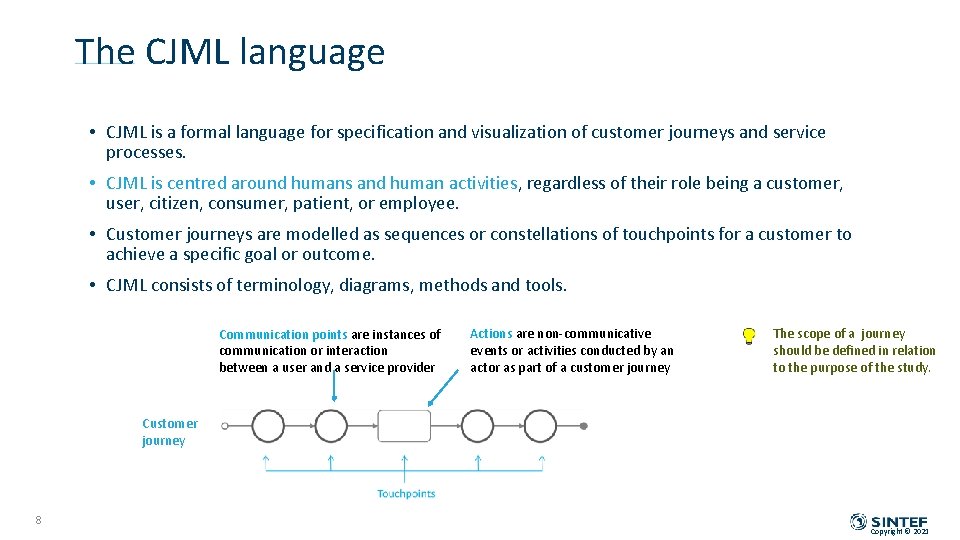
The CJML language • CJML is a formal language for specification and visualization of customer journeys and service processes. • CJML is centred around humans and human activities, regardless of their role being a customer, user, citizen, consumer, patient, or employee. • Customer journeys are modelled as sequences or constellations of touchpoints for a customer to achieve a specific goal or outcome. • CJML consists of terminology, diagrams, methods and tools. Communication points are instances of communication or interaction between a user and a service provider Actions are non-communicative events or activities conducted by an actor as part of a customer journey The scope of a journey should be defined in relation to the purpose of the study. Customer journey 8 Copyright © 2021
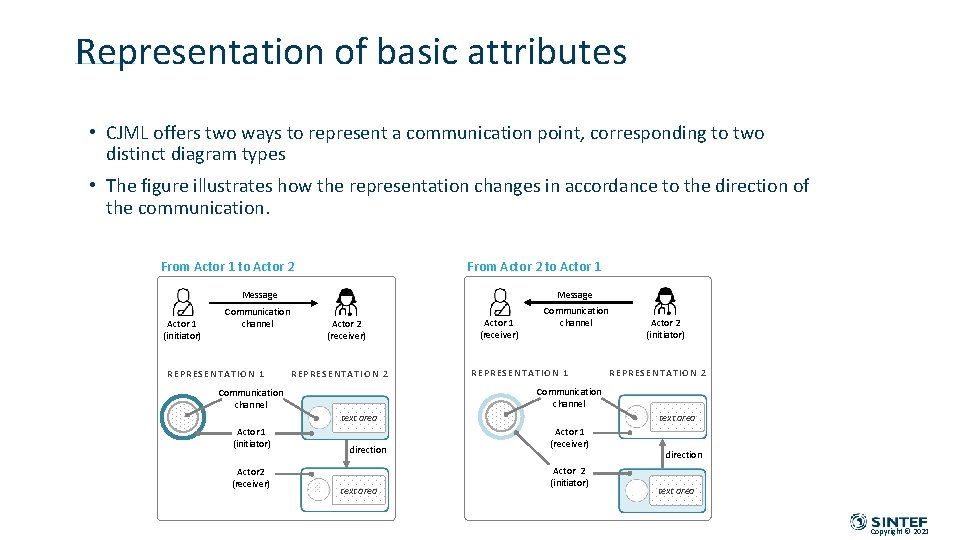
Representation of basic attributes • CJML offers two ways to represent a communication point, corresponding to two distinct diagram types • The figure illustrates how the representation changes in accordance to the direction of the communication. From Actor 1 to Actor 2 From Actor 2 to Actor 1 Message Actor 1 (initiator) Communication channel REPRESENTATI ON 1 Actor 2 (receiver) REPRESEN TATIO N 2 Actor 1 (receiver) Communication channel REPRESENTA TI ON 1 text area Actor 2 (receiver) REPRESENTA TI ON 2 Communication channel Actor 1 (initiator) Actor 2 (initiator) direction text area Actor 1 (receiver) Actor 2 (initiator) direction text area Copyright © 2021
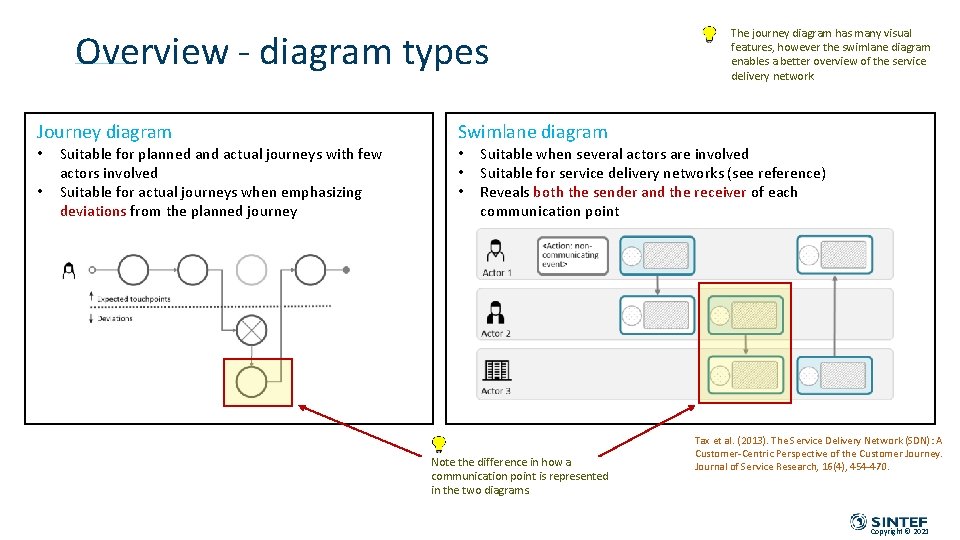
Overview - diagram types Journey diagram • • Suitable for planned and actual journeys with few actors involved Suitable for actual journeys when emphasizing deviations from the planned journey The journey diagram has many visual features, however the swimlane diagram enables a better overview of the service delivery network. Swimlane diagram • • • Suitable when several actors are involved Suitable for service delivery networks (see reference) Reveals both the sender and the receiver of each communication point Note the difference in how a communication point is represented in the two diagrams. Tax et al. (2013). The Service Delivery Network (SDN): A Customer-Centric Perspective of the Customer Journey. Journal of Service Research, 16(4), 454 -470. Copyright © 2021
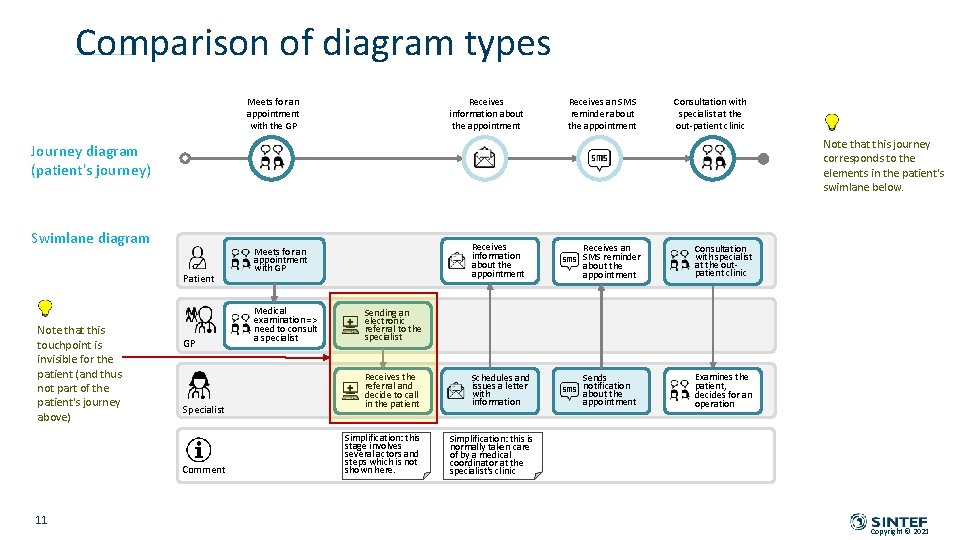
Comparison of diagram types Meets for an appointment with the GP Receives information about the appointment Receives an SMS reminder about the appointment Consultation with specialist at the out-patient clinic Note that this journey corresponds to the elements in the patient's swimlane below. Journey diagram (patient's journey) Swimlane diagram Patient Note that this touchpoint is invisible for the patient (and thus not part of the patient's journey above) GP Specialist Comment 11 Receives information about the appointment Receives an SMS reminder about the appointment Consultation with specialist at the outpatient clinic Receives the referral and decide to call in the patient Schedules and issues a letter with information Sends notification about the appointment Examines the patient, decides for an operation Simplification: this stage involves several actors and steps which is not shown here. Simplification: this is normally taken care of by a medical coordinator at the specialist's clinic Meets for an appointment with GP Medical examination => need to consult a specialist Sending an electronic referral to the specialist Copyright © 2021
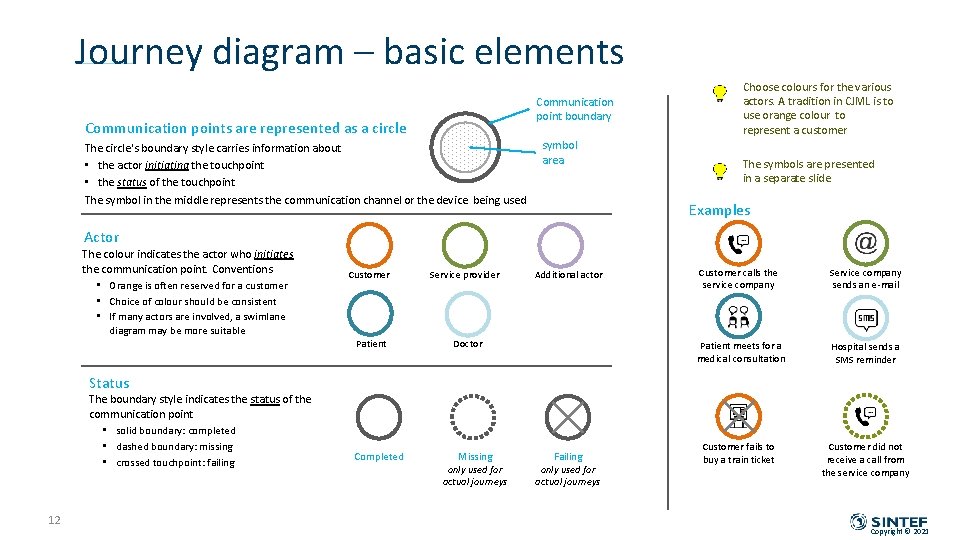
Journey diagram – basic elements Communication point boundary Communication points are represented as a circle The circle's boundary style carries information about • the actor initiating the touchpoint • the status of the touchpoint The symbol in the middle represents the communication channel or the device being used symbol area Choose colours for the various actors. A tradition in CJML is to use orange colour to represent a customer The symbols are presented in a separate slide Examples Actor The colour indicates the actor who initiates the communication point. Conventions • Orange is often reserved for a customer • Choice of colour should be consistent • If many actors are involved, a swimlane Customer Service provider Patient Doctor Additional actor Customer calls the service company Service company sends an e-mail Patient meets for a medical consultation Hospital sends a SMS reminder Customer fails to buy a train ticket Customer did not receive a call from the service company diagram may be more suitable Status The boundary style indicates the status of the communication point • solid boundary: completed • dashed boundary: missing • crossed touchpoint: failing 12 Completed Missing only used for actual journeys Failing only used for actual journeys Copyright © 2021
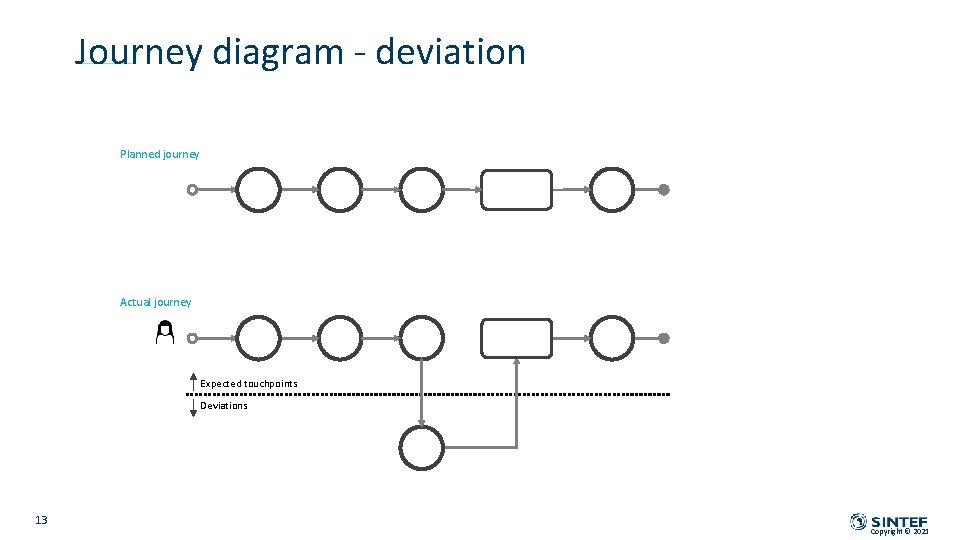
Journey diagram - deviation Planned journey Actual journey Expected touchpoints Deviations 13 Copyright © 2021
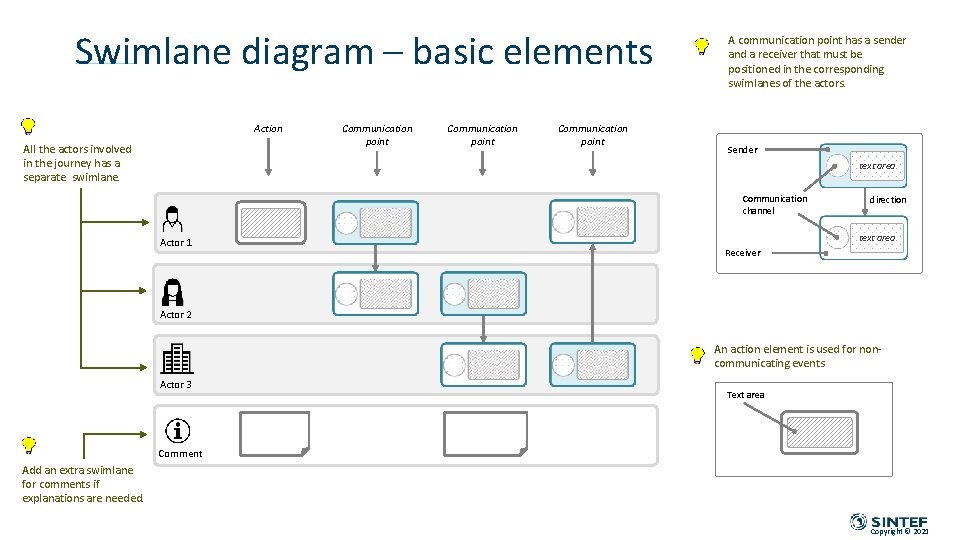
Swimlane diagram – basic elements Action All the actors involved in the journey has a separate swimlane. Communication point A communication point has a sender and a receiver that must be positioned in the corresponding swimlanes of the actors. Sender text area Communication channel Actor 1 direction text area Receiver Actor 2 An action element is used for noncommunicating events Actor 3 Text area Comment Add an extra swimlane for comments if explanations are needed. Copyright © 2021
TEMPLATES – JOURNEY DIAGRAMS Copyright © 2021
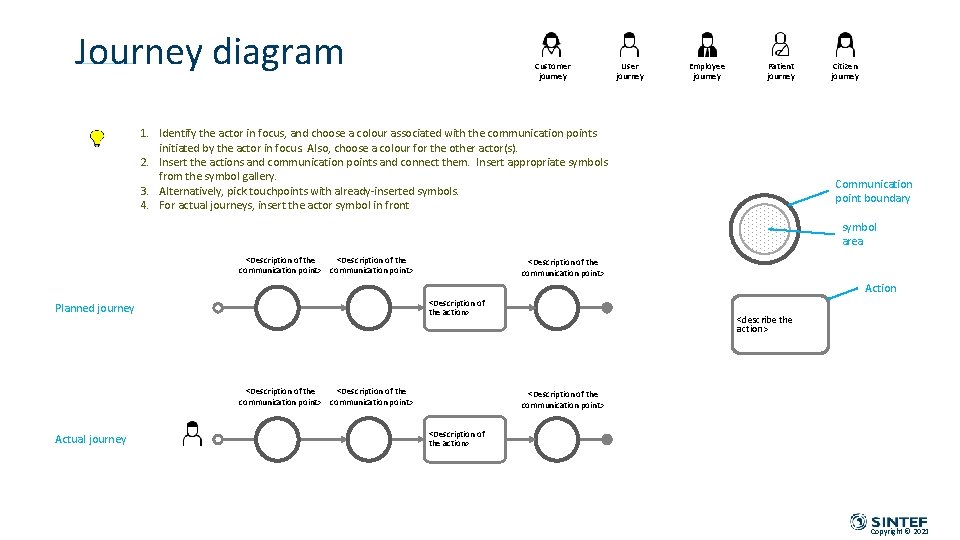
Journey diagram Customer journey User journey Employee journey Patient journey 1. Identify the actor in focus, and choose a colour associated with the communication points initiated by the actor in focus. Also, choose a colour for the other actor(s). 2. Insert the actions and communication points and connect them. Insert appropriate symbols from the symbol gallery. 3. Alternatively, pick touchpoints with already-inserted symbols. 4. For actual journeys, insert the actor symbol in front Citizen journey Communication point boundary symbol area <Description of the communication point> Action <Description of the action> Planned journey <Description of the communication point> Actual journey <describe the action> <Description of the communication point> <Description of the action> Copyright © 2021
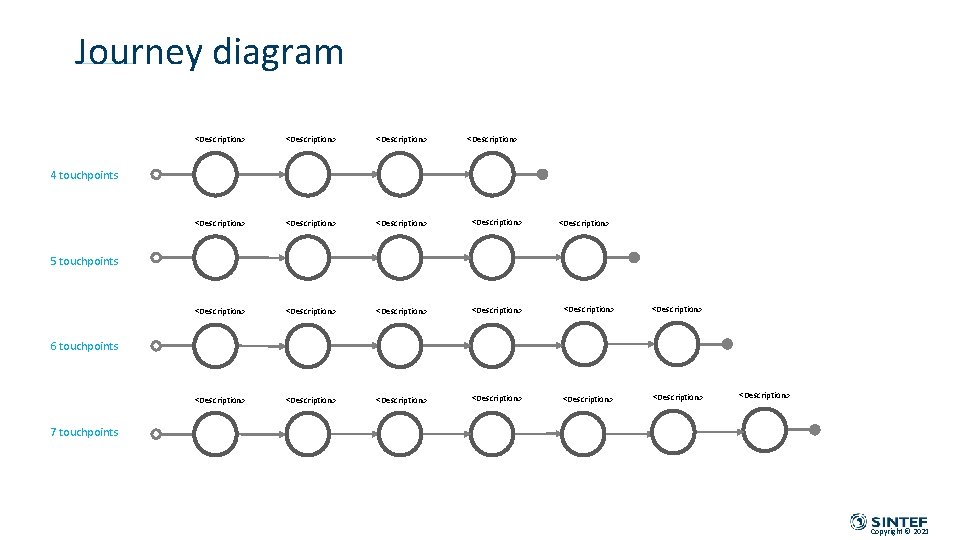
Journey diagram <Description> <Description> <Description> <Description> <Description> 4 touchpoints <Description> 5 touchpoints 6 touchpoints <Description> 7 touchpoints Copyright © 2021
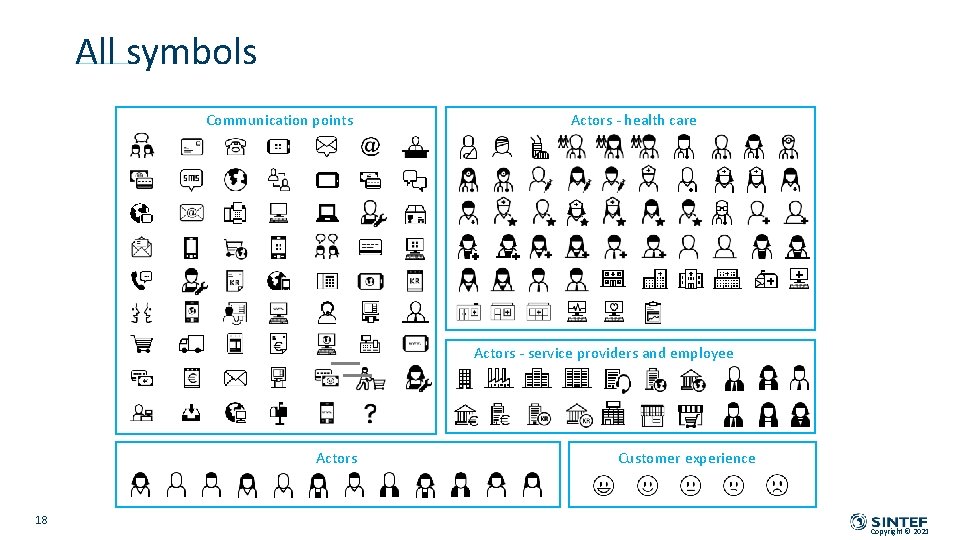
All symbols Communication points Actors - health care Actors - service providers and employee Actors 18 Customer experience Copyright © 2021
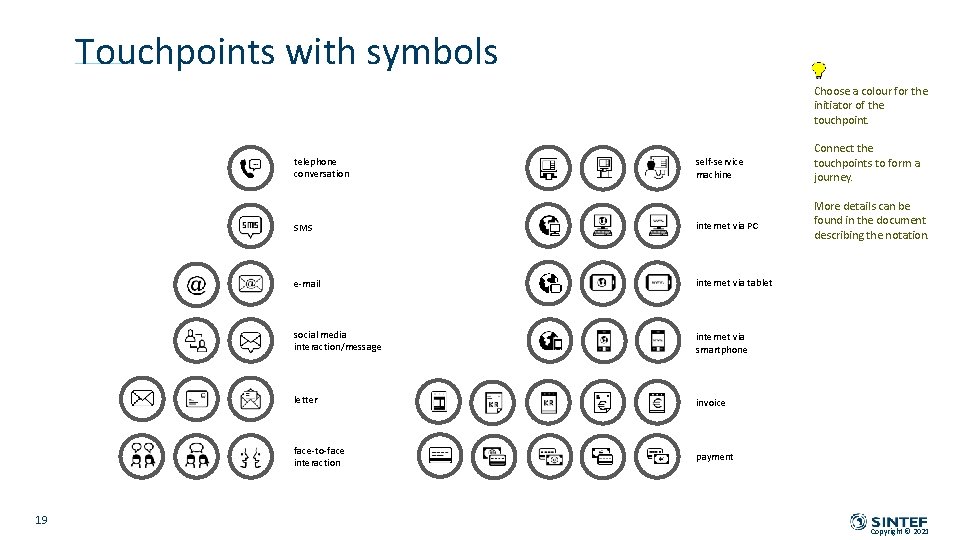
Touchpoints with symbols Choose a colour for the initiator of the touchpoint. telephone conversation 19 self-service machine SMS internet via PC e-mail internet via tablet social media interaction/message internet via smartphone letter invoice face-to-face interaction payment Connect the touchpoints to form a journey. More details can be found in the document describing the notation. Copyright © 2021
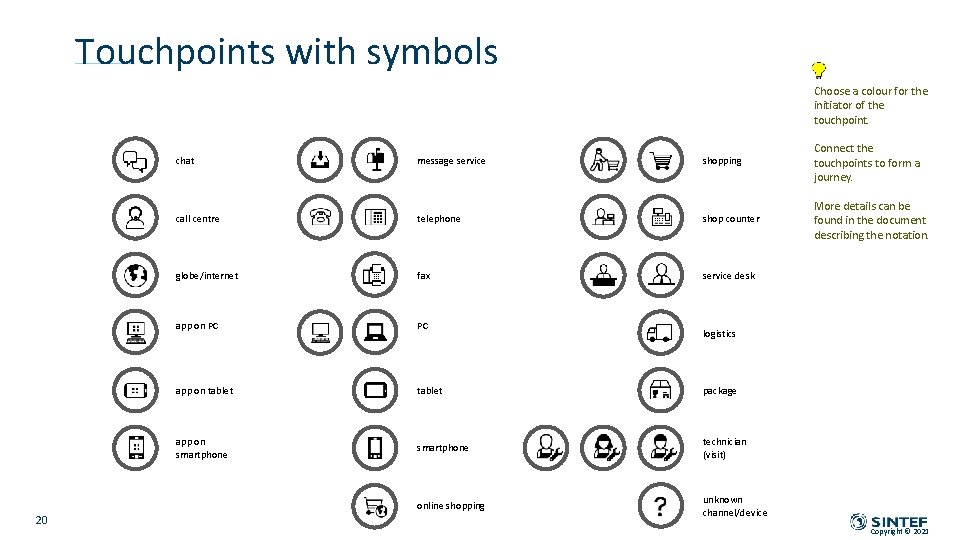
Touchpoints with symbols Choose a colour for the initiator of the touchpoint. 20 chat message service shopping Connect the touchpoints to form a journey. call centre telephone shop counter More details can be found in the document describing the notation. globe/internet fax service desk app on PC PC app on tablet package app on smartphone technician (visit) online shopping unknown channel/device logistics Copyright © 2021
TEMPLATES – SWIMLANE DIAGRAMS Copyright © 2021
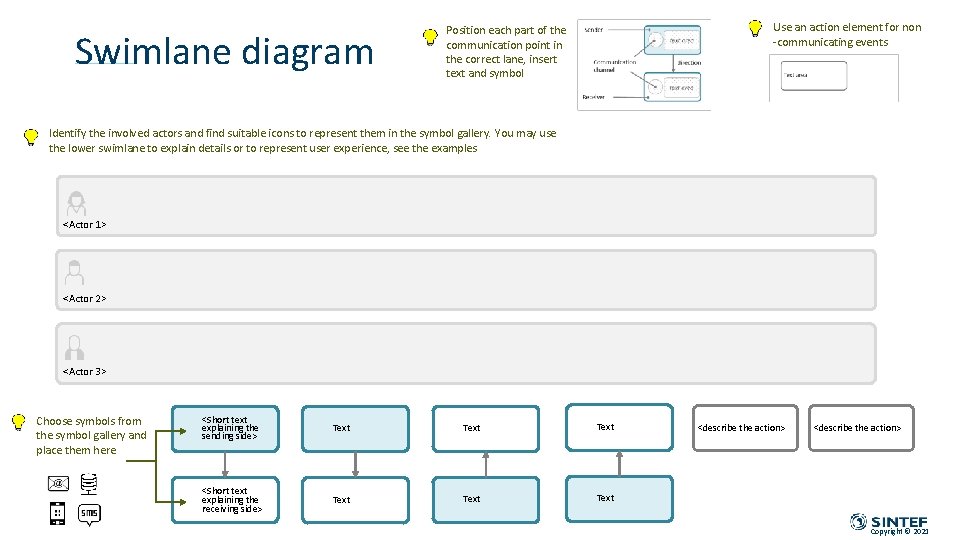
Swimlane diagram Use an action element for non -communicating events Position each part of the communication point in the correct lane, insert text and symbol Identify the involved actors and find suitable icons to represent them in the symbol gallery. You may use the lower swimlane to explain details or to represent user experience, see the examples <Actor 1> <Actor 2> <Actor 3> Choose symbols from the symbol gallery and place them here <Short text explaining the sending side> Text <Short text explaining the receiving side> Text <describe the action> Copyright © 2021
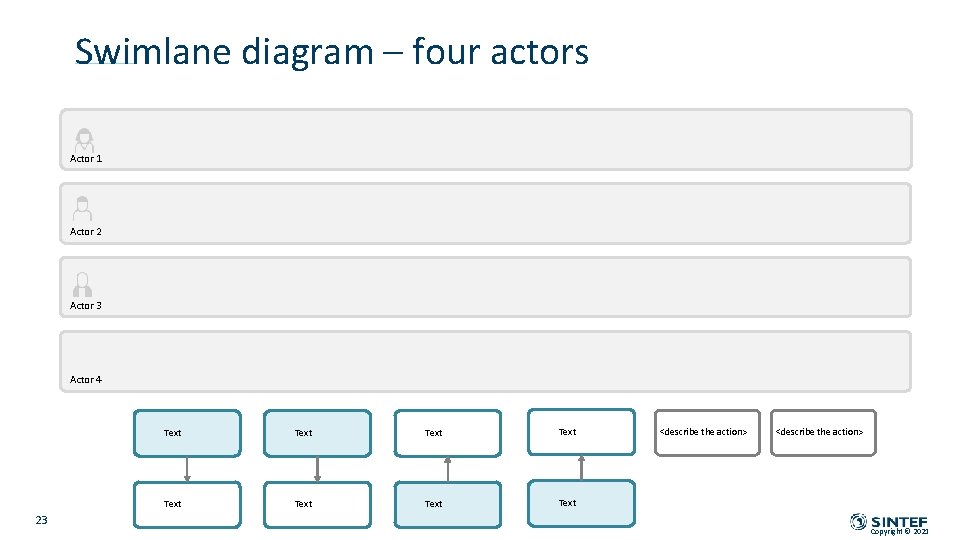
Swimlane diagram – four actors Actor 1 Actor 2 Actor 3 Actor 4 23 Text Text <describe the action> Copyright © 2021
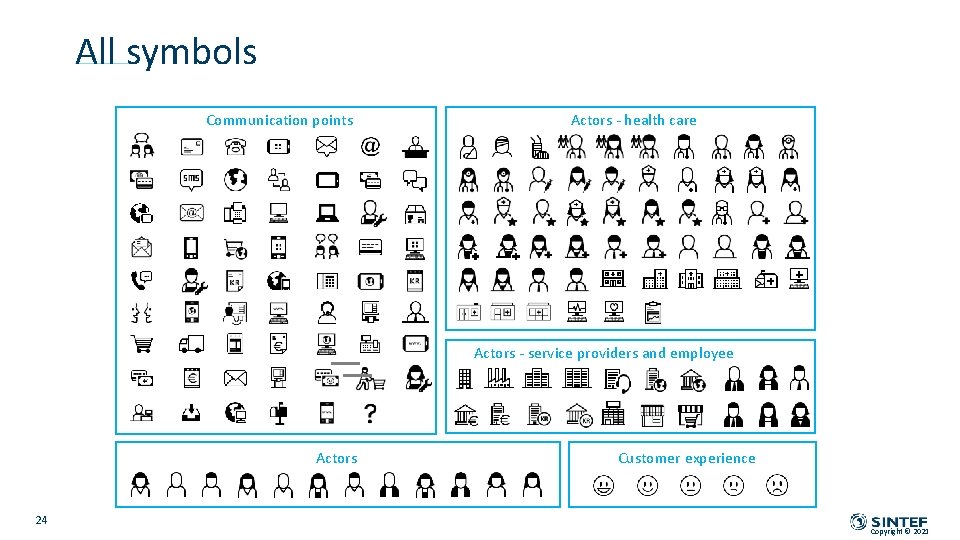
All symbols Communication points Actors - health care Actors - service providers and employee Actors 24 Customer experience Copyright © 2021
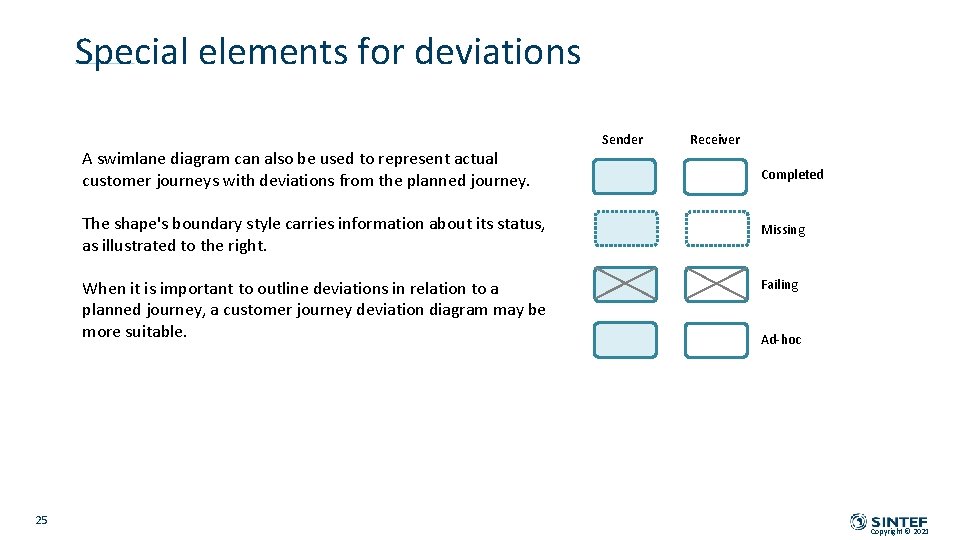
Special elements for deviations A swimlane diagram can also be used to represent actual customer journeys with deviations from the planned journey. The shape's boundary style carries information about its status, as illustrated to the right. When it is important to outline deviations in relation to a planned journey, a customer journey deviation diagram may be more suitable. 25 Sender Receiver Completed Missing Failing Ad-hoc Copyright © 2021
EXAMPLES – JOURNEY DIAGRAMS Going to the movies – planned journey Going to the movies – actual journey with deviation/failure Going to the movies – actual journey with customer experience Copyright © 2021
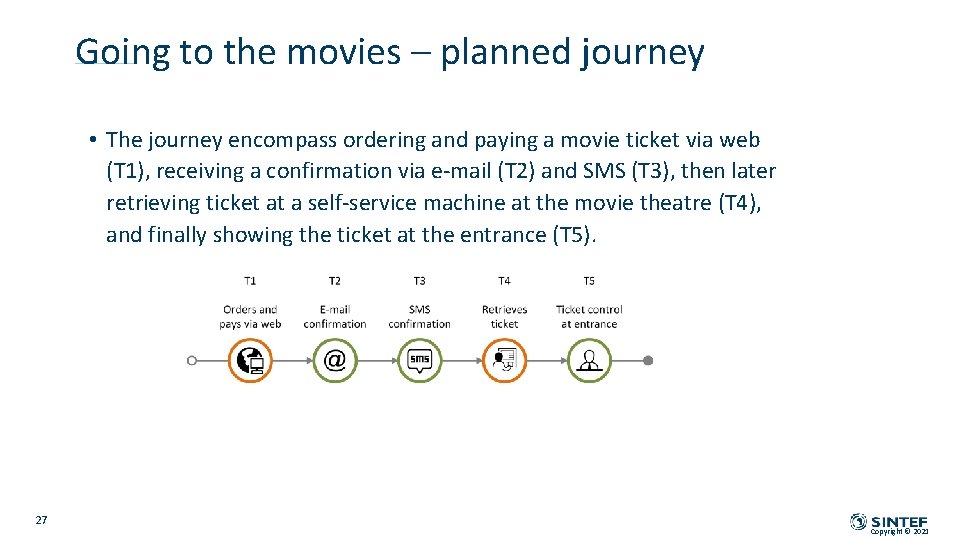
Going to the movies – planned journey • The journey encompass ordering and paying a movie ticket via web (T 1), receiving a confirmation via e-mail (T 2) and SMS (T 3), then later retrieving ticket at a self-service machine at the movie theatre (T 4), and finally showing the ticket at the entrance (T 5). 27 Copyright © 2021
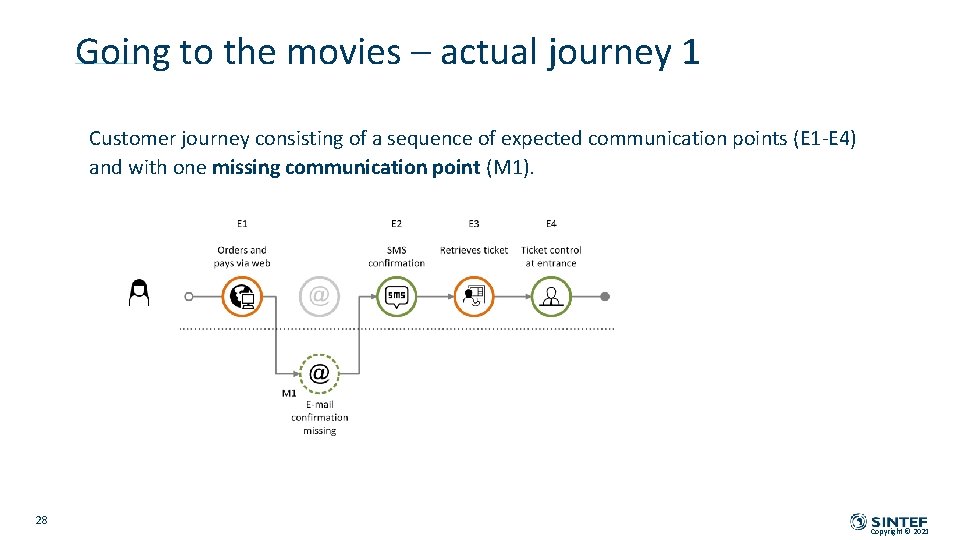
Going to the movies – actual journey 1 Customer journey consisting of a sequence of expected communication points (E 1 -E 4) and with one missing communication point (M 1). 28 Copyright © 2021
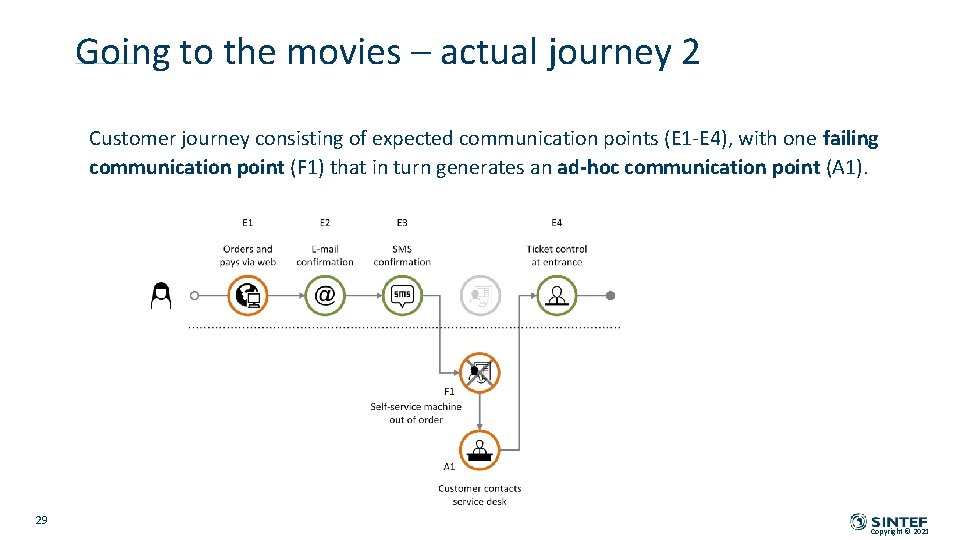
Going to the movies – actual journey 2 Customer journey consisting of expected communication points (E 1 -E 4), with one failing communication point (F 1) that in turn generates an ad-hoc communication point (A 1). 29 Copyright © 2021
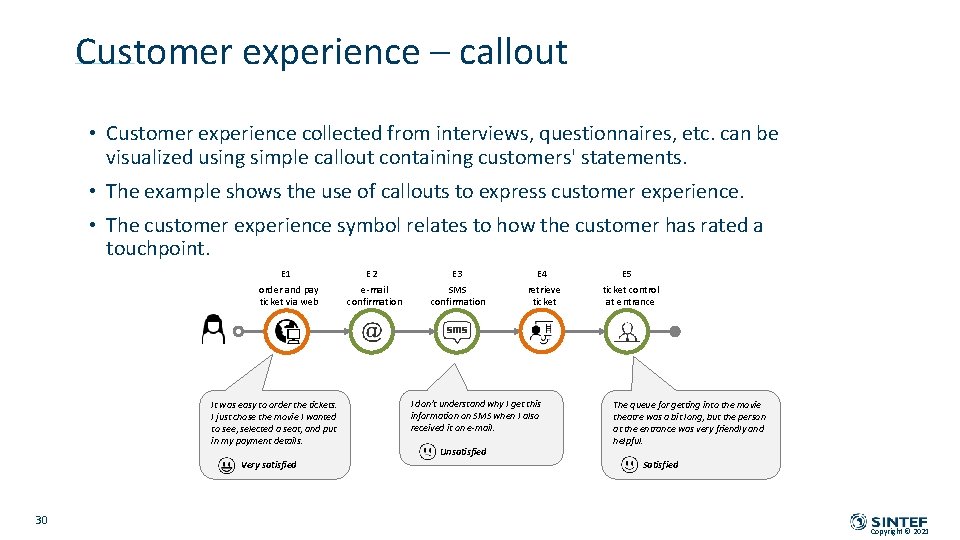
Customer experience – callout • Customer experience collected from interviews, questionnaires, etc. can be visualized using simple callout containing customers' statements. • The example shows the use of callouts to express customer experience. • The customer experience symbol relates to how the customer has rated a touchpoint. E 1 order and pay ticket via web It was easy to order the tickets. I just chose the movie I wanted to see, selected a seat, and put in my payment details. Very satisfied 30 E 2 e-mail confirmation E 3 SMS confirmation E 4 retrieve ticket I don't understand why I get this information on SMS when I also received it on e-mail. Unsatisfied E 5 ticket control at entrance The queue for getting into the movie theatre was a bit long, but the person at the entrance was very friendly and helpful. Satisfied Copyright © 2021
EXAMPLES – SWIMLANE DIAGRAMS Health: A MS patient journey - part 1 and 2 Cyber security: Man-in-the-middle attack Copyright © 2021
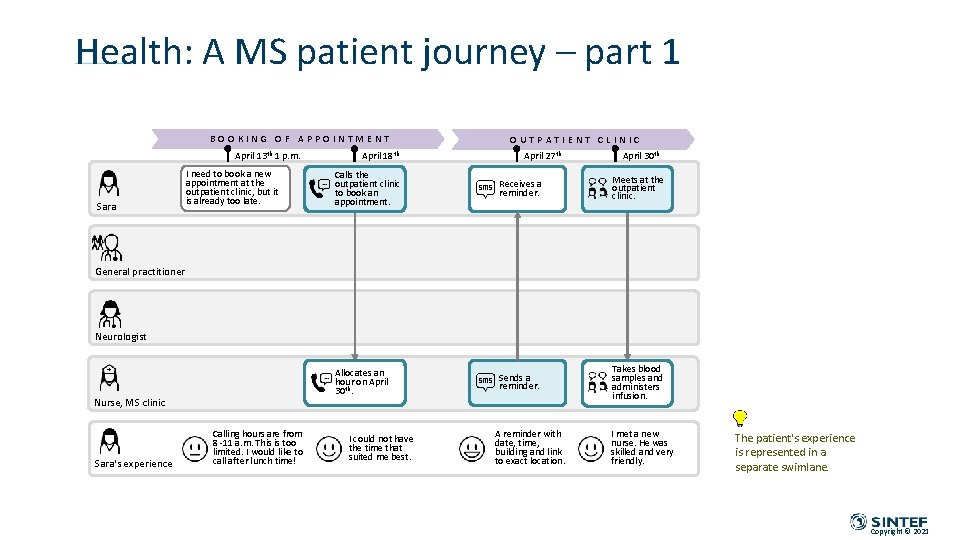
Health: A MS patient journey – part 1 BOOKING OF APPOINTMENT April 13 th 1 p. m. Sara I need to book a new appointment at the outpatient clinic, but it is already too late. April 18 th OUTPATIENT CLINIC April 27 th April 30 th Calls the outpatient clinic to book an appointment. Receives a reminder. Meets at the outpatient clinic. Allocates an hour on April 30 th. Sends a reminder. Takes blood samples and administers infusion. General practitioner Neurologist Nurse, MS clinic Sara's experience Calling hours are from 8 -11 a. m. This is too limited. I would like to call after lunch time! I could not have the time that suited me best. A reminder with date, time, building and link to exact location. I met a new nurse. He was skilled and very friendly. The patient's experience is represented in a separate swimlane. Copyright © 2021
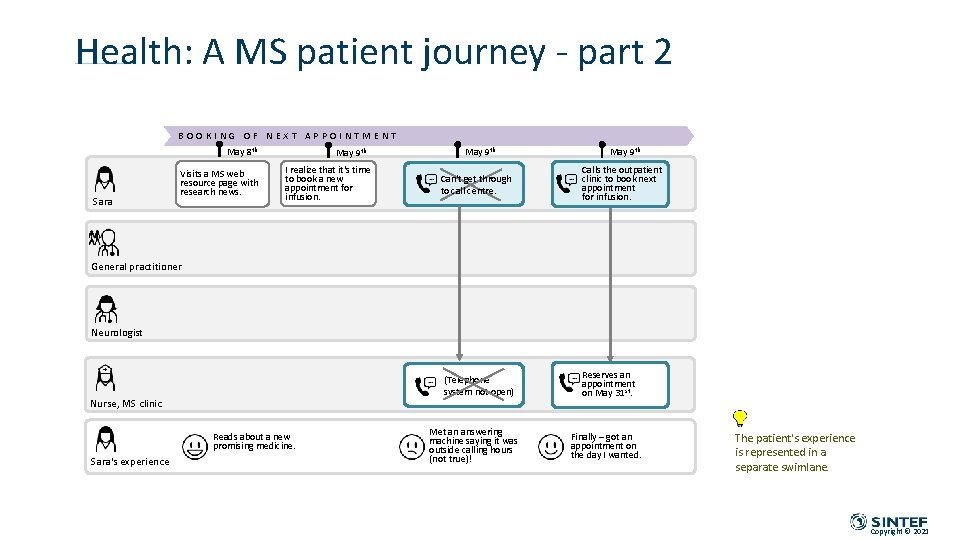
Health: A MS patient journey - part 2 BOOKING OF NEXT APPOINTMENT May 8 th Sara Visits a MS web resource page with research news. May 9 th I realize that it's time to book a new appointment for infusion. May 9 th Can't get through to call centre. May 9 th Calls the outpatient clinic to book next appointment for infusion. General practitioner Neurologist (Telephone system not open) Nurse, MS clinic Reads about a new promising medicine. Sara's experience Met an answering machine saying it was outside calling hours (not true)! Reserves an appointment on May 31 st. Finally – got an appointment on the day I wanted. The patient's experience is represented in a separate swimlane. Copyright © 2021
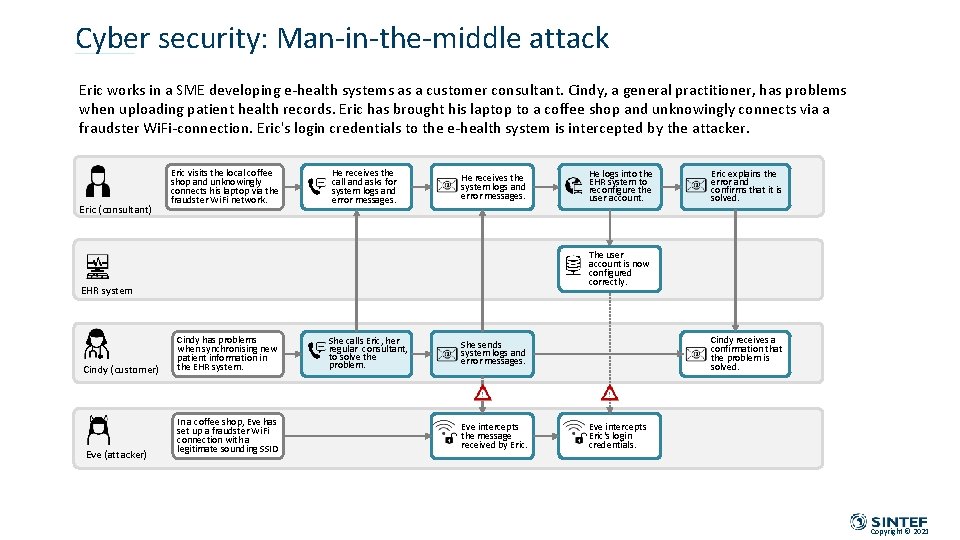
Cyber security: Man-in-the-middle attack Eric works in a SME developing e-health systems as a customer consultant. Cindy, a general practitioner, has problems when uploading patient health records. Eric has brought his laptop to a coffee shop and unknowingly connects via a fraudster Wi. Fi-connection. Eric's login credentials to the e-health system is intercepted by the attacker. Eric (consultant) Eric visits the local coffee shop and unknowingly connects his laptop via the fraudster Wi. Fi network. He receives the call and asks for system logs and error messages. E He receives the system logs and error messages. Eve (attacker) Eric explains the error and confirms that it is solved. The user account is now configured correctly. EHR system Cindy (customer) He logs into the EHR system to reconfigure the user account. Cindy has problems when synchronising new patient information in the EHR system. In a coffee shop, Eve has set up a fraudster Wi. Fi connection with a legitimate sounding SSID She calls Eric, her regular consultant, to solve the problem. Cindy receives a confirmation that the problem is solved. She sends system logs and error messages. Eve intercepts the message received by Eric. Eve intercepts Eric's login credentials. Copyright © 2021
Technology for a better society