
Diagnostic Link 8 08 Features Daimler Trucks 8
- Slides: 30
Diagnostic. Link 8. 08 Features Daimler Trucks
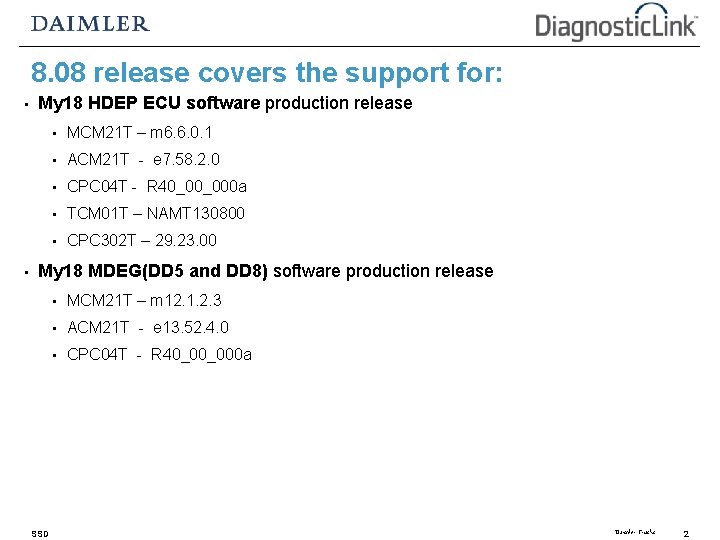
8. 08 release covers the support for: • • My 18 HDEP ECU software production release • MCM 21 T – m 6. 6. 0. 1 • ACM 21 T - e 7. 58. 2. 0 • CPC 04 T - R 40_00_000 a • TCM 01 T – NAMT 130800 • CPC 302 T – 29. 23. 00 My 18 MDEG(DD 5 and DD 8) software production release SSD • MCM 21 T – m 12. 1. 2. 3 • ACM 21 T - e 13. 52. 4. 0 • CPC 04 T - R 40_00_000 a Daimler Trucks 2
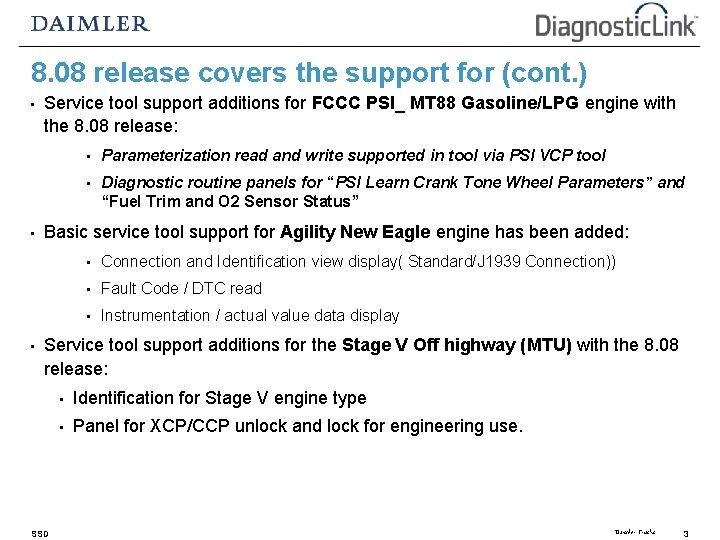
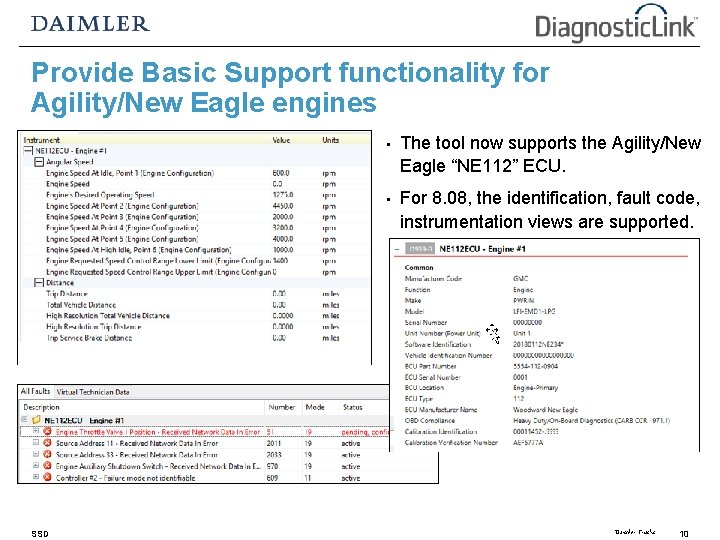
8. 08 release covers the support for (cont. ) • • • Service tool support additions for FCCC PSI_ MT 88 Gasoline/LPG engine with the 8. 08 release: • Parameterization read and write supported in tool via PSI VCP tool • Diagnostic routine panels for “PSI Learn Crank Tone Wheel Parameters” and “Fuel Trim and O 2 Sensor Status” Basic service tool support for Agility New Eagle engine has been added: • Connection and Identification view display( Standard/J 1939 Connection)) • Fault Code / DTC read • Instrumentation / actual value data display Service tool support additions for the Stage V Off highway (MTU) with the 8. 08 release: SSD • Identification for Stage V engine type • Panel for XCP/CCP unlock and lock for engineering use. Daimler Trucks 3
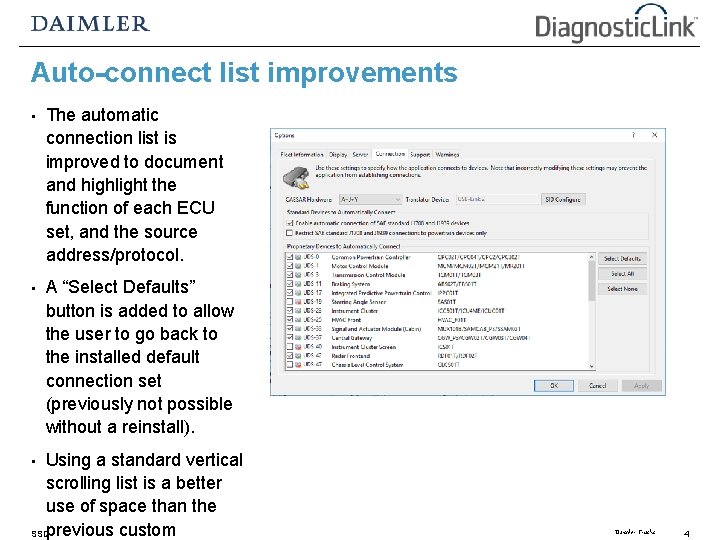
Auto-connect list improvements • The automatic connection list is improved to document and highlight the function of each ECU set, and the source address/protocol. • A “Select Defaults” button is added to allow the user to go back to the installed default connection set (previously not possible without a reinstall). Using a standard vertical scrolling list is a better use of space than the SSDprevious custom • Daimler Trucks 4
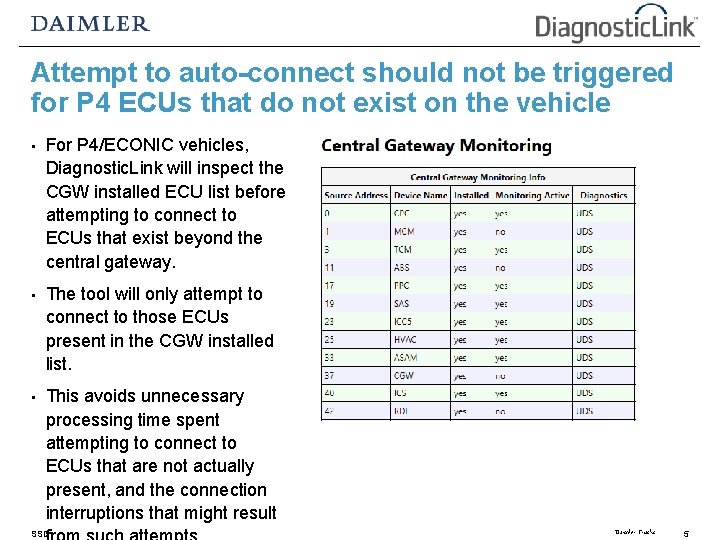
Attempt to auto-connect should not be triggered for P 4 ECUs that do not exist on the vehicle • For P 4/ECONIC vehicles, Diagnostic. Link will inspect the CGW installed ECU list before attempting to connect to ECUs that exist beyond the central gateway. • The tool will only attempt to connect to those ECUs present in the CGW installed list. • This avoids unnecessary processing time spent attempting to connect to ECUs that are not actually present, and the connection interruptions that might result SSD Daimler Trucks 5
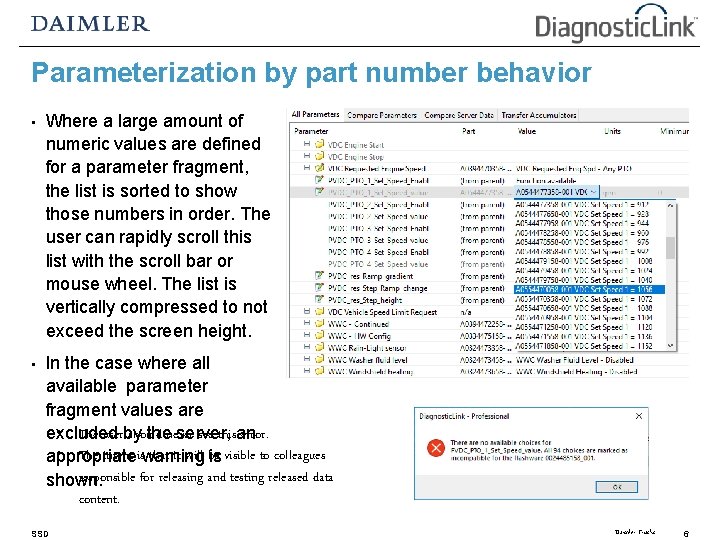
Parameterization by part number behavior • Where a large amount of numeric values are defined for a parameter fragment, the list is sorted to show those numbers in order. The user can rapidly scroll this list with the scroll bar or mouse wheel. The list is vertically compressed to not exceed the screen height. • In the case where all available parameter fragment values are • The userby should see thisan error. excluded thenever server, • The intent iswarning that it will be appropriate is visible to colleagues responsible for releasing and testing released data shown. content. SSD Daimler Trucks 6
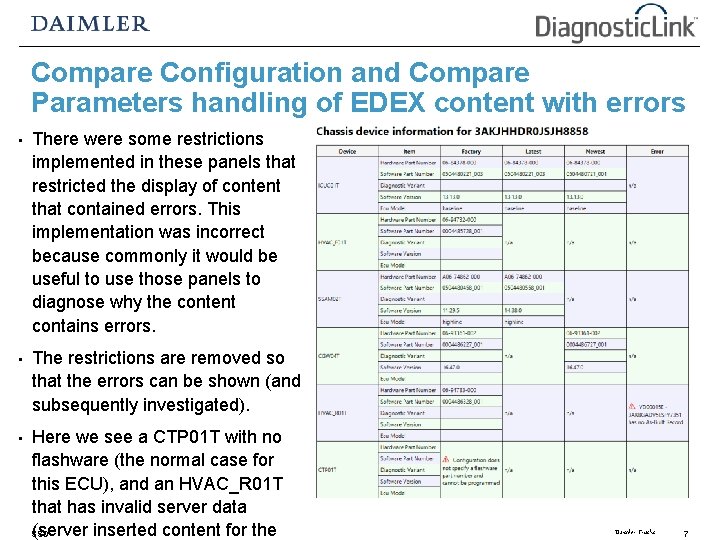
Compare Configuration and Compare Parameters handling of EDEX content with errors • There were some restrictions implemented in these panels that restricted the display of content that contained errors. This implementation was incorrect because commonly it would be useful to use those panels to diagnose why the content contains errors. • The restrictions are removed so that the errors can be shown (and subsequently investigated). • Here we see a CTP 01 T with no flashware (the normal case for this ECU), and an HVAC_R 01 T that has invalid server data (server inserted content for the SSD Daimler Trucks 7
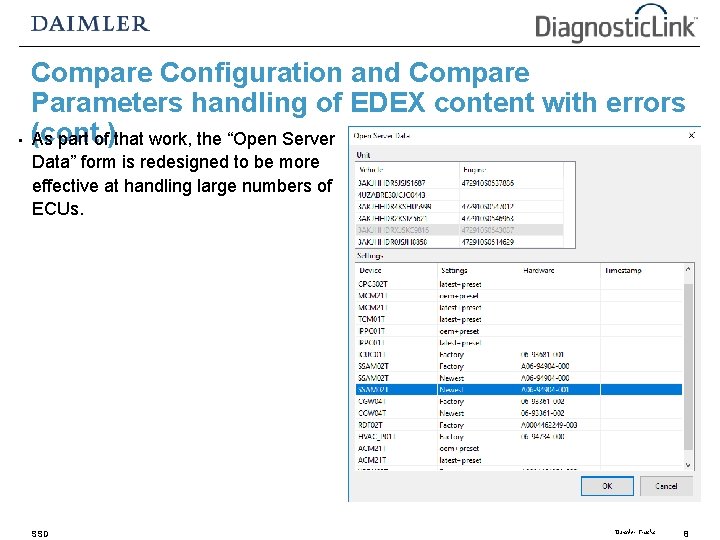
Compare Configuration and Compare Parameters handling of EDEX content with errors • (cont. ) As part of that work, the “Open Server Data” form is redesigned to be more effective at handling large numbers of ECUs. SSD Daimler Trucks 8
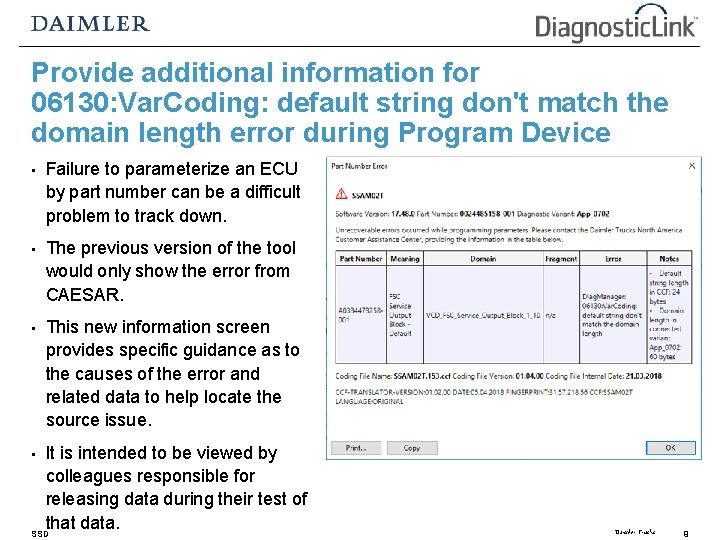
Provide additional information for 06130: Var. Coding: default string don't match the domain length error during Program Device • Failure to parameterize an ECU by part number can be a difficult problem to track down. • The previous version of the tool would only show the error from CAESAR. • This new information screen provides specific guidance as to the causes of the error and related data to help locate the source issue. It is intended to be viewed by colleagues responsible for releasing data during their test of that data. SSD • Daimler Trucks 9
Provide Basic Support functionality for Agility/New Eagle engines SSD • The tool now supports the Agility/New Eagle “NE 112” ECU. • For 8. 08, the identification, fault code, instrumentation views are supported. Daimler Trucks 10
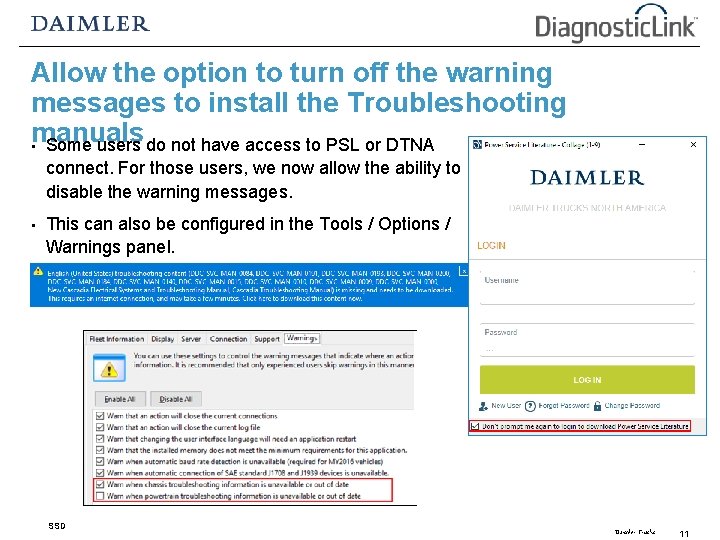
Allow the option to turn off the warning messages to install the Troubleshooting manuals • Some users do not have access to PSL or DTNA connect. For those users, we now allow the ability to disable the warning messages. • This can also be configured in the Tools / Options / Warnings panel. SSD Daimler Trucks 11
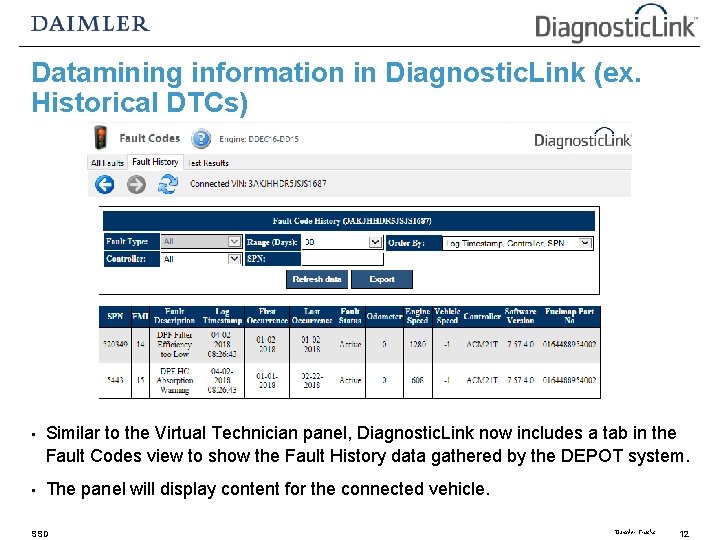
Datamining information in Diagnostic. Link (ex. Historical DTCs) • Similar to the Virtual Technician panel, Diagnostic. Link now includes a tab in the Fault Codes view to show the Fault History data gathered by the DEPOT system. • The panel will display content for the connected vehicle. SSD Daimler Trucks 12
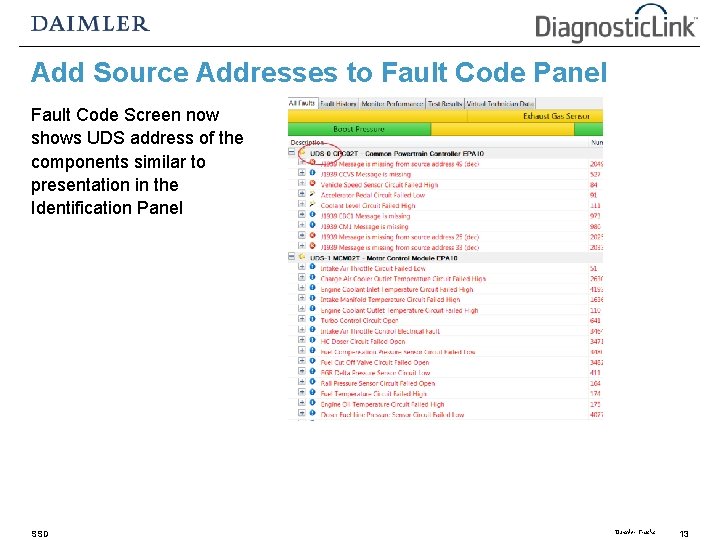
Add Source Addresses to Fault Code Panel Fault Code Screen now shows UDS address of the components similar to presentation in the Identification Panel SSD Daimler Trucks 13
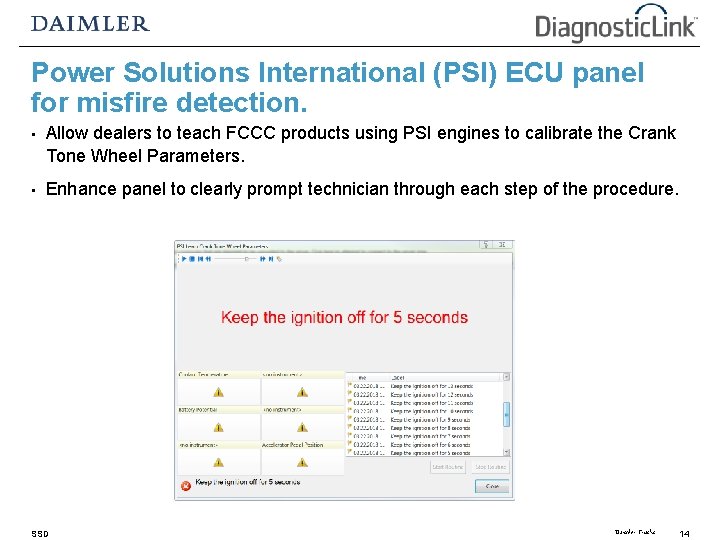
Power Solutions International (PSI) ECU panel for misfire detection. • Allow dealers to teach FCCC products using PSI engines to calibrate the Crank Tone Wheel Parameters. • Enhance panel to clearly prompt technician through each step of the procedure. SSD Daimler Trucks 14
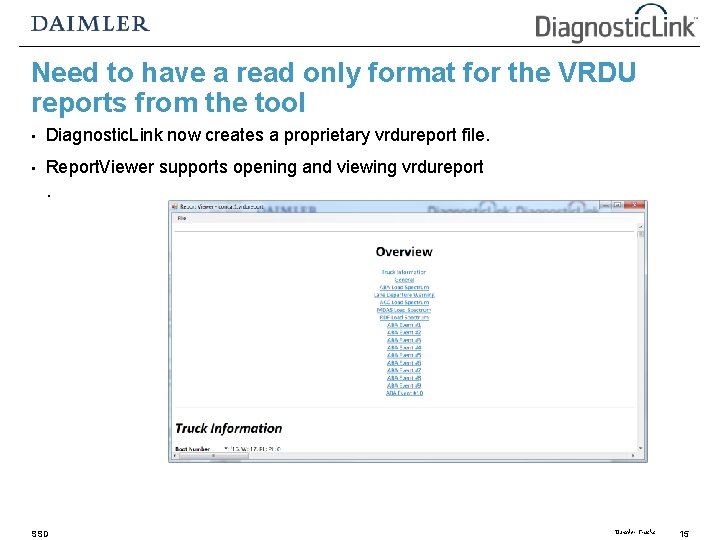
Need to have a read only format for the VRDU reports from the tool • Diagnostic. Link now creates a proprietary vrdureport file. • Report. Viewer supports opening and viewing vrdureport. SSD Daimler Trucks 15
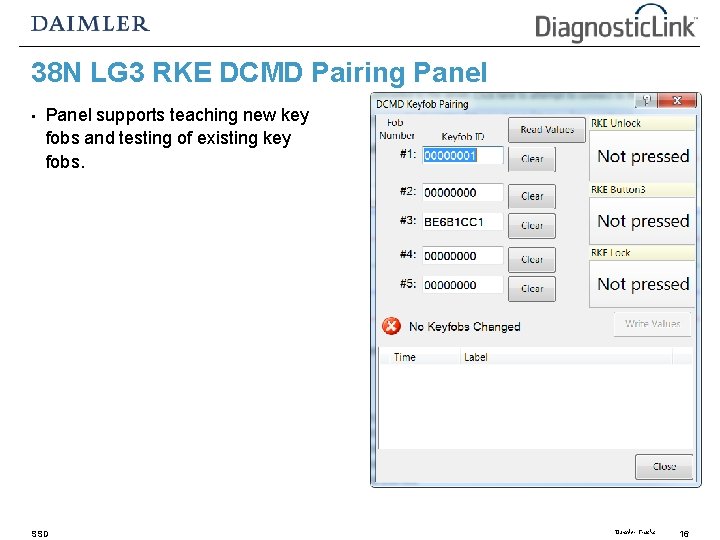
38 N LG 3 RKE DCMD Pairing Panel • Panel supports teaching new key fobs and testing of existing key fobs. SSD Daimler Trucks 16
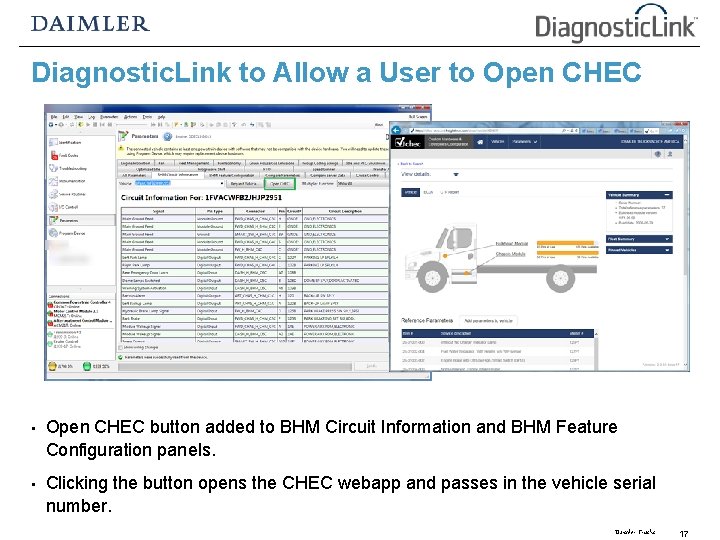
Diagnostic. Link to Allow a User to Open CHEC • Open CHEC button added to BHM Circuit Information and BHM Feature Configuration panels. • Clicking the button opens the CHEC webapp and passes in the vehicle serial number. Daimler Trucks 17
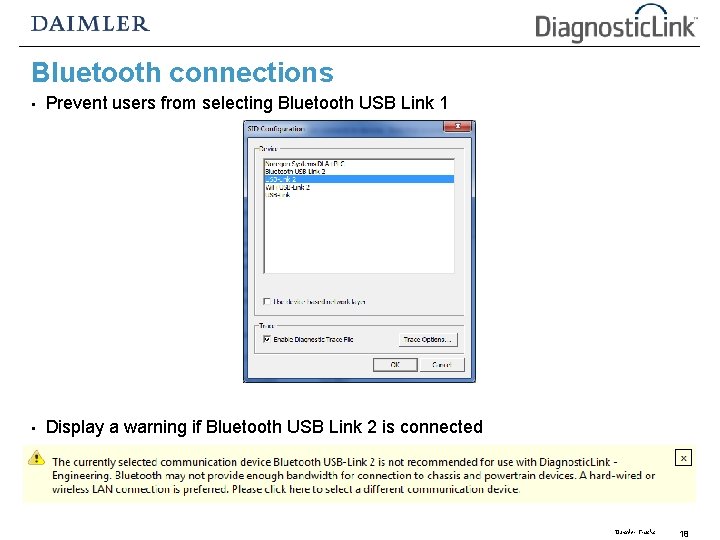
Bluetooth connections • Prevent users from selecting Bluetooth USB Link 1 • Display a warning if Bluetooth USB Link 2 is connected Daimler Trucks 18
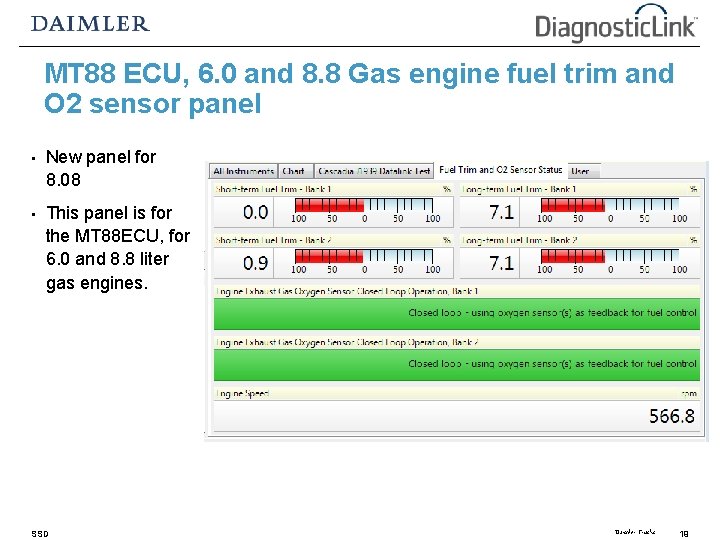
MT 88 ECU, 6. 0 and 8. 8 Gas engine fuel trim and O 2 sensor panel • New panel for 8. 08 • This panel is for the MT 88 ECU, for 6. 0 and 8. 8 liter gas engines. SSD Daimler Trucks 19
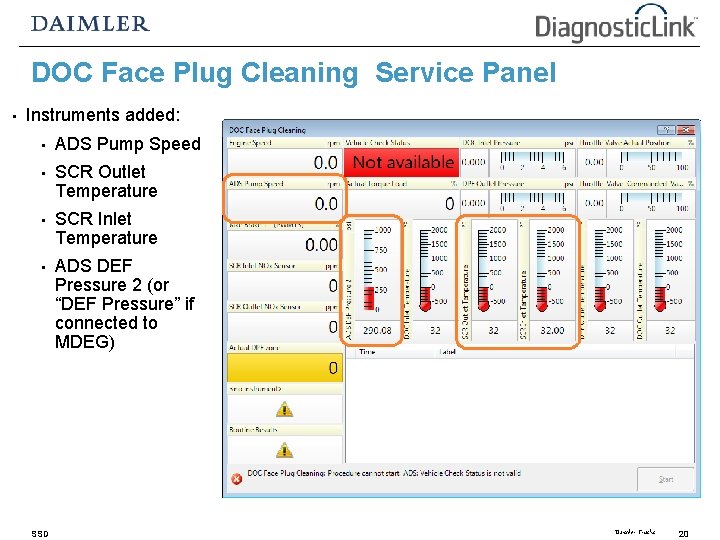
DOC Face Plug Cleaning Service Panel • Instruments added: • ADS Pump Speed • SCR Outlet Temperature • SCR Inlet Temperature • ADS DEF Pressure 2 (or “DEF Pressure” if connected to MDEG) SSD Daimler Trucks 20
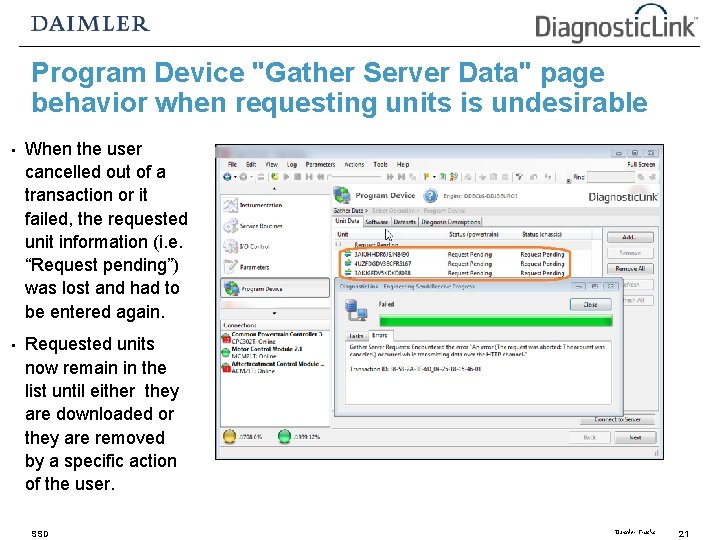
Program Device "Gather Server Data" page behavior when requesting units is undesirable • When the user cancelled out of a transaction or it failed, the requested unit information (i. e. “Request pending”) was lost and had to be entered again. • Requested units now remain in the list until either they are downloaded or they are removed by a specific action of the user. SSD Daimler Trucks 21
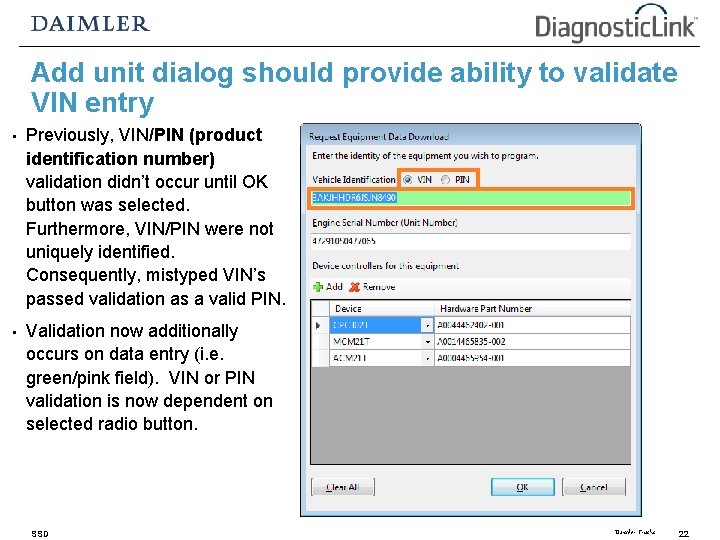
Add unit dialog should provide ability to validate VIN entry • Previously, VIN/PIN (product identification number) validation didn’t occur until OK button was selected. Furthermore, VIN/PIN were not uniquely identified. Consequently, mistyped VIN’s passed validation as a valid PIN. • Validation now additionally occurs on data entry (i. e. green/pink field). VIN or PIN validation is now dependent on selected radio button. SSD Daimler Trucks 22
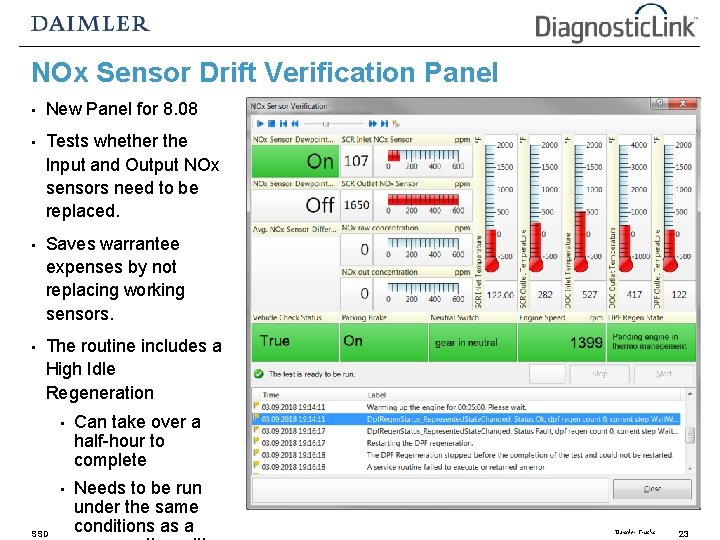
NOx Sensor Drift Verification Panel • New Panel for 8. 08 • Tests whether the Input and Output NOx sensors need to be replaced. • Saves warrantee expenses by not replacing working sensors. • The routine includes a High Idle Regeneration SSD • Can take over a half-hour to complete • Needs to be run under the same conditions as a Daimler Trucks 23
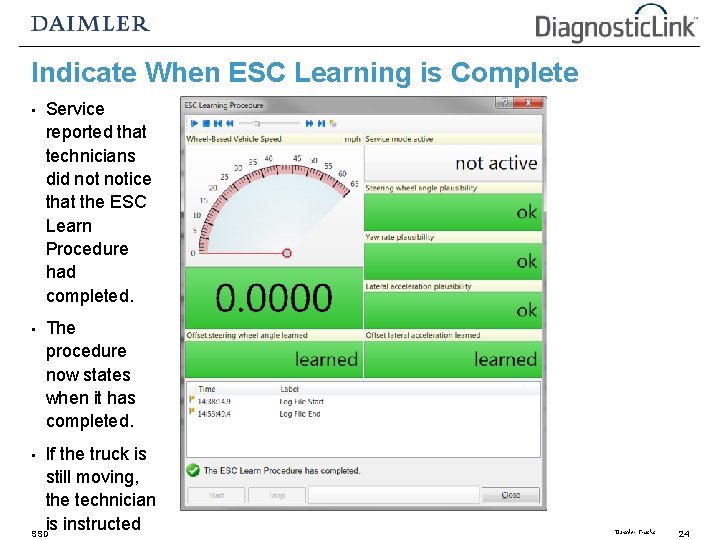
Indicate When ESC Learning is Complete • Service reported that technicians did notice that the ESC Learn Procedure had completed. • The procedure now states when it has completed. If the truck is still moving, the technician is instructed SSD • Daimler Trucks 24
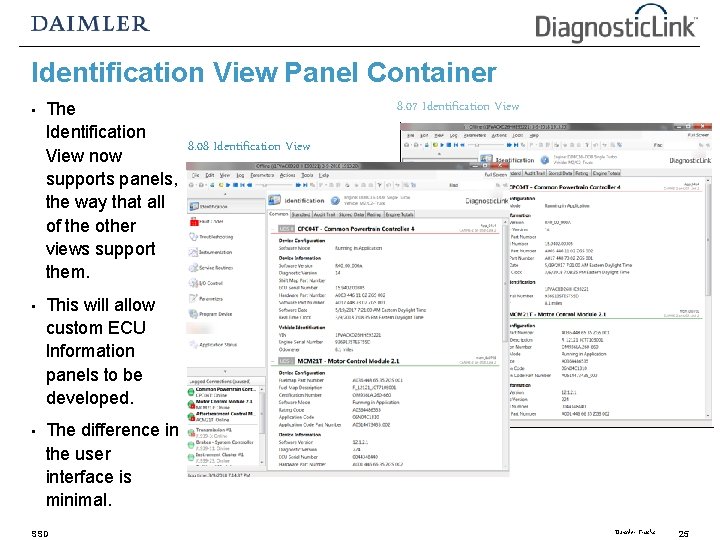
Identification View Panel Container • The Identification 8. 08 Identification View now supports panels, the way that all of the other views support them. • This will allow custom ECU Information panels to be developed. • The difference in the user interface is minimal. SSD 8. 07 Identification View Daimler Trucks 25
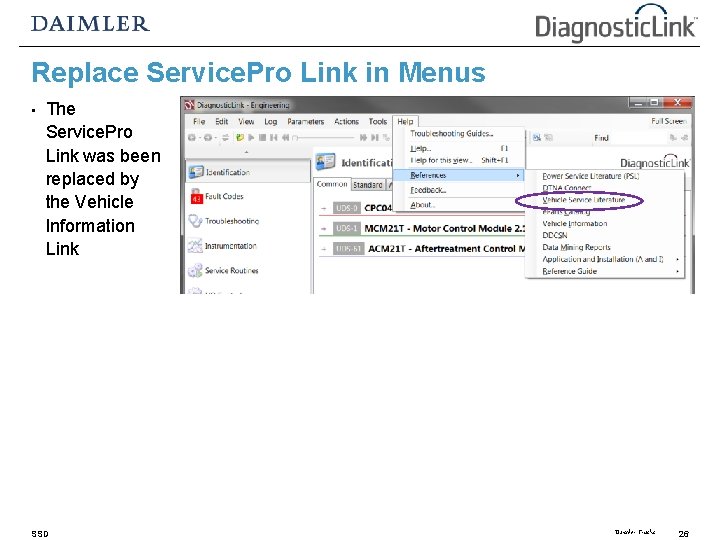
Replace Service. Pro Link in Menus • The Service. Pro Link was been replaced by the Vehicle Information Link SSD Daimler Trucks 26
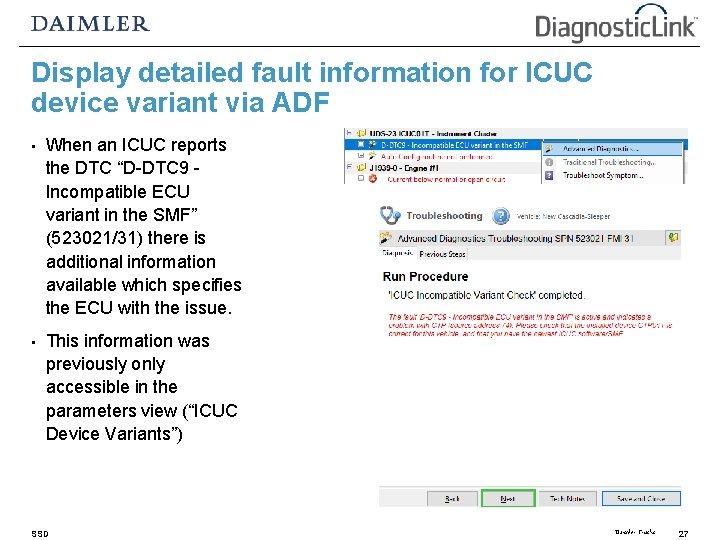
Display detailed fault information for ICUC device variant via ADF • When an ICUC reports the DTC “D-DTC 9 Incompatible ECU variant in the SMF” (523021/31) there is additional information available which specifies the ECU with the issue. • This information was previously only accessible in the parameters view (“ICUC Device Variants”) SSD Daimler Trucks 27
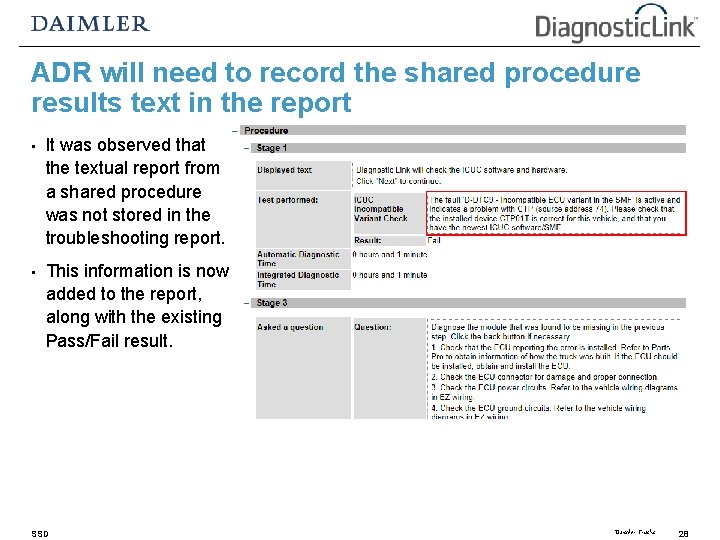
ADR will need to record the shared procedure results text in the report • It was observed that the textual report from a shared procedure was not stored in the troubleshooting report. • This information is now added to the report, along with the existing Pass/Fail result. SSD Daimler Trucks 28
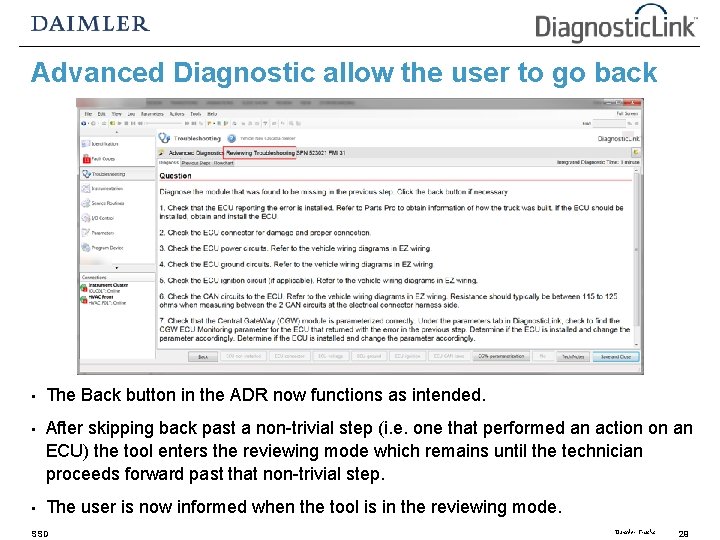
Advanced Diagnostic allow the user to go back • The Back button in the ADR now functions as intended. • After skipping back past a non-trivial step (i. e. one that performed an action on an ECU) the tool enters the reviewing mode which remains until the technician proceeds forward past that non-trivial step. • The user is now informed when the tool is in the reviewing mode. SSD Daimler Trucks 29
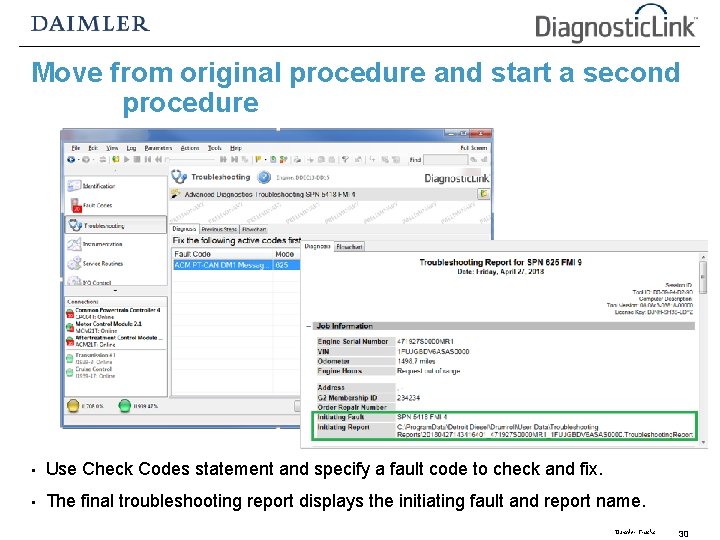
Move from original procedure and start a second procedure • Use Check Codes statement and specify a fault code to check and fix. • The final troubleshooting report displays the initiating fault and report name. Daimler Trucks 30