
DFD Tutorial IT 323 context diagram Why context

- Slides: 15
DFD Tutorial IT 323
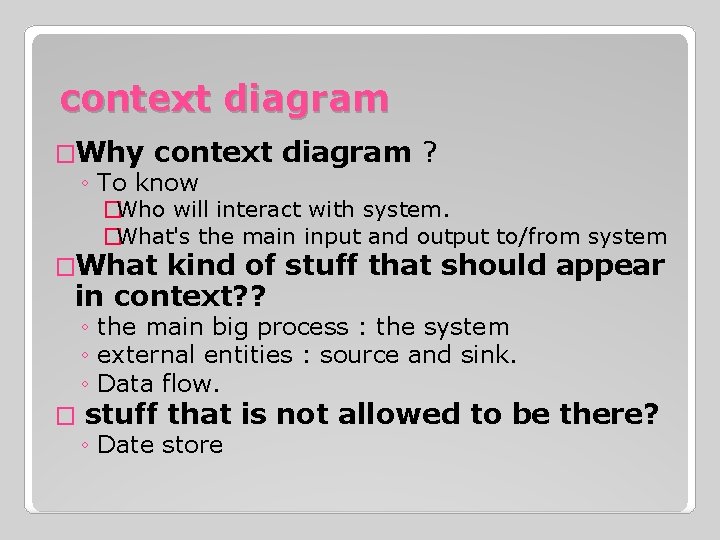
context diagram �Why context diagram ? ◦ To know �Who will interact with system. �What's the main input and output to/from system �What kind of stuff that should appear in context? ? ◦ the main big process : the system ◦ external entities : source and sink. ◦ Data flow. � stuff that is not allowed to be there? ◦ Date store
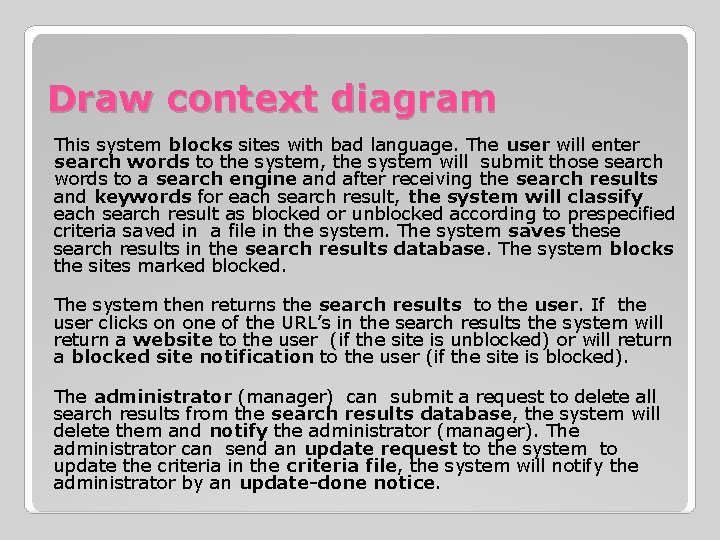
Draw context diagram This system blocks sites with bad language. The user will enter search words to the system, the system will submit those search words to a search engine and after receiving the search results and keywords for each search result, the system will classify each search result as blocked or unblocked according to prespecified criteria saved in a file in the system. The system saves these search results in the search results database. The system blocks the sites marked blocked. The system then returns the search results to the user. If the user clicks on one of the URL’s in the search results the system will return a website to the user (if the site is unblocked) or will return a blocked site notification to the user (if the site is blocked). The administrator (manager) can submit a request to delete all search results from the search results database, the system will delete them and notify the administrator (manager). The administrator can send an update request to the system to update the criteria in the criteria file, the system will notify the administrator by an update-done notice.
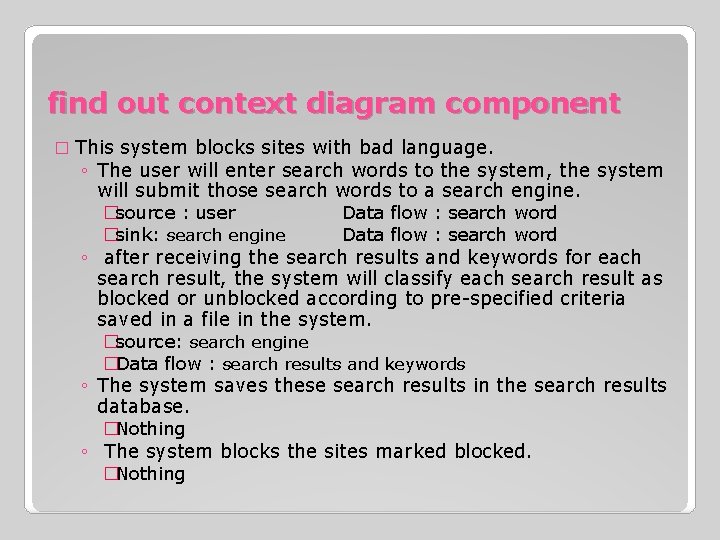
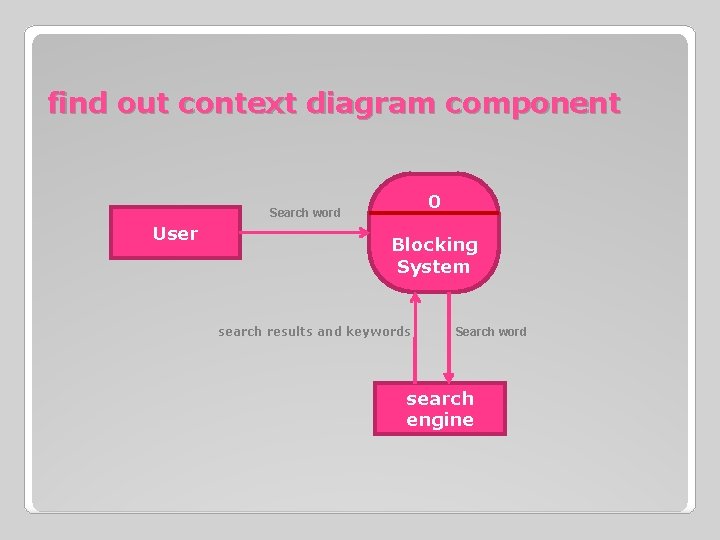
find out context diagram component � This system blocks sites with bad language. ◦ The user will enter search words to the system, the system will submit those search words to a search engine. �source : user Data flow : search word �sink: search engine Data flow : search word ◦ after receiving the search results and keywords for each search result, the system will classify each search result as blocked or unblocked according to pre-specified criteria saved in a file in the system. �source: search engine �Data flow : search results and keywords ◦ The system saves these search results in the search results database. �Nothing ◦ The system blocks the sites marked blocked. �Nothing
find out context diagram component 0 Search word User Blocking System search results and keywords Search word search engine
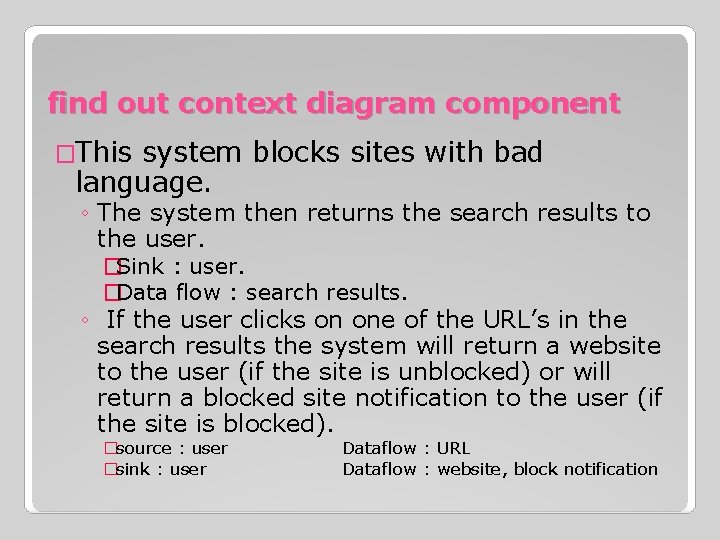
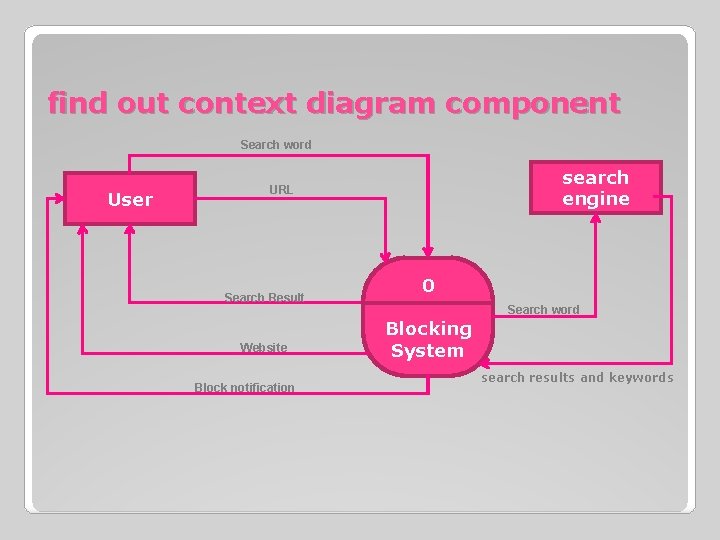
find out context diagram component �This system blocks sites with bad language. ◦ The system then returns the search results to the user. �Sink : user. �Data flow : search results. ◦ If the user clicks on one of the URL’s in the search results the system will return a website to the user (if the site is unblocked) or will return a blocked site notification to the user (if the site is blocked). �source : user �sink : user Dataflow : URL Dataflow : website, block notification
find out context diagram component Search word User search engine URL Search Result Website Block notification 0 Search word Blocking System search results and keywords
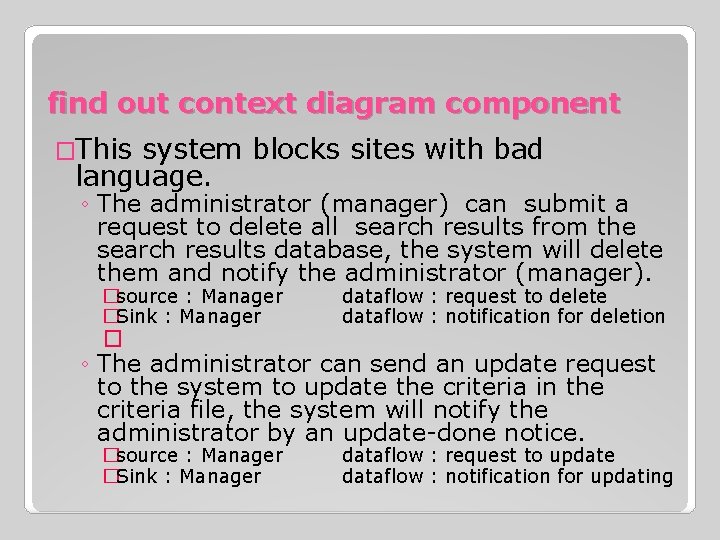
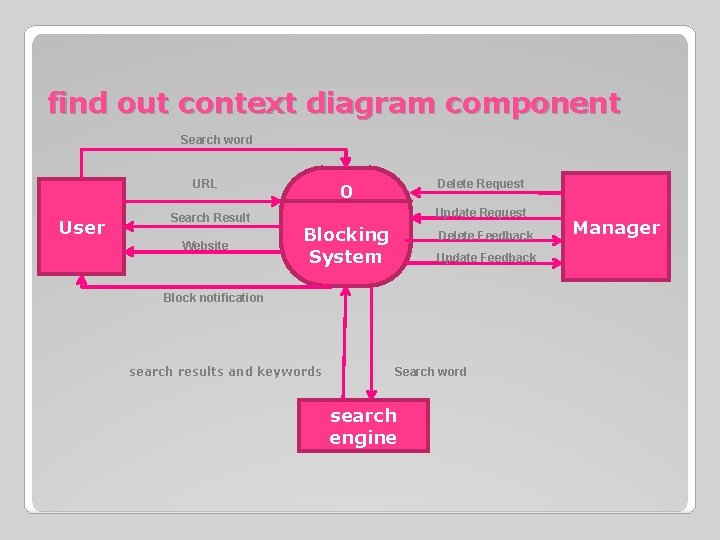
find out context diagram component �This system blocks sites with bad language. ◦ The administrator (manager) can submit a request to delete all search results from the search results database, the system will delete them and notify the administrator (manager). �source : Manager �Sink : Manager � dataflow : request to delete dataflow : notification for deletion ◦ The administrator can send an update request to the system to update the criteria in the criteria file, the system will notify the administrator by an update-done notice. �source : Manager �Sink : Manager dataflow : request to update dataflow : notification for updating
find out context diagram component Search word URL User Search Result Website Delete Request 0 Update Request Blocking System Delete Feedback Update Feedback Block notification search results and keywords Search word search engine Manager
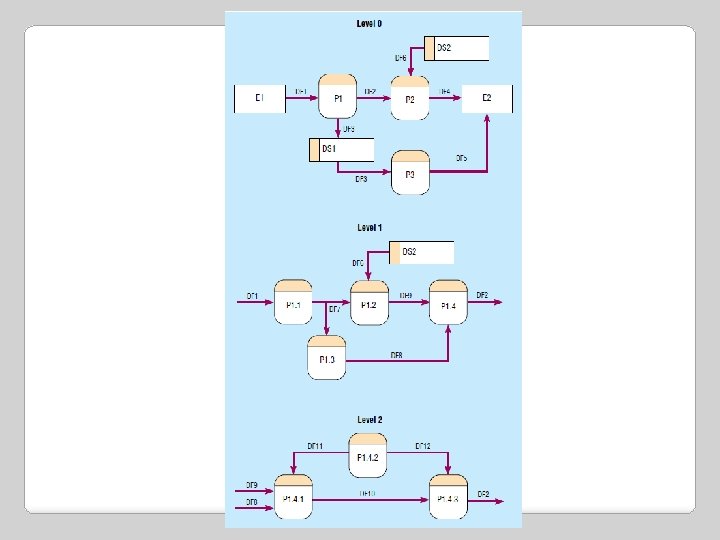
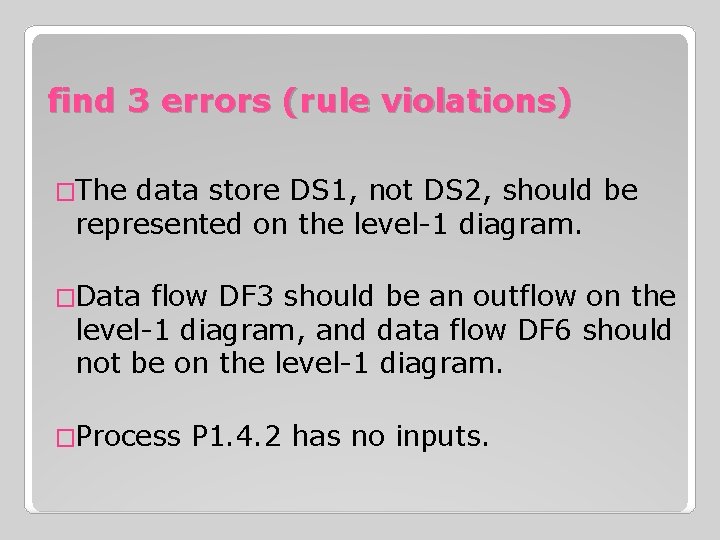
find 3 errors (rule violations) �The data store DS 1, not DS 2, should be represented on the level-1 diagram. �Data flow DF 3 should be an outflow on the level-1 diagram, and data flow DF 6 should not be on the level-1 diagram. �Process P 1. 4. 2 has no inputs.
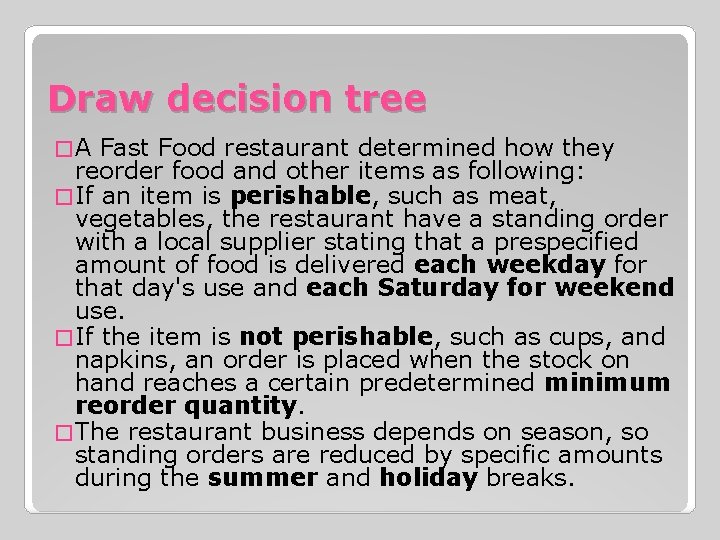
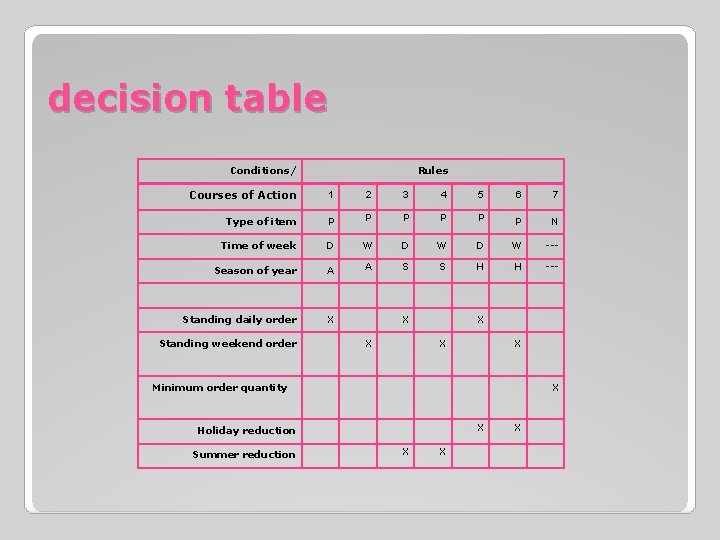
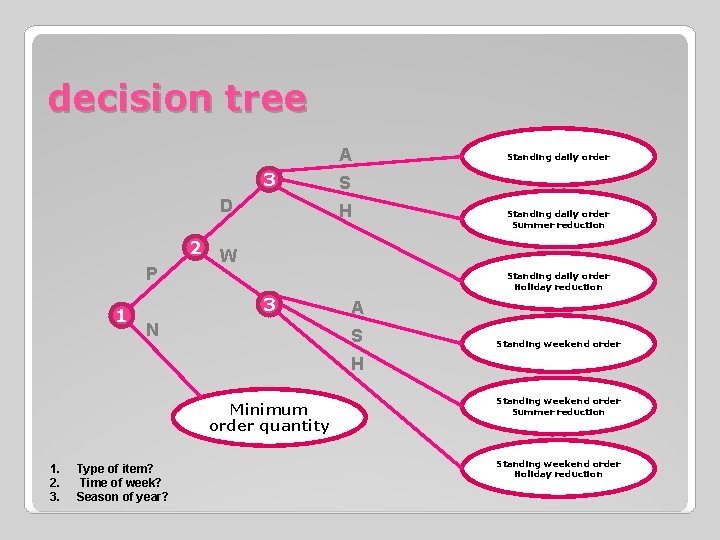
Draw decision tree �A Fast Food restaurant determined how they reorder food and other items as following: � If an item is perishable, such as meat, vegetables, the restaurant have a standing order with a local supplier stating that a prespecified amount of food is delivered each weekday for that day's use and each Saturday for weekend use. � If the item is not perishable, such as cups, and napkins, an order is placed when the stock on hand reaches a certain predetermined minimum reorder quantity. � The restaurant business depends on season, so standing orders are reduced by specific amounts during the summer and holiday breaks.
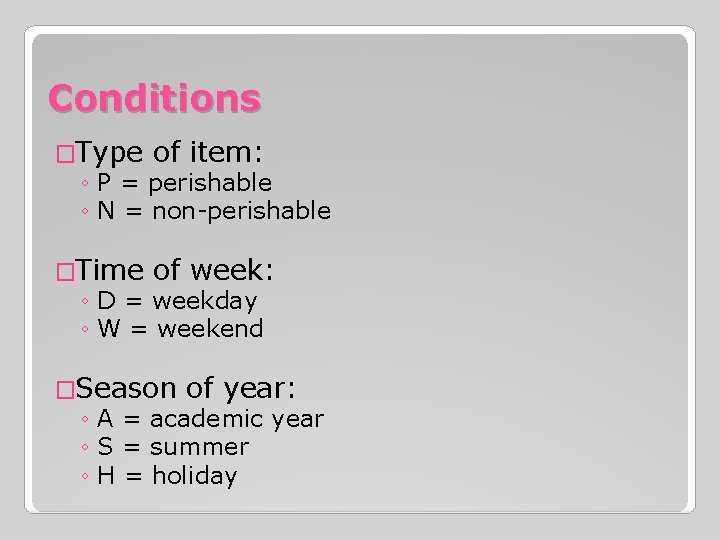
Conditions �Type of item: ◦ P = perishable ◦ N = non-perishable �Time of week: ◦ D = weekday ◦ W = weekend �Season of year: ◦ A = academic year ◦ S = summer ◦ H = holiday
decision table Conditions/ Rules Courses of Action 1 2 3 4 5 6 7 Type of item P P P N Time of week D W D W --- Season of year A A S S H H --- Standing daily order X Standing weekend order X X X Minimum order quantity X X Holiday reduction Summer reduction X X X
decision tree A 3 D P 1 Standing daily order S H Standing daily order Summer reduction 2 W Standing daily order Holiday reduction 3 N A S Standing weekend order H Minimum order quantity 1. 2. 3. Type of item? Time of week? Season of year? Standing weekend order Summer reduction Standing weekend order Holiday reduction