
Device Master UP and Data Protocol Solutions from














- Slides: 51
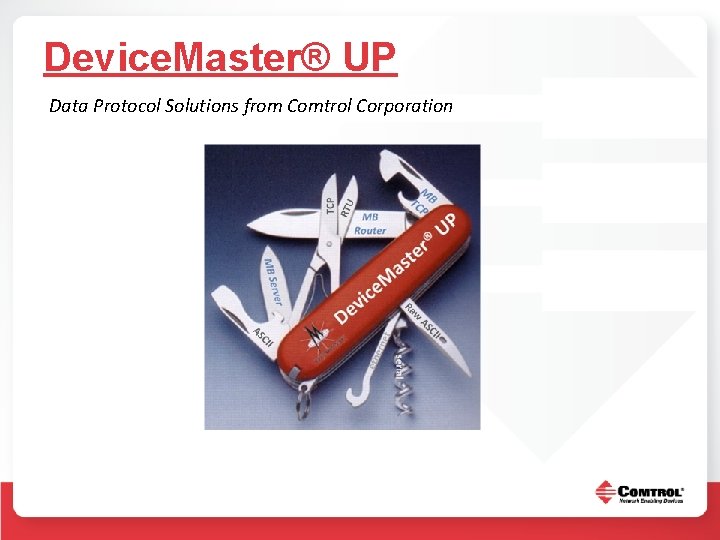
Device. Master® UP and Data Protocol Solutions from Comtrol Corporation
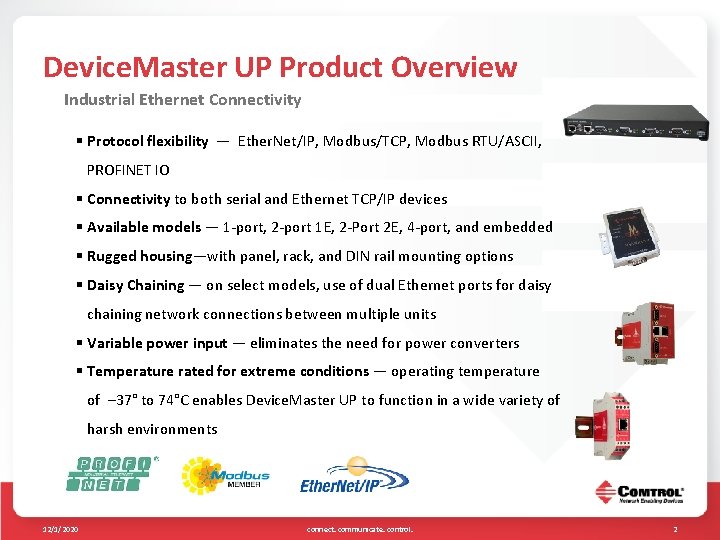
Device. Master UP Product Overview Industrial Ethernet Connectivity § Protocol flexibility — Ether. Net/IP, Modbus/TCP, Modbus RTU/ASCII, PROFINET IO § Connectivity to both serial and Ethernet TCP/IP devices § Available models — 1 -port, 2 -port 1 E, 2 -Port 2 E, 4 -port, and embedded § Rugged housing—with panel, rack, and DIN rail mounting options § Daisy Chaining — on select models, use of dual Ethernet ports for daisy chaining network connections between multiple units § Variable power input — eliminates the need for power converters § Temperature rated for extreme conditions — operating temperature of – 37° to 74°C enables Device. Master UP to function in a wide variety of harsh environments 12/1/2020 connect. communicate. control. 2
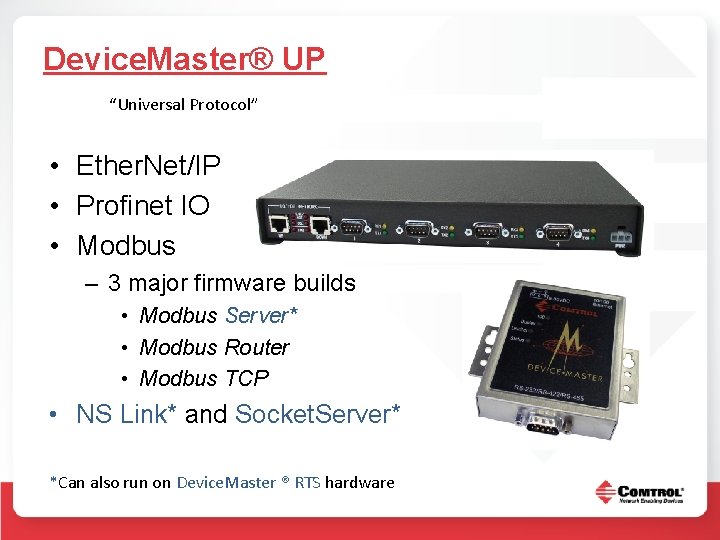
Device. Master® UP “Universal Protocol” • Ether. Net/IP • Profinet IO • Modbus – 3 major firmware builds • Modbus Server* • Modbus Router • Modbus TCP • NS Link* and Socket. Server* *Can also run on Device. Master ® RTS hardware
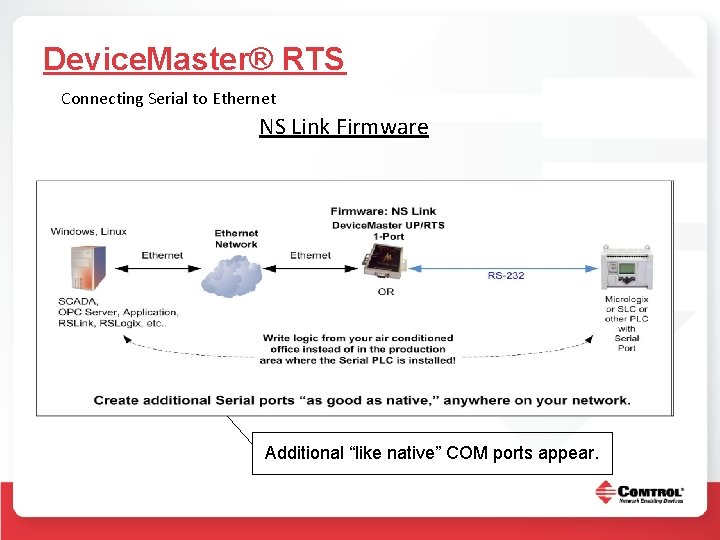
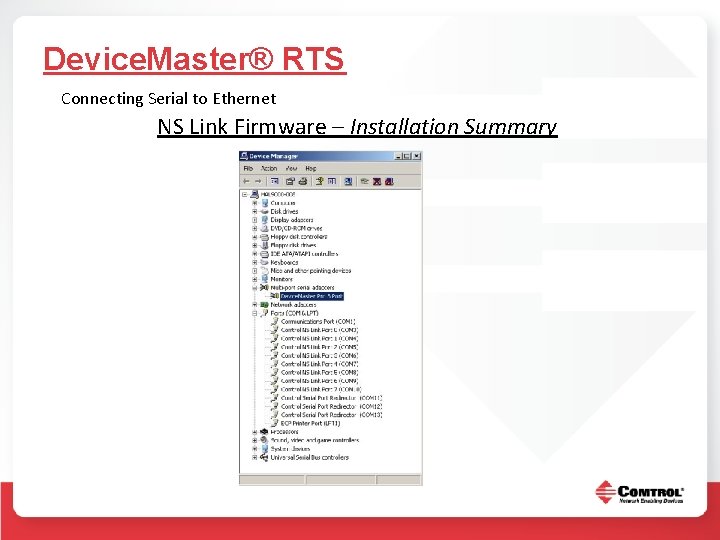
Device. Master® RTS Connecting Serial to Ethernet NS Link Firmware Micrologix (or other PLC that can be programmed through it’s serial port) Additional “like native” COM ports appear.
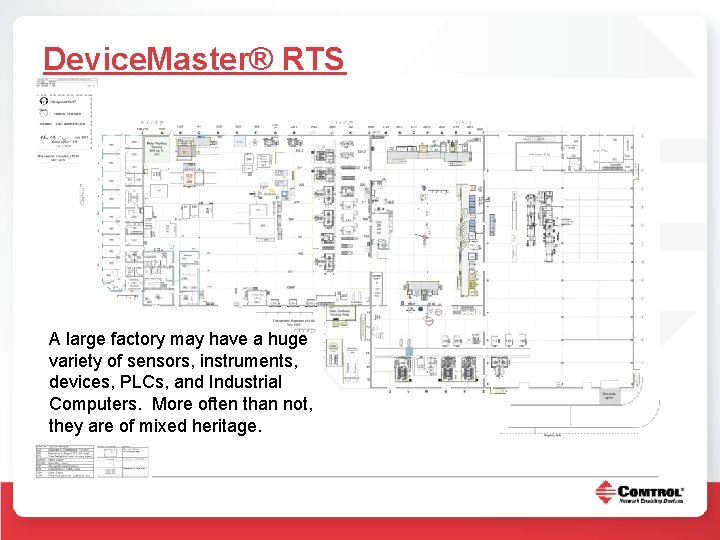
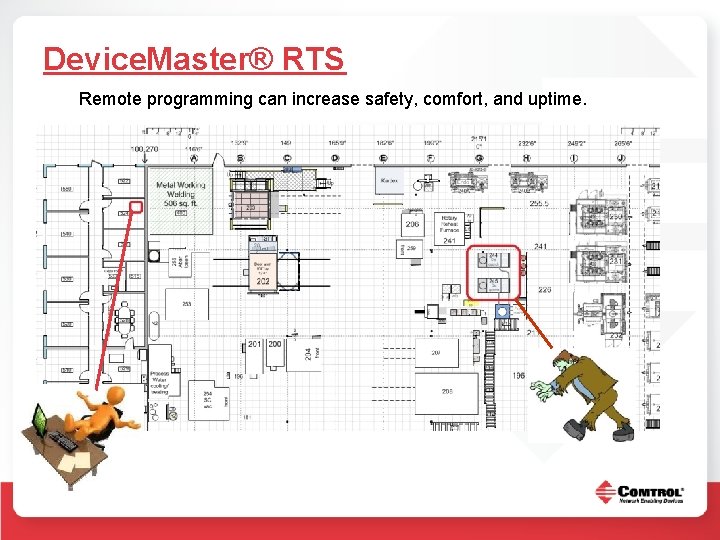
Device. Master® RTS A large factory may have a huge variety of sensors, instruments, devices, PLCs, and Industrial Computers. More often than not, they are of mixed heritage.
Device. Master® RTS Remote programming can increase safety, comfort, and uptime.
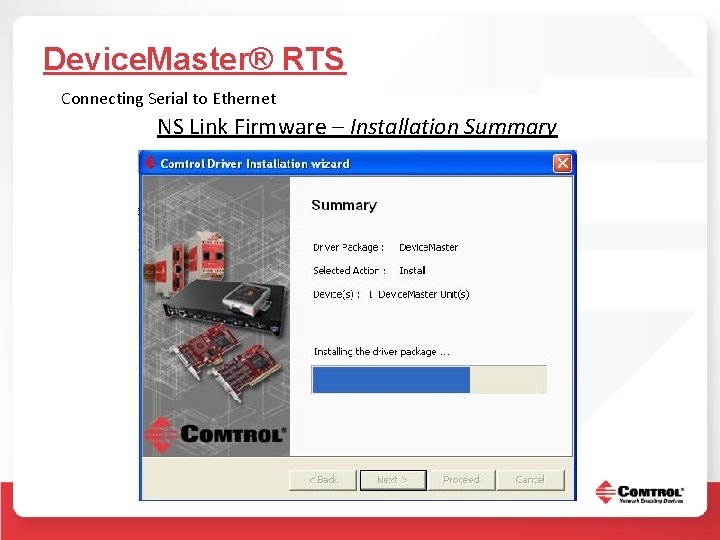
Device. Master® RTS Connecting Serial to Ethernet NS Link Firmware – Installation Summary
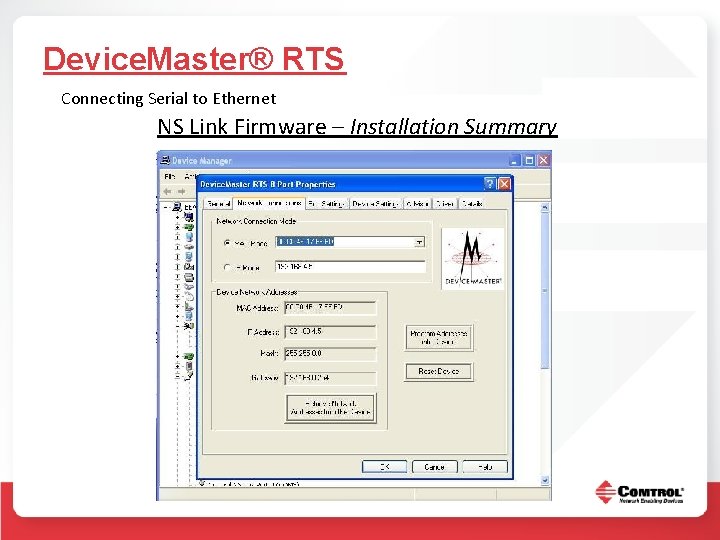
Device. Master® RTS Connecting Serial to Ethernet NS Link Firmware – Installation Summary
Device. Master® RTS Connecting Serial to Ethernet NS Link Firmware – Installation Summary
Device. Master® RTS Connecting Serial to Ethernet Socket Server Firmware Data appears on a socket port.
Device. Master® UP Data Protocol Solutions from Comtrol Corporation
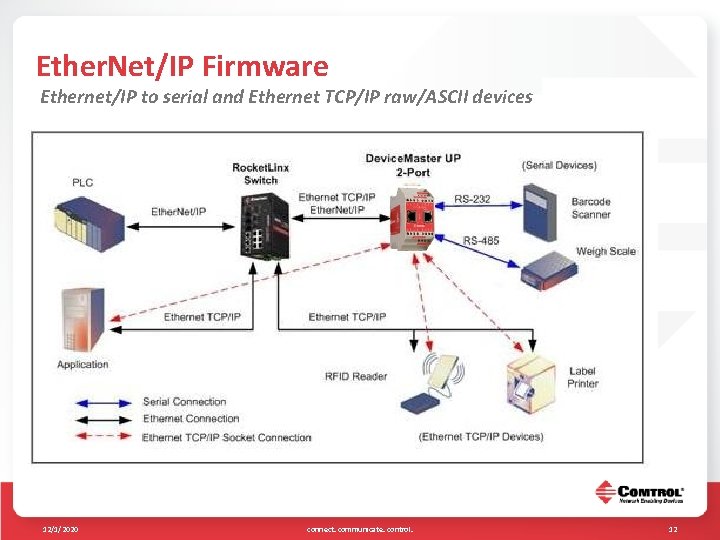
Ether. Net/IP Firmware Ethernet/IP to serial and Ethernet TCP/IP raw/ASCII devices 12/1/2020 connect. communicate. control. 12
Ether. Net/IP Firmware • Connectivity – Ethernet/IP to serial and Ethernet TCP/IP raw/ASCII devices • Low-latency updates of received packets to PLC memory. Typically less than 10 ms • Connectivity to high-speed devices. Supports message rates as high as 50 updates per second when receive mode is configured to Write-to. Tag/File • Large received packet support – up to 1518 bytes serial and 2048 bytes Ethernet TCP/IP • Received packet size control – truncate or drop oversized packets • Message Throttling – ensures PLC can process each received data packet • Intelligent packet identification – start and end of transmission character detection/appending • Three methods of receive communication to the PLC – Write-to-Tag/File, Write-to-Tag/File. Synced, and Polling • Vendor Specific CIP objects – configuration, data transfer, and statistics 12/1/2020 connect. communicate. control. 13
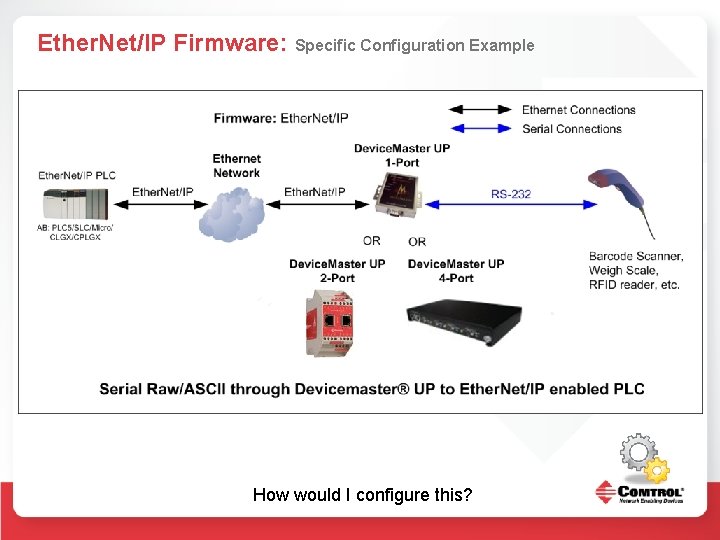
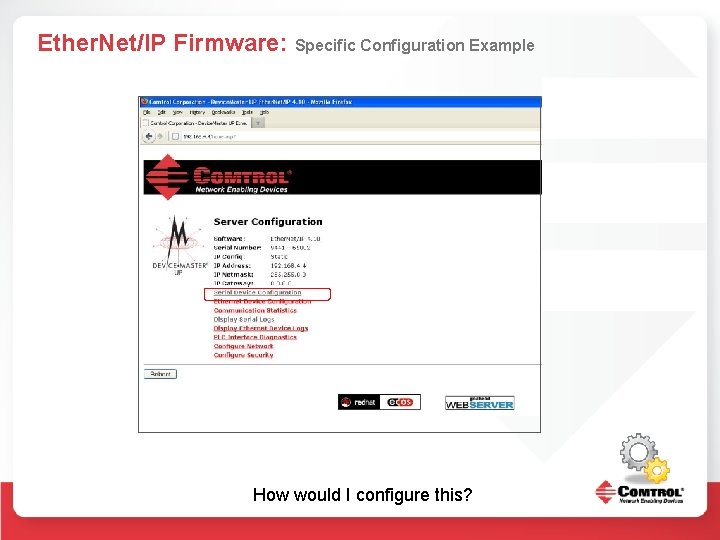
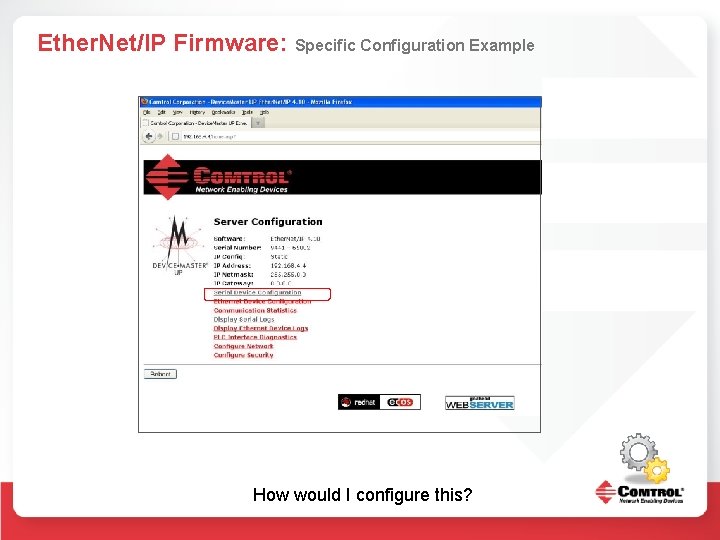
Ether. Net/IP Firmware: Specific Configuration Example How would I configure this?
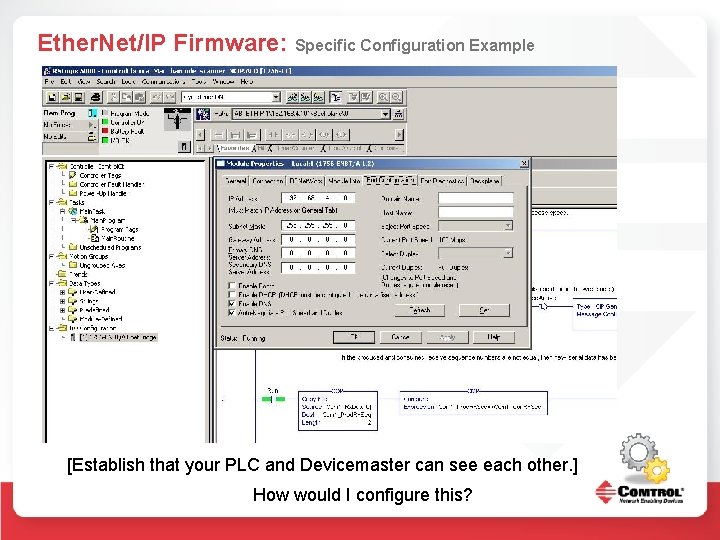
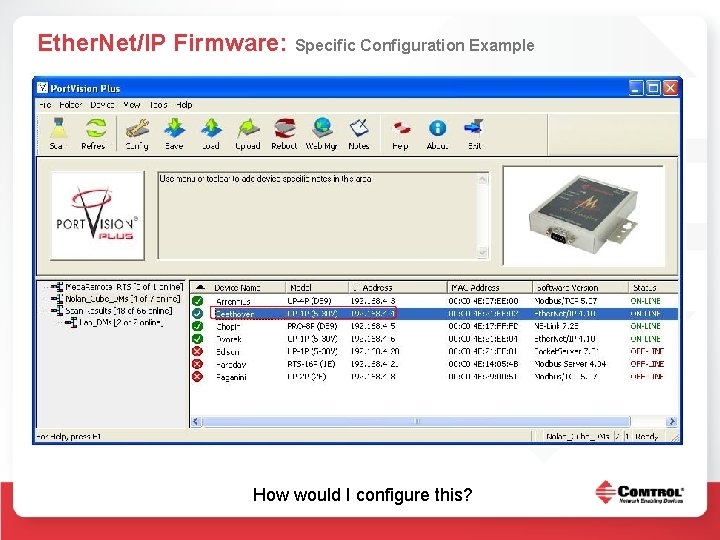
Ether. Net/IP Firmware: Specific Configuration Example [Establish that your PLC and Devicemaster can see each other. ] How would I configure this?
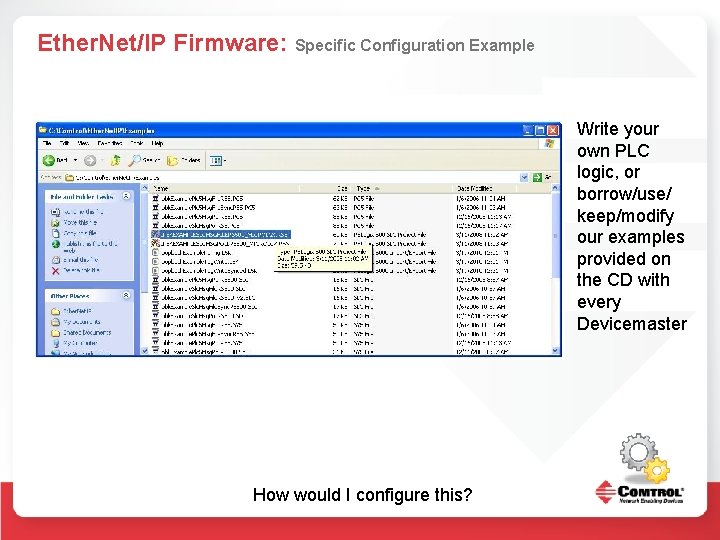
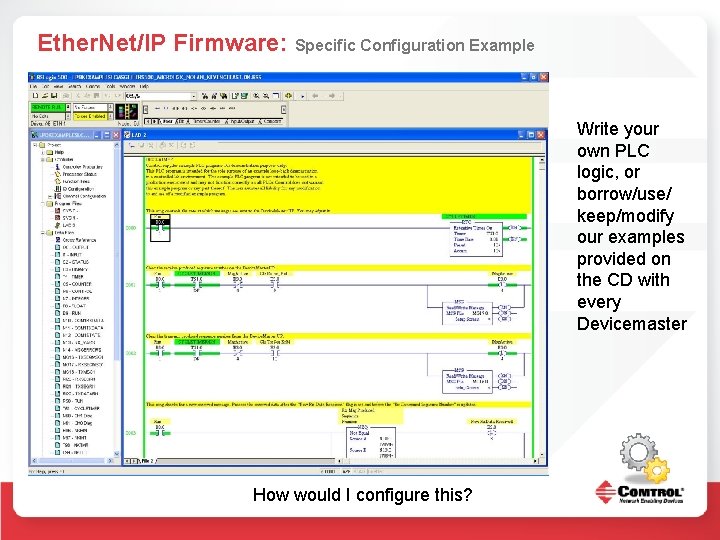
Ether. Net/IP Firmware: Specific Configuration Example Write your own PLC logic, or borrow/use/ keep/modify our examples provided on the CD with every Devicemaster How would I configure this?
Ether. Net/IP Firmware: Specific Configuration Example How would I configure this?
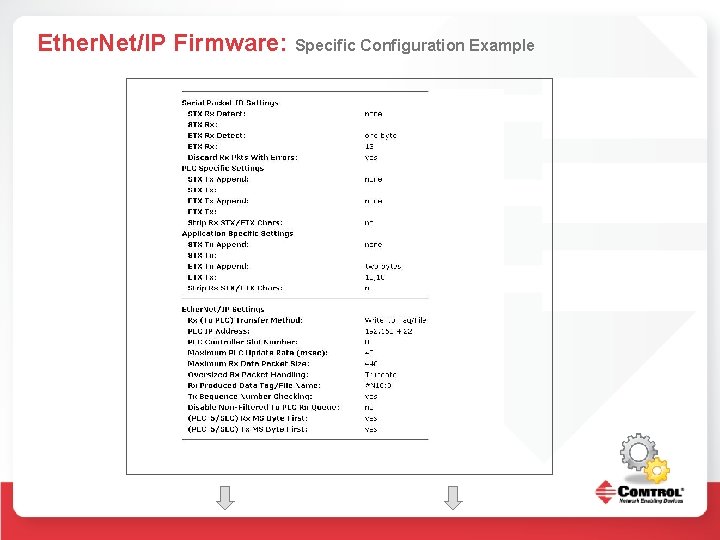
Ether. Net/IP Firmware: Specific Configuration Example
Ether. Net/IP Firmware: Specific Configuration Example
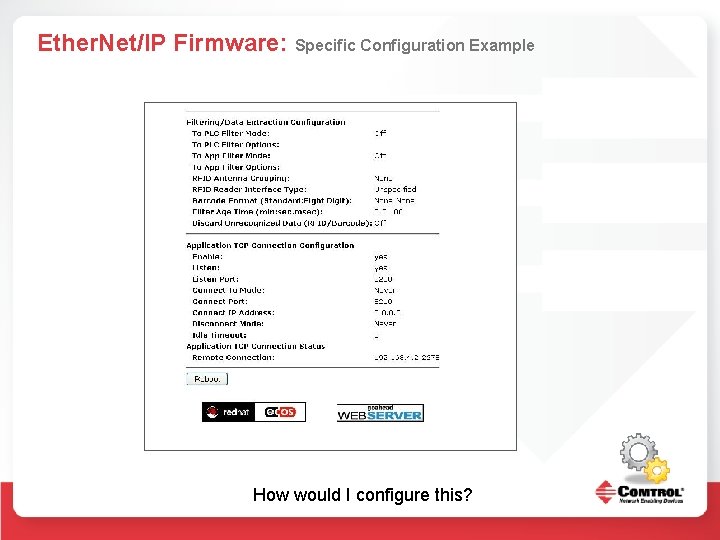
Ether. Net/IP Firmware: Specific Configuration Example How would I configure this?
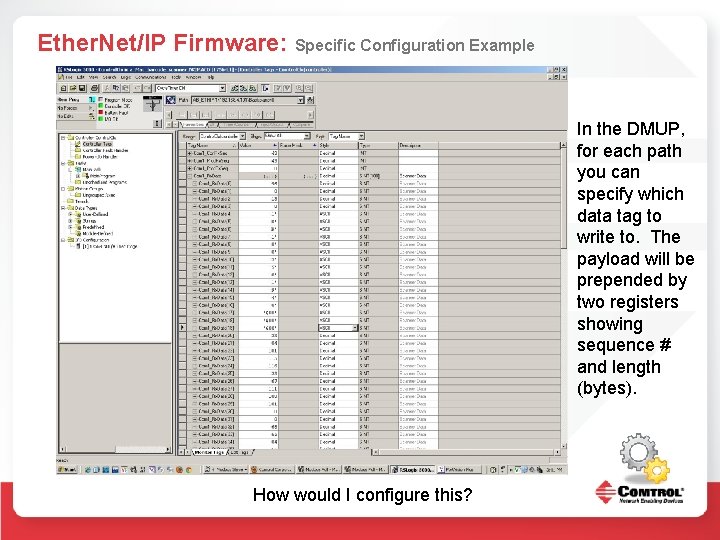
Ether. Net/IP Firmware: Specific Configuration Example In the DMUP, for each path you can specify which data tag to write to. The payload will be prepended by two registers showing sequence # and length (bytes). How would I configure this?
Ether. Net/IP Firmware: Specific Configuration Example How would I configure this?
Ether. Net/IP Firmware: Specific Configuration Example Configure the appropriate serial port settings for the LK-G 5000 RJ 11 RS 232 C. There are many valid choices that will work for the LK-G and the Device. Master UP How would I configure this?
Ether. Net/IP Firmware: Specific Configuration Example Using the pinouts referenced in manuals for both devices, create cabling that matches up the proper pins on both ends of the serial connection. In my case, I cut an RJ 11 cable and a standard DB 9 cable and spliced the three necessary wires together. (Custom cable. ) How would I configure this?
Ether. Net/IP Firmware: Specific Configuration Example How would I configure this?
Ether. Net/IP Firmware: Specific Configuration Example How would I configure this?
Ether. Net/IP Firmware: Specific Configuration Example
Ether. Net/IP Firmware: Specific Configuration Example
Ether. Net/IP Firmware: Specific Configuration Example How would I configure this?
Ether. Net/IP Firmware: Specific Configuration Example Write your own PLC logic, or borrow/use/ keep/modify our examples provided on the CD with every Devicemaster How would I configure this?
Ether. Net/IP Firmware: Specific Configuration Example Write your own PLC logic, or borrow/use/ keep/modify our examples provided on the CD with every Devicemaster How would I configure this?
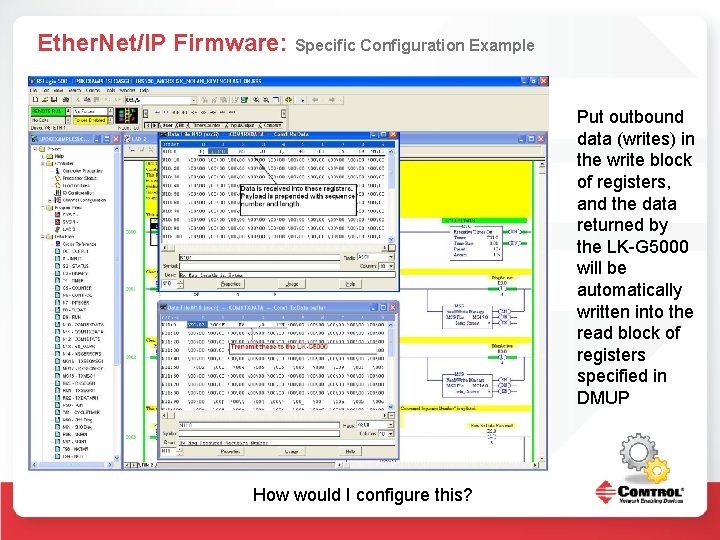
Ether. Net/IP Firmware: Specific Configuration Example Put outbound data (writes) in the write block of registers, and the data returned by the LK-G 5000 will be automatically written into the read block of registers specified in DMUP How would I configure this?
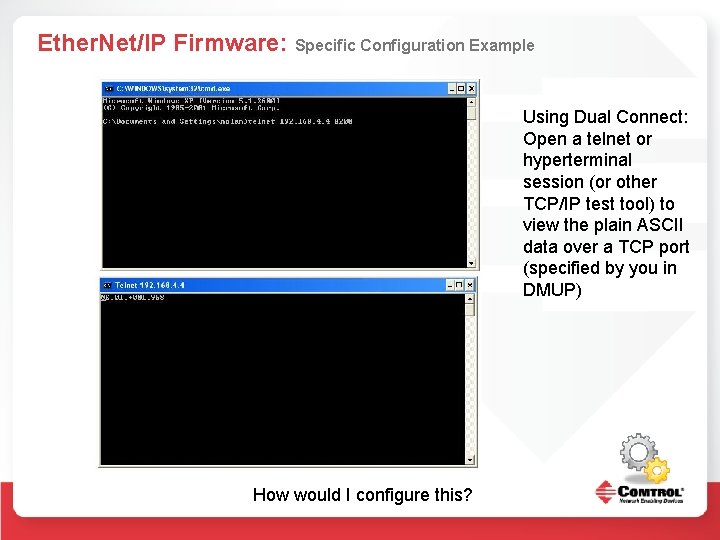
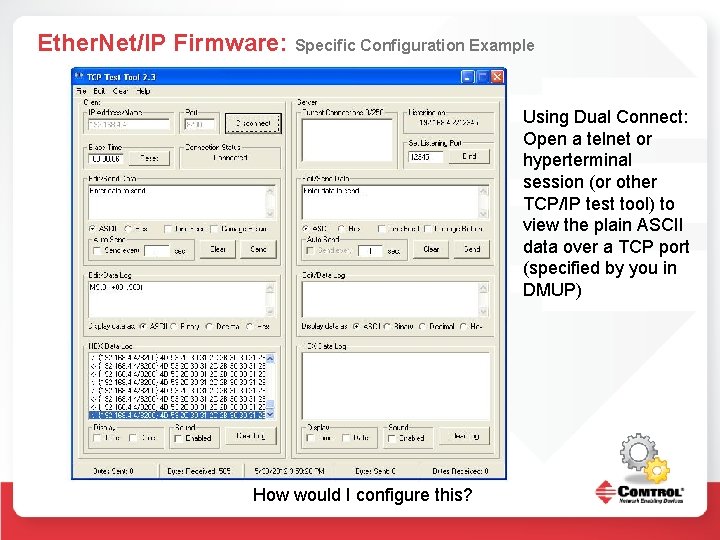
Ether. Net/IP Firmware: Specific Configuration Example Using Dual Connect: Open a telnet or hyperterminal session (or other TCP/IP test tool) to view the plain ASCII data over a TCP port (specified by you in DMUP) How would I configure this?
Ether. Net/IP Firmware: Specific Configuration Example Using Dual Connect: Open a telnet or hyperterminal session (or other TCP/IP test tool) to view the plain ASCII data over a TCP port (specified by you in DMUP) How would I configure this?
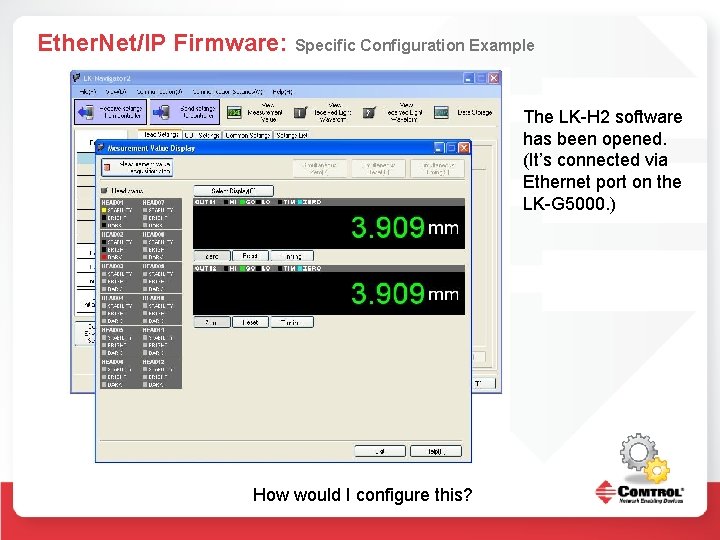
Ether. Net/IP Firmware: Specific Configuration Example The LK-H 2 software has been opened. (It’s connected via Ethernet port on the LK-G 5000. ) How would I configure this?
Ether. Net/IP Firmware: Specific Configuration Example Here the LK-H 2 software can be seen receiving data at the same time as an Ether. Net/IP PLC, and a (plain ASCII over TCP) Telnet session. How would I configure this?
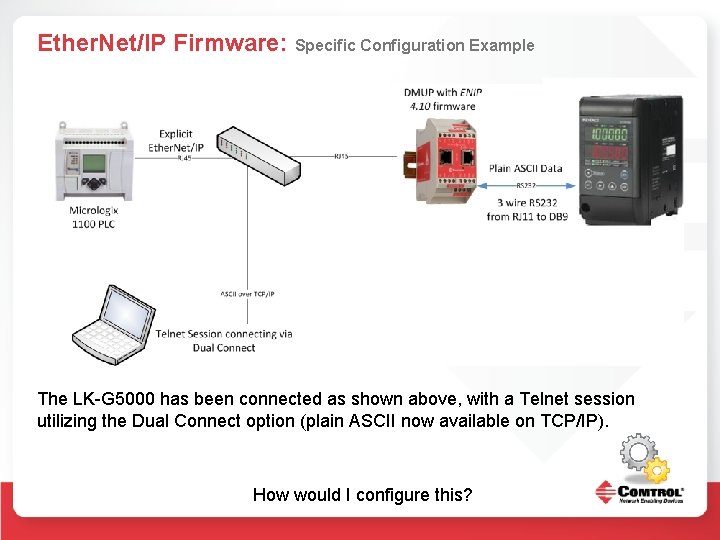
Ether. Net/IP Firmware: Specific Configuration Example The LK-G 5000 has been connected as shown above, with a Telnet session utilizing the Dual Connect option (plain ASCII now available on TCP/IP). How would I configure this?
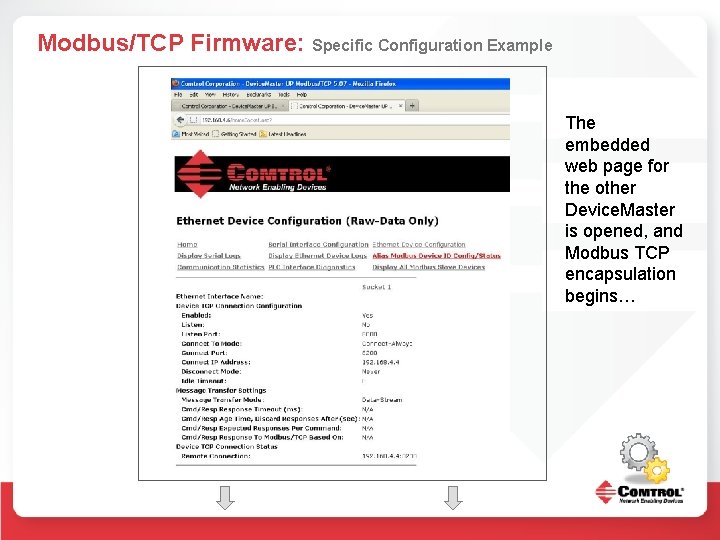
Modbus/TCP Firmware: Specific Configuration Example The embedded web page for the other Device. Master is opened, and Modbus TCP encapsulation begins…
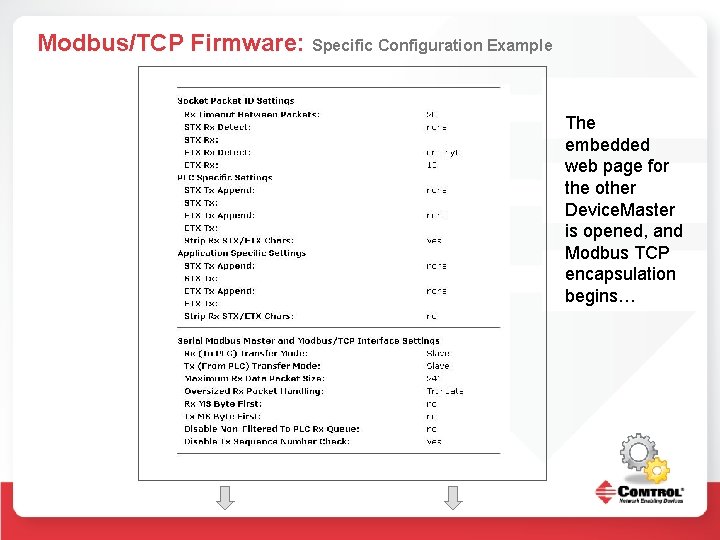
Modbus/TCP Firmware: Specific Configuration Example The embedded web page for the other Device. Master is opened, and Modbus TCP encapsulation begins…
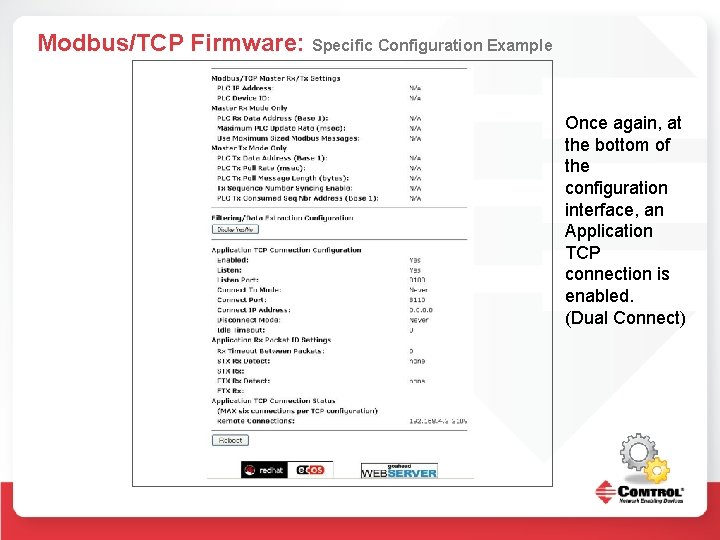
Modbus/TCP Firmware: Specific Configuration Example Once again, at the bottom of the configuration interface, an Application TCP connection is enabled. (Dual Connect)
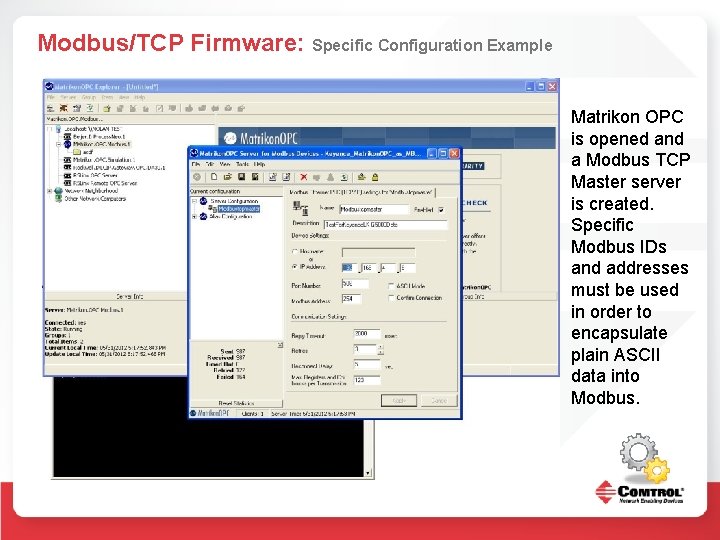
Modbus/TCP Firmware: Specific Configuration Example Matrikon OPC is opened and a Modbus TCP Master server is created. Specific Modbus IDs and addresses must be used in order to encapsulate plain ASCII data into Modbus.
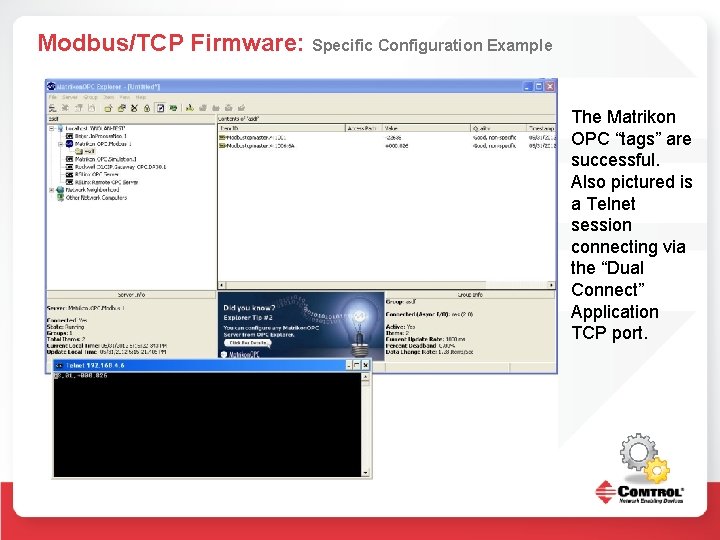
Modbus/TCP Firmware: Specific Configuration Example The Matrikon OPC “tags” are successful. Also pictured is a Telnet session connecting via the “Dual Connect” Application TCP port.
Multiple Firmware: Specific Configuration Example And here we have two MBTCP Masters, an Ether. Net/IP connection, and a telnet session ALL accessing the data from the ONE LKG 5000 RJ 11 port. Simultaneously.
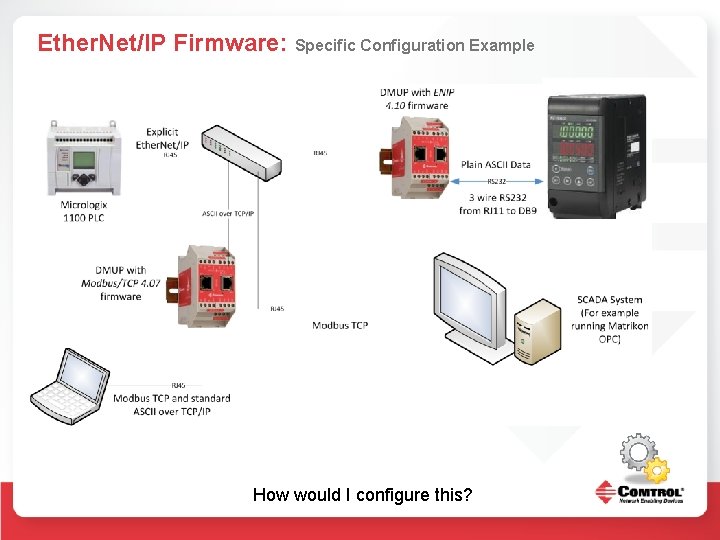
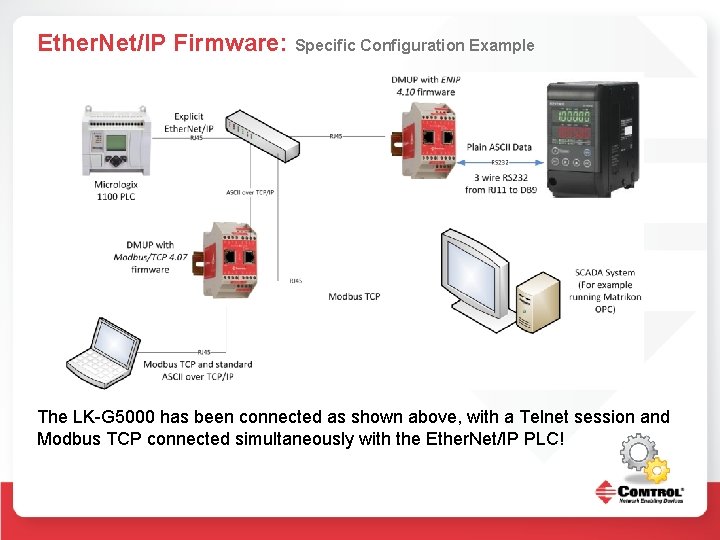
Ether. Net/IP Firmware: Specific Configuration Example The LK-G 5000 has been connected as shown above, with a Telnet session and Modbus TCP connected simultaneously with the Ether. Net/IP PLC!
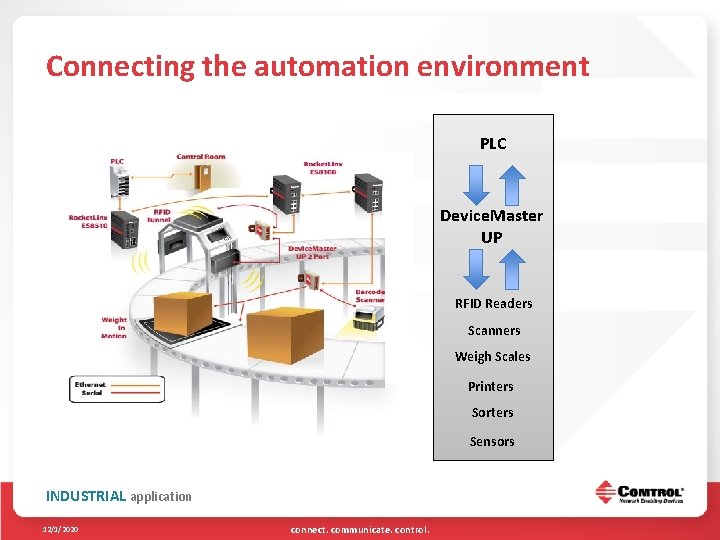
Connecting the automation environment Control Room PLC Device. Master UP RFID Readers Scanners Weigh Scales Printers Sorters Sensors INDUSTRIAL application 12/1/2020 connect. communicate. control.
What is IO-Link? IO-Link is a point-to-point serial communication protocol used to communicate with sensors and/or actuators
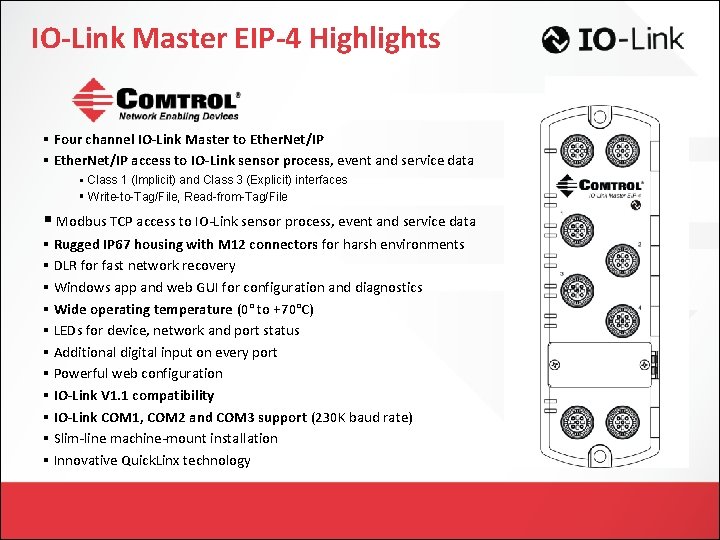
IO-Link Master EIP-4 Highlights § Four channel IO-Link Master to Ether. Net/IP § Ether. Net/IP access to IO-Link sensor process, event and service data § Class 1 (Implicit) and Class 3 (Explicit) interfaces § Write-to-Tag/File, Read-from-Tag/File § Modbus TCP access to IO-Link sensor process, event and service data § Rugged IP 67 housing with M 12 connectors for harsh environments § DLR for fast network recovery § Windows app and web GUI for configuration and diagnostics § Wide operating temperature (0° to +70°C) § LEDs for device, network and port status § Additional digital input on every port § Powerful web configuration § IO-Link V 1. 1 compatibility § IO-Link COM 1, COM 2 and COM 3 support (230 K baud rate) § Slim-line machine-mount installation § Innovative Quick. Linx technology
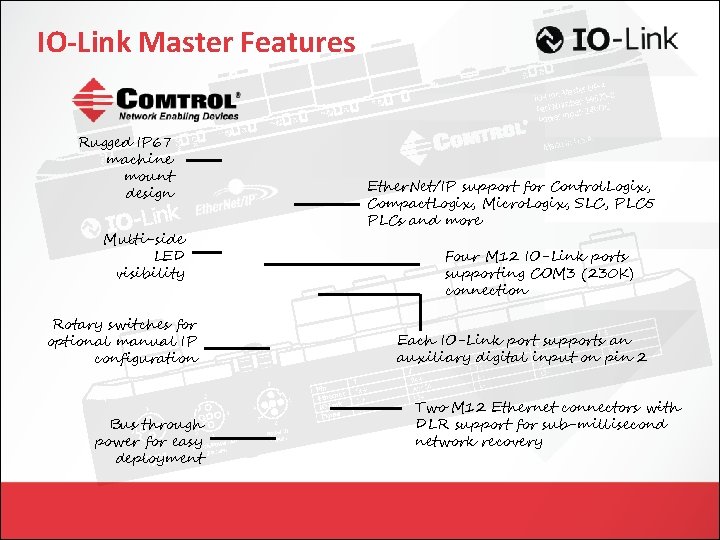
IO-Link Master Features Rugged IP 67 machine mount design Multi-side LED visibility Rotary switches for optional manual IP configuration Bus through power for easy deployment Ether. Net/IP support for Control. Logix, Compact. Logix, Micro. Logix, SLC, PLC 5 PLCs and more Four M 12 IO-Link ports supporting COM 3 (230 K) connection Each IO-Link port supports an auxiliary digital input on pin 2 Two M 12 Ethernet connectors with DLR support for sub-millisecond network recovery
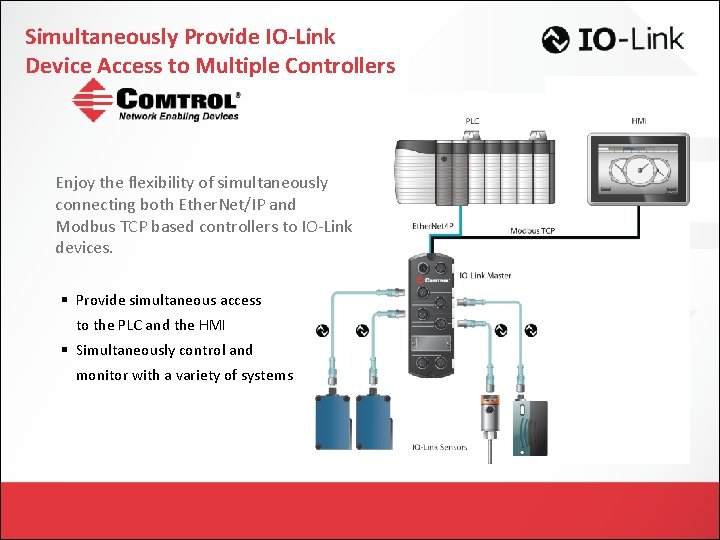
Simultaneously Provide IO-Link Device Access to Multiple Controllers Enjoy the flexibility of simultaneously connecting both Ether. Net/IP and Modbus TCP based controllers to IO-Link devices. § Provide simultaneous access to the PLC and the HMI § Simultaneously control and monitor with a variety of systems
Customers that Benefit from Comtrol’s Connectivity Technology Industries § Factory Automation § Process Automation § Food and Beverage § Energy § Consumer Packaging § Automotive Manufacturing § Pharmaceutical
100 Fifth Avenue NW New Brighton, MN 55112 763. 494. 4100 sales@comtrol. com www. comtrol. com connect. communicate. control.