
Device Management Taken from Chapter 11 Operating System
- Slides: 34
Device Management Taken from Chapter 11, Operating System Principles, Bic and Shaw, 2003, Prentice Hall 1
Basic Issues n I/O devices: n Communication devices n n Input only (keyboard, mouse, joystick) Output only (printer, display) Input/output (network card) Storage devices n n Input/output (disk, tape) Input only (CD-ROM) 2
Basic Issues n Main tasks of I/O system: n Present logical (abstract) view of devices n n n Facilitate efficient use n n Hide details of hardware interface Hide error handling Overlap CPU and I/O Support sharing of devices n n Protection when device is shared (disk) Scheduling when exclusive access needed (printer) 3
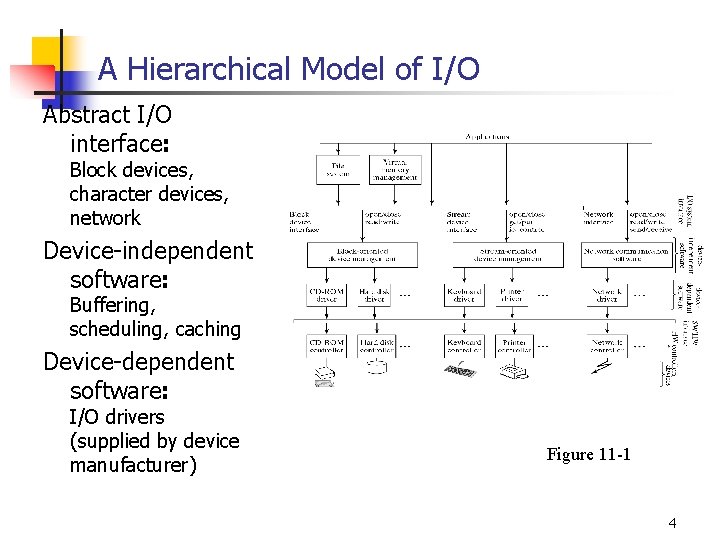
A Hierarchical Model of I/O Abstract I/O interface: Block devices, character devices, network Device-independent software: Buffering, scheduling, caching Device-dependent software: I/O drivers (supplied by device manufacturer) Figure 11 -1 4
I/O System Interface n Block-Oriented Device Interface n n n Operations: open, read, write, close File System and Virtual Memory System Stream-Oriented Device Interface n n = “character-device” interface Operations: get, put Also, open & close to reserve & to release the exclusive access normally needed (Tapes are both Block-Oriented and Stream-Oriented) n Network Communications n n Key abstraction: socket Protocols 5
I/O System Interface n n n Block-Oriented Device Interface Stream-Oriented Device Interface Network Communications n n Key abstraction: socket Protocols: n n n Connection-based (virtual circuits) Connection-less (datagrams) Operations: connect, accept, write/send, read/receive 6
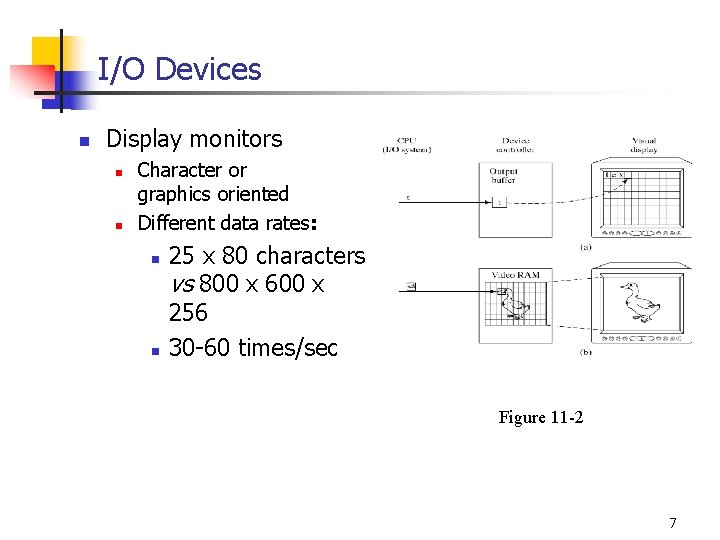
I/O Devices n Display monitors n n Character or graphics oriented Different data rates: n n 25 x 80 characters vs 800 x 600 x 256 30 -60 times/sec Figure 11 -2 7
I/O Devices n n Keyboards n Most common: “QWERTY” n Very low data rate (<10 char/sec) Pointing devices n n Mouse (optical, optical-mechanical) Trackball Joystick Low data rate (hundreds of bytes/sec) 8
I/O Devices n Printers n n Line printers, dot-matrix, ink-jet, laser Low data rates Character-oriented Scanners n n Digitize picture into bit map (similar to video RAM) Low data rates 9
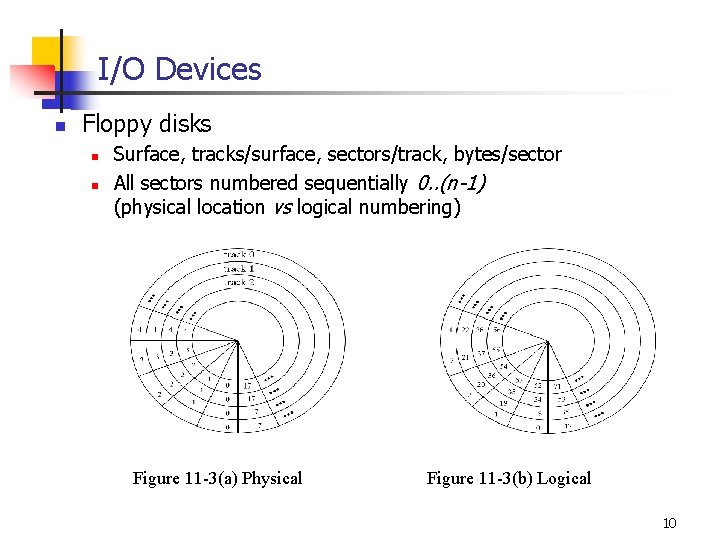
I/O Devices n Floppy disks n n Surface, tracks/surface, sectors/track, bytes/sector All sectors numbered sequentially 0. . (n-1) (physical location vs logical numbering) Figure 11 -3(a) Physical Figure 11 -3(b) Logical 10
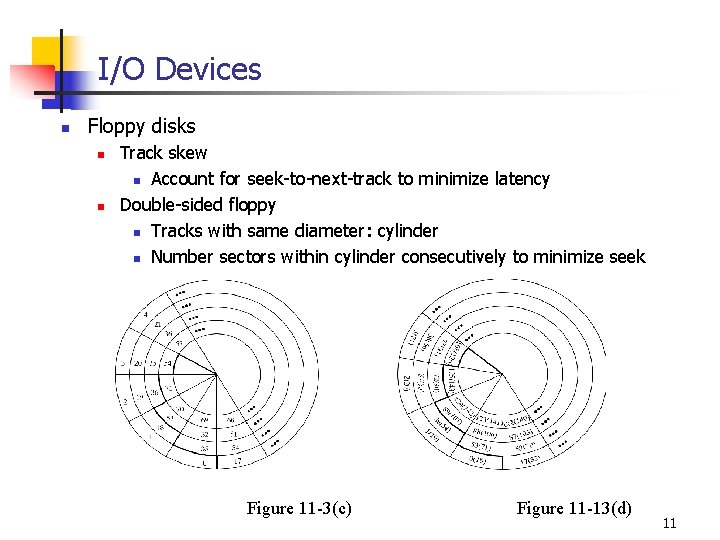
I/O Devices n Floppy disks n n Track skew n Account for seek-to-next-track to minimize latency Double-sided floppy n Tracks with same diameter: cylinder n Number sectors within cylinder consecutively to minimize seek Figure 11 -3(c) Figure 11 -13(d) 11
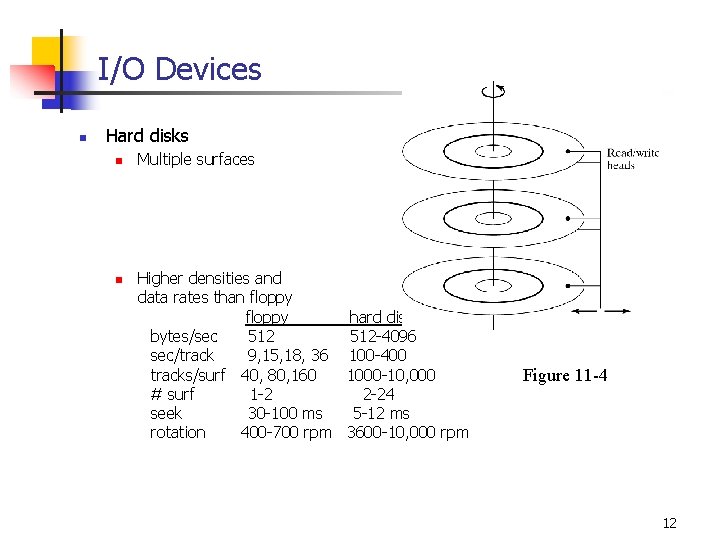
I/O Devices n Hard disks n n Multiple surfaces Higher densities and data rates than floppy hard disk bytes/sec 512 -4096 sec/track 9, 15, 18, 36 100 -400 tracks/surf 40, 80, 160 1000 -10, 000 # surf 1 -2 2 -24 seek 30 -100 ms 5 -12 ms rotation 400 -700 rpm 3600 -10, 000 rpm Figure 11 -4 12
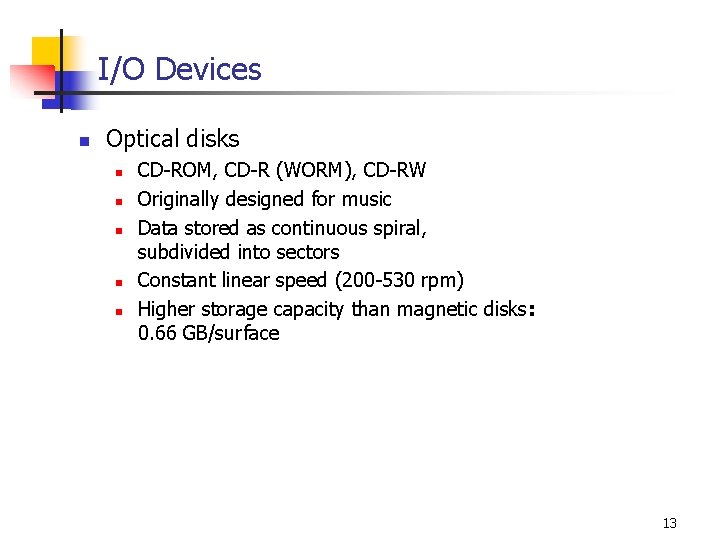
I/O Devices n Optical disks n n n CD-ROM, CD-R (WORM), CD-RW Originally designed for music Data stored as continuous spiral, subdivided into sectors Constant linear speed (200 -530 rpm) Higher storage capacity than magnetic disks: 0. 66 GB/surface 13
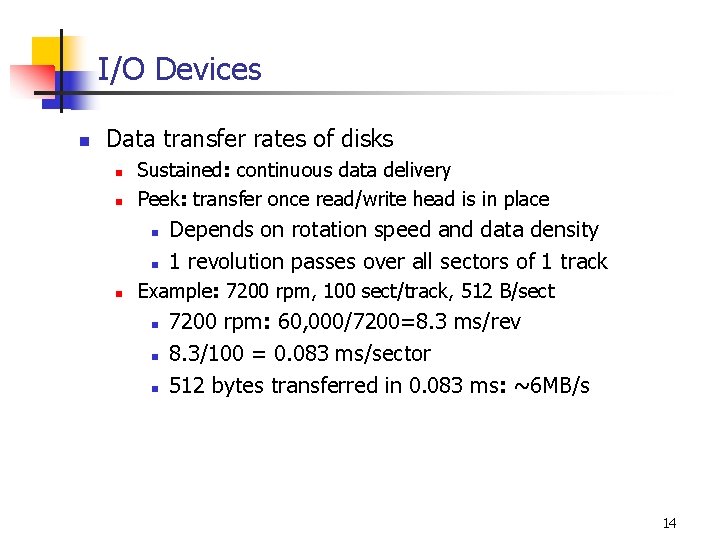
I/O Devices n Data transfer rates of disks n n Sustained: continuous data delivery Peek: transfer once read/write head is in place n n n Depends on rotation speed and data density 1 revolution passes over all sectors of 1 track Example: 7200 rpm, 100 sect/track, 512 B/sect n n n 7200 rpm: 60, 000/7200=8. 3 ms/rev 8. 3/100 = 0. 083 ms/sector 512 bytes transferred in 0. 083 ms: ~6 MB/s 14
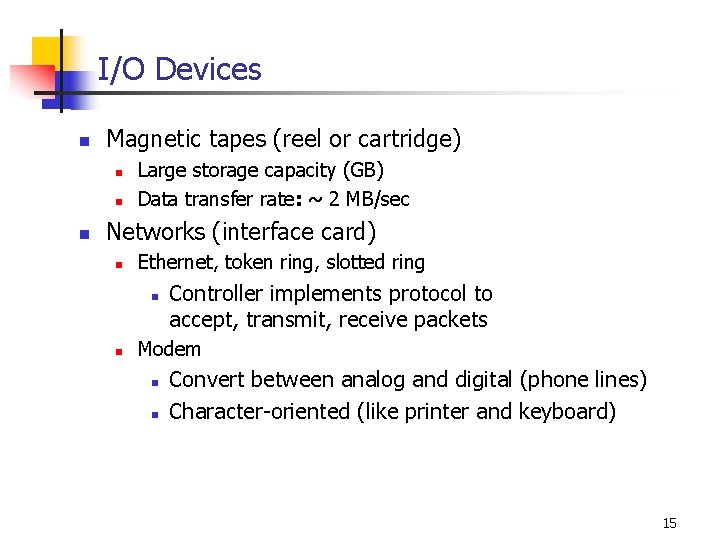
I/O Devices n Magnetic tapes (reel or cartridge) n n n Large storage capacity (GB) Data transfer rate: ~ 2 MB/sec Networks (interface card) n Ethernet, token ring, slotted ring n n Controller implements protocol to accept, transmit, receive packets Modem n n Convert between analog and digital (phone lines) Character-oriented (like printer and keyboard) 15
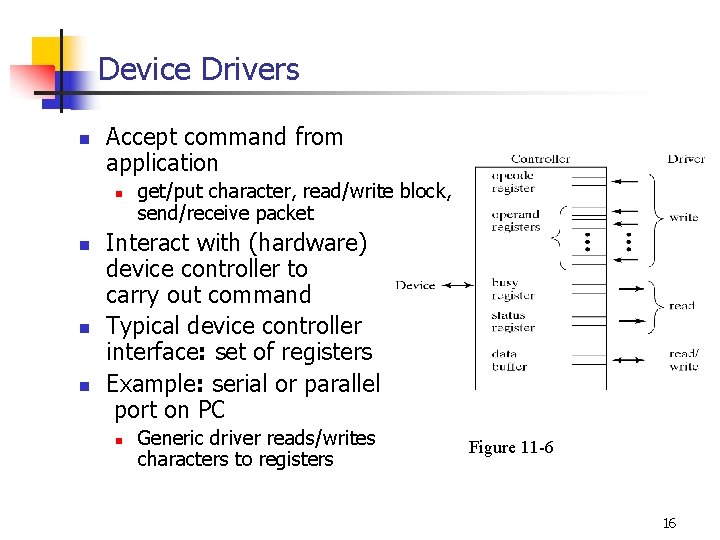
Device Drivers n Accept command from application n n get/put character, read/write block, send/receive packet Interact with (hardware) device controller to carry out command Typical device controller interface: set of registers Example: serial or parallel port on PC n Generic driver reads/writes characters to registers Figure 11 -6 16
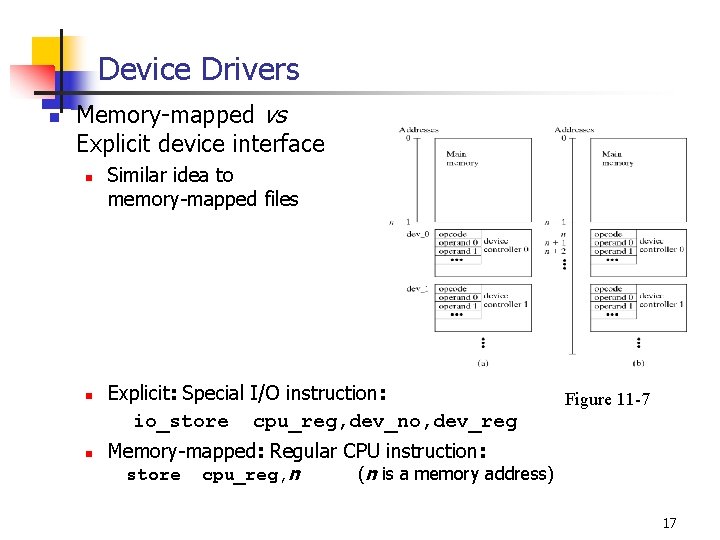
Device Drivers n Memory-mapped vs Explicit device interface n n n Similar idea to memory-mapped files Explicit: Special I/O instruction: io_store cpu_reg, dev_no, dev_reg Figure 11 -7 Memory-mapped: Regular CPU instruction: store cpu_reg, n (n is a memory address) 17
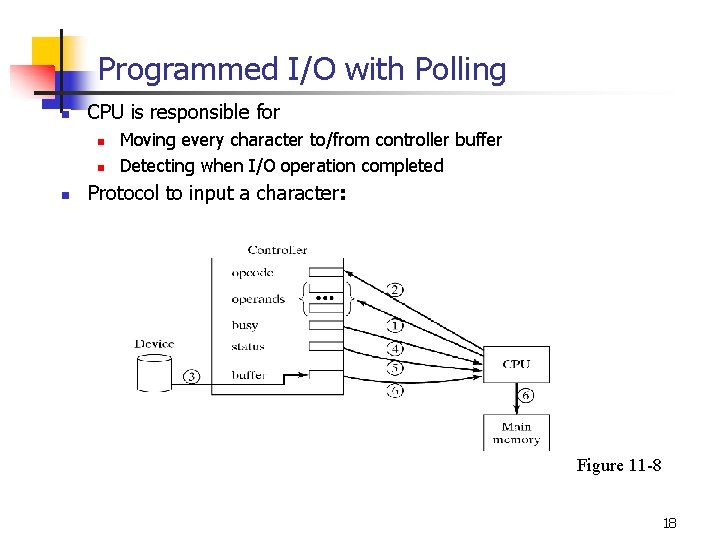
Programmed I/O with Polling n CPU is responsible for n n n Moving every character to/from controller buffer Detecting when I/O operation completed Protocol to input a character: Figure 11 -8 18
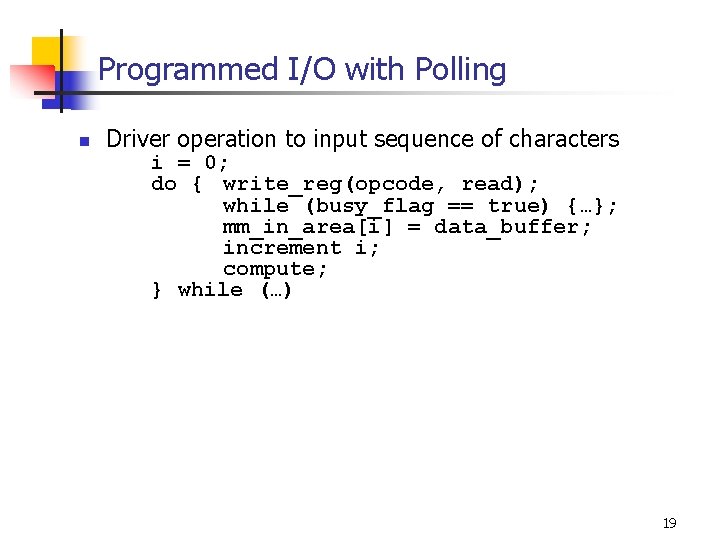
Programmed I/O with Polling n Driver operation to input sequence of characters i = 0; do { write_reg(opcode, read); while (busy_flag == true) {…}; mm_in_area[i] = data_buffer; increment i; compute; } while (…) 19
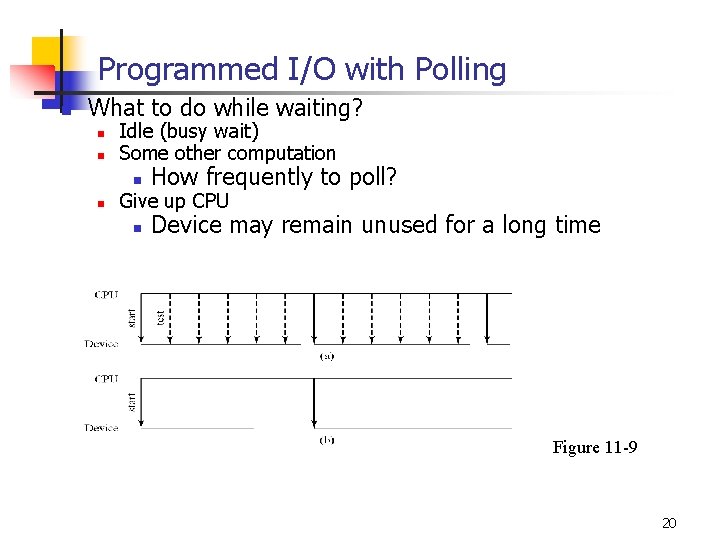
Programmed I/O with Polling n What to do while waiting? n n n Idle (busy wait) Some other computation n How frequently to poll? n Device may remain unused for a long time Give up CPU Figure 11 -9 20
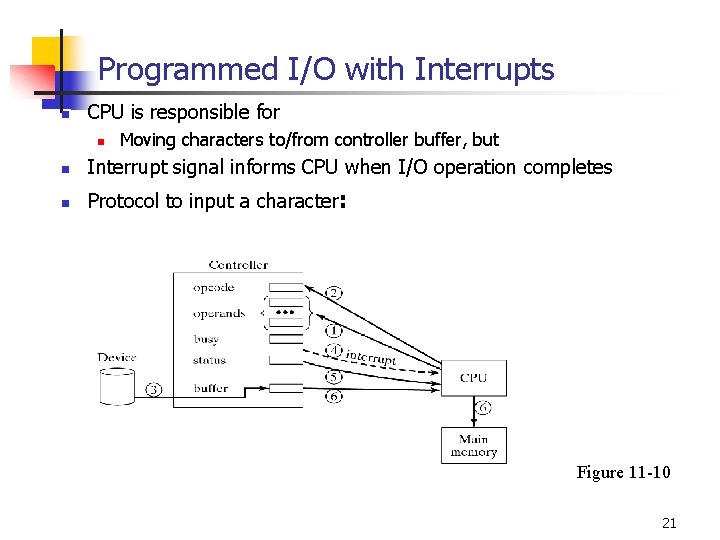
Programmed I/O with Interrupts n CPU is responsible for n Moving characters to/from controller buffer, but n Interrupt signal informs CPU when I/O operation completes n Protocol to input a character: Figure 11 -10 21
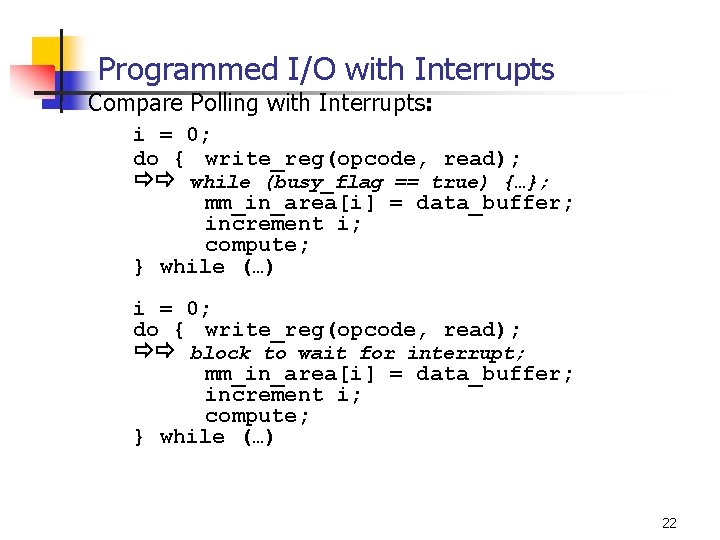
Programmed I/O with Interrupts n Compare Polling with Interrupts: i = 0; do { write_reg(opcode, read); while (busy_flag == true) {…}; mm_in_area[i] = data_buffer; increment i; compute; } while (…) i = 0; do { write_reg(opcode, read); block to wait for interrupt; mm_in_area[i] = data_buffer; increment i; compute; } while (…) 22
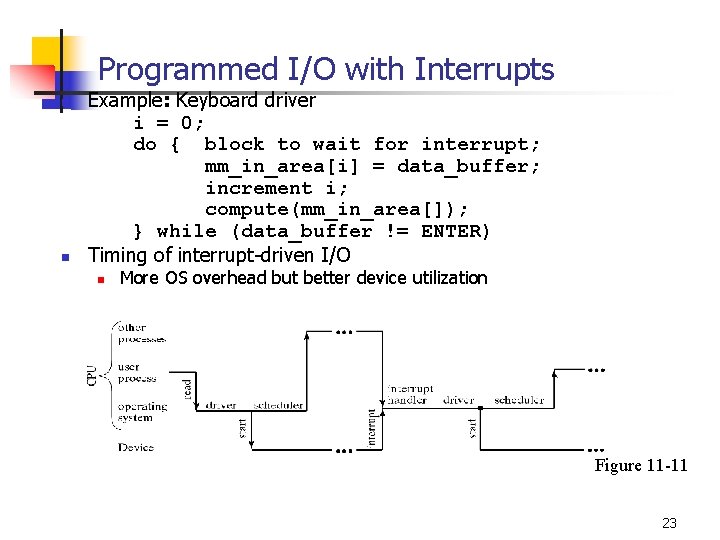
Programmed I/O with Interrupts n n Example: Keyboard driver i = 0; do { block to wait for interrupt; mm_in_area[i] = data_buffer; increment i; compute(mm_in_area[]); } while (data_buffer != ENTER) Timing of interrupt-driven I/O n More OS overhead but better device utilization Figure 11 -11 23
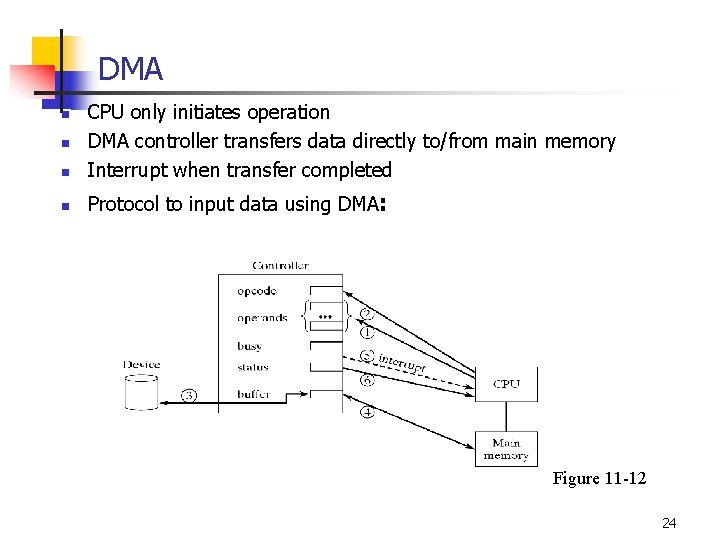
DMA n CPU only initiates operation DMA controller transfers data directly to/from main memory Interrupt when transfer completed n Protocol to input data using DMA: n n Figure 11 -12 24
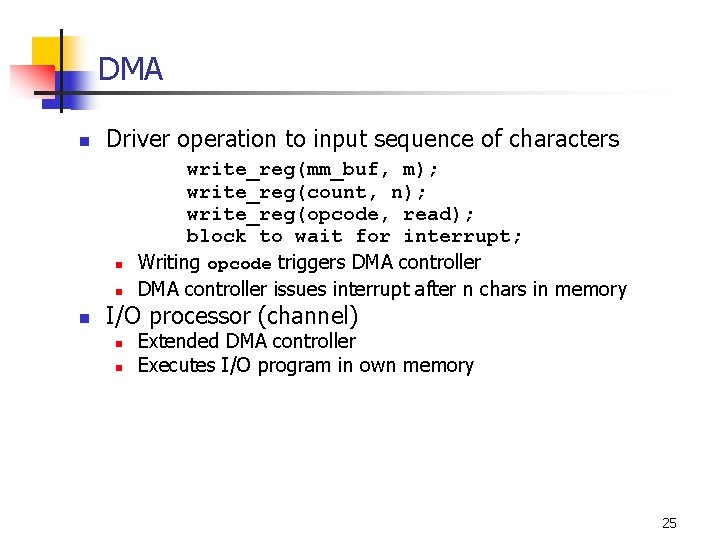
DMA n Driver operation to input sequence of characters n n n write_reg(mm_buf, m); write_reg(count, n); write_reg(opcode, read); block to wait for interrupt; Writing opcode triggers DMA controller issues interrupt after n chars in memory I/O processor (channel) n n Extended DMA controller Executes I/O program in own memory 25
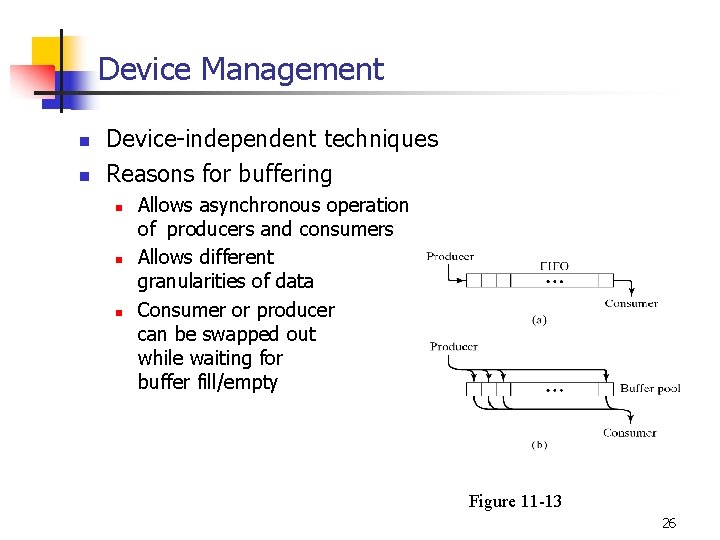
Device Management n n Device-independent techniques Reasons for buffering n n n Allows asynchronous operation of producers and consumers Allows different granularities of data Consumer or producer can be swapped out while waiting for buffer fill/empty Figure 11 -13 26
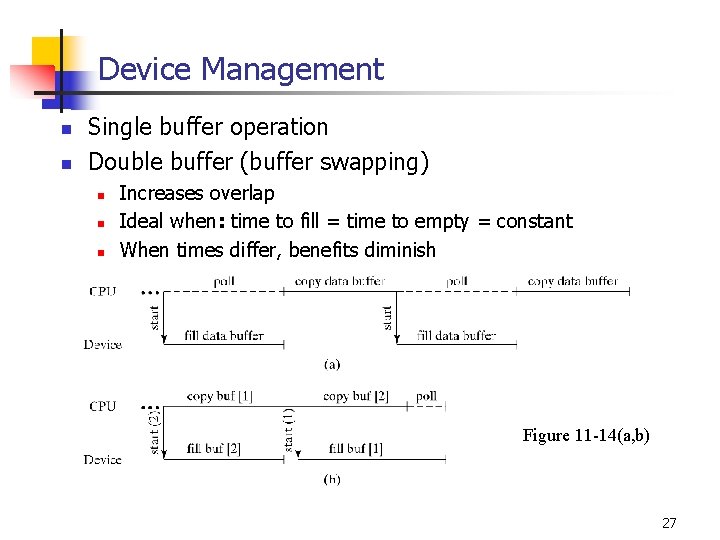
Device Management n n Single buffer operation Double buffer (buffer swapping) n n n Increases overlap Ideal when: time to fill = time to empty = constant When times differ, benefits diminish Figure 11 -14(a, b) 27
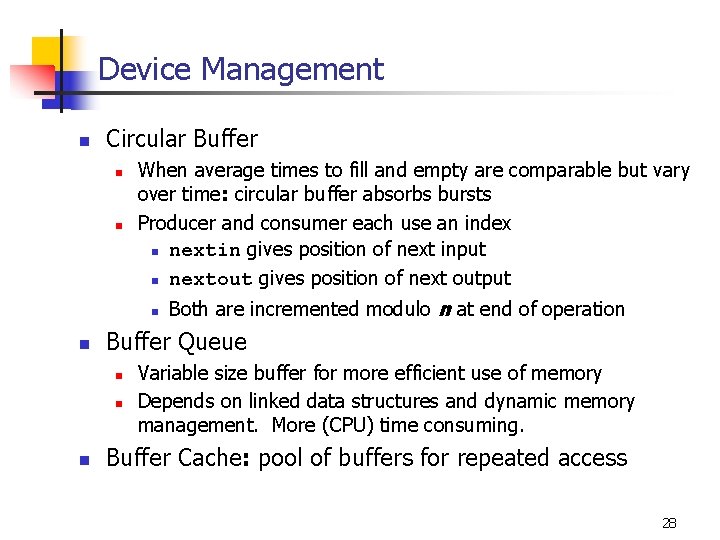
Device Management n Circular Buffer n n When average times to fill and empty are comparable but vary over time: circular buffer absorbs bursts Producer and consumer each use an index n nextin gives position of next input n nextout gives position of next output n n Buffer Queue n n n Both are incremented modulo n at end of operation Variable size buffer for more efficient use of memory Depends on linked data structures and dynamic memory management. More (CPU) time consuming. Buffer Cache: pool of buffers for repeated access 28
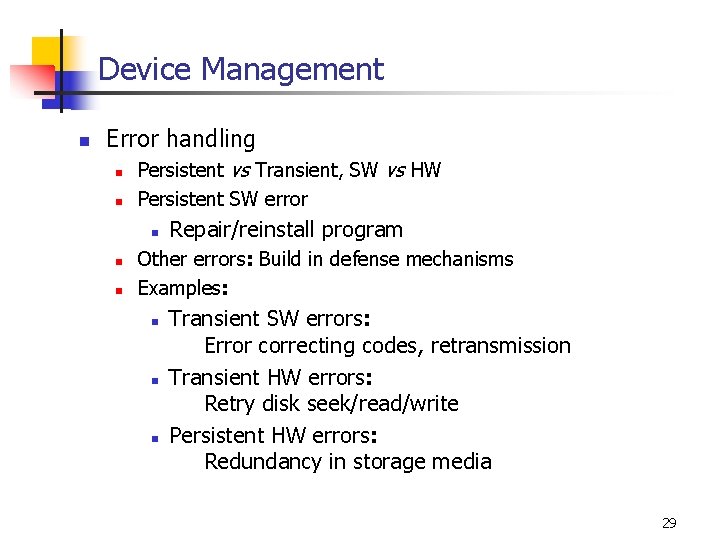
Device Management n Error handling n n Persistent vs Transient, SW vs HW Persistent SW error n n n Repair/reinstall program Other errors: Build in defense mechanisms Examples: n n n Transient SW errors: Error correcting codes, retransmission Transient HW errors: Retry disk seek/read/write Persistent HW errors: Redundancy in storage media 29
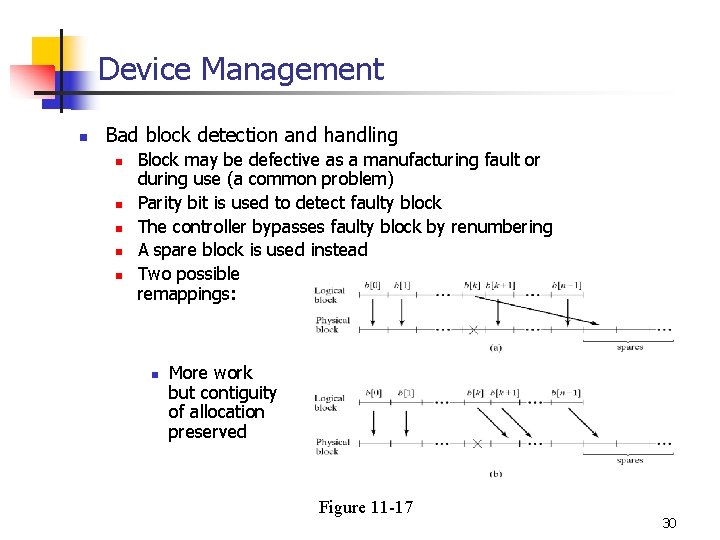
Device Management n Bad block detection and handling n n n Block may be defective as a manufacturing fault or during use (a common problem) Parity bit is used to detect faulty block The controller bypasses faulty block by renumbering A spare block is used instead Two possible remappings: n More work but contiguity of allocation preserved Figure 11 -17 30
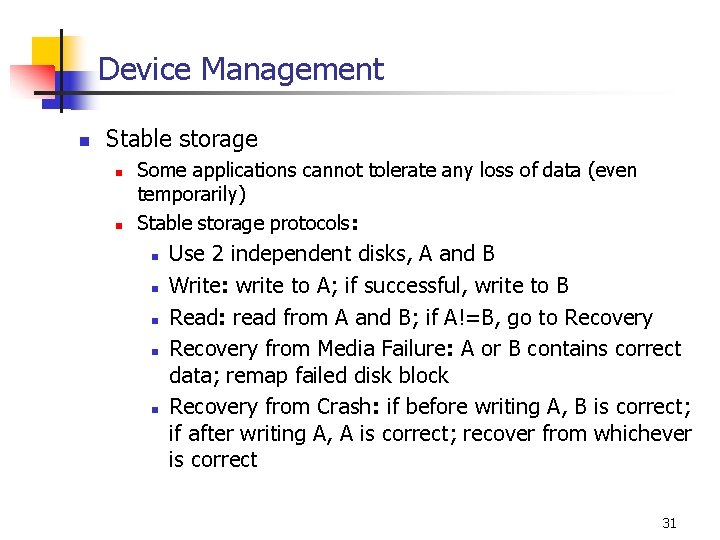
Device Management n Stable storage n n Some applications cannot tolerate any loss of data (even temporarily) Stable storage protocols: n n n Use 2 independent disks, A and B Write: write to A; if successful, write to B Read: read from A and B; if A!=B, go to Recovery from Media Failure: A or B contains correct data; remap failed disk block Recovery from Crash: if before writing A, B is correct; if after writing A, A is correct; recover from whichever is correct 31
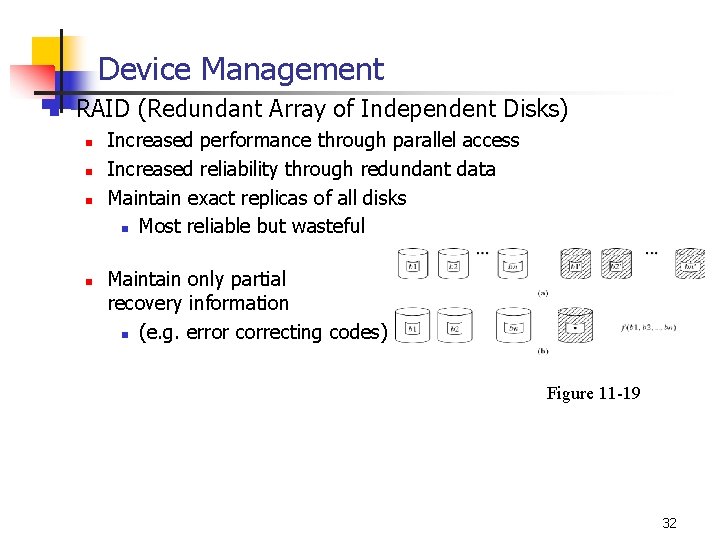
Device Management n RAID (Redundant Array of Independent Disks) n n Increased performance through parallel access Increased reliability through redundant data Maintain exact replicas of all disks n Most reliable but wasteful Maintain only partial recovery information n (e. g. error correcting codes) Figure 11 -19 32
Device Management n Disk Scheduling n n Minimize seek time and rotational delay Requests from different processes arrive concurrently: n n Scheduler must attempt to preserve locality Rotational delay: n n Order requests to blocks on each track in the direction of rotation: access in one rotation Proceed with next track on same cylinder 33
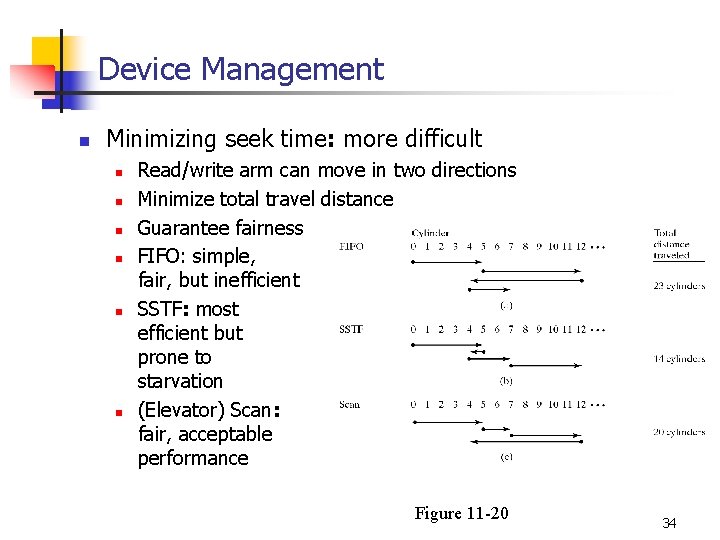
Device Management n Minimizing seek time: more difficult n n n Read/write arm can move in two directions Minimize total travel distance Guarantee fairness FIFO: simple, fair, but inefficient SSTF: most efficient but prone to starvation (Elevator) Scan: fair, acceptable performance Figure 11 -20 34