
Developing Windows Desktop Apps with Arc GIS Runtime
- Slides: 48
Developing Windows Desktop Apps with Arc. GIS Runtime SDK for Microsoft. NET Framework Thad Tilton - @T_hadde_us Apurva Goyal Esri UC 2014 | Technical Workshop |
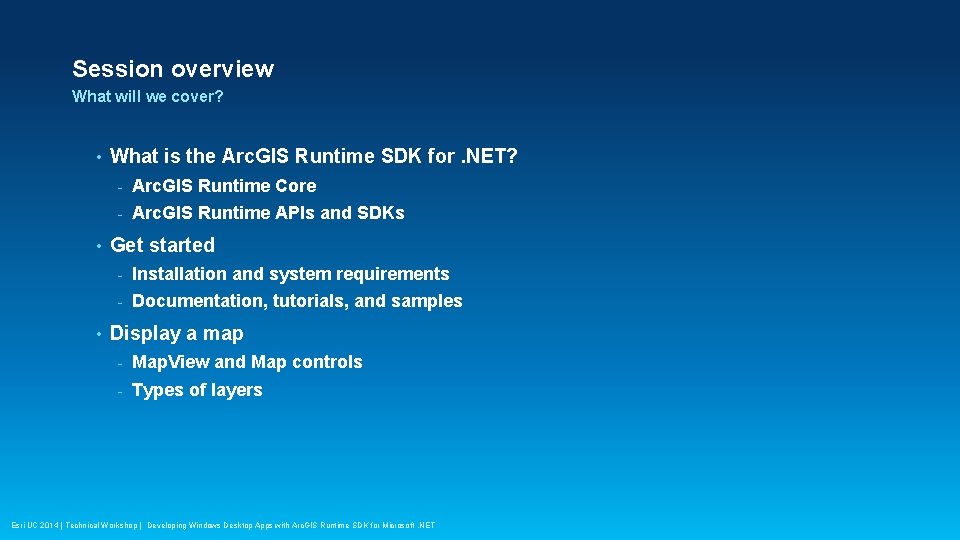
Session overview What will we cover? • • • What is the Arc. GIS Runtime SDK for. NET? - Arc. GIS Runtime Core - Arc. GIS Runtime APIs and SDKs Get started - Installation and system requirements - Documentation, tutorials, and samples Display a map - Map. View and Map controls - Types of layers Esri UC 2014 | Technical Workshop | Developing Windows Desktop Apps with Arc. GIS Runtime SDK for Microsoft. NET
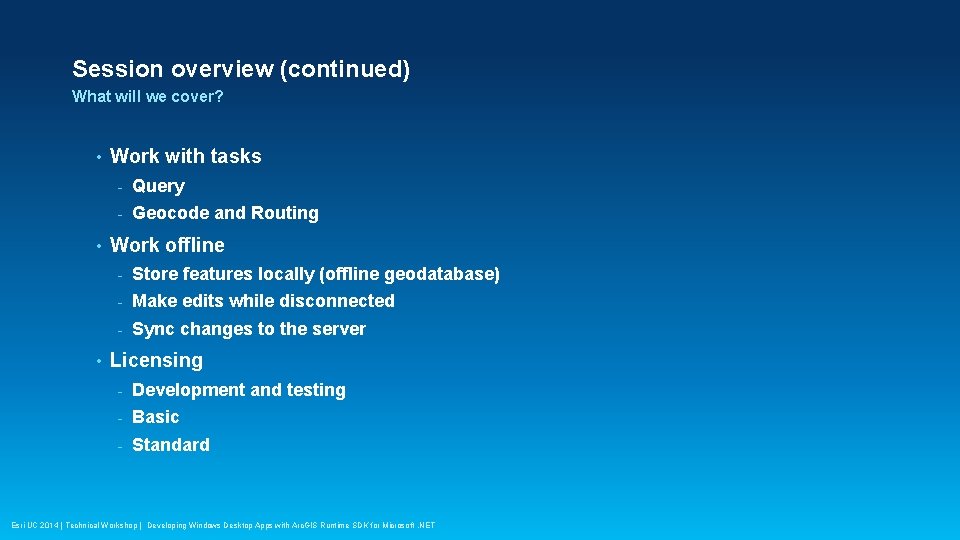
Session overview (continued) What will we cover? • • • Work with tasks - Query - Geocode and Routing Work offline - Store features locally (offline geodatabase) - Make edits while disconnected - Sync changes to the server Licensing - Development and testing - Basic - Standard Esri UC 2014 | Technical Workshop | Developing Windows Desktop Apps with Arc. GIS Runtime SDK for Microsoft. NET
Arc. GIS Runtime Overview Thad Tilton Esri UC 2014 | Technical Workshop | Developing Windows Desktop Apps with Arc. GIS Runtime SDK for Microsoft. NET
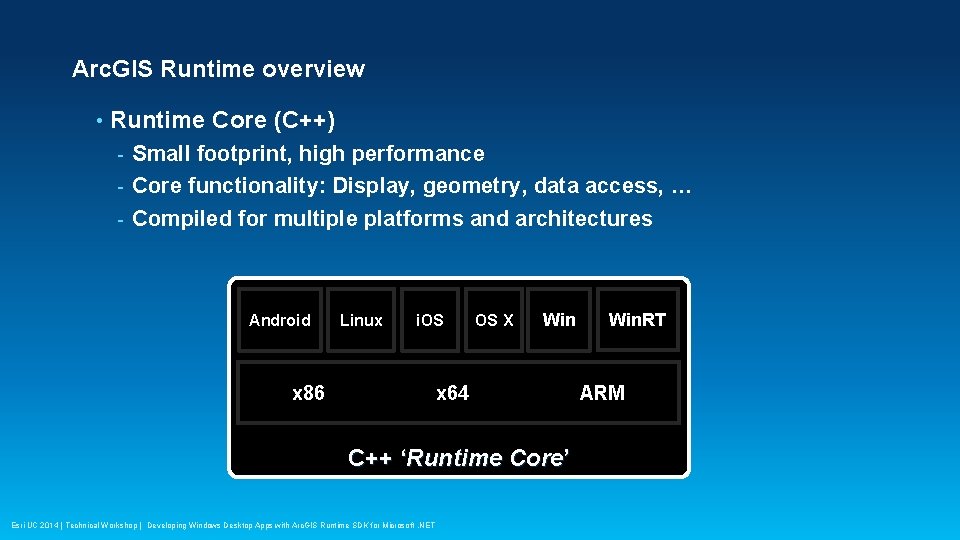
Arc. GIS Runtime overview • Runtime Core (C++) Small footprint, high performance - Core functionality: Display, geometry, data access, … - Compiled for multiple platforms and architectures - Android Linux i. OS x 86 OS X Win x 64 C++ ‘Runtime Core’ Esri UC 2014 | Technical Workshop | Developing Windows Desktop Apps with Arc. GIS Runtime SDK for Microsoft. NET Win. RT ARM
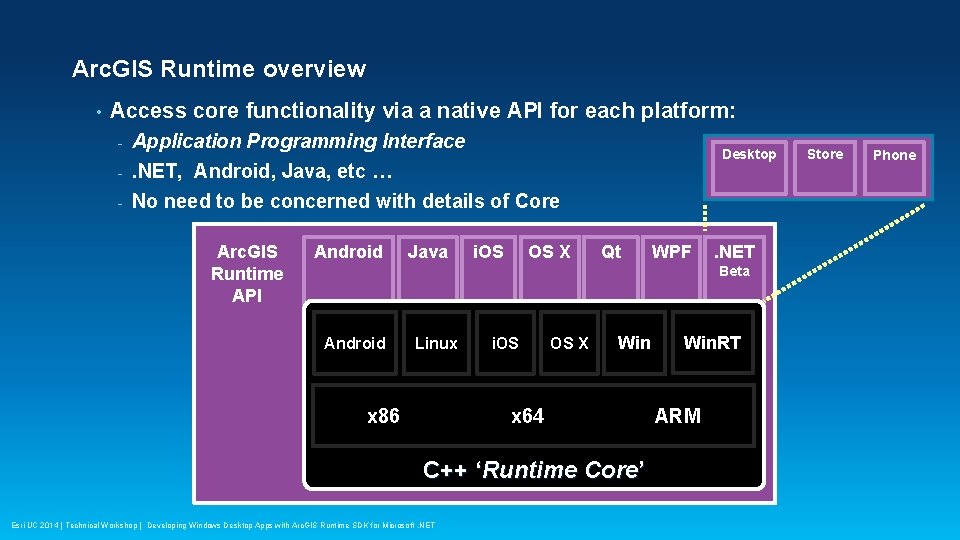
Arc. GIS Runtime overview • Access core functionality via a native API for each platform: - Application Programming Interface Desktop . NET, Android, Java, etc … - No need to be concerned with details of Core - Arc. GIS Runtime API Android Java i. OS OS X Qt WPF . NET Beta Android Linux x 86 i. OS OS X Win x 64 C++ ‘Runtime Core’ Esri UC 2014 | Technical Workshop | Developing Windows Desktop Apps with Arc. GIS Runtime SDK for Microsoft. NET Win. RT ARM Store Phone
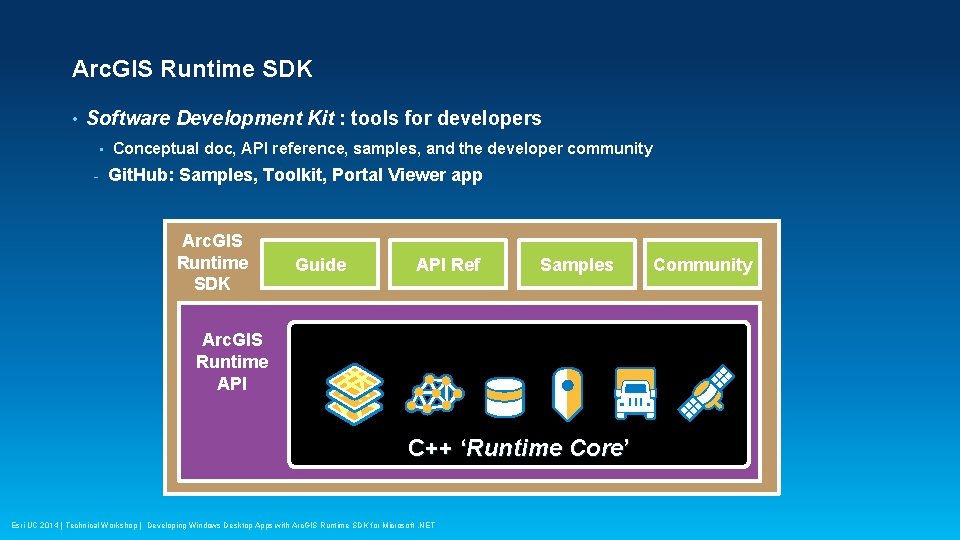
Arc. GIS Runtime SDK • Software Development Kit : tools for developers • - Conceptual doc, API reference, samples, and the developer community Git. Hub: Samples, Toolkit, Portal Viewer app Arc. GIS Runtime SDK Guide API Ref Samples Arc. GIS Runtime API C++ ‘Runtime Core’ Esri UC 2014 | Technical Workshop | Developing Windows Desktop Apps with Arc. GIS Runtime SDK for Microsoft. NET Community
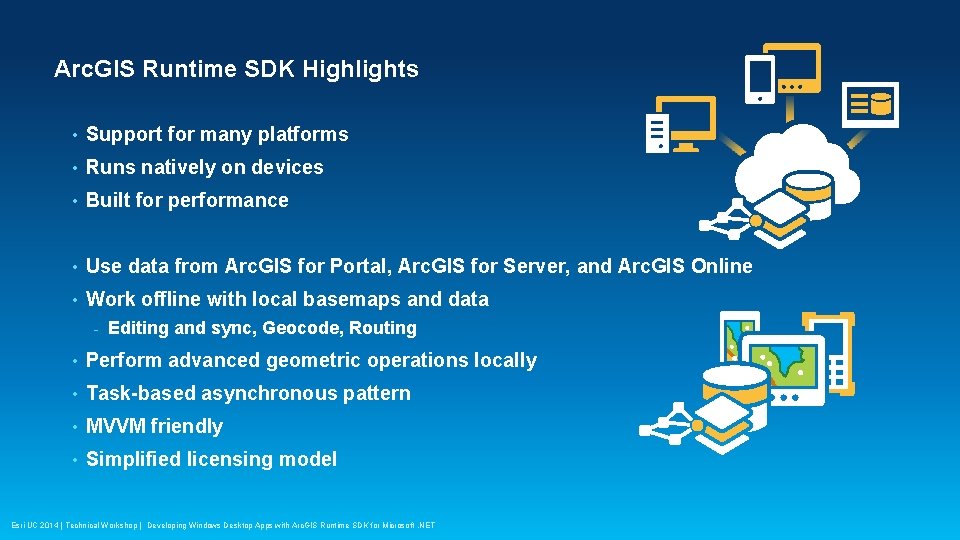
Arc. GIS Runtime SDK Highlights • Support for many platforms • Runs natively on devices • Built for performance • Use data from Arc. GIS for Portal, Arc. GIS for Server, and Arc. GIS Online • Work offline with local basemaps and data - Editing and sync, Geocode, Routing • Perform advanced geometric operations locally • Task-based asynchronous pattern • MVVM friendly • Simplified licensing model Esri UC 2014 | Technical Workshop | Developing Windows Desktop Apps with Arc. GIS Runtime SDK for Microsoft. NET
Get started Thad Tilton Esri UC 2014 | Technical Workshop | Developing Windows Desktop Apps with Arc. GIS Runtime SDK for Microsoft. NET
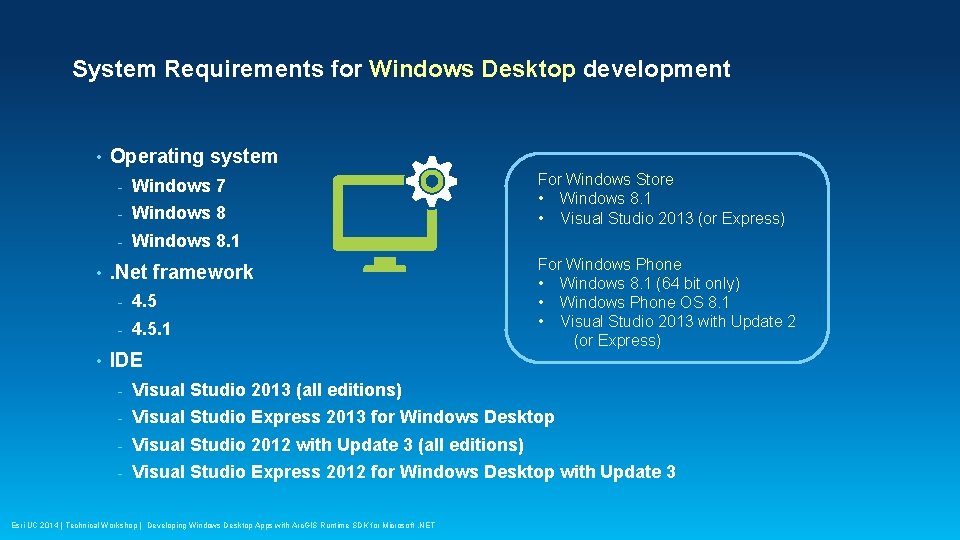
System Requirements for Windows Desktop development • • • Operating system - Windows 7 - Windows 8. 1 . Net framework - 4. 5. 1 IDE For Windows Store • Windows 8. 1 • Visual Studio 2013 (or Express) For Windows Phone • Windows 8. 1 (64 bit only) • Windows Phone OS 8. 1 • Visual Studio 2013 with Update 2 (or Express) - Visual Studio 2013 (all editions) - Visual Studio Express 2013 for Windows Desktop - Visual Studio 2012 with Update 3 (all editions) - Visual Studio Express 2012 for Windows Desktop with Update 3 Esri UC 2014 | Technical Workshop | Developing Windows Desktop Apps with Arc. GIS Runtime SDK for Microsoft. NET
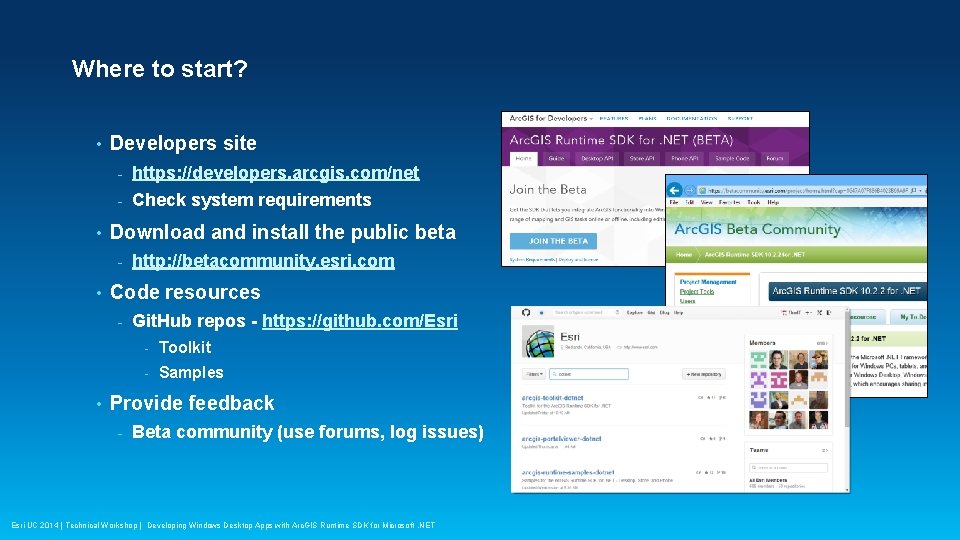
Where to start? • • Developers site - https: //developers. arcgis. com/net - Check system requirements Download and install the public beta - • Code resources - • http: //betacommunity. esri. com Git. Hub repos - https: //github. com/Esri - Toolkit - Samples Provide feedback - Beta community (use forums, log issues) Esri UC 2014 | Technical Workshop | Developing Windows Desktop Apps with Arc. GIS Runtime SDK for Microsoft. NET
Demo: Developer Resources Thad Tilton Esri UC 2014 | Technical Workshop | Developing Windows Desktop Apps with Arc. GIS Runtime SDK for Microsoft. NET
Display a map Thad Tilton Esri UC 2014 | Technical Workshop | Developing Windows Desktop Apps with Arc. GIS Runtime SDK for Microsoft. NET
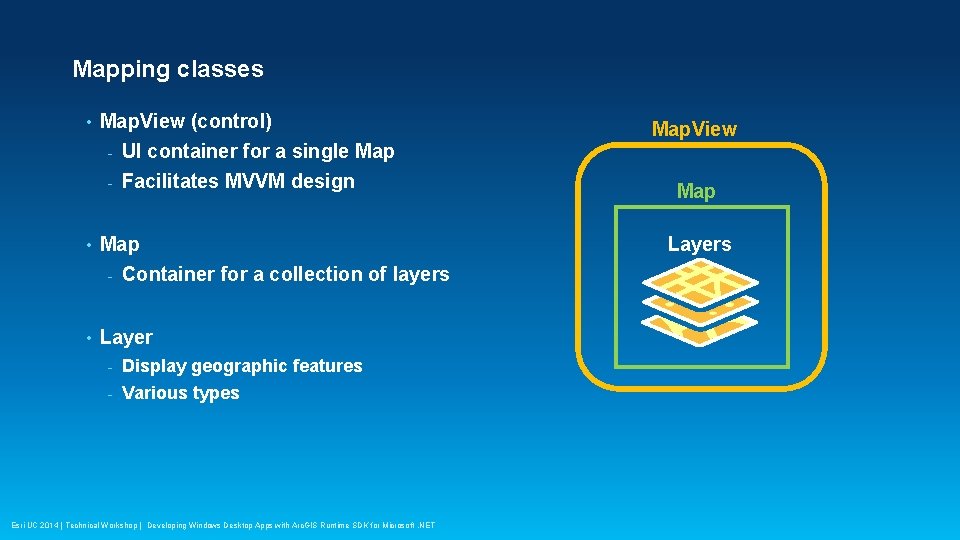
Mapping classes • Map. View (control) - UI container for a single Map - Facilitates MVVM design • Map - Container for a collection of layers • Layer - Display geographic features - Various types Esri UC 2014 | Technical Workshop | Developing Windows Desktop Apps with Arc. GIS Runtime SDK for Microsoft. NET Map. View Map Layers
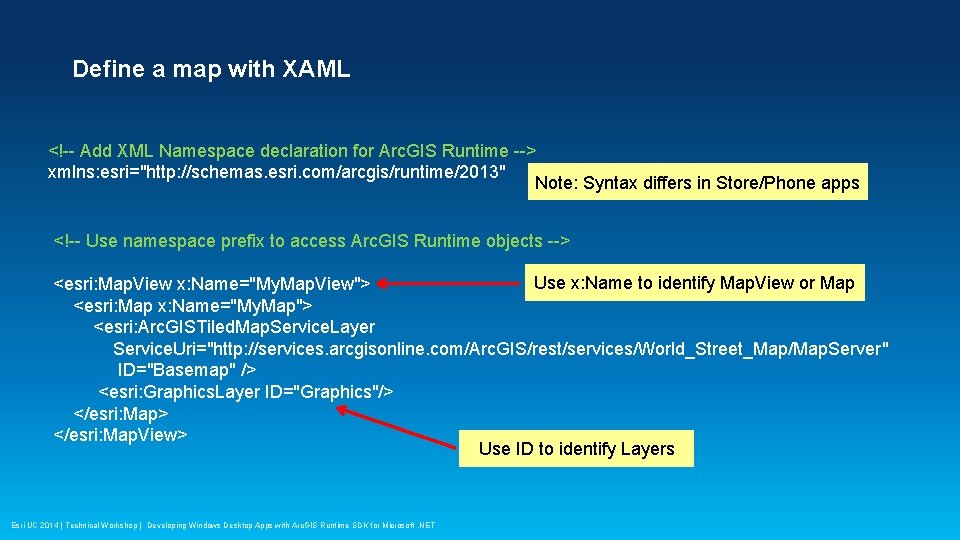
Define a map with XAML <!-- Add XML Namespace declaration for Arc. GIS Runtime --> xmlns: esri="http: //schemas. esri. com/arcgis/runtime/2013" Note: Syntax differs in Store/Phone apps <!-- Use namespace prefix to access Arc. GIS Runtime objects --> Use x: Name to identify Map. View or Map <esri: Map. View x: Name="My. Map. View"> <esri: Map x: Name="My. Map"> <esri: Arc. GISTiled. Map. Service. Layer Service. Uri="http: //services. arcgisonline. com/Arc. GIS/rest/services/World_Street_Map/Map. Server" ID="Basemap" /> <esri: Graphics. Layer ID="Graphics"/> </esri: Map. View> Use ID to identify Layers Esri UC 2014 | Technical Workshop | Developing Windows Desktop Apps with Arc. GIS Runtime SDK for Microsoft. NET
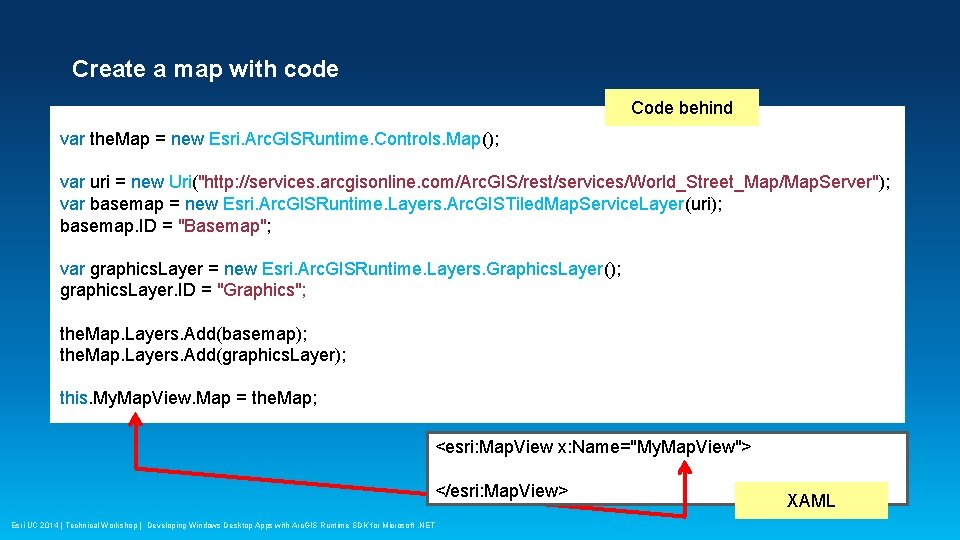
Create a map with code Code behind var the. Map = new Esri. Arc. GISRuntime. Controls. Map(); var uri = new Uri("http: //services. arcgisonline. com/Arc. GIS/rest/services/World_Street_Map/Map. Server"); var basemap = new Esri. Arc. GISRuntime. Layers. Arc. GISTiled. Map. Service. Layer(uri); basemap. ID = "Basemap"; var graphics. Layer = new Esri. Arc. GISRuntime. Layers. Graphics. Layer(); graphics. Layer. ID = "Graphics"; the. Map. Layers. Add(basemap); the. Map. Layers. Add(graphics. Layer); this. My. Map. View. Map = the. Map; <esri: Map. View x: Name="My. Map. View"> </esri: Map. View> Esri UC 2014 | Technical Workshop | Developing Windows Desktop Apps with Arc. GIS Runtime SDK for Microsoft. NET XAML
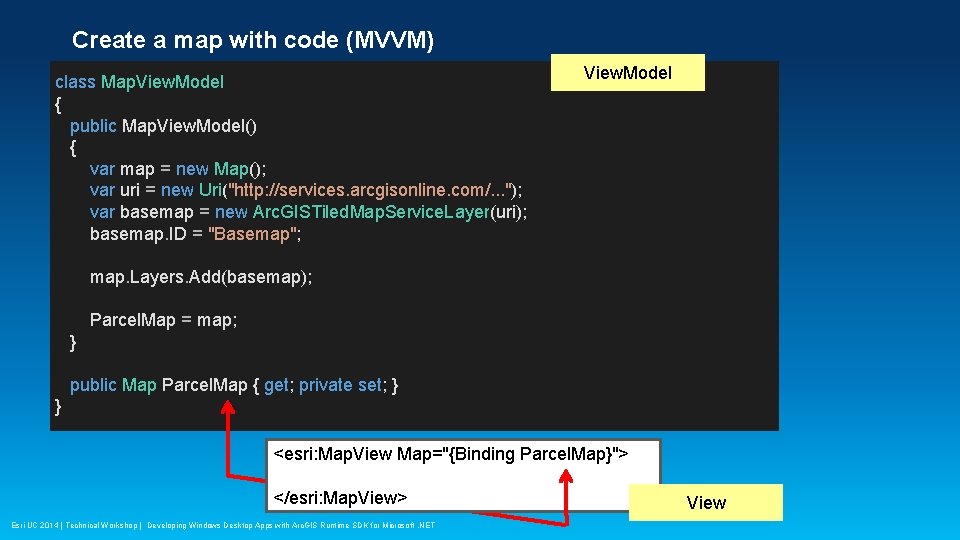
Create a map with code (MVVM) class Map. View. Model { public Map. View. Model() { var map = new Map(); var uri = new Uri("http: //services. arcgisonline. com/. . . "); var basemap = new Arc. GISTiled. Map. Service. Layer(uri); basemap. ID = "Basemap"; View. Model map. Layers. Add(basemap); Parcel. Map = map; } public Map Parcel. Map { get; private set; } } <esri: Map. View Map="{Binding Parcel. Map}"> </esri: Map. View> Esri UC 2014 | Technical Workshop | Developing Windows Desktop Apps with Arc. GIS Runtime SDK for Microsoft. NET View
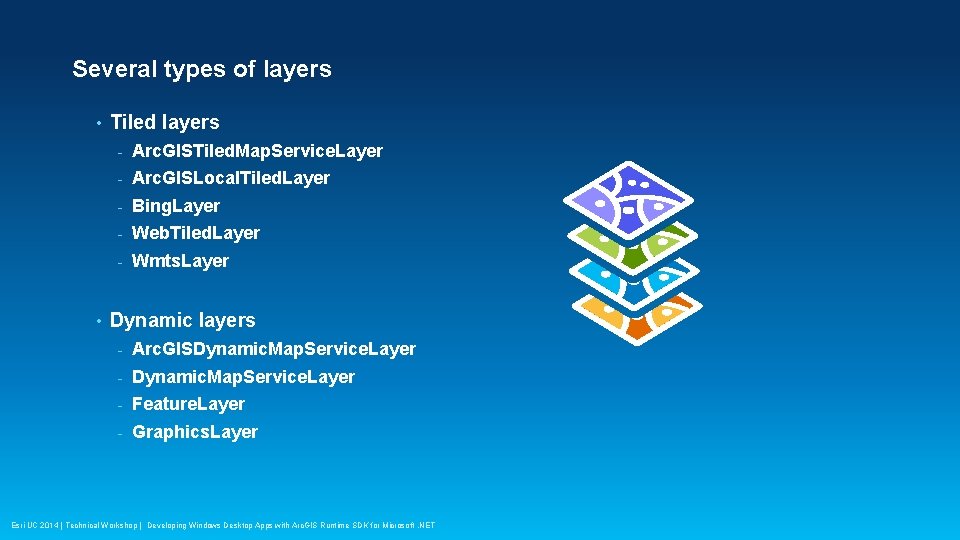
Several types of layers • • Tiled layers - Arc. GISTiled. Map. Service. Layer - Arc. GISLocal. Tiled. Layer - Bing. Layer - Web. Tiled. Layer - Wmts. Layer Dynamic layers - Arc. GISDynamic. Map. Service. Layer - Feature. Layer - Graphics. Layer Esri UC 2014 | Technical Workshop | Developing Windows Desktop Apps with Arc. GIS Runtime SDK for Microsoft. NET
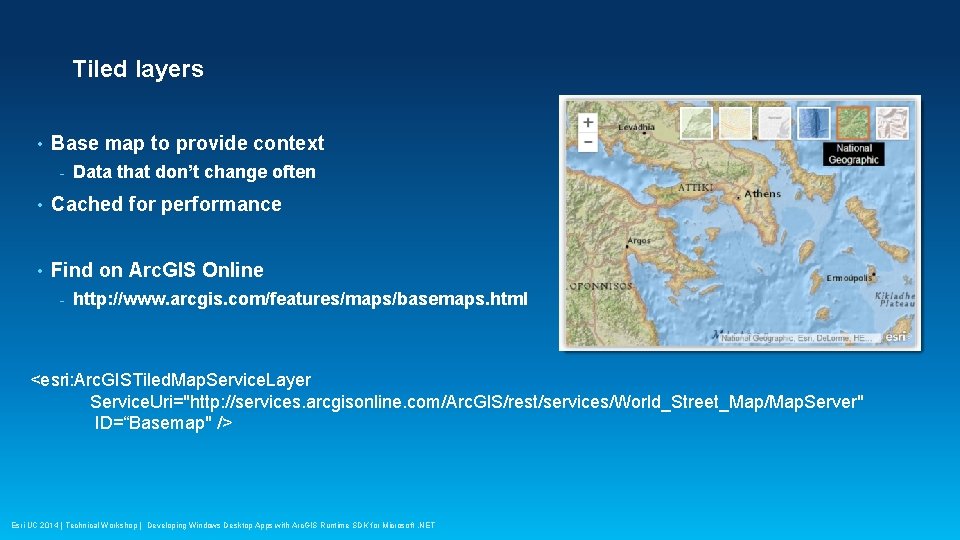
Tiled layers • Base map to provide context - Data that don’t change often • Cached for performance • Find on Arc. GIS Online - http: //www. arcgis. com/features/maps/basemaps. html <esri: Arc. GISTiled. Map. Service. Layer Service. Uri="http: //services. arcgisonline. com/Arc. GIS/rest/services/World_Street_Map/Map. Server" ID=“Basemap" /> Esri UC 2014 | Technical Workshop | Developing Windows Desktop Apps with Arc. GIS Runtime SDK for Microsoft. NET
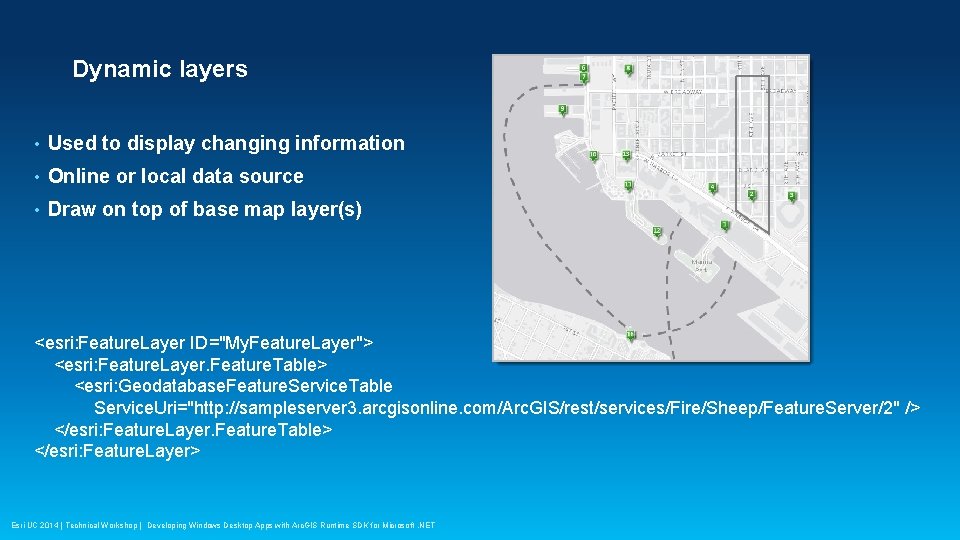
Dynamic layers • Used to display changing information • Online or local data source • Draw on top of base map layer(s) <esri: Feature. Layer ID="My. Feature. Layer"> <esri: Feature. Layer. Feature. Table> <esri: Geodatabase. Feature. Service. Table Service. Uri="http: //sampleserver 3. arcgisonline. com/Arc. GIS/rest/services/Fire/Sheep/Feature. Server/2" /> </esri: Feature. Layer. Feature. Table> </esri: Feature. Layer> Esri UC 2014 | Technical Workshop | Developing Windows Desktop Apps with Arc. GIS Runtime SDK for Microsoft. NET
Demo: Display a map Apurva Goyal Esri UC 2014 | Technical Workshop | Developing Windows Desktop Apps with Arc. GIS Runtime SDK for Microsoft. NET
Work with tasks Thad Tilton Esri UC 2014 | Technical Workshop | Developing Windows Desktop Apps with Arc. GIS Runtime SDK for Microsoft. NET
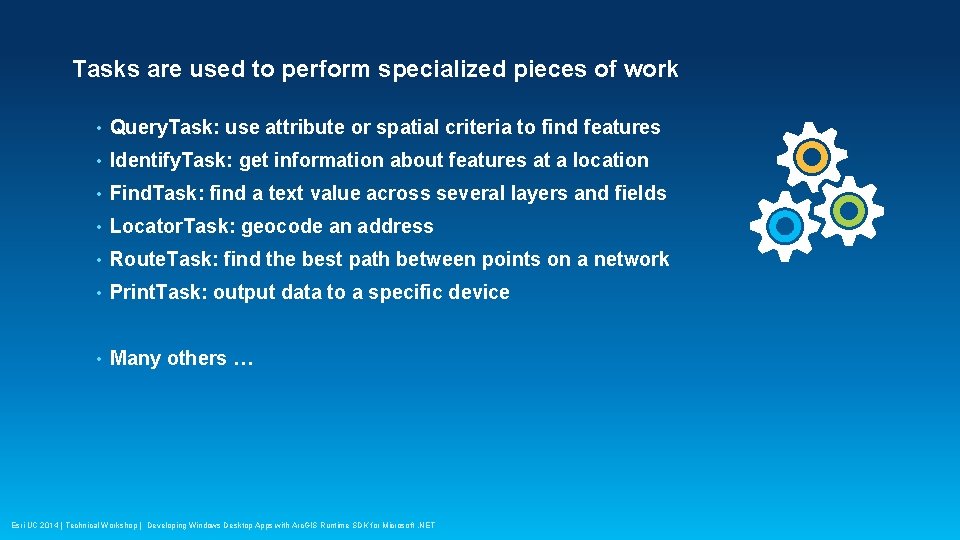
Tasks are used to perform specialized pieces of work • Query. Task: use attribute or spatial criteria to find features • Identify. Task: get information about features at a location • Find. Task: find a text value across several layers and fields • Locator. Task: geocode an address • Route. Task: find the best path between points on a network • Print. Task: output data to a specific device • Many others … Esri UC 2014 | Technical Workshop | Developing Windows Desktop Apps with Arc. GIS Runtime SDK for Microsoft. NET
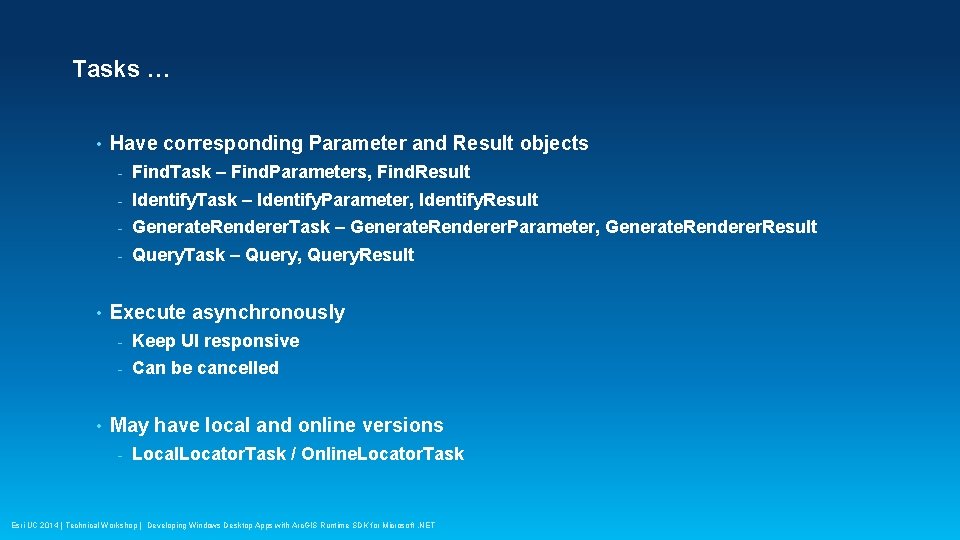
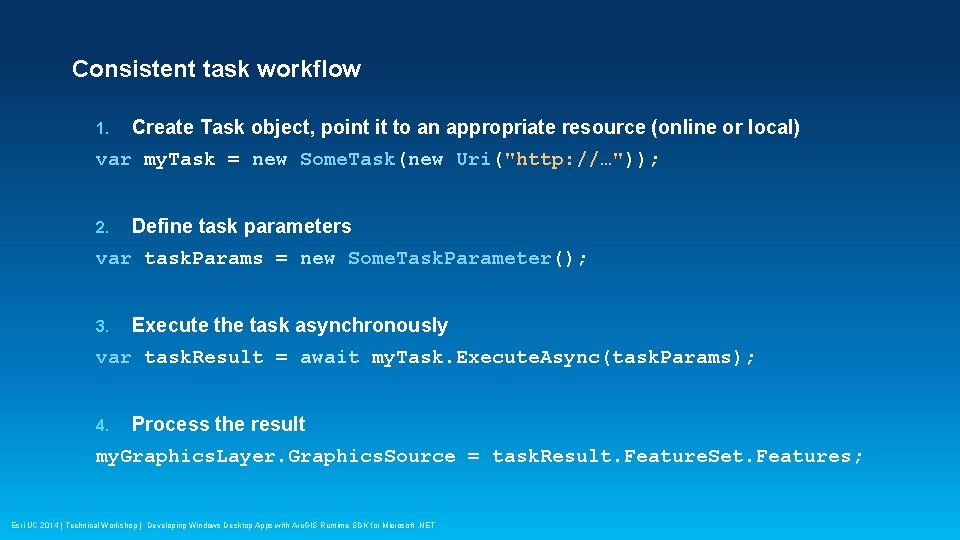
Tasks … • • • Have corresponding Parameter and Result objects - Find. Task – Find. Parameters, Find. Result - Identify. Task – Identify. Parameter, Identify. Result - Generate. Renderer. Task – Generate. Renderer. Parameter, Generate. Renderer. Result - Query. Task – Query, Query. Result Execute asynchronously - Keep UI responsive - Can be cancelled May have local and online versions - Local. Locator. Task / Online. Locator. Task Esri UC 2014 | Technical Workshop | Developing Windows Desktop Apps with Arc. GIS Runtime SDK for Microsoft. NET
Consistent task workflow 1. Create Task object, point it to an appropriate resource (online or local) var my. Task = new Some. Task(new Uri("http: //…")); 2. Define task parameters var task. Params = new Some. Task. Parameter(); 3. Execute the task asynchronously var task. Result = await my. Task. Execute. Async(task. Params); 4. Process the result my. Graphics. Layer. Graphics. Source = task. Result. Feature. Set. Features; Esri UC 2014 | Technical Workshop | Developing Windows Desktop Apps with Arc. GIS Runtime SDK for Microsoft. NET
Work offline Thad Tilton Esri UC 2014 | Technical Workshop | Developing Windows Desktop Apps with Arc. GIS Runtime SDK for Microsoft. NET
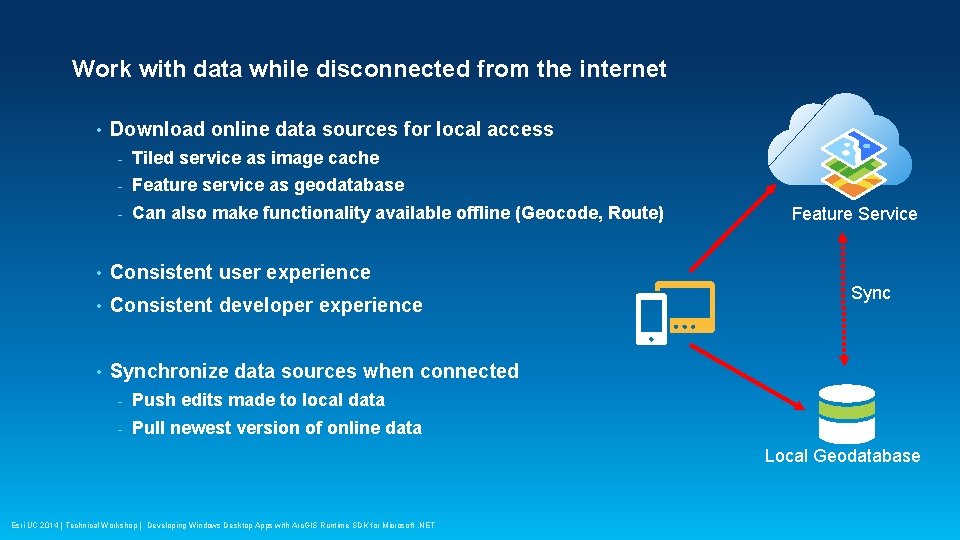
Work with data while disconnected from the internet • Download online data sources for local access - Tiled service as image cache - Feature service as geodatabase - Can also make functionality available offline (Geocode, Route) • Consistent user experience • Consistent developer experience • Synchronize data sources when connected - Push edits made to local data - Pull newest version of online data Feature Service Sync Local Geodatabase Esri UC 2014 | Technical Workshop | Developing Windows Desktop Apps with Arc. GIS Runtime SDK for Microsoft. NET
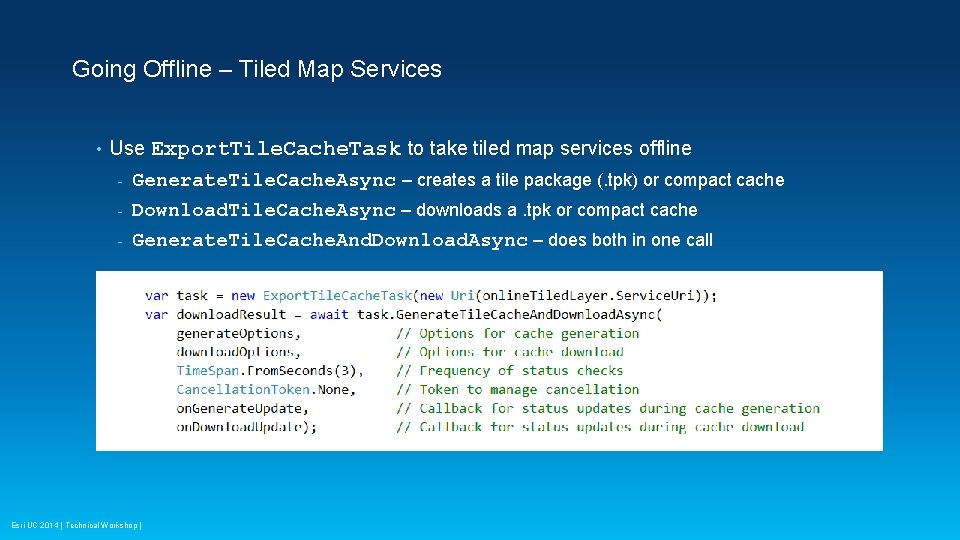
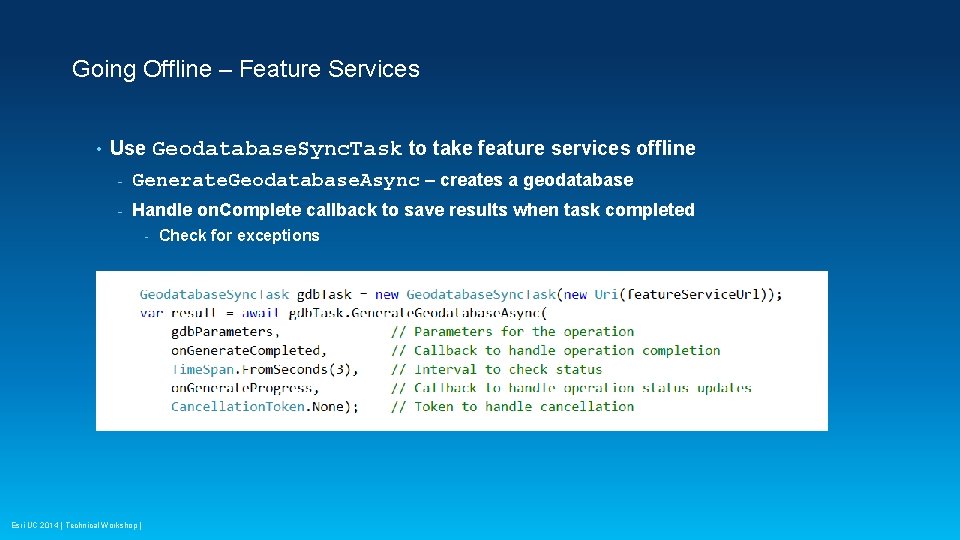
Going Offline – Tiled Map Services • Use Export. Tile. Cache. Task to take tiled map services offline Generate. Tile. Cache. Async – creates a tile package (. tpk) or compact cache - Download. Tile. Cache. Async – downloads a. tpk or compact cache - Generate. Tile. Cache. And. Download. Async – does both in one call - • Feature services – use Geodatabase. Sync. Task - Generate. Geodatabase. Async – creates a geodatabase Use Arc. GISHttp. Client to download the result Esri UC 2014 | Technical Workshop |
Going Offline – Feature Services • Use Geodatabase. Sync. Task to take feature services offline - Generate. Geodatabase. Async – creates a geodatabase - Handle on. Complete callback to save results when task completed - Esri UC 2014 | Technical Workshop | Check for exceptions
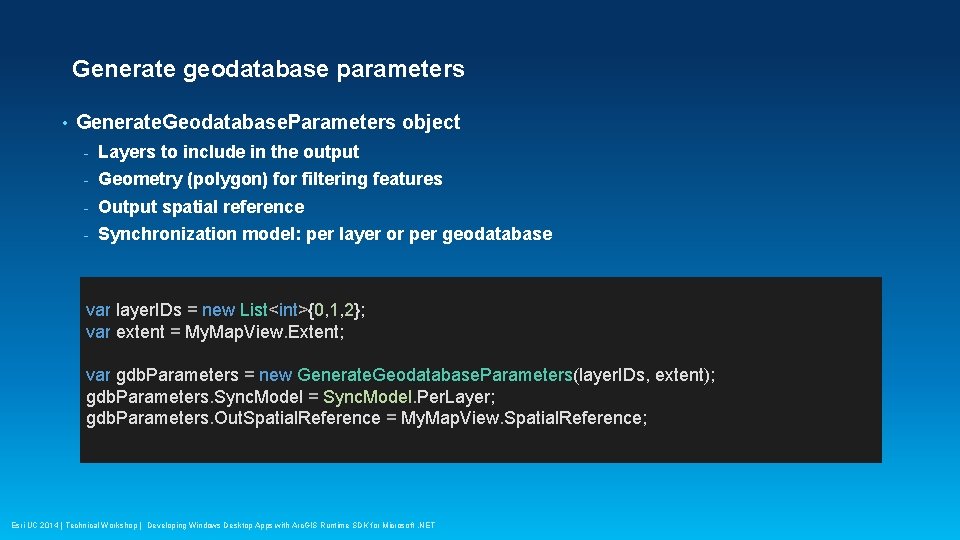
Generate geodatabase parameters • Generate. Geodatabase. Parameters object - Layers to include in the output - Geometry (polygon) for filtering features - Output spatial reference - Synchronization model: per layer or per geodatabase var layer. IDs = new List<int>{0, 1, 2}; var extent = My. Map. View. Extent; var gdb. Parameters = new Generate. Geodatabase. Parameters(layer. IDs, extent); gdb. Parameters. Sync. Model = Sync. Model. Per. Layer; gdb. Parameters. Out. Spatial. Reference = My. Map. View. Spatial. Reference; Esri UC 2014 | Technical Workshop | Developing Windows Desktop Apps with Arc. GIS Runtime SDK for Microsoft. NET
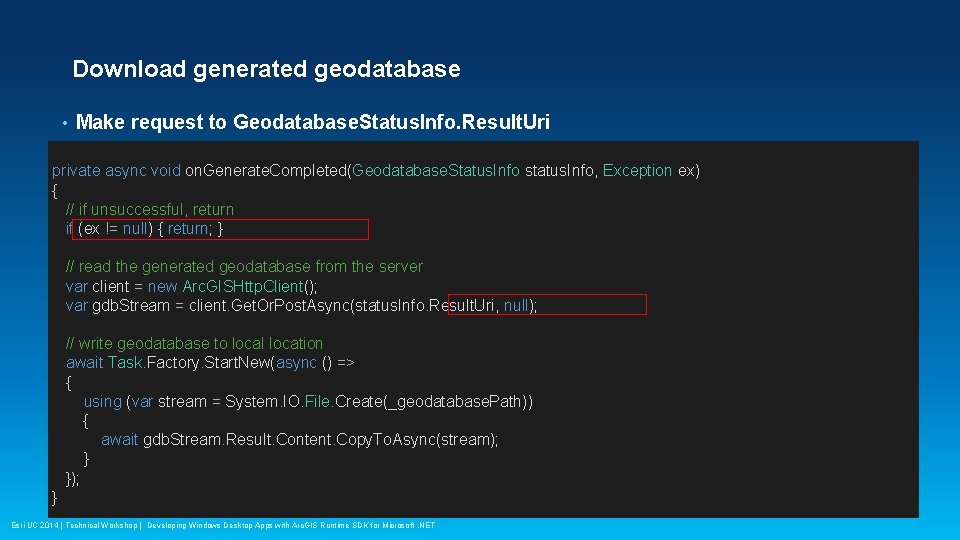
Download generated geodatabase • Make request to Geodatabase. Status. Info. Result. Uri private async void on. Generate. Completed(Geodatabase. Status. Info status. Info, Exception ex) { // if unsuccessful, return if (ex != null) { return; } // read the generated geodatabase from the server var client = new Arc. GISHttp. Client(); var gdb. Stream = client. Get. Or. Post. Async(status. Info. Result. Uri, null); // write geodatabase to local location await Task. Factory. Start. New(async () => { using (var stream = System. IO. File. Create(_geodatabase. Path)) { await gdb. Stream. Result. Content. Copy. To. Async(stream); } }); } Esri UC 2014 | Technical Workshop | Developing Windows Desktop Apps with Arc. GIS Runtime SDK for Microsoft. NET
Demo: Take data offline Apurva Goyal Esri UC 2014 | Technical Workshop | Developing Windows Desktop Apps with Arc. GIS Runtime SDK for Microsoft. NET
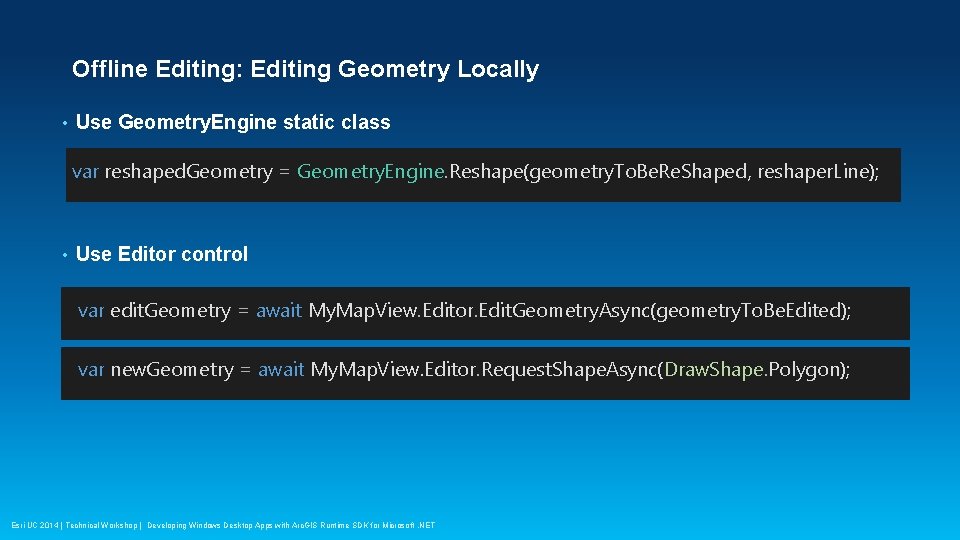
Offline Editing: Editing Geometry Locally • Use Geometry. Engine static class var reshaped. Geometry = Geometry. Engine. Reshape(geometry. To. Be. Re. Shaped, reshaper. Line); • Use Editor control var edit. Geometry = await My. Map. View. Editor. Edit. Geometry. Async(geometry. To. Be. Edited); var new. Geometry = await My. Map. View. Editor. Request. Shape. Async(Draw. Shape. Polygon); Esri UC 2014 | Technical Workshop | Developing Windows Desktop Apps with Arc. GIS Runtime SDK for Microsoft. NET
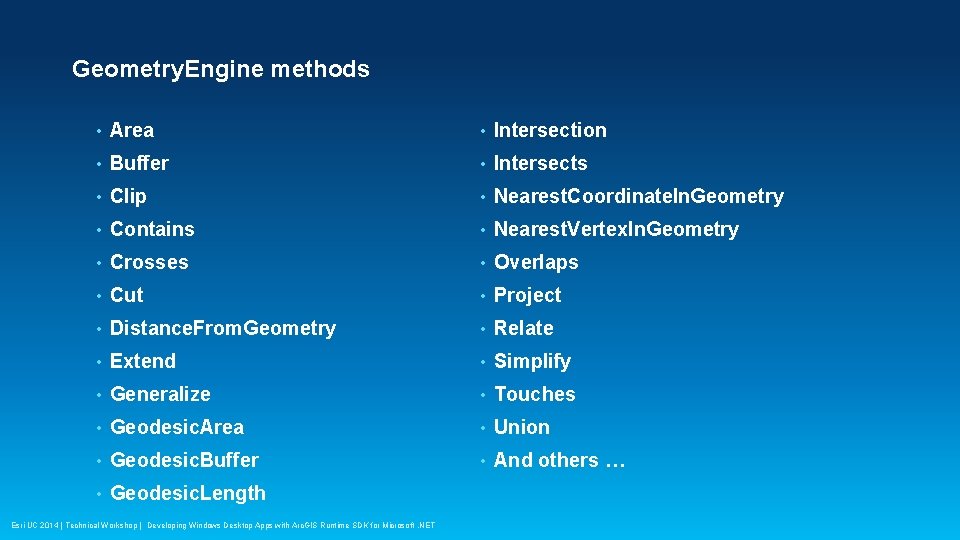
Geometry. Engine methods • Area • Intersection • Buffer • Intersects • Clip • Nearest. Coordinate. In. Geometry • Contains • Nearest. Vertex. In. Geometry • Crosses • Overlaps • Cut • Project • Distance. From. Geometry • Relate • Extend • Simplify • Generalize • Touches • Geodesic. Area • Union • Geodesic. Buffer • And others … • Geodesic. Length Esri UC 2014 | Technical Workshop | Developing Windows Desktop Apps with Arc. GIS Runtime SDK for Microsoft. NET
Demo: Edit features Apurva Goyal Esri UC 2014 | Technical Workshop | Developing Windows Desktop Apps with Arc. GIS Runtime SDK for Microsoft. NET
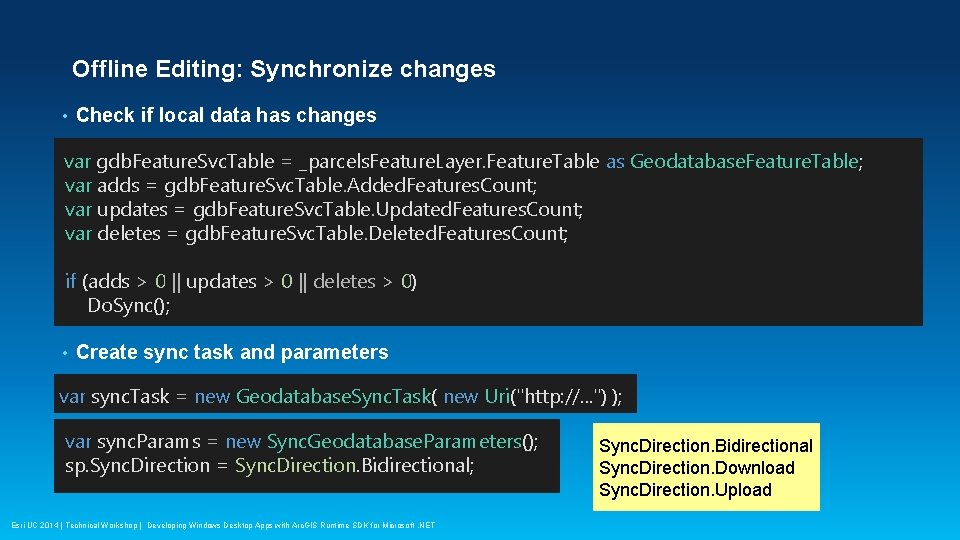
Offline Editing: Synchronize changes • Check if local data has changes var gdb. Feature. Svc. Table = _parcels. Feature. Layer. Feature. Table as Geodatabase. Feature. Table; var adds = gdb. Feature. Svc. Table. Added. Features. Count; var updates = gdb. Feature. Svc. Table. Updated. Features. Count; var deletes = gdb. Feature. Svc. Table. Deleted. Features. Count; if (adds > 0 || updates > 0 || deletes > 0) Do. Sync(); • Create sync task and parameters var sync. Task = new Geodatabase. Sync. Task( new Uri("http: //. . . ") ); var sync. Params = new Sync. Geodatabase. Parameters(); sp. Sync. Direction = Sync. Direction. Bidirectional; • Esri UC 2014 | Technical Workshop | Developing Windows Desktop Apps with Arc. GIS Runtime SDK for Microsoft. NET Sync. Direction. Bidirectional Sync. Direction. Download Sync. Direction. Upload
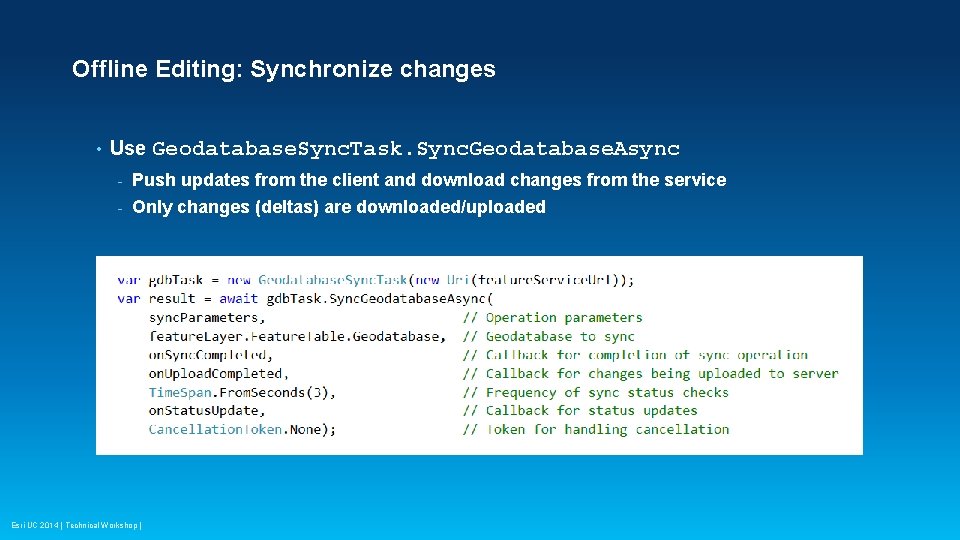
Offline Editing: Synchronize changes • Use Geodatabase. Sync. Task. Sync. Geodatabase. Async - Push updates from the client and download changes from the service - Only changes (deltas) are downloaded/uploaded Esri UC 2014 | Technical Workshop |
Demo: Synchronize data Apurva Goyal Esri UC 2014 | Technical Workshop | Developing Windows Desktop Apps with Arc. GIS Runtime SDK for Microsoft. NET
Runtime licensing Thad Tilton Esri UC 2014 | Technical Workshop | Developing Windows Desktop Apps with Arc. GIS Runtime SDK for Microsoft. NET
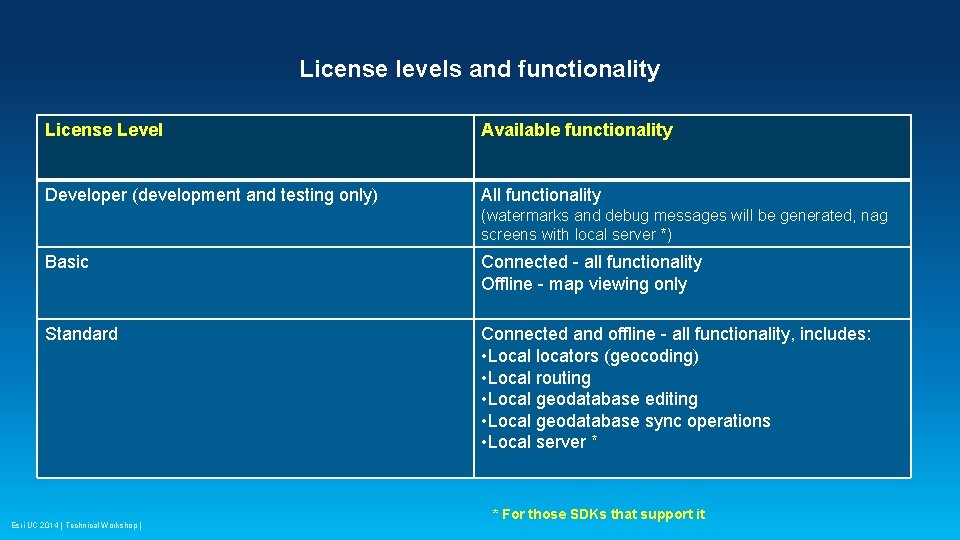
License levels and functionality License Level Available functionality Developer (development and testing only) All functionality (watermarks and debug messages will be generated, nag screens with local server *) Basic Connected - all functionality Offline - map viewing only Standard Connected and offline - all functionality, includes: • Local locators (geocoding) • Local routing • Local geodatabase editing • Local geodatabase sync operations • Local server * Esri UC 2014 | Technical Workshop | * For those SDKs that support it
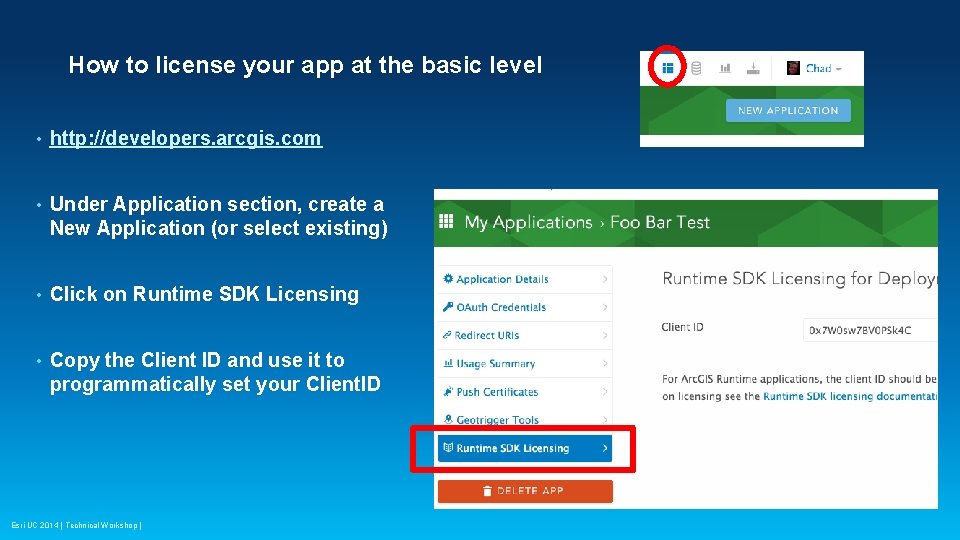
How to license your app at the basic level • http: //developers. arcgis. com • Under Application section, create a New Application (or select existing) • Click on Runtime SDK Licensing • Copy the Client ID and use it to programmatically set your Client. ID Esri UC 2014 | Technical Workshop |
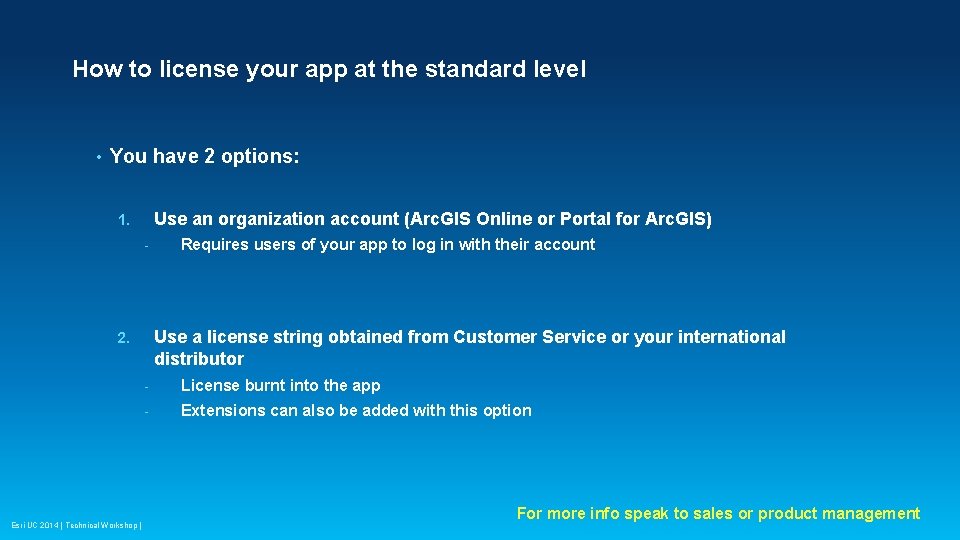
How to license your app at the standard level • You have 2 options: Use an organization account (Arc. GIS Online or Portal for Arc. GIS) 1. - Use a license string obtained from Customer Service or your international distributor 2. Esri UC 2014 | Technical Workshop | Requires users of your app to log in with their account - License burnt into the app - Extensions can also be added with this option For more info speak to sales or product management
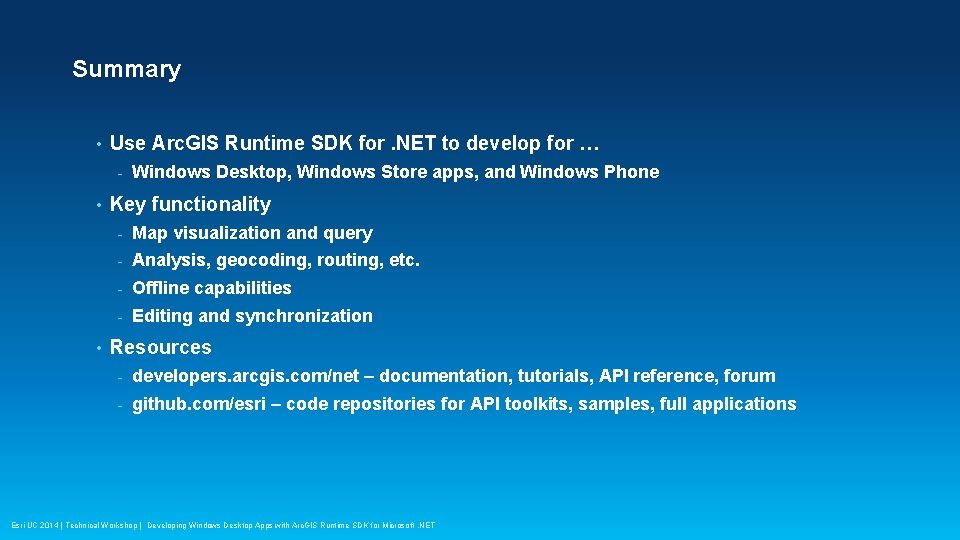
Summary • Use Arc. GIS Runtime SDK for. NET to develop for … - • • Windows Desktop, Windows Store apps, and Windows Phone Key functionality - Map visualization and query - Analysis, geocoding, routing, etc. - Offline capabilities - Editing and synchronization Resources - developers. arcgis. com/net – documentation, tutorials, API reference, forum - github. com/esri – code repositories for API toolkits, samples, full applications Esri UC 2014 | Technical Workshop | Developing Windows Desktop Apps with Arc. GIS Runtime SDK for Microsoft. NET
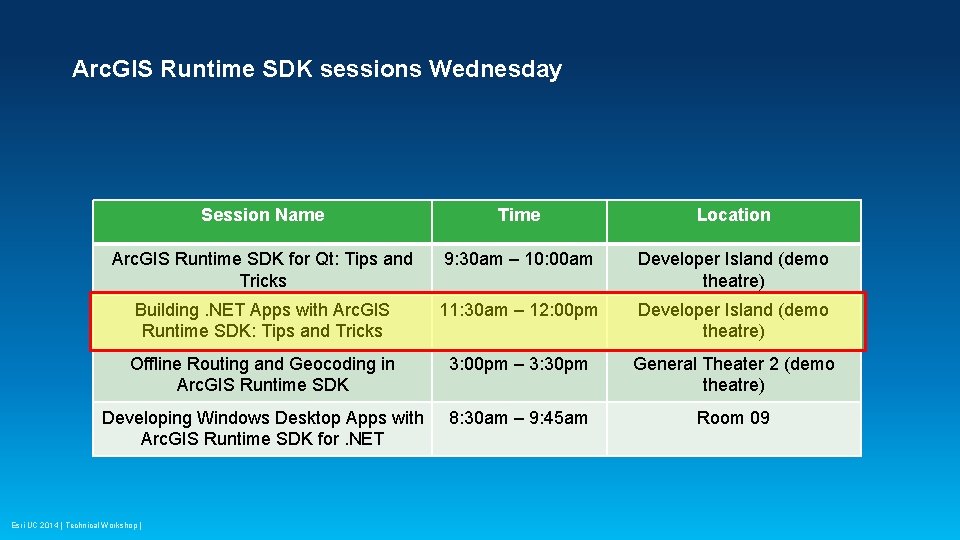
Arc. GIS Runtime SDK sessions Wednesday Session Name Time Location Arc. GIS Runtime SDK for Qt: Tips and Tricks 9: 30 am – 10: 00 am Developer Island (demo theatre) Building. NET Apps with Arc. GIS Runtime SDK: Tips and Tricks 11: 30 am – 12: 00 pm Developer Island (demo theatre) Offline Routing and Geocoding in Arc. GIS Runtime SDK 3: 00 pm – 3: 30 pm General Theater 2 (demo theatre) Developing Windows Desktop Apps with Arc. GIS Runtime SDK for. NET 8: 30 am – 9: 45 am Room 09 Esri UC 2014 | Technical Workshop |
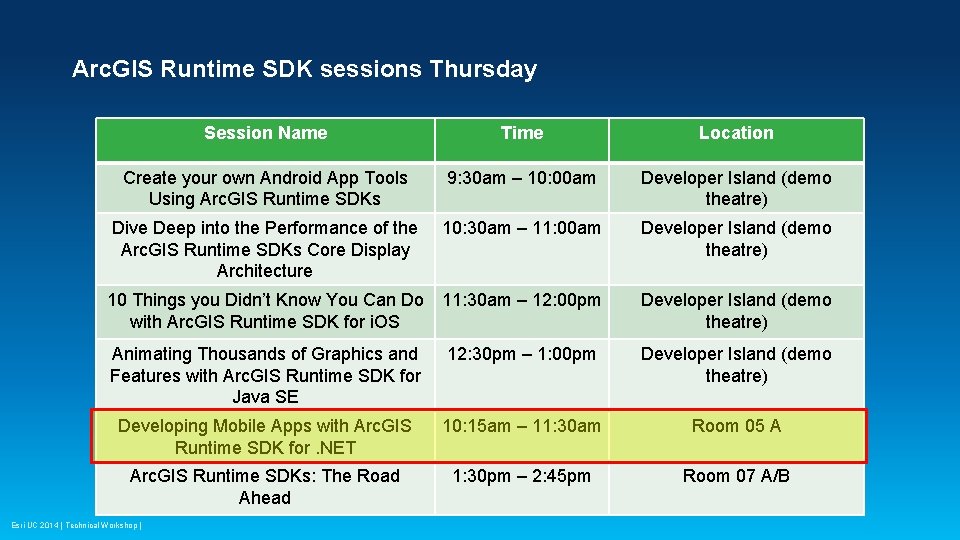
Arc. GIS Runtime SDK sessions Thursday Session Name Time Location Create your own Android App Tools Using Arc. GIS Runtime SDKs 9: 30 am – 10: 00 am Developer Island (demo theatre) Dive Deep into the Performance of the Arc. GIS Runtime SDKs Core Display Architecture 10: 30 am – 11: 00 am Developer Island (demo theatre) 10 Things you Didn’t Know You Can Do with Arc. GIS Runtime SDK for i. OS 11: 30 am – 12: 00 pm Developer Island (demo theatre) Animating Thousands of Graphics and Features with Arc. GIS Runtime SDK for Java SE 12: 30 pm – 1: 00 pm Developer Island (demo theatre) Developing Mobile Apps with Arc. GIS Runtime SDK for. NET 10: 15 am – 11: 30 am Room 05 A Arc. GIS Runtime SDKs: The Road Ahead 1: 30 pm – 2: 45 pm Room 07 A/B Esri UC 2014 | Technical Workshop |
• Questions? Вопро сы? 질문? 質問? 有��� ? Spørgsmål? ������ ? ﺍﻷﺴﺌﻠﺔ؟ Esri UC 2014 | Technical Workshop | Developing Windows Desktop Apps with Arc. GIS Runtime SDK for Microsoft. NET ¿Preguntas? ���� �� ? Mga Katanungan?
Thank you… • Please fill out the session survey: Offering ID: 1347 Online – www. esri. com/ucsessionsurveys Paper – fill out and put in drop box Esri UC 2014 | Technical Workshop | Developing Windows Desktop Apps with Arc. GIS Runtime SDK for Microsoft. NET
Esri UC 2014 | Technical Workshop | Developing Windows Desktop Apps with Arc. GIS Runtime SDK for Microsoft. NET