
Developing Windows 8 Style Application With HTML and



- Slides: 25
Developing Windows 8 Style Application With HTML and Java. Script WWW. KAASHIVINFOTECH. COM
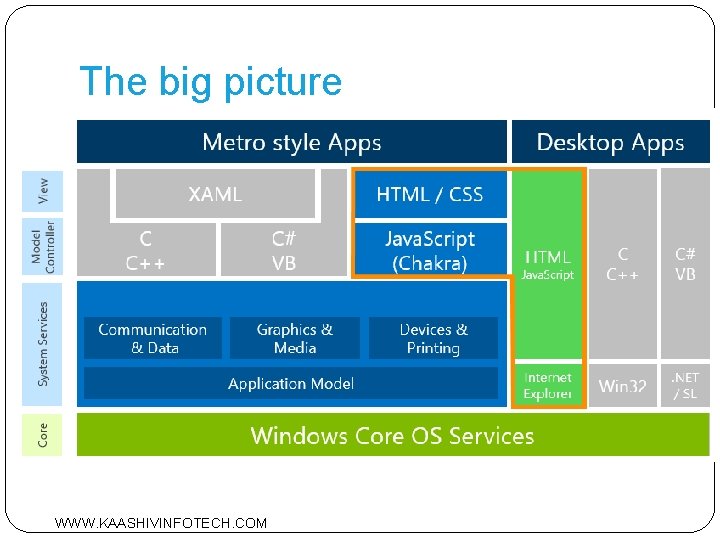
The big picture WWW. KAASHIVINFOTECH. COM
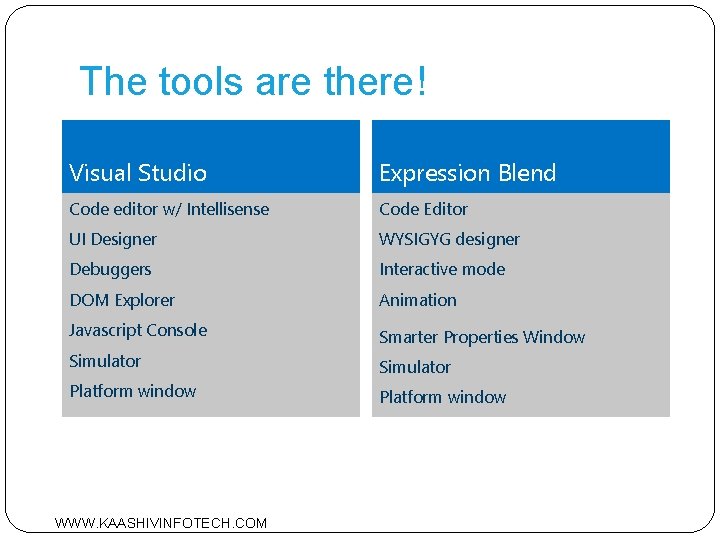
The tools are there! Visual Studio Expression Blend Code editor w/ Intellisense Code Editor UI Designer WYSIGYG designer Debuggers Interactive mode DOM Explorer Animation Javascript Console Smarter Properties Window Simulator Platform window WWW. KAASHIVINFOTECH. COM
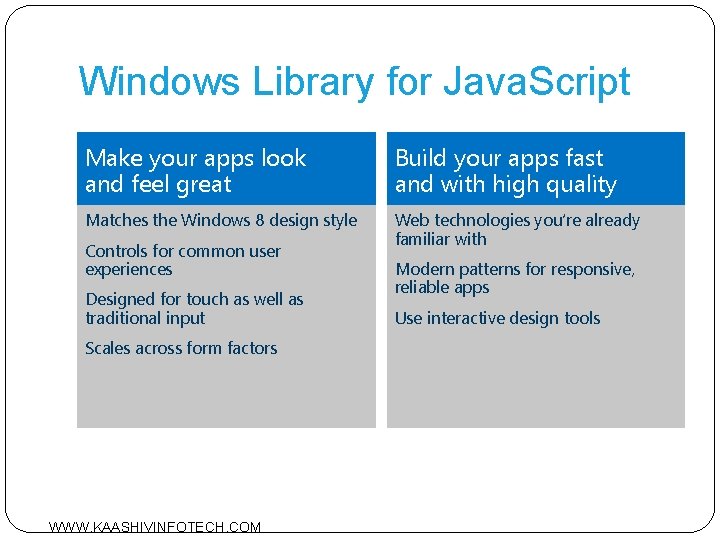
Windows Library for Java. Script Make your apps look and feel great Build your apps fast and with high quality Matches the Windows 8 design style Web technologies you’re already familiar with Controls for common user experiences Designed for touch as well as traditional input Scales across form factors WWW. KAASHIVINFOTECH. COM Modern patterns for responsive, reliable apps Use interactive design tools
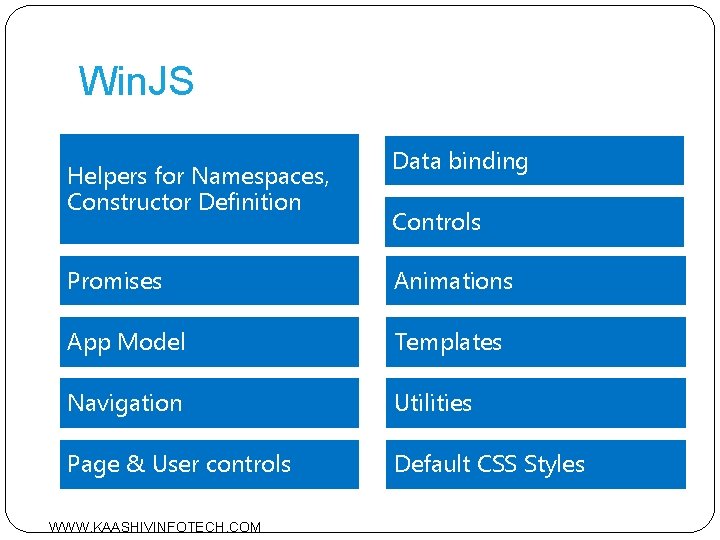
Win. JS Helpers for Namespaces, Constructor Definition Data binding Controls Promises Animations App Model Templates Navigation Utilities Page & User controls Default CSS Styles WWW. KAASHIVINFOTECH. COM
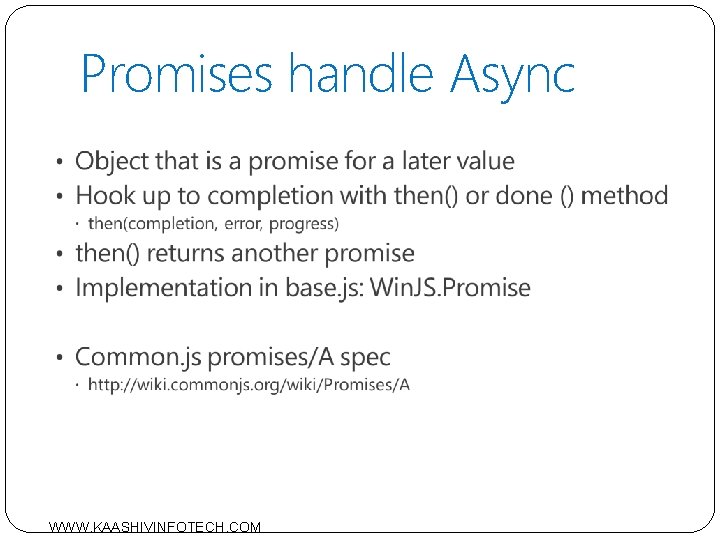
Promises handle Async WWW. KAASHIVINFOTECH. COM
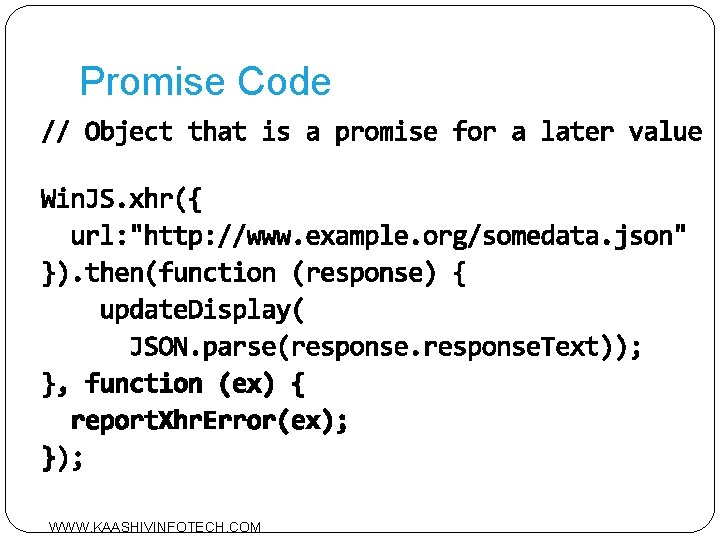
Promise Code WWW. KAASHIVINFOTECH. COM
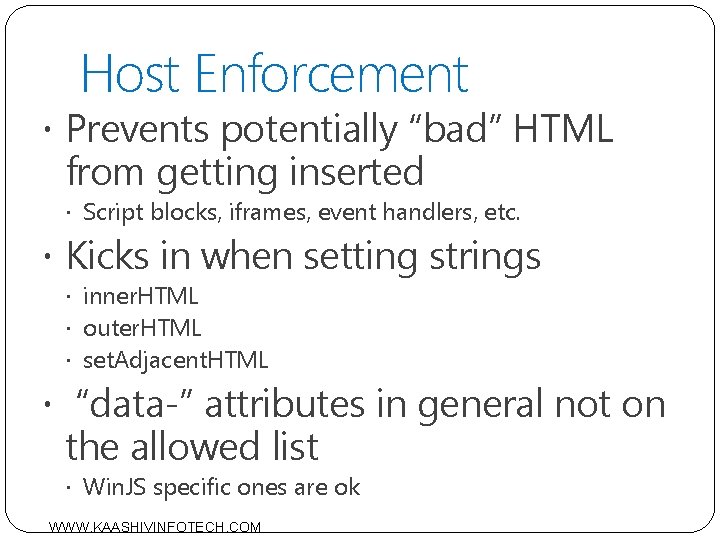
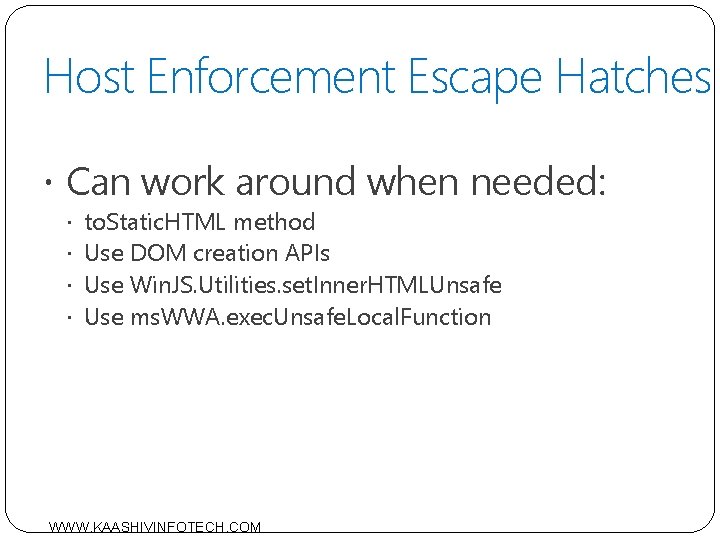
Host Enforcement Prevents potentially “bad” HTML from getting inserted Script blocks, iframes, event handlers, etc. Kicks in when setting strings inner. HTML outer. HTML set. Adjacent. HTML “data-” attributes in general not on the allowed list Win. JS specific ones are ok WWW. KAASHIVINFOTECH. COM
Host Enforcement Escape Hatches Can work around when needed: to. Static. HTML method Use DOM creation APIs Use Win. JS. Utilities. set. Inner. HTMLUnsafe Use ms. WWA. exec. Unsafe. Local. Function WWW. KAASHIVINFOTECH. COM
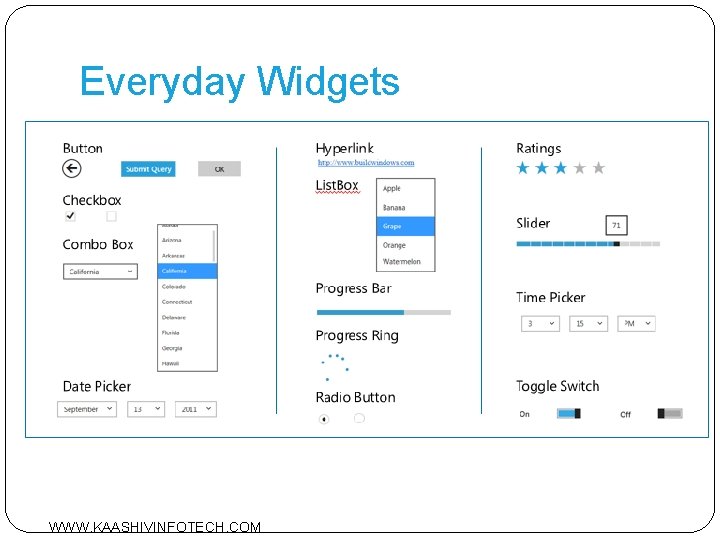
Everyday Widgets WWW. KAASHIVINFOTECH. COM
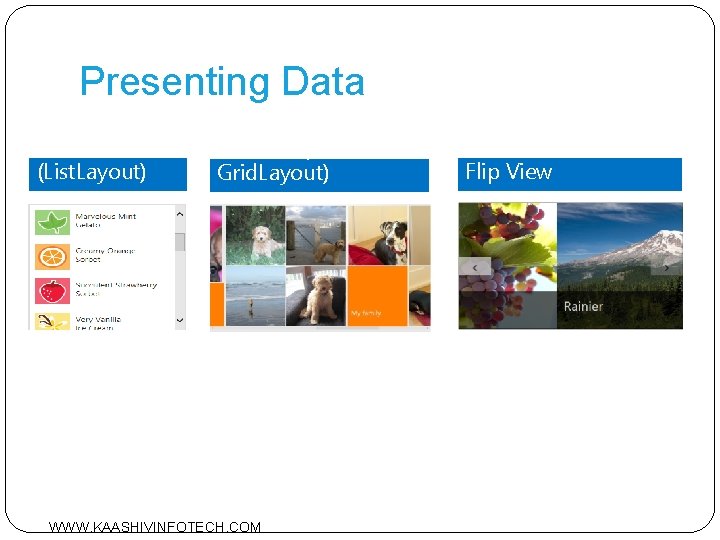
Presenting Data List View (List. Layout) List. View (with Grid. Layout) WWW. KAASHIVINFOTECH. COM Flip View
Controls <!– Step 1: declare control --> <div id=“list” data-win-control="Win. JS. UI. List. View" data-win-options="{ selection. Mode: 'none' }"></div> /* Step 2: Call Win. JS. UI. process. All() */ /* Step 3: Use the control */ document. get. Element. By. Id(‘list’). win. Control. add. Event. Li stener (‘selectionchanged’, on. Sel. Changed ); WWW. KAASHIVINFOTECH. COM
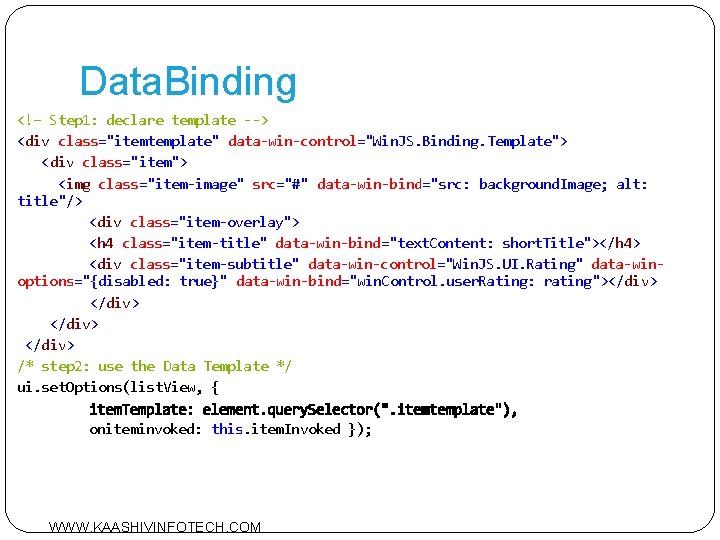
Data. Binding <!– Step 1: declare template --> <div class="itemtemplate" data-win-control="Win. JS. Binding. Template"> <div class="item"> <img class="item-image" src="#" data-win-bind="src: background. Image; alt: title"/> <div class="item-overlay"> <h 4 class="item-title" data-win-bind="text. Content: short. Title"></h 4> <div class="item-subtitle" data-win-control="Win. JS. UI. Rating" data-winoptions="{disabled: true}" data-win-bind="win. Control. user. Rating: rating"></div> /* step 2: use the Data Template */ ui. set. Options(list. View, { oniteminvoked: this. item. Invoked }); WWW. KAASHIVINFOTECH. COM
Commanding Surfaces WWW. KAASHIVINFOTECH. COM
Windows 8 Animation Library Contains key Metro style app animations Has the same storyboard values, curves, and even the same API that Windows uses Aligns your app to the Windows 8 personality WWW. KAASHIVINFOTECH. COM
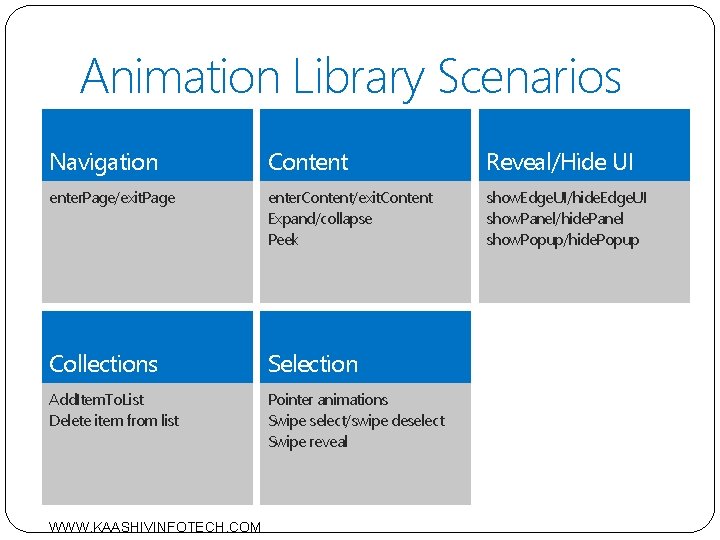
Animation Library Scenarios Navigation Content Reveal/Hide UI enter. Page/exit. Page enter. Content/exit. Content Expand/collapse Peek show. Edge. UI/hide. Edge. UI show. Panel/hide. Panel show. Popup/hide. Popup Collections Selection Add. Item. To. List Delete item from list Pointer animations Swipe select/swipe deselect Swipe reveal WWW. KAASHIVINFOTECH. COM
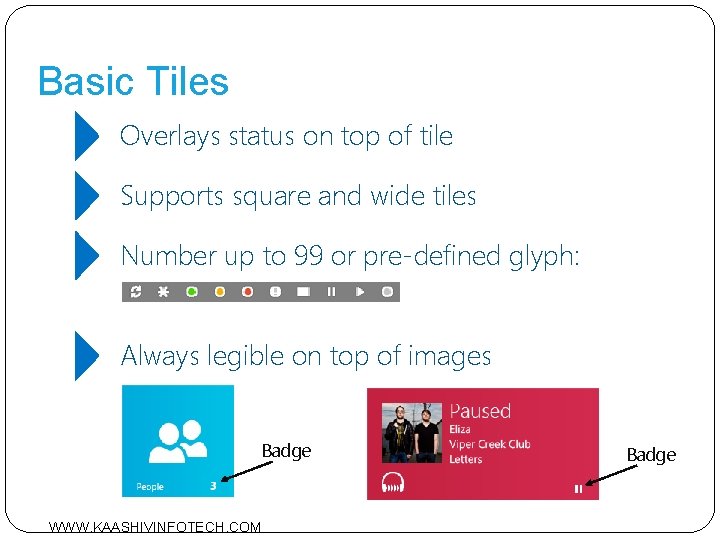
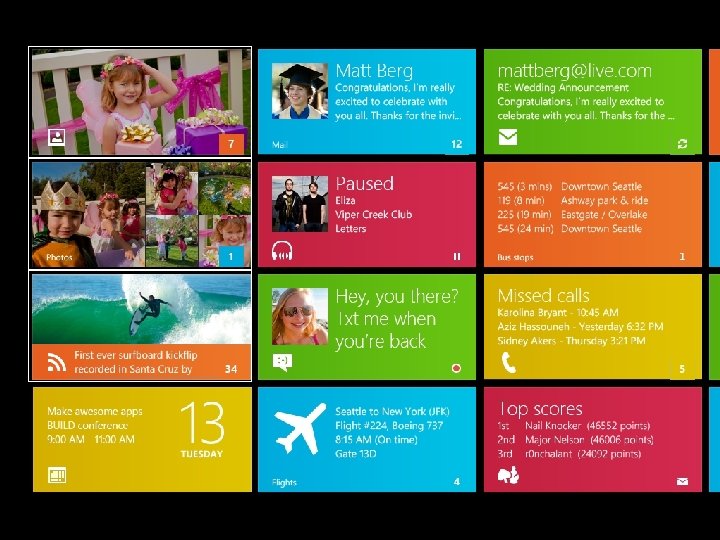
Basic Tiles Overlays status on top of tile Supports square and wide tiles Number up to 99 or pre-defined glyph: Always legible on top of images Badge WWW. KAASHIVINFOTECH. COM Badge
WWW. KAASHIVINFOTECH. COM
Toast Notifications Toast notifications deliver transient messages outside the context of the app Use toast notifications to get user’s attention immediately User is in control and can permanently turn off toast notifications from your app Allows quick navigation to a contextually relevant location in your app Toast notifications are easy to invoke from your app or from the cloud WWW. KAASHIVINFOTECH. COM
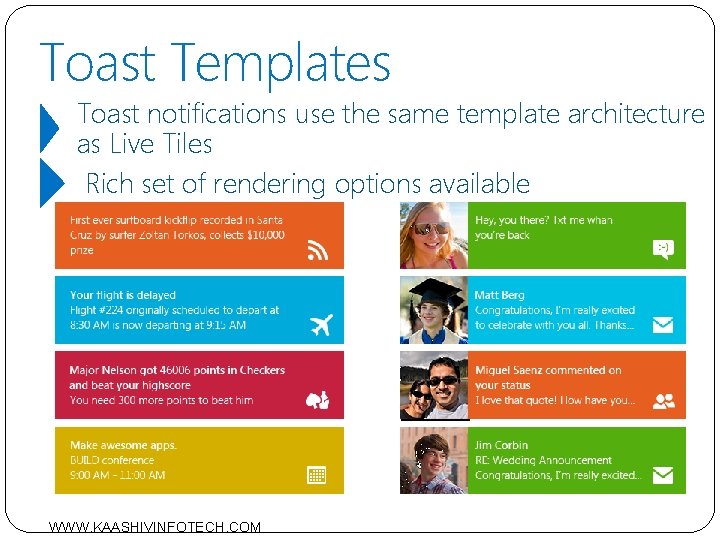
Toast Templates Toast notifications use the same template architecture as Live Tiles Rich set of rendering options available WWW. KAASHIVINFOTECH. COM
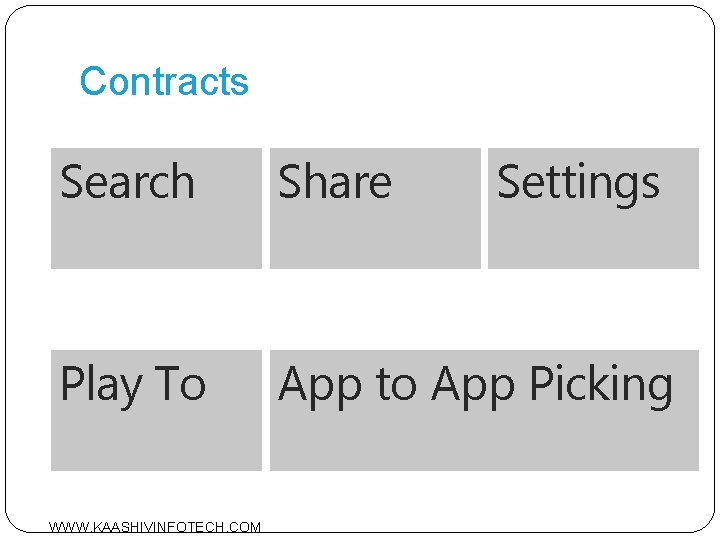
Contracts Search Share Play To App to App Picking WWW. KAASHIVINFOTECH. COM Settings
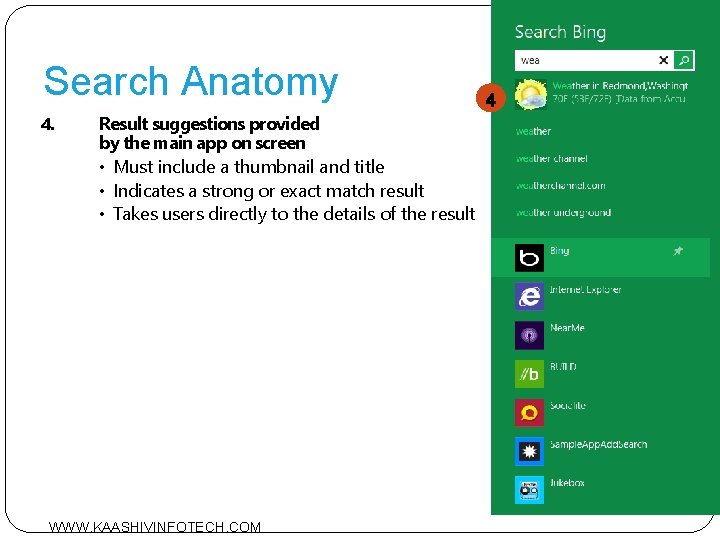
Search Anatomy 1. Search box is scoped to the main app on screen 2. Query suggestions provided by the main app on screen • Autocompletes to terms for which the app has search results 3. List of installed Metro style apps that have implemented the search contract WWW. KAASHIVINFOTECH. COM
Search Anatomy 4. Result suggestions provided by the main app on screen • Must include a thumbnail and title • Indicates a strong or exact match result • Takes users directly to the details of the result WWW. KAASHIVINFOTECH. COM
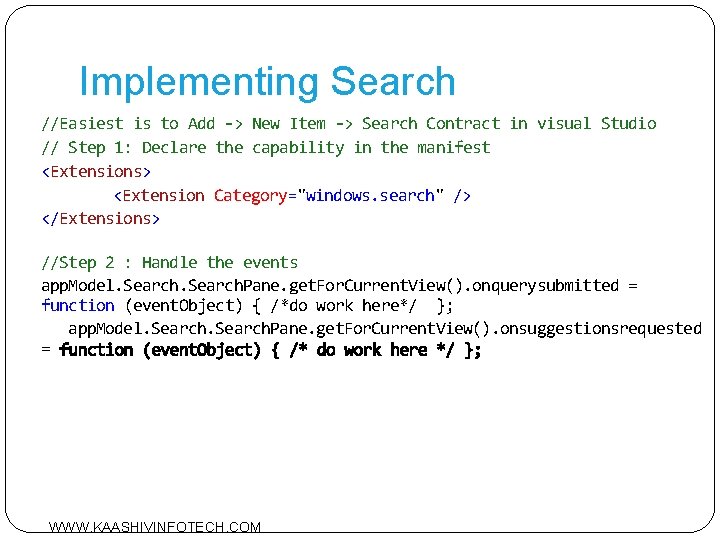
Implementing Search //Easiest is to Add -> New Item -> Search Contract in visual Studio // Step 1: Declare the capability in the manifest <Extensions> <Extension Category="windows. search" /> </Extensions> //Step 2 : Handle the events app. Model. Search. Pane. get. For. Current. View(). onquerysubmitted = function (event. Object) { /*do work here*/ }; app. Model. Search. Pane. get. For. Current. View(). onsuggestionsrequested = WWW. KAASHIVINFOTECH. COM
Thank you! WWW. KAASHIVINFOTECH. COM