
Developing a Program Stewart Venit Elizabeth Drake Addison
Developing a Program Stewart Venit ~ Elizabeth Drake Addison Wesley is an imprint of © 2011 Pearson Addison-Wesley. All rights reserved.
The Program Development Cycle • Problem solving principles – – Completely understand the problem Devise a plan to solve it Carry out the plan Review the results • Writing a program 1) Analyze the problem 2) Design the program 3) Code the program 4) Test the program 1 -2 © 2011 Pearson Addison-Wesley. All rights reserved. 1 -2
1. Analyze the Problem • Identify desired results (output) • Determine input needed to produce those results • Example: Create a program to generate 6 numbers to play the lottery – – Is 7, 7, 7, 7 ok? Is -3, 0, 8, 9, 689 ok? Is 1, 2, 6, 47. 98765, 88, 93. 45 ok? These are all 6 numbers but we see we must be more specific – Desired results: 6 different positive integers within the range of 1 to 40 © 2011 Pearson Addison-Wesley. All rights reserved. 1 -3
2. Design the program • Create a detailed description of program – Use charts or ordinary language (pseudocode) • Identify algorithms needed – Algorithm: a step-by-step method to solve a problem or complete a task • Algorithms must be: – – Well defined Well ordered Must produce some result Must terminate in a finite time 1 -4 © 2011 Pearson Addison-Wesley. All rights reserved. 1 -4
3. Code the program • Translate charts or pseudocode (ordinary language) into program code • Add statements to document what the code does – Internal documenation – External documentation • Each programming language uses its specific syntax 1 -5 © 2011 Pearson Addison-Wesley. All rights reserved. 1 -5
What is Syntax? • Correct English syntax to tell someone where you put the textbook: I have put it on the table. • Correct German syntax for same sentence: I have it on the table put. • Each language (spoken or programming) has its own particular rules for its syntax! 1 -6 © 2011 Pearson Addison-Wesley. All rights reserved. 1 -6
4. Test the program • In analysis phase: continually ask questions – Did I interpret data correctly? – Does program fulfill requirements? – Are my formulas or procedures correct? Etc… • In design phase: use desk-checking to walk through the program • In coding phase: software will alert you to errors in syntax but not in the logic of the program • Finally, test your program with as many sets of test data as possible – Use good data, bad data, data you know the answers for, etc. 1 -7 © 2011 Pearson Addison-Wesley. All rights reserved. 1 -7

Coding, Documenting, and Testing • Coding – Coding is done in a specific programming language. We will use pseudocode. – This phase should only begin after a solid design exists. • Documenting – Code needs to contain documentation that describes to the reader what the code is doing – Two types of comments are used within the code – Internal documentation is for the programmers to read – External documentation is for the user 1 -8 © 2011 Pearson Addison-Wesley. All rights reserved. 1 -8

Types of Errors • Syntax errors: a violation of the programming language’s rules for creating valid statements – May be caused by incorrect grammar or punctuation, or misspelling a keyword – The program will not run at all with syntax errors • Logic errors: the program runs, but does not produce the expected results – May be caused by using an incorrect formula, or incorrect sequence of statements, etc. – Sometimes called runtime errors – These errors can be detected during the desk checking phase of the programming cycle. 1 -9 © 2011 Pearson Addison-Wesley. All rights reserved. 1 -9
Structured Programming • A method for designing and coding programs in a systematic, organized manner • It combines the principles of top-down design, modularity and the use of the three accepted control structures: sequence, repetition and selection • Sequence, repetition and selection can be expressed in pseudocode, or with flowcharts 1 -10 © 2011 Pearson Addison-Wesley. All rights reserved. 1 -10
Flowcharts • A tool for programmers to design programs – Describes the flow of a program module’s execution with diagrams – Completely different from hierarchy charts – Connected symbols are used to describe sequence, repetition, and selection structures – Some prefer to use flowcharting to learn how to express algorithms, and others prefer to use pseudocode – Many programs are designed with a combination of pseudocode and flowcharts 1 -11 © 2011 Pearson Addison-Wesley. All rights reserved. 1 -11
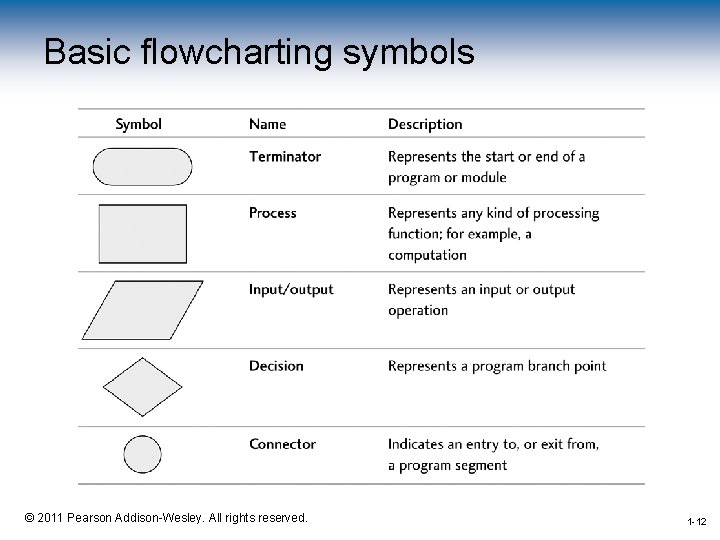
Basic flowcharting symbols 1 -12 © 2011 Pearson Addison-Wesley. All rights reserved. 1 -12
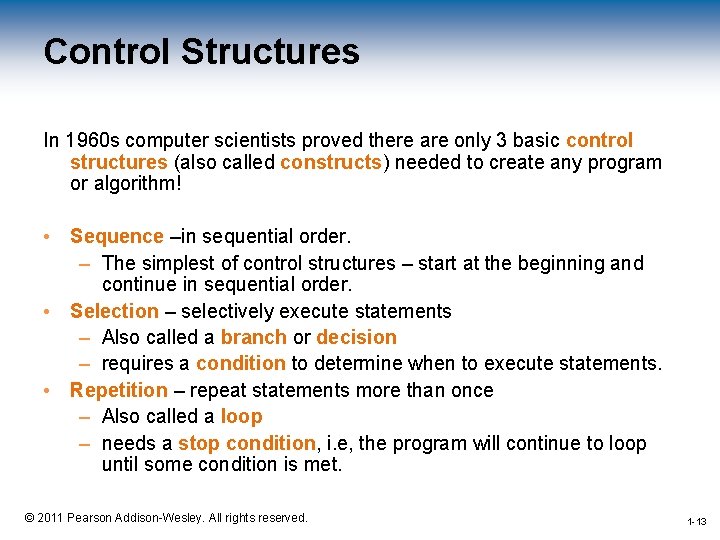
Control Structures In 1960 s computer scientists proved there are only 3 basic control structures (also called constructs) needed to create any program or algorithm! • Sequence –in sequential order. – The simplest of control structures – start at the beginning and continue in sequential order. • Selection – selectively execute statements – Also called a branch or decision – requires a condition to determine when to execute statements. • Repetition – repeat statements more than once – Also called a loop – needs a stop condition, i. e, the program will continue to loop until some condition is met. 1 -13 © 2011 Pearson Addison-Wesley. All rights reserved. 1 -13
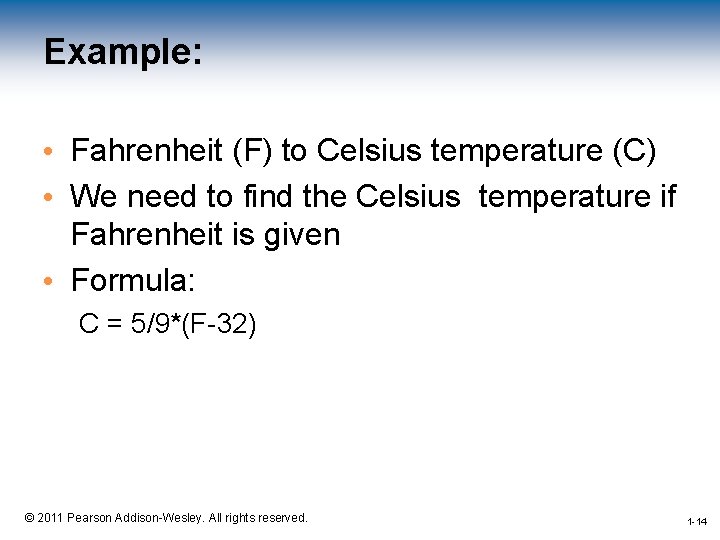
Example: • Fahrenheit (F) to Celsius temperature (C) • We need to find the Celsius temperature if Fahrenheit is given • Formula: C = 5/9*(F-32) 1 -14 © 2011 Pearson Addison-Wesley. All rights reserved. 1 -14
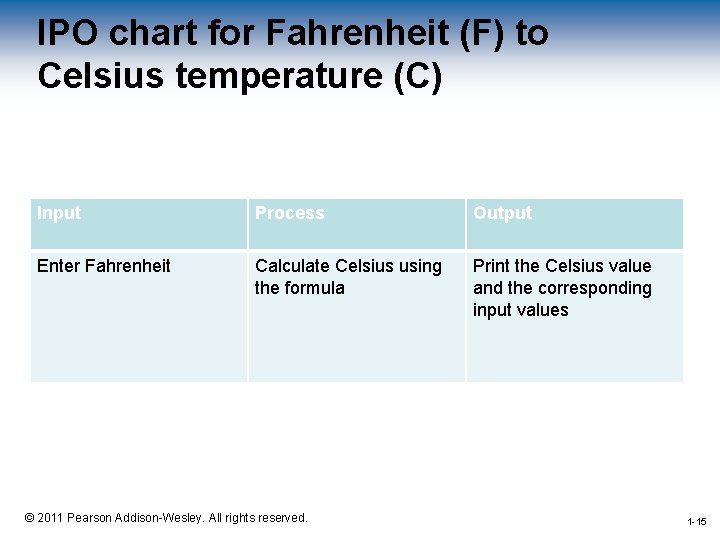
IPO chart for Fahrenheit (F) to Celsius temperature (C) Input Process Output Enter Fahrenheit Calculate Celsius using the formula Print the Celsius value and the corresponding input values 1 -15 © 2011 Pearson Addison-Wesley. All rights reserved. 1 -15
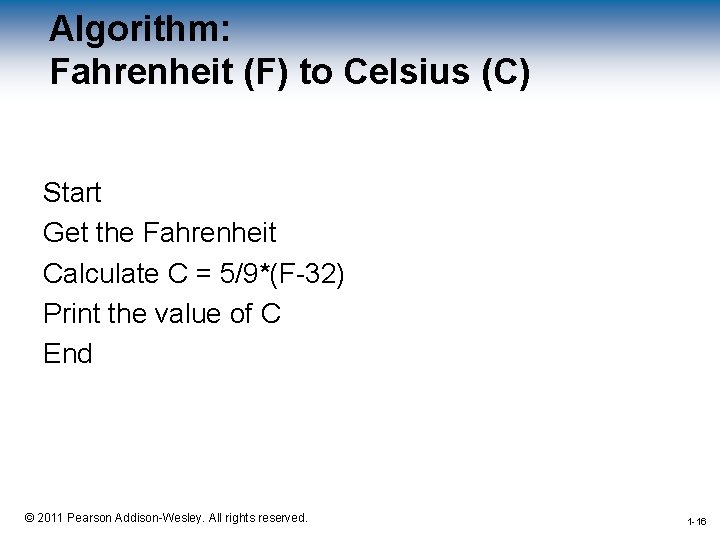
Algorithm: Fahrenheit (F) to Celsius (C) Start Get the Fahrenheit Calculate C = 5/9*(F-32) Print the value of C End 1 -16 © 2011 Pearson Addison-Wesley. All rights reserved. 1 -16
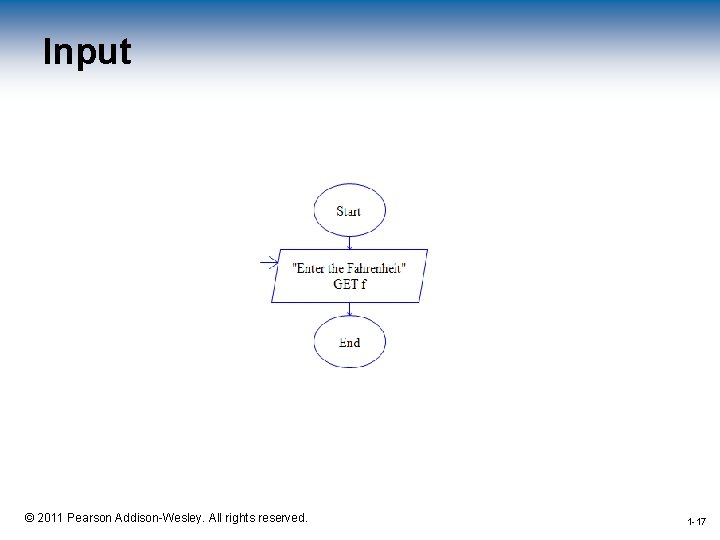
Input 1 -17 © 2011 Pearson Addison-Wesley. All rights reserved. 1 -17
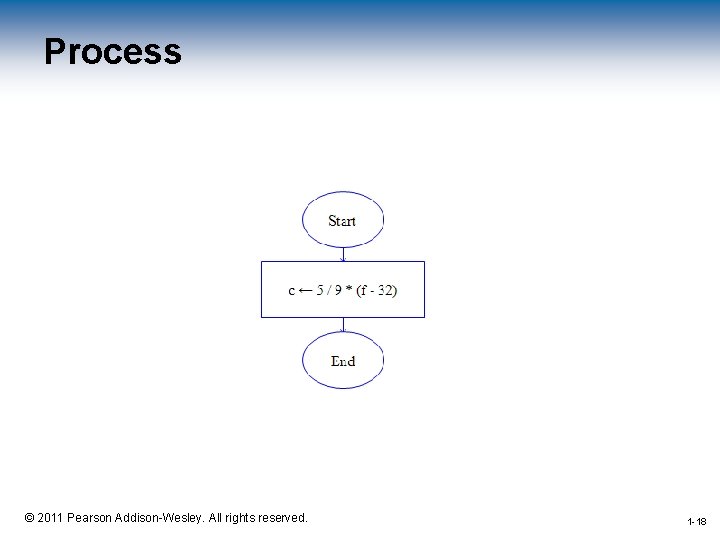
Process 1 -18 © 2011 Pearson Addison-Wesley. All rights reserved. 1 -18
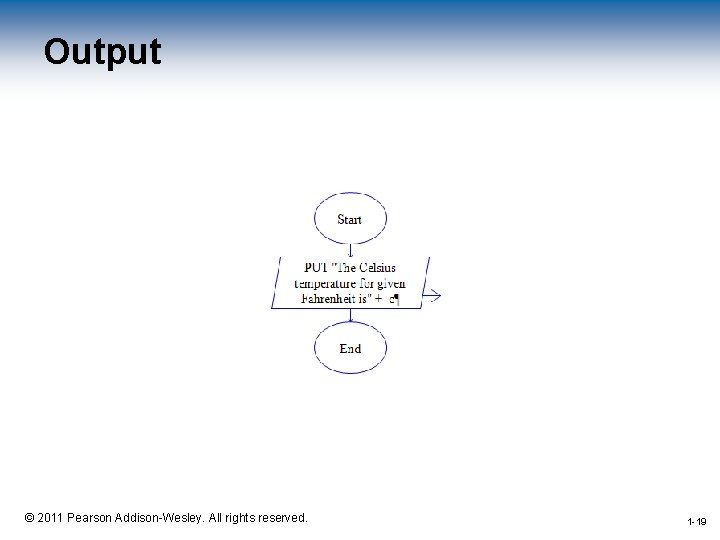
Output 1 -19 © 2011 Pearson Addison-Wesley. All rights reserved. 1 -19
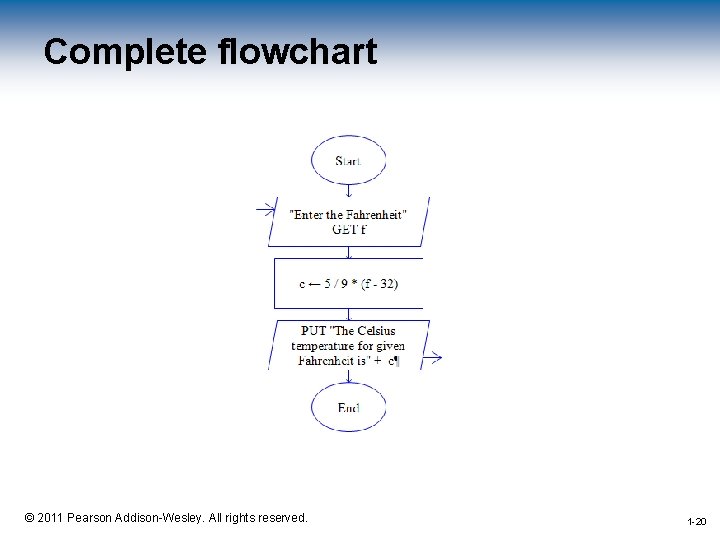
Complete flowchart 1 -20 © 2011 Pearson Addison-Wesley. All rights reserved. 1 -20
Style Pointers • • • Write modular programs Use descriptive variable names Provide a welcome message for the user Use a prompt before an input Identify program output Document your programs 1 -21 © 2011 Pearson Addison-Wesley. All rights reserved. 1 -21
Any Questions ? 1 -22 © 2011 Pearson Addison-Wesley. All rights reserved. 22
- Slides: 22