
DEV 320 Smart Tag Development Mike Ammerlaan ExcelWeb
DEV 320: Smart Tag Development Mike Ammerlaan Excel/Web Components Program Manager Microsoft Corporation

What are Smart Tags?
Agenda l What are smart tags? So how do we build these? l Define via XML l Smart Tag APIs Ø l l Visual Basic® database sample Special development features Gotchas and Deployment
What Is A Smart Tag? l Contextual Option Buttons in apps Ø Ø l Auto. Correct/Paste Recovery Error Checking in Excel Custom Smart Tags Ø Ø Ø Semantic Label attached to text Actions associated with semantic labels Recognition engines that put them there
Where Are Custom Smart Tags? l With Office XP Ø Ø Ø l Actions and Recognition in Word and Excel Off by default in Excel Actions only in Internet Explorer 5. 0+ Internet Explorer 6/Windows XP Ø Ø Actions and recognition; no need to install Office Off by default
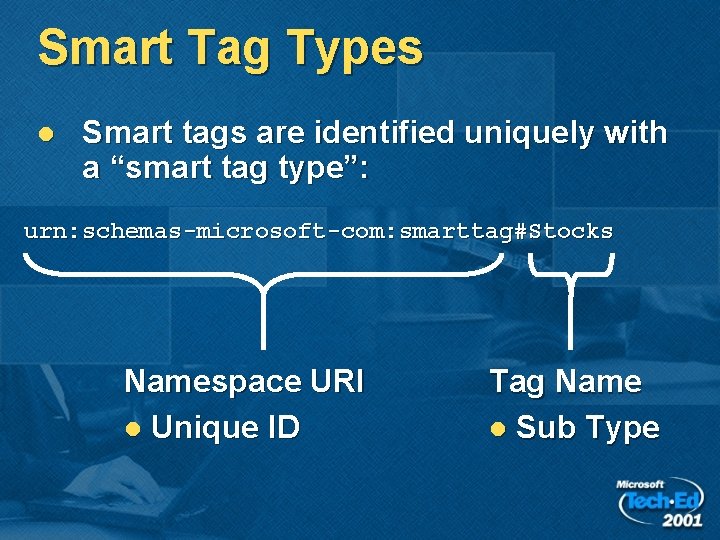
Smart Tag Types l Smart tags are identified uniquely with a “smart tag type”: urn: schemas-microsoft-com: smarttag#Stocks Namespace URI l Unique ID Tag Name l Sub Type
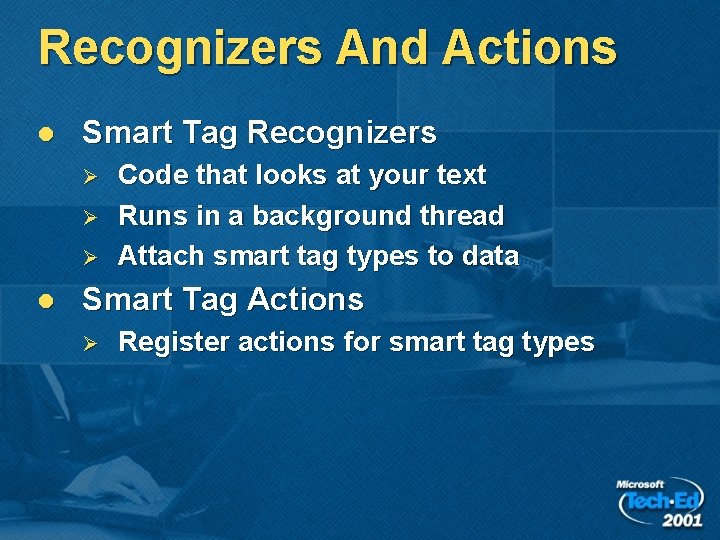
Recognizers And Actions l Smart Tag Recognizers Ø Ø Ø l Code that looks at your text Runs in a background thread Attach smart tag types to data Smart Tag Actions Ø Register actions for smart tag types
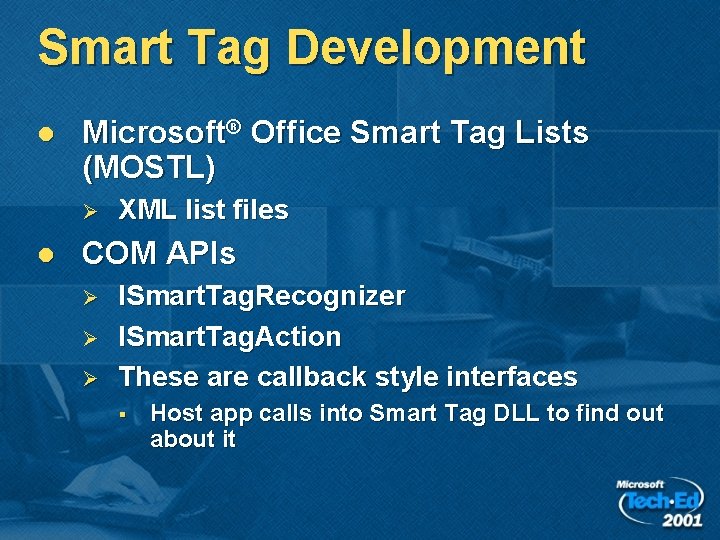
Smart Tag Development l Microsoft® Office Smart Tag Lists (MOSTL) Ø l XML list files COM APIs Ø Ø Ø ISmart. Tag. Recognizer ISmart. Tag. Action These are callback style interfaces § Host app calls into Smart Tag DLL to find out about it
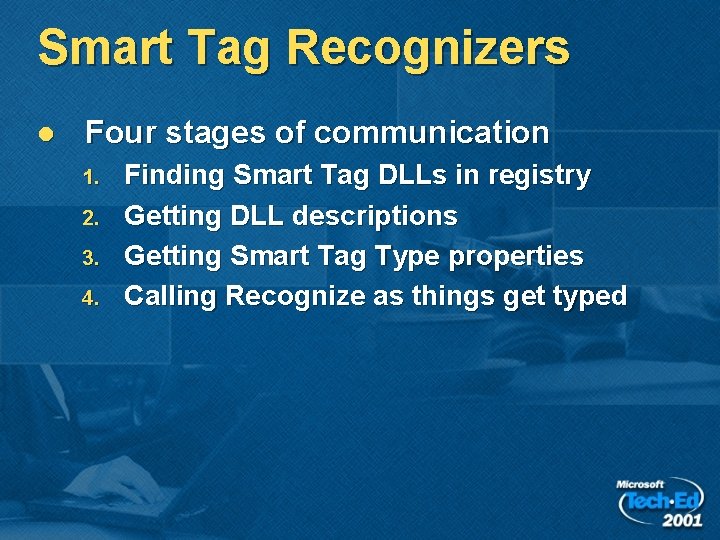
Smart Tag Recognizers l Four stages of communication 1. 2. 3. 4. Finding Smart Tag DLLs in registry Getting DLL descriptions Getting Smart Tag Type properties Calling Recognize as things get typed
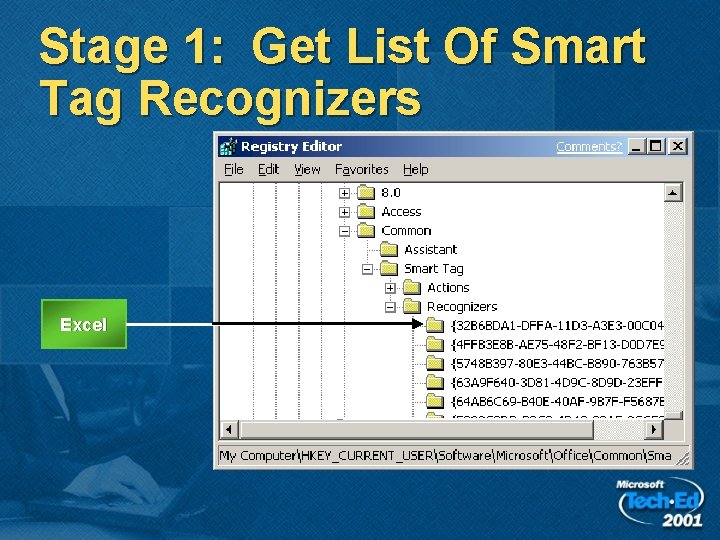
Stage 1: Get List Of Smart Tag Recognizers Excel
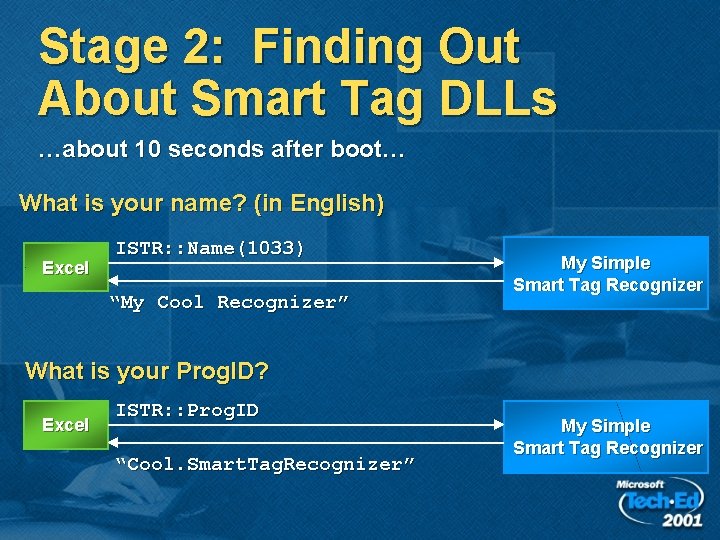
Stage 2: Finding Out About Smart Tag DLLs …about 10 seconds after boot… What is your name? (in English) Excel ISTR: : Name(1033) “My Cool Recognizer” My Simple Smart Tag Recognizer What is your Prog. ID? Excel ISTR: : Prog. ID “Cool. Smart. Tag. Recognizer” My Simple Smart Tag Recognizer
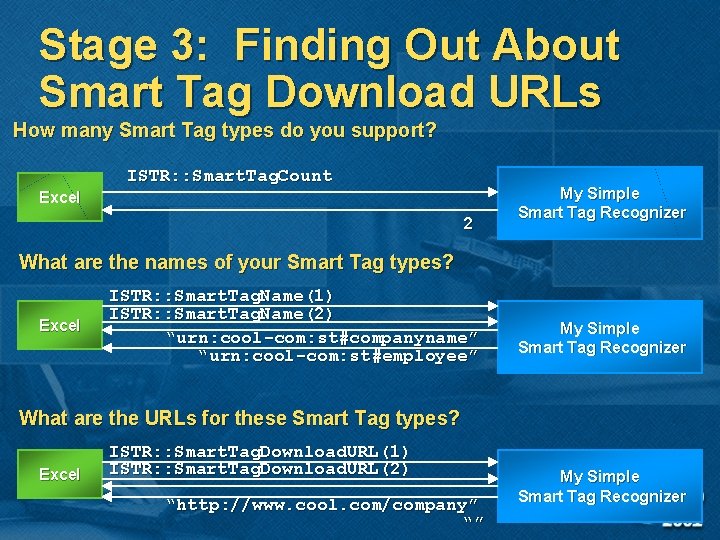
Stage 3: Finding Out About Smart Tag Download URLs How many Smart Tag types do you support? ISTR: : Smart. Tag. Count Excel 2 My Simple Smart Tag Recognizer What are the names of your Smart Tag types? Excel ISTR: : Smart. Tag. Name(1) ISTR: : Smart. Tag. Name(2) “urn: cool-com: st#companyname” “urn: cool-com: st#employee” My Simple Smart Tag Recognizer What are the URLs for these Smart Tag types? Excel ISTR: : Smart. Tag. Download. URL(1) ISTR: : Smart. Tag. Download. URL(2) “http: //www. cool. com/company” “” My Simple Smart Tag Recognizer
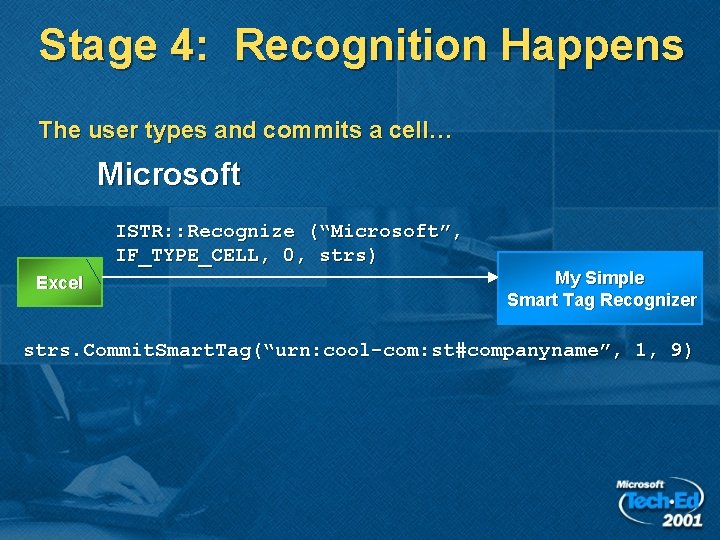
Stage 4: Recognition Happens The user types and commits a cell… Microsoft ISTR: : Recognize (“Microsoft”, IF_TYPE_CELL, 0, strs) Excel My Simple Smart Tag Recognizer strs. Commit. Smart. Tag(“urn: cool-com: st#companyname”, 1, 9)
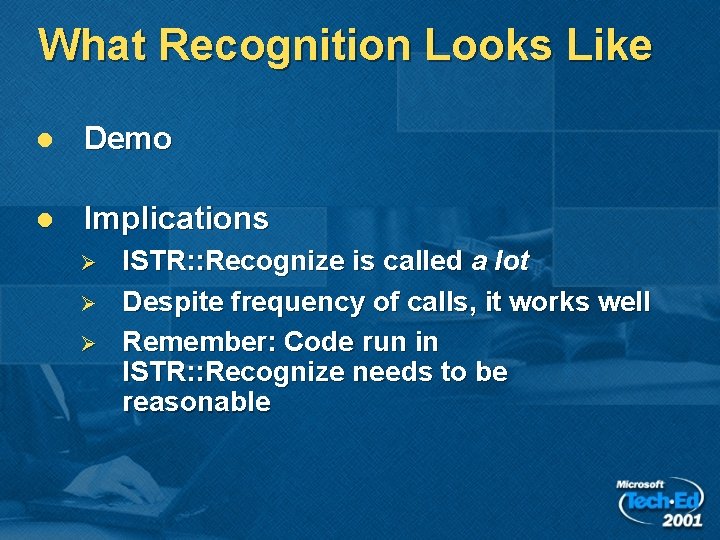
What Recognition Looks Like l Demo l Implications Ø Ø Ø ISTR: : Recognize is called a lot Despite frequency of calls, it works well Remember: Code run in ISTR: : Recognize needs to be reasonable
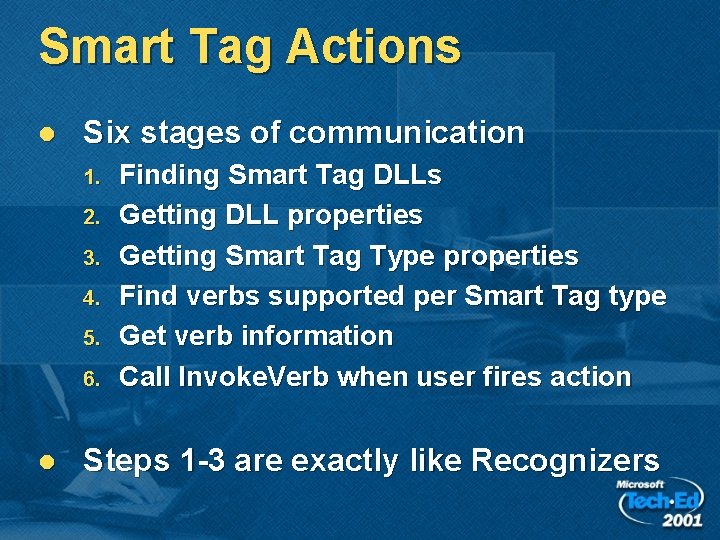
Smart Tag Actions l Six stages of communication 1. 2. 3. 4. 5. 6. l Finding Smart Tag DLLs Getting DLL properties Getting Smart Tag Type properties Find verbs supported per Smart Tag type Get verb information Call Invoke. Verb when user fires action Steps 1 -3 are exactly like Recognizers
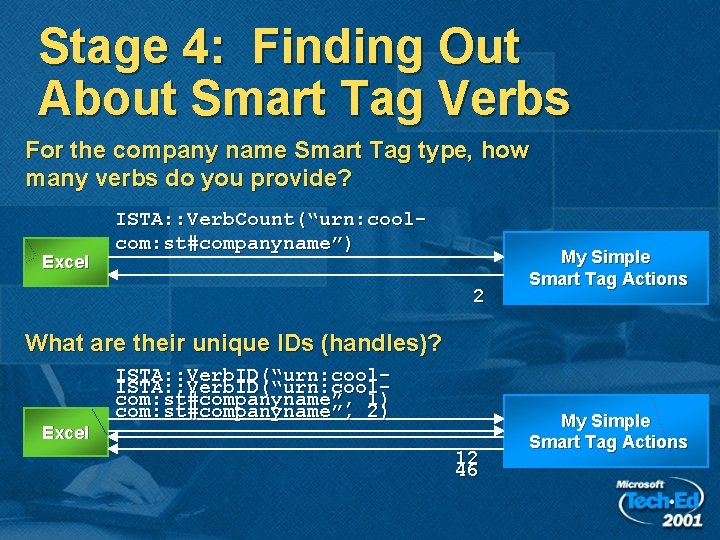
Stage 4: Finding Out About Smart Tag Verbs For the company name Smart Tag type, how many verbs do you provide? Excel ISTA: : Verb. Count(“urn: coolcom: st#companyname”) 2 My Simple Smart Tag Actions What are their unique IDs (handles)? Excel ISTA: : Verb. ID(“urn: coolcom: st#companyname”, 1) com: st#companyname”, 2) 12 46 My Simple Smart Tag Actions
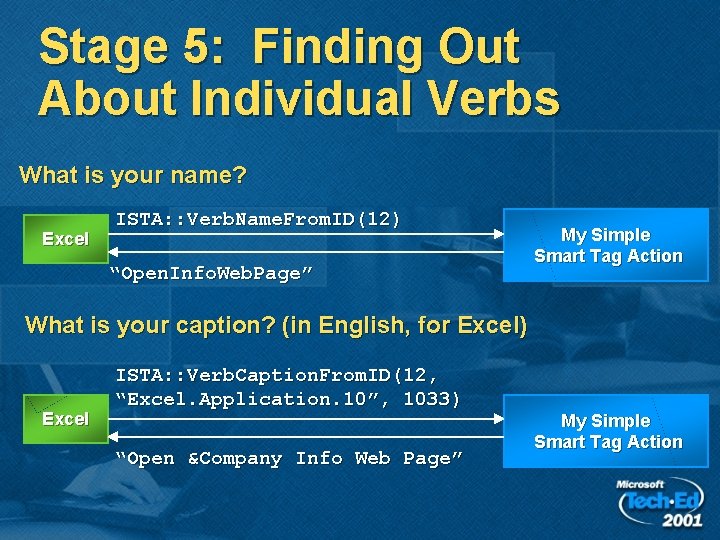
Stage 5: Finding Out About Individual Verbs What is your name? Excel ISTA: : Verb. Name. From. ID(12) “Open. Info. Web. Page” My Simple Smart Tag Action What is your caption? (in English, for Excel) Excel ISTA: : Verb. Caption. From. ID(12, “Excel. Application. 10”, 1033) “Open &Company Info Web Page” My Simple Smart Tag Action
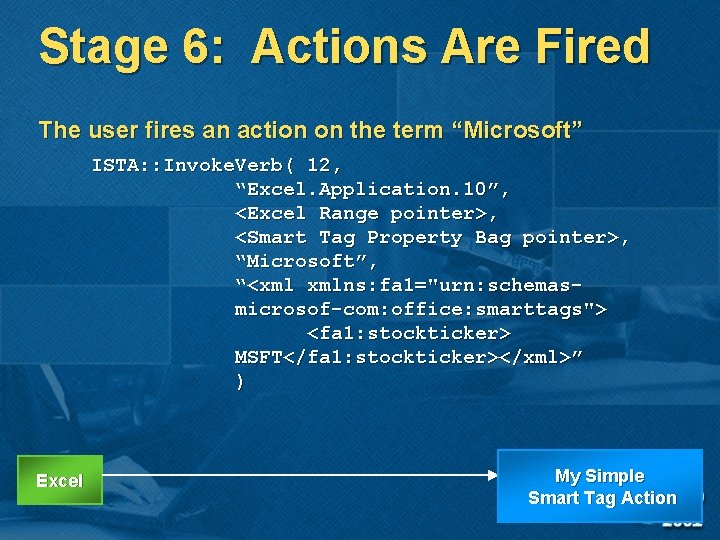
Stage 6: Actions Are Fired The user fires an action on the term “Microsoft” ISTA: : Invoke. Verb( 12, “Excel. Application. 10”, <Excel Range pointer>, <Smart Tag Property Bag pointer>, “Microsoft”, “<xml xmlns: fa 1="urn: schemasmicrosof-com: office: smarttags"> <fa 1: stockticker> MSFT</fa 1: stockticker></xml>” ) Excel My Simple Smart Tag Action
Database-Driven Recognition And Actions l l l Visual Basic Sample in SDK Recognizes field of items from a table Reads configuration XML file on load Ø Ø Specifies connection to database Specifies actions to use
Database Technical Details l l l Majority of code: Loading XML configuration Uses ADO to connect to databases on start Uses Scripting. Dictionary Ø Ø l Cache terms Perform quick lookups Database driven actions
Smart Tags On The Web l l Easy to create Smart Tag-ified Web pages and parts Five Tags to place: Ø Ø Ø Namespace in the <HTML> tag <o: Smart. Tag. Type> tag which defines Smart Tag types Behavior <OBJECT> tag Style attribute that attaches behavior XML for Smart Tag
Potential Gotchas l Security Ø Ø Your default settings may not have “Trust All Installed” turned on Implication: Code sign your Smart Tag DLLs
Potential Gotchas (2) l Reboot your apps after you compile/run Ø l Errors don’t surface Ø l This includes Outlook, Excel, Word Use Debug or Trap Errors Apps will disable DLLs that crash the app on boot Ø Check status bit in registry
Deploying Smart Tags l l l “Just like any other COM DLL” Include with application Simple Ø Ø l Use Visual Studio Installer to create Smart Tag packages Included in Visual Studio 6. 0 Plus Pack Complex Ø OCX/CAB/Codebase Web installs
Summary l l l Recognition and Actions XML Files for simple smart tags Two easy interfaces for more complex smart tags
More Information l Smart Tag SDK 1. 1 Ø l Office Update for Smart Tag Downloads Ø l msdn. microsoft. com/office www. officesmarttags. com e-mail: mikeam@microsoft. com

- Slides: 27