
DEV 230 Upgrading VB 6 Applications to Visual
DEV 230 Upgrading VB 6 Applications to Visual Basic. NET Keith Pleas Architect, Guided Design keithp@guideddesign. com
Overview Language changes – code, object, data Classic Visual Basic “Ruby” forms to Windows Forms Upgrade Tools & Utilities The Upgrade Process - Examples
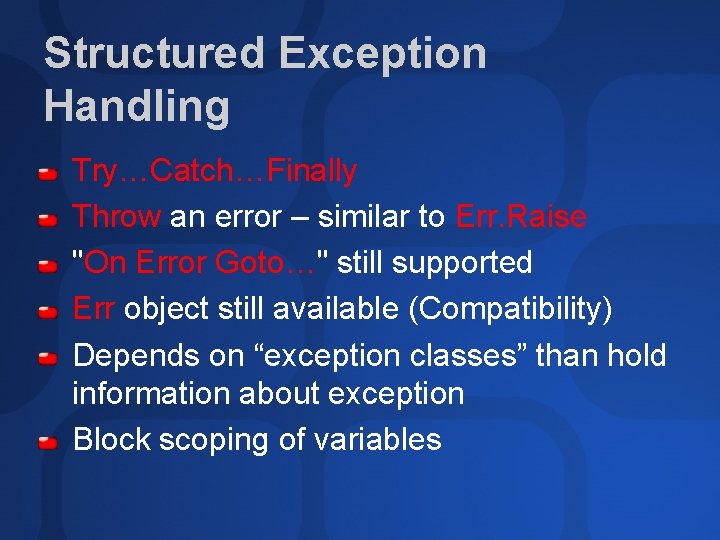
Structured Exception Handling Try…Catch…Finally Throw an error – similar to Err. Raise "On Error Goto…" still supported Err object still available (Compatibility) Depends on “exception classes” than hold information about exception Block scoping of variables
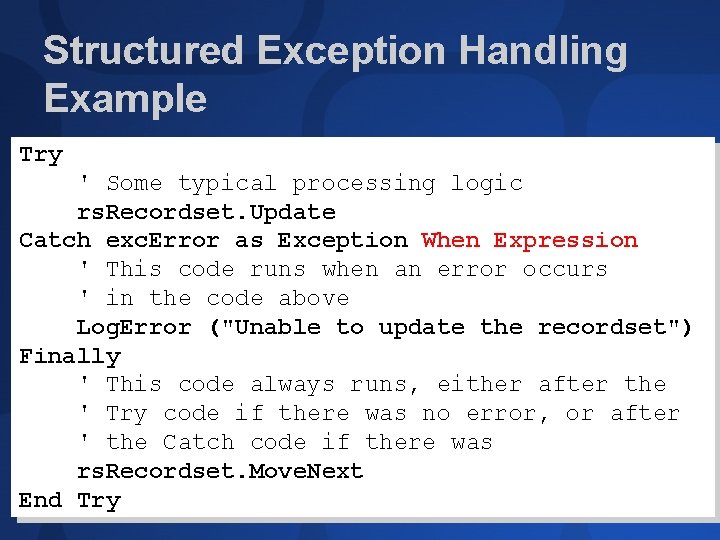
Structured Exception Handling Example Try ' Some typical processing logic rs. Recordset. Update Catch exc. Error as Exception When Expression ' This code runs when an error occurs ' in the code above Log. Error ("Unable to update the recordset") Finally ' This code always runs, either after the ' Try code if there was no error, or after ' the Catch code if there was rs. Recordset. Move. Next End Try

Changes in Data Types Integer Short (System. Int 16) Long Integer (System. Int 32) Long 64 -bit value (System. Int 64) Currency Decimal (System. Decimal) Variant Object (System. Object) New Char holds a single character Often used for character arrays Actually 2 bytes to hold Unicode Fixed-length string not a base. NET type
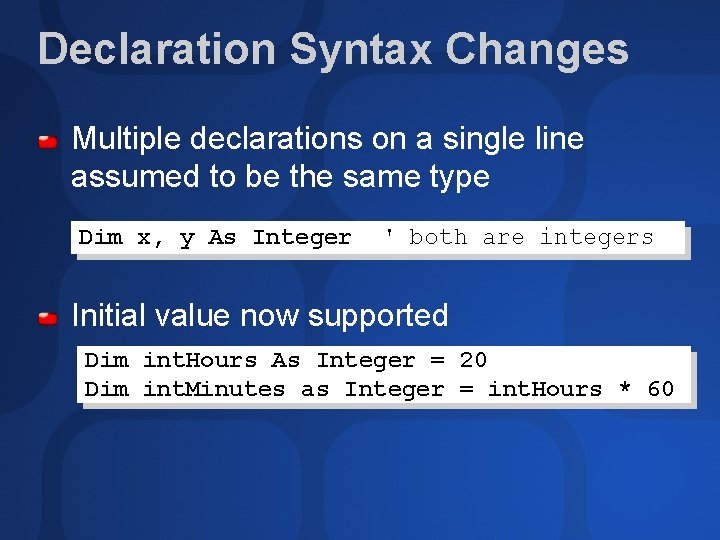
Declaration Syntax Changes Multiple declarations on a single line assumed to be the same type Dim x, y As Integer ' both are integers Initial value now supported Dim int. Hours As Integer = 20 Dim int. Minutes as Integer = int. Hours * 60
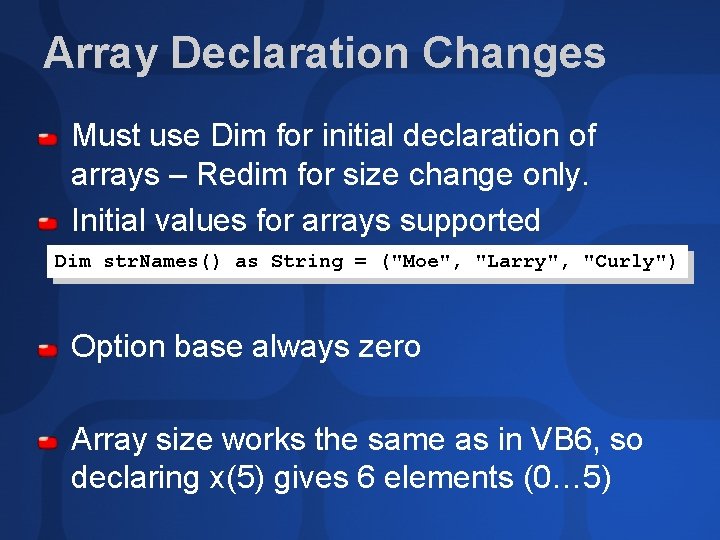
Array Declaration Changes Must use Dim for initial declaration of arrays – Redim for size change only. Initial values for arrays supported Dim str. Names() as String = ("Moe", "Larry", "Curly") Option base always zero Array size works the same as in VB 6, so declaring x(5) gives 6 elements (0… 5)
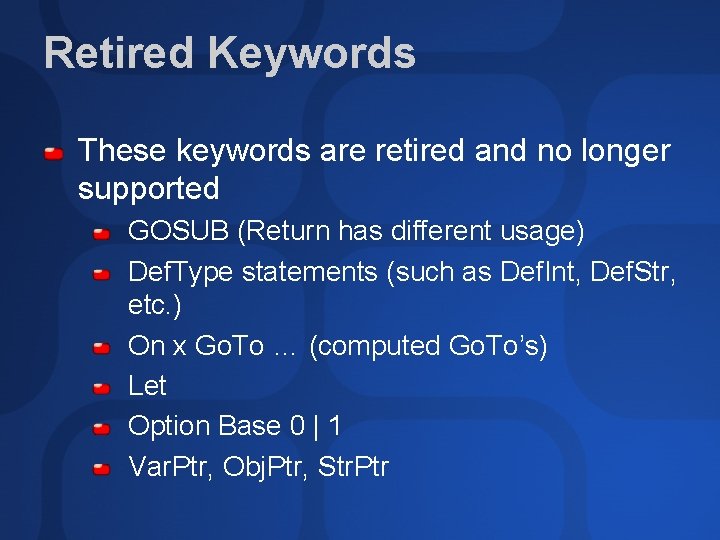
Retired Keywords These keywords are retired and no longer supported GOSUB (Return has different usage) Def. Type statements (such as Def. Int, Def. Str, etc. ) On x Go. To … (computed Go. To’s) Let Option Base 0 | 1 Var. Ptr, Obj. Ptr, Str. Ptr
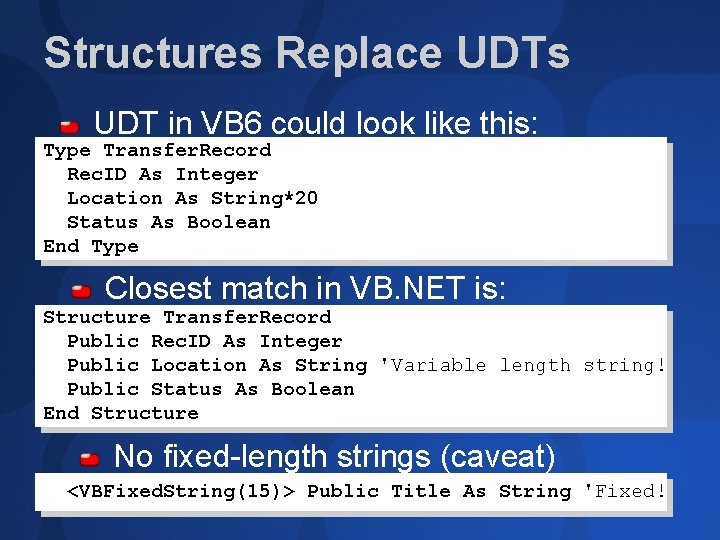
Structures Replace UDTs UDT in VB 6 could look like this: Type Transfer. Record Rec. ID As Integer Location As String*20 Status As Boolean End Type Closest match in VB. NET is: Structure Transfer. Record Public Rec. ID As Integer Public Location As String 'Variable length string! Public Status As Boolean End Structure No fixed-length strings (caveat) <VBFixed. String(15)> Public Title As String 'Fixed!
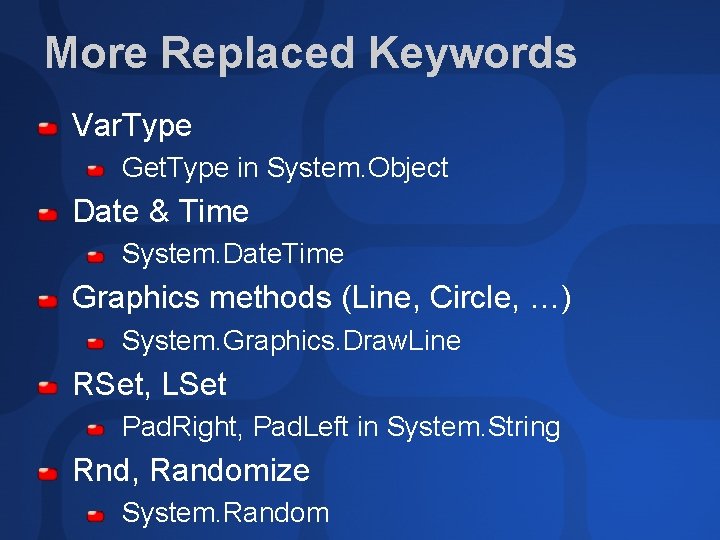
More Replaced Keywords Var. Type Get. Type in System. Object Date & Time System. Date. Time Graphics methods (Line, Circle, …) System. Graphics. Draw. Line RSet, LSet Pad. Right, Pad. Left in System. String Rnd, Randomize System. Random
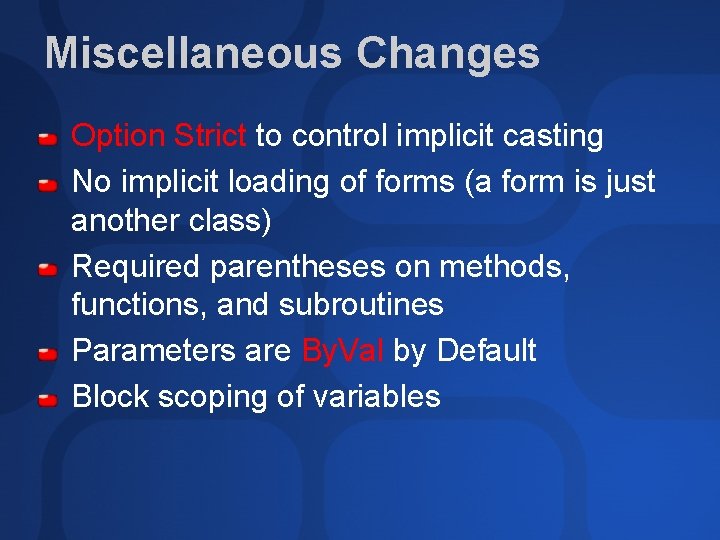
Miscellaneous Changes Option Strict to control implicit casting No implicit loading of forms (a form is just another class) Required parentheses on methods, functions, and subroutines Parameters are By. Val by Default Block scoping of variables
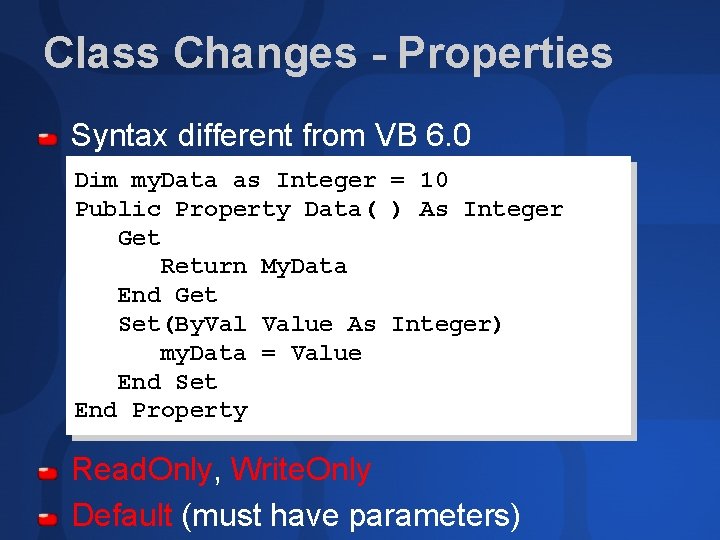
Class Changes - Properties Syntax different from VB 6. 0 Dim my. Data as Integer = 10 Public Property Data( ) As Integer Get Return My. Data End Get Set(By. Value As Integer) my. Data = Value End Set End Property Read. Only, Write. Only Default (must have parameters)
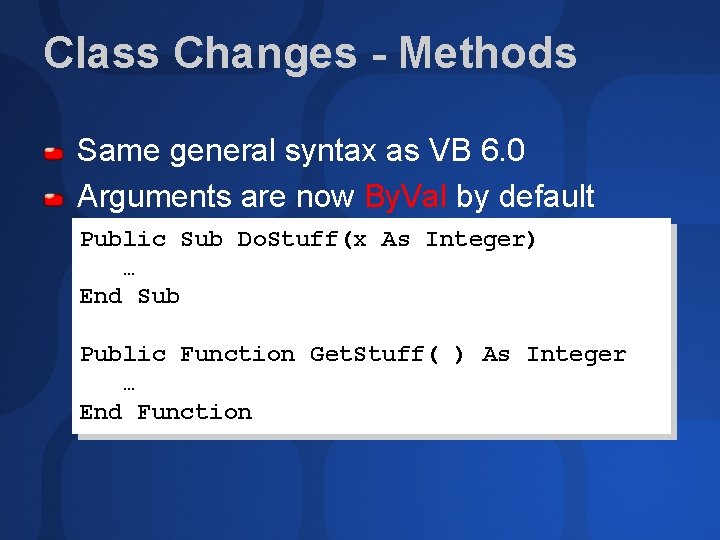
Class Changes - Methods Same general syntax as VB 6. 0 Arguments are now By. Val by default Public Sub Do. Stuff(x As Integer) … End Sub Public Function Get. Stuff( ) As Integer … End Function
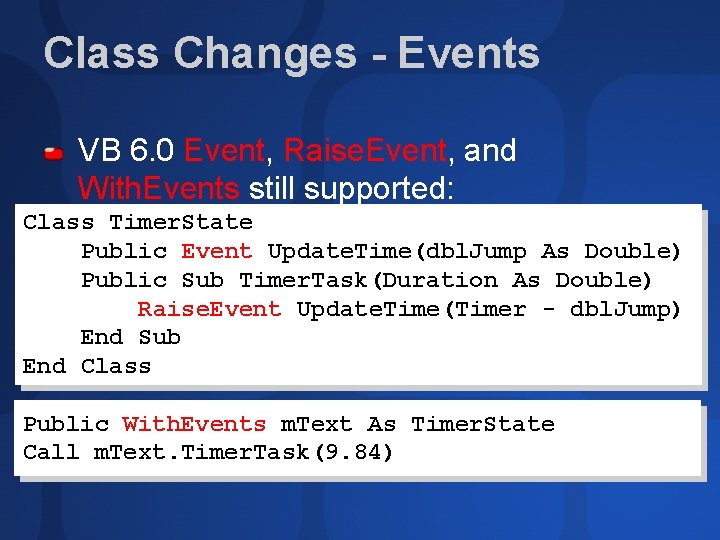
Class Changes - Events VB 6. 0 Event, Raise. Event, and With. Events still supported: Class Timer. State Public Event Update. Time(dbl. Jump As Double) Public Sub Timer. Task(Duration As Double) Raise. Event Update. Time(Timer - dbl. Jump) End Sub End Class Public With. Events m. Text As Timer. State Call m. Text. Timer. Task(9. 84)
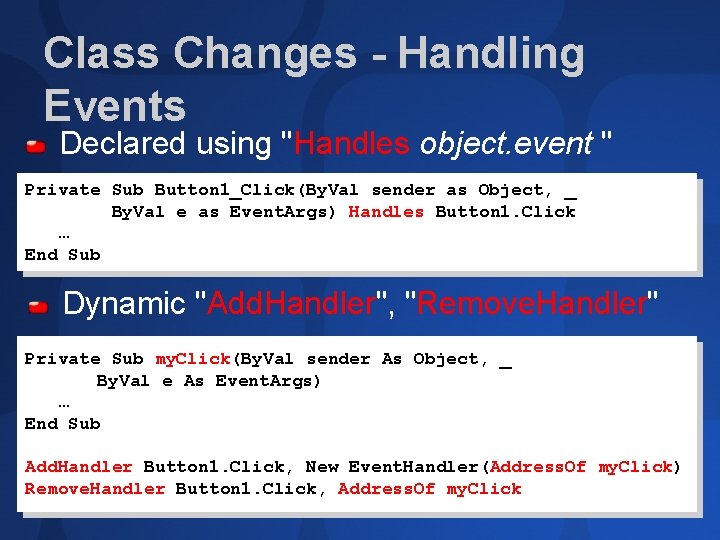
Class Changes - Handling Events Declared using "Handles object. event " Private Sub Button 1_Click(By. Val sender as Object, _ By. Val e as Event. Args) Handles Button 1. Click … End Sub Dynamic "Add. Handler", "Remove. Handler" Private Sub my. Click(By. Val sender As Object, _ By. Val e As Event. Args) … End Sub Add. Handler Button 1. Click, New Event. Handler(Address. Of my. Click) Remove. Handler Button 1. Click, Address. Of my. Click
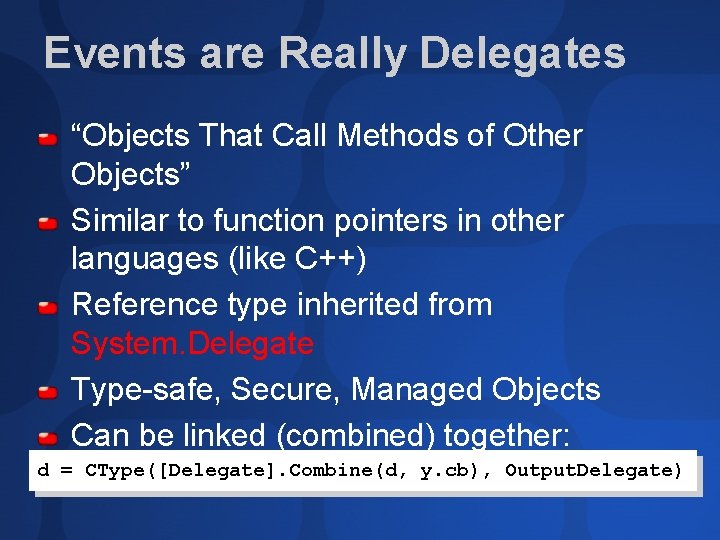
Events are Really Delegates “Objects That Call Methods of Other Objects” Similar to function pointers in other languages (like C++) Reference type inherited from System. Delegate Type-safe, Secure, Managed Objects Can be linked (combined) together: d = CType([Delegate]. Combine(d, y. cb), Output. Delegate)
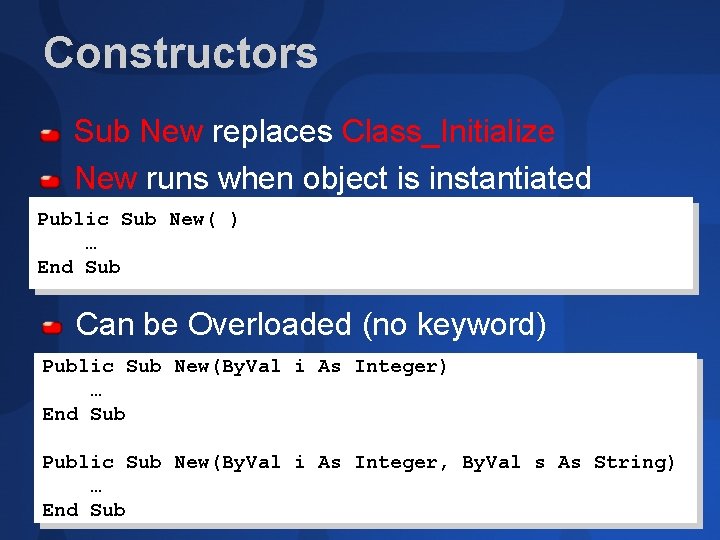
Constructors Sub New replaces Class_Initialize New runs when object is instantiated Public Sub New( ) … End Sub Can be Overloaded (no keyword) Public Sub New(By. Val i As Integer) … End Sub Public Sub New(By. Val i As Integer, By. Val s As String) … End Sub
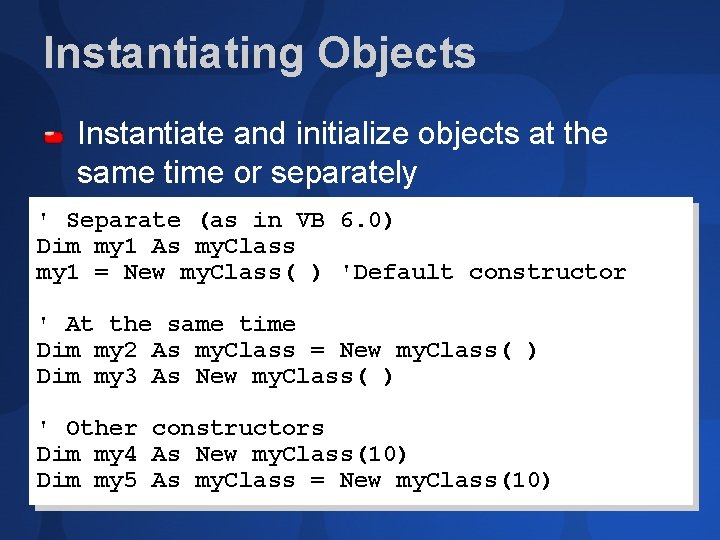
Instantiating Objects Instantiate and initialize objects at the same time or separately ' Separate (as in VB 6. 0) Dim my 1 As my. Class my 1 = New my. Class( ) 'Default constructor ' At the same time Dim my 2 As my. Class = New my. Class( ) Dim my 3 As New my. Class( ) ' Other constructors Dim my 4 As New my. Class(10) Dim my 5 As my. Class = New my. Class(10)
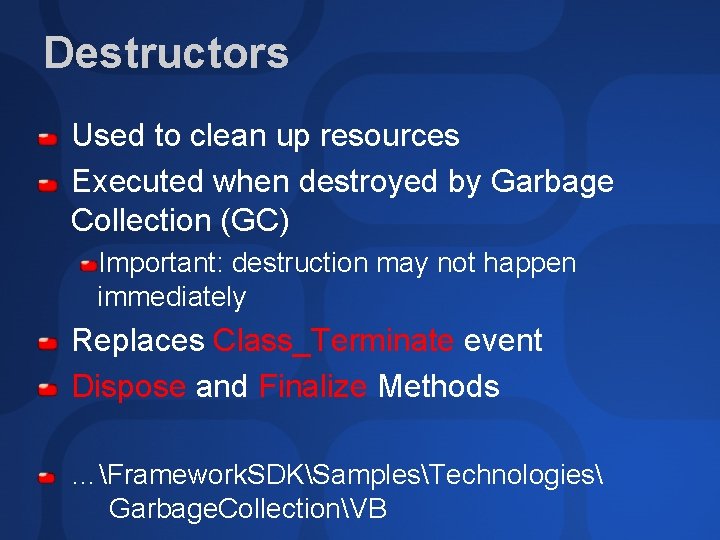
Destructors Used to clean up resources Executed when destroyed by Garbage Collection (GC) Important: destruction may not happen immediately Replaces Class_Terminate event Dispose and Finalize Methods …Framework. SDKSamplesTechnologies Garbage. CollectionVB
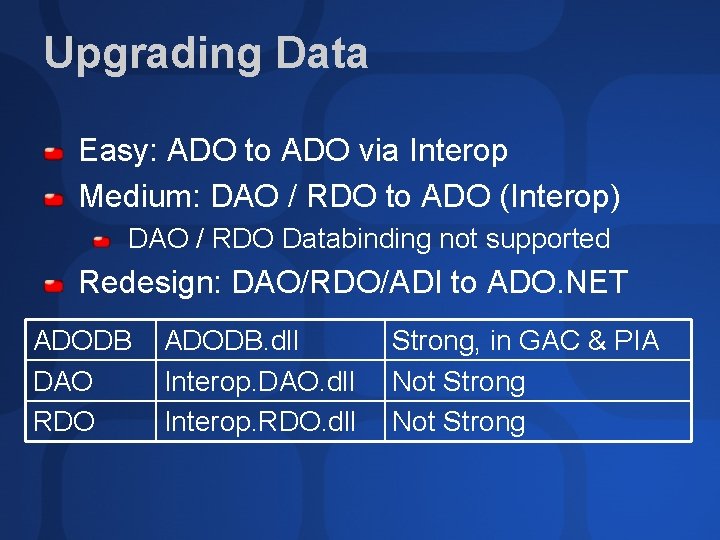
Upgrading Data Easy: ADO to ADO via Interop Medium: DAO / RDO to ADO (Interop) DAO / RDO Databinding not supported Redesign: DAO/RDO/ADI to ADO. NET ADODB DAO RDO ADODB. dll Interop. DAO. dll Interop. RDO. dll Strong, in GAC & PIA Not Strong
VB 6. 0 “Ruby” Forms to Windows Forms
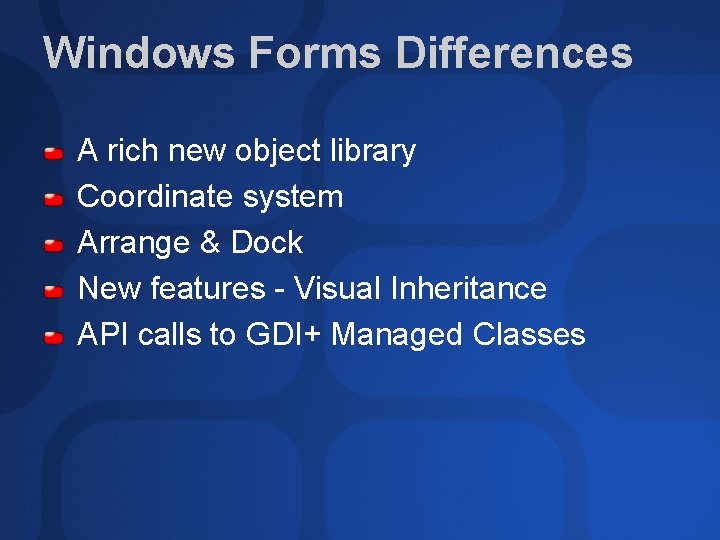
Windows Forms Differences A rich new object library Coordinate system Arrange & Dock New features - Visual Inheritance API calls to GDI+ Managed Classes
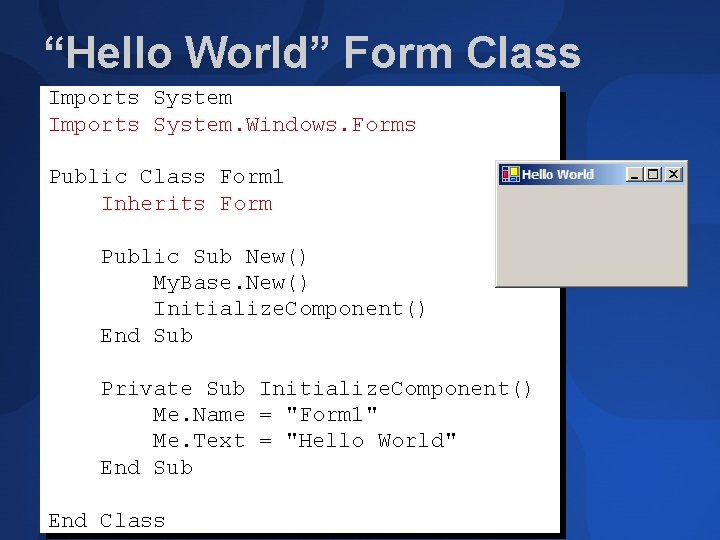
“Hello World” Form Class Imports System. Windows. Forms Public Class Form 1 Inherits Form Public Sub New() My. Base. New() Initialize. Component() End Sub Private Sub Initialize. Component() Me. Name = "Form 1" Me. Text = "Hello World" End Sub End Class
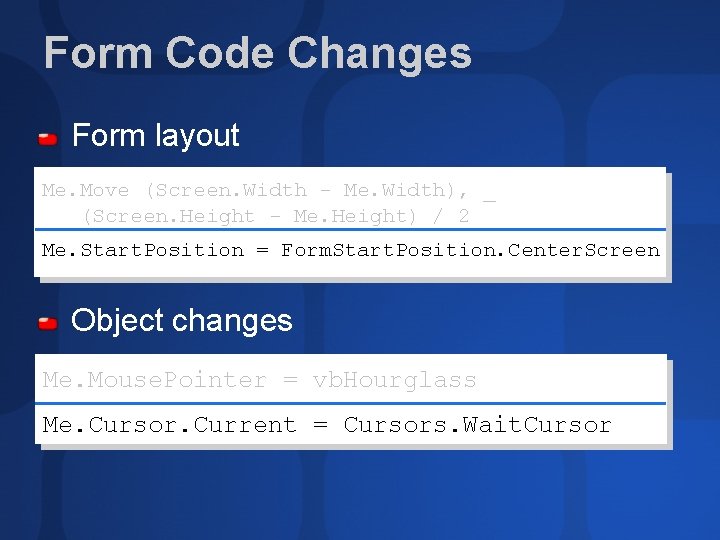
Form Code Changes Form layout Me. Move (Screen. Width - Me. Width), _ (Screen. Height - Me. Height) / 2 Me. Start. Position = Form. Start. Position. Center. Screen Object changes Me. Mouse. Pointer = vb. Hourglass Me. Cursor. Current = Cursors. Wait. Cursor
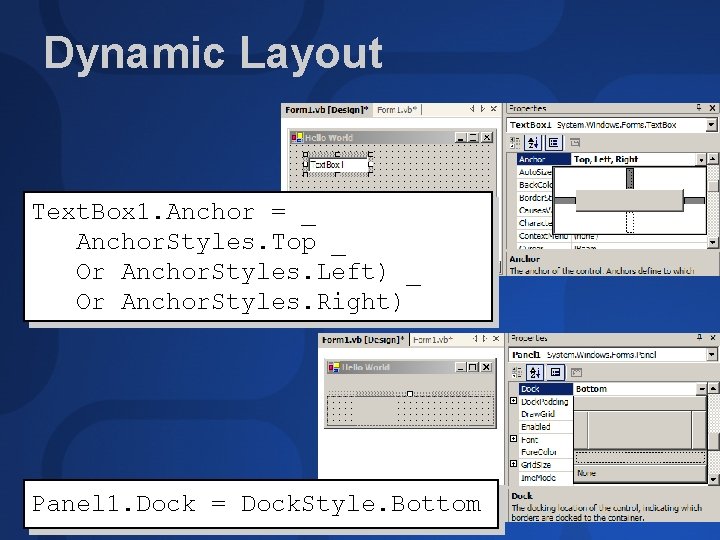
Dynamic Layout Text. Box 1. Anchor = _ Anchor. Styles. Top _ Or Anchor. Styles. Left) _ Or Anchor. Styles. Right) Panel 1. Dock = Dock. Style. Bottom
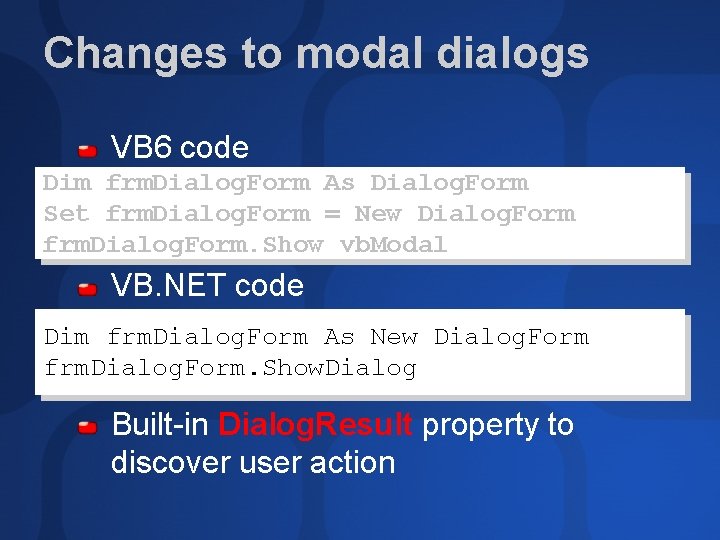
Changes to modal dialogs VB 6 code Dim frm. Dialog. Form As Dialog. Form Set frm. Dialog. Form = New Dialog. Form frm. Dialog. Form. Show vb. Modal VB. NET code Dim frm. Dialog. Form As New Dialog. Form frm. Dialog. Form. Show. Dialog Built-in Dialog. Result property to discover user action
Owned forms Always displayed above “owner form” Do not interfere with owner form operation Used for tutorial windows, search and replace box Can be set by owner form – Add. Owned. Form method Can be set by owned form – Owner property Also Top. Most property
Upgrading APIs (1 of 2) Generally works with simple APIs These Need Modification: As. Any User Defined Types Address. Of Examples: Get. Windows. Directory Get. Open. File. Name Send. Message
Upgrading APIs (2 of 2) Consider replacing with GDI+ Not Supported Scale. Mode (only pixels supported) Auto. Redraw (use Paint event) Has. DC, HDC Draw. Mode, Draw. Style, Draw. Width (use Pen object)
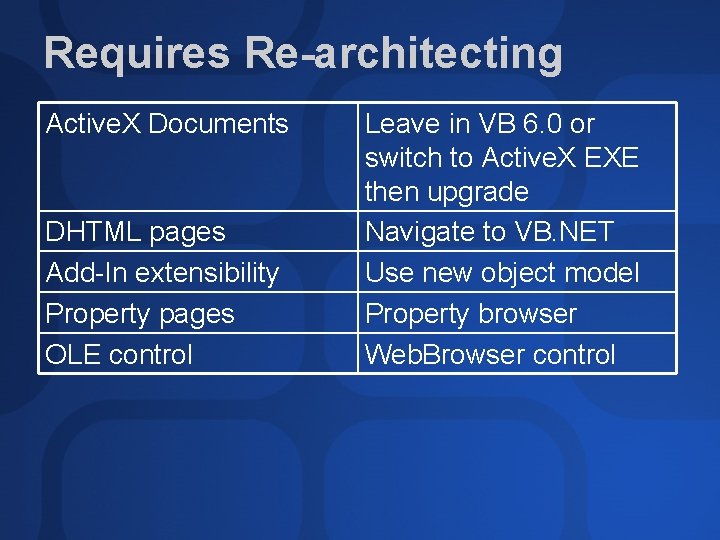
Requires Re-architecting Active. X Documents DHTML pages Add-In extensibility Property pages OLE control Leave in VB 6. 0 or switch to Active. X EXE then upgrade Navigate to VB. NET Use new object model Property browser Web. Browser control

Tools & Utilities for Upgrading
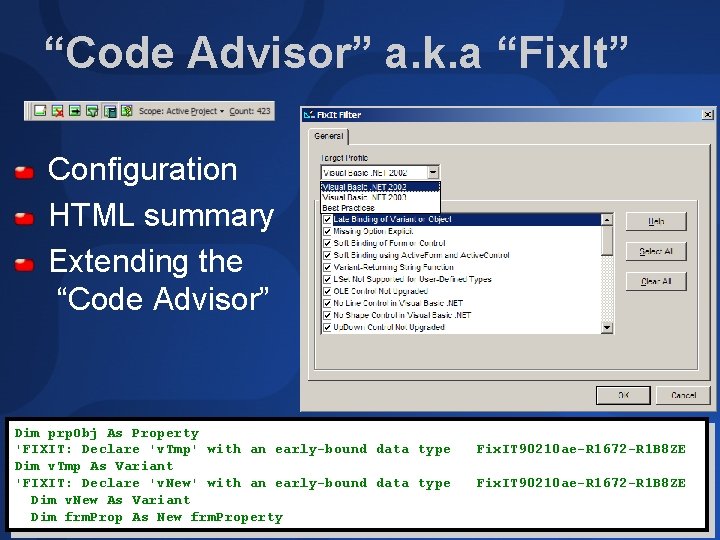
“Code Advisor” a. k. a “Fix. It” Configuration HTML summary Extending the “Code Advisor” Dim prp. Obj As Property 'FIXIT: Declare 'v. Tmp' with an early-bound data type Dim v. Tmp As Variant 'FIXIT: Declare 'v. New' with an early-bound data type Dim v. New As Variant Dim frm. Prop As New frm. Property Fix. IT 90210 ae-R 1672 -R 1 B 8 ZE
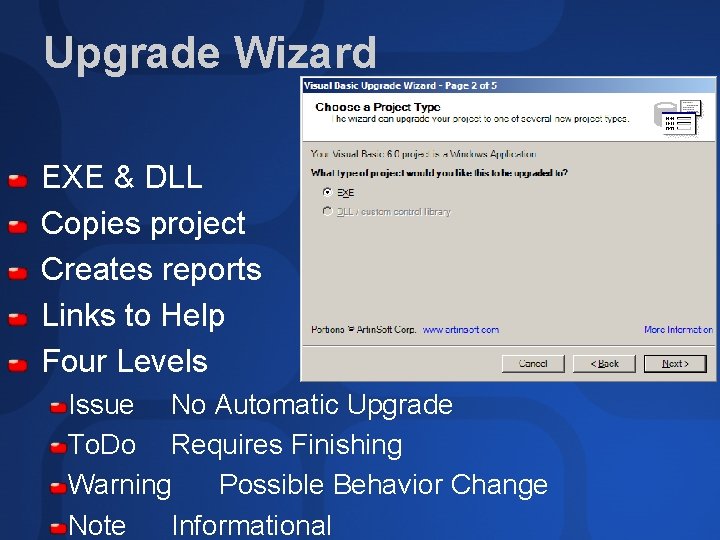
Upgrade Wizard EXE & DLL Copies project Creates reports Links to Help Four Levels Issue No Automatic Upgrade To. Do Requires Finishing Warning Possible Behavior Change Note Informational
Before Upgrade Wizard Must be able to compile VB 6 app Must have design time license files Must have all referenced components (required for Interop assemblies) Should remove unused references, particularly for Active. X controls
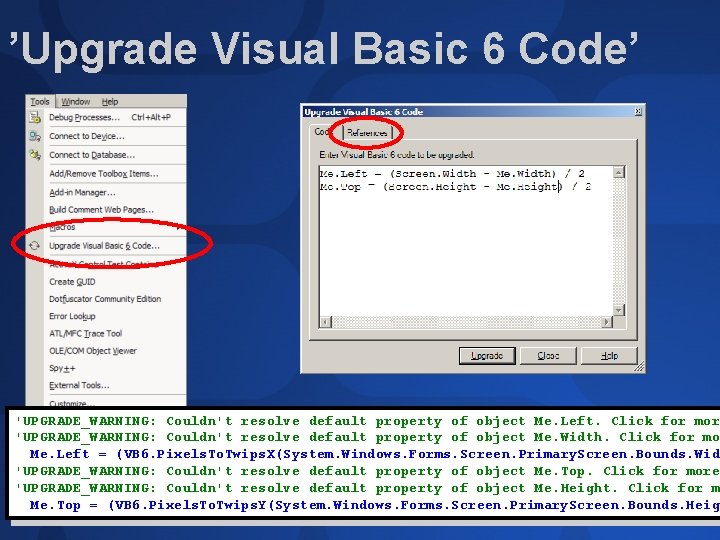
’Upgrade Visual Basic 6 Code’ 'UPGRADE_WARNING: Couldn't resolve default property of object Me. Left. Click for mor 'UPGRADE_WARNING: Couldn't resolve default property of object Me. Width. Click for mo Me. Left = (VB 6. Pixels. To. Twips. X(System. Windows. Forms. Screen. Primary. Screen. Bounds. Wid 'UPGRADE_WARNING: Couldn't resolve default property of object Me. Top. Click for more 'UPGRADE_WARNING: Couldn't resolve default property of object Me. Height. Click for m Me. Top = (VB 6. Pixels. To. Twips. Y(System. Windows. Forms. Screen. Primary. Screen. Bounds. Heig
Upgrading Projects To Visual Basic. NET
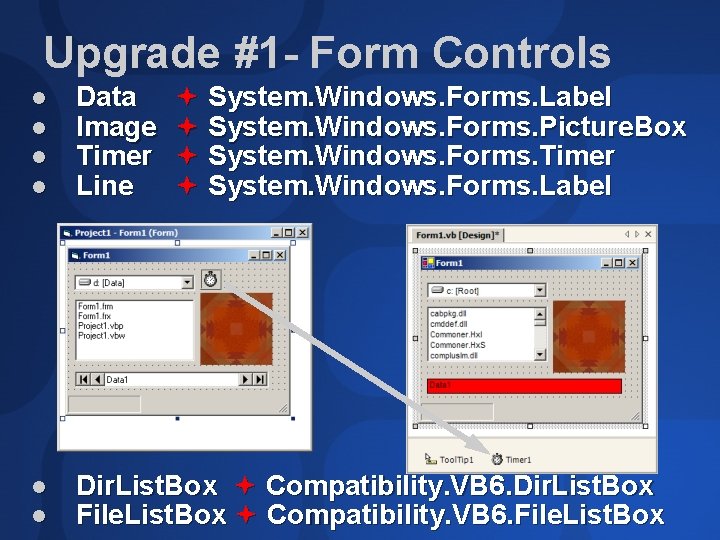
Upgrade #1 - Form Controls l l Data Image Timer Line System. Windows. Forms. Label System. Windows. Forms. Picture. Box System. Windows. Forms. Timer System. Windows. Forms. Label l l Dir. List. Box Compatibility. VB 6. Dir. List. Box File. List. Box Compatibility. VB 6. File. List. Box
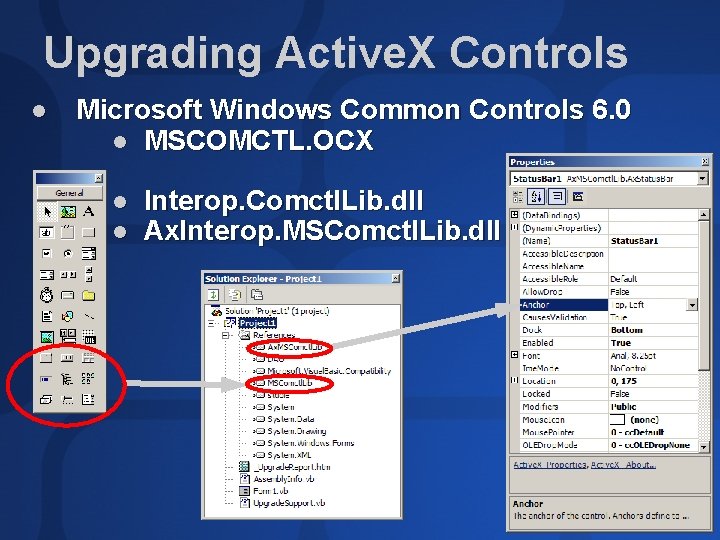
Upgrading Active. X Controls l Microsoft Windows Common Controls 6. 0 l MSCOMCTL. OCX l l Interop. Comctl. Lib. dll Ax. Interop. MSComctl. Lib. dll
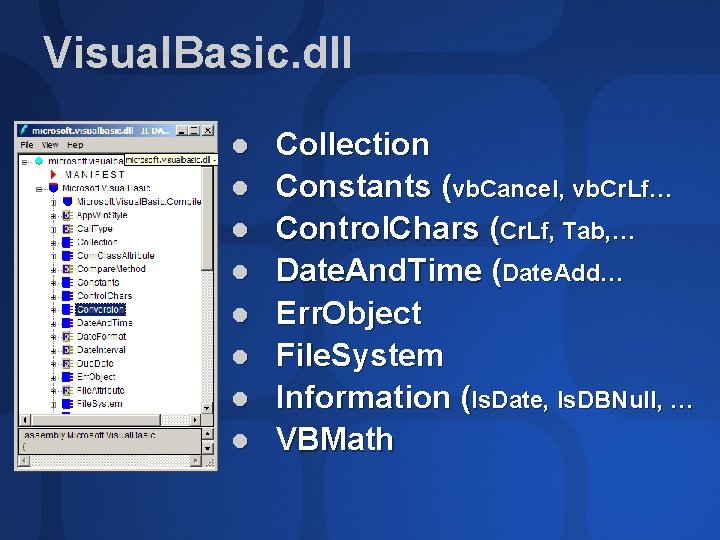
Visual. Basic. dll l l l l Collection Constants (vb. Cancel, vb. Cr. Lf… Control. Chars (Cr. Lf, Tab, … Date. And. Time (Date. Add… Err. Object File. System Information (Is. Date, Is. DBNull, … VBMath
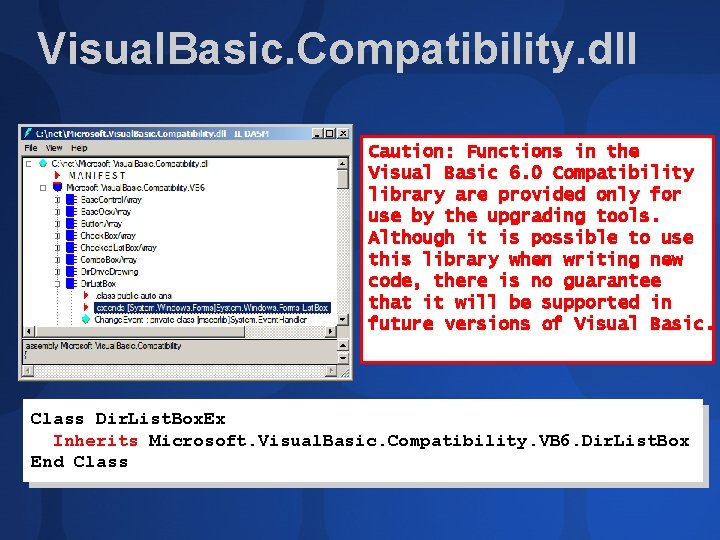
Visual. Basic. Compatibility. dll Caution: Functions in the Visual Basic 6. 0 Compatibility library are provided only for use by the upgrading tools. Although it is possible to use this library when writing new code, there is no guarantee that it will be supported in future versions of Visual Basic. Class Dir. List. Box. Ex Inherits Microsoft. Visual. Basic. Compatibility. VB 6. Dir. List. Box End Class
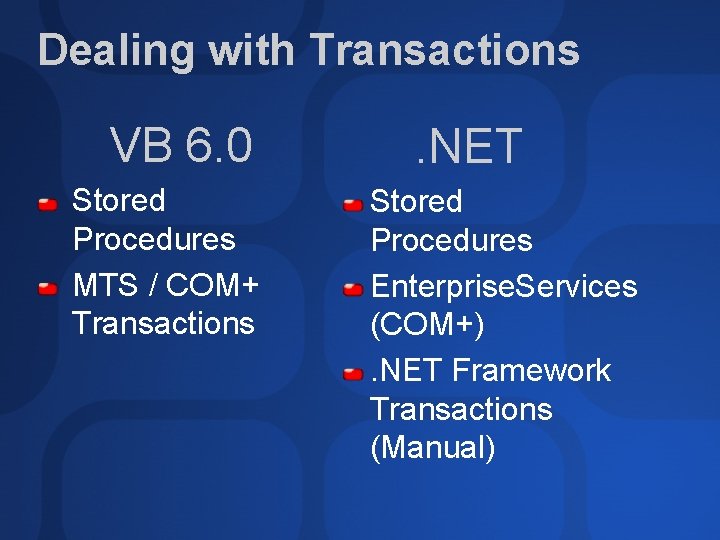
Dealing with Transactions VB 6. 0 Stored Procedures MTS / COM+ Transactions . NET Stored Procedures Enterprise. Services (COM+). NET Framework Transactions (Manual)
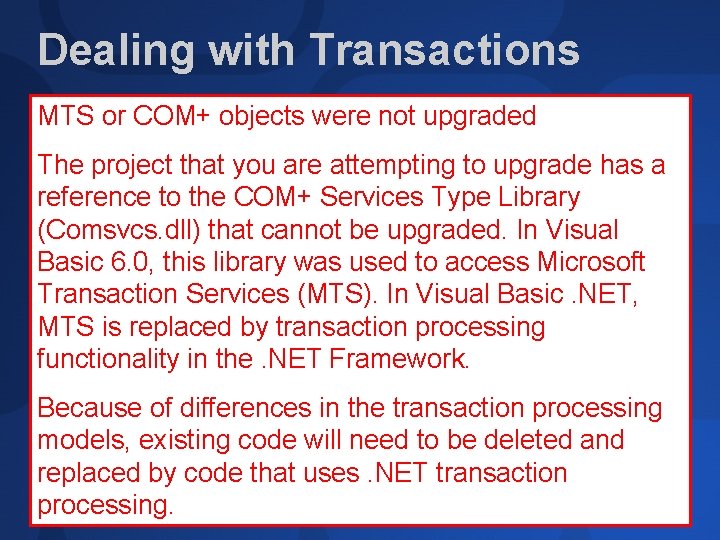
Dealing with Transactions MTS or COM+ objects were not upgraded The project that you are attempting to upgrade has a reference to the COM+ Services Type Library (Comsvcs. dll) that cannot be upgraded. In Visual Basic 6. 0, this library was used to access Microsoft Transaction Services (MTS). In Visual Basic. NET, MTS is replaced by transaction processing functionality in the. NET Framework. Because of differences in the transaction processing models, existing code will need to be deleted and replaced by code that uses. NET transaction processing.
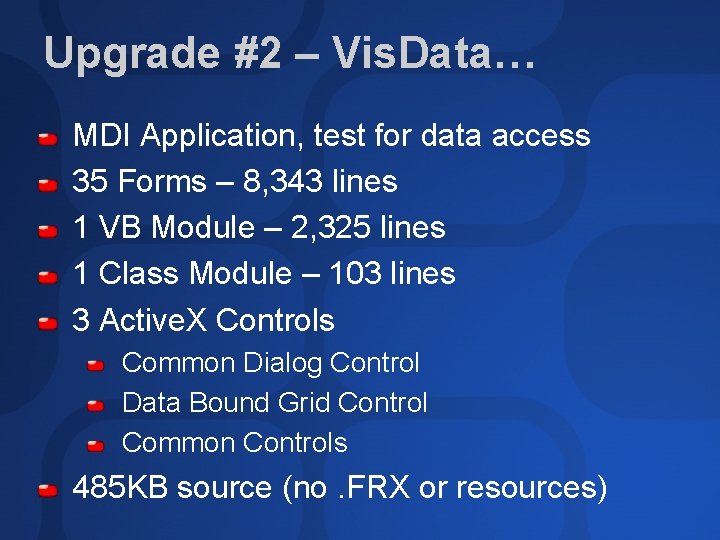
Upgrade #2 – Vis. Data… MDI Application, test for data access 35 Forms – 8, 343 lines 1 VB Module – 2, 325 lines 1 Class Module – 103 lines 3 Active. X Controls Common Dialog Control Data Bound Grid Control Common Controls 485 KB source (no. FRX or resources)
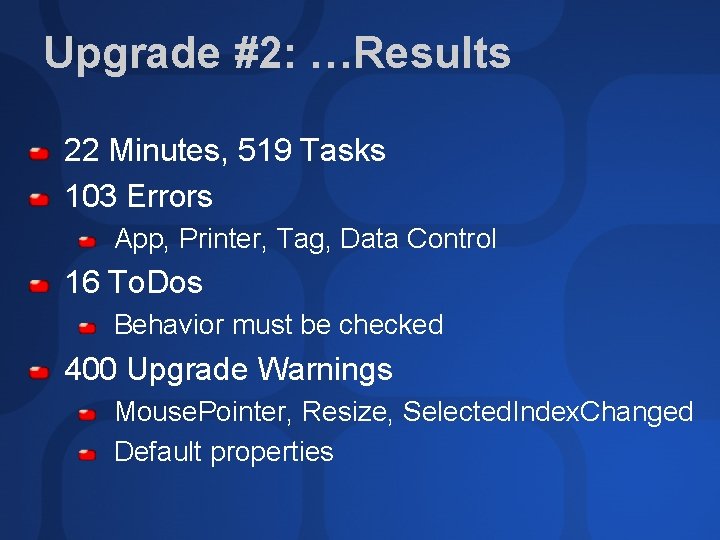
Upgrade #2: …Results 22 Minutes, 519 Tasks 103 Errors App, Printer, Tag, Data Control 16 To. Dos Behavior must be checked 400 Upgrade Warnings Mouse. Pointer, Resize, Selected. Index. Changed Default properties
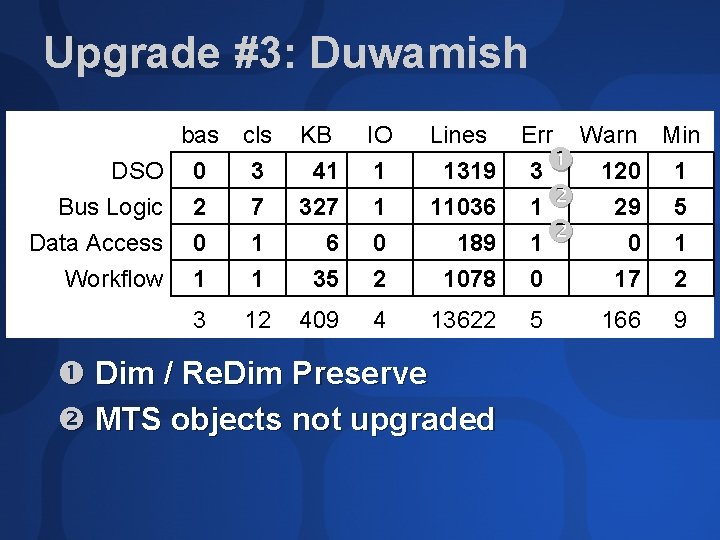
Upgrade #3: Duwamish DSO Bus Logic Data Access Workflow bas cls 0 3 2 7 0 1 1 1 3 12 KB 41 327 6 35 IO 1 1 0 2 Lines 1319 11036 189 1078 409 4 13622 Dim / Re. Dim Preserve MTS objects not upgraded Err Warn Min 3 120 1 1 29 5 1 0 17 2 5 166 9
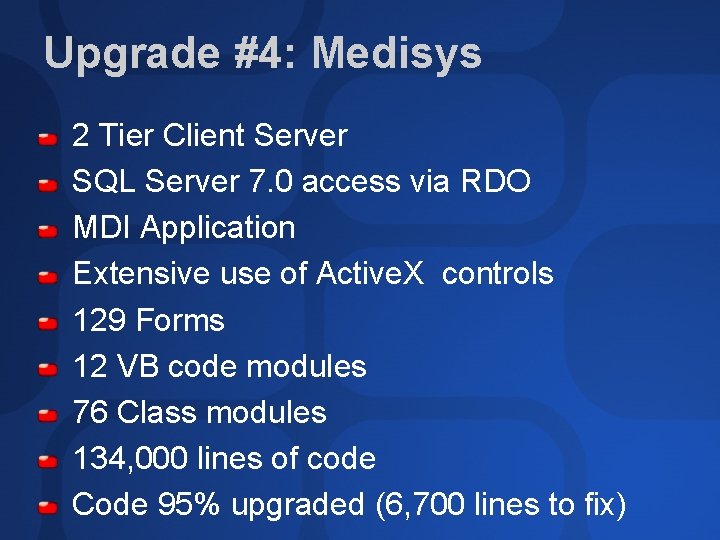
Upgrade #4: Medisys 2 Tier Client Server SQL Server 7. 0 access via RDO MDI Application Extensive use of Active. X controls 129 Forms 12 VB code modules 76 Class modules 134, 000 lines of code Code 95% upgraded (6, 700 lines to fix)
Summary Use Wizard for language & object changes Upgrading adds value Stronger type checking Inheritance Easier integration with other languages Better development experience No limits Merely upgrading versus using the “. NET Force”
Ask The Experts Get Your Questions Answered 13: 00 to 15: 00 Thursday 3 July
Community Resources http: //www. microsoft. com/communities/default. mspx Most Valuable Professional (MVP) http: //www. mvp. support. microsoft. com/ Newsgroups Converse online with Microsoft Newsgroups, including Worldwide http: //www. microsoft. com/communities/newsgroups/default. mspx User Groups Meet and learn with your peers http: //www. microsoft. com/communities/usergroups/default. mspx
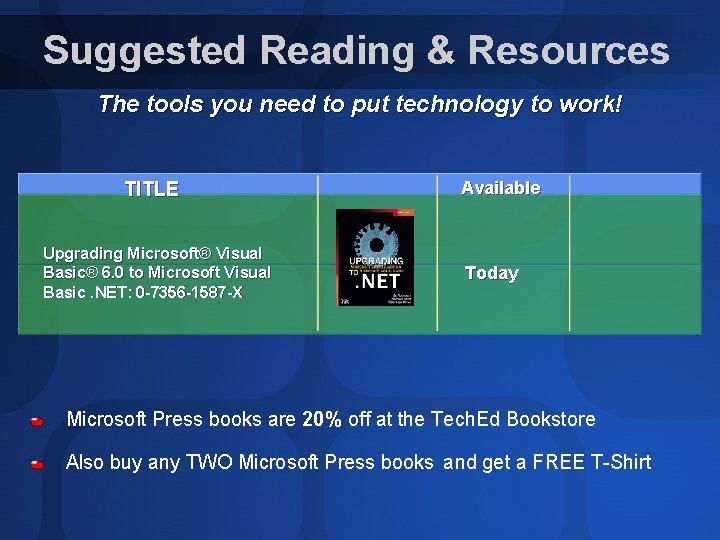
Suggested Reading & Resources The tools you need to put technology to work! TITLE Upgrading Microsoft® Visual Basic® 6. 0 to Microsoft Visual Basic. NET: 0 -7356 -1587 -X Available Today Microsoft Press books are 20% off at the Tech. Ed Bookstore Also buy any TWO Microsoft Press books and get a FREE T-Shirt
evaluations

© 2003 Microsoft Corporation. All rights reserved. This presentation is for informational purposes only. MICROSOFT MAKES NO WARRANTIES, EXPRESS OR IMPLIED, IN THIS SUMMARY.
- Slides: 52