
Details For Illinois Report Card Summary Overview This
- Slides: 47
Details For Illinois Report Card Summary Overview • This program is suitable for all audiences • It is a short, introductory overview of the Illinois Report Card • All information is public • As a presentation: 15 -20 minutes (Participants do not need devices) Version 1 November 2016 1
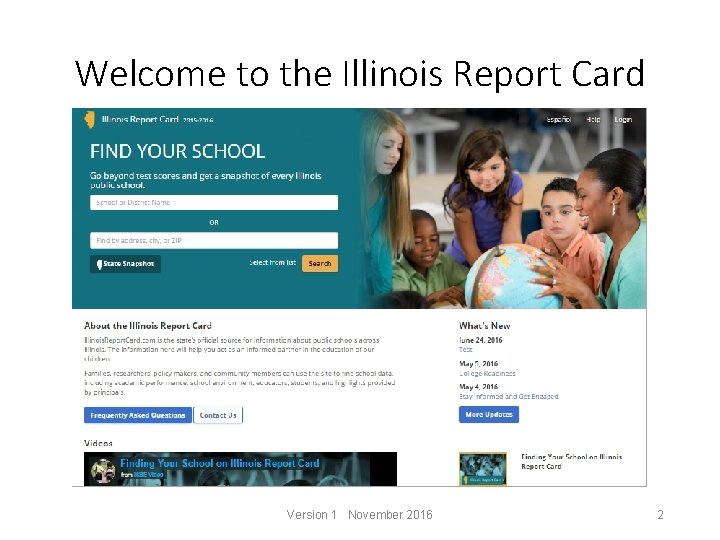
Welcome to the Illinois Report Card Version 1 November 2016 2
Overview • General navigation of the Illinois Report Card site • Metrics available • Making use of the information Version 1 November 2016 3
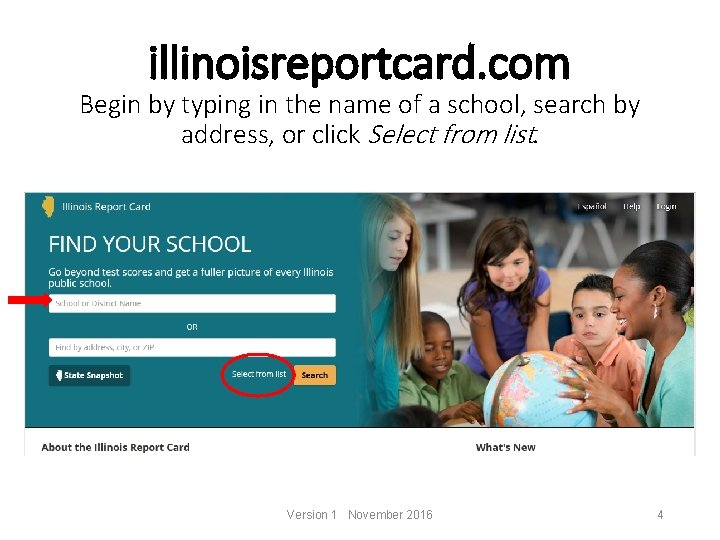
illinoisreportcard. com Begin by typing in the name of a school, search by address, or click Select from list. Version 1 November 2016 4
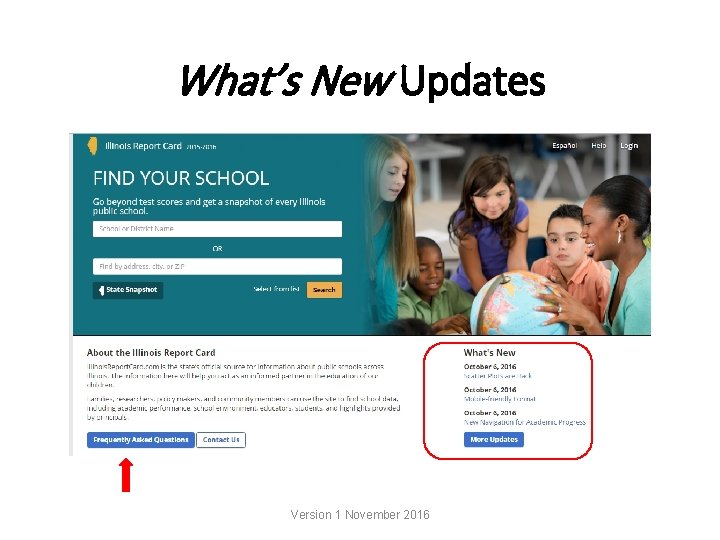
What’s New Updates Version 1 November 2016
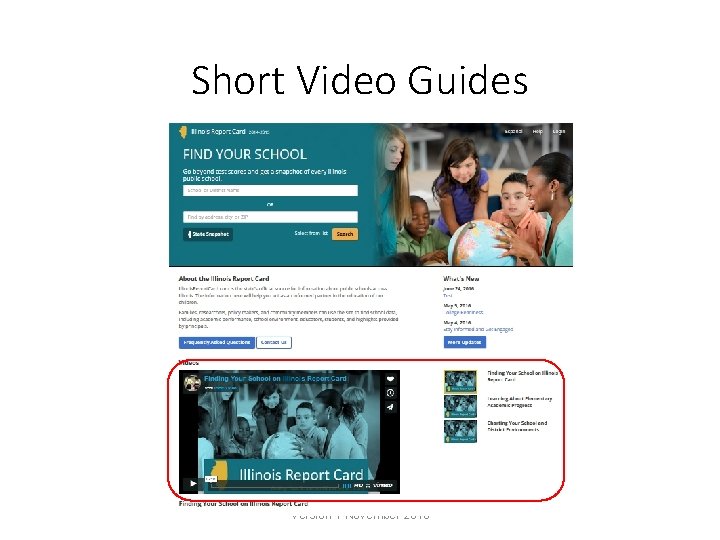
Short Video Guides Version 1 November 2016
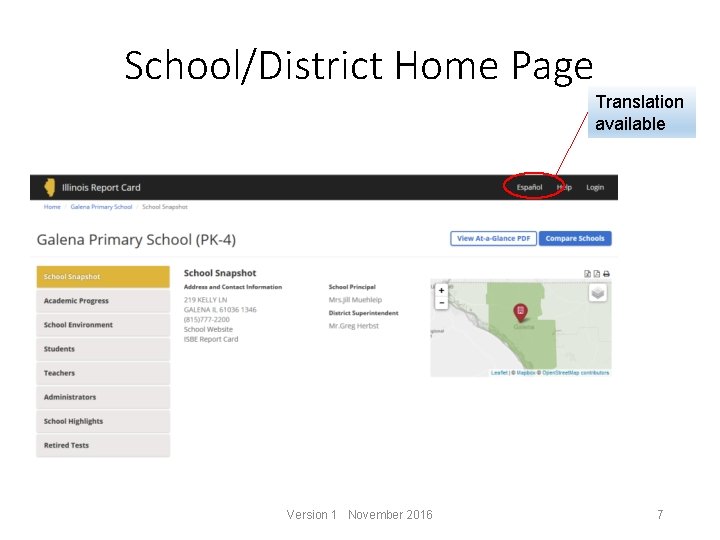
School/District Home Page Translation available Version 1 November 2016 7
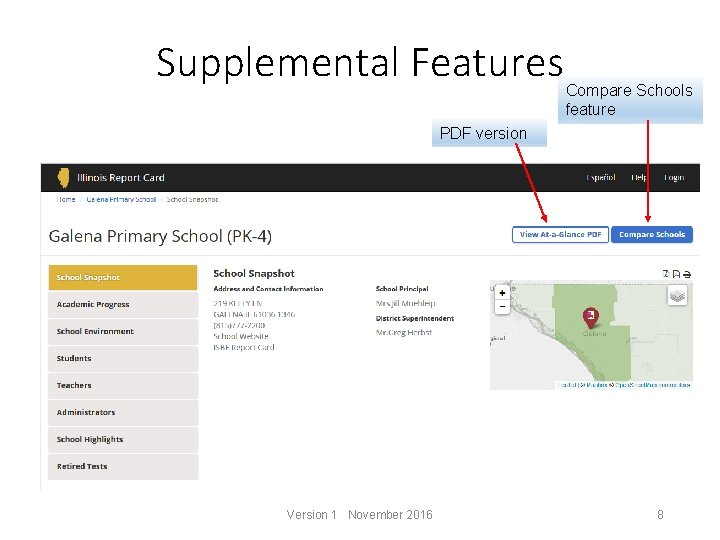
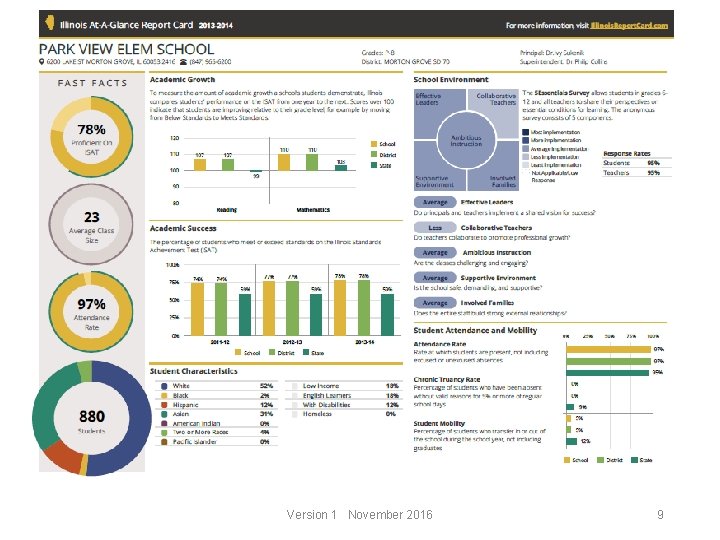
Supplemental Features Compare Schools feature PDF version Version 1 November 2016 8
Version 1 November 2016 9
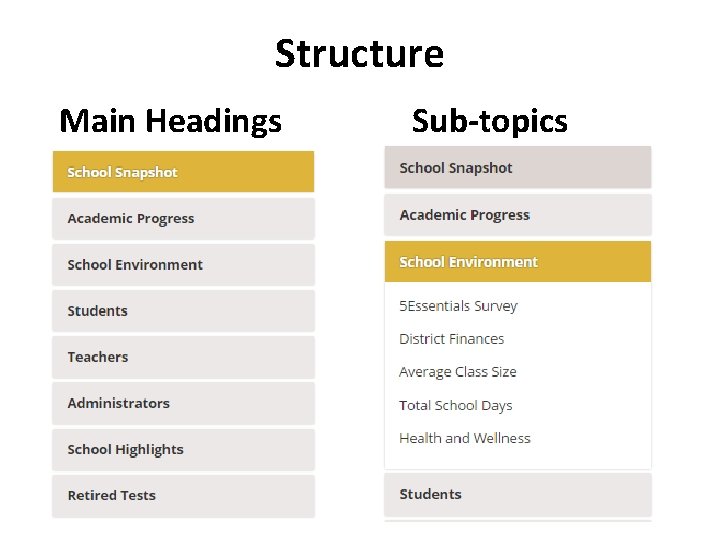
Structure Main Headings Sub-topics
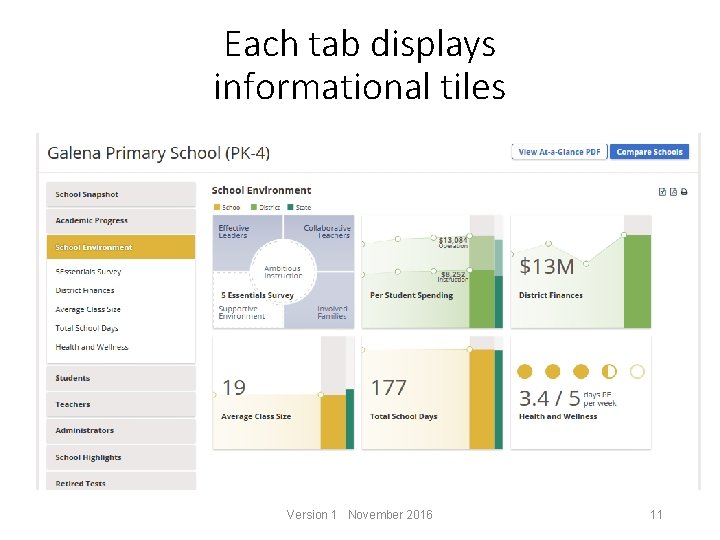
Each tab displays informational tiles Version 1 November 2016 11
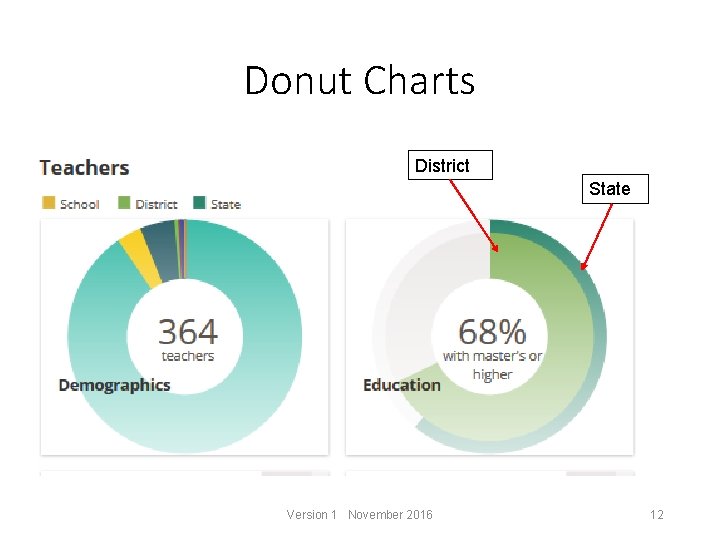
Donut Charts District State Version 1 November 2016 12
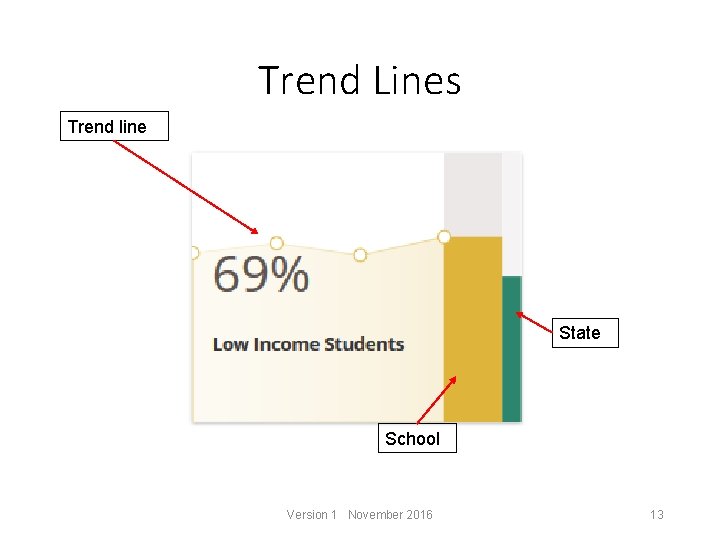
Trend Lines Trend line State School Version 1 November 2016 13
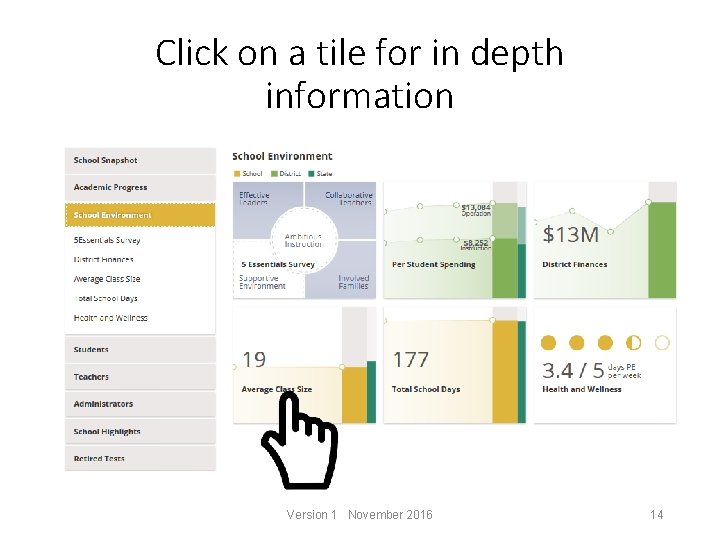
Click on a tile for in depth information Version 1 November 2016 14
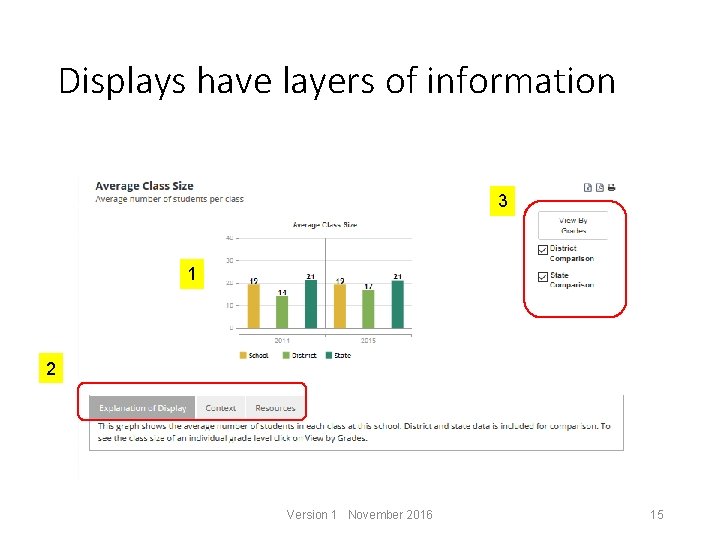
Displays have layers of information 3 1 2 Version 1 November 2016 15
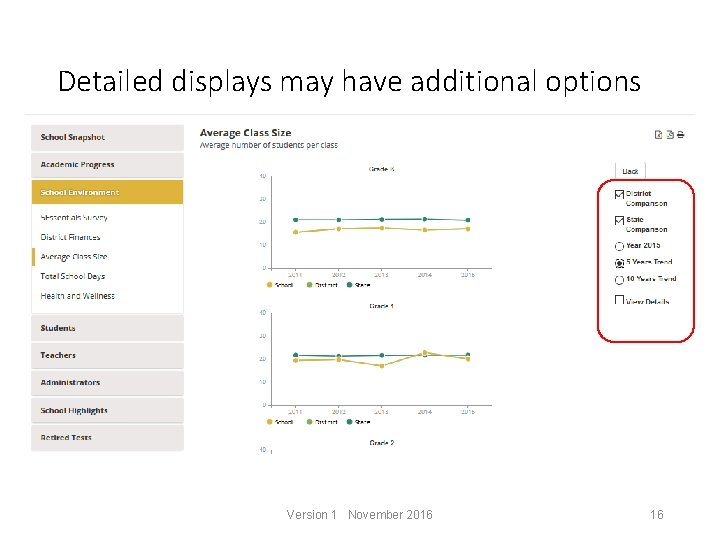
Detailed displays may have additional options Version 1 November 2016 16
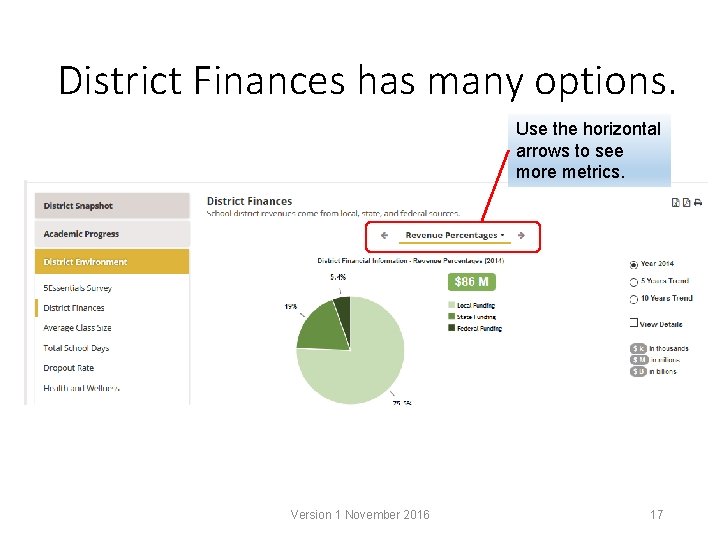
District Finances has many options. Use the horizontal arrows to see more metrics. Version 1 November 2016 17
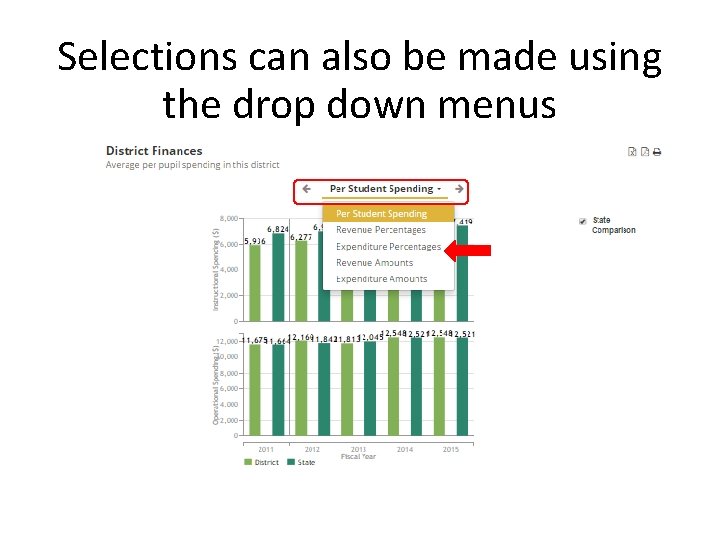
Selections can also be made using the drop down menus
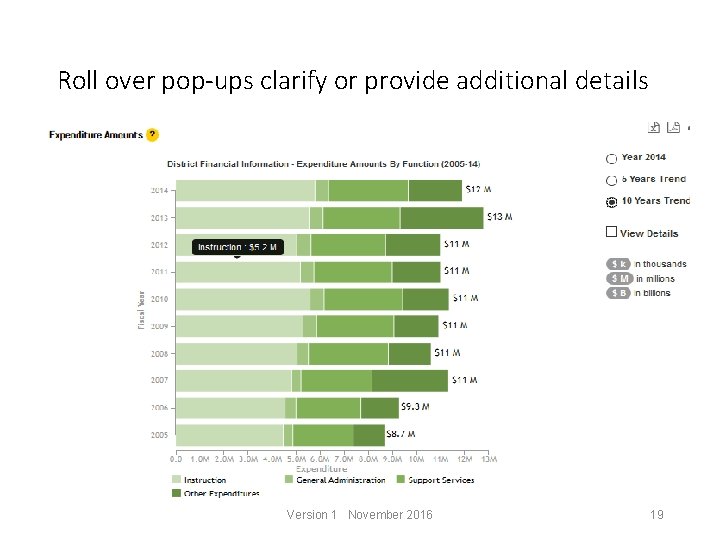
Roll over pop-ups clarify or provide additional details Version 1 November 2016 19
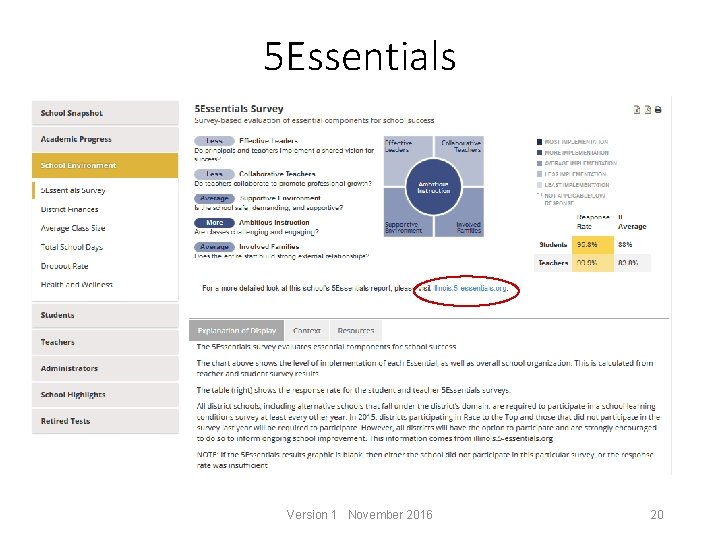
5 Essentials Version 1 November 2016 20
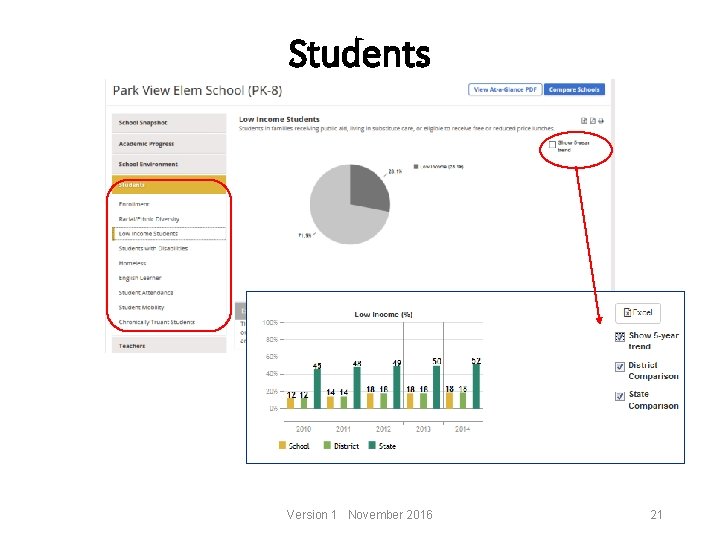
Students Version 1 November 2016 21
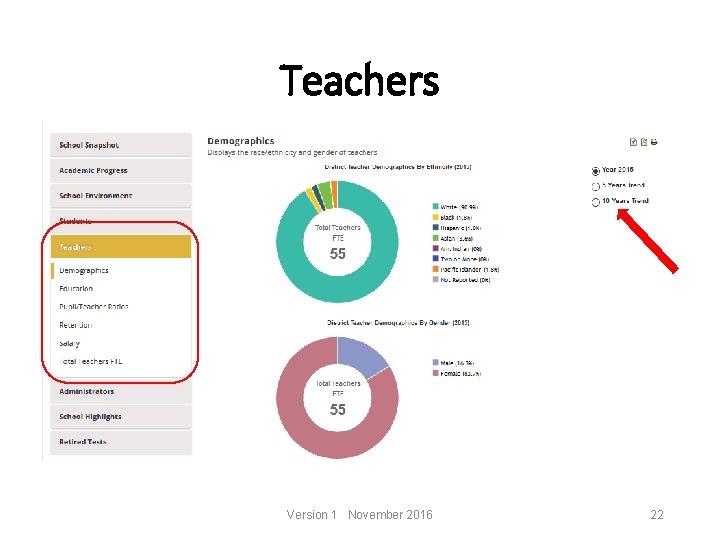
Teachers Version 1 November 2016 22
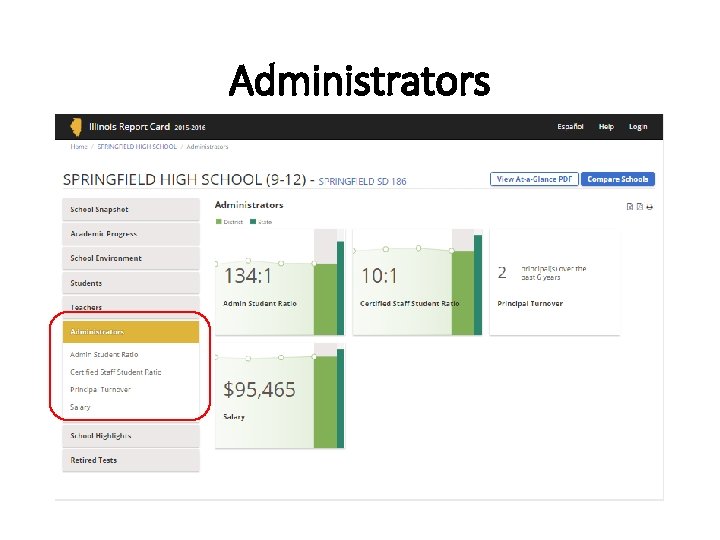
Administrators
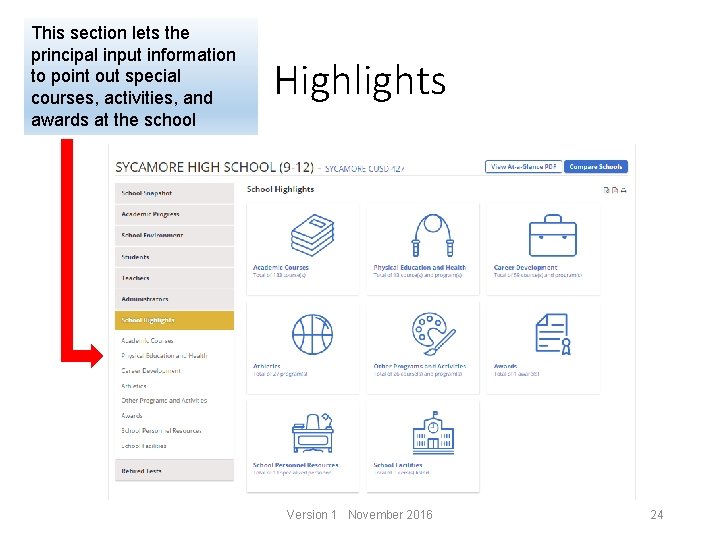
This section lets the principal input information to point out special courses, activities, and awards at the school Highlights Version 1 November 2016 24
Academic Data How is your district performing compared to the state averages? Version 1 November 2016 25
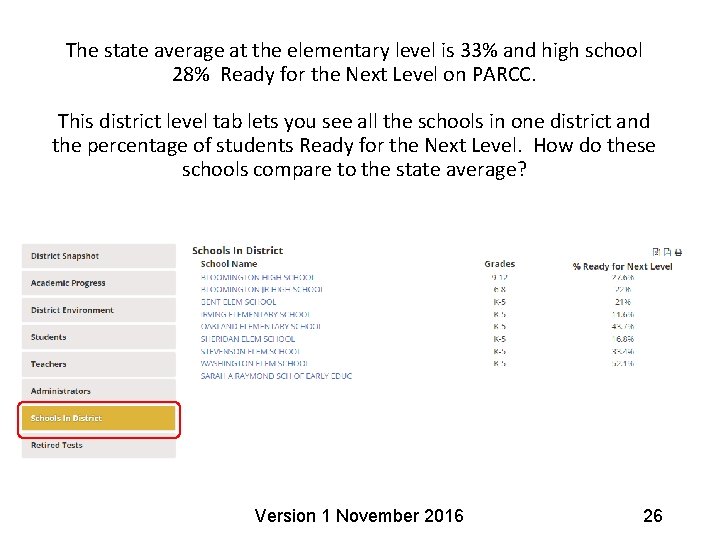
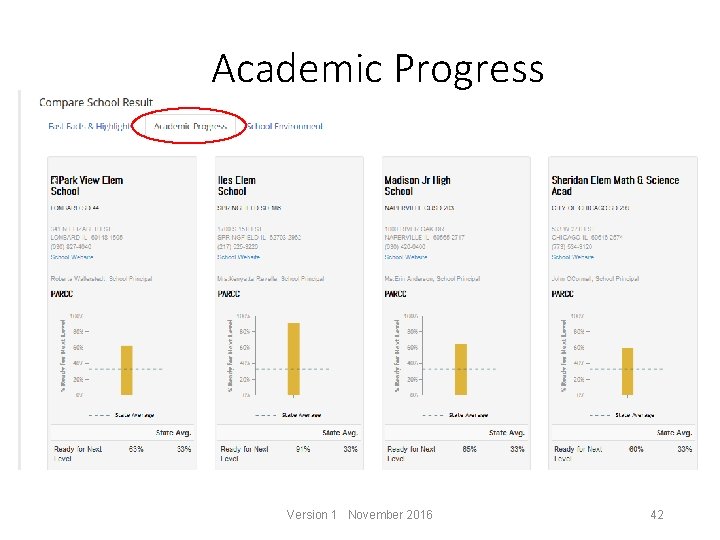
The state average at the elementary level is 33% and high school 28% Ready for the Next Level on PARCC. This district level tab lets you see all the schools in one district and the percentage of students Ready for the Next Level. How do these schools compare to the state average? Version 1 November 2016 26
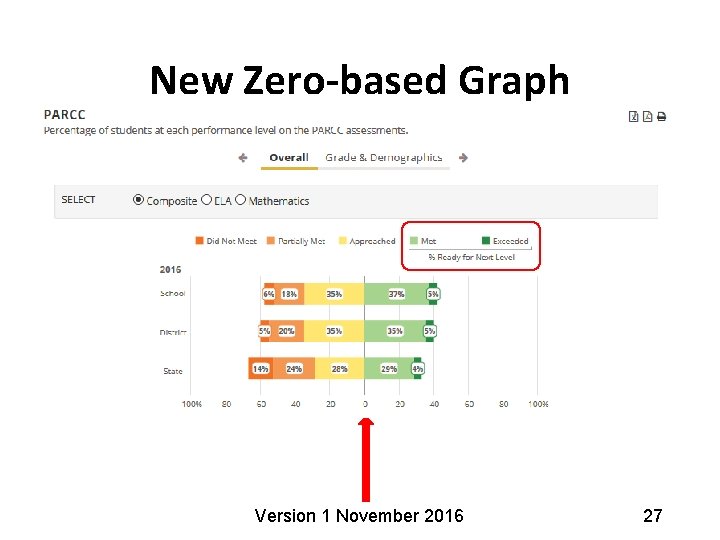
New Zero-based Graph Version 1 November 2016 27
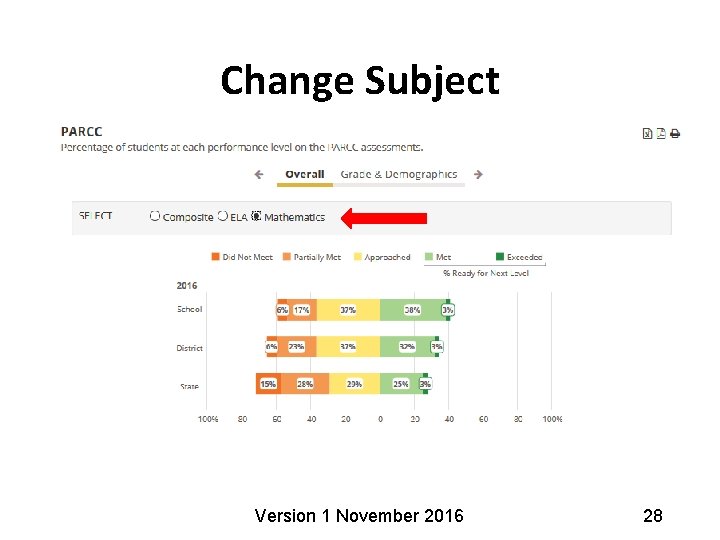
Change Subject Version 1 November 2016 28
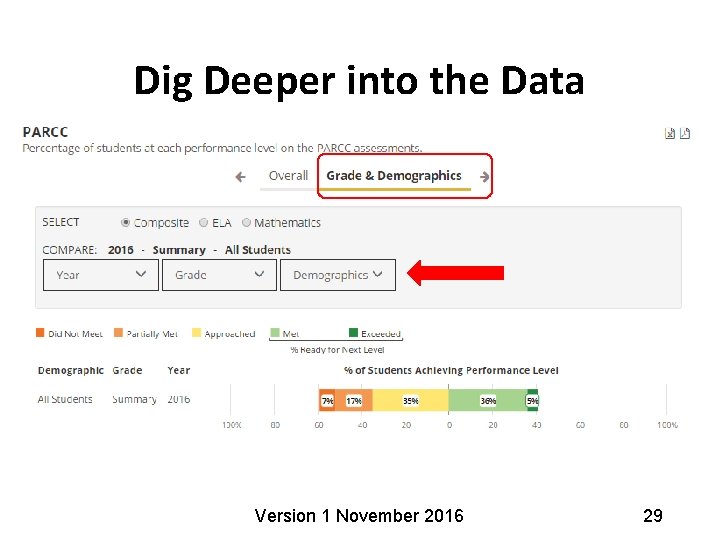
Dig Deeper into the Data Version 1 November 2016 29
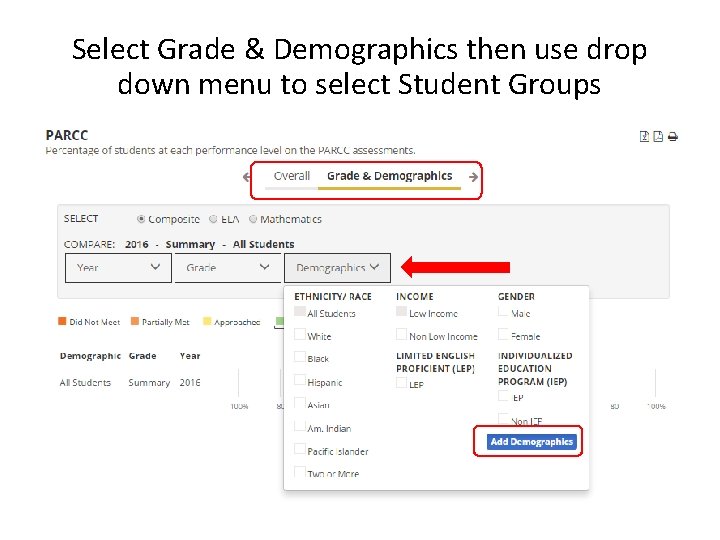
Select Grade & Demographics then use drop down menu to select Student Groups Version 1 November 2016 30
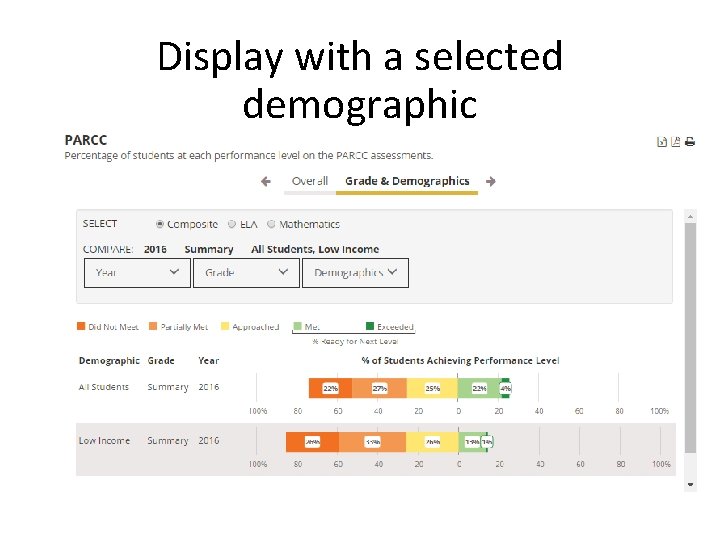
Display with a selected demographic
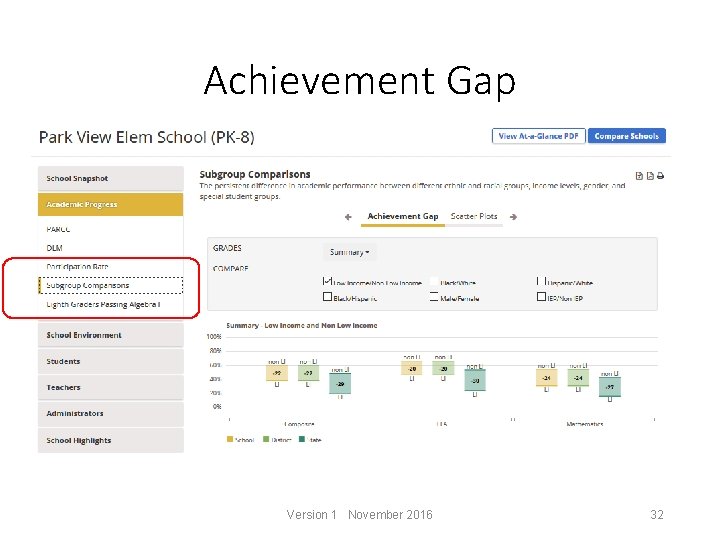
Achievement Gap Version 1 November 2016 32
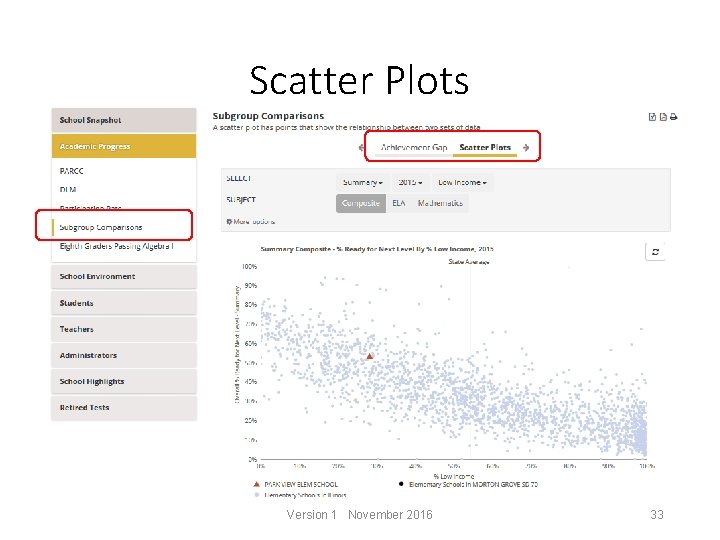
Scatter Plots Version 1 November 2016 33
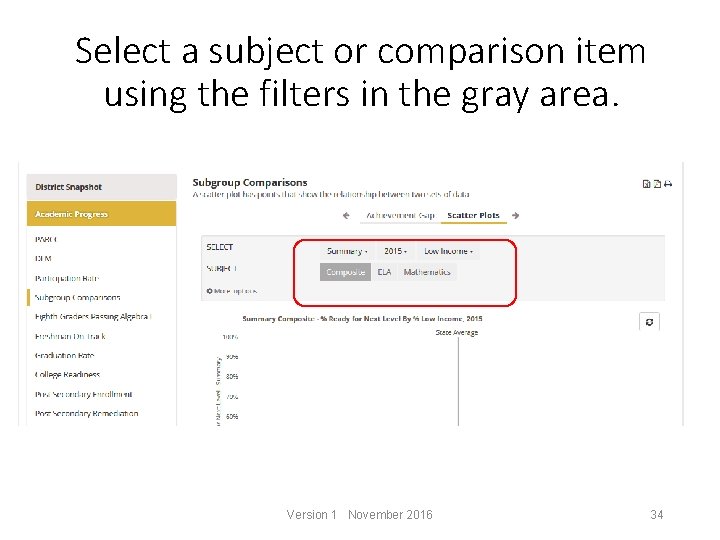
Select a subject or comparison item using the filters in the gray area. Version 1 November 2016 34
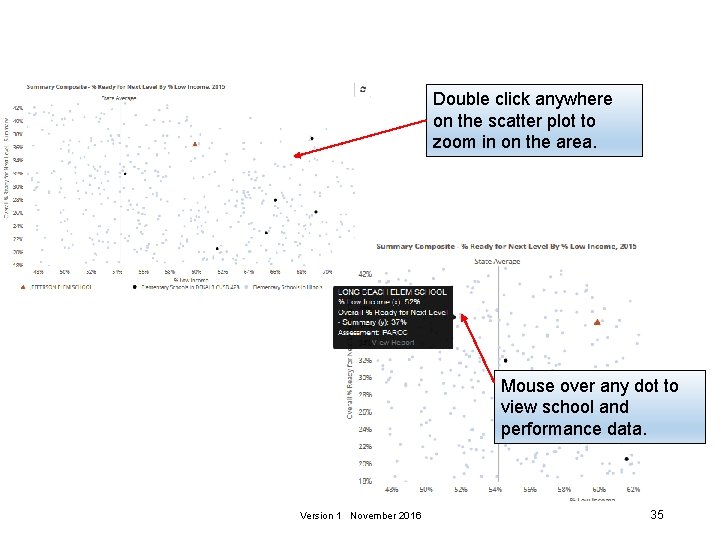
Double click anywhere on the scatter plot to zoom in on the area. Mouse over any dot to view school and performance data. Version 1 November 2016 35
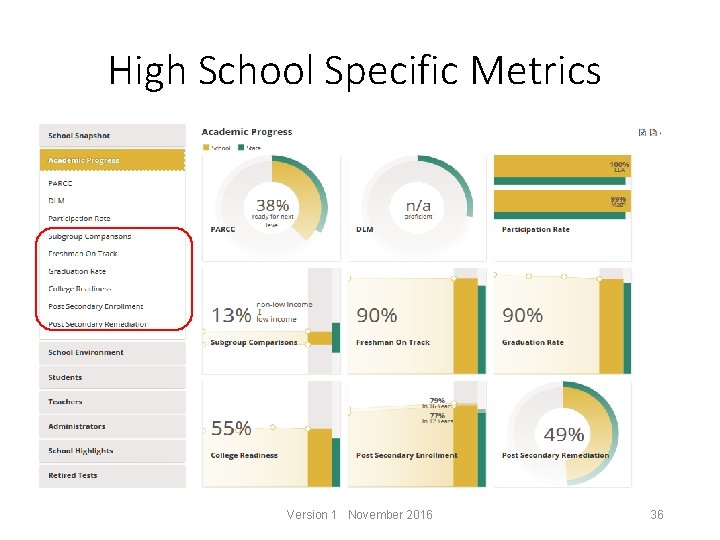
High School Specific Metrics Version 1 November 2016 36
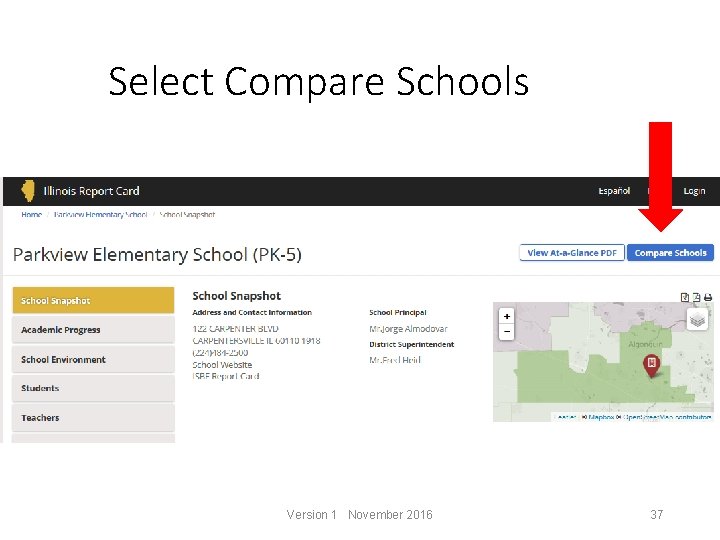
Select Compare Schools Version 1 November 2016 37
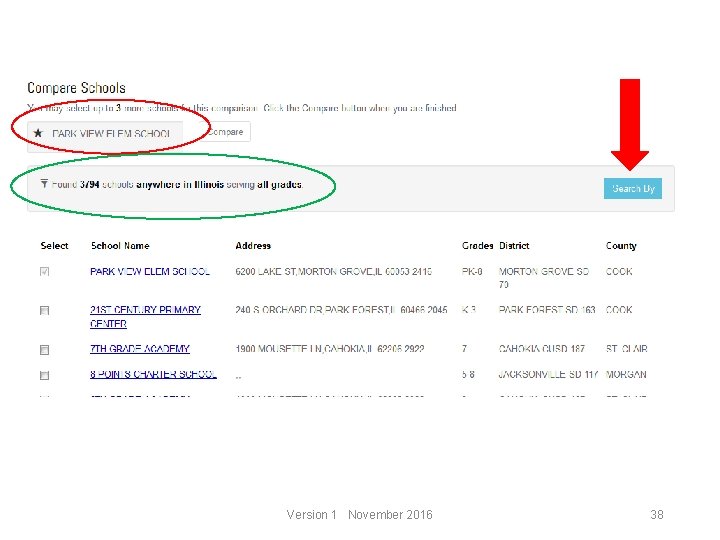
Version 1 November 2016 38
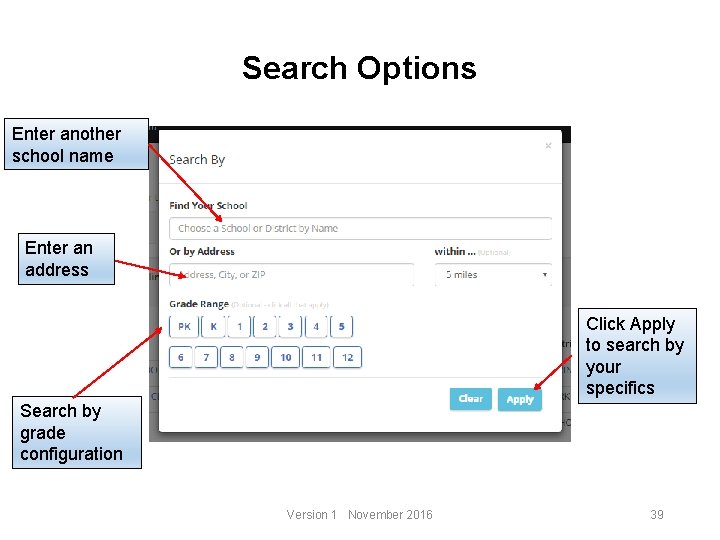
Search Options Enter another school name Enter an address Click Apply to search by your specifics Search by grade configuration Version 1 November 2016 39
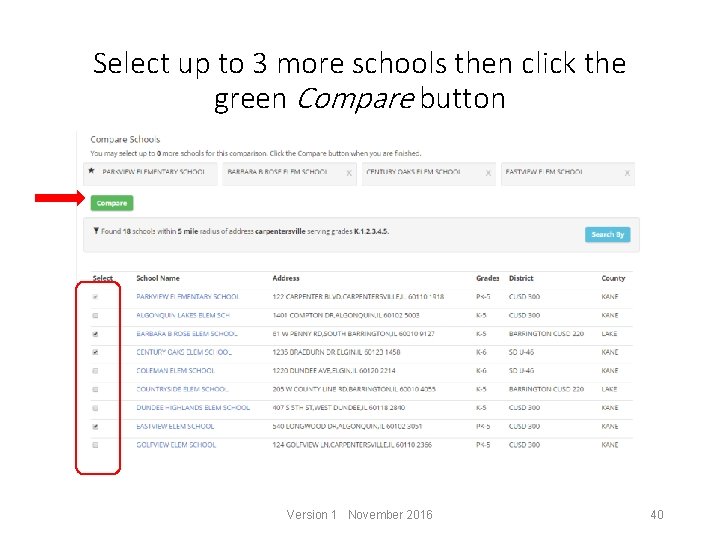
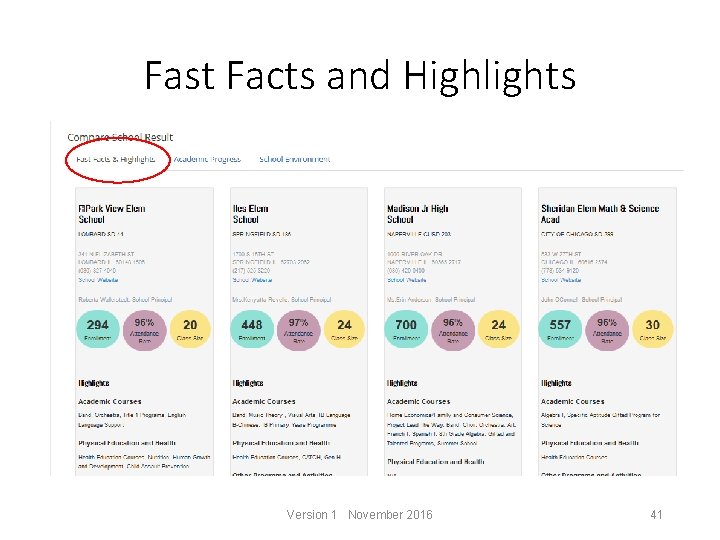
Select up to 3 more schools then click the green Compare button Version 1 November 2016 40
Fast Facts and Highlights Version 1 November 2016 41
Academic Progress Version 1 November 2016 42
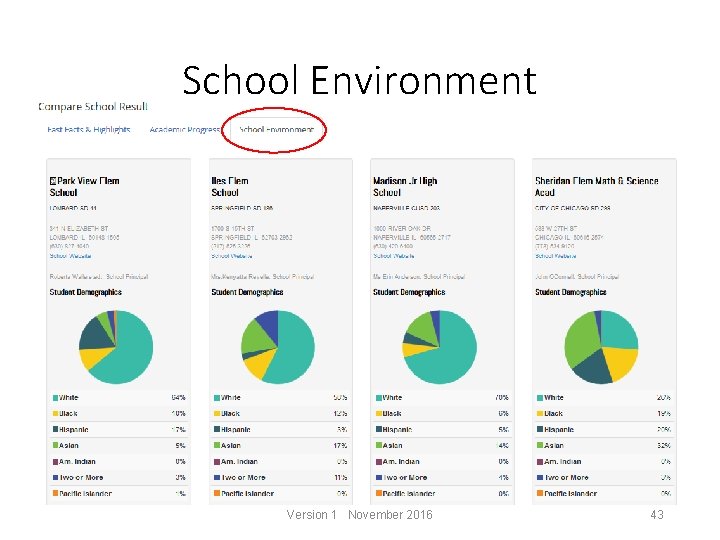
School Environment Version 1 November 2016 43
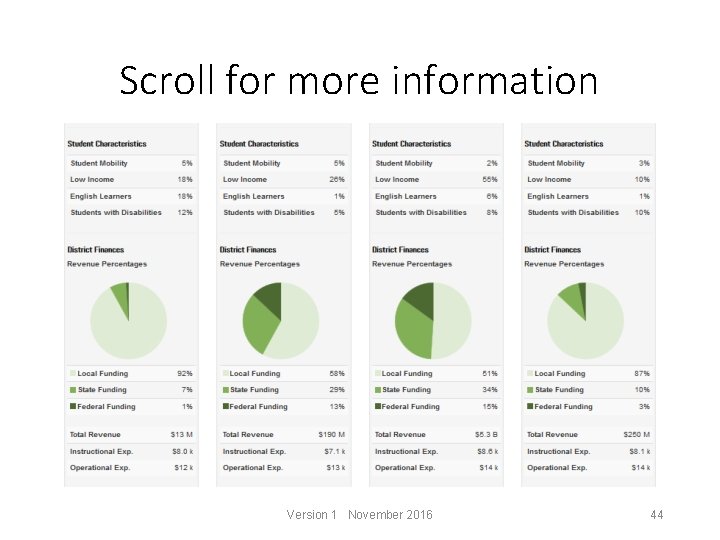
Scroll for more information Version 1 November 2016 44
Using the information • Parent orientation • Encourage parent involvement • Open dialogue between school and parents/community • Identify strengths and weaknesses • Home buyers • Conversations about data Version 1 November 2016 45
Additional Questions Version 1 November 2016 46
Thank You! For more information – Cheryl Callighan ccallighan@niu. edu Illinois Report Card/My. IRC dashboard Northern Illinois University Version 1 November 2016 47