
DESTRUCTIBLE MESHES By Anthony Schipani CREATING A DESTRUCTIBLE

DESTRUCTIBLE MESHES By: Anthony Schipani
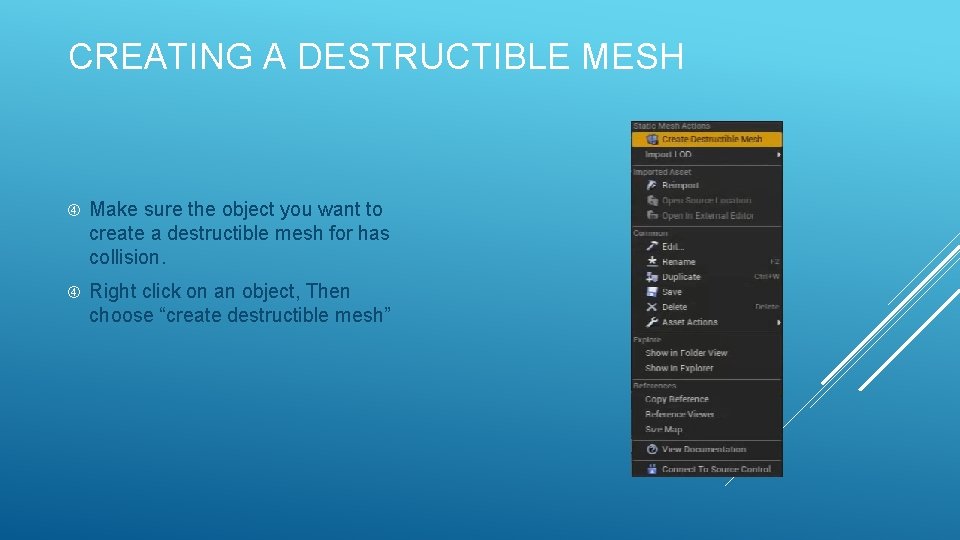
CREATING A DESTRUCTIBLE MESH Make sure the object you want to create a destructible mesh for has collision. Right click on an object, Then choose “create destructible mesh”
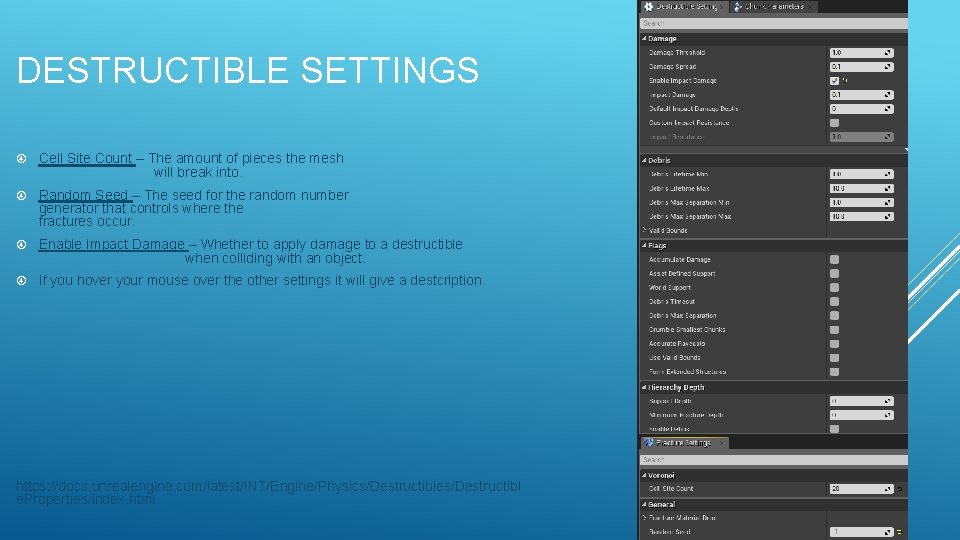
DESTRUCTIBLE SETTINGS Cell Site Count – The amount of pieces the mesh will break into. Random Seed – The seed for the random number generator that controls where the fractures occur. Enable Impact Damage – Whether to apply damage to a destructible when colliding with an object. If you hover your mouse over the other settings it will give a destcription. https: //docs. unrealengine. com/latest/INT/Engine/Physics/Destructibles/Destructibl e. Properties/index. html
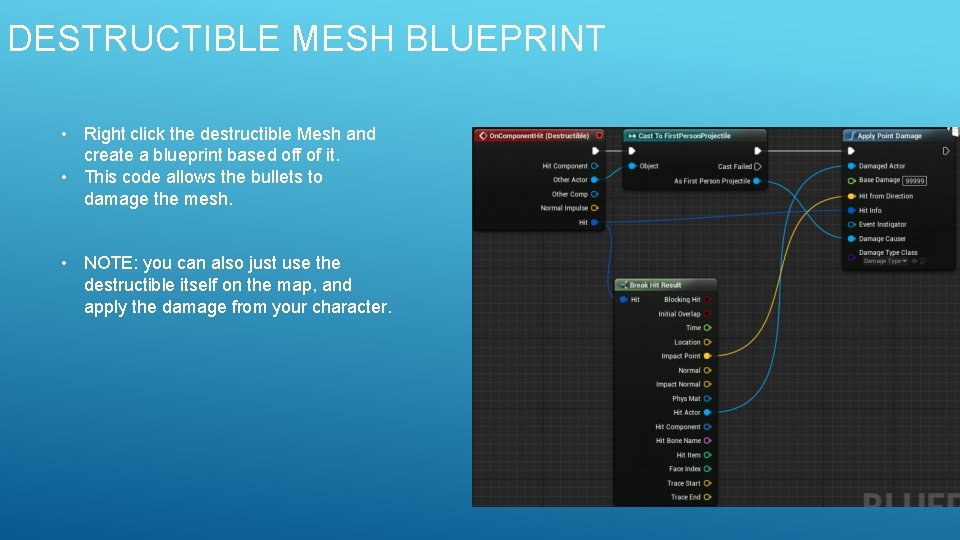
DESTRUCTIBLE MESH BLUEPRINT • Right click the destructible Mesh and create a blueprint based off of it. • This code allows the bullets to damage the mesh. • NOTE: you can also just use the destructible itself on the map, and apply the damage from your character.
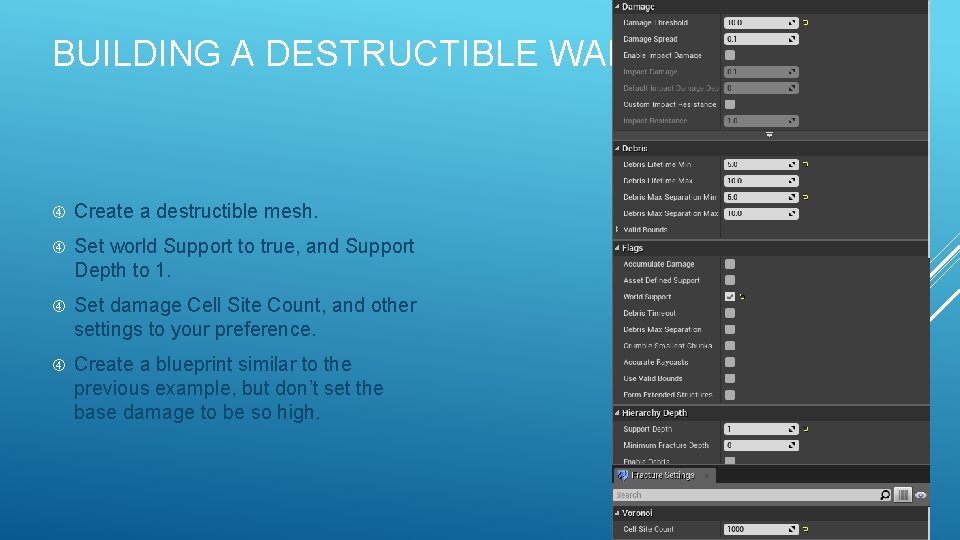
BUILDING A DESTRUCTIBLE WALL Create a destructible mesh. Set world Support to true, and Support Depth to 1. Set damage Cell Site Count, and other settings to your preference. Create a blueprint similar to the previous example, but don’t set the base damage to be so high.
BUILDING REINFORCED PILLARS The Ideal way would be to create a destructible with multiple layers, and then set the inner layer so that it cannot be destroyed. Another way would be to create a destructible mesh, and then create a blueprint based off of it. Then within the blueprint add inner support beams to the inside of the destructible mesh. For these I also made the base damage smaller than the base damage of the walls to make them appear stronger.
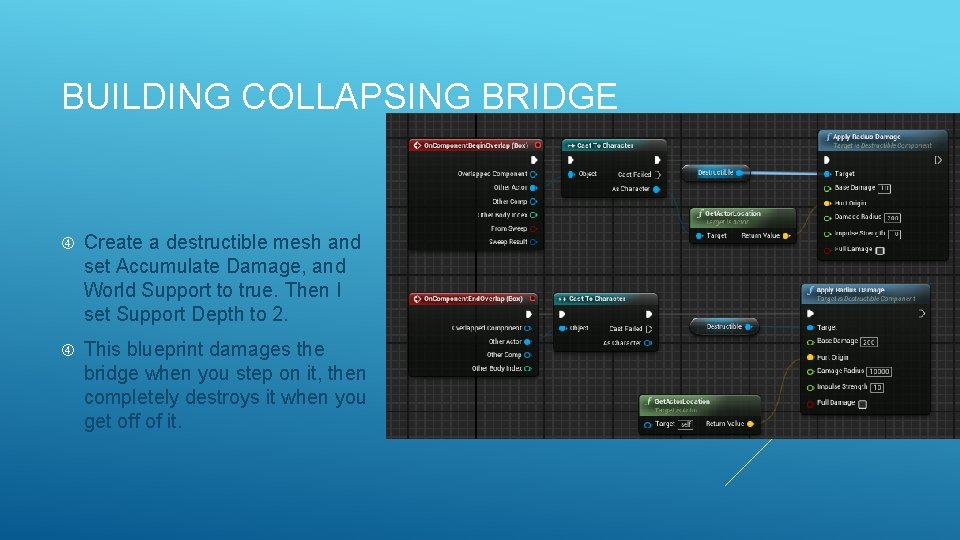
BUILDING COLLAPSING BRIDGE Create a destructible mesh and set Accumulate Damage, and World Support to true. Then I set Support Depth to 2. This blueprint damages the bridge when you step on it, then completely destroys it when you get off of it.

QUESTIONS?
- Slides: 8