
Designing Scalable Web Patterns Agenda Scaling Architecture Load
Designing Scalable Web: Patterns
Agenda • • • Scaling Architecture Load Balancing Queuing Database Caching Data Federation Multisite Datacenter HA Storage
Scalability Three Goal of Application Architecture • Scale • HA • Performance What is scalability not? • Raw Speed / Performance • HA / BCP • Technology X • Protocol Y What is scalability? • Traffic growth • Dataset growth • Maintainability Scalability: Two kinds • Vertical (get big) • Horizontal (get more)
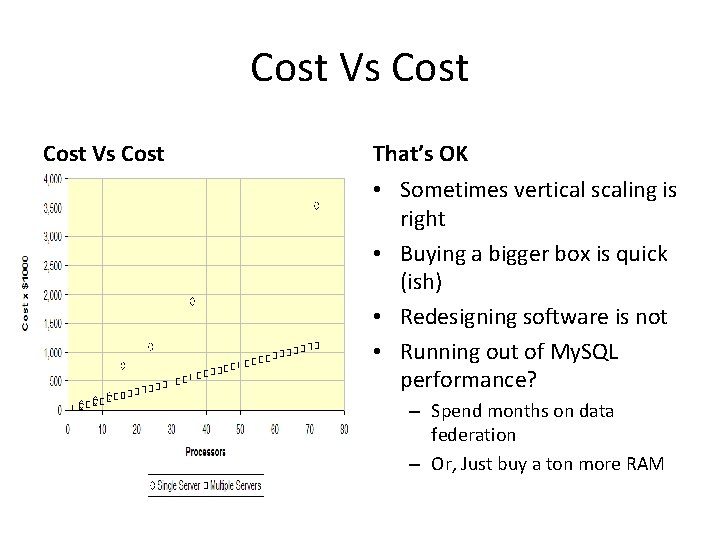
Cost Vs Cost That’s OK • Sometimes vertical scaling is right • Buying a bigger box is quick (ish) • Redesigning software is not • Running out of My. SQL performance? – Spend months on data federation – Or, Just buy a ton more RAM
Architecture? What is architecture? LAMP • The way the bits fit together • What grows where • The trade-offs between good/fast/cheap • We’re mostly talking about LAMP – – Linux Apache (or Light. HTTPd) My. SQL (or Postgres) PHP (or Perl, Python, Ruby) • All open source • All well supported • All used in large operations
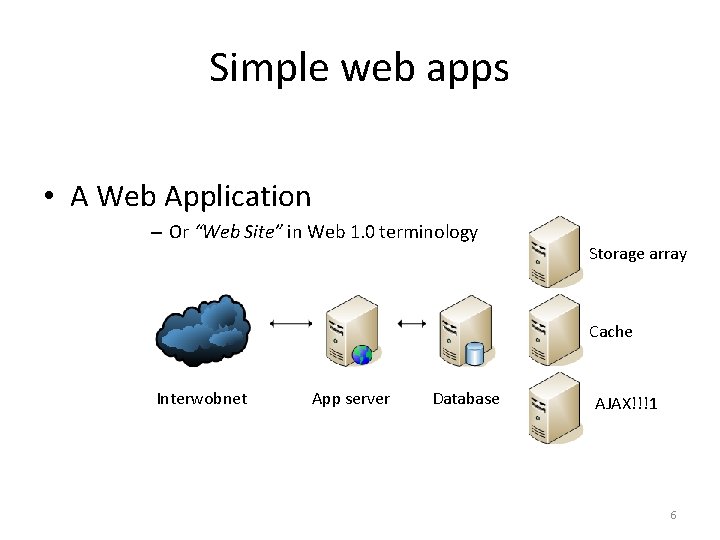
Simple web apps • A Web Application – Or “Web Site” in Web 1. 0 terminology Storage array Cache Interwobnet App server Database AJAX!!!1 6
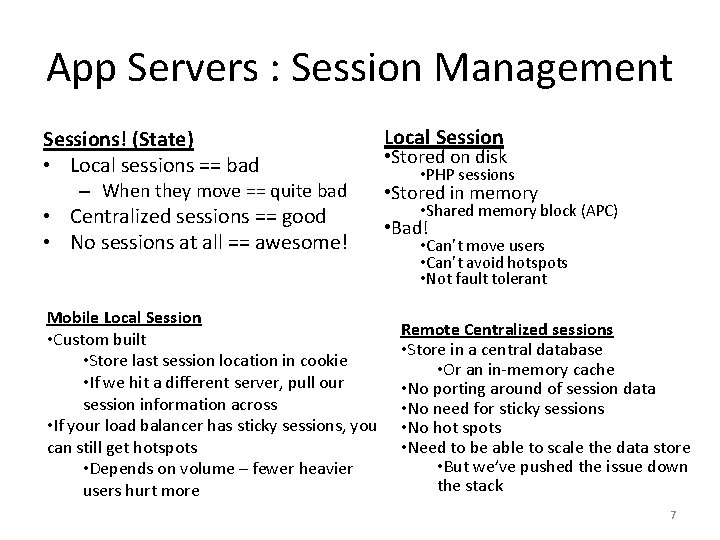
App Servers : Session Management Sessions! (State) • Local sessions == bad – When they move == quite bad • Centralized sessions == good • No sessions at all == awesome! Mobile Local Session • Custom built • Store last session location in cookie • If we hit a different server, pull our session information across • If your load balancer has sticky sessions, you can still get hotspots • Depends on volume – fewer heavier users hurt more Local Session • Stored on disk • PHP sessions • Stored in memory • Shared memory block (APC) • Bad! • Can’t move users • Can’t avoid hotspots • Not fault tolerant Remote Centralized sessions • Store in a central database • Or an in-memory cache • No porting around of session data • No need for sticky sessions • No hot spots • Need to be able to scale the data store • But we’ve pushed the issue down the stack 7
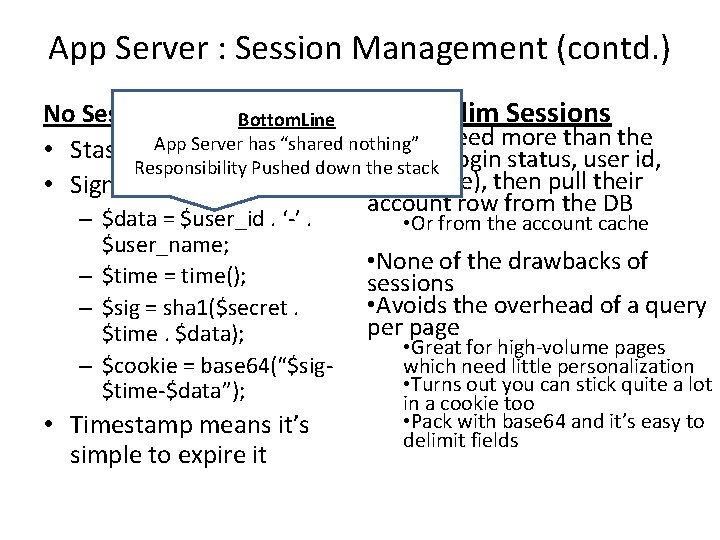
App Server : Session Management (contd. ) Super Slim Sessions No Sessions Bottom. Line • If you need more than the Server has “shared nothing” • Stash it App all in a cookie! cookie Responsibility Pushed down the stack (login status, user id, username), then pull their • Sign it for safety account row from the DB – $data = $user_id. ‘-’. $user_name; – $time = time(); – $sig = sha 1($secret. $time. $data); – $cookie = base 64(“$sig$time-$data”); • Timestamp means it’s simple to expire it • Or from the account cache • None of the drawbacks of sessions • Avoids the overhead of a query per page • Great for high-volume pages which need little personalization • Turns out you can stick quite a lot in a cookie too • Pack with base 64 and it’s easy to delimit fields
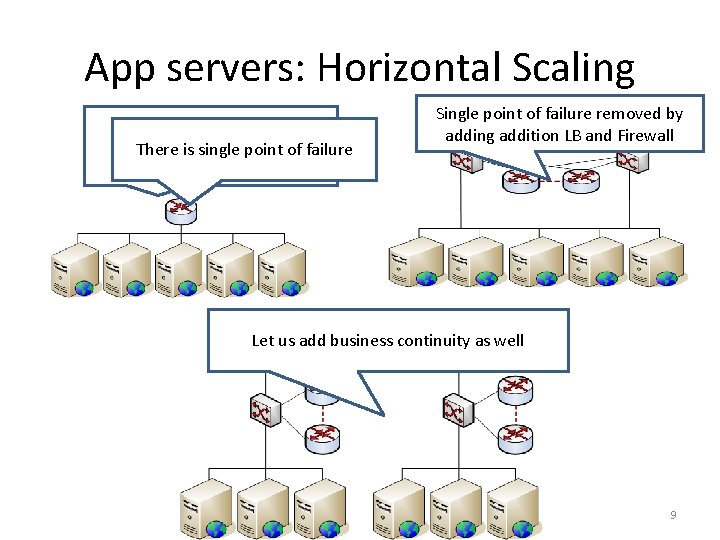
App servers: Horizontal Scaling Precondition: App server is There is single point of failure sharing nothing Single point of failure removed by adding addition LB and Firewall Let us add business continuity as well 9
Scaling others • Scaling the web app server part is easy • The rest is the trickier part – Database – Serving static content – Storing static content • Other services scale similarly to web apps • That is, horizontally • The canonical examples: • Image conversion • Audio transcoding • Video transcoding • Web crawling • Compute! 10
Load balancing • If we have multiple nodes in a class, we need to balance between them • Hardware or software • Layer 4 or 7 Hardware LB • A hardware appliance • Often a pair with heartbeats for HA • Expensive! • But offers high performance • Many brands • Alteon, Cisco, Netscalar, Foundry, etc • L 7 - web switches, content switches, etc Software LB • Just some software • Still needs hardware to run on • Lots of options • Pound • But can run on existing servers • Perlbal • Harder to have HA • Apache with mod_proxy • Often people stick hardware • Wackamole with mod_backhand • http: //backhand. org/wackamole/ LB’s in front • http: //backhand. org/mod_backhand • But Wackamole helps here / 11
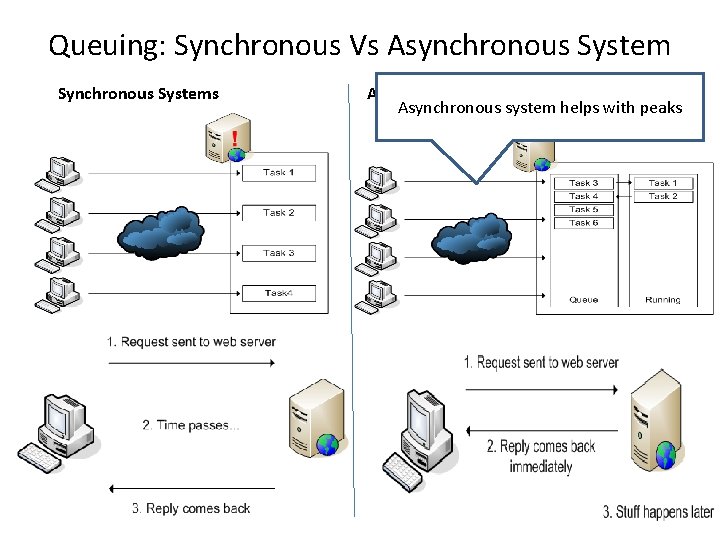
Queuing: Synchronous Vs Asynchronous System Synchronous Systems Asynchronous system helps with peaks
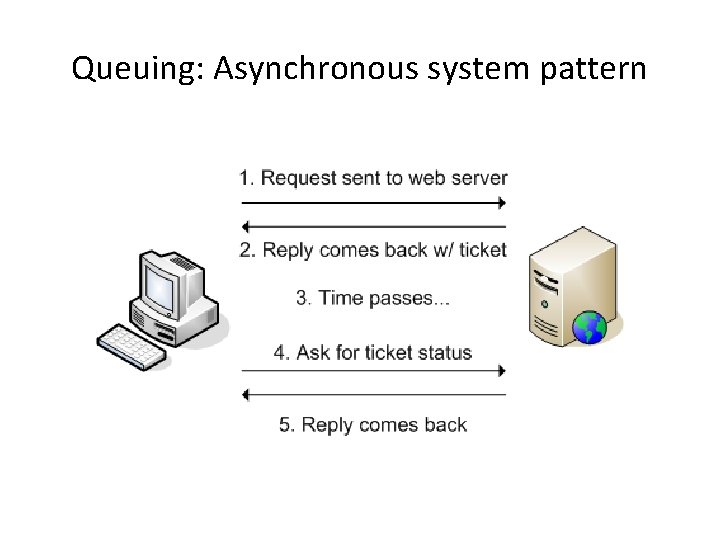
Queuing: Asynchronous system pattern
Databases • Unless we’re doing a lot of file serving, the database is the toughest part to scale • If we can, best to avoid the issue altogether and just buy bigger hardware • Web apps typically have a read/write ratio of somewhere between 80/20 and 90/10 • If we can scale read capacity, we can solve a lot of situations • My. SQL replication! 14
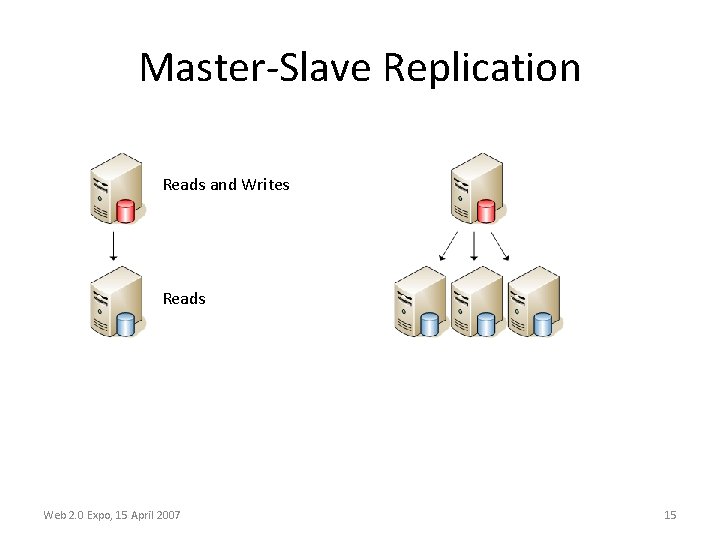
Master-Slave Replication Reads and Writes Reads Web 2. 0 Expo, 15 April 2007 15
Caching • Caching avoids needing to scale! – Or makes it cheaper • Simple stuff – mod_perl / shared memory • Invalidation is hard – My. SQL query cache • Bad performance (in most cases) • Getting more complicated… – Write-through cache – Write-back cache – Sideline cache 16
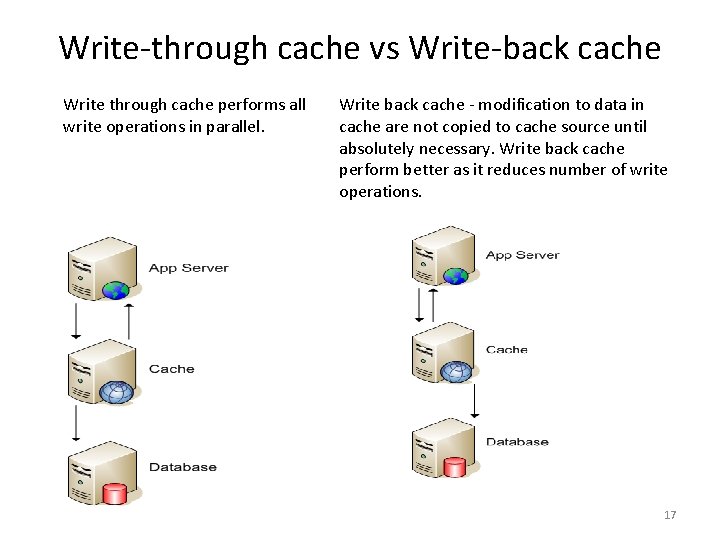
Write-through cache vs Write-back cache Write through cache performs all write operations in parallel. Write back cache - modification to data in cache are not copied to cache source until absolutely necessary. Write back cache perform better as it reduces number of write operations. 17
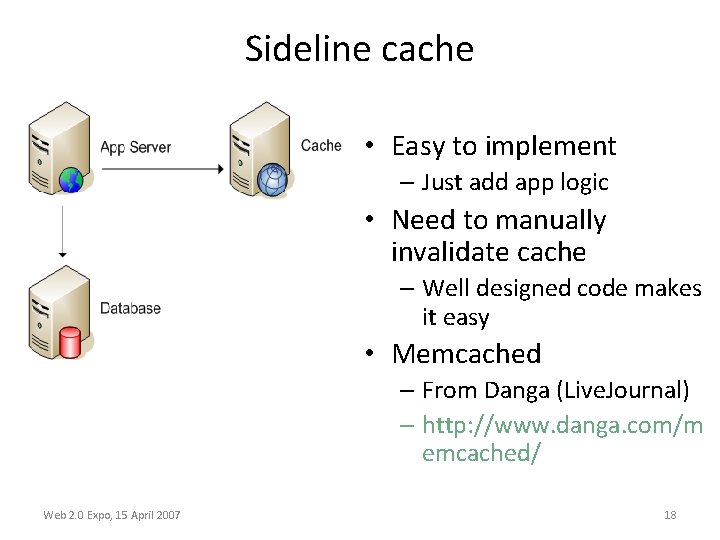
Sideline cache • Easy to implement – Just add app logic • Need to manually invalidate cache – Well designed code makes it easy • Memcached – From Danga (Live. Journal) – http: //www. danga. com/m emcached/ Web 2. 0 Expo, 15 April 2007 18
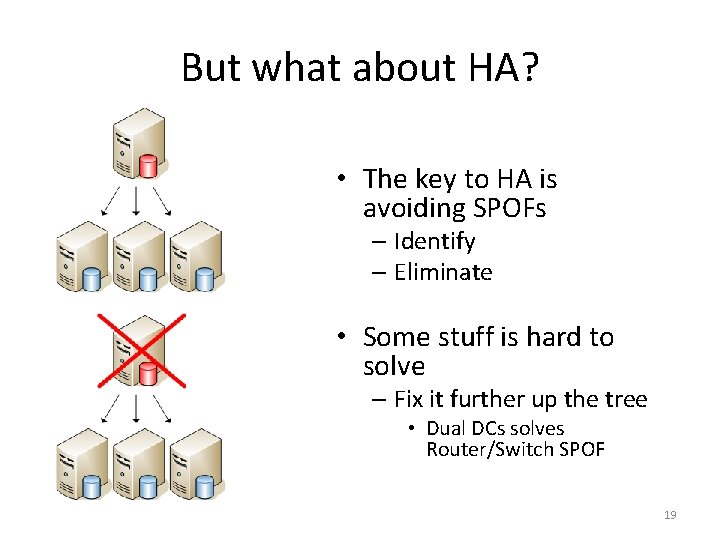
But what about HA? • The key to HA is avoiding SPOFs – Identify – Eliminate • Some stuff is hard to solve – Fix it further up the tree • Dual DCs solves Router/Switch SPOF 19
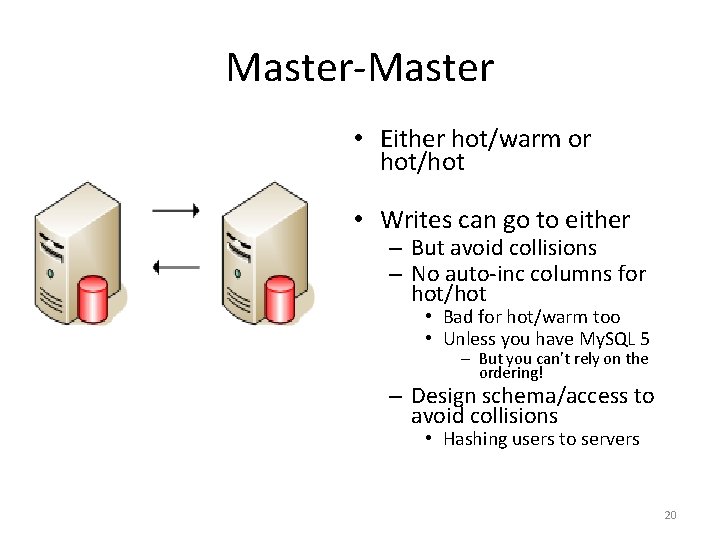
Master-Master • Either hot/warm or hot/hot • Writes can go to either – But avoid collisions – No auto-inc columns for hot/hot • Bad for hot/warm too • Unless you have My. SQL 5 – But you can’t rely on the ordering! – Design schema/access to avoid collisions • Hashing users to servers 20
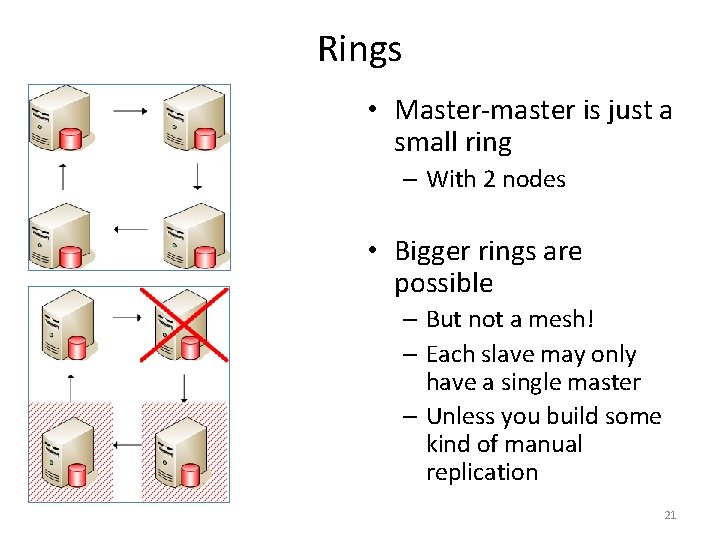
Rings • Master-master is just a small ring – With 2 nodes • Bigger rings are possible – But not a mesh! – Each slave may only have a single master – Unless you build some kind of manual replication 21
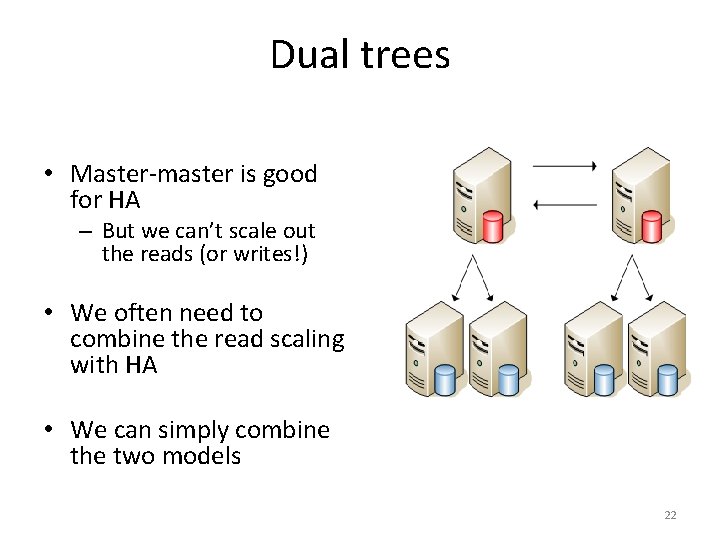
Dual trees • Master-master is good for HA – But we can’t scale out the reads (or writes!) • We often need to combine the read scaling with HA • We can simply combine the two models 22
Data federation • Vertical partitioning • At some point, you need more writes – This is tough – Each cluster of servers has limited write capacity • Just add more clusters! Web 2. 0 Expo, 15 April 2007 – Divide tables into sets that never get joined – Split these sets onto different server clusters – Voila! • Logical limits – When you run out of non -joining groups – When a single table grows too large 23
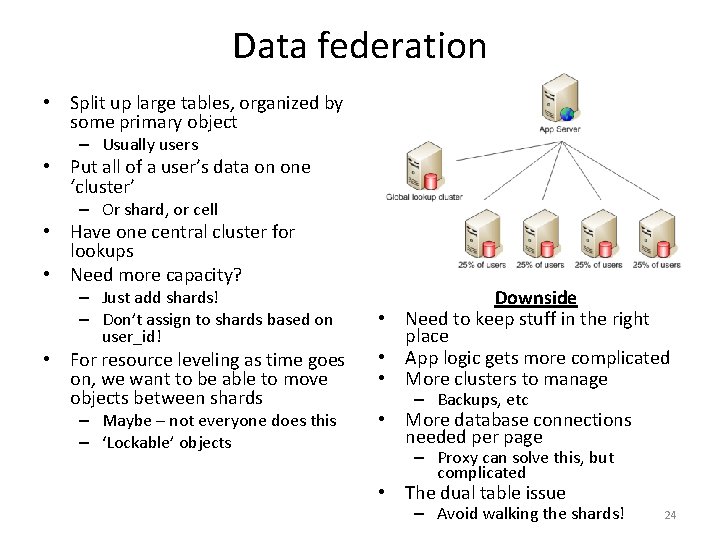
Data federation • Split up large tables, organized by some primary object – Usually users • Put all of a user’s data on one ‘cluster’ – Or shard, or cell • Have one central cluster for lookups • Need more capacity? – Just add shards! – Don’t assign to shards based on user_id! • For resource leveling as time goes on, we want to be able to move objects between shards – Maybe – not everyone does this – ‘Lockable’ objects Downside • Need to keep stuff in the right place • App logic gets more complicated • More clusters to manage – Backups, etc • More database connections needed per page – Proxy can solve this, but complicated • The dual table issue – Avoid walking the shards! 24
Bottom line Data federation is how large applications are scaled • It’s hard, but not impossible • Good software design makes it easier – Abstraction! • Master-master pairs for shards give us HA • Master-master trees work for central cluster (many reads, few writes) 25
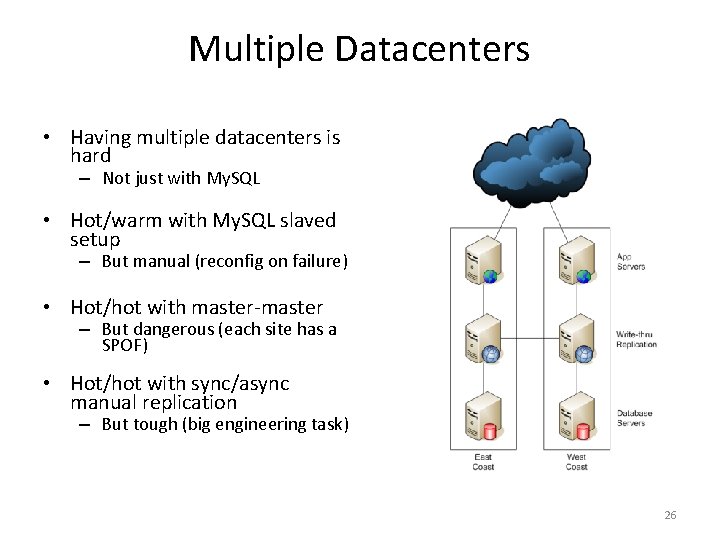
Multiple Datacenters • Having multiple datacenters is hard – Not just with My. SQL • Hot/warm with My. SQL slaved setup – But manual (reconfig on failure) • Hot/hot with master-master – But dangerous (each site has a SPOF) • Hot/hot with sync/async manual replication – But tough (big engineering task) 26
GSLB • Multiple sites need to be balanced – Global Server Load Balancing • Easiest are Aka. DNS-like services – Performance rotations – Balance rotations Web 2. 0 Expo, 15 April 2007 27
Serving lots of files • Serving lots of files is not too tough – Just buy lots of machines and load balance! • We’re IO bound – need more spindles! – But keeping many copies of data in sync is hard – And sometimes we have other per-request overhead (like auth) Web 2. 0 Expo, 15 April 2007 28
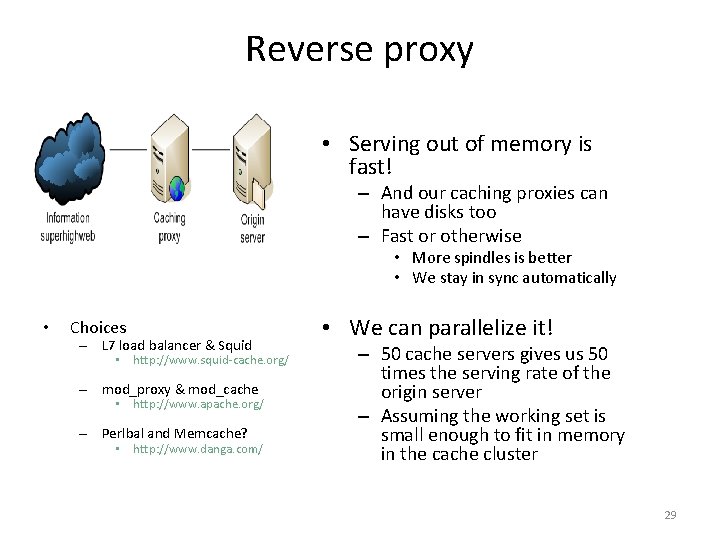
Reverse proxy • Serving out of memory is fast! – And our caching proxies can have disks too – Fast or otherwise • More spindles is better • We stay in sync automatically • Choices – L 7 load balancer & Squid • http: //www. squid-cache. org/ – mod_proxy & mod_cache • http: //www. apache. org/ – Perlbal and Memcache? • http: //www. danga. com/ • We can parallelize it! – 50 cache servers gives us 50 times the serving rate of the origin server – Assuming the working set is small enough to fit in memory in the cache cluster 29
Invalidation • Dealing with invalidation is tricky • We can prod the cache servers directly to clear stuff out – Scales badly – need to clear asset from every server – doesn’t work well for 100 caches • We can change the URLs of modified resources – And let the old ones drop out cache naturally – Or prod them out, for sensitive data • Good approach! – Avoids browser cache staleness – Hello Akamai (and other CDNs) – Read more: • http: //www. thinkvitamin. com/feature s/webapps/serving-javascript-fast 30
High overhead serving • What if you need to authenticate your asset serving? – Private photos – Private data – Subscriber-only files • Two main approaches – Proxies w/ tokens – Path translation Web 2. 0 Expo, 15 April 2007 31
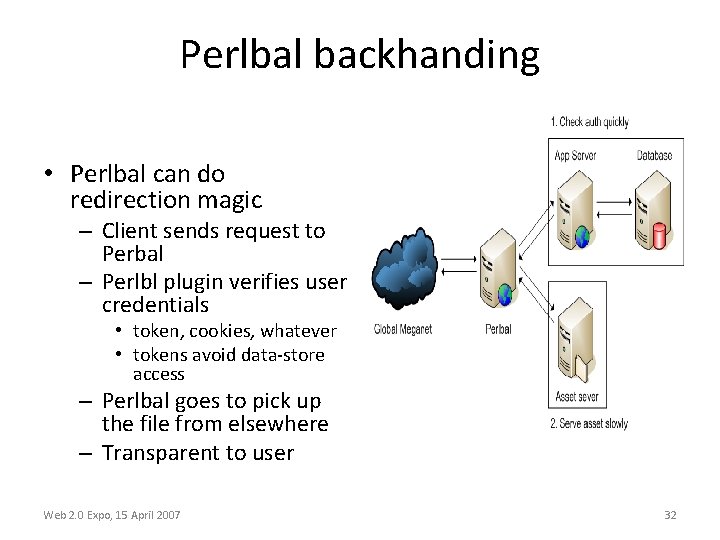
Perlbal backhanding • Perlbal can do redirection magic – Client sends request to Perbal – Perlbl plugin verifies user credentials • token, cookies, whatever • tokens avoid data-store access – Perlbal goes to pick up the file from elsewhere – Transparent to user Web 2. 0 Expo, 15 April 2007 32
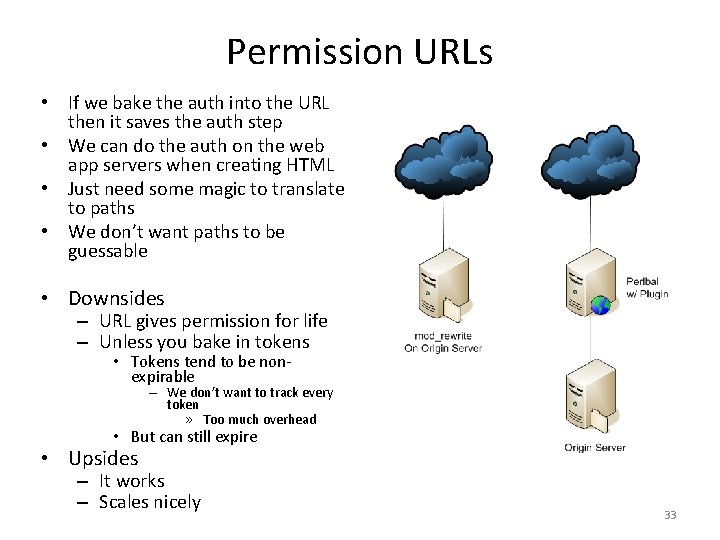
Permission URLs • If we bake the auth into the URL then it saves the auth step • We can do the auth on the web app servers when creating HTML • Just need some magic to translate to paths • We don’t want paths to be guessable • Downsides – URL gives permission for life – Unless you bake in tokens • Tokens tend to be nonexpirable – We don’t want to track every token » Too much overhead • But can still expire • Upsides – It works – Scales nicely 33
Storing lots of files • NFS • Storing files is easy! – Get a big disk – Get a bigger disk – Uh oh! • Horizontal scaling is the key – Again Web 2. 0 Expo, 15 April 2007 – Stateful == Sucks – Hard mounts vs Soft mounts, INTR • SMB / CIFS / Samba – Turn off MSRPC & WINS (Net. BOIS NS) – Stateful but degrades gracefully • HTTP – Stateless == Yay! – Just use Apache 34
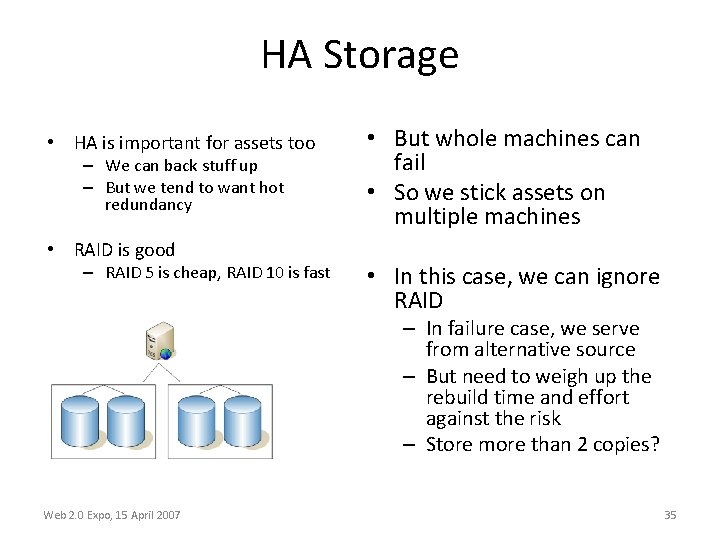
HA Storage • HA is important for assets too – We can back stuff up – But we tend to want hot redundancy • RAID is good – RAID 5 is cheap, RAID 10 is fast • But whole machines can fail • So we stick assets on multiple machines • In this case, we can ignore RAID – In failure case, we serve from alternative source – But need to weigh up the rebuild time and effort against the risk – Store more than 2 copies? Web 2. 0 Expo, 15 April 2007 35
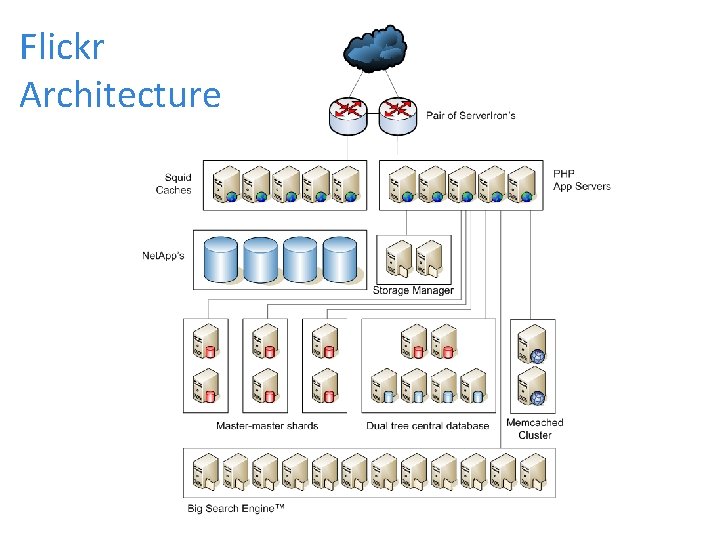
Flickr Architecture Web 2. 0 Expo, 15 April 2007 36
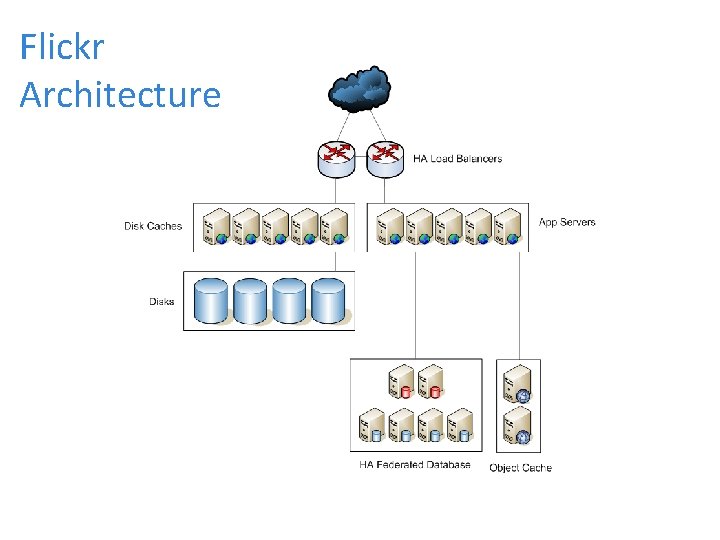
Flickr Architecture Web 2. 0 Expo, 15 April 2007 37
- Slides: 37