
Designing Posters in Mathematics Lillian BridwellBowles Director Communication
Designing Posters in Mathematics Lillian Bridwell-Bowles, Director, Communication across the Curriculum; Professor, English
Just for fun… Source: http: //mathematicianspictures. com/

Templates/ Commercial Production http: //www. postersession. com/templates. html
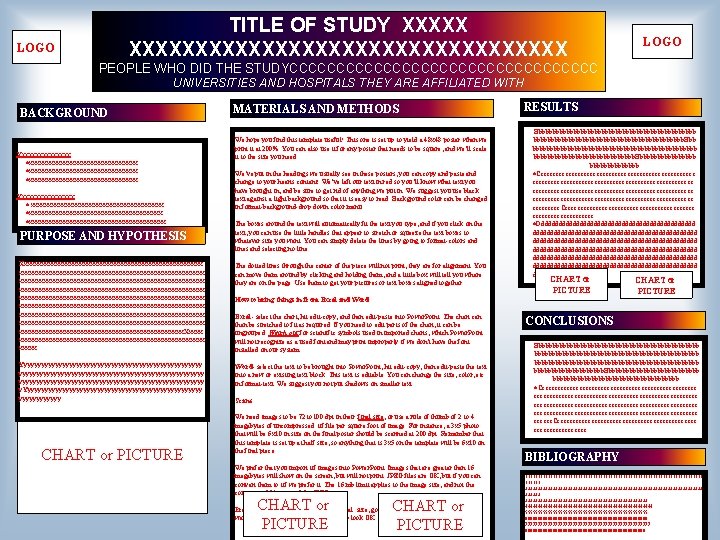
TITLE OF STUDY XXXXXXXXXXXXXXXXXXX LOGO PEOPLE WHO DID THE STUDYCCCCCCCCCCCCCCCCC UNIVERSITIES AND HOSPITALS THEY ARE AFFILIATED WITH BACKGROUND Xxxxxxxxxxxxxxx ·xxxxxxxxxxxxxxxxxxxxxxxx ·xxxxxxxxxxxxxxxx Xxxxxxxxx · xxxxxxxxxxxxxxxxxxxxxxxxxxxxxxxxxxxxxx ·xxxxxxxxxxxxxxxxxxxx PURPOSE AND HYPOTHESIS MATERIALS AND METHODS We hope you find this template useful! This one is set up to yield a 48 x 48 poster when we print it at 200%. You can also use it for any poster that needs to be square, and we’ll scale it to the size you need. We’ve put in the headings we usually see in these posters, you can copy and paste and change to your hearts content! We’ve left our text in red so you’ll know what text you have brought in, and be sure to get rid of anything we put in. We suggest you use black text against a light background so that it is easy to read. Background color can be changed in format-background-drop down color menu. The boxes around the text will automatically fit the text you type, and if you click on the text, you can use the little handles that appear to stretch or squeeze the text boxes to whatever size you want. You can simply delete the lines by going to format-colors and lines and selecting no line. Xxxxxxxxxxxxxxxxxxxxxxxxxxxxxxxxxxxxxxxxxxxxxxxxxxxxxx xxxxxxxxxxxxxxxxxxxxxxxxxxxxxxxxxxxxxxxxxxxxxxxxxxxxx xxxxxxxxxxxxxxxxxxxxxxxxx. Xxxxxxxxxxxxxxxxxxxxxxxxxxxx. The dotted lines through the center of the piece will not print, they are for alignment. You can move them around by clicking and holding them, and a little box will tell you where they are on the page. Use them to get your pictures or text boxes aligned together. Yyyyyyyyyyyyyyyyyyyyyyyyyyyyyyyyyyyyyyyyyyyyyyyyyyyy y. Yyyyyyyyyyyyyyyyyyyyyyyyyy. Word- select the text to be brought into Power. Point, hit edit-copy, then edit-paste the text into a new or existing text block. This text is editable. You can change the size, color, etc. in format-text. We suggest you not put shadows on smaller text. CHART or PICTURE RESULTS Bbbbbbbbbbbbbbbbbbbbbbbb. Bbb bbbbbbbbbbbbbbbbbbbbbbbb. Bbbbbbbbb ·Ccccccccccccccccccccccccccccccccccccccccccccccccccccc ccccccccc. Cccccccccccccccccccccc. ·Dddddddddddddddddddddddddddddddddddddddddddddddd ddddddddddddddddddddddddddddddddddddddddddddddd CHART or PICTURE How to bring things in from Excel and Word Excel- select the chart, hit edit-copy, and then edit-paste into Power. Point. The chart can then be stretched to fit as required. If you need to edit parts of the chart, it can be ungrouped. Watch out for scientific symbols used in imported charts, which Power. Point will not recognize as a used font and may print improperly if we don’t have the font installed on our system. Scans We need images to be 72 to 100 dpi in their final size, or use a rule of thumb of 2 to 4 megabytes of uncompressed. tif file per square foot of image. For instance, a 3 x 5 photo that will be 6 x 10 in size on the final poster should be scanned at 200 dpi. Remember that this template is set up at half size, so anything that is 3 x 5 on the template will be 6 x 10 on the final piece. We prefer that you import tif images into Power. Point. Images that are greater than 16 megabytes will show on the screen, but will not print. JPEG files are OK, but if you can convert them to tif we prefer it. The 16 mb limit applies to the image size, and not the compressed file size, of the JPEG. CHART or PICTURE Preview: To see your in poster in actual size, go to view-zoom-200%. This is a good way to be sure your pictures are going to look OK. CHART or PICTURE CONCLUSIONS Bbbbbbbbbbbbbbbbbbbbbbbbbbbbbbbbbbbbbbbbbbbbbbb bbbbbbbbbb. Bbbbbbbbbbbbbbbbbbb. ·Cccccccccccccccccccccccccccccccccccccccccccccccccccccc cccccc. Cccccccccccccccccccccccc. BIBLIOGRAPHY 111111111111111111111111111111111111 222222222222222222222222222222222222 3333333333333333333333333 44444444444444444444444444 5555555555555555555555555 6666666666666666666666666 7777777777777777777777777 888888888888888888888888

Instructions from host…

Helpful Links http: //www. swarthmore. edu/Nat. Sci/cpurrin 1/posteradvice. htm http: //cxc. lsu. edu students [keyword: “poster”] “communication examples, tips, guidelines and more”
Color • Use a colored background (muted) or shades of gray to unify your poster • Typically, use white as the background for text • Black is best for text, except on graphs • Don’t use too much color-it can emphasize or detract
Text • Use a consistent font • Set font size hierarchically for • headings • Avoid big blocks of prose • Avoid the continuous use of CAPITALS
Graphics • Try to balance words and images • Aim for readability from 6 feet away • Use no more than three or four charts, figures, or tables • Photographs should be relevant, mentioned in text as figures, or captioned • Include clear labels and captions on all charts, figures, and tables

Layout 1 2 3 4 5 6
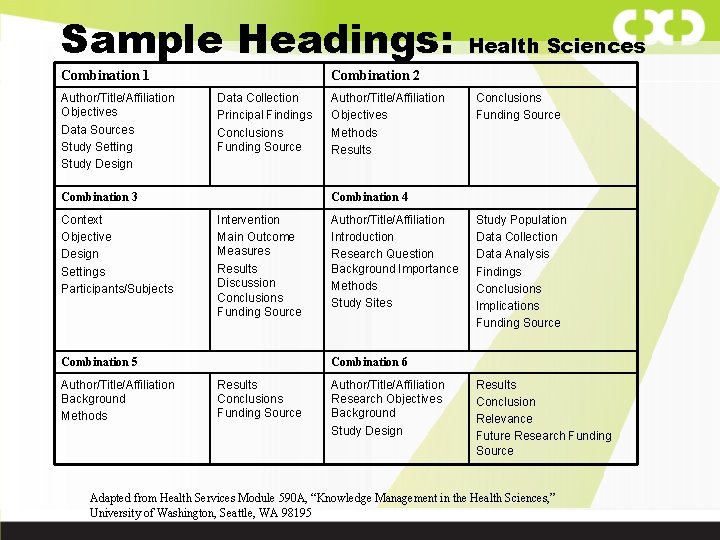
Sample Headings: Combination 1 Author/Title/Affiliation Objectives Data Sources Study Setting Study Design Combination 2 Data Collection Principal Findings Conclusions Funding Source Combination 3 Context Objective Design Settings Participants/Subjects Author/Title/Affiliation Objectives Methods Results Conclusions Funding Source Combination 4 Intervention Main Outcome Measures Results Discussion Conclusions Funding Source Combination 5 Author/Title/Affiliation Background Methods Health Sciences Author/Title/Affiliation Introduction Research Question Background Importance Methods Study Sites Study Population Data Collection Data Analysis Findings Conclusions Implications Funding Source Combination 6 Results Conclusions Funding Source Author/Title/Affiliation Research Objectives Background Study Design Results Conclusion Relevance Future Research Funding Source Adapted from Health Services Module 590 A, “Knowledge Management in the Health Sciences, ” University of Washington, Seattle, WA 98195
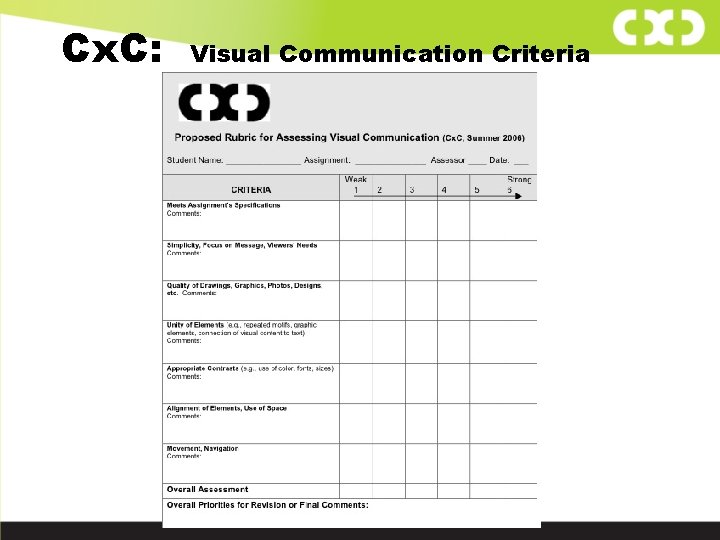
Cx. C: Visual Communication Criteria
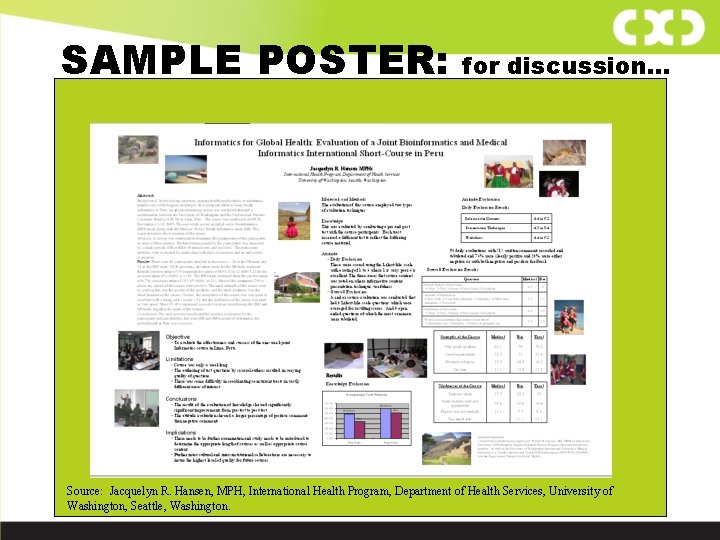
SAMPLE POSTER: for discussion… Source: Jacquelyn R. Hansen, MPH, International Health Program, Department of Health Services, University of Washington, Seattle, Washington.
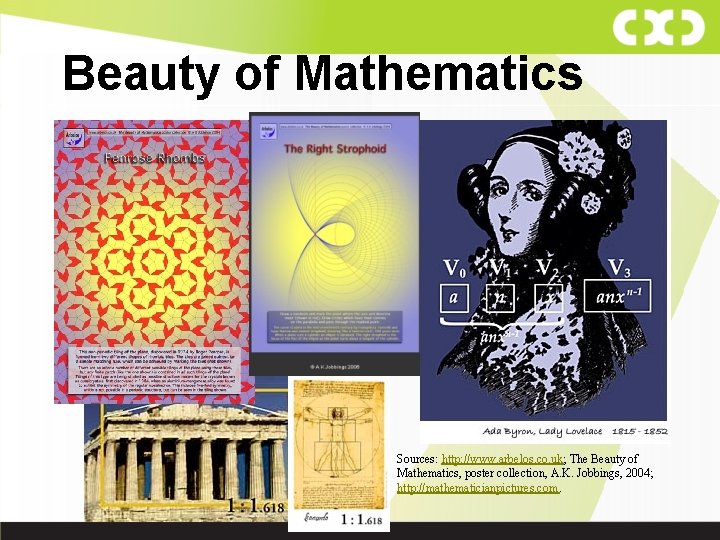
Beauty of Mathematics Sources: http: //www. arbelos. co. uk; The Beauty of Mathematics, poster collection, A. K. Jobbings, 2004; http: //mathematicianpictures. com.
Additional References The Most Useful of All (from which this list was taken ): Purrington, C. B. 2006. Advice on designing scientific posters. http: //www. swarthmore. edu/Nat. Sci/cpurrin 1/posteradvice. htm. Accessed 11/1/2006. Block, S. 1996. The DOs and DON'Ts of poster presentation. Biophysical Journal 71: 3527 -3529. Briscoe, M. H. 1996. Preparing Scientific Illustrations: A Guide to Better Posters, Presentations, and Publications , 2 nd ed. Springer. Verlag, New York. Day, R. A. 1994. How To Write and Publish a Scientific Paper, 4 th ed. Oryx Press, Phoenix. Keegan, D. A. , and S. L. Bannister. 2003. Effect of colour coordination of attire with poster presentation on poster popularity. Canadian Medical Association Journal 169: 1291 -1292. Matthews, J. R. , J. M. Bowen, and R. W. Matthews. 1996. Successful Science Writing: A Step-by-Step Guide for the Biological and Medical Sciences. Cambridge University Press, Cambridge. Pechenik, J. A. 2004. A Short Guide to Writing about Biology, 5 th edition. Harper. Collins College Publishers, New York. Rigden, C. 1999. ‘The eye of the beholder’—designing for colour-blind users. British Telecommunications Engineering 17: 2 -6. Tufte, E. R. 1983. The Visual Display of Quantitative Information. Graphics Press, Connecticut. Wolcott, T. G. 1997. Mortal sins in poster presentations or, How to give the poster no one remembers. Newsletter of the Society for Integrative and Comparative Biology Fall: 10 -11. Woolsey, J. D. 1989. Combating poster fatigue: how to use visual grammar and analysis to effect better visual communications. Trends in Neurosciences 12: 325 -332.
- Slides: 15