
Designing Group Annotations and Process Visualizations for RoleBased

Designing Group Annotations and Process Visualizations for Role-Based Collaboration Gregorio Convertino, Anna Wu, Xiaolong (Luke) Zhang, Craig H. Ganoe, Blaine Hoffman and John M. Carroll The Pennsylvania State University 1
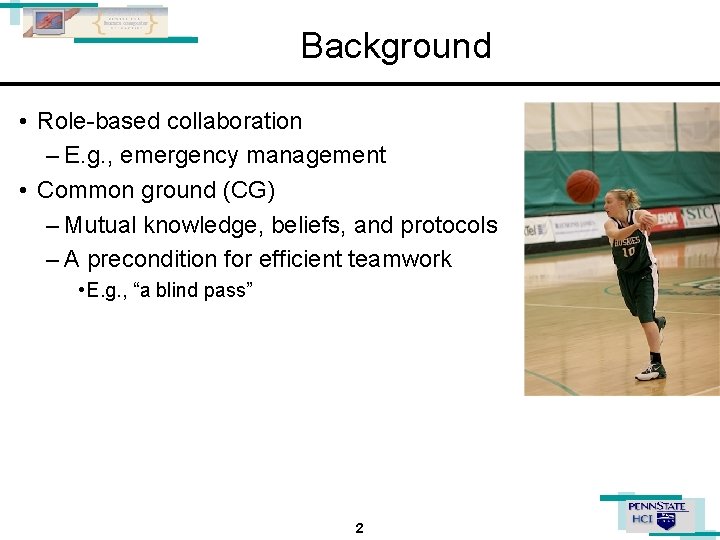
Background • Role-based collaboration – E. g. , emergency management • Common ground (CG) – Mutual knowledge, beliefs, and protocols – A precondition for efficient teamwork • E. g. , “a blind pass” 2
Previous Research 3
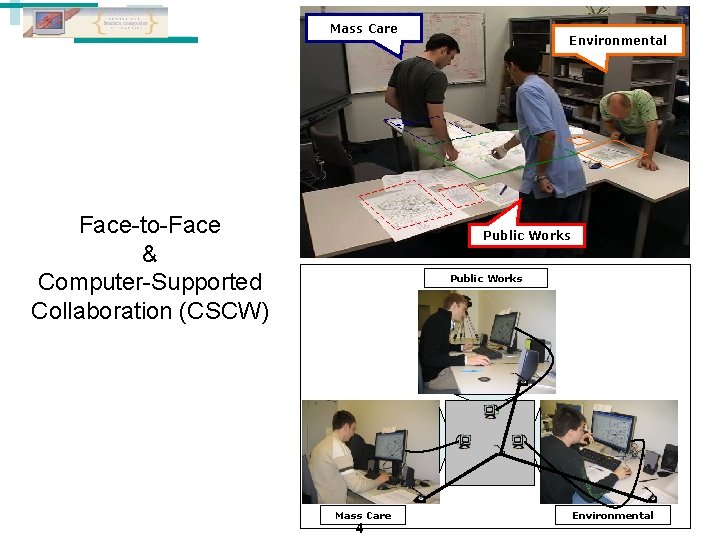
Mass Care Face-to-Face & Computer-Supported Collaboration (CSCW) Environmental Public Works Mass Care 4 Environmental
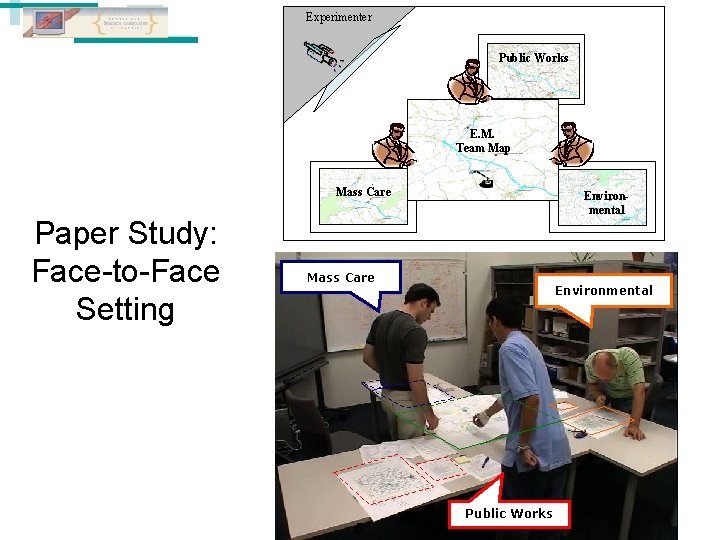
Experimenter Public Works E. M. Team Map Mass Care Paper Study: Face-to-Face Setting Environmental Mass Care 5 Environmental Public Works
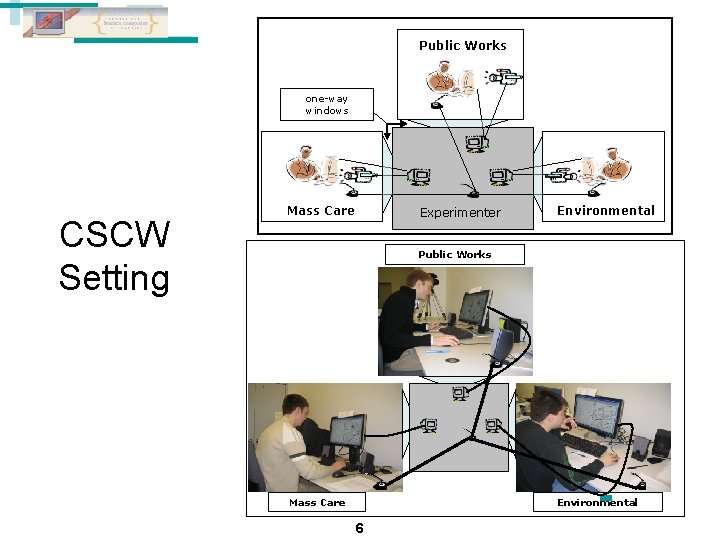
Public Works one-way windows CSCW Setting Mass Care Experimenter Environmental Public Works Mass Care Environmental 6
Research Focuses • Does common ground increase? – – • How does it increase? – • Does it increase as people collaborate? What are the effects of the media (Ft. F vs. CSCW)? What are the underlying patterns and contents of communication? What are the implications for theory and design? – – What explanations can we offer about CG building? What tools can be used to increase the support for CG? 7
Experimental Studies • Emergency management planning on maps – Find the best shelter among four to rescue a family from a flooded area – Also consider two alternative shelters. • Three roles – Public works, Environmental, and Mass Care experts • Task materials – Member • Role-specific map • Role description • List of 15 “cons” about shelters (8 unshared and 7 shared risks) – Each expert is biased toward a particular non-optimal solution. – Team • Large map • Background information on the problem 8
Findings • Common ground increases through collaboration. – Process measures • Perceived common ground awareness increase. • Communication efficiency increases. • Recall of alternative plans increases. – Outcome measures • Performance and satisfaction increase – Completion time shortened. – Plan optimality increases. • Computer tools improve performances. – CSCW groups faster than paper groups – Higher initial plan optimality in CSCW groups than paper groups 9
New Questions • How to help users better process and utilize large and dynamic information corpora in decision-making under uncertainty? – Limited cognitive resources • Cannot remember all relevant information • Slow in sorting relevant information – Bias in decision-making • Stick to more familiar solutions • Stick to solutions proposed earlier • Our approach to address these issues – Externalizing critical information to improve the outcomes and processes of decision-making. 10
Design Requirements • Reducing cognitive load with information visualization – Categorizing and aggregating massive data – Grouping complex, dense datasets in ways that can be easily perceived • Reducing decision bias with information visualization – Supporting information review and comparison – Providing spatial and temporal context 11
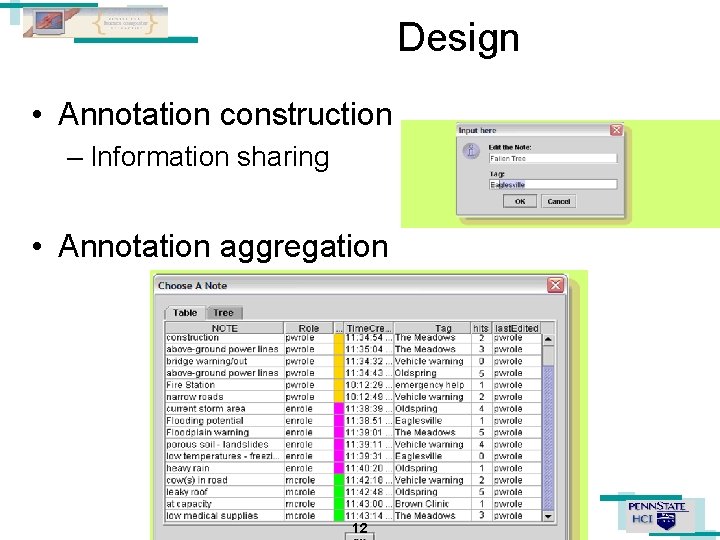
Design • Annotation construction – Information sharing • Annotation aggregation 12

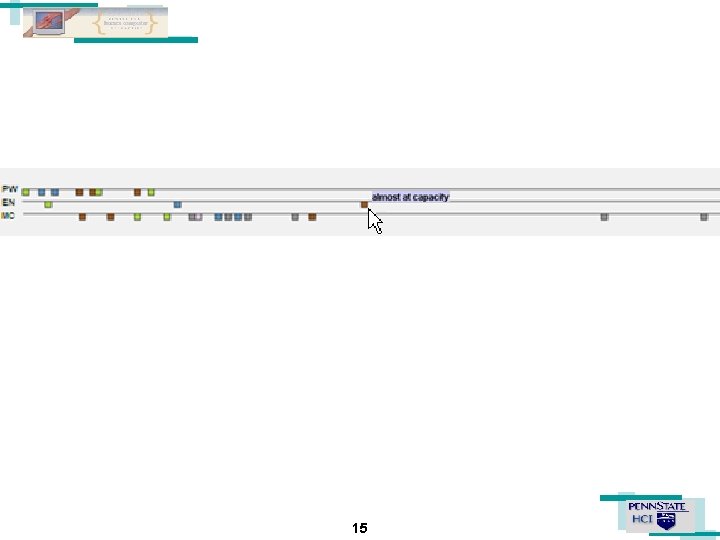
Design (Cont. ) • Annotation classification and aggregation • Annotation temporal context visualization 13

System Screenshots 14
15
System Implementation • Java-based system – Collaboration support • Our in-house BRIDGE toolkits to support group work – Basic Resources for Integrated Distributed Group Environments. – Geo-information visualization support • Geo. Tools – Open source GIS tools – General visualization support • Java Swing 16
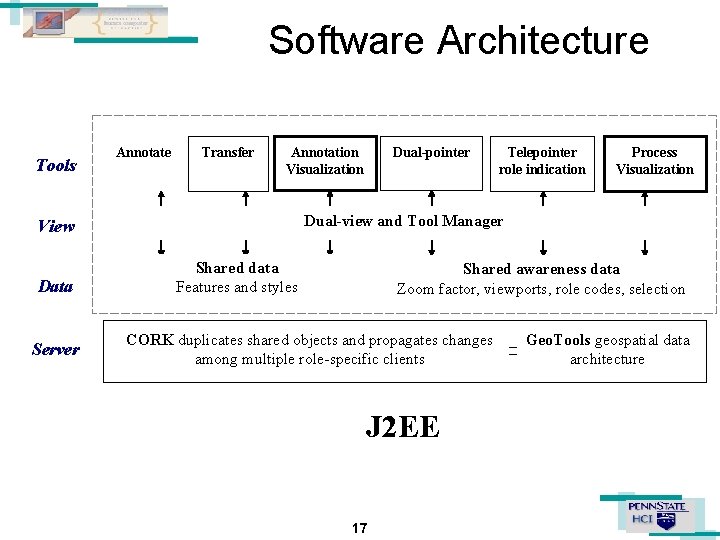
Software Architecture Tools Annotate Transfer Annotation Visualization Server Telepointer role indication Process Visualization Dual-view and Tool Manager View Data Dual-pointer Shared data Features and styles Shared awareness data Zoom factor, viewports, role codes, selection CORK duplicates shared objects and propagates changes among multiple role-specific clients J 2 EE 17 Geo. Tools geospatial data architecture
Pilot Study Stimuli 1. Bar chart: overview of cons (risks) by shelter 2. Timeline: overview of actions by role and time Research Questions 1. The bar chart visualization will help the group to reduce judgment bias toward one shelter 2. The timeline visualization will encourage team members to contribute more. 18
Pilot Study • 3 -member team – 2 confederates + 1 participant • Planning Task – Choose the best shelter and rank the others • Manipulation – Induce early judgment bias • Contents and order of annotations manipulated by the confederates. • Confederates’ actions are scripted. 19
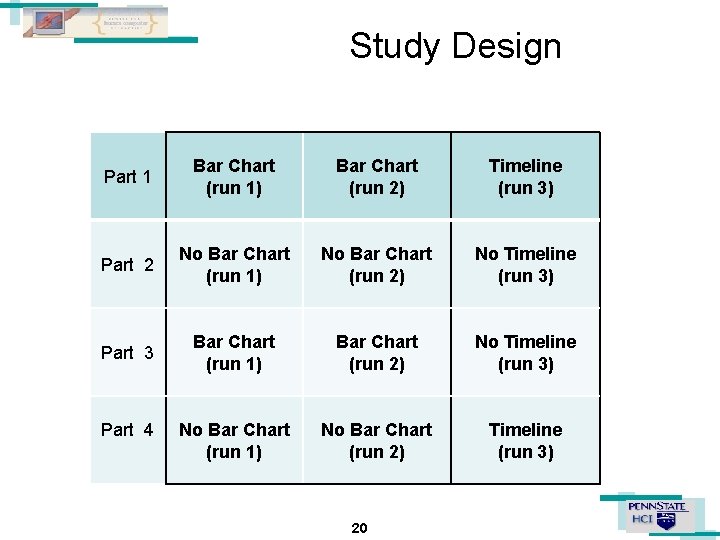
Study Design Part 1 Bar Chart (run 1) Bar Chart (run 2) Timeline (run 3) Part 2 No Bar Chart (run 1) No Bar Chart (run 2) No Timeline (run 3) Part 3 Bar Chart (run 1) Bar Chart (run 2) No Timeline (run 3) No Bar Chart (run 1) No Bar Chart (run 2) Timeline (run 3) Part 4 20
Preliminary Observations • More profound discussions on decisions. – – • Task completion time – – • Individual annotations vs. Comparing and reviewing relevant annotations Simple count vs. Criticality of annotations Faster to find shelters with the least cons Facilitating information processing with sorted, colorcoded, and contextualized information Decision bias – Participants indicated visualization helped on evaluating different choices. – Despite confederates’ efforts to mislead the result. 21
Next Step • Conduct formal experiments to study the effectiveness and efficiency of these two visualization tools in decision making – Tweaking tasks • Giving annotations different weights – Improving visualization tools • Visualization tools to support more complex processes – Situational awareness • Dynamic – Multi-scale and multi-facet information clustering and aggregation • Support analysis across different scale level. • Support information classification and aggregation from different aspec 22
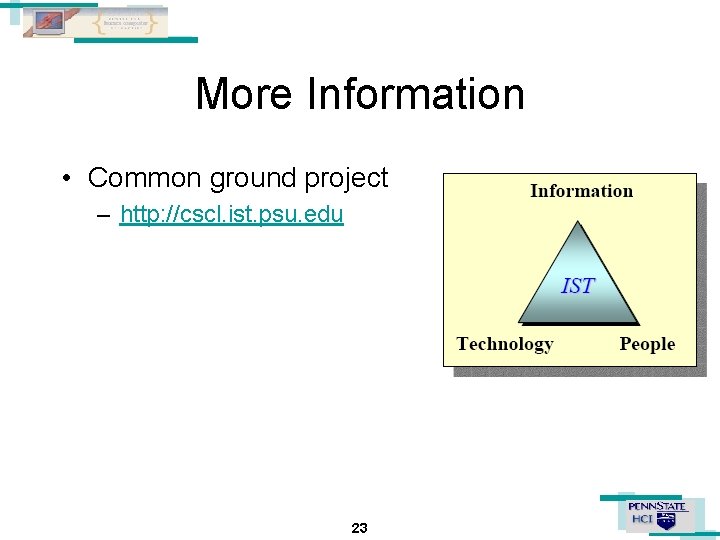
More Information • Common ground project – http: //cscl. ist. psu. edu 23
- Slides: 23