
Designing and Creating Enterprise Portal Solutions on Microsoft


- Slides: 45
Designing and Creating Enterprise Portal Solutions on Microsoft Office Share. Point Server 2007
Session Objectives Learn how you can build and run usable, award winning portals on MOSS Dynamic IT: Learn how to stay flexible and meet requirements with minimal custom code to get the most out of the platform Learn from real enterprise portal implementations done within Microsoft
Agenda Planning & Portal Design Web Content Management Dealing with Dynamic Data Build & Deployment Portal Architecture/Hardware Topology Operational Lessons Learned
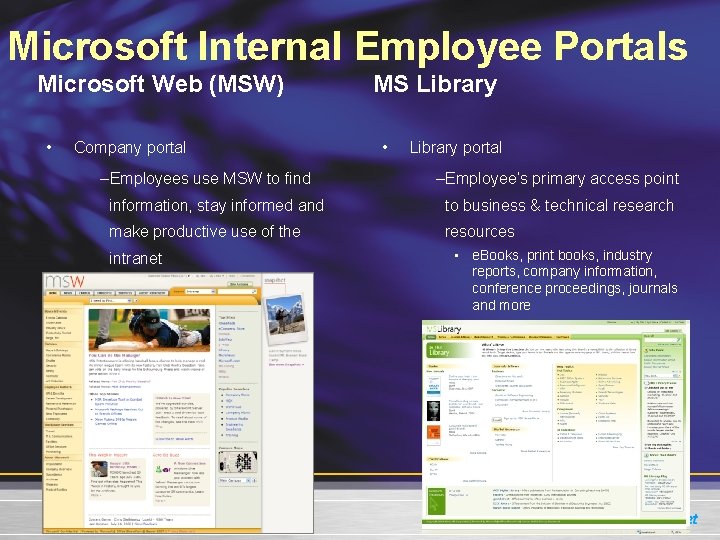
Microsoft Internal Employee Portals Microsoft Web (MSW) • Company portal –Employees use MSW to find MS Library • Library portal –Employee’s primary access point information, stay informed and to business & technical research make productive use of the resources intranet • e. Books, print books, industry reports, company information, conference proceedings, journals and more
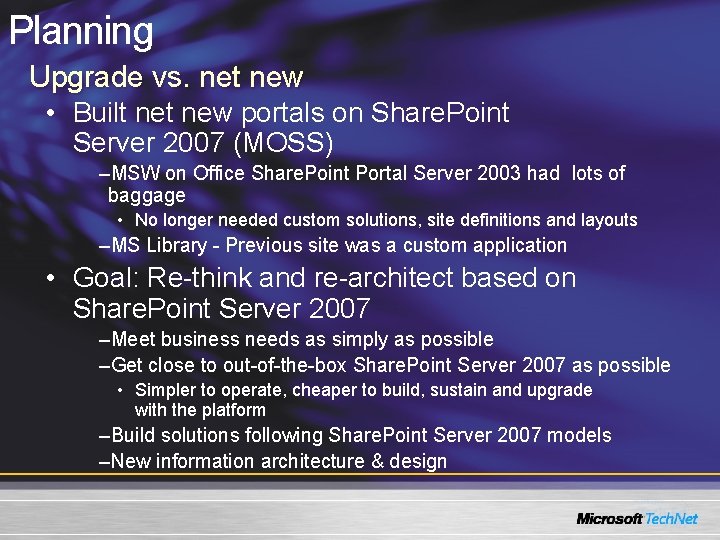
Planning Upgrade vs. net new • Built new portals on Share. Point Server 2007 (MOSS) –MSW on Office Share. Point Portal Server 2003 had lots of baggage • No longer needed custom solutions, site definitions and layouts –MS Library - Previous site was a custom application • Goal: Re-think and re-architect based on Share. Point Server 2007 –Meet business needs as simply as possible –Get close to out-of-the-box Share. Point Server 2007 as possible • Simpler to operate, cheaper to build, sustain and upgrade with the platform –Build solutions following Share. Point Server 2007 models –New information architecture & design
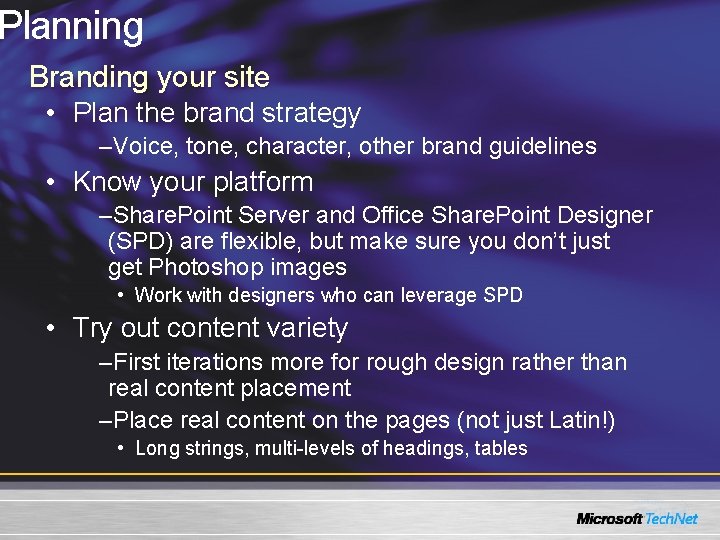
Planning Branding your site • Plan the brand strategy –Voice, tone, character, other brand guidelines • Know your platform –Share. Point Server and Office Share. Point Designer (SPD) are flexible, but make sure you don’t just get Photoshop images • Work with designers who can leverage SPD • Try out content variety –First iterations more for rough design rather than real content placement –Place real content on the pages (not just Latin!) • Long strings, multi-levels of headings, tables
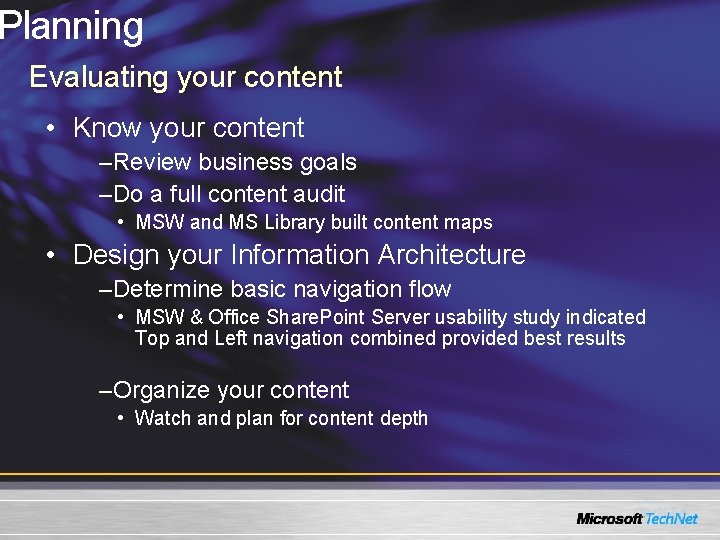
Planning Evaluating your content • Know your content –Review business goals –Do a full content audit • MSW and MS Library built content maps • Design your Information Architecture –Determine basic navigation flow • MSW & Office Share. Point Server usability study indicated Top and Left navigation combined provided best results –Organize your content • Watch and plan for content depth
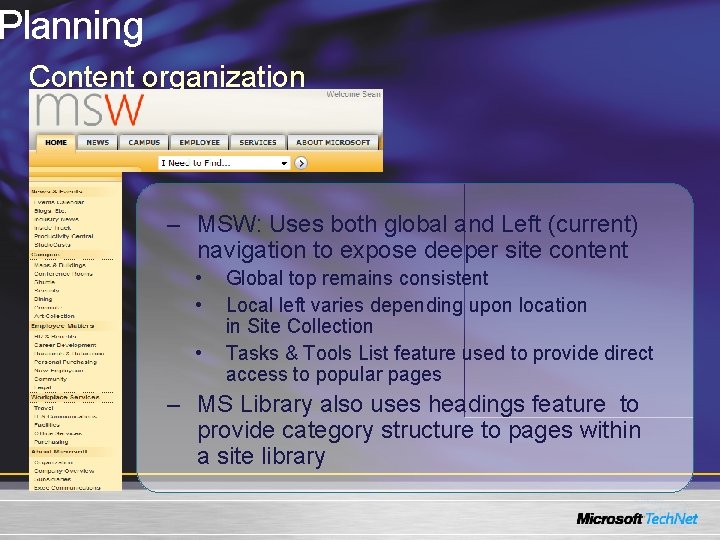
Planning Content organization – MSW: Uses both global and Left (current) navigation to expose deeper site content • • • Global top remains consistent Local left varies depending upon location in Site Collection Tasks & Tools List feature used to provide direct access to popular pages – MS Library also uses headings feature to provide category structure to pages within a site library
Web Content Management Site design: Page Model • Separation of content and presentation –Master page defines common site elements like navigation, the header, and the footer –Page layouts are templates that define how a page looks and what content is displayed on the page • Both portals designed with only a few custom master pages, but several page layouts –Created custom master files using the Blue. Band. master as a template (not default. master) – 3 master files across both portals (Branded with nav, branded with no nav, & unbranded) –Custom layouts enable flexible management of content with consistent design
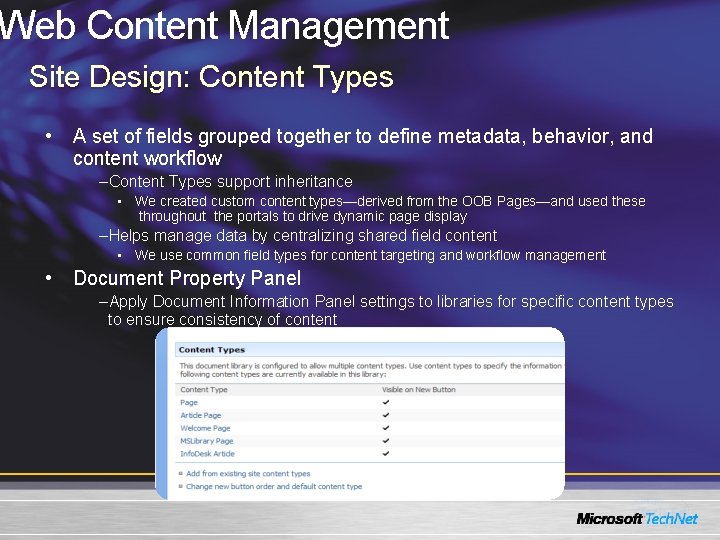
Web Content Management Site Design: Content Types • A set of fields grouped together to define metadata, behavior, and content workflow –Content Types support inheritance • We created custom content types—derived from the OOB Pages—and used these throughout the portals to drive dynamic page display –Helps manage data by centralizing shared field content • We use common field types for content targeting and workflow management • Document Property Panel –Apply Document Information Panel settings to libraries for specific content types to ensure consistency of content
Web Content Management Site design: Page layouts • Templates for a content page • Based on a content type defining the column elements available –These are made available on the page as editable content areas called field controls –Content controls include both field controls and web part zones • These content controls can be modified through property settings • Page content and properties are stored in the pages document library • We have ~20 layouts / portal
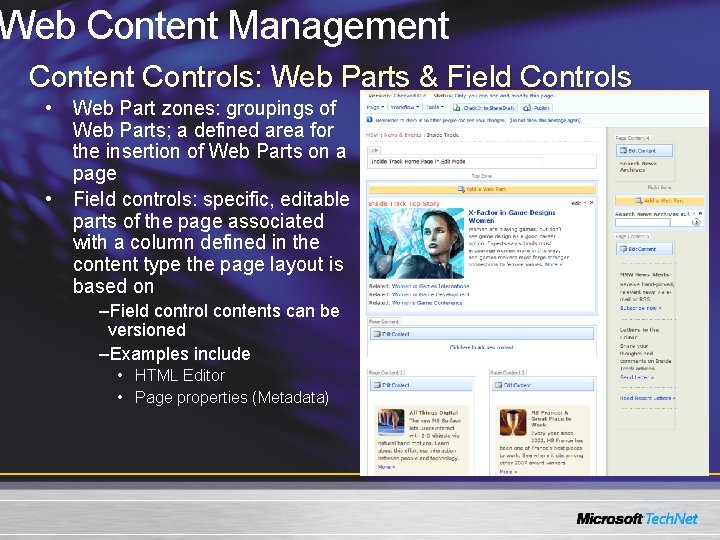
Web Content Management Controls: Web Parts & Field Controls • Web Part zones: groupings of Web Parts; a defined area for the insertion of Web Parts on a page • Field controls: specific, editable parts of the page associated with a column defined in the content type the page layout is based on –Field control contents can be versioned –Examples include • HTML Editor • Page properties (Metadata)
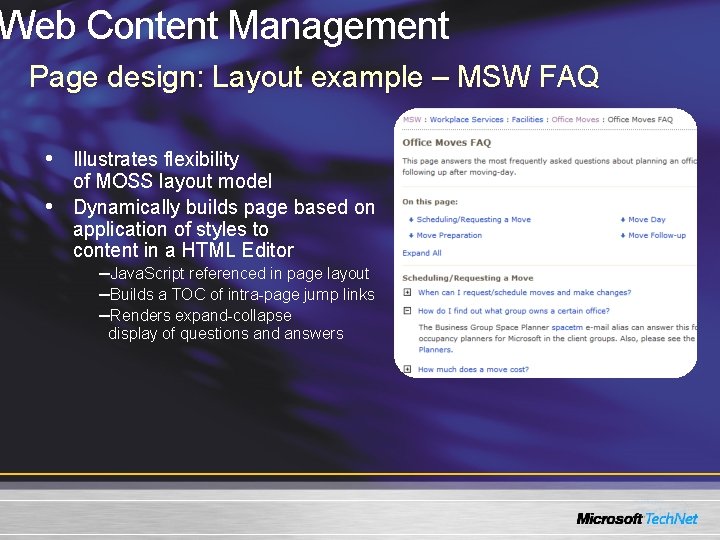
Web Content Management Page design: Layout example – MSW FAQ • Illustrates flexibility • of MOSS layout model Dynamically builds page based on application of styles to content in a HTML Editor –Java. Script referenced in page layout –Builds a TOC of intra-page jump links –Renders expand-collapse display of questions and answers
Web Content Management Site Design: Style management • All CSS and XSLT files are maintained in a central style library • Both portals use a global CSS file that defines custom styles and overrides out-of-box ones –Can be referenced using the CSS Link Server control or the alternate CSS path settings <Sharepoint: Css. Link runat="server" Default. Url="<% $SPUrl: ~sitecollection/Style Library/~language/Core Styles/msw_custom. css %>"/> • All custom formatting for the roll-up Web Parts is added directly to the out-of-box XSL files
Web Content Management Content caching • Page Output and Object Caching –Used to improve page load performance and eliminate trips to the database by persisting compiled pages in memory –We use out-of-box (OOB) Intranet cache profile to ensure permission settings are honored –Page Output caching is set to the site level so we can disable or modify in select sub-sites –Object/Disk caching is used to persist static files like images. We set this to 350 MB max. Size • We use the Debugger feature to verify in cache profile settings in the source code
Publishing Takeaways Lessons learned • Navigation: flexible provider(s) to support front- and back-end needs • Layout design is critical and will change as portal develops • Content display: How content should be stored is important (baked into layout, stored in Web Parts, stored in page via field controls) and how it will be accessed –Content controls support attributes for locking down properties
Dynamic Data Creating a More Dynamic Portal
Dynamic Web Parts • New Office Share. Point Server 2007 features allow content to be more easily distributed and re-used • Examples –Content by Query (CBQ) Web Part –List viewer Web Part –BDC Web Part(s) –Search –Table of Contents (TOC) Web Part
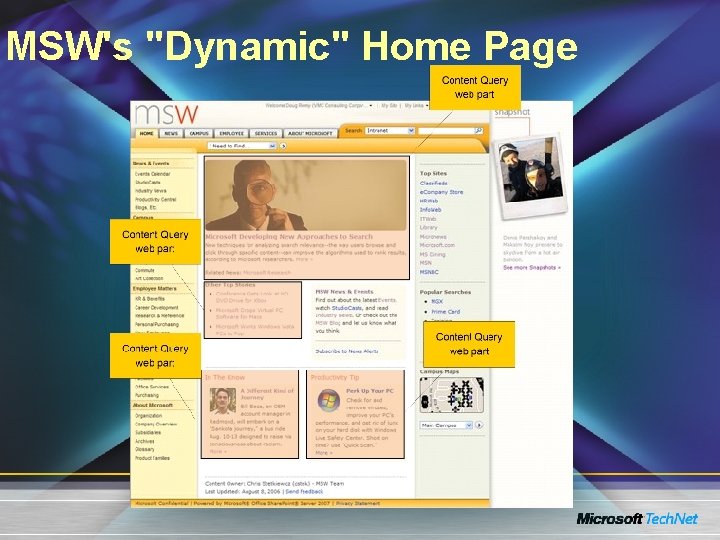
MSW's "Dynamic" Home Page
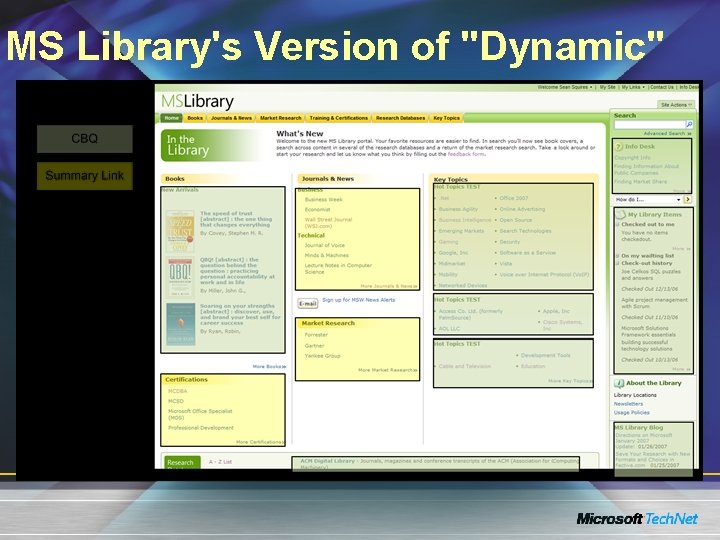
MS Library's Version of "Dynamic"
Dynamic Portal Design New Web Parts & features • Both portals rely on query Web Parts to display filtered views of items stored in sub-site libraries and lists –Query Web Parts allow building of dynamic pages w/ centralized content management and consistent formatting • List columns can be declared in the Web Part properties and then filtered on for the desired page • Reusable Content feature allows storing centrally and reusing HTML fragments in page field controls
Dynamic Portal Design Content Query Web Part (CBQ) • We love this new Web Part!! –Customized to expose promo, calendar event, resource pages, and blog post roll-ups on other pages • Specific tags on items used in filter, i. e. , MSW home page promotion containers –Filters on list columns to populate right rail of MS Library pages –Used to provide custom displays of news across site • Provided means of automatically building archive pages and categorized content without repetitive manual entry
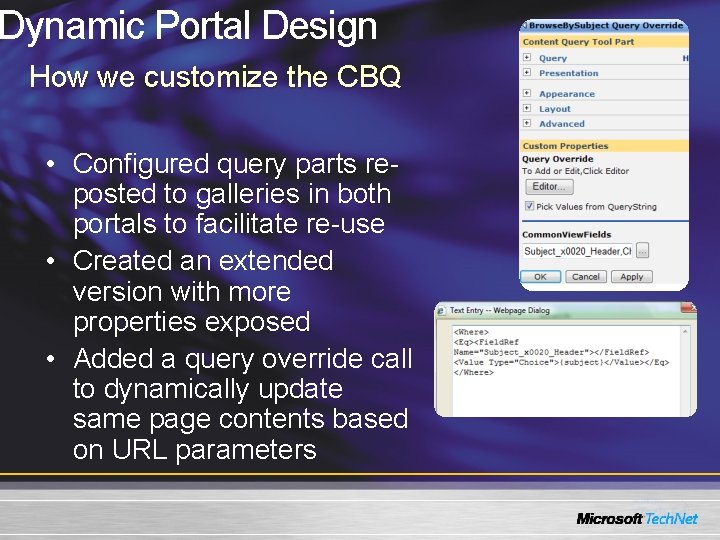
Dynamic Portal Design How we customize the CBQ • Configured query parts reposted to galleries in both portals to facilitate re-use • Created an extended version with more properties exposed • Added a query override call to dynamically update same page contents based on URL parameters
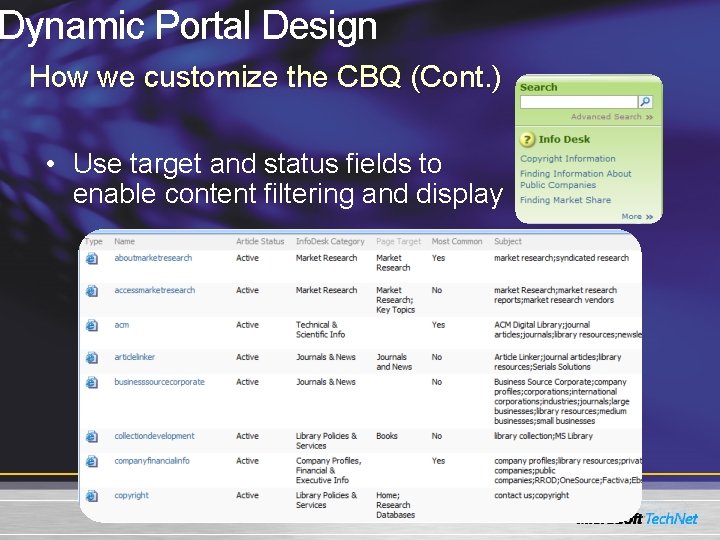
Dynamic Portal Design How we customize the CBQ (Cont. ) • Use target and status fields to enable content filtering and display
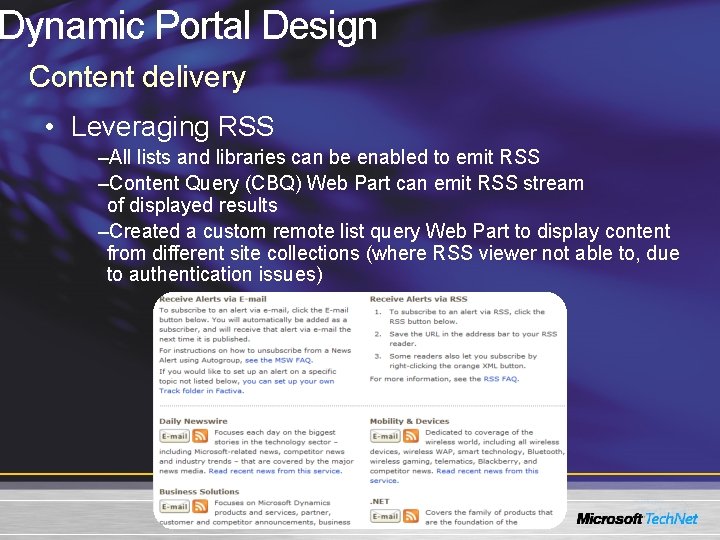
Dynamic Portal Design Content delivery • Leveraging RSS –All lists and libraries can be enabled to emit RSS –Content Query (CBQ) Web Part can emit RSS stream of displayed results –Created a custom remote list query Web Part to display content from different site collections (where RSS viewer not able to, due to authentication issues)
Dealing with Dynamic Data Case Study on MSW • Content Delivery Challenges on MSWeb 2003 –Home page was manually created every day –Stories were copied to every category specific page –Stories were copied off of primary news pages onto news archive pages –News e-mails handcrafted daily with selected stories often being hand added to multiple e-mails • Goal for MSW 2007: content delivery automation –MSW Home page –MSW targeted news pages & archives –Future Library portal Topics pages –Daily MSW Newswire e-mail/Targeted MSW News Alert e-mails
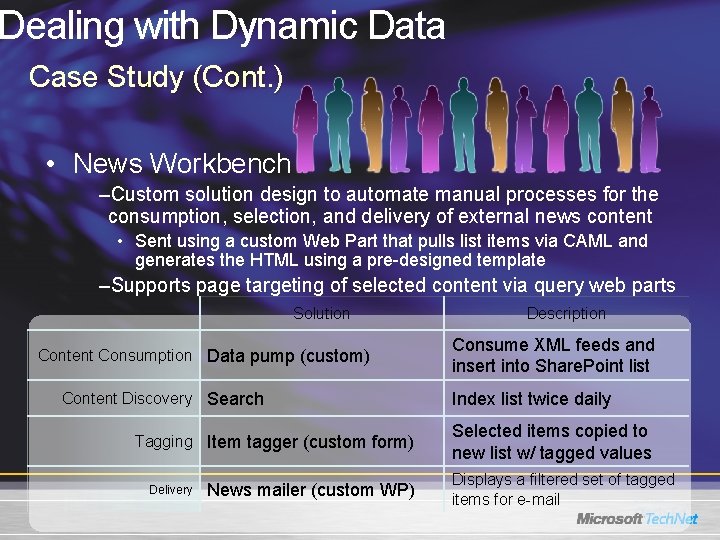
Dealing with Dynamic Data Case Study (Cont. ) • News Workbench –Custom solution design to automate manual processes for the consumption, selection, and delivery of external news content • Sent using a custom Web Part that pulls list items via CAML and generates the HTML using a pre-designed template –Supports page targeting of selected content via query web parts Solution Content Consumption Data pump (custom) Content Discovery Search Tagging Item tagger (custom form) Delivery News mailer (custom WP) Description Consume XML feeds and insert into Share. Point list Index list twice daily Selected items copied to new list w/ tagged values Displays a filtered set of tagged items for e-mail
Build & Deployment How We Configure and Maintain Our Portal Properties
Build and Deployment Challenges we had to learn from • When we first started with MOSS 2007, we had no consistent approach to building or deploying Share. Point components –CAB and DDF files generated manually –Install scripts were manually created and maintained –Each solution had unique deployment documentation • Deployment process was error-prone, especially when rebuilding an entire site • Most bugs were due to deployment and found late in testing
Build and Deployment Our approach • We exclusively use Share. Point solutions packages –Build process is customized with custom target files to dynamically generate solution package • Deployed through single batch file that –Handles multiple solutions –Establishes repeatable install workflow –Generated by build process –Supports rapid farm or WFE build
Build and Deployment Web Part development • Package resource files with the solution (i. e. , images, CSS and Java. Script files) • Add a caching expiration time as Web Part property • Use Portal. Log and SPSException for error handling • Separate UI presentation layer –XSLT Web Part property to format structured result sets where it applies (i. e. , search result scenarios) –Use User Controls to encapsulate the UI for server controls –Put all labels & strings in resource files (i. e. , localization)
Build and Deployment Web Part development (Cont. ) • Support web part connections –Use web part connections when passing variables between Web Parts –Accept filter connections (i. e. , current users & user profile property filters) • Use delegate controls (i. e. , welcome control) • Give security access as appropriate and use CAS policies • Reference with “using” statements or dispose objects properly after use
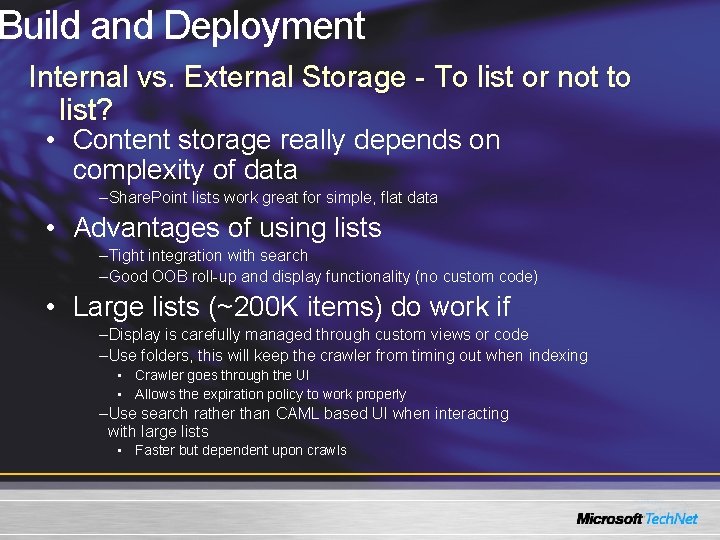
Build and Deployment Internal vs. External Storage - To list or not to list? • Content storage really depends on complexity of data –Share. Point lists work great for simple, flat data • Advantages of using lists –Tight integration with search –Good OOB roll-up and display functionality (no custom code) • Large lists (~200 K items) do work if –Display is carefully managed through custom views or code –Use folders, this will keep the crawler from timing out when indexing • Crawler goes through the UI • Allows the expiration policy to work properly –Use search rather than CAML based UI when interacting with large lists • Faster but dependent upon crawls
Operations Portal Architecture Hardware Topology
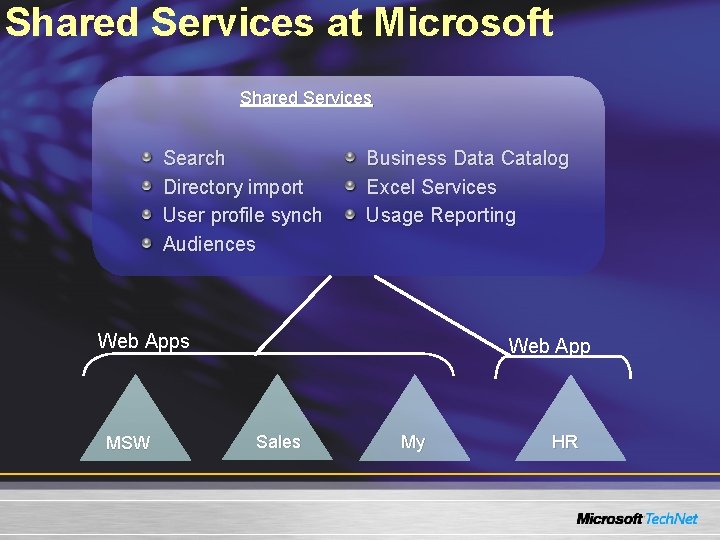
Shared Services at Microsoft Shared Services Search Directory import User profile synch Audiences Business Data Catalog Excel Services Usage Reporting Web Apps MSW Web App Sales My HR
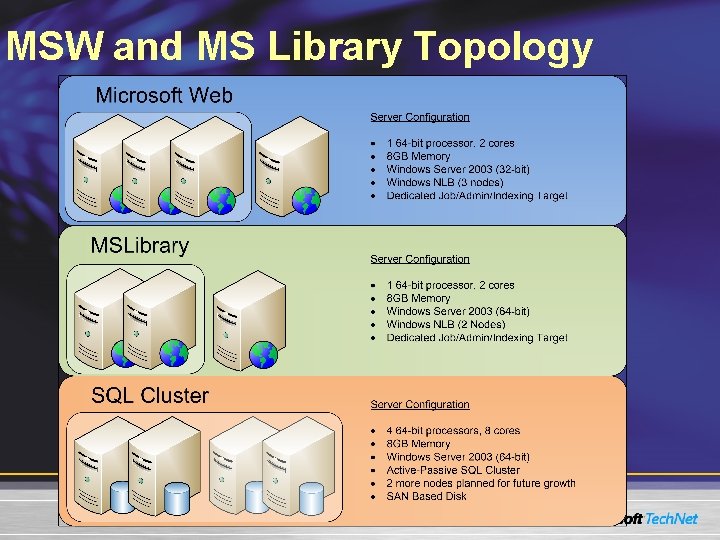
MSW and MS Library Topology
Operations Lessons Learned
Operations Lessons learned: Performance • Change CBQ Defaults for large sites –The default of the CBQ is to run a query against every list in a site collection –Either change default to be opt-in instead of opt-out or ensure your Site Publishing rules accommodate this • Large lists can be a source of performance issues if not designed with the following in mind: –No folder should exceed 2000 items (an item being either a list item or sub-folder) –Use item expiration where appropriate –Index fields to be used in CAML queries
Operations Lessons learned: Performance (cont'd. ) • Schedule regular maintenance of your SQL databases, including –Database defragmentation –Update statistics/re-index key tables (see soon-to-be-released whitepaper on this topic) • Disk subsystem is top investment for high-traffic Web sites • For busy sites, watch virtual memory and consider more frequent application pool recycles
Operations Lessons learned: Deployment • Use of Solution Packages enables rapid portal build/clone –MS Library ~40 solutions can be deployed in approximately 20 minutes –New code deployed automatically when new servers added to the farm –Easy upgrade/removal of custom code when needed
Operations Lessons learned: Security • Simplify your permissions structure –General site permissions at the top –Limit the # of break-away sites –Use a security tracer script to trace permissions across portal • Use AD security groups where possible –Ease of management –Minimizes change log entries and improves crawl performance –NOTE: Nested DLs do not expand properly
Operations Lessons learned: Security (cont. ) • Plan your Share. Point groups carefully –Minimize the # of groups –Give Approvers “Manage Hierarchy” • Setup ALT accounts for administrative & publishing access –Enforces thought before changes to portal can be made BUT workflow approvers need email –Easy to login under ALT account in Share. Point Server 2007 • Site Collection Admin should really be reserved for ops management but… –Best Bet managers and Report viewers need the security level for access
Operations Lessons learned: Best practices • Use dedicated Web front-end servers for indexing large or busy sites • Backup/restore content DB only to build dev/test environments • Run stsadm –preparetomove before detaching content databases • Monitor service uptime with Microsoft Operations Manager 2005 • Implement fault tolerance with SQL Clustering or mirroring use NLB for improved site availability
Q&A
Resources Technical Communities, Webcasts, Blogs, Chats & User Groups http: //www. microsoft. com/communities/default. mspx http: //blogs. msdn. com/ecm/ Microsoft Learning and Certification http: //www. microsoft. com/learning/default. mspx Microsoft Developer Network (MSDN) & Tech. Net http: //microsoft. com/msdn http: //microsoft. com/technet Trial Software and Virtual Labs http: //www. microsoft. com/technet/downloads/trials/default. mspx