
Designing an Effective Authentication Topology Gil Kirkpatrick CTO


![Priority on SRV records • _Service. _Protocol …. . [Priority] [Weight] • Set preference](https://slidetodoc.com/presentation_image_h/12adac7ba935e6b1c99a94b39cd73bee/image-34.jpg "Priority on SRV records • _Service. _Protocol …. . [Priority] [Weight] • Set preference")

- Slides: 50
Designing an Effective Authentication Topology Gil Kirkpatrick CTO, Net. Pro
Introduction • Net. Pro – “The Directory Experts” • Gil Kirkpatrick – CTO – Architect of Directory. Analyzer and Directory. Troubleshooter for Active Directory – Author of Active Directory Programming from Mac. Millan
Question Why do we worry so much about optimizing replication traffic when 90% of directory traffic is authentication and lookup?
Agenda • DC location – How does a workstation determine which DCs to communicate with? • Active Directory configuration – How do you configure AD for optimal client authentication? • Some scenarios – Hub-and-spoke – Network Operations Center (NOC)
DC Location
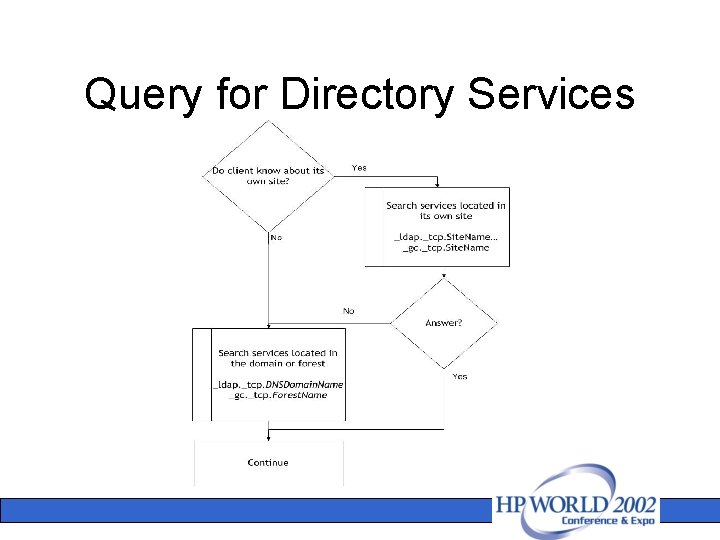
Discovery Process • Workstations use DNS to locate DCs • Clients need to locate AD servers that offer directory services – For authentication purpose: DC – GC – Kerberos KDC – For directory lookup: GC • Discovery process – Performed when user logs in – Called by the Net. Logon Service – Called by applications that use Ds. Get. DCName API • DC Locator provides the mechanism to locate AD server
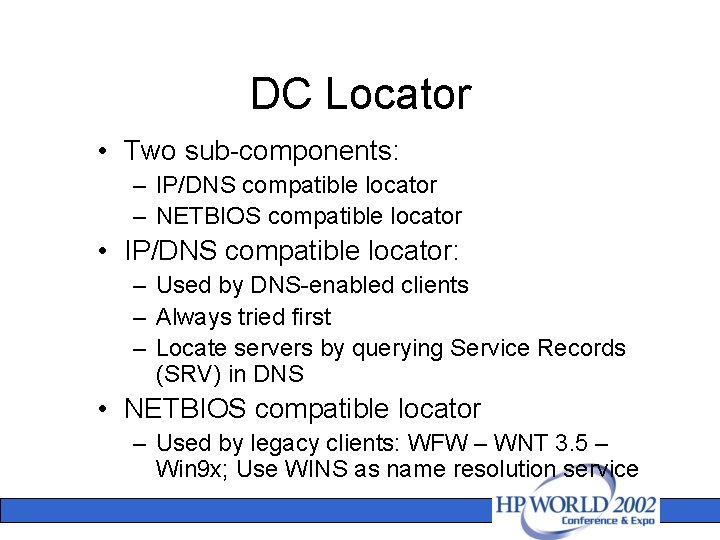
DC Locator • Two sub-components: – IP/DNS compatible locator – NETBIOS compatible locator • IP/DNS compatible locator: – Used by DNS-enabled clients – Always tried first – Locate servers by querying Service Records (SRV) in DNS • NETBIOS compatible locator – Used by legacy clients: WFW – WNT 3. 5 – Win 9 x; Use WINS as name resolution service
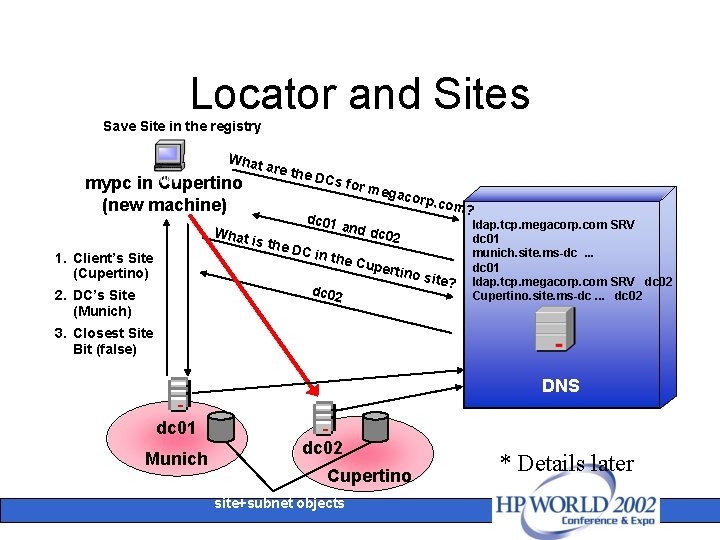
Locator and Sites Save Site in the registry What mypc in Cupertino (new machine) What 1. Client’s Site (Cupertino) are th e DCs dc 01 is the DC in gacor p . com? and d c 02 the C dc 02 2. DC’s Site (Munich) for m e upert ino si te? ldap. tcp. megacorp. com SRV dc 01 munich. site. ms-dc. . . dc 01 ldap. tcp. megacorp. com SRV dc 02 Cupertino. site. ms-dc. . . dc 02 3. Closest Site Bit (false) DNS dc 01 Munich dc 02 Cupertino site+subnet objects * Details later
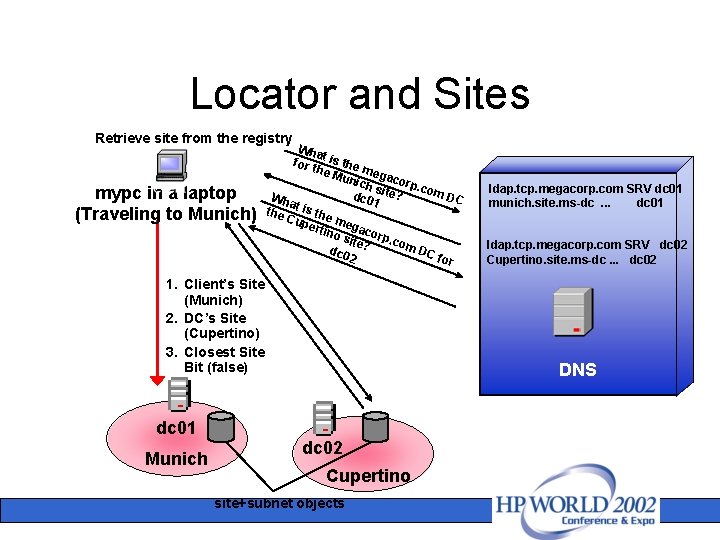
Locator and Sites Retrieve site from the registry mypc in a laptop (Traveling to Munich) Wha for t t is the m he M unic egacor p. co hs m. D dc 0 ite? Wh C 1 at is the Cup the me erti gac no site orp. co m. D dc 0 ? C fo 2 r 1. Client’s Site (Munich) 2. DC’s Site (Cupertino) 3. Closest Site Bit (false) ldap. tcp. megacorp. com SRV dc 02 Cupertino. site. ms-dc. . . dc 02 DNS dc 01 Munich ldap. tcp. megacorp. com SRV dc 01 munich. site. ms-dc. . . dc 01 dc 02 Cupertino site+subnet objects
Query for Directory Services
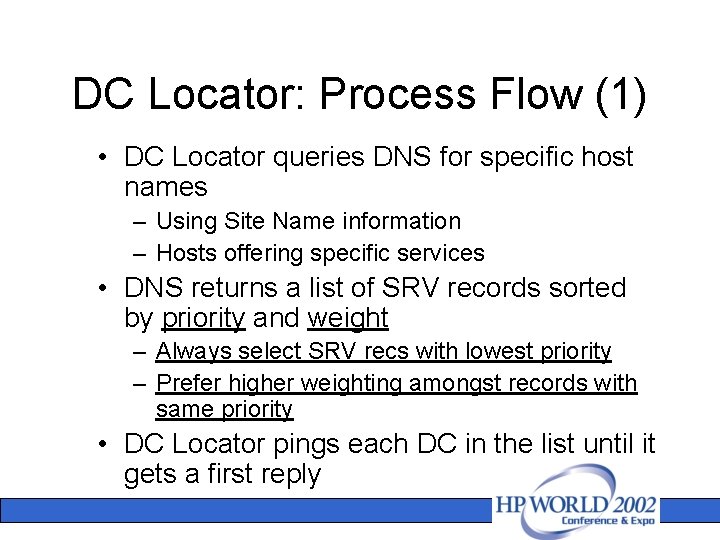
DC Locator: Process Flow (1) • DC Locator queries DNS for specific host names – Using Site Name information – Hosts offering specific services • DNS returns a list of SRV records sorted by priority and weight – Always select SRV recs with lowest priority – Prefer higher weighting amongst records with same priority • DC Locator pings each DC in the list until it gets a first reply
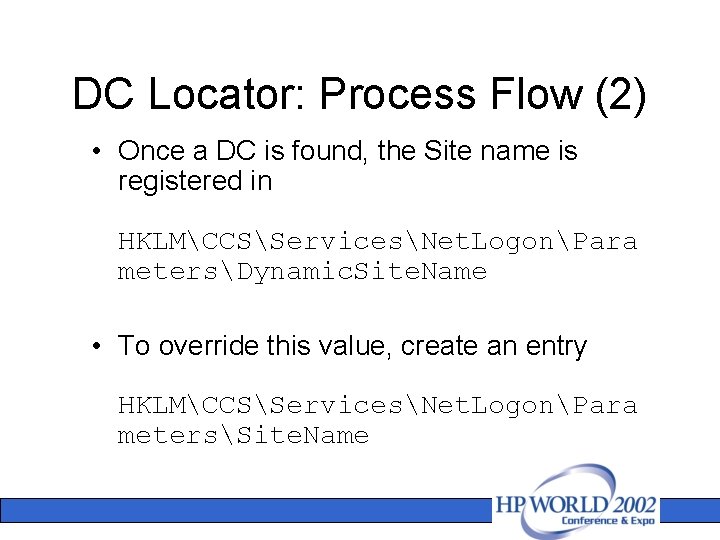
DC Locator: Process Flow (2) • Once a DC is found, the Site name is registered in HKLMCCSServicesNet. LogonPara metersDynamic. Site. Name • To override this value, create an entry HKLMCCSServicesNet. LogonPara metersSite. Name
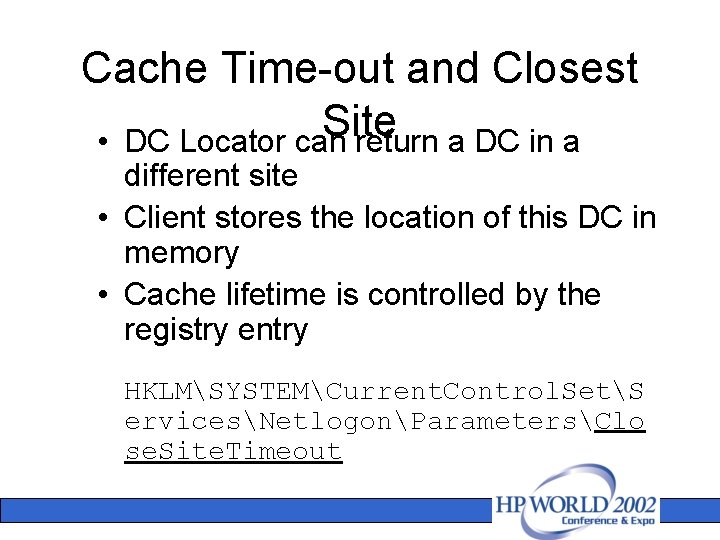
Cache Time-out and Closest Site • DC Locator can return a DC in a different site • Client stores the location of this DC in memory • Cache lifetime is controlled by the registry entry HKLMSYSTEMCurrent. Control. SetS ervicesNetlogonParametersClo se. Site. Timeout
Cache Time-out and Closest Site cont. • DC Locator will search for a DC in client’s site when the timeout expires • Example: Exchange 2000 SP 2 DSACCESS component
DC Locator characteristics • DC Locator uses SRV records in DNS to find a DC/GC – Site specific SRV to locate services in the same site as clients – Priority and weight of SRV allows prioritization of DC/GC • Issues: – DNS configuration on workstation – DNS may contain useless or incorrect SRV records – DNS updates may augment the network traffic
Registering Service Records on Servers
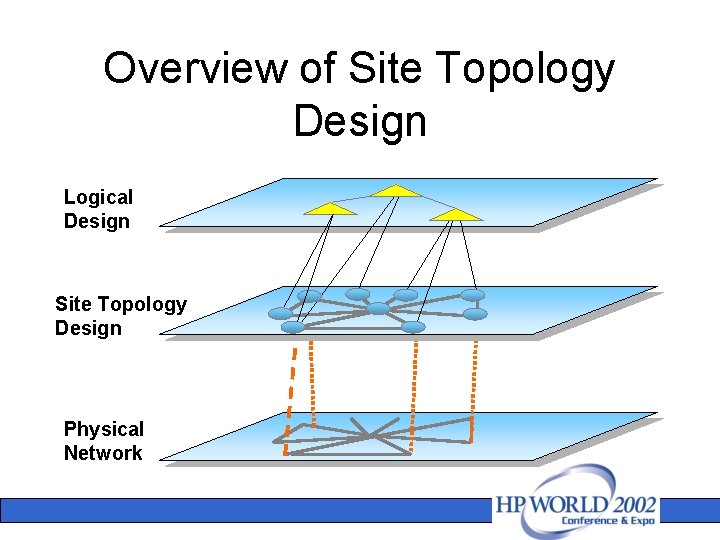
Overview of Site Topology Design Logical Design Site Topology Design Physical Network
Site Topology design’s Objectives • Build an efficient replication topology – Sites - Subnets – Site Links: Cost, Schedule – Bridgehead Servers – Global Catalogs (GC) • Lay out an optimized authentication infrastructure – Placement of Domain Controllers (DC) in sites – Number of servers required: DC – GC – Sizing the server profile for DC
What are the challenges? • Find a good trade-off between replication traffic and fast authentication against local DCs • Optimize the number of servers deployed – Reduce the burden of administration – Reduce the overall Total cost of Ownership – Minimize security threats in exposing DCs in “untrusted” sites • Design the right profile for server – Number of concurrent clients supported – CPU – RAM
Directory Services Publication • Domain Controllers announce their services when assigned to a Windows 2000 site: – SRV records registered in DNS with site information – Operation performed by the NETLOGON service • AD clients look up in DNS for these SRV records to search for Directory Services
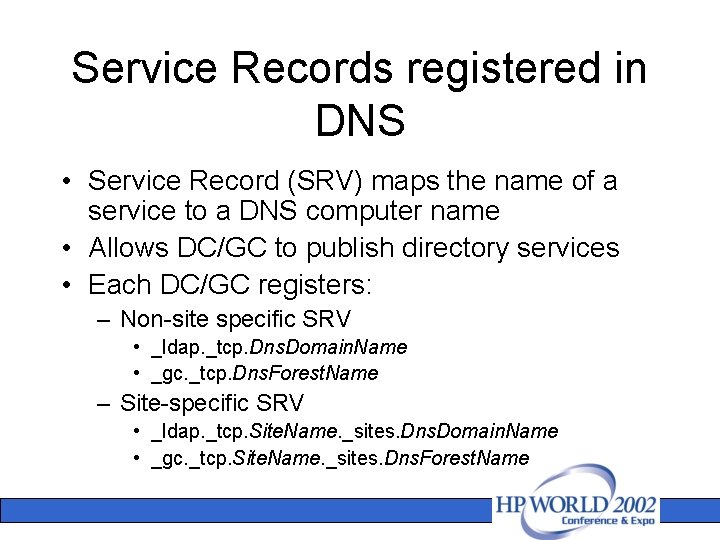
Service Records registered in DNS • Service Record (SRV) maps the name of a service to a DNS computer name • Allows DC/GC to publish directory services • Each DC/GC registers: – Non-site specific SRV • _ldap. _tcp. Dns. Domain. Name • _gc. _tcp. Dns. Forest. Name – Site-specific SRV • _ldap. _tcp. Site. Name. _sites. Dns. Domain. Name • _gc. _tcp. Site. Name. _sites. Dns. Forest. Name
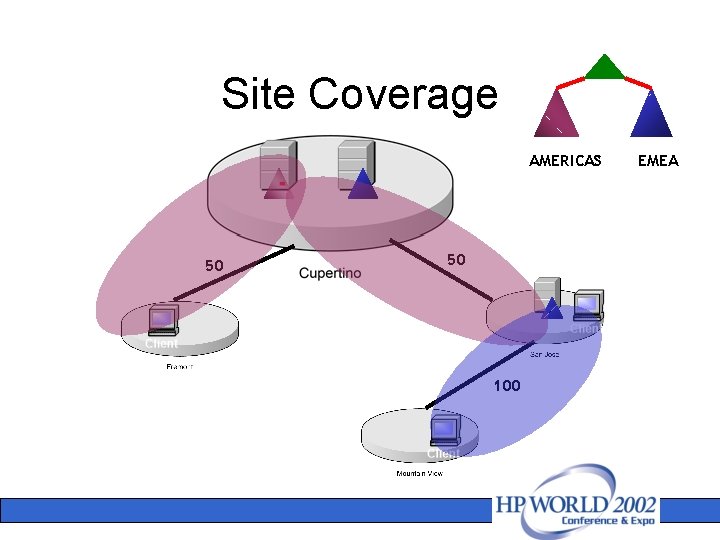
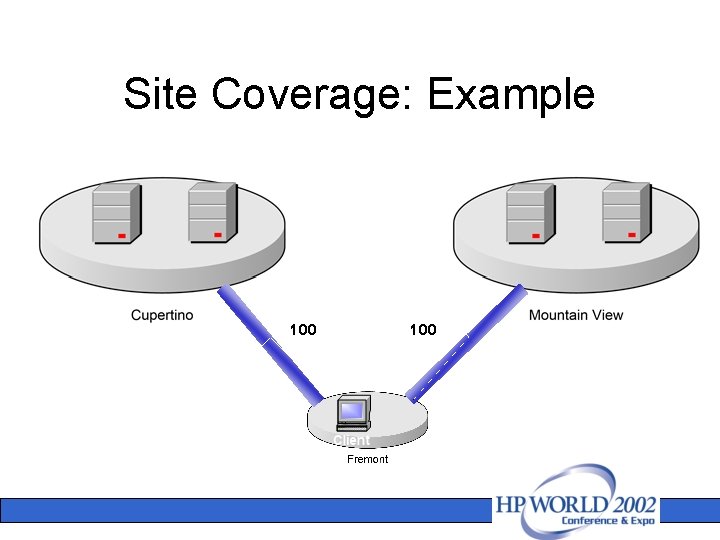
Site Coverage • Each DC/GC advertises Directory Services for: – Its home site – DC-less sites that are “adjacent” to its site • DC creates 4 SRV per site for authentication service • GC creates 2 SRV per site for directory services
Site Coverage cont. • DC-less sites: – Locations with few users that do not justify presence of DC/GC – Locations that do not necessarily contain DC/GC of every domain • Adjacent sites are evaluated using site link cost
Site Coverage AMERICAS 50 50 100 EMEA
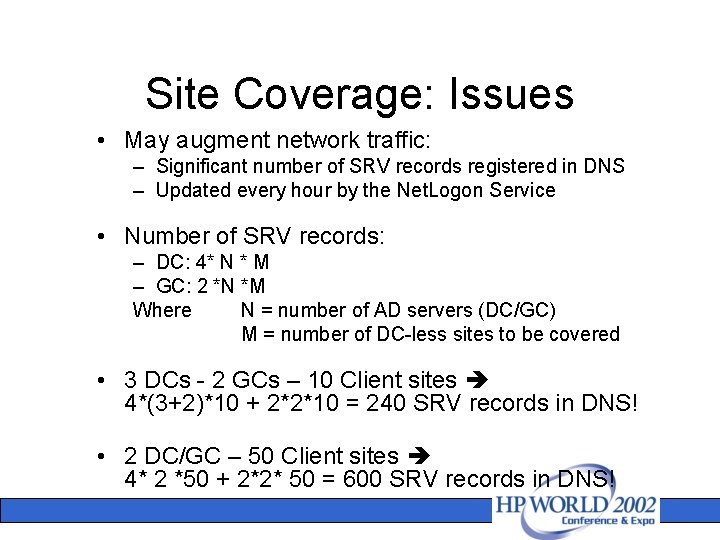
Site Coverage: Issues • May augment network traffic: – Significant number of SRV records registered in DNS – Updated every hour by the Net. Logon Service • Number of SRV records: – DC: 4* N * M – GC: 2 *N *M Where N = number of AD servers (DC/GC) M = number of DC-less sites to be covered • 3 DCs - 2 GCs – 10 Client sites 4*(3+2)*10 + 2*2*10 = 240 SRV records in DNS! • 2 DC/GC – 50 Client sites 4* 2 *50 + 2*2* 50 = 600 SRV records in DNS!
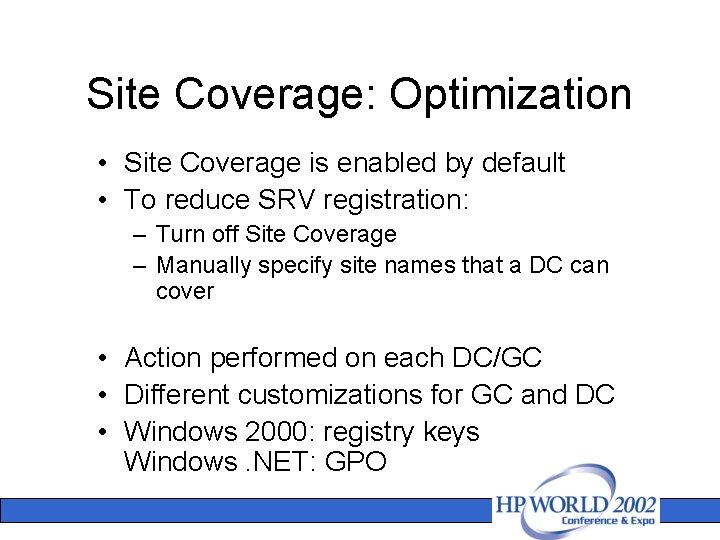
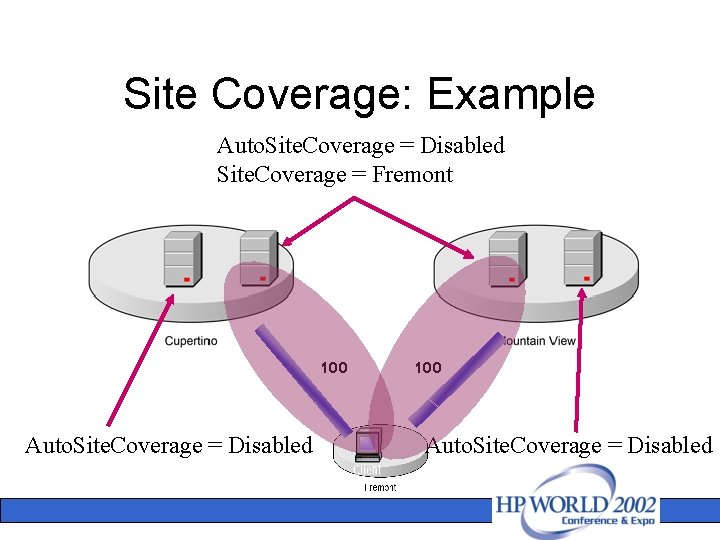
Site Coverage: Optimization • Site Coverage is enabled by default • To reduce SRV registration: – Turn off Site Coverage – Manually specify site names that a DC can cover • Action performed on each DC/GC • Different customizations for GC and DC • Windows 2000: registry keys Windows. NET: GPO
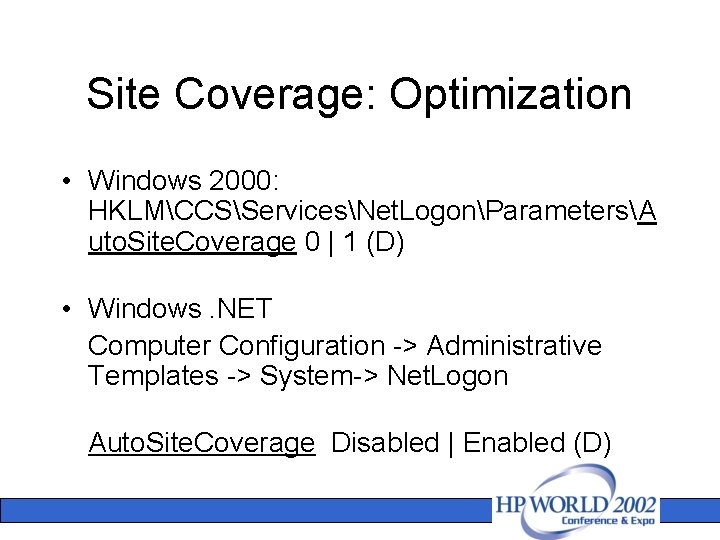
Site Coverage: Optimization • Windows 2000: HKLMCCSServicesNet. LogonParametersA uto. Site. Coverage 0 | 1 (D) • Windows. NET Computer Configuration -> Administrative Templates -> System-> Net. Logon Auto. Site. Coverage Disabled | Enabled (D)
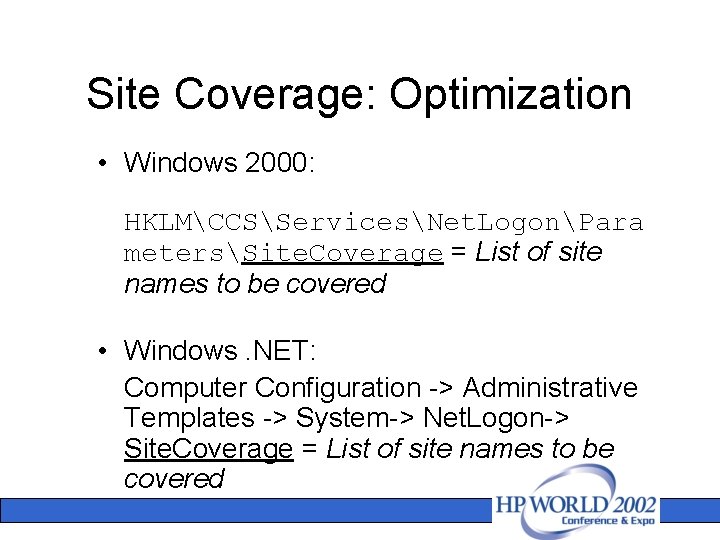
Site Coverage: Optimization • Windows 2000: HKLMCCSServicesNet. LogonPara metersSite. Coverage = List of site names to be covered • Windows. NET: Computer Configuration -> Administrative Templates -> System-> Net. Logon-> Site. Coverage = List of site names to be covered
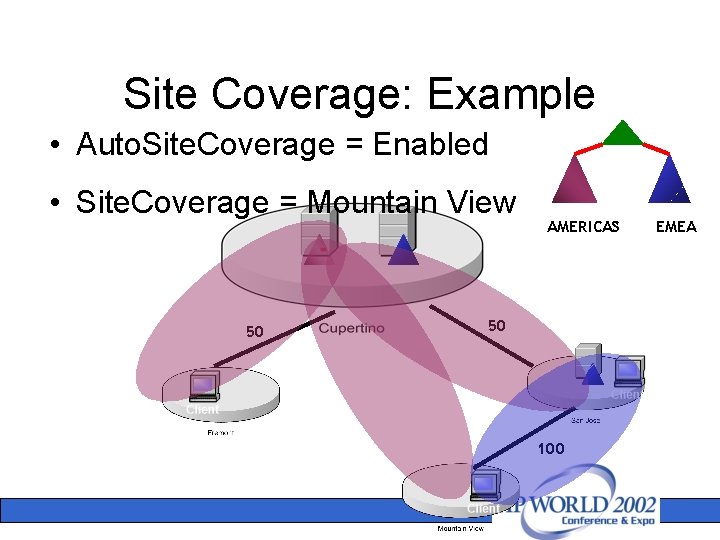
Site Coverage: Example • Auto. Site. Coverage = Enabled • Site. Coverage = Mountain View 50 AMERICAS 50 100 EMEA
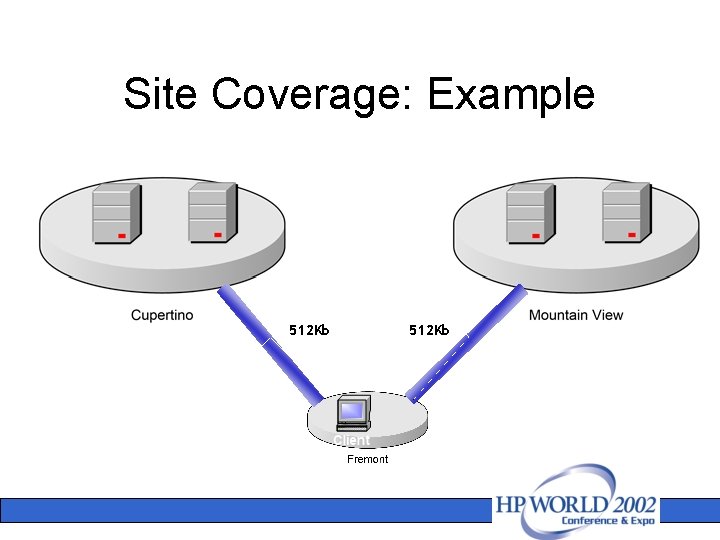
Site Coverage: Example 512 Kb
Site Coverage: Example 100
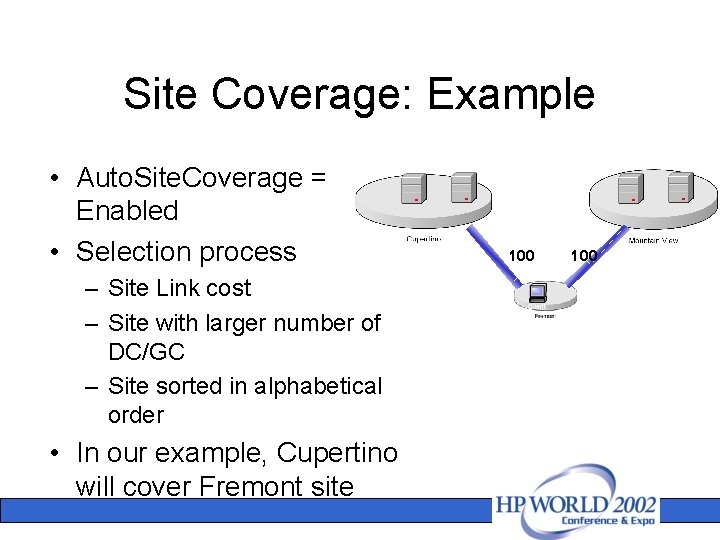
Site Coverage: Example • Auto. Site. Coverage = Enabled • Selection process – Site Link cost – Site with larger number of DC/GC – Site sorted in alphabetical order • In our example, Cupertino will cover Fremont site 100
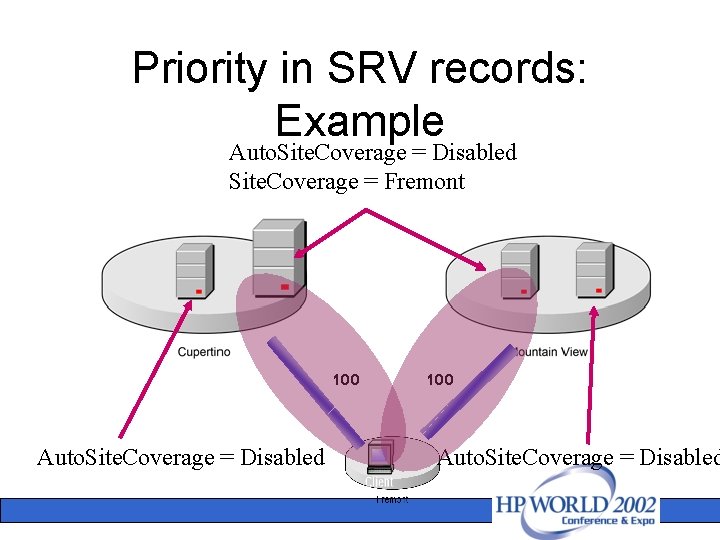
Site Coverage: Example Auto. Site. Coverage = Disabled Site. Coverage = Fremont 100 Auto. Site. Coverage = Disabled
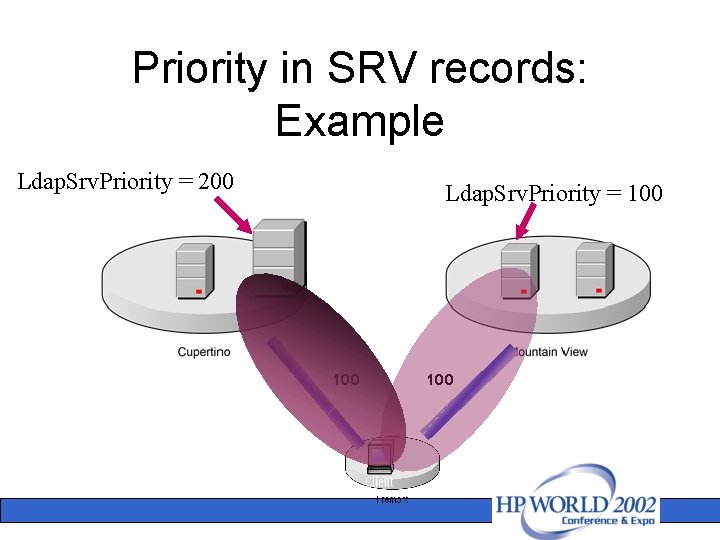
Priority on SRV records • _Service. _Protocol …. . [Priority] [Weight] • Set preference for target host specified in the Target Field • Weight is used to set preference when two SRV records have same priority
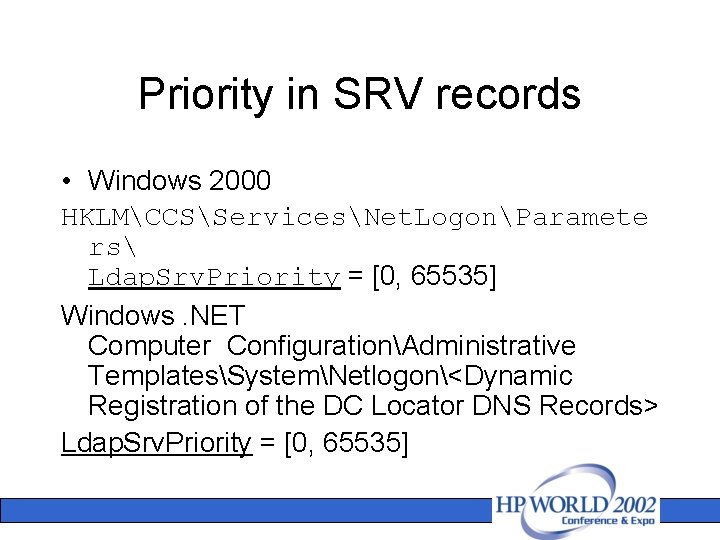
Priority in SRV records • Windows 2000 HKLMCCSServicesNet. LogonParamete rs Ldap. Srv. Priority = [0, 65535] Windows. NET Computer ConfigurationAdministrative TemplatesSystemNetlogon<Dynamic Registration of the DC Locator DNS Records> Ldap. Srv. Priority = [0, 65535]
Priority in SRV records: Example Auto. Site. Coverage = Disabled Site. Coverage = Fremont 100 Auto. Site. Coverage = Disabled
Priority in SRV records: Example Ldap. Srv. Priority = 200 Ldap. Srv. Priority = 100 100
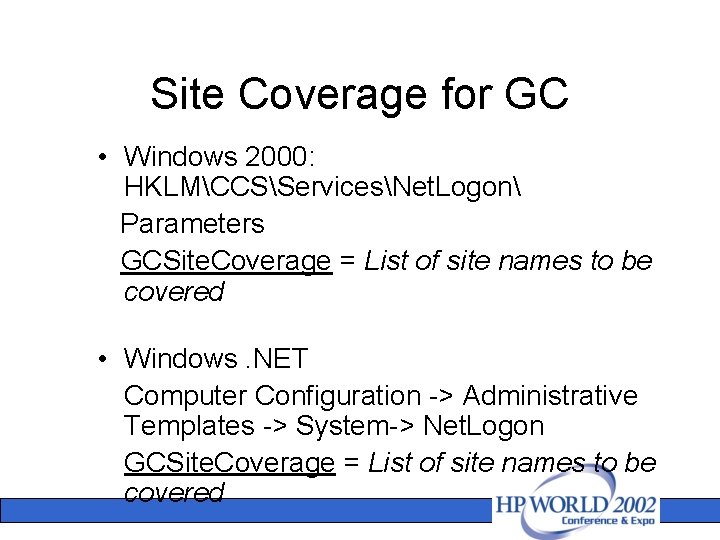
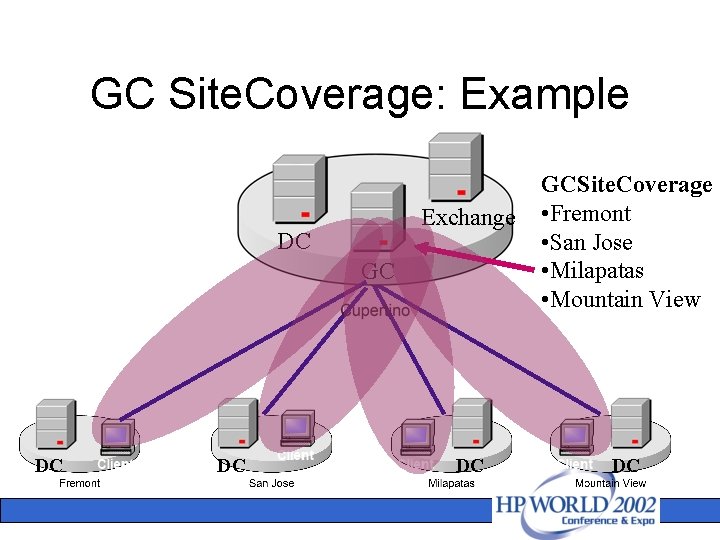
Site Coverage for GC • Windows 2000: HKLMCCSServicesNet. Logon Parameters GCSite. Coverage = List of site names to be covered • Windows. NET Computer Configuration -> Administrative Templates -> System-> Net. Logon GCSite. Coverage = List of site names to be covered
GC Site. Coverage: Example Exchange DC GC DC DC DC GCSite. Coverage • Fremont • San Jose • Milapatas • Mountain View DC
Generic SRV records • Used by clients when they cannot find AD servers in their sites • Each DC/GC registers generic SRV records – DC specific records – GC specific records
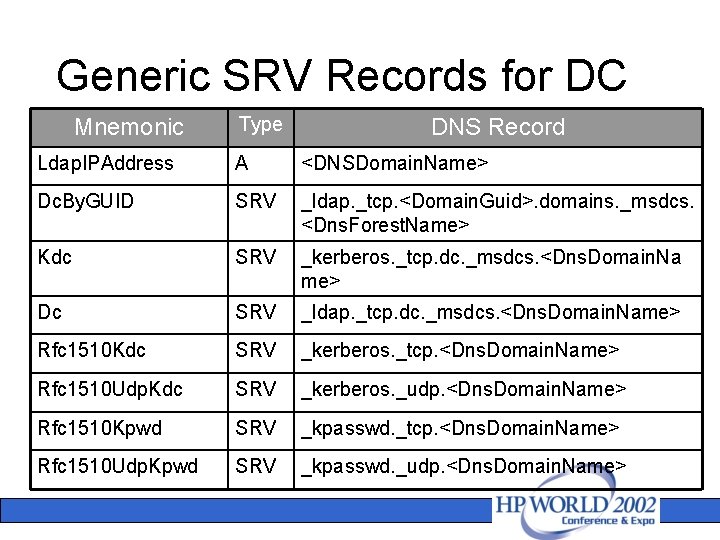
Generic SRV Records for DC Mnemonic Type DNS Record Ldap. IPAddress A <DNSDomain. Name> Dc. By. GUID SRV _ldap. _tcp. <Domain. Guid>. domains. _msdcs. <Dns. Forest. Name> Kdc SRV _kerberos. _tcp. dc. _msdcs. <Dns. Domain. Na me> Dc SRV _ldap. _tcp. dc. _msdcs. <Dns. Domain. Name> Rfc 1510 Kdc SRV _kerberos. _tcp. <Dns. Domain. Name> Rfc 1510 Udp. Kdc SRV _kerberos. _udp. <Dns. Domain. Name> Rfc 1510 Kpwd SRV _kpasswd. _tcp. <Dns. Domain. Name> Rfc 1510 Udp. Kpwd SRV _kpasswd. _udp. <Dns. Domain. Name>
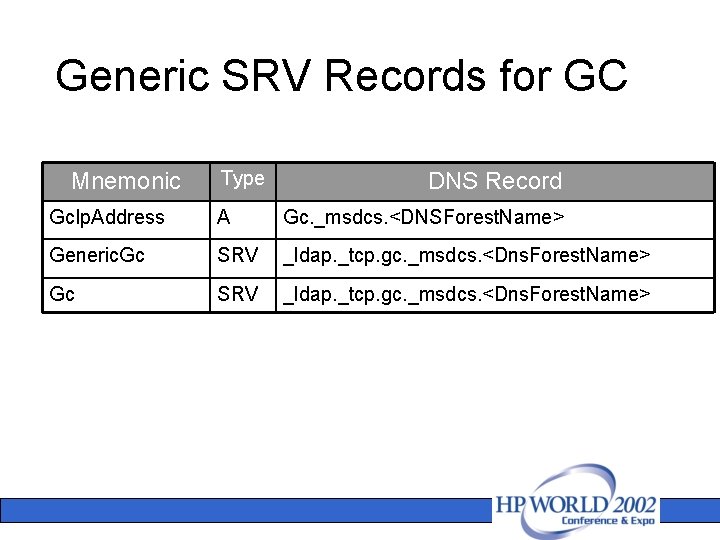
Generic SRV Records for GC Mnemonic Type DNS Record Gc. Ip. Address A Gc. _msdcs. <DNSForest. Name> Generic. Gc SRV _ldap. _tcp. gc. _msdcs. <Dns. Forest. Name>
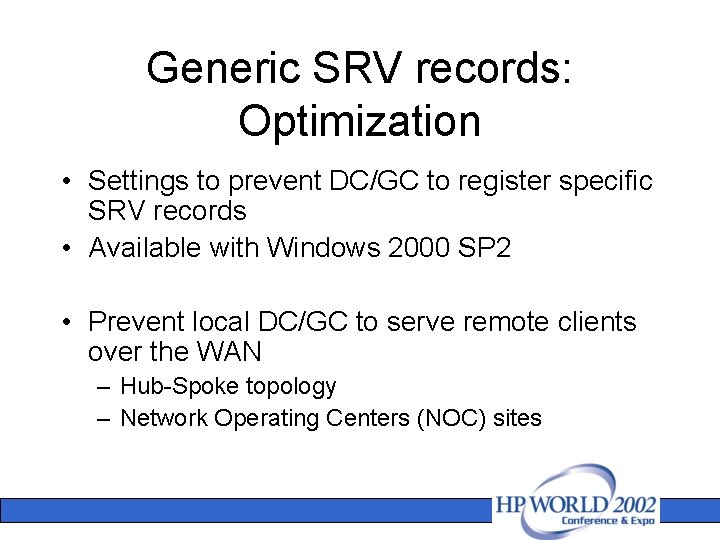
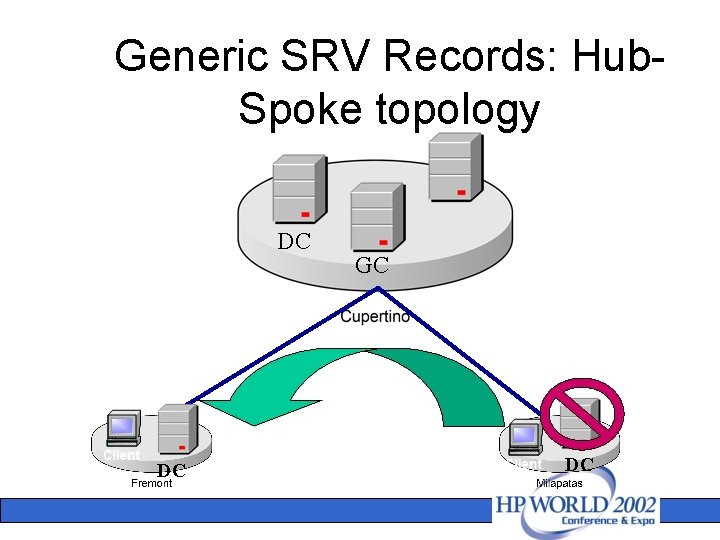
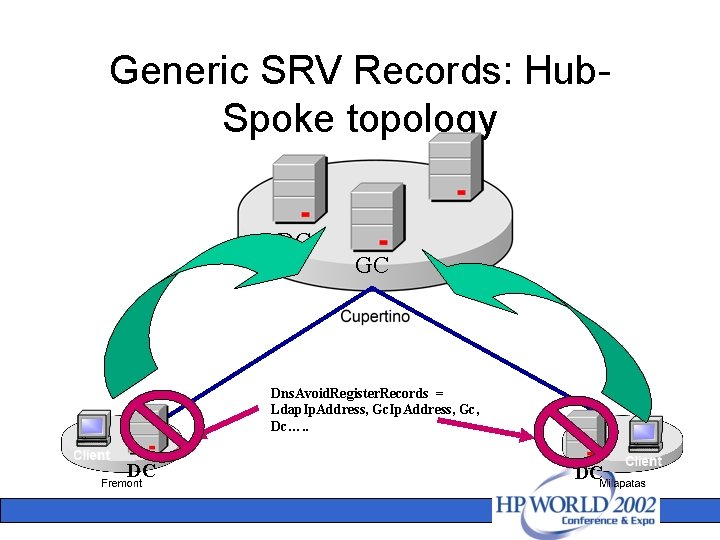
Generic SRV records: Optimization • Settings to prevent DC/GC to register specific SRV records • Available with Windows 2000 SP 2 • Prevent local DC/GC to serve remote clients over the WAN – Hub-Spoke topology – Network Operating Centers (NOC) sites
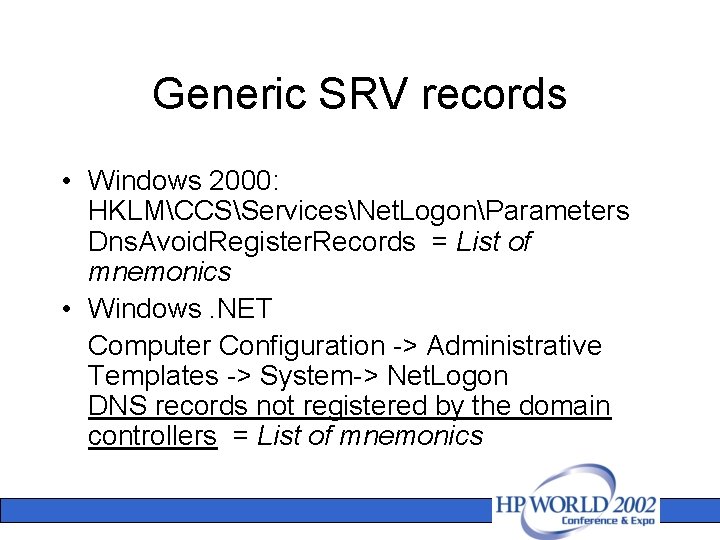
Generic SRV records • Windows 2000: HKLMCCSServicesNet. LogonParameters Dns. Avoid. Register. Records = List of mnemonics • Windows. NET Computer Configuration -> Administrative Templates -> System-> Net. Logon DNS records not registered by the domain controllers = List of mnemonics
Generic SRV Records: Hub. Spoke topology DC DC GC DC
Generic SRV Records: Hub. Spoke topology DC GC Dns. Avoid. Register. Records = Ldap. Ip. Address, Gc, Dc…. . DC DC
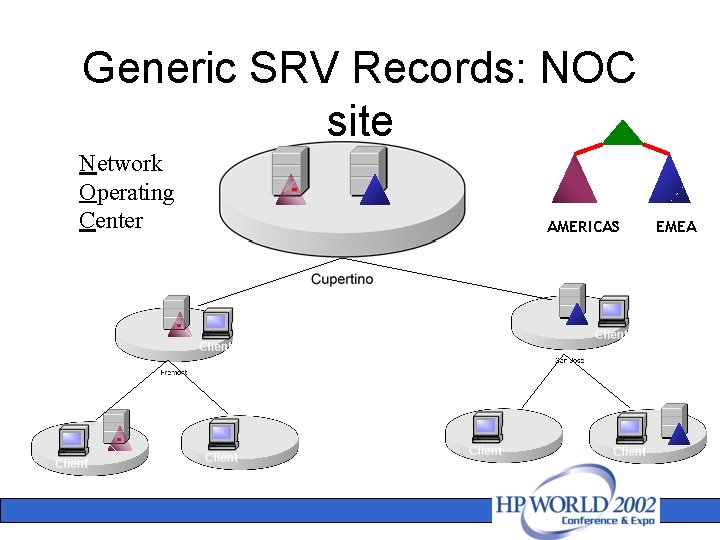
Generic SRV Records: NOC site Network Operating Center AMERICAS EMEA
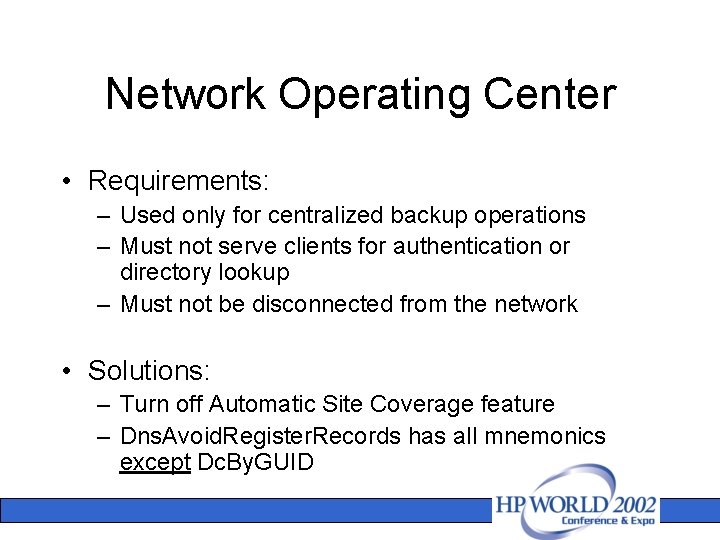
Network Operating Center • Requirements: – Used only for centralized backup operations – Must not serve clients for authentication or directory lookup – Must not be disconnected from the network • Solutions: – Turn off Automatic Site Coverage feature – Dns. Avoid. Register. Records has all mnemonics except Dc. By. GUID
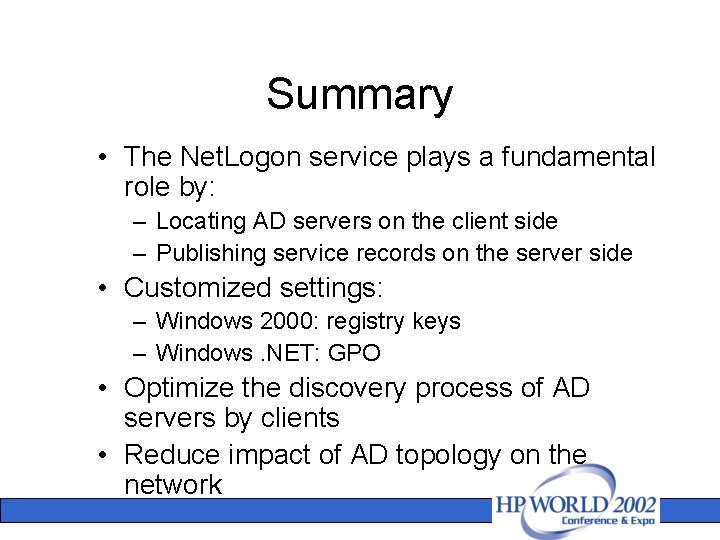
Summary • The Net. Logon service plays a fundamental role by: – Locating AD servers on the client side – Publishing service records on the server side • Customized settings: – Windows 2000: registry keys – Windows. NET: GPO • Optimize the discovery process of AD servers by clients • Reduce impact of AD topology on the network