
Designed and Developed by GSTN Returns for Taxpayers
Designed and Developed by GSTN Returns for Taxpayers
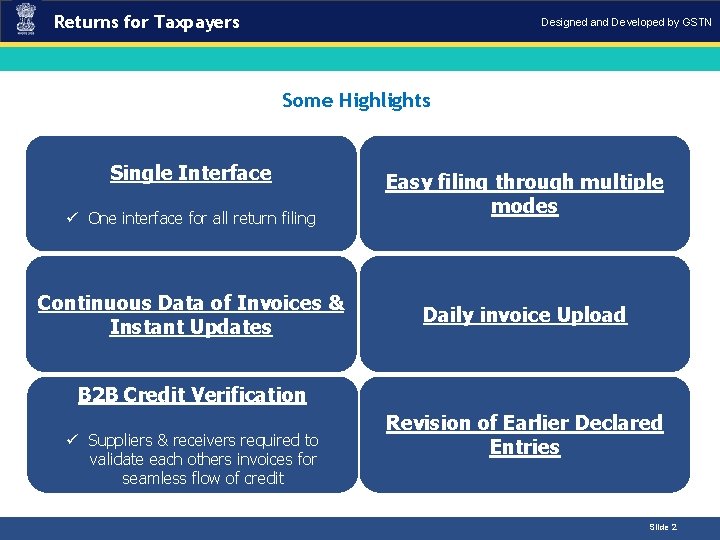
Returns for Taxpayers Designed and Developed by GSTN Some Highlights Single Interface ü One interface for all return filing Continuous Data of Invoices & Instant Updates Introduction Easy filing through multiple modes Daily invoice Upload B 2 B Credit Verification ü Suppliers & receivers required to validate each others invoices for seamless flow of credit Revision of Earlier Declared Entries Slide 2
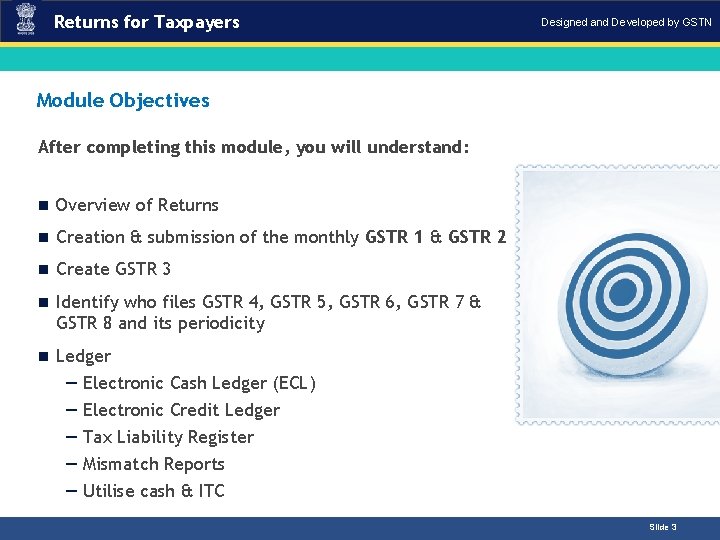
Returns for Taxpayers Designed and Developed by GSTN Module Objectives After completing this module, you will understand: n Overview of Returns n Creation & submission of the monthly GSTR 1 & GSTR 2 n Create GSTR 3 n Identify who files GSTR 4, GSTR 5, GSTR 6, GSTR 7 & GSTR 8 and its periodicity n Ledger — Electronic Cash Ledger (ECL) — Electronic Credit Ledger — Tax Liability Register — Mismatch Reports — Utilise cash & ITC Slide 3
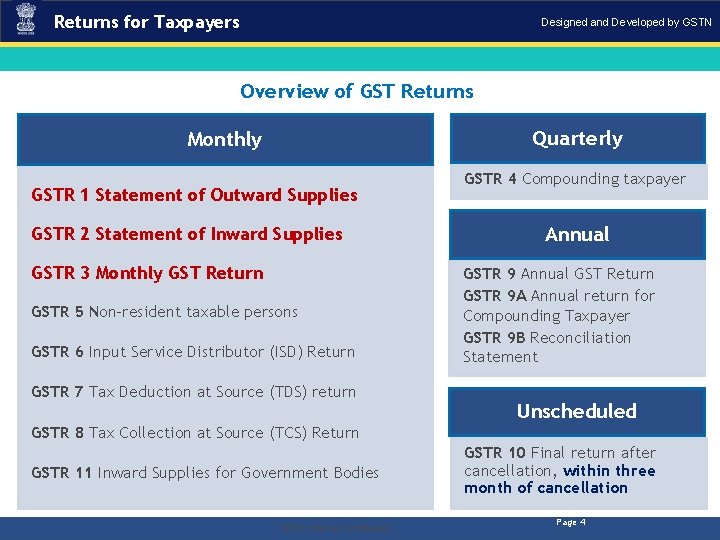
Returns for Taxpayers Designed and Developed by GSTN Overview of GST Returns Quarterly Monthly GSTR 1 Statement of Outward Supplies GSTR 2 Statement of Inward Supplies GSTR 3 Monthly GST Return GSTR 5 Non-resident taxable persons GSTR 6 Input Service Distributor (ISD) Return GSTR 7 Tax Deduction at Source (TDS) return GSTR 4 Compounding taxpayer Annual GSTR 9 Annual GST Return GSTR 9 A Annual return for Compounding Taxpayer GSTR 9 B Reconciliation Statement Unscheduled GSTR 8 Tax Collection at Source (TCS) Return GSTR 11 Inward Supplies for Government Bodies . “GSTN Internal Confidential” GSTR 10 Final return after cancellation, within three month of cancellation Page 4
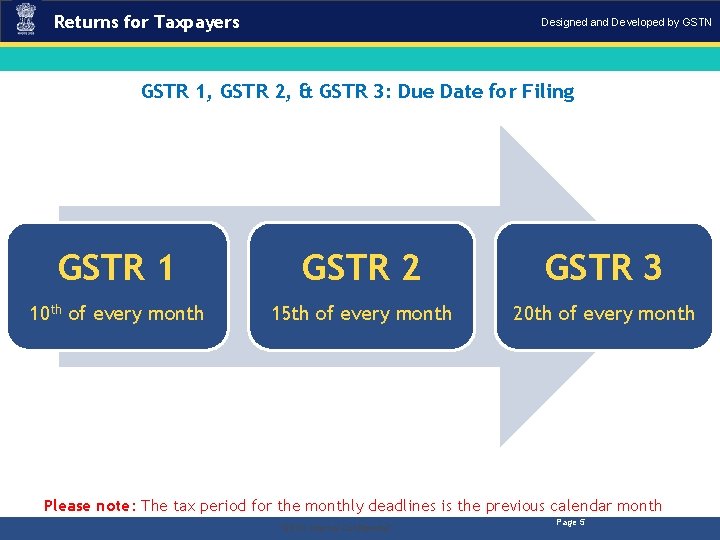
Returns for Taxpayers Designed and Developed by GSTN GSTR 1, GSTR 2, & GSTR 3: Due Date for Filing GSTR 1 GSTR 2 GSTR 3 10 th of every month 15 th of every month 20 th of every month Please note: The tax period for the monthly deadlines is the previous calendar month. “GSTN Internal Confidential” Page 5
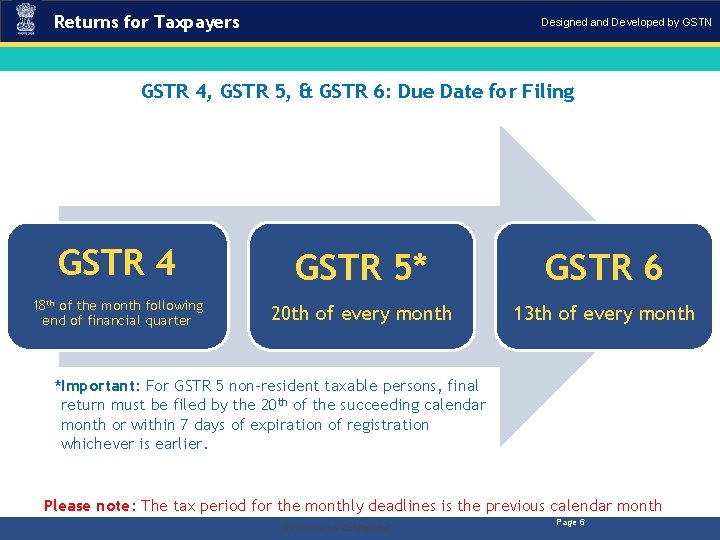
Returns for Taxpayers Designed and Developed by GSTN GSTR 4, GSTR 5, & GSTR 6: Due Date for Filing GSTR 4 GSTR 5* GSTR 6 18 th of the month following end of financial quarter 20 th of every month 13 th of every month *Important: For GSTR 5 non-resident taxable persons, final return must be filed by the 20 th of the succeeding calendar month or within 7 days of expiration of registration whichever is earlier. Please note: The tax period for the monthly deadlines is the previous calendar month. “GSTN Internal Confidential” Page 6
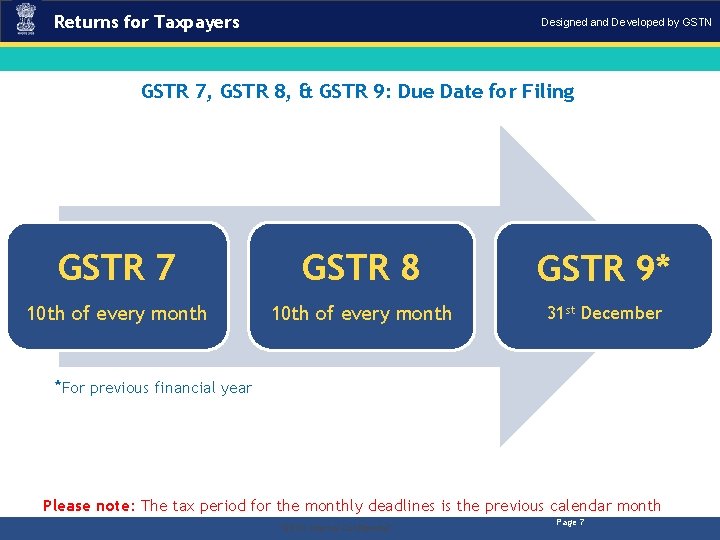
Returns for Taxpayers Designed and Developed by GSTN GSTR 7, GSTR 8, & GSTR 9: Due Date for Filing GSTR 7 GSTR 8 GSTR 9* 10 th of every month 31 st December *For previous financial year Please note: The tax period for the monthly deadlines is the previous calendar month. “GSTN Internal Confidential” Page 7
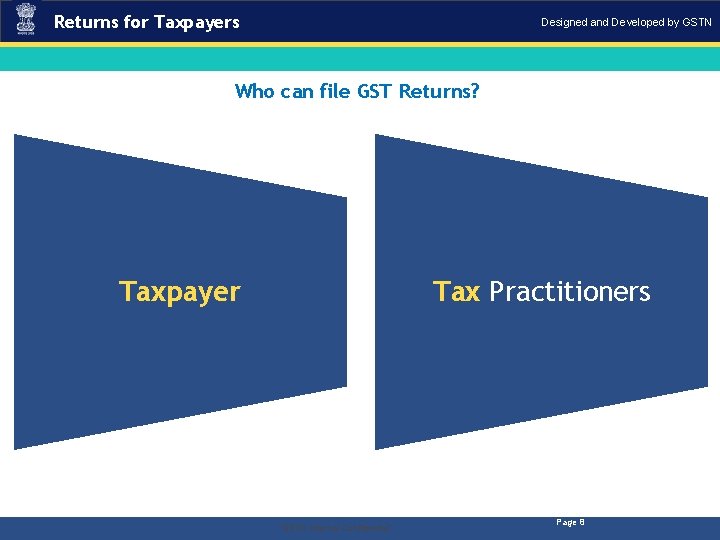
Returns for Taxpayers Designed and Developed by GSTN Who can file GST Returns? Taxpayer . Tax Practitioners “GSTN Internal Confidential” Page 8
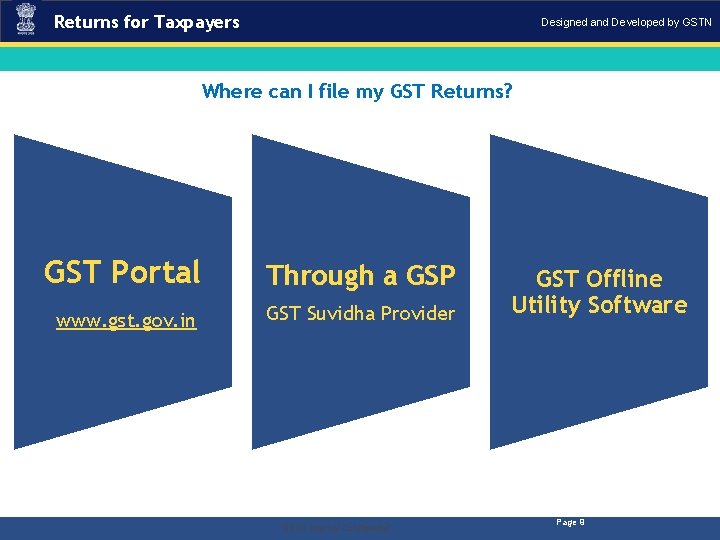
Returns for Taxpayers Designed and Developed by GSTN Where can I file my GST Returns? GST Portal Through a GSP www. gst. gov. in GST Suvidha Provider . “GSTN Internal Confidential” GST Offline Utility Software Page 9
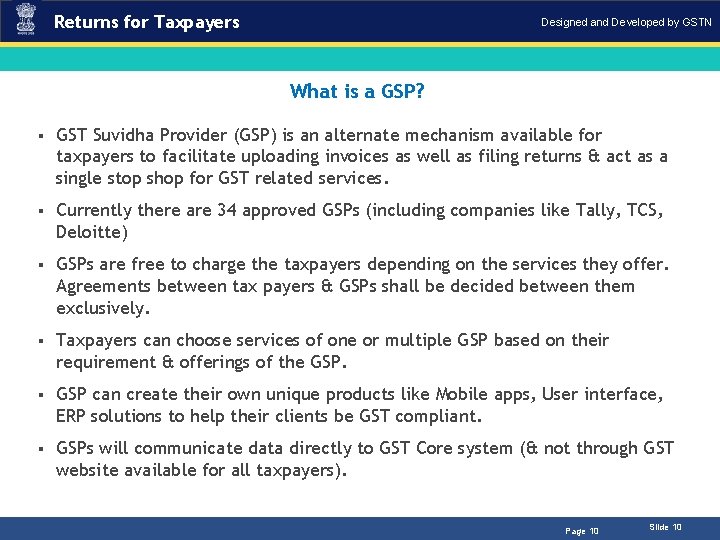
Returns for Taxpayers Designed and Developed by GSTN What is a GSP? § GST Suvidha Provider (GSP) is an alternate mechanism available for taxpayers to facilitate uploading invoices as well as filing returns & act as a single stop shop for GST related services. § Currently there are 34 approved GSPs (including companies like Tally, TCS, Deloitte) § GSPs are free to charge the taxpayers depending on the services they offer. Agreements between tax payers & GSPs shall be decided between them exclusively. § Taxpayers can choose services of one or multiple GSP based on their requirement & offerings of the GSP. § GSP can create their own unique products like Mobile apps, User interface, ERP solutions to help their clients be GST compliant. § GSPs will communicate data directly to GST Core system (& not through GST website available for all taxpayers). Page 10 Slide 10
Returns for Taxpayers Designed and Developed by GSTN GSTR 1: Statement for Outward Supplies § In the GSTR 1, invoices are uploaded by the Supplier Taxpayer. § Invoice uploaded in GSTR 1 for a financial year can be modified before filing of September GSTR 3 of next financial year or filing of annual return, whichever is earlier. § E-commerce sales transactions are captured explicitly in GSTR 1. § B 2 B & B 2 C transactions are captured separately in GSTR 1. . “GSTN Internal Confidential” Page 11
Returns for Taxpayers Designed and Developed by GSTN GSTR 1: Statement for Outward Supplies § A Supplier Taxpayer is required to prepare GSTR 1 wherein they will report invoice level information. § GSTR 1 needs to be filed even if there is no business activity (i. e. Nil Return) during the period of return. § Supplier Taxpayer will file return in electronic form only. § Invoices for IGST, CGST/SGST will be issued separately (in other words, one invoice can’t have IGST as well as SGST/CGST). § An invoice can’t have two different places of supply. POS should be a mandatory field in the inter-state invoice. § Bulk upload facilities are available for suppliers who have above specified entries per month. . “GSTN Internal Confidential” Page 12
Returns for Taxpayers Designed and Developed by GSTN GSTR 2 A: Draft of GSTR 2 § The details of outward supplies furnished by the supplier shall be made available electronically to the registered persons (recipients) in Part A of FORM GSTR-2 A, through the Common Portal after the due date of filing of FORM GSTR-1. § GSTR 2 A contains an auto populated list of all invoices received from all Suppliers Taxpayers’ corresponding returns for the given tax period; these invoices can be acted upon directly in the GSTR 2 before filing. § Before filing the GSTR 2, Receiver Taxpayer shall take action on all the invoices received in the GSTR 2 A. § Receiver Taxpayer can accept, reject, & modify any pending invoices received in the GSTR 2 A. Also, receivers can park items for next tax period & such items will roll over to next month’s GSTR 2. § Accepted & Modified Invoices will flow to GSTR 2 & in case of Rejection only an intimation will be sent to Taxpayer & Tax Officer. . “GSTN Internal Confidential” Page 13
Returns for Taxpayers Designed and Developed by GSTN GSTR 2: Statement of Inward Supplies § Receiver Taxpayer can Add any missing invoices in the GSTR 2. § GSTR 2 is editable until receiver taxpayer has acted upon all the invoices received from all the supplier taxpayers (bulk approval/rejection is possible in GSTR 2). § Receiver taxpayer may choose to not act upon one or more invoices which will carry the ‘pending’ status & may be acted upon in subsequent tax periods. § After executing all the necessary actions, receiver taxpayer can file the GSTR 2. § GSTR 2 needs to be filed even if there is no business activity (i. e. Nil Return) during the period of return. Receiver Taxpayer will file return in electronic form only. § GSTR 2 can be filed only after 10 th of the succeeding month. Why? . “GSTN Internal Confidential” Page 14
Returns for Taxpayers Designed and Developed by GSTN GSTR 1 A: Addendum to GSTR 1 § In the event of any amendment to an invoice or addition (in GSTR 2 of Receiver Taxpayer), the amended/added invoice(s) will auto populate the GSTR 1 A of the Supplier Taxpayer. § This will happen in case of any error or discrepancy in the invoice level details at supplier’s end. § The Supplier Taxpayer can Accept or Reject the amended/added invoice. § If Supplier Taxpayer accepts the amendment/addition, their GSTR 1 will be auto-amended & liabilities will be updated accordingly. § In case they reject the amendment/addition, there will be no impact on their GSTR 1 & associated liabilities. . “GSTN Internal Confidential” Page 15
Returns for Taxpayers Designed and Developed by GSTN GSTR 1 A: Addendum to GSTR 1 What will happen in case the Supplier Taxpayer rejects the amended invoice? It will lead to a mismatch. However, there are two possible scenarios: 1. Upward – Mismatch Report will be created 2. Downward – Supplier Taxpayer, Receiver Taxpayer & Tax Official(s) will be intimated . “GSTN Internal Confidential” Page 16
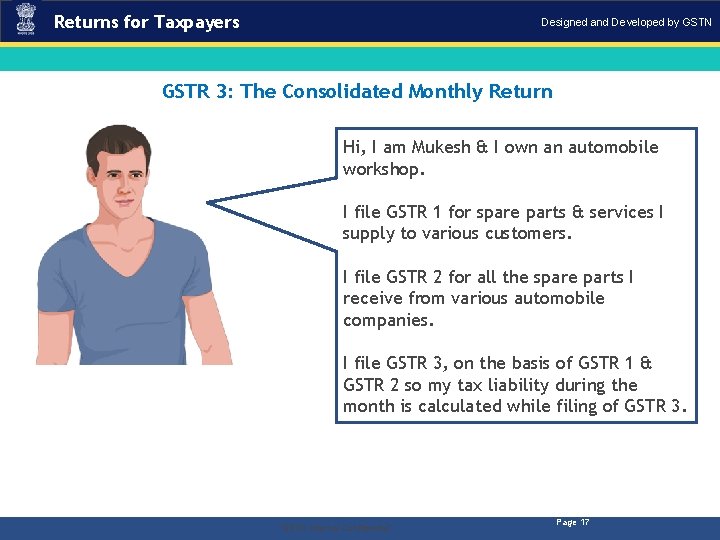
Returns for Taxpayers Designed and Developed by GSTN GSTR 3: The Consolidated Monthly Return Hi, I am Mukesh & I own an automobile workshop. I file GSTR 1 for spare parts & services I supply to various customers. I file GSTR 2 for all the spare parts I receive from various automobile companies. I file GSTR 3, on the basis of GSTR 1 & GSTR 2 so my tax liability during the month is calculated while filing of GSTR 3. . “GSTN Internal Confidential” Page 17
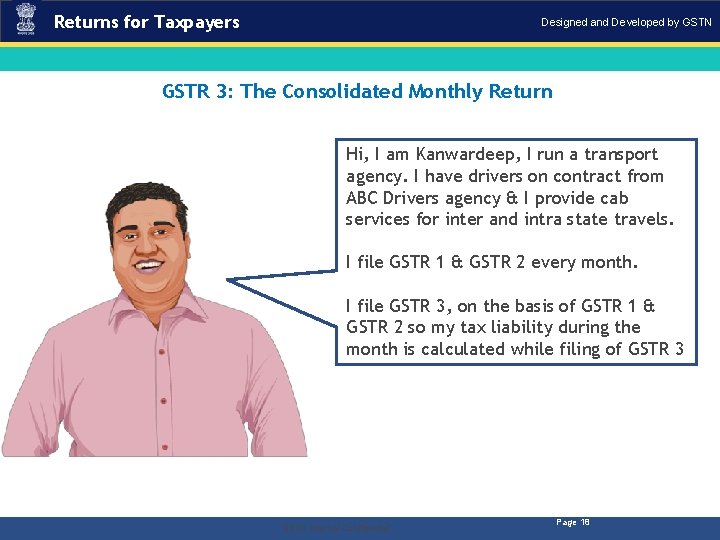
Returns for Taxpayers Designed and Developed by GSTN GSTR 3: The Consolidated Monthly Return Hi, I am Kanwardeep, I run a transport agency. I have drivers on contract from ABC Drivers agency & I provide cab services for inter and intra state travels. I file GSTR 1 & GSTR 2 every month. I file GSTR 3, on the basis of GSTR 1 & GSTR 2 so my tax liability during the month is calculated while filing of GSTR 3 . “GSTN Internal Confidential” Page 18
Returns for Taxpayers Designed and Developed by GSTN GSTR 3: The Consolidated Monthly Return § Precondition - GSTR 1 & GSTR 2 must be filed successfully. Why? § Summary of business transaction details for the tax period auto populated on the basis of GSTR 1 & GSTR 2. § Must be filed even if there is no business activity (NIL Return). . “GSTN Internal Confidential” Page 19
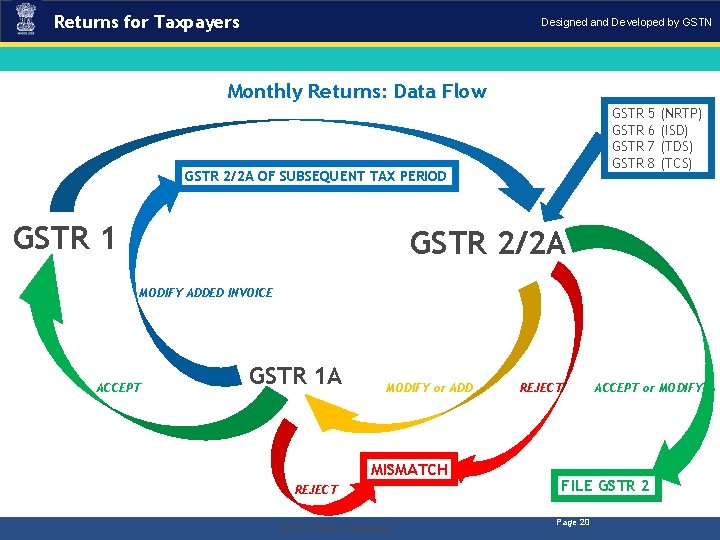
Returns for Taxpayers Designed and Developed by GSTN Monthly Returns: Data Flow GSTR GSTR 2/2 A OF SUBSEQUENT TAX PERIOD GSTR 1 5 6 7 8 (NRTP) (ISD) (TDS) (TCS) GSTR 2/2 A MODIFY ADDED INVOICE GSTR 1 A ACCEPT MODIFY or ADD MISMATCH REJECT. “GSTN Internal Confidential” REJECT ACCEPT or MODIFY FILE GSTR 2 Page 20
Returns for Taxpayers Designed and Developed by GSTN Filing GSTR 1: Demonstration Using Application – Preconditions 1. Taxpayer should be a registered taxpayer & have an Active GSTIN for the given tax period. 2. Taxpayers should have valid login credentials (i. e. , User ID & password). 3. For cancelled GSTIN, taxpayer will have an option to file GSTR 1 for tax period during which there was business activity after the date of application for cancellation. 4. Taxpayer should have an active (unexpired & unrevoked) digital signature certificate (DSC) in case of Taxpayer for whom digital signing is mandatory. 5. Taxpayer should have a valid Aadhar number with mobile number if they opt for e-sign. . “GSTN Internal Confidential” Page 21
Returns for Taxpayers Designed and Developed by GSTN Filing GSTR 1: Demonstration Using Application . “GSTN Internal Confidential” Page 22
Returns for Taxpayers Designed and Developed by GSTN Filing GSTR 1: Demonstration Using Application – Business Rules 1. GSTR 1 for the current tax period cannot be filed if GSTR 3 is not filed for the immediately preceding period. 2. GSTR 1 can be filed only after completion of the calendar month except in the case of casual dealers 3. Interest will be calculated for taxpayers on be daily or monthly based on final version of the law. . “GSTN Internal Confidential” Page 23
Returns for Taxpayers Designed and Developed by GSTN Filing GSTR 2: Demonstration Using Application . “GSTN Internal Confidential” Page 24
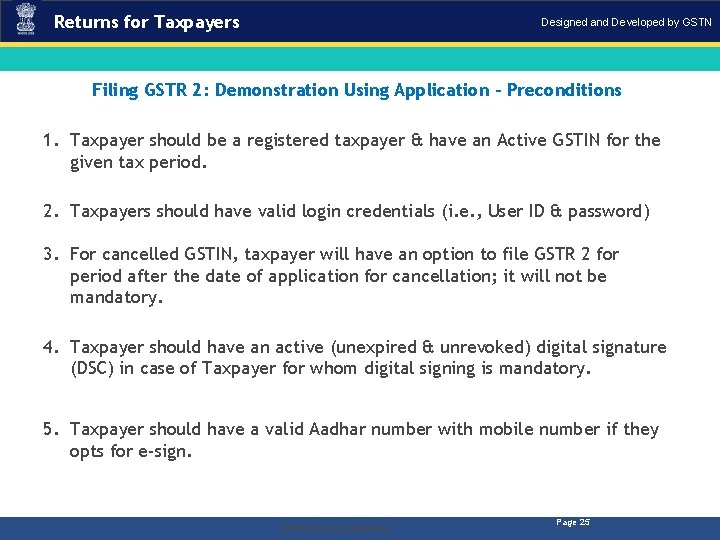
Returns for Taxpayers Designed and Developed by GSTN Filing GSTR 2: Demonstration Using Application – Preconditions 1. Taxpayer should be a registered taxpayer & have an Active GSTIN for the given tax period. 2. Taxpayers should have valid login credentials (i. e. , User ID & password) 3. For cancelled GSTIN, taxpayer will have an option to file GSTR 2 for period after the date of application for cancellation; it will not be mandatory. 4. Taxpayer should have an active (unexpired & unrevoked) digital signature (DSC) in case of Taxpayer for whom digital signing is mandatory. 5. Taxpayer should have a valid Aadhar number with mobile number if they opts for e-sign. . “GSTN Internal Confidential” Page 25
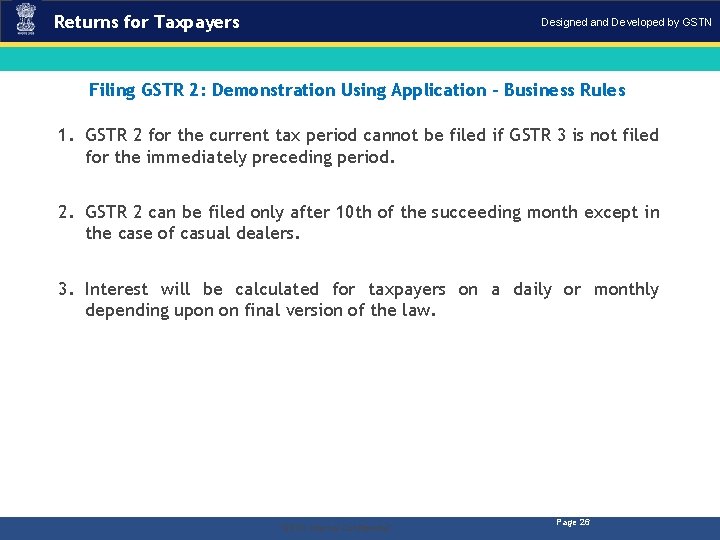
Returns for Taxpayers Designed and Developed by GSTN Filing GSTR 2: Demonstration Using Application – Business Rules 1. GSTR 2 for the current tax period cannot be filed if GSTR 3 is not filed for the immediately preceding period. 2. GSTR 2 can be filed only after 10 th of the succeeding month except in the case of casual dealers. 3. Interest will be calculated for taxpayers on a daily or monthly depending upon on final version of the law. . “GSTN Internal Confidential” Page 26
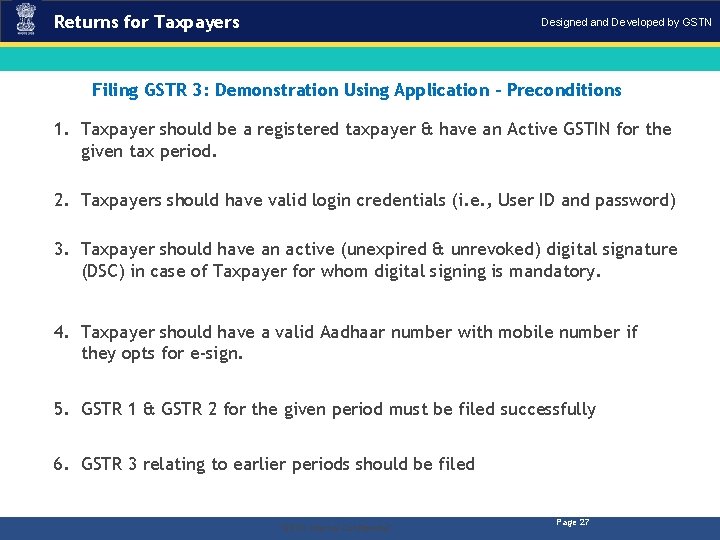
Returns for Taxpayers Designed and Developed by GSTN Filing GSTR 3: Demonstration Using Application – Preconditions 1. Taxpayer should be a registered taxpayer & have an Active GSTIN for the given tax period. 2. Taxpayers should have valid login credentials (i. e. , User ID and password) 3. Taxpayer should have an active (unexpired & unrevoked) digital signature (DSC) in case of Taxpayer for whom digital signing is mandatory. 4. Taxpayer should have a valid Aadhaar number with mobile number if they opts for e-sign. 5. GSTR 1 & GSTR 2 for the given period must be filed successfully 6. GSTR 3 relating to earlier periods should be filed . “GSTN Internal Confidential” Page 27
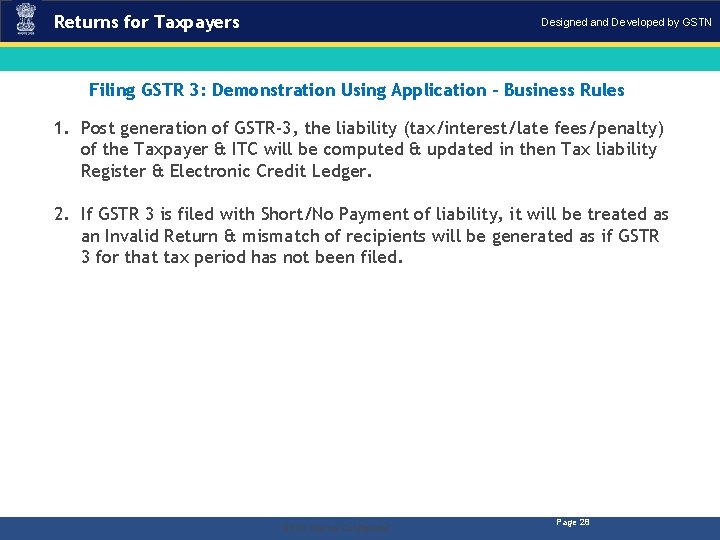
Returns for Taxpayers Designed and Developed by GSTN Filing GSTR 3: Demonstration Using Application – Business Rules 1. Post generation of GSTR-3, the liability (tax/interest/late fees/penalty) of the Taxpayer & ITC will be computed & updated in then Tax liability Register & Electronic Credit Ledger. 2. If GSTR 3 is filed with Short/No Payment of liability, it will be treated as an Invalid Return & mismatch of recipients will be generated as if GSTR 3 for that tax period has not been filed. . “GSTN Internal Confidential” Page 28
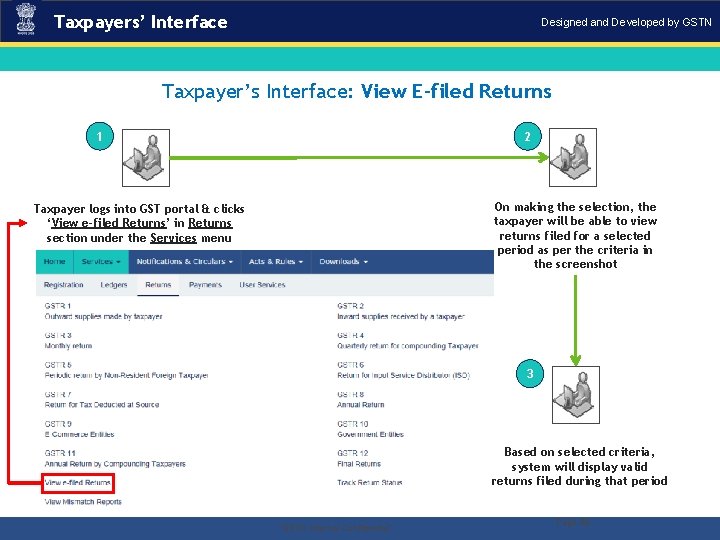
Taxpayers’ Interface Designed and Developed by GSTN Taxpayer’s Interface: View E-filed Returns 1 2 On making the selection, the taxpayer will be able to view returns filed for a selected period as per the criteria in the screenshot Taxpayer logs into GST portal & clicks ‘View e-filed Returns’ in Returns section under the Services menu 3 Based on selected criteria, system will display valid returns filed during that period . “GSTN Internal Confidential” Page 29
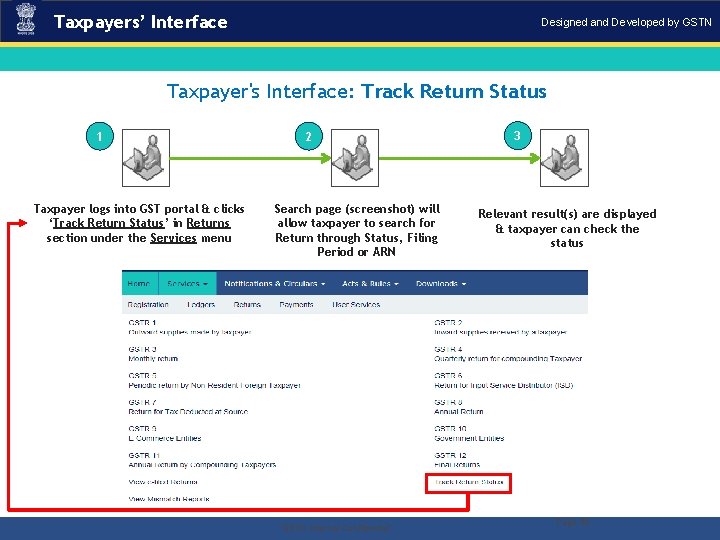
Taxpayers’ Interface Designed and Developed by GSTN Taxpayer's Interface: Track Return Status 1 2 Taxpayer logs into GST portal & clicks ‘Track Return Status’ in Returns section under the Services menu . Search page (screenshot) will allow taxpayer to search for Return through Status, Filing Period or ARN “GSTN Internal Confidential” 3 Relevant result(s) are displayed & taxpayer can check the status Page 30
Returns for Taxpayers Designed and Developed by GSTN GSTR 4: Composition Taxpayer Return § Simplified Quarterly Return to be submitted by the Composition Taxpayer § Similar to GSTR 2, details of inward supplies will be auto populated from counterparty GSTR 1 & GSTR 5 in GSTR 4 A (equivalent of GSTR 2 A) § The composition tax payer will provide the summary of the outward supplies liable for composition levy § GSTR 4 needs to be filed even if there is no business activity (Nil Return) during the period of return . “GSTN Internal Confidential” Page 31
Returns for Taxpayers Designed and Developed by GSTN GSTR 5: Non-resident Foreign Taxpayers § Non- Resident Foreign Taxpayers shall be required to file GSTR 5 up to 20 th of next month or within a period of 7 days from date of expiry of registration whichever is earlier § Cannot avail ITC on local procurement § Flow will be similar to GSTR 1 & so the GSTR 5 will auto populate GSTR 2 A/4 A/6 A of Receiver Taxpayers . “GSTN Internal Confidential” Page 32
Returns for Taxpayers Designed and Developed by GSTN GSTR 6: ISD Return § The Input Service Distributor is responsible for the distribution of Input Tax Credit to various units of the same legal entity having different GSTINs therefore, Taxpayer intending to distribute input services will be required to take separate registration as an ISD § The ISD receives input service invoices on which it can avail ITC and then distribute the same to various other locations based upon the consumption of the services or any other method as the law may prescribe § The GSTR 6 is auto populated from the draft GSTR 6 A which is in turn auto populated by GSTR 1/5 § ISD can Accept, Amend, & Reject the entries in GSTR 6 A & upon submission of draft GSTR 6 A, GSTR 6 will be created & subsequently filed . “GSTN Internal Confidential” Page 33
Returns for Taxpayers Designed and Developed by GSTN GSTR 7: TDS Return § A TDS return is a monthly statement of mandatory tax deductions made at source by a receiver (as per the laws proposed to be made in the GST regime) to a supplier’s payment. § A taxable person has a legal obligation: Ø To declare their TDS liability for a given period (monthly) in the TDS return; Ø Furnish details of the TDS paid under four major heads viz. , CGST, SGST, IGST & Cess in accordance with that return, & . “GSTN Internal Confidential” Page 34
Returns for Taxpayers Designed and Developed by GSTN GSTR 8: TCS Return § GSTR 8 is a return filed by e-commerce portals who are required to do Tax Collection at Source on Net Supplies of the Goods or Services § Amount collected has to be deposited to appropriate Central/State Government § However, e-commerce portals supplying their own goods &/or services through their own portal will not be required to file this return in respect of such supplies § Filing of NIL Return is not mandatory for E-commerce operators. § Current rate of TCS is @ 1% . “GSTN Internal Confidential” Page 35
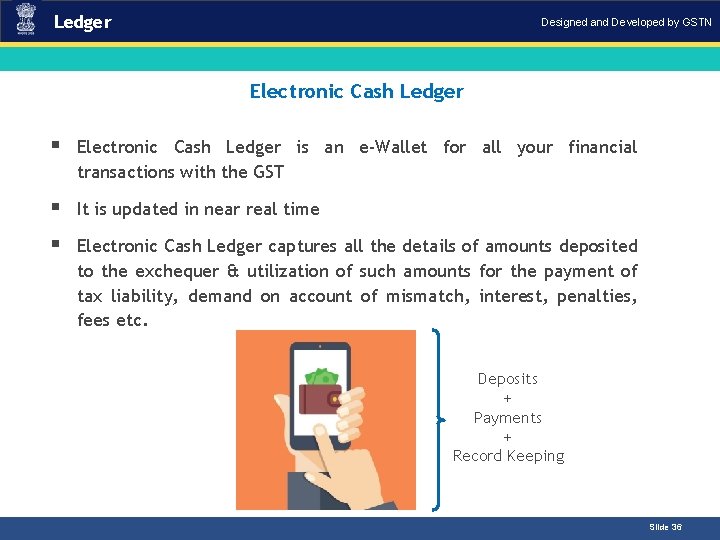
Ledger Designed and Developed by GSTN Electronic Cash Ledger Introduction § Electronic Cash Ledger is an e-Wallet for all your financial transactions with the GST § It is updated in near real time § Electronic Cash Ledger captures all the details of amounts deposited to the exchequer & utilization of such amounts for the payment of tax liability, demand on account of mismatch, interest, penalties, fees etc. Deposits + Payments + Record Keeping Slide 36
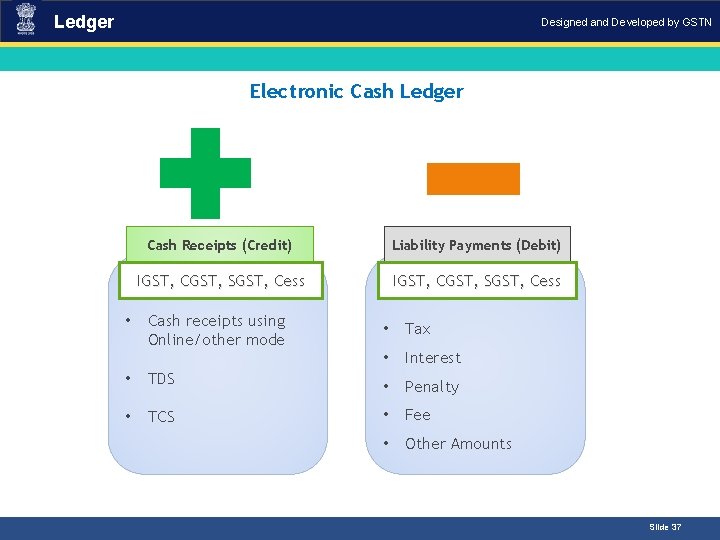
Ledger Designed and Developed by GSTN Electronic Cash Ledger Cash Receipts (Credit) Liability Payments (Debit) IGST, CGST, SGST, Cess Cash receipts using Online/other mode • Tax • Interest • TDS • Penalty • TCS • Fee • Other Amounts • Introduction Slide 37
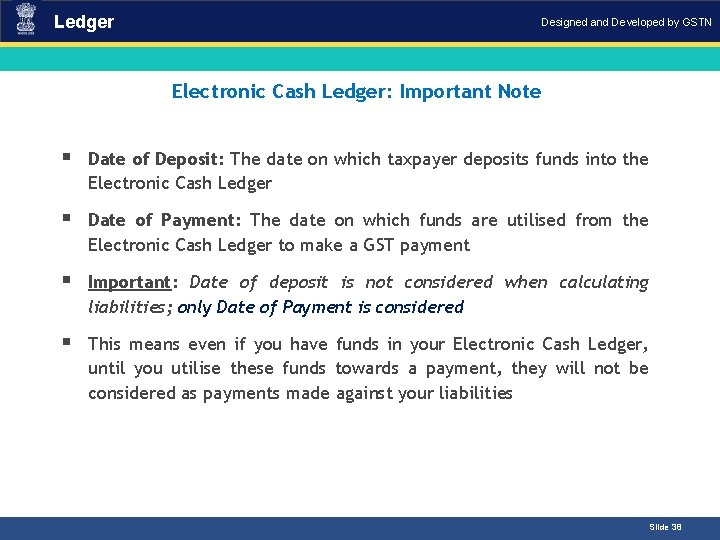
Ledger Designed and Developed by GSTN Electronic Cash Ledger: Important Note Introduction § Date of Deposit: The date on which taxpayer deposits funds into the Electronic Cash Ledger § Date of Payment: The date on which funds are utilised from the Electronic Cash Ledger to make a GST payment § Important: Date of deposit is not considered when calculating liabilities; only Date of Payment is considered § This means even if you have funds in your Electronic Cash Ledger, until you utilise these funds towards a payment, they will not be considered as payments made against your liabilities Slide 38
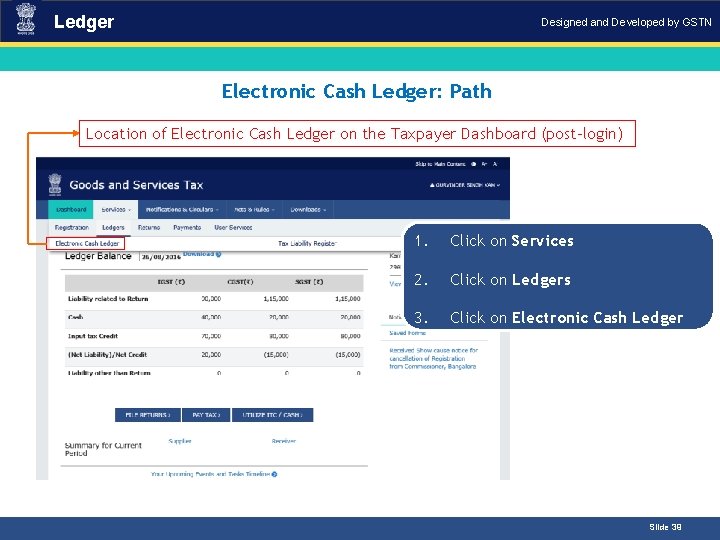
Ledger Designed and Developed by GSTN Electronic Cash Ledger: Path Introduction Location of Electronic Cash Ledger on the Taxpayer Dashboard (post-login) 1. Click on Services 2. Click on Ledgers 3. Click on Electronic Cash Ledger Slide 39
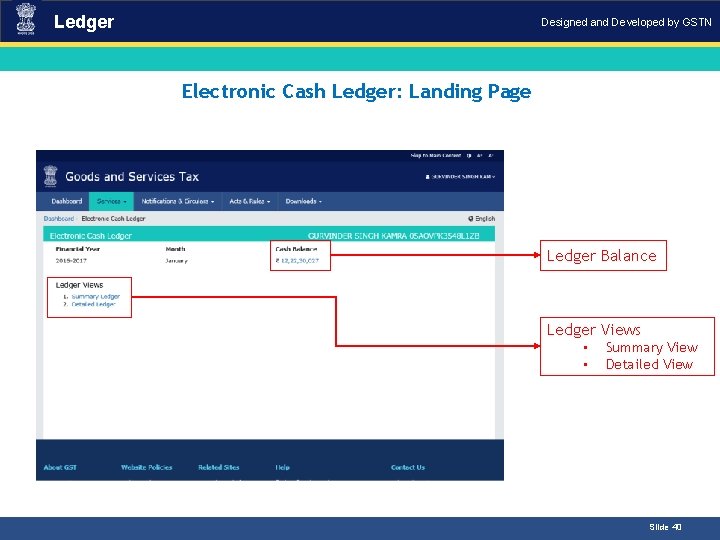
Ledger Designed and Developed by GSTN Electronic Cash Ledger: Landing Page Introduction Ledger Balance Ledger Views • • Summary View Detailed View Slide 40
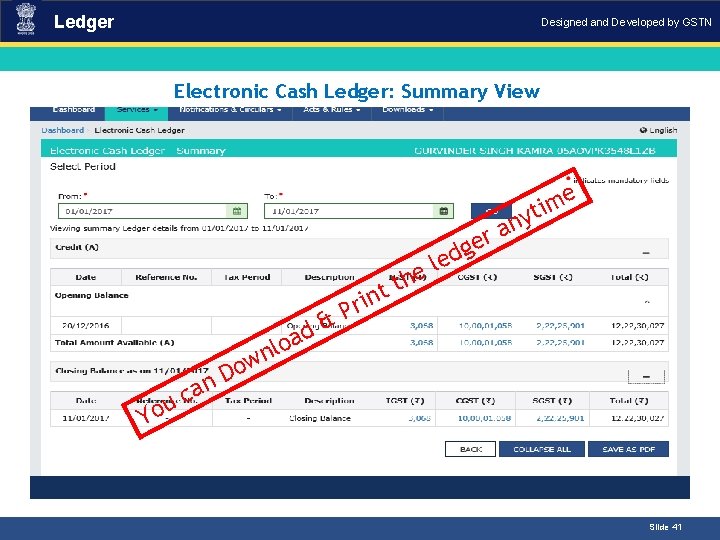
Ledger Designed and Developed by GSTN Electronic Cash Ledger: Summary View Introduction e m i yt n a r he t t ge d le n d a o l n ri P & w o D n Yo a c u Slide 41
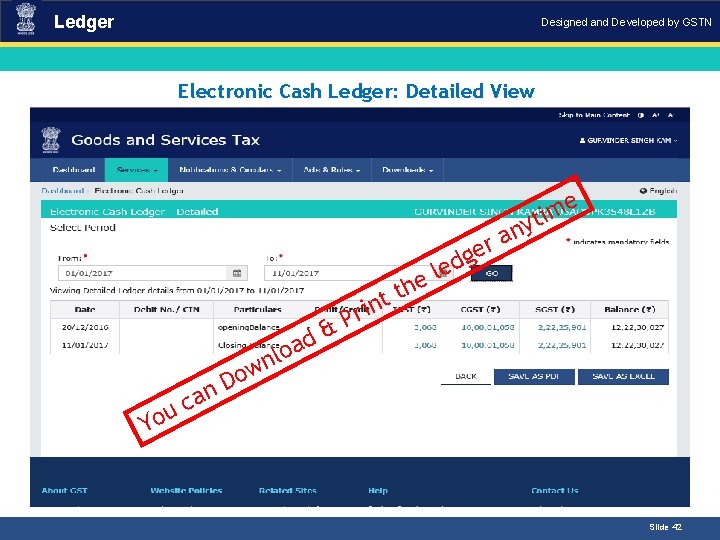
Ledger Designed and Developed by GSTN Electronic Cash Ledger: Detailed View Introduction e m i yt n a r he t t ge d le n d a o l n ri P & w o D n Yo a c u Slide 42
Ledger Designed and Developed by GSTN Creation & Maintenance of Electronic Credit Ledger § What is Electronic Credit Ledger? • The Electronic Credit Ledger is created by default when a taxpayer successfully registers under the GST regime except for those taxpayers who opt for composition scheme or registered for TDS/TCS • Taxpayers under composition scheme cannot avail ITC . “GSTN Internal Confidential” Page 43
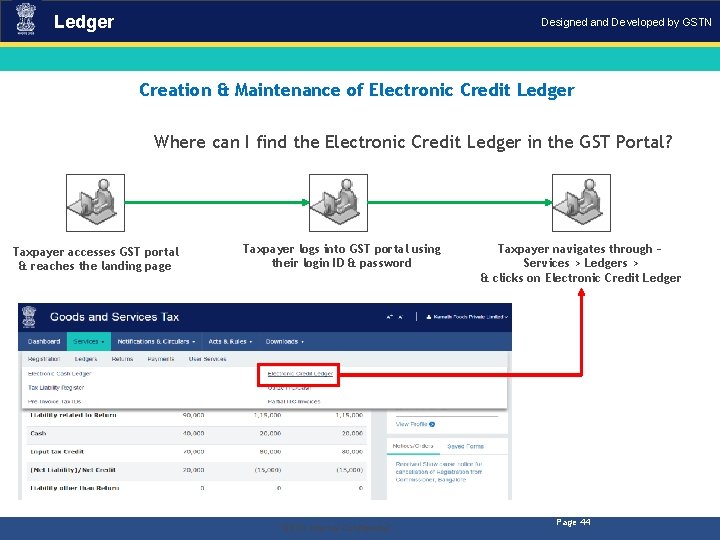
Ledger Designed and Developed by GSTN Creation & Maintenance of Electronic Credit Ledger Where can I find the Electronic Credit Ledger in the GST Portal? Taxpayer accesses GST portal & reaches the landing page . Taxpayer logs into GST portal using their login ID & password “GSTN Internal Confidential” Taxpayer navigates through – Services > Ledgers > & clicks on Electronic Credit Ledger Page 44
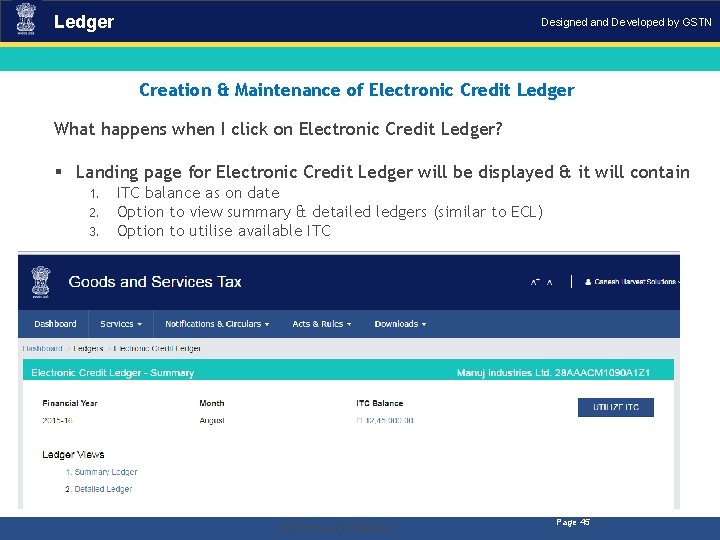
Ledger Designed and Developed by GSTN Creation & Maintenance of Electronic Credit Ledger What happens when I click on Electronic Credit Ledger? § Landing page for Electronic Credit Ledger will be displayed & it will contain 1. 2. 3. ITC balance as on date Option to view summary & detailed ledgers (similar to ECL) Option to utilise available ITC . “GSTN Internal Confidential” Page 45
Ledger Designed and Developed by GSTN Creation & Maintenance of Electronic Credit Ledger: Business Rules 1. Period selected for which the ledger can be viewed can’t be more than six months. 2. No manual editing is possible in the Electronic Credit Ledger. 3. Electronic Credit Ledger cannot have negative balance. 4. On generation of GSTR 3, ITC of the current tax period will be available on provisional basis which can be utilised against return related liability in GSTR 3 of the current tax period only. 5. The Provisional credit will be maintained as a separate credit and displayed in Electronic Credit Ledger only for the purpose of utilization for making the payment of current tax period’s liability. . “GSTN Internal Confidential” Page 46
Ledger Designed and Developed by GSTN Tax Liability Register § The Tax Liability Register will capture all the liabilities of the Taxpayer § The liabilities will be auto populated through Returns for taxpayers or by tax officials for other liabilities from assessment or enforcement § In certain cases, it may be populated by Tax Officials using the Tax Official’s Interface § The Tax Liability Register is only for viewing by the Taxpayer because no manual entries can be made into the Tax Liability Register by the Taxpayer . “GSTN Internal Confidential” Page 47
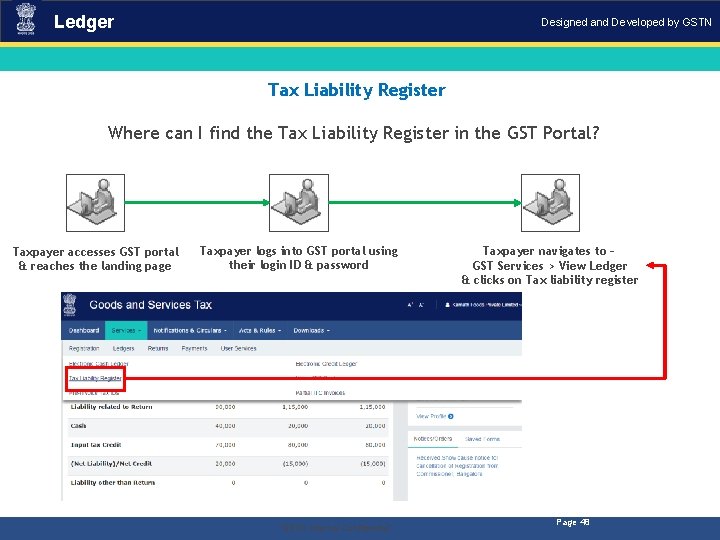
Ledger Designed and Developed by GSTN Tax Liability Register Where can I find the Tax Liability Register in the GST Portal? Taxpayer accesses GST portal & reaches the landing page . Taxpayer logs into GST portal using their login ID & password “GSTN Internal Confidential” Taxpayer navigates to – GST Services > View Ledger & clicks on Tax liability register Page 48
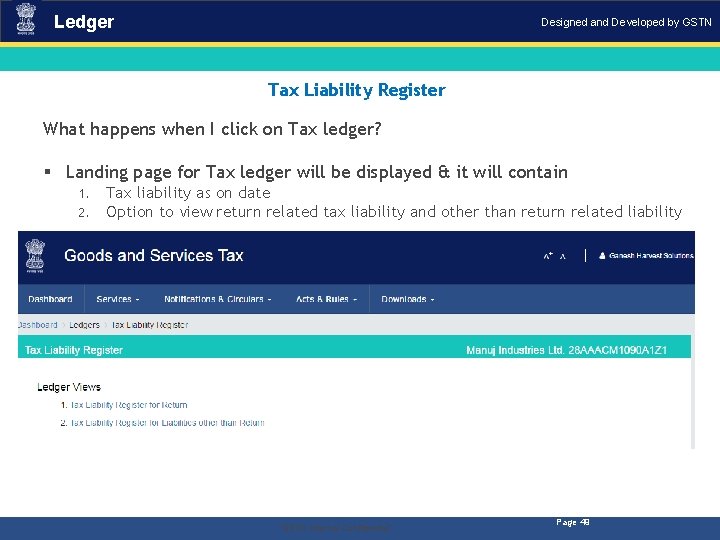
Ledger Designed and Developed by GSTN Tax Liability Register What happens when I click on Tax ledger? § Landing page for Tax ledger will be displayed & it will contain 1. 2. Tax liability as on date Option to view return related tax liability and other than return related liability . “GSTN Internal Confidential” Page 49
Returns for Taxpayers Designed and Developed by GSTN Tax Liability Register: Business Rules 1. Period selected for which the ledger can be viewed is < 6 > months 2. Tax Liability Register is not applicable for Government Department and UN Bodies having Government ID/Unique ID but no GSTIN. 3. No manual editing is possible in the Tax Liability Ledger. . “GSTN Internal Confidential” Page 50
Returns for Taxpayers Designed and Developed by GSTN Mismatch Reports § The purpose of this report is to capture the mismatch reported by the Supplier Taxpayer & Receiver Taxpayer. § The Mismatch Report will capture the details of all such line items of the invoices & will be available as a Report for the supplier and receiver Taxpayer’s information & convenience. § This system generated report will only be available for viewing & will not be liable for any manipulations by the viewer. The jurisdictional Tax Authorities will also be eligible to view the Mismatch Report. § Mismatch Report will be generated for every tax period on filing of valid GSTR 3 by the Taxpayer or 21 st day of (M+1) whichever is later. § Communication will be sent to both the parties (Supplier & Receiver) on generation of Mismatch Report. . “GSTN Internal Confidential” Page 51
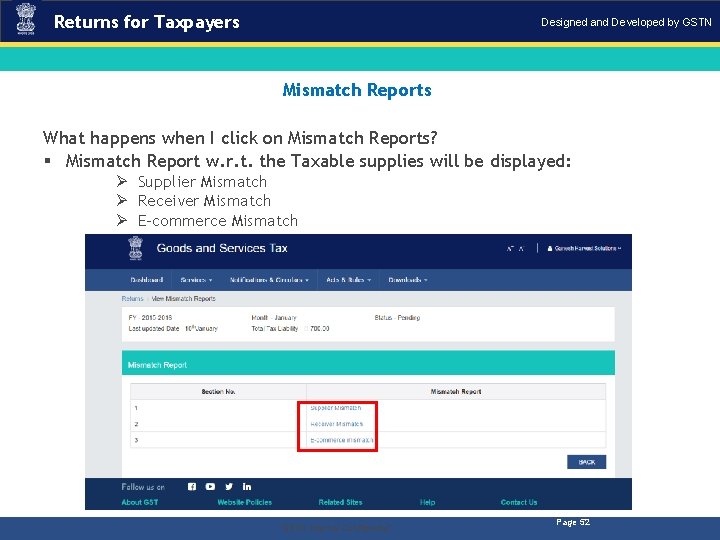
Returns for Taxpayers Designed and Developed by GSTN Mismatch Reports What happens when I click on Mismatch Reports? § Mismatch Report w. r. t. the Taxable supplies will be displayed: Ø Supplier Mismatch Ø Receiver Mismatch Ø E-commerce Mismatch . “GSTN Internal Confidential” Page 52
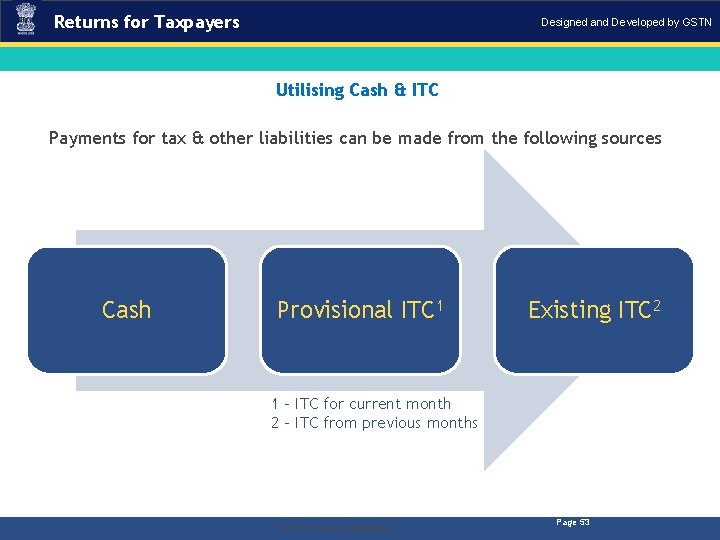
Returns for Taxpayers Designed and Developed by GSTN Utilising Cash & ITC Payments for tax & other liabilities can be made from the following sources Cash Provisional ITC 1 Existing ITC 2 1 - ITC for current month 2 - ITC from previous months . “GSTN Internal Confidential” Page 53
Returns for Taxpayers Designed and Developed by GSTN Utilising Cash & ITC: Business Rules Payment through CASH 1. The amount of Cash deposited for CGST/SGST/IGST/Cess can be used only for payment of CGST/SGST/IGST/Cess liabilities respectively. No inter-head adjustment is allowed for major-minor heads. 2. Cash deposited under the minor head i. e. , Tax/Interest/Fee/Penalty/Others can only be utilised for payment of Tax/Interest/Fee/Penalty/Others respectively. It implies that no inter-head adjustment is allowed. 3. The amount allowed to be entered for utilization of cash can’t be more than the amount of balance available under the respective major/minor head of tax. 4. Amount under Cash Ledger will be used in the following priority order: a. Self-assessed tax, & other dues related to returns of previous tax periods; b. Self-assessed tax, & other dues related to return of current tax period; c. Any other amount payable under the Act or the rules made thereunder including the demand determined under section 66 or 67. . “GSTN Internal Confidential” Page 54
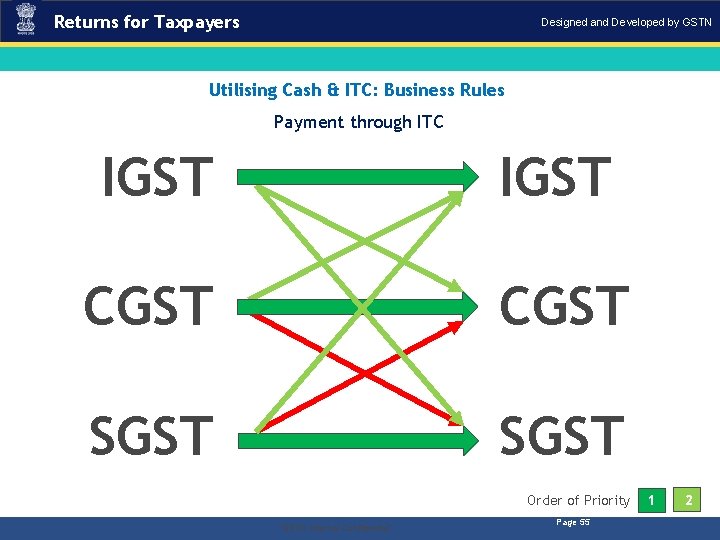
Returns for Taxpayers Designed and Developed by GSTN Utilising Cash & ITC: Business Rules Payment through ITC IGST CGST SGST Order of Priority . “GSTN Internal Confidential” Page 55 1 2

Designed and Developed by GSTN THANK YOU! Slide 56
- Slides: 56