
Design with Vivado IP Integrator Copyright 2013 Xilinx

- Slides: 31
Design with Vivado IP Integrator © Copyright 2013 Xilinx.
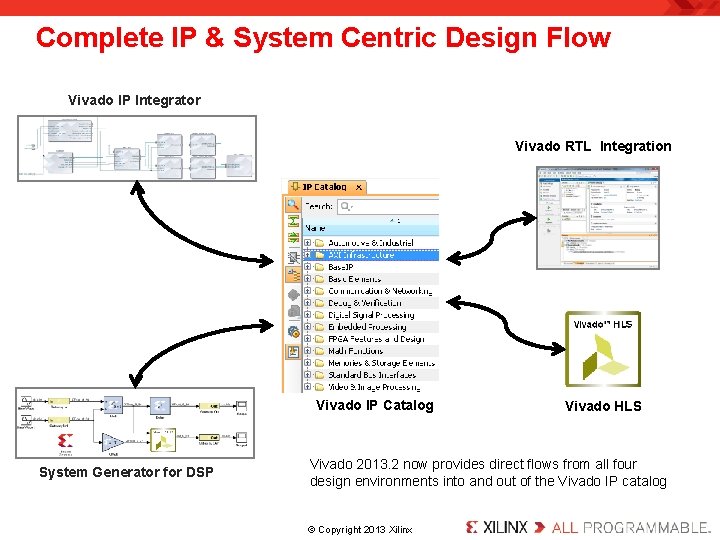
Complete IP & System Centric Design Flow Vivado IP Integrator Vivado RTL Integration Vivado IP Catalog System Generator for DSP Vivado HLS Vivado 2013. 2 now provides direct flows from all four design environments into and out of the Vivado IP catalog. © Copyright 2013 Xilinx.
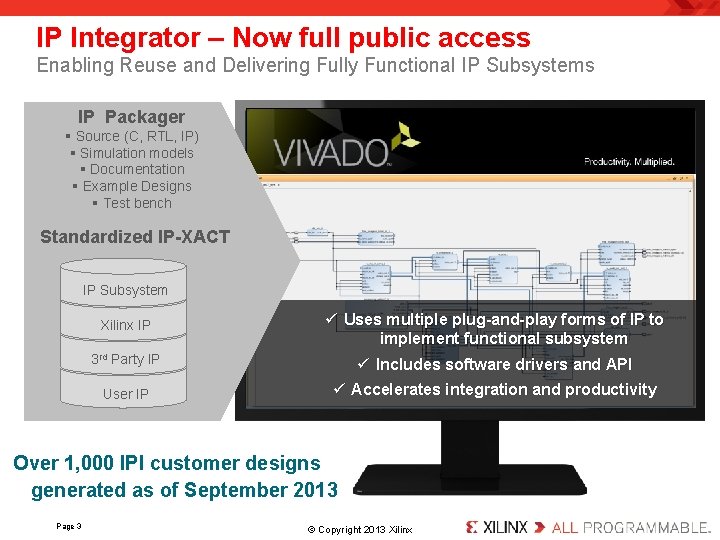
IP Integrator – Now full public access Enabling Reuse and Delivering Fully Functional IP Subsystems IP Packager § Source (C, RTL, IP) § Simulation models § Documentation § Example Designs § Test bench Standardized IP-XACT IP Subsystem 3 rd Party IP ü Uses multiple plug-and-play forms of IP to implement functional subsystem ü Includes software drivers and API User IP ü Accelerates integration and productivity Xilinx IP Over 1, 000 IPI customer designs generated as of September 2013 Page 3 . © Copyright 2013 Xilinx.
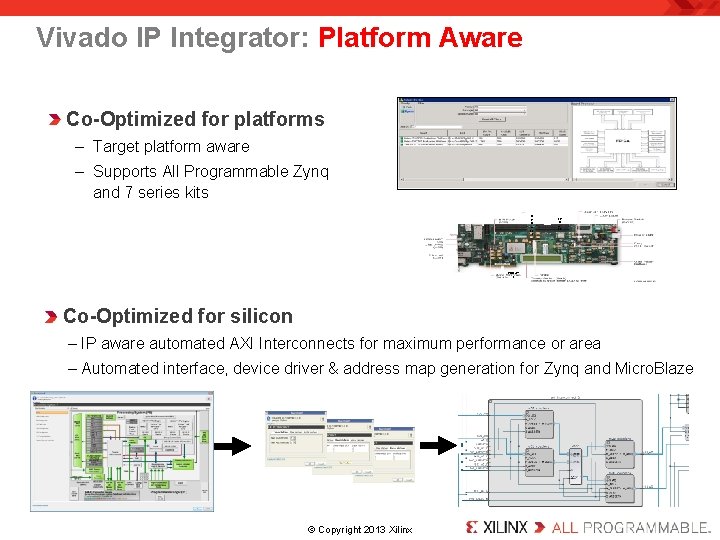
Vivado IP Integrator: Platform Aware Co-Optimized for platforms – Target platform aware – Supports All Programmable Zynq and 7 series kits H P C (J 22 ) LP C (J 2) PCIE(P 1 ) Co-Optimized for silicon – IP aware automated AXI Interconnects for maximum performance or area – Automated interface, device driver & address map generation for Zynq and Micro. Blaze . © Copyright 2013 Xilinx.
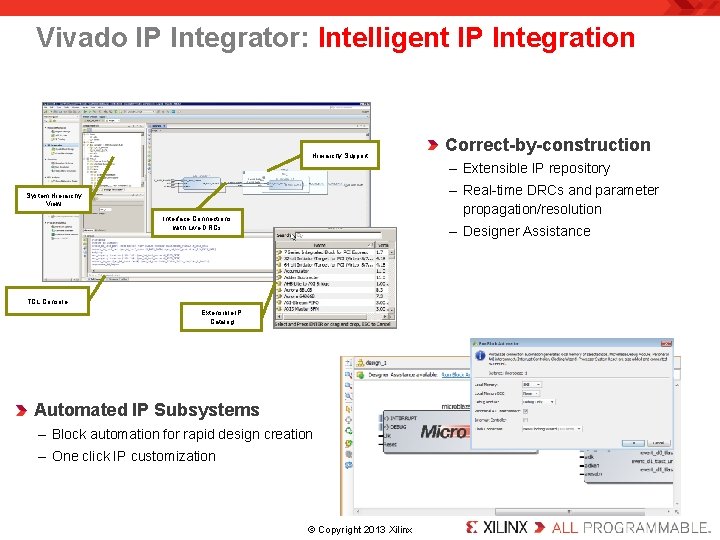
Vivado IP Integrator: Intelligent IP Integration Hierarchy Support Correct-by-construction – Extensible IP repository – Real-time DRCs and parameter propagation/resolution System Hierarchy View Interface Connections with Live DRCs – Designer Assistance TCL Console Extensible IP Catalog Automated IP Subsystems – Block automation for rapid design creation – One click IP customization . © Copyright 2013 Xilinx.
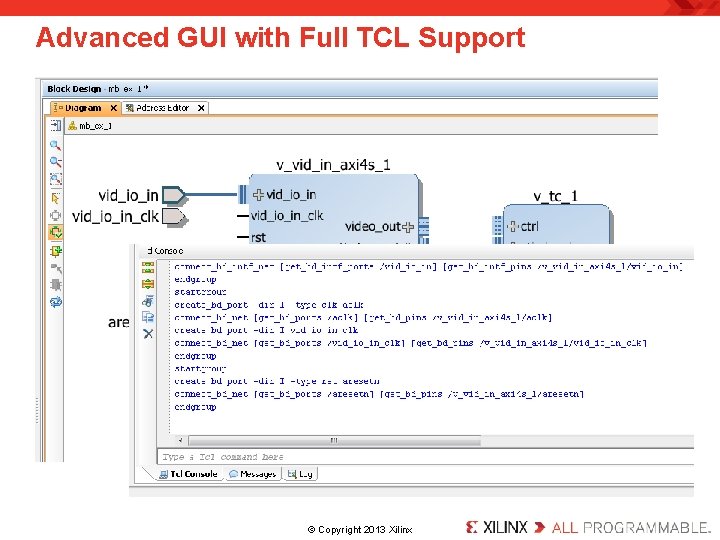
Advanced GUI with Full TCL Support . © Copyright 2013 Xilinx.
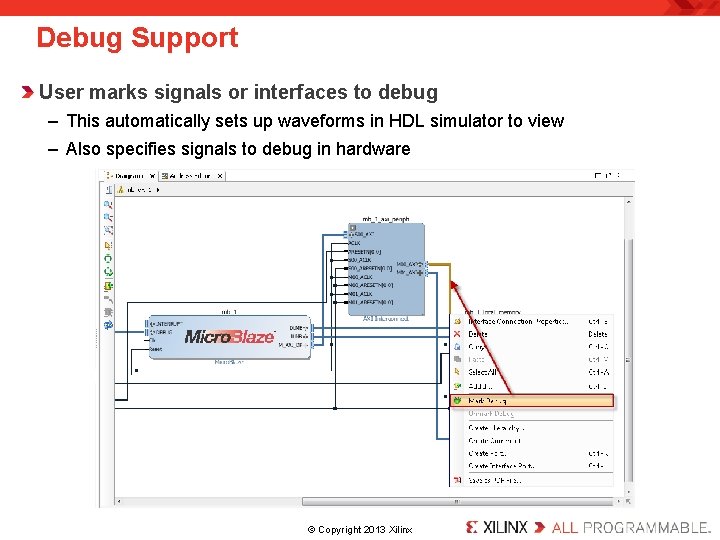
Debug Support User marks signals or interfaces to debug – This automatically sets up waveforms in HDL simulator to view – Also specifies signals to debug in hardware . © Copyright 2013 Xilinx.
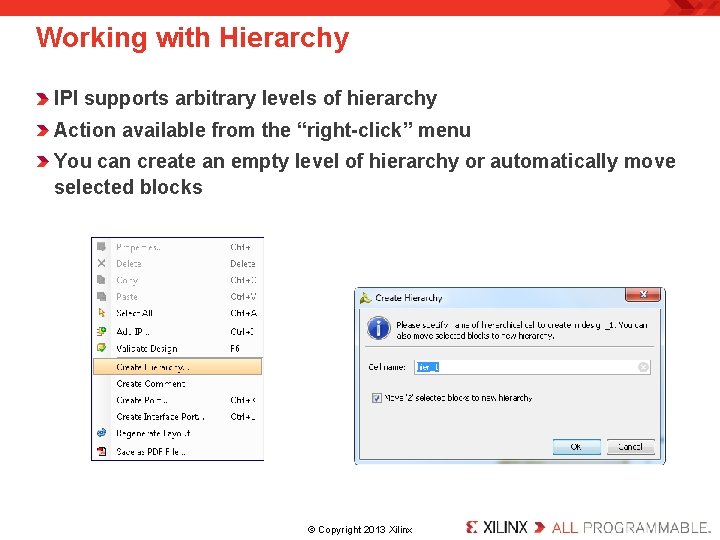
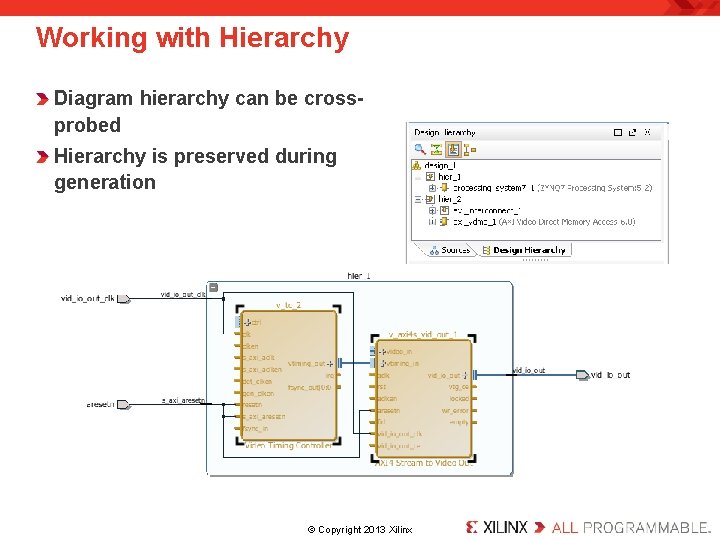
Working with Hierarchy IPI supports arbitrary levels of hierarchy Action available from the “right-click” menu You can create an empty level of hierarchy or automatically move selected blocks . © Copyright 2013 Xilinx.
Working with Hierarchy Diagram hierarchy can be crossprobed Hierarchy is preserved during generation . © Copyright 2013 Xilinx.
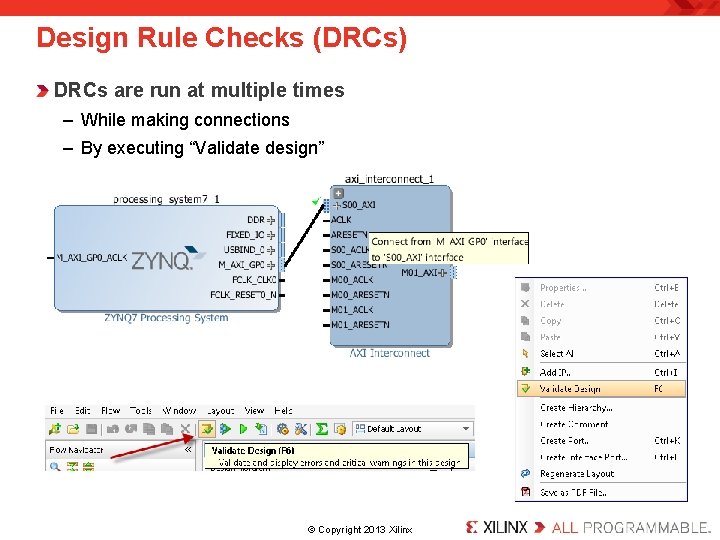
Design Rule Checks (DRCs) DRCs are run at multiple times – While making connections – By executing “Validate design” . © Copyright 2013 Xilinx.
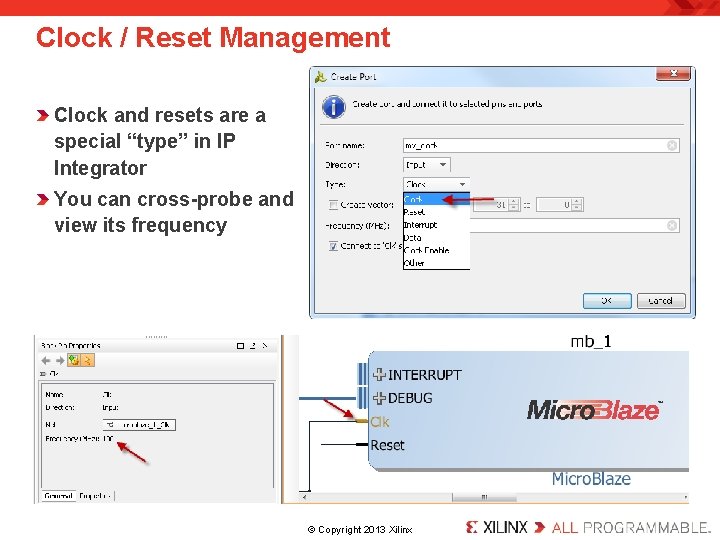
Clock / Reset Management Clock and resets are a special “type” in IP Integrator You can cross-probe and view its frequency . © Copyright 2013 Xilinx.
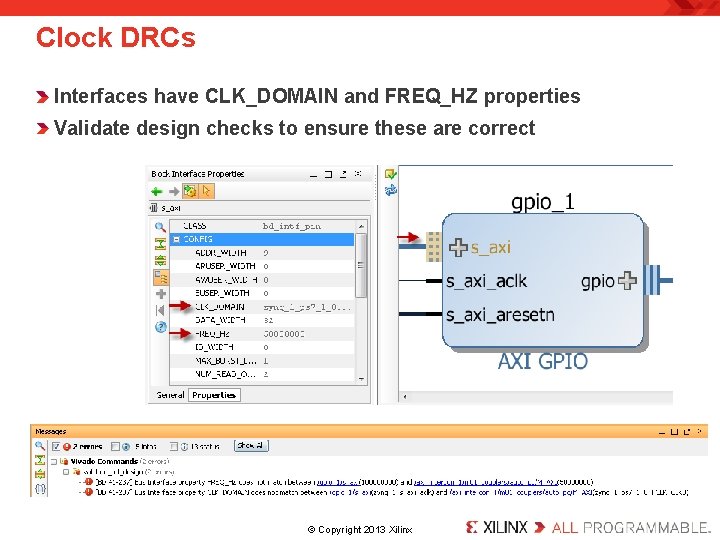
Clock DRCs Interfaces have CLK_DOMAIN and FREQ_HZ properties Validate design checks to ensure these are correct . © Copyright 2013 Xilinx.
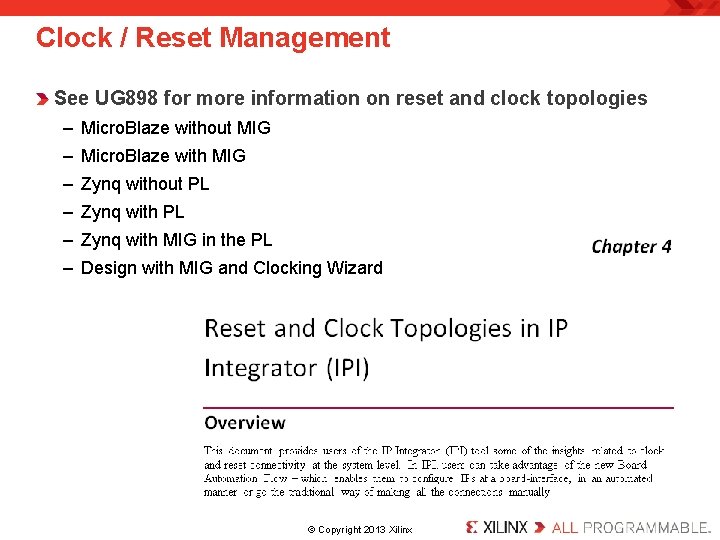
Clock / Reset Management See UG 898 for more information on reset and clock topologies – Micro. Blaze without MIG – Micro. Blaze with MIG – Zynq without PL – Zynq with MIG in the PL – Design with MIG and Clocking Wizard . © Copyright 2013 Xilinx.
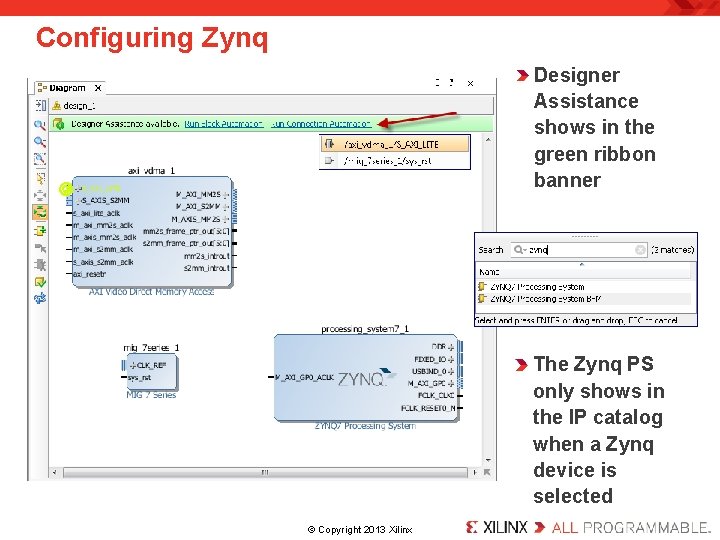
Configuring Zynq Designer Assistance shows in the green ribbon banner The Zynq PS only shows in the IP catalog when a Zynq device is selected. © Copyright 2013 Xilinx.
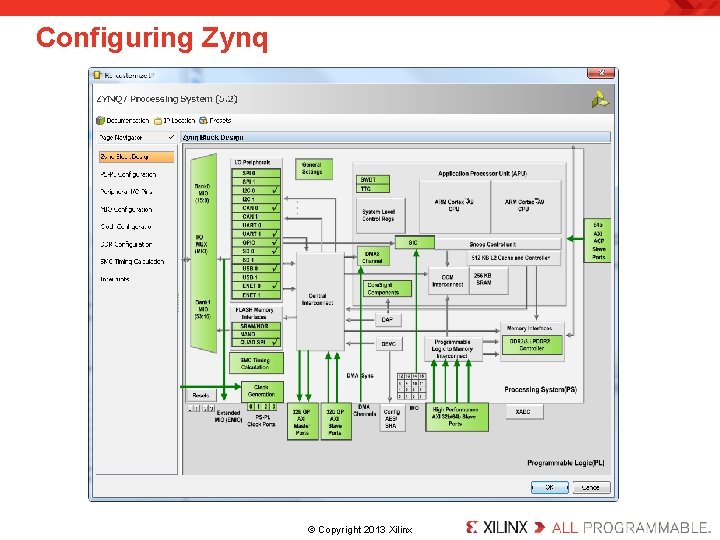
Configuring Zynq . © Copyright 2013 Xilinx.
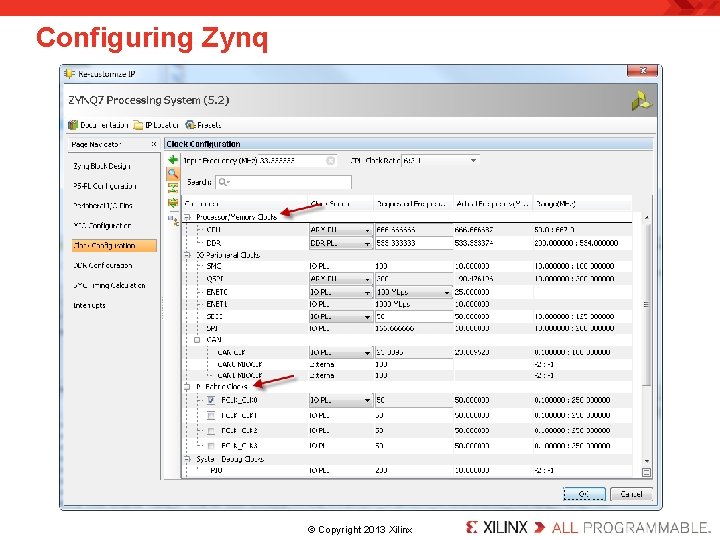
Configuring Zynq . © Copyright 2013 Xilinx.
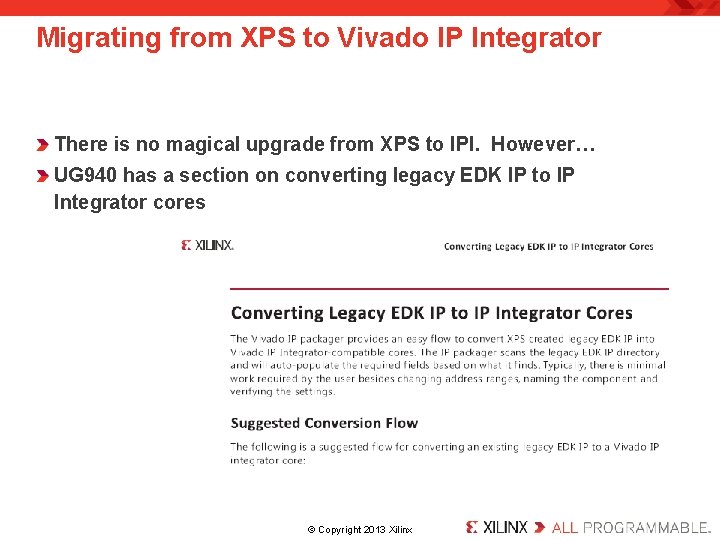
Migrating from XPS to Vivado IP Integrator There is no magical upgrade from XPS to IPI. However… UG 940 has a section on converting legacy EDK IP to IP Integrator cores . © Copyright 2013 Xilinx.
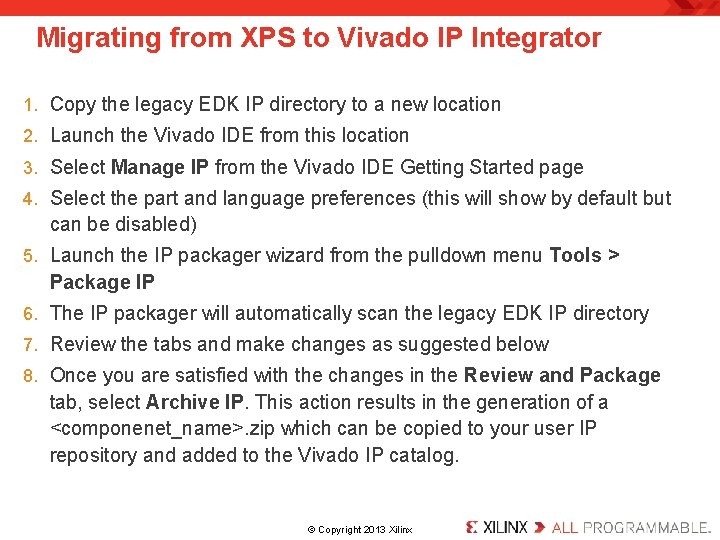
Migrating from XPS to Vivado IP Integrator 1. Copy the legacy EDK IP directory to a new location 2. Launch the Vivado IDE from this location 3. Select Manage IP from the Vivado IDE Getting Started page 4. Select the part and language preferences (this will show by default but can be disabled) 5. Launch the IP packager wizard from the pulldown menu Tools > Package IP 6. The IP packager will automatically scan the legacy EDK IP directory 7. Review the tabs and make changes as suggested below 8. Once you are satisfied with the changes in the Review and Package tab, select Archive IP. This action results in the generation of a <componenet_name>. zip which can be copied to your user IP repository and added to the Vivado IP catalog. . © Copyright 2013 Xilinx.
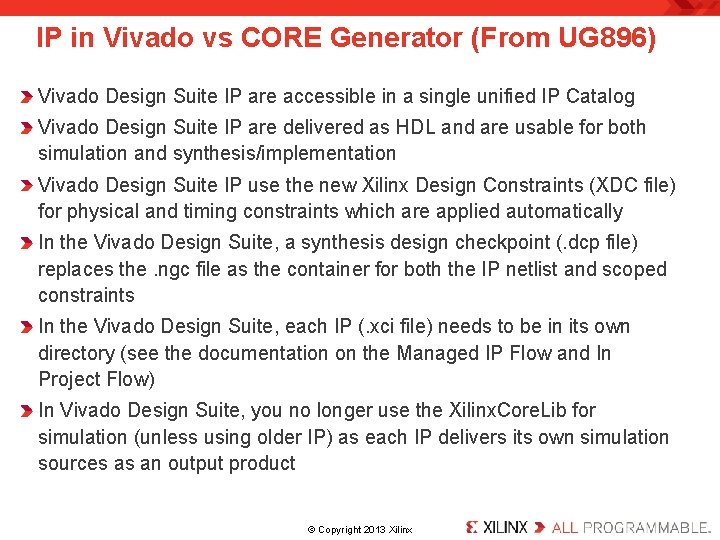
IP in Vivado vs CORE Generator (From UG 896) Vivado Design Suite IP are accessible in a single unified IP Catalog Vivado Design Suite IP are delivered as HDL and are usable for both simulation and synthesis/implementation Vivado Design Suite IP use the new Xilinx Design Constraints (XDC file) for physical and timing constraints which are applied automatically In the Vivado Design Suite, a synthesis design checkpoint (. dcp file) replaces the. ngc file as the container for both the IP netlist and scoped constraints In the Vivado Design Suite, each IP (. xci file) needs to be in its own directory (see the documentation on the Managed IP Flow and In Project Flow) In Vivado Design Suite, you no longer use the Xilinx. Core. Lib for simulation (unless using older IP) as each IP delivers its own simulation sources as an output product. © Copyright 2013 Xilinx.
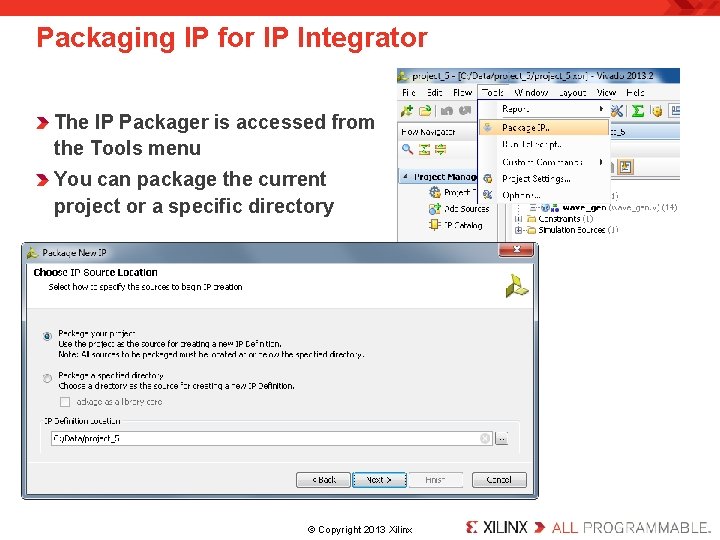
Packaging IP for IP Integrator The IP Packager is accessed from the Tools menu You can package the current project or a specific directory . © Copyright 2013 Xilinx.
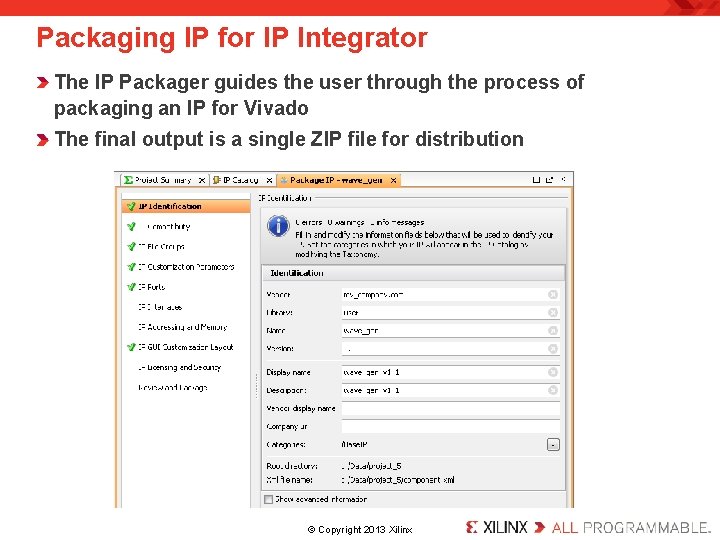
Packaging IP for IP Integrator The IP Packager guides the user through the process of packaging an IP for Vivado The final output is a single ZIP file for distribution . © Copyright 2013 Xilinx.
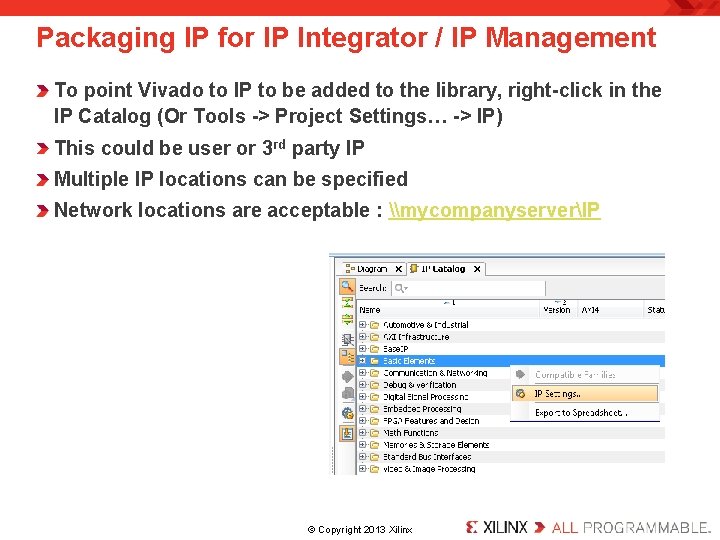
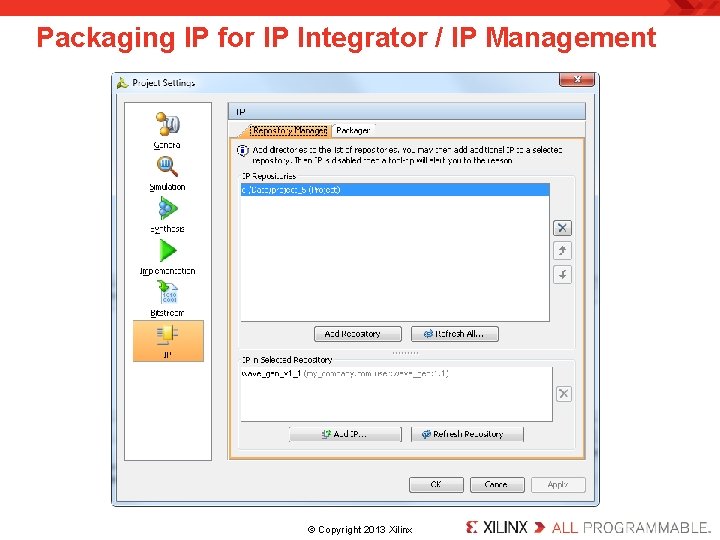
Packaging IP for IP Integrator / IP Management To point Vivado to IP to be added to the library, right-click in the IP Catalog (Or Tools -> Project Settings… -> IP) This could be user or 3 rd party IP Multiple IP locations can be specified Network locations are acceptable : \mycompanyserverIP . © Copyright 2013 Xilinx.
Packaging IP for IP Integrator / IP Management . © Copyright 2013 Xilinx.
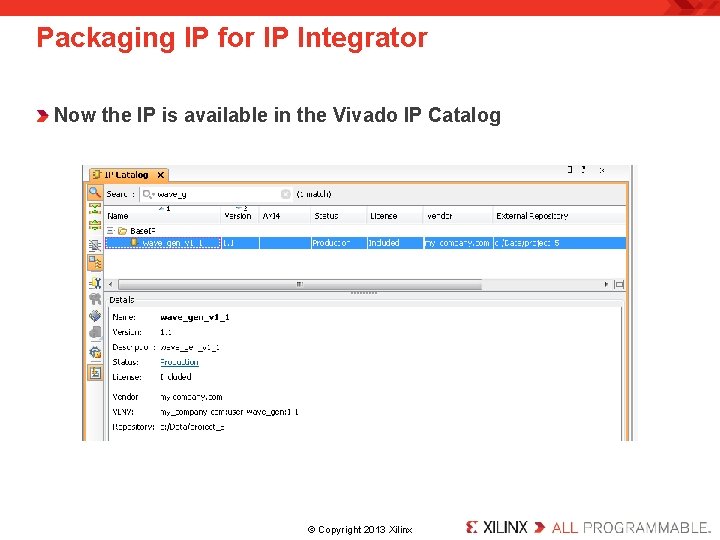
Packaging IP for IP Integrator Now the IP is available in the Vivado IP Catalog . © Copyright 2013 Xilinx.
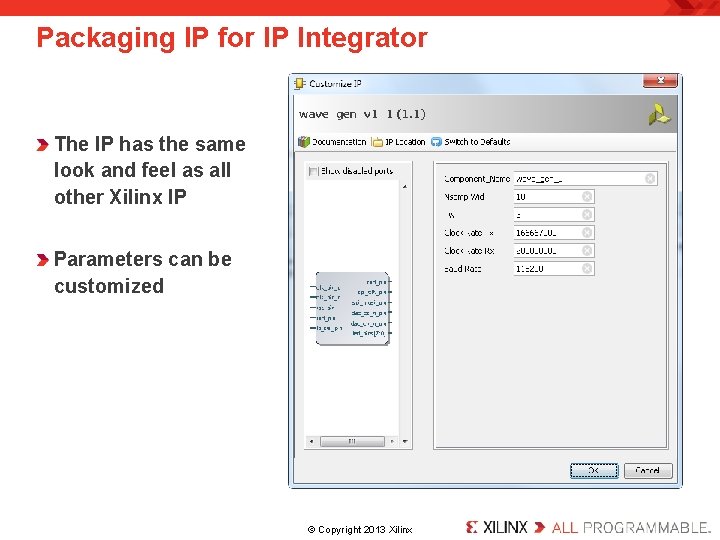
Packaging IP for IP Integrator The IP has the same look and feel as all other Xilinx IP Parameters can be customized . © Copyright 2013 Xilinx.
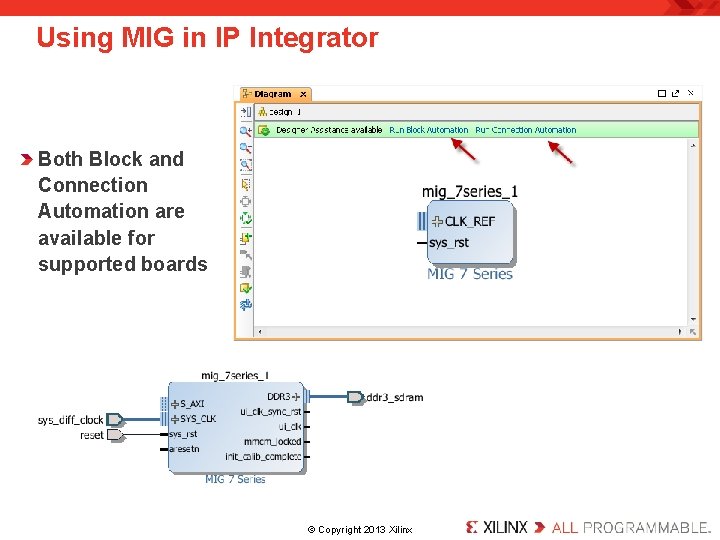
Using MIG in IP Integrator Both Block and Connection Automation are available for supported boards . © Copyright 2013 Xilinx.
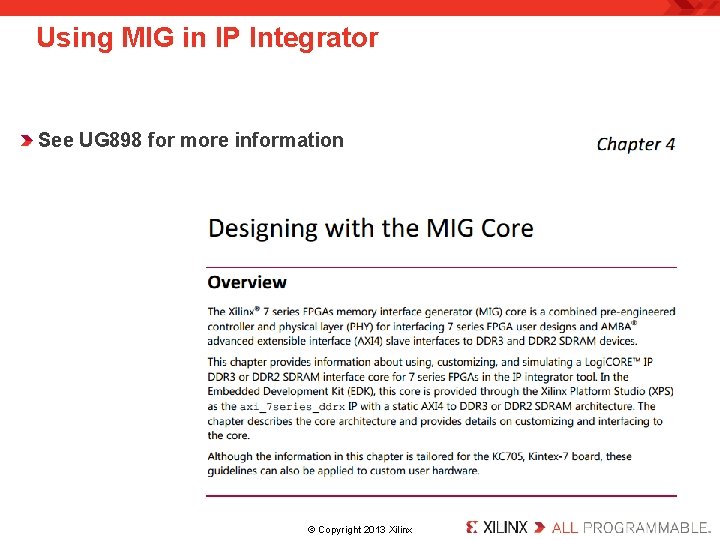
Using MIG in IP Integrator See UG 898 for more information . © Copyright 2013 Xilinx.
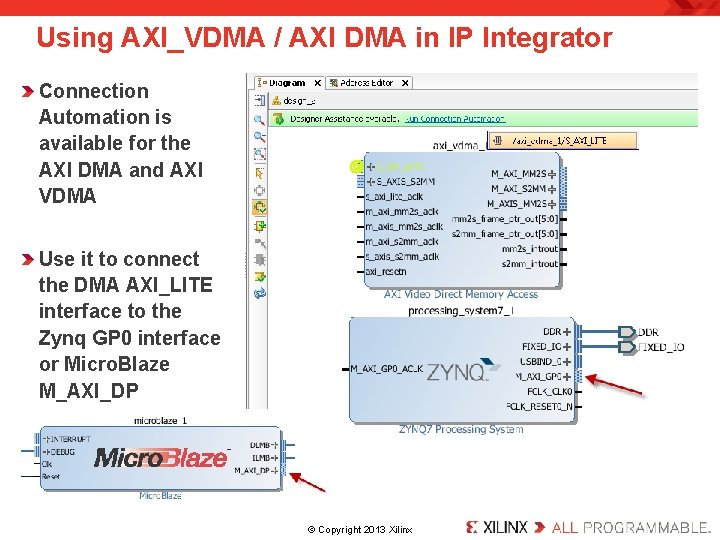
Using AXI_VDMA / AXI DMA in IP Integrator Connection Automation is available for the AXI DMA and AXI VDMA Use it to connect the DMA AXI_LITE interface to the Zynq GP 0 interface or Micro. Blaze M_AXI_DP . © Copyright 2013 Xilinx.
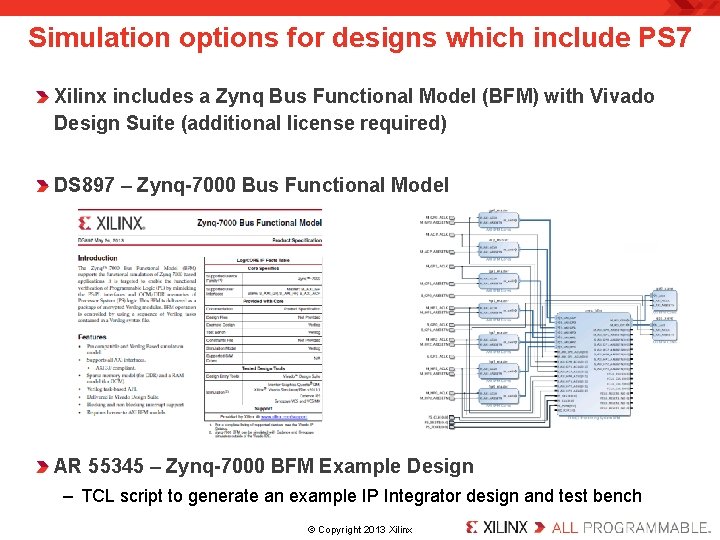
Simulation options for designs which include PS 7 Xilinx includes a Zynq Bus Functional Model (BFM) with Vivado Design Suite (additional license required) DS 897 – Zynq-7000 Bus Functional Model AR 55345 – Zynq-7000 BFM Example Design – TCL script to generate an example IP Integrator design and test bench. © Copyright 2013 Xilinx.
IPI Customer Material Available Today UG 940 – Vivado Design Suite Tutorial (Zynq, SDK, Micro. Blaze) – New Zynq cross-trigger lab – New IP Packager lab, packaging a p. Core UG 898 – Vivado Design Suite User Guide (Zynq, SDK, Micro. Blaze) – New chapter – Designing with MIG in a Zynq and Micro. Blaze design – New chapter – Clocking and reset topologies in IPI UG 994 – Designing with IP Subsystems User Guide – How to use IP Integrator (was a chapter in UG 896) UG 995 – Designing with IP Subsystems Tutorial – Lab – A processor less design with several peripherals (was a chapter in UG 939) . © Copyright 2013 Xilinx.
Thank You. © Copyright 2013 Xilinx.