
Design Topics Covered 1 Architectural vs Detailed design
- Slides: 40
Design Topics Covered 1. Architectural. vs. Detailed design 2. “Common” architectural styles, tactics and reference architectures 3. Basic techniques/guidelines for detailed design 4. Basic issues with user-interface design
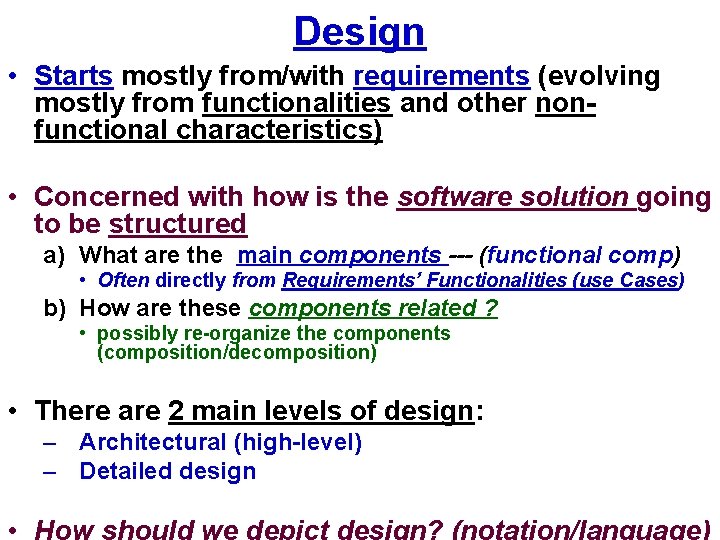
Design • Starts mostly from/with requirements (evolving mostly from functionalities and other nonfunctional characteristics) • Concerned with how is the software solution going to be structured a) What are the main components --- (functional comp) • Often directly from Requirements’ Functionalities (use Cases) b) How are these components related ? • possibly re-organize the components (composition/decomposition) • There are 2 main levels of design: – Architectural (high-level) – Detailed design
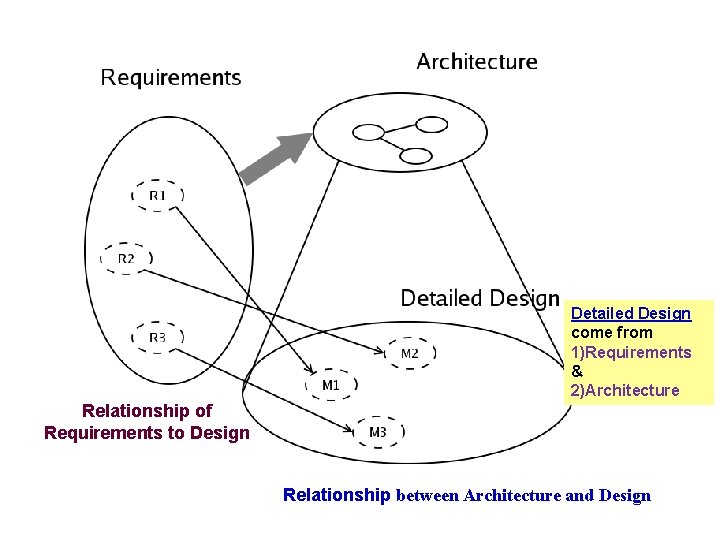
Detailed Design come from 1)Requirements & 2)Architecture Relationship of Requirements to Design Relationship between Architecture and Design
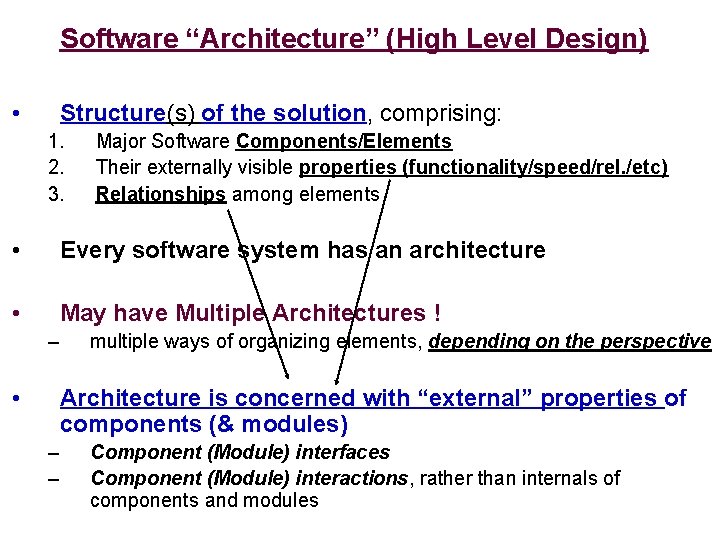
Software “Architecture” (High Level Design) • Structure(s) of the solution, comprising: 1. 2. 3. Major Software Components/Elements Their externally visible properties (functionality/speed/rel. /etc) Relationships among elements • Every software system has an architecture • May have Multiple Architectures ! – • multiple ways of organizing elements, depending on the perspective Architecture is concerned with “external” properties of components (& modules) – – Component (Module) interfaces Component (Module) interactions, rather than internals of components and modules
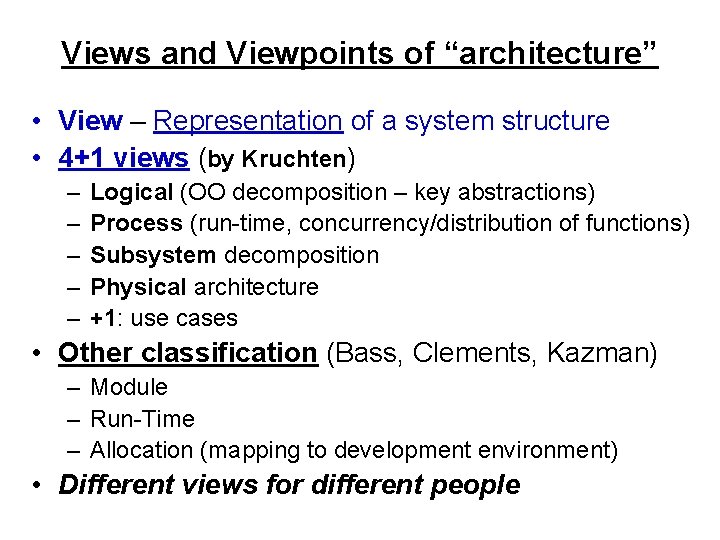
Views and Viewpoints of “architecture” • View – Representation of a system structure • 4+1 views (by Kruchten) – – – Logical (OO decomposition – key abstractions) Process (run-time, concurrency/distribution of functions) Subsystem decomposition Physical architecture +1: use cases • Other classification (Bass, Clements, Kazman) – Module – Run-Time – Allocation (mapping to development environment) • Different views for different people
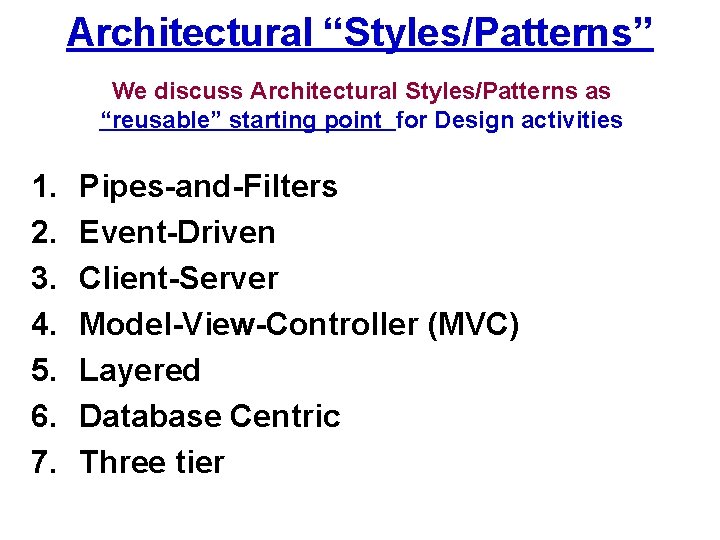
Architectural “Styles/Patterns” We discuss Architectural Styles/Patterns as “reusable” starting point for Design activities 1. 2. 3. 4. 5. 6. 7. Pipes-and-Filters Event-Driven Client-Server Model-View-Controller (MVC) Layered Database Centric Three tier
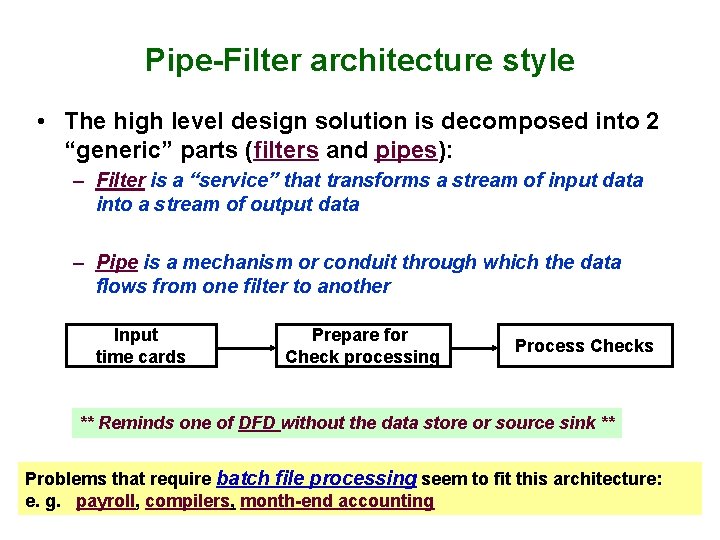
Pipe-Filter architecture style • The high level design solution is decomposed into 2 “generic” parts (filters and pipes): – Filter is a “service” that transforms a stream of input data into a stream of output data – Pipe is a mechanism or conduit through which the data flows from one filter to another Input time cards Prepare for Check processing Process Checks ** Reminds one of DFD without the data store or source sink ** Problems that require batch file processing seem to fit this architecture: e. g. payroll, compilers, month-end accounting
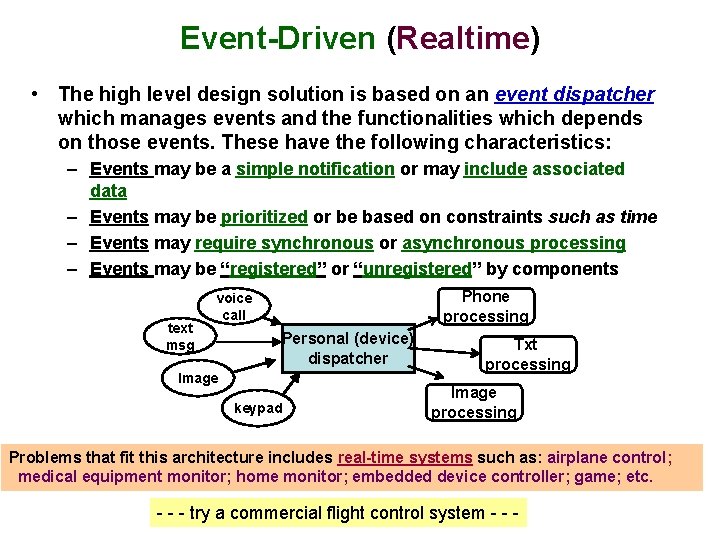
Event-Driven (Realtime) • The high level design solution is based on an event dispatcher which manages events and the functionalities which depends on those events. These have the following characteristics: – Events may be a simple notification or may include associated data – Events may be prioritized or be based on constraints such as time – Events may require synchronous or asynchronous processing – Events may be “registered” or “unregistered” by components text msg Phone processing voice call Personal (device) dispatcher Image keypad Txt processing Image processing Problems that fit this architecture includes real-time systems such as: airplane control; medical equipment monitor; home monitor; embedded device controller; game; etc. - - - try a commercial flight control system - - -
Basic Client-Server Style Application split into client component and server component
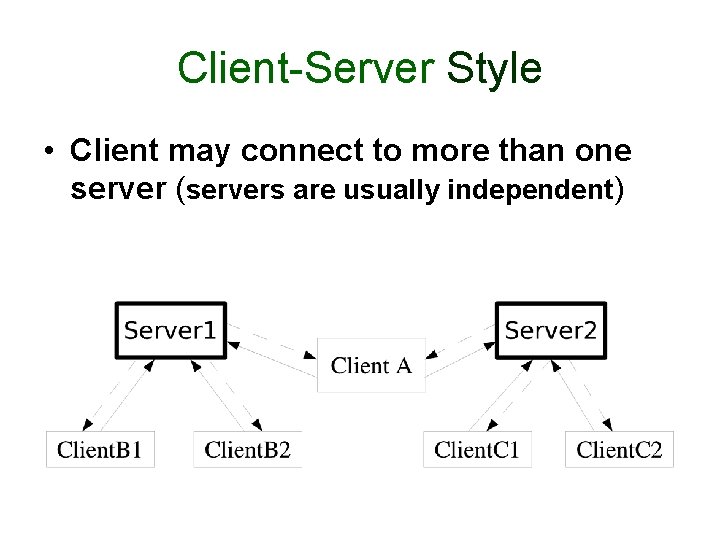
Client-Server Style • Client may connect to more than one server (servers are usually independent)
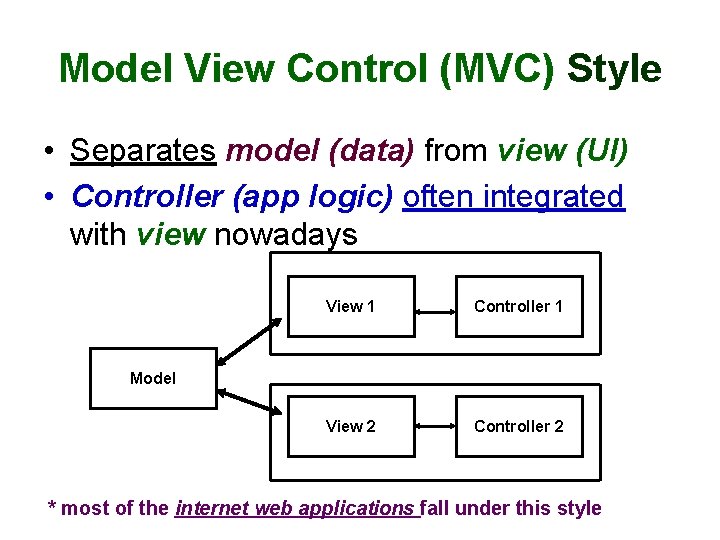
Model View Control (MVC) Style • Separates model (data) from view (UI) • Controller (app logic) often integrated with view nowadays View 1 Controller 1 View 2 Controller 2 Model * most of the internet web applications fall under this style
Layered Style The “outer” layer can only ask for service from the “inner” layer or “upper” layer can only ask for service from “lower” layer. - strict layering----- only directly inside or below layers - relaxed layering---- any inside or below layers Popular with Operating system and Telecommunications systems
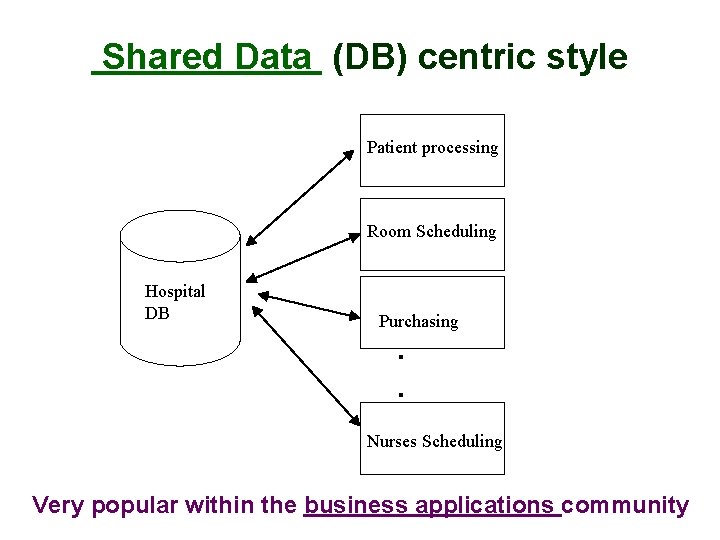
Shared Data (DB) centric style Patient processing Room Scheduling Hospital DB Purchasing . . Nurses Scheduling Very popular within the business applications community
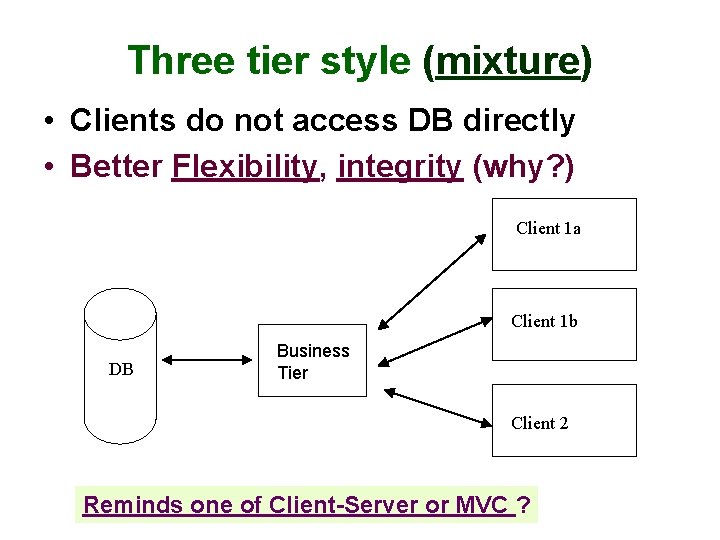
Three tier style (mixture) • Clients do not access DB directly • Better Flexibility, integrity (why? ) Client 1 a Client 1 b DB Business Tier Client 2 Reminds one of Client-Server or MVC ?
Architectural “Tactics” • Tactics (in contrast to architectural style) are for solving “smaller, specific” problems • Do not affect overall structure of system • Example: we add specific functionalities or component (e. g. to increase reliability) in the design for fault detection ---- especially for distributed systems: – heartbeat – ping / echo
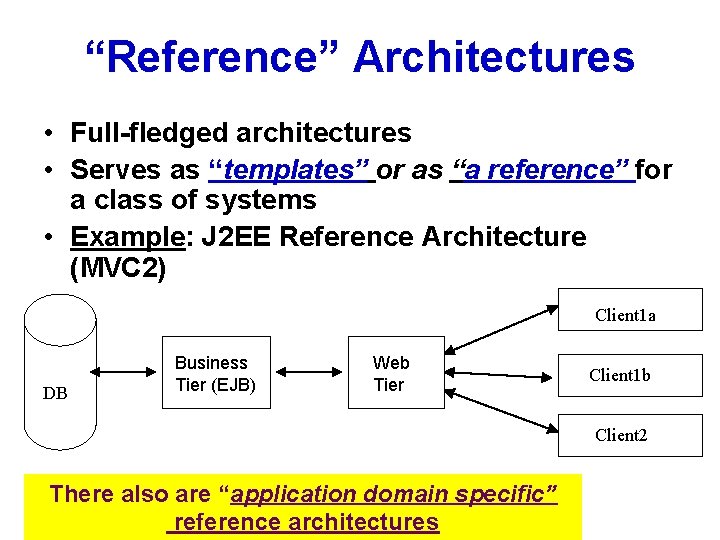
“Reference” Architectures • Full-fledged architectures • Serves as “templates” or as “a reference” for a class of systems • Example: J 2 EE Reference Architecture (MVC 2) Client 1 a DB Business Tier (EJB) Web Tier Client 1 b Client 2 There also are “application domain specific” reference architectures
Detailed Design • Further Refine Architecture and match with Requirements • How detailed ? • How formal ? • Maybe of different levels of detail for different views
Functional Decomposition Technique • Dates back to “structured programming” [now (non-OO)Web apps with PHP tool] • Start with: main (task/requirements) -> module • Refine into sub-modules • There alternative decompositions
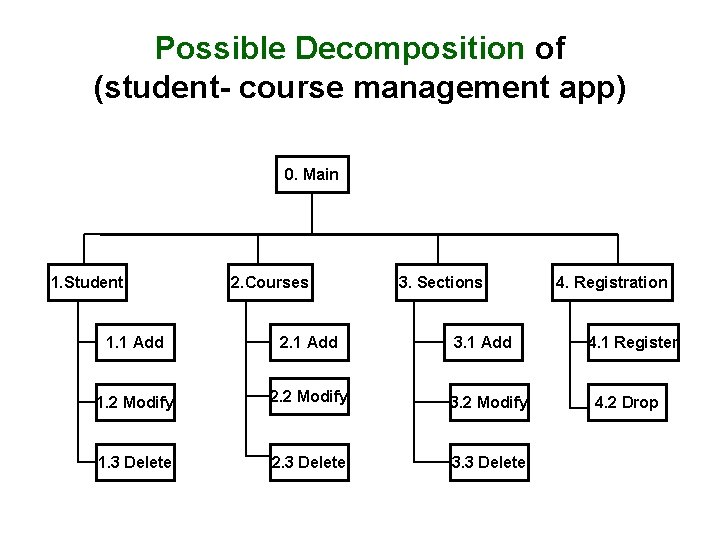
Possible Decomposition of (student- course management app) 0. Main 1. Student 2. Courses 3. Sections 1. 1 Add 2. 1 Add 3. 1 Add 1. 2 Modify 2. 2 Modify 3. 2 Modify 1. 3 Delete 2. 3 Delete 3. 3 Delete 4. Registration 4. 1 Register 4. 2 Drop
“Alternative” Decomposition/Composition
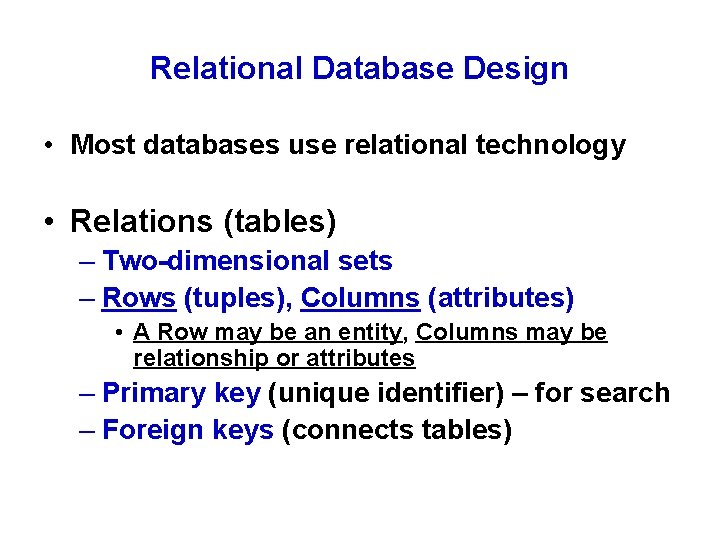
Relational Database Design • Most databases use relational technology • Relations (tables) – Two-dimensional sets – Rows (tuples), Columns (attributes) • A Row may be an entity, Columns may be relationship or attributes – Primary key (unique identifier) – for search – Foreign keys (connects tables)
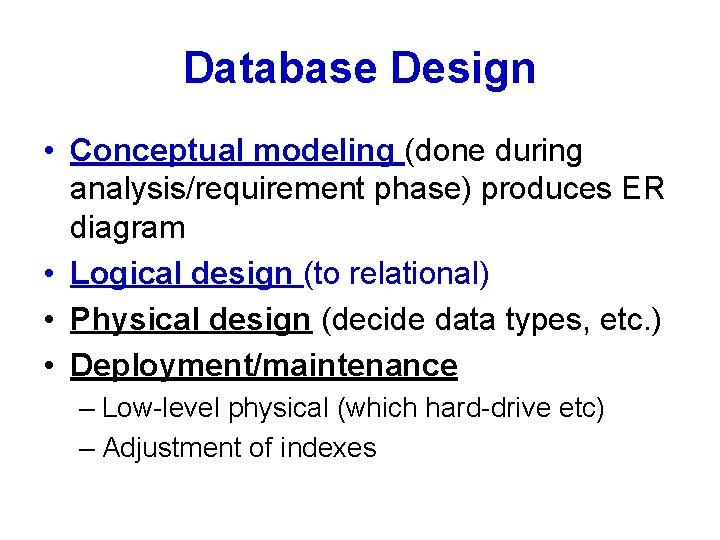
Database Design • Conceptual modeling (done during analysis/requirement phase) produces ER diagram • Logical design (to relational) • Physical design (decide data types, etc. ) • Deployment/maintenance – Low-level physical (which hard-drive etc) – Adjustment of indexes
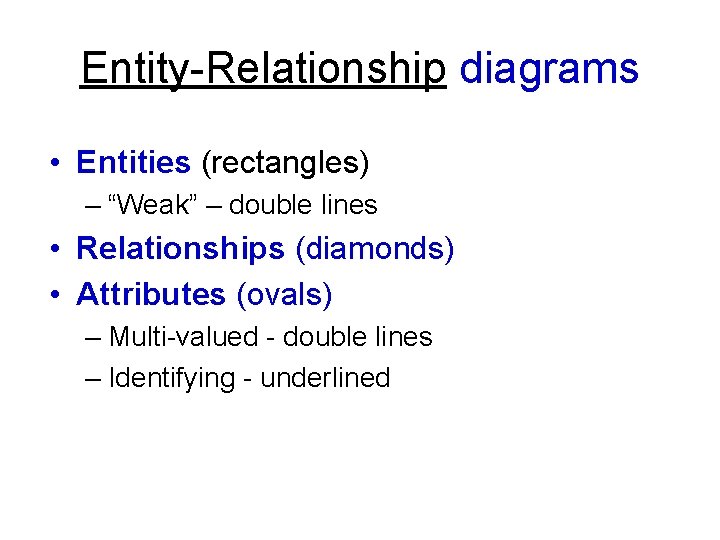
Entity-Relationship diagrams • Entities (rectangles) – “Weak” – double lines • Relationships (diamonds) • Attributes (ovals) – Multi-valued - double lines – Identifying - underlined
A Sample: ER diagram
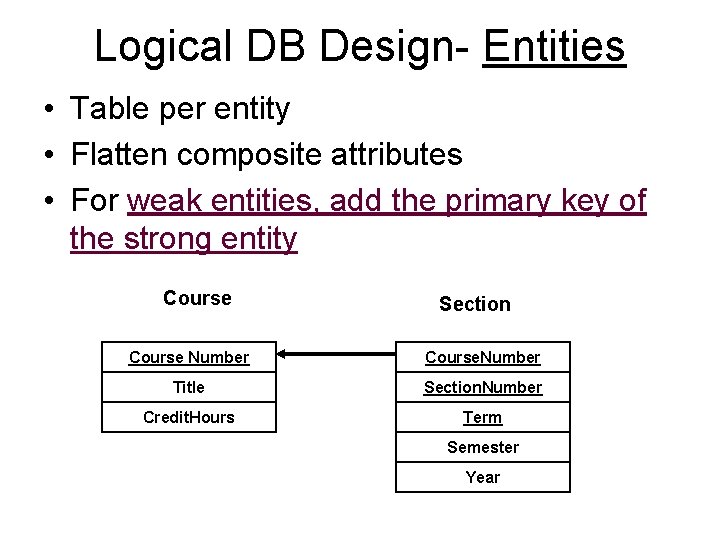
Logical DB Design- Entities • Table per entity • Flatten composite attributes • For weak entities, add the primary key of the strong entity Course Section Course Number Course. Number Title Section. Number Credit. Hours Term Semester Year
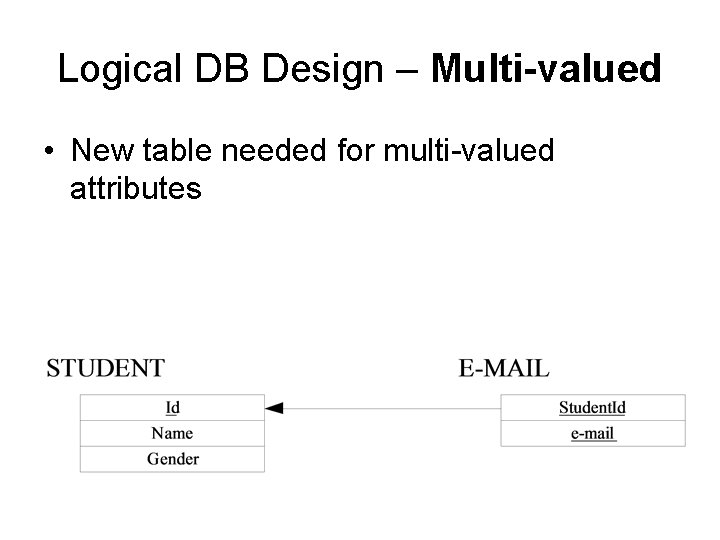
Logical DB Design – Multi-valued • New table needed for multi-valued attributes
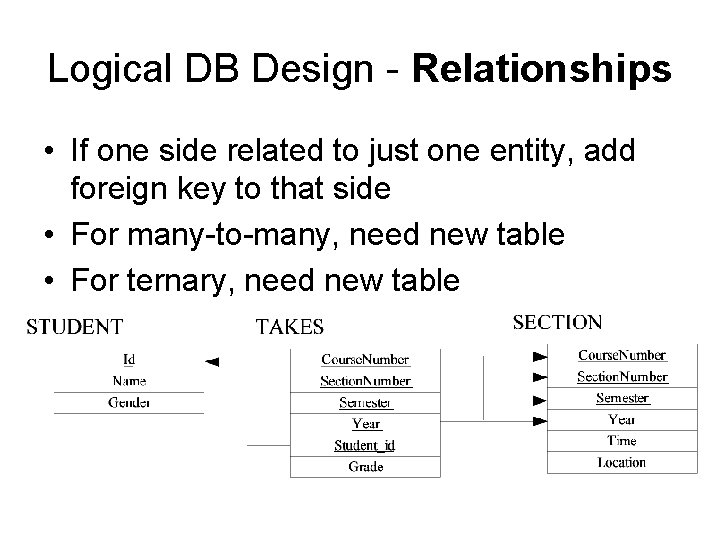
Logical DB Design - Relationships • If one side related to just one entity, add foreign key to that side • For many-to-many, need new table • For ternary, need new table
Physical DB Design • Data types for each attribute – Check which ones your DBMS support – Encoding • Decide on Indexes – Searches are faster, updates are slower – Indexes consume space – Can always adjust during deployment • Denormalization done sometimes (avoid)
OO Design • First step: Review & Refine use cases • Decide – Which classes to create – How are the classes related • Use UML as the Design Language
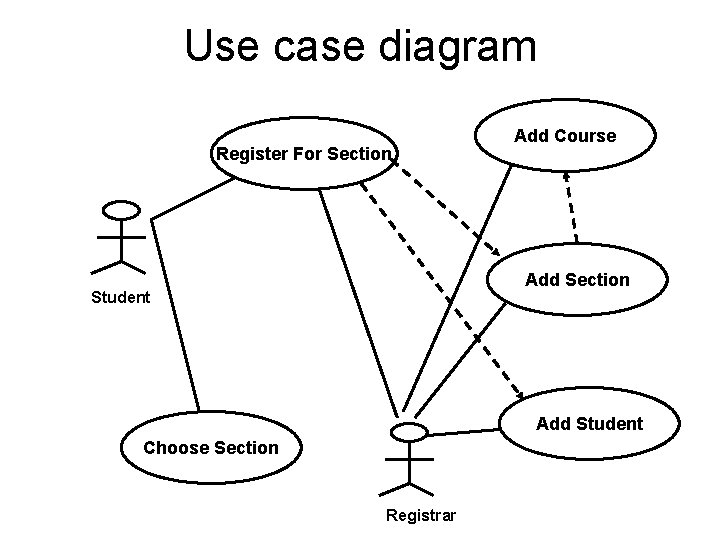
Use case diagram Register For Section Add Course Add Section Student Add Student Choose Section Registrar
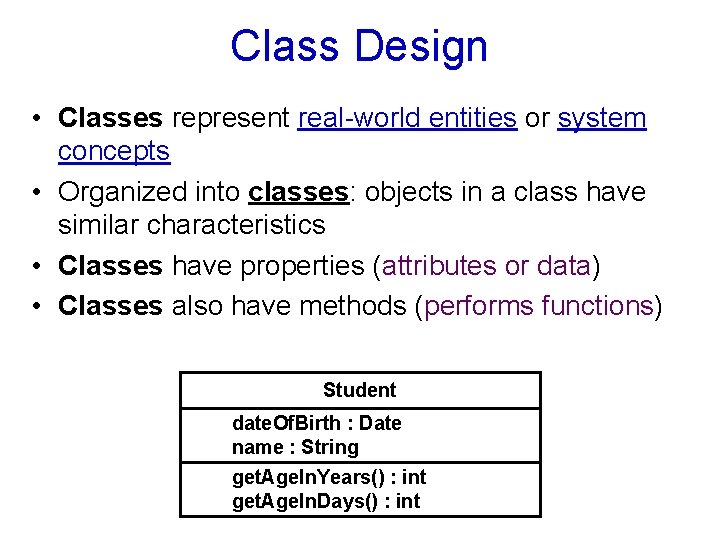
Class Design • Classes represent real-world entities or system concepts • Organized into classes: objects in a class have similar characteristics • Classes have properties (attributes or data) • Classes also have methods (performs functions) Student date. Of. Birth : Date name : String get. Age. In. Years() : int get. Age. In. Days() : int
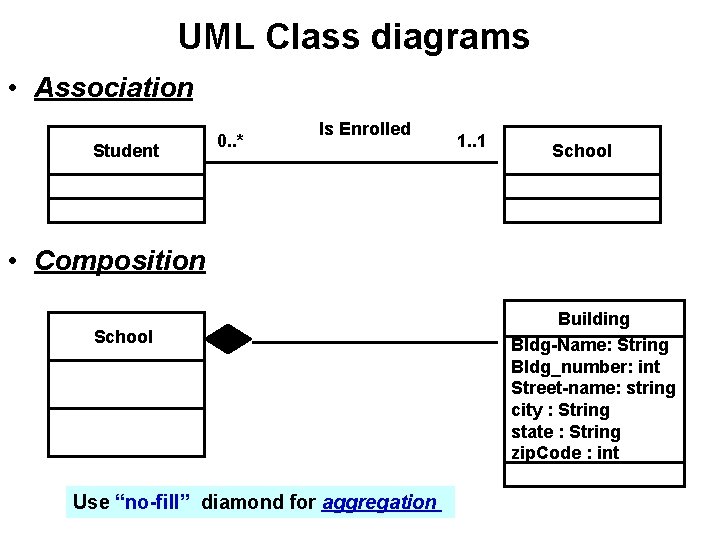
UML Class diagrams • Association Student 0. . * Is Enrolled 1. . 1 School • Composition School Use “no-fill” diamond for aggregation Building Bldg-Name: String Bldg_number: int Street-name: string city : String state : String zip. Code : int
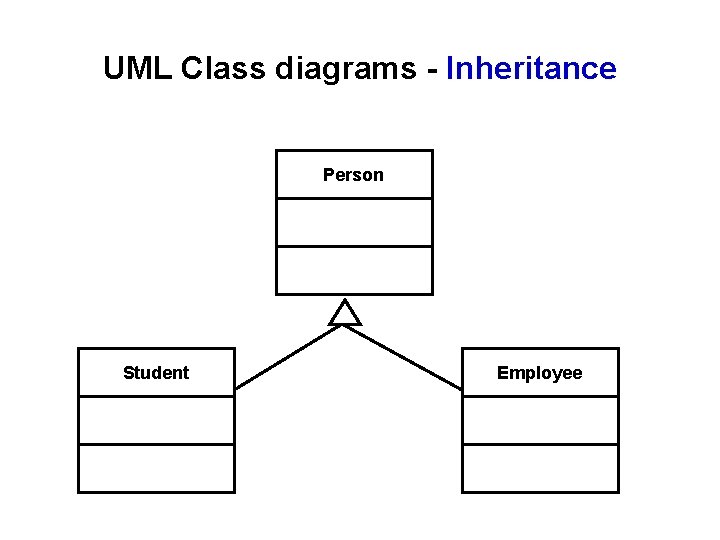
UML Class diagrams - Inheritance Person Student Employee
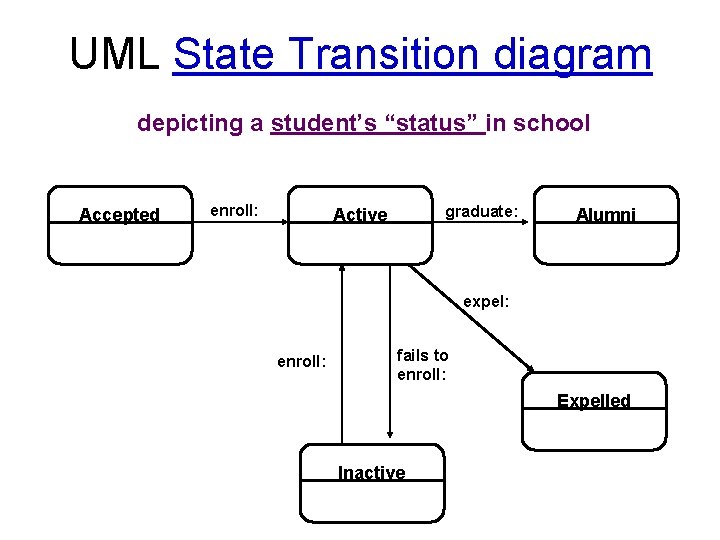
UML State Transition diagram depicting a student’s “status” in school Accepted enroll: graduate: Active Alumni expel: enroll: fails to enroll: Expelled Inactive
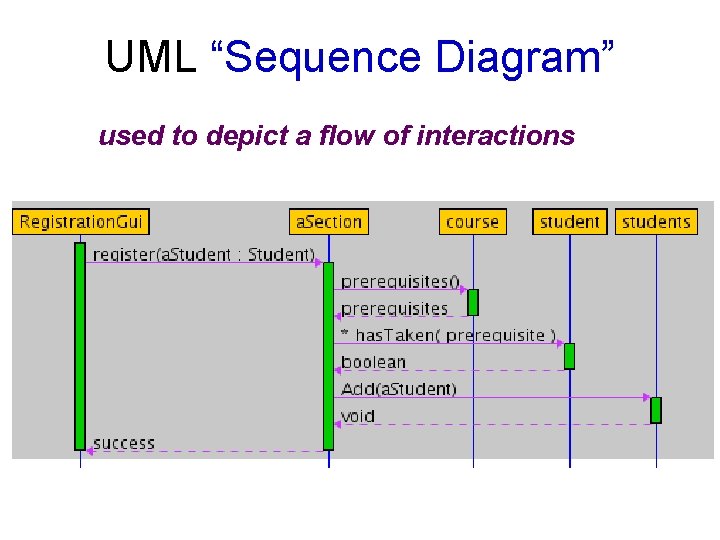
UML “Sequence Diagram” used to depict a flow of interactions
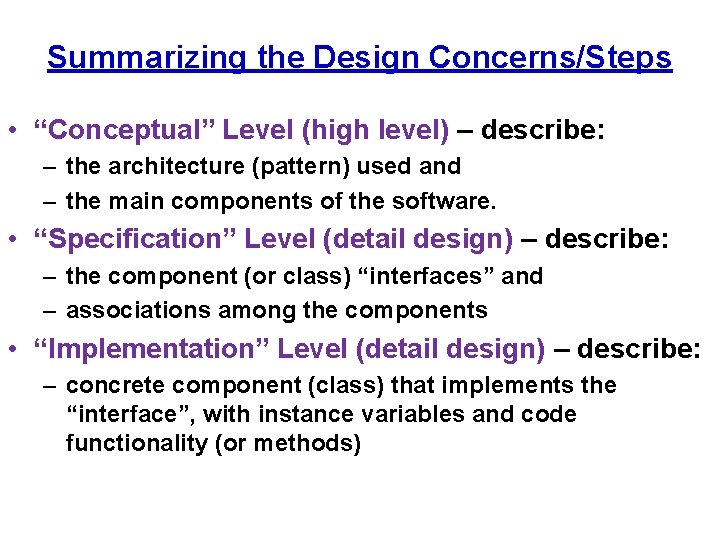
Summarizing the Design Concerns/Steps • “Conceptual” Level (high level) – describe: – the architecture (pattern) used and – the main components of the software. • “Specification” Level (detail design) – describe: – the component (or class) “interfaces” and – associations among the components • “Implementation” Level (detail design) – describe: – concrete component (class) that implements the “interface”, with instance variables and code functionality (or methods)
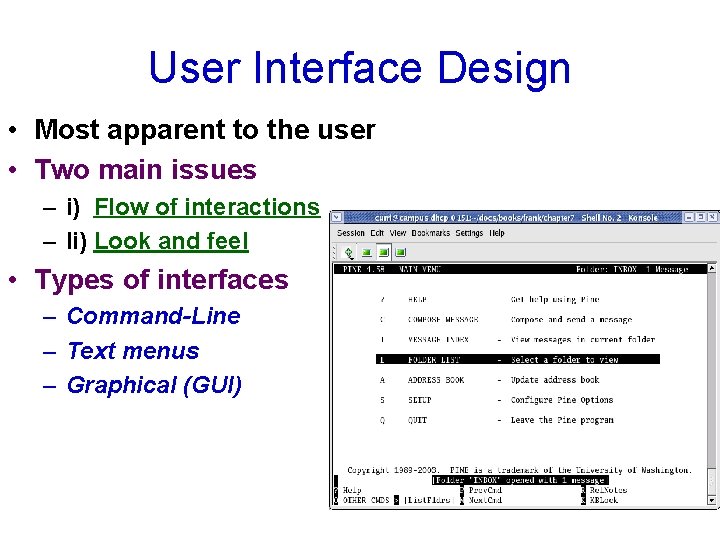
User Interface Design • Most apparent to the user • Two main issues – i) Flow of interactions – Ii) Look and feel • Types of interfaces – Command-Line – Text menus – Graphical (GUI)
The GOMS Model (an “advanced” topic for UI) • Consider different kinds of users • Four factors (for the kind of user) – Goals of the user – Operations provided by the system – Methods or the sequence of operations – Selection Rules for the methods
Other UI Issues • • Kinds of users Heuristics UI Guidelines Multicultural issues Metaphors Multiplatform software Accessibility Multimedia Interfaces
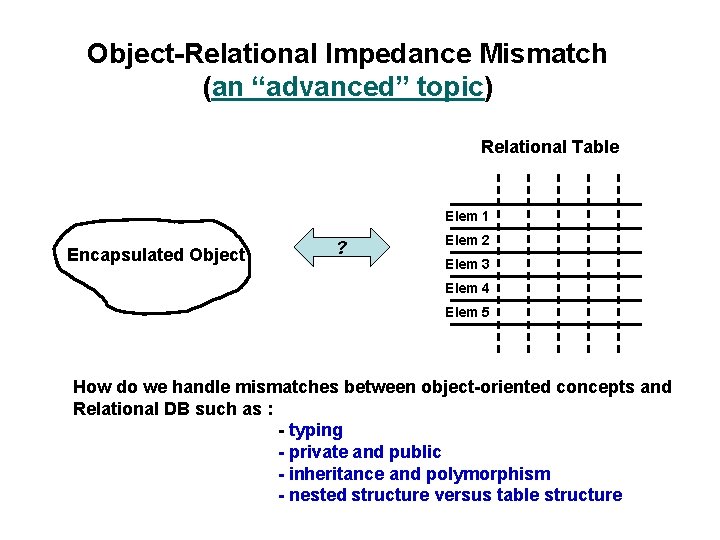
Object-Relational Impedance Mismatch (an “advanced” topic) Relational Table Elem 1 Encapsulated Object ? Elem 2 Elem 3 Elem 4 Elem 5 How do we handle mismatches between object-oriented concepts and Relational DB such as : - typing - private and public - inheritance and polymorphism - nested structure versus table structure