
Design Patterns for Connected Specialized Devices GEORGE ROUSSOS
- Slides: 28
Design Patterns for Connected Specialized Devices GEORGE ROUSSOS Program manager
Agenda • • What is a Specialized Device? Connected Specialized Device scenarios Acquisitions Scenarios Building a Metro style app for a Connected Specialized Device design patterns Choosing the right design pattern for your device Takeaways 2 2/20/2021 MICROSOFT CONFIDENTIAL
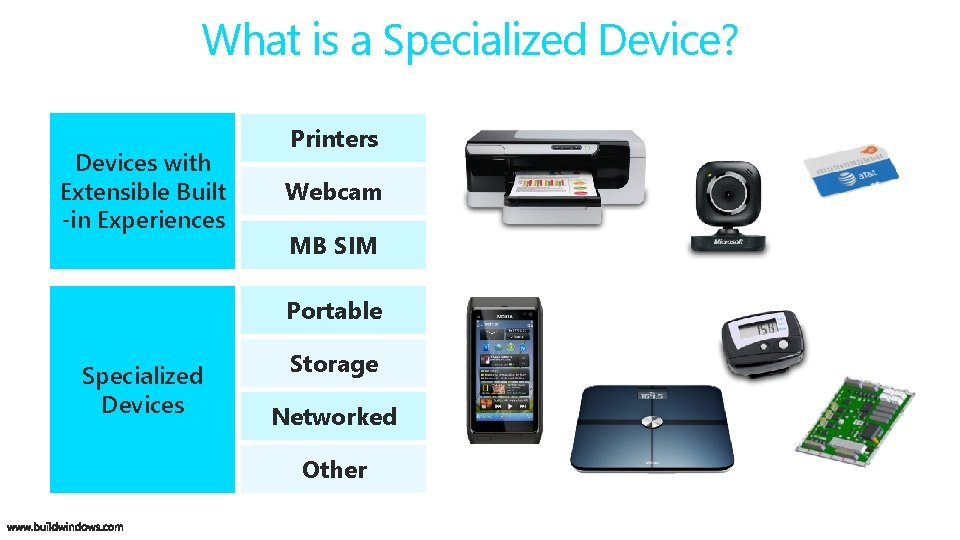
What is a Specialized Device? Devices with Extensible Built -in Experiences Printers Webcam MB SIM Portable Specialized Devices Storage Networked Other
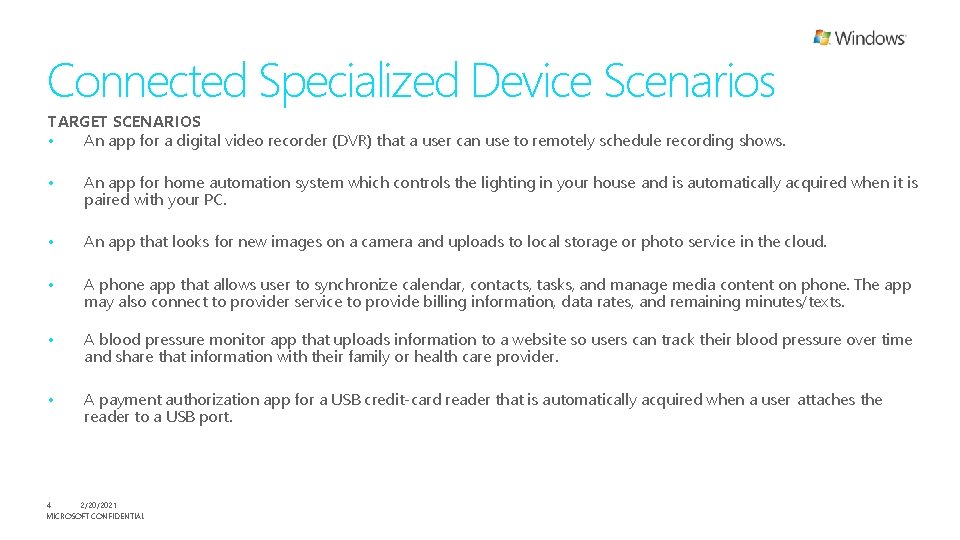
Connected Specialized Device Scenarios TARGET SCENARIOS • An app for a digital video recorder (DVR) that a user can use to remotely schedule recording shows. • An app for home automation system which controls the lighting in your house and is automatically acquired when it is paired with your PC. • An app that looks for new images on a camera and uploads to local storage or photo service in the cloud. • A phone app that allows user to synchronize calendar, contacts, tasks, and manage media content on phone. The app may also connect to provider service to provide billing information, data rates, and remaining minutes/texts. • A blood pressure monitor app that uploads information to a website so users can track their blood pressure over time and share that information with their family or health care provider. • A payment authorization app for a USB credit-card reader that is automatically acquired when a user attaches the reader to a USB port. 4 2/20/2021 MICROSOFT CONFIDENTIAL
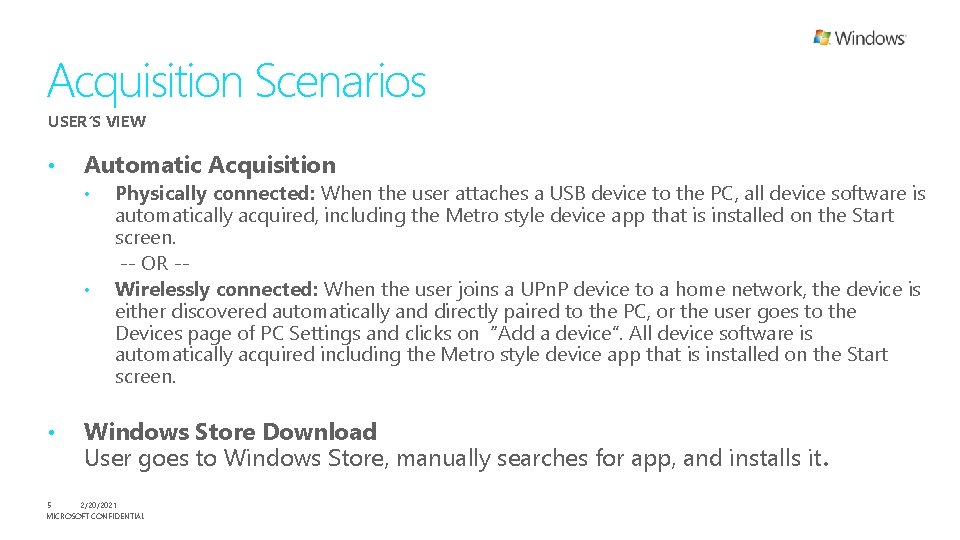
Acquisition Scenarios USER’S VIEW • Automatic Acquisition • • • Physically connected: When the user attaches a USB device to the PC, all device software is automatically acquired, including the Metro style device app that is installed on the Start screen. -- OR -Wirelessly connected: When the user joins a UPn. P device to a home network, the device is either discovered automatically and directly paired to the PC, or the user goes to the Devices page of PC Settings and clicks on “Add a device”. All device software is automatically acquired including the Metro style device app that is installed on the Start screen. Windows Store Download User goes to Windows Store, manually searches for app, and installs it. 5 2/20/2021 MICROSOFT CONFIDENTIAL
Building a Metro style app for a Connected Specialized Device
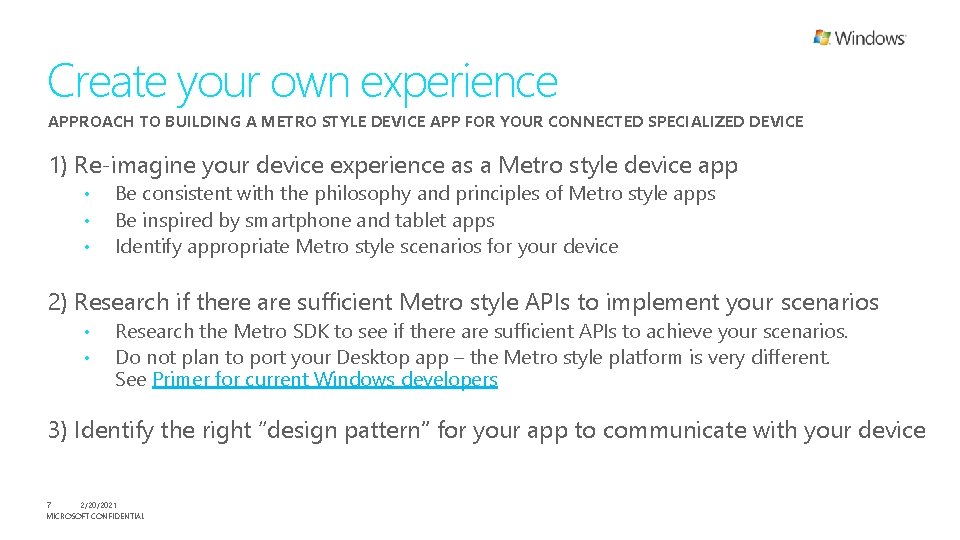
Create your own experience APPROACH TO BUILDING A METRO STYLE DEVICE APP FOR YOUR CONNECTED SPECIALIZED DEVICE 1) Re-imagine your device experience as a Metro style device app • • • Be consistent with the philosophy and principles of Metro style apps Be inspired by smartphone and tablet apps Identify appropriate Metro style scenarios for your device 2) Research if there are sufficient Metro style APIs to implement your scenarios • • Research the Metro SDK to see if there are sufficient APIs to achieve your scenarios. Do not plan to port your Desktop app – the Metro style platform is very different. See Primer for current Windows developers 3) Identify the right “design pattern” for your app to communicate with your device 7 2/20/2021 MICROSOFT CONFIDENTIAL
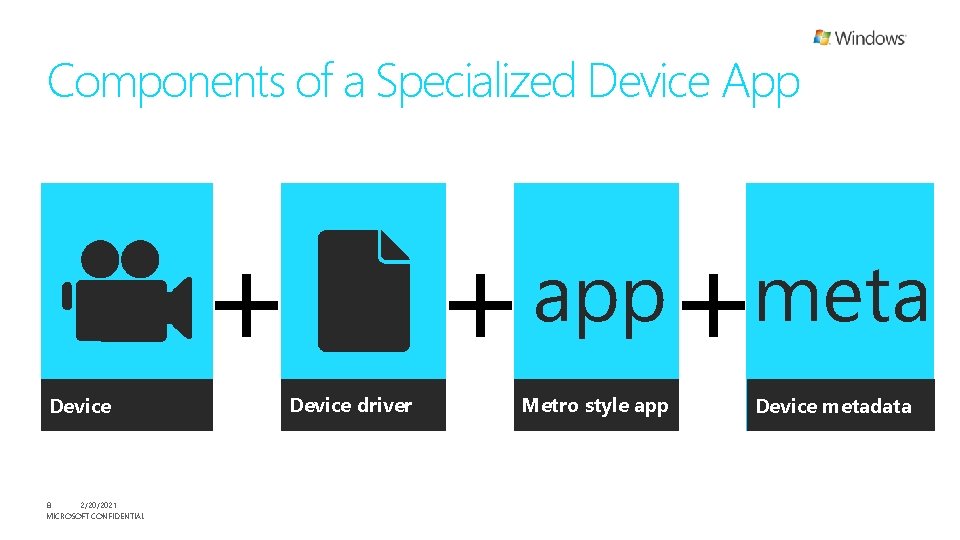
Components of a Specialized Device App + Device 8 2/20/2021 MICROSOFT CONFIDENTIAL Device driver + + app Metro style app meta Device metadata
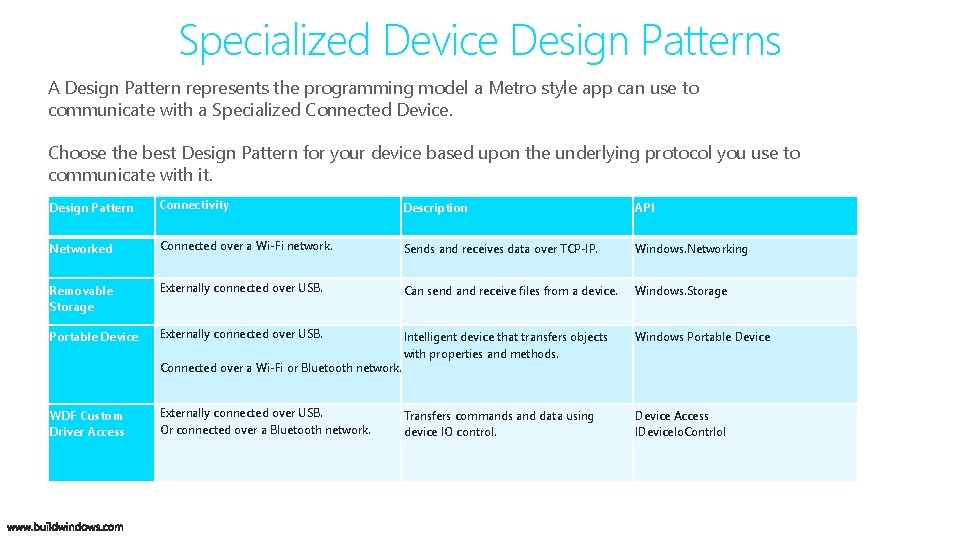
Specialized Device Design Patterns A Design Pattern represents the programming model a Metro style app can use to communicate with a Specialized Connected Device. Choose the best Design Pattern for your device based upon the underlying protocol you use to communicate with it. Design Pattern Connectivity Description API Networked Connected over a Wi-Fi network. Sends and receives data over TCP-IP. Windows. Networking Removable Storage Externally connected over USB. Can send and receive files from a device. Windows. Storage Portable Device Externally connected over USB. Intelligent device that transfers objects with properties and methods. Windows Portable Device Transfers commands and data using device IO control. Device Access IDevice. Io. Contrlol Connected over a Wi-Fi or Bluetooth network. WDF Custom Driver Access Externally connected over USB. Or connected over a Bluetooth network.
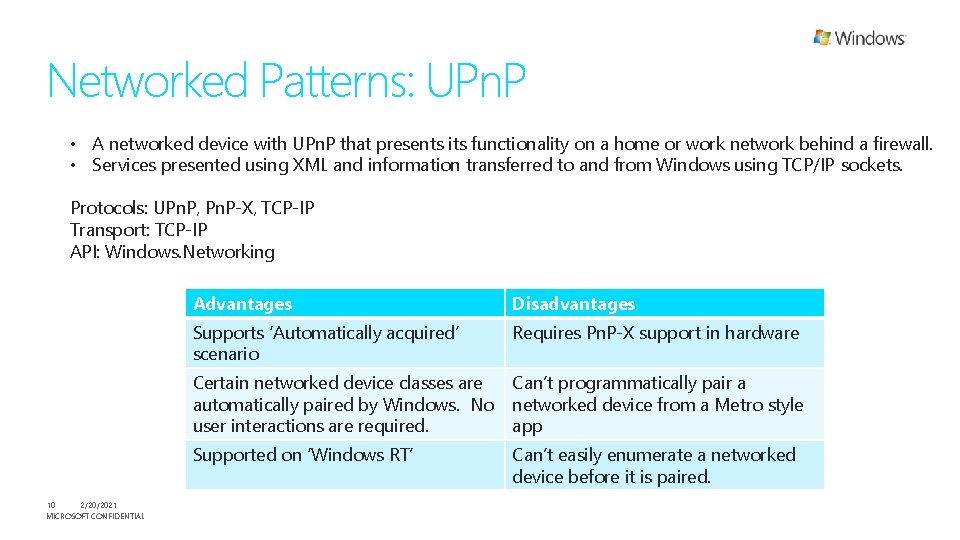
Networked Patterns: UPn. P • A networked device with UPn. P that presents its functionality on a home or work network behind a firewall. • Services presented using XML and information transferred to and from Windows using TCP/IP sockets. Protocols: UPn. P, Pn. P-X, TCP-IP Transport: TCP-IP API: Windows. Networking 10 2/20/2021 MICROSOFT CONFIDENTIAL Advantages Disadvantages Supports ‘Automatically acquired’ scenario Requires Pn. P-X support in hardware Certain networked device classes are automatically paired by Windows. No user interactions are required. Can’t programmatically pair a networked device from a Metro style app Supported on ‘Windows RT’ Can’t easily enumerate a networked device before it is paired.
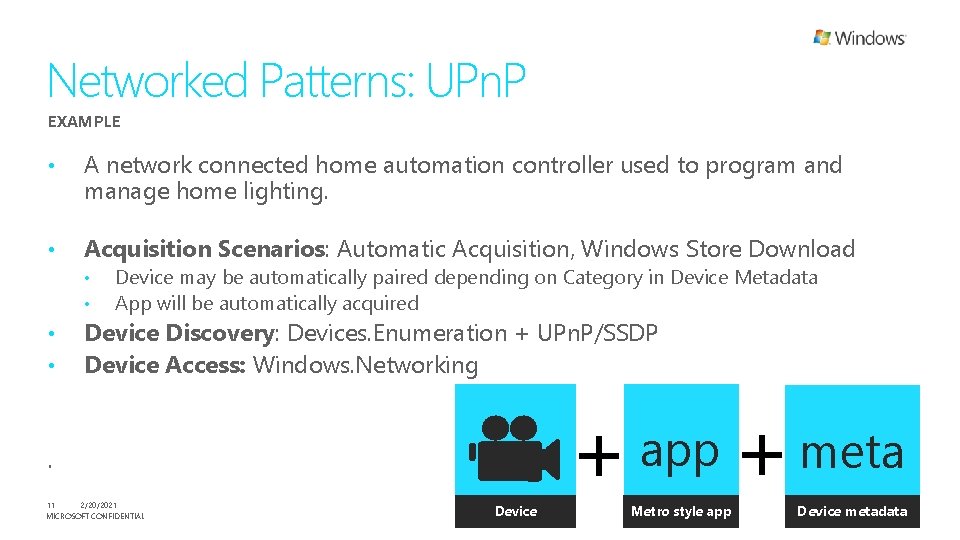
Networked Patterns: UPn. P EXAMPLE • A network connected home automation controller used to program and manage home lighting. • Acquisition Scenarios: Automatic Acquisition, Windows Store Download • • Device may be automatically paired depending on Category in Device Metadata App will be automatically acquired Device Discovery: Devices. Enumeration + UPn. P/SSDP Device Access: Windows. Networking . 11 2/20/2021 MICROSOFT CONFIDENTIAL Device + app Metro style app + meta Device metadata
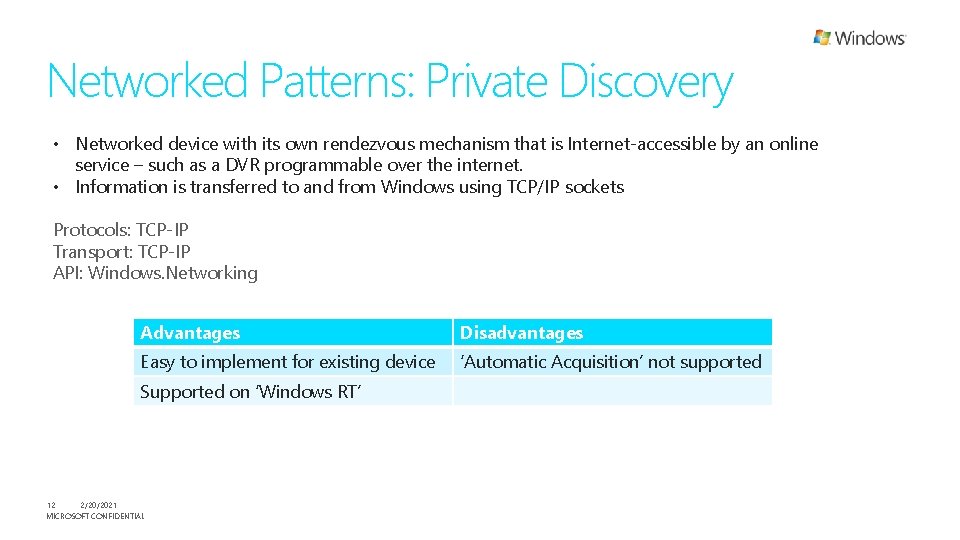
Networked Patterns: Private Discovery • Networked device with its own rendezvous mechanism that is Internet-accessible by an online service – such as a DVR programmable over the internet. • Information is transferred to and from Windows using TCP/IP sockets Protocols: TCP-IP Transport: TCP-IP API: Windows. Networking Advantages Disadvantages Easy to implement for existing device ‘Automatic Acquisition’ not supported Supported on ‘Windows RT’ 12 2/20/2021 MICROSOFT CONFIDENTIAL
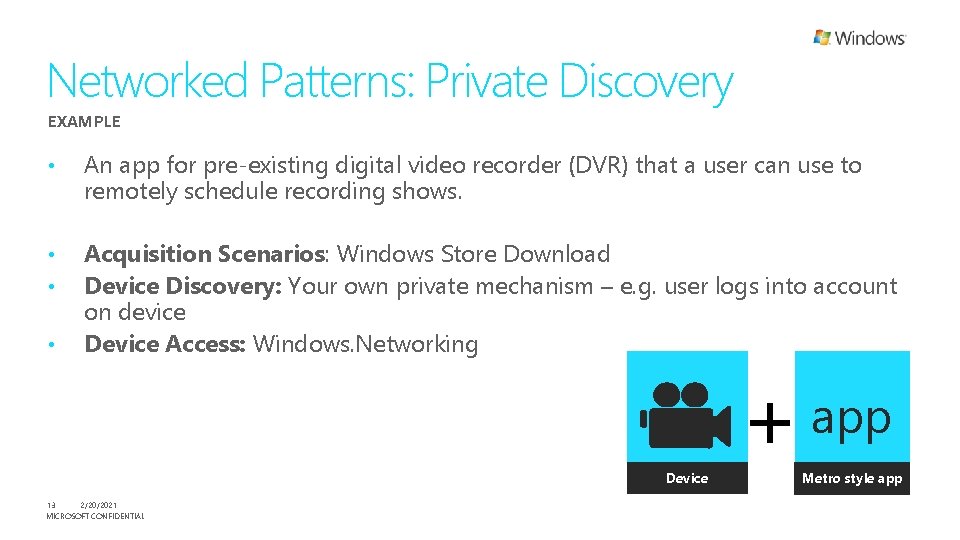
Networked Patterns: Private Discovery EXAMPLE • An app for pre-existing digital video recorder (DVR) that a user can use to remotely schedule recording shows. • • Acquisition Scenarios: Windows Store Download Device Discovery: Your own private mechanism – e. g. user logs into account on device Device Access: Windows. Networking • Device 13 2/20/2021 MICROSOFT CONFIDENTIAL + app Metro style app
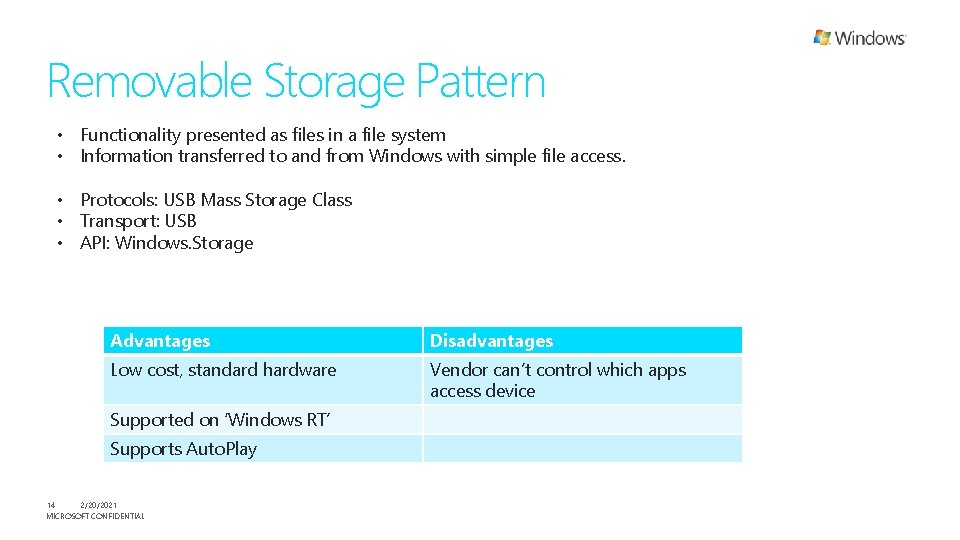
Removable Storage Pattern • Functionality presented as files in a file system • Information transferred to and from Windows with simple file access. • Protocols: USB Mass Storage Class • Transport: USB • API: Windows. Storage Advantages Disadvantages Low cost, standard hardware Vendor can’t control which apps access device Supported on ‘Windows RT’ Supports Auto. Play 14 2/20/2021 MICROSOFT CONFIDENTIAL
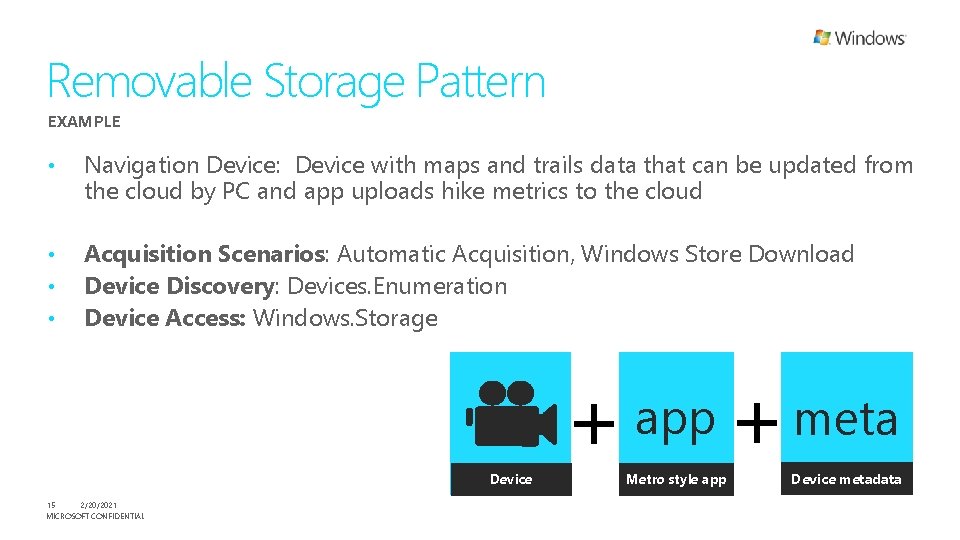
Removable Storage Pattern EXAMPLE • Navigation Device: Device with maps and trails data that can be updated from the cloud by PC and app uploads hike metrics to the cloud • • • Acquisition Scenarios: Automatic Acquisition, Windows Store Download Device Discovery: Devices. Enumeration Device Access: Windows. Storage Device 15 2/20/2021 MICROSOFT CONFIDENTIAL + app Metro style app + meta Device metadata
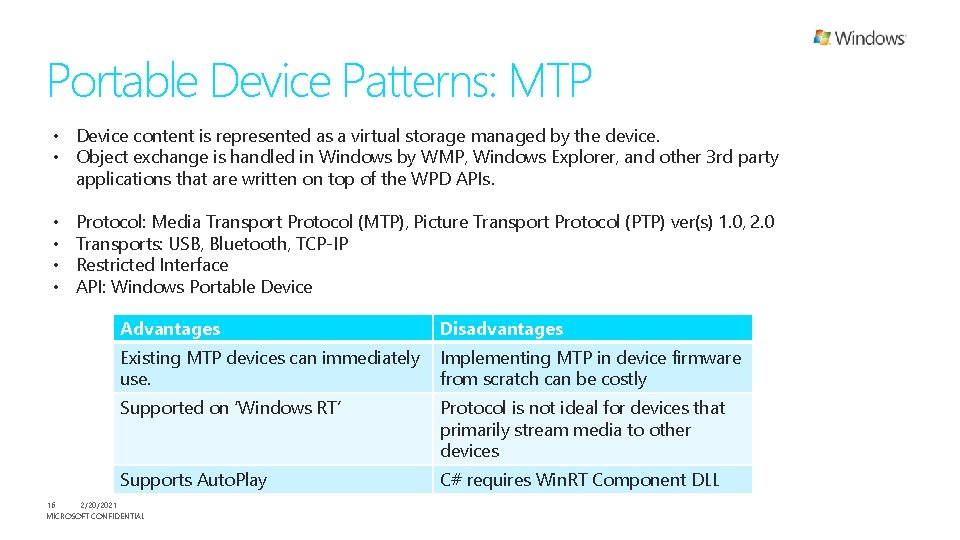
Portable Device Patterns: MTP • Device content is represented as a virtual storage managed by the device. • Object exchange is handled in Windows by WMP, Windows Explorer, and other 3 rd party applications that are written on top of the WPD APIs. • • Protocol: Media Transport Protocol (MTP), Picture Transport Protocol (PTP) ver(s) 1. 0, 2. 0 Transports: USB, Bluetooth, TCP-IP Restricted Interface API: Windows Portable Device Advantages Disadvantages Existing MTP devices can immediately use. Implementing MTP in device firmware from scratch can be costly Supported on ‘Windows RT’ Protocol is not ideal for devices that primarily stream media to other devices Supports Auto. Play C# requires Win. RT Component DLL 16 2/20/2021 MICROSOFT CONFIDENTIAL
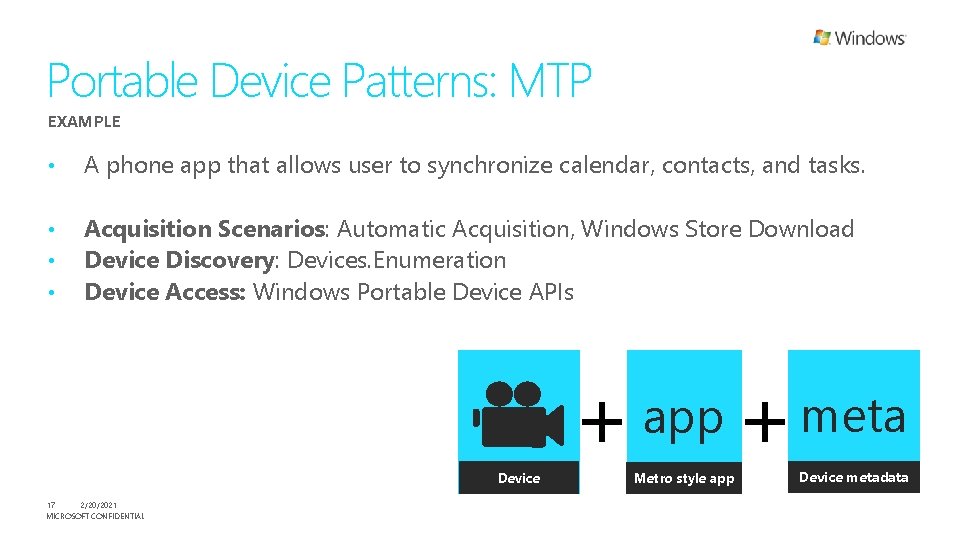
Portable Device Patterns: MTP EXAMPLE • A phone app that allows user to synchronize calendar, contacts, and tasks. • • • Acquisition Scenarios: Automatic Acquisition, Windows Store Download Device Discovery: Devices. Enumeration Device Access: Windows Portable Device APIs Device 17 2/20/2021 MICROSOFT CONFIDENTIAL + app Metro style app + meta Device metadata
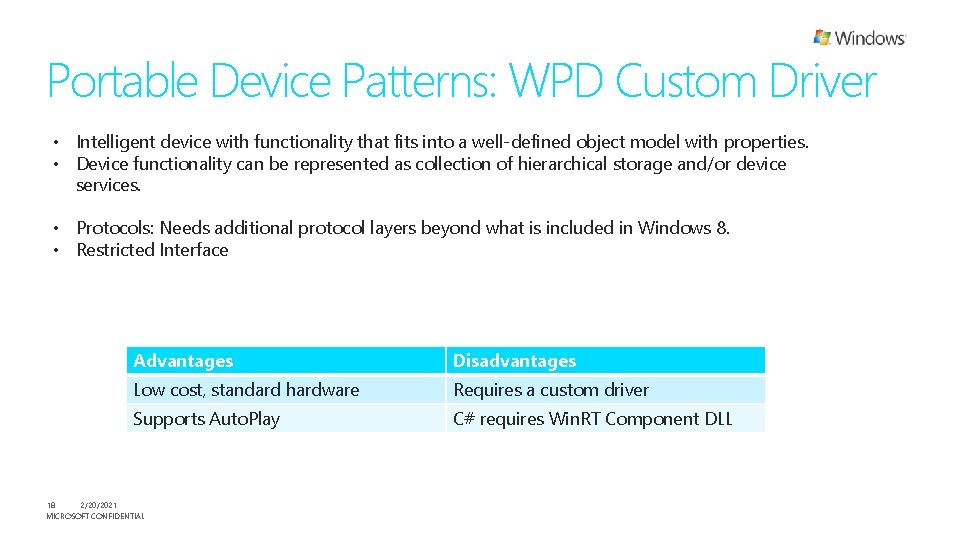
Portable Device Patterns: WPD Custom Driver • Intelligent device with functionality that fits into a well-defined object model with properties. • Device functionality can be represented as collection of hierarchical storage and/or device services. • Protocols: Needs additional protocol layers beyond what is included in Windows 8. • Restricted Interface Advantages Disadvantages Low cost, standard hardware Requires a custom driver Supports Auto. Play C# requires Win. RT Component DLL 18 2/20/2021 MICROSOFT CONFIDENTIAL
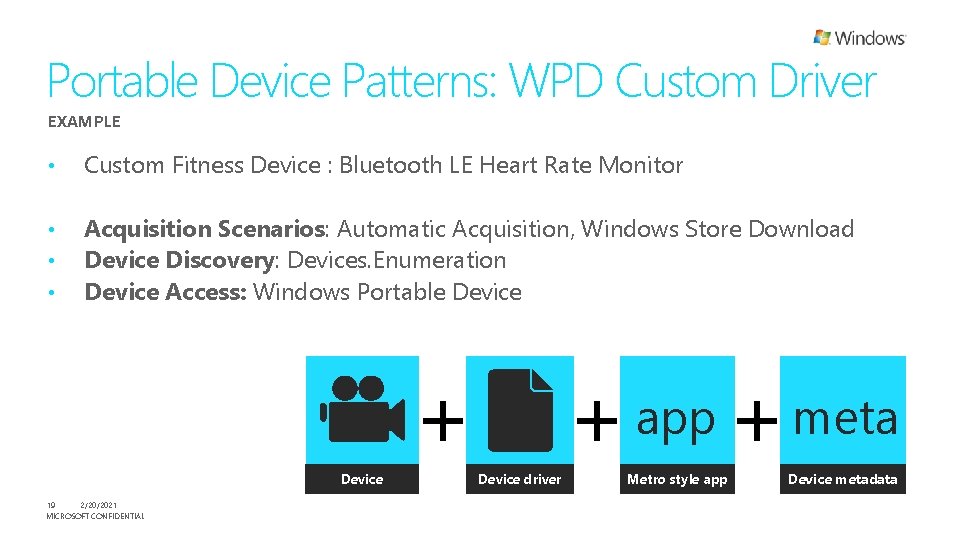
Portable Device Patterns: WPD Custom Driver EXAMPLE • Custom Fitness Device : Bluetooth LE Heart Rate Monitor • • • Acquisition Scenarios: Automatic Acquisition, Windows Store Download Device Discovery: Devices. Enumeration Device Access: Windows Portable Device + Device 19 2/20/2021 MICROSOFT CONFIDENTIAL + app + meta Device driver Metro style app Device metadata
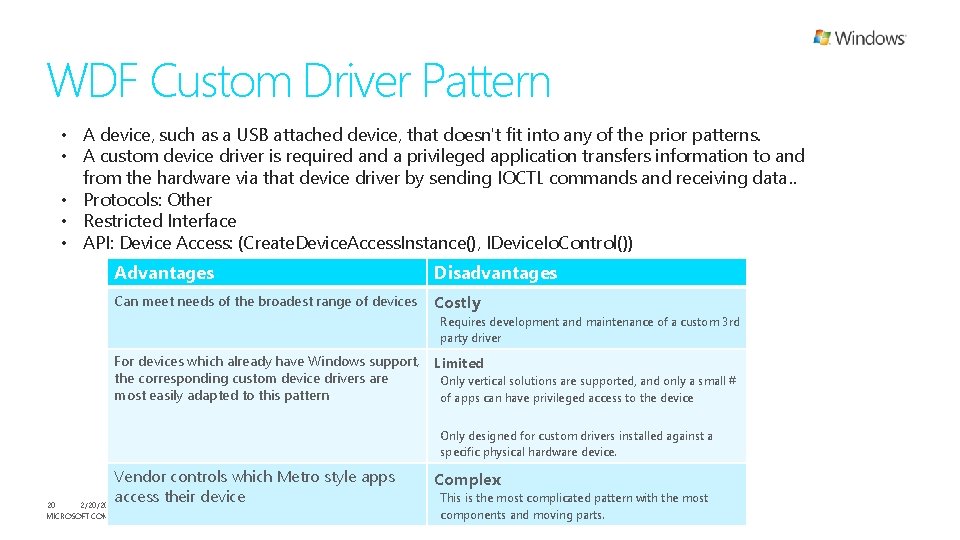
WDF Custom Driver Pattern • A device, such as a USB attached device, that doesn't fit into any of the prior patterns. • A custom device driver is required and a privileged application transfers information to and from the hardware via that device driver by sending IOCTL commands and receiving data. . • Protocols: Other • Restricted Interface • API: Device Access: (Create. Device. Access. Instance(), IDevice. Io. Control()) Advantages Disadvantages Can meet needs of the broadest range of devices Costly Requires development and maintenance of a custom 3 rd party driver For devices which already have Windows support, the corresponding custom device drivers are most easily adapted to this pattern Limited Only vertical solutions are supported, and only a small # of apps can have privileged access to the device Only designed for custom drivers installed against a specific physical hardware device. Vendor controls which Metro style apps access their device 2/20/2021 20 MICROSOFT CONFIDENTIAL Complex This is the most complicated pattern with the most components and moving parts.
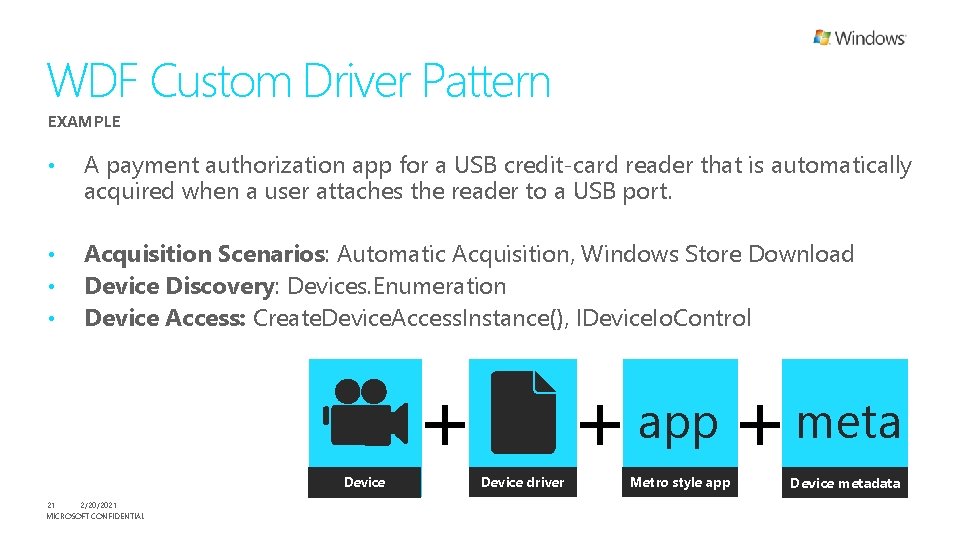
WDF Custom Driver Pattern EXAMPLE • A payment authorization app for a USB credit-card reader that is automatically acquired when a user attaches the reader to a USB port. • • • Acquisition Scenarios: Automatic Acquisition, Windows Store Download Device Discovery: Devices. Enumeration Device Access: Create. Device. Access. Instance(), IDevice. Io. Control + Device 21 2/20/2021 MICROSOFT CONFIDENTIAL + app + meta Device driver Metro style app Device metadata
Choosing design patterns • • Choose the design pattern best naturally suited to the protocol and transport your device uses. See handout for help selecting design patterns based upon technology 22 2/20/2021 MICROSOFT CONFIDENTIAL
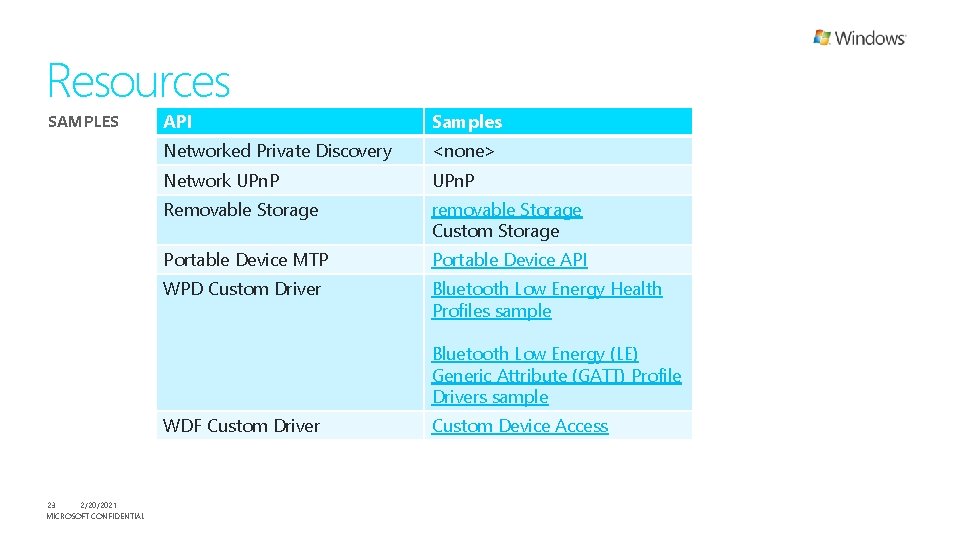
Resources SAMPLES API Samples Networked Private Discovery <none> Network UPn. P Removable Storage removable Storage Custom Storage Portable Device MTP Portable Device API WPD Custom Driver Bluetooth Low Energy Health Profiles sample Bluetooth Low Energy (LE) Generic Attribute (GATT) Profile Drivers sample WDF Custom Driver 23 2/20/2021 MICROSOFT CONFIDENTIAL Custom Device Access
Resources Watch 8 traits of great Metro style apps and Platform for Metro style apps Specialized Devices Sessions this week • UPn. P • Removable Storage • WDF Custom Drivers Whitepapers Connected Devices • Whitepaper in progress: Metro style Device App Design Guide for Connected Specialized Devices PC Internal Devices • Metro style Device App Design Guide for Specialized Devices Internal to the PC 24 2/20/2021 MICROSOFT CONFIDENTIAL
Take-aways • Re-imagine what your app should be for the Metro environment - in a fashion that is consistent with the philosophy and principles of Metro style apps. • • • Be inspired by smartphone and tablet apps Don’t think about just porting your desktop apps Evaluate your scenarios to see if there are sufficient Metro APIs to accomplish them. Choose the right design pattern for your device based upon protocol you use to communicate with it. See follow-on talks for details about design patterns, samples, and whitepapers 25 2/20/2021 MICROSOFT CONFIDENTIAL
Thank you.
© 2011 Microsoft Corporation. All rights reserved. Microsoft, Windows Vista and other product names are or may be registered trademarks and/or trademarks in the U. S. and/or other countries. The information herein is for informational purposes only and represents the current view of Microsoft Corporation as of the date of this presentation. Because Microsoft must respond to changing market conditions, it should not be interpreted to be a commitment on the part of Microsoft, and Microsoft cannot guarantee the accuracy of any information provided after the date of this presentation. MICROSOFT MAKES NO WARRANTIES, EXPRESS, IMPLIED OR STATUTORY, AS TO THE INFORMATION IN THIS PRESENTATION.