
Design of Digital Circuits Lecture 25 b Virtual
Design of Digital Circuits Lecture 25 b: Virtual Memory Prof. Onur Mutlu ETH Zurich Spring 2018 31 May 2018
Readings n Virtual Memory n Required q H&H Chapter 8. 4 2
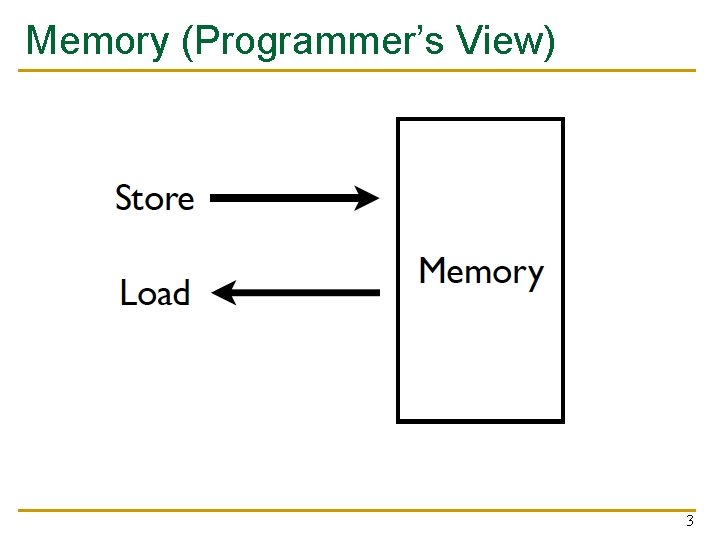
Memory (Programmer’s View) 3
Ideal Memory n n Zero access time (latency) Infinite capacity Zero cost Infinite bandwidth (to support multiple accesses in parallel) 4
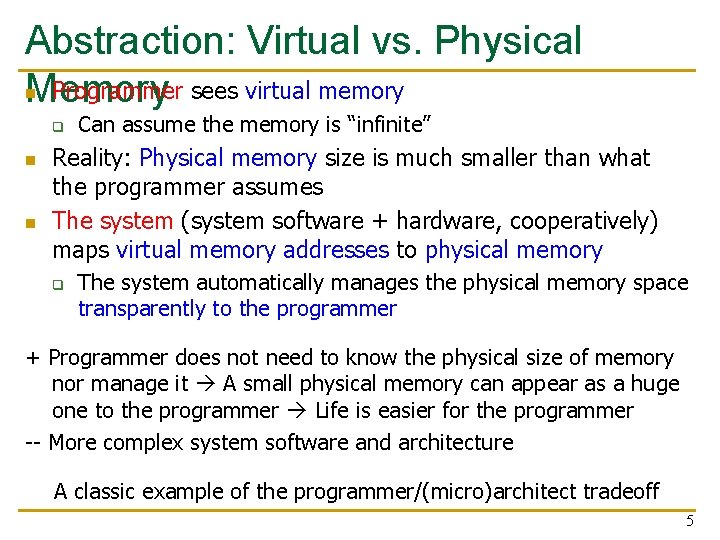
Abstraction: Virtual vs. Physical n Programmer sees virtual memory Memory q n n Can assume the memory is “infinite” Reality: Physical memory size is much smaller than what the programmer assumes The system (system software + hardware, cooperatively) maps virtual memory addresses to physical memory q The system automatically manages the physical memory space transparently to the programmer + Programmer does not need to know the physical size of memory nor manage it A small physical memory can appear as a huge one to the programmer Life is easier for the programmer -- More complex system software and architecture A classic example of the programmer/(micro)architect tradeoff 5
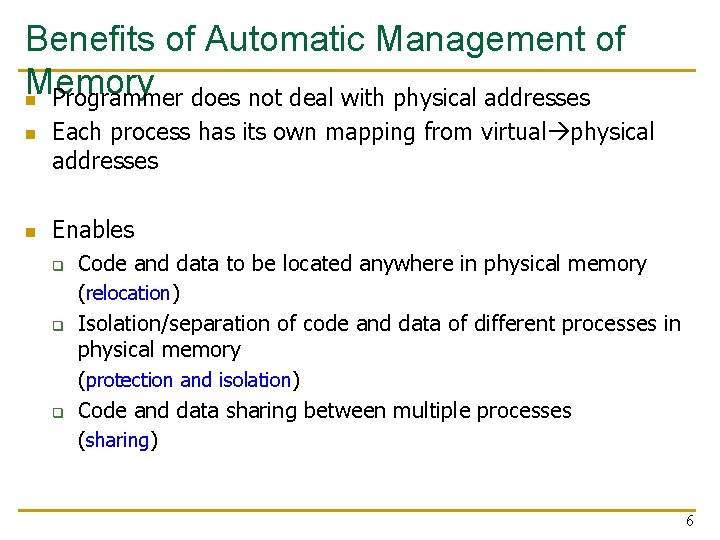
Benefits of Automatic Management of Memory n Programmer does not deal with physical addresses n n Each process has its own mapping from virtual physical addresses Enables q Code and data to be located anywhere in physical memory (relocation) q Isolation/separation of code and data of different processes in physical memory (protection and isolation) q Code and data sharing between multiple processes (sharing) 6
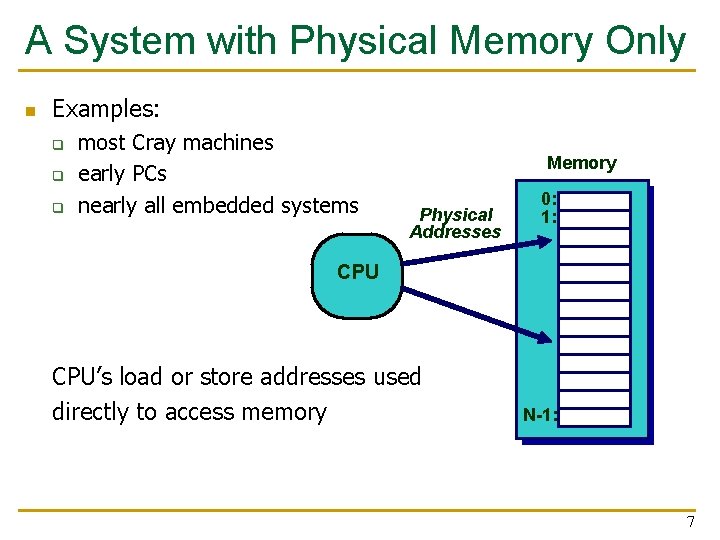
A System with Physical Memory Only n Examples: q q q most Cray machines early PCs nearly all embedded systems Memory Physical Addresses 0: 1: CPU’s load or store addresses used directly to access memory N-1: 7
The Problem n Physical memory is of limited size (cost) q q n What if you need more? Should the programmer be concerned about the size of code/data blocks fitting physical memory? Should the programmer manage data movement from disk to physical memory? Should the programmer ensure two processes (different programs) do not use the same physical memory? Also, ISA can have an address space greater than the physical memory size q q E. g. , a 64 -bit address space with byte addressability What if you do not have enough physical memory? 8
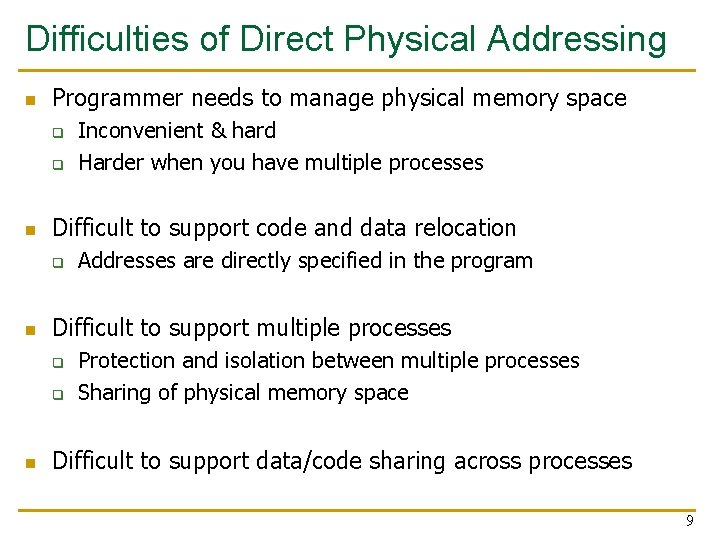
Difficulties of Direct Physical Addressing n Programmer needs to manage physical memory space q q n Difficult to support code and data relocation q n Addresses are directly specified in the program Difficult to support multiple processes q q n Inconvenient & hard Harder when you have multiple processes Protection and isolation between multiple processes Sharing of physical memory space Difficult to support data/code sharing across processes 9
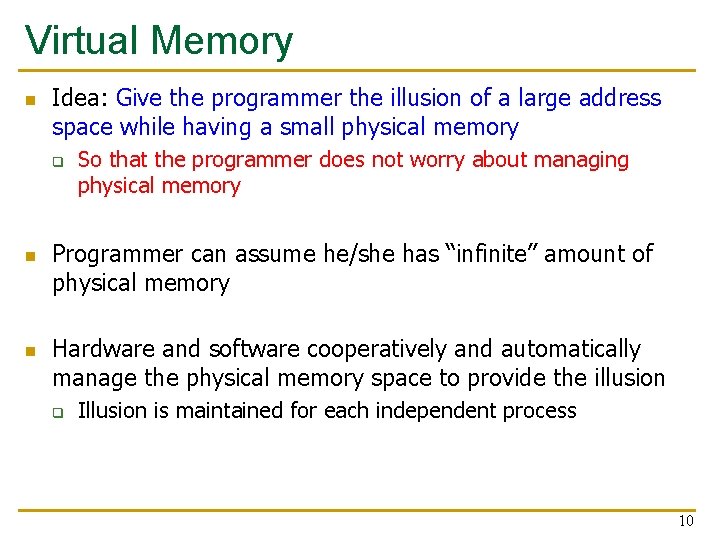
Virtual Memory n Idea: Give the programmer the illusion of a large address space while having a small physical memory q n n So that the programmer does not worry about managing physical memory Programmer can assume he/she has “infinite” amount of physical memory Hardware and software cooperatively and automatically manage the physical memory space to provide the illusion q Illusion is maintained for each independent process 10
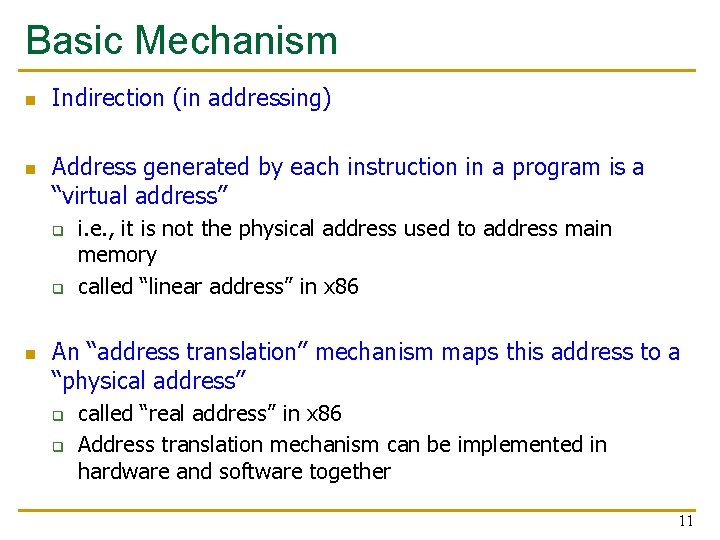
Basic Mechanism n n Indirection (in addressing) Address generated by each instruction in a program is a “virtual address” q q n i. e. , it is not the physical address used to address main memory called “linear address” in x 86 An “address translation” mechanism maps this address to a “physical address” q q called “real address” in x 86 Address translation mechanism can be implemented in hardware and software together 11

A System with Virtual Memory (Page based) Memory Virtual Addresses 0: 1: Page Table 0: 1: Physical Addresses CPU P-1: N-1: Disk n Address Translation: The hardware converts virtual addresses into physical addresses via an OS-managed lookup table (page table) 12

Virtual Pages, Physical Frames n Virtual address space divided into pages Physical address space divided into frames n A virtual page is mapped to n q q n If an accessed virtual page is not in memory, but on disk q n A physical frame, if the page is in physical memory A location in disk, otherwise Virtual memory system brings the page into a physical frame and adjusts the mapping this is called demand paging Page table is the table that stores the mapping of virtual pages to physical frames 13
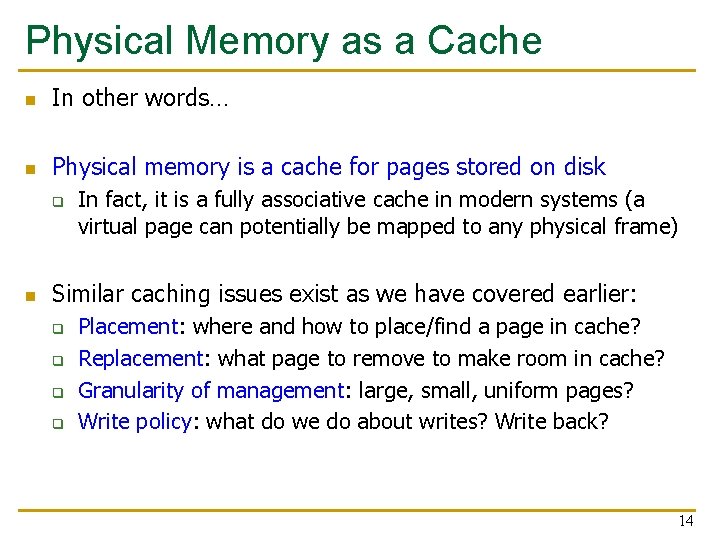
Physical Memory as a Cache n In other words… n Physical memory is a cache for pages stored on disk q n In fact, it is a fully associative cache in modern systems (a virtual page can potentially be mapped to any physical frame) Similar caching issues exist as we have covered earlier: q q Placement: where and how to place/find a page in cache? Replacement: what page to remove to make room in cache? Granularity of management: large, small, uniform pages? Write policy: what do we do about writes? Write back? 14
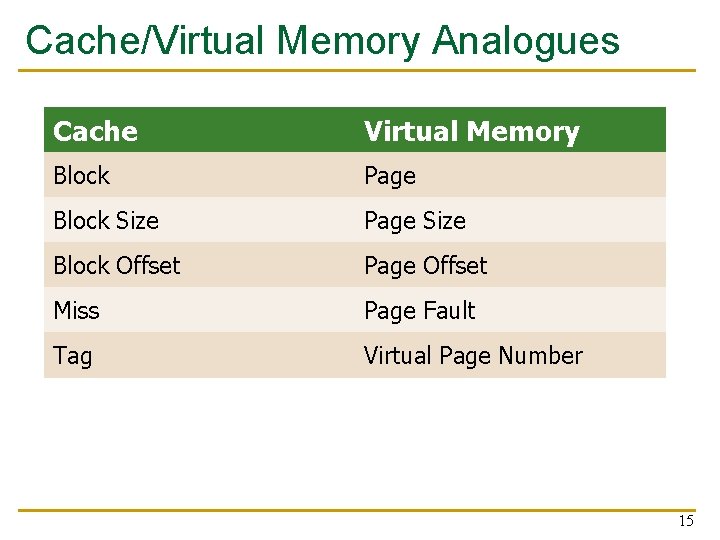
Cache/Virtual Memory Analogues Cache Virtual Memory Block Page Block Size Page Size Block Offset Page Offset Miss Page Fault Tag Virtual Page Number 15
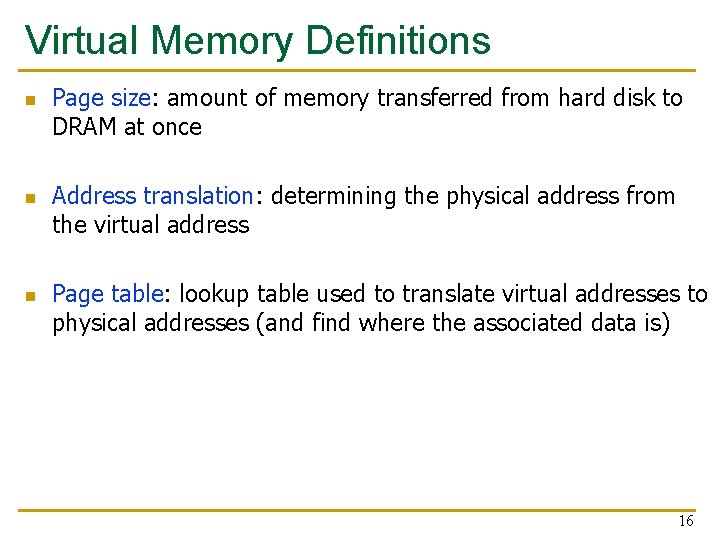
Virtual Memory Definitions n n n Page size: amount of memory transferred from hard disk to DRAM at once Address translation: determining the physical address from the virtual address Page table: lookup table used to translate virtual addresses to physical addresses (and find where the associated data is) 16
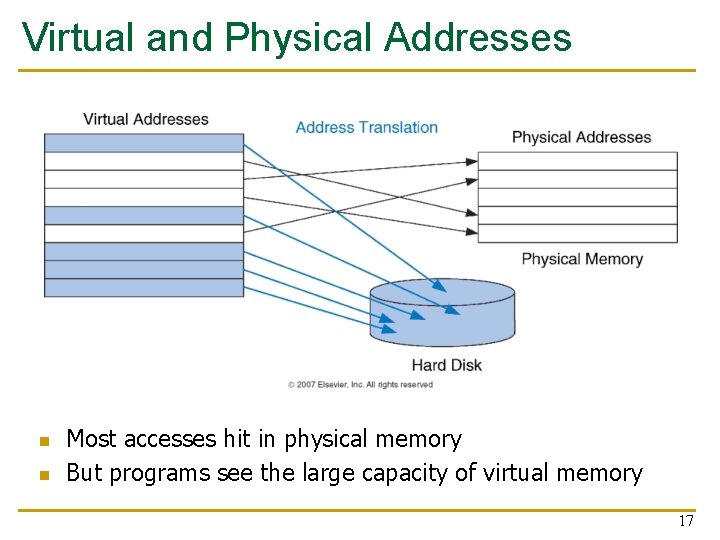
Virtual and Physical Addresses n n Most accesses hit in physical memory But programs see the large capacity of virtual memory 17
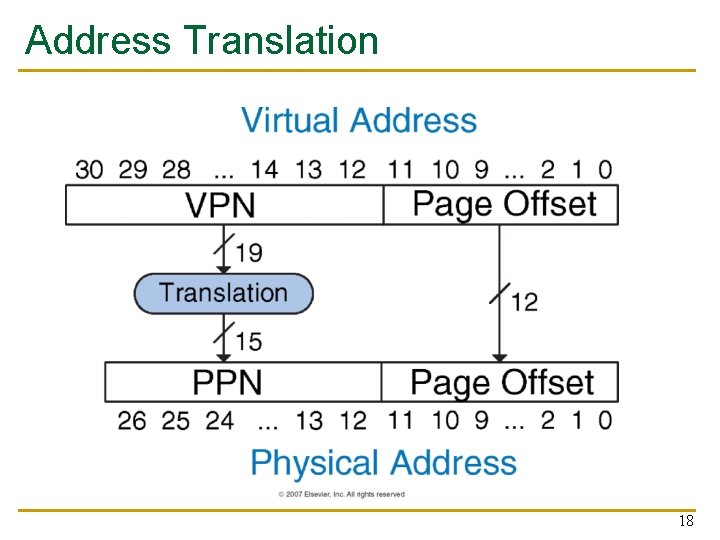
Address Translation 18
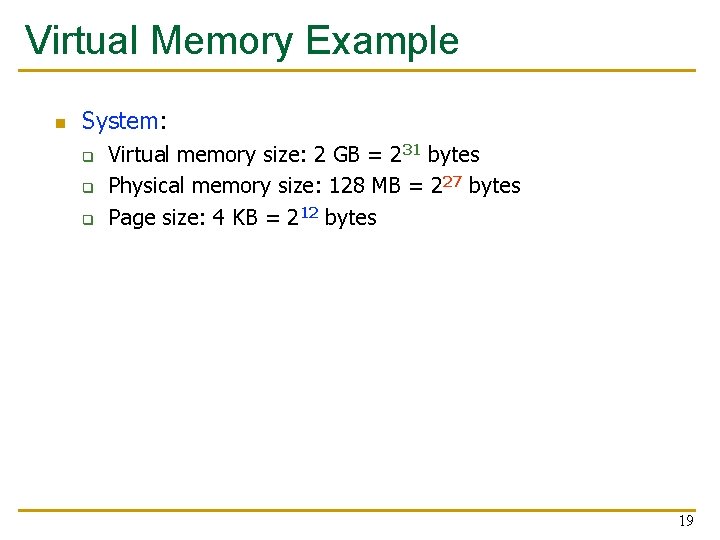
Virtual Memory Example n System: q q q Virtual memory size: 2 GB = 231 bytes Physical memory size: 128 MB = 227 bytes Page size: 4 KB = 212 bytes 19
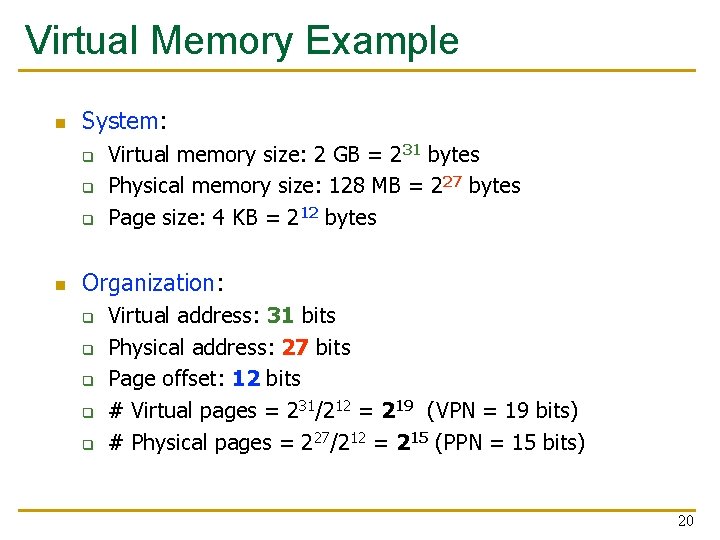
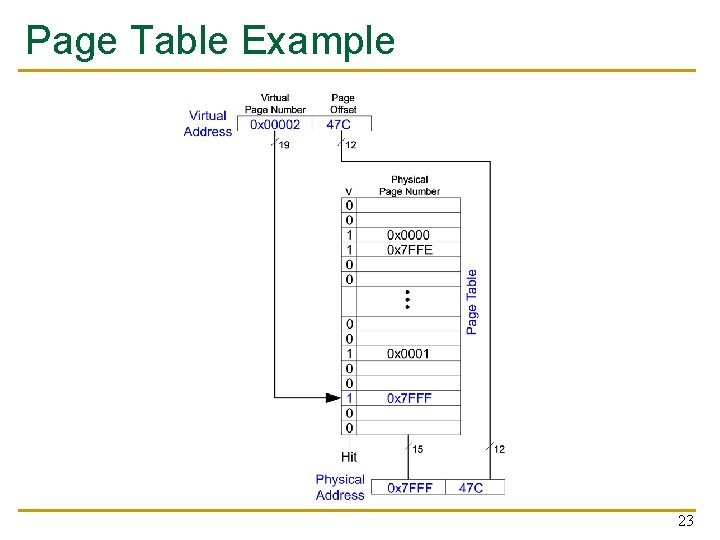
Virtual Memory Example n System: q q q n Virtual memory size: 2 GB = 231 bytes Physical memory size: 128 MB = 227 bytes Page size: 4 KB = 212 bytes Organization: q q q Virtual address: 31 bits Physical address: 27 bits Page offset: 12 bits # Virtual pages = 231/212 = 219 (VPN = 19 bits) # Physical pages = 227/212 = 215 (PPN = 15 bits) 20
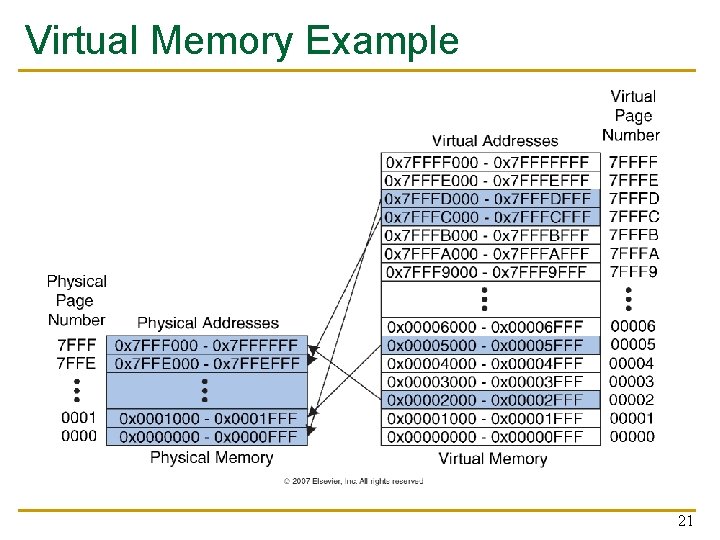
Virtual Memory Example 21
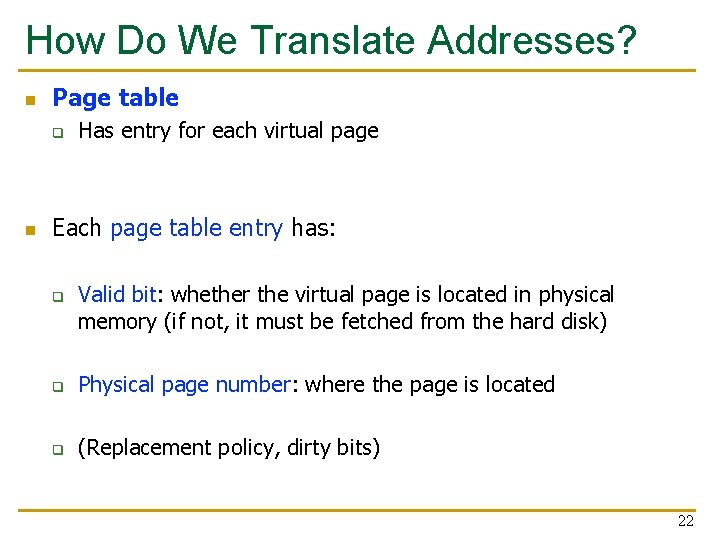
How Do We Translate Addresses? n Page table q n Has entry for each virtual page Each page table entry has: q Valid bit: whether the virtual page is located in physical memory (if not, it must be fetched from the hard disk) q Physical page number: where the page is located q (Replacement policy, dirty bits) 22
Page Table Example 23
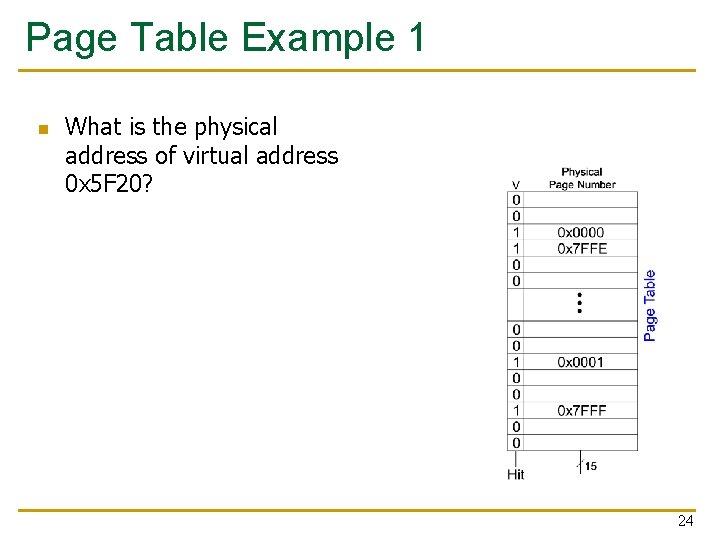
Page Table Example 1 n What is the physical address of virtual address 0 x 5 F 20? 24
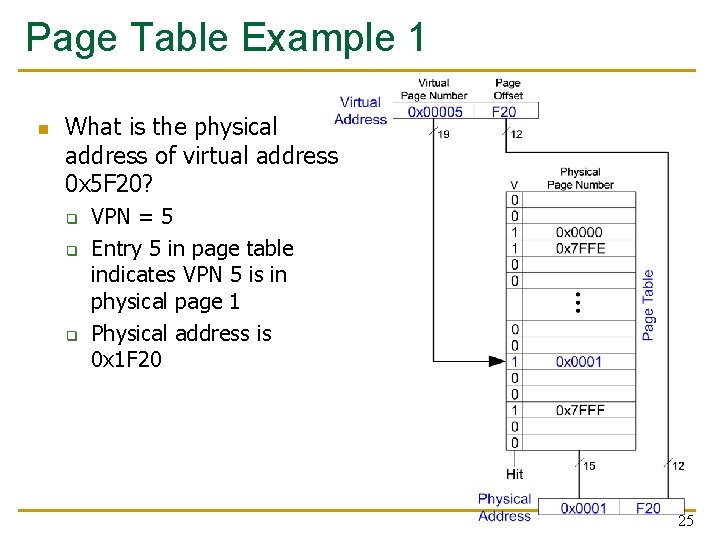
Page Table Example 1 n What is the physical address of virtual address 0 x 5 F 20? q q q VPN = 5 Entry 5 in page table indicates VPN 5 is in physical page 1 Physical address is 0 x 1 F 20 25
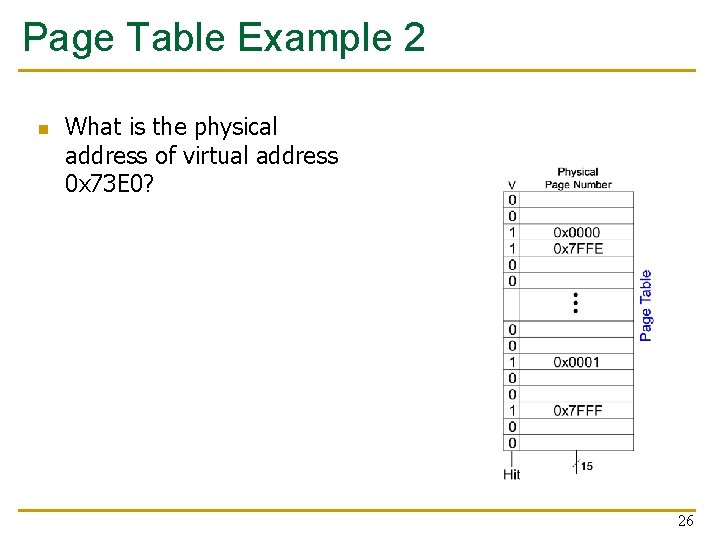
Page Table Example 2 n What is the physical address of virtual address 0 x 73 E 0? 26
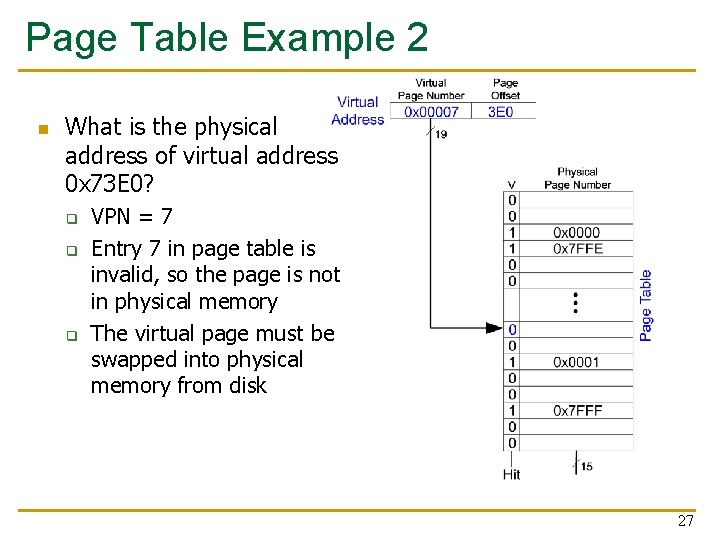
Page Table Example 2 n What is the physical address of virtual address 0 x 73 E 0? q q q VPN = 7 Entry 7 in page table is invalid, so the page is not in physical memory The virtual page must be swapped into physical memory from disk 27
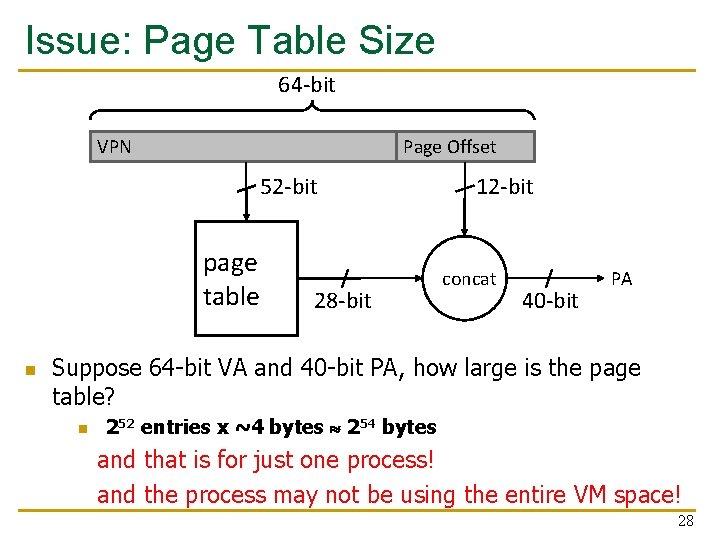
Issue: Page Table Size 64 -bit VPN Page Offset 52 -bit page table n 28 -bit 12 -bit concat 40 -bit PA Suppose 64 -bit VA and 40 -bit PA, how large is the page table? n 252 entries x ~4 bytes 254 bytes and that is for just one process! and the process may not be using the entire VM space! 28
Page Table Challenges n Page table is large q n at least part of it needs to be located in physical memory Each load/store requires at least two memory accesses: 1. one for translation (page table read) 2. one to access data with the physical address (after translation) n Two memory accesses to service a load/store greatly degrades load/store execution time q Unless we are clever… 29
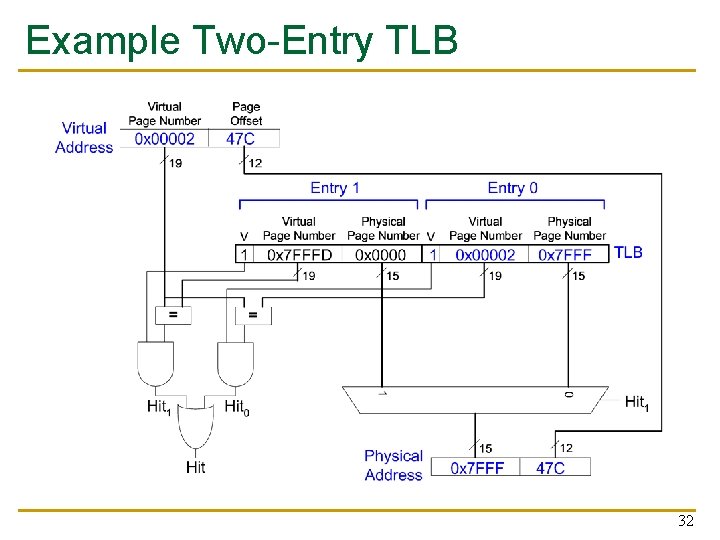
Translation Lookaside Buffer (TLB) n n Idea: Cache the page table entries (PTEs) in a hardware structure in the processor Translation lookaside buffer (TLB) q q Small cache of most recently used translations (PTEs) Reduces number of memory accesses required for most loads/stores to only one 30

Translation Lookaside Buffer (TLB) n Page table accesses have a lot of temporal locality q q n Data accesses have temporal and spatial locality Large page size (say 4 KB, 8 KB, or even 1 -2 GB), so consecutive loads/stores likely to access same page TLB q q q Small: accessed in < 1 cycle Typically 16 - 512 entries High associativity > 99 % hit rates typical (depends on workload) Reduces # of memory accesses for most loads and stores to only 1 31
Example Two-Entry TLB 32
Design of Digital Circuits Lecture 25 b: Virtual Memory Prof. Onur Mutlu ETH Zurich Spring 2018 31 May 2018

We did not cover the following slides in lecture. These are for your benefit.
Memory Protection n Multiple programs (processes) run at once q q n Each process has its own page table Each process can use entire virtual address space without worrying about where other programs are A process can only access physical pages mapped in its page table – cannot overwrite memory of another process q q Provides protection and isolation between processes Enables access control mechanisms per page 35

Virtual Memory Summary n Virtual memory gives the illusion of “infinite” capacity n A subset of virtual pages are located in physical memory n n n A page table maps virtual pages to physical pages – this is called address translation A TLB speeds up address translation Using different page tables for different programs provides memory protection 36
Supporting Virtual Memory n Virtual memory requires both HW+SW support q q n The hardware component is called the MMU (memory management unit) q n Page Table is in memory Can be cached in special hardware structures called Translation Lookaside Buffers (TLBs) Includes Page Table Base Register(s), TLBs, page walkers It is the job of the software to leverage the MMU to q q q Populate page tables, decide what to replace in physical memory Change the Page Table Register on context switch (to use the running thread’s page table) Handle page faults and ensure correct mapping 37
Some System Software Jobs for VM n Keeping track of which physical frames are free n Allocating free physical frames to virtual pages n Page replacement policy q When no physical frame is free, what should be swapped out? n Sharing pages between processes n Copy-on-write optimization n Page-flip optimization 38
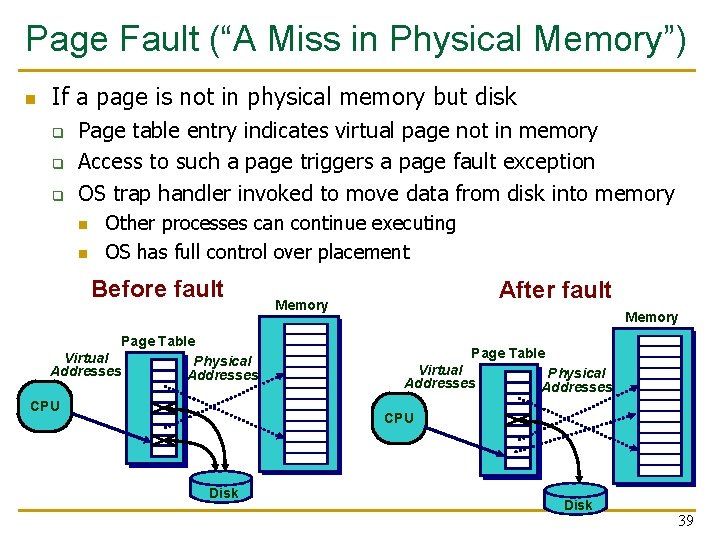
Page Fault (“A Miss in Physical Memory”) n If a page is not in physical memory but disk q q q Page table entry indicates virtual page not in memory Access to such a page triggers a page fault exception OS trap handler invoked to move data from disk into memory n n Other processes can continue executing OS has full control over placement Before fault Page Table Virtual Physical Addresses CPU After fault Memory Page Table Virtual Addresses Physical Addresses CPU Disk 39
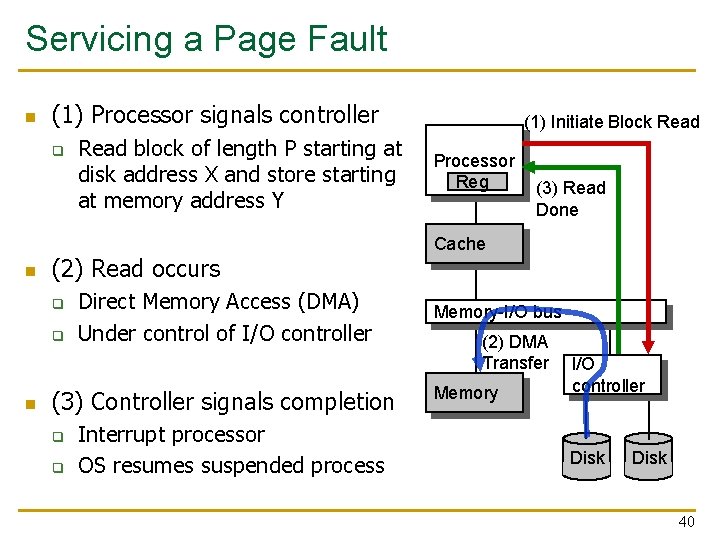
Servicing a Page Fault n (1) Processor signals controller q n (2) Read occurs q q n Read block of length P starting at disk address X and store starting at memory address Y Direct Memory Access (DMA) Under control of I/O controller (3) Controller signals completion q q Interrupt processor OS resumes suspended process (1) Initiate Block Read Processor Reg (3) Read Done Cache Memory-I/O bus (2) DMA Transfer Memory I/O controller Disk 40
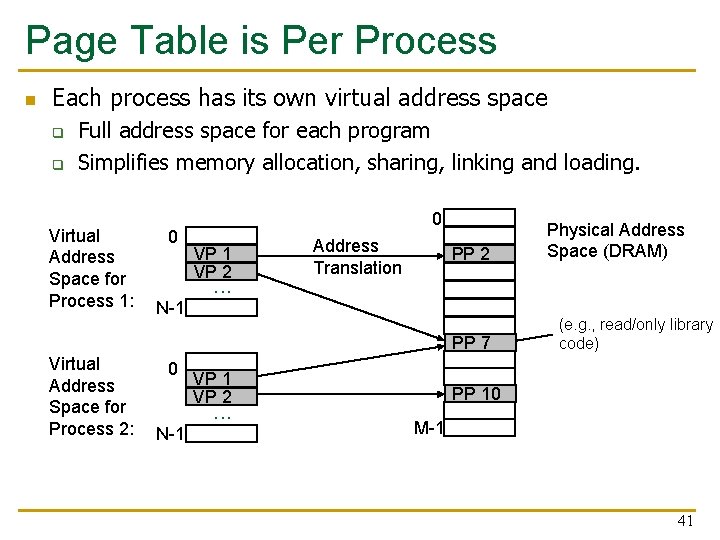
Page Table is Per Process n Each process has its own virtual address space q q Full address space for each program Simplifies memory allocation, sharing, linking and loading. Virtual Address Space for Process 1: 0 N-1 0 VP 1 VP 2 . . . Address Translation PP 2 PP 7 Virtual Address Space for Process 2: 0 N-1 VP 2 . . . Physical Address Space (DRAM) (e. g. , read/only library code) PP 10 M-1 41
Address Translation n How to obtain the physical address from a virtual address? n Page size specified by the ISA q q q n VAX: 512 bytes Today: 4 KB, 8 KB, 2 GB, … (small and large pages mixed together) Trade-offs? (remember cache lectures) Page Table contains an entry for each virtual page q q Called Page Table Entry (PTE) What is in a PTE? 42
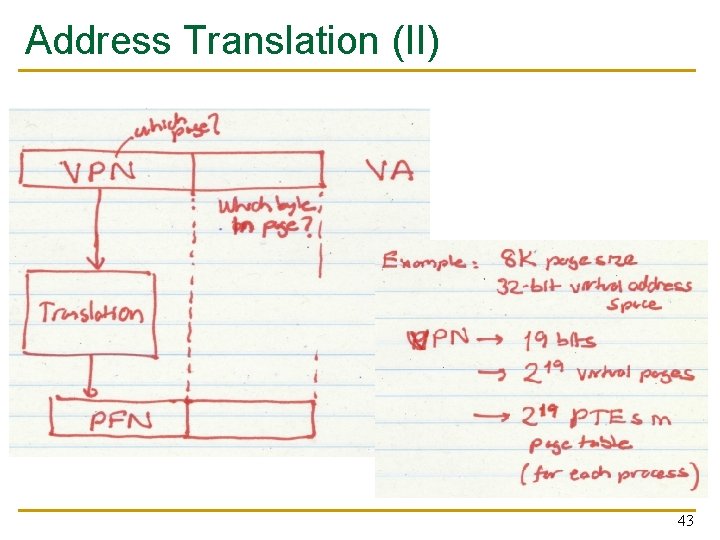
Address Translation (II) 43
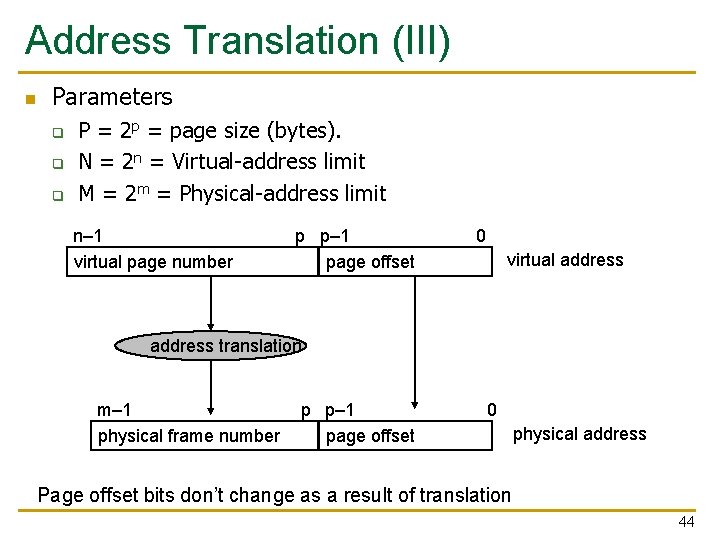
Address Translation (III) n Parameters q q q P = 2 p = page size (bytes). N = 2 n = Virtual-address limit M = 2 m = Physical-address limit n– 1 virtual page number p p– 1 page offset 0 virtual address translation m– 1 physical frame number p p– 1 page offset 0 physical address Page offset bits don’t change as a result of translation 44
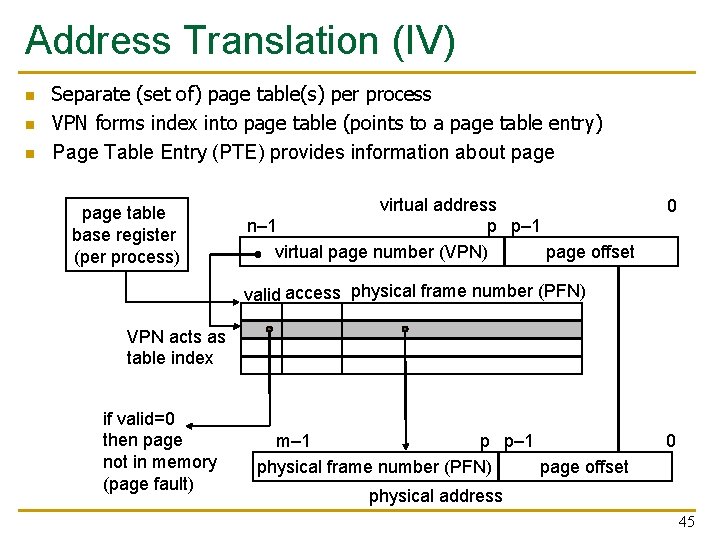
Address Translation (IV) n n n Separate (set of) page table(s) per process VPN forms index into page table (points to a page table entry) Page Table Entry (PTE) provides information about page table base register (per process) virtual address n– 1 p p– 1 virtual page number (VPN) page offset 0 valid access physical frame number (PFN) VPN acts as table index if valid=0 then page not in memory (page fault) m– 1 p p– 1 physical frame number (PFN) page offset 0 physical address 45
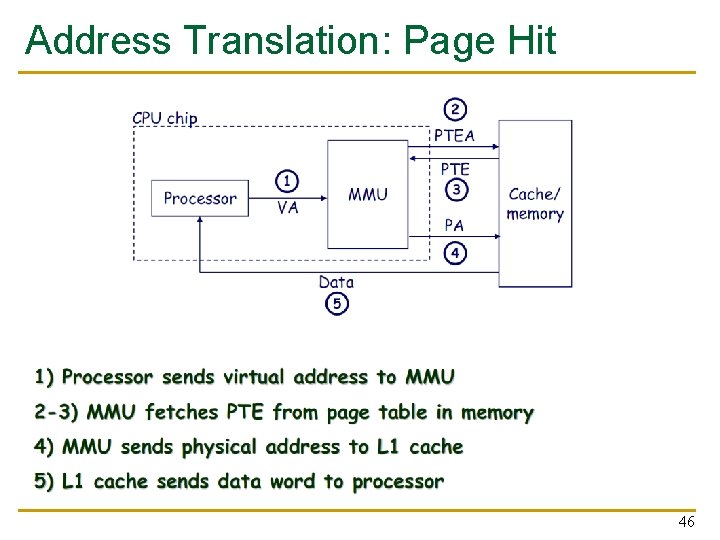
Address Translation: Page Hit 46
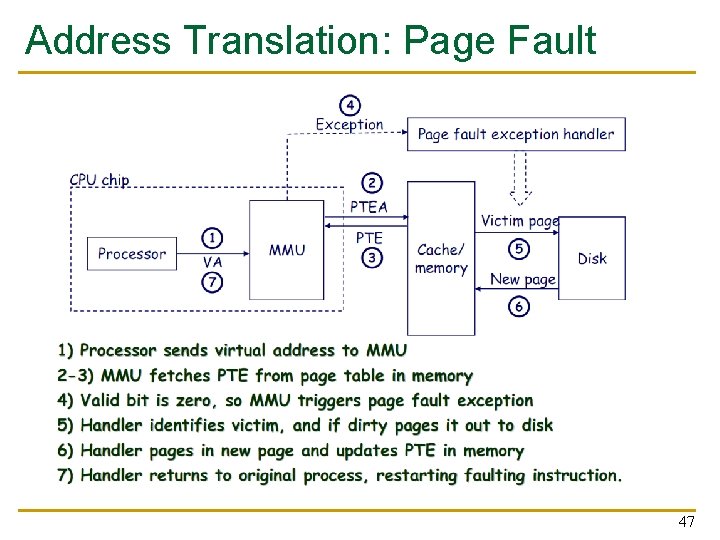
Address Translation: Page Fault 47
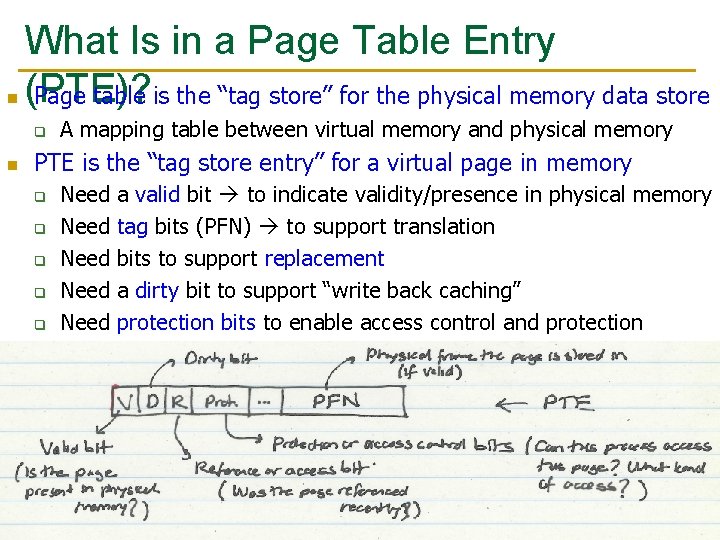
What Is in a Page Table Entry n (PTE)? Page table is the “tag store” for the physical memory data store q n A mapping table between virtual memory and physical memory PTE is the “tag store entry” for a virtual page in memory q q q Need Need a valid bit to indicate validity/presence in physical memory tag bits (PFN) to support translation bits to support replacement a dirty bit to support “write back caching” protection bits to enable access control and protection 48
Cache versus Page Replacement n Physical memory (DRAM) is a cache for disk q Usually managed by system software via the virtual memory subsystem n Page replacement is similar to cache replacement Page table is the “tag store” for physical memory data store n What is the difference? n q q Required speed of access to cache vs. physical memory Number of blocks in a cache vs. physical memory “Tolerable” amount of time to find a replacement candidate (disk versus memory access latency) Role of hardware versus software 49
Page Replacement Algorithms n n If physical memory is full (i. e. , list of free physical pages is empty), which physical frame to replace on a page fault? Is True LRU feasible? q n Modern systems use approximations of LRU q n 4 GB memory, 4 KB pages, how many possibilities of ordering? E. g. , the CLOCK algorithm And, more sophisticated algorithms to take into account “frequency” of use q q E. g. , the ARC algorithm Megiddo and Modha, “ARC: A Self-Tuning, Low Overhead Replacement Cache, ” FAST 2003. 50
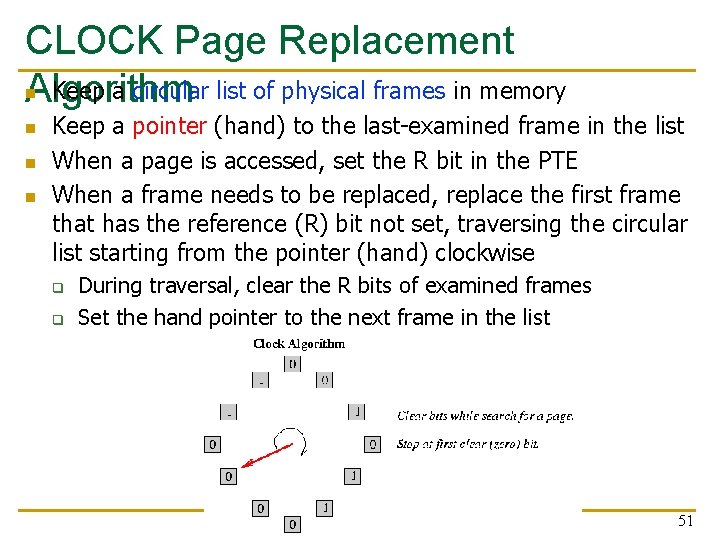
CLOCK Page Replacement n Keep a circular list of physical frames in memory Algorithm n n n Keep a pointer (hand) to the last-examined frame in the list When a page is accessed, set the R bit in the PTE When a frame needs to be replaced, replace the first frame that has the reference (R) bit not set, traversing the circular list starting from the pointer (hand) clockwise q q During traversal, clear the R bits of examined frames Set the hand pointer to the next frame in the list 51
- Slides: 51