
describe define how pipes are used for IPC

목표 � describe � define how pipes are used for IPC the two kinds of pipes � network programming with socket 2
IPC using Pipes � IPC using regular files � IPC using pipes ◦ ◦ unrelated processes can share fixed size life-time lack of synchronization ◦ for transmitting data between related processes ◦ can transmit an unlimited amount of data ◦ automatic synchronization on open() 3
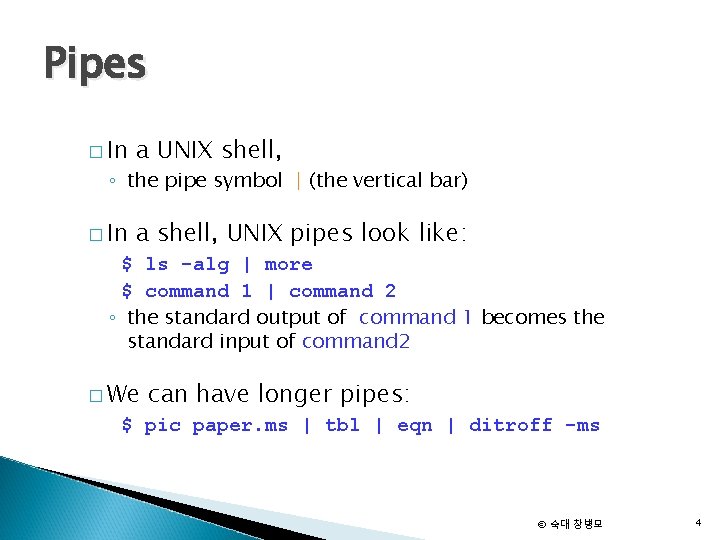
Pipes � In a UNIX shell, � In a shell, UNIX pipes look like: ◦ the pipe symbol | (the vertical bar) $ ls -alg | more $ command 1 | command 2 ◦ the standard output of command 1 becomes the standard input of command 2 � We can have longer pipes: $ pic paper. ms | tbl | eqn | ditroff -ms © 숙대 창병모 4
IPC using Pipes � Data transmitting ◦ data is written into pipes using the write( ) system call ◦ data is read from a pipe using the read( ) system call ◦ automatic blocking when full or empty � Types of pipes ◦ (unnamed) pipes ◦ named pipes © 숙대 창병모 5
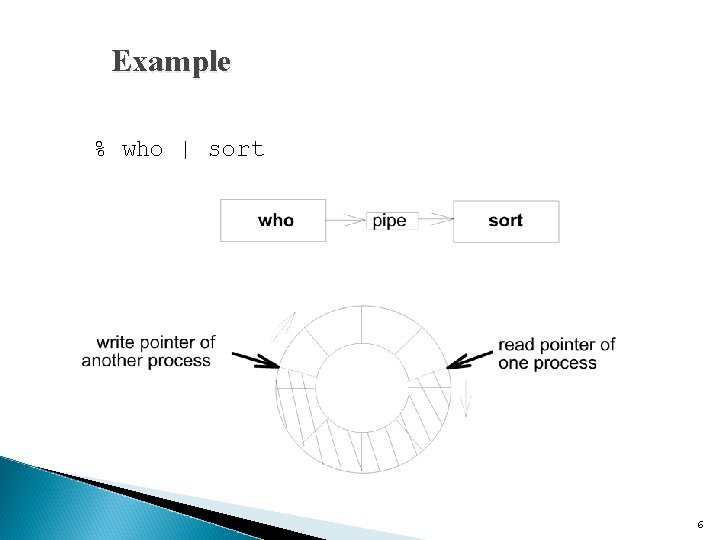
Example % who | sort 6
![Pipes #include <unistd. h> int pipe(int fd[2]) � � Returns: 0 if OK, -1](http://slidetodoc.com/presentation_image_h2/d554eb1ba3588db0be929e340e4e4ace/image-7.jpg "Pipes #include <unistd. h> int pipe(int fd[2]) � � Returns: 0 if OK, -1")
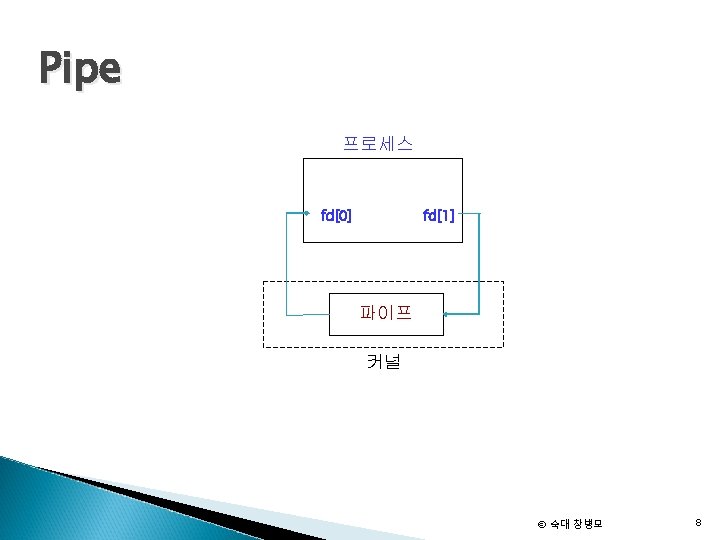
Pipes #include <unistd. h> int pipe(int fd[2]) � � Returns: 0 if OK, -1 on error two file descriptors ◦ fd[0] : read file descriptor for the pipe ◦ fd[1] : write file descriptor for the pipe Anything that is written on fd[1] may be read by fd[0] ◦ This is of no use in a single process. ◦ A method of communication between processes. ◦ A way to communicate with parent-child processes. © 숙대 창병모 7
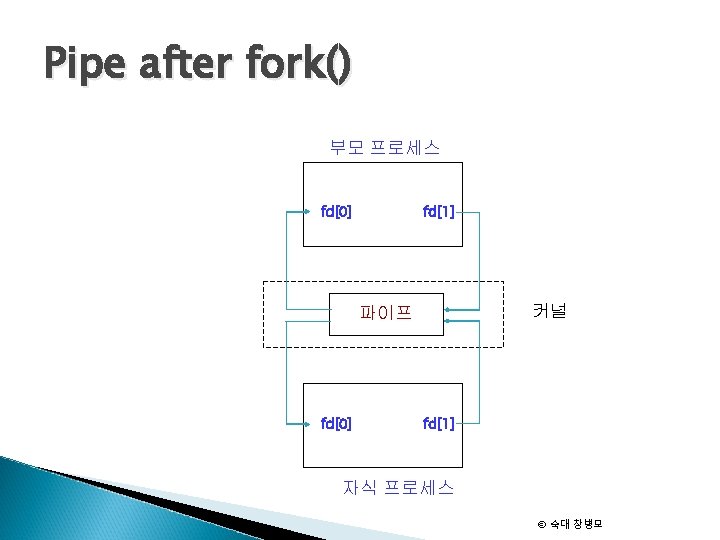
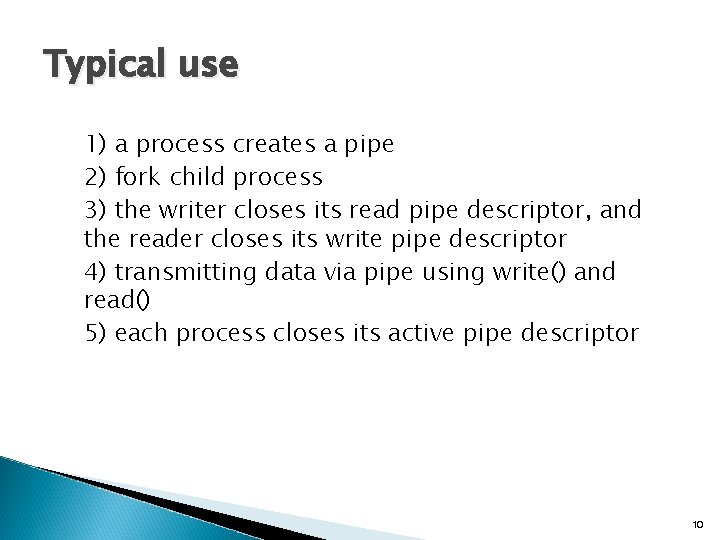
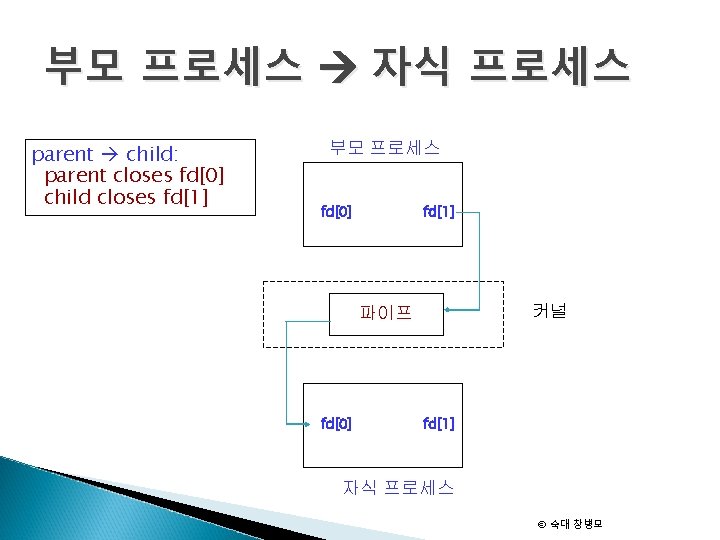
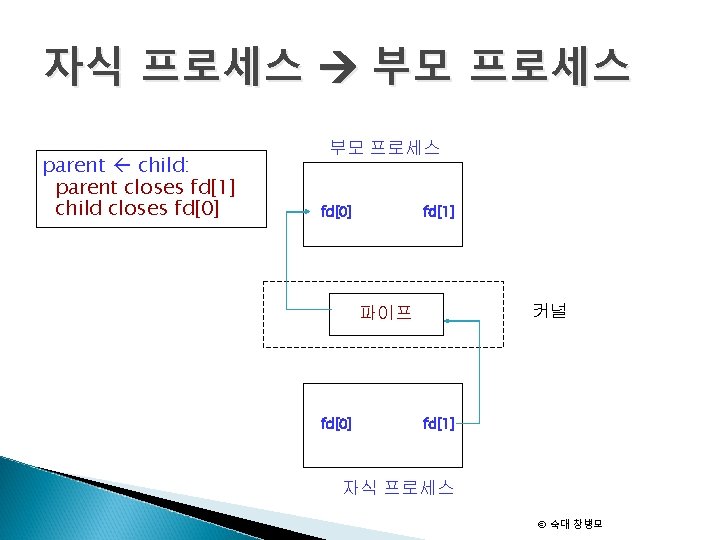
Typical use 1) a process creates a pipe 2) fork child process 3) the writer closes its read pipe descriptor, and the reader closes its write pipe descriptor 4) transmitting data via pipe using write() and read() 5) each process closes its active pipe descriptor 10
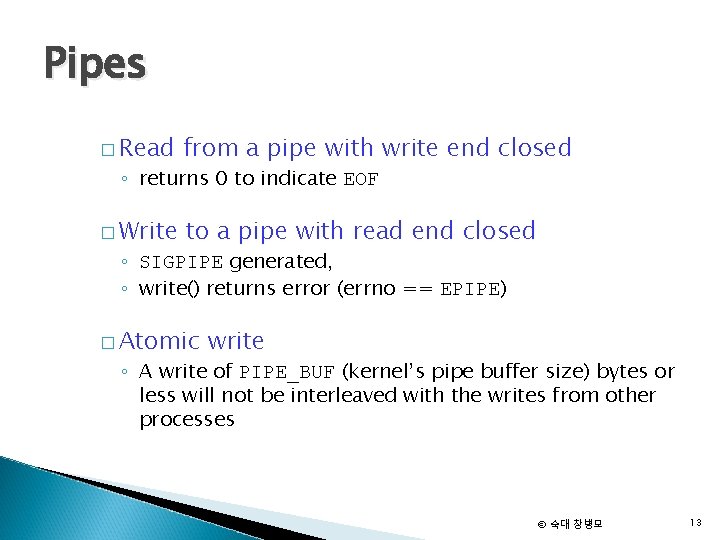
Pipes � Read from a pipe with write end closed � Write to a pipe with read end closed ◦ returns 0 to indicate EOF ◦ SIGPIPE generated, ◦ write() returns error (errno == EPIPE) � Atomic write ◦ A write of PIPE_BUF (kernel’s pipe buffer size) bytes or less will not be interleaved with the writes from other processes © 숙대 창병모 13
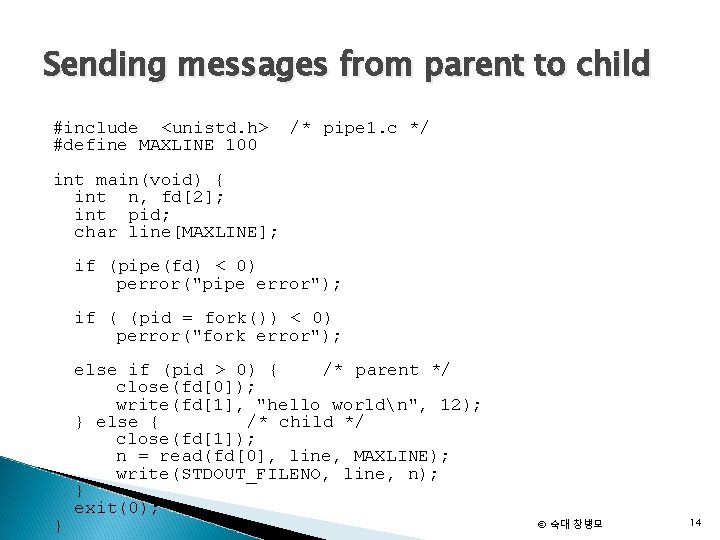
Sending messages from parent to child #include <unistd. h> #define MAXLINE 100 /* pipe 1. c */ int main(void) { int n, fd[2]; int pid; char line[MAXLINE]; if (pipe(fd) < 0) perror("pipe error"); if ( (pid = fork()) < 0) perror("fork error"); } else if (pid > 0) { /* parent */ close(fd[0]); write(fd[1], "hello worldn", 12); } else { /* child */ close(fd[1]); n = read(fd[0], line, MAXLINE); write(STDOUT_FILENO, line, n); } exit(0); © 숙대 창병모 14

FIFO(Name Pipe)
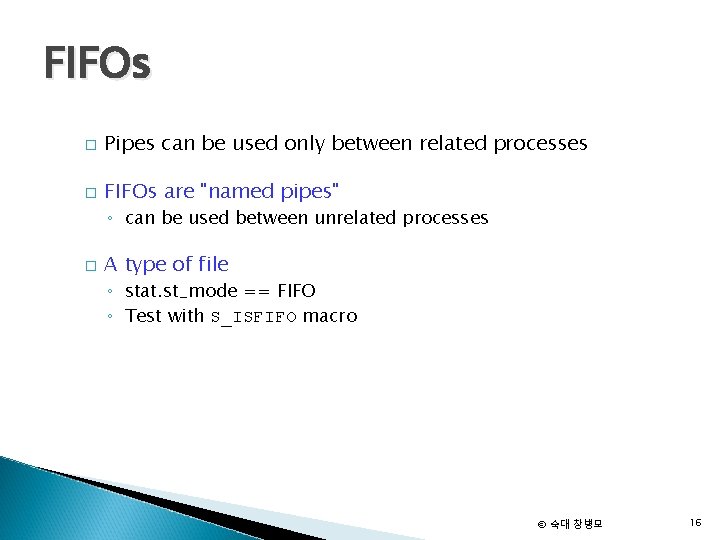
FIFOs � Pipes can be used only between related processes � FIFOs are "named pipes" ◦ can be used between unrelated processes � A type of file ◦ stat. st_mode == FIFO ◦ Test with S_ISFIFO macro © 숙대 창병모 16
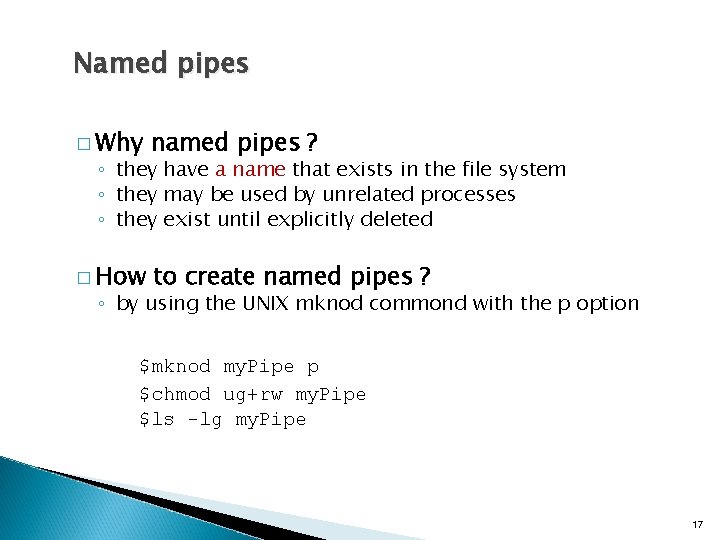
Named pipes � Why named pipes ? � How to create named pipes ? ◦ they have a name that exists in the file system ◦ they may be used by unrelated processes ◦ they exist until explicitly deleted ◦ by using the UNIX mknod commond with the p option $mknod my. Pipe p $chmod ug+rw my. Pipe $ls -lg my. Pipe 17
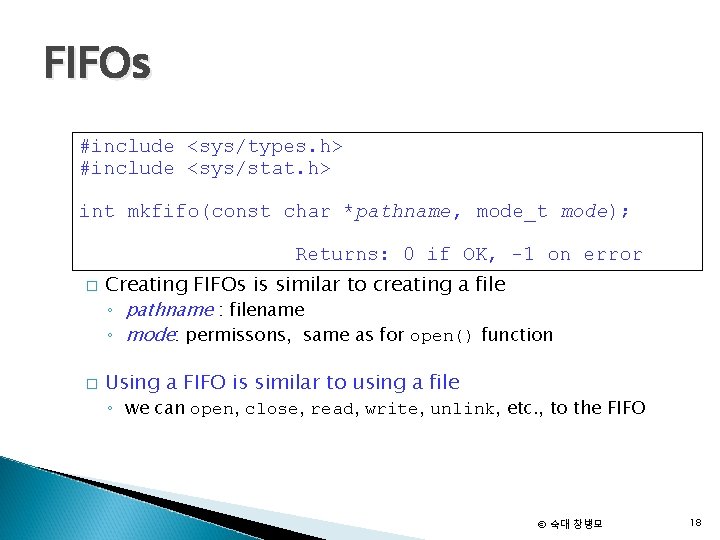
FIFOs #include <sys/types. h> #include <sys/stat. h> int mkfifo(const char *pathname, mode_t mode); Returns: 0 if OK, -1 on error � � Creating FIFOs is similar to creating a file ◦ pathname : filename ◦ mode: permissons, same as for open() function Using a FIFO is similar to using a file ◦ we can open, close, read, write, unlink, etc. , to the FIFO © 숙대 창병모 18
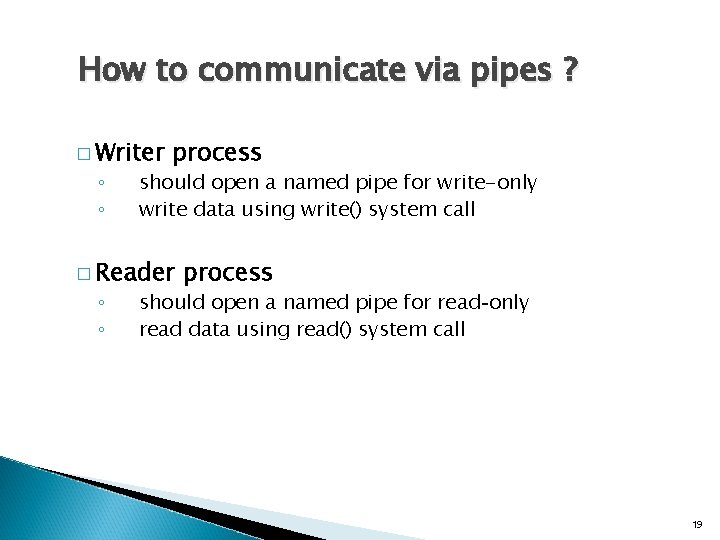
How to communicate via pipes ? � Writer ◦ ◦ process should open a named pipe for write-only write data using write() system call � Reader ◦ ◦ process should open a named pipe for read-only read data using read() system call 19

Example: Reader #include <stdio. h> <sys/types. h> <sys/stat. h> <fcntl. h> main( ) { int fd; char str[100]; unlink(“my. Pipe”); mkfifo(“my. Pipe”, 0660); fd = open(“my. Pipe”, O_RDONLY); while (read. Line(fd, str)) printf(“%sn”, str); close(fd) } 20
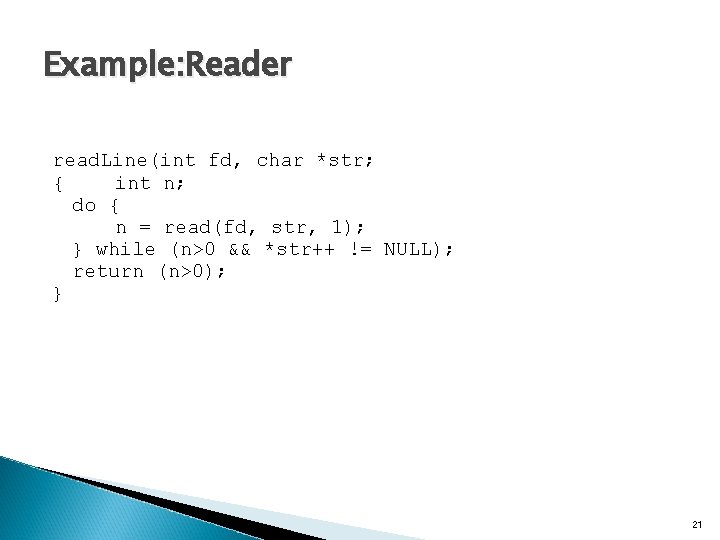
Example: Reader read. Line(int fd, char *str; { int n; do { n = read(fd, str, 1); } while (n>0 && *str++ != NULL); return (n>0); } 21
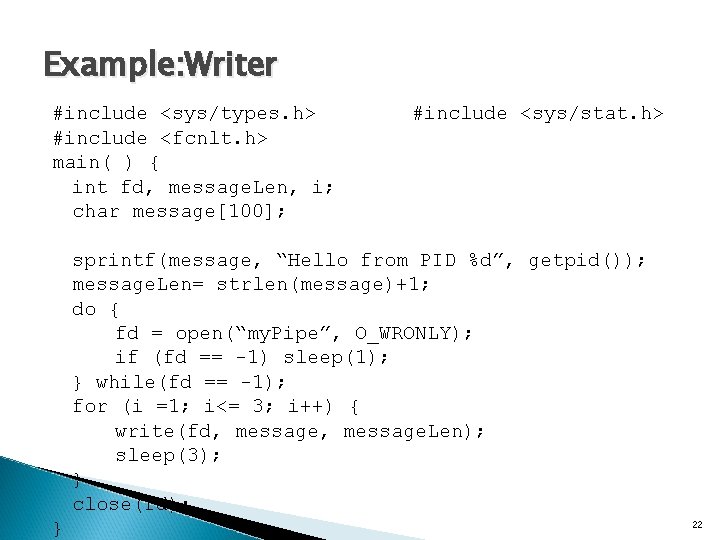
Example: Writer #include <sys/types. h> #include <fcnlt. h> main( ) { int fd, message. Len, i; char message[100]; #include <sys/stat. h> sprintf(message, “Hello from PID %d”, getpid()); message. Len= strlen(message)+1; do { fd = open(“my. Pipe”, O_WRONLY); if (fd == -1) sleep(1); } while(fd == -1); for (i =1; i<= 3; i++) { write(fd, message. Len); sleep(3); } close(fd); } 22

Socket
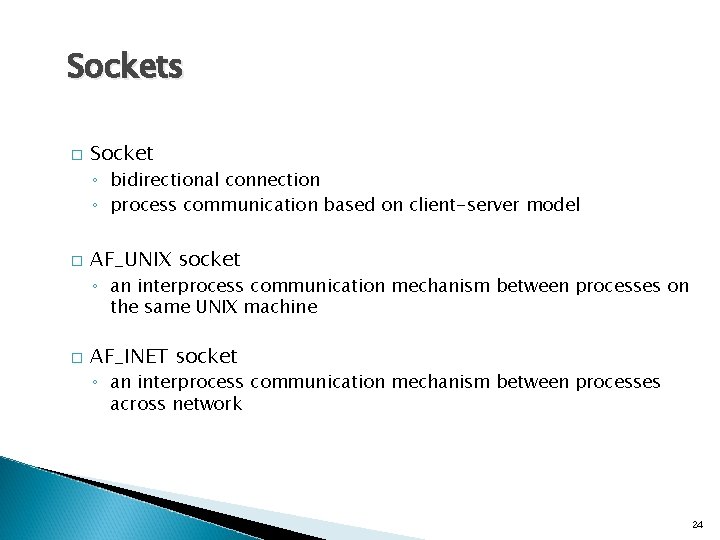
Sockets � Socket ◦ bidirectional connection ◦ process communication based on client-server model � AF_UNIX socket ◦ an interprocess communication mechanism between processes on the same UNIX machine � AF_INET socket ◦ an interprocess communication mechanism between processes across network 24
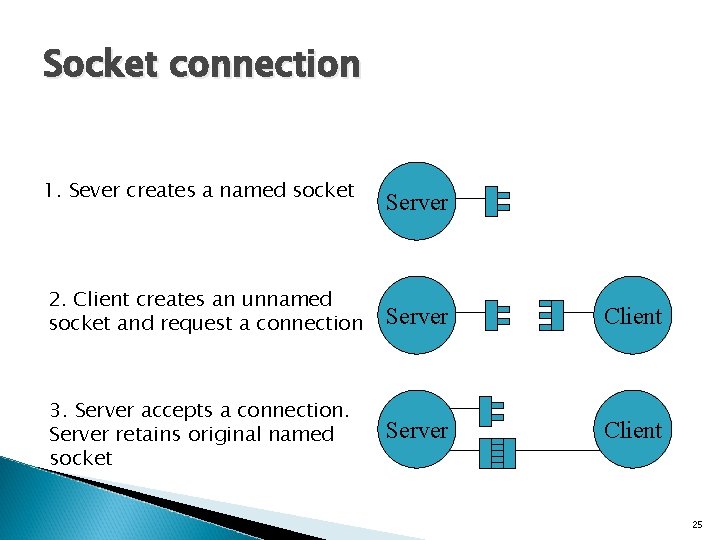
Socket connection 1. Sever creates a named socket Server 2. Client creates an unnamed socket and request a connection Server Client 3. Server accepts a connection. Server retains original named socket Server Client 25
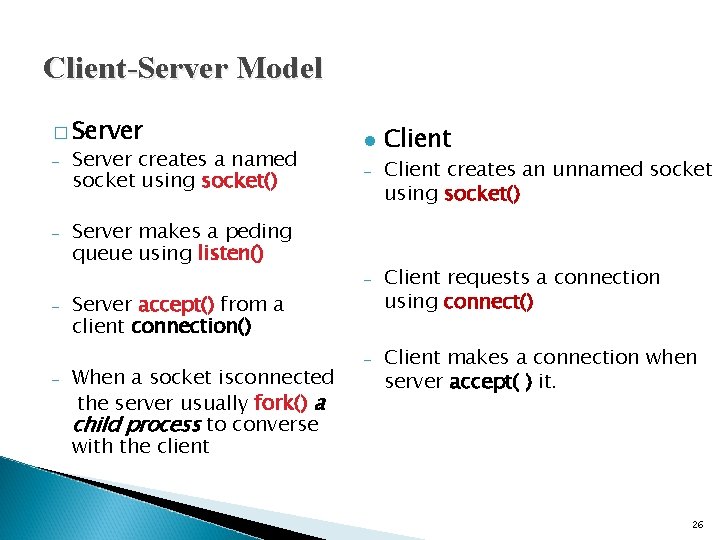
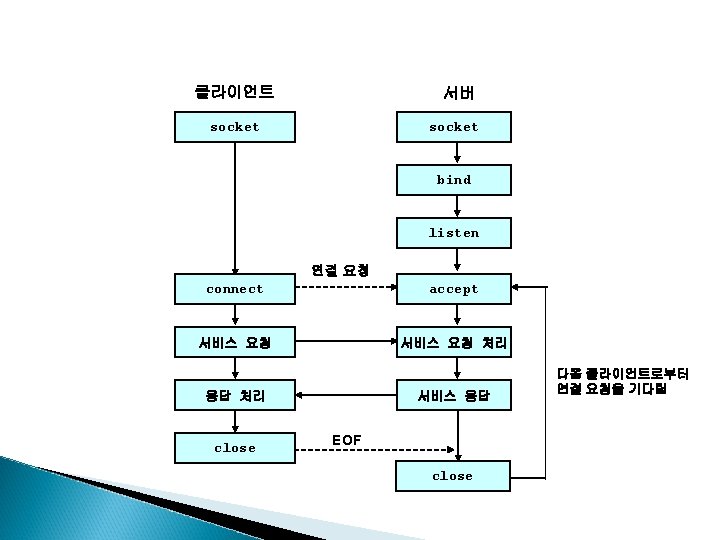
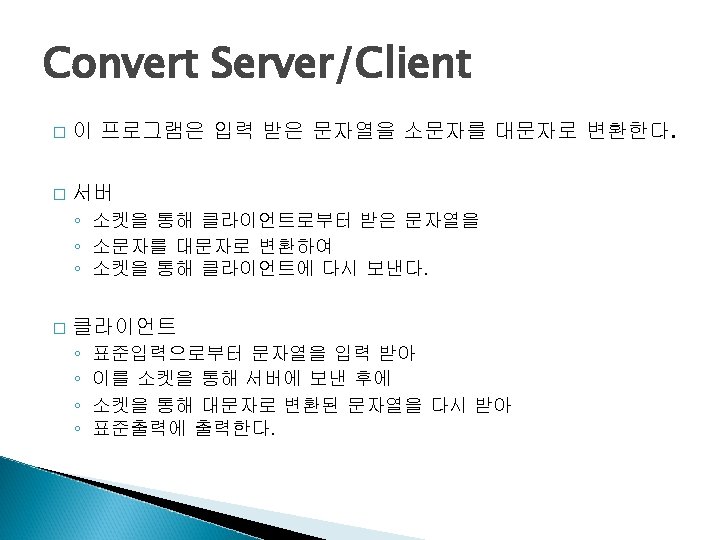
Client-Server Model � Server – – Server creates a named socket using socket() l – Server makes a peding queue using listen() – – – Server accept() from a client connection() When a socket isconnected the server usually fork() a child process to converse with the client – Client creates an unnamed socket using socket() Client requests a connection using connect() Client makes a connection when server accept( ) it. 26
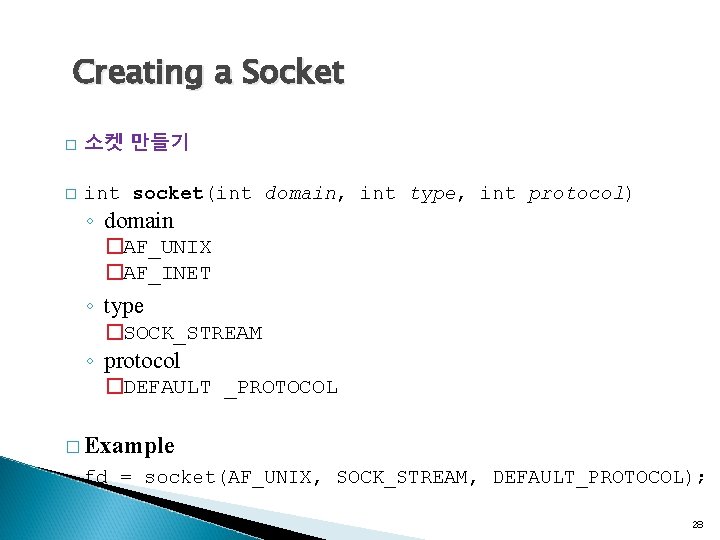
Creating a Socket � 소켓 만들기 � int socket(int domain, int type, int protocol) ◦ domain �AF_UNIX �AF_INET ◦ type �SOCK_STREAM ◦ protocol �DEFAULT _PROTOCOL � Example fd = socket(AF_UNIX, SOCK_STREAM, DEFAULT_PROTOCOL); 28
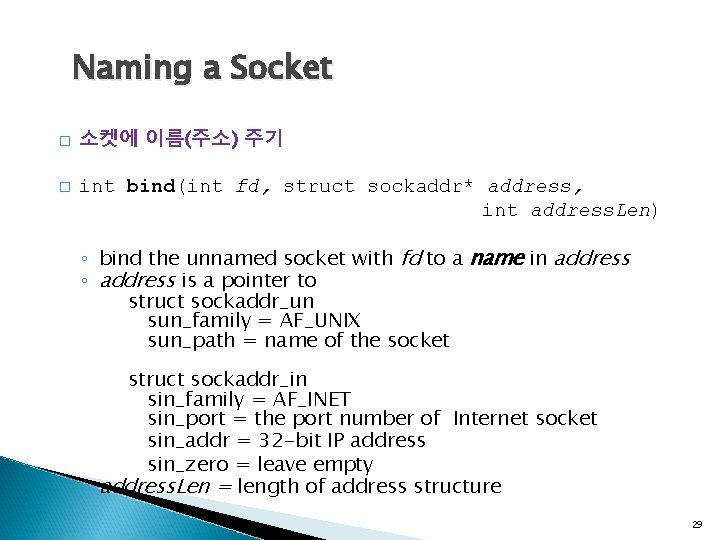
Naming a Socket � � 소켓에 이름(주소) 주기 int bind(int fd, struct sockaddr* address, int address. Len) ◦ bind the unnamed socket with fd to a name in address ◦ address is a pointer to struct sockaddr_un sun_family = AF_UNIX sun_path = name of the socket struct sockaddr_in sin_family = AF_INET sin_port = the port number of Internet socket sin_addr = 32 -bit IP address sin_zero = leave empty ◦ address. Len = length of address structure 29
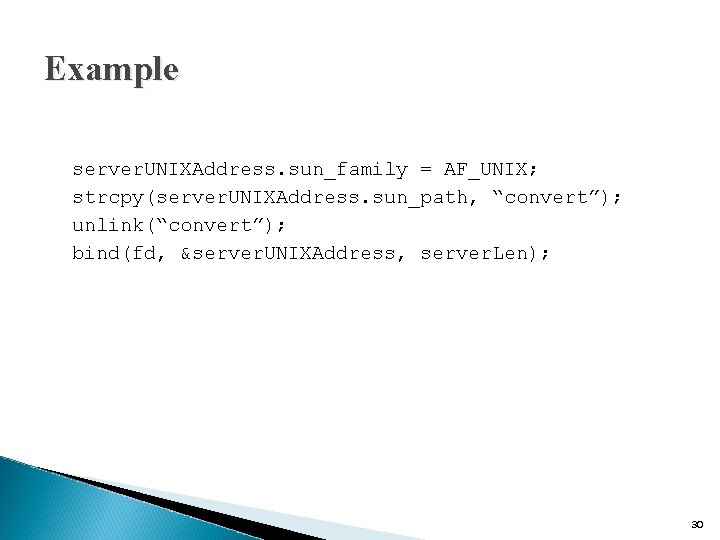
Example server. UNIXAddress. sun_family = AF_UNIX; strcpy(server. UNIXAddress. sun_path, “convert”); unlink(“convert”); bind(fd, &server. UNIXAddress, server. Len); 30
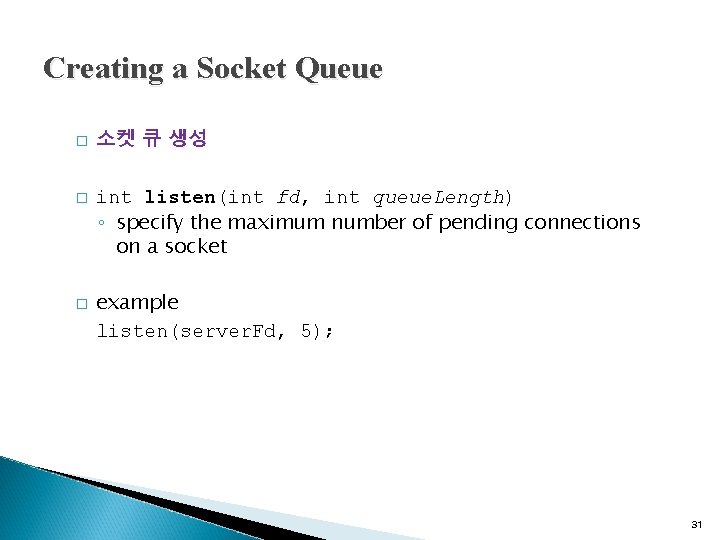
Creating a Socket Queue � � � 소켓 큐 생성 int listen(int fd, int queue. Length) ◦ specify the maximum number of pending connections on a socket example listen(server. Fd, 5); 31
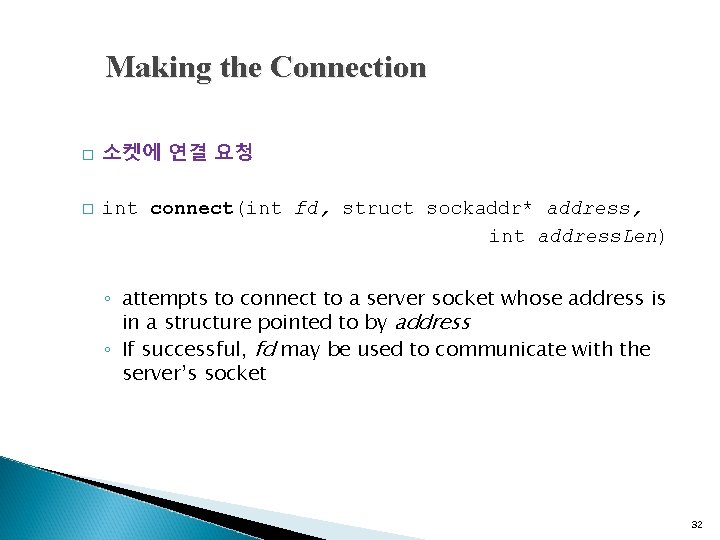
Making the Connection � � 소켓에 연결 요청 int connect(int fd, struct sockaddr* address, int address. Len) ◦ attempts to connect to a server socket whose address is in a structure pointed to by address ◦ If successful, fd may be used to communicate with the server’s socket 32
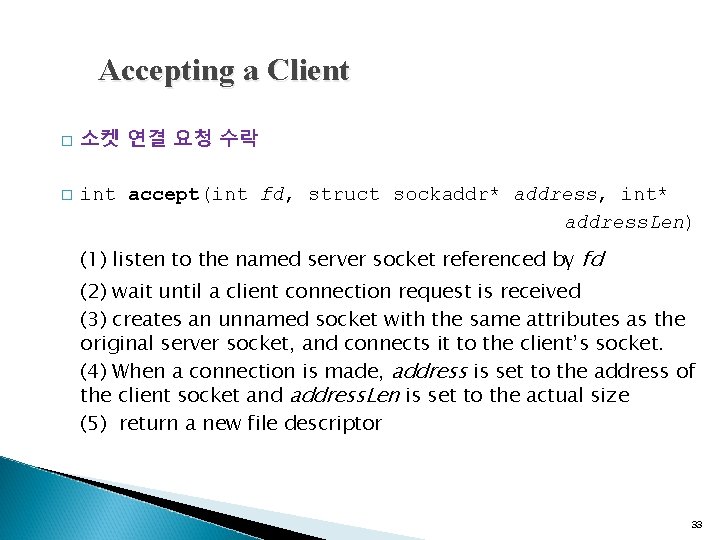
Accepting a Client � � 소켓 연결 요청 수락 int accept(int fd, struct sockaddr* address, int* address. Len) (1) listen to the named server socket referenced by fd (2) wait until a client connection request is received (3) creates an unnamed socket with the same attributes as the original server socket, and connects it to the client’s socket. (4) When a connection is made, address is set to the address of the client socket and address. Len is set to the actual size (5) return a new file descriptor 33
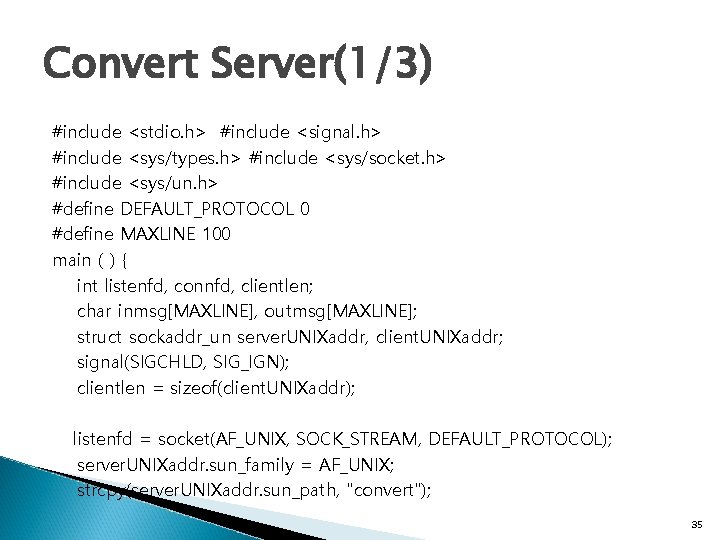
Convert Server(1/3) #include <stdio. h> #include <signal. h> #include <sys/types. h> #include <sys/socket. h> #include <sys/un. h> #define DEFAULT_PROTOCOL 0 #define MAXLINE 100 main ( ) { int listenfd, connfd, clientlen; char inmsg[MAXLINE], outmsg[MAXLINE]; struct sockaddr_un server. UNIXaddr, client. UNIXaddr; signal(SIGCHLD, SIG_IGN); clientlen = sizeof(client. UNIXaddr); listenfd = socket(AF_UNIX, SOCK_STREAM, DEFAULT_PROTOCOL); server. UNIXaddr. sun_family = AF_UNIX; strcpy(server. UNIXaddr. sun_path, "convert"); 35
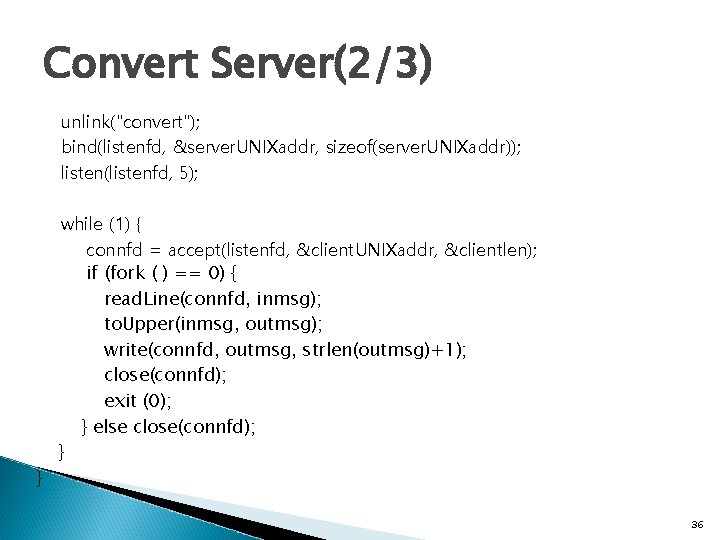
Convert Server(2/3) unlink("convert"); bind(listenfd, &server. UNIXaddr, sizeof(server. UNIXaddr)); listen(listenfd, 5); } while (1) { connfd = accept(listenfd, &client. UNIXaddr, &clientlen); if (fork ( ) == 0) { read. Line(connfd, inmsg); to. Upper(inmsg, outmsg); write(connfd, outmsg, strlen(outmsg)+1); close(connfd); exit (0); } else close(connfd); } 36
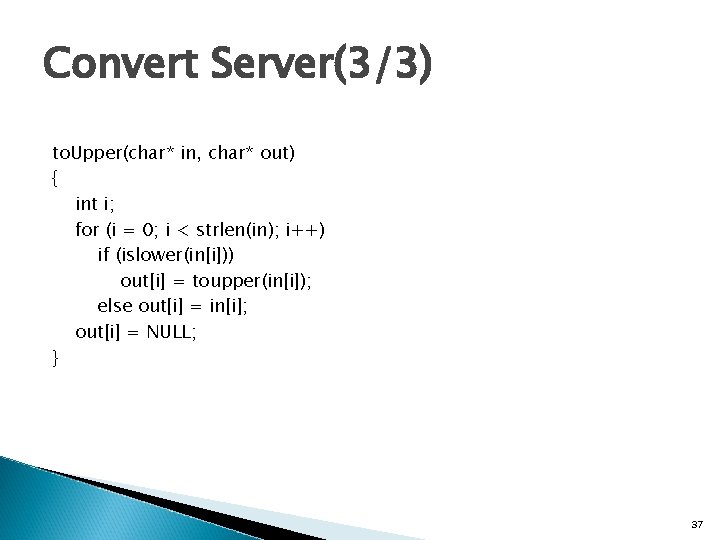
Convert Server(3/3) to. Upper(char* in, char* out) { int i; for (i = 0; i < strlen(in); i++) if (islower(in[i])) out[i] = toupper(in[i]); else out[i] = in[i]; out[i] = NULL; } 37
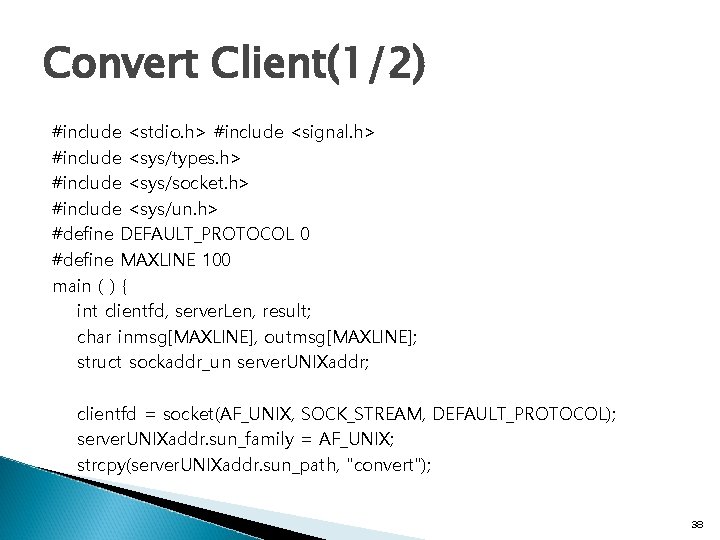
Convert Client(1/2) #include <stdio. h> #include <signal. h> #include <sys/types. h> #include <sys/socket. h> #include <sys/un. h> #define DEFAULT_PROTOCOL 0 #define MAXLINE 100 main ( ) { int clientfd, server. Len, result; char inmsg[MAXLINE], outmsg[MAXLINE]; struct sockaddr_un server. UNIXaddr; clientfd = socket(AF_UNIX, SOCK_STREAM, DEFAULT_PROTOCOL); server. UNIXaddr. sun_family = AF_UNIX; strcpy(server. UNIXaddr. sun_path, "convert"); 38
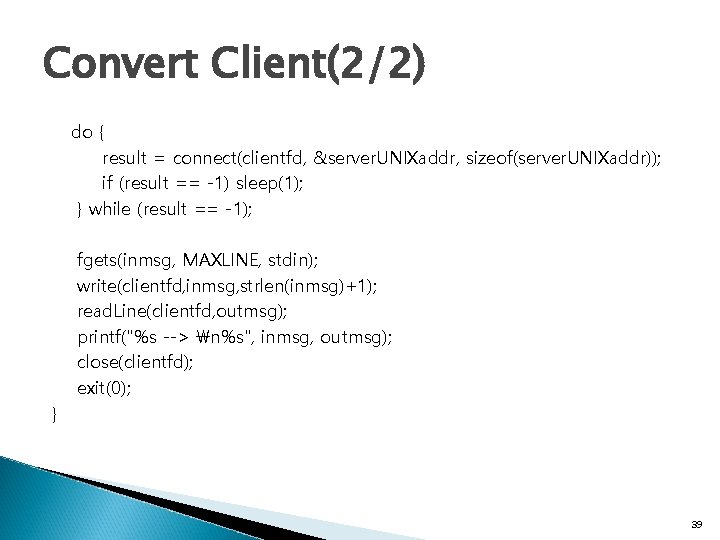
Convert Client(2/2) do { result = connect(clientfd, &server. UNIXaddr, sizeof(server. UNIXaddr)); if (result == -1) sleep(1); } while (result == -1); fgets(inmsg, MAXLINE, stdin); write(clientfd, inmsg, strlen(inmsg)+1); read. Line(clientfd, outmsg); printf("%s --> n%s", inmsg, outmsg); close(clientfd); exit(0); } 39
- Slides: 39