
Deployment Diagrams M R V Chaudron 1 See
- Slides: 26
Deployment Diagrams M. R. V. Chaudron 1
See also: https: //www. uml-diagrams. org/deploymentdiagrams. html http: //aviadezra. blogspot. com/2009/09/umldeployment-component-diagrams. html 2
Deployment Diagram • Captures the topology of a system’s hardware • Purpose – Specify the distribution of components – Identify performance bottlenecks • Developed by architects, networking engineers, and system engineers 3
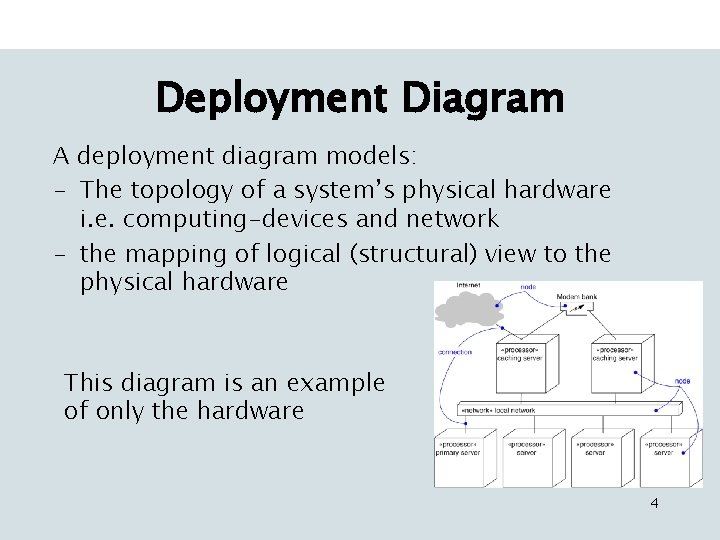
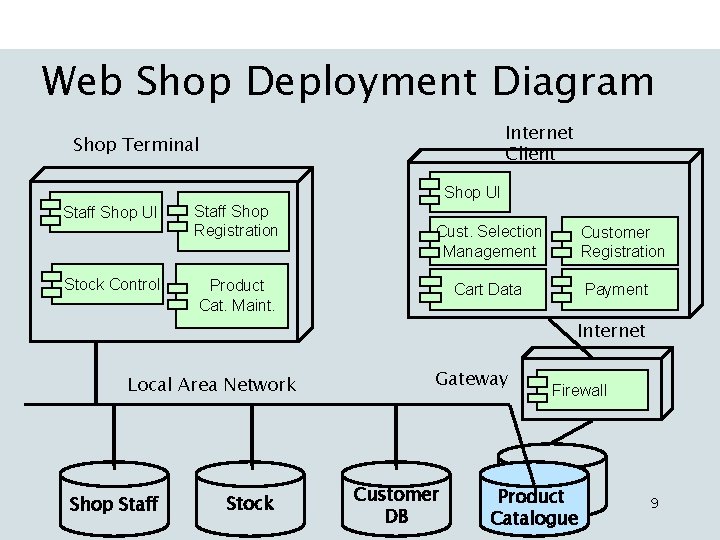
Deployment Diagram A deployment diagram models: - The topology of a system’s physical hardware i. e. computing-devices and network - the mapping of logical (structural) view to the physical hardware This diagram is an example of only the hardware 4
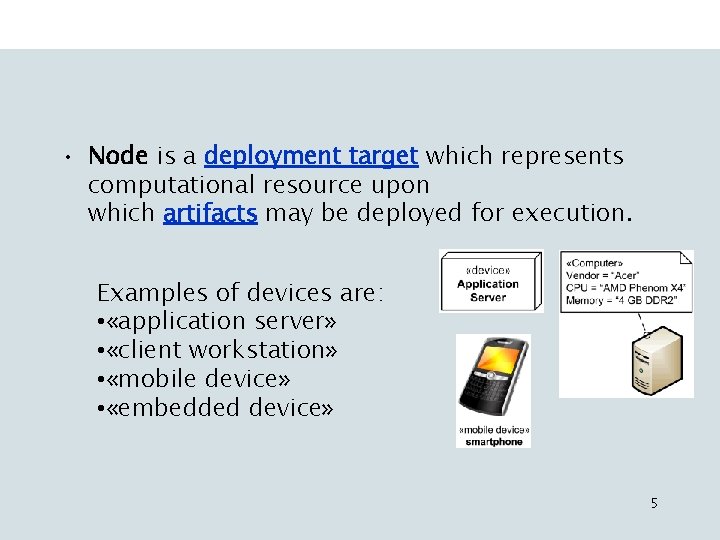
• Node is a deployment target which represents computational resource upon which artifacts may be deployed for execution. Examples of devices are: • «application server» • «client workstation» • «mobile device» • «embedded device» 5
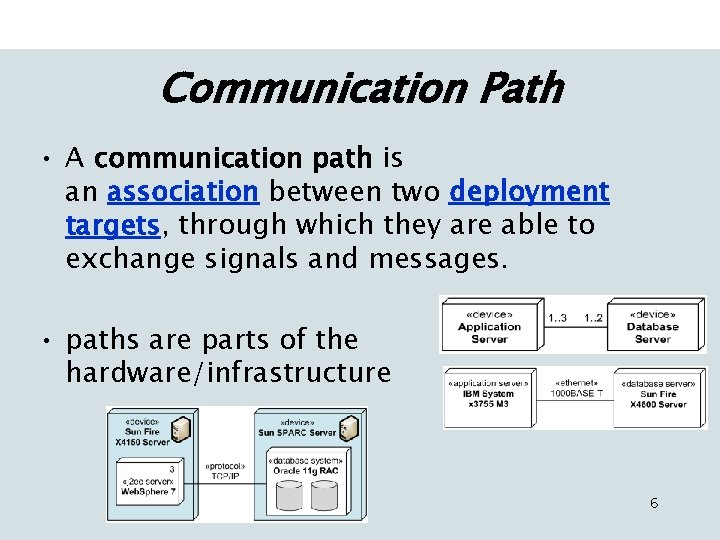
Communication Path • A communication path is an association between two deployment targets, through which they are able to exchange signals and messages. • paths are parts of the hardware/infrastructure 6
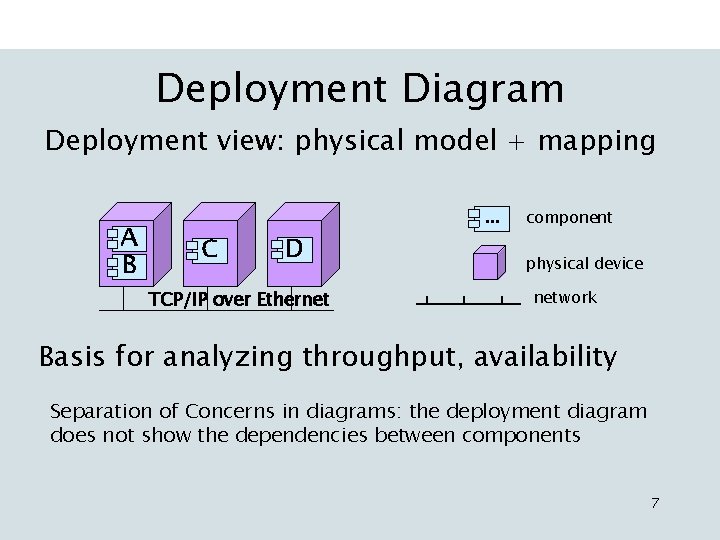
Deployment Diagram Deployment view: physical model + mapping A B . . . C D TCP/IP over Ethernet component physical device network Basis for analyzing throughput, availability Separation of Concerns in diagrams: the deployment diagram does not show the dependencies between components 7
8
Web Shop Deployment Diagram Internet Client Shop Terminal Shop UI Staff Shop UI Stock Control Staff Shop Registration Cust. Selection Management Product Cat. Maint. Customer Registration Cart Data Payment Internet Local Area Network Shop Staff Stock Gateway Customer DB Firewall Product Catalogue 9
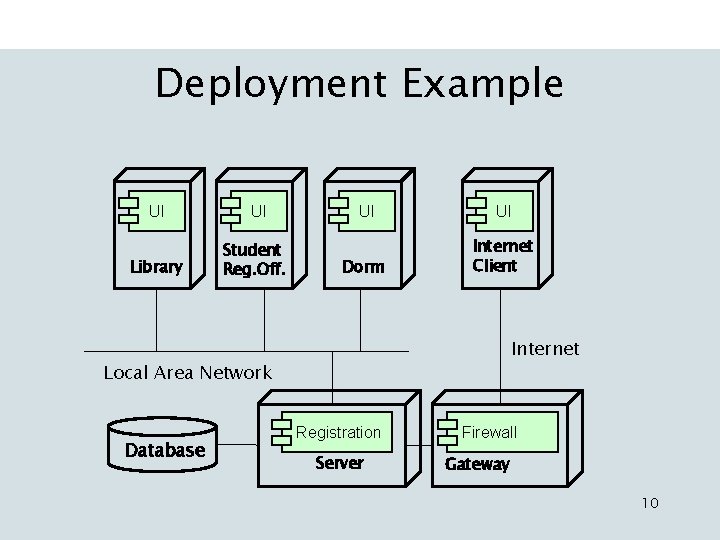
Deployment Example UI UI Library Student Reg. Off. UI UI Dorm Internet Client Internet Local Area Network Database Registration Server Firewall Gateway 10
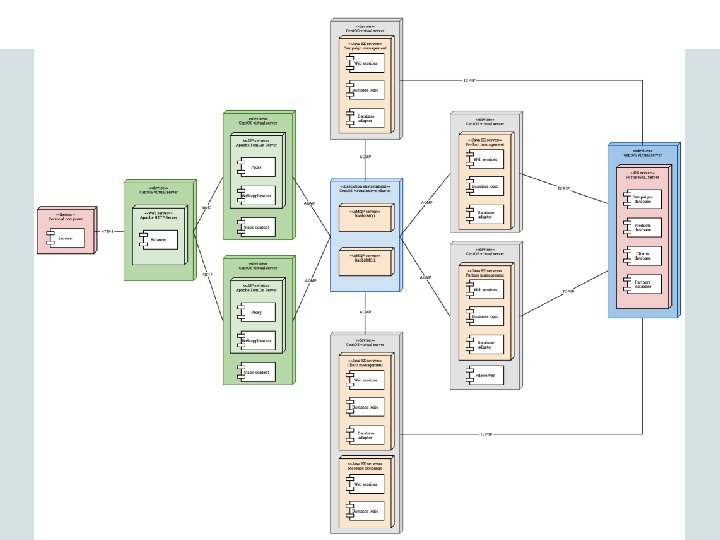
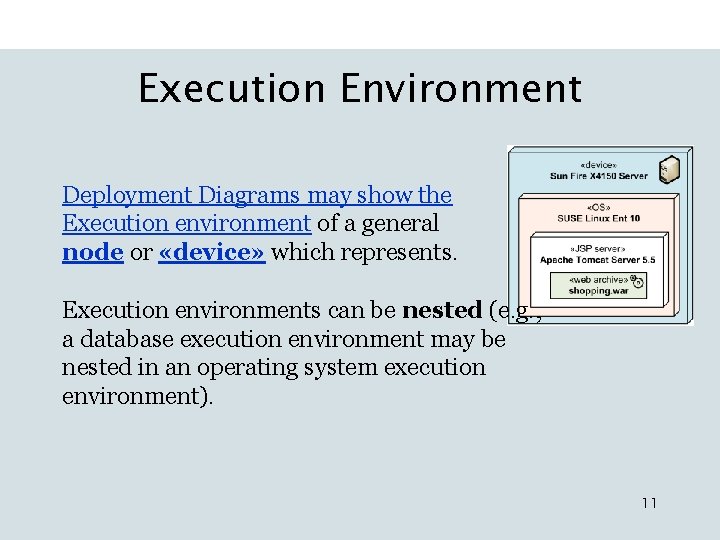
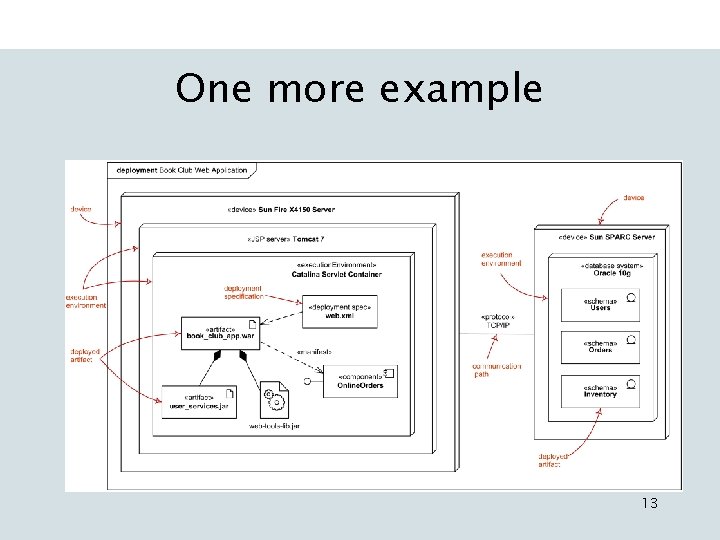
Execution Environment Deployment Diagrams may show the Execution environment of a general node or «device» which represents. Execution environments can be nested (e. g. , a database execution environment may be nested in an operating system execution environment). 11
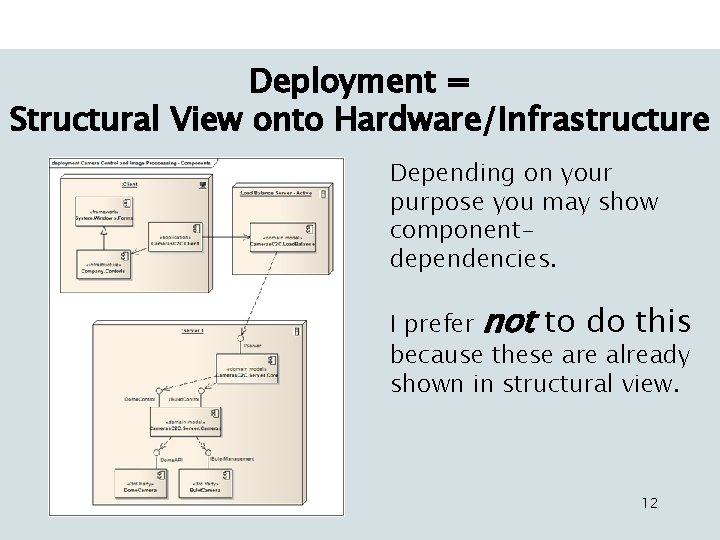
Deployment = Structural View onto Hardware/Infrastructure Depending on your purpose you may show componentdependencies. I prefer not to do this because these are already shown in structural view. 12
One more example 13
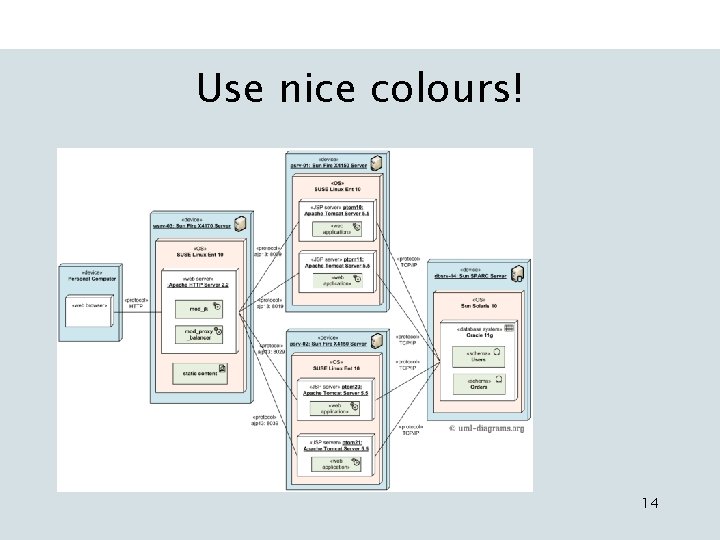
Use nice colours! 14
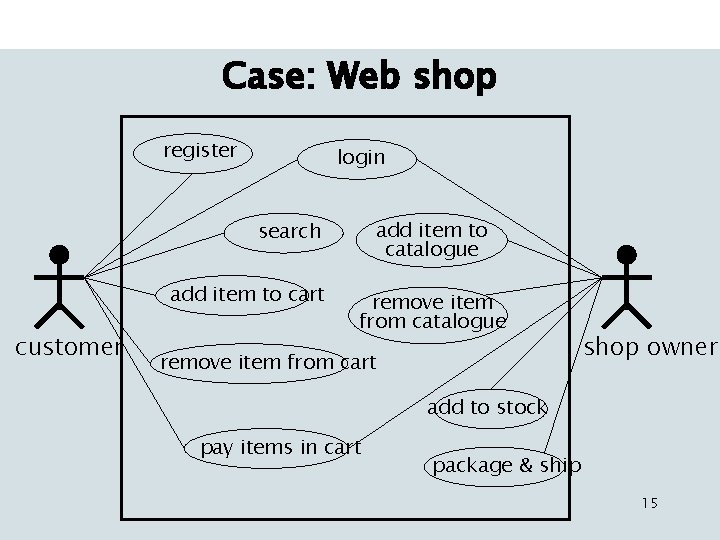
Case: Web shop register login add item to catalogue search add item to cart customer remove item from catalogue remove item from cart shop owner add to stock pay items in cart package & ship 15
Structure Diagram • Defines subsystems of functionality • Purpose – Define decomposition into subsystems – Provide support for use-cases • Use Component (or Class) diagram 16
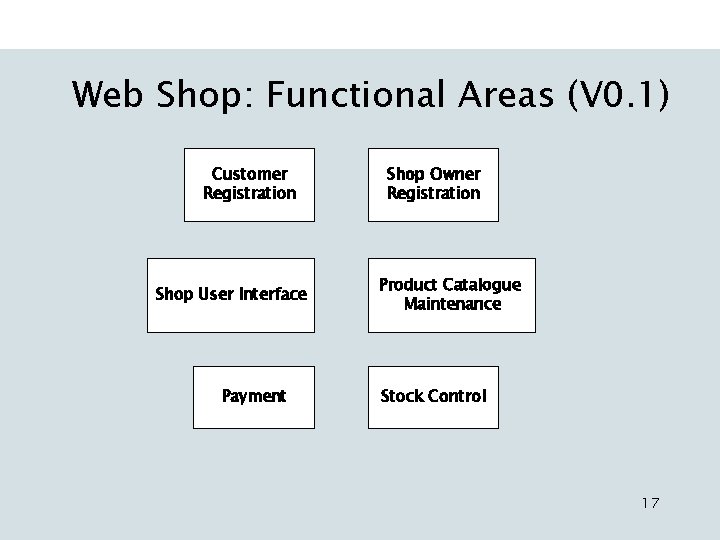
Web Shop: Functional Areas (V 0. 1) Customer Registration Shop User Interface Payment Shop Owner Registration Product Catalogue Maintenance Stock Control 17
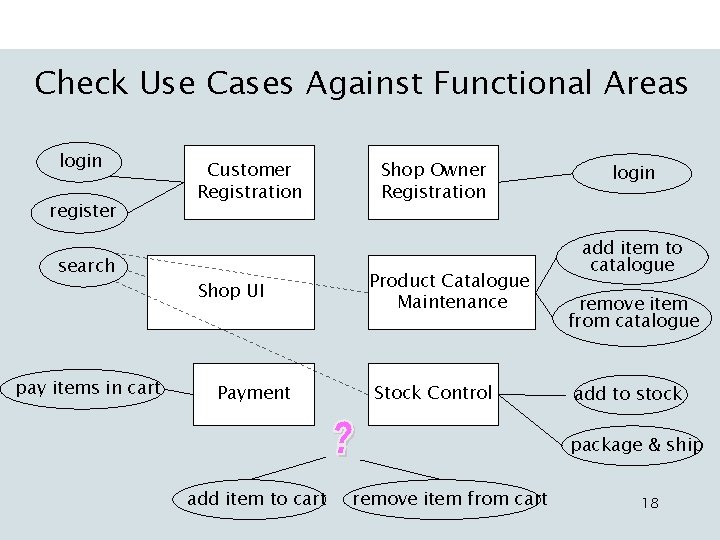
Check Use Cases Against Functional Areas login register search pay items in cart Customer Registration Shop UI Payment Shop Owner Registration Product Catalogue Maintenance Stock Control login add item to catalogue remove item from catalogue add to stock package & ship add item to cart remove item from cart 18
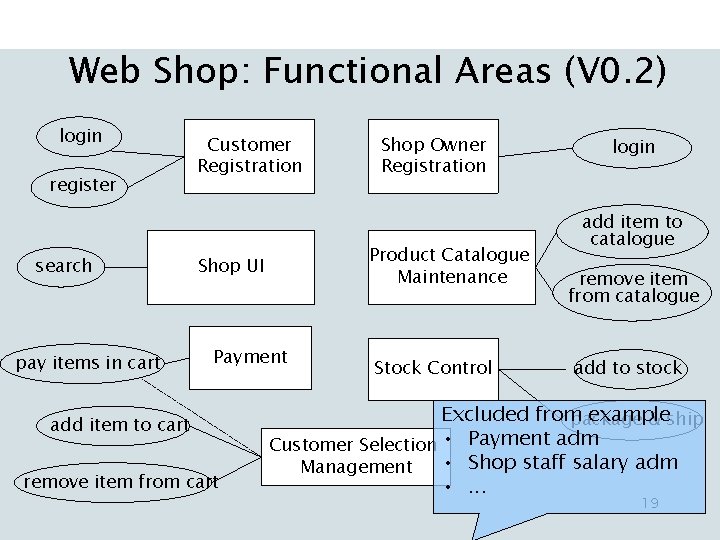
Web Shop: Functional Areas (V 0. 2) login register search pay items in cart Customer Registration Product Catalogue Maintenance Shop UI Payment add item to cart remove item from cart Shop Owner Registration Stock Control login add item to catalogue remove item from catalogue add to stock Excluded from example package & ship Customer Selection • Payment adm • Shop staff salary adm Management • . . . 19
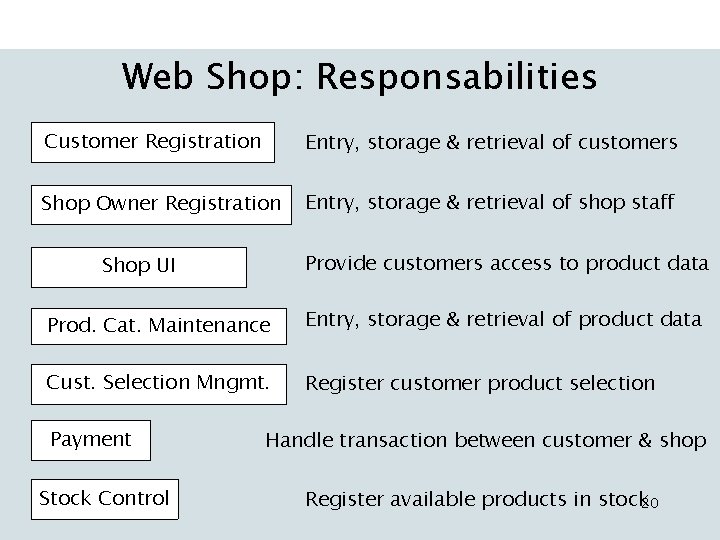
Web Shop: Responsabilities Customer Registration Entry, storage & retrieval of customers Shop Owner Registration Entry, storage & retrieval of shop staff Provide customers access to product data Shop UI Prod. Cat. Maintenance Entry, storage & retrieval of product data Cust. Selection Mngmt. Register customer product selection Payment Stock Control Handle transaction between customer & shop Register available products in stock 20
Some Concrete Examples • http: //www. nkictarchitectuur. nl/2006/index. htm – Rabobank, Belastingdienst, Ahold, FEI, Schiphol, Elsevier, … 22
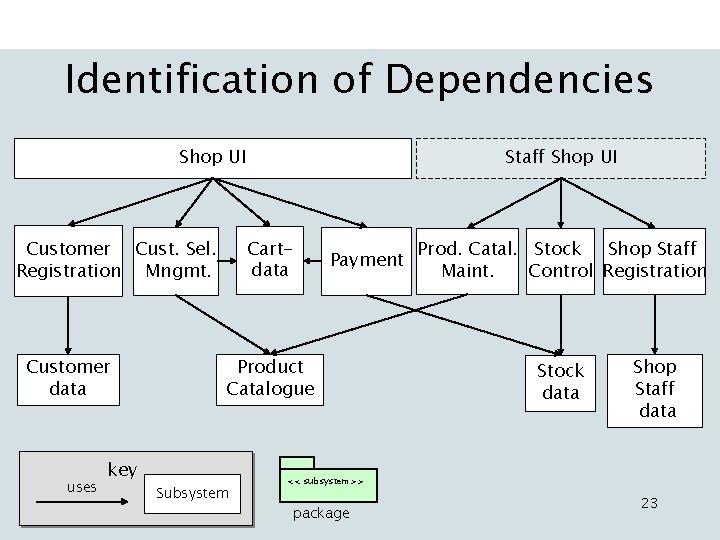
Identification of Dependencies Shop UI Cartdata Customer Cust. Sel. Registration Mngmt. Customer data uses key Staff Shop UI Payment Product Catalogue Subsystem Prod. Catal. Stock Shop Staff Maint. Control Registration Stock data Shop Staff data << subsystem>> package 23
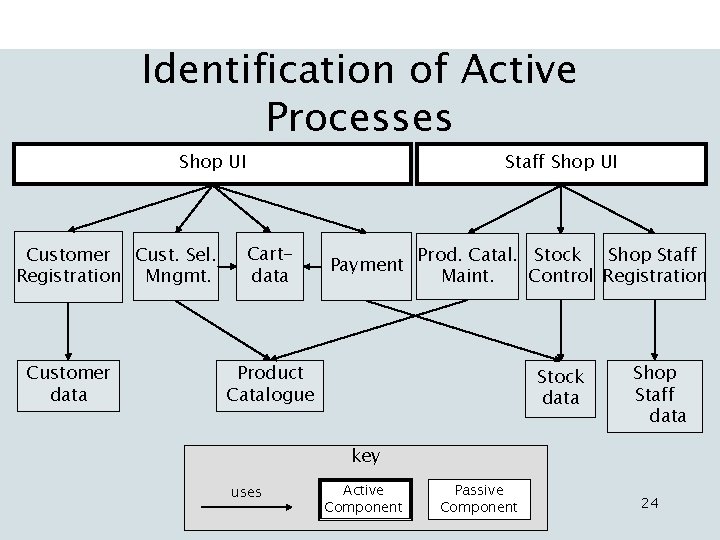
Identification of Active Processes Shop UI Customer Cust. Sel. Registration Mngmt. Customer data Staff Shop UI Cartdata Payment Prod. Catal. Stock Shop Staff Maint. Control Registration Product Catalogue Stock data Shop Staff data key uses Active Component Passive Component 24
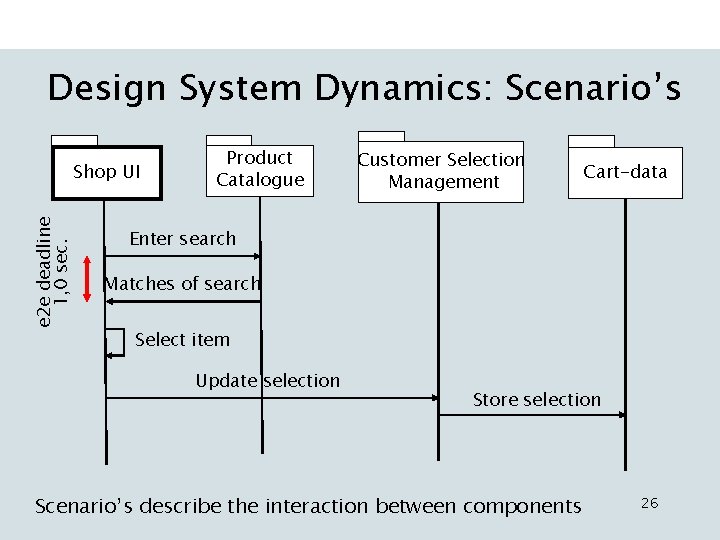
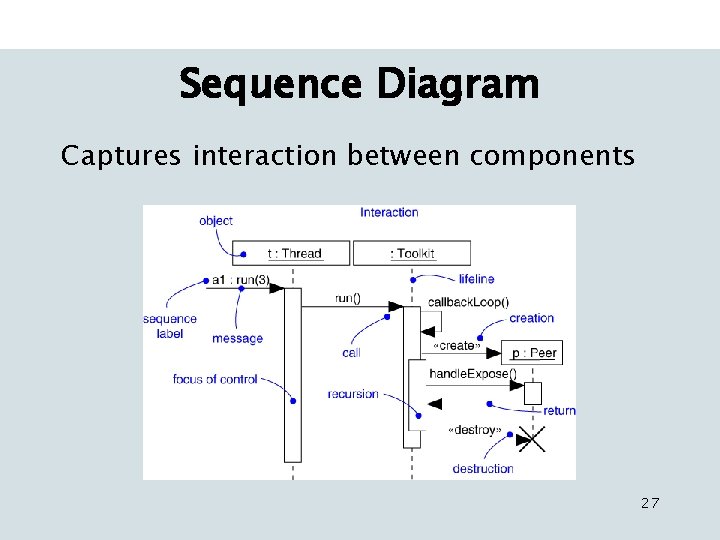
Sequence Diagram • Captures interaction between components • Purpose – Model flow of control – Identify synchronization – Illustrate typical scenarios 25
Design System Dynamics: Scenario’s e 2 e deadline 1, 0 sec. Shop UI Product Catalogue Customer Selection Management Cart-data Enter search Matches of search Select item Update selection Store selection Scenario’s describe the interaction between components 26
Sequence Diagram Captures interaction between components 27