
Department of Mechanical Aerospace Engineering Solidworks PDM EML

- Slides: 26
Department of Mechanical & Aerospace Engineering Solidworks PDM EML 4502 - Senior Design 3
Department of Mechanical & Aerospace Engineering What is PDM? n Stands for “Product Data Management” n Allows large teams to work efficiently on CAD files n Different CAD Vendors have their own flavors n n Solidworks: Solidworks Enterprise PDM (We use this) n Siemens NX: Teamcenter n PTC: Windchill n Autodesk: Vault n Catia: Work. Bench Same basic workflow is common for all platforms
Department of Mechanical & Aerospace Engineering What is PDM? (continued) n For software engineers: Non-distributed version of Git n For non-software engineers: A purpose built Dropbox for CAD applications n A single source of truth for revision control and latest part models n Server/Client application used for revision control
Department of Mechanical & Aerospace Engineering Why PDM? Single Person (No PDM) n n Scenario: Single person working on entire assembly n Opens assembly/parts n Makes changes n Save n Move on with life Disadvantage: n No revision control n Example: Redefined sketch, hit save, broke entire assembly. Closed Solidworks. Can’t go back in time easily
Department of Mechanical & Aerospace Engineering Use case: Team working on assembly (No PDM) n n Scenario: n 8 am: Bob Starts modifying housing. sldprt n 8: 10 am Deb: Starts modifying housing. sldprt n 8: 20 am Deb is done, hits save n 8: 30 am: Bob is done, hits save n Result: Deb’s work is erased. Disadvantage: n Hard to find the latest assembly version n Work gets overwritten n Hard to know who made what changes, at what time and why
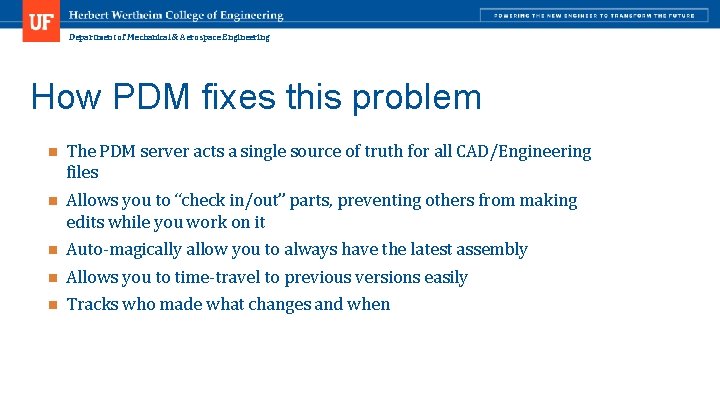
Department of Mechanical & Aerospace Engineering How PDM fixes this problem n The PDM server acts a single source of truth for all CAD/Engineering files n Allows you to “check in/out” parts, preventing others from making edits while you work on it n Auto-magically allow you to always have the latest assembly n Allows you to time-travel to previous versions easily n Tracks who made what changes and when
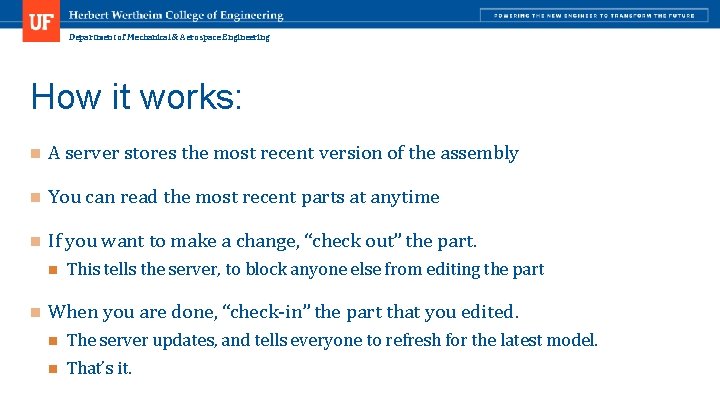
Department of Mechanical & Aerospace Engineering How it works: n A server stores the most recent version of the assembly n You can read the most recent parts at anytime n If you want to make a change, “check out” the part. n n This tells the server, to block anyone else from editing the part When you are done, “check-in” the part that you edited. n The server updates, and tells everyone to refresh for the latest model. n That’s it.
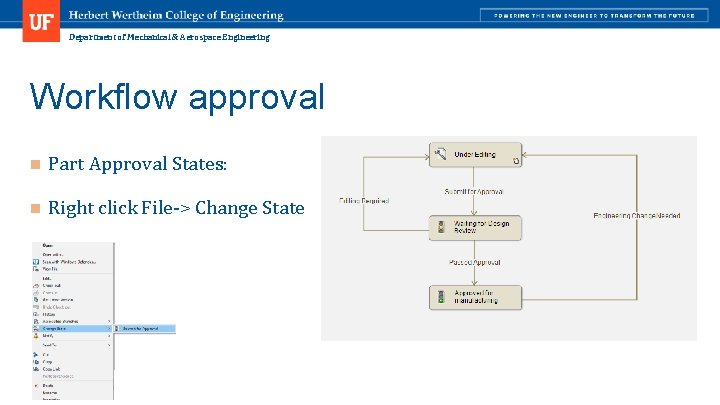
Department of Mechanical & Aerospace Engineering Workflow approval n Part Approval States: n Right click File-> Change State
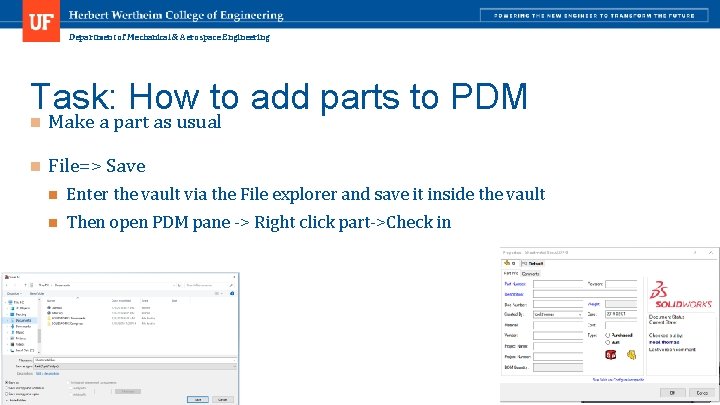
Department of Mechanical & Aerospace Engineering Task: How to add parts to PDM n Make a part as usual n File=> Save n Enter the vault via the File explorer and save it inside the vault n Then open PDM pane -> Right click part->Check in
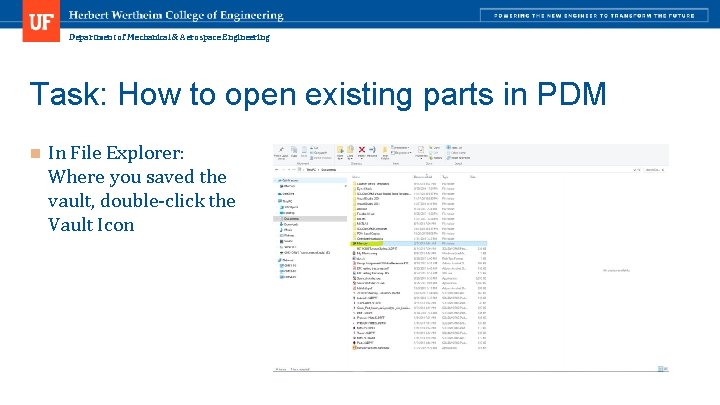
Department of Mechanical & Aerospace Engineering Task: How to open existing parts in PDM n In File Explorer: Where you saved the vault, double-click the Vault Icon
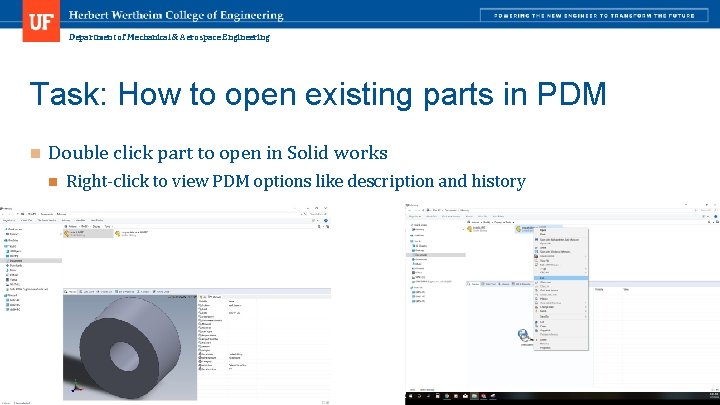
Department of Mechanical & Aerospace Engineering Task: How to open existing parts in PDM n Double click part to open in Solid works n Right-click to view PDM options like description and history
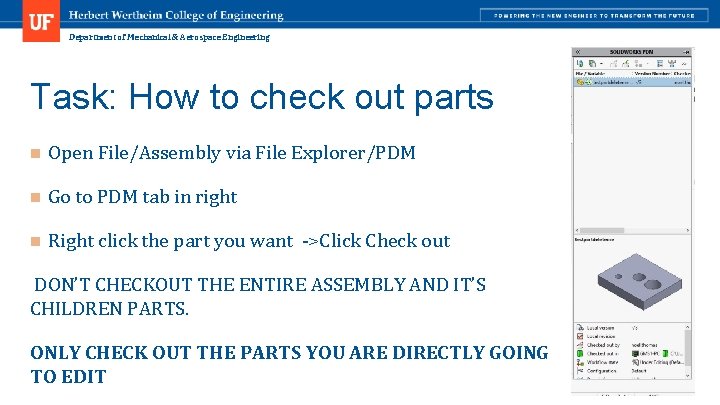
Department of Mechanical & Aerospace Engineering Task: How to check out parts n Open File/Assembly via File Explorer/PDM n Go to PDM tab in right n Right click the part you want ->Click Check out DON’T CHECKOUT THE ENTIRE ASSEMBLY AND IT’S CHILDREN PARTS. ONLY CHECK OUT THE PARTS YOU ARE DIRECTLY GOING TO EDIT
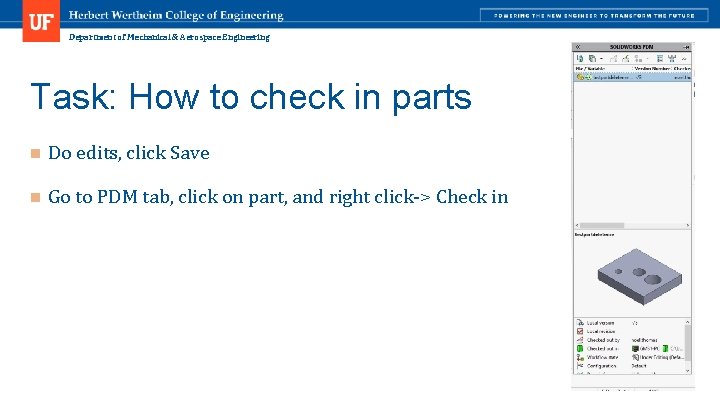
Department of Mechanical & Aerospace Engineering Task: How to check in parts n Do edits, click Save n Go to PDM tab, click on part, and right click-> Check in
Department of Mechanical & Aerospace Engineering Best Practices n Only check out parts you plan on using n Check-in all the parts before closing Solidworks n Use good descriptions for check in notes n Only use the provided drawing templates
Department of Mechanical & Aerospace Engineering How to install PDM Add/Remove Programs => Search for Solidworks=>Click Modify
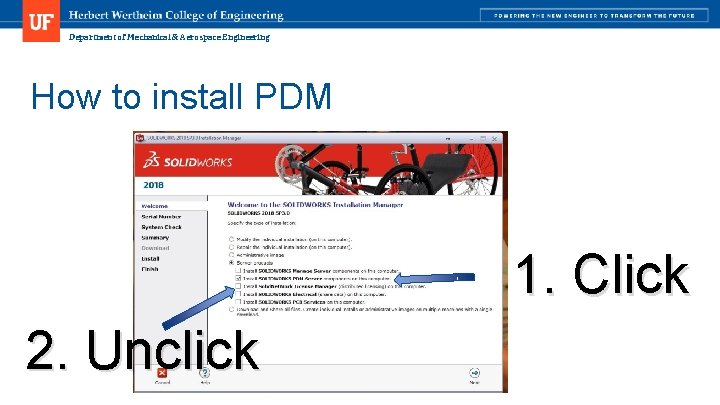
Department of Mechanical & Aerospace Engineering How to install PDM 1. Click 2. Unclick
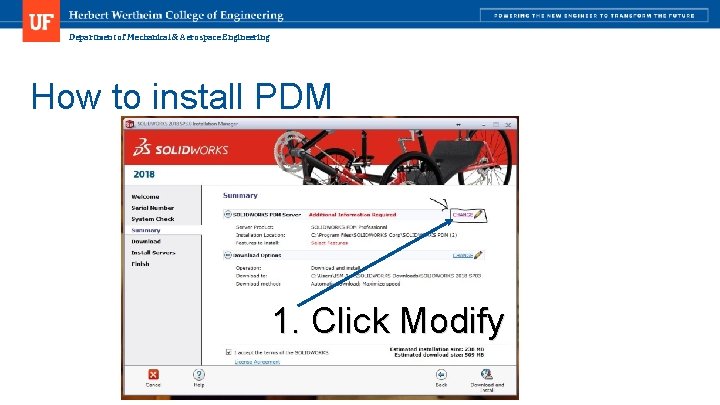
Department of Mechanical & Aerospace Engineering How to install PDM 1. Click Modify
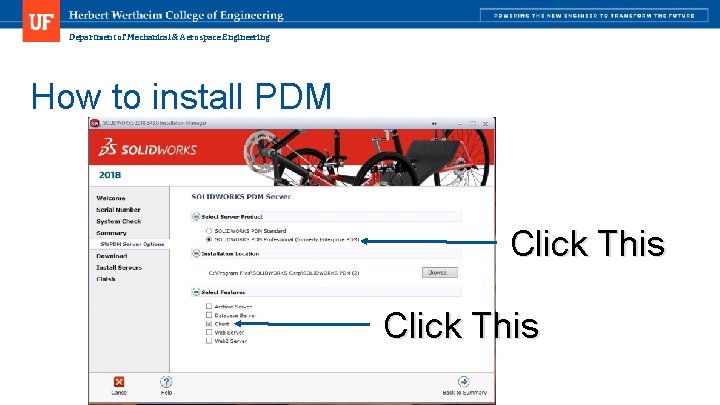
Department of Mechanical & Aerospace Engineering How to install PDM Click This
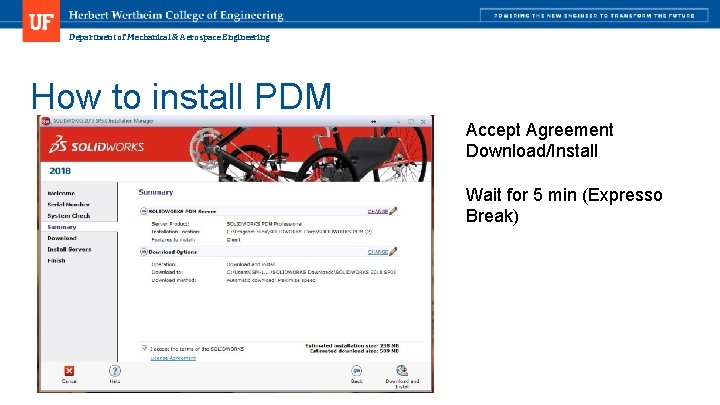
Department of Mechanical & Aerospace Engineering How to install PDM Accept Agreement Download/Install Wait for 5 min (Expresso Break)
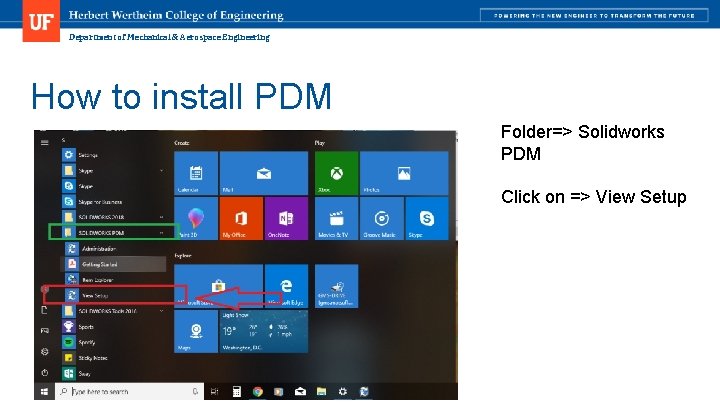
Department of Mechanical & Aerospace Engineering How to install PDM Folder=> Solidworks PDM Click on => View Setup
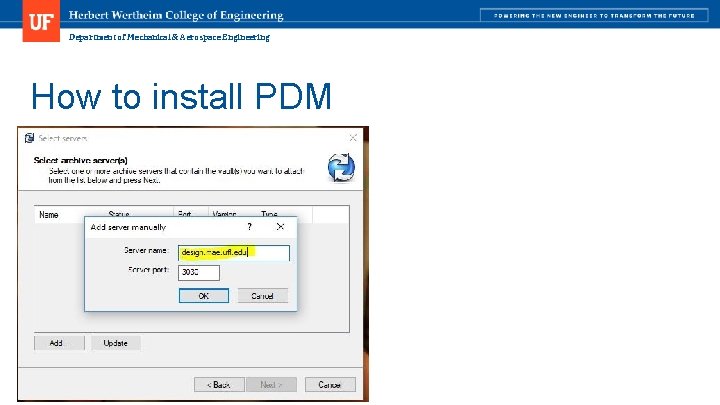
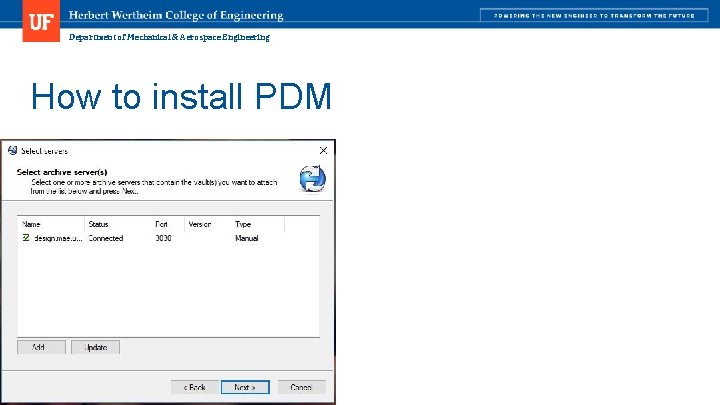
Department of Mechanical & Aerospace Engineering How to install PDM
Department of Mechanical & Aerospace Engineering How to install PDM
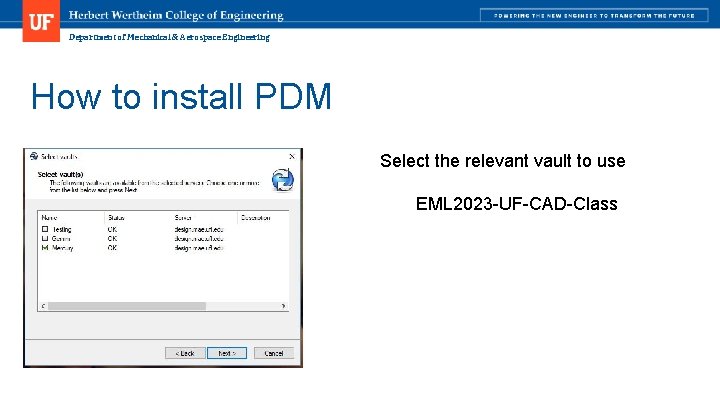
Department of Mechanical & Aerospace Engineering How to install PDM Select the relevant vault to use EML 2023 -UF-CAD-Class
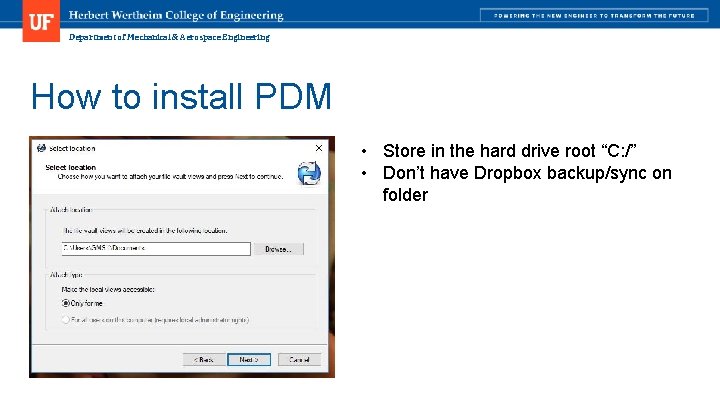
Department of Mechanical & Aerospace Engineering How to install PDM • Store in the hard drive root “C: /” • Don’t have Dropbox backup/sync on folder
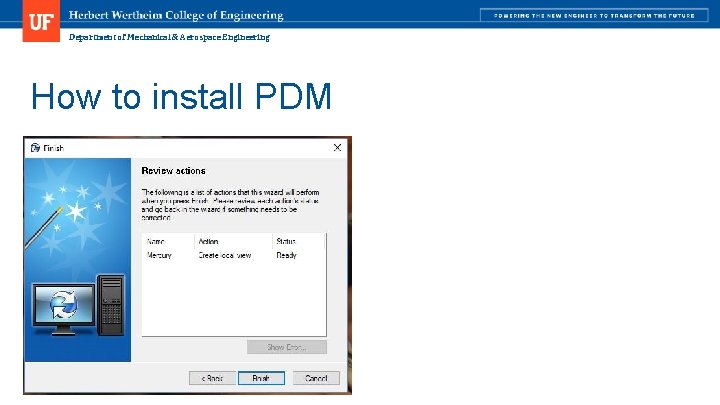
Department of Mechanical & Aerospace Engineering How to install PDM
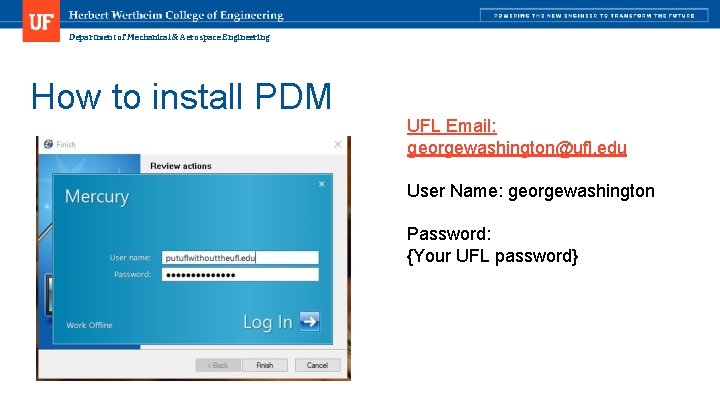
Department of Mechanical & Aerospace Engineering How to install PDM UFL Email: georgewashington@ufl. edu User Name: georgewashington Password: {Your UFL password}