
Department of Computer Science and Engineering Subject Python
Department of Computer Science and Engineering Subject: Python Application Programming (15/17 CS 664) MODULE III Lists and Dictionaries Presented By, Prof. Nagaraj Mahajan Asst. Professor Dept. Of CSE, VNEC Shorapur.
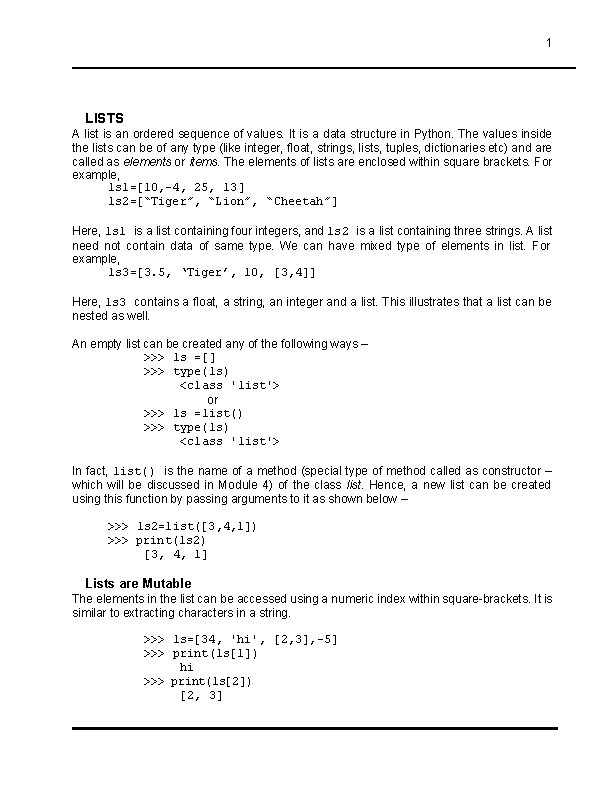
1 LISTS A list is an ordered sequence of values. It is a data structure in Python. The values inside the lists can be of any type (like integer, float, strings, lists, tuples, dictionaries etc) and are called as elements or items. The elements of lists are enclosed within square brackets. For example, ls 1=[10, -4, 25, 13] ls 2=[“Tiger”, “Lion”, “Cheetah”] Here, ls 1 is a list containing four integers, and ls 2 is a list containing three strings. A list need not contain data of same type. We can have mixed type of elements in list. For example, ls 3=[3. 5, ‘Tiger’, 10, [3, 4]] Here, ls 3 contains a float, a string, an integer and a list. This illustrates that a list can be nested as well. An empty list can be created any of the following ways – >>> ls =[] >>> type(ls) <class 'list'> or >>> ls =list() >>> type(ls) <class 'list'> In fact, list() is the name of a method (special type of method called as constructor – which will be discussed in Module 4) of the class list. Hence, a new list can be created using this function by passing arguments to it as shown below – >>> ls 2=list([3, 4, 1]) >>> print(ls 2) [3, 4, 1] Lists are Mutable The elements in the list can be accessed using a numeric index within square-brackets. It is similar to extracting characters in a string. >>> ls=[34, 'hi', [2, 3], -5] >>> print(ls[1]) hi >>> print(ls[2]) [2, 3]
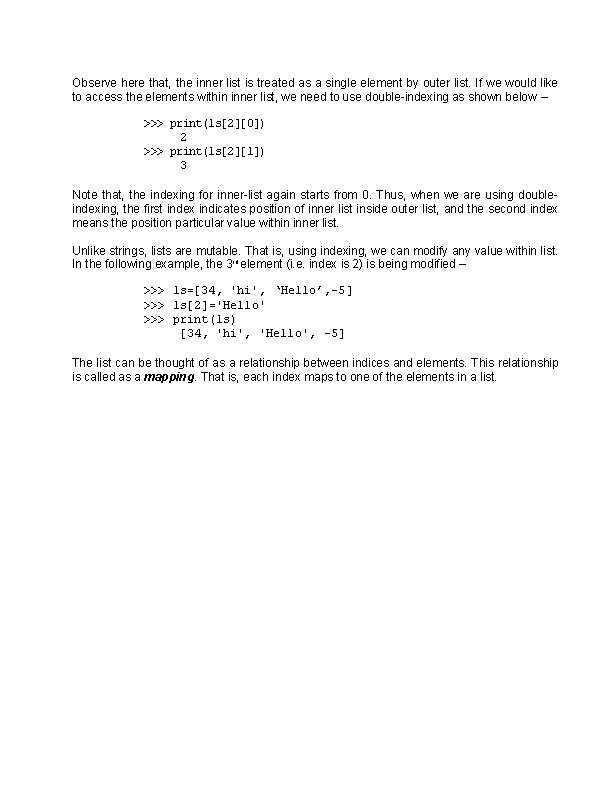
Observe here that, the inner list is treated as a single element by outer list. If we would like to access the elements within inner list, we need to use double-indexing as shown below – >>> print(ls[2][0]) 2 >>> print(ls[2][1]) 3 Note that, the indexing for inner-list again starts from 0. Thus, when we are using doubleindexing, the first index indicates position of inner list inside outer list, and the second index means the position particular value within inner list. Unlike strings, lists are mutable. That is, using indexing, we can modify any value within list. In the following example, the 3 rd element (i. e. index is 2) is being modified – >>> ls=[34, 'hi', ‘Hello’, -5] >>> ls[2]='Hello' >>> print(ls) [34, 'hi', 'Hello', -5] The list can be thought of as a relationship between indices and elements. This relationship is called as a mapping. That is, each index maps to one of the elements in a list.
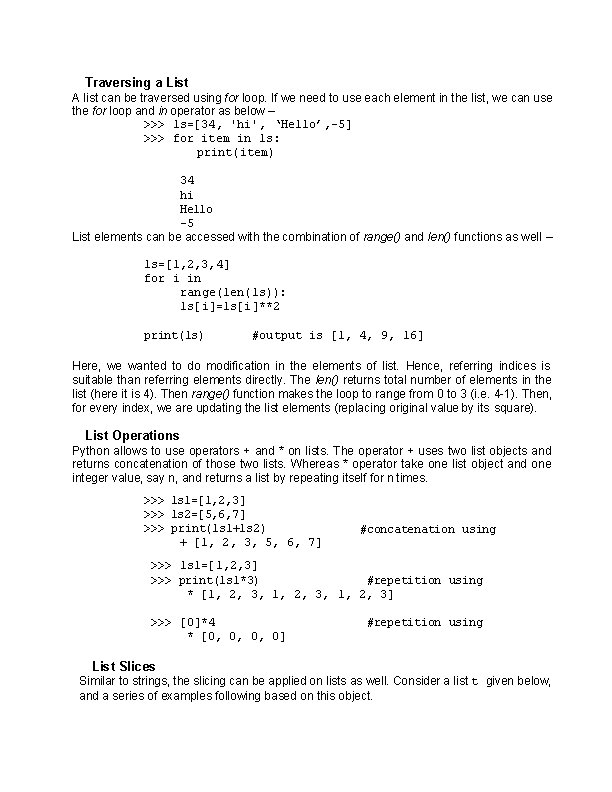
Traversing a List A list can be traversed using for loop. If we need to use each element in the list, we can use the for loop and in operator as below – >>> ls=[34, 'hi', ‘Hello’, -5] >>> for item in ls: print(item) 34 hi Hello -5 List elements can be accessed with the combination of range() and len() functions as well – ls=[1, 2, 3, 4] for i in range(len(ls)): ls[i]=ls[i]**2 print(ls) #output is [1, 4, 9, 16] Here, we wanted to do modification in the elements of list. Hence, referring indices is suitable than referring elements directly. The len() returns total number of elements in the list (here it is 4). Then range() function makes the loop to range from 0 to 3 (i. e. 4 -1). Then, for every index, we are updating the list elements (replacing original value by its square). List Operations Python allows to use operators + and * on lists. The operator + uses two list objects and returns concatenation of those two lists. Whereas * operator take one list object and one integer value, say n, and returns a list by repeating itself for n times. >>> ls 1=[1, 2, 3] >>> ls 2=[5, 6, 7] >>> print(ls 1+ls 2) + [1, 2, 3, 5, 6, 7] #concatenation using >>> ls 1=[1, 2, 3] >>> print(ls 1*3) #repetition using * [1, 2, 3, 1, 2, 3] >>> [0]*4 * [0, 0, 0, 0] #repetition using List Slices Similar to strings, the slicing can be applied on lists as well. Consider a list t given below, and a series of examples following based on this object.
![t=['a', 'b', 'c', 'd', 'e'] Extracting full list without using any index, but only](http://slidetodoc.com/presentation_image_h2/ffd9475a14066124fc7717acfd3e2be6/image-5.jpg "t=['a', 'b', 'c', 'd', 'e'] Extracting full list without using any index, but only")
t=['a', 'b', 'c', 'd', 'e'] Extracting full list without using any index, but only a slicing operator – >>> print(t[: ]) ['a', 'b', 'c', 'd', 'e'] Extracting elements from 2 nd position – >>> print(t[1: ]) ['b', 'c', 'd', 'e'] Extracting first three elements – >>> print(t[: 3]) ['a', 'b', 'c'] Selecting some middle elements – >>> print(t[2: 4]) ['c', 'd'] Using negative indexing – >>> print(t[: -2]) ['a', 'b', 'c'] Reversing a list using negative value for stride – >>> print(t[: : -1]) ['e', 'd', 'c', 'b', 'a'] Modifying (reassignment) only required set of values – >>> t[1: 3]=['p', 'q'] >>> print(t) ['a', 'p', 'q', 'd', 'e'] Thus, slicing can make many tasks simple. List Methods There are several built-in methods in list class for various purposes. Here, we will discuss some of them. append(): This method is used to add a new element at the end of a list. >>> ls=[1, 2, 3] >>> ls. append(‘hi’) >>> ls. append(10) >>> print(ls) [1, 2, 3, ‘hi’, 10]
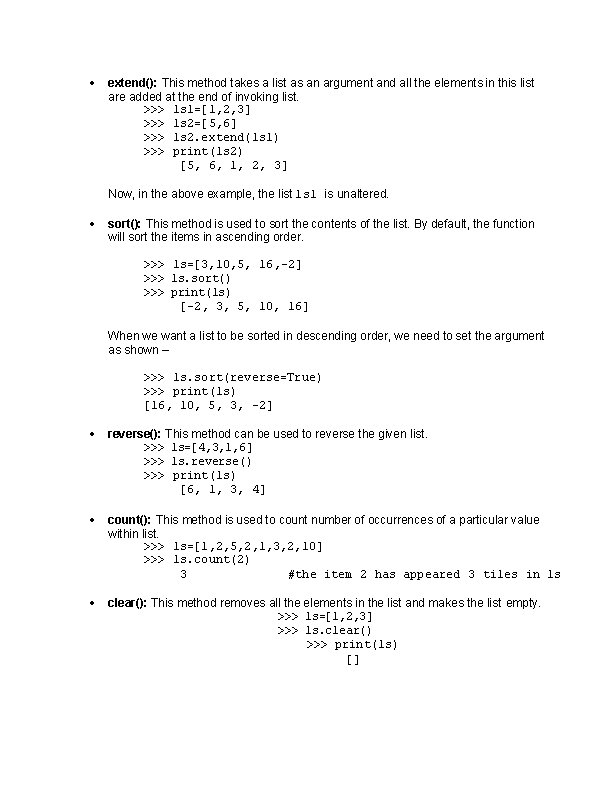
extend(): This method takes a list as an argument and all the elements in this list are added at the end of invoking list. >>> ls 1=[1, 2, 3] >>> ls 2=[5, 6] >>> ls 2. extend(ls 1) >>> print(ls 2) [5, 6, 1, 2, 3] Now, in the above example, the list ls 1 is unaltered. sort(): This method is used to sort the contents of the list. By default, the function will sort the items in ascending order. >>> ls=[3, 10, 5, 16, -2] >>> ls. sort() >>> print(ls) [-2, 3, 5, 10, 16] When we want a list to be sorted in descending order, we need to set the argument as shown – >>> ls. sort(reverse=True) >>> print(ls) [16, 10, 5, 3, -2] reverse(): This method can be used to reverse the given list. >>> ls=[4, 3, 1, 6] >>> ls. reverse() >>> print(ls) [6, 1, 3, 4] count(): This method is used to count number of occurrences of a particular value within list. >>> ls=[1, 2, 5, 2, 1, 3, 2, 10] >>> ls. count(2) 3 #the item 2 has appeared 3 tiles in ls clear(): This method removes all the elements in the list and makes the list empty. >>> ls=[1, 2, 3] >>> ls. clear() >>> print(ls) []
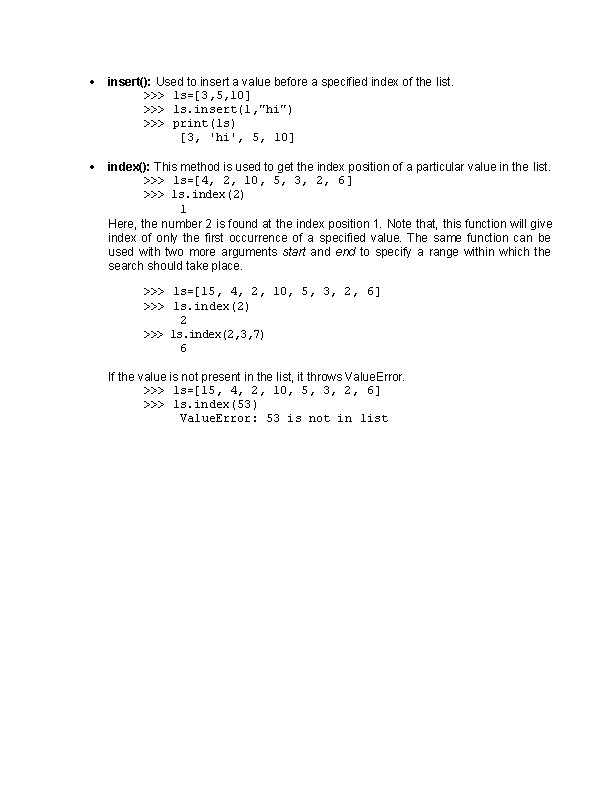
insert(): Used to insert a value before a specified index of the list. >>> ls=[3, 5, 10] >>> ls. insert(1, "hi") >>> print(ls) [3, 'hi', 5, 10] index(): This method is used to get the index position of a particular value in the list. >>> ls=[4, 2, 10, 5, 3, 2, 6] >>> ls. index(2) 1 Here, the number 2 is found at the index position 1. Note that, this function will give index of only the first occurrence of a specified value. The same function can be used with two more arguments start and end to specify a range within which the search should take place. >>> ls=[15, 4, 2, 10, 5, 3, 2, 6] >>> ls. index(2) 2 >>> ls. index(2, 3, 7) 6 If the value is not present in the list, it throws Value. Error. >>> ls=[15, 4, 2, 10, 5, 3, 2, 6] >>> ls. index(53) Value. Error: 53 is not in list
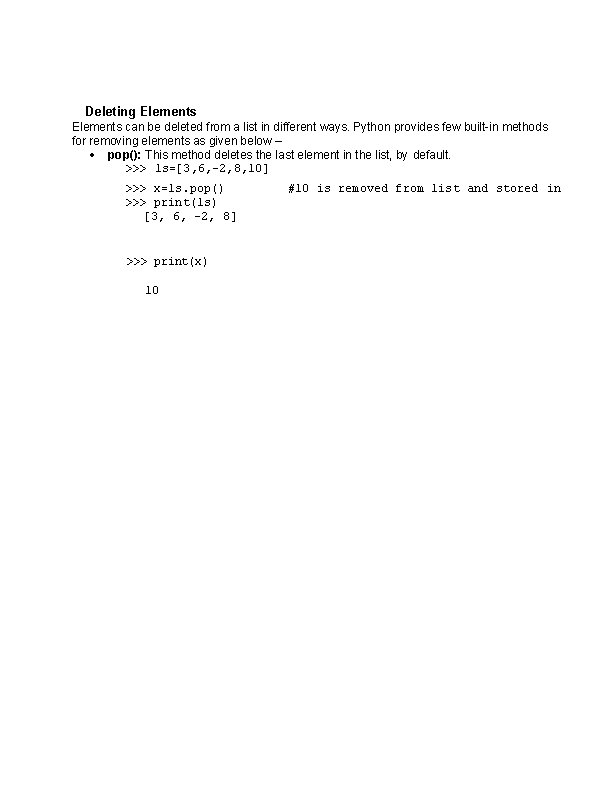
Deleting Elements can be deleted from a list in different ways. Python provides few built-in methods for removing elements as given below – pop(): This method deletes the last element in the list, by default. >>> ls=[3, 6, -2, 8, 10] >>> x=ls. pop() >>> print(ls) [3, 6, -2, 8] >>> print(x) 10 #10 is removed from list and stored in
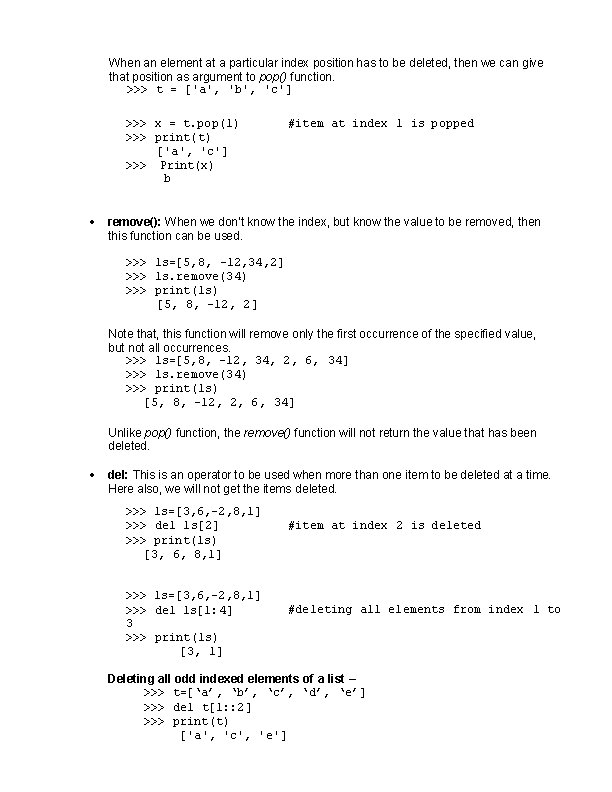
When an element at a particular index position has to be deleted, then we can give that position as argument to pop() function. >>> t = ['a', 'b', 'c'] >>> x = t. pop(1) >>> print(t) ['a', 'c'] >>> Print(x) b #item at index 1 is popped remove(): When we don’t know the index, but know the value to be removed, then this function can be used. >>> ls=[5, 8, -12, 34, 2] >>> ls. remove(34) >>> print(ls) [5, 8, -12, 2] Note that, this function will remove only the first occurrence of the specified value, but not all occurrences. >>> ls=[5, 8, -12, 34, 2, 6, 34] >>> ls. remove(34) >>> print(ls) [5, 8, -12, 2, 6, 34] Unlike pop() function, the remove() function will not return the value that has been deleted. del: This is an operator to be used when more than one item to be deleted at a time. Here also, we will not get the items deleted. >>> ls=[3, 6, -2, 8, 1] >>> del ls[2] >>> print(ls) [3, 6, 8, 1] >>> ls=[3, 6, -2, 8, 1] >>> del ls[1: 4] 3 >>> print(ls) [3, 1] #item at index 2 is deleted #deleting all elements from index 1 to Deleting all odd indexed elements of a list – >>> t=[‘a’, ‘b’, ‘c’, ‘d’, ‘e’] >>> del t[1: : 2] >>> print(t) ['a', 'c', 'e']
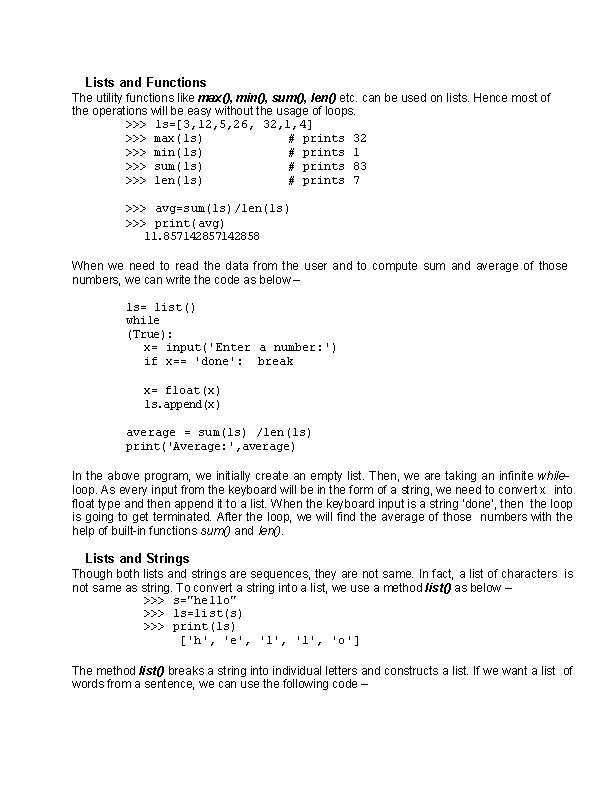
Lists and Functions The utility functions like max(), min(), sum(), len() etc. can be used on lists. Hence most of the operations will be easy without the usage of loops. >>> ls=[3, 12, 5, 26, 32, 1, 4] >>> max(ls) # prints 32 >>> min(ls) # prints 1 >>> sum(ls) # prints 83 >>> len(ls) # prints 7 >>> avg=sum(ls)/len(ls) >>> print(avg) 11. 857142858 When we need to read the data from the user and to compute sum and average of those numbers, we can write the code as below – ls= list() while (True): x= input('Enter a number: ') if x== 'done': break x= float(x) ls. append(x) average = sum(ls) /len(ls) print('Average: ', average) In the above program, we initially create an empty list. Then, we are taking an infinite whileloop. As every input from the keyboard will be in the form of a string, we need to convert x into float type and then append it to a list. When the keyboard input is a string ‘done’, then the loop is going to get terminated. After the loop, we will find the average of those numbers with the help of built-in functions sum() and len(). Lists and Strings Though both lists and strings are sequences, they are not same. In fact, a list of characters is not same as string. To convert a string into a list, we use a method list() as below – >>> s="hello" >>> ls=list(s) >>> print(ls) ['h', 'e', 'l', 'o'] The method list() breaks a string into individual letters and constructs a list. If we want a list of words from a sentence, we can use the following code –
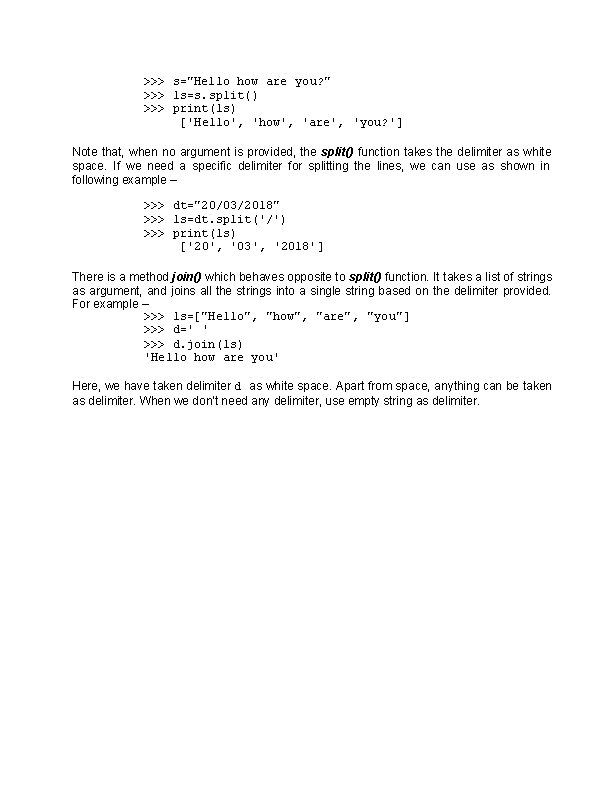
>>> s="Hello how are you? " >>> ls=s. split() >>> print(ls) ['Hello', 'how', 'are', 'you? '] Note that, when no argument is provided, the split() function takes the delimiter as white space. If we need a specific delimiter for splitting the lines, we can use as shown in following example – >>> dt="20/03/2018" >>> ls=dt. split('/') >>> print(ls) ['20', '03', '2018'] There is a method join() which behaves opposite to split() function. It takes a list of strings as argument, and joins all the strings into a single string based on the delimiter provided. For example – >>> ls=["Hello", "how", "are", "you"] >>> d=' ' >>> d. join(ls) 'Hello how are you' Here, we have taken delimiter d as white space. Apart from space, anything can be taken as delimiter. When we don’t need any delimiter, use empty string as delimiter.
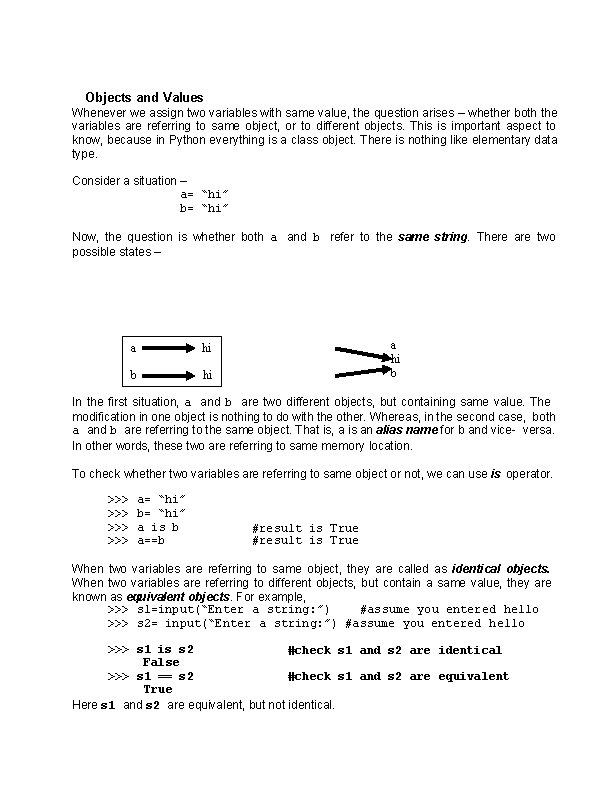
Objects and Values Whenever we assign two variables with same value, the question arises – whether both the variables are referring to same object, or to different objects. This is important aspect to know, because in Python everything is a class object. There is nothing like elementary data type. Consider a situation – a= “hi” b= “hi” Now, the question is whether both a and b refer to the same string. There are two possible states – a hi b hi a hi b In the first situation, a and b are two different objects, but containing same value. The modification in one object is nothing to do with the other. Whereas, in the second case, both a and b are referring to the same object. That is, a is an alias name for b and vice- versa. In other words, these two are referring to same memory location. To check whether two variables are referring to same object or not, we can use is operator. >>> >>> a= “hi” b= “hi” a is b a==b #result is True When two variables are referring to same object, they are called as identical objects. When two variables are referring to different objects, but contain a same value, they are known as equivalent objects. For example, >>> s 1=input(“Enter a string: ”) #assume you entered hello >>> s 2= input(“Enter a string: ”) #assume you entered hello >>> s 1 is s 2 #check s 1 and s 2 are identical False >>> s 1 == s 2 #check s 1 and s 2 are equivalent True Here s 1 and s 2 are equivalent, but not identical.
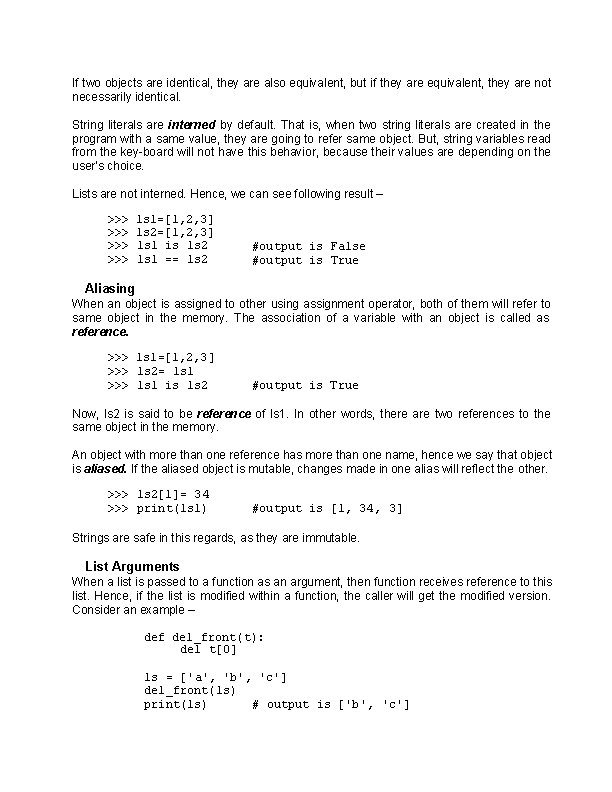
If two objects are identical, they are also equivalent, but if they are equivalent, they are not necessarily identical. String literals are interned by default. That is, when two string literals are created in the program with a same value, they are going to refer same object. But, string variables read from the key-board will not have this behavior, because their values are depending on the user’s choice. Lists are not interned. Hence, we can see following result – >>> >>> ls 1=[1, 2, 3] ls 2=[1, 2, 3] ls 1 is ls 2 ls 1 == ls 2 #output is False #output is True Aliasing When an object is assigned to other using assignment operator, both of them will refer to same object in the memory. The association of a variable with an object is called as reference. >>> ls 1=[1, 2, 3] >>> ls 2= ls 1 >>> ls 1 is ls 2 #output is True Now, ls 2 is said to be reference of ls 1. In other words, there are two references to the same object in the memory. An object with more than one reference has more than one name, hence we say that object is aliased. If the aliased object is mutable, changes made in one alias will reflect the other. >>> ls 2[1]= 34 >>> print(ls 1) #output is [1, 34, 3] Strings are safe in this regards, as they are immutable. List Arguments When a list is passed to a function as an argument, then function receives reference to this list. Hence, if the list is modified within a function, the caller will get the modified version. Consider an example – def del_front(t): del t[0] ls = ['a', 'b', 'c'] del_front(ls) print(ls) # output is ['b', 'c']
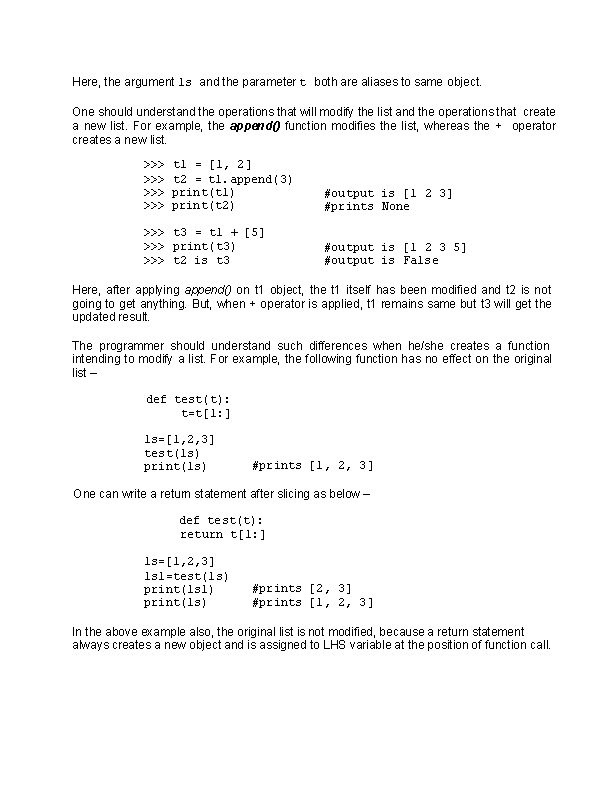
Here, the argument ls and the parameter t both are aliases to same object. One should understand the operations that will modify the list and the operations that create a new list. For example, the append() function modifies the list, whereas the + operator creates a new list. >>> >>> t 1 = [1, 2] t 2 = t 1. append(3) print(t 1) print(t 2) >>> t 3 = t 1 + [5] >>> print(t 3) >>> t 2 is t 3 #output is [1 2 3] #prints None #output is [1 2 3 5] #output is False Here, after applying append() on t 1 object, the t 1 itself has been modified and t 2 is not going to get anything. But, when + operator is applied, t 1 remains same but t 3 will get the updated result. The programmer should understand such differences when he/she creates a function intending to modify a list. For example, the following function has no effect on the original list – def test(t): t=t[1: ] ls=[1, 2, 3] test(ls) print(ls) #prints [1, 2, 3] One can write a return statement after slicing as below – def test(t): return t[1: ] ls=[1, 2, 3] ls 1=test(ls) print(ls 1) print(ls) #prints [2, 3] #prints [1, 2, 3] In the above example also, the original list is not modified, because a return statement always creates a new object and is assigned to LHS variable at the position of function call.
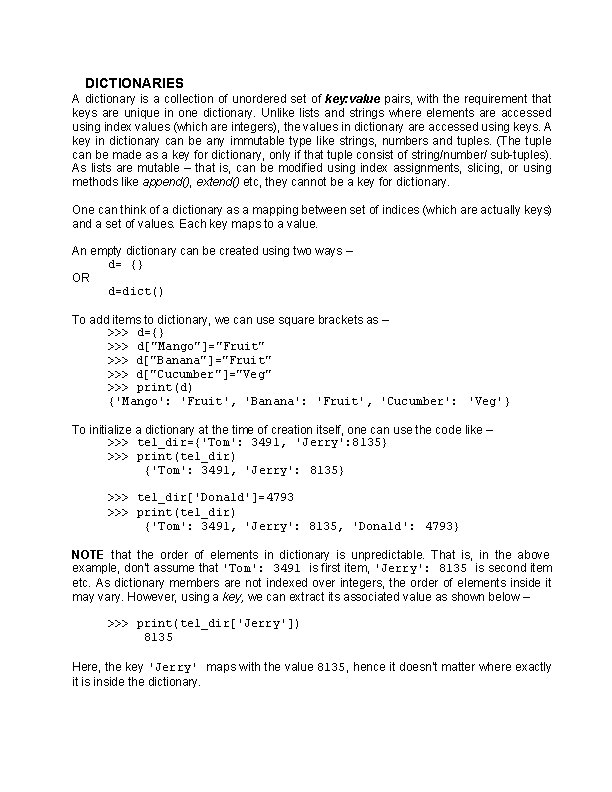
DICTIONARIES A dictionary is a collection of unordered set of key: value pairs, with the requirement that keys are unique in one dictionary. Unlike lists and strings where elements are accessed using index values (which are integers), the values in dictionary are accessed using keys. A key in dictionary can be any immutable type like strings, numbers and tuples. (The tuple can be made as a key for dictionary, only if that tuple consist of string/number/ sub-tuples). As lists are mutable – that is, can be modified using index assignments, slicing, or using methods like append(), extend() etc, they cannot be a key for dictionary. One can think of a dictionary as a mapping between set of indices (which are actually keys) and a set of values. Each key maps to a value. An empty dictionary can be created using two ways – d= {} OR d=dict() To add items to dictionary, we can use square brackets as – >>> d={} >>> d["Mango"]="Fruit" >>> d["Banana"]="Fruit" >>> d["Cucumber"]="Veg" >>> print(d) {'Mango': 'Fruit', 'Banana': 'Fruit', 'Cucumber': 'Veg'} To initialize a dictionary at the time of creation itself, one can use the code like – >>> tel_dir={'Tom': 3491, 'Jerry': 8135} >>> print(tel_dir) {'Tom': 3491, 'Jerry': 8135} >>> tel_dir['Donald']=4793 >>> print(tel_dir) {'Tom': 3491, 'Jerry': 8135, 'Donald': 4793} NOTE that the order of elements in dictionary is unpredictable. That is, in the above example, don’t assume that 'Tom': 3491 is first item, 'Jerry': 8135 is second item etc. As dictionary members are not indexed over integers, the order of elements inside it may vary. However, using a key, we can extract its associated value as shown below – >>> print(tel_dir['Jerry']) 8135 Here, the key 'Jerry' maps with the value 8135, hence it doesn’t matter where exactly it is inside the dictionary.
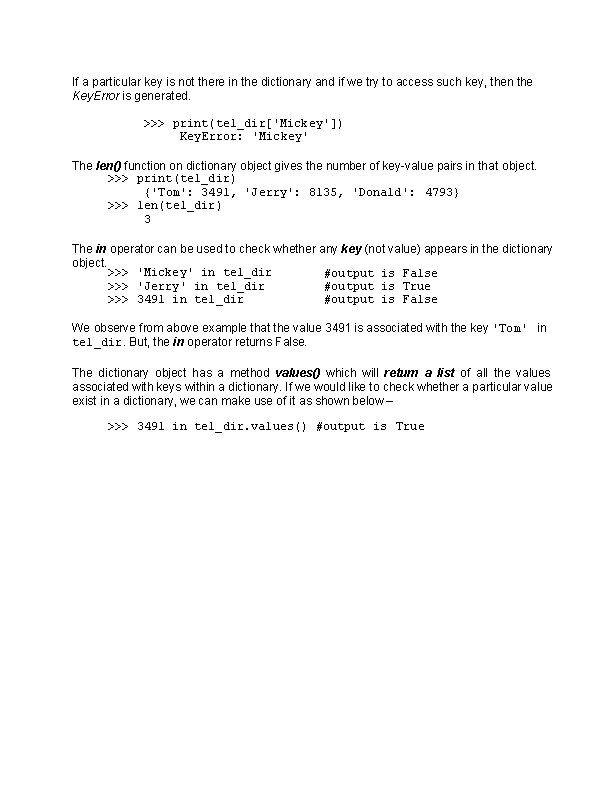
If a particular key is not there in the dictionary and if we try to access such key, then the Key. Error is generated. >>> print(tel_dir['Mickey']) Key. Error: 'Mickey' The len() function on dictionary object gives the number of key-value pairs in that object. >>> print(tel_dir) {'Tom': 3491, 'Jerry': 8135, 'Donald': 4793} >>> len(tel_dir) 3 The in operator can be used to check whether any key (not value) appears in the dictionary object. >>> 'Mickey' in tel_dir #output is False >>> 'Jerry' in tel_dir #output is True >>> 3491 in tel_dir #output is False We observe from above example that the value 3491 is associated with the key 'Tom' in tel_dir. But, the in operator returns False. The dictionary object has a method values() which will return a list of all the values associated with keys within a dictionary. If we would like to check whether a particular value exist in a dictionary, we can make use of it as shown below – >>> 3491 in tel_dir. values() #output is True
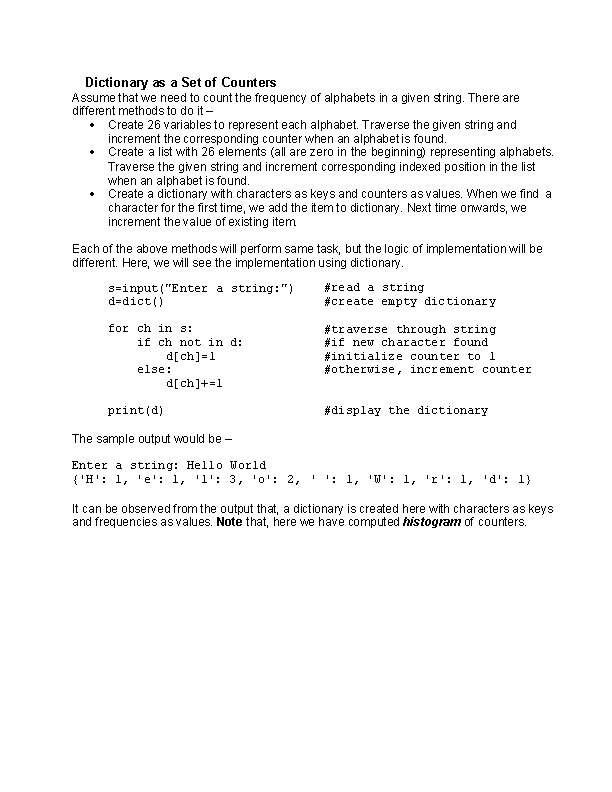
Dictionary as a Set of Counters Assume that we need to count the frequency of alphabets in a given string. There are different methods to do it – Create 26 variables to represent each alphabet. Traverse the given string and increment the corresponding counter when an alphabet is found. Create a list with 26 elements (all are zero in the beginning) representing alphabets. Traverse the given string and increment corresponding indexed position in the list when an alphabet is found. Create a dictionary with characters as keys and counters as values. When we find a character for the first time, we add the item to dictionary. Next time onwards, we increment the value of existing item. Each of the above methods will perform same task, but the logic of implementation will be different. Here, we will see the implementation using dictionary. s=input("Enter a string: ") d=dict() #read a string #create empty dictionary for ch in s: if ch not in d: d[ch]=1 else: d[ch]+=1 #traverse through string #if new character found #initialize counter to 1 #otherwise, increment counter print(d) #display the dictionary The sample output would be – Enter a string: Hello World {'H': 1, 'e': 1, 'l': 3, 'o': 2, ' ': 1, 'W': 1, 'r': 1, 'd': 1} It can be observed from the output that, a dictionary is created here with characters as keys and frequencies as values. Note that, here we have computed histogram of counters.
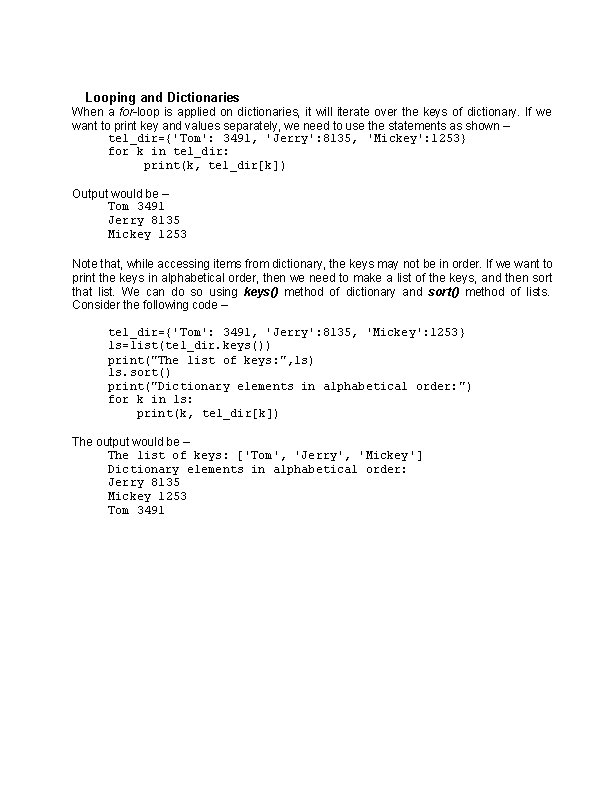
Looping and Dictionaries When a for-loop is applied on dictionaries, it will iterate over the keys of dictionary. If we want to print key and values separately, we need to use the statements as shown – tel_dir={'Tom': 3491, 'Jerry': 8135, 'Mickey': 1253} for k in tel_dir: print(k, tel_dir[k]) Output would be – Tom 3491 Jerry 8135 Mickey 1253 Note that, while accessing items from dictionary, the keys may not be in order. If we want to print the keys in alphabetical order, then we need to make a list of the keys, and then sort that list. We can do so using keys() method of dictionary and sort() method of lists. Consider the following code – tel_dir={'Tom': 3491, 'Jerry': 8135, 'Mickey': 1253} ls=list(tel_dir. keys()) print("The list of keys: ", ls) ls. sort() print("Dictionary elements in alphabetical order: ") for k in ls: print(k, tel_dir[k]) The output would be – The list of keys: ['Tom', 'Jerry', 'Mickey'] Dictionary elements in alphabetical order: Jerry 8135 Mickey 1253 Tom 3491
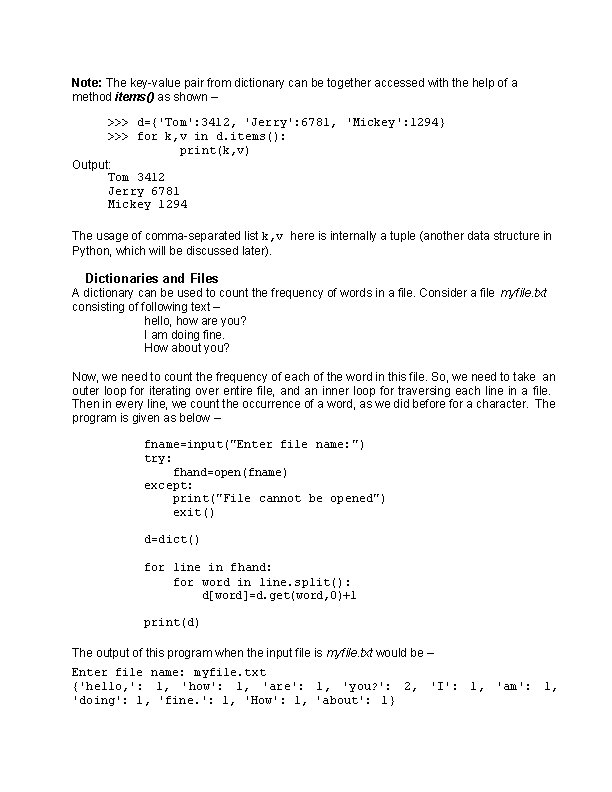
Note: The key-value pair from dictionary can be together accessed with the help of a method items() as shown – >>> d={'Tom': 3412, 'Jerry': 6781, 'Mickey': 1294} >>> for k, v in d. items(): print(k, v) Output: Tom 3412 Jerry 6781 Mickey 1294 The usage of comma-separated list k, v here is internally a tuple (another data structure in Python, which will be discussed later). Dictionaries and Files A dictionary can be used to count the frequency of words in a file. Consider a file myfile. txt consisting of following text – hello, how are you? I am doing fine. How about you? Now, we need to count the frequency of each of the word in this file. So, we need to take an outer loop for iterating over entire file, and an inner loop for traversing each line in a file. Then in every line, we count the occurrence of a word, as we did before for a character. The program is given as below – fname=input("Enter file name: ") try: fhand=open(fname) except: print("File cannot be opened") exit() d=dict() for line in fhand: for word in line. split(): d[word]=d. get(word, 0)+1 print(d) The output of this program when the input file is myfile. txt would be – Enter file name: myfile. txt {'hello, ': 1, 'how': 1, 'are': 1, 'you? ': 2, 'I': 1, 'am': 1, 'doing': 1, 'fine. ': 1, 'How': 1, 'about': 1}
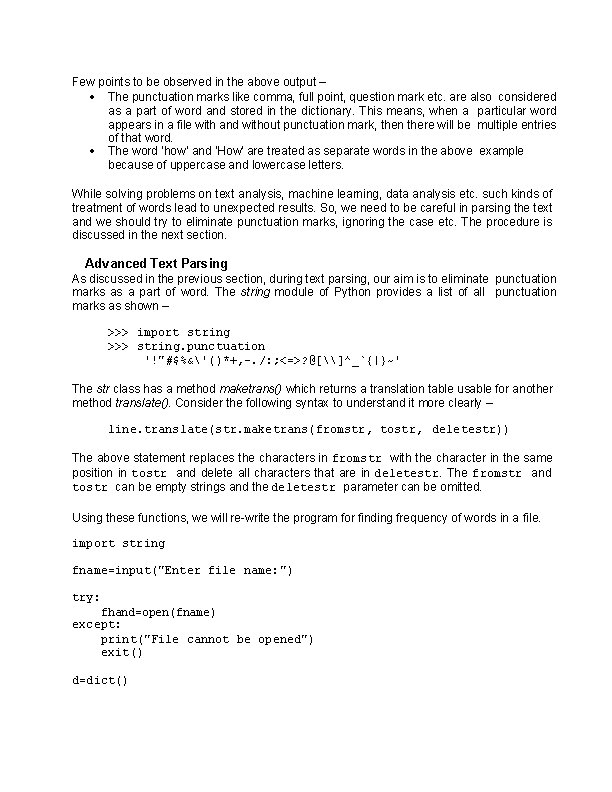
Few points to be observed in the above output – The punctuation marks like comma, full point, question mark etc. are also considered as a part of word and stored in the dictionary. This means, when a particular word appears in a file with and without punctuation mark, then there will be multiple entries of that word. The word ‘how’ and ‘How’ are treated as separate words in the above example because of uppercase and lowercase letters. While solving problems on text analysis, machine learning, data analysis etc. such kinds of treatment of words lead to unexpected results. So, we need to be careful in parsing the text and we should try to eliminate punctuation marks, ignoring the case etc. The procedure is discussed in the next section. Advanced Text Parsing As discussed in the previous section, during text parsing, our aim is to eliminate punctuation marks as a part of word. The string module of Python provides a list of all punctuation marks as shown – >>> import string >>> string. punctuation '!"#$%&'()*+, -. /: ; <=>? @[\]^_`{|}~' The str class has a method maketrans() which returns a translation table usable for another method translate(). Consider the following syntax to understand it more clearly – line. translate(str. maketrans(fromstr, tostr, deletestr)) The above statement replaces the characters in fromstr with the character in the same position in tostr and delete all characters that are in deletestr. The fromstr and tostr can be empty strings and the deletestr parameter can be omitted. Using these functions, we will re-write the program for finding frequency of words in a file. import string fname=input("Enter file name: ") try: fhand=open(fname) except: print("File cannot be opened") exit() d=dict()
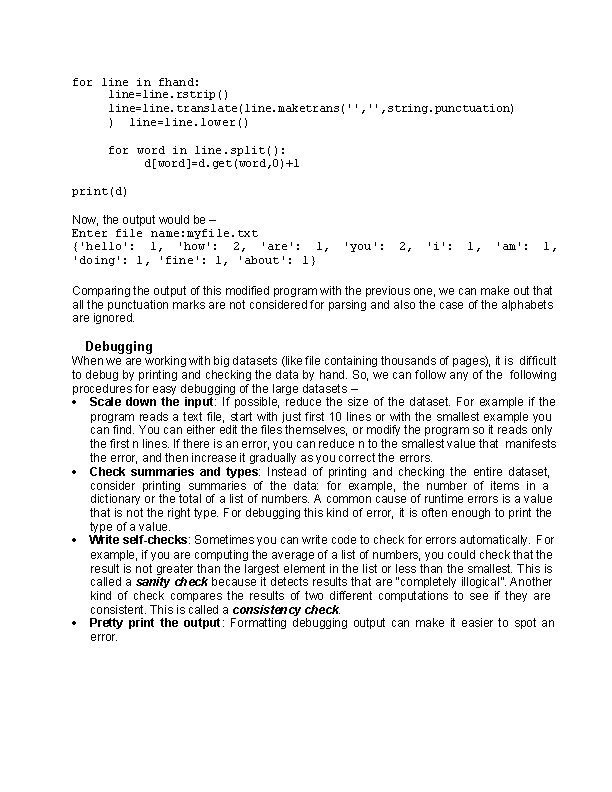
for line in fhand: line=line. rstrip() line=line. translate(line. maketrans('', string. punctuation) ) line=line. lower() for word in line. split(): d[word]=d. get(word, 0)+1 print(d) Now, the output would be – Enter file name: myfile. txt {'hello': 1, 'how': 2, 'are': 1, 'doing': 1, 'fine': 1, 'about': 1} 'you': 2, 'i': 1, 'am': 1, Comparing the output of this modified program with the previous one, we can make out that all the punctuation marks are not considered for parsing and also the case of the alphabets are ignored. Debugging When we are working with big datasets (like file containing thousands of pages), it is difficult to debug by printing and checking the data by hand. So, we can follow any of the following procedures for easy debugging of the large datasets – Scale down the input: If possible, reduce the size of the dataset. For example if the program reads a text file, start with just first 10 lines or with the smallest example you can find. You can either edit the files themselves, or modify the program so it reads only the first n lines. If there is an error, you can reduce n to the smallest value that manifests the error, and then increase it gradually as you correct the errors. Check summaries and types: Instead of printing and checking the entire dataset, consider printing summaries of the data: for example, the number of items in a dictionary or the total of a list of numbers. A common cause of runtime errors is a value that is not the right type. For debugging this kind of error, it is often enough to print the type of a value. Write self-checks: Sometimes you can write code to check for errors automatically. For example, if you are computing the average of a list of numbers, you could check that the result is not greater than the largest element in the list or less than the smallest. This is called a sanity check because it detects results that are “completely illogical”. Another kind of check compares the results of two different computations to see if they are consistent. This is called a consistency check. Pretty print the output: Formatting debugging output can make it easier to spot an error.
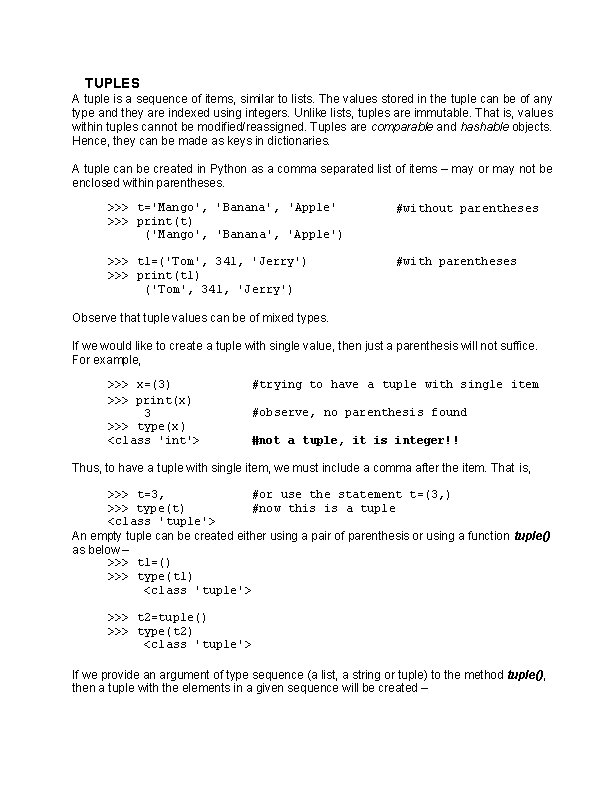
TUPLES A tuple is a sequence of items, similar to lists. The values stored in the tuple can be of any type and they are indexed using integers. Unlike lists, tuples are immutable. That is, values within tuples cannot be modified/reassigned. Tuples are comparable and hashable objects. Hence, they can be made as keys in dictionaries. A tuple can be created in Python as a comma separated list of items – may or may not be enclosed within parentheses. >>> t='Mango', 'Banana', 'Apple' >>> print(t) ('Mango', 'Banana', 'Apple') #without parentheses >>> t 1=('Tom', 341, 'Jerry') >>> print(t 1) ('Tom', 341, 'Jerry') #with parentheses Observe that tuple values can be of mixed types. If we would like to create a tuple with single value, then just a parenthesis will not suffice. For example, >>> x=(3) >>> print(x) 3 >>> type(x) <class 'int'> #trying to have a tuple with single item #observe, no parenthesis found #not a tuple, it is integer!! Thus, to have a tuple with single item, we must include a comma after the item. That is, #or use the statement t=(3, ) >>> t=3, #now this is a tuple >>> type(t) <class 'tuple'> An empty tuple can be created either using a pair of parenthesis or using a function tuple() as below – >>> t 1=() >>> type(t 1) <class 'tuple'> >>> t 2=tuple() >>> type(t 2) <class 'tuple'> If we provide an argument of type sequence (a list, a string or tuple) to the method tuple(), then a tuple with the elements in a given sequence will be created –
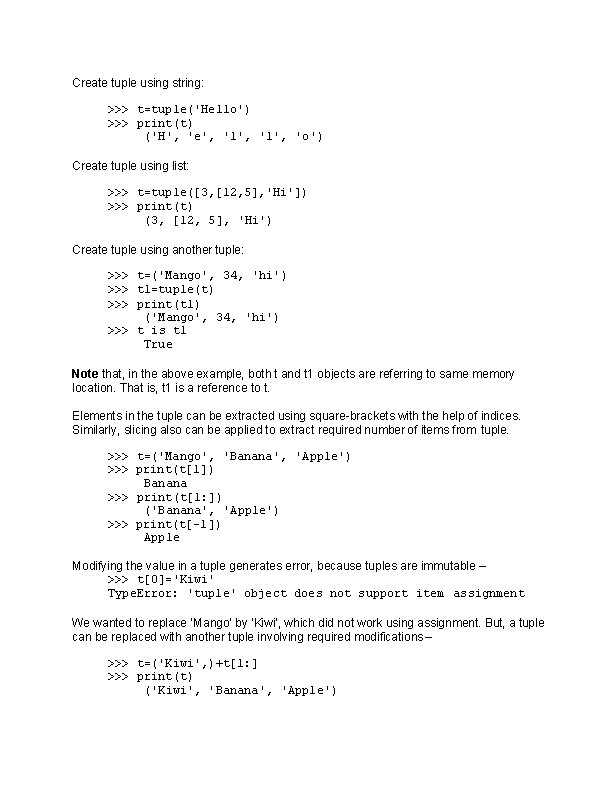
Create tuple using string: >>> t=tuple('Hello') >>> print(t) ('H', 'e', 'l', 'o') Create tuple using list: >>> t=tuple([3, [12, 5], 'Hi']) >>> print(t) (3, [12, 5], 'Hi') Create tuple using another tuple: >>> t=('Mango', 34, 'hi') >>> t 1=tuple(t) >>> print(t 1) ('Mango', 34, 'hi') >>> t is t 1 True Note that, in the above example, both t and t 1 objects are referring to same memory location. That is, t 1 is a reference to t. Elements in the tuple can be extracted using square-brackets with the help of indices. Similarly, slicing also can be applied to extract required number of items from tuple. >>> t=('Mango', 'Banana', 'Apple') >>> print(t[1]) Banana >>> print(t[1: ]) ('Banana', 'Apple') >>> print(t[-1]) Apple Modifying the value in a tuple generates error, because tuples are immutable – >>> t[0]='Kiwi' Type. Error: 'tuple' object does not support item assignment We wanted to replace ‘Mango’ by ‘Kiwi’, which did not work using assignment. But, a tuple can be replaced with another tuple involving required modifications – >>> t=('Kiwi', )+t[1: ] >>> print(t) ('Kiwi', 'Banana', 'Apple')
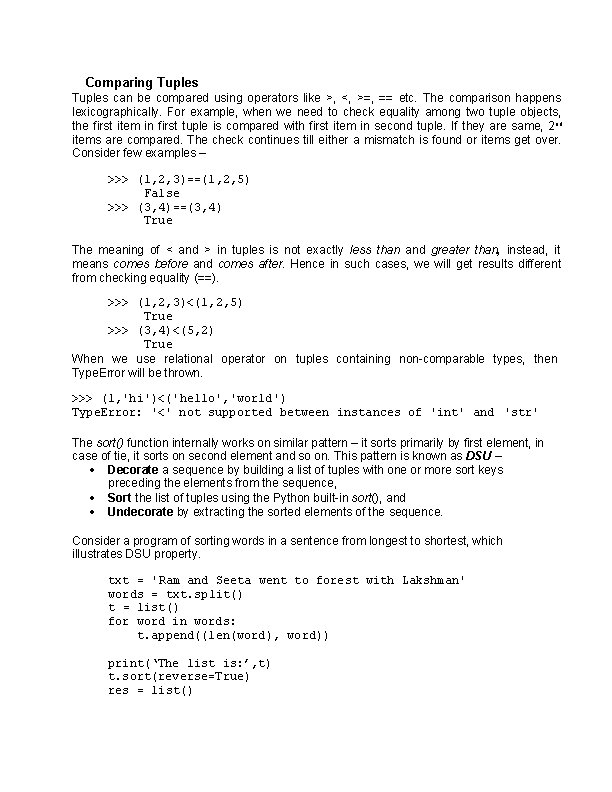
Comparing Tuples can be compared using operators like >, <, >=, == etc. The comparison happens lexicographically. For example, when we need to check equality among two tuple objects, the first item in first tuple is compared with first item in second tuple. If they are same, 2 nd items are compared. The check continues till either a mismatch is found or items get over. Consider few examples – >>> (1, 2, 3)==(1, 2, 5) False >>> (3, 4)==(3, 4) True The meaning of < and > in tuples is not exactly less than and greater than, instead, it means comes before and comes after. Hence in such cases, we will get results different from checking equality (==). >>> (1, 2, 3)<(1, 2, 5) True >>> (3, 4)<(5, 2) True When we use relational operator on tuples containing non-comparable types, then Type. Error will be thrown. >>> (1, 'hi')<('hello', 'world') Type. Error: '<' not supported between instances of 'int' and 'str' The sort() function internally works on similar pattern – it sorts primarily by first element, in case of tie, it sorts on second element and so on. This pattern is known as DSU – Decorate a sequence by building a list of tuples with one or more sort keys preceding the elements from the sequence, Sort the list of tuples using the Python built-in sort(), and Undecorate by extracting the sorted elements of the sequence. Consider a program of sorting words in a sentence from longest to shortest, which illustrates DSU property. txt = 'Ram and Seeta went to forest with Lakshman' words = txt. split() t = list() for word in words: t. append((len(word), word)) print(‘The list is: ’, t) t. sort(reverse=True) res = list()
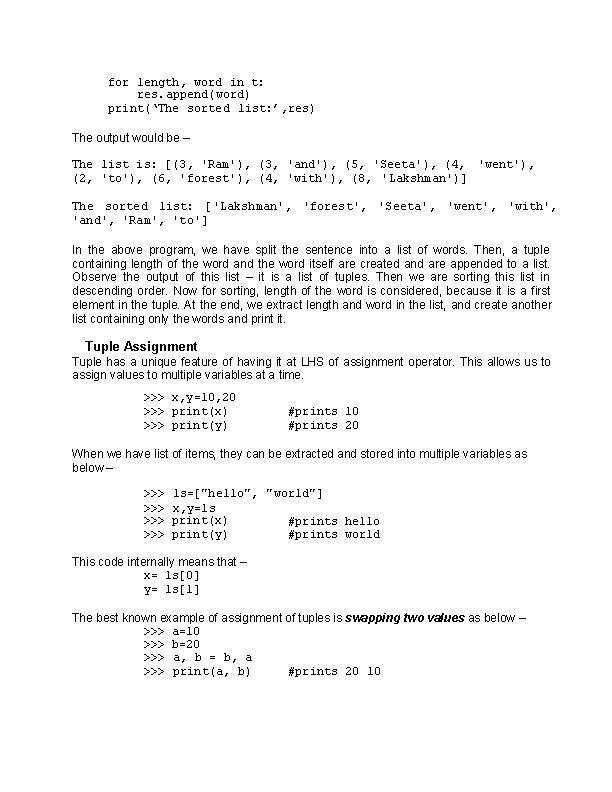
for length, word in t: res. append(word) print(‘The sorted list: ’, res) The output would be – The list is: [(3, 'Ram'), (3, 'and'), (5, 'Seeta'), (4, 'went'), (2, 'to'), (6, 'forest'), (4, 'with'), (8, 'Lakshman')] The sorted list: ['Lakshman', 'forest', 'Seeta', 'went', 'with', 'and', 'Ram', 'to'] In the above program, we have split the sentence into a list of words. Then, a tuple containing length of the word and the word itself are created and are appended to a list. Observe the output of this list – it is a list of tuples. Then we are sorting this list in descending order. Now for sorting, length of the word is considered, because it is a first element in the tuple. At the end, we extract length and word in the list, and create another list containing only the words and print it. Tuple Assignment Tuple has a unique feature of having it at LHS of assignment operator. This allows us to assign values to multiple variables at a time. >>> x, y=10, 20 >>> print(x) >>> print(y) #prints 10 #prints 20 When we have list of items, they can be extracted and stored into multiple variables as below – >>> >>> ls=["hello", "world"] x, y=ls print(x) #prints hello print(y) #prints world This code internally means that – x= ls[0] y= ls[1] The best known example of assignment of tuples is swapping two values as below – >>> a=10 >>> b=20 >>> a, b = b, a >>> print(a, b) #prints 20 10
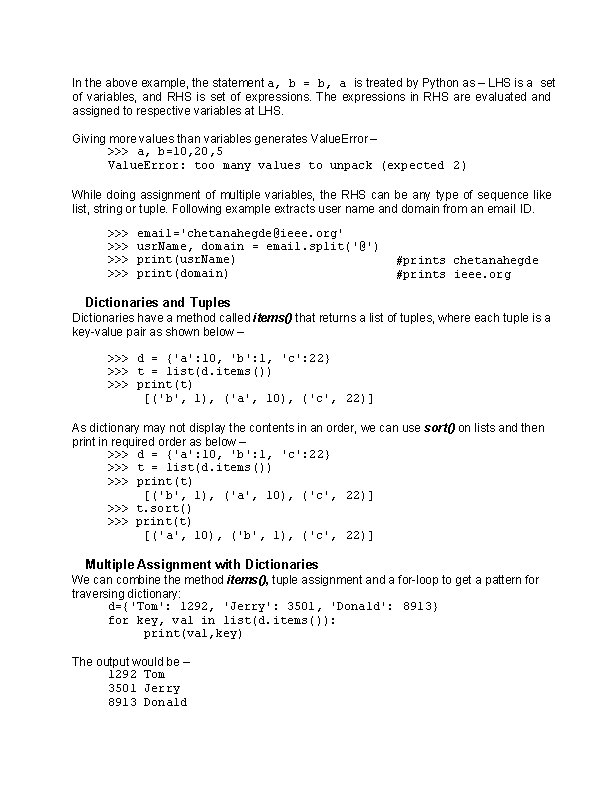
In the above example, the statement a, b = b, a is treated by Python as – LHS is a set of variables, and RHS is set of expressions. The expressions in RHS are evaluated and assigned to respective variables at LHS. Giving more values than variables generates Value. Error – >>> a, b=10, 20, 5 Value. Error: too many values to unpack (expected 2) While doing assignment of multiple variables, the RHS can be any type of sequence like list, string or tuple. Following example extracts user name and domain from an email ID. >>> >>> email='chetanahegde@ieee. org' usr. Name, domain = email. split('@') print(usr. Name) print(domain) #prints chetanahegde #prints ieee. org Dictionaries and Tuples Dictionaries have a method called items() that returns a list of tuples, where each tuple is a key-value pair as shown below – >>> d = {'a': 10, 'b': 1, 'c': 22} >>> t = list(d. items()) >>> print(t) [('b', 1), ('a', 10), ('c', 22)] As dictionary may not display the contents in an order, we can use sort() on lists and then print in required order as below – >>> d = {'a': 10, 'b': 1, 'c': 22} >>> t = list(d. items()) >>> print(t) [('b', 1), ('a', 10), ('c', 22)] >>> t. sort() >>> print(t) [('a', 10), ('b', 1), ('c', 22)] Multiple Assignment with Dictionaries We can combine the method items(), tuple assignment and a for-loop to get a pattern for traversing dictionary: d={'Tom': 1292, 'Jerry': 3501, 'Donald': 8913} for key, val in list(d. items()): print(val, key) The output would be – 1292 Tom 3501 Jerry 8913 Donald
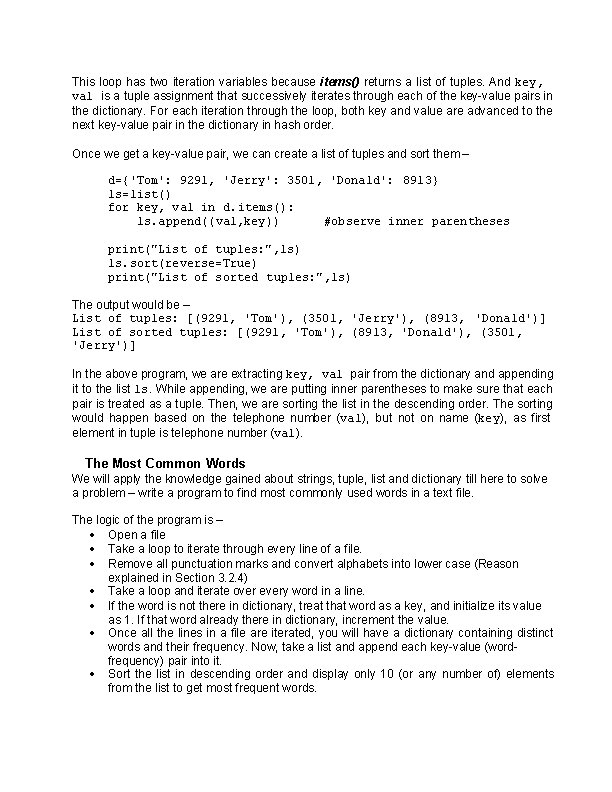
This loop has two iteration variables because items() returns a list of tuples. And key, val is a tuple assignment that successively iterates through each of the key-value pairs in the dictionary. For each iteration through the loop, both key and value are advanced to the next key-value pair in the dictionary in hash order. Once we get a key-value pair, we can create a list of tuples and sort them – d={'Tom': 9291, 'Jerry': 3501, 'Donald': 8913} ls=list() for key, val in d. items(): ls. append((val, key)) #observe inner parentheses print("List of tuples: ", ls) ls. sort(reverse=True) print("List of sorted tuples: ", ls) The output would be – List of tuples: [(9291, 'Tom'), (3501, 'Jerry'), (8913, 'Donald')] List of sorted tuples: [(9291, 'Tom'), (8913, 'Donald'), (3501, 'Jerry')] In the above program, we are extracting key, val pair from the dictionary and appending it to the list ls. While appending, we are putting inner parentheses to make sure that each pair is treated as a tuple. Then, we are sorting the list in the descending order. The sorting would happen based on the telephone number (val), but not on name (key), as first element in tuple is telephone number (val). The Most Common Words We will apply the knowledge gained about strings, tuple, list and dictionary till here to solve a problem – write a program to find most commonly used words in a text file. The logic of the program is – Open a file Take a loop to iterate through every line of a file. Remove all punctuation marks and convert alphabets into lower case (Reason explained in Section 3. 2. 4) Take a loop and iterate over every word in a line. If the word is not there in dictionary, treat that word as a key, and initialize its value as 1. If that word already there in dictionary, increment the value. Once all the lines in a file are iterated, you will have a dictionary containing distinct words and their frequency. Now, take a list and append each key-value (wordfrequency) pair into it. Sort the list in descending order and display only 10 (or any number of) elements from the list to get most frequent words.
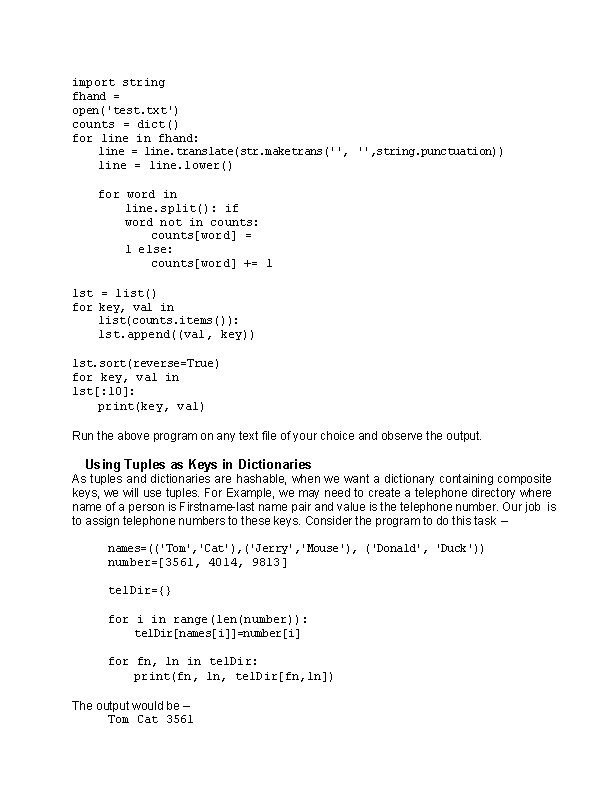
import string fhand = open('test. txt') counts = dict() for line in fhand: line = line. translate(str. maketrans('', string. punctuation)) line = line. lower() for word in line. split(): if word not in counts: counts[word] = 1 else: counts[word] += 1 lst = list() for key, val in list(counts. items()): lst. append((val, key)) lst. sort(reverse=True) for key, val in lst[: 10]: print(key, val) Run the above program on any text file of your choice and observe the output. Using Tuples as Keys in Dictionaries As tuples and dictionaries are hashable, when we want a dictionary containing composite keys, we will use tuples. For Example, we may need to create a telephone directory where name of a person is Firstname-last name pair and value is the telephone number. Our job is to assign telephone numbers to these keys. Consider the program to do this task – names=(('Tom', 'Cat'), ('Jerry', 'Mouse'), ('Donald', 'Duck')) number=[3561, 4014, 9813] tel. Dir={} for i in range(len(number)): tel. Dir[names[i]]=number[i] for fn, ln in tel. Dir: print(fn, ln, tel. Dir[fn, ln]) The output would be – Tom Cat 3561

Jerry Mouse 4014 Donald Duck 9813
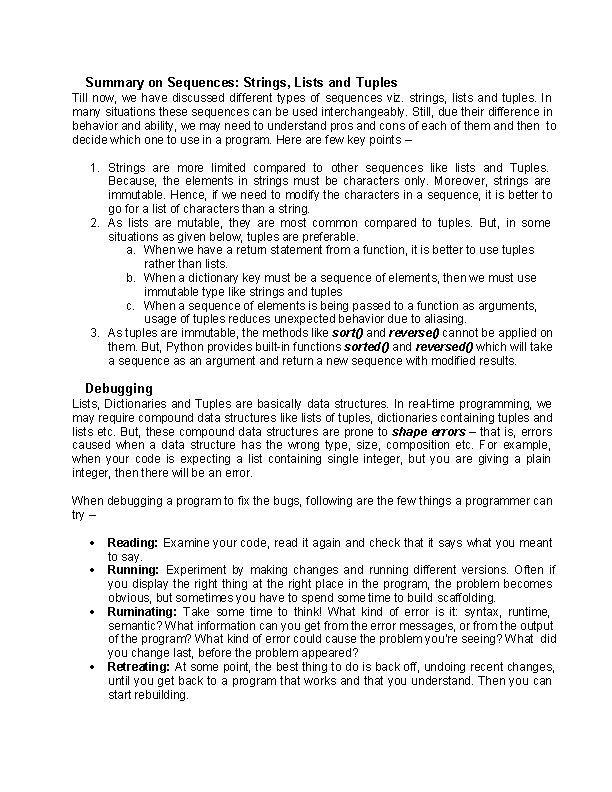
Summary on Sequences: Strings, Lists and Tuples Till now, we have discussed different types of sequences viz. strings, lists and tuples. In many situations these sequences can be used interchangeably. Still, due their difference in behavior and ability, we may need to understand pros and cons of each of them and then to decide which one to use in a program. Here are few key points – 1. Strings are more limited compared to other sequences like lists and Tuples. Because, the elements in strings must be characters only. Moreover, strings are immutable. Hence, if we need to modify the characters in a sequence, it is better to go for a list of characters than a string. 2. As lists are mutable, they are most common compared to tuples. But, in some situations as given below, tuples are preferable. a. When we have a return statement from a function, it is better to use tuples rather than lists. b. When a dictionary key must be a sequence of elements, then we must use immutable type like strings and tuples c. When a sequence of elements is being passed to a function as arguments, usage of tuples reduces unexpected behavior due to aliasing. 3. As tuples are immutable, the methods like sort() and reverse() cannot be applied on them. But, Python provides built-in functions sorted() and reversed() which will take a sequence as an argument and return a new sequence with modified results. Debugging Lists, Dictionaries and Tuples are basically data structures. In real-time programming, we may require compound data structures like lists of tuples, dictionaries containing tuples and lists etc. But, these compound data structures are prone to shape errors – that is, errors caused when a data structure has the wrong type, size, composition etc. For example, when your code is expecting a list containing single integer, but you are giving a plain integer, then there will be an error. When debugging a program to fix the bugs, following are the few things a programmer can try – Reading: Examine your code, read it again and check that it says what you meant to say. Running: Experiment by making changes and running different versions. Often if you display the right thing at the right place in the program, the problem becomes obvious, but sometimes you have to spend some time to build scaffolding. Ruminating: Take some time to think! What kind of error is it: syntax, runtime, semantic? What information can you get from the error messages, or from the output of the program? What kind of error could cause the problem you’re seeing? What did you change last, before the problem appeared? Retreating: At some point, the best thing to do is back off, undoing recent changes, until you get back to a program that works and that you understand. Then you can start rebuilding.

Department of Computer Science and Engineering Subject: Python Application Programming (15/17 CS 664) MODULE III Tuples Presented By, Prof. Nagaraj Mahajan Asst. Professor Dept. Of CSE, VNEC Shorapur.
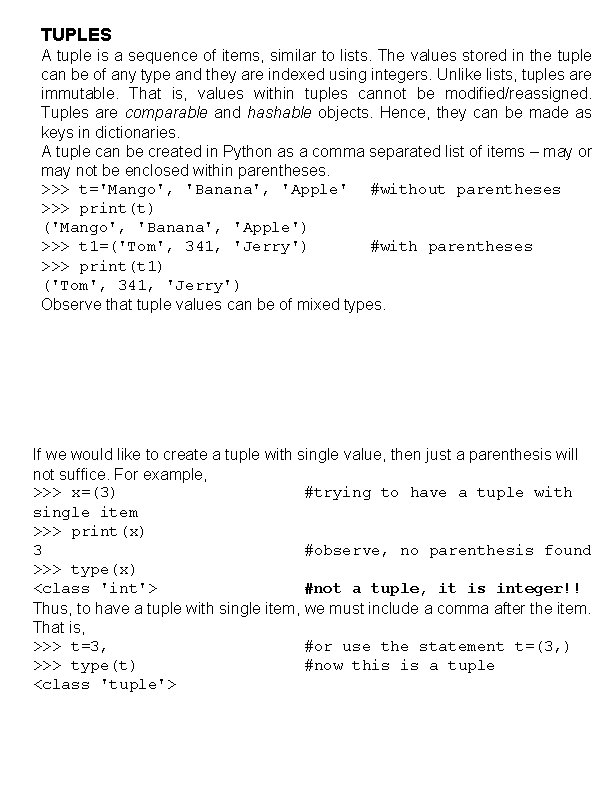
TUPLES A tuple is a sequence of items, similar to lists. The values stored in the tuple can be of any type and they are indexed using integers. Unlike lists, tuples are immutable. That is, values within tuples cannot be modified/reassigned. Tuples are comparable and hashable objects. Hence, they can be made as keys in dictionaries. A tuple can be created in Python as a comma separated list of items – may or may not be enclosed within parentheses. >>> t='Mango', 'Banana', 'Apple' #without parentheses >>> print(t) ('Mango', 'Banana', 'Apple') >>> t 1=('Tom', 341, 'Jerry') #with parentheses >>> print(t 1) ('Tom', 341, 'Jerry') Observe that tuple values can be of mixed types. If we would like to create a tuple with single value, then just a parenthesis will not suffice. For example, >>> x=(3) #trying to have a tuple with single item >>> print(x) 3 #observe, no parenthesis found >>> type(x) <class 'int'> #not a tuple, it is integer!! Thus, to have a tuple with single item, we must include a comma after the item. That is, >>> t=3, #or use the statement t=(3, ) >>> type(t) #now this is a tuple <class 'tuple'>
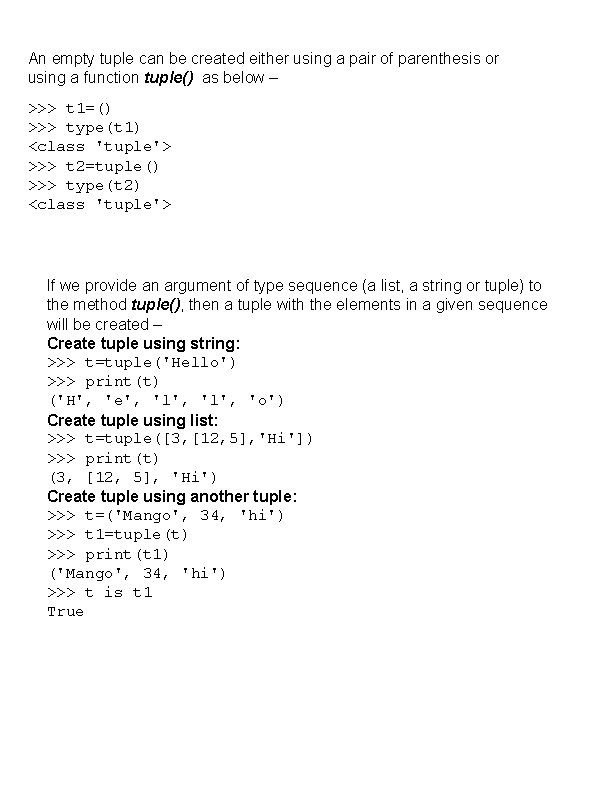
An empty tuple can be created either using a pair of parenthesis or using a function tuple() as below – >>> t 1=() >>> type(t 1) <class 'tuple'> >>> t 2=tuple() >>> type(t 2) <class 'tuple'> If we provide an argument of type sequence (a list, a string or tuple) to the method tuple(), then a tuple with the elements in a given sequence will be created – Create tuple using string: >>> t=tuple('Hello') >>> print(t) ('H', 'e', 'l', 'o') Create tuple using list: >>> t=tuple([3, [12, 5], 'Hi']) >>> print(t) (3, [12, 5], 'Hi') Create tuple using another tuple: >>> t=('Mango', 34, 'hi') >>> t 1=tuple(t) >>> print(t 1) ('Mango', 34, 'hi') >>> t is t 1 True
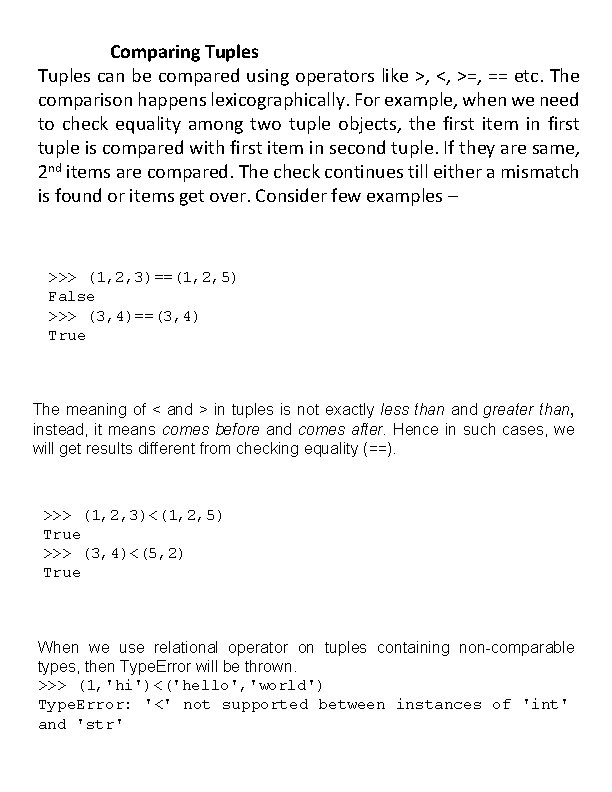
Comparing Tuples can be compared using operators like >, <, >=, == etc. The comparison happens lexicographically. For example, when we need to check equality among two tuple objects, the first item in first tuple is compared with first item in second tuple. If they are same, 2 nd items are compared. The check continues till either a mismatch is found or items get over. Consider few examples – >>> (1, 2, 3)==(1, 2, 5) False >>> (3, 4)==(3, 4) True The meaning of < and > in tuples is not exactly less than and greater than, instead, it means comes before and comes after. Hence in such cases, we will get results different from checking equality (==). >>> (1, 2, 3)<(1, 2, 5) True >>> (3, 4)<(5, 2) True When we use relational operator on tuples containing non-comparable types, then Type. Error will be thrown. >>> (1, 'hi')<('hello', 'world') Type. Error: '<' not supported between instances of 'int' and 'str'
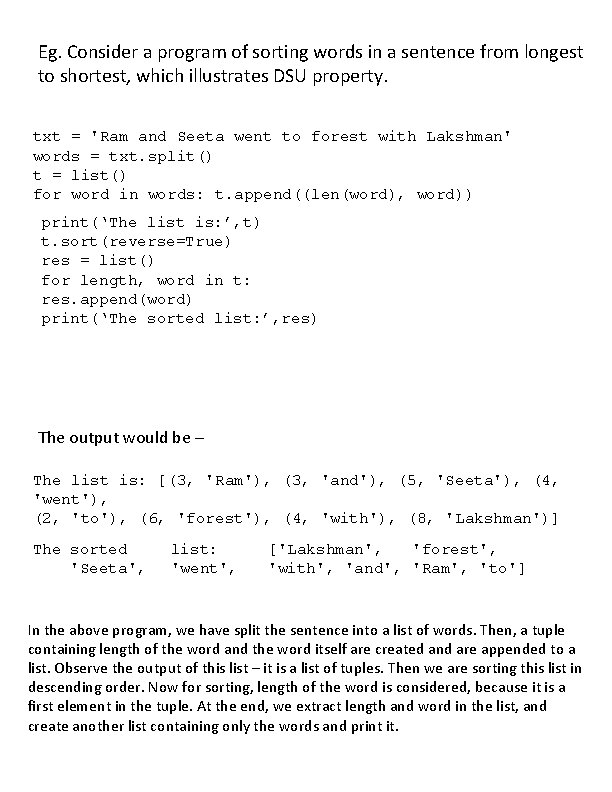
Eg. Consider a program of sorting words in a sentence from longest to shortest, which illustrates DSU property. txt = 'Ram and Seeta went to forest with Lakshman' words = txt. split() t = list() for word in words: t. append((len(word), word)) print(‘The list is: ’, t) t. sort(reverse=True) res = list() for length, word in t: res. append(word) print(‘The sorted list: ’, res) The output would be – The list is: [(3, 'Ram'), (3, 'and'), (5, 'Seeta'), (4, 'went'), (2, 'to'), (6, 'forest'), (4, 'with'), (8, 'Lakshman')] The sorted 'Seeta', list: 'went', ['Lakshman', 'forest', 'with', 'and', 'Ram', 'to'] In the above program, we have split the sentence into a list of words. Then, a tuple containing length of the word and the word itself are created and are appended to a list. Observe the output of this list – it is a list of tuples. Then we are sorting this list in descending order. Now for sorting, length of the word is considered, because it is a first element in the tuple. At the end, we extract length and word in the list, and create another list containing only the words and print it.
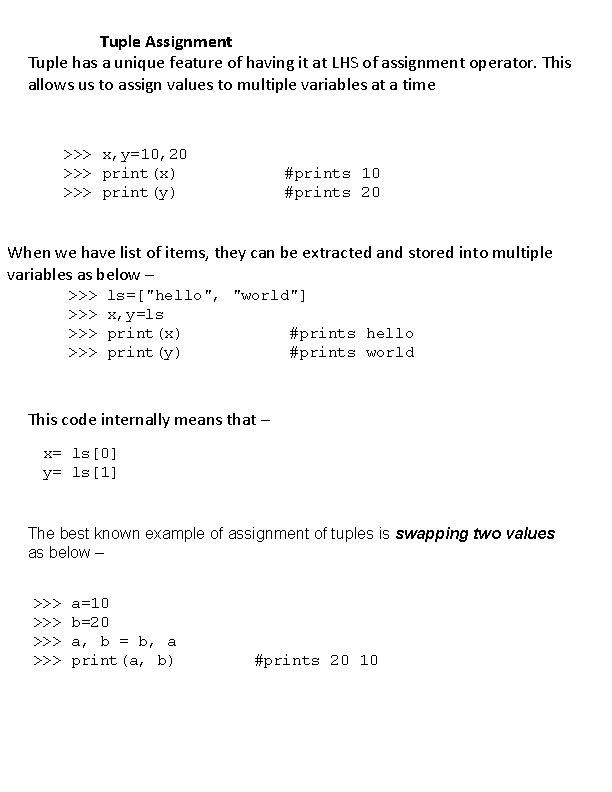
Tuple Assignment Tuple has a unique feature of having it at LHS of assignment operator. This allows us to assign values to multiple variables at a time >>> x, y=10, 20 >>> print(x) >>> print(y) #prints 10 #prints 20 When we have list of items, they can be extracted and stored into multiple variables as below – >>> >>> ls=["hello", "world"] x, y=ls print(x) #prints hello print(y) #prints world This code internally means that – x= ls[0] y= ls[1] The best known example of assignment of tuples is swapping two values as below – >>> >>> a=10 b=20 a, b = b, a print(a, b) #prints 20 10
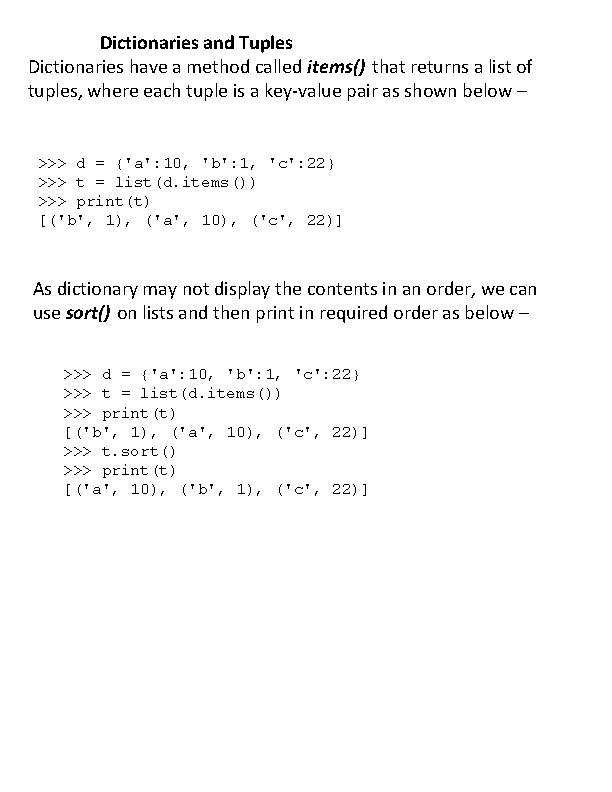
Dictionaries and Tuples Dictionaries have a method called items() that returns a list of tuples, where each tuple is a key-value pair as shown below – >>> d = {'a': 10, 'b': 1, 'c': 22} >>> t = list(d. items()) >>> print(t) [('b', 1), ('a', 10), ('c', 22)] As dictionary may not display the contents in an order, we can use sort() on lists and then print in required order as below – >>> d = {'a': 10, 'b': 1, 'c': 22} >>> t = list(d. items()) >>> print(t) [('b', 1), ('a', 10), ('c', 22)] >>> t. sort() >>> print(t) [('a', 10), ('b', 1), ('c', 22)]
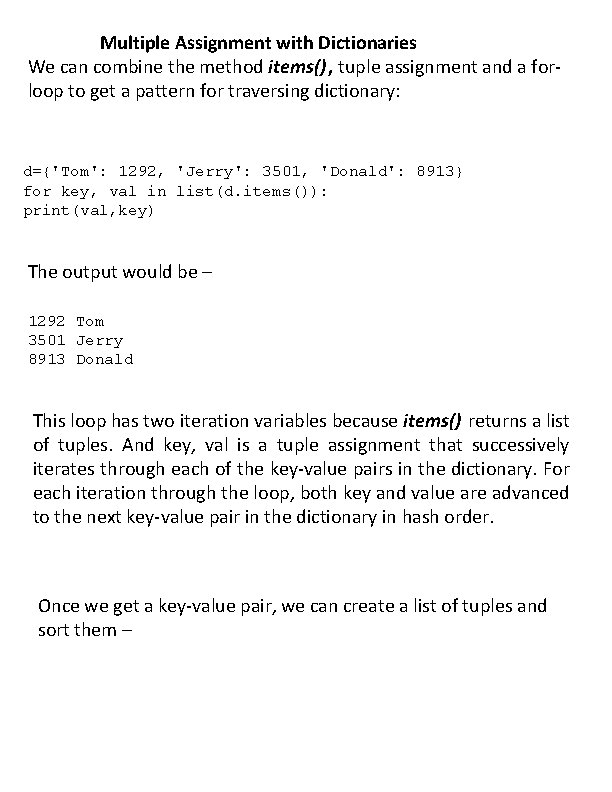
Multiple Assignment with Dictionaries We can combine the method items(), tuple assignment and a forloop to get a pattern for traversing dictionary: d={'Tom': 1292, 'Jerry': 3501, 'Donald': 8913} for key, val in list(d. items()): print(val, key) The output would be – 1292 Tom 3501 Jerry 8913 Donald This loop has two iteration variables because items() returns a list of tuples. And key, val is a tuple assignment that successively iterates through each of the key-value pairs in the dictionary. For each iteration through the loop, both key and value are advanced to the next key-value pair in the dictionary in hash order. Once we get a key-value pair, we can create a list of tuples and sort them –
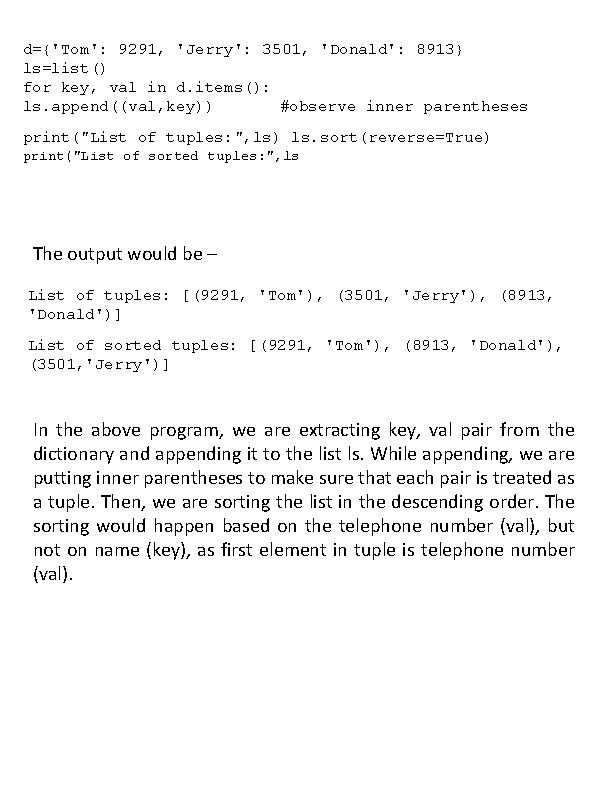
d={'Tom': 9291, 'Jerry': 3501, 'Donald': 8913} ls=list() for key, val in d. items(): ls. append((val, key)) #observe inner parentheses print("List of tuples: ", ls) ls. sort(reverse=True) print("List of sorted tuples: ", ls The output would be – List of tuples: [(9291, 'Tom'), (3501, 'Jerry'), (8913, 'Donald')] List of sorted tuples: [(9291, 'Tom'), (8913, 'Donald'), (3501, 'Jerry')] In the above program, we are extracting key, val pair from the dictionary and appending it to the list ls. While appending, we are putting inner parentheses to make sure that each pair is treated as a tuple. Then, we are sorting the list in the descending order. The sorting would happen based on the telephone number (val), but not on name (key), as first element in tuple is telephone number (val).
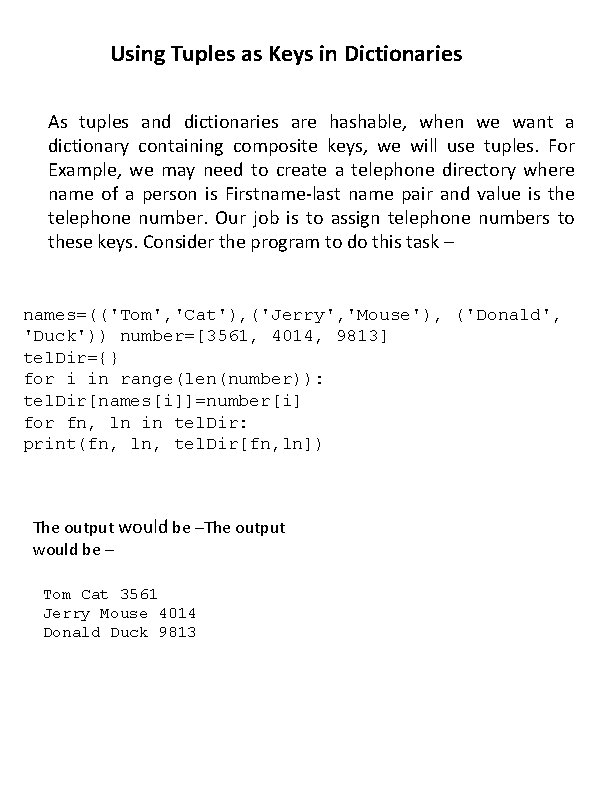
Using Tuples as Keys in Dictionaries As tuples and dictionaries are hashable, when we want a dictionary containing composite keys, we will use tuples. For Example, we may need to create a telephone directory where name of a person is Firstname-last name pair and value is the telephone number. Our job is to assign telephone numbers to these keys. Consider the program to do this task – names=(('Tom', 'Cat'), ('Jerry', 'Mouse'), ('Donald', 'Duck')) number=[3561, 4014, 9813] tel. Dir={} for i in range(len(number)): tel. Dir[names[i]]=number[i] for fn, ln in tel. Dir: print(fn, ln, tel. Dir[fn, ln]) The output would be – Tom Cat 3561 Jerry Mouse 4014 Donald Duck 9813
- Slides: 41