
Department of Computer Engineering ARTIFICIAL INTELLIGENCE Topic ADAPTIVE

- Slides: 15
Department of Computer Engineering ARTIFICIAL INTELLIGENCE Topic: ADAPTIVE CONCEPT MAP Guided By: Prof. Mrs Sujata Khedkar Prepared By: Akshay Chawla Naina Chawla Jyoti Daryani 1
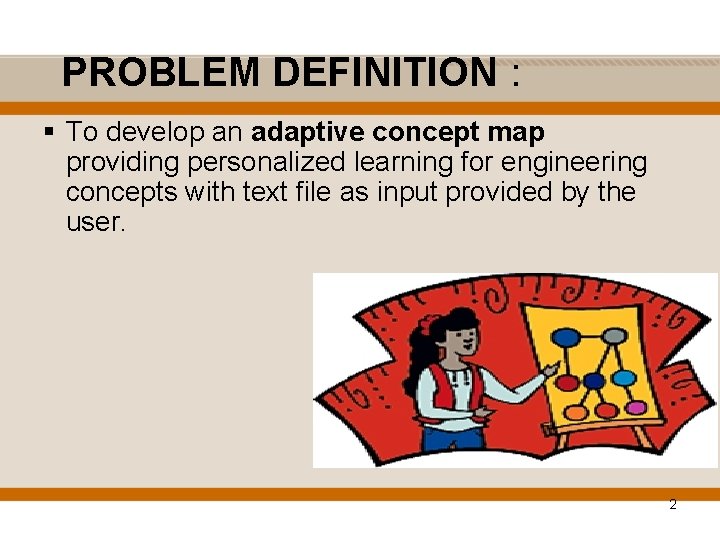
PROBLEM DEFINITION : § To develop an adaptive concept map providing personalized learning for engineering concepts with text file as input provided by the user. 2
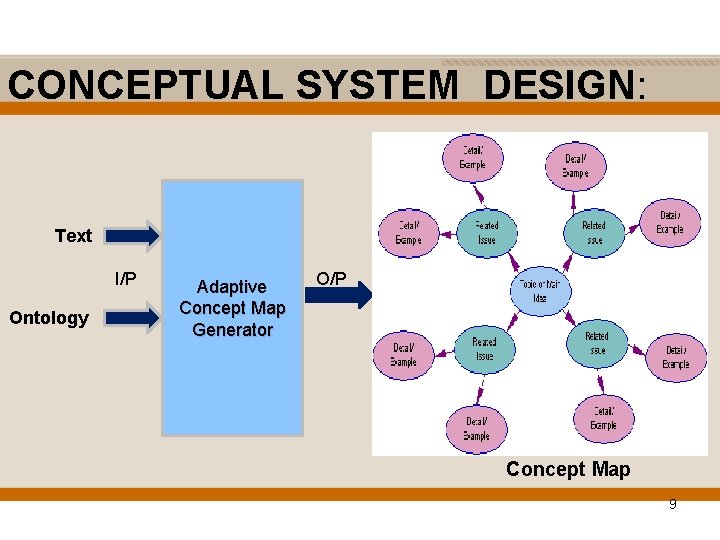
MOTIVATION/OBJECTIVE : § To design an effective interventions in providing students with a holistic understanding of a domain while also allows understanding of relationships among parts and across the engineering curricula via an Adaptive Concept Map which is a dynamic concept map which takes text in the form of text file and provides a concept map based on the concepts in the text based on the already created ontology. 3
Concept Map And Its Uses • Concept maps are graphical tools for organizing and representing knowledge, and seeking new knowledge. • Graphic Organizer • Develop logical thinking and study skills • Excellent teaching, learning and evaluating tools • Visual representator 4
Uses • • • Helps visual learners grasp the material (however all learners benefit from the activity) Helps students see relationships between ideas and concepts Utilizes the full range of the left and right hemispheres of the brain Helps memory recall Helps to clarify and structure ideas Aids in developing higher-level thinking skills (create, analyze, evaluate) Allowing students to more clearly communicate ideas, thoughts and information Helps students synthesize and integrate information, ideas and concepts Encourages students to think creatively about the subject Lets students do self-evaluation of beliefs, values, socialization, etc. Helps students evaluate assumptions. 5
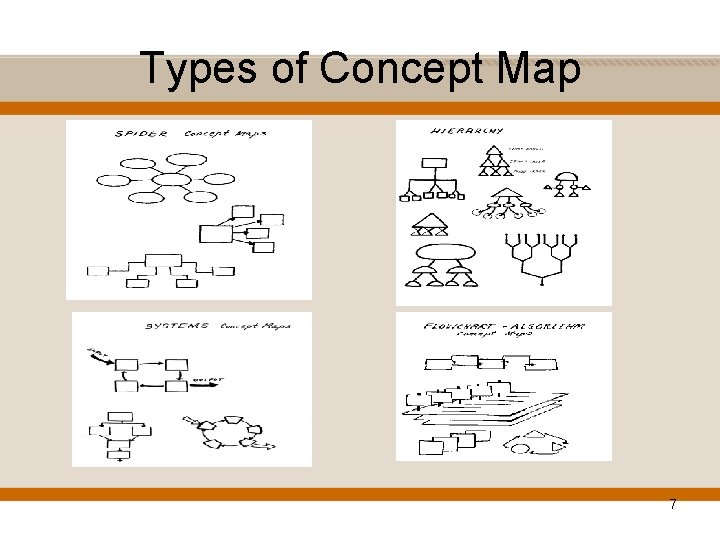
Types of Concept Map • "Spider": Organized by placing the central theme or unifying factor in the center of the map. Outwardly radiating sub-themes surround the center of the map. • "Hierarchical": Presents information in a descending order of importance. The most important information is placed on the top. Distinguishing factors determine the placement of the information. • "Systems": Organizes information in a format which is similar to a flowchart with the addition of 'INPUTS' and 'OUTPUTS’ • "Flowchart": Organizes information in a linear format. • “Cross-linked”: Cross-linked maps use a descriptive word or phrase and identify the relationship with a labeled arrow. 6
Types of Concept Map 7
REQUIREMENT ANALYSIS : § § § Personalized engineering learning zoom-out , zoom-in facility Bookmark Allows users to upload text file Platform independence Content integrity 8
CONCEPTUAL SYSTEM DESIGN: Text I/P Ontology Adaptive Concept Map Generator O/P Concept Map 9
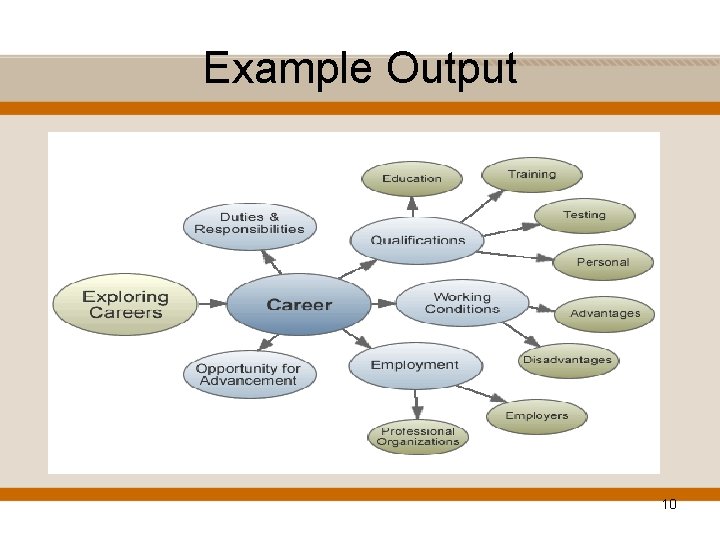
Example Output 10
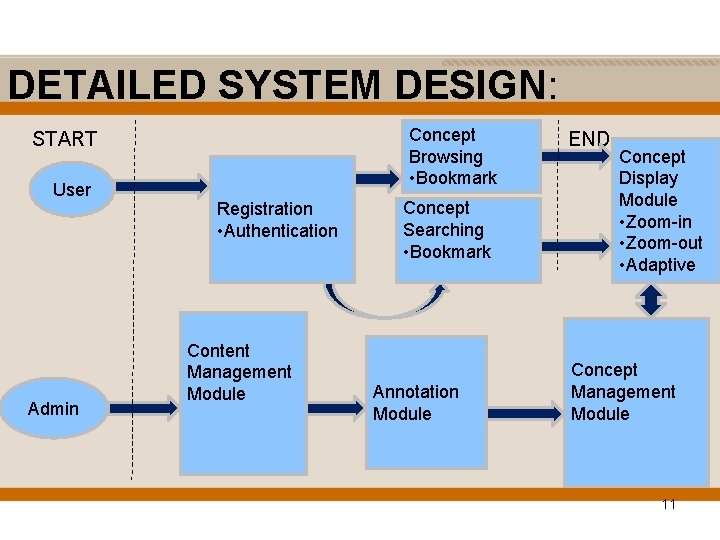
DETAILED SYSTEM DESIGN: Concept Browsing • Bookmark START User Admin Registration • Authentication Content Management Module Concept Searching • Bookmark Annotation Module END Concept Display Module • Zoom-in • Zoom-out • Adaptive Concept Management Module 11
Implementation § Ontology is created in Web Ontology language with Protégé software § Created ontology is then visualized in OWL 2 Prefuse Environment § User can upload text file 12
Web Ontology Language(OWL) • • Classes(Concepts) Subclasses(Subconcepts) Properties(Object, Data, etc) Annotations for classes and subclasses(Label, Comments, definition etc) • Equivalent class • Disjoint Class 13
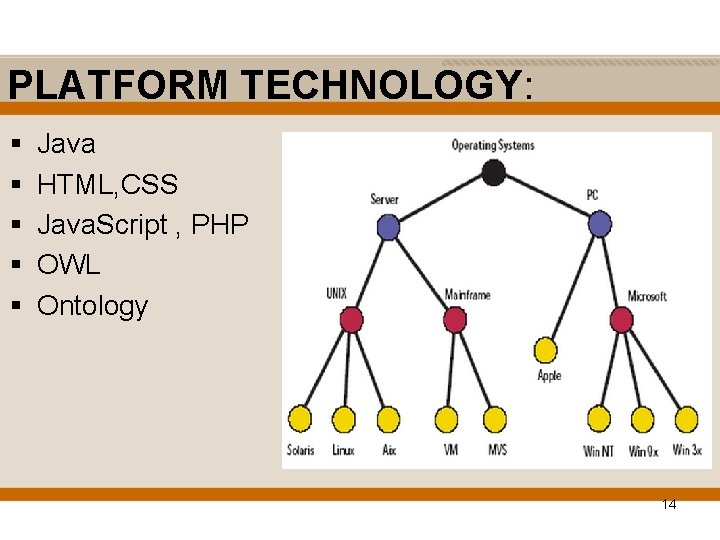
PLATFORM TECHNOLOGY: § § § Java HTML, CSS Java. Script , PHP OWL Ontology 14
15