
DEP 463 Windows Storage Server 2003 A drilldown






- Slides: 63
DEP 463 Windows Storage Server 2003: A drilldown Claude Lorenson Product Manager Enterprise Storage Division
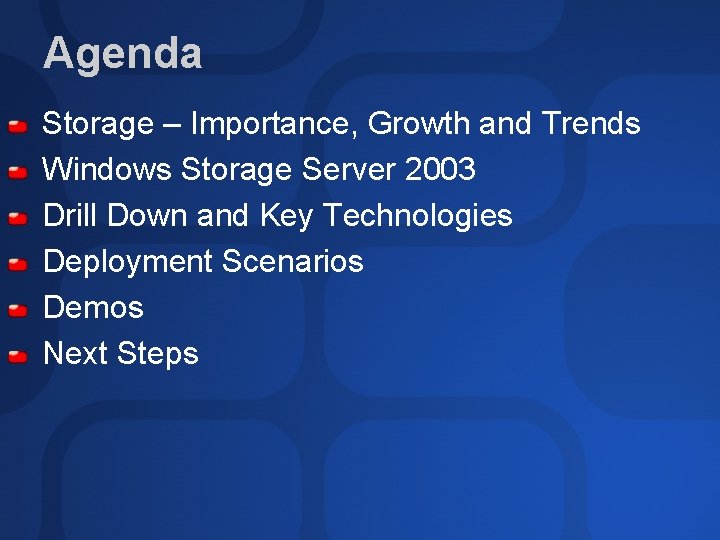
Agenda Storage – Importance, Growth and Trends Windows Storage Server 2003 Drill Down and Key Technologies Deployment Scenarios Demos Next Steps
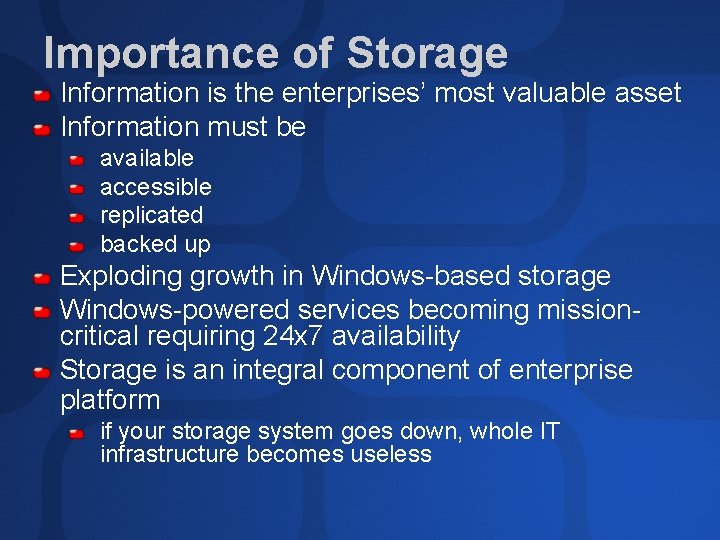
Importance of Storage Information is the enterprises’ most valuable asset Information must be available accessible replicated backed up Exploding growth in Windows-based storage Windows-powered services becoming missioncritical requiring 24 x 7 availability Storage is an integral component of enterprise platform if your storage system goes down, whole IT infrastructure becomes useless
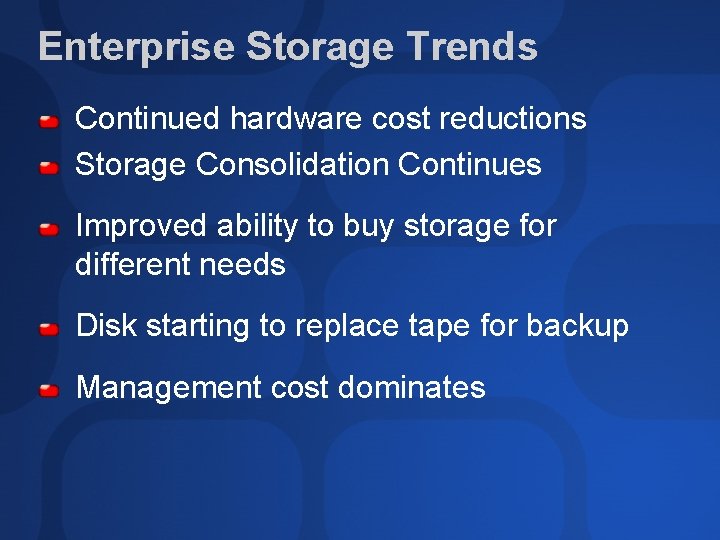
Enterprise Storage Trends Continued hardware cost reductions Storage Consolidation Continues Improved ability to buy storage for different needs Disk starting to replace tape for backup Management cost dominates
Growth of Storage requirements growing at an exponential rate-cost reduction of disks helps fuel this Doubling of data per year on average Percent of IT dollars spent on storage increasing Problem…need to store, need common platform for less management overhead
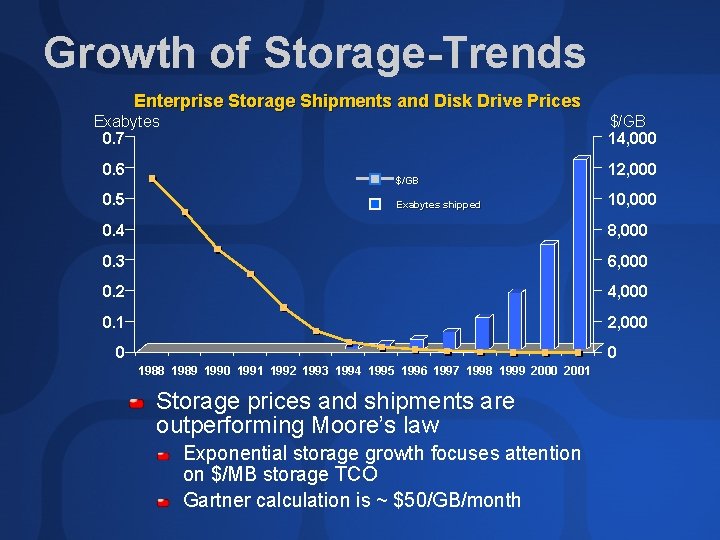
Growth of Storage-Trends Enterprise Storage Shipments and Disk Drive Prices Exabytes 0. 7 0. 6 0. 5 $/GB 14, 000 $/GB Exabytes shipped 12, 000 10, 000 0. 4 8, 000 0. 3 6, 000 0. 2 4, 000 0. 1 2, 000 0 0 1988 1989 1990 1991 1992 1993 1994 1995 1996 1997 1998 1999 2000 2001 Storage prices and shipments are outperforming Moore’s law Exponential storage growth focuses attention on $/MB storage TCO Gartner calculation is ~ $50/GB/month
Requirements for Customer Solutions Store more and spend less Move to increase server utilization Pressure to reduce TCO of Windows servers Reduce the cost of managing storage Cost to downtime / not managing your data is bigger then ever---Need better availability More stringent policies with respect to Disaster prevention Business continuity Back up
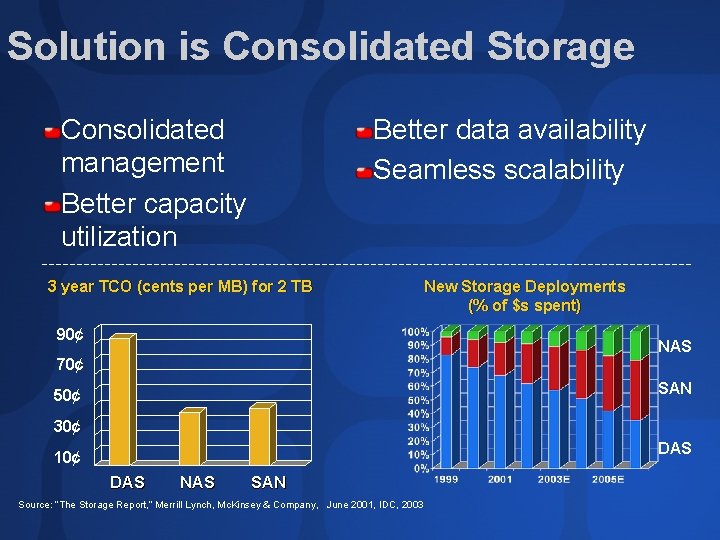
Solution is Consolidated Storage Consolidated management Better capacity utilization Better data availability Seamless scalability 3 year TCO (cents per MB) for 2 TB 90¢ New Storage Deployments (% of $s spent) NAS 70¢ SAN 50¢ 30¢ DAS 10¢ DAS NAS SAN Source: “The Storage Report, ” Merrill Lynch, Mc. Kinsey & Company, June 2001, IDC, 2003
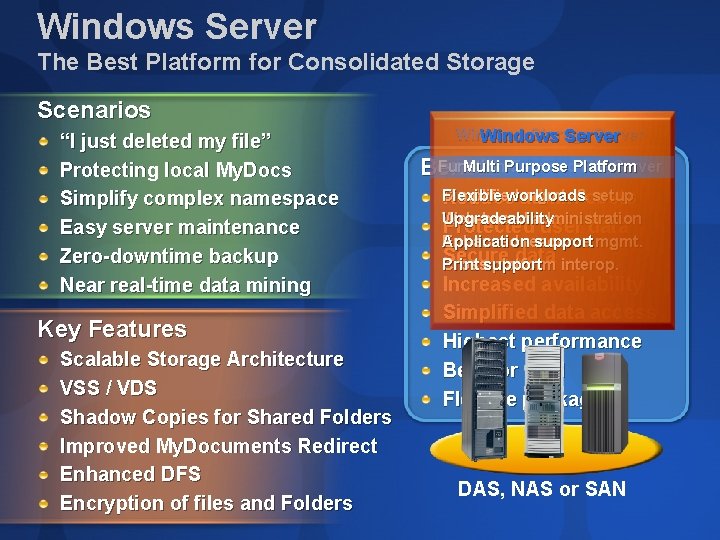
Windows Server The Best Platform for Consolidated Storage Scenarios “I just deleted my file” Protecting local My. Docs Simplify complex namespace Easy server maintenance Zero-downtime backup Near real-time data mining Key Features Scalable Storage Architecture VSS / VDS Shadow Copies for Shared Folders Improved My. Documents Redirect Enhanced DFS Encryption of files and Folders Windows Storage Server Windows Server Multi Purpose Platform Function-Focused File Server Benefits Flexible Simplified mgmt. &costs setup Reduceworkloads admin Upgradeability Web-based administration Protected user data Application support mgmt. Enhanced resource Secure data Print Crosssupport platform interop. Increased availability Simplified data access Highest performance Best for SAN Flexible packaging DAS, NAS or SAN
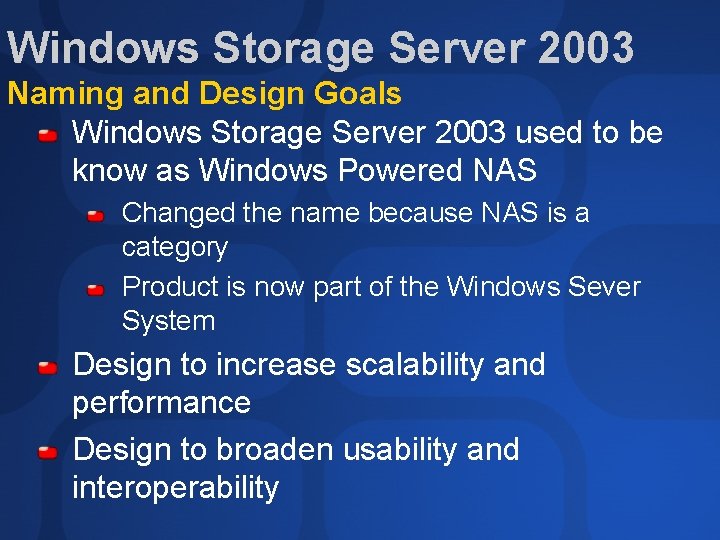
Windows Storage Server 2003 Naming and Design Goals Windows Storage Server 2003 used to be know as Windows Powered NAS Changed the name because NAS is a category Product is now part of the Windows Sever System Design to increase scalability and performance Design to broaden usability and interoperability
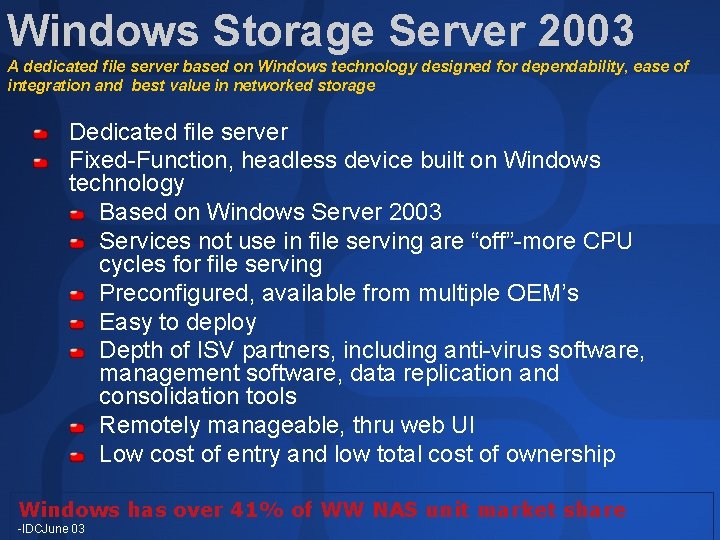
Windows Storage Server 2003 A dedicated file server based on Windows technology designed for dependability, ease of integration and best value in networked storage Dedicated file server Fixed-Function, headless device built on Windows technology Based on Windows Server 2003 Services not use in file serving are “off”-more CPU cycles for file serving Preconfigured, available from multiple OEM’s Easy to deploy Depth of ISV partners, including anti-virus software, management software, data replication and consolidation tools Remotely manageable, thru web UI Low cost of entry and low total cost of ownership Windows has over 41% of WW NAS unit market share -IDCJune 03
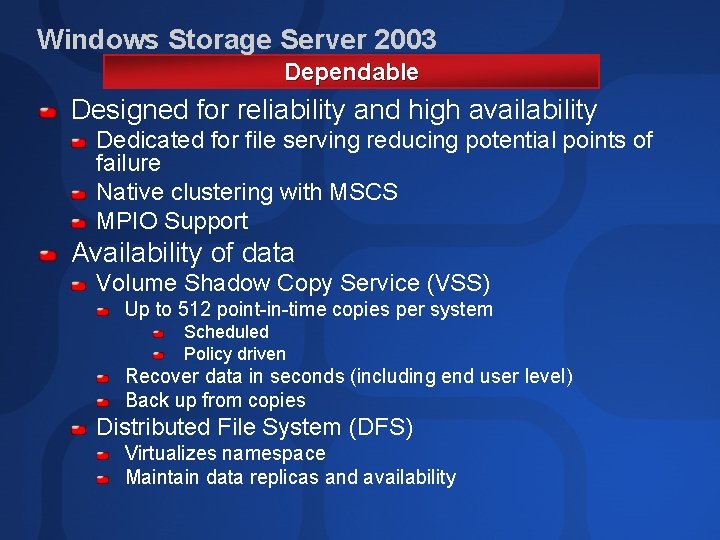
Windows Storage Server 2003 Dependable Designed for reliability and high availability Dedicated for file serving reducing potential points of failure Native clustering with MSCS MPIO Support Availability of data Volume Shadow Copy Service (VSS) Up to 512 point-in-time copies per system Scheduled Policy driven Recover data in seconds (including end user level) Back up from copies Distributed File System (DFS) Virtualizes namespace Maintain data replicas and availability
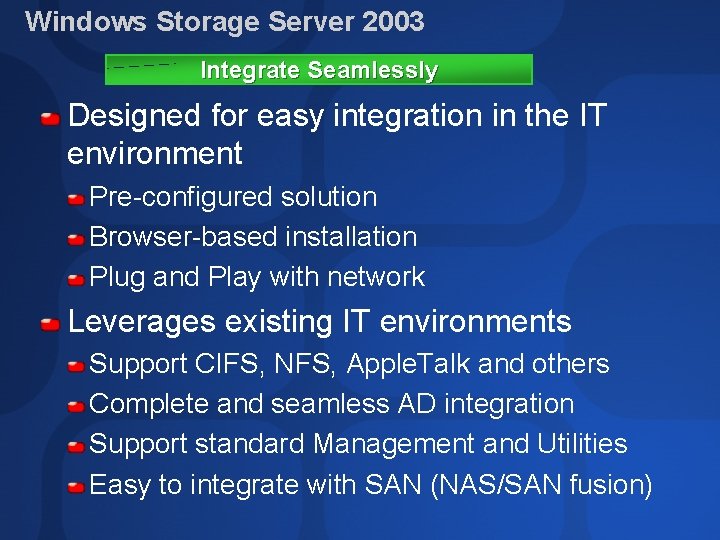
Windows Storage Server 2003 Integrate Seamlessly Designed for easy integration in the IT environment Pre-configured solution Browser-based installation Plug and Play with network Leverages existing IT environments Support CIFS, NFS, Apple. Talk and others Complete and seamless AD integration Support standard Management and Utilities Easy to integrate with SAN (NAS/SAN fusion)
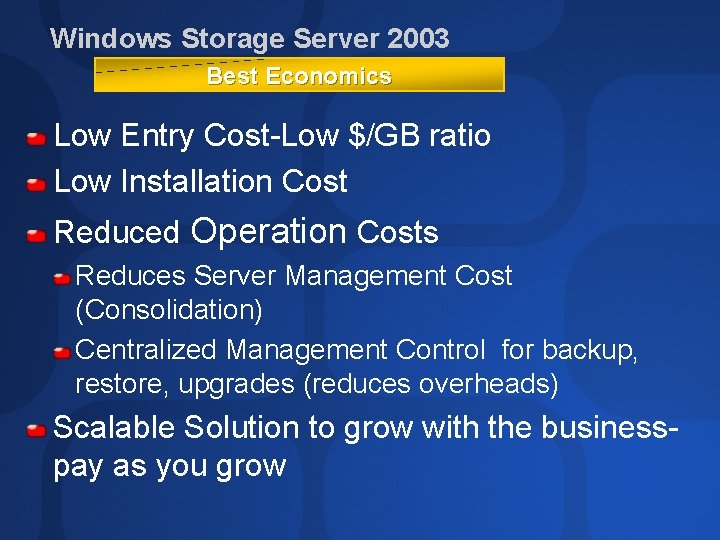
Windows Storage Server 2003 Best Economics Low Entry Cost-Low $/GB ratio Low Installation Cost Reduced Operation Costs Reduces Server Management Cost (Consolidation) Centralized Management Control for backup, restore, upgrades (reduces overheads) Scalable Solution to grow with the businesspay as you grow
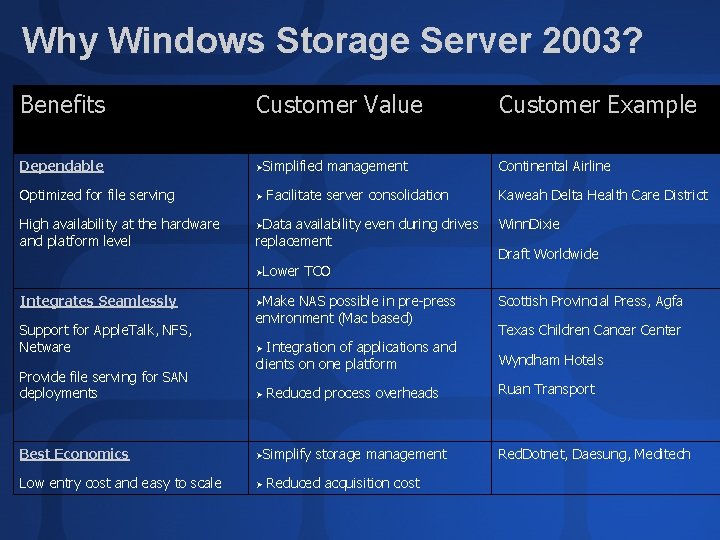
Why Windows Storage Server 2003? Benefits Customer Value Customer Example Dependable ØSimplified Continental Airline Optimized for file serving Ø High availability at the hardware and platform level Facilitate server consolidation ØData availability even during drives replacement ØLower Integrates Seamlessly Support for Apple. Talk, NFS, Netware Provide file serving for SAN deployments management TCO ØMake NAS possible in pre-press environment (Mac based) Integration of applications and clients on one platform Ø Ø Reduced process overheads Best Economics ØSimplify Low entry cost and easy to scale Ø storage management Reduced acquisition cost Kaweah Delta Health Care District Winn. Dixie Draft Worldwide Scottish Provincial Press, Agfa Texas Children Cancer Center Wyndham Hotels Ruan Transport Red. Dotnet, Daesung, Meditech
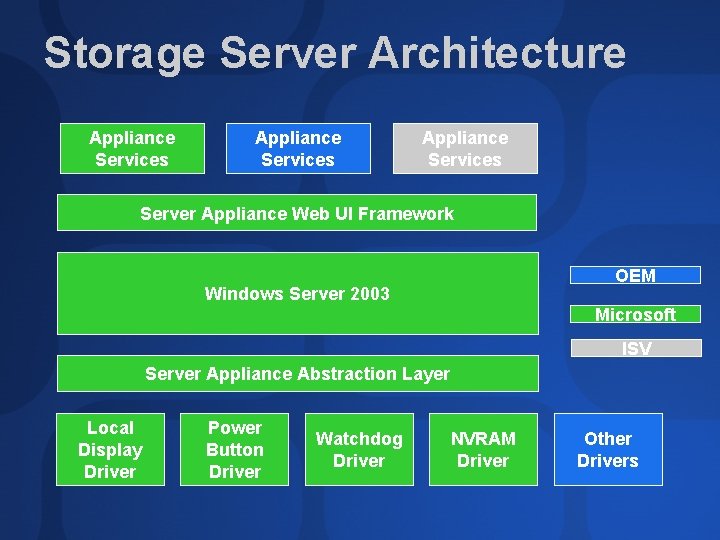
Storage Server Architecture Appliance Services Server Appliance Web UI Framework OEM Windows Server 2003 Microsoft ISV Server Appliance Abstraction Layer Local Display Driver Power Button Driver Watchdog Driver NVRAM Driver Other Drivers
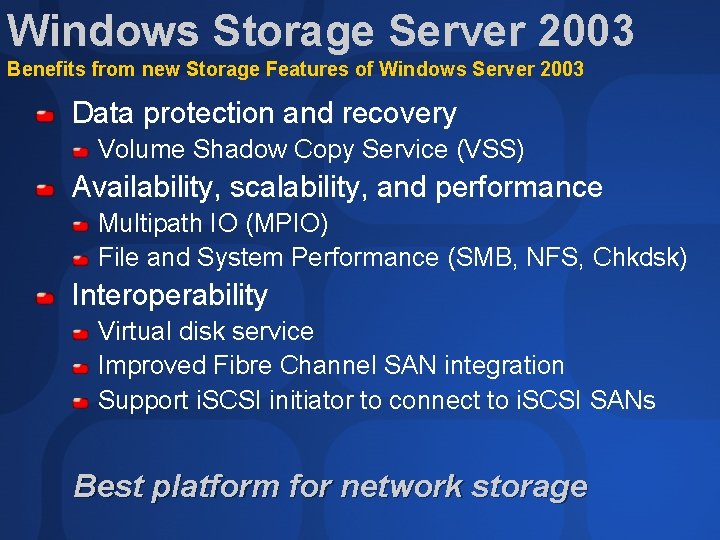
Windows Storage Server 2003 Benefits from new Storage Features of Windows Server 2003 Data protection and recovery Volume Shadow Copy Service (VSS) Availability, scalability, and performance Multipath IO (MPIO) File and System Performance (SMB, NFS, Chkdsk) Interoperability Virtual disk service Improved Fibre Channel SAN integration Support i. SCSI initiator to connect to i. SCSI SANs Best platform for network storage
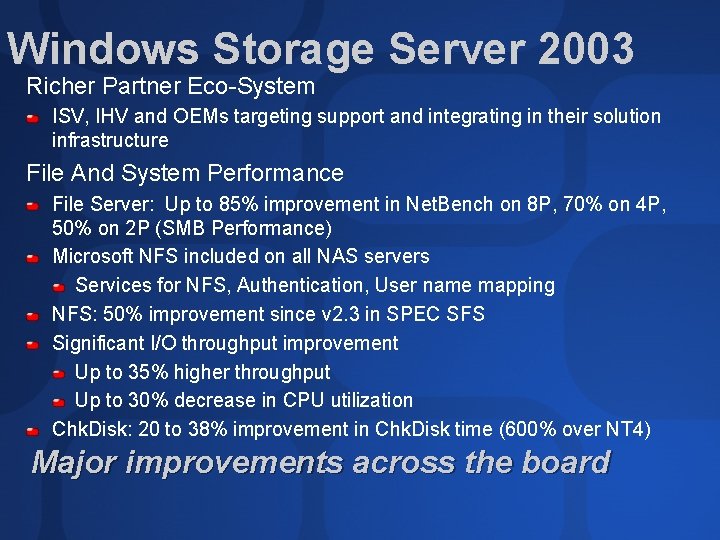
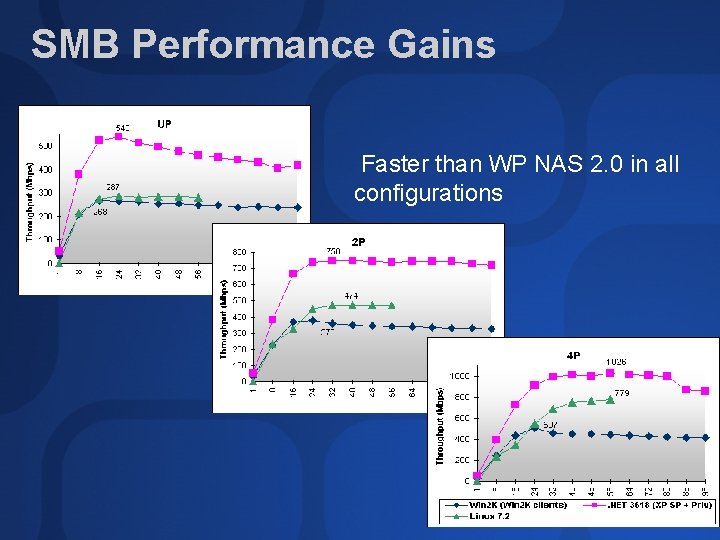
Windows Storage Server 2003 Richer Partner Eco-System ISV, IHV and OEMs targeting support and integrating in their solution infrastructure File And System Performance File Server: Up to 85% improvement in Net. Bench on 8 P, 70% on 4 P, 50% on 2 P (SMB Performance) Microsoft NFS included on all NAS servers Services for NFS, Authentication, User name mapping NFS: 50% improvement since v 2. 3 in SPEC SFS Significant I/O throughput improvement Up to 35% higher throughput Up to 30% decrease in CPU utilization Chk. Disk: 20 to 38% improvement in Chk. Disk time (600% over NT 4) Major improvements across the board
SMB Performance Gains Faster than WP NAS 2. 0 in all configurations
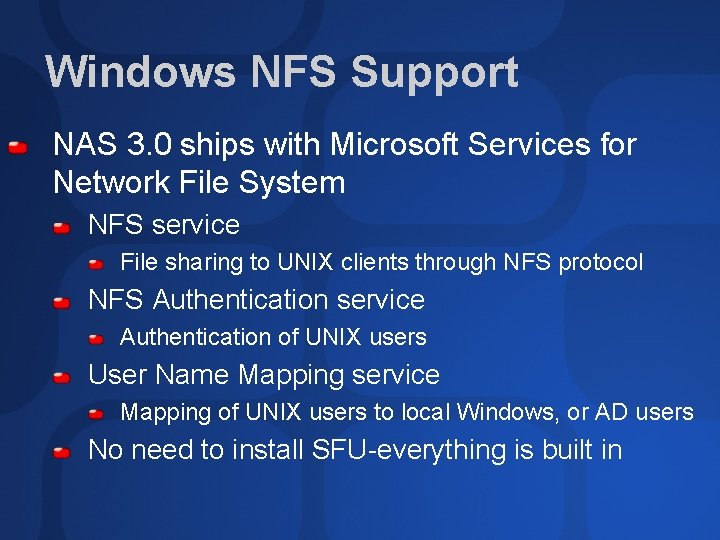
Windows NFS Support NAS 3. 0 ships with Microsoft Services for Network File System NFS service File sharing to UNIX clients through NFS protocol NFS Authentication service Authentication of UNIX users User Name Mapping service Mapping of UNIX users to local Windows, or AD users No need to install SFU-everything is built in
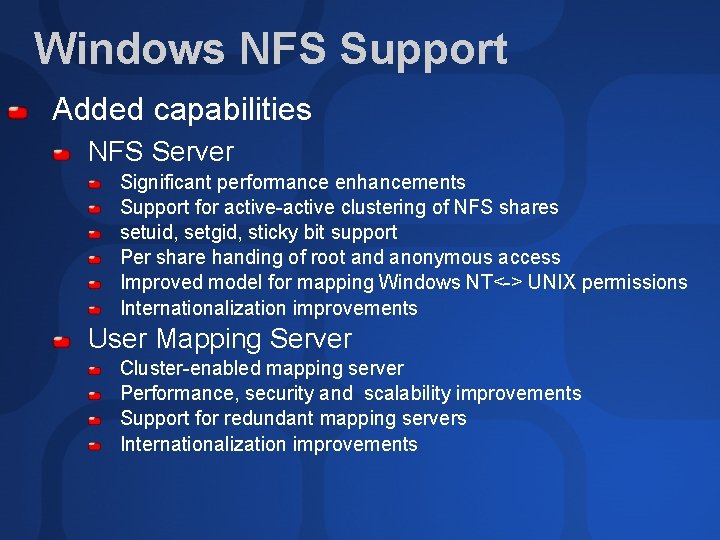
Windows NFS Support Added capabilities NFS Server Significant performance enhancements Support for active-active clustering of NFS shares setuid, setgid, sticky bit support Per share handing of root and anonymous access Improved model for mapping Windows NT<-> UNIX permissions Internationalization improvements User Mapping Server Cluster-enabled mapping server Performance, security and scalability improvements Support for redundant mapping servers Internationalization improvements
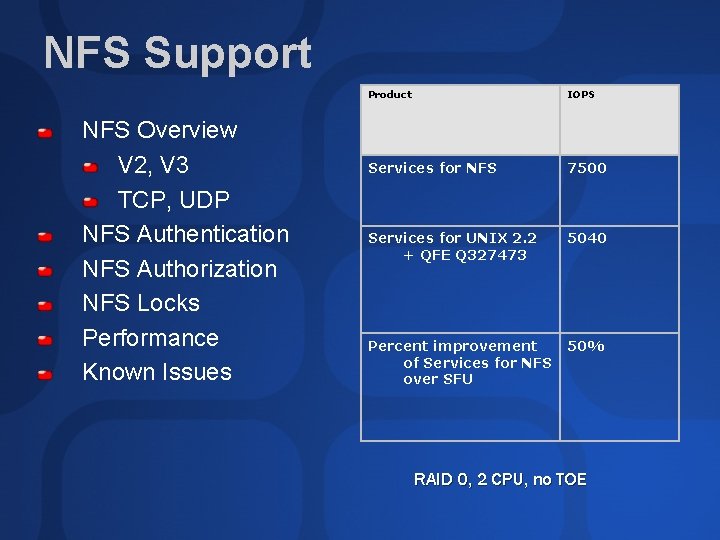
NFS Support NFS Overview V 2, V 3 TCP, UDP NFS Authentication NFS Authorization NFS Locks Performance Known Issues Product IOPS Services for NFS 7500 Services for UNIX 2. 2 + QFE Q 327473 5040 Percent improvement of Services for NFS over SFU 50% RAID 0, 2 CPU, no TOE
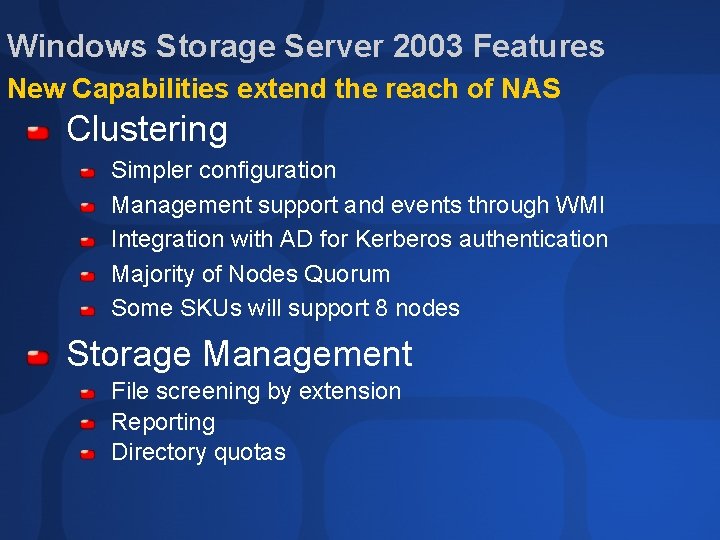
Windows Storage Server 2003 Features New Capabilities extend the reach of NAS Clustering Simpler configuration Management support and events through WMI Integration with AD for Kerberos authentication Majority of Nodes Quorum Some SKUs will support 8 nodes Storage Management File screening by extension Reporting Directory quotas
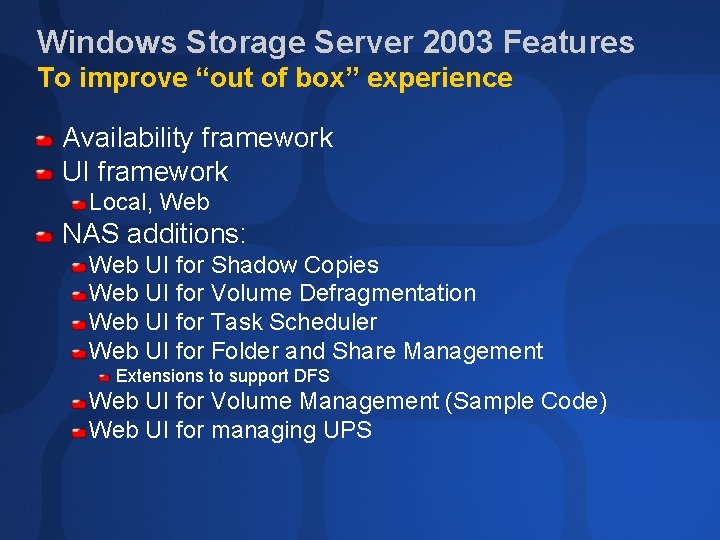
Windows Storage Server 2003 Features To improve “out of box” experience Availability framework UI framework Local, Web NAS additions: Web UI for Shadow Copies Web UI for Volume Defragmentation Web UI for Task Scheduler Web UI for Folder and Share Management Extensions to support DFS Web UI for Volume Management (Sample Code) Web UI for managing UPS
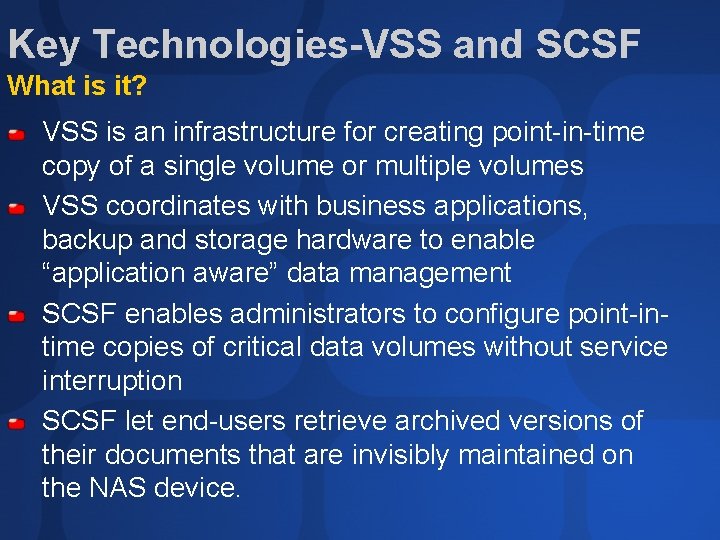
Key Technologies-VSS and SCSF What is it? VSS is an infrastructure for creating point-in-time copy of a single volume or multiple volumes VSS coordinates with business applications, backup and storage hardware to enable “application aware” data management SCSF enables administrators to configure point-intime copies of critical data volumes without service interruption SCSF let end-users retrieve archived versions of their documents that are invisibly maintained on the NAS device.
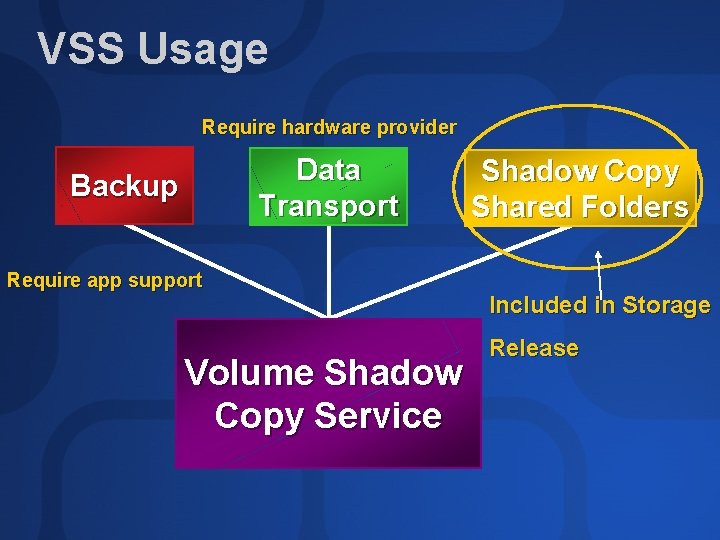
VSS Usage Require hardware provider Data Transport Backup Require app support Volume Shadow Copy Service Shadow Copy Shared Folders Included in Storage Release
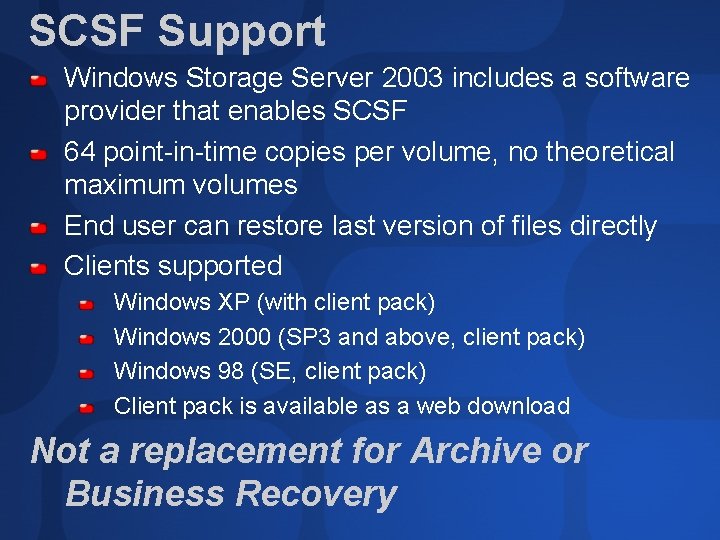
SCSF Support Windows Storage Server 2003 includes a software provider that enables SCSF 64 point-in-time copies per volume, no theoretical maximum volumes End user can restore last version of files directly Clients supported Windows XP (with client pack) Windows 2000 (SP 3 and above, client pack) Windows 98 (SE, client pack) Client pack is available as a web download Not a replacement for Archive or Business Recovery
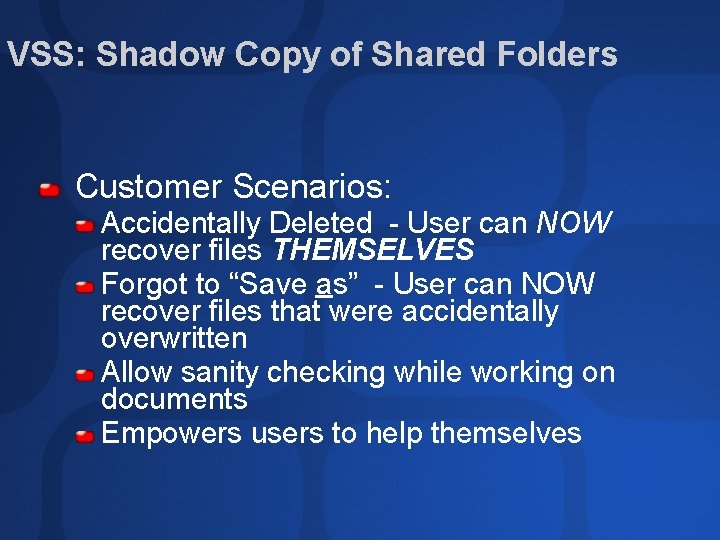
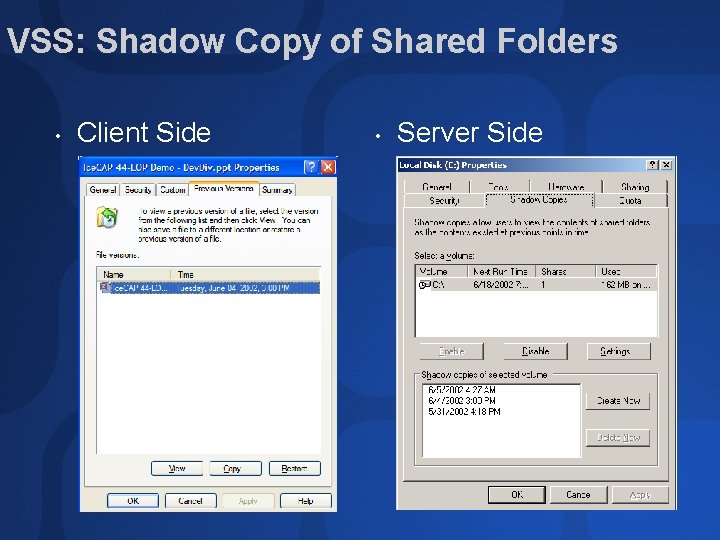
VSS: Shadow Copy of Shared Folders Customer Scenarios: Accidentally Deleted - User can NOW recover files THEMSELVES Forgot to “Save as” - User can NOW recover files that were accidentally overwritten Allow sanity checking while working on documents Empowers users to help themselves
VSS: Shadow Copy of Shared Folders • Client Side • Server Side
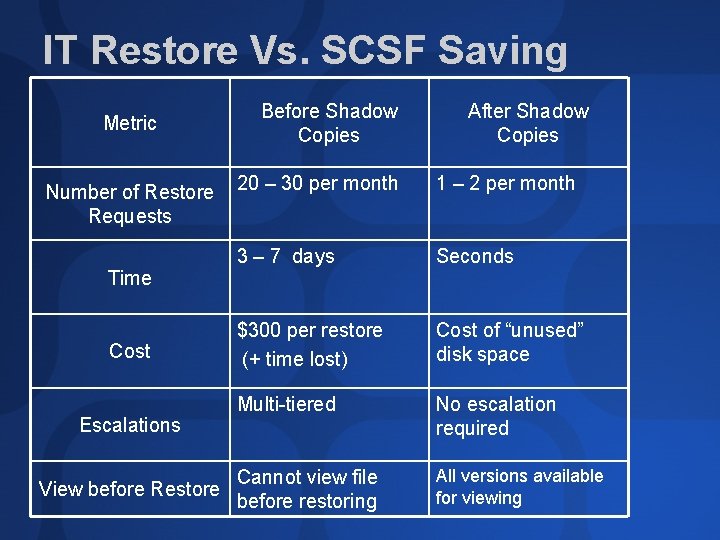
IT Restore Vs. SCSF Saving Metric Number of Restore Requests Time Cost Escalations Before Shadow Copies After Shadow Copies 20 – 30 per month 1 – 2 per month 3 – 7 days Seconds $300 per restore (+ time lost) Cost of “unused” disk space Multi-tiered No escalation required Cannot view file View before Restore before restoring All versions available for viewing
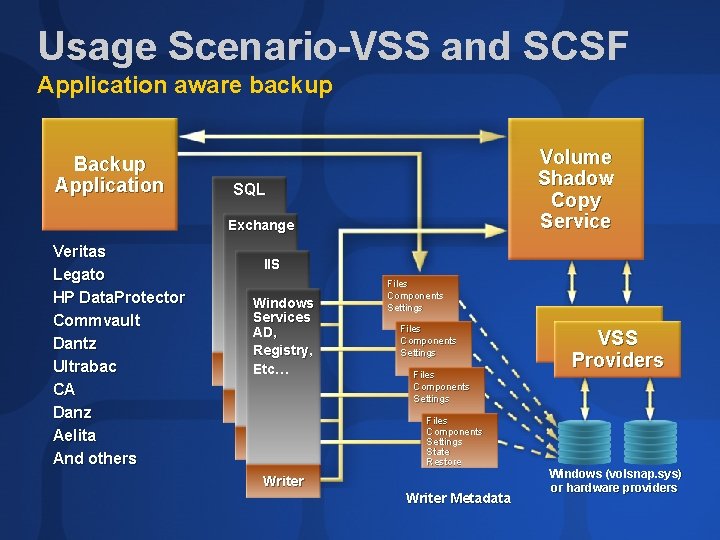
Usage Scenario-VSS and SCSF Application aware backup Backup Application Volume Shadow Copy Service SQL Exchange Veritas Legato HP Data. Protector Commvault Dantz Ultrabac CA Danz Aelita And others IIS Windows Services AD, Registry, Etc… Files Components Settings State Restore Writer Metadata VSS Providers Windows (volsnap. sys) or hardware providers
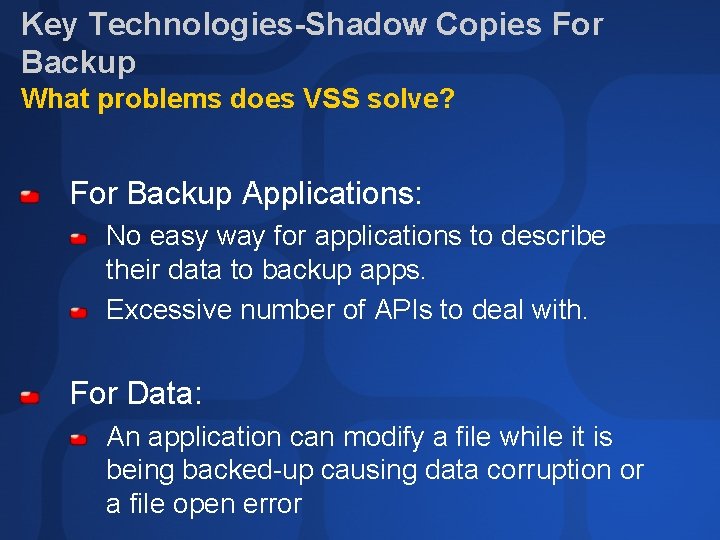
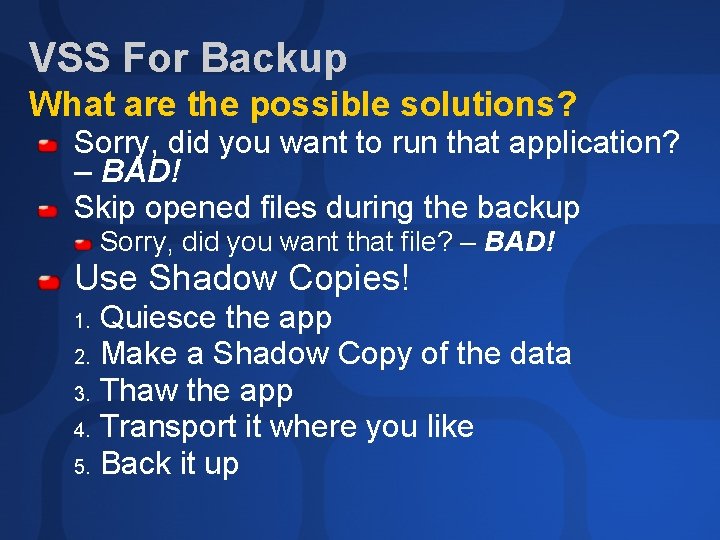
Key Technologies-Shadow Copies For Backup What problems does VSS solve? For Backup Applications: No easy way for applications to describe their data to backup apps. Excessive number of APIs to deal with. For Data: An application can modify a file while it is being backed-up causing data corruption or a file open error
VSS For Backup What are the possible solutions? Sorry, did you want to run that application? – BAD! Skip opened files during the backup Sorry, did you want that file? – BAD! Use Shadow Copies! Quiesce the app 2. Make a Shadow Copy of the data 3. Thaw the app 4. Transport it where you like 5. Back it up 1.
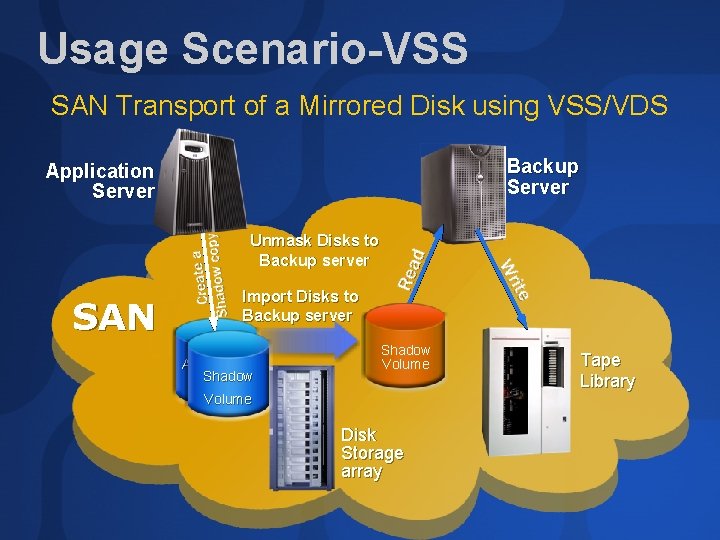
Usage Scenario-VSS SAN Transport of a Mirrored Disk using VSS/VDS Backup Server Application Server Unmask Disks to Backup server SAN Import Disks to Backup server Application Shadow Volume Disk Storage array Tape Library
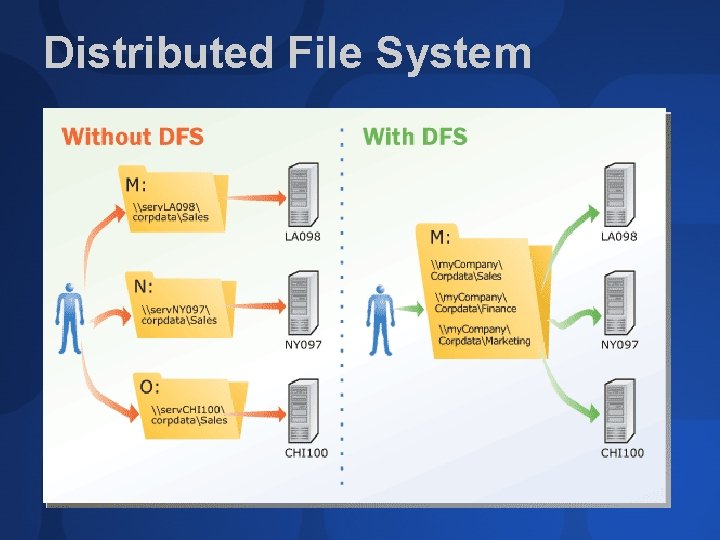
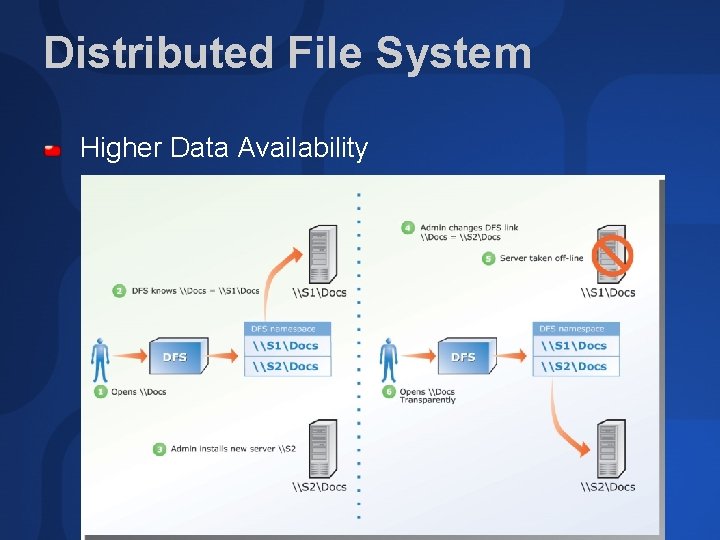
Distributed File System
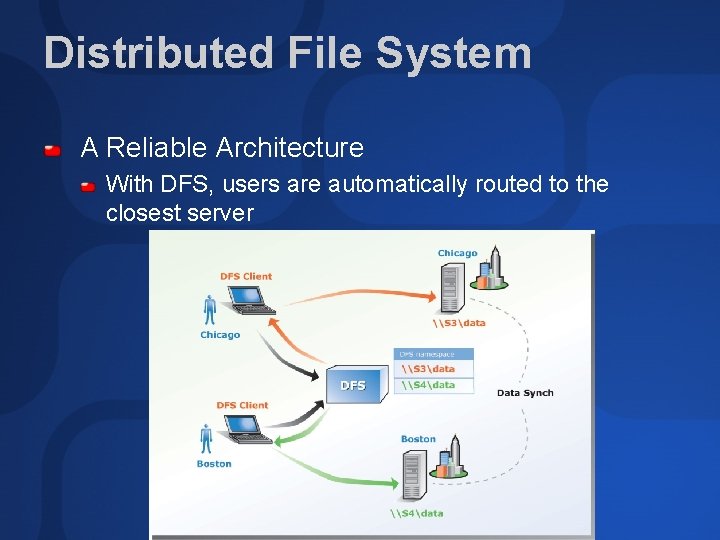
Distributed File System A Reliable Architecture With DFS, users are automatically routed to the closest server
Distributed File System Higher Data Availability
KEY Technologies-Storage Networking Investments Virtual Disk Service (VDS)
Virtual Disk Service (VDS) Single interface for managing block storage virtualization whether done by OS software, or RAID storage hardware, or other storage virtualization engines Hardware subsystem neutral Interconnect neutral Focus is virtualization and innovation in hardware for auto-management
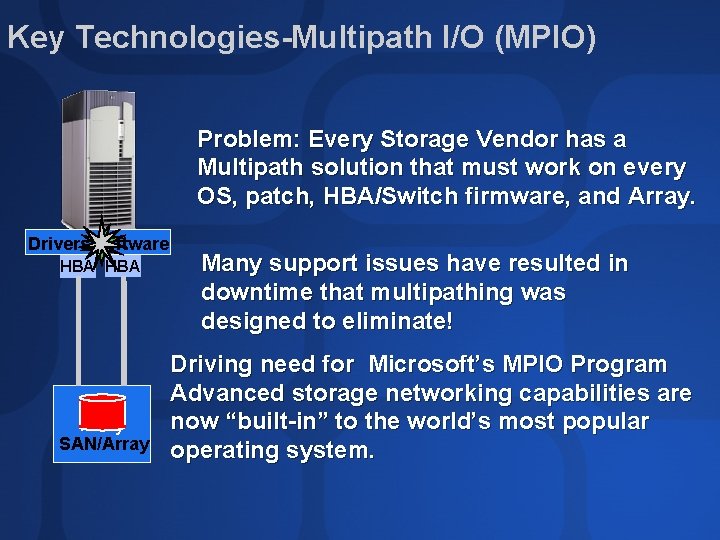
Key Technologies-Multipath I/O (MPIO) Problem: Every Storage Vendor has a Multipath solution that must work on every OS, patch, HBA/Switch firmware, and Array. Drivers/software HBA Array SAN/Array Many support issues have resulted in downtime that multipathing was designed to eliminate! Driving need for Microsoft’s MPIO Program Advanced storage networking capabilities are now “built-in” to the world’s most popular operating system.
Multipath I/O (MPIO) Hardware independent API The MPIO Driver Development Kit (DDK) allows storage vendors to create interoperable multipathing solutions. HBA and path agnostic Device Specific Modules Vendor tunes MPIO to the storage devices Supports Windows 2000 and. NET Server 2003 WHQL Logo Qualification insures quality Improves availability and interoperability
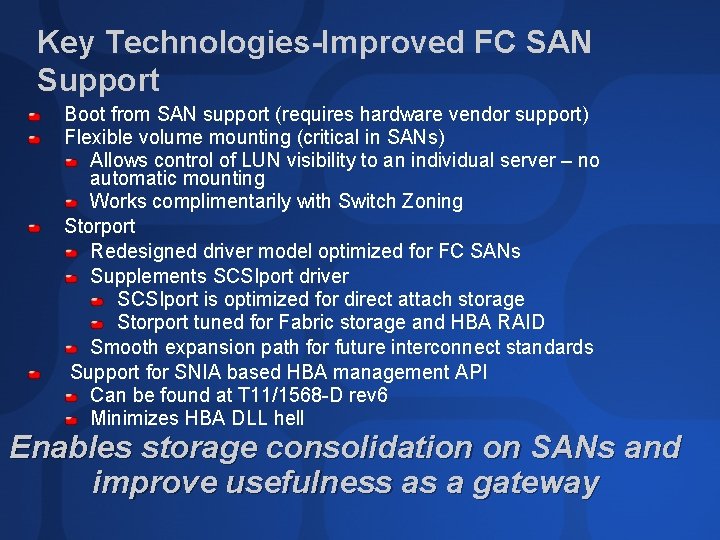
Key Technologies-Improved FC SAN Support Boot from SAN support (requires hardware vendor support) Flexible volume mounting (critical in SANs) Allows control of LUN visibility to an individual server – no automatic mounting Works complimentarily with Switch Zoning Storport Redesigned driver model optimized for FC SANs Supplements SCSIport driver SCSIport is optimized for direct attach storage Storport tuned for Fabric storage and HBA RAID Smooth expansion path for future interconnect standards Support for SNIA based HBA management API Can be found at T 11/1568 -D rev 6 Minimizes HBA DLL hell Enables storage consolidation on SANs and improve usefulness as a gateway
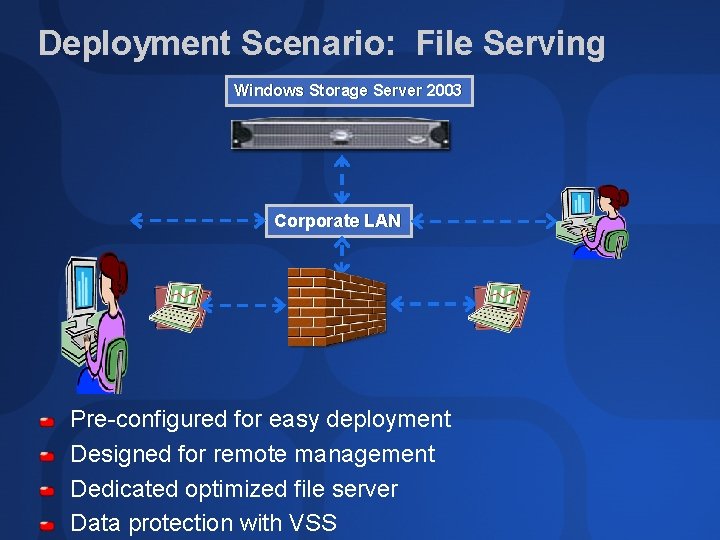
Deployment Scenario: File Serving Windows Storage Server 2003 Corporate LAN Pre-configured for easy deployment Designed for remote management Dedicated optimized file server Data protection with VSS
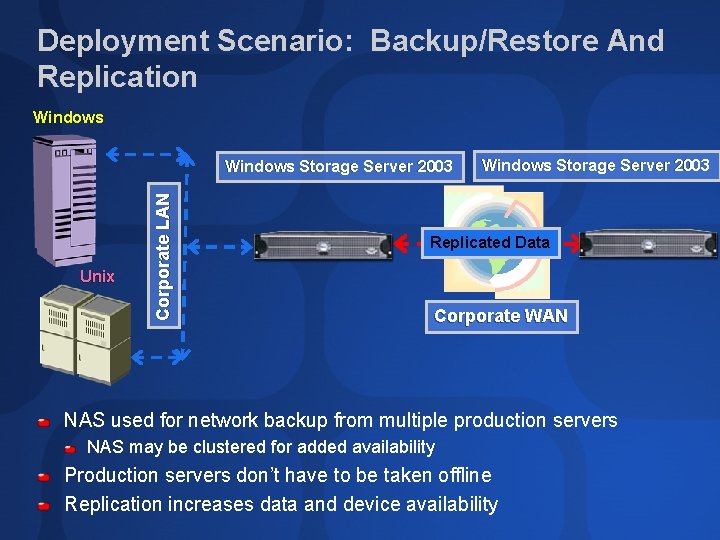
Deployment Scenario: Backup/Restore And Replication Windows Unix Corporate LAN Windows Storage Server 2003 Replicated Data Corporate WAN NAS used for network backup from multiple production servers NAS may be clustered for added availability Production servers don’t have to be taken offline Replication increases data and device availability
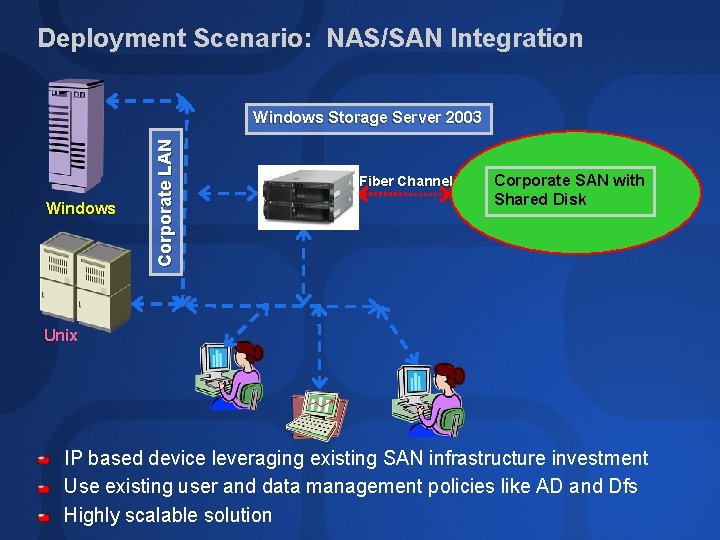
Deployment Scenario: NAS/SAN Integration Windows Corporate LAN Windows Storage Server 2003 Fiber Channel Corporate SAN with Shared Disk Unix IP based device leveraging existing SAN infrastructure investment Use existing user and data management policies like AD and Dfs Highly scalable solution
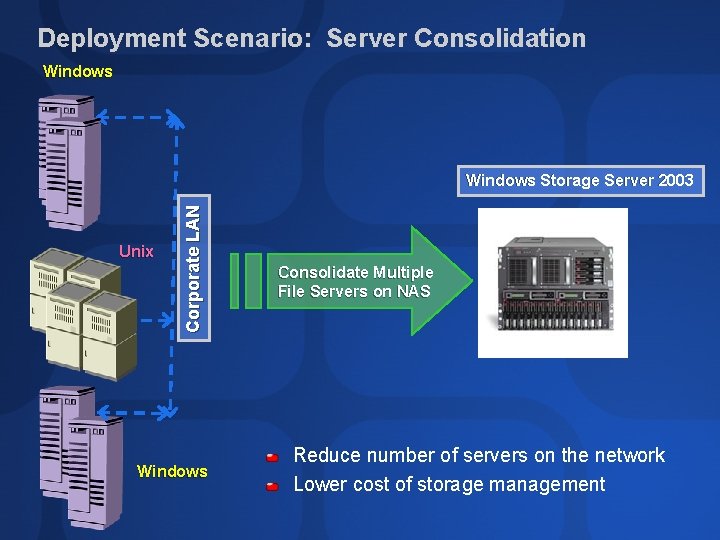
Deployment Scenario: Server Consolidation Windows Unix Corporate LAN Windows Storage Server 2003 Windows Consolidate Multiple File Servers on NAS Reduce number of servers on the network Lower cost of storage management
demo A Tour of the Web UI Claude Lorenson Product Manager Enterprise Storage Division
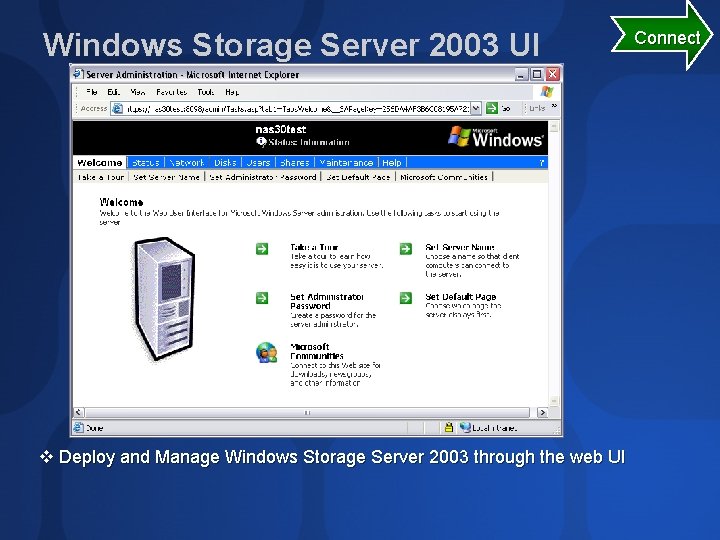
Windows Storage Server 2003 UI v Deploy and Manage Windows Storage Server 2003 through the web UI Connect
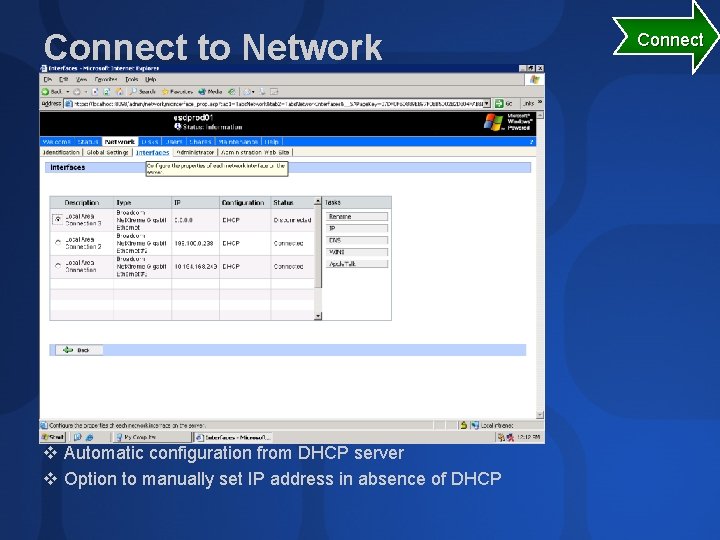
Connect to Network v Automatic configuration from DHCP server v Option to manually set IP address in absence of DHCP Connect
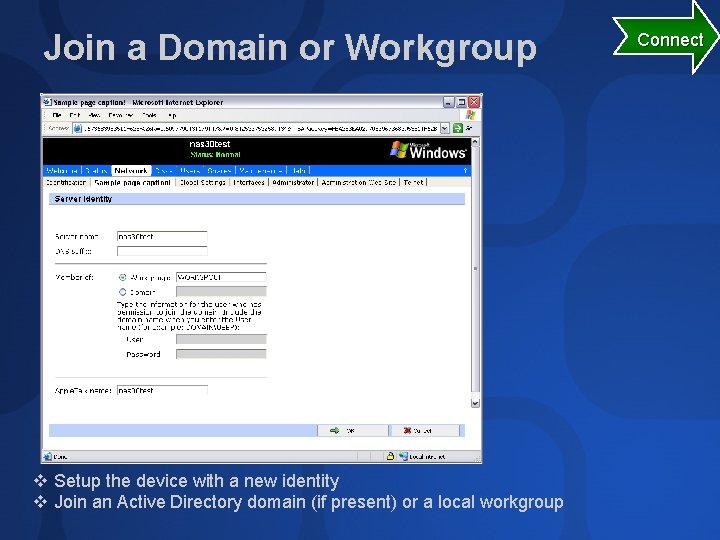
Join a Domain or Workgroup v Setup the device with a new identity v Join an Active Directory domain (if present) or a local workgroup Connect
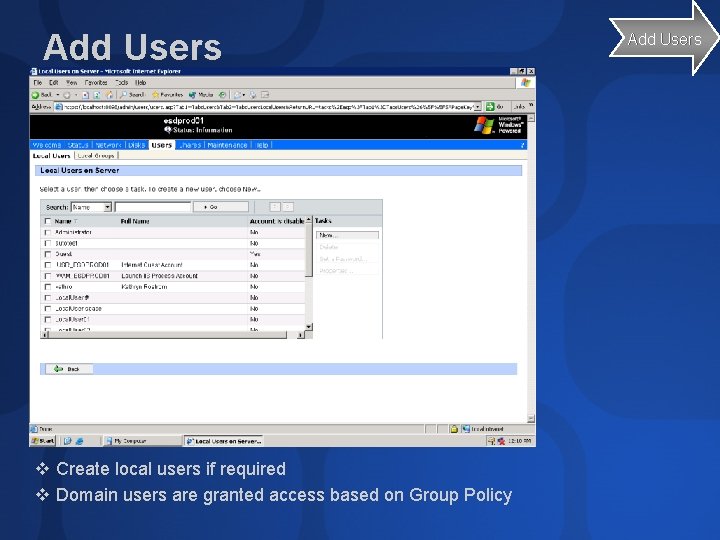
Add Users v Create local users if required v Domain users are granted access based on Group Policy Add Users
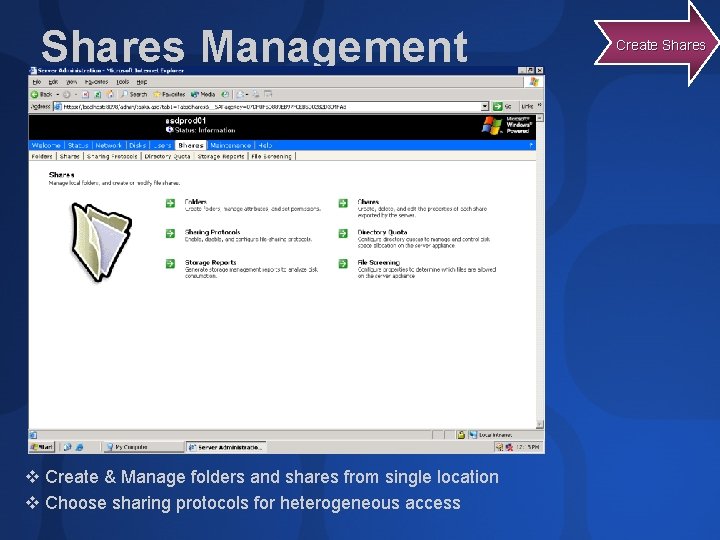
Shares Management v Create & Manage folders and shares from single location v Choose sharing protocols for heterogeneous access Create Shares
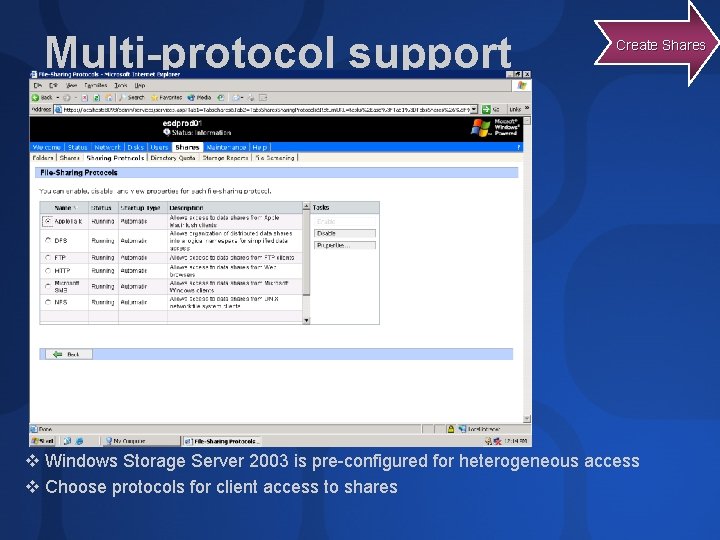
Multi-protocol support Create Shares v Windows Storage Server 2003 is pre-configured for heterogeneous access v Choose protocols for client access to shares
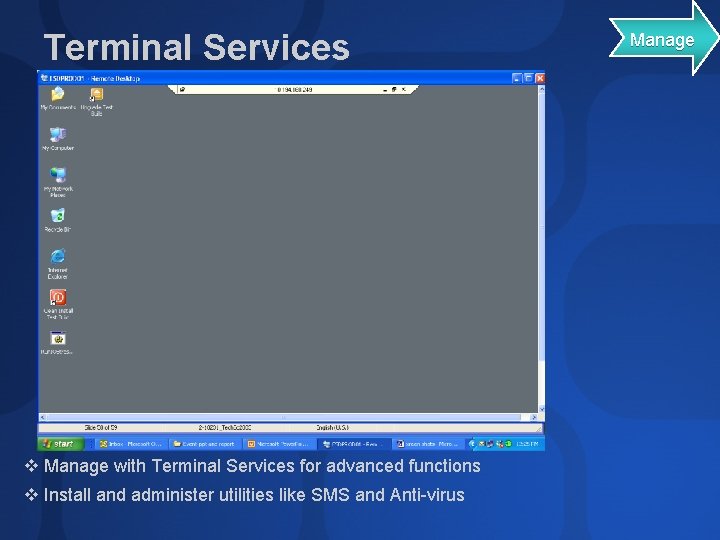
Terminal Services v Manage with Terminal Services for advanced functions v Install and administer utilities like SMS and Anti-virus Manage
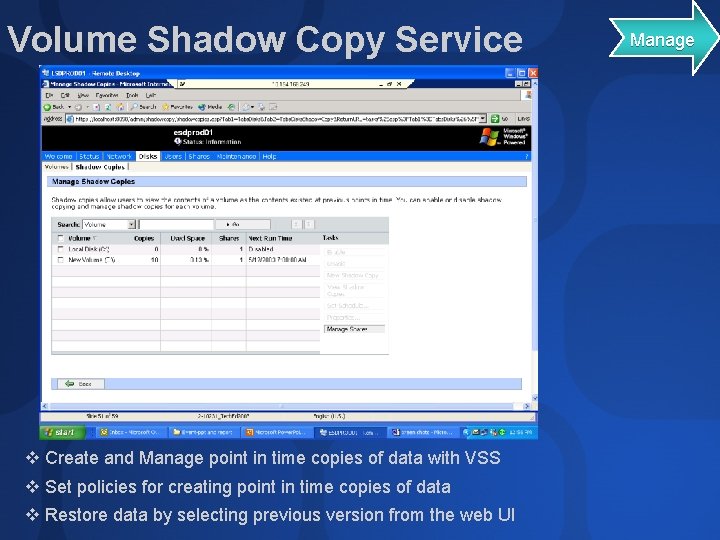
Volume Shadow Copy Service v Create and Manage point in time copies of data with VSS v Set policies for creating point in time copies of data v Restore data by selecting previous version from the web UI Manage
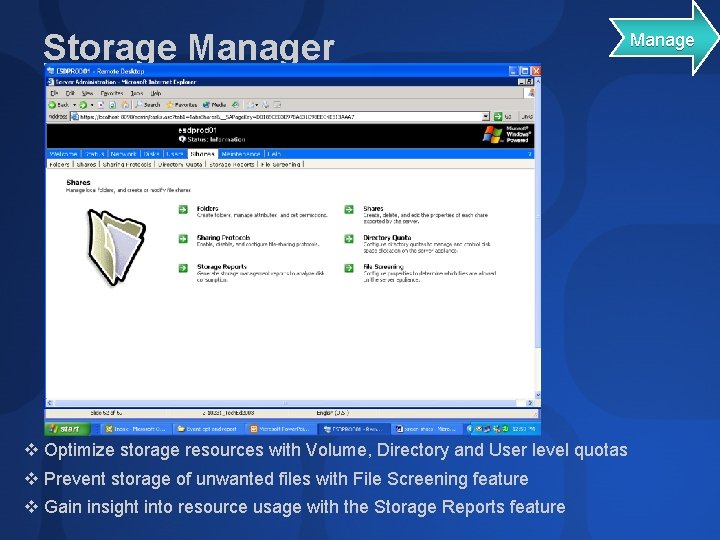
Storage Manager v Optimize storage resources with Volume, Directory and User level quotas v Prevent storage of unwanted files with File Screening feature v Gain insight into resource usage with the Storage Reports feature Manage
announcing. . . RTM for Windows Storage Server 2003
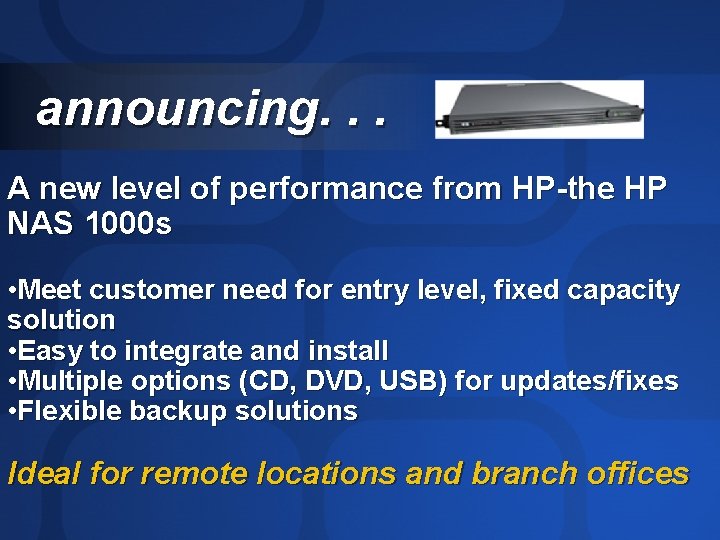
announcing. . . A new level of performance from HP-the HP NAS 1000 s • Meet customer need for entry level, fixed capacity solution • Easy to integrate and install • Multiple options (CD, DVD, USB) for updates/fixes • Flexible backup solutions Ideal for remote locations and branch offices
Community Resources More information at www. microsoft. com/windows/storage/ Benchmarks www. spec. org/sfs 97 r 1/results/sfs 97 r 1. html www. veritest. com/clients/reports/microsoft Examples of Partners Solutions www. infoworld. com/article/02/09/06/020909 nedellnas_1. html www. storage. ibm. com/snetwork/nas/300 g/perf_g 27. htm www. nsisoftware. com www. quest. com/fastlane/consolidator
Community Resources http: //www. microsoft. com/communities/default. mspx Most Valuable Professional (MVP) http: //www. mvp. support. microsoft. com/ Newsgroups Converse online with Microsoft Newsgroups, including Worldwide http: //www. microsoft. com/communities/newsgroups/default. mspx User Groups Meet and learn with your peers http: //www. microsoft. com/communities/usergroups/default. mspx
Ask The Experts Get Your Questions Answered I will be available to answer more questions after the presentation in the storage portion of the pavilion ~11: 30 am till 14: 00 pm
evaluations
© 2003 Microsoft Corporation. All rights reserved. This presentation is for informational purposes only. MICROSOFT MAKES NO WARRANTIES, EXPRESS OR IMPLIED, IN THIS SUMMARY.